Category: Software

  • Xiaomi Introduces HyperOS in India: Devices Receiving Update List

    Xiaomi Introduces HyperOS in India: Devices Receiving Update List

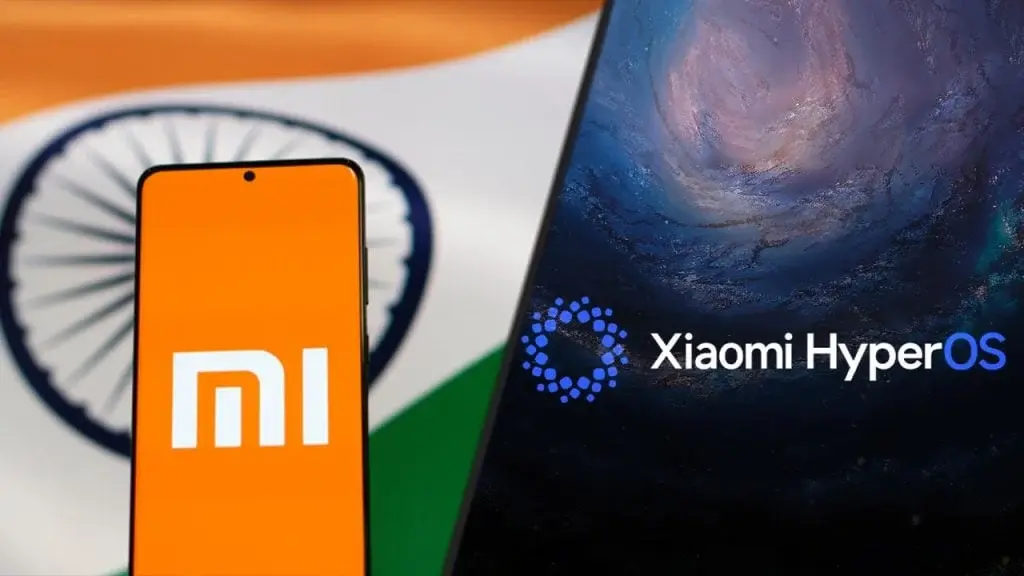
    As expected, Xiaomi has officially launched HyperOS in India. The company has also unveiled its availability and roll-out timeline for its smartphones and tablets.

    Last month, updates for HyperOS were rolled out to the following models:

    • Xiaomi 13 Pro
    • Xiaomi Pad 6
    • Redmi 12 5G
    • Redmi 12C
    • Redmi 11 Prime
    • Redmi Pad

    Update Schedule

    The upcoming update schedule is as outlined:

    March 2024

    • Xiaomi 12 Pro
    • Redmi Note 13 Pro+
    • Redmi Note 13 Pro
    • Redmi Note 13
    • Redmi Note 12 Pro+
    • Redmi Note 12 Pro
    • Redmi Note 12

    Second Quarter of 2024

    • Xiaomi 11 Ultra
    • Xiaomi 11T Pro
    • Mi 11X
    • Xiaomi 11i HyperCharge
    • Xiaomi 11 Lite
    • Xiaomi 11i
    • Mi 10
    • Xiaomi Pad 5
    • Redmi 13C Series
    • Redmi 12
    • Redmi Note 11 Series
    • Redmi 11 Prime 5G
    • Redmi K50i

    HyperOS Features and Benefits

    This timeline provides a detailed plan for Xiaomi and Redmi device owners awaiting the HyperOS update.

    HyperOS aims to seamlessly connect personal devices, vehicles, and smart home products. It is built on five key pillars: System Level Optimization, Interconnectivity, Active Intelligence, Privacy & Security, and Open Platform, promising to efficiently meet user needs. HyperOS offers significant performance improvements, including reduced response, message delivery, and task switching delays, enhanced CPU load assessments, and improved scheduling latency. It also reduces system storage requirements and improves I/O performance and OTA updates.

    Personalization and Design Philosophy

    HyperOS emphasizes personalization through its Alive Design Philosophy, offering customizable lock screens, a revamped Control Centre, a redesigned media player widget, system icons, and UI experiences. It supports a wide range of languages and glyphs with its system font, MiSans, and introduces an upgraded Floating Window and a new Workstation mode for tablets.

    Enhanced Interconnectivity

    For interconnectivity, HyperOS includes features like Home Screen+, a shared clipboard, and a notes app for seamless device integration. It introduces Xiaomi Smart Hub for device management, Xiaomi HyperMind for proactive device collaboration, comprehensive security measures, and a unified smart ecosystem to connect various devices, leveraging the world’s largest consumer IoT platform for innovation.

    For more information and updates on HyperOS, Xiaomi users can stay tuned to official announcements and timelines provided by the company.


    Xiaomi Introduces HyperOS in India: Devices Receiving Update List
  • Xiaomi Unveils Global HyperOS Rollout Plan for First Half of 2024

    Xiaomi Unveils Global HyperOS Rollout Plan for First Half of 2024

    Yesterday, Xiaomi unveiled the Xiaomi 14 series, which includes the top-tier Ultra model, for the global market. These new smartphones come equipped with Xiaomi's latest customized skin, HyperOS. However, it's not just these new devices that will benefit from HyperOS.

    Devices Scheduled for HyperOS Update in H1 2024

    Xiaomi has disclosed a list of devices set to receive the HyperOS update in the first half of 2024. While the list isn't extensive, Xiaomi is gradually gearing up to roll out HyperOS to its global user base. Here are the devices slated to receive HyperOS in the first half of 2024:

    • Smartphones

      • Xiaomi 14 Series (Pre-installed)
      • Redmi Note 13 Series
      • Xiaomi 13 Series
      • Redmi Note 12 Pro+ 5G
      • Xiaomi 13T Series
      • Redmi Note 12 Pro 5G
      • Xiaomi 12 Series
      • Redmi Note 12 5G
    • Tablets

      • Xiaomi Pad 6S Pro (Pre-installed)
      • Xiaomi Pad 6
      • Redmi Pad SE
      • Xiaomi 12T Series
    • Wearables

    • Xiaomi Watch S3 (Pre-installed)

    • Xiaomi Smart Band 8 Pro (Pre-installed)

    As indicated in the list, newer devices such as the Xiaomi 14 series, Watch S3, Smart Band 8 Pro, and Pad 6S Pro come with HyperOS pre-installed. If you're considering purchasing these devices, you can immediately experience Xiaomi's latest Android skin.

    Waiting for the HyperOS Update

    For devices mentioned in the rollout schedule, there will be a waiting period. Xiaomi has not specified the exact release dates for the HyperOS update on these devices, so the waiting time could range from days to months. Nonetheless, Xiaomi assures users that these devices will receive the update within the first half of 2024.

    To verify if your device has received the HyperOS update, navigate to Settings > About Device and tap on the MIUI version banner. If the update is available for your device, it will be displayed here, allowing you to download and install it.

    Xiaomi Unveils Global HyperOS Rollout Plan for First Half of 2024

  • Free IPTV: Ultimate Guide to Enjoy Live Games for Free

    Free IPTV: Ultimate Guide to Enjoy Live Games for Free

    In an era where traditional cable setups are being rapidly replaced by innovative digital solutions, IPTV stands at the forefront, offering a gateway to seamless entertainment experiences. Whether you’re a die-hard sports fan or a casual viewer, IPTV provides unparalleled access to live games, movies, series, and more, all through the power of the internet. This comprehensive guide is designed for beginners, offering a deep dive into the world of IPTV, step-by-step setup instructions, expert tips for enhancing your viewing experience, and a curated list of the top IPTV services tailored for sports enthusiasts.

    Understanding IPTV: What Is It?

    IPTV, or Internet Protocol Television, represents a revolutionary approach to accessing entertainment content. Unlike traditional cable or satellite setups, IPTV harnesses the power of the internet to deliver a diverse array of programming directly to compatible devices. From smart TVs and computers to smartphones and specialized set-top boxes, IPTV offers flexibility and convenience like never before.

    Getting Started with IPTV:

    Choose Your Device:

    Selecting the right device is the first step towards embarking on your IPTV journey. Whether it’s an Android TV box, a smart TV, or your trusty computer, ensure that your chosen device is compatible with IPTV and boasts a stable internet connection for uninterrupted streaming.

    Find Your IPTV Provider:

    Conduct thorough research to identify IPTV services that cater to your specific entertainment needs, especially when it comes to sports channels. Compare offerings, pricing plans, and user reviews to make an informed decision.

    Sign Up:

    Once you’ve identified your preferred IPTV provider, create an account and subscribe to a plan that aligns with your viewing preferences. Most providers offer flexible subscription options, allowing you to tailor your experience to suit your budget and interests.

    Download the App:

    Install the IPTV service’s application on your chosen device for easy access to live games and other content. Most IPTV apps are user-friendly and can be downloaded directly from app stores or the provider’s website.

    Follow Setup Instructions:

    Follow the setup instructions provided by your chosen IPTV service to configure the app on your device. This typically involves entering your account credentials and may include additional steps to optimize your viewing experience.

    Privacy Protection:

    Prioritize your privacy and security by considering the use of a Virtual Private Network (VPN) while accessing IPTV content. A VPN encrypts your internet connection, safeguarding your personal information and ensuring a secure browsing experience.

    Enjoying Live Games with IPTV:

    Explore Channel Options:

    Dive into the vast array of sports channels offered by IPTV services, covering a wide range of leagues, tournaments, and sporting events from around the world. Whether you’re into football, basketball, cricket, or niche sports, there’s something for everyone.

    Check the Schedule:

    Make the most of electronic program guides (EPGs) provided by IPTV services to stay up-to-date on upcoming live games. Plan your viewing schedule in advance and never miss a moment of the action.

    Optimize Your Connection:

    Ensure a fast and reliable internet connection to minimize buffering and lag during live game streaming. If possible, use an Ethernet cable for maximum stability, or optimize your Wi-Fi network for peak performance.

    Adjust Video Quality:

    Take control of your viewing experience by customizing video quality settings within IPTV apps. Whether you’re streaming in HD, 4K, or beyond, adjust settings to suit your internet connection and device capabilities.

    Engage with Other Fans:

    Immerse yourself in the vibrant community of sports enthusiasts by connecting with fellow fans through online forums, social media groups, and live chat rooms. Share your passion, exchange insights, and celebrate victories together.

    Take Advantage of DVR Features:

    Leverage the DVR functionality offered by some IPTV services to record live matches for later viewing. Whether you’re busy with work or commitments, DVR ensures that you never have to miss a game again.

    Discover the top 8 IPTV services tailored for live sports enthusiasts:

    GSE Smart IPTV

    Widely favored for its global appeal, GSE Smart IPTV features built-in subtitle support and multilingual options, ensuring a personalized viewing experience. Its compatibility with Chromecast enhances accessibility, offering seamless streaming to various devices.

    Xtreme HD IPTV

    With a vast selection of over 20,000 live channels and global video-on-demand (VOD) content, Xtreme HD IPTV delivers top-tier video and audio quality. Its anti-freeze technology ensures uninterrupted viewing, while compatibility with Windows, Android, Smart TVs, and Amazon FireStick ensures versatility.

    Perfect Player IPTV

    Renowned for its user-friendly interface, Perfect Player IPTV simplifies navigation with an intuitive control panel and attractive menus. Additionally, its seamless integration with Electronic Program Guide (EPG) services ensures effortless channel selection and smooth streaming.

    TrendyScreen

    Elevate your streaming experience with TrendyScreen’s extensive library of over 20,000 live channels. With a focus on seamless streaming without buffering, TrendyScreen offers unparalleled support and a risk-free 7-day money-back guarantee for subscribers.

    IPTVTune

    Boasting advanced H264 technology, IPTVTune guarantees exceptional viewing quality, particularly for live sports events. Beyond sports, its vast on-demand library caters to diverse entertainment preferences, ensuring engagement even during off-season periods.

    KEMO IPTV

    With a vast array of over 149,000 live channels and support for 4K and 8K streaming, KEMO IPTV offers an immersive viewing experience. Quick customer support and competitive pricing further enhance its appeal among sports enthusiasts.

    CaliptoStreams IPTV

    Offering global coverage with over 20,000 channels and an extensive collection of 60,000+ movies and shows on-demand, CaliptoStreams IPTV caters to a diverse range of sporting passions.

    OTT Navigator

    Designed with sports fans in mind, OTT Navigator features automatic content filtering and an intuitive interface for seamless navigation. Support for HD video streaming and Picture-in-Picture mode enhances the viewing experience for users. It also lets and lets users play network files using DLNA/UPnP.

    These IPTV services prioritize sports content, ensuring that viewers never miss a moment of their favorite games while providing diverse entertainment options to cater to varied preferences.

    IPTV represents a paradigm shift in entertainment consumption, offering unparalleled convenience, flexibility, and customization for sports enthusiasts worldwide. By following the steps outlined in this comprehensive guide and exploring top IPTV services, individuals can elevate their live game viewing experiences to new heights.

  • OnePlus 9R OxygenOS 14.0.0.301 Update Now Available for Indian Users

    OnePlus 9R OxygenOS 14.0.0.301 Update Now Available for Indian Users

    The OnePlus 9R recently received the Android 14-based OxygenOS 14 update during the initial week of January. Following this, the device has been graced with two subsequent updates, focusing on enhancing performance, addressing bugs, and incorporating the latest security patch.

    OxygenOS 13.1.0.586 Update

    The first update, OxygenOS 13.1.0.586, introduces the February 2024 Android security patch to the OnePlus 9R. Notably, this update also eliminates the Background stream feature within the Smart Sidebar due to compliance concerns.

    OxygenOS 14.0.0.301 Update

    Subsequently, the second update, OxygenOS 14.0.0.301, signifies a significant leap forward in improvements. This version boasts enhancements in overall system stability and performance. Notable enhancements include better battery life in specific scenarios, rectification of an issue where the fingerprint icon persists on the screen post unlocking the device, and an overall enhancement in camera stability.

    The updates will be gradually disseminated in incremental phases. Users who have yet to receive the updates are encouraged to await the broader roll-out that is slated to take place in the near future.

    Reporting Bugs and Issues

    In the event that users encounter any bugs or issues, they are urged to submit these occurrences for analysis by dialing *#800# using the Google Dialer. Furthermore, users have the option to visit the OnePlus Community to file comprehensive reports and seek assistance.

    Overall, these updates aim to refine the user experience, bolster security, and enhance the functionality of the OnePlus 9R. Users are advised to stay vigilant for the forthcoming updates to optimize the performance of their devices.

  • Google Pay app to shut down in the US in June

    Google Pay app to shut down in the US in June

    In a recent update, Google has announced that the standalone Google Pay app will be phased out in the United States on June 4, 2024, as part of a strategy to consolidate its payment services. This decision is aimed at simplifying Google’s payment offerings by shifting focus to Google Wallet, which currently has a larger user base across 180 countries compared to Google Pay.

    Google Pay Continues in Singapore and India

    While the Google Pay app will no longer be available as a standalone service in the US, it will continue to operate in Singapore and India to meet the specific needs of users in these markets. Google highlights that this move is intended to streamline payment systems for both users and developers.

    Despite the discontinuation of the Google Pay app, essential functionalities such as payment management and in-store payments will still be accessible through Google Wallet for users in the US. However, features like peer-to-peer payments, balance management within the app, and discovering offers and deals will be removed. Google recommends using the deals feature on Google Search as an alternative for accessing offers and discounts post the app’s shutdown.

    Managing Balances and Transferring Funds

    For users concerned about their balances within Google Pay, there will be an option to transfer funds to a bank account via the Google Pay website after June 4, 2024. This ensures that users can securely manage their remaining balances even after the app is discontinued.

    The transition signifies a new chapter in Google’s payment ecosystem, which began with Google Wallet in 2011 and went through various changes with the introduction of Android Pay in 2015, eventually merging into Google Pay in 2018. With Google Wallet now taking a prominent role, it offers a broader range of functionalities beyond payments. This includes storing transport passes, state IDs, driver’s licenses, and virtual car keys, utilizing technologies like ultra-wideband (UWB) for improved compatibility.

    Details:

    • Date of Google Pay App Discontinuation in the US: June 4, 2024
    • Google Wallet User Base: Five times larger than Google Pay across 180 countries

    As Google transitions its payment services, users can expect a more integrated and streamlined experience with Google Wallet while bidding farewell to the standalone Google Pay app in the US.

  • Generative Erase: Microsoft’s Equivalent to Magic Eraser on Windows 10 & 11

    Generative Erase: Microsoft’s Equivalent to Magic Eraser on Windows 10 & 11

    Microsoft has unveiled a new feature called Generative erase for Windows PCs, enhancing the photo editing experience for users. This tool, integrated into the Windows Photos app, simplifies the process of cleaning up images by eliminating unwanted elements, such as photobombers or unexpected objects that disrupt the composition of a picture. Generative erase aims to refine your photos effortlessly.

    Widening Editing Horizons

    While Generative erase may not match the capabilities of Magic Eraser, Microsoft is ensuring its effectiveness across a broad spectrum of users. The feature is not exclusive to Windows 11 users but is also available for those utilizing Windows 10 and Windows 11 for Arm64 devices. This expansion aims to empower a larger audience with enhanced editing tools, leveraging existing hardware for a seamless experience.

    Exclusive Testing Phase

    Currently, Generative erase is being tested by Windows Insiders, a dedicated group granted early access to upcoming features. These users are among the first to experiment with Generative erase and other AI-driven editing functionalities, provided they have updated their app to the latest version specified by Microsoft. Additionally, a background removal tool is included, further enriching the editing options available to users.

    Embracing AI in Photo Editing

    The integration of AI into everyday tech tools is increasingly prevalent, and Microsoft's introduction of Generative erase in its Photos app signifies a significant stride towards making advanced editing tools more accessible and user-friendly. This move highlights a future where photo editing is streamlined and inclusive, enabling a broader range of individuals to enhance their digital memories with minimal effort.

    This innovative addition by Microsoft underscores the evolving landscape of photo editing, emphasizing simplicity and efficiency in transforming images with just a few clicks.

  • Google Chrome’s New Security Feature Safeguards Your Home Network

    Google Chrome’s New Security Feature Safeguards Your Home Network

    Google Chrome’s Ongoing Battle for Security

    Google Chrome continues to reign as the most widely used web browser globally, boasting a market share of nearly 70%. Despite the availability of default browsers on operating systems like Mac, Windows, and iOS, many users still opt for Chrome. However, this popularity comes with a downside – Chrome is a prime target for cyberattacks. In response to this threat, Google is intensifying its efforts to bolster Chrome’s security features, prioritizing privacy enhancements to safeguard users’ online activities.

    Enhancing Security with “Private Network Access Checks for Navigation Requests”

    Navigating the web can expose users to various risks, with malicious websites posing a significant threat. To address this concern, Google is introducing a new security feature aimed at safeguarding devices connected to your home network through Chrome. This feature, known as “Custom Network Access Controls for Browsing Requests,” will actively monitor websites attempting to access your private network, permitting only those deemed safe by the system.

    The feature will conduct thorough assessments to determine the origin and security of requests seeking to communicate with your private network. Additionally, it will verify your device’s authorization to access the private network. Google is currently collaborating with developers to validate websites as secure sources, laying the groundwork for the feature’s effectiveness.

    Future Outlook and Deployment

    Although the new security feature has not been integrated into any Chrome version as of yet, it is anticipated to be included in Chrome 123 or 124 for both desktop computers and Android devices. With the rise of the smart home concept and the increasing vulnerability of connected devices like door locks to cyber threats, Google’s proactive approach is poised to significantly enhance users’ security in an evolving digital landscape.

    Google’s commitment to fortifying Chrome’s security features reflects its dedication to ensuring a safer online experience for users worldwide. By staying ahead of emerging threats and implementing robust privacy measures, Google is setting a precedent for web browsers in the fight against cyberattacks.

    Details:

    • Feature: Custom Network Access Controls for Browsing Requests
    • Expected Release: Chrome 123 or 124 for desktop computers and Android devices

    By prioritizing security and privacy, Google is reinforcing Chrome’s position as a trusted web browser, empowering users to browse the internet with confidence in the face of evolving cybersecurity challenges.

  • AG600M Aircraft Passes Extreme Cold Tests, A Win for Emergency Missions in China

    AG600M Aircraft Passes Extreme Cold Tests, A Win for Emergency Missions in China

    The skies above Hailar District, Hulunbuir, in north China‘s Inner Mongolia Autonomous Region, recently witnessed a remarkable achievement. The AG600M, a variant within China’s AG600 amphibious aircraft family designed for firefighting, has successfully concluded a series of rigorous cold-weather flight tests. This milestone was announced by the Aviation Industry Corporation of China (AVIC), the powerhouse behind the country’s aircraft manufacturing.

    Spanning roughly two weeks, the tests threw the AG600M into the depths of winter’s embrace, with temperatures plummeting between a biting minus 20 to minus 40 degrees Celsius.

    Challenging Conditions

    The extreme cold provided the perfect backdrop to evaluate the aircraft’s resilience and operational capabilities under harsh conditions. The focus was on examining how the aircraft’s critical systems – including its power, fuel, flight control, and avionics – performed in the face of severe frost and freezing conditions.

    Significant Milestone

    The successful completion of these tests marks a significant step forward for the AG600M. It not only demonstrates the aircraft’s robustness and reliability in unforgiving climates but also assures its effectiveness in firefighting missions across diverse environments.

    The temperature in the tests dropped to negative 40 degrees Celsius

    The examination of the aircraft’s maintainability in such low temperatures has provided valuable insights, ensuring that the AG600M can be swiftly and efficiently serviced, regardless of the challenges it may face.

  • WhatsApp Web Tightens Security with Secret Code for Locked Chats

    WhatsApp Web Tightens Security with Secret Code for Locked Chats

    WhatsApp is currently developing a new security feature for its web client to enhance the privacy of locked chats. This upcoming feature, known as the secret code feature, will require users to input a code to access locked conversations, ensuring an added layer of security. The introduction of this feature follows the recent launch of Chat Lock in the Web beta, allowing users to secure specific chats and bolster privacy and security measures on the Web platform.

    WhatsApp Web’s Upcoming Secret Code Feature for Locked Chats

    The secret code feature for WhatsApp Web is currently in development and is anticipated to be included in an upcoming update. As per a shared screenshot by WABetaInfo, users will be prompted to enter a secret code to unlock their secured chats. This implementation aims to safeguard sensitive discussions by introducing a PIN for additional security.

    The addition of a secret code brings substantial advantages in terms of user privacy and security. It establishes an extra barrier against unauthorized entry to confidential conversations, especially in shared or public computing settings like cybercafes.

    Enhanced Privacy and Security

    This feature guarantees that even if users forget to log out, their private communications remain inaccessible without the secret code. It proves beneficial for individuals who share their desktop devices or operate in environments where multiple users have access to a single computer. Eventually, WhatsApp plans to extend this feature to all devices to bolster security across all platforms.

    Further details regarding the rollout of this new feature will be disclosed in upcoming announcements. Alongside this security enhancement, reports indicate that WhatsApp is also revamping the interface of its web client to offer users a modern and visually appealing experience. This update will include improving the dark theme with a carefully curated color palette and introducing tabs for enhanced navigation.

    Additionally, WhatsApp is experimenting with various new features for its mobile versions, such as a redesigned status tab and a file-sharing functionality akin to Android’s Quick Share. There are also plans to facilitate cross-platform messaging to adhere to EU regulations.

    WhatsApp Web Tightens Security with Secret Code for Locked Chats

    If there are any updates or changes to the feature, users can stay tuned for further information in upcoming releases. WhatsApp is committed to continually improving its platform to ensure user privacy and security remain top priorities.

  • Introducing CZUR Shine Ultra Document Scanner: Redefining Document Digitization

    Introducing CZUR Shine Ultra Document Scanner: Redefining Document Digitization

    In today’s digital age, the conversion of physical documents into digital format has become imperative for seamless access and efficient management. Enter the CZUR Shine Ultra Document Scanner, a revolutionary solution designed to transform your books, notes, and study materials into easily accessible digital assets. Let’s explore the comprehensive features of this cutting-edge device and how it can elevate your document digitization process to new heights.

    Compact & Portable Features :

    The CZUR Shine Ultra stands out as a compact and portable document scanner packed with an array of advanced features. Its sleek design ensures portability without compromising on functionality, making it an indispensable tool for professionals and students alike.

    Smart Curve Flattening Technology:

    One of the standout features of the CZUR Shine Ultra is its innovative Smart Curve Flattening Technology. This cutting-edge solution addresses the challenge of curved pages during scanning, ensuring precise capture without the need to separate book bindings. Utilizing harmless lasers and advanced algorithms, the scanner corrects curve distortion, delivering impeccably flattened digital reproductions of your documents.

    Fast Scanning:

    Time is of the essence, especially when dealing with extensive document collections. With the CZUR Shine Ultra, efficiency is maximized thanks to its lightning-fast scanning capabilities. Each page is scanned in under 1.0 seconds, enabling rapid processing of documents with unparalleled speed and accuracy.

    OCR Text Recognition:

    The CZUR Shine Ultra software is equipped with Optical Character Recognition (OCR) functionality, empowering you to effortlessly convert scanned documents into editable formats. With support for over 180 languages, OCR recognizes text with precision, allowing seamless integration into your digital workflow. Say goodbye to manual transcription and hello to enhanced accessibility and usability.

    Software Various Functions:

    CZUR’s all-in-one software complements the scanner with smart technology for enhanced document digitization. From image cropping and trimming to rotation and tilt correction, the software offers a comprehensive suite of tools to optimize your scanning experience. Additional functionalities such as auto page turn detection and automatic page splitting further streamline the process, ensuring smooth and efficient operation.

    Additional Features of CZUR Shine Ultra:

    • The brightness adjustment feature enhances scan quality, ensuring clarity and readability.
    • Capable of capturing documents up to size A3, accommodating a wide range of materials.
    • Compatibility with most video-sharing platforms facilitates easy sharing and collaboration.
    • 90° Foldable and Height-Adjustable design offers flexibility and convenience in scanning various document sizes.

    Additional Accessories Along With CZUR Shine Ultra:

    The CZUR Shine Ultra comes complete with essential accessories to enhance your scanning experience. The inclusion of a USB cable facilitates seamless device connectivity, while the foot pedal allows for efficient scanner control. The black document pad ensures stable book placement during scanning, while specialized finger cots provide added convenience and comfort.

    Set-Up Process of CZUR Shine Ultra For Trouble-Free Utilization:

    1. Download the CZUR software from the official website and install it on your device.
    2. Connect the Shine Ultra scanner to your device using the provided USB cable.
    3. Place your books or documents under the scanner, ensuring proper alignment.
    4. Capture pages using the foot pedal or in-software controls, allowing for easy page-turning detection.
    5. Images are automatically sent to the CZUR software for OCR processing, enabling text detection in multiple languages.
    6. Edit options are available within the software, offering flexibility in document manipulation.
    7. Output formats include Word, Excel, TIFF, JPG, and PDF, catering to various digital needs.

    The CZUR Shine Ultra Document Scanner emerges as a frontrunner in the realm of document digitization, offering unparalleled convenience, efficiency, and versatility. Whether you’re digitizing textbooks for study purposes or converting important documents for professional use, the Shine Ultra delivers exceptional results with ease.

    With its advanced features, seamless integration, and affordable pricing, the CZUR Shine Ultra is poised to revolutionize your document digitization experience. Priced at $169.00 USD for the Shine Ultra variant and $279.00 USD for the Shine Ultra Pro, these scanners offer incredible value for their functionality. Additionally, with the ongoing Chinese New Year promotion, you can avail of a 20% discount, making the CZUR Shine Ultra even more accessible and cost-effective.