TikTok has announced the launch of a global Youth Council, aimed at enhancing online safety for teenagers worldwide. This initiative seeks to collaborate with experts in the field to develop a more secure and inclusive app environment. Recent studies have underscored the necessity for improved communication between adolescents and their parents regarding online safety practices. It was revealed that just half of teenagers in the UK engage in monthly discussions with their parents about online platforms, often sidestepping sensitive topics like body image concerns.
Youth Council's Focus on Teen Well-being
The newly formed Youth Council will play a pivotal role in shaping the Youth Portal and TikTok Reporting Tools. Centered on enhancing teen well-being, the council will offer valuable insights on features such as the Youth Portal and reporting mechanisms. Furthermore, TikTok has rolled out resources like the Safety Center, which furnishes guidance on issues like bullying and body image, reaching a substantial monthly audience of over a million individuals. In a bid to encourage parental participation, TikTok actively promotes Family Pairing to users above the age of 35 and is set to introduce more than 10 in-app media literacy campaigns by 2024.
Emphasizing Feedback for Enhanced Safety
A TikTok spokesperson emphasized the significance of soliciting feedback from teenagers and parents as a fundamental aspect of their safety endeavors. Members of the Youth Council expressed enthusiasm for collaboratively creating a safer app environment and fostering mutual understanding among users. Noteworthy experts such as Carolyn Bunting from Internet Matters view the Youth Council's contributions as vital in shaping strategies for online safety. The research findings further underscore the importance of educating both teenagers and parents about the existing safety tools available. TikTok aims to bridge this gap through in-app communications and the promotion of various media literacy initiatives.
Experts and stakeholders alike are optimistic about the potential impact of TikTok's Youth Council in bolstering online safety measures and fostering a more secure digital landscape for adolescents globally.
Australian engineer Marita Cheng’s company, Aubot, has unveiled its latest creation, Teleport, a state-of-the-art teleconferencing robot set to transform long-distance communication globally. Since its establishment in 2013, Aubot, under Cheng’s leadership, has been committed to developing technologies that enhance everyday life. The launch of Teleport in 2016 aligns with this mission, offering a novel approach to overcoming geographical barriers and fostering seamless communication.
Innovative Design and Functionality
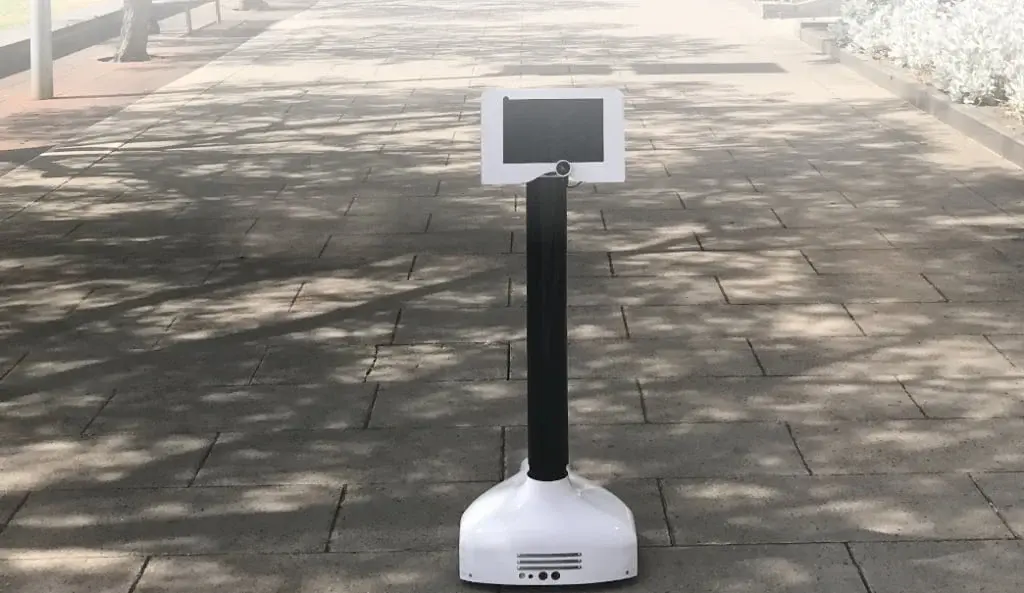
Teleport is a sleek robot outfitted with a 10-inch screen and three wheels for enhanced mobility. Departing from conventional video conferencing setups, users can effortlessly maneuver Teleport using a laptop keyboard, ensuring a more user-friendly experience. Its versatility extends beyond professional settings, finding practical applications in education, family interactions, event planning, security protocols, and empowering individuals with disabilities.
Production and Quality Control
Crafted in Shenzhen, China, Teleport benefits from the region’s proficiency in rapid prototyping and collaboration with suppliers. However, final assembly and rigorous quality checks occur in Melbourne, guaranteeing compliance with Aubot’s stringent quality standards.
Marita Cheng’s entrepreneurial odyssey is characterized by her efforts to shatter gender barriers within the tech sphere. Recognized as one of Forbes’ World’s Top 50 Women in Tech in 2018, Cheng’s inspiration for Aubot stems from her lifelong fascination with robotics and her ambition to effect positive societal change.
Advanced Features and Market Impact
Teleport boasts a comprehensive feature set, including a wide-angle lens, extended battery life, crystal-clear audio transmission, and obstacle avoidance sensors. These attributes render it adaptable and user-friendly across diverse settings. As Teleport enters the market, it heralds a paradigm shift in remote communication practices. Backed by its innovative design and Marita Cheng’s unwavering resolve, Aubot is primed to leave a lasting imprint on the technological landscape.
If you value the confidentiality of your personal data, the idea of abandoning your smartphone and other gadgets to reside in a secluded cabin might seem appealing. In today's digital age, true privacy seems like a distant dream as major data companies like Google possess an extensive knowledge about us—our possessions, activities, and even potential future actions.
Government Access: Google's Data Disclosure
Recent revelations shed light on the fact that the US government has the authority to demand personal details from Google about its users, underlining the vulnerability of our online privacy. In a recent incident, the government sought personal information not targeted at specific individuals but rather at anyone who viewed particular videos released within a specific timeframe.
Balancing Act: Online Surveillance vs. User Confidentiality
The recent case involving authorities targeting YouTube viewers exemplifies a complex dilemma between conducting online investigations and safeguarding user privacy. The scenario, where data from thousands of users was potentially exposed due to publicly available videos, raises pertinent questions about the extent to which online activities should be monitored.
While the desire for privacy remains paramount for many individuals, instances like these underscore the challenging reality of maintaining personal data confidentiality in today's interconnected digital landscape.
Google is moving forward with the preview phase of Android 15 by unveiling Developer Preview 2 (DP2). This follow-up to the initial preview release from last month is primarily focused on assisting developers in preparing their apps for the upcoming operating system. A public beta launch is anticipated for April.
Android 15 Developer Preview 2: Overview
One of the key enhancements in Android 15 DP2 is the inclusion of support for satellite connectivity at the core operating system level. This update incorporates user interface (UI) elements that aim to deliver a consistent user experience for devices linked to satellites.
Android 15 Satellite Connectivity
Applications now have the capability to identify if a device is utilizing a satellite network and can adjust their functionality accordingly. Furthermore, essential messaging services like SMS/MMS and pre-installed RCS apps are empowered to leverage satellite connections for communication purposes.
Improved PDF Handling and Other Enhancements
Android 15 DP2 brings about improvements in handling PDFs within applications, making tasks such as rendering password-protected PDFs, annotations, in-document search, editing, and selection more seamless for developers. These PDF renderer updates will be delivered through Google Play system updates, independent of major Android releases, resulting in a faster and less resource-intensive local PDF viewing experience on Android 15.
Other Enhancements
Developers can now tailor how their apps are presented on the smaller cover screens of flip-style foldable phones. Additionally, Android 15 introduces features such as app detection to enhance user privacy, a new loudness standard for improved audio consistency, and further customization options in the Do Not Disturb mode, allowing users to prioritize specific rules and activate actions like a black-and-white display, night mode, and wallpaper dimming.
The OnePlus Nord 2, initially launched in July 2021, received its final significant update last year in the form of OxygenOS 13, which is based on Android 13. Following this update, the device has been consistently receiving incremental updates to address performance issues, bugs, and security concerns. The most recent update includes the latest Android security patch, resolving various vulnerabilities.
OxygenOS 13 F.51 Update
The latest update for the Nord 2, named OxygenOS 13 F.51, integrates the March 2024 Android security patch. This patch rectifies numerous security vulnerabilities, particularly two critical ones that could potentially enable remote code execution, allowing unauthorized access to the device.
Availability and Rollout
At present, this update is exclusively accessible to OnePlus Nord 2 users in India. The rollout is gradual, commencing with a smaller group of users before expanding to a wider audience. Consequently, it might take several days to a few weeks for all units to receive the update. Users can manually check for the update by navigating to Settings > About > Software Update. In case of any issues with the new firmware, users can provide feedback through the OnePlus Community or Google Dialer.
The recent release of the Nothing Phone (2a) brought with it an initial update aimed at improving user experience and addressing bugs. However, some issues persisted, prompting Nothing to roll out another significant software update called Nothing OS 2.5.4. This latest update, although relatively small at 77.92MB, targets various problems that users have encountered.
Camera Enhancements
One of the key aspects of this update is the enhancement of the camera functionalities. Users can expect improvements in color accuracy, saturation, and optimized brightness in Ultra HDR photos. Notably, the update aims to deliver better portrait mode effects and ensure consistency between the main and ultra-wide cameras, thus enhancing the overall photography experience.
Performance Boosts
Apart from camera improvements, the update focuses on enhancing the phone's performance, particularly benefiting gamers with optimizations for popular games. Additionally, users can experience smoother animations when launching or closing applications. The Recorder widget has also been updated with improved animations for a more seamless experience.
Bug Fixes
In the realm of bug fixes, the update tackles a range of issues that have been reported by users. Problems such as flickering when launching apps from the lock screen, abnormal wallpaper display, incorrect representation of Wi-Fi or cellular data in Quick Settings, and a black screen during incoming calls under specific conditions have been addressed.
Nothing Phone (2a) owners are encouraged to promptly download and install this latest update by navigating to Settings > System > System update. This update aims to enhance the overall functionality and user experience of the Nothing Phone (2a) by addressing various issues and introducing improvements across different aspects of the device.
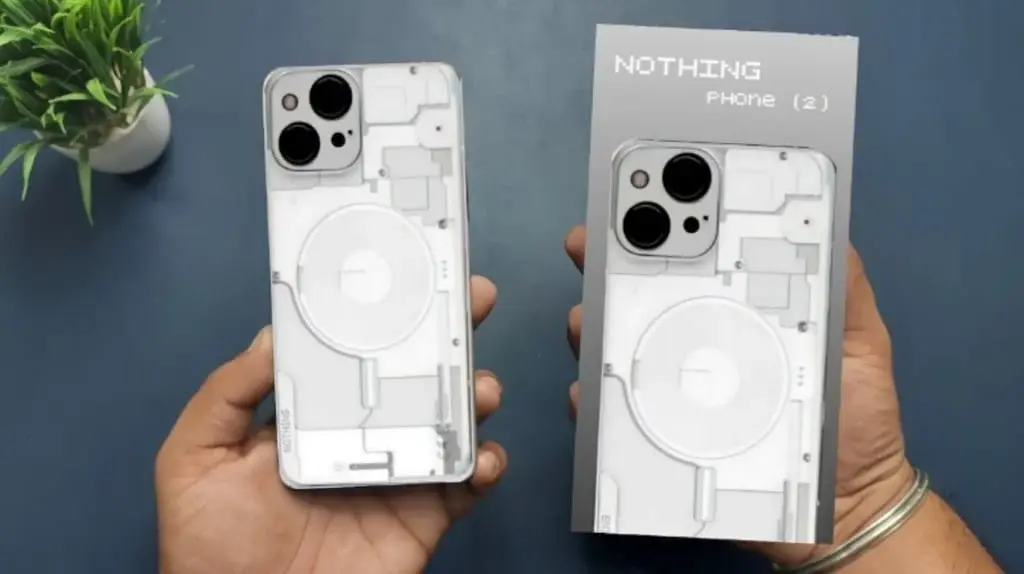
In the realm of technology, where industry giants like Samsung and Apple typically dominate the spotlight, it’s easy to overlook the groundbreaking innovations emerging from lesser-known companies. Nonetheless, the Nothing Phone 2 is challenging this narrative. Introduced globally in 2023, this device has captured the attention of tech enthusiasts worldwide.
Unveiling the Remarkable Features of the Nothing Phone 2
As you explore the remarkable features of the Nothing Phone 2, you might contemplate making the switch from your current device to this cutting-edge option. However, transitioning from your old smartphone to the sleek Nothing Phone 2 necessitates a crucial step: seamlessly transferring your data.
The Innovation of Nothing Phone 2
The Nothing Phone 2 has disrupted the smartphone market with its advanced features, attracting significant interest and acclaim from tech enthusiasts globally. Let’s delve into the specifics that distinguish this device:
Design: Despite its substantial size, weighing a mere 201 grams, the Nothing Phone 2 offers a surprisingly manageable feel. Its bulkiness doesn’t compromise its usability, ensuring comfort in handling and usage. The design is both sleek and robust, featuring an aluminum chassis along the sides and a glass back. Noteworthy are the subtle lights integrated across the smartphone’s structure, adding a touch of sophistication and individuality.
Craftsmanship: The build quality of the Nothing Phone 2 is undeniably impressive, justifying its price point. The combination of aluminum and glass not only enhances its aesthetic appeal but also guarantees durability. The attention to detail in crafting this device is evident, with every facet of its structure emanating premium quality.
Camera Excellence: An outstanding feature of the Nothing Phone 2 is its exceptional camera prowess. Equipped with a pair of 50-megapixel lenses, this smartphone delivers stunning photographs. The incorporation of both optical and electronic stabilization ensures sharp, blur-free images and videos. Additionally, the wide-angle functionality broadens creative possibilities for capturing memorable moments with clarity and precision.
Cost-Effective Pricing: Despite its high-end features and premium construction, the Nothing Phone 2 comes at a price of $599. This competitive pricing distinguishes it from other flagship smartphones, offering consumers exceptional value for their money. With features comparable to pricier counterparts, the Nothing Phone 2 provides a cost-effective alternative without compromising on quality or performance.
Seamless Data Transfer to Nothing Phone 2
Transferring data from your old smartphone to the state-of-the-art Nothing Phone 2 has been simplified, courtesy of Wondershare MobileTrans. This robust phone transfer tool, featuring cutting-edge algorithms and user-friendly design, is the preferred choice for seamless data migration in 2024. With support for over 6000 devices on Android and iOS platforms, MobileTrans ensures compatibility and reliability.
Key Features of Wondershare MobileTrans:
Wide Device Compatibility: Compatible with over 6000 devices running on Android and iOS platforms, ensuring a seamless data transfer experience.
Advanced Algorithms and UI/UX Design: Developed with advanced algorithms and user-friendly design, MobileTrans offers a robust and intuitive user experience for efficient data transfer.
Blazing-Fast Transfer Speeds: Experience lightning-fast data transfer speeds when moving data to the Nothing Phone 2.
Cross-Platform Transfers: Effortlessly transfer data between Android devices and between Android and iOS devices, eliminating compatibility issues.
Encrypted Data Transfer: Ensure the security of your data during transfers with MobileTrans encrypting data from one device to another.
Comprehensive Data Transfer: Transfer various data types such as photos, videos, contacts, notes, reminders, and calendars seamlessly.
WhatsApp Transfer and Recovery: Seamlessly move and merge WhatsApp data between devices, including recovering deleted WhatsApp data from Android devices.
Music Playlist Transfer: Transfer music playlists between streaming platforms like YouTube, Spotify, and Apple Music, simplifying the setup process for your new device.
Backup and Restore: Create complete backups of your Android or iPhone device with specific backups for social media apps like WhatsApp. Restore iTunes backups to your new device seamlessly.
Step-by-Step Guide to Transitioning to the Nothing Phone 2
The Nothing Phone 2 is revolutionizing the smartphone landscape with its state-of-the-art features, setting new benchmarks for user experience. But when it’s time to transition from your old device to this innovative newcomer, how do you effectively transfer your data? Let’s outline the process step by step.
Choose the Phone Transfer Tool: Access the “Phone Transfer” module within Wondershare MobileTrans and opt for the “Phone to Phone” feature. Connect both your old smartphone and the Nothing Phone 2 to your device using appropriate cables.
Transfer Data to Nothing Phone 2: Once connected, MobileTrans will display all available data for transfer from your old smartphone. Select the desired data types to move to the Nothing Phone 2 and initiate the transfer process by clicking the “Transfer” button. Utilize the “Flip” feature if the devices are not correctly positioned.
With the advent of the Nothing Phone 2, backed by its impressive features and capabilities, transitioning from your old smartphone has never been smoother. Empowered by Wondershare MobileTrans, the data transfer process becomes effortless, ensuring a seamless and hassle-free transition to the Nothing Phone 2.
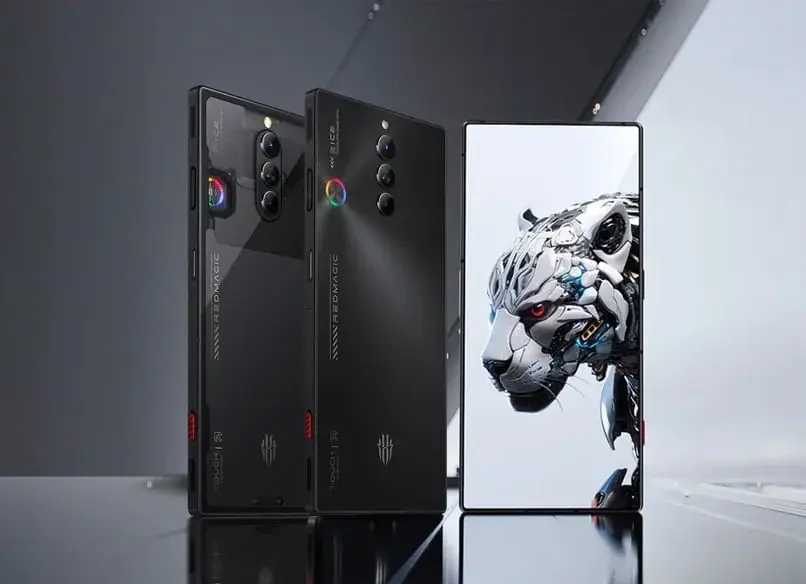
Back in November, Red Magic initiated the rollout of the Red Magic OS 8.0 update specifically for the Red Magic 8 Pro in China. Recently, the brand has made an exciting announcement that the Red Magic OS 8 is now accessible for global users of the Red Magic 8 Pro. While an official changelog has been attached to the update, details regarding the specific enhancements remain limited. Fortunately, a glimpse into the Chinese update changelog offers insight into what users can anticipate.
Red Magic 8 Pro Red Magic OS 8.0 Changelog (Chinese model):
New Features:
Game record function
Player power panel plug-in
Streamer desktop function
Spotlight application set
Floating light notification set
Lock screen setting
Personalized signature function
Desktop Enhancements:
Multiple page-turning effects
New desktop drawer mode
New desktop component and icons
New personalized signature component
New sports billboard component
Additional Features:
Smart quick network finding function
Smart high-speed rail mode
Smart antenna capabilities
System settings
Customizable desktop icon shapes and system colors
Application hiding function
Dialing with two fingers to call
Optimizations:
Improved game plug-in display experience
Optimized individual game settings
Enhanced barrage message experiences
Charging separation settings
These aforementioned changes are expected to be integrated into the global update. Notably, this update remains rooted in Android 13, with plans from the brand to introduce Android 14 through the Red Magic OS 9 update. A beta build for Red Magic OS 9 is also on the horizon.
The initial rollout of the Red Magic OS 8.0 update is set to debut in non-EU regions. Red Magic has reassured users that efforts are underway to promptly make the EU version of the update accessible.
The Samsung Galaxy S24 series embodies the quintessence of a top-tier smartphone in 2024, offering a plethora of cutting-edge features. However, what truly stands out are the innovative Galaxy AI capabilities integrated into Samsung's latest Android 14 interface, One UI 6.1.
Galaxy AI Features Unveiled
Samsung's unveiling of the Galaxy AI features has captivated tech enthusiasts worldwide. These features, initially introduced with One UI 6.1, are now set to extend to older Galaxy smartphones and tablets come March. The official announcement from Samsung confirms the commencement of One UI 6.1 rollout to legacy Galaxy devices by the end of March 2024.
One UI 6.1 Update Details
A comprehensive list of Samsung Galaxy devices slated to receive the One UI 6.1 update has been disclosed by the company. Users can anticipate the update on a range of devices, including the Galaxy S23 series, Galaxy Z Flip 5, Galaxy Z Fold 5, and the Galaxy Tab S9 lineup.
Galaxy AI Feature Highlights
The forthcoming update heralds a new era for Galaxy device users, with the introduction of remarkable Galaxy AI features. Notable inclusions encompass Circle to Search, Generative Edit, Live Translate for voice calls, and Note Assist within the Samsung Notes app. These features aim to enhance user experience by offering functionalities like object search, image editing, real-time translation, and text summarization with formatting options.
Xiaomi recently initiated the deployment of the HyperOS update for the Xiaomi 11 Lite NE 5G device in the previous month. Nevertheless, this update appears to have inadvertently sparked widespread compatibility concerns with crucial Microsoft applications.
Compatibility Issues with Microsoft Apps
Users of Xiaomi 11 Lite NE 5G on various public platforms have voiced complaints regarding frequent crashes observed in a variety of Microsoft applications such as MS Teams, Outlook, Edge, and Copilot.
The problem initially surfaced on MIUI’s Reddit forum, where a user highlighted that the Microsoft apps on their device began crashing immediately after the installation of the HyperOS update.
User Feedback and Troubleshooting
Numerous other users joined the discussion, sharing similar experiences and indicating that they, too, encountered the same app crashes. Despite attempts to reset and reinstall the Microsoft apps, users have reported that the issue persists.
Further investigations revealed additional complaints on the Microsoft forum about the identical problem.
Temporary Solutions
Although Xiaomi has not officially addressed the matter yet, a Reddit user commented that removing the Intune Company Portal app appeared to provide a temporary resolution to the Microsoft app-related problems.