Category: Computers

  • Starlink Wins Federal Broadband Funds; Virginia Invests in Fiber

    Starlink Wins Federal Broadband Funds; Virginia Invests in Fiber

    Key Takeaways

    1. Virginia allocated $613 million from the BEAD program, primarily for fiber internet, with Starlink receiving nearly $3.3 million for 5,579 underserved locations.
    2. The updated BEAD regulations allow satellite internet providers to compete equally with fiber providers, promoting “technology neutrality.”
    3. 81% of Virginia’s funding will focus on fiber internet development, with significant investments like All Points Broadband receiving over $171 million.
    4. Concerns remain about the long-term viability of satellite internet due to capacity limits and performance issues, while fiber is favored for consistent speeds.
    5. The cost of service poses a challenge for low-income households, as providers are only required to offer one low-cost plan without state pricing control.


    Virginia has declared that it will allocate $613 million from the Broadband Equity, Access, and Deployment (BEAD) program in the United States. Starlink has obtained a part of this funding, but most of the investment is aimed at fiber internet initiatives.

    Changes in BEAD Rules

    Earlier this year, the Trump administration updated BEAD regulations to promote “technology neutrality.” This means that satellite internet providers such as SpaceX’s Starlink and Amazon’s Project Kuiper can compete equally with fiber internet providers. The original “fiber first” rule was changed to allow satellite technology to be seen as a cost-effective and relatively fast way to connect rural and underserved communities. This update has allowed companies like Starlink to participate in a broader range of projects across the country.

    Funding Distribution in Virginia

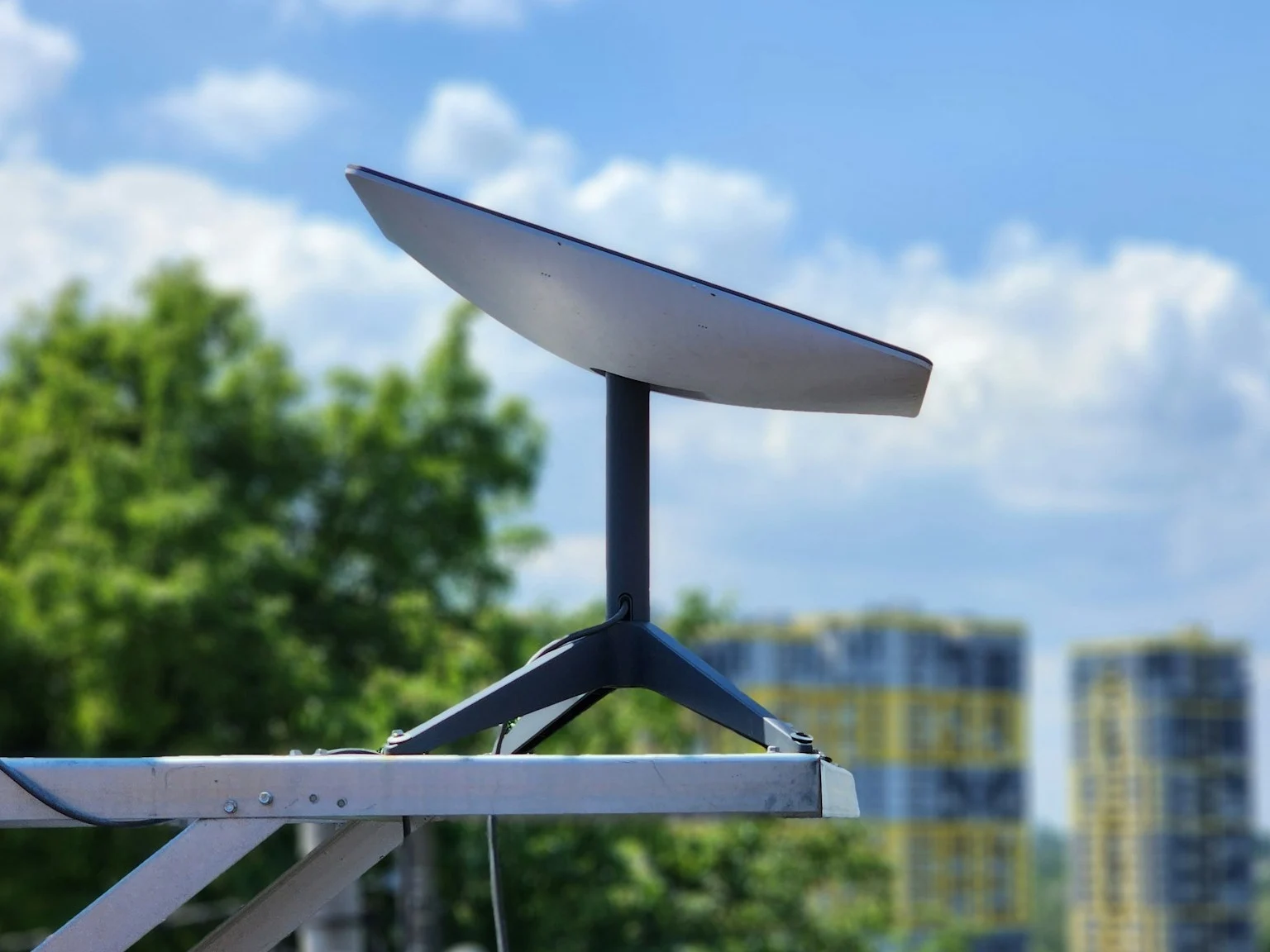
    In Virginia, this new strategy has led to Starlink getting nearly $3.3 million to connect 5,579 underserved locations, which breaks down to about $584 per site. On the other hand, Amazon’s Project Kuiper has received $4.4 million for around 7,000 locations, costing about $641 each. Combined, these satellite projects represent a small portion of the overall funding, with only $7.7 million, or roughly 1.3 percent of Virginia’s BEAD allocation, going toward satellite internet.

    Focus on Fiber Internet

    The remaining 81 percent of the funds will be focused on fiber internet development, with All Points Broadband receiving over $171 million to connect almost 20,000 locations at an average cost of $8,655 per site. In certain areas, these fiber connections are anticipated to provide speeds of up to 10 gigabits per second. Virginia officials have stated that the focus on fiber is based on performance rather than just temporary cost savings.

    Drew Garner, who is a director at the Benton Institute for Broadband and Society, mentioned that the bidding process in Virginia emphasized speed, latency, and the ability to scale, as well as environmental considerations like tree coverage that can affect satellite service reliability. Starlink’s service requires an unobstructed view of the sky, which can be difficult in wooded areas, leading to potential service interruptions. To address this, SpaceX has recently highlighted its beam-switching technology, claiming it can help reduce issues caused by obstructions.

    Concerns About Satellite Internet

    Starlink’s inclusion in the funding awards is seen as a positive step for satellite providers but some broadband policy experts are still doubtful about its long-term viability in public-funded projects. Fiber’s ability to offer consistent gigabit speeds is a big reason why it is favored for lasting infrastructure. In contrast, satellite networks come with capacity limits and may suffer performance drops when too many users connect to the same satellite beam. For instance, in certain parts of the Pacific Northwest, Starlink has introduced a $1,000 demand surcharge to limit new sign-ups in already crowded areas. The updated BEAD program includes performance standards for satellite providers, requiring SpaceX to ensure download speeds of at least 100 megabits per second and upload speeds of 20 megabits per second for the households covered by the program.

    Eligible households in Virginia will receive a Starlink dish at no charge during the ten-year service period. However, states can’t dictate pricing for internet plans meant for low-income users anymore. Providers are only obliged to offer one low-cost plan, which can be one of their existing options. This has raised fears about affordability, especially considering that Starlink’s standard service is currently priced at $120 per month. Garner pointed out that for many communities, the biggest obstacle to internet access isn’t the infrastructure but rather the ongoing cost of service.

    Evan Feinman, the former director of the BEAD program who resigned in protest against the rule changes, commended the state’s approach within the confines of the new regulations but criticized the mandatory inclusion of satellite connections. He stated that moving some households from fiber to satellite could lead to higher monthly bills and slower speeds. On the other hand, supporters of the changes, like Joe Kane from the Information Technology and Innovation Foundation, see Virginia’s funding decisions as a success, highlighting that the average cost per location is much lower compared to earlier BEAD proposals.

    Governor Glenn Youngkin expressed satisfaction with the results, noting that the revised rules allowed the state to save $200 million, which is a 25 percent decrease in taxpayer spending on broadband initiatives. It remains to be seen how other states will shape their BEAD funding under the new guidelines.

    The Commerce Department has set a deadline of September 4 for states to submit their final proposals, although extensions can be requested. Meanwhile, SpaceX and Amazon are competing for bids in other states, with Texas witnessing particularly fierce competition as Starlink aims to reach over 244,000 locations and Project Kuiper plans to target more than 160,000 locations.

    Source:
    Link


  • SanDisk Launches 256TB UltraQLC NVMe U.2 SSD for Data Centers

    SanDisk Launches 256TB UltraQLC NVMe U.2 SSD for Data Centers

    Key Takeaways

    1. Sandisk’s UltraQLC 256TB NVMe U.2 SSD is aimed at enterprise clients, including cloud services and AI training super clusters, and will launch in early 2026.

    2. The demand for storage has grown significantly, reaching zettabyte levels, driven by data centers, cloud storage, and AI model training.

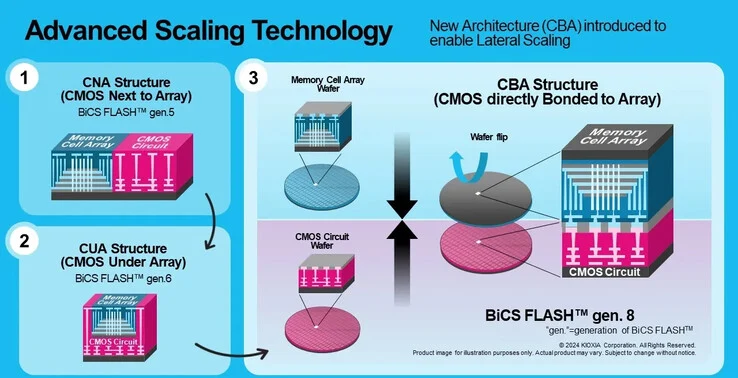
    3. The UltraQLC SSD features Kioxia’s eighth-generation BiCS FLASH 3D technology, which enhances data density and reduces power consumption.

    4. This new technology increases storage density by 50%, improves write speeds by 20%, and read speeds by 10%, while decreasing write power usage by 30%.

    5. The eighth-generation BiCS memory consists of 218 layers of stacked memory cells, utilizing advanced bonding technology for heat-sensitive circuitry.


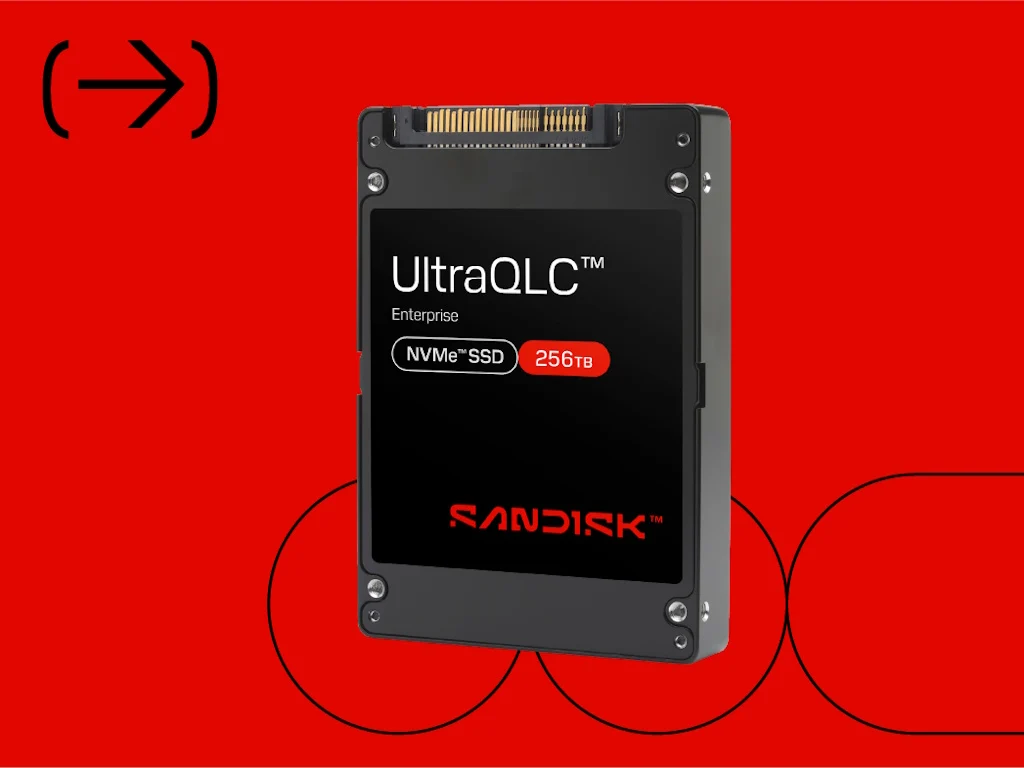
    Sandisk has introduced the UltraQLC 256TB NVMe U.2 SSD, targeting enterprise clients, including those in cloud services and AI training super clusters. This new product is set to hit the market in early 2026.

    Growing Storage Needs

    In today’s world, numerous businesses depend on data centers and cloud storage to manage corporate data, operate virtual Windows PCs, provide streaming services, and train AI models. The global demand for storage has significantly surpassed the terabyte (TB) and petabyte (1,024 TB) levels, and even reached into the zettabyte (1021 bytes) range. Concurrently, the need for power has also risen alongside these storage demands.

    Enhanced Performance and Efficiency

    The UltraQLC SSD utilizes Kioxia’s eighth-generation BiCS FLASH 3D flash memory technology, which reduces power consumption while allowing for greater data density in each drive. Compared to the previous generation, this latest BiCS FLASH technology boosts density by 50%, improves write speeds by 20%, and enhances read speeds by 10%, all while lowering write power usage by 30%.

    Advanced Memory Technology

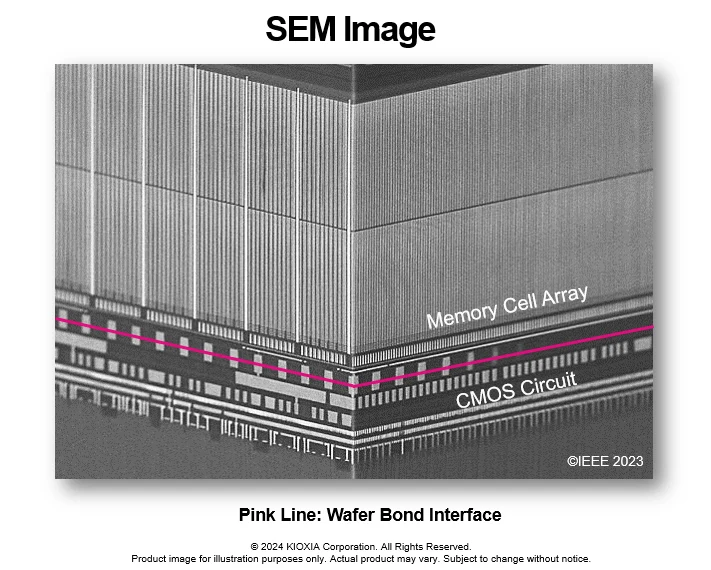
    Modern SSDs typically employ multi-layer stacking of memory cells to maximize data capacity in limited space. The eighth-generation BiCS memory features 218 layers of stacked memory cells. The controlling CMOS circuitry for these cells is produced on a different wafer due to its heat sensitivity, and is then bonded to the 3D memory cell wafer utilizing Kioxia’s CMOS Directly Bonded to Array (CBA) technology.

    For those interested, Sandisk’s consumer SSD offerings are available for viewing at the Sandisk store on Amazon.

    Source:
    Link


  • VisionFive 2 Lite: Affordable Raspberry Pi Alternative with WiFi

    VisionFive 2 Lite: Affordable Raspberry Pi Alternative with WiFi

    Key Takeaways

    1. The StarFive VisionFive 2 Lite is a new single-board computer using RISC-V architecture and is available through Kickstarter for a $20 pledge.
    2. It features dimensions of 3.35 by 2.2 inches and is powered by a JD7110S SoC with four cores, reaching speeds up to 1.25 GHz, with memory options of 2GB, 4GB, or 8GB.
    3. The board supports external monitors via HDMI and includes a MIPI-DSI connector for additional display options.
    4. Connectivity options include Gigabit Ethernet, built-in WiFi 6 (in certain versions), one USB 3.0 port, three USB 2.0 ports, an M.2 slot, and a 40-pin GPIO header for sensors and actuators.
    5. It can be powered by 5 volts through GPIO or USB Type-C, and features a 2-pin connector for a fan.


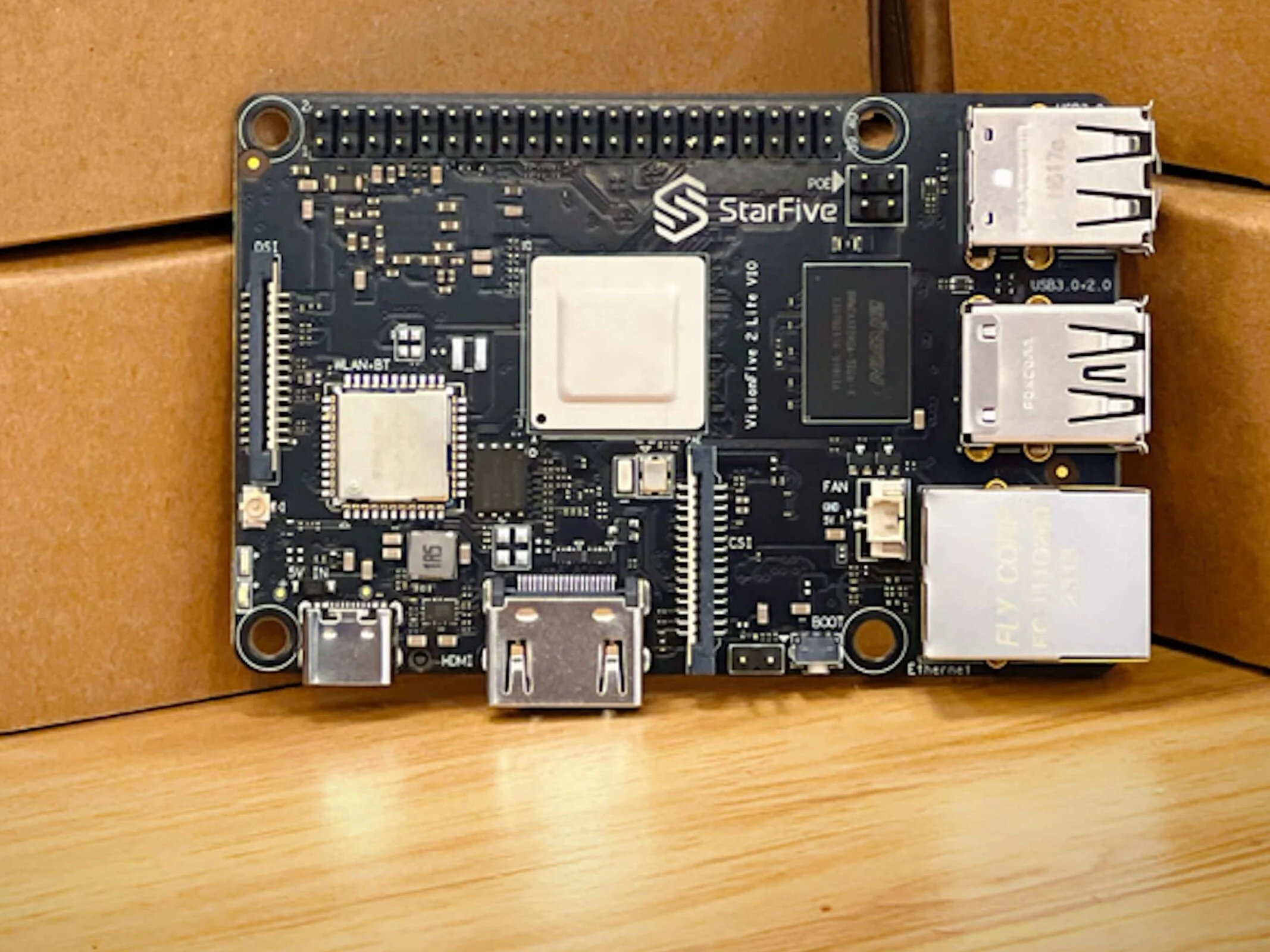
    We have shared many times about new single-board computers, including several options that rival the well-liked Raspberry Pi 5. These SBCs are often built on either x86 or RISC-V architectures. The StarFive VisionFive 2 Lite is a fresh board that uses the RISC-V architecture and is currently up for grabs through a Kickstarter campaign, requiring a pledge of $20. Note that shipping costs are separate, and like all crowdfunding projects, there is a risk that backers may not receive their money back if the product doesn’t reach the market.

    Specs and Size

    This single-board computer has dimensions of 3.35 by 2.2 inches and comes with a JD7110S SoC, featuring four cores that can reach speeds of up to 1.25 GHz. Depending on how it is configured, it can have memory options of 2GB, 4GB, or 8GB. A microSD card is available for the storage of an operating system. You can connect it to external monitors via HDMI for video output. Additionally, it includes a MIPI-DSI connector, which many hobbyists will likely recognize.

    Connectivity Features

    Onboard is Gigabit Ethernet, and certain versions of the VisionFive 2 Lite come with built-in WiFi 6. You can connect other external or storage devices through one USB 3.0 port and three USB 2.0 ports. It also has an M.2 slot that can fit shorter M.2 2242 modules. For those looking to connect external sensors and actuators, a 40-pin GPIO header is included. Finally, this competitor to the Raspberry Pi 5 can be powered by 5 volts via GPIO or USB Type-C, and it also has a 2-pin connector for a fan.

    Source:
    Link


  • Core Ultra 7 255U vs 155U: Early Multi-Thread Performance Boosts

    Core Ultra 7 255U vs 155U: Early Multi-Thread Performance Boosts

    Key Takeaways

    1. The Lenovo IdeaPad 5 2-in-1 16IAL10 is one of the first laptops featuring Intel’s Arrow Lake processors, specifically the Core Ultra 5 225U and Core Ultra 7 255U variants.
    2. The Core Ultra 7 255U shows a 30% improvement in multi-thread performance and a 10-15% boost in single-thread performance compared to its predecessor.
    3. The built-in NPU offers limited AI acceleration at only 12 TOPS, below Microsoft’s minimum requirement of 40 TOPS for Co-Pilot+.
    4. Graphics performance relies on the integrated Arc 4, which is not as powerful as the current Arc V series and performs similarly to the older Iris Xe 96 EUs.
    5. The Core Ultra 7 255U is suitable for multitasking but lacks significant improvements in integrated NPU and GPU performance compared to the last generation.


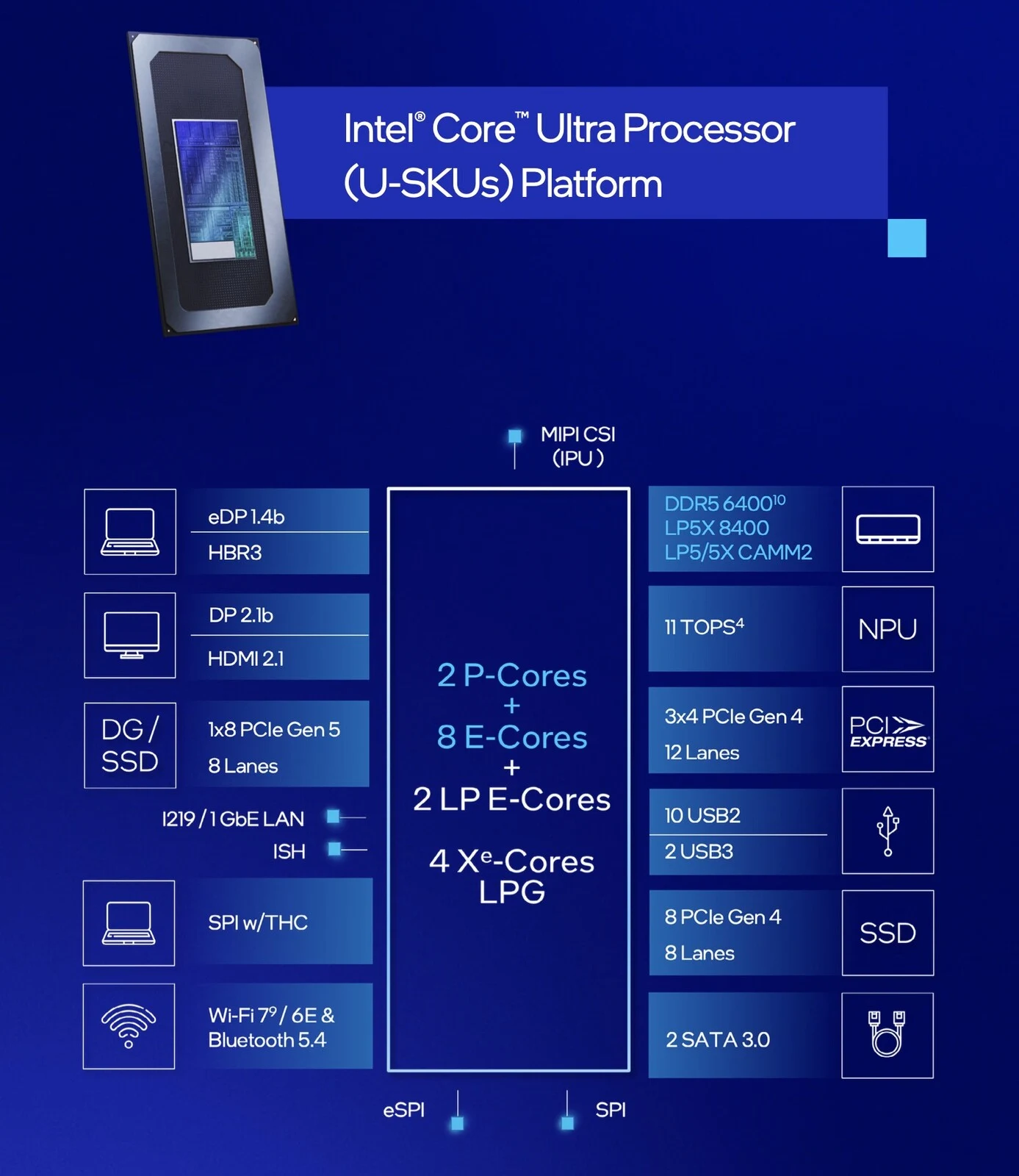
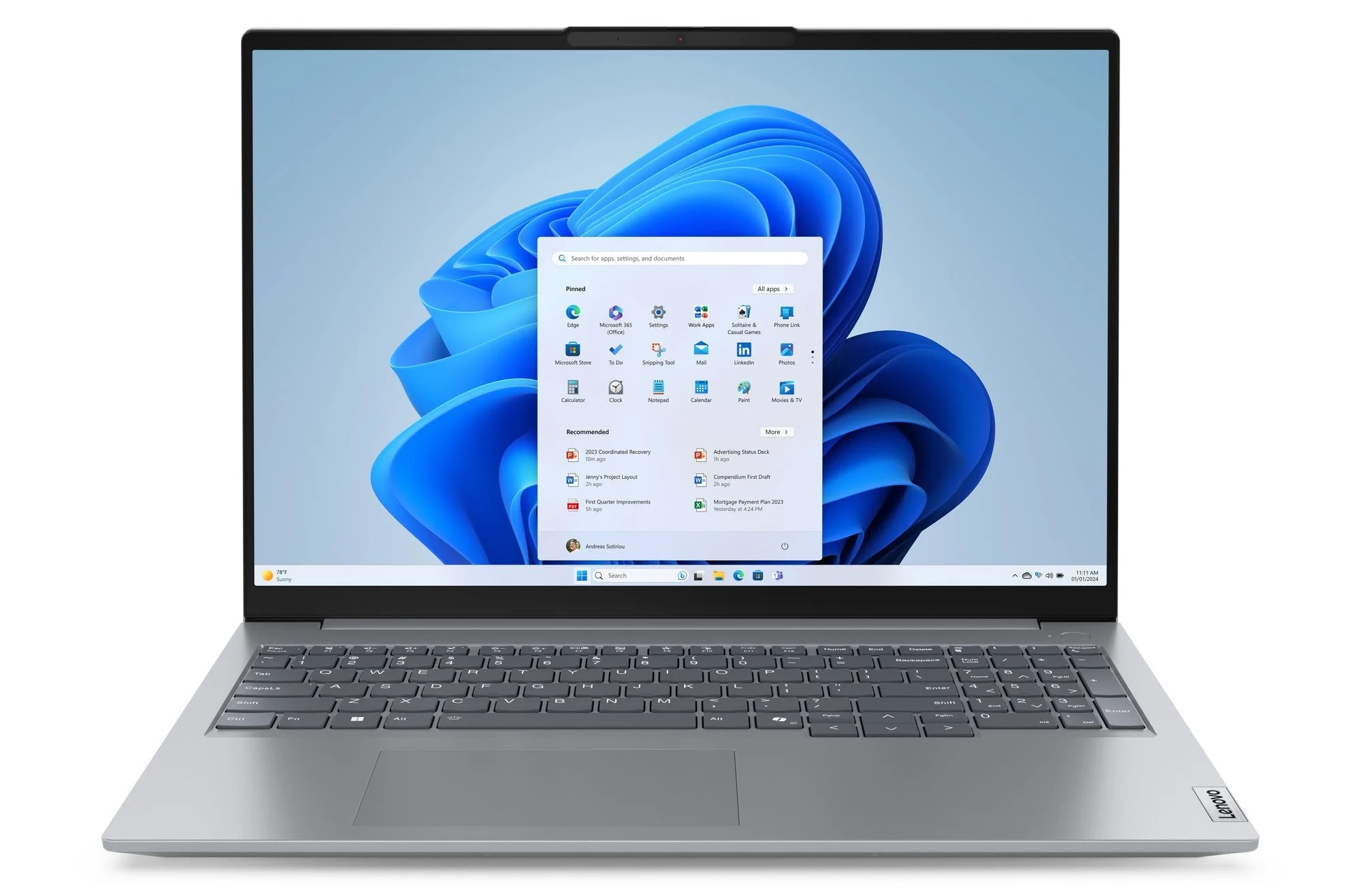
    Laptops featuring Intel’s Arrow Lake processors are now becoming more accessible, with the Lenovo IdeaPad 5 2-in-1 16IAL10 being one of the first models available with Arrow Lake Core Ultra 5 225U and Core Ultra 7 255U variants. The performance metrics of this Lenovo device are outlined below.

    Performance Overview

    When it comes to multi-thread performance, the Core Ultra 7 255U shows an improvement of approximately 30 percent compared to the previous Core Ultra 7 155U. Additionally, its single-thread performance is enhanced by about 10 to 15 percent. This year-over-year performance boost is quite respectable, especially given the constrained power limits of U-series CPUs. Interestingly, the Arrow Lake-U processor even surpasses the Core Ultra 7 258V, unlike its predecessor.

    Limitations

    However, certain features of the processor are not very impressive. The AI acceleration provided by the built-in NPU is quite limited, reaching only 12 TOPS, which falls short of Microsoft’s minimum requirement of 40 TOPS for Co-Pilot+. For those seeking better NPU capabilities, it might be necessary to look at the Core V-series, like the Core Ultra 7 258V.

    Graphics Performance

    The graphics performance is dependent on the integrated Arc 4, which lags behind the current Arc V series. The Arc 4 delivers performance levels akin to the older Iris Xe 96 EUs, which struggles to run most recent games even at minimal settings.

    For users who are looking into laptops equipped with the Core Ultra 7 255U, they may find that this efficient CPU is suitable for demanding multitasking, where the additional raw multi-thread capabilities can prove useful. However, the integrated NPU and GPU performance do not show significant enhancements compared to the last generation.

    Source:
    Link


  • Xiaomi Launches New Redmi Book 14 2025 Laptops with Older Intel Chips

    Xiaomi Launches New Redmi Book 14 2025 Laptops with Older Intel Chips

    Key Takeaways

    1. Xiaomi has launched the Redmi Book 14 2025 Renewed Edition with updated Intel processors.
    2. The new model features either the Core i5-12450H or Core i5-13420H, both with 16 GB RAM and 512 GB storage.
    3. The performance of these processors is 20% to 25% behind modern Intel H series chips.
    4. Pricing for the Redmi Book 14 2025 Renewed Edition starts at CNY 2,999 (about $417) and goes up to CNY 3,298 (approximately $459).
    5. The laptop retains features like a 56 Wh battery and a 2.8K 120 Hz IPS display.


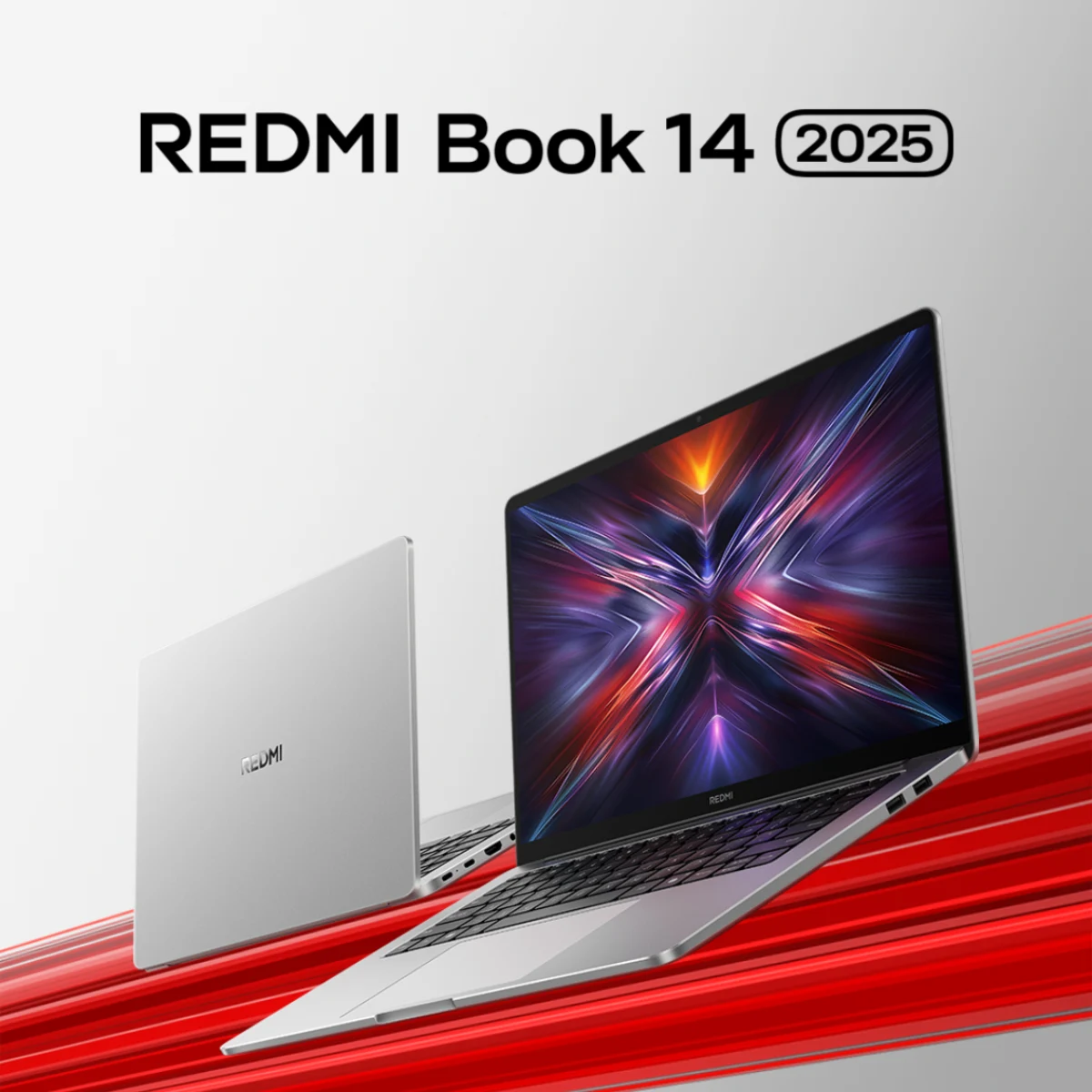
    Hardly any time has gone by since Xiaomi last brought out a new version of the Redmi Book 14. Just to remind you, the company launched the Redmi Book 14 Ryzen Edition 2025, which offers a choice between two AMD Rembrandt R APUs based on the Zen 3+ architecture. Before that, they updated the pricier Redmi Book Pro 14 as a new option to compete with Apple’s MacBook Pro 14 (currently priced at $1,299 on Amazon).

    New Intel Variants

    Now, Xiaomi has updated the Intel versions of the Redmi Book 14. They have introduced the Redmi Book 14 2025 Renewed Edition, which can be bought directly from Xiaomi, on its Youpin site, or through retailers like JD.com. While Xiaomi calls this the ‘Renewed Edition’ for 2025, it actually comes with Intel processors that were already outdated when similar models of the Redmi Book 14 were released in 2023.

    Specifications and Performance

    Specifically, the Redmi Book 14 2025 Renewed Edition is available with either the Core i5-12450H or Core i5-13420H. Both models can be configured with 16 GB of RAM and 512 GB of storage, and there’s not much difference between them based on our benchmarks. However, these two processors lag behind modern Intel H series chips, like the Core Ultra 5 225H, by 20% to 25%.

    Pricing Information

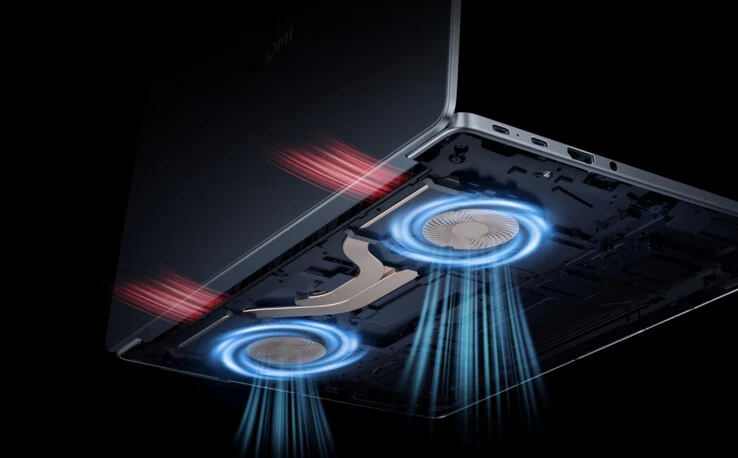
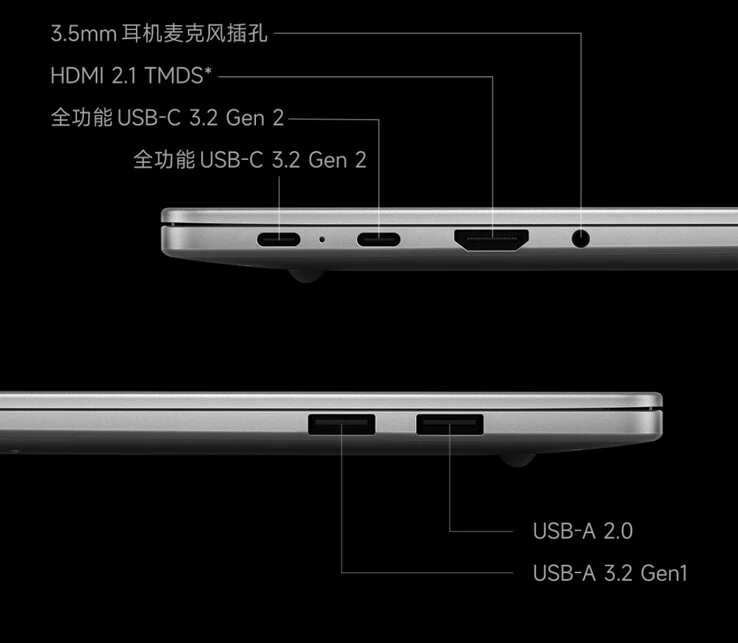
    Despite this, the Redmi Book 14 2025 Renewed Edition starts at CNY 2,999 (about $417) and goes up to CNY 3,298 (approximately $459) for the model with the Core i5-13420H. Essentially, Xiaomi’s new 14-inch laptops keep existing features like a 56 Wh battery and a 2.8K 120 Hz IPS display. For more information, check out Xiaomi’s website.

    Source:
    Link


  • How Next-Gen AI Processors Boost Workplace Productivity

    How Next-Gen AI Processors Boost Workplace Productivity

    Key Takeaways

    1. Real-time audio transcription and media enhancement can now be done locally, ensuring data privacy.
    2. The Core Ultra 200 significantly outperforms the i5-1135G7 with double the cores and threads, boosting performance by 50% in single-core and 80% in multi-threaded tasks.
    3. The Core Ultra 200 is built on a 3nm architecture, offering better efficiency and battery life compared to the i5-1135G7’s 10nm architecture.
    4. The Core Ultra 200 supports PCIe 5.0 and increased memory bandwidth for improved multitasking and AI capabilities, unlike the i5-1135G7.
    5. The i5-1135G7 lacks advanced connectivity options and security features, relying on cloud solutions for AI functions, which can negatively impact performance.


    Real-time audio transcription, along with enhancing images and videos, is now possible without sending sensitive business data to the cloud. Features like noise cancellation for platforms such as Teams or Zoom and smart search functions are all processed locally, ensuring privacy and efficiency.

    Performance Comparison

    The Core Ultra 200 outshines the i5-1135G7 with its double core and thread count. It boasts up to 8 cores—combining hybrid performance and efficiency—compared to the 4 cores found on the Tiger Lake. It can also reach a boost of up to 4.8GHz. Test results indicate a 50% increase in single-core performance and an impressive 80% improvement in multi-threaded tasks. Additionally, PCIe 5.0 and increased memory bandwidth allow for faster data handling, better multitasking capabilities, and enhanced AI features in applications like Microsoft Office and Adobe Creative Cloud.

    Efficiency and Architecture

    While the i5-1135G7 is suitable for basic office activities, its performance falls short in single-thread and multi-thread tasks. This is particularly noticeable when multitasking, managing large spreadsheets, or utilizing AI-driven document automation.

    The Core Ultra 200 is designed prioritizing efficiency, utilizing a 3nm manufacturing process and a smarter hybrid architecture. In contrast, the i5-1135G7 is based on an older 10nm architecture. It typically offers a battery life of 6-10 hours under load, but struggles with running multiple applications or background AI, resulting in quicker battery drain and more frequent charging.

    Connectivity and Features

    The Intel Core Ultra 200 provides advanced connectivity and performance, while the i5-1135G7 is limited to older generation features. It lacks basic security measures and cannot natively run local AI functions, often relying on cloud solutions or slower CPU/GPU emulation, which can hinder overall performance.


  • Asus ExpertBook P3 Now Features AMD Ryzen AI Pro 300 CPUs

    Asus ExpertBook P3 Now Features AMD Ryzen AI Pro 300 CPUs

    Key Takeaways

    1. Asus has launched an AMD variant of the ExpertBook P3, featuring Ryzen AI 300 Pro processors.
    2. The laptop is available in two sizes: 13-inch and 16-inch, with display options of WUXGA and WQXGA.
    3. It supports up to 64 GB of DDR5 RAM and offers 1 TB of SSD storage, but lacks a discrete GPU.
    4. Connectivity features include Wi-Fi 6/7, Bluetooth 5.4, multiple USB ports, HDMI, and a 1080p webcam with privacy shutter.
    5. Users can choose between two battery options (70 Wh or 50 Wh) and pricing is expected to start around $800.


    Asus has introduced an AMD variant of its recently launched ExpertBook P3 business laptop. This new model can be set up with Ryzen AI 300 Pro Krackan point processors, including the Ryzen AI 7 Pro 350, Ryzen AI 5 Pro 340, and Ryzen AI 5 Pro 330. However, oddly enough, Asus’ website refers to these chips as their non-Pro versions.

    Model Variants

    Similar to the Intel Raptor Lake versions, the Asus ExpertBook P3 comes in two sizes: a 13-inch model (PM3406) and a 16-inch model (PM3606). Buyers can choose between WUXGA (1920 x 1200) or WQXGA (2560 x 1600) display resolutions. There is no discrete GPU option available, so users will have to rely on the integrated Radeon iGPU for their graphical needs.

    Specifications

    Among other features, the laptop supports up to 64 GB of DDR5 RAM (using S0-DIMMs) and offers 1 TB of SSD storage. It also has a 1080p webcam equipped with an IR sensor and a physical privacy shutter. For connectivity, the laptop includes Wi-Fi 6/7, Bluetooth 5.4, two USB 3.2 Gen2 Type-C ports, and two USB 3.0 Type-A ports, in addition to an HDMI port, RJ45 Ethernet, and a 3.5 mm audio jack.

    Battery Options

    Users can choose between two battery options for the ExpertBook P3: a 70 Wh or a 50 Wh. The laptop is powered by a 65-watt charger, with a 90-watt version also available. Asus has not disclosed the pricing for either model, but based on the Intel version, a starting price of around $800 seems reasonable.

    Source:
    Link


  • Compact Wireless Mechanical Keyboard with 4000-Hour Battery Sale

    Compact Wireless Mechanical Keyboard with 4000-Hour Battery Sale

    Key Takeaways

    1. The Photon keyboard will now be available as an in-stock item instead of a group buy, launching at $99 with a $5 discount.
    2. It features impressive battery life, estimated at six months (4,000 hours) with RGB lighting off, using ZMK firmware for wireless efficiency.
    3. The keyboard includes a navigation column with four keys, and an optional knob module can be added for $17.
    4. Users can customize the keyboard with different materials and colors, including four translucent polycarbonate options.
    5. The Photon is hot-swappable and wireless by default, with an optional complete kit available for $166.28.


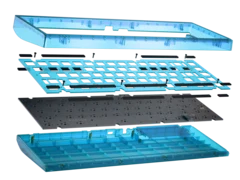
    CannonKeys has revealed that the Photon keyboard group buy, initially set for early 2025, will now be available as an in-stock item. This vibrant and fun 65% keyboard will feature a $5 discount at launch, lowering the price of the barebones kit to just $99. The Photon adopts a classic compact 65% layout and incorporates a gasket mount design for a more comfortable typing experience. However, it distinguishes itself from the many standard 65% keyboards on the market with its unique and eye-catching aesthetics.

    Impressive Battery Life

    One of the standout features of the Photon is its impressive battery life. Similar to the CannonKeys BakenekoGO, this keyboard utilizes ZMK firmware, which is optimized for wireless keyboards and offers extensive customization options, including ModTap, Tap Dance, and onboard macros via ZMK Studio. Thanks to the efficient firmware, CannonKeys asserts that the Photon’s 1,500 mAh battery can provide roughly six months of usage, or 4,000 hours, with the RGB lighting turned off.

    Comparisons to Other Keyboards

    To put this into perspective, the longest battery life recorded in recent keyboard tests was about 580 hours with the Epomaker Galaxy100. Other models, such as the Keychron K15 Max, manage around 140 hours on Bluetooth in our evaluations. Therefore, if CannonKeys’s claims are at all accurate, the Photon should be excellent for wireless users, provided they can handle the standard low polling rates that come with typical Bluetooth connections.

    Enhanced Navigation Features

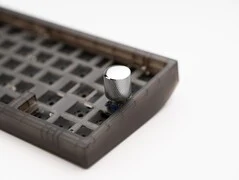
    A thoughtful aspect of the Photon is its navigation keys, which are not overly compromised. The navigation column on the right side of the keyboard includes four keys, contrasting with the common three-key setups found in many modern compact layouts. Additionally, the middle key in that right column can be swapped out for an optional knob module, available for $17 from CannonKeys.

    Customization Options

    There are also various extras that users can explore, such as alternative materials for the stock colour-matched PC plate (including aluminium, FR4, and carbon fibre), along with different PC plates for creative colour combinations. The Photon is offered in four translucent polycarbonate colors: Teal, Coral, Frosted (white), and Smoke. The keyboard kit comes hot-swappable and wireless by default but does include a USB-C cable for charging and wired functionality. You can also purchase it with optional switches, a basic stabilizer, and a keycap set for a total of $166.28.

    Source:
    Link


  • New Japanese Satellite Monitors Earth with Microwave Signals

    New Japanese Satellite Monitors Earth with Microwave Signals

    Key Takeaways

    1. iQPS launched the Kushinada-I satellite on August 5 to monitor Earth, named after the Japanese goddess of harvest and wealth.
    2. The satellite successfully made contact 30 minutes after launch and deployed its antenna on the same day.
    3. Kushinada-I is the twelfth satellite in the QPS-SAR series, which began in 2019, aiming for a total of 36 satellites.
    4. QPS-SAR satellites can capture images in bad weather and at night using a radar system that sends microwaves to the Earth.
    5. The satellite constellation is expected to enhance disaster response, urban safety, and provide predictive analytics for agriculture and economies.


    Japanese firm, iQPS, launched yet another satellite to monitor Earth on August 5. The Synthetic Aperture Radar (SAR) satellite, named Kushinada-I, took off from Rocket Lab Launch Complex 1 in New Zealand. This mission was titled “The Harvest Goddess Thrives,” honoring Kushinada, the Japanese goddess associated with harvest and wealth.

    Quick Communication Setup

    The Kushinada-I made contact about 30 minutes after it separated from the rocket, successfully deploying its antenna the same day of its launch. The satellite, formally known as QPS-SAR-12, marks the twelfth satellite launched by iQPS. The company initiated its QPS-SAR satellite series in 2019, with the eleventh satellite launched as recent as June 2025. iQPS plans to create a network of 36 satellites that can deliver near-real-time information, enabling observations of nearly every place on Earth approximately every 10 minutes.

    Advanced Imaging Capabilities

    In contrast to many conventional satellites, the QPS-SAR satellites are able to take pictures even in bad weather and during night time. These satellites utilize a radar system that sends out microwaves, which can pass through smoke, clouds, or darkness. The microwaves bounce back from Earth surfaces, and the radar captures these reflected signals to generate clear images.

    Disaster Response and More

    The QPS-SAR constellation is anticipated to mitigate the effects of natural calamities. According to Rocket Lab, it will “improve urban safety and security, and offer predictive analytics for agriculture, national economies, and regional markets when combined with weather, market, and economic data.”

    Source:
    Link


  • Radeon Pro W7400: 55W AMD GPU Needs No Power Connector

    Radeon Pro W7400: 55W AMD GPU Needs No Power Connector

    Key Takeaways

    1. The Radeon Pro W7400 is an entry-level GPU with 28 RDNA 3 compute units and a boost clock speed of 1.1 GHz, delivering 7.9 TFLOPS of performance.
    2. It has a low power requirement of only 55 watts, allowing it to draw power through PCIe without needing an additional power cable.
    3. The graphics card features 8GB of GDDR6 memory with a bandwidth of 172.8 GB/s over a 128-bit interface.
    4. Measuring 16.8 cm and occupying a single slot, the W7400 is designed for compact cases and can be used alongside a more powerful GPU.
    5. It includes four mini-DisplayPort 2.1 outputs, supporting up to four 4K displays or two 8K displays simultaneously.


    AMD is launching a new entry-level model that sits below the Radeon Pro W7500 (available from $425 on Amazon). This new model makes some trade-offs in memory bandwidth and clock speeds. Specifically, the Radeon Pro W7400 features 28 RDNA 3 compute units and can reach boost clock speeds of 1.1 GHz, resulting in a performance output of 7.9 TFLOPS.

    Power Efficiency

    Thanks to its lower clock speeds, this GPU has a reduced power requirement, using only 55 watts. This means that the Radeon Pro W7400 can receive sufficient power through PCIe, eliminating the need for an additional power cable that connects directly to the PSU. AMD has equipped it with 8GB of GDDR6 memory, which has a bandwidth of 172.8 GB/s over a 128-bit interface. The GPU connects to the motherboard via PCIe 4.0 x8.

    Size and Compatibility

    Measuring 16.8 cm in length and occupying just a single slot, this graphics card is designed to fit comfortably in compact cases. In larger desktop setups, the Radeon Pro W7400 can also be installed alongside a more powerful GPU, depending on the motherboard configuration. This setup could be useful, as the Radeon Pro W7400 allows for connection to multiple monitors. Additionally, this graphics card comes with four mini-DisplayPort 2.1 outputs, capable of supporting up to four 4K displays or two 8K displays at the same time.

    AMD has yet to announce a release date or an official pricing for the Radeon Pro W7400. For more information about its specifications and capabilities, users can visit AMD’s official website.

    Source:
    Link