Category: Computers

  • China Launches Anti-Monopoly Probe Against Nvidia Amid Trade Talks

    China Launches Anti-Monopoly Probe Against Nvidia Amid Trade Talks

    Key Takeaways

    1. China has accused Nvidia of breaching anti-monopoly laws amid ongoing US-China trade discussions, particularly concerning semiconductor chips.
    2. The investigation into Nvidia began in December 2024, focusing on commitments related to the 2020 acquisition of Mellanox, which had conditions tied to GPU supply to China.
    3. China accounts for 13% of Nvidia’s sales, increasing uncertainty for the company as it faces pressure from the Chinese government to promote local alternatives over Nvidia products.
    4. The situation reflects escalating trade tensions, with China launching an anti-dumping investigation into US semiconductor chips as part of ongoing countermeasures against US tariffs.
    5. Despite a temporary drop in Nvidia’s stock, analysts believe the investigation will not drive Nvidia out of the Chinese market but signals China’s negotiation tactics and strategy.


    China’s market regulator has accused Nvidia of breaching anti-monopoly laws following initial investigations. This announcement comes at a time when US-China trade discussions are taking place in Madrid, where chips are a significant topic. US Treasury Secretary Scott Bessent has described the timing as “poor timing,” while some analysts interpret it as a tactic for leverage. Since Trump’s first term, both countries have been embroiled in rising trade tensions, recently imposing high tariffs before easing off.

    Investigation Details

    The inquiry into Nvidia began in December 2024, focusing on the company’s commitments regarding the 2020 acquisition of Mellanox. China had approved the Mellanox deal on the condition that Nvidia would guarantee GPU supplies to the Chinese market. However, US export restrictions later forced Nvidia to halt sales of its most advanced chips to China. Under Chinese anti-monopoly legislation, potential fines for Nvidia may range from 1 to 10 percent of its annual sales.

    Impact on Nvidia

    China accounts for 13 percent of Nvidia’s overall sales, which creates notable uncertainty for the firm. Even with CEO Jensen Huang’s three trips to China this year, the efforts to charm the market seem to have not worked. The Chinese government is discouraging local tech companies, such as Tencent and Bytedance, from buying Nvidia chips, instead advocating for domestic alternatives. The H20 chips, specifically made for the Chinese market, remain unsold due to unresolved US payment regulations.

    Trade War Escalation

    This development follows China’s recent announcement of an anti-dumping investigation into US analog semiconductor chips. It is also part of a back-and-forth escalation in the ongoing trade war, which features US tariffs and Chinese countermeasures. Analysts view this as a warning regarding the implications of ongoing US export control policies. The timing hints at a relationship with the trade negotiations in Madrid and a potential agreement about TikTok’s ownership.

    On Monday, Nvidia’s stock dropped by two percent before bouncing back, with the company ensuring continued cooperation. Industry analysts have pointed out the risk posed to billions in networking equipment sales via Mellanox. Recently, Chinese semiconductor officials have called for an indefinite cessation of Nvidia GPU use, with authorities strongly advocating for local alternatives. Although experts believe this investigation is unlikely to drive Nvidia out of the Chinese market, it does indicate China’s strategy in negotiations.

    Source:
    Link


  • Minisforum MS-S1 Max Launch: Up to 128GB RAM Confirmed

    Minisforum MS-S1 Max Launch: Up to 128GB RAM Confirmed

    Key Takeaways

    1. The MS-S1 Max mini-PC will launch on September 17, 2025, at 02:15 UTC, but pricing details are not yet available.
    2. Pre-orders will include a chance to sign up for a $200 coupon.
    3. The device is powered by an AMD Ryzen AI Max+ 395 and is expected to be high-priced, similar to other mini-PCs in the market.
    4. The MS-S1 Max features a 320 W built-in power supply and supports up to 160 W Package Power Tracking (PPT) with configurations for up to 128 GB of RAM.
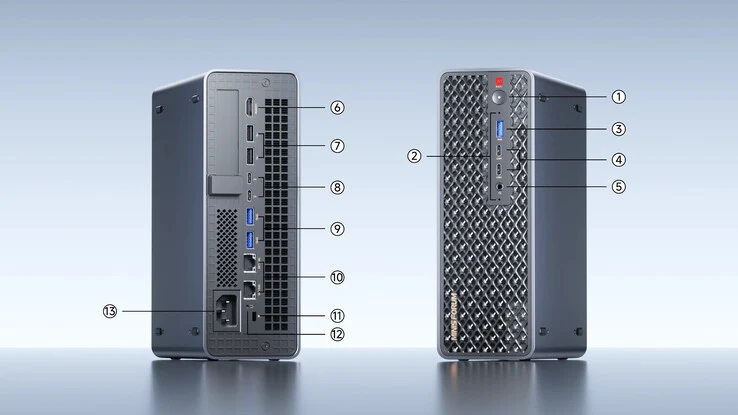
    5. It includes a full-length PCIe 4.0 x16 slot, dual M.2 2280 PCIe 4.0 x4 slots, and multiple ports on both the front and rear panels.


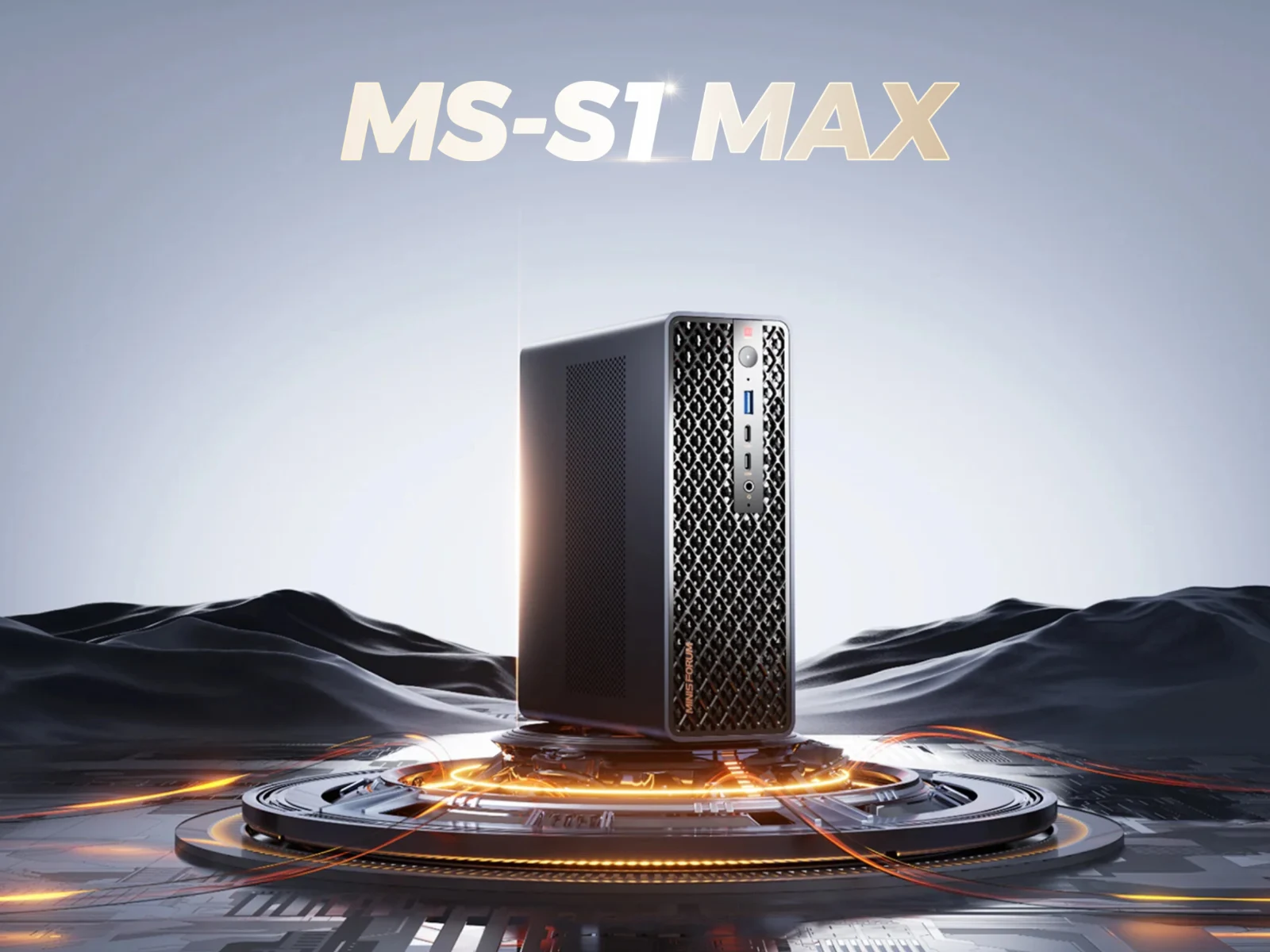
    Minisforum has shared more information regarding the MS-S1 Max, a mini-PC that was first hinted at in late August. To summarize, the device was first shown in China, and then it made its way to IFA 2025 in Berlin at the beginning of this month. Now, the company has disclosed additional details and the date for its worldwide release.

    Launch Event Details

    Minisforum has announced that the MS-S1 Max will be launched following an event that will kick off at 02:15 UTC on September 17. However, the company is being tight-lipped about the pricing for now. Interested customers can sign up to get a coupon worth $200 when pre-orders for the MS-S1 Max are opened. Given that it’s powered by an AMD Ryzen AI Max+ 395, this mini-PC is expected to be on the pricier side, similar to the GMKtec EVO-X2 and other mini-PCs with comparable specs (currently priced at $1,499 on Amazon).

    Specifications and Performance Modes

    Additionally, Minisforum has confirmed that the MS-S1 Max comes with a built-in power supply of 320 W. The Ryzen AI Max+ 395 will have a maximum of 160 W Package Power Tracking (PPT), and it can be configured with as much as 128 GB of RAM. While 160 W is achievable in performance mode, the MS-S1 Max will also offer Balance, Quiet, and Rack modes, which will have PPTs of 130 W, 110 W, and 140 W, respectively.

    Connectivity Options

    Furthermore, the MS-S1 Max features a full-length PCIe 4.0 x16 slot, along with dual M.2 2280 PCIe 4.0 x4 slots, and a variety of ports located on both the front and rear panels.

    Source:
    Link


  • Aoostar EG01: Global Launch of Thunderbolt 5 eGPU Dock with Mini-PC Mount

    Aoostar EG01: Global Launch of Thunderbolt 5 eGPU Dock with Mini-PC Mount

    Key Takeaways

    1. Aoostar launched the TA95X3D MoDT motherboard and started pre-orders for the Maco mini-PC in China, generating interest in the new EG01 eGPU dock.
    2. The EG01 does not include a built-in power supply but supports ATX and SFX PSUs, featuring a GPU mounting bracket similar to the DEG1.
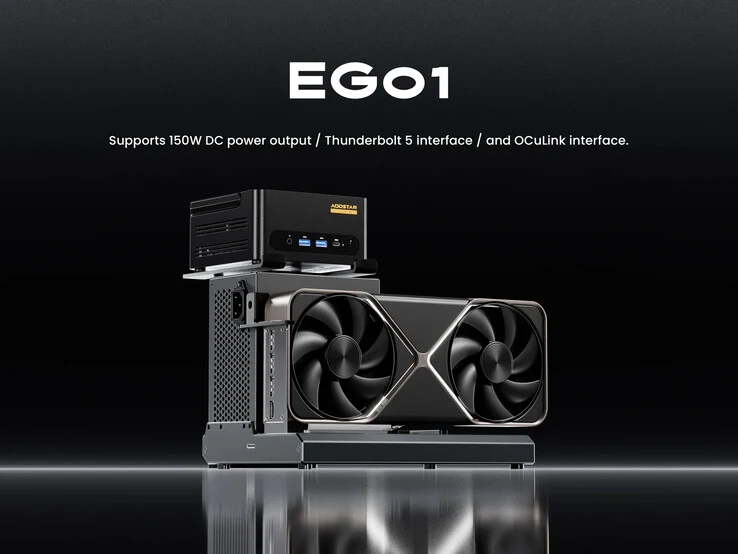
    3. The dock offers unique mounting options for mini-PCs above the PSU and supports OCuLink connectivity, along with a Thunderbolt 5 port for 150 W USB Power Delivery.
    4. The EG01 is positioned as the first eGPU dock with both OCuLink and Thunderbolt 5 connectivity, offering an advantage over competitors like Peladn Link S-3.
    5. Pricing and release date details for the EG01 are currently unavailable, but an international launch is expected as it appears on Aoostar’s global website.


    Aoostar has recently introduced the TA95X3D MoDT motherboard in China, after starting pre-orders for the Maco mini-PC in the same region. Now, the company is generating interest in the EG01, a new eGPU dock that looks quite similar to the Peladn Link S-3 and Minisforum DEG1, which is currently priced at $99 on Amazon.

    Design and Features

    Unlike the Aoostar AG01 that was launched last year, the EG01 does not come with a built-in power supply (PSU). It supports both ATX and SFX PSUs, just like the DEG1 and Link S-3. Additionally, Aoostar has added a GPU mounting bracket that is similar to the one included with DEG1 orders from Minisforum.

    Unique Mounting Options

    Interestingly, Aoostar seems to have provided a separate mount for setting up a mini-PC above the PSU. The EG01 supports OCuLink connectivity, similar to the DEG1, but it is not just a re-branded Gzosmeta EG01C. Aoostar also mentions that they have included a Thunderbolt 5 port which can handle 150 W USB Power Delivery (USB PD). This means that the Aoostar EG01 has a 10 W edge over the Peladn Link S-3 in terms of power delivery.

    Market Positioning

    To our knowledge, the EG01 is the first eGPU dock that offers both OCuLink and Thunderbolt 5 connectivity. Although the FEVM FNGT5 Pro provides the same connectivity features, it has a laptop-grade GPU and a built-in PSU, which lacks any upgrade options. Unfortunately, details regarding the pricing and release date are still unavailable. However, an international launch seems to be on the horizon, as the EG01 is mentioned on Aoostar’s global website.

    Source:
    Link


  • Sharge Disk Pro: 4TB Storage, Fans, and Ports for Gaming Devices

    Sharge Disk Pro: 4TB Storage, Fans, and Ports for Gaming Devices

    Key Takeaways

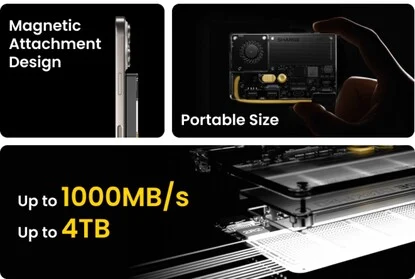
    1. The Sharge external SSD offers a maximum storage capacity of 4 TB and data transfer speeds of up to 1,000 MB/s.
    2. It includes a built-in short USB-C cable and a magnetic ring for attachment to MagSafe and Qi2-compatible devices.
    3. The SSD features a self-adhesive magnetic ring for mounting on gaming handhelds or laptop displays, enhancing portability.
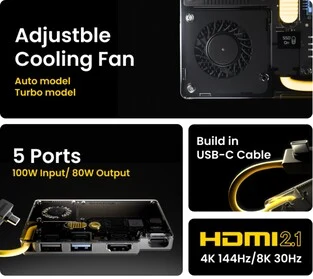
    4. It has an integrated docking station with two USB-A ports, one USB-C port supporting up to 100 watts for charging devices.
    5. The HDMI 2.1 port supports 4K at 144 Hz or 8K at 60 Hz displays, and the SSD includes a cooling fan for maintaining performance.


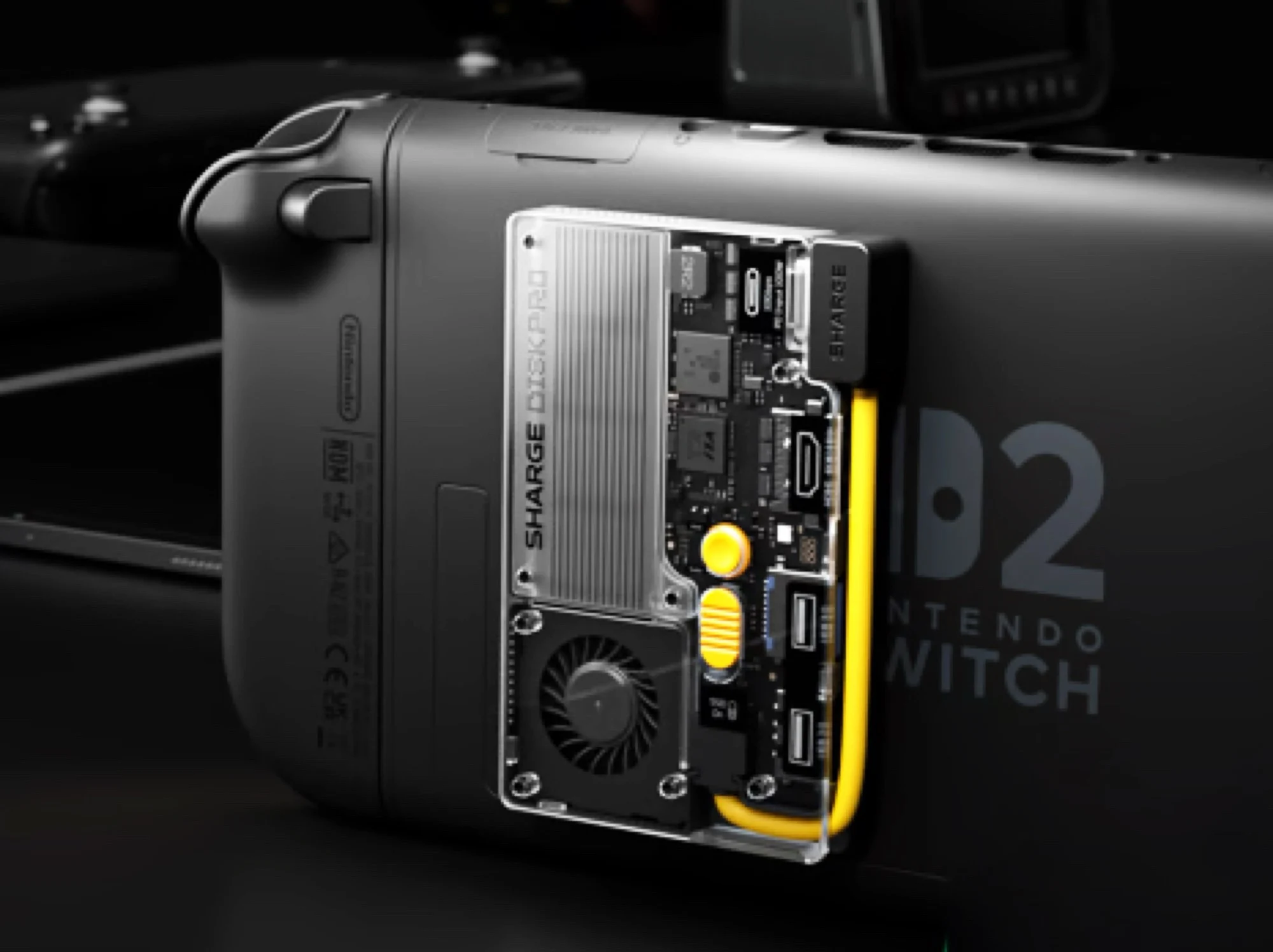
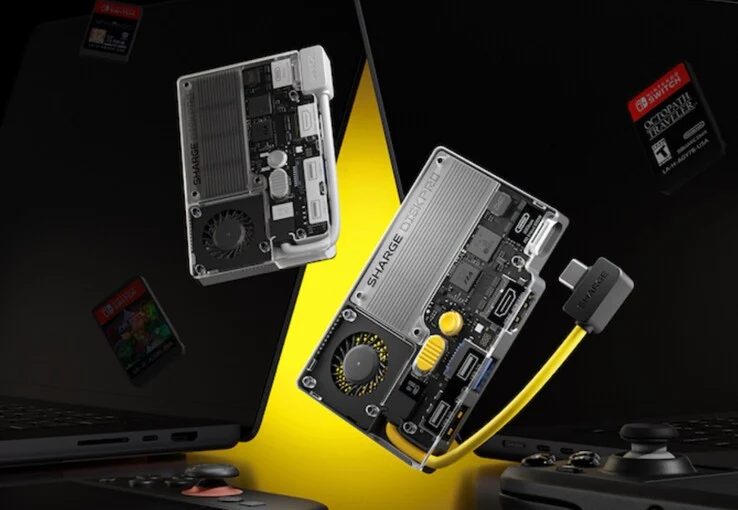
    Sharge has introduced its newest external SSD, which provides a maximum storage capacity of 4 TB and can transfer data at impressive speeds of up to 1,000 MB/s. This SSD comes with a short USB-C cable built right in. Additionally, it features a magnetic ring that allows it to attach to MagSafe and Qi2-compatible smartphones, including the Apple iPhone 17.

    Versatile Mounting Options

    Moreover, there’s a self-adhesive magnetic ring that enables users to stick the SSD on the back of gaming handhelds or on a laptop’s display lid, making it easy to expand storage while on the move. The SSD is equipped with an integrated docking station that includes two USB-A ports and one USB-C port. This USB-C port can support chargers of up to 100 watts, meaning you can charge connected handhelds and laptops via USB-C PD at rates of up to 80 watts.

    Display Capabilities

    Interestingly, the HDMI 2.1 port on this SSD can support a 4K monitor with a refresh rate of 144 Hz or an 8K display at 60 Hz. It’s worth noting that Sharge features the external SSD alongside a Nintendo Switch 2 in their promotional materials, even though Nintendo’s console doesn’t allow for external storage via USB-C. However, the HDMI port should still function correctly. The SSD also comes with an integrated fan that is made to cool both the dock and the SSD, ensuring that high transfer rates are maintained even under continuous use.

    The Sharge Disk Pro SSD is set to launch on Kickstarter starting September 23. By that date, more information regarding pricing and shipping should be announced at the latest. The SSD will be available in a capacity of up to 4 TB.

    Source:
    Link


  • Fanless Compact Copper PC Case Cools 250 Watts Efficiently

    Fanless Compact Copper PC Case Cools 250 Watts Efficiently

    Key Takeaways

    1. Compact Design: The FanlessVC2300S DT PC case measures 36 x 30.3 x 13 centimeters and is available in both copper (21.5 kg) and aluminum (11.2 kg) versions.

    2. Innovative Cooling System: It features a solid copper cooling system that can handle up to 250 watts of power without fans, ensuring silent operation.

    3. Efficient Heat Dissipation: The case uses 17 copper heat pipes and three vapor chambers for effective heat management, spreading heat across copper fins on all sides.

    4. Compatibility: Designed for ITX motherboards, Flex-ATX power supplies, and a single 2.5-inch hard drive, supporting graphics cards up to Nvidia GeForce RTX 5060.

    5. Availability and Pricing: Currently sold in China on Taobao, the aluminum version costs 1,760 yuan (about $247), with no information on the copper variant or international release.


    The FanlessVC2300S DT PC case comes in a compact design, measuring 36 x 30.3 x 13 centimeters. There’s a special copper edition that weighs in at 21.5 kilograms, while an aluminum alternative is available, tipping the scales at a lighter 11.2 kilograms.

    Innovative Cooling System

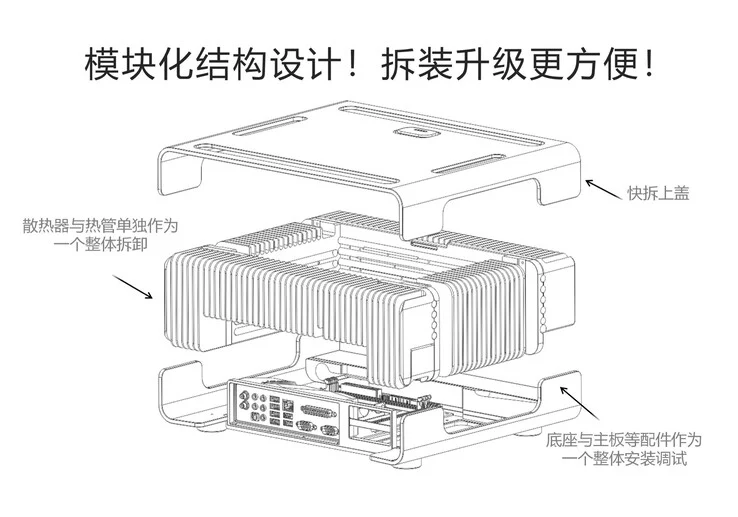
    What really sets this case apart is its impressive solid copper cooling system. It can handle cooling for up to 250 watts of power without needing any fans, ensuring a silent operation—well, aside from the sound from the power supply fan. Heat generated by the processor is managed through 17 copper heat pipes, each 8 millimeters in diameter, along with three vapor chambers designed for the graphics chip.

    Efficient Heat Dissipation

    Regardless of the setup, the heat generated is spread across copper cooling fins on all four sides of the case, allowing it to release heat into the surrounding air. The case is designed to fit an ITX motherboard, a Flex-ATX power supply, and a single 2.5-inch hard drive. The manufacturer claims that the fastest graphics card this case supports is the Nvidia GeForce RTX 5060, which comes with 8 GB of GDDR7 graphics memory.

    Availability and Pricing

    Currently, the FanlessVC2300S DT case can only be purchased in China through Taobao, where the aluminum version is listed at 1,760 yuan (approximately $247). Information regarding the pricing for the copper variant or details about an international release are still not available.

    Source:
    Link


  • Lenovo ThinkPad Adds FN Ctrl Firmware to Reduce Copying Errors

    Lenovo ThinkPad Adds FN Ctrl Firmware to Reduce Copying Errors

    Key Takeaways

    1. Many laptop users experience frustration when attempting to use Ctrl + C and Ctrl + V due to the FN key’s proximity to the Ctrl key.
    2. Lenovo’s ThinkPad series has been criticized for the placement of the FN key, which has caused confusion among users.
    3. Lenovo allows users to change key functions through BIOS settings and has switched the FN and Ctrl key positions in 2024 ThinkPad models.
    4. Longtime ThinkPad users may still find it challenging to adapt to the new layout, especially in mixed environments with different models.
    5. The new “Fool proof FN Ctrl” feature in select ThinkPads allows the FN key to function like the Ctrl key for specific combinations, aiming to reduce user frustration.


    Trying to use Ctrl + C and Ctrl + V only to find nothing happens is a common and annoying problem for laptop users. Many people have experienced this, and it can be really frustrating. The issue arises from the presence of the FN key on laptop keyboards, which is absent on desktop keyboards. This key sits right next to the Ctrl key, leading users to accidentally hit FN instead of Ctrl when trying to execute copy and paste commands. Naturally, pressing FN + C or FN + V doesn’t produce the desired results, which adds to the annoyance.

    Lenovo’s Historical Challenge

    Lenovo’s ThinkPad series has faced a lot of criticism regarding the placement of the FN key over the years. Originally, IBM designed it to be on the left side of the Ctrl key; however, most laptops have since adopted the FN key on the right side. To tackle this problem, Lenovo gave users the option to change the key functions through the BIOS settings. Finally, with their 2024 ThinkPad models, Lenovo switched the positions of the FN and Ctrl keys to align with the industry standard.

    Ongoing Frustrations

    Nevertheless, frustrations still linger. Many dedicated ThinkPad users have grown accustomed to the older layout of the FN key. Additionally, if a workplace uses both new and old ThinkPad models, users might find it confusing to switch between different keyboard layouts.

    Lenovo seems to have been inspired by this ongoing issue to create the new “Fool proof FN Ctrl” feature. This is a fresh UEFI BIOS firmware option available in select new ThinkPads, such as the Lenovo ThinkPad X1 Carbon Gen 13 (which you can find on Amazon). When this option is activated, the FN key can serve the same function as the Ctrl key for specific key combinations, including Fn+A, Fn+C, Fn+F, Fn+V, Fn+X, and Fn+Z.

    A Step Toward Solutions

    While Lenovo might not please everyone with the new FN key arrangement on ThinkPads, this feature could significantly lessen the user frustration that many have faced.

    Source:
    Link


  • Starlink Outage: Satellite Internet Down During Geomagnetic Storm

    Starlink Outage: Satellite Internet Down During Geomagnetic Storm

    Key Takeaways

    1. Starlink experienced a global satellite Internet outage on September 15, affecting over 50,000 users in various locations, including Ukraine and Michigan.
    2. The outage was likely caused by a significant geomagnetic storm, which was predicted by NOAA, rather than an issue controlled by SpaceX.
    3. The previous outage was due to human error during a capacity upgrade of Starlink’s terrestrial network, which aims to improve service quality.
    4. The first outage lasted almost three hours, while the September 15 downtime was shorter, with users affected for up to an hour and a half.
    5. SpaceX plans to launch V3 satellites in 2026, which will increase throughput capacity and allow for faster download speeds.


    Starlink experienced a global satellite Internet outage on September 15, marking its second major disruption since a previous incident a few weeks ago.

    Over 50,000 users reported connectivity issues, stretching from Ukraine, where Madyar, chief of the drone army, noted that “Starlink is once more down along the frontline,” to users in Michigan and others utilizing a Starlink Mini dish.

    Possible Causes of Outage

    The cause of this latest Starlink outage appears to be beyond the control of SpaceX. Although Starlink did not provide specific details in its announcement, the outage coincided with a warning from the National Oceanic and Atmospheric Administration (NOAA) regarding a significant geomagnetic storm during the same timeframe.

    A geomagnetic storm with a K-index of 7 or higher (NOAA G3 or above) was predicted to occur between 02:54 and 09:00 UTC on September 15, 2025. This could result in power system voltage fluctuations, spacecraft surface charging issues, increased satellite drag, temporary GPS navigation and HF radio disturbances, and auroras visible as far south as Pennsylvania, Iowa, and Oregon.

    Previous Outage Details

    The initial significant disruption of Starlink’s service was due to human error. SpaceX was implementing a capacity upgrade for Starlink’s terrestrial network, which consists of over 100 gateways, each with 150 antennas in the United States. These hubs help to cover dead zones and reduce latency for distant users by spreading the satellite Internet signal through fiber optic cables, improving ping and providing a more stable connection.

    This upgrade aimed to enhance the terrestrial signal distribution in anticipation of the forthcoming Starlink gigabit network. SpaceX is set to launch its V3 satellites in 2026, which will offer 10 times the throughput capacity, allowing peak download speeds to exceed 1 Gbps when using a Performance dish.

    Duration of Outage

    The first major outage caused by the terrestrial gateway firmware upgrade lasted almost three hours. However, on September 15, Starlink’s downtime during the geomagnetic storm was relatively short, with users reporting that they were without satellite Internet for a maximum of an hour and a half.

    Source:
    Link


  • Redragon Launches $500 AMD Mini PC with Ryzen 7 8845HS and USB 4.0

    Redragon Launches $500 AMD Mini PC with Ryzen 7 8845HS and USB 4.0

    Key Takeaways

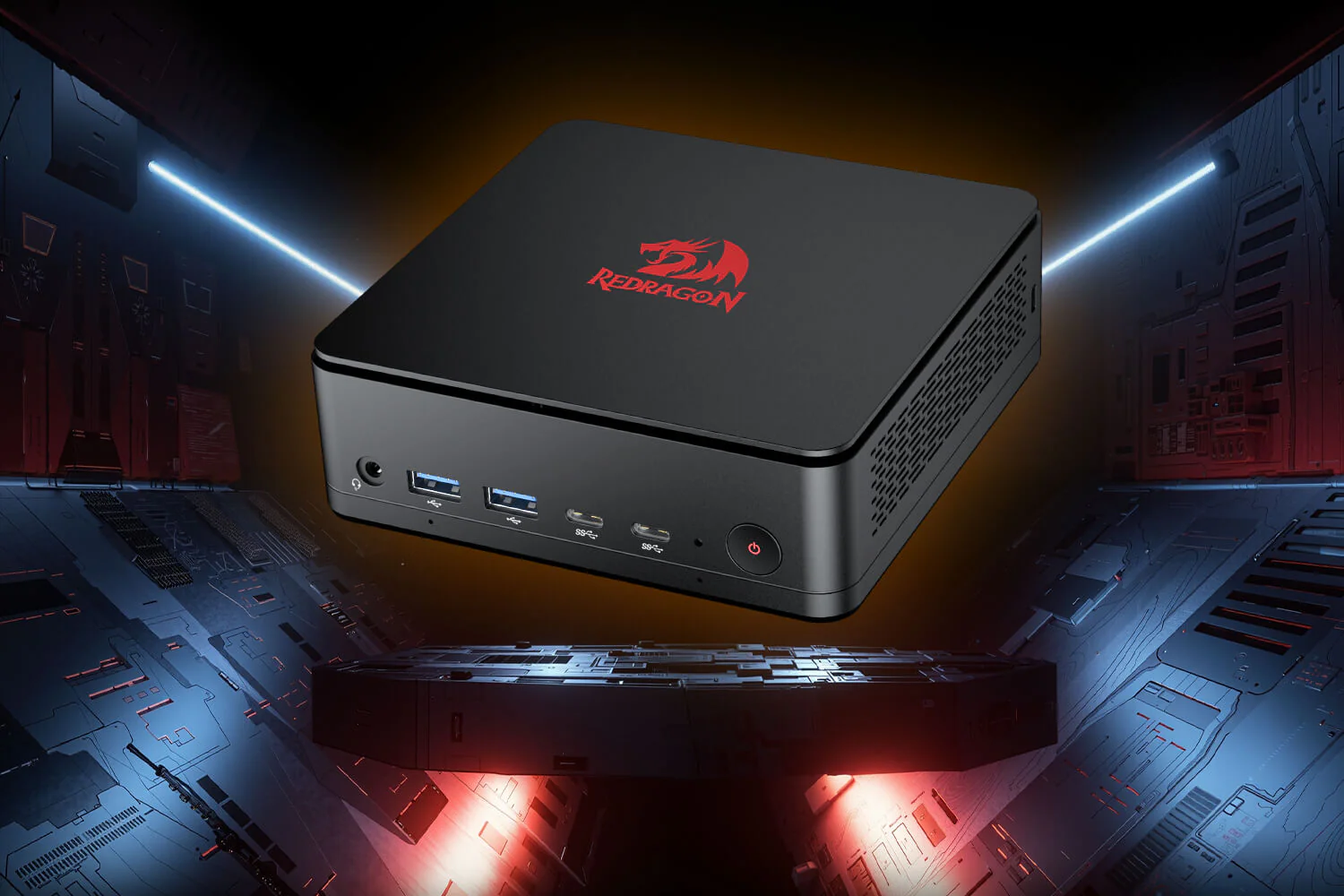
    1. Redragon has launched the MPC745 mini PC, priced at $499.99, competing with products like the Minisforum UM880 Plus and Geekom A8.
    2. The MPC745 features 16 GB of RAM and an AMD Ryzen 7 8845HS processor with 8 cores and 16 threads, along with an AMD Radeon 780M iGPU.
    3. It includes six USB ports, with two being USB 2.0, which may benefit compatibility with certain high-performance gaming keyboards.
    4. The mini PC supports eGPU docks through a USB 4 port for enhanced graphics performance.
    5. Currently, the MPC745 is available only in the US and Canada through the Redragon online store, with potential future availability on Amazon.


    Now that AMD is back in the game with APUs that have iGPUs able to handle gaming at decent resolutions, it looks like the mini-PC trend is catching on. Redragon, a well-known company for its affordable mechanical gaming keyboards, mice, and headsets, has just revealed its own mini PC.

    Competing in the Mini-PC Market

    The Redragon MPC745 goes head-to-head with products like the Minisforum UM880 Plus, which is currently priced at $518.97 on Amazon, and the Geekom A8 at $649, which received good remarks in our review. However, the MPC745 stands out with a price tag of just $499.99, making it quite an attractive option. But this low price doesn’t mean Redragon cut corners entirely.

    Specifications and Features

    To begin with, two of the six USB ports on the Redragon MPC745 are still USB 2.0. This may seem odd in 2025, but it could actually help gamers who use high-performance keyboards like the Wooting 80HE and GMMK 3 Pro HE, which sometimes have compatibility issues with USB 3.x ports.

    Redragon is offering only one version of the MPC745, featuring 16 GB of RAM and an AMD Ryzen 7 8845HS processor. This CPU boasts 8 cores and 16 threads, along with the reliable AMD Radeon 780M iGPU. Luckily, the mini PC has a USB 4 port, allowing support for eGPU docks for those who want better graphics performance.

    Availability and Purchase Options

    For now, the new mini PC will only be sold to customers in the US and Canada. It appears that the only way to get it is through the Redragon online store, which might be a downside for anyone worried about easy returns, as seen with Amazon purchases. However, there’s a chance that Redragon could eventually list the mini PC on Amazon since they have an official storefront there and also sell pre-built gaming PCs.

    Source:
    Link


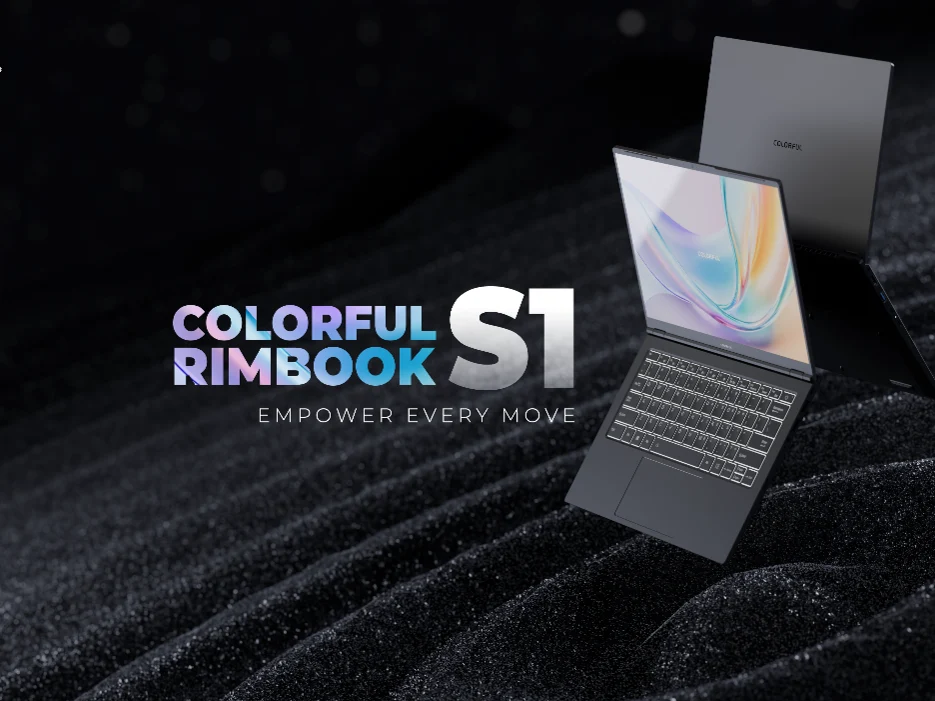
  • Colorful Rimbook S1: Affordable Laptop with 13th Gen Intel CPU

    Colorful Rimbook S1: Affordable Laptop with 13th Gen Intel CPU

    Key Takeaways

    1. The Colorful Rimbook S1 features a more powerful Intel Core i5-13420H processor compared to the L1’s Core i5-12450H.
    2. It has a 14-inch 16:10 FHD IPS LCD display and a larger 60 Wh battery with 65 Watts charging support.
    3. The laptop includes modern connectivity options such as Wi-Fi 6, 2.5 Gb/s Ethernet, multiple USB ports, and an HDMI 1.4 port.
    4. The Rimbook S1 is priced at $439, slightly higher than the Rimbook L1’s $399 price.
    5. The upgrades in display, battery capacity, and processor make the S1 a worthwhile investment for its additional cost.


    A few weeks back, Colorful introduced its very first laptop, the Rimbook L1, which some may find its name a bit strange. This model was marketed as a budget-friendly option and was designed to fit that category. Now, they’ve announced a more powerful version known as the Rimbook S1.

    Processor Enhancements

    The primary distinction between the Colorful Rimbook S1 and its predecessor, the L1, is in their processors. The S1 is equipped with an Intel Core i5-13420H Raptor Lake CPU, while the L1 comes with a Core i5-12450H. Other than that, these two laptops are quite similar, boasting features like 16 GB of DDR4 RAM and a 512 GB NVMe SSD.

    Display and Battery Improvements

    Another significant upgrade is the inclusion of a 14-inch 16:10 FHD (1,920 x 1,200) IPS LCD display. Additionally, it has a slightly bigger 60 Wh battery that supports 65 Watts charging. For connectivity, it includes Wi-Fi 6, 2.5 Gb/s Ethernet, three USB-A ports (2x USB 2.0 + 1x USB 3.2), a USB 3.2 Type-C port, an HDMI 1.4 port, and a 3.5 mm audio jack. There’s also a special switch to turn off the camera/webcam.

    Pricing and Availability

    The Colorful Rimbook S1 is priced at $439 and will be available for sale soon. It is a bit more expensive than the Rimbook L1, which is priced at $399. However, the extra features like the 16:10 display, increased battery capacity, and faster processor justify the additional cost.

  • Core Ultra 7 265U vs 165U: Minimal Performance Differences

    Core Ultra 7 265U vs 165U: Minimal Performance Differences

    Key Takeaways

    1. Arrow Lake-U CPUs are now available for light and thin consumer laptops, replacing the Meteor Lake-U and Raptor Lake-U series.
    2. The Core Ultra 7 265U is about 20-25% faster than the Meteor Lake-U Core Ultra 7 165U, but performance differences with the Dell Latitude 7450 are minimal.
    3. Both CPUs use the same integrated Arc 4 GPU, showing no significant improvement in graphics performance.
    4. The Core Ultra 265U is built on a 5 nm process, focusing on efficiency rather than raw power.
    5. For most users, the less expensive Core Ultra 7 165U offers a similar experience to the 265U.


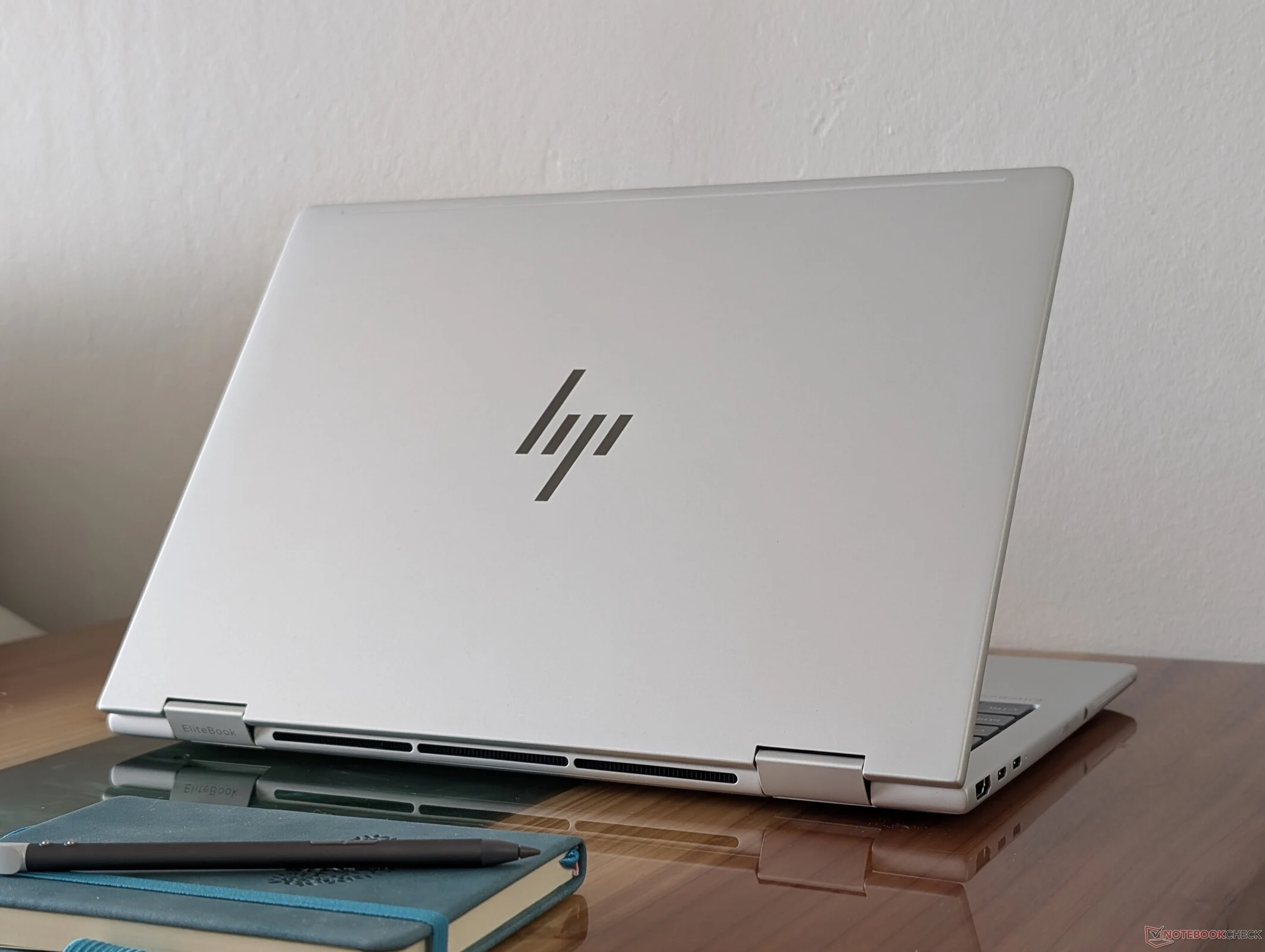
    Arrow Lake-U CPUs are now available for light and thin consumer laptops. These new processors take the place of the previous year’s Meteor Lake-U series and the earlier Raptor Lake-U series from 2023. We just completed our tests on the EliteBook 8 Flip G1i 13, which runs on the Arrow Lake-U Core Ultra 7 265U, to see how it stacks up against the models that came before it.

    Performance Comparison

    Our charts indicate that the Core Ultra 7 265U in the HP is about 20 to 25 percent quicker than the Meteor Lake-U Core Ultra 7 165U found in the ThinkPad X13 2-in-1. However, when we compare it to the same CPU in the larger Dell Latitude 7450 2-in-1, the results are nearly identical, with differences landing in the single-digit percentage range.

    Graphics Capabilities

    In terms of graphics performance, both CPUs feature the same integrated Arc 4 GPU, meaning there are no significant improvements in graphical power.

    Efficiency Gains

    The shift from the Core Ultra 7 165U to the Core Ultra 265U focuses more on efficiency than raw power. The newer CPU is produced using a 5 nm process instead of the 7 nm used for its predecessor, allowing for a slight edge in performance-per-watt when conditions are otherwise comparable. Nevertheless, for most users, choosing the cheaper Core Ultra 7 165U will still deliver almost the same experience.