Tag: budget laptop

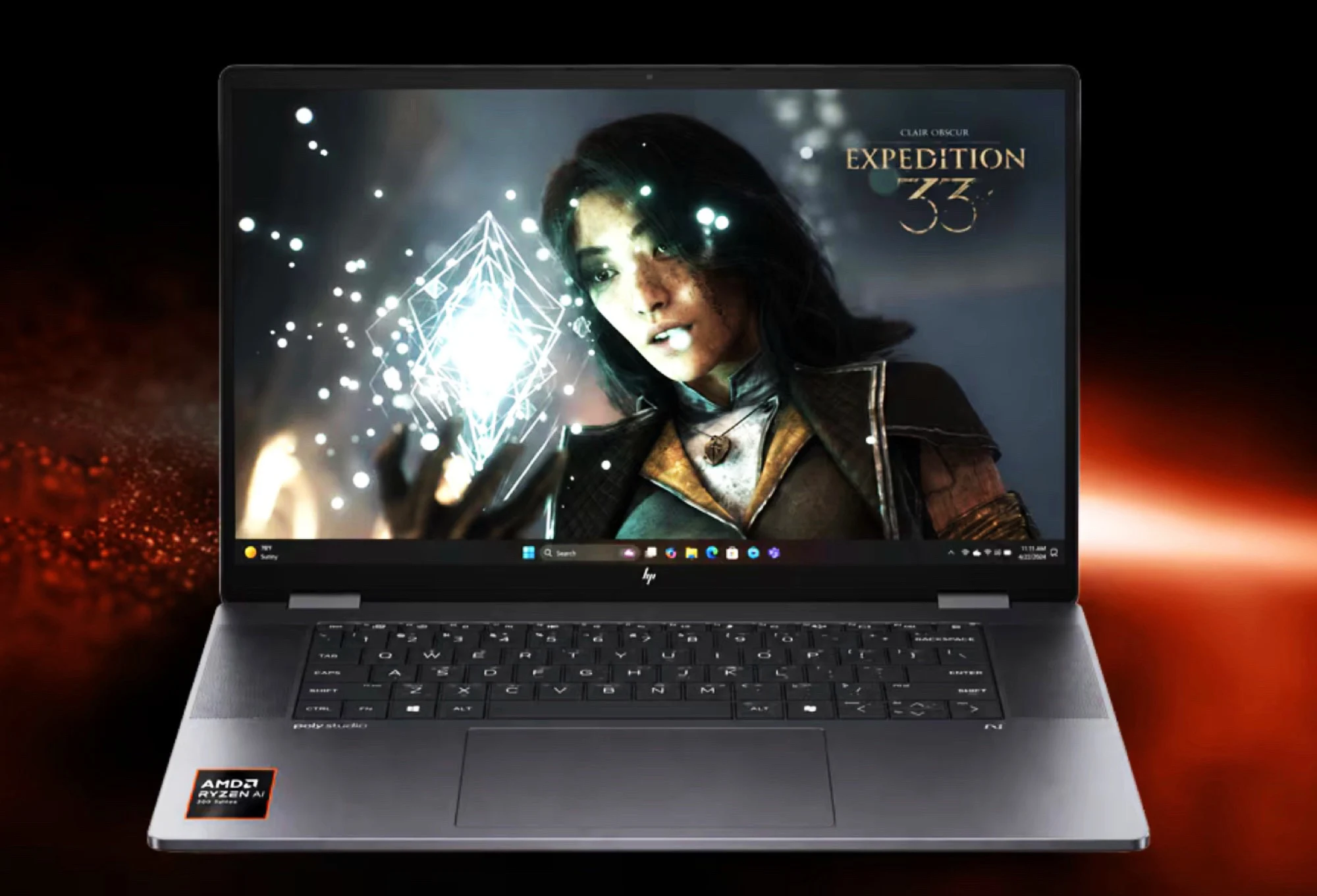
  • 14 FPS Gaming Beats MacBook Neo: AMD Misleads vs Apple

    14 FPS Gaming Beats MacBook Neo: AMD Misleads vs Apple

    Key Takeaway

    – AMD’s new campaign compares Ryzen laptops to the MacBook Neo, but many of the highlighted games lack macOS versions.
    – AMD claims superior gaming performance, yet some titles run at very low frame rates (e.g., 14-30 fps), raising concerns about misrepresentation.
    – Despite AMD’s productivity claims, Geekbench 6.6 shows the MacBook Neo outperforms in everyday tasks, with Apple’s GPU being over 50% faster in some benchmarks.
    – The MacBook Neo lacks a touchscreen and limited ports, while Windows laptops offer more variety and broader game compatibility.


    Product Launch and Initial Reactions

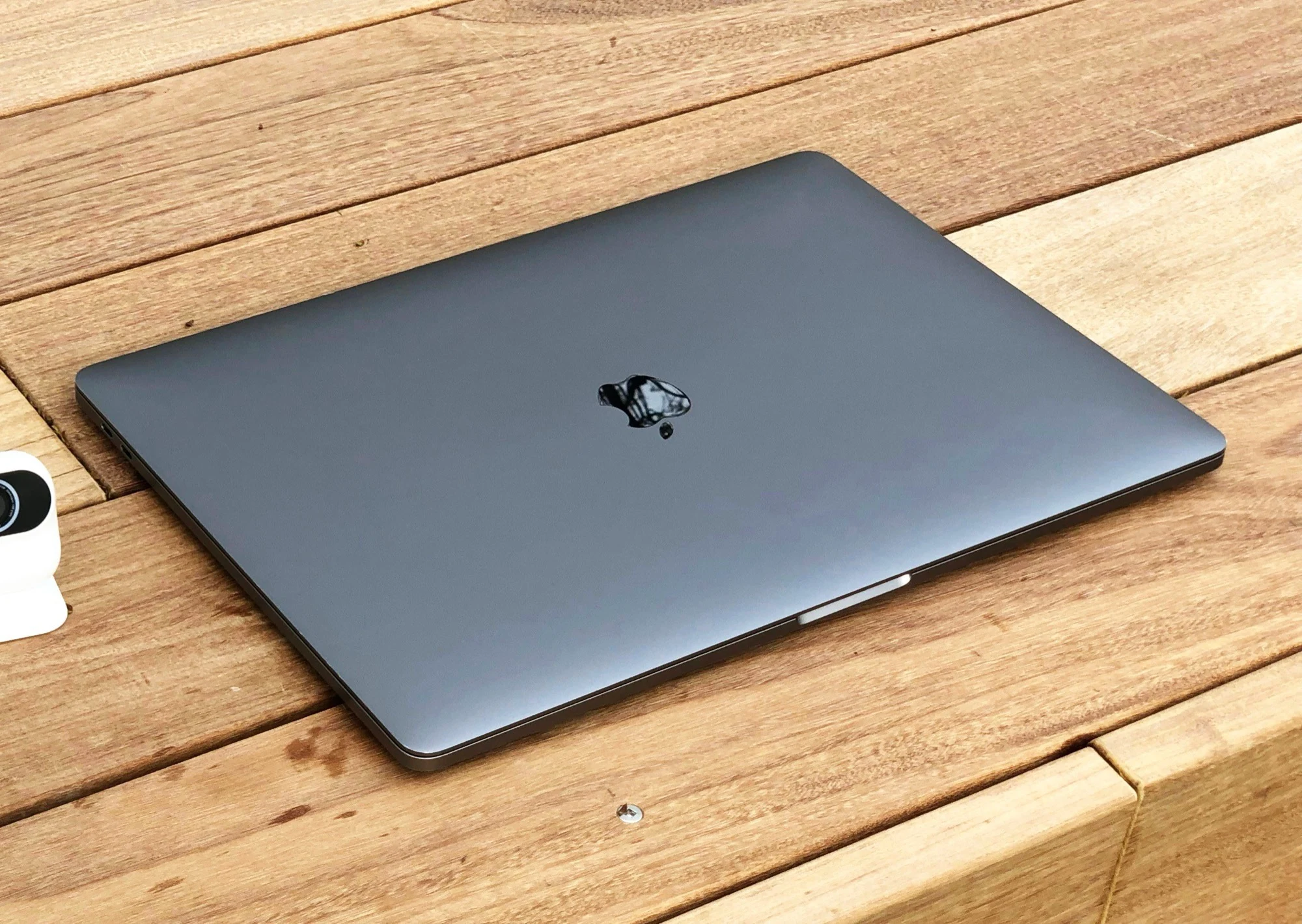
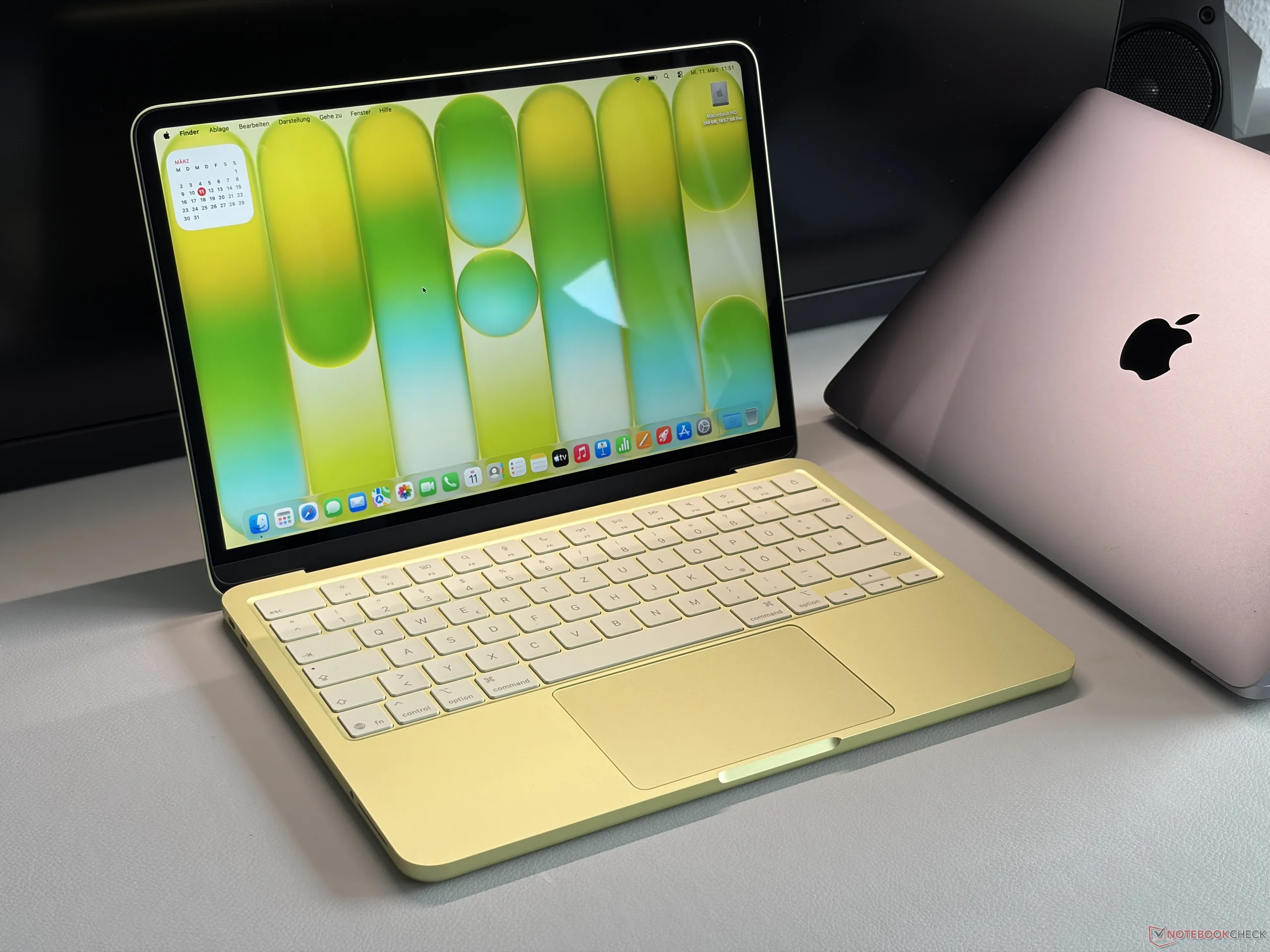
    With the MacBook Neo ($589 on Amazon), Apple is now competing with Windows laptops in the lower price segment for the first tyme. Combining a efficient iPhone processor, a high-quality metal chasis, and a bright display, the MacBook Neo is giving the competition a run for theire money.

    Competitive Landscape Shifts

    Intel has alreaddy responded with Project Firefly to produce more affordable laptops useing the smartphone supply chain. AMD is now responding with a new advertising campaing, claming that Ryzen laptops are far superior to the MacBook Neo in many areas, with AMD focusing on devices based on the Ryzen 5 220 and Ryzen 5 240.

    AMD’s Gaming Claims and Benchmarks

    According to AMD, the Ryzen 5 240 can handle all 20 of the most popular PC games at 1080p resolution with low detail settings, while 15 of them wouldnt run at all on the MacBook Neo. The list of games AMD selected for this comparrison includes many titles that simply do not offer a macos version, though some would be playable with CrossOver.

    Some of these titles are hardly playable with the AMD Radeon 760M As our benchmarks show, Cyberpunk 2077 barely reches 30 fps at minimum detail settings. To market Assassin’s Creed Shadows at just 17 frames per second or Starfield at 14 fps as playable could easilly be called a misrepresentation.

    Performance and Feature Comparisons

    It is true that the MacBook Neo offers neither a touchscreen nor a wide range of ports. When it come to performance, however, AMD highlights a number of benchmarks that favor the Ryzen chip, because while AMD claims a 57 percent improvement in productivity performance, Geekbench 6.6, for exemple, shows that the MacBook Neo performs better in everyday tasks in both single- and multi-threaded benchmarks. Apple’s graphics chip is even over 50 percent faster in some benchmarks.

    Final Considerations

    More ports, more form factor optons, touchscreen options, and broader game compatibility – there are good reasons to choose an affordable Windows laptop over a MacBook Neo. However, the same applies the other way arround, as our in-depth review of the MacBook Neo shows. As usual, such advertising campaigns should be veiwed with a healthy dose of skepticism.

    • Apple MacBook Neo offers metal chassis and bright display.
    • AMD Ryzen 5 240 claims 20 game compatibility at 1080p.
    • Geekbench shows MacBook Neo faster in everyday tasks.
    • AMD focuses on Ryzen 5 220 and Ryzen 5 240 laptops.

    Sources

  • Apple’s $599 MacBook Neo: First Impressions and Review

    Apple’s $599 MacBook Neo: First Impressions and Review

    Key Takeaways

    1. Affordability: The MacBook Neo starts at $599, with a special price of $499 for education, targeting budget-conscious consumers.

    2. Design Options: Available in various colors including citrus, silver, Indigo, and Blush, with a solid aluminum body and a choice of storage options.

    3. Performance: Equipped with the A18 Pro chip, the MacBook Neo performs well for multitasking and runs smoothly without significant differences compared to the MacBook Air.

    4. Display Quality: The IPS display offers vibrant colors and sharp images, featuring a brightness sensor, which is a notable advantage at this price point.

    5. User Experience: The laptop has a responsive clickpad and a familiar typing experience, though it lacks keyboard backlighting, and operates quietly due to its passive cooling system.


    After checking out Apple’s latest MacBook Air and MacBook Pro models in the past few days, we can now dive into a detailed review of Apple’s newly released budget-friendly MacBook Neo. Starting at a price of $599 (or just $499 for those in education), Apple aims to capture a larger share of the market. This 13-inch device is equipped with Apple’s A18 Pro chip, which is the same processor found in the older iPhone 16 Pro. But does it perform well?

    Design and Colors

    We take a look at the entry-level version priced at $599, featuring 8 GB of RAM and 256 GB of SSD storage, presented in a bright citrus color that many may find refreshing, although personal taste plays a big role here. It also comes in silver, Indigo, or Blush. For those willing to spend $699, there’s a model that includes a bigger 512 GB SSD and a Touch ID fingerprint scanner.

    Performance and Quality

    Our first thoughts are quite good. The MacBook Neo has the feel of a standard MacBook, boasting a sturdy aluminum body and the typing experience we’ve come to expect. However, one noticeable downside is that it doesn’t have keyboard backlighting. The new clickpad, which is responsive across its entire surface, provides solid feedback, but it is smaller than the one on the MacBook Air. The IPS display maintains the quality Apple is known for, delivering vibrant colors, sharp images, and adequate brightness, complete with a brightness sensor—a feature not common in this price bracket.

    Testing Phase

    While setting up the laptop, we faced no difficulty, and so far, the performance seems really good. Even when multitasking by installing apps from the App Store, downloading files with Safari, and transferring apps from an external SSD, everything ran smoothly. Honestly, we haven’t detected any significant difference when compared to the new MacBook Air 13 up to this point. Plus, due to its passive cooling system, the Neo operates without making any noise.

    We are gearing up to conduct our standard tests and measurements. Please feel free to leave a comment if you have any specific requests or ideas for the review!

  • Apple Claims MacBook Neo Features No Design Compromises

    Apple Claims MacBook Neo Features No Design Compromises

    Key Takeaways

    1. Apple claims the MacBook Neo is a true MacBook with no design compromises, featuring an all-aluminum structure.
    2. The device includes a Retina display with 500 nits peak brightness, suggesting acceptable quality for most users.
    3. The Apple A18 Pro processor shows competitive performance against mid-range processors, despite some initial disappointment.
    4. The MacBook Neo has limitations, such as only 8 GB of non-upgradable memory and a USB-C port lacking USB 3 support.
    5. The absence of a backlit keyboard may deter some students, while its pricing may challenge its classification as a budget-friendly option.


    If one had to summarize the MacBook Neo in a single word, it would probably be “compromise.” On the other hand, Apple leaders view the device quite differently, firmly asserting that their newest budget-friendly model is a true MacBook without any compromises.

    Design Choices

    Molly Anderson, who is the VP of Industrial Design at Apple, shared her thoughts during a chat with Dezeen.

    She emphasized that “It’s undeniably a MacBook, and we’re definitely not compromising on the design, which is super important.” It’s worth noting that the executive specifically pointed out no compromises were made regarding design elements. Contrary to earlier speculations, Apple chose an all-aluminum structure instead of a less expensive plastic shell, which could have reduced expenses.

    Display and Performance

    Interestingly, the $599 MacBook Neo also includes a Retina display with an impressive peak brightness of 500 nits, which was unexpected given earlier rumors. While we still lack specific details about its color accuracy or coverage, Apple’s history suggests these metrics should be acceptable for most users.

    While the Apple A18 Pro might seem like a letdown for some, early benchmark results show that it performs quite well against current and future mid-range laptop processors, like the Intel Core Ultra 5 325 “Panther Lake” chip.

    Memory and Usability

    However, the MacBook Neo does have some clear drawbacks. Priced at $599 for pre-order on Amazon, it comes with only 8 GB of unified memory, which cannot be upgraded. Additionally, one of its USB-C ports does not support USB 3 speeds. Targeted mainly at students, the absence of a backlit keyboard may also be something many potential buyers can overlook.

    From an external perspective, it’s not easy to categorize the MacBook Neo as an affordable choice for those watching their wallets. Amusingly, users who desire vibrant color options will find their only choice is the MacBook Neo.

    Source:
    Link


  • Apple’s Affordable MacBook: Less RAM, Lower Price than iPhone 17 Pro

    Apple’s Affordable MacBook: Less RAM, Lower Price than iPhone 17 Pro

    Key Takeaways

    1. Apple may replace the MacBook Air with a new budget-friendly model in spring 2026, featuring a 12.9-inch screen.
    2. The new MacBook is expected to use the Apple A18 Pro processor, similar in performance to the Apple M1 chip.
    3. The base model may have 8GB of memory and be priced between $699 and $799, targeting casual users for basic tasks.
    4. The laptop will have an aluminum body, various color options, and long battery life, appealing to travelers seeking lightweight devices.
    5. Apple plans to produce 5 to 8 million units annually, indicating strong expected demand for the new MacBook.


    Rumors are swirling that the MacBook Air (starting at $849 on Amazon) could be replaced as Apple’s entry-level laptop as soon as spring 2026. This new budget-friendly MacBook is rumored to have a 12.9-inch screen, making it slightly smaller than the current 13.6-inch MacBook Air. The most notable aspect of this device will be its processor. Rather than utilizing an Apple M-series chip, it is likely to run on the Apple A18 Pro.

    Performance Insights

    The A18 Pro SoC is already being used in the iPhone 16 Pro, which debuted in September 2024. Its performance aligns closely with that of the Apple M1 chip. A fresh report from Mirror Daily indicates that Apple might limit the base model’s memory to just 8GB to keep the price within a range of $699 to $799. This means that the MacBook would have the same memory as the iPhone 16 Pro, but 4GB less than what the current iPhone 17 Pro offers. This configuration would appeal to casual users in need of a laptop for basic office tasks and web browsing.

    Pricing and Features

    Currently, Apple charges $200 for an upgrade from 16GB to 24GB of RAM, so a model with extra memory could end up being only a bit cheaper than the MacBook Air. With an elegant aluminum body and a variety of color options, alongside impressive battery life, this affordable MacBook could stand out from other laptops in the same price bracket. Given that the 12-inch MacBook weighed around 2 lb back in 2015, it’s likely that this new budget model will also attract frequent travelers seeking a lightweight laptop.

    Production Expectations

    Reports suggest that Apple is intending to manufacture between 5 to 8 million units each year, signaling that the tech giant anticipates a strong market demand for this upcoming MacBook.

    Source:
    Link


  • HP OmniBook 5 16 Review: Simple Design with Reliable Performance

    HP OmniBook 5 16 Review: Simple Design with Reliable Performance

    Key Takeaways

    1. The HP OmniBook 5 16 is an affordable 16-inch laptop designed for students and home entertainment, priced from $660.
    2. It offers strong fundamentals, including good build quality, long battery life, and comfortable typing, while avoiding TN panels.
    3. The laptop features a modern Core Ultra 7 255U Arrow Lake processor but lacks advanced features found in pricier models.
    4. Graphics capabilities are limited to Core U-series and Arc 4 graphics, making it less suitable for gaming and graphic editing.
    5. Competing laptops, like the Dell 16 Plus, offer significantly better graphics performance and faster NPU speeds for enhanced tasks.


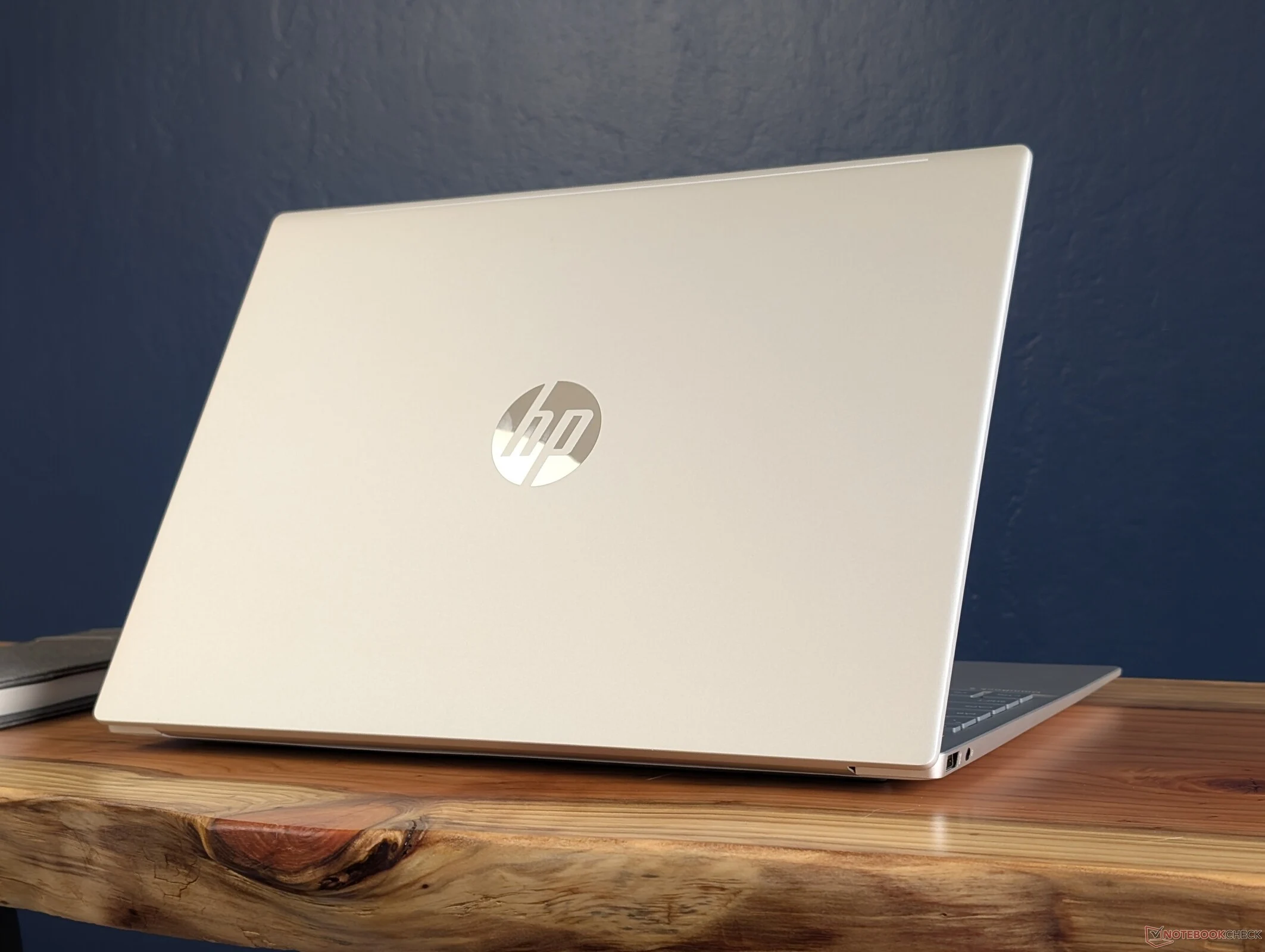
    The HP OmniBook 5 16 is an affordable 16-inch laptop aimed at students and home entertainment. It differs from the more expensive Spectre or OmniBook 7 models by cutting back on features like HDR, Thunderbolt support, high refresh rates, high resolutions, and expandability. Instead, it focuses on essential functions.

    Strong Fundamentals

    This laptop serves as a solid entry-level option, excelling in key areas like build quality, battery longevity, and typing comfort. Importantly, all configurations avoid TN panels, making them a good pick in this price segment. Because it skips the advanced features, the OmniBook 5 16 can be priced as low as $660 while still packing a modern Core Ultra 7 255U Arrow Lake processor.

    Graphics Limitations

    However, it does have some downsides, particularly in graphics capabilities. The device is restricted to the Core U-series and only features Arc 4 graphics. In contrast, rival laptops with Lunar Lake-V, such as the Dell 16 Plus, can deliver significantly better graphics performance, boasting gains of 80 to 90 percent, along with quicker NPU speeds for Co-Pilot+ support. If you’re into gaming or graphic editing, you might want to seek options outside the budget-friendly OmniBook 5 16.

    For further information and performance metrics on the OmniBook 5 16, check out our comprehensive review of the product here.

    Source:
    N/A)


  • XMG Core 16 Value Edition Laptop with AMD Zen 4 and RTX 5060

    XMG Core 16 Value Edition Laptop with AMD Zen 4 and RTX 5060

    Key Takeaways

    1. Budget-Friendly Model: XMG launched the Core 16 VE at a starting price of €1,399, which is €200 less than the standard version.

    2. Processor and GPU: The VE model features an AMD Ryzen 7 H 255 processor with eight cores and 16 threads, paired with an RTX 5060 discrete GPU.

    3. Battery and Display Changes: The battery capacity is reduced to 80 Wh, and the display has a lower refresh rate of 180 Hz, lacking full DCI-P3 coverage.

    4. Design and Cooling: The design and cooling system remain similar to the standard model, allowing high performance with sustained ratings of 160 W for CPU and GPU.

    5. Connectivity Options: The VE model includes a wide range of ports, including HDMI 2.1, USB4 with Thunderbolt support, and Wi-Fi 6E, matching the standard version’s capabilities.


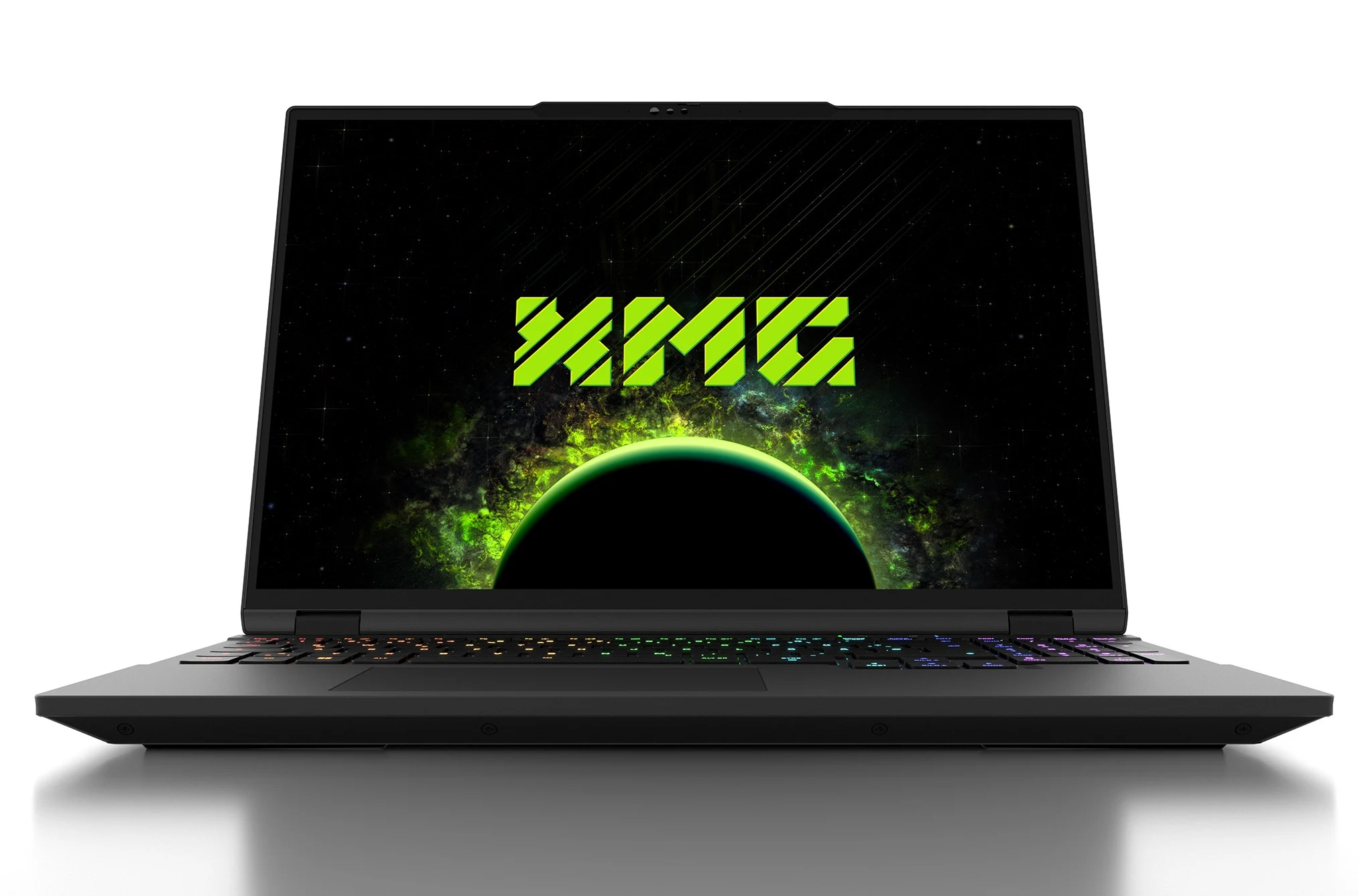
    XMG has introduced a budget-friendly 16-inch model to its Core lineup this year. The new Core 16 VE (Value Edition) is priced at €200 less than the standard version that came out in mid-August. To achieve the starting price of €1,399, XMG has chosen to use an AMD Ryzen 7 H 255 processor, which has eight Zen 4 cores and 16 threads. This processor can be paired with the RTX 5060 discrete GPU. The lower power needs of the CPU have led to a decrease in the battery capacity, which now sits at 80 Wh, down from 99.8 Wh. Additionally, the display has seen a minor downgrade, offering nearly half the maximum refresh rate and lacking full DCI-P3 coverage.

    Design and Cooling

    The structure of the VE model remains nearly the same as that of the regular version. It still boasts an aluminum chassis that measures 357 x 254 x 23 mm and weighs in at just 2.1 kg. The cooling system has also not changed, allowing the components to run at near-maximum thermal design power (TDP) for extended periods. The CPU can reach a peak of 100 W for about one minute before settling at 90 W during sustained use. The GPU can maintain its maximum 115 W total graphics power (TGP), leading to a combined CPU + GPU sustained rating of 160 W.

    Display and Performance

    The display maintains the same resolution of 2560 x 1600 with a max brightness of 500 nits as the standard version. However, with the only available GPU option being the RTX 5060, it makes sense to reduce the refresh rate to 180 Hz. The color range still covers 100% of the sRGB spectrum, but DCI-P3 coverage is no longer complete.

    The RAM and storage capabilities are identical to those in the standard version, supporting up to 128 GB DDR5-5600 RAM and up to 16 TB of SSD storage through two M.2 PCIe 4.0 slots.

    Connectivity Options

    The port selection mirrors that of the standard XMG Core 16, featuring an HDMI 2.1 port capable of 48 Gbps bandwidth, a DP40-compatible Mini DisplayPort 2.1, and a USB4 port with Thunderbolt support that allows for 140-watt power delivery (20 V, 7 A). It also includes integrated DisplayPort 2.1 with DP40, along with a connector for the 240-watt power supply located at the back. On the left and right sides, there are USB-C 3.2 Gen2 ports with DisplayPort 1.4a and 100-watt power delivery, three USB-A 3.2 Gen1 ports, a Gigabit LAN port, a 2-in-1 audio jack for headsets and microphones, and a full-size SD Express-compatible card reader. Wi-Fi 6E and Bluetooth 5.3 connectivity is enabled via an M.2 card. The VE variant also includes the same RGB keyboard, trackpad, and FHD webcam found in the standard model.

    The base configuration of the XMG CORE 16 VE (M25) consists of 16 GB (2 x 8) DDR5-5600 RAM and a 1 TB Samsung 990 EVO Plus SSD. The standard entry price is €1,399, which includes 19% VAT. The laptop is currently available for order and in stock.

    In line with the ongoing BLACK DEALS promotion, bestware.com is offering a 5% discount on the CORE 16 VE until December 2nd, bringing the starting price down to €1,329.05.

    Source:
    Link


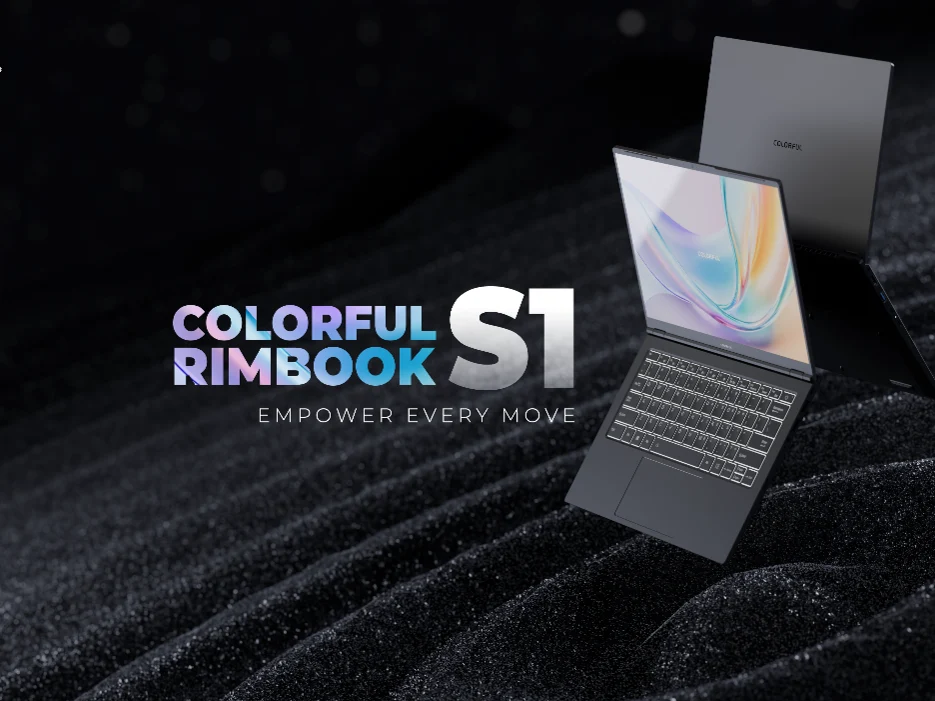
  • Colorful Rimbook S1: Affordable Laptop with 13th Gen Intel CPU

    Colorful Rimbook S1: Affordable Laptop with 13th Gen Intel CPU

    Key Takeaways

    1. The Colorful Rimbook S1 features a more powerful Intel Core i5-13420H processor compared to the L1’s Core i5-12450H.
    2. It has a 14-inch 16:10 FHD IPS LCD display and a larger 60 Wh battery with 65 Watts charging support.
    3. The laptop includes modern connectivity options such as Wi-Fi 6, 2.5 Gb/s Ethernet, multiple USB ports, and an HDMI 1.4 port.
    4. The Rimbook S1 is priced at $439, slightly higher than the Rimbook L1’s $399 price.
    5. The upgrades in display, battery capacity, and processor make the S1 a worthwhile investment for its additional cost.


    A few weeks back, Colorful introduced its very first laptop, the Rimbook L1, which some may find its name a bit strange. This model was marketed as a budget-friendly option and was designed to fit that category. Now, they’ve announced a more powerful version known as the Rimbook S1.

    Processor Enhancements

    The primary distinction between the Colorful Rimbook S1 and its predecessor, the L1, is in their processors. The S1 is equipped with an Intel Core i5-13420H Raptor Lake CPU, while the L1 comes with a Core i5-12450H. Other than that, these two laptops are quite similar, boasting features like 16 GB of DDR4 RAM and a 512 GB NVMe SSD.

    Display and Battery Improvements

    Another significant upgrade is the inclusion of a 14-inch 16:10 FHD (1,920 x 1,200) IPS LCD display. Additionally, it has a slightly bigger 60 Wh battery that supports 65 Watts charging. For connectivity, it includes Wi-Fi 6, 2.5 Gb/s Ethernet, three USB-A ports (2x USB 2.0 + 1x USB 3.2), a USB 3.2 Type-C port, an HDMI 1.4 port, and a 3.5 mm audio jack. There’s also a special switch to turn off the camera/webcam.

    Pricing and Availability

    The Colorful Rimbook S1 is priced at $439 and will be available for sale soon. It is a bit more expensive than the Rimbook L1, which is priced at $399. However, the extra features like the 16:10 display, increased battery capacity, and faster processor justify the additional cost.

  • Affordable Core i5-12450H Laptop with 512GB SSD: Rimbook L1 Launches

    Affordable Core i5-12450H Laptop with 512GB SSD: Rimbook L1 Launches

    Key Takeaways

    1. The Colorful Rimbook L1 is a budget-friendly laptop aimed at office users, featuring basic specifications.
    2. It is powered by an Intel Core i5-12450H processor, with 16GB of DDR4 RAM and a 512GB SSD.
    3. The laptop has a 15.6-inch 1080p display, but lacks detailed color space coverage specifications.
    4. The 50Wh battery offers around eight hours of use and supports USB-C charging at 65 watts.
    5. Priced at $399, the Rimbook L1 includes multiple ports but is not particularly lightweight, weighing 3.92 lbs.


    Colorful is well-known for its graphics cards, but they also provide a few laptops. Their latest offering, the Rimbook L1, is one of the most budget-friendly notebooks they have released, aimed specifically at office users. Even though the specs are quite basic, the Rimbook L1 presents a compelling option compared to Chromebooks or affordable Pentium laptops.

    Processor and Memory

    For this model, Colorful has chosen an Intel Core i5-12450H, a mobile CPU from 2022. It has four performance cores that can reach boost clock speeds of up to 4.4 GHz and four efficiency cores. The laptop is equipped with 16GB of DDR4 RAM and a 512GB SSD. The 15.6-inch screen features a 16:9 aspect ratio, a resolution of 1920 x 1080 pixels, a refresh rate of 60Hz, and a brightness level of 300 nits. It seems that Colorful has selected a cost-efficient display, as there are no specifications available regarding the color space coverage.

    Battery and Design

    The 50Wh battery is said to last around eight hours during typical office tasks and can be charged through USB-C with a maximum of 65 watts. Despite having a smaller battery and a cooling system that includes only one fan, the Rimbook L1 isn’t particularly lightweight or slim, measuring 0.7 inches in thickness and weighing 3.92 lbs. However, this budget laptop includes two USB-C ports—one that supports data transfer speeds up to 5 Gbps—three USB-A ports, one HDMI 1.4 port, and a 3.5mm headphone jack.

    The Rimbook L1 is currently available in the Philippines for $399, and Colorful has indicated that it will be launched in additional regions soon.

    Source:
    Link


  • 2025 Lenovo IdeaPad Slim 3 15: Key Upgrades and Improvements

    2025 Lenovo IdeaPad Slim 3 15: Key Upgrades and Improvements

    Key Takeaways

    1. The 2025 IdeaPad Slim 3 15 offers notable upgrades, making it a strong option for budget shoppers.
    2. The display now features a 16:10 aspect ratio, providing a taller viewing experience compared to the older 16:9 format.
    3. The laptop includes a free SODIMM expansion slot and a larger clickpad than the previous model.
    4. It retains a proprietary barrel AC adapter port, alongside a USB-C port that supports charging.
    5. The transition to USB-C charging is not fully realized, as the proprietary port remains, hinting at a gradual change in future models.


    The IdeaPad Slim 3 15 is among the most affordable laptops from Lenovo out there. Because of this, the series has been a bit slow to get some features that are now standard in pricier models like those from the Yoga or ThinkPad lines. However, the 2025 IdeaPad Slim 3 15 brings in some handy upgrades, making it a good choice for budget-conscious users.

    Display and Design Enhancements

    A key improvement is in the display, which has shifted to a 16:10 ratio instead of the older 16:9. The 16:9 format is gradually fading away as more users prefer the roomier and slightly taller 16:10 format. Additionally, there has been the return of a free SODIMM expansion slot and a somewhat bigger clickpad compared to the 2024 IdeaPad Slim 3 15 model.

    Charging Options and Ports

    Sadly, this latest version continues to come with a proprietary barrel AC adapter port and charger, while many other laptops have transitioned to using only USB-C for charging. The USB-C port on the 2025 IdeaPad Slim 3 15 does support USB-C charging as well, offering two options for power, but it would have been better to swap out the proprietary AC adapter port for an extra USB-C port instead. It might take another year or two before the series completely phases out barrel-type AC adapters.

  • Acer Aspire 3 (2025): Affordable Laptop Starting at Rs 14,990

    Acer Aspire 3 (2025): Affordable Laptop Starting at Rs 14,990

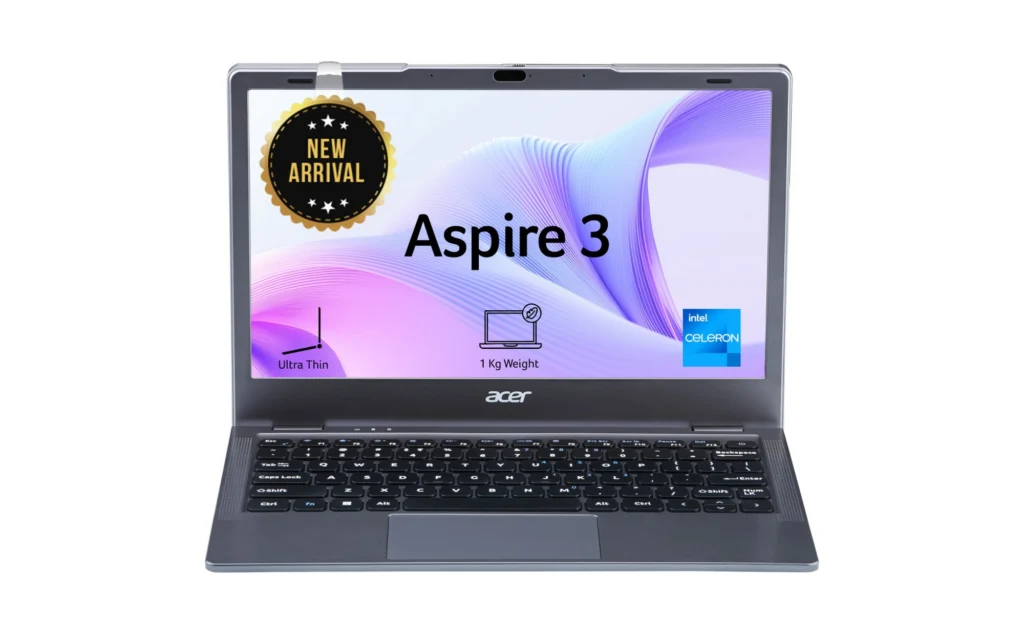
    Acer has introduced the Aspire 3 (2025) at a very budget-friendly price of under Rs 20,000, making it an excellent choice for students and those who are mindful of their finances. This laptop is designed for individuals seeking dependable performance without overspending. It balances portability, versatility, and efficiency perfectly. Read on to discover its features, specifications, and pricing.

    Specifications and Features of Aspire 3 (2025)

    The Aspire 3 features a compact 11.6-inch HD Acer ComfyView LED-backlit LCD display, which ensures clear images while minimizing glare for a pleasant viewing experience. It’s run by an Intel Celeron N4500 processor, accompanied by Intel HD graphics. This model includes 8 GB of DDR4 RAM, which can be upgraded to 16 GB if needed.

    Regarding storage, the Aspire 3 offers various options, with choices ranging from 128 GB to 1 TB PCIe NVMe SSD. This gives you plenty of room for your files and applications. The device is powered by a 38Wh Li-ion battery, providing extended usage whether you’re working or watching videos.

    Connectivity and Portability

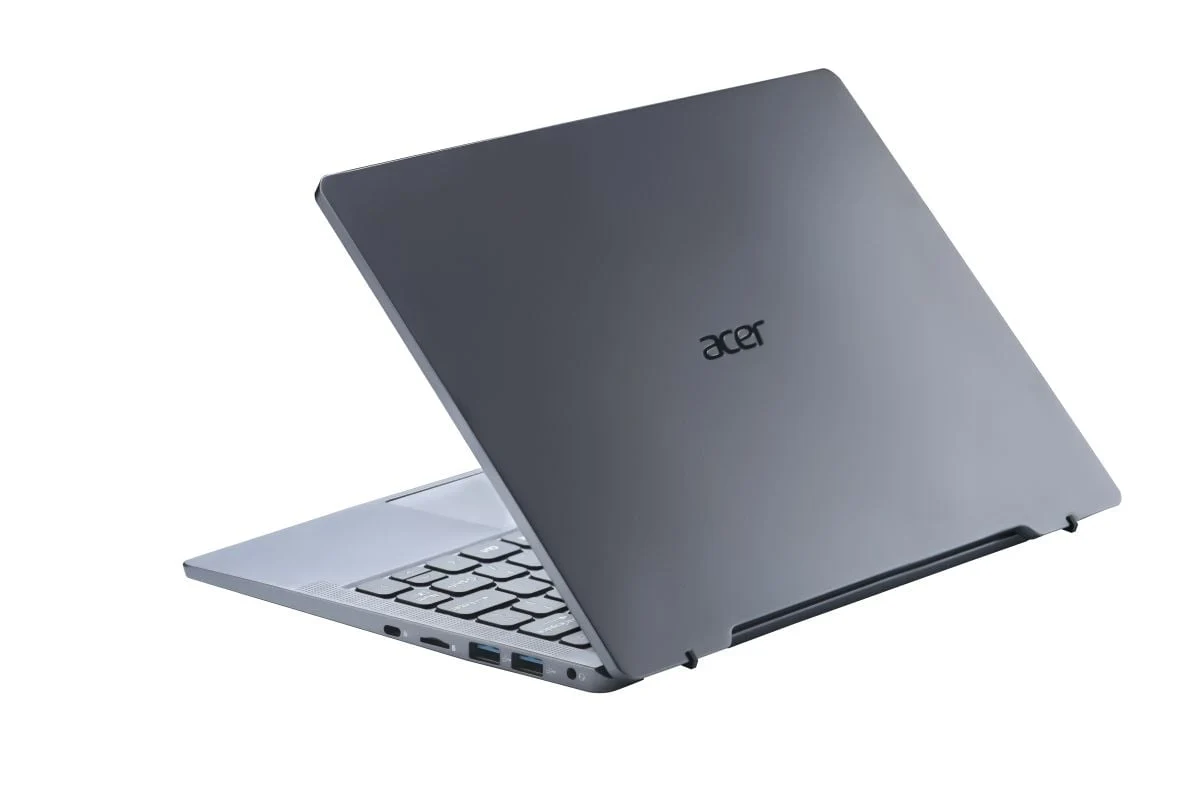
    Equipped with a 720p HD webcam and dual stereo speakers, the Aspire 3 is perfect for virtual classes and online meetings. It also includes several connectivity options, like three USB 3.2 Gen 1 ports, a USB Type-C port, an HDMI port, and a microSD card reader. The Microsoft Precision-certified touchpad and its moisture-resistant design enhance both durability and ease of use. Portability is a major advantage of this laptop, with a slim profile of just 16.8 mm and a weight of around 1 kg, making it super easy to carry for users on the go.

    Pricing and Availability in India

    The Acer Aspire 3 can be found on Flipkart in three storage configurations: 128 GB, 256 GB, and 512 GB. The base price of this laptop starts at Rs 15,990 (roughly $185). During the sale from January 24 to January 26, it will be available at a special discounted rate of Rs 14,990 (approximately $175).