Category: Computers

  • New 170W Solar-Charging Power Bank for Airline Safety

    New 170W Solar-Charging Power Bank for Airline Safety

    Key Takeaways

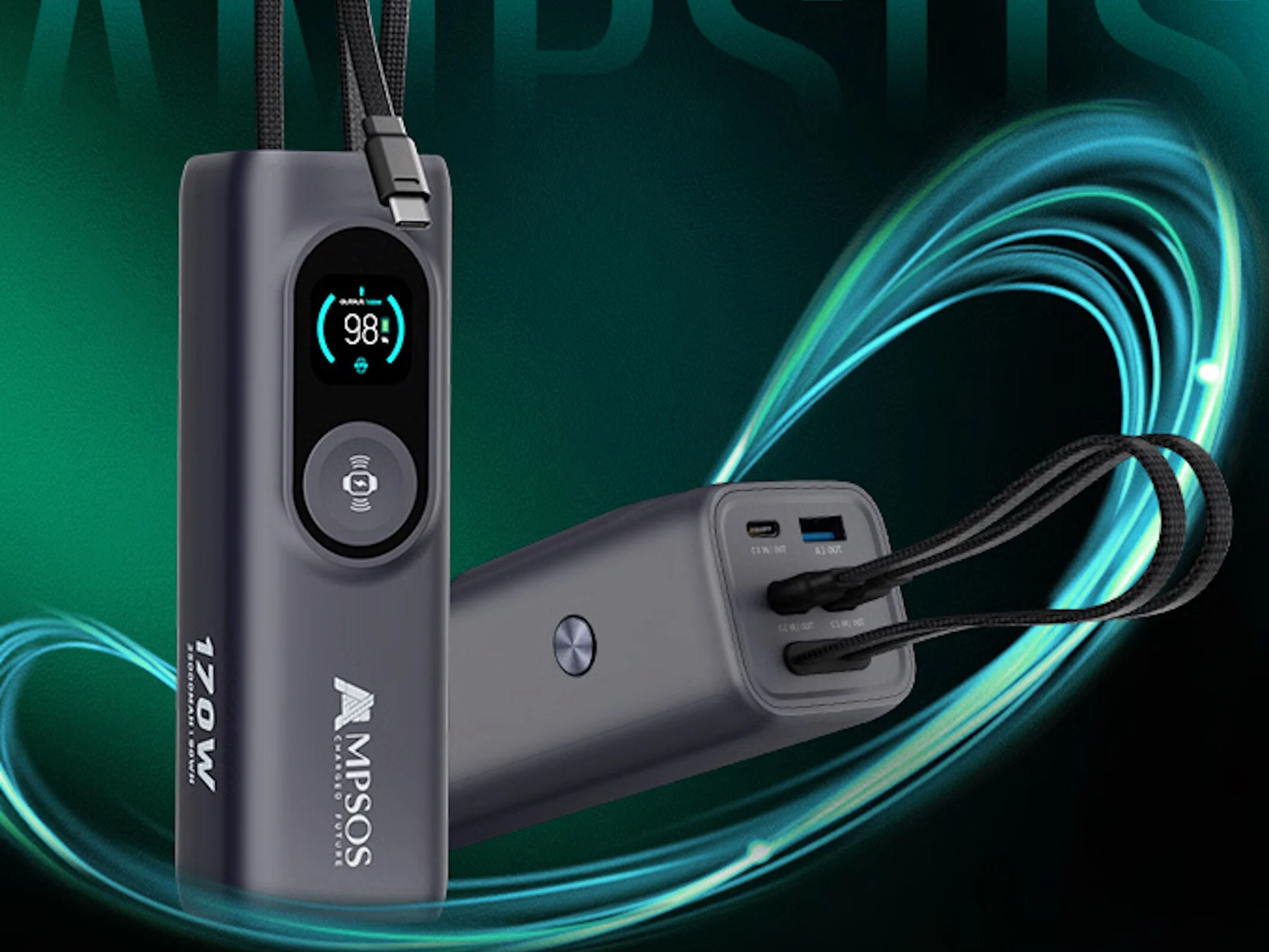
    1. Ampsos launched a Kickstarter campaign for a “5-in-1 25,000 mAh Laptop-grade Power Bank Hub with Solar Boost,” starting at $109 with shipping expected in November 2025.
    2. The power bank has a capacity of 25,000 mAh, meeting airline guidelines and featuring three USB-C outputs (up to 100 watts) and a USB-A port (33 watts).
    3. It includes a 3-watt wireless charging pad and can achieve a maximum total output of 170 watts.
    4. The compact design measures 175 x 55 x 51.6 mm and weighs 600 g, with a 1.3-inch OLED display for easy monitoring.
    5. The device can be recharged at speeds up to 100 watts and has a 36-watt solar charging capability with a built-in MPPT controller.


    Ampsos has launched a Kickstarter campaign for its innovative “5-in-1 25,000 mAh Laptop-grade Power Bank Hub with Solar Boost.” As with any crowdfunding project, it’s crucial for potential supporters to thoroughly examine the shipping details and consider the risks involved, like the chance that the product may not ship or could fall short of quality expectations. Right now, prices start at $109, with shipping expected to kick off in November 2025.

    Impressive Capacity and Features

    With a power capacity of 25,000 mAh (or 90 Wh), this device meets airline guidelines and can easily fit in your carry-on luggage. It includes three USB-C outputs, each capable of providing up to 100 watts, which is sufficient for charging laptops; two of these ports even come with built-in cables. Additionally, it has a USB-A port that supports 33-watt charging and a 3-watt wireless charging pad. This hub can achieve a maximum total output of 170 watts. Ampsos has included diagrams that show the maximum output for each port under different power distribution scenarios.

    Compact Design and Display

    Measuring 175 x 55 x 51.6 mm (6.89 x 2.17 x 2.03 in) and weighing 600 g (1.32 lb), the Ampsos power hub is quite compact considering its range of features. It comes equipped with a 1.3-inch OLED display and can be recharged at speeds up to 100 watts, along with a 36-watt solar charging capability due to its built-in MPPT controller.

    Source:
    Link


  • MSI Forge GK600 TKL Keyboard with Screen and Keycap Options

    MSI Forge GK600 TKL Keyboard with Screen and Keycap Options

    Key Takeaways

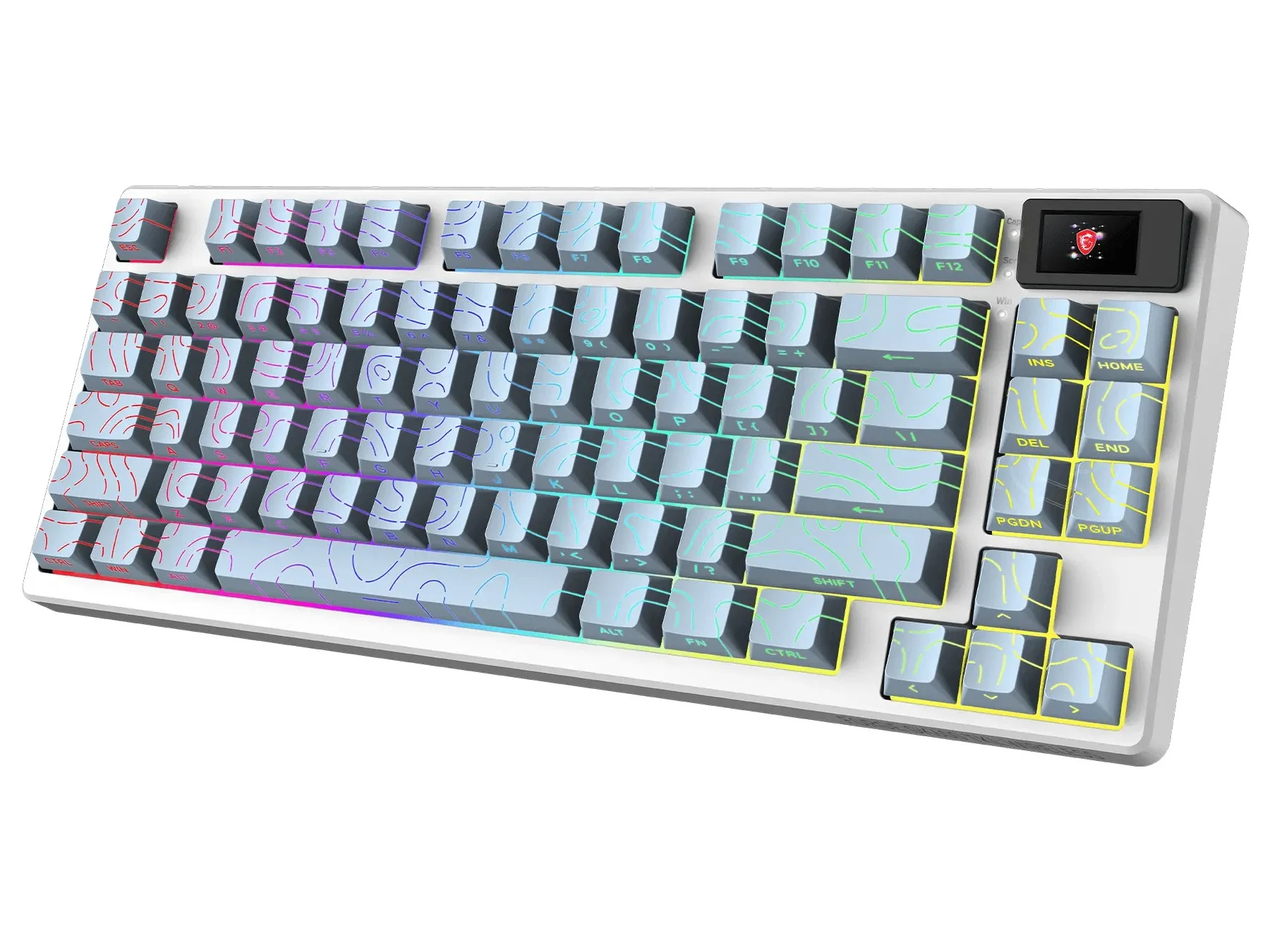
    1. MSI has launched the Forge GK600 TKL Special Edition mechanical keyboard, available in Topo Blue, Topo White, and Mars Edition designs.
    2. The Mars Edition features space-themed keycaps that allow RGB lighting to shine through, while the Topo editions have side-printed keycaps for a unique lighting effect.
    3. The keyboard has a compact 83-key layout with multiple connectivity options: 2.4 GHz wireless, Bluetooth, and wired USB-C.
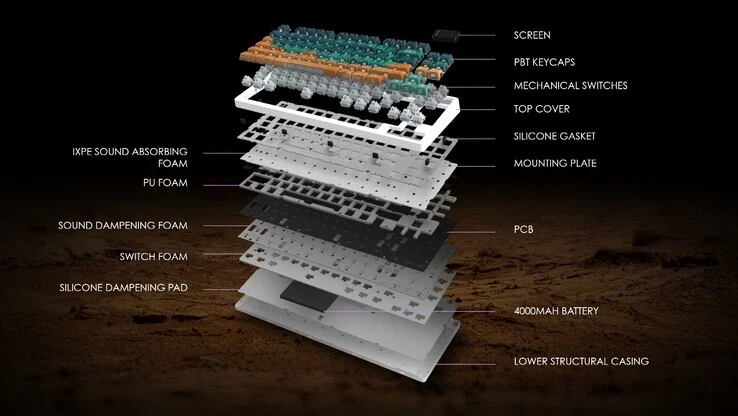
    4. It includes hot-swappable linear mechanical switches, dye-sublimated PBT keycaps, and a gasket-mount design for reduced noise and improved sound quality.
    5. A built-in mini display shows battery status, RGB profiles, and connectivity modes, with a 4,000 mAh battery that lasts up to 20 days of usage.


    MSI has introduced the Forge GK600 TKL Special Edition mechanical keyboard. This new model builds on the Forge GK600 TKL Wireless (currently priced at $69.99 on Amazon with a 30% discount) that was revealed at CES earlier this year. The Special Edition will come in two color options: Topo Blue and Topo White, featuring topographic keycaps. Additionally, there is a Mars Edition that showcases a striking and futuristic design inspired by space.

    Eye-Catching Design

    Among the three versions, the Mars Edition stands out with its space-themed keycaps, which MSI claims are influenced by Martian dunes and starry skies. The keycaps are designed with transparency at the bottom, allowing RGB lighting to shine through, giving it a more vibrant appearance than standard keyboards. On the other hand, the Topo Blue and Topo White editions feature side-printed keycaps with shine-through contour patterns, creating a distinctive lighting effect.

    Compact Features

    Similar to the original model, the Special Edition offers a compact 83-key layout with options for 2.4 GHz wireless, Bluetooth, and wired USB-C connections. It boasts hot-swappable linear mechanical switches and dye-sublimated PBT keycaps, which have been refreshed in these new versions. Also, it incorporates a gasket-mount design with multi-layer dampening, which is said to help lessen noise and enhance sound quality.

    Built-in Mini Display

    One of the standout features is the integrated mini display, reminiscent of the one found on the Pulsar eS HE 70. While it isn’t customizable, it can display essential information like battery status, RGB profiles, connectivity modes, and more. Each model is equipped with a 4,000 mAh battery, reportedly lasting up to 20 days of usage according to MSI. Overall, the Special Edition closely resembles the original, with the main distinction being the newly designed keycap sets.

    MSI has yet to share pricing information, but given that the original Forge GK600 TKL debuted at $80, it’s anticipated that the Special Edition will be similarly priced when it becomes available later this month.

    Source:
    Link


  • Chuwi CoreBook X: AMD Ryzen 5, 14″ 2K Display Under $400

    Chuwi CoreBook X: AMD Ryzen 5, 14″ 2K Display Under $400

    Key Takeaways

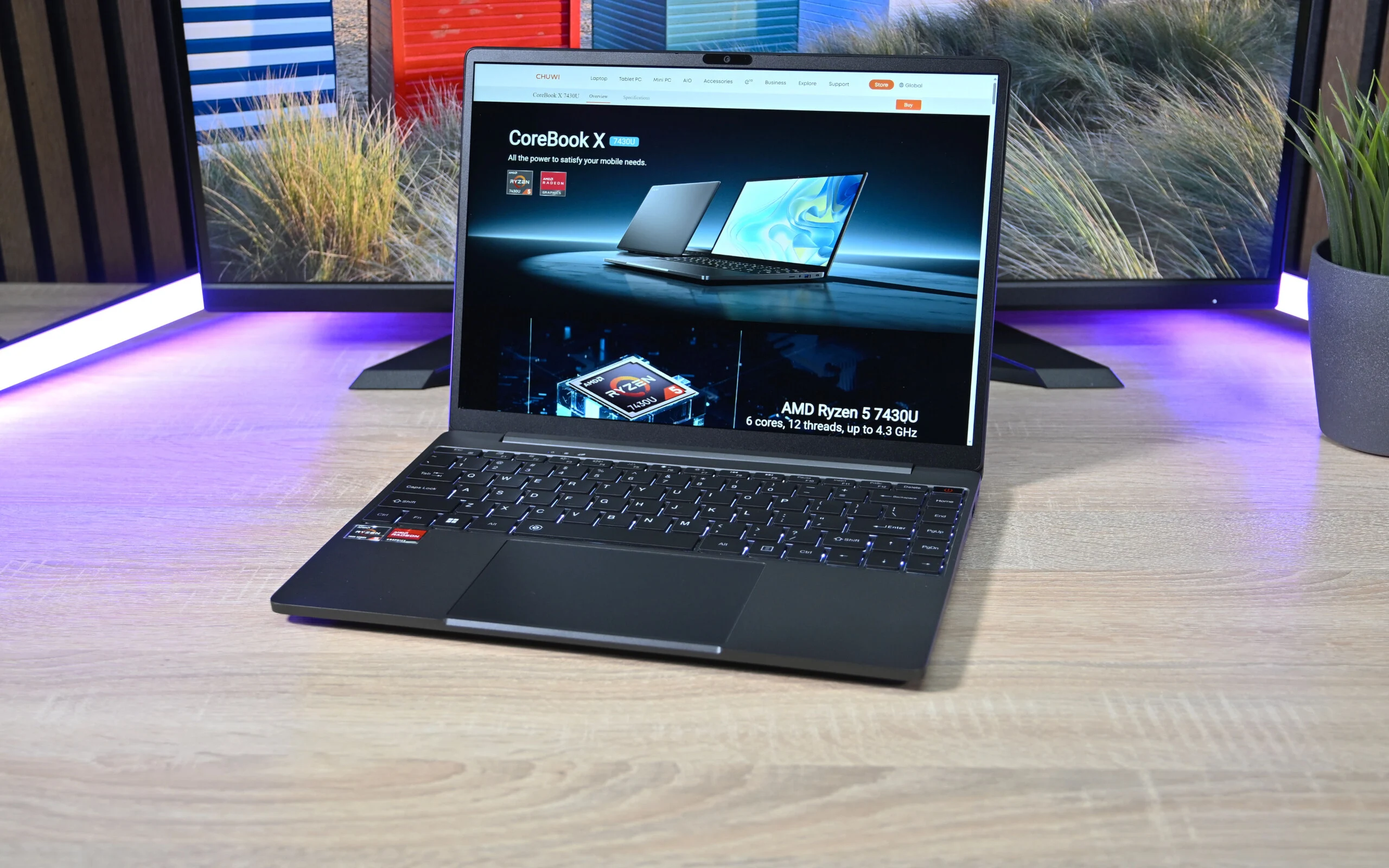
    1. Budget-Friendly Performance: The Chuwi CoreBook X features an AMD Ryzen 5 7430U processor, suitable for everyday tasks like document editing and web browsing.

    2. High-Quality Display: The laptop boasts a sharp 2K IPS display with decent brightness and wide viewing angles, although its glossy finish may cause reflections.

    3. Moderate Battery Life: It has a 46 Wh battery that lasts about 6.5 hours on Wi-Fi, making it practical for a day’s work on a single charge.

    4. Upgradable RAM: Users can enhance the laptop’s performance by upgrading the RAM, which is beneficial for integrated graphics.

    5. Affordable Pricing: Priced under $400, the CoreBook X offers an attractive price-to-performance ratio, targeting students and office workers.


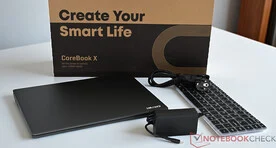
    Our latest evaluation reveals that Chuwi has introduced the CoreBook X, a 14-inch laptop that targets budget-friendly consumers. It houses an AMD Ryzen 5 7430U processor featuring 6 cores and 12 threads, which delivers adequate power for daily activities like document editing, web browsing, and media playback. Nonetheless, the built-in graphics capability is somewhat limited for demanding software or the latest games.

    Impressive Display Features

    One of the standout features is the display: the IPS panel provides a sharp 2K resolution, decent sRGB coverage, and wide viewing angles. With a brightness of around 360 cd/m², the screen is bright enough for most situations. However, the glossy finish can lead to reflections in well-lit areas, which is a drawback. The body of the laptop combines metal and plastic, giving it a more premium feel compared to all-plastic models, although it doesn’t quite match the sturdiness and feel of high-end devices. During normal use, the CoreBook X operates quietly, with fans only becoming audible under heavy workloads. While there are some minor efficiency trade-offs, they are reasonable given the overall impressive value.

    Battery Life and Upgradability

    The laptop is powered by a 46 Wh battery, which provides approximately 6.5 hours of use in Wi-Fi tests. This allows for a full morning or afternoon of work on a single charge. Users have the option to upgrade the RAM and add another module, which can enhance system performance, especially for the integrated graphics.

    In conclusion, the Chuwi CoreBook X stands out due to its appealing price-to-performance ratio. Priced at under $400, it offers students, pupils, and office workers a compact laptop with a high-resolution screen, reliable specifications, and sufficient power for daily tasks. The CoreBook X can be directly purchased from the manufacturer’s website.

    Source:
    Link


  • Anker Launches 14-in-1 Desktop Docking Station in Europe

    Anker Launches 14-in-1 Desktop Docking Station in Europe

    Key Takeaways

    1. Anker has launched the Prime Docking Station (14-in-1, Triple Display, DisplayLink) in Europe after its US debut.
    2. The docking station is priced at €349.99 in the Netherlands, Spain, and Germany, and £299.99 in the UK.
    3. It features multiple ports, including SD/TF card slots, audio jack, and three USB-C ports with varying data transfer speeds.
    4. The device supports connectivity for up to three monitors via DisplayPort and HDMI ports, managed through DisplayLink.
    5. The docking station has a sleek dark gray design and includes a digital display for charging information, time, and date.


    Anker has officially launched the Prime Docking Station (14-in-1, Triple Display, DisplayLink) in Europe after its debut in the US. This desktop accessory, which had been speculated about earlier this year, also made its way to China. It was showcased at the IFA 2025 event.

    Availability and Pricing

    You can now purchase the Anker Prime Docking Station (14-in-1, Triple Display, DisplayLink) from the brand’s Amazon page in countries such as the Netherlands, Spain, and Germany. In these areas, the price is set at €349.99. It can also be found on the company’s official website in the UK for £299.99.

    Features and Specifications

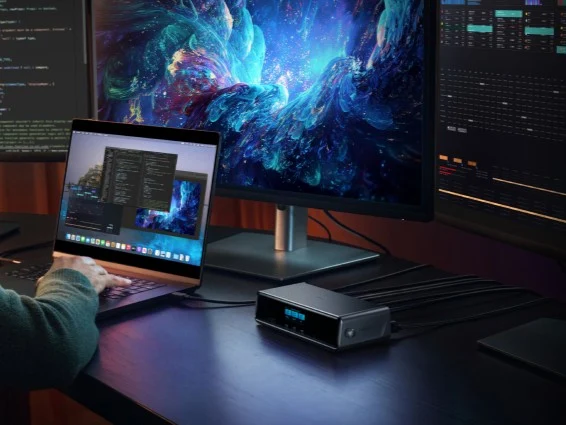
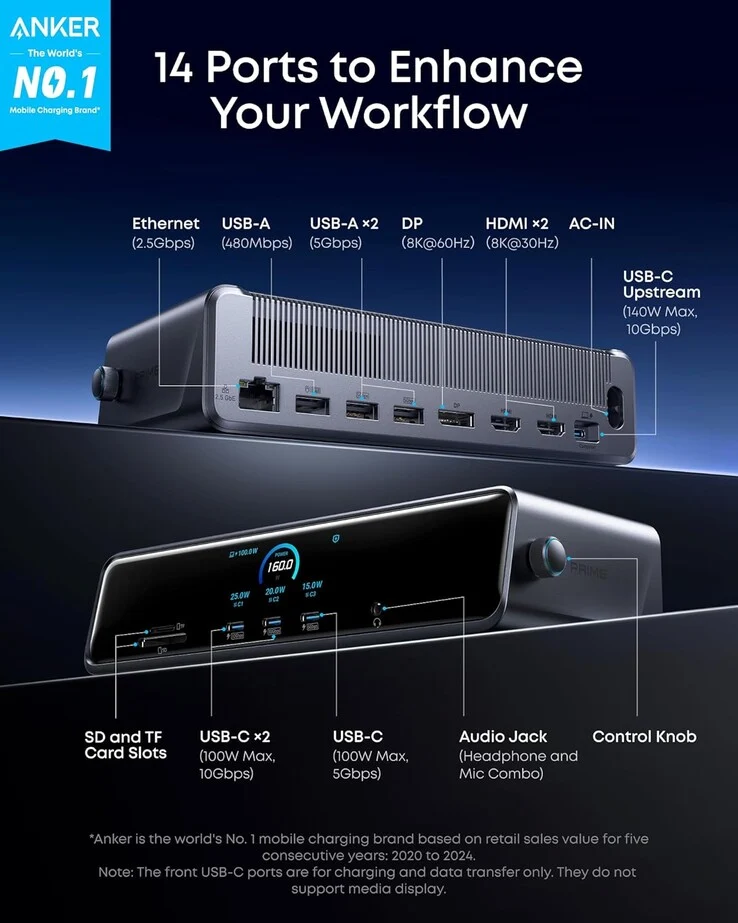
    As indicated by its name, the Anker Prime Docking Station (14-in-1, Triple Display, DisplayLink) is equipped with a variety of ports. The front of the device includes SD and TF card slots, an audio jack, and three 100W USB-C ports—two of which support data transfer speeds of 10 Gbps, while the third operates at 5 Gbps. There’s also a digital display measuring 2.1 x 0.9 inches that can display charging information, the time, and date, which can be controlled using a knob on the side.

    Connectivity Options

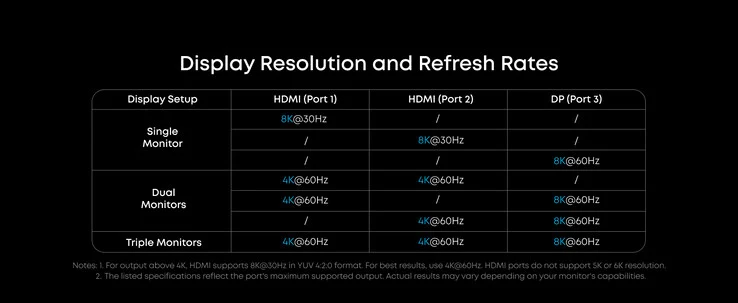
    On the back of the Prime Docking Station, you will find a USB-C upstream port that supports up to 140W and 10 Gbps, which connects to your main device. You can connect additional peripherals through USB-A ports with speeds of 480 Mbps and 5 Gbps, along with a 2.5 Gbps Ethernet port. Additionally, you can connect up to three monitors using the DisplayPort (8K@60Hz) and two HDMI ports (8K@30Hz), all managed through DisplayLink. An AC input is also provided to power the device. The Anker Prime Docking Station (14-in-1, Triple Display, DisplayLink) has a stylish dark gray metallic finish and measures approximately 7.7 x 3.6 x 1.9 inches (~195 x 92 x 48 mm).

    Source:
    Link


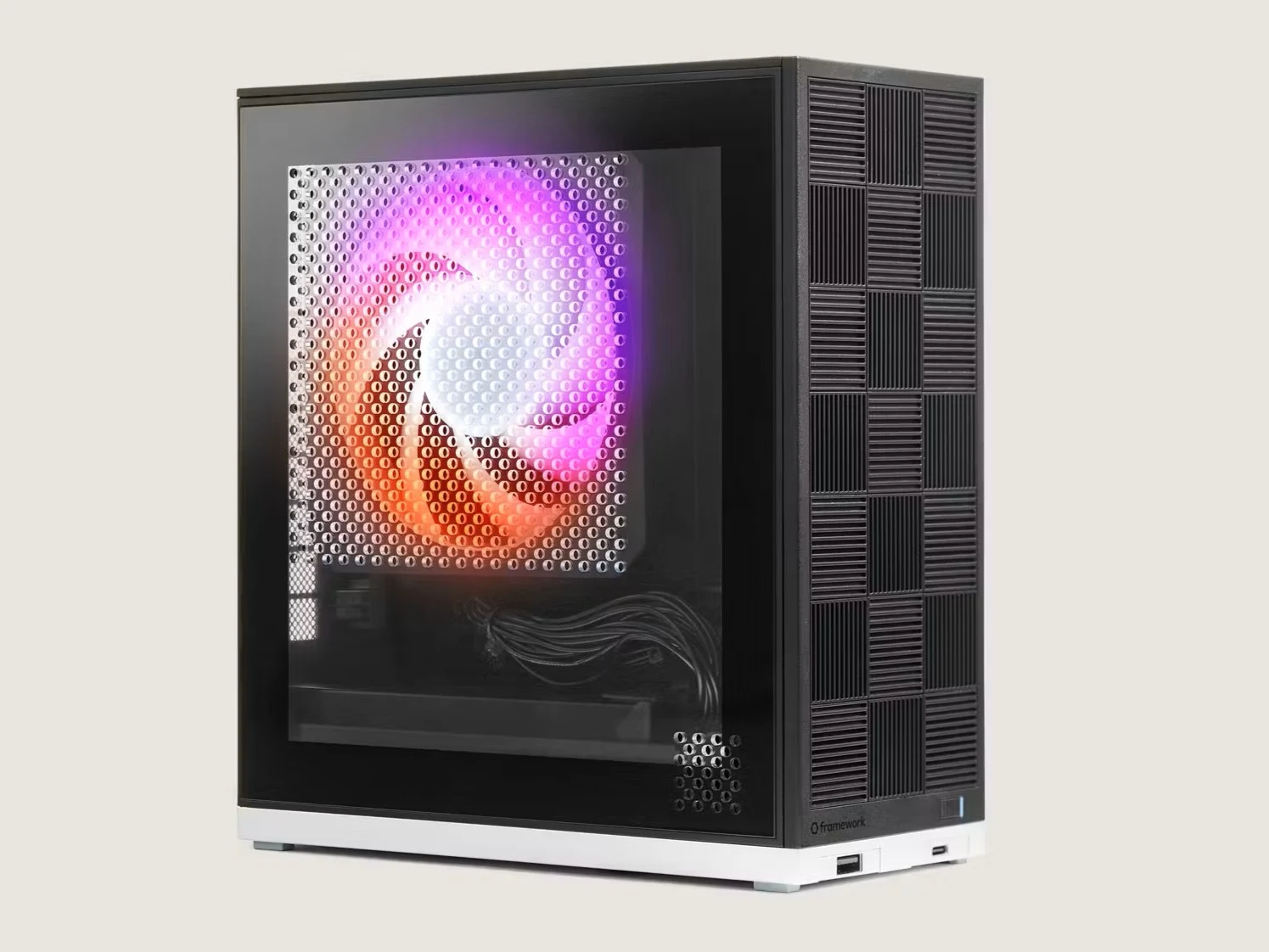
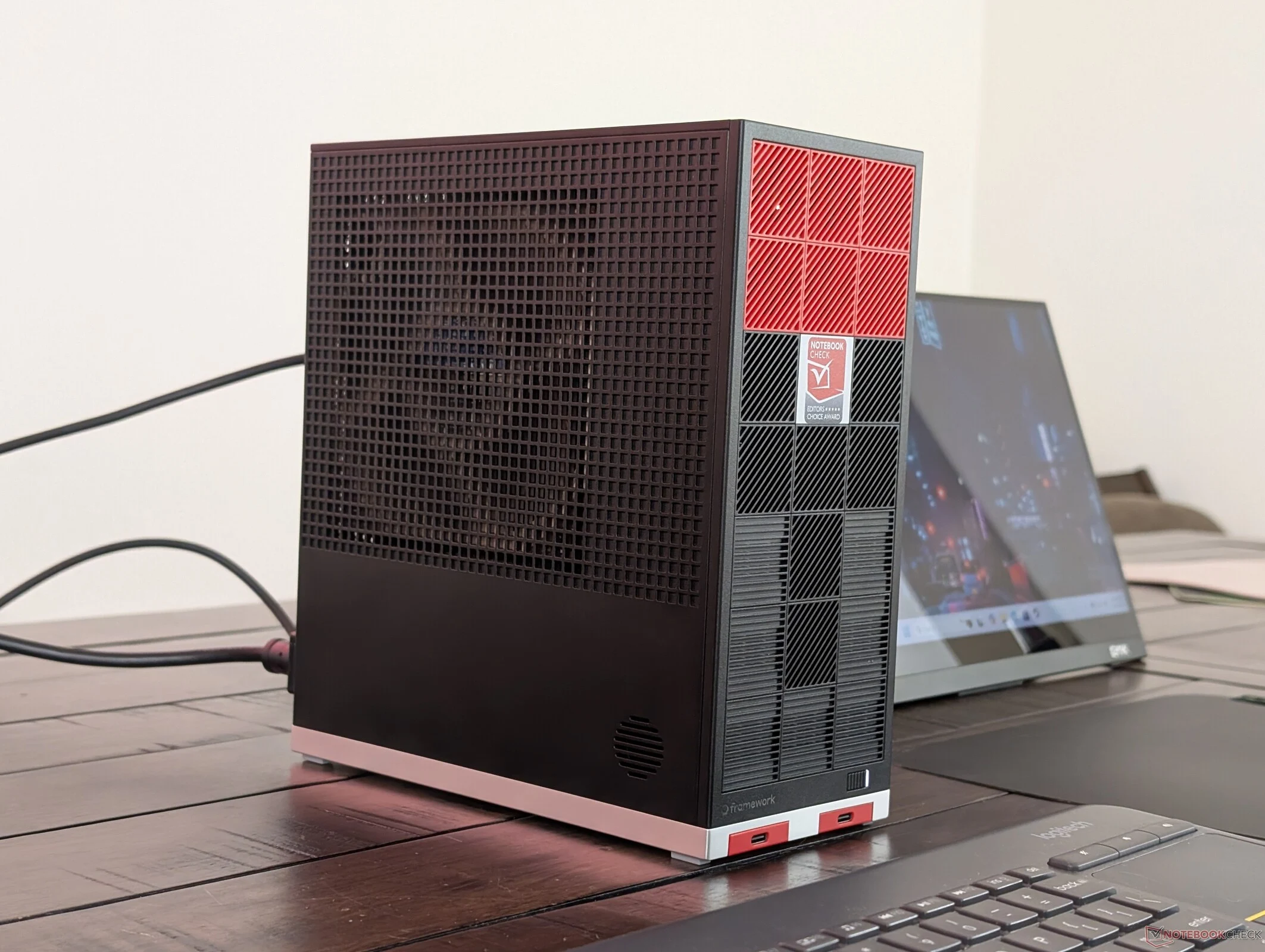
  • Framework Desktop vs GMK EVO-X2: Ryzen AI Max+ 395 Efficiency

    Framework Desktop vs GMK EVO-X2: Ryzen AI Max+ 395 Efficiency

    Key Takeaways

    1. The Framework Desktop features a mobile Zen 5 Ryzen AI Max+ 395 CPU and integrated Radeon 8060S GPU, setting it apart from typical mini-ITX PCs that use desktop processors.
    2. It has lower power consumption, averaging about 144 W under load, compared to the GMK EVO-X2’s 186 W, while maintaining similar performance levels.
    3. The Framework Desktop operates in Balanced mode, showcasing efficient performance without high power usage.
    4. The larger size of the Framework results in quieter fans and lower core temperatures compared to the GMK model.
    5. The Framework Desktop is considered more adaptable and offers better value unless compact design is a top priority for the user.


    Aside from emphasizing repairability and serviceability, the Framework Desktop stands out due to its mobile Zen 5 Ryzen AI Max+ 395 CPU and the integrated Radeon 8060S GPU. In contrast, many other mini-ITX PCs typically utilize “true” desktop processors instead. This same CPU is also present in smaller mini PCs such as the GMK EVO-X2, but the Framework Desktop operates with significantly lower power consumption than one might anticipate.

    Power Consumption Comparison

    Our comparison graphs indicate that the Framework system uses an average of about 144 W while running Prime95, whereas the GMK model consumes around 186 W, all while delivering nearly identical performance levels. Similar trends can be seen when testing GPU performance with Cyberpunk 2077. Notably, the Framework system is functioning in Balanced mode during these tests.

    Noise and Temperature Levels

    It’s not surprising that the greater size and more efficient power requirements of the Framework lead to noticeably quieter fans and lower core temperatures compared to the GMK. Unless you highly value the compact design of the GMK model, the Framework, which is similarly priced yet more adaptable, might be the superior choice.


  • AMD Ryzen AI Max+ 395 Powers Fastest Mini PCs Available

    AMD Ryzen AI Max+ 395 Powers Fastest Mini PCs Available

    Key Takeaways

    1. Most laptops with AMD Zen 5 CPUs target a TDP of 45 W to 65 W, except for the Ryzen AI Max+ 395, which targets 120 W for better performance.
    2. The Ryzen AI Max+ 395 outperforms many mini PCs, including the Core i9-14900HX, though it is limited in availability due to cooling requirements.
    3. The integrated Radeon 8060S GPU in the Ryzen AI Max+ 395 is 3 to 3.5 times faster than the Radeon 890M, rivaling mobile GeForce RTX 4060 and RTX 4070.
    4. Mini PCs with the Ryzen AI Max+ 395 can effectively run the latest games at 1080p or 1440p resolutions.
    5. While dedicated GPUs offer better graphics performance, they come with larger sizes and higher power consumption compared to the Ryzen AI Max+ 395.


    While the latest laptops often feature AMD Zen 5 CPUs, they usually aim for a TDP between 45 W and 65 W, even those designed for high performance. An interesting exception is the Ryzen AI Max+ 395, which has a target TDP of 120 W for enhanced performance. This CPU is not commonly found in most laptops due to its greater cooling demands, yet it has made its way into some of the fastest mini PCs of 2025.

    Benchmark Performance

    Our benchmarks, alongside the recent assessment of the Framework Desktop, demonstrate that the Ryzen AI Max+ 395 significantly outclasses many other mini PCs in the marketplace, including the Minisforum AtomMan G7 Ti with its Core i9-14900HX. The Minisforum MS-A2 stands out with its quicker Ryzen 9 9955HX; however, it is coupled with a rather sluggish Radeon 610M solution and lacks an integrated NPU.

    Graphic Capabilities

    The integrated Radeon 8060S GPU is where the Ryzen AI Max+ 395 really excels, being approximately 3 to 3.5 times faster than the Radeon 890M. This performance places it between the mobile GeForce RTX 4060 and the mobile RTX 4070. As a result, mini PCs like the Beelink SER9 Pro, Framework Desktop, and BOSGAME M5 are transformed into gaming machines that can handle the latest titles at 1080p or 1440p resolutions.

    Limitations of Dedicated GPUs

    Although mini PCs equipped with dedicated GPUs generally surpass the Ryzen AI Max+ 395 in graphics performance, they are usually larger and consume more power. We look forward to seeing the AMD CPU in a wider variety of mini PCs or high-performance laptops, as it remains quite rare in the current market.

  • Baseus 100W Fast Charger with Digital Display Now Available

    Baseus 100W Fast Charger with Digital Display Now Available

    Key Takeaways

    1. The Baseus PicoGo Digital Display Fast Charger 100W features two USB-C ports (up to 100W each) and one USB-A port (up to 33W).
    2. It can charge two laptops simultaneously, with power distribution of 65W and 35W when both USB-C ports are in use.
    3. The charger has a smart digital display showing real-time charging information, including power, voltage, and current.
    4. It utilizes GaN technology and a smart temperature control system to maintain a cool temperature during use.
    5. The charger will soon be available in North America and Europe, with a price of €59.99 in the European market.


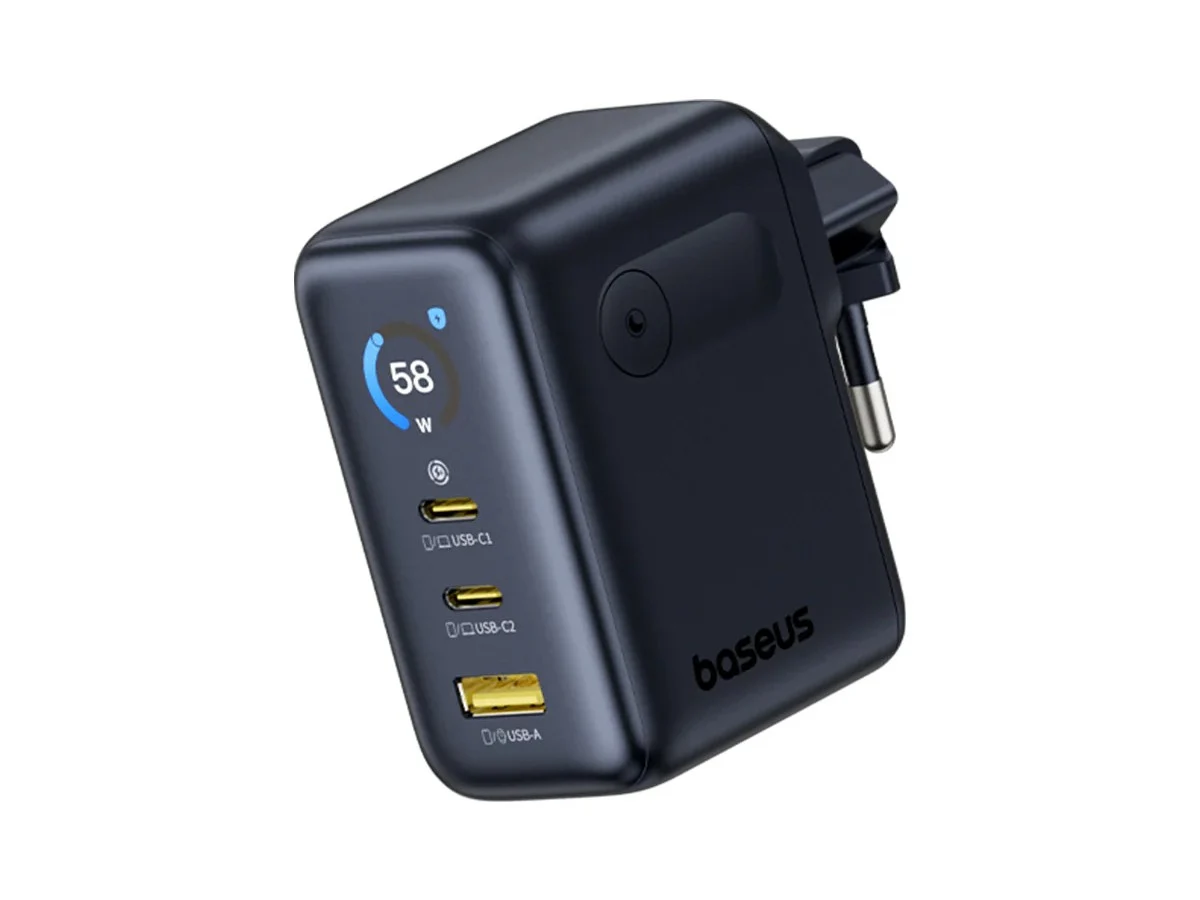
    The Baseus PicoGo Digital Display Fast Charger 100W has made its debut in China and is anticipated to soon be available in North America and Europe. This versatile three-port charger is created to power two laptops at the same time.

    Features of the Charger

    Known as the PicoGo AE21, this Digital Display Fast Charger features two USB-C ports, each capable of delivering an output of up to 100W. Additionally, it has a USB-A port that can provide a maximum of 33W. All three ports are compatible with multiple fast charging protocols, including PD3.0, QC, SCP, and UFCS. It’s important to mention that when both USB-C ports are used to charge high-power laptops, the USB-A port becomes inactive. In this situation, the first USB-C port delivers 65W while the second supplies 35W. However, it’s possible to charge a laptop, smartphone, and Apple Watch simultaneously with outputs of 45W, 30W, and 18W, respectively.

    Smart Display and Technology

    The integrated digital display on the PicoGo 100W Charger provides real-time charging information. Users can see the output power, voltage, and current, in addition to details related to the smart temperature control system. Utilizing GaN technology along with graphene and heating materials, it effectively maintains a cool temperature. The charger has dimensions of 6.7 x 3.3 x 5.3 cm (about 2.6 x 1.3 x 2.1 inches) and incorporates folding features for easier portability.

    Availability and Pricing

    Baseus is expected to introduce the PicoGo Digital Display Fast Charger 100W in the US and Europe in the near future. In the European market, it will be available for €59.99.

    Source:
    Link


  • AMD vs Intel: Best Processor for Lenovo ThinkPad E14 Gen 7

    AMD vs Intel: Best Processor for Lenovo ThinkPad E14 Gen 7

    Key Takeaways

    1. Processor Comparison: The Intel Core Ultra 7 255H has 16 cores, outperforming the AMD Ryzen 7 250, which has 8 cores, especially in single-core performance.

    2. Display Quality: The Intel version features a superior 2.8K IPS display with a 120 Hz refresh rate, while the AMD version has a WUXGA display with a 60 Hz refresh rate.

    3. Power Consumption: The AMD model operates at a power limit of 35 W, compared to 28 W for the Intel model.

    4. Thermal Performance: The AMD variant runs cooler and quieter under stress than the Intel model.

    5. Battery Life: The Intel model has better battery efficiency, nearly matching the AMD version in Wi-Fi browsing tests despite its higher display power consumption.


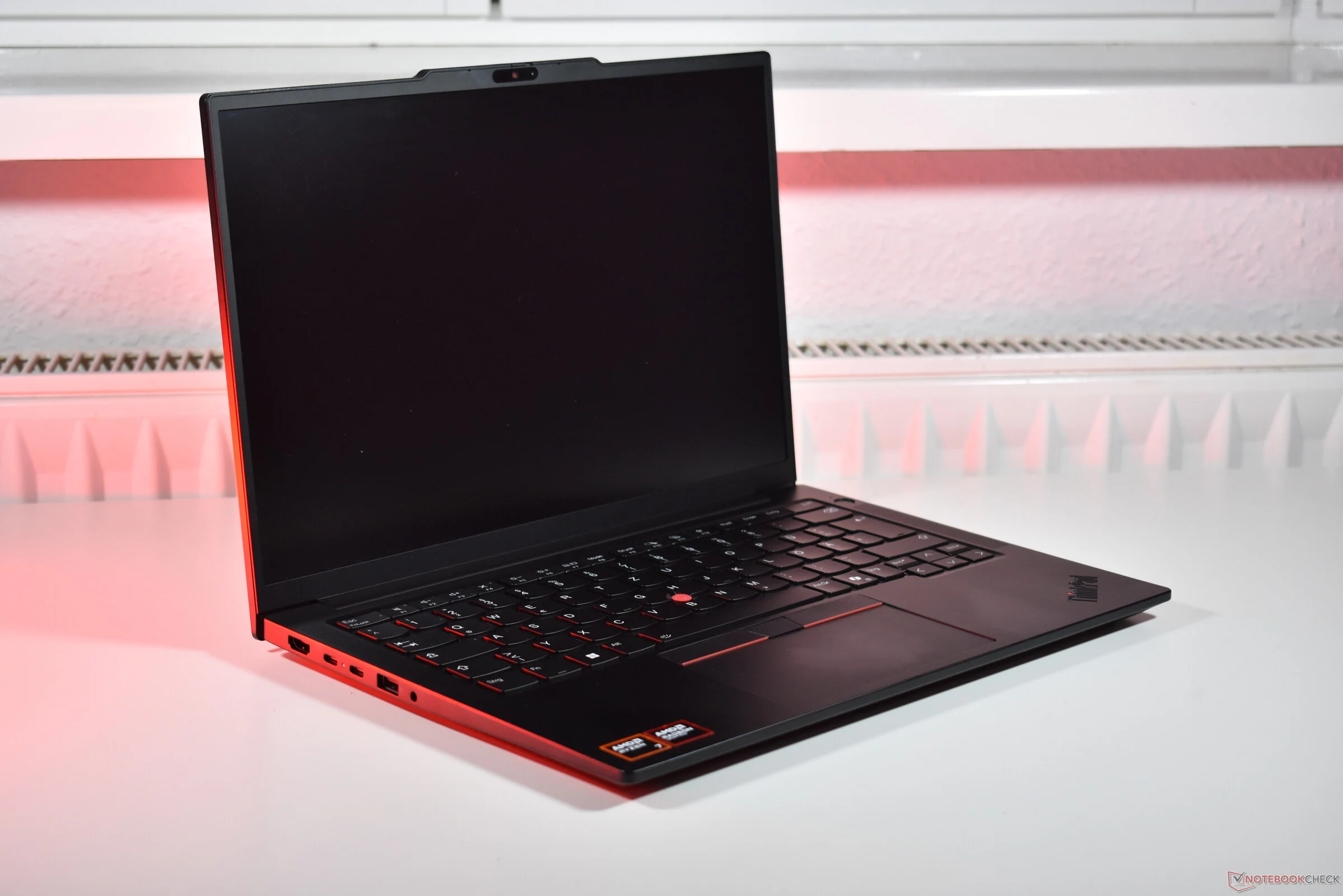
    AMD or Intel? This is a question that many people ask when buying a PC, as these two brands are the leading manufacturers of processors for computers and laptops. Interestingly, some laptops are available with both types of processors. A clear example is Lenovo’s ThinkPad E14 Gen 7, which comes in both AMD and Intel options. We previously reviewed the Intel version this summer and have now published our thorough evaluation of the Lenovo ThinkPad E14 Gen 7 AMD model, so it’s time to compare the two!

    Comparing Processors

    The AMD Ryzen 7 250 is in the competition, featuring eight Zen 4 cores, whereas the Intel Core Ultra 7 255H boasts 16 cores (including 6 Lion Cove P cores, 8 Skymont E cores, and 2 Skymont LPE cores). The Intel version of the ThinkPad is equipped with a superior 2.8K (2,880 x 1,800) IPS display that supports a 120 Hz refresh rate, while the AMD variant has a simpler WUXGA (1,920 x 1,200) IPS display with a 60 Hz rate. Other essential specifications, such as battery capacity and cooling systems, remain the same. The AMD version operates at a power limit of 35 W, while the Intel model has a limit of 28 W.

    Performance Insights

    It appears that the Intel variant has the advantage overall. The screen quality is noticeably better on the Intel model, which raises the question of why Lenovo doesn’t provide the same display for the AMD version. Additionally, the Arrow Lake H processor generally outperforms the AMD CPU in most benchmark tests. While the AMD Ryzen 7 excels under continuous load, it falls short in single-core performance, with the Intel Core Ultra model being approximately 25 percent faster.

    Heat, Noise, and Battery Life

    Now let’s consider heat, noise, and battery life. The Lenovo ThinkPad E14 Gen 7 AMD runs somewhat cooler on average compared to the Intel model (which is found on lenovo.com) when under stress, and it is also a bit quieter. However, the battery life of the ThinkPad E14 Gen 7 Intel proves to be more efficient: even with the display that consumes more power, the Intel model nearly ties in our Wi-Fi browsing test. If both models had the same display, we are confident that the Intel version would outperform the AMD variant.

    In conclusion, even though AMD has had a strong performance in recent years, Intel is simply the superior choice in this instance. A significantly better display combined with a more powerful and efficient processor leads to an improved user experience, despite the AMD model being cooler and quieter.

    Source:
    Link


  • ESA’s Plato to Explore 200,000 Planets with 26 Cameras

    ESA’s Plato to Explore 200,000 Planets with 26 Cameras

    Key Takeaways

    1. Plato is a new spacecraft by the European Space Agency (ESA) designed to find planets that may host life.
    2. It features 26 sensitive cameras to observe stars similar to our Sun in the habitable zone, where conditions are right for liquid water.
    3. The spacecraft detects exoplanets by monitoring changes in star brightness as planets transit in front of them.
    4. Plato will study starquakes to gather information about star age and structure, observing over 200,000 stars during its mission.
    5. The launch of Plato is scheduled for December 2026, with final assembly and testing currently underway at the European Space Research and Technology Centre (ESTEC).


    Scientists have been looking for planets that could host life. Many missions, like the James Webb Space Telescope, have helped in this quest. Now, the European Space Agency (ESA) is advancing this effort with a new spacecraft called Plato.

    The Technology Behind Plato

    Plato is a spacecraft with 26 highly sensitive cameras. Its mission is to find planets that orbit stars similar to our Sun, specifically in what is called the habitable zone. This area, often referred to as the “Goldilocks region,” is neither too close nor too far from a star. In this zone, temperatures are just right for liquid water to exist on a planet’s surface.

    Observing Stars and Discovering Exoplanets

    The spacecraft’s 26 cameras will focus on these Sun-like stars to detect even the slightest changes in their brightness. When a planet transits in front of a star, the star’s light dims momentarily. This is the method scientists plan to use with Plato to identify exoplanets, which are those planets that exist outside our solar system.

    Studying Starquakes and More

    Since Plato’s cameras will monitor the same area for at least two years, it will also look into starquakes. This research will give scientists valuable information about a star’s age and its internal structure. Plato aims to observe over 200,000 stars during its mission.

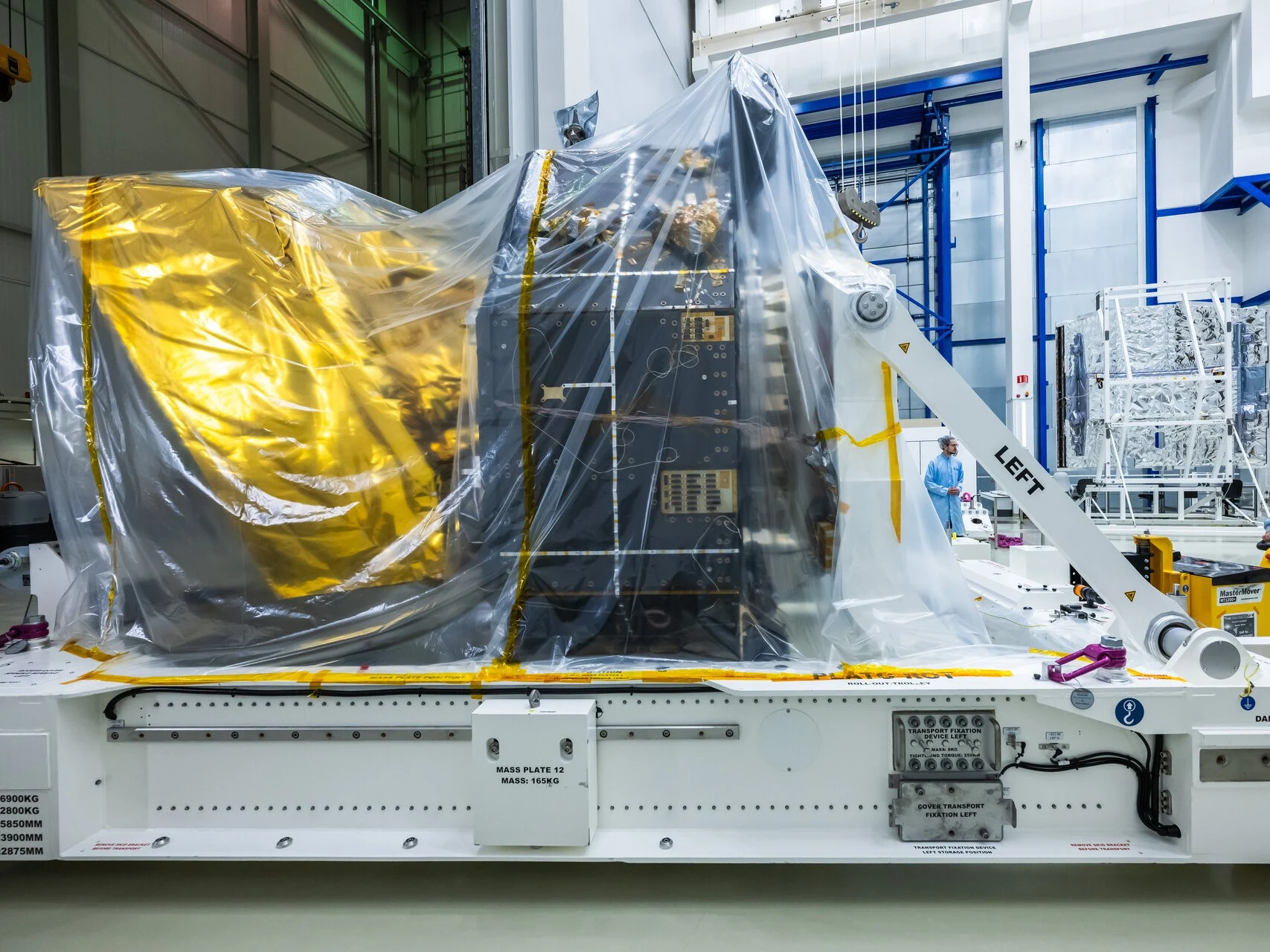
    Plato is set to launch in December 2026. It has recently reached the European Space Research and Technology Centre (ESTEC), where engineers will finalize its assembly by attaching the combined sunshield and solar arrays module. Following this, Plato will go through a series of tests to confirm its readiness for space.

    Source:
    Link


  • GMKtec Launches Affordable NucBox M5 Ultra Mini PC with Discounts

    GMKtec Launches Affordable NucBox M5 Ultra Mini PC with Discounts

    Key Takeaways

    1. GMKtec launched the budget-friendly NucBox M5 Ultra mini PC, powered by the AMD Ryzen 7 7730U processor with 8 cores and 16 threads.
    2. The mini PC features an RX Vega 8 integrated GPU suitable for light gaming and emulation, with up to 64 GB of DDR4 RAM and 8 TB of storage capacity.
    3. It has a variety of ports, including Type-C, HDMI, and DisplayPort, allowing for triple-display output and supports WiFi 6E and Bluetooth 5.2.
    4. The device includes a sophisticated cooling system to maintain performance and quiet operation during heavy workloads.
    5. Launch prices for the NucBox M5 Ultra are $130 to $140 lower than typical retail prices, with an additional $12 discount available using the coupon code GMKM5UPR.


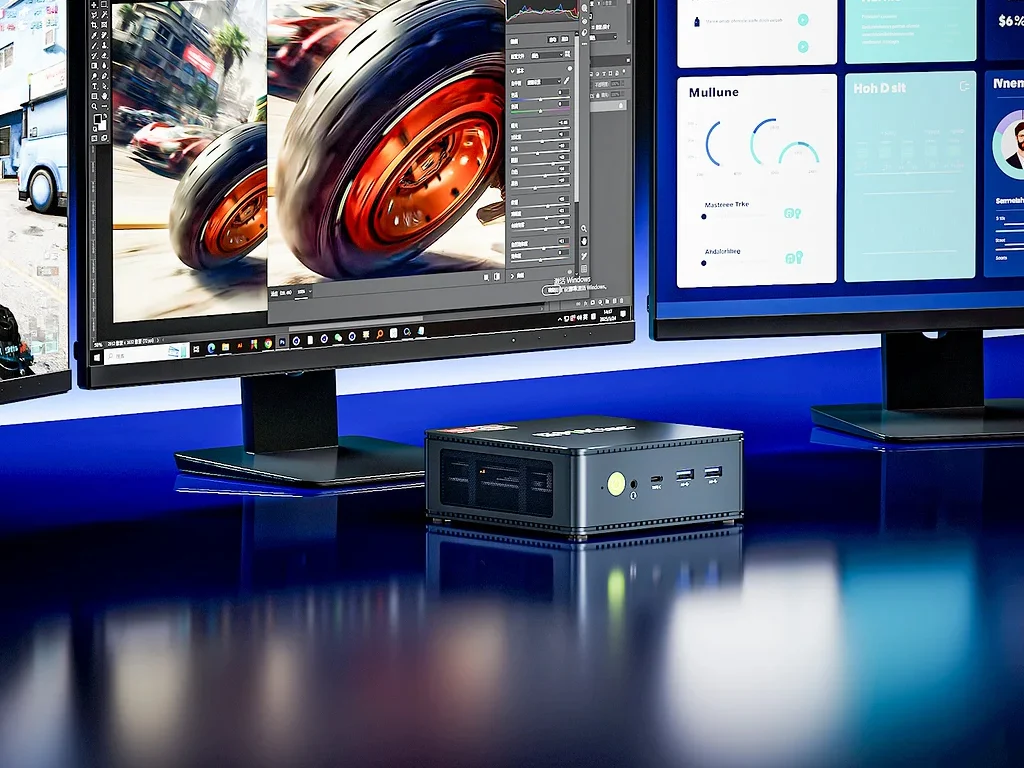
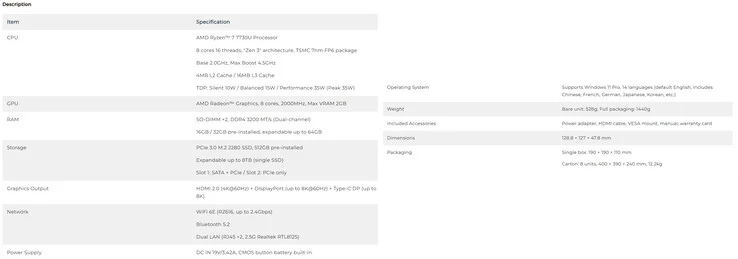
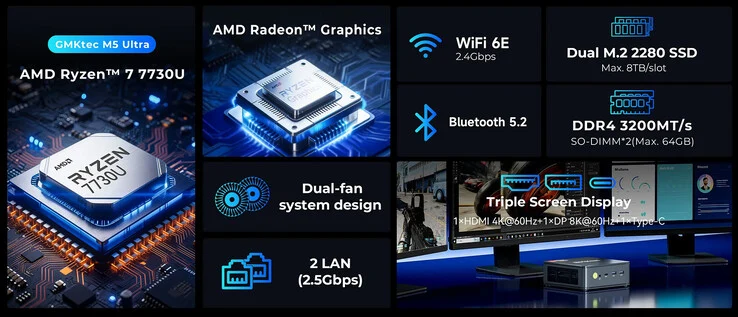
    GMKtec has launched a new budget-friendly mini PC called the NucBox M5 Ultra. It runs on the AMD Ryzen 7 7730U, which is a Zen 3 CPU featuring 8 cores and 16 threads. Although this processor is somewhat outdated, it remains sufficient for everyday use. GMKtec claims that the device includes a sophisticated cooling system that ensures the PC stays cool and quiet, even under heavy workloads.

    Graphics and Memory Capabilities

    The RX Vega 8 integrated GPU in this processor can manage light gaming and emulation tasks. This Ryzen 7 processor in the mini PC can be configured with up to 64 GB of 3,200 MT/s DDR4 RAM. For storage, there are two M.2 slots available, each accommodating a 4 TB SSD, giving a total maximum storage of 8 TB (currently, a 2 TB Samsung 990 Pro is priced at $159.99 on Amazon).

    Port Configuration and Connectivity

    Despite its small form factor, the GMK NucBox M5 Ultra comes with a solid selection of ports. Specifically, this mini PC includes:

    With a Type-C, HDMI, and DisplayPort, it supports triple-display output. In terms of wireless features, the mini PC is equipped with WiFi 6E and Bluetooth 5.2. Regarding pricing, the GMK NucBox M5 Ultra is offered in three different configurations, with launch prices as mentioned below:

    These prices are $130 to $140 lower than the usual retail prices, and GMKtec is also providing an additional $12 discount with the GMKM5UPR coupon code. For more details, take a look at the spec sheet provided below to get further insights into the NucBox M5 Ultra.