Category: Software

  • Windows 11 Upgrade for Older Models: TPM 2.0 Not Required

    Windows 11 Upgrade for Older Models: TPM 2.0 Not Required

    Key Takeaways

    1. Windows 10’s life cycle ends this fall, prompting many users to switch to Windows 11.
    2. TPM 2.0 is required for key security features in Windows 11, but upgrade offers are being sent to devices without it.
    3. Users are receiving upgrade prompts for Windows 11 24H2 on older devices with TPM 2.0 disabled.
    4. Microsoft has not officially commented on the unexpected upgrade offers, leaving the situation unclear.
    5. Upgrading to Windows 11 without TPM 2.0 is possible but not recommended due to potential security risks.


    With Windows 10’s life cycle coming to an end this fall, many users are about to switch to Windows 11. The official requirement states that TPM 2.0 is necessary to enable security features such as device encryption and Windows Hello. However, there are increasing instances where updates to Windows 11 are being offered on older devices that lack TPM 2.0.

    Upgrade Offers for Older Devices

    As reported by Günther Born’s blog, BornCity, both personal and business users are getting upgrade prompts for Windows 11 24H2, even when TPM 2.0 is turned off in the UEFI settings. For instance, a Lenovo IdeaPad S145-15IWL user received a notification for the upgrade, despite having TPM 2.0 disabled. In March 2025, some company admins noted that their Windows 10 machines were being upgraded to Windows 11 24H2 without their approval, even though they were using WSUS for managing updates.

    Importance of TPM 2.0

    TPM 2.0 is a specialized security chip that offers cryptographic functions and safeguards key system processes. Microsoft views TPM 2.0 as vital for securely using Windows 11. Therefore, the upgrade notifications seen on older devices without TPM may introduce security vulnerabilities.

    Uncertainty Ahead

    So far, Microsoft has not released an official comment regarding this situation. It’s possible that the unexpected upgrade prompts could stem from a glitch in the updating process. The stated system requirements remain the same, meaning TPM 2.0 is still officially needed.

    It is still uncertain if Microsoft plans to ease the system requirements for Windows 11 in the future or if the current observations are simply temporary issues. For now, users on older devices should be aware that upgrading to Windows 11 without TPM 2.0 is feasible but not officially advisable.

    Source:
    Link


  • ESA to Automate Crash Avoidance for 1.2M Orbital Debris with CREAM

    ESA to Automate Crash Avoidance for 1.2M Orbital Debris with CREAM

    Key Takeaways

    1. CREAM is an ESA initiative launched in 2020 to prevent satellite collisions in Earth’s orbit.
    2. The project aims to automate collision threat evaluation and avoidance strategies for satellite operators.
    3. CREAM seeks to improve coordination among satellite operators by creating a connected network.
    4. The system can send collision alerts and suggest mediation for disputes between active satellites.
    5. Future plans include pilot usage on the ground and in-orbit demonstrations as a digital payload on other satellites.


    Collision Risk Estimation and Automated Mitigation (CREAM) is an initiative from ESA aimed at preventing satellites from crashing into each other in Earth’s orbit. Launched in 2020, this project is currently in the phase of testing on the ground.

    The Challenges of Space Operations

    Operators in space often deal with the difficult job of evaluating collision threats, planning how to avoid them, collaborating with other operators, and managing communication issues and misinterpretations. These responsibilities are not only time-consuming but also come with a lot of challenges.

    Automation to the Rescue

    CREAM aims to streamline and automate this process, easing the load for operators. The system is intended to identify possible collisions and devise prompt avoidance strategies. It will aid in decision-making and facilitate coordination among satellite operators by establishing a network that connects all key participants.

    Future Benefits and Developments

    In addition, the CREAM project could assist in resolving disputes when two active satellites are involved, even suggesting mediation services for disagreements. Although it is still in the ground-testing phase, the system is capable of sending out collision alerts, formulating practical avoidance strategies, and aiding in the coordination between involved parties.

    The next significant milestone for CREAM is the pilot usage phase, which will integrate technologies on the ground to enable effective decision-making. Future plans include missions where the system will operate as a digital payload on other satellites, known as “piggyback missions,” followed by a dedicated in-orbit demonstration to thoroughly evaluate its functionalities.

    Source:
    Link


  • Check Point Discovers Windows Kernel Vulnerability in Rust Code

    Check Point Discovers Windows Kernel Vulnerability in Rust Code

    Key Takeaways

    1. Check Point identified critical vulnerabilities in Microsoft Windows, including one that can crash systems.
    2. The vulnerability involves a kernel component, which has extensive access to hardware and applications.
    3. Rust, a programming language aimed at improving safety, is related to the disclosed kernel vulnerability.
    4. This is the first publicly disclosed vulnerability of its kind in a Rust kernel component.
    5. Windows users are urged to urgently review and update their systems to protect against potential attacks.


    Check Point has identified some vulnerabilities in the Microsoft Windows operating system this month, one of which is particularly critical as it permits attackers to crash systems.

    Critical Kernel Vulnerability

    The vulnerable software is a kernel component, providing a higher level of access compared to regular applications. The kernel serves as the core of the operating system, with extensive access to hardware and all active applications. Any software operating within the kernel holds the ability to access data and controls that regular applications cannot reach.

    The Role of Rust in Software Development

    Rust is a programming language that was created back in 2006, with its first stable version released in 2015 (find out more about Rust in this book on Amazon). Much like Ada, which was introduced in 1977, Rust aims to reduce safety problems, such as memory leaks from poorly written code, which are more common in C++.

    Check Point believes this Rust kernel component flaw is the first publicly disclosed vulnerability of its kind. This finding serves as a reminder for security professionals to always consider that all modern software may have vulnerabilities and to implement zero-trust practices consistently (discover more about it in this book on Amazon).

    Urgent Update Needed for Windows Users

    Windows users are strongly advised to manually review and update their systems right away to stop hackers from causing disruption (Navigate to Settings > Windows Update > Check for Updates).

    Source:
    Link


  • Free Windows 10 LTSC Downgrade with Updates Until 2032

    Free Windows 10 LTSC Downgrade with Updates Until 2032

    Key Takeaways

    1. Windows 10 support ends on October 14, 2025, with no more security or feature updates after that date.
    2. Users can transition to Windows 10 IoT Enterprise LTSC 2021 using UpDownTool, which ensures no data loss during the switch.
    3. Windows 10 IoT Enterprise LTSC 2021 has mainstream support until January 2027 and extended support until January 2032, but lacks features like the Microsoft Store and Cortana.
    4. Microsoft licenses Windows 10 LTSC only to organizations through volume licensing agreements; private use without a license may violate terms.
    5. Users have the option to upgrade to Windows 11 or join the Extended Security Updates program, though the latter is a temporary and costly solution.


    The deadline for Windows 10 support is coming up quickly on October 14, 2025. After this date, Microsoft will stop giving any security or feature updates.

    Transition to Windows 10 IoT Enterprise LTSC 2021

    As reported by PCWorld, you can still get support until 2032 by using UpDownTool, which is available for free on Technixstuff. This tool lets users easily move from Windows 11 or older versions of Windows to Windows 10 IoT Enterprise LTSC 2021 in just a few clicks. Best of all, it promises that no data, programs, or drivers will be lost during the switch.

    Mainstream Support Details

    Microsoft has stated that this LTSC edition, which was initially made for industrial and embedded systems, will still have mainstream support until January 2027 and extended support until January 2032. IT Magazine notes that this version is missing the Microsoft Store, Cortana, and many background services since it is designed to be a more compact and stable option.

    Licensing Restrictions

    Even though the setup and use of this edition is simple, IT Magazine highlights that Microsoft only grants Windows 10 LTSC licenses to organizations through volume licensing agreements. Attempting to use it privately or without a proper license can lead to violations of terms and conditions, which is at your own risk.

    UpDownTool offers a solution for users looking to fill the gap after Windows 10 support ends, particularly for those who value stability over new features. However, many users still have the official choice of upgrading to Windows 11 or participating in the Extended Security Updates program, though the latter is just a temporary fix that incurs costs.

    Source:
    Link


  • SpaceX Launches New Starlink Satellites with Paid Pause Feature

    SpaceX Launches New Starlink Satellites with Paid Pause Feature

    Key Takeaways

    1. SpaceX launched 24 Starlink V2 Mini satellites, expanding its satellite internet service to over 7,760 functioning satellites.
    2. A new paid “Standby Mode” was introduced, costing US $5 or €5 per month for unlimited low-speed data.
    3. Users can no longer pause their service for free; cancellation may prevent reactivation if service capacity is reached.
    4. The US $10 Roam plan has been discontinued, leaving users to choose between more expensive plans or Standby Mode.
    5. Unused data blocks will not roll over when an account is set to Standby, limiting user flexibility.


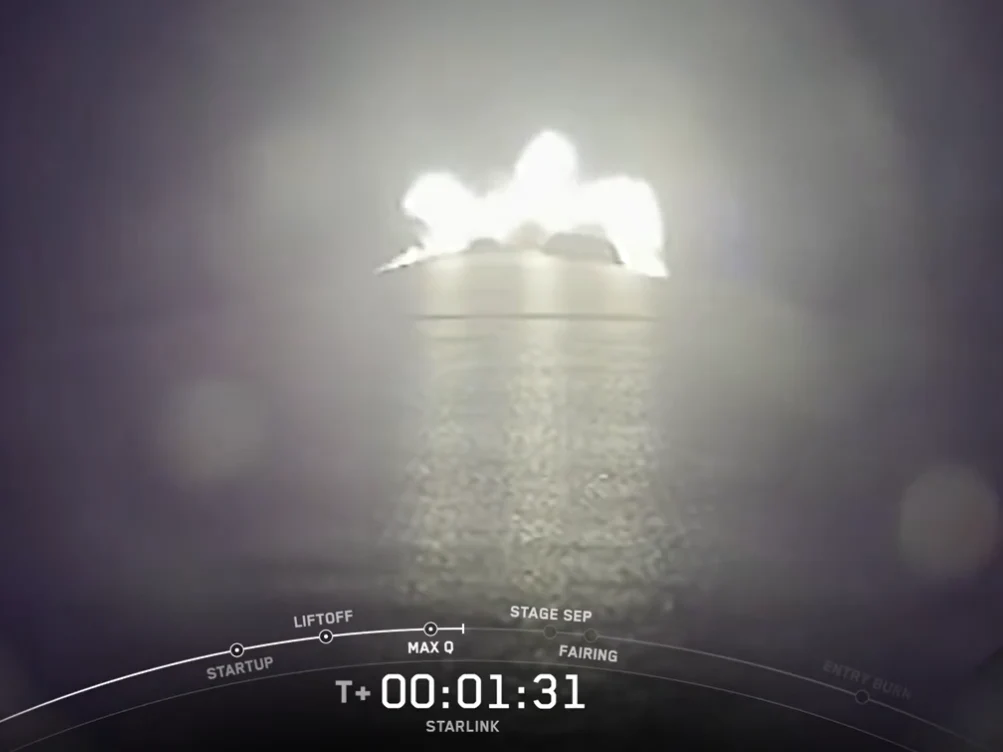
    SpaceX has broadened its satellite internet service by launching 24 Starlink V2 Mini satellites from the Vandenberg Space Force Base in California on August 14, 2025. The Falcon 9 rocket took off at 1:05 a.m. EDT (0505 GMT), putting the satellites into a polar low Earth orbit. This mission was the 144th successful landing of a Falcon 9 first stage on the droneship named “Of Course I Still Love You” and is part of the fast expansion of the Starlink network, which now boasts over 7,760 functioning satellites. This launch follows SpaceX’s recent service expansion to Somalia and Israel, with more markets in the Middle East awaiting regulatory approval.

    New Pricing Model Introduced

    In conjunction with the launch, Starlink has swapped its free pause option for a paid “Standby Mode” costing US $5 or €5 per month. This new feature allows for unlimited low-speed data at approximately 0.5 Mbps, which is good enough for messaging and light email but not suitable for streaming or video calls. This update affects Roam, Residential, and Priority customers in the United States, much of Europe, and Canada, while Enterprise and certain promotional accounts remain unaffected.

    Changes in Subscription Policies

    Before this, users were able to pause their service without any charges and could quickly resume full speeds. Now, if users decide to cancel their service rather than use Standby Mode, they might not be able to reactivate their accounts if their area has reached its service capacity. This has caused notable dissatisfaction among owners of the portable Starlink Mini dish, who often bought it for occasional or seasonal use. Many feel that paying US $60 a year for limited connectivity diminishes the product’s original pay-as-you-go charm.

    Removal of Low-Cost Plans

    Additionally, this change coincides with the discontinuation of the US $10 Roam plan, which allowed lighter users to keep their service at a lower price. After the current billing cycles finish, subscribers will need to decide between the pricier plans, the new Standby Mode, or total cancellation. Any unused data blocks will not roll over if the account is set to Standby, which further restricts user flexibility.

    Source:
    Link


  • One UI 8.0 Beta Launches for Galaxy Z Fold 6 and Z Flip 6

    One UI 8.0 Beta Launches for Galaxy Z Fold 6 and Z Flip 6

    Key Takeaways

    1. Samsung is speeding up the release of One UI 8, based on Android 16, to address delays faced with the One UI 7 update.
    2. The beta program for One UI 8 has been expanded to include Galaxy Z Fold 6 and Z Flip 6, with a broader rollout expected in regions like the UK, USA, and India.
    3. One UI 8 beta introduces significant changes, including a revamped interface and enhanced software functionalities for foldable devices.
    4. The Z Flip 6 will receive exclusive features such as a 90:10 split-screen option for multitasking and an updated Samsung Internet browser.
    5. Users interested in the beta can enroll via the Samsung Members app, but should be aware of potential bugs and stability issues.


    This year, Samsung is aiming to make up for the lengthy wait that its users faced for the One UI 7 update. The company is dedicated to launching the Android 16-based One UI 8 firmware more quickly, and to achieve this, it has broadened the beta program to include the Galaxy Z Fold 6 and Galaxy Z Flip 6. Previously, Samsung had done the same for the Galaxy S24 series, with more devices anticipated to follow in the upcoming weeks.

    Beta Program Expansion

    Currently, the beta for Samsung’s 2024 foldable phones is active in South Korea, but a more extensive rollout is anticipated shortly in regions such as the UK, USA, and India. This update introduces several new features, enhancements, and tweaks to the overall user experience.

    Key Changes in One UI 8

    The One UI 8 beta comes with significant modifications for the Galaxy Z Fold 6 and Z Flip 6. Users of these smartphones can look forward to a revamped interface and enhanced core software functionalities. For instance, Samsung has more closely integrated Secure Folder with Android’s native Private Space feature. Moreover, Samsung DeX is now built upon the native Desktop Mode of Android 16.

    Exclusive Features for Z Flip 6

    Among other improvements are a redesigned user experience for Quick Share and improved management of alarms, calendars, and reminders. Additionally, the Z Flip 6 is set to receive unique features like a 90:10 split-screen option for enhanced multitasking, along with an updated version of the Samsung Internet browser.

    If you own a Galaxy Z Fold 6 or Z Flip 6 and are interested in testing the beta, you can enroll through the banner in the Samsung Members app. Just keep in mind that this is a beta version, so you may encounter some bugs and stability issues.

    Source:
    Link


  • Garmin Update Fixes Random Reboots for Multiple Smartwatches

    Garmin Update Fixes Random Reboots for Multiple Smartwatches

    Key Takeaways

    1. Garmin is releasing a significant software update (Public Beta Version 12.64) for the Forerunner 570 and 970 smartwatches after initial delays.
    2. The new beta update includes multiple bug fixes compared to the previous version (12.60).
    3. Key improvements focus on stability, addressing unexpected reboots during sleep mode and while saving workouts.
    4. Issues with adjusting settings in activity focus mode and premature Evening Reports have been resolved.
    5. Users can manually check for the update by navigating through the smartwatch menu to the Software Update section.


    Garmin is moving forward with the progress that will support a significant new software update for the Forerunner 570 and Forerunner 970 (current price: $749 on Amazon) after a rather sluggish beginning. To summarize, although these two smartwatches have been out for a few months now, their initial public beta software development only commenced less than a month ago.

    New Beta Update Released

    The Public Beta Version 12.64 has now been launched for both smartwatches, bringing a host of bug fixes when compared to last week’s Public Beta Version 12.60. Garmin reports that this latest update should be accessible to all participants in the Beta Program. If you haven’t received it yet, you can manually check for Public Beta Version 12.64 by selecting ‘Check for Updates’ from the Menu, then System, and finally Software Update on your Forerunner 570 or Forerunner 970.

    Focus on Stability Improvements

    The main focus of the new beta is on enhancing stability, addressing rare situations where the Forerunner 570 or Forerunner 970 might unexpectedly reboot during sleep mode or while saving a swimming workout. Furthermore, Garmin states they have resolved issues related to adjusting settings in activity focus mode, along with a different bug that led to the Evening Report showing up too soon.

    Source:
    Link


  • OnePlus 13T First to Get Android 16 Beta Update

    OnePlus 13T First to Get Android 16 Beta Update

    Key Takeaways

    1. Oppo has completed the recruitment for public beta testers of ColorOS 16 in China, allowing selected users to test it on devices like the OnePlus 13 and OnePlus 13T.

    2. The beta version is also available for Oppo’s flagship device, the Find N5, and several other models including the Find X8 series.

    3. Speculation about COS 16’s design being similar to Apple’s UI was dismissed by Oppo’s mobile software design director, indicating a different direction.

    4. The global version, OxygenOS, is expected to follow a similar upgrade path with the launch of the OnePlus 15 in early 2026.

    5. Oppo is leading the development of Android 16 in China, with other brands like Vivo, Honor, and Xiaomi preparing their own beta testing for Android 16-based ROMs.


    Oppo has wrapped up its latest public beta tester recruitment in China. Those selected will get the opportunity to try out the initial version of ColorOS 16 (also known as COS 16) on devices like the OnePlus 13 and its compact version, the OnePlus 13T.

    OnePlus Devices Get Ready

    Additionally, OnePlus’ parent company has prepared the beta for its flagship device, the Find N5. Other eligible devices include the Find X8, Find X8 Pro, Find X8S, Find X8S Plus, and Find X8 Ultra, all ready for this Android 16 preview build.

    Speculation About Upgrades

    Fans of COS in China had speculated that the new version would be similar to Apple’s Liquid Glass UI found on iPhones with iOS 26. However, Oppo’s mobile software design director, Chen Xi, recently took to Weibo to dispel those rumors.

    Thus, the global version of COS, OxygenOS, may also take a similar path when it upgrades to Android 16. This transition is expected to begin with the launch of the OnePlus 15 worldwide in early 2026.

    Oppo Leading in Android 16 Development

    This announcement positions Oppo as a leader in Android 16 development in China. Nevertheless, other brands are anticipated to release Android 16-based ROMs for beta testing throughout the remainder of August 2025.

    These brands include OriginOS 6, which may launch alongside the new X300 series from Vivo, Oppo’s sister brand. Additionally, MagicOS 10 might first appear on Honor’s Magic8 series, while HyperOS 3 could be a standout feature for the upcoming Xiaomi 16 series.

    Source:
    Link


  • Starlink Introduces $5/month Standby Mode with Unlimited Low-Speed Data

    Starlink Introduces $5/month Standby Mode with Unlimited Low-Speed Data

    Key Takeaways

    1. Starlink is replacing its free pause service with a paid Standby Mode at $5/month, requiring users to enroll in this new option to avoid service termination.
    2. All users on Roam, Residential, or Priority plans must switch to Standby Mode for pausing their service, while Enterprise and promotional users are excluded.
    3. Roam plan users face increased costs, as the elimination of free pause and low-cost options means they now pay an annual fee of $60 for service with a Mini dish.
    4. Residential users using Standby Mode may not return to their original service if their area is full, forcing them to potentially switch plans or wait for availability.
    5. Standby Mode offers unlimited low-speed data, but users report speeds as low as 1 Mbps for downloads, with less favorable terms compared to similar services in Europe.


    Starlink is compelling its users to “upgrade” from the previously offered free pause service, which allowed them to halt monthly payments when the service wasn’t necessary. Now, they must switch to a paid pause with the Standby Mode, which costs $5 a month.

    New Notifications Rolling Out

    Users in the United States are receiving new notifications about the Standby Mode. These notifications inform subscribers that they must enroll in the new option within the current billing cycle. If they choose not to, their service will be terminated, leaving no room for continuing the free pause option.

    All users on the Roam, Residential, or Priority plans need to use Standby Mode for pausing their service from the next billing cycle. However, Enterprise accounts and users on Business plans cannot switch to the $5/month Standby if they cannot pause their service, nor can users on promotional deals.

    Impact on Roam Plan Users

    This update is particularly tough on those with the Starlink Roam plan. Individuals who bought a Mini dish for travel spent hundreds of dollars, even with current promotions on Amazon. Many were drawn in by the promise of a free pause service and a $10/month plan for 10GB of data. Now, both of those options are eliminated, meaning Roam plan users with a Mini dish collecting dust will face an annual fee of $60 to use the service.

    To offset the change from a free pause to a paid mode, Starlink claims that the new Standby Mode offers unlimited low-speed data. Previously, there was no connectivity available during the pause.

    Concerns for Residential Users

    Additionally, users on the Residential plan who want to utilize the new Standby Mode are not guaranteed to return to their original service line once they reactivate. If their area is full, they’ll have to either switch to a Roam or Priority plan or pay a deposit and wait for a Residential service spot to open up.

    Starlink states that the Standby Mode will provide unlimited satellite Internet connectivity. However, descriptions suggest that this low-speed data connection will be rather slow. The connectivity will be primarily for emergency messages or “ongoing software updates,” which indicates that the service will be heavily throttled and not suitable for other significant uses.

    Speed Limitations and International Comparisons

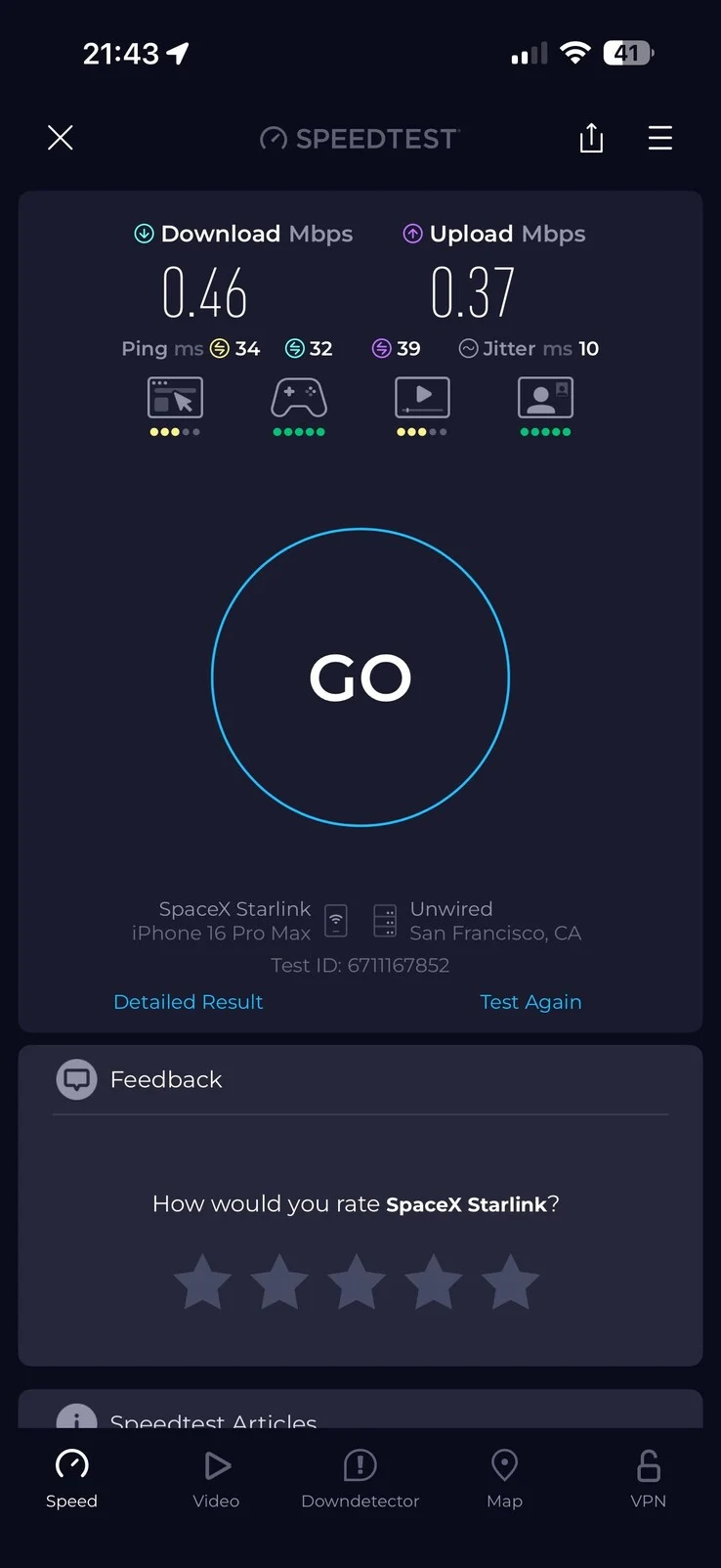
    While Starlink hasn’t disclosed the specific speed throttling for Standby Mode, users who switched to the new option report download speeds of around 1 Mbps and uplink speeds of 0.5 Mbps. Frequently, both download and upload speeds are even lower, as shown in various tests.

    Furthermore, the terms and conditions for Standby Mode in the U.S. appear less favorable compared to those in Europe and other regions. For example, in Europe, Standby Mode is priced at €5/month but includes 5GB of high-speed data before being throttled to speeds suitable for messaging and software updates. In summary, the free pausing option for Starlink service has been completely removed, and the affordable Roam plan that prompted many to purchase a Mini dish is now unavailable.

    Source:
    Link


  • Samsung Galaxy S25 Ultra Users Report Moon Photography Problems

    Samsung Galaxy S25 Ultra Users Report Moon Photography Problems

    Key Takeaways

    1. Users of the Samsung Galaxy S25 Ultra are reporting issues with moon photography after updating to the One UI 8 beta, where the moon appears in a pink hue.
    2. The camera app preview displays the moon’s correct color, but saved images show incorrect shades, indicating a white balance problem in final processing.
    3. Normally, cameras adjust white balance to remove color tints, but a failure in this adjustment can lead to inaccurate moon images.
    4. There is hope for a fix before the official release of One UI 8, expected in September, as the issue occurred during beta testing.
    5. Samsung has previously faced criticism for its moon photography, particularly for relying too much on AI enhancements that distort the appearance of the moon.


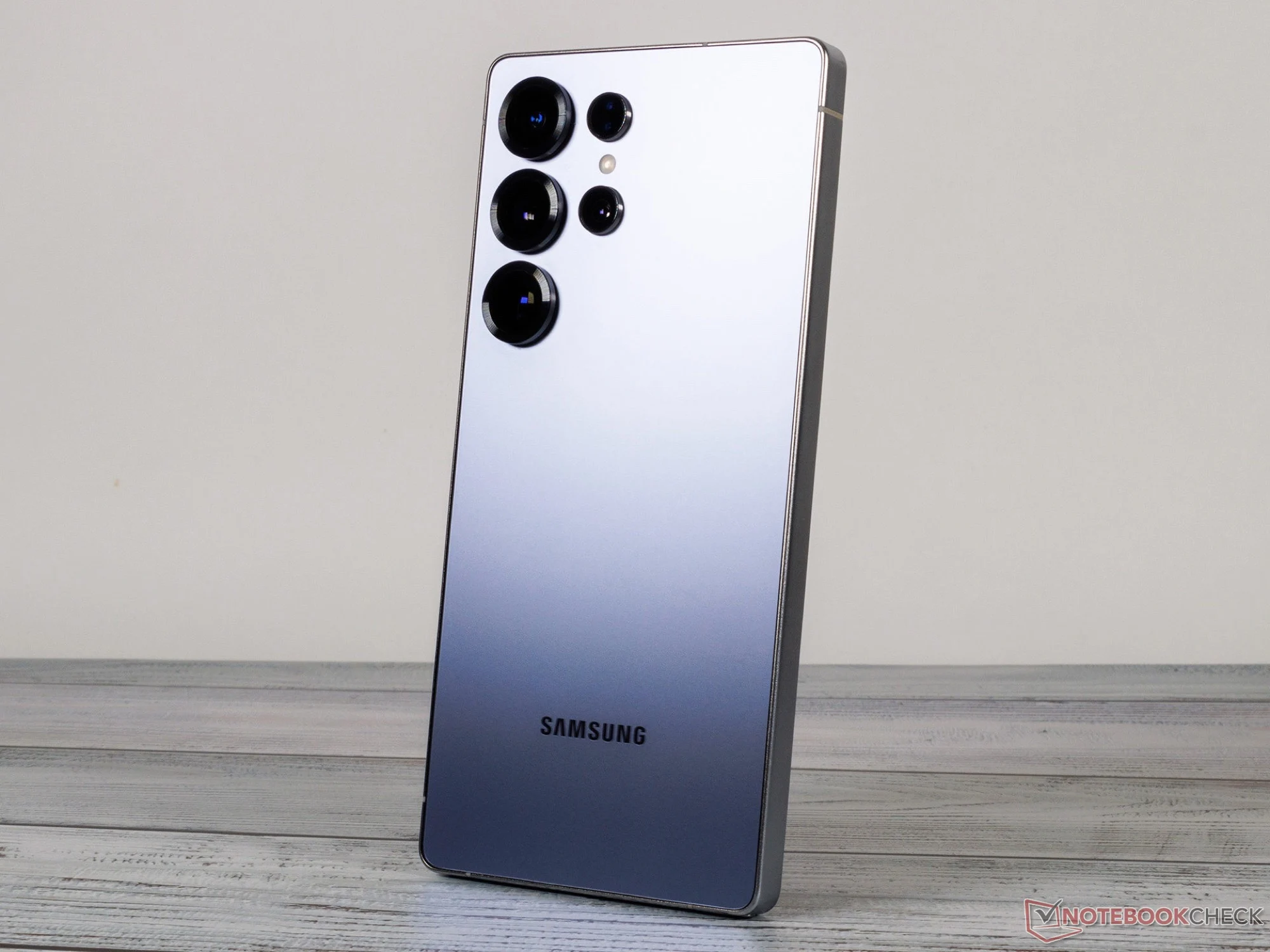
    Over the past few days, there has been a growing number of reports on Samsung’s community forum and on X regarding issues with the Samsung Galaxy S25 Ultra (starting at $1,106 on Amazon). Users who have updated to the latest beta of One UI 8, which runs on Android 16, are experiencing significant problems specifically with moon photography. As seen in the images shared in the X post below, the moon appears in a pink hue.

    Camera App Preview

    Strangely, the camera app preview shows the moon’s color correctly. However, once a picture is clicked and saved, the moon turns out in an incorrect shade. This suggests a problem with the white balance settings during the final image processing stage. Normally, cameras adjust white balance to eliminate green or pink tints, but if this adjustment fails, the images may appear green or pink.

    Possible Fixes Ahead

    Given that the issue surfaced during the One UI 8 beta testing phase, there’s hope that Samsung can resolve this glitch before the official version of One UI 8 is launched to users. This update is anticipated to be available for the Samsung Galaxy S25 series in September. This isn’t the first instance of Samsung’s smartphones facing challenges with moon photography. In 2023, the company faced backlash for overly relying on artificial intelligence to “enhance” moon images, resulting in photos that often bore little resemblance to the actual moon being photographed.

    Source:
    Link