Category: Software

  • Apple Confirms Sideloading Feature Restricted to iPhone, iPad Misses Out

    Apple Confirms Sideloading Feature Restricted to iPhone, iPad Misses Out

    iOS 17.4 Beta Brings Sideloading to EU iPhones, Excluding iPads

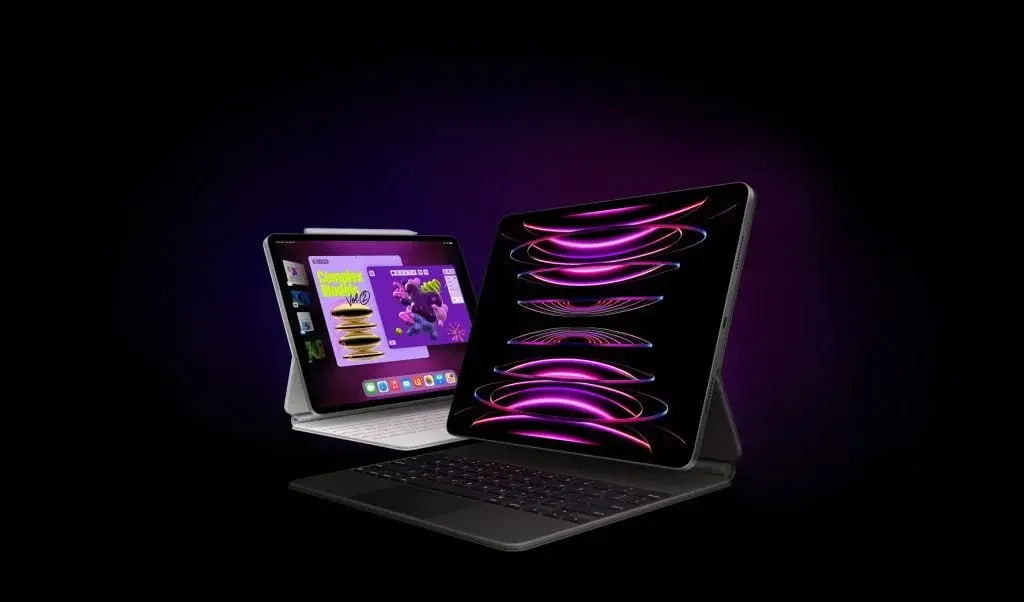
    Apple has rolled out the iOS 17.4 beta, which brings a significant change in compliance with the European Union’s Digital Markets Act (DMA). This update introduces the option of sideloading for EU users, enabling them to download and install applications from sources other than the official App Store. However, it is important to note that this feature is currently limited to iPhones only, and iPad users are excluded from this new flexibility.

    Sideloading: Exploring the New Possibilities

    Sideloading is a process that allows users to bypass the official App Store and directly download and install applications from alternative sources. With the iOS 17.4 beta, EU iPhone users gain the ability to explore a wider range of apps and discover new possibilities outside the confines of the App Store.

    The European Union’s Digital Markets Act (DMA)

    The European Union’s Digital Markets Act is legislation aimed at promoting fair competition and consumer choice within the digital market. As part of its compliance with this act, Apple has introduced the option of sideloading in its latest iOS 17.4 beta release. This move is in line with the EU’s objective of fostering a more open and competitive environment for app distribution.

    iPad Users Left Out

    While EU iPhone users can now enjoy the benefits of sideloading, iPad users are currently excluded from this new feature. Apple has not provided any specific reasons for this limitation. It is unclear whether sideloading will be extended to iPads in future updates or if this exclusion will remain permanent.

    Pricing and Specifications

    The iOS 17.4 beta update is available for free to all eligible EU iPhone users. The sideloading feature, however, is exclusively accessible to iPhone users and does not extend to iPads.

    In conclusion, Apple’s iOS 17.4 beta release brings the option of sideloading to EU iPhone users, aligning with the European Union’s Digital Markets Act. While this introduces new possibilities for iPhone users, iPad users are currently not included in this feature. It remains to be seen whether sideloading will be extended to iPads in future updates.

  • Brief Service Disruption Resolved by Microsoft Teams

    Brief Service Disruption Resolved by Microsoft Teams

    Microsoft Teams experienced a temporary service interruption recently, causing some disruption for users. However, the issues were quickly resolved, and the number of reported incidents decreased significantly throughout the day. At its peak, there were over 14,000 incidents reported on Downdetector.com, a website that monitors online service disruptions. But by the evening, this number had dropped to around 1,600, indicating a significant recovery.

    A Networking Issue

    The problem arose from a networking issue that affected a specific part of the Teams service. Microsoft acknowledged the challenge they faced in their failover operation, which is designed to ensure a quick recovery for users, particularly those in North and South America.

    Dependence on Digital Tools

    Microsoft Teams, a crucial tool for professionals for online meetings, chatting, and file sharing, is part of the Microsoft 365 suite. This recent outage serves as a reminder of our dependence on digital tools for business communication. It highlights the importance of having reliable and efficient systems in place to avoid disruptions in our work.

    Importance of Preparedness

    In response to the service interruption, Microsoft quickly switched to a backup system to restore functionality for users. This incident underscores the importance of preparedness in our digital infrastructure. Having robust backup systems and plans in place is crucial to minimize downtime and ensure business continuity.

    Constant Evaluation and Improvement

    This event in the digital realm emphasizes the need for constant evaluation and improvement of our digital tools. As we rely more and more on these tools for our professional lives, interruptions like these serve as a reminder of the importance of enhancing our digital resilience. It is essential to continually assess and enhance the reliability and efficiency of our digital systems to avoid future disruptions.

    In conclusion, while the temporary service interruption on Microsoft Teams caused some inconvenience for users, the prompt response from Microsoft and the subsequent recovery indicate the effectiveness of their backup systems. However, this incident also serves as a reminder of the need for constant evaluation and improvement in our digital tools to ensure seamless business communication and continuity.

  • OnePlus Nord 2T and OnePlus Nord CE 3 5G Software Update: OxygenOS 14.0.0.300 Release

    OnePlus Nord 2T and OnePlus Nord CE 3 5G Software Update: OxygenOS 14.0.0.300 Release

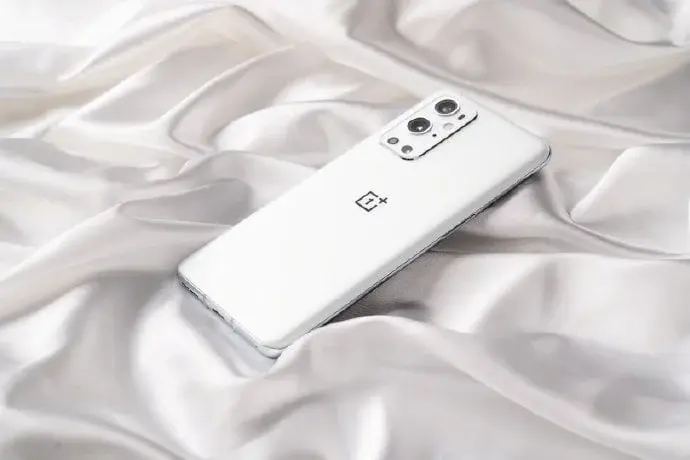
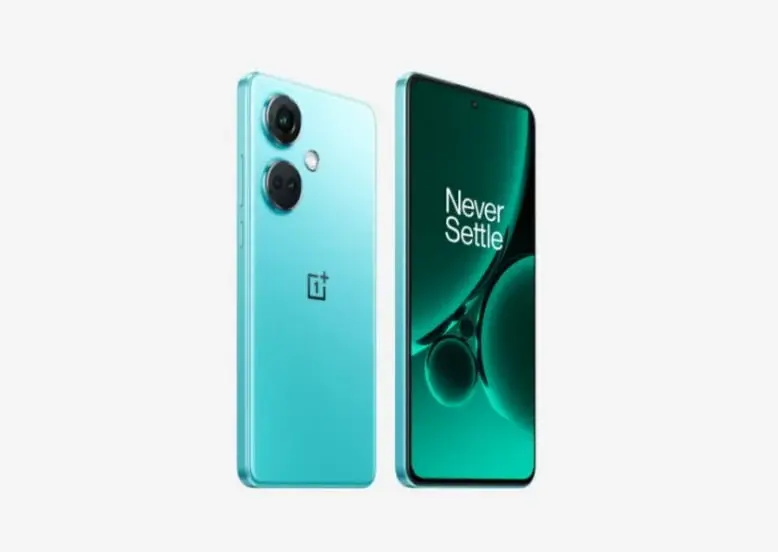
    OnePlus is rolling out a new firmware update for the OnePlus Nord CE 3 5G and OnePlus Nord 2T smartphones. Both devices will be receiving the OxygenOS 14.0.0.300 firmware version, which comes with some notable improvements. Although the changelog for both smartphones is quite similar, there are still some slight differences.

    Firmware Update Details

    The latest update brings the January 2024 security patch, which enhances the system’s security. Along with that, there are several improvements aimed at enhancing system stability and performance. Users can also expect improvements in connectivity and bug fixes.

    OnePlus Nord CE 3 5G Update

    For the OnePlus Nord CE 3 5G, here are the changes included in the update:

    Changelog

    System:

    • Integrates the January 2024 Android security patch to enhance system security.
    • Improves system stability and performance.
    • Extends battery life in some scenarios.
    • Removes the Background stream feature in Smart Sidebar.

    Connections:

    • Improves the stability of Wi-Fi connections.

    Apps:

    • Fixes an issue that might cause Play Store to crash.

    The update for the OnePlus Nord CE 3 5G is currently being rolled out in India.

    OnePlus Nord 2T Update

    On the other hand, the OnePlus Nord 2T is receiving an update that focuses on fixing app crashes and improving battery life. Here is the official changelog for the OnePlus Nord 2T:

    Changelog

    System:

    • Integrates the January 2024 Android security patch to enhance system security.
    • Improves system stability and performance.
    • Extends battery life in some scenarios.
    • Fixes an issue that might cause some apps to crash.
    • Removes the Background stream feature in Smart Sidebar.

    Communication:

    • Improves the stability of mobile network connections.

    The update for the OnePlus Nord 2T is also currently rolling out in India.

    How to Update

    Users may need to wait for some time before the incremental updates reach their devices. Alternatively, users can manually check for the update by going to Settings > About > Software Update > Check for Update.

    If users encounter any bugs or issues, they can submit feedback by dialing *#800# on Google Dialer. For more information about the updates, users can visit the OnePlus Nord 2T announcement thread and the OnePlus Nord 3 CE 5G thread.

    Upcoming Updates

    OnePlus has already started rolling out OxygenOS 14 for other compatible smartphones, such as the OnePlus 11 Series, OnePlus 10 Pro, OnePlus 10R, OnePlus Nord 3, and OnePlus Pad. It is expected that the remaining smartphones will receive the Android 14-based update in the near future.

  • Stable ColorOS 14 Update Now Available for Oppo K10 5G and Oppo A77 5G

    Stable ColorOS 14 Update Now Available for Oppo K10 5G and Oppo A77 5G

    After the Early Access and Open Beta build, the Color OS 14 official version is now rolling out for both the Oppo K10 5G in India and the Oppo A77 5G in Australia. The ColorOS 14 stable update for the Oppo A77 5G is already available in India. Interested users need to hurry, as the update is available on an invite basis. The user needs to apply to get the official version of ColroOS 14 on either of the devices.

    Exciting New Features and Fixes

    Some massive new features and fixes are part of the latest update. Along with the luxuries of Android 14, Oppo is bringing some exciting additions to the ColorOS 14. The new Aquamorphic design and the Drag-and-Drop functionality are surely set to elevate the user experience. Below is the official changelog for ColorOS 14:

    Aquamorphic Design:

    • Enhanced sound effects, color systems, and interactions.
    • Introduction of ten new Aquamorphic-themed ringtones for calls, alarms, and notifications.
    • Dynamically adjusting Aquamorphic Coloring System for a more intuitive experience.
    • Aqua Dynamics design simplifies interactions, extending to the Status Bar.

    Revamped Always-On Display (AOD):

    • Homeland AOD showcases nature scenes, including a Go Green AOD for climate change awareness.
    • Environment Vision pages linked to daily step counts.

    Smart Touch and Seamless Content Sharing:

    • AI-powered Smart Touch streamlines daily tasks.
    • File Dock on Smart Sidebar for seamless content sharing, supporting split-screen and floating windows.

    Smart Image Matting and Trinity Engine Upgrade:

    • Smart Image Matting separates subjects from images or paused video frames.
    • Trinity Engine upgrade boosts device smoothness and stability.

    AI-powered Smart Charging and Privacy Assurance:

    • Smart Charging adjusts charging current based on usage conditions, reducing unnecessary battery wear.
    • Prioritizes safety and privacy, integrating Android 14’s capabilities.
    • Picture Keeper prevents apps from misusing permissions.

    Snapchat Integration:

    • Integration with Bitmoji AOD for faster app navigation and updates on messages and friend activities.

    How to Apply for an Update

    To apply for the update, there are a few prerequisites to keep in mind. Firstly, the user should backup important data, as the update may erase all the important personal data. Additionally, some apps may have compatibility issues with the latest Android 14-based update, so it’s important to update all the apps. For the Oppo K10 5G and Oppo A77 5G, both must be running Firmware C.44/C.43/C.41/C.40/C.39 to get the Android 14 update.

    To apply for the update, follow these steps:

    1. Navigate to Settings > About device > Tap the top of the page > Tap the icon on the top right > Trial versions > Official version > Apply Now.
    2. Fill in your information, and then the Oppo employees will verify and approve your device for the update.
    3. After a successful application, proceed to update your device by going to About Device and selecting “Download Now.”

    The update for both smartphones will be live on January 25. We advise the users to check the prerequisites and check the announcement thread (Oppo A77 5G here and Oppo K10 5G here).

  • OnePlus Pad Update Boosts Performance: Bug Fixes, Battery Life Extension, Security Upgrade

    OnePlus Pad Update Boosts Performance: Bug Fixes, Battery Life Extension, Security Upgrade

    OxygenOS 14.0.0.300 Update for OnePlus Pad Released in India

    The rollout of the OxygenOS 14.0.0.300 update for the OnePlus Pad has commenced in India. This update is being gradually released, starting with a limited user base and expanding progressively to a wider audience over the next few days.

    Notable Changes in the Update

    The OxygenOS 14.0.0.300 update introduces numerous exciting features and enhancements for the OnePlus Pad, promising an improved user experience. Here are some of the key features brought by this update:

    Enhanced Performance and Stability

    This update is dedicated to boosting the performance and stability of the OnePlus Pad. Users can anticipate smoother and more responsive device performance, ensuring a seamless user experience.

    Latest Security Patches

    With the OxygenOS 14.0.0.300 update, OnePlus Pad users will be equipped with the most recent security patches, guaranteeing that their device is shielded against potential vulnerabilities and security threats.

    Bug Resolutions and Enhancements

    Additionally, this update resolves a variety of bugs and issues that users have reported. OnePlus has put in efforts to fix these issues, delivering a more dependable and optimized user experience.

    Phased Deployment Approach

    OnePlus is employing a phased deployment strategy for the OxygenOS 14.0.0.300 update. Initially, only a small fraction of users will receive the update, allowing OnePlus to monitor its performance and gather feedback. As the company ensures the update’s stability and quality, it will gradually extend the rollout to a broader user base.

    How to Verify the Update Status?

    To confirm if the OxygenOS 14.0.0.300 update is accessible for your OnePlus Pad, adhere to the following steps:

    1. Navigate to the Settings menu on your OnePlus Pad.
    2. Scroll down and click on "System."
    3. Choose "System updates."
    4. Select "Check for updates."

    If the update is ready for your device, follow the prompts on the screen to download and install it. It is advisable to connect your device to a reliable Wi-Fi network and ensure it has ample battery life before initiating the update process.

    Summary

    The OxygenOS 14.0.0.300 update for the OnePlus Pad in India delivers significant enhancements in performance, security, and user experience. OnePlus is rolling out the update methodically to ensure its stability and quality. Users can verify the update availability by following the steps mentioned above and relish the improved features and optimizations on their OnePlus Pad.

  • Is Biometrics Insufficient? Learn How Apple’s New Feature Safeguards Your Stolen iPhone

    Is Biometrics Insufficient? Learn How Apple’s New Feature Safeguards Your Stolen iPhone

    Protect Your iPhone Like Never Before: A Guide to Stolen Device Protection

    Smartphones have become an integral part of our lives, storing a wealth of personal information and sensitive data. With the iOS 17.3 update, Apple has introduced a new feature called Stolen Device Protection, which aims to provide an additional layer of security for iPhone users. This feature is particularly useful in situations where a thief gains access to your password and attempts to compromise your device’s security.

    The Importance of Stolen Device Protection

    When a theft occurs and unauthorized access to our passwords is possible, the risk of personal and financial information being compromised is significant. For example, a thief could access accounts and passwords through Safari or gain entry to our bank accounts through SMS verification. Stolen Device Protection mitigates these potential disasters by requiring biometric authentication, such as Face ID or Touch ID, in scenarios where your device may be stolen.

    The Added Security of Stolen Device Protection

    Stolen Device Protection goes beyond the existing biometric features of Face ID and Touch ID. In the event that your biometric security is bypassed and the thief attempts to change your Apple ID password, Apple provides a one-hour window for this change to take effect. This security delay aims to prevent a thief from taking crucial actions with your stolen iPhone. It gives you the necessary time to mark your device as lost and secure your Apple account, as explained by Apple.

    Enabling Stolen Device Protection on Your iPhone

    To activate Stolen Device Protection on your iPhone, follow these simple steps:

    1. Open Settings on your iPhone.
    2. Depending on your iPhone model:
      • For Face ID: Tap Face ID & Passcode.
      • For Touch ID: Tap Touch ID & Passcode.
    3. Enter your device passcode.
    4. Scroll down to the Stolen Device Protection section.
    5. Tap the toggle switch next to Turn On Protection.

    By enabling Stolen Device Protection, you can enhance the security of your iPhone and protect your personal information in case of theft.

    In conclusion, the introduction of Stolen Device Protection with the iOS 17.3 update is a significant step towards bolstering the security of iPhones. By requiring biometric authentication in situations where a thief gains access to your password, Apple aims to prevent unauthorized access to your device and mitigate potential risks. Take advantage of this feature by enabling Stolen Device Protection on your iPhone and enjoy added peace of mind knowing that your personal information is safeguarded.

  • Improved User Experience with Google Assistant and Voice Responses in Android Auto Revamp

    Improved User Experience with Google Assistant and Voice Responses in Android Auto Revamp

    The most recent Android Auto update introduces a much-needed redesign, enhancing the user interface for improved usability and intuitiveness.

    Centralizing the navigation panel, positioning the call and music cards at the panel’s bottom, and integrating Google Assistant at the UI’s base eliminates empty space. Let’s delve deeper into the significant modifications within the Android Auto redesign.

    Key Alterations in Android Auto Redesign

    Google has once again revamped the Assistant interface on Android Auto, offering users a more sophisticated and polished experience. Notable changes include the introduction of a "listening" UI on the bottom bar, which supersedes app icons. This UI transcribes the user’s speech across the bar, facilitating interaction with the Assistant. Furthermore, voice replies have been revamped and are now visible alongside maps.

    Restructured Google Assistant Experience

    The updated Google Assistant now greets users with a welcoming "Hi, how can I help you?" prompt during quiet moments. As soon as the user speaks, the Assistant transcribes voice commands along the bar. It’s important to note that the Assistant’s responses are still vocalized and not displayed on the screen.

    Enhanced Voice Response Mechanism

    Alongside the visual enhancements, Google has enhanced the voice reply experience on Android Auto. Voice replies now optimize any vacant screen space, maximizing the available display area. The interface includes a "Speak now" cue in one panel, transcribing messages while providing distinct "Cancel" and "Send" buttons. Additionally, the recipient’s profile image, name, and app icon (e.g., Telegram) are showcased.

    Artificial Intelligence-Powered Auto Replies

    Google is leveraging its generative AI capabilities to enrich the auto-reply function on Android Auto. Following the introduction of generative AI to Chrome, Google intends to introduce similar functionalities to Android Auto. While a preview video has displayed several design elements, these specific features are not yet live but are anticipated to be available soon. These features entail AI-generated message summaries on Android Auto and context-aware auto-replies.

    Acquire the Latest Android Auto Version

    The redesign is a part of Android Auto version 11.2 and seeks to elevate the overall user experience. The update will be progressively distributed to users within the upcoming weeks. Users can anticipate a more streamlined and intuitive interface, improved voice interactions, and the forthcoming AI-driven auto reply capabilities.

    (via)

  • Meta Enforces Tighter Safety Rules for Teens on Instagram/Facebook

    Meta Enforces Tighter Safety Rules for Teens on Instagram/Facebook

    Meta Platforms Enhances Safety Measures for Teenagers on Instagram and Facebook

    Meta Platforms is introducing enhanced safety measures on Instagram and Facebook to safeguard teenagers, implementing novel features that shield young individuals from unsolicited correspondence. This proactive step underscores Meta’s attentiveness to issues surrounding the digital well-being of adolescents.

    Context

    Previously, Meta encountered accusations of being cognizant of teenagers being exposed to detrimental material. Nevertheless, subsequent dialogues with regulators prioritizing children’s safety on social media led Meta to enforce limitations on specific content accessible to teenage users.

    The gravity of this situation intensified when a former Meta employee testified before the U.S. Senate, unveiling Meta’s awareness of negative encounters, including harassment, that youths endured on its platforms but failed to take decisive action. This disclosure captured broad attention, placing Meta in a position that demanded prompt addressing of the concern.

    Fresh Additions and Adjustments

    Instagram

    • Messaging settings will now automatically permit receipt of messages solely from people whom teenagers follow.
    • Any alterations to app settings will necessitate parental authorization.

    Messenger

    • Individuals under 16 years of age (or under 18 in specific regions) will solely receive messages from Facebook friends or contacts in their network.
    • Adult users above 19 years old will be unable to message teenagers unless reciprocal following exists.

    Importance

    Meta Platforms’ dedication to confronting the safety predicaments faced by teenagers on Instagram and Facebook is commendable. By rolling out these innovative features and controls, Meta aims to furnish a more secure online milieu for young users. Nonetheless, continual surveillance and adjustments are imperative to ascertain the efficacy of these measures in shielding teenagers from unsolicited messages and objectionable content.

  • S22 Owners Remain Uninformed as Samsung Announces Galaxy AI Deployment for Older Flagships

    S22 Owners Remain Uninformed as Samsung Announces Galaxy AI Deployment for Older Flagships

    Samsung’s Galaxy S24 series has introduced a range of AI-powered features that promise an enhanced user experience. These features are currently exclusive to the new phones, but there is good news for owners of older flagships.

    In an interview with TechRadar, Patrick Chomet, Samsung’s Head of Customer Experience, confirmed that select 2023 flagship devices will receive the new Galaxy AI features. The devices included in the list are the Galaxy S23, S23 FE, Z Fold 5, Z Flip 5, and Tab S9. These devices will receive the new AI features through the One UI 6.1 update in the first half of 2024.

    However, there is a surprising exception to this rollout plan. The company’s 2022 devices, including the Galaxy S22 series, will not be receiving the new AI features, despite being eligible for the One UI 6.1 update. Samsung has not provided any specific reasons for this omission.

    When questioned about this, Chomet simply stated that they are “limiting” the initial rollout to last-gen devices “for now.” This leaves Galaxy S22 owners uncertain about whether they will eventually have access to the full potential of their devices.

    Adding to the confusion is the inclusion of the Galaxy S23 FE in the rollout, which is equipped with the same chipset as the S22 in some regions. While it is possible that S22 owners may eventually receive the Galaxy AI features, Samsung has not provided a concrete timeline or guarantee.

    Now, let’s take a look at the Galaxy AI features that will be coming to more Galaxy devices:

    With this feature, users can use their finger to draw a circle around an object or text on the screen to instantly learn more about it.

    Live Translation

    This feature allows users to translate spoken and written content in real-time, both online and offline. It enables users to have conversations with people in different languages, understand signs and menus while abroad, and even translate documents on the go.

    Chat Assistant

    The Chat Assistant feature automatically translates messages while users are chatting, eliminating the need to switch between languages.

    Note Assistant

    This feature helps users summarize and organize their notes, making them easier to review and find relevant information.

    Voice Recording Assistant

    With this feature, users can turn their voice recordings into text with speaker identification. It also provides transcripts, the ability to translate recordings, and even summarizes key points.

    While the new Galaxy AI features are currently exclusive to the Galaxy S24 series, Samsung has confirmed that select 2023 flagship devices will receive these features through the One UI 6.1 update in the first half of 2024. However, the omission of the Galaxy S22 series from this rollout has left owners uncertain about the future capabilities of their devices. Samsung has not provided a clear timeline or guarantee for when or if the Galaxy AI features will be available to S22 owners.

  • ColorOS 14 Reveals Exciting Features and Beta Program for Eligible Devices

    ColorOS 14 Reveals Exciting Features and Beta Program for Eligible Devices

    Oppo Improves User Engagement through ColorOS 14 Innovation

    Oppo, a well-known smartphone manufacturer, is committed to enhancing the hardware and software experiences of its customers. In a move to prioritize user satisfaction, Oppo has recently unveiled ColorOS 14, an update designed to elevate user experience. While early responses pinpointed areas for enhancement, Oppo is proactively tackling user issues via a beta initiative and introducing fresh functionalities and updates. Let’s delve into the specifics of this thrilling upgrade.

    ColorOS 14 Response and Dedication to Progress

    Through the beta trial phase, ColorOS 14 gleaned valuable insights from users, which have been pivotal in its evolution. The ColorOS team values this support and is actively scrutinizing user experience feedback. They are committed to advancing and enriching the overall user journey based on this valuable input.

    Fresh Additions and Refinements

    The comprehensive update agenda for ColorOS 14 integrates user feedback and presents a host of new features and refinements. Some prominent inclusions are:

    • Implementation of floating window support for home screen applications.
    • Introduction of "Shake to change song/intercept notifications" feature.
    • Customizable status bar font styles.
    • Refined display transitions, audio effects, and lock screen layout.
    • Enhanced lock screen bounce animation and facial recognition speed.
    • Improved vibration effects and clearer presentation of system notifications.
    • Provision for setting individual app custom screen refresh rates.
    • Enhanced color display optimization in eye protection and ambient color adaptation modes.
    • Gallery now supports photo editing with the ability to revert to the original state.

    Update Distribution Timeline

    The initial release of the ColorOS 14 update is slated for February 2024. The following Oppo models will be among the first to receive the update:

    • Find N5
    • Find N3 Flip
    • Find X7 series
    • Find X6 series
    • Reno11 series
    • OnePlus Ace 3

    Subsequent Oppo models will receive the update in March and April 2024, ensuring a broad spectrum of users can enjoy the improved features and enhancements.

    In Closing

    Oppo’s ColorOS 14 update underscores the company’s commitment to delivering outstanding user experiences. By actively assimilating user feedback and introducing new features and enhancements, Oppo aims to elevate overall user satisfaction. With the deployment strategy in motion, users can anticipate reaping the rewards of ColorOS 14 in the near future.