Tag: firmware update

  • Amazfit Flagship Trail Watch Gets Hyrox & Smarter Energy Tracking

    Amazfit Flagship Trail Watch Gets Hyrox & Smarter Energy Tracking

    Key Takeaway

    – Hyrox race tools: Virtual Pace, simulation workouts, and structured training library synced to the watch.
    – HybridCharge Energy Intelligence: Unified readiness score combining training load, recovery, and daily stress.
    – Refined recovery time guidance with specific rest recommendations for high-, medium-, and low-intensity sessions.
    – Navigation upgrades: route preview image, improved map scale options (2 km to 75 m), and better terrain rendering.
    – Status indicators now appear briefly on the watch face before moving to the Control Center.


    Amazfit Cheetah 2 Ultra Gets a Fresh Update

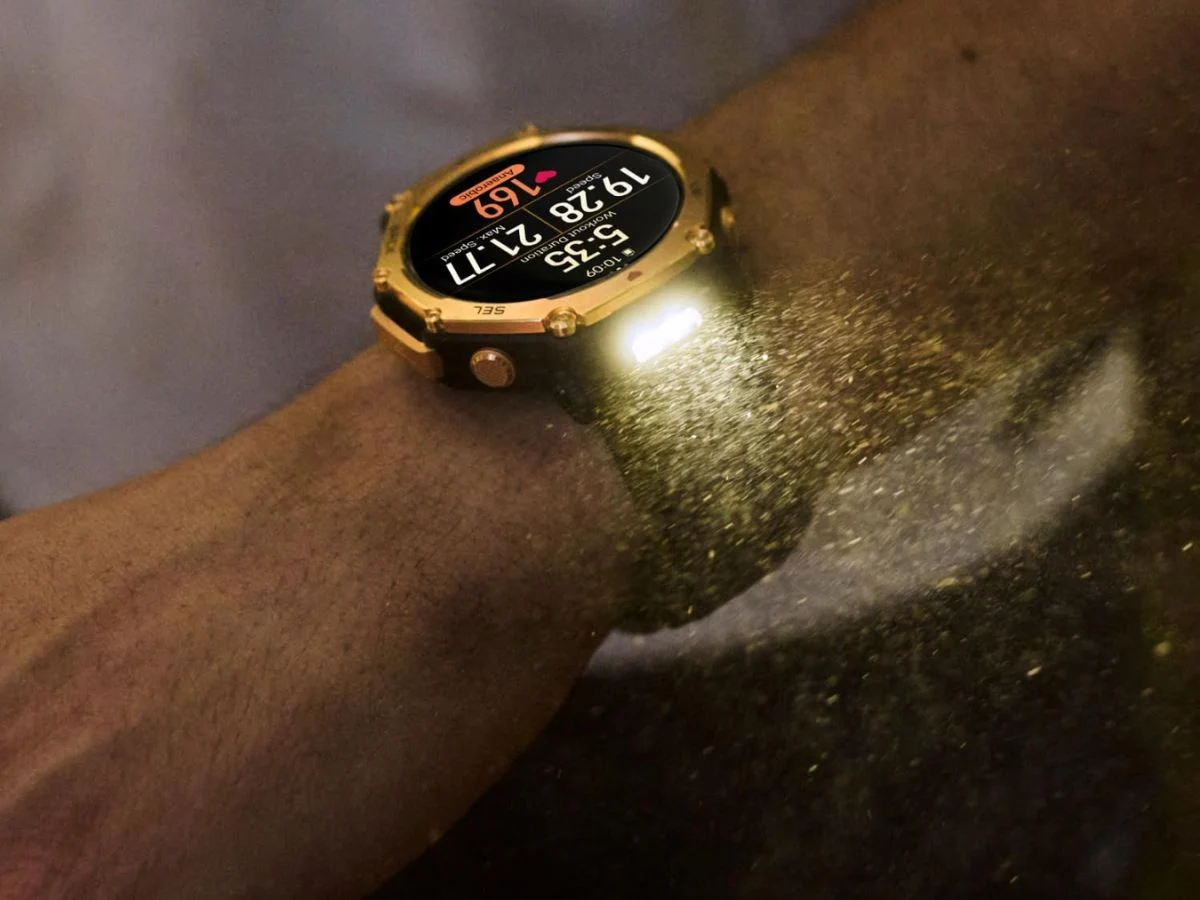
    Amazfit has rolled out a software update for the Cheetah 2 Ultra (curr. $599.99 on Amazon) trail running watch, adding Hyrox race tools, a revamped energy intelligence system, and multiple navigation-related improvements.

    What’s New with Hyrox Tools

    The primary addition is the expanded Hyrox support. The Zepp app now includes an official Hyrox Workout Library with structured training templates that sync directly to the watch. Athletes also get two new race-focused tools: Hyrox Virtual Pace for real-time pacing against target times, and simulation workouts covering Full Course, Half Course, and other Hyrox-specific formats. The Virtual Pace feature is accessible under Workout > More > Hyrox Virtual Pace, while the training library lives under Home > Hyrox Workouts Library.

    Energy Monitoring and Fitness Tracking Upgrades

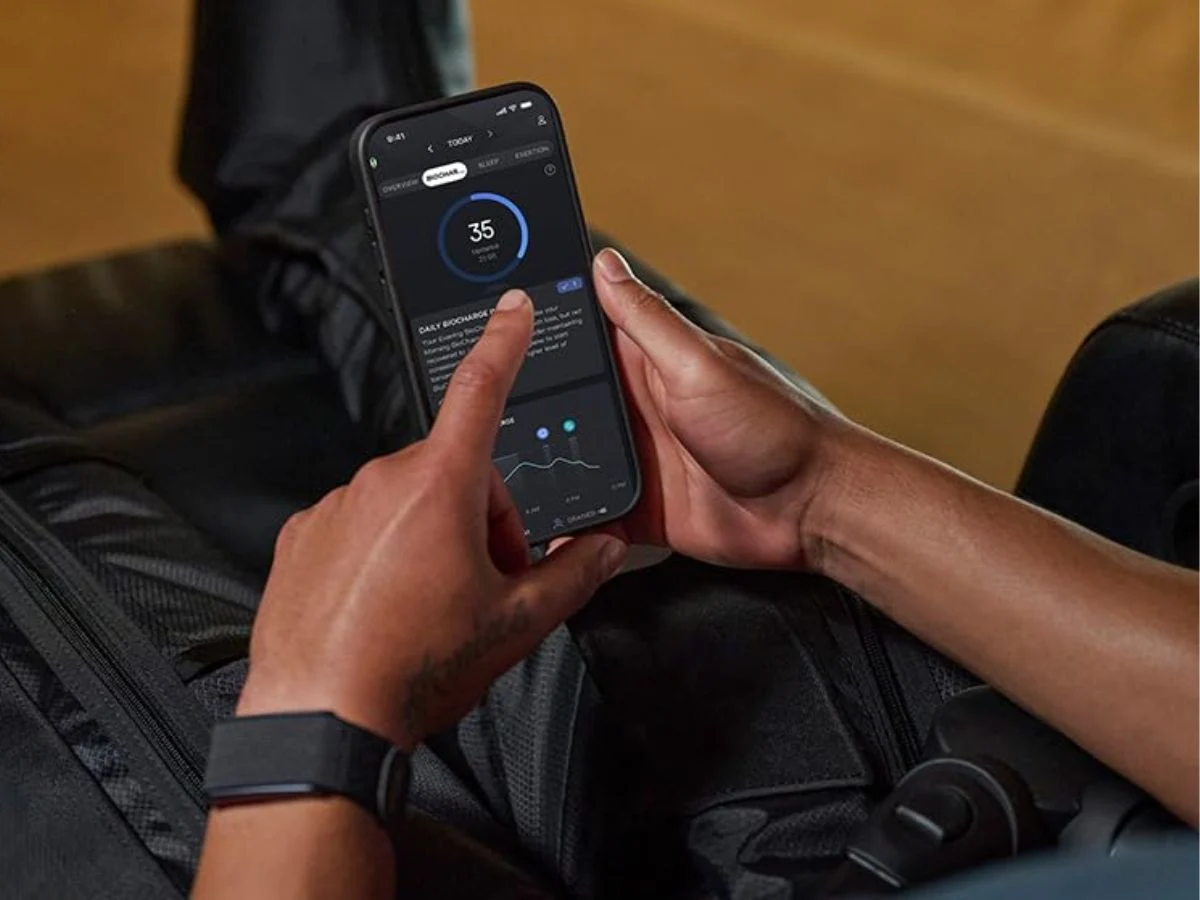
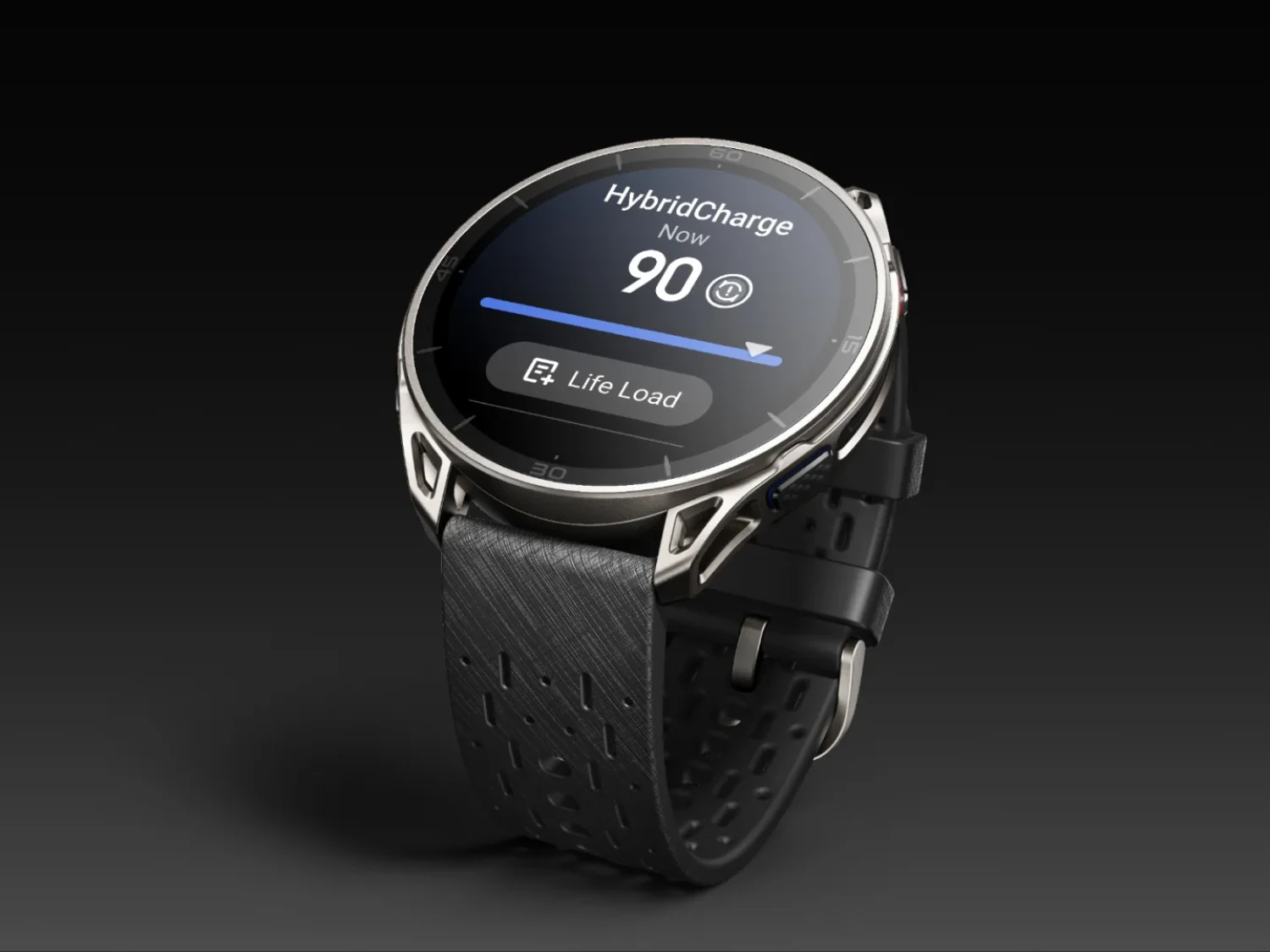
    Fitness tracking-wise, Amazfit has upgraded its energy monitoring with HybridCharge Energy Intelligence. It combines the existing BioCharge system with LifeLoad and Training Load into a single framework. The goal is a more complete picture of readiness by factoring in training, recovery, and daily stress across a wider range of activities. Amazfit adds that recovery time guidance has also been refined to specify recommended rest before high-, medium-, or low-intensity sessions.

    Navigation Tweaks for Better Routes

    Navigation gets a few practical tweaks. A route preview image now appears on the workout preparation screen before heading out. Map scale accuracy has been improved with new options at 2 km, 750 m, 200 m, and 75 m. Terrain map rendering has also been optimized when map data hasn’t been downloaded.

    Final Touches on the Display

    Rounding out the update, status indicators now briefly show up on the watch face before moving to the Control Center.
    Sources

  • Garmin Express Update Fixes Maps & Sync Issues

    Garmin Express Update Fixes Maps & Sync Issues

    Key Takeaway

    – Garmin Express 7.29.0 is now available via the built-in update function.
    – The update fixes a bug that prevented users from redeeming purchased content.
    – A problem with the update queue has been resolved.
    – A translation error affecting traditional Chinese characters has been corrected.
    – Map management functionality has been restored, allowing proper organization of installed maps.


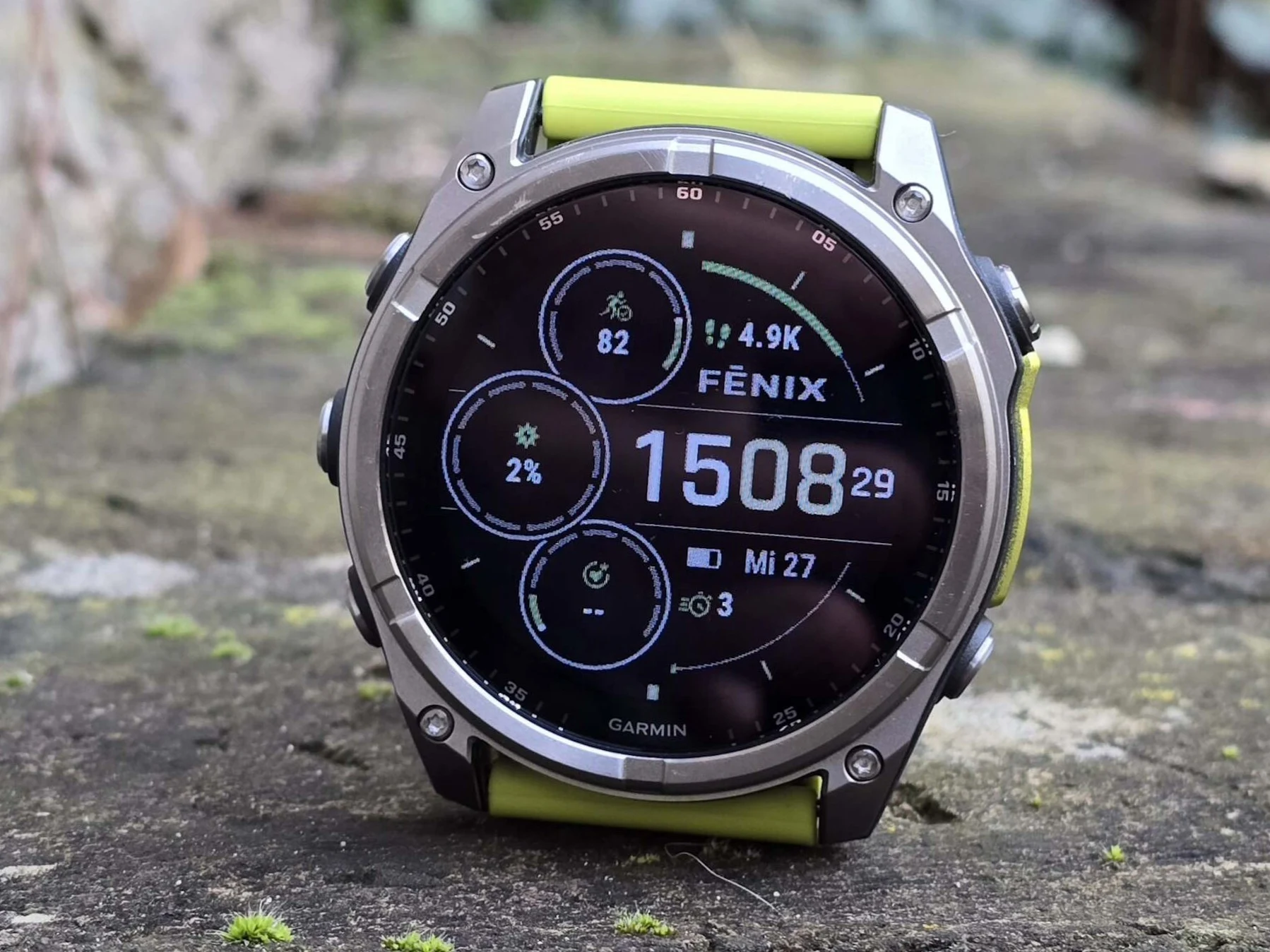
    Garmin is best known for its smartwatches, which can typically be used for years without ever needing to connect to a computer. Syncing and updates are usually handled via Bluetooth or, depending on the model, Wi-Fi. However, Garmin Express remains an important companion tool, enabling users to connect their devices via USB to install firmware updates, manage maps, and add Connect IQ apps. Garmin has now released Garmin Express 7.29.0. The update can be installed via the built-in update function.

    Changelog Details and Bug Fixes

    The official changelog is brief and includes a general note about various minor bug fixes and improvements, without going into detail. One specifically addressed issue could previously prevent users from redeeming purchased content. In addition, a problem with the update queue has reportedly been resolved. A translation error affecting traditional Chinese characters has also been fixed, though this is unlikely to impact most European users. Another fix is not listed in the changelog but mentioned in a forum post: Garmin Express 7.29.0 should restore proper map management functionality, allowing users to organise installed maps correctly once again.

    Map Management and Translation Corrections

    Thier is a new fix that ain’t in the changelog but its talked about on the forums, and this version should bring back the ability to handle maps correctly. So now, users can sort out their installed maps without any hassle. Additionally, the traditional Chinese translation was off but thats now corrected, although most Europeans wont even notice this change. The update queue problem was also sorted out, which should make the whole update process smoother.

    • Minor bug fixes and improvements were added.
    • Problem with redeeming purchased content is fixed.
    • Update queue issue has been resolved.
    • Traditional Chinese translation error corrected.
    • Map management functionality restored for proper organisation.
    Sources
  • Garmin Mid-Range Smartwatches Get Major Update

    Garmin Mid-Range Smartwatches Get Major Update

    Key Takeaway

    – Garmin released stable Software Version 28.05 for Forerunner 165, 255, 265, 955, and 965.
    – The update includes 7 to 10 changes depending on the model, with the 955 and 965 receiving the most.
    – All models benefit from activity and workout improvements.
    – The rollout has reached about 20% of eligible devices and will expand in coming days.


    New Update lands for Older Garmin Watches

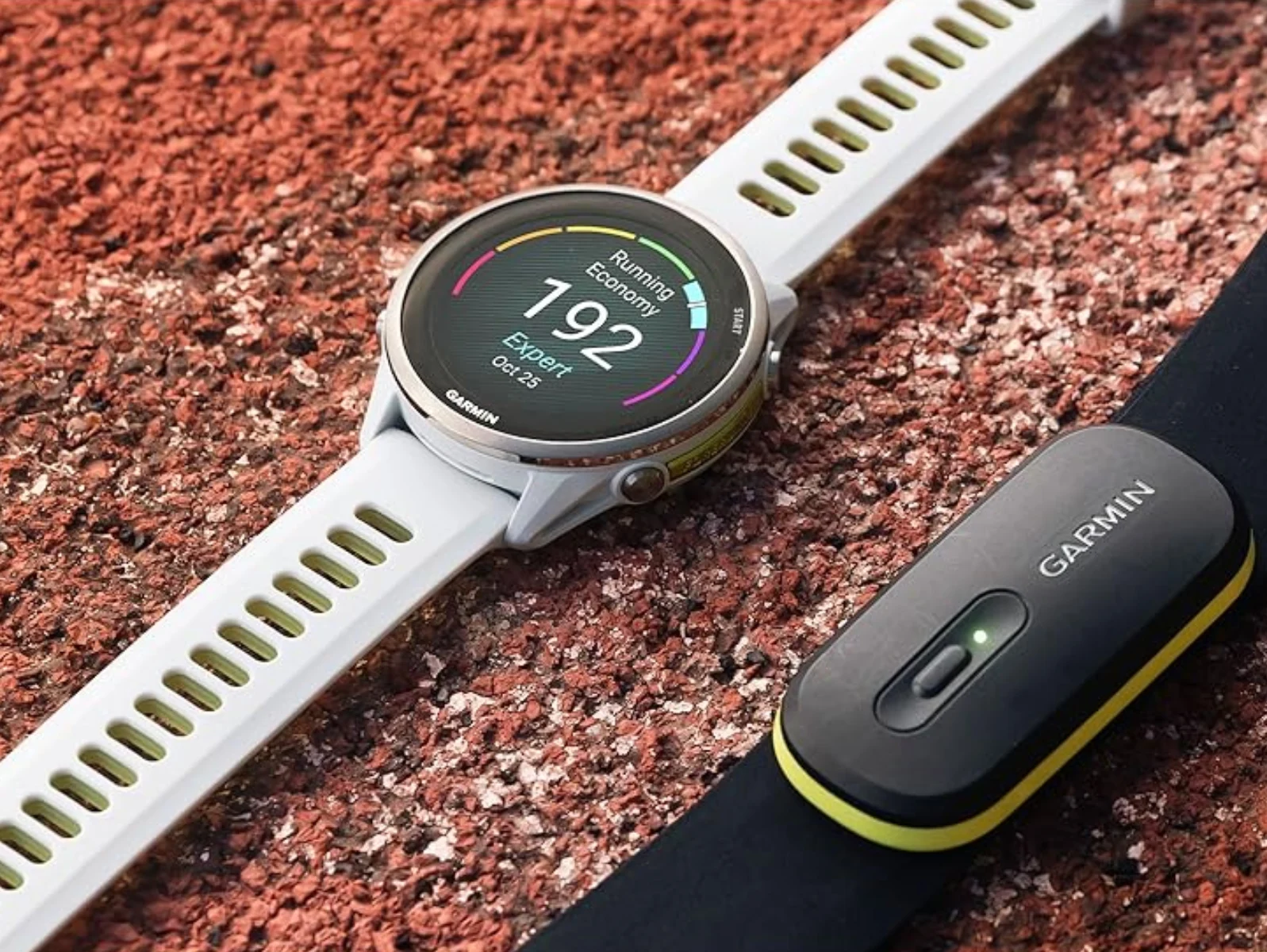
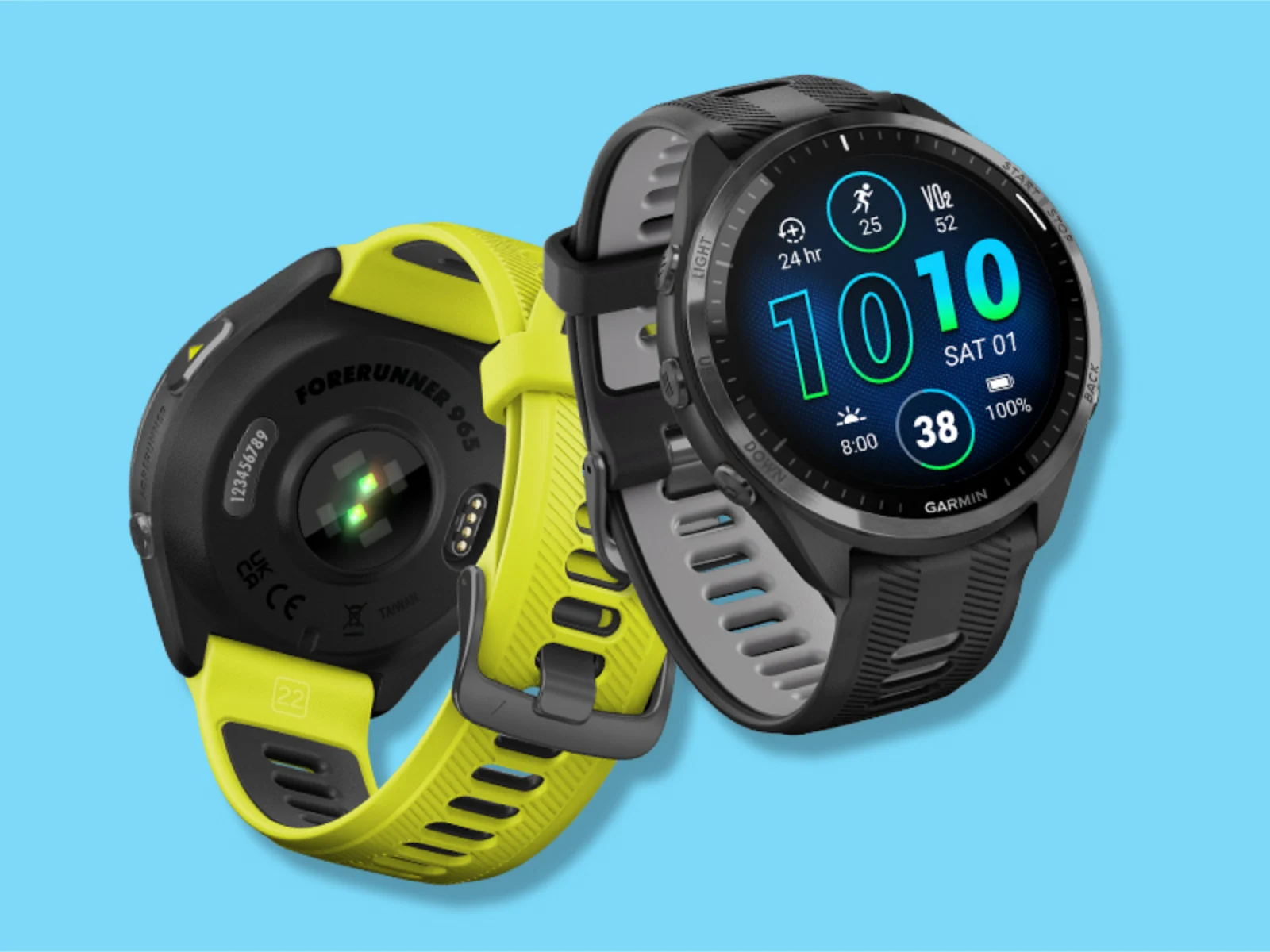
    Garmin has finalised a new stable update for five of its older mid-range smartwatches. To recap, almost four months have passed since the company issued Software Version 27.09 to the Forerunner 165, Forerunner 255, Forerunner 265, Forerunner 955 and Forerunner 965 (curr. $599 on Amazon). In the intervening period, Garmin delivered a solitary v28.xx beta update called Beta Version 28.03.

    Mostly Same Features Across Models

    Nonetheless, it has now pushed ahead with the release of Software Version 28.05 globally. According to Garmin, Software Version 28.05 comes with up to 10 changes. However, this is only true for the Forerunner 955 and Forerunner 965. By contrast, the Forerunner 255 and Forerunner 265 benefit from 8 changes, with the Forerunner 165 dropping further to 7 changes from Software Version 27.09. However, all are said to have recieved activity and workout improvements.

    Currently, Garmin reports that Software Version 28.05 should have reached around 20% of eligible smartwatches. This percentage should change in the coming days, though. The changelogs for Software Version 28.05 are as follows:

    All Forerunner x55 and x65 smartwatches:

    • Fixed an issue where the watch could crash during activity sync
    • Improved heart rate accuracy during high-intensity intervals
    • Resolved a bug where sleep data was not syncing to Garmin Connect
    • Added support for new cycling power meter profiles
    • General system stability improvements
    • Updated translations for multiple languages
    • Fixed a rare issue with the altimeter calibration

    Forerunner 955 & Forerunner 965 specific

    • Improved mapping tile loading speed
    • Added new climb pro data fields
    • Fixed an issue where satIQ mode could drain battery faster than expected

    Forerunner 255, Forerunner 265, Forerunner 955 & Forerunner 965 specific: All four models recieve a fix for race predictor algorithems that were showing incorrect times for some users. Along with this, the update patched a problem with the touchscreen not responding after swimming in salt water.

    Sources
    • Pixii Major Update, Next-Gen Rangefinder Camera 2027

      Pixii Major Update, Next-Gen Rangefinder Camera 2027

      Key Takeaway

      – Pixii’s next-generation rangefinder is nearly developed but won’t launch until 2027.
      – Major software update improves exposure metering speed and adds Highlight Protection.
      – JPEG processing is faster, and monochrome mode offers smoother gradients.
      – Lens correction is limited to storing data in EXIF, not automatic like Leica M.
      – Revised UI and updated smartphone app enhance speed and usability.


      Major update for Pixii Rangefinders

      Pixii already announced last October that a brand new rangefinder camera was being developed, and they have now confirmed that this model is pretty much finished, though production prep is still ongoing which means the launch aint expected until 2027.

      Software improvements and new features

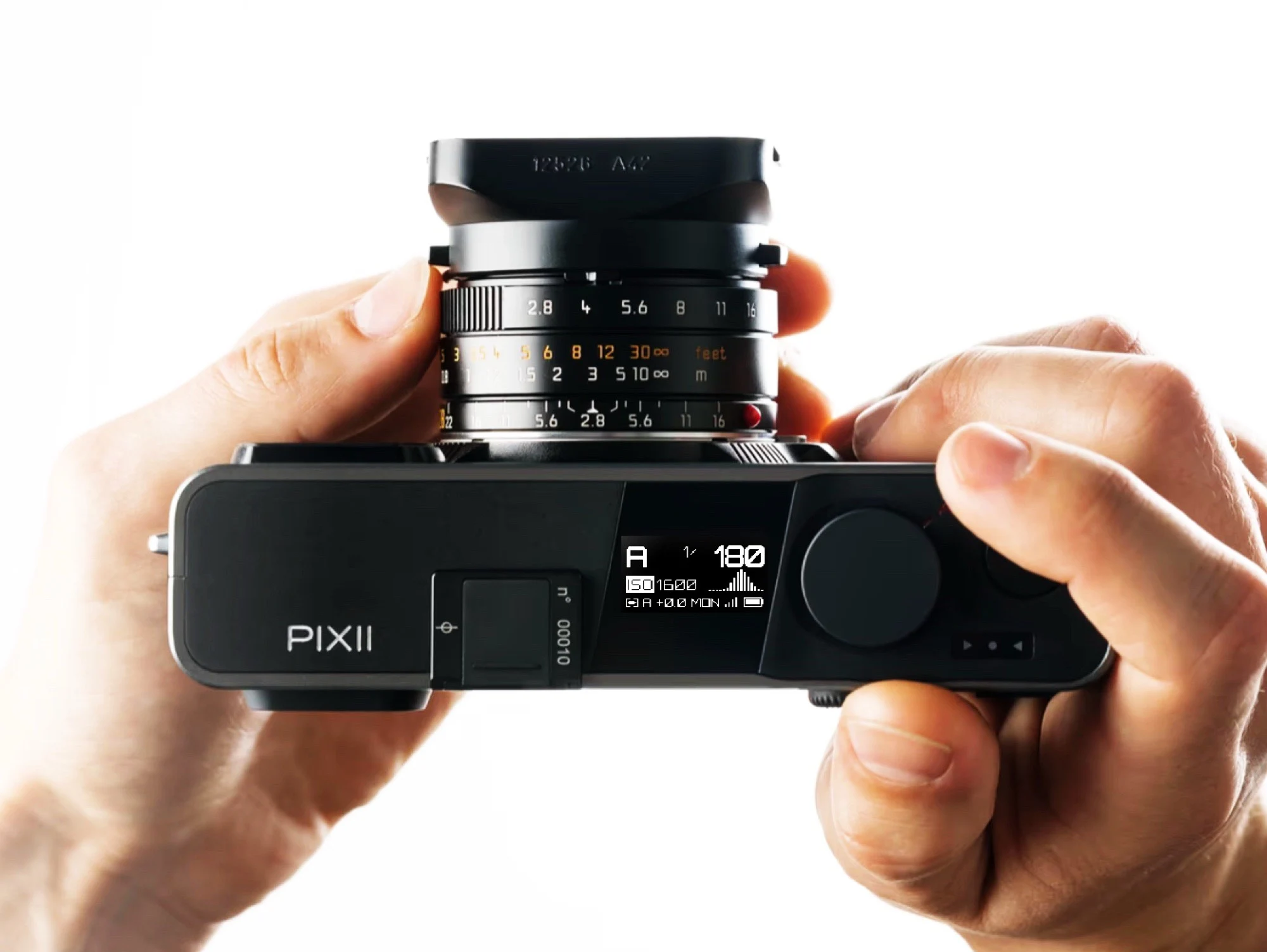
      While Pixii has not yet confirmed any details about this next-generation camera, the manufacturer has released the biggest software update to date for the Pixii+ and Pixii Max, witch is intended to improve the two digital rangefinder cameras in many areas. First and foremost, the exposure metering should now work faster and more precisely, while a “Highlight Protection” feature should prevent highlights from being overexposed – a similar option is also offered by the Leica M11.

      Faster processing and lens correction

      JPEG processing is faster after the update, while the monochrome mode is supposed to render smoother gradients than before. With the update, Pixii introduces lens correction, although this does not go nearly as far as with a Leica M. While Leica uses the 6-bit code on the lens mount to recognise which lens is being used and automatically corrects distortion and vignetting in RAW files, Pixii only stores the corresponding lens information in the EXIF data of a photo so that it can be corrected more easily afterwards.

      Revised user interface and app

      Pixii has revised the user interface, both on the top display and in the viewfinder, so that menus can be operated more quickly and a real-time histogram can be displayed. The associated smartphone app has also been updated so that it works faster and more reliably than before.


      Sources

      • Anbernic RG477M Update: New Features & RG477V Bug Fixes

        Anbernic RG477M Update: New Features & RG477V Bug Fixes

        Key Takeaway

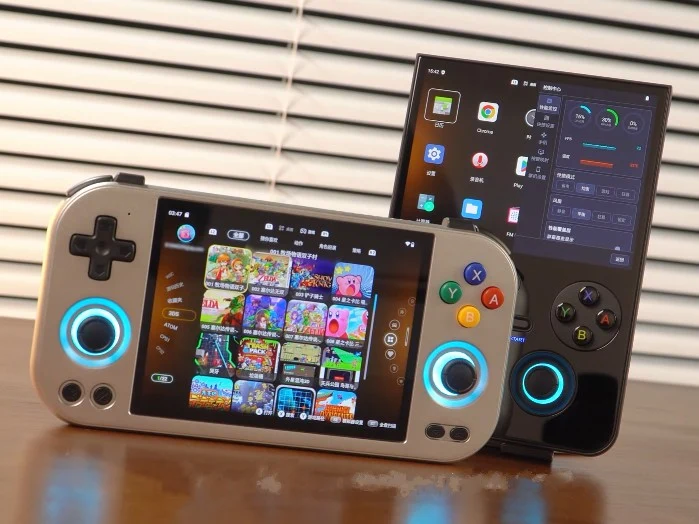
        – RG477M receives major update (v1.32) with new RG Home launcher and RG Control Center.
        – RG Home launcher supports touch/physical controls, app hiding/locking, folder creation, and game-like interface.
        – RG Control Center gives quick access to performance, fan, connectivity, and RGB settings.
        – RG477V gets bug-fix update (v1.39) resolving joystick, crash, and trigger button issues.
        – Both updates are available now, with manual download links provided for OTA failures.


        Anbernic’s Latest Wave of Handheld Updates

        Lately, Anbernic has been rolling out updates to its handhelds. Earlier this month it released a new Linux operating system for the RG DS dual-screen handheld. Then it followed it with a major UI update for the RG477V and an update for the RG Vita Pro that added the Google Play Store. Now, it is the turn of the RG477M, as it has recieved a major update.

        What Version 1.32 Brings to the RG477M

        The update for the RG477M arrives as version 1.32, and according to the manufacturer, it brings a new Anbernic ecosystem that includes the new RG Home launcher and RG Control Center that first debuted on the RG477V a few weeks ago. This essentially means users get a unified experience across the two devices, albeit with some differences in initial pricing.

        New RG Home Launcher Features

        Just as we stated when we covered the update for the RG477V (available on Amazon for $289.99), the new RG Home launcher for the RG477M (available on Amazon for $299.99) allows users to navigate the new interface using both physical controls and touch. It also adds the ability to hide and lock apps, and create folders for apps. Users can also easily switch to a game-like interface where they can easily find games based on platform or categories, making the whole experience more streamlined and less cluttered.

        RG Control Center and Button Mapping

        The RG Control Center, on the other hand, makes it easy to adjust performance settings, fan speed, connectivity settings, and RGB lights. The update also brings the RG Button Mapping feature that allows players to create and save custom control profiles that they can switch to on the fly. This is a huge plus for players who switch between different emulators or game genres frequently, as they no longer need to remap buttons manually each time.

        Bug Fixes for the RG477V

        Anbernic has also released another update for the RG477V that fixes several bugs. The update arrives as version 1.39 and fixes issues such as the joystick not working when you toggle on/off the RGB lights; the device crashing when you adjust the fan speed from the drop-down menu, and the trigger buttons failing to respond intermittantly. The update also adds support for Pegasus frontend ROMs, expanding the device’s compatability with third-party launchers.

        How to Get These Updates

        Both updates are available now. Anbernic has also provided links for users to manually download the updates for the two handhelds, just in case the OTA update fails. The links can be found in the description section of the YouTube video above. It is recomended to backup your data before performing a manual update, as this can sometimes lead to data loss if not done correctly.

        Sources
      • Steam Client Update Resolves Trackpad, Compatibility, and More Issues

        Steam Client Update Resolves Trackpad, Compatibility, and More Issues

        Key Takeaway

        1. Fixed issues with saving controller configuration selections and improved compatibility when the Steam Controller is docked for charging.
        2. Resolved a bug where touches on the left trackpad’s left side were not registering correctly during wireless use.
        3. Introduced new Grip Sensor settings for enhanced control over grip-based features.
        4. Included general improvements to the Steam Client alongside controller-specific fixes.

        Steam Controller’s Recent Updates

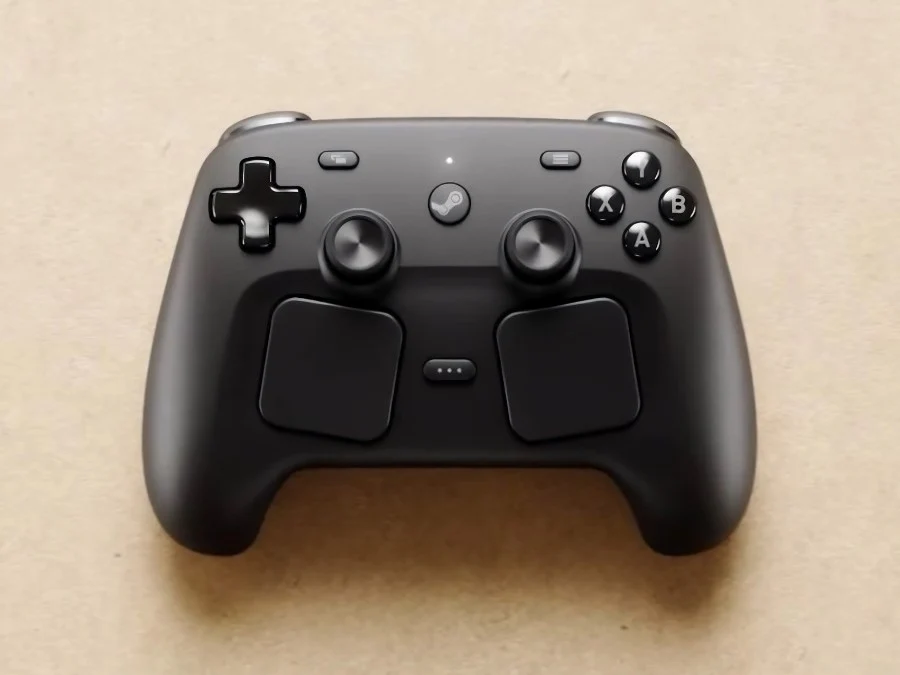
        Just a few days ago, on May 4, the Steam Controller finally launched and, right after, Valve begins rolling out updates to fix the problems people had been reporting since it was released. Today, they released a significant update to the Steam Client, which includes several important fixes and upgrades especially for the new controller.

        Fixes for Configuration Save Issues

        Valve mentioned they have resolved a bug where the setup options for the Steam Controller sometimes did not save properly, which was super annoying if you were trying to custom your controls for different games. This fix makes sure your settings stay as you set them without disappearing later. Also, they fixed some compatibility issues where the controller wouldn’t work right when docked on its charging puck, as a handful of games struggled to detect or correctly interact with it in that mode.

        Wireless Trackpad Problems Solved

        Another important fix was for the left trackpad. There was a bug where touches on the left side of the pad weren’t always registered during wireless play, which could be pretty frustrating during gaming. Since trackpads are a major feature of the controller, solving this touch detection issue greatly improves the gaming experience for users relying on it.

        New Grip Sensor Settings

        Additionally, Valve added some new controls for the Grip Sensors. Now players can fine-tune these features via Steam settings, navigating to Controller > Details > Calibration & Advanced Settings > Grip Sensors. This will allow gamers to customize how the grip-based functionalities respond based on their preferences.

        More Improvements in the Update

        Aside from controller-centric adjustments, the update also includes several overall improvements to the Steam Client itself. Full details can be seen in the full patch notes, but overall, these changes are meant to enhance user experience, making the platform more stable and responsive.

        Sources
      • Garmin Launches Recovery Mode to Fix Smartwatch Errors

        Garmin Launches Recovery Mode to Fix Smartwatch Errors

        Key Takeaway

        1. Garmin smartwatches are introducing a new recovery mode to address severe software issues.
        2. Recovery mode is triggered automatically during startup when problems are detected and offers various repair and troubleshooting options.
        3. Users can attempt automatic repairs, manually terminate activities, delete maps, or reset the device to factory settings within recovery mode.
        4. The feature is currently in beta testing and available on select devices, with limited options for downgrading firmware versions.

        New Recovery Mode in Garmin Smartwatches

        Garmin’s latest update has introduced a new feature called recovery mode, which can be a real game-changer for users who face serious issues with their smartwatches. But frankly, this is not exactly what most people would like to come across while using their device, especially since it’s meant to fix what could be major glitches. The problem is that when software issues happen, fixing them isn’t always straightforward or quick, leading to a lot of frustration. One big pain point is that Garmin doesn’t usually offer official options for downgrading firmware versions, leaving users stuck with the latest updates and limited recovery options in the rare case of problems.

        Automatic Detection and User Options

        • When your Garmin watch encounters a startup problem, the recovery mode can be triggered automatically.
        • You will see a menu with numerous options, including trying an automatic repair that aims to fix common errors without deleting your data.
        • If needed, you also can manually stop any activity that might be causing the issue.
        • Another option is to delete saved maps locally to free up space or fix corrupt data.

        Manual Firmware Installation & Reset

        Beyond basic troubleshooting, the recovery mode makes provision for connecting your watch to a computer via USB. This allows for a hands-on approach, where more advanced users can install firmware manually—something that could be tricky for most regular users. And if everything else fails, there’s always the option to reset the device completely to its original factory settings, wiping all data and settings in the process. Garmin has started to roll out this recovery tool gradually, specifically to select devices under the beta testing phase, indicating that it’s still a work in progress.

        Current Status & Outlook

        As reported by Gadgets & Wearables, this feature is still being tested and will gradually become available for more Garmin watches in the future. Users probably hope they won’t need to use it often, but it’s reassuring to know that there is a safety net when things go wrong. The recovery mode aims to provide users with a way to fix serious software problems independently, but it also highlights Garmin’s acknowledgment that some issues can’t be resolved through simple updates or resets alone.

        Sources
      • Garmin Smartwatches Get New Features and Improvements in Latest Update

        Garmin Smartwatches Get New Features and Improvements in Latest Update

        Key Takeaway

        1. Beta Version 17.19 for Garmin Forerunner 570 and 970 includes 11 improvements aimed at enhancing device responsiveness and stability.
        2. The update resolves issues that caused resets on older firmware versions and improves timer start responsiveness.
        3. New support for Garmin Approach CT1 club sensors and modifications to LiveTrack functionality are included.

        Garmin Presents New Software Update for Forerunner Series

        Garmin recently announced a fresh software update for their Forerunner 570 and Forerunner 970 smartwatches, which are priced at around $749. To give more context, earlier this month, they initiated a fresh round of beta testing for both models. The previous beta, version 17.16, brought more than 25 enhancements. The newer update, however, brings fewer than half of those improvements.

        Key Improvements in Beta Version 17.19

        This latest beta, version 17.19, brings 11 key changes aimed at boosting the user experience. Garmin emphasizes that one of the main focuses was to make it easier to start a timer, making the response much more faster and smoother. The update is also supposed to fix some lingering bugs that could cause the watches to unexpectedly reset during use, especially with older firmware versions.

        New Features and Fixes

        Furthermore, the update now supports Garmin’s Approach CT1 golf club sensors, expanding the devices’ compatibility with golf-related activities. It also prevents automatic detection of tracks during trail runs, increasing accuracy for runners. Additionally, Garmin improved the LiveTrack feature, allowing it to be activated per activity instead of globally on the entire device, giving users more control over their live sharing options.

        Sources
        • Amazfit Flagship Smartwatch Receives New Features in App Update

          Amazfit Flagship Smartwatch Receives New Features in App Update

          Key Takeaway

          1. Connects third-party rowing machines with FTMS support for collecting power and distance metrics during workouts.
          2. Adds new data views for pace during outdoor and trail runs, along with a Navigation section and updated Battery Manager features.
          3. Introduces a toggle for quickly switching status indicators, improved navigation, and extended AMRAP workout durations up to 99 minutes.

          Recent Firmware Update for Amazfit T-Rex 3 Pro

          The Amazfit T-Rex 3 Pro smartwatch now has a new firmware update, version 4.7.3.1. This update didn’t take long after the previous one, 4.6.5.2, which added the new Lactate Threshold feature. The latest version brings some cool new features and improvements that users would definitely appreciate.

          Added Compatibility and Sports Features

          One of the biggest highlights is that now the watch can connect to third-party rowing machines that are FTMS-compatible. This allows it to track power and distance during rowing workouts. For running activities, especially outdoor and trail runs, the watch now shows pace data by segment, making it more useful during training. Also, on the workout track menu, a new Navigation section has been added, which helps users better navigate during their activities. Interestingly, the Battery Manager can now display data linked with the watch’s built-in LED flashlight—pretty handy for outdoor adventures.

          New Settings and Performance Enhancements

          There’s also a new toggle setting that enables quick switching of status indicators on the watch face, which simplifies how users monitor their stats. The update improved navigation features, fixing issues like missed turn reminders. Additionally, the AMRAP mode, often used for high-intensity workouts like HIIT and HYROX, now supports workout durations up to 99 minutes. As usual, the full details can be seen in the official change log, which is shared in a screenshot below.

          Availability and How to Update

          This firmware update is rolling out gradually to T-Rex 3 Pro owners. When it arrives on your device, you’ll be able to start the update through the Zepp app. The T-Rex 3 Pro currently costs $399.99. Keep an eye on your notifications so you don’t miss the chance to upgrade and enjoy the latest features and improvements.

          Sources
        • Amazfit Helio Strap Update Enhances Sleep Tracking Features

          Amazfit Helio Strap Update Enhances Sleep Tracking Features

          Key Takeaway

          1. The firmware update improves sleep tracking accuracy and optimizes Pickleball Mode metrics.
          2. Some users report issues with sleep detection, especially during still periods like naps.
          3. Post-update, HRV measurements may lower below 20 ms and BioCharge scores tend to decrease.
          4. The update also addresses minor bugs and enhances overall system stability.

          New Firmware Update for the Amazfit Helio Strap

          So, a fresh update is finally coming for the Amazfit Helio Strap. The new firmware version 3.13.0.1 is launching just about a month after the previous one, 3.11.0.1, which was aimed to sharpen the sleep recognition feature of the device. Many users are excited because this update promises better sleep detection and overall improvements.

          Improved Sleep Tracking and Additional Modes

          The official notes for this firmware state that there are possible improvements to how accurately it detects sleep, making tracking more reliable. But, dont get your hopes too high, some peoples report that naps still can be missed or misinterpreted especially when they are just sitting still for a while. Besides sleep, there’s also an update for the Pickleball Mode, adding more stats like Forehand and Backhand Stroke Count, which is a pretty cool feature for sport lovers.

          Reported Issues and System Stability

          After installing the update, some users have found that the HRV, or heart rate variability measurement, can fall below 20 ms. it seems like BioCharge scores are also generally getting lower, which some might see as a downside. Nevertheless, Amazfit claims that they have fixed some small bugs and enhanced the system stability, so overall, the updates should make the device more reliable.

          Rolling Out & Availability

          Firmware version 3.13.0.1 isn’t available to everyone all at once. Its being rolled out gradually across different regions, and it might take some time before you see it in your country. When it does arrive, you can update your Helio Strap through the Zepp app on your phone, making the process simple and quick.

          Sources