Category: Computers

  • Apple MacBook Pro with M5 and Matter Support Leaks Before Release

    Apple MacBook Pro with M5 and Matter Support Leaks Before Release

    Key Takeaways

    1. The new MacBook Pro models (14 and 16 inches) are expected to launch sooner than anticipated, following the introduction of the Apple M4 generation.
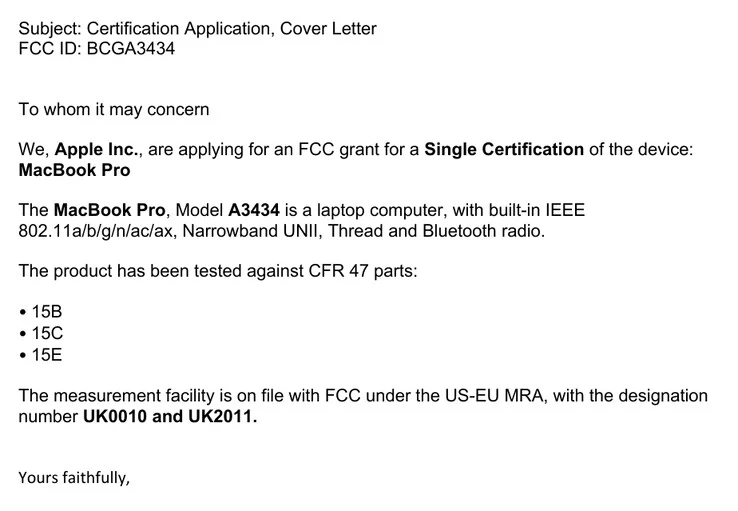
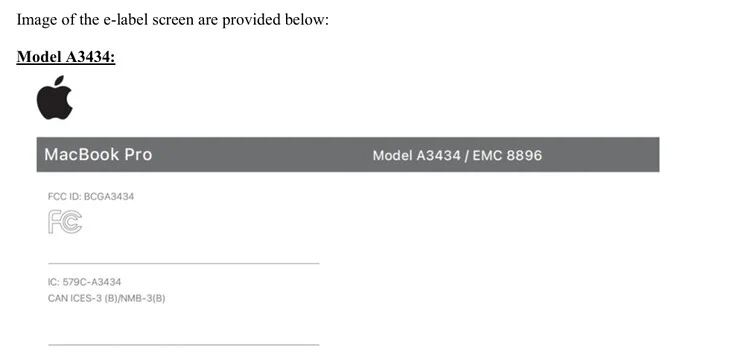
    2. An early indication of an Apple M5-based MacBook Pro has been found on the FCC website, linked to model number ‘A3434.’
    3. The upcoming M5 MacBook Pro models may include Thread connectivity, enabling them to work with smart home devices using the Matter protocol.
    4. The new MacBook Pros are likely to run on Wi-Fi 6E, rather than upgrading to the Wi-Fi 7 standard available in newer iPad Pro models.
    5. The integration of Thread and Matter is expected to be part of macOS Tahoe, enhancing compatibility with Apple’s Home app.


    It appears that the upcoming generation of MacBook Pro is arriving sooner than many had anticipated. Initially, there were speculations suggesting Apple might not release the new MacBook Pro 14 and MacBook Pro 16 models during its usual autumn launch period (currently priced at $2,249 on Amazon). However, Apple introduced the Apple M4 generation of MacBook Pros just a week after the first year anniversary of the Apple M3-based models.

    Early Signs of the M5 Model

    Recently, there has been an early indication of what is thought to be an Apple M5-based laptop, spotted on the Federal Communications Commission (FCC) website in the United States. Although the regulatory agency has not shared complete images of the device, it has clearly connected the model number ‘A3434’ to an upcoming MacBook Pro. Furthermore, the FCC has shared some clues regarding what Apple may be planning for its next lineup of MacBook Pros.

    New Features in Sight

    For example, some documents refer to the Apple M5-based MacBook Pro models featuring Thread connectivity, which is the wireless standard that supports the Matter smart home protocol. This feature is absent in the current Apple M4 generation MacBook Pros but seems to be available internally. If Apple decides to enable this capability in macOS Tahoe, it could allow the new MacBook Pros to work seamlessly with smart home devices through Apple’s Home app.

    Interestingly, the integration of Thread and Matter will not happen alongside Apple upgrading its laptops to the Wi-Fi 7 standard. The initial documents from the FCC indicate that at least the machines powered by Apple M5 will continue using Wi-Fi 6E, even though Wi-Fi 7 is available for similarly equipped iPad Pro models.

    FCC via MacRumors

    Source:
    Link


  • Crucial Launches LPCAMM2 DDR5-8533 Laptop RAM Up to 64GB

    Crucial Launches LPCAMM2 DDR5-8533 Laptop RAM Up to 64GB

    Key Takeaways

    1. LPCAMM2 Standard: Crucial has launched LPCAMM2 RAM modules for laptops, offering faster data transfers, improved power efficiency, and higher storage capacities.

    2. Enhanced Upgradability: LPCAMM2 modules can be easily replaced and upgraded, unlike traditional soldered LPDDR SODIMMs, benefiting laptop users seeking enhancements.

    3. Compact Size with Increased Capacity: The new modules are less than half the size of standard SODIMMs but can hold up to 64 GB per module, with performance improvements of 1.5 times.

    4. Current Compatibility: LPCAMM2 is currently supported only on select Intel processors and laptop models, with future support expected for AMD and Qualcomm ARM processors by 2026.

    5. Pricing Information: The DDR5-8533 LPCAMM2 module is priced at $232.99, while the 64 GB version costs $451.99, with potential price decreases as adoption increases.


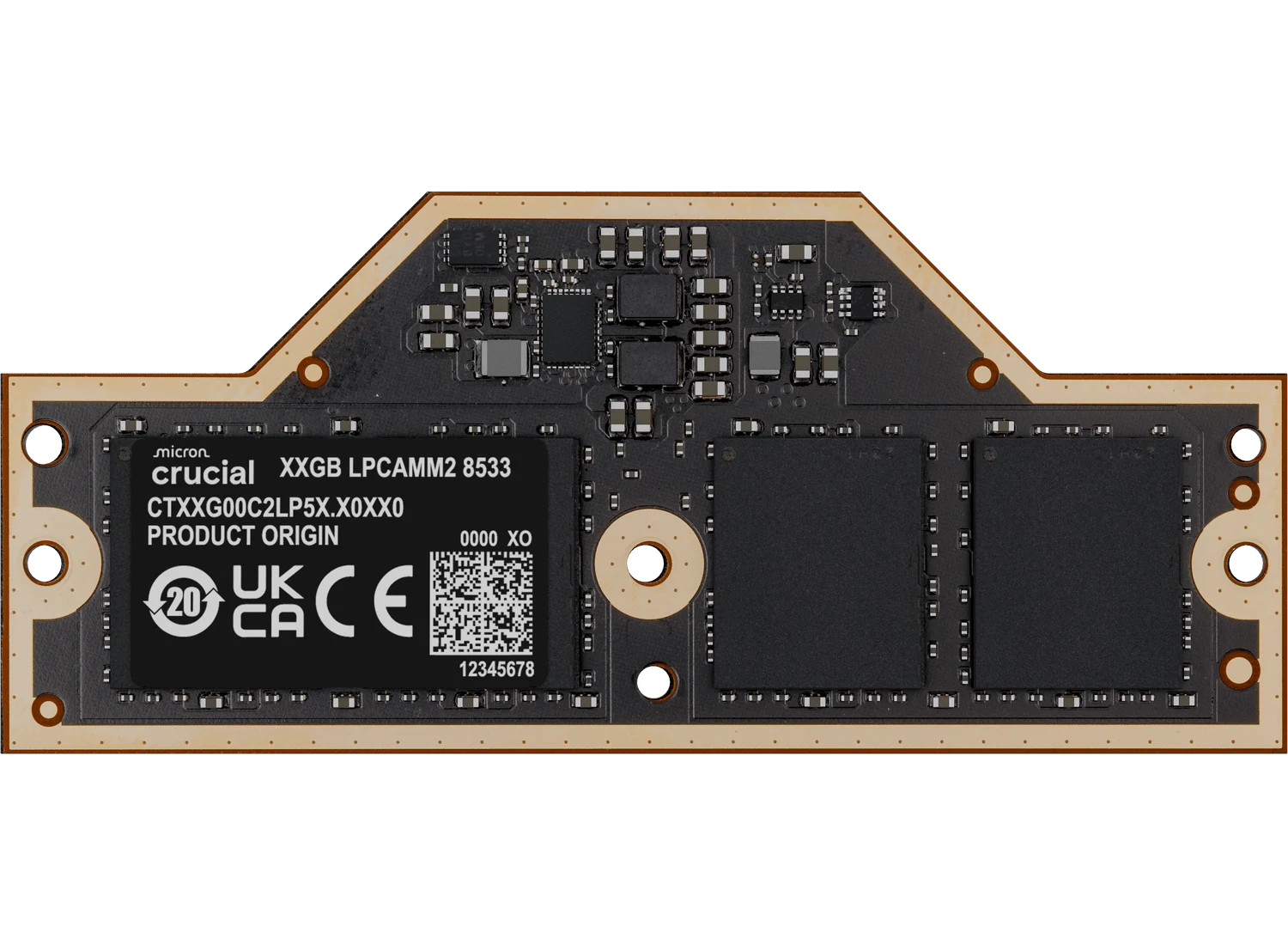
    Crucial has become one of the leading manufacturers of RAM modules to embrace the LPCAMM2 standard for laptops. This new standard allows for quicker data transfers, better power efficiency, and higher storage capabilities in each module. Recently, the company announced the launch of its new LPCAMM2 RAM modules, which boast DDR5-8533 speeds, indicating a rising demand for this innovative RAM standard.

    Enhanced Upgradability

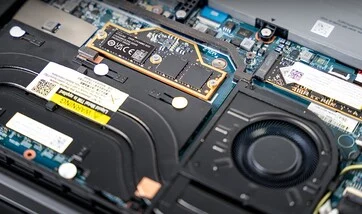
    The LPCAMM2 modules produced by Crucial are made with LPDDR5X chips and controllers sourced from Micron. Unlike traditional LPDDR SODIMMs that are soldered in place, these modules can be easily replaced and upgraded, making them especially beneficial for laptop users who want to enhance their devices.

    Compact and Powerful

    One of the standout features is their smaller size, which is less than half that of a standard SODIMM. In spite of the reduced dimensions, the capacities have significantly increased, now reaching up to 64 GB per module.

    Performance metrics suggest an improvement of 1.5 times, and the integration of on-module SPD and PMIC controllers also results in a marked decrease in power usage.

    These innovative modules are ideal for AI applications, but they also perform exceptionally well in multitasking environments, including tasks in content creation, gaming, and rendering.

    Current Compatibility

    At this moment, LPCAMM2 is supported exclusively on Intel processors across select laptop models, such as the Lenovo ThinkPad P1 Gen7 mobile workstation and the Dell Pro Max 14 / 16 or Pro Max 16 / 18 Plus workstations. Support for AMD and Qualcomm ARM processors is anticipated to come in 2026 as more laptop manufacturers begin to implement the LPCAMM2 standard.

    According to Crucial’s official website, the DDR5-8533 LPCAMM2 module is priced at $232.99, while the 64 GB version has a manufacturer’s suggested retail price (MSRP) of $451.99. Prices are expected to decrease as the standard becomes more widely adopted.

    Source:
    Link


  • User-Replaceable USB-C Port on Lenovo ThinkPad P1 Gen 8 Explained

    User-Replaceable USB-C Port on Lenovo ThinkPad P1 Gen 8 Explained

    Key Takeaways

    1. Lenovo’s ThinkPad laptops previously featured a modular Slim tip charging port, making repairs easy.
    2. USB-C has replaced proprietary ports, allowing one charger for multiple devices, but USB-C ports are soldered and harder to replace.
    3. The ThinkPad P1 Gen 8 is the first mobile workstation to drop the Slim tip port in favor of USB-C charging, raising repair concerns.
    4. Lenovo has addressed repairability by including a modular USB-C port on the ThinkPad P1 Gen 8, allowing easy replacement.
    5. The focus on sustainability in design is becoming more significant in commercial PCs, as demonstrated by Lenovo’s new model.


    For a long time, Lenovo’s ThinkPad laptops featured a modular charging port. The old Slim tip charger connected to the motherboard through a detachable cable. If the charging port got damaged, it was simple to replace it.

    USB-C’s Impact

    Then USB-C came along and changed the game. This new charging standard made proprietary ports less relevant, allowing users to charge their laptops using a single charger for multiple devices. However, USB-C ports are not as easy to swap out since they are soldered onto the motherboard. A broken USB-C port could render the laptop useless, leading to costly motherboard replacements. Buyers of ThinkPads looking to steer clear of this issue could still opt for mobile workstations like the ThinkPad P1 Gen 7, which still features the Slim tip port, available on Amazon.

    The ThinkPad P1 Gen 8

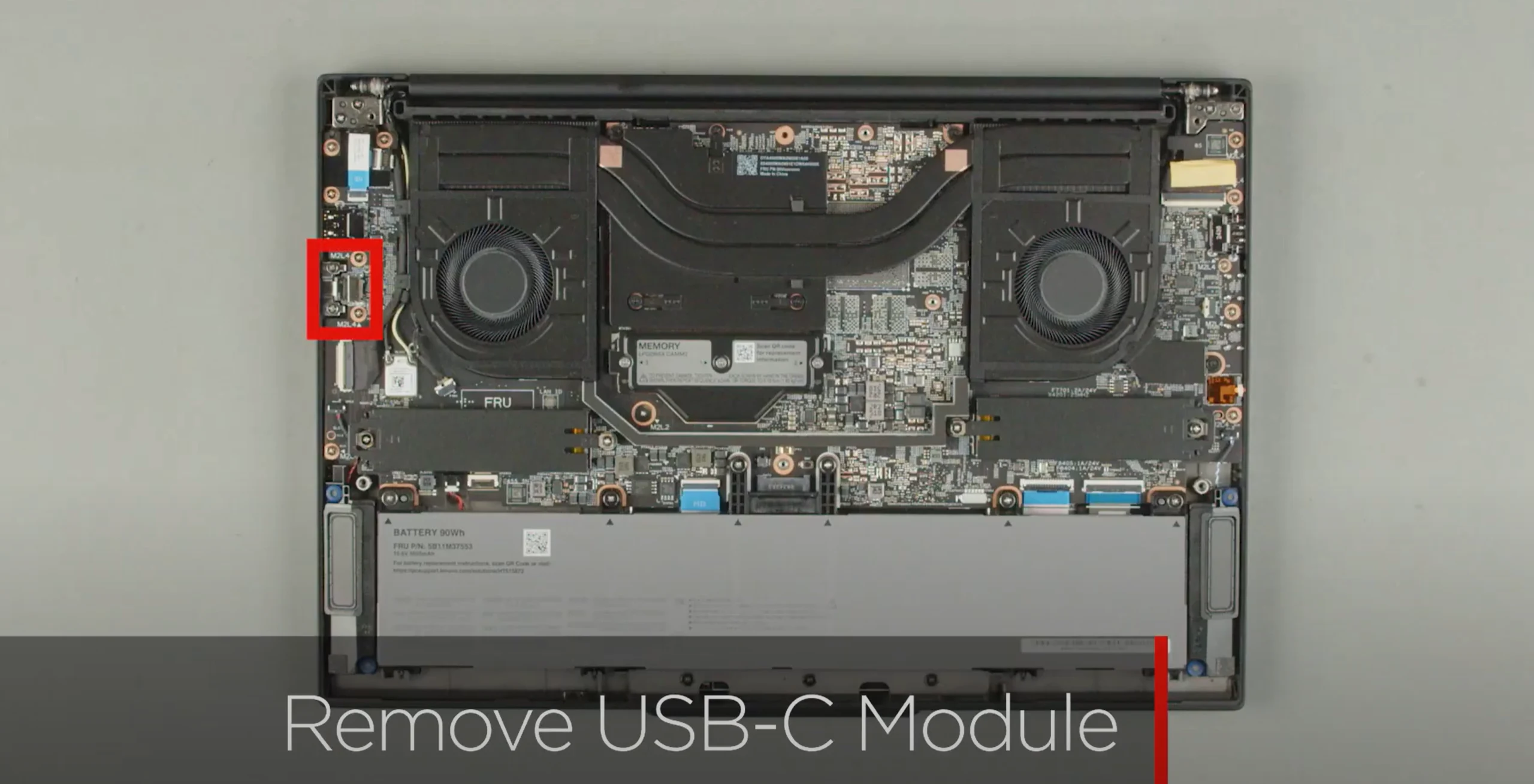
    Now, the Lenovo ThinkPad P1 Gen 8 stands out as the first ThinkPad mobile workstation to forgo the Slim tip charging option, opting instead for USB-C charging. While this is a good change for user convenience, it raises questions about how easy it is to repair the device. Fortunately, Lenovo has listened to user feedback and included a modular USB-C port on this new model; the USB-C port on the right side can be replaced.

    As the launch of the laptop approaches, Lenovo shared a video on their Lenovo Support YouTube channel, demonstrating how easy it is to swap out the charging port. After taking off the back cover, users will need to unscrew two screws around the USB-C port. Once these screws are out, the port can be replaced without much hassle.

    A Step Towards Sustainability

    While Lenovo isn’t the first company to implement such a feature, it’s encouraging to see that sustainability is becoming more important in the design of commercial PCs.

    Source:
    Link


  • Logitech MX Master 3S Bluetooth: Affordable Alternative to MX Master 4

    Logitech MX Master 3S Bluetooth: Affordable Alternative to MX Master 4

    Key Takeaways

    1. Logitech has launched the MX Master 4, an upgrade to the MX Master 3 and 3S, priced at $119 on Amazon.
    2. The MX Master 3S has a new Bluetooth Edition available in Europe and the UK, phasing out the standard version in those regions.
    3. The Bluetooth Edition of the MX Master 3S has no hardware upgrades and lacks the Logi Bolt accessory found in the standard version.
    4. The pricing for the Bluetooth Edition is £89.99, €99.99, and $99.99, offering a discount from the original price.
    5. The standard MX Master 3S continues to be sold in North America despite the release of the Bluetooth Edition.


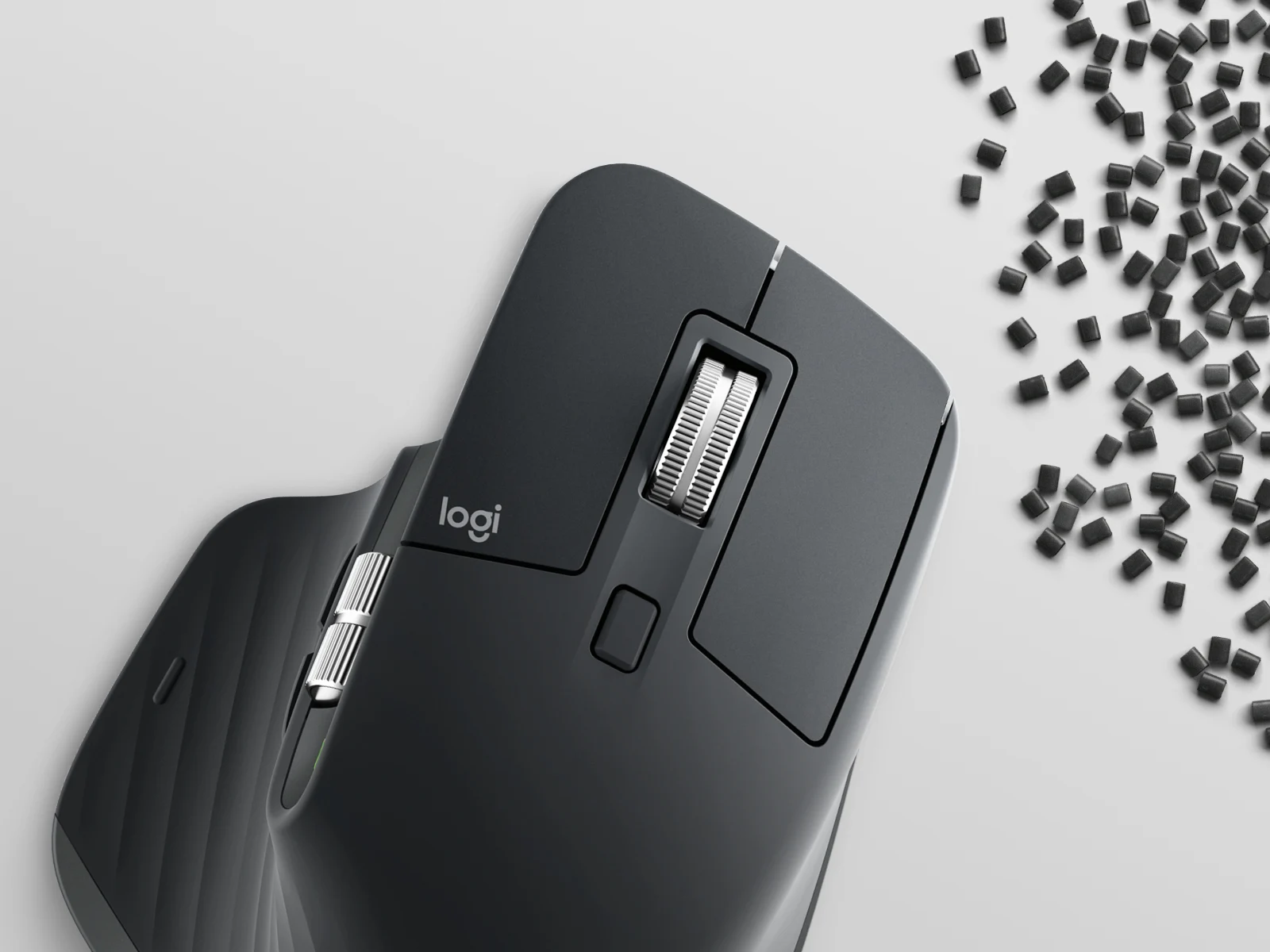
    Earlier today, Logitech has revealed the MX Master 4 (curr. $119 on Amazon), which is a highly anticipated upgrade to both the MX Master 3 and MX Master 3S in several aspects. Additionally, the company has updated the older MX Master 3S in various markets after quietly releasing a Bluetooth Edition earlier this year in North America.

    Update on Bluetooth Edition

    As indicated by a pre-release leak, the refreshed MX Master 3S Bluetooth Edition is now available in areas like the Eurozone and the UK. It appears that Logitech has phased out the standard MX Master 3S in Europe and the UK after more than three years of its availability. On the other side, the standard MX Master 3S is still being sold in North America as this is being written.

    Features and Pricing

    In brief, the Bluetooth Edition does not include any hardware upgrades compared to the original MX Master 3S. Logitech has taken out the Logi Bolt accessory that comes with the standard MX Master 3S and the new MX Master 4. However, the MX Master 3S Bluetooth Edition still supports Logi Bolt. The Bluetooth Edition is priced at £89.99, €99.99, and $99.99, offering a nice discount compared to the original MSRP of the MX Master 3S. For more information, check out Logitech’s website.

    Source:
    Link


  • Wee Beastie SFF PC with MXM RTX 4070: Affordable AMD Strix Halo Alternative

    Wee Beastie SFF PC with MXM RTX 4070: Affordable AMD Strix Halo Alternative

    Key Takeaways

    1. Powerful mini PCs for AI training, like the AMD Strix Halo and Nvidia DGX Spark, are expensive, often exceeding $2,000.
    2. The Wee Beastie mini PC offers a budget-friendly alternative, starting at $699, with an Intel processor and Nvidia RTX 4070 GPU.
    3. Wee Beastie features a compact design with superior cooling and significant gaming performance due to its 12 GB VRAM and AI processing speed of 466 TOPS.
    4. Despite its advantages, the Wee Beastie has limitations, such as its larger size and lower VRAM compared to the AMD Strix Halo for large model training.
    5. The Kickstarter campaign for Wee Beastie has been successful, leading to the introduction of two models, with production expected to start in December and shipping in March.


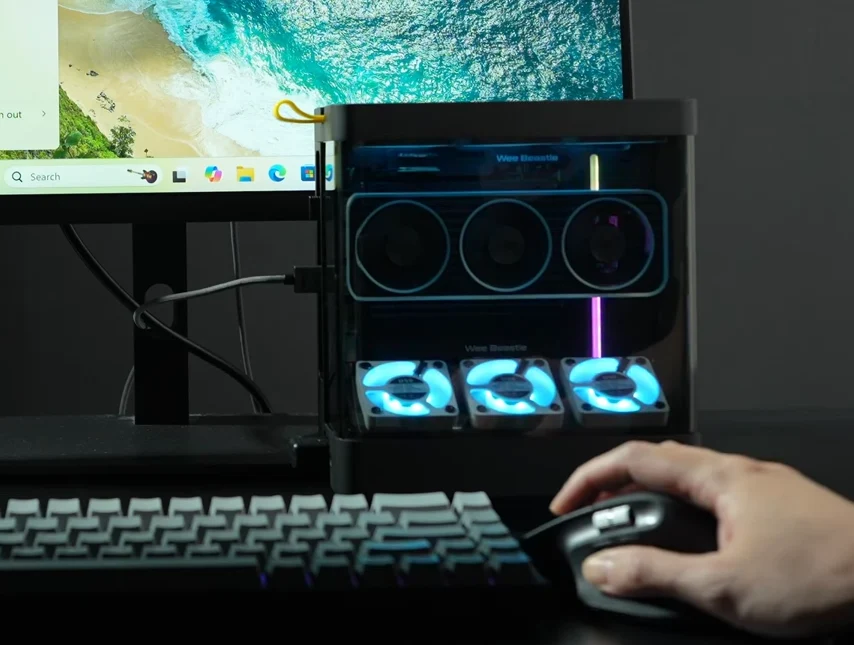
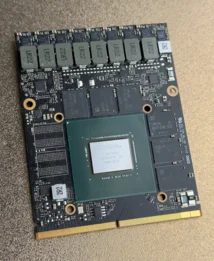
    This year has seen the rise of powerful mini PCs tailored for AI model training. Noteworthy among them are the AMD Strix Halo platform featuring the Ryzen AI Max+ 395 APU and the Nvidia DGX Spark platform equipped with the N1 processor, which merges ARM cores with an RTX 5000 GPU. However, these mini PCs are not widely available yet, mainly because their production costs are high, leading to prices that go over $2,000. To provide a more budget-friendly and simpler option for AI training, a group of engineers from China has launched a Kickstarter campaign for a compact 4.75-liter PC named Wee Beastie. This device combines the capabilities of an Intel processor with a desktop-grade Nvidia RTX 4070 GPU in an MXM form-factor, starting at a mere $699.

    Key Advantages of Wee Beastie

    Aside from the lower price tag, the Wee Beastie offers significant benefits compared to the Strix Halo mini PCs. Its MXM RTX 4070 card comes with 12 GB of VRAM, making it particularly advantageous in gaming situations, boasting an AI processing speed of 466 TOPS. Moreover, the 4.75-liter case is designed for superior cooling, featuring three intake fans positioned in the lower section, six exhaust fans at the top, along with a shroud that has three fans situated above both the GPU and CPU.

    Disadvantages to Consider

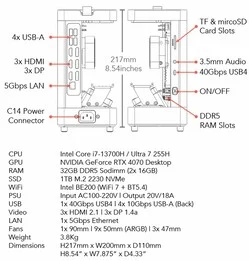
    However, there are some drawbacks to note. The Wee Beastie’s case is somewhat larger, measuring 217 mm in height, 200 mm in width, and 110 mm in depth, with a weight of 3.8 kg. While the RTX 4070 GPU may deliver faster performance in gaming, its VRAM is capped at 12 GB. In contrast, the AMD Strix Halo iGPU can utilize up to 96 GB of the total 128 GB system RAM. As a result, training large LLM models on the Wee Beastie is not feasible, despite its support for up to 128 GB DDR5-5600 RAM.

    The Kickstarter campaign has successfully achieved its funding goals, leading the Chinese team to introduce two models due to the stretch goals being met. The Wee Beastie Core, priced at $699, features an RTX 4070 MXM GPU paired with the older Intel Core i7-13700H processor. On the other hand, the Wee Beastie PRO comes with a more advanced Intel Core Ultra 7 255H processor. Both variants include a 400 W power supply, RGB lighting on the fans, 32 GB of RAM, and a 1 TB SSD as standard. They also support storage expansion up to 16 TB and RAM upgrades to 128 GB. Currently, the team is gauging demand, as the Core models are limited to 200 units, and the PRO models to 300.

    Solid Port Selection

    In terms of connectivity, the port options are impressive for a mini PC of this size. The left side is outfitted with four USB-A 10 Gbps ports, three HDMI 2.0, and three DP 1.4a video outputs, along with a 5 GbE Ethernet port. On the right side, there’s a USB4 connector, an audio jack, and a TF + microSD card reader. For wireless capabilities, the device is fitted with an Intel BE200 card offering Wi-Fi 7 and BT 5.4 speeds.

    According to the timeline shared on the Kickstarter page, the Chinese team is planning to kick off production this December, with a testing and quality assurance phase slated for January, followed by another production round in February. The first units are expected to start shipping in March of the following year.

    Source:
    Link


  • Framework Laptop 12 Stylus Launches at $59 with Desktop Accessories

    Framework Laptop 12 Stylus Launches at $59 with Desktop Accessories

    Key Takeaways

    1. The Framework Laptop 12 features a new stylus compliant with the USI 2.0 standard, offering 4096 levels of pressure sensitivity and tilt support.
    2. The stylus has customizable buttons, a replaceable tip, and a rechargeable 80mAh battery that can also be replaced, charging via USB-C.
    3. Color options for the stylus include Black, Lavender, Bubblegum, Sage, and Gray, matching the Framework Laptop 12’s color palette.
    4. The stylus is priced at $59, distinguishing itself with its replaceable battery, despite cheaper alternatives available in the market.
    5. Additional accessories for the Framework Desktop, such as the DeskPi RackMate and Desktop Handle, are also available for purchase.


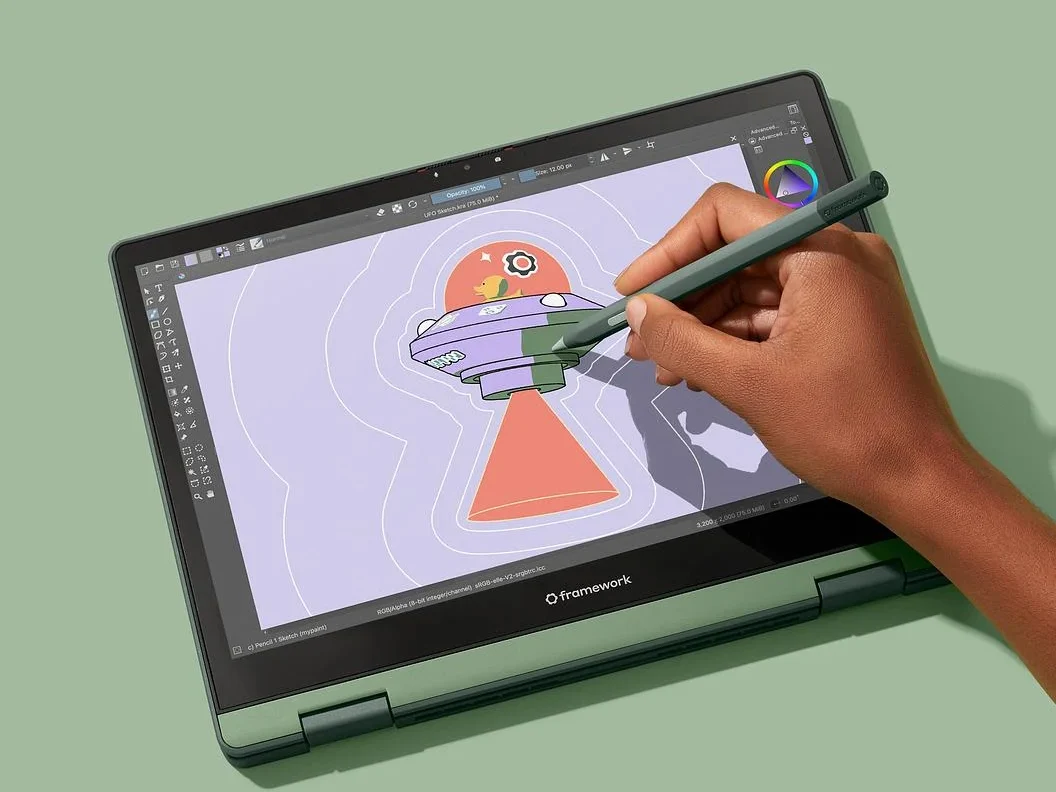
    The Framework Laptop 12 was introduced earlier this year as a compact 12-inch device featuring a touchscreen that supports stylus input. Although customers have been able to pre-order the laptop for several months, the official stylus has just become available.

    Details About the Stylus

    The newly released Framework Laptop 12 Stylus is compliant with the USI 2.0 standard and boasts an impressive 4096 levels of pressure sensitivity. It comes equipped with tilt support, two customizable buttons, and a replaceable tip. Additionally, it has an 80mAh rechargeable battery that can also be replaced. The stylus measures 10mm in diameter, weighs 15 grams, and charges through USB-C.

    Color Options and Availability

    Buyers can choose the Framework Laptop 12 Stylus in colors like Black, Lavender, Bubblegum, Sage, and Gray, which are the same shades available for the Laptop 12, allowing for a coordinated look. Currently, the stylus is sold separately, but it’s worth noting that it is out of stock as of now.

    For those who are pre-ordering the Laptop 12, there’s an option to add the stylus to their order. Furthermore, Framework indicates that customers with existing pending pre-orders can modify their order to include the stylus.

    Pricing Comparison

    The Framework Laptop 12 Stylus is priced at $59. While there are less expensive USI 2.0 styluses on the market, such as the Metapen USI 2.0 Stylus Pen G1, which retails for $29.99 on Amazon, Framework’s stylus stands out due to its replaceable battery feature.

    Apart from the stylus, Framework has also rolled out new accessories for the Framework Desktop. This includes the DeskPi RackMate 10-inch 2U Mini-ITX Shelf, priced at $35, which is a metal tray designed for the mainboard and power supply. Additionally, there’s the Framework Desktop Handle, available for $19, which serves as a grip for the Desktop case. Both accessories can be found on the Framework marketplace.

    Source:
    Link


  • Logitech MX Master 4 Launches Worldwide with Mac and Business Versions

    Logitech MX Master 4 Launches Worldwide with Mac and Business Versions

    Key Takeaways

    1. The MX Master 4 features adjustable haptic feedback for scrolling and navigation.
    2. It has 90% quieter clicks compared to the MX Master 3 and a high-precision sensor operating between 200 and 8,000 DPI.
    3. The mouse can scroll 1,000 lines per minute and includes additional customizable buttons.
    4. The rechargeable battery lasts up to 70 days on a single charge, with improved connectivity stability.
    5. The starting price is $119.99, available in various colors, including a business version with an extended warranty.


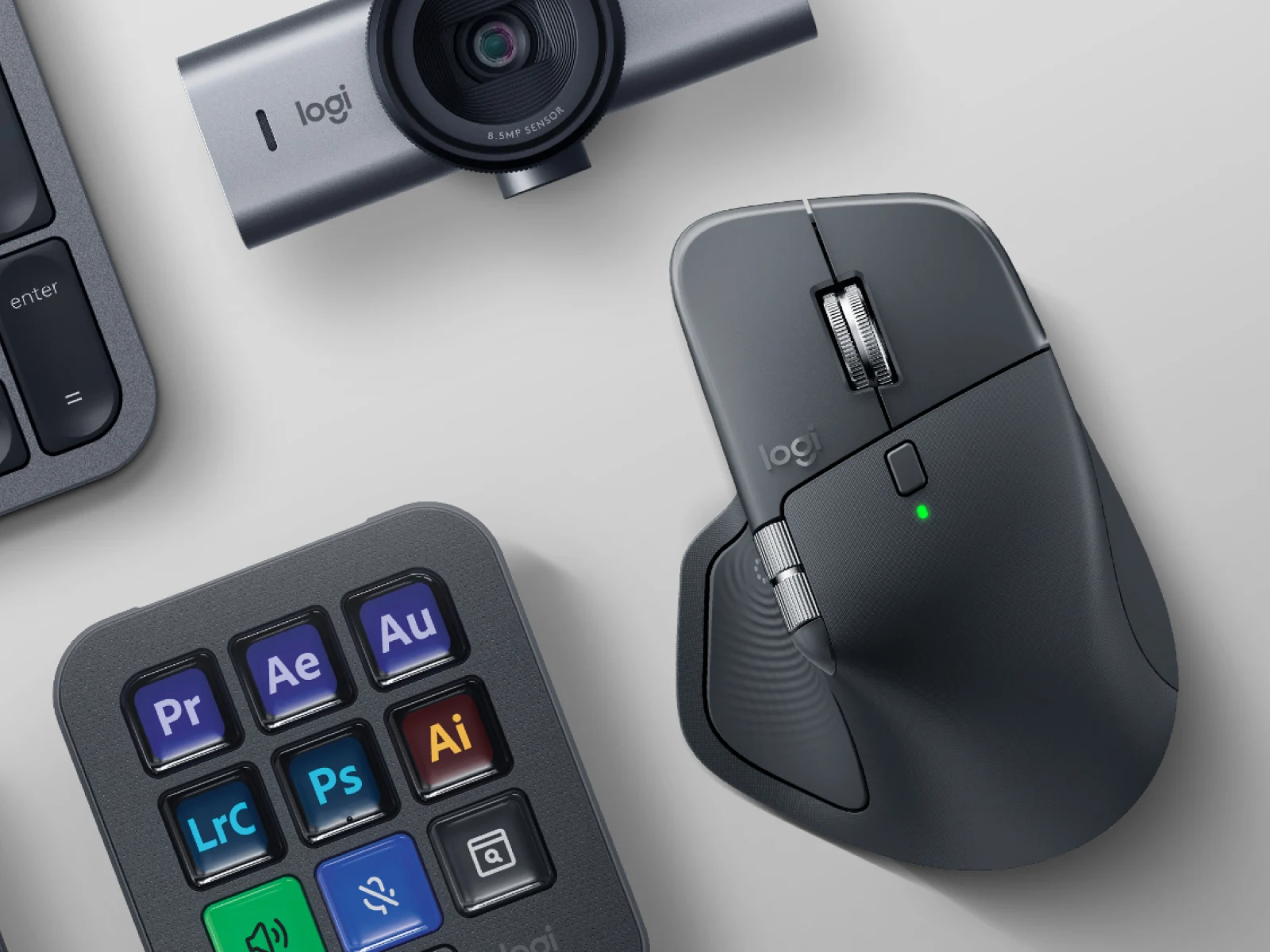
    Logitech has at last launched the new version of the MX Master 3S. This release comes more than three years after the last MX Master, and the MX Master 4 introduces several noticeable changes in both design and technology compared to older models. One of the most important upgrades is the addition of a tiny motor that provides adjustable haptic feedback for scrolling, selection, or navigation on Windows or macOS.

    Improved Clicking Experience

    In addition, the MX Master 4 features switches that produce 90% quieter clicks than those on the MX Master 3. The upgraded wireless mouse also boasts a Darkfield high-precision sensor that operates between 200 and 8,000 DPI with adjustments in increments of 50 DPI. Furthermore, it can scroll as fast as 1,000 lines in just one minute, making it a very efficient tool.

    Extra Features and Battery Life

    Logitech has also included an Actions Ring button located in the thumb rest of the MX Master 4, along with a third customizable side button. The rechargeable battery, which has a capacity of 650 mAh, is expected to last up to 70 days on a single charge when connected via Bluetooth Low Energy 5.1 or 2.4 GHz using a Logi Bolt receiver. Notably, a new antenna design is said to enhance connectivity stability by two times.

    The starting price of the MX Master 4 is $119.99, available in Pale Grey and Graphite colors, or Space Black and White Silver for the version specifically designed for Mac. Alternatively, the MX Master 4 for Business, which can only be purchased in Graphite, is also priced at $119.99 and adds an extra year of warranty for customers in the US. For further information, please visit Logitech’s official website.

    Source:
    Link


  • GMKtec NucBox G3S: Affordable Mini PC Launches Globally

    GMKtec NucBox G3S: Affordable Mini PC Launches Globally

    Key Takeaways

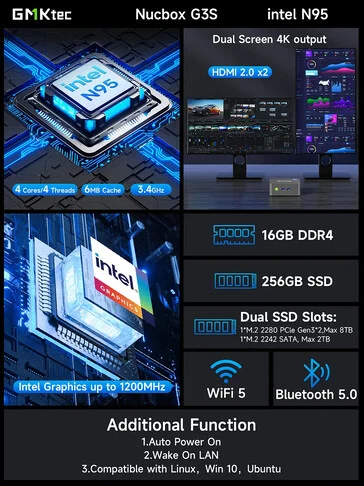
    1. GMKtec launched the budget-friendly NucBox G3S mini PC, priced at $139.99 for the base model.
    2. The NucBox G3S features Alder Lake architecture and is powered by the Intel N95 processor.
    3. It offers two configuration options: 8 GB RAM with 256 GB storage or 16 GB RAM with 512 GB SSD storage.
    4. The mini PC has two M.2 slots for storage expansion, supporting up to 10 TB total, with specific compatibility for SATA and PCIe drives.
    5. Connectivity includes WiFi 5, Bluetooth 5.0, and multiple ports, along with support for dual-display outputs and VESA mounting.


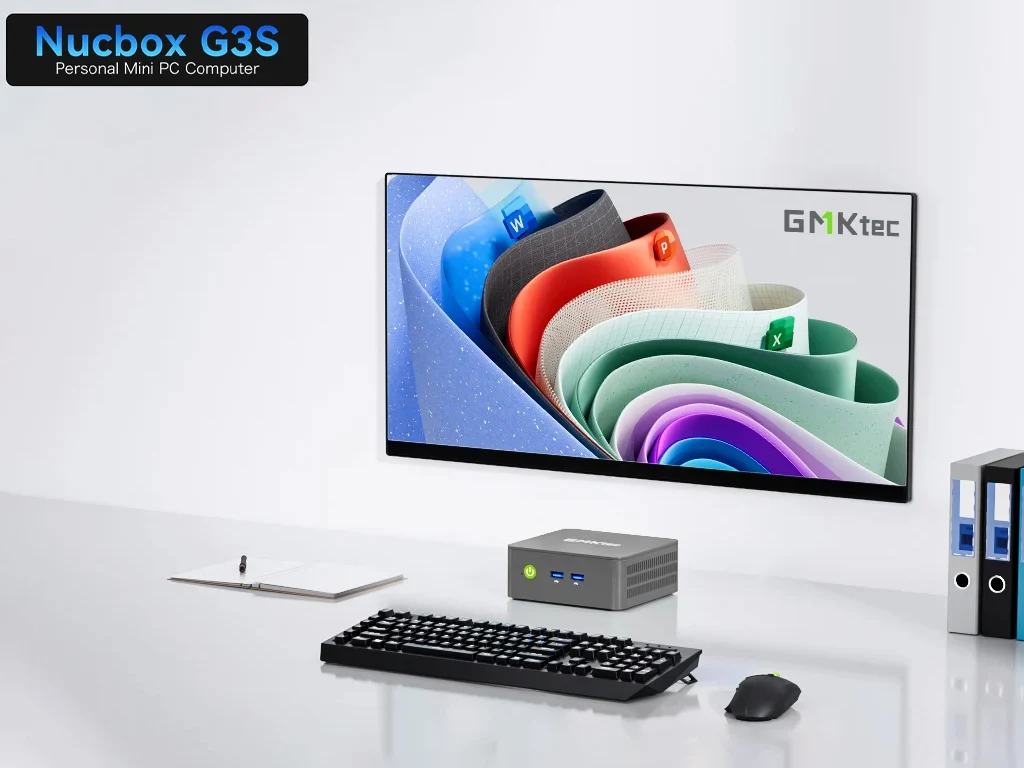
    GMKtec has launched a new budget-friendly mini PC aimed at the worldwide market, called the NucBox G3S. This system is built on the Alder Lake architecture and is powered by the older Intel N95 processor. The starting price for this entry-level PC is $139.99, while there is another version available for $159.99 directly from the official website.

    Configuration Options

    The cheaper option comes with 8 GB of DDR4 RAM and 256 GB of storage, whereas the more expensive model upgrades the RAM to 16 GB and increases the storage to 512 GB SSD. It’s interesting to note that you can expand the storage capacity to as much as 10 TB using the two M.2 slots available. However, one of those slots is a SATA type, which can accommodate up to a 2 TB 2242 SSD, while the other can fit up to an 8 TB PCIe 3.0 2280 drive (currently, a 2 TB Crucial T705 is priced at $159.99 on Amazon).

    RAM and Connectivity

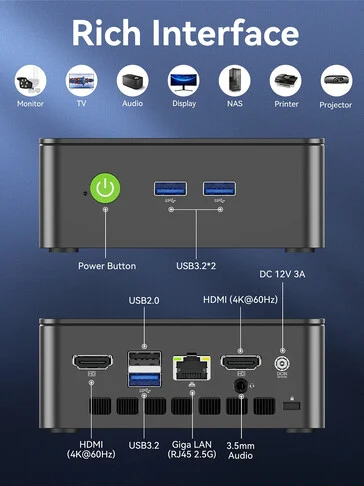
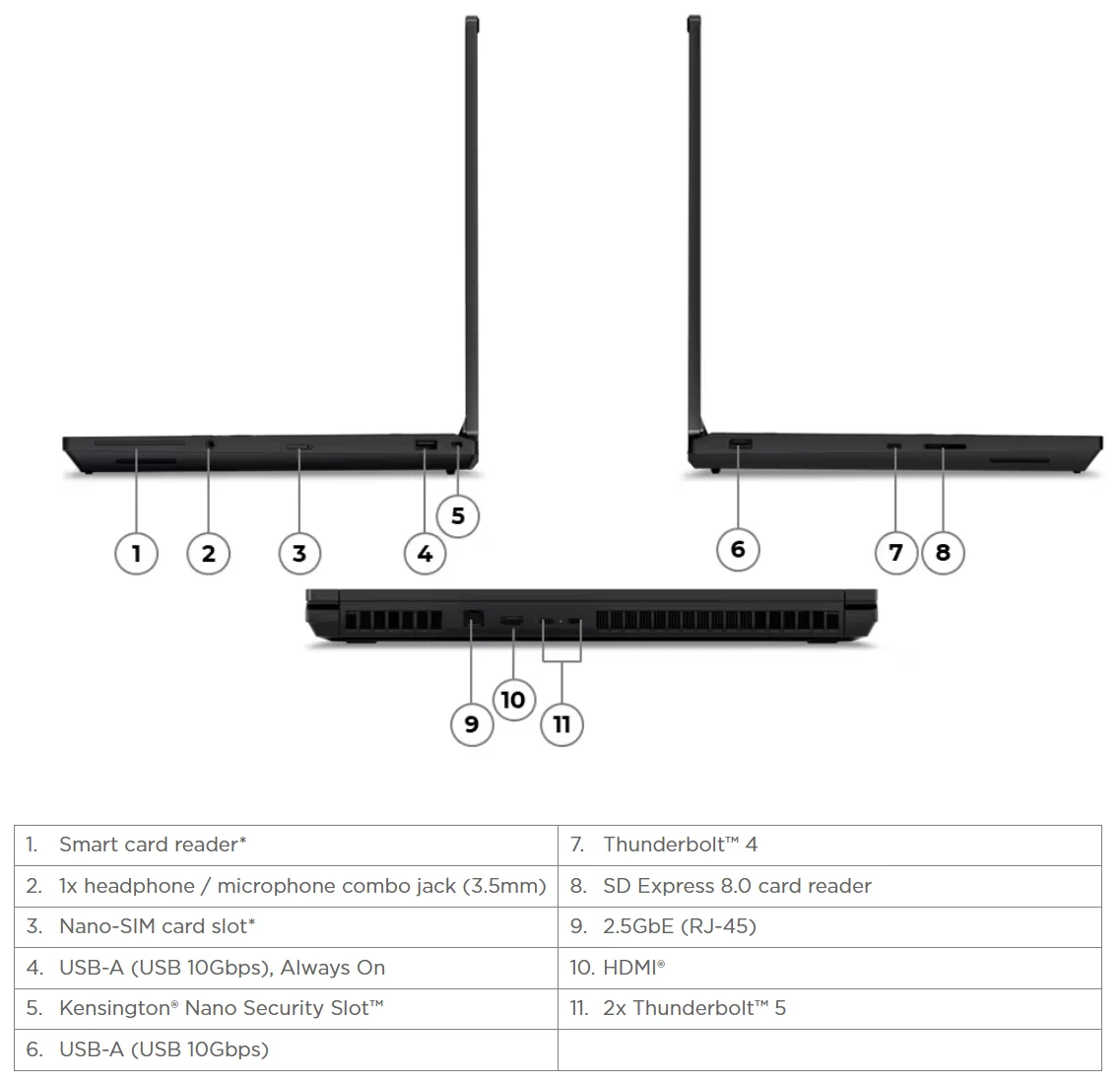
    The maximum RAM the mini PC can support is 16 GB. Even though the GMK G3S has a compact and smaller design, it offers a good variety of ports. Specifically, it includes the following configuration of ports:

    For wireless communications, the mini PC is equipped with WiFi 5 and Bluetooth 5.0. Some other notable features of the GMK NucBox G3S include support for VESA mounting, a quiet cooling system, and the ability to handle dual-display outputs. Take a look at the images below for more details about this system.


  • Lightweight FydeOS 21.0: A Must-Have for Chromebook Fans

    Lightweight FydeOS 21.0: A Must-Have for Chromebook Fans

    Key Takeaways

    1. FydeOS has evolved from Flint OS, a fork of ChromiumOS, and is now at version 21.0 “Sunlit Epiphany.”
    2. The new release includes performance and security updates based on an upgraded ChromiumOS foundation.
    3. Enhanced search functionality in the Launcher is one of the key new features.
    4. FydeOS 21.0 is available in four versions: for PC, VMware, SBCs, and a unique “for You” edition.
    5. The OS is generally free for home users, but some premium features require payment.


    With ten years of development behind it, FydeOS has evolved from its origins as a fork of the open-source ChromiumOS. Initially, it was designed specifically for Raspberry Pi devices and was called Flint OS. The new version, FydeOS 21.0 “Sunlit Epiphany,” was released yesterday and features the latest updates for performance and security based on its ChromiumOS foundation, which has been upgraded from r132 to r138. However, there is much more included in this new release than just the core platform update.

    New Features and Improvements

    The official blog post detailing this release (check the link below the video at the article’s end) mentions several exciting highlights for FydeOS 21.0. One of the most notable changes is the improved search functionality in the Launcher.

    Versions Available for Download

    For those looking to give FydeOS a go, it is offered in four distinct versions: one for PC, one tailored for VMware, one for SBCs, and a unique “for You” edition. You can find the downloads on the corresponding webpage. FydeOS is generally available for free to home users, though there are some premium features like enhanced support and advanced control options that come with a cost.

    Source:
    Link


  • Lenovo ThinkPad T16g Gen 3: 16-inch Laptop with RTX 5090 & 128GB RAM

    Lenovo ThinkPad T16g Gen 3: 16-inch Laptop with RTX 5090 & 128GB RAM

    Key Takeaways

    1. Lenovo unveiled new ThinkPad laptops at IFA 2025, including the ThinkPad X9 Aura Edition, ThinkPad P16 Gen 3, and ThinkPad P1 Gen 8.
    2. The ThinkPad T16g Gen 3 was revealed, resembling the P16 Gen 3 but with different graphics options.
    3. The ThinkPad T16g Gen 3 is powered by Intel Core Ultra 200HX processors and can support up to 128 GB DDR5 RAM and 12 TB of storage.
    4. It features consumer-grade GeForce RTX 50 graphics, with options for GeForce RTX 5080 or 5090.
    5. The ThinkPad T16g Gen 3 is not yet available for purchase, and more information can be found on Lenovo’s official website.


    Lenovo unveiled a variety of ThinkPad laptops earlier this month at IFA 2025 in Berlin. The company updated the ThinkPad X9 Aura Edition (currently $1,449 on Amazon) and also launched the ThinkPad P16 Gen 3 and ThinkPad P1 Gen 8, along with several other 14-inch and 16-inch ThinkPad models during the event.

    New Discoveries

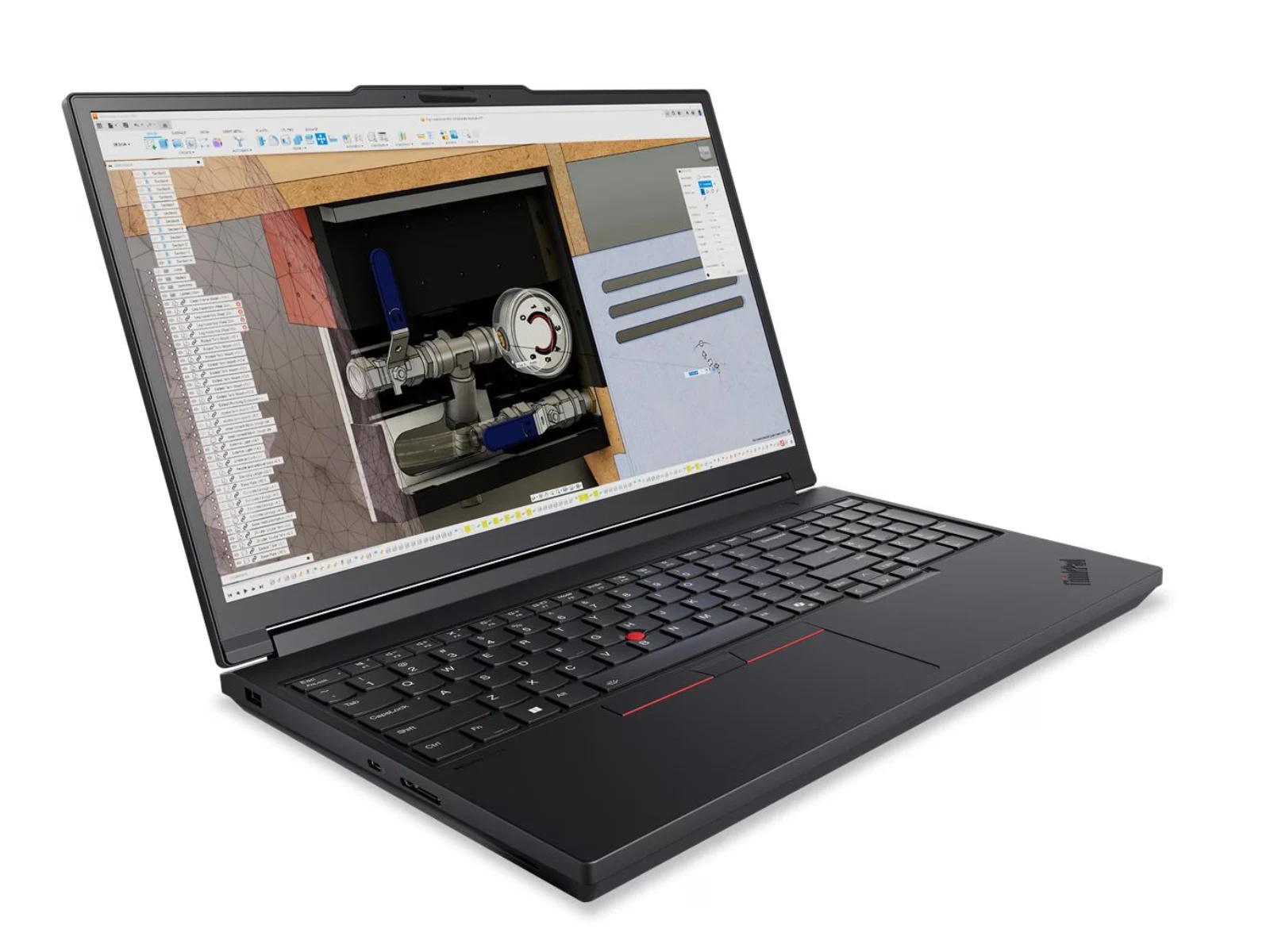
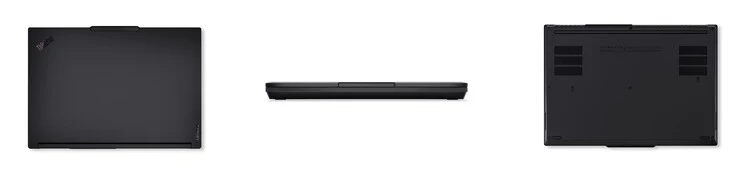
    A few days later, it became clear that Lenovo had the ThinkPad T16g Gen 8 concealed in plain sight, having mentioned it in a leak from the summer. The company has now rolled out the ThinkPad T16g Gen 3 edition, which was not included in the leak we covered back in July. According to Lonely City Hardware, the ThinkPad T16g Gen 3 looks nearly identical to the ThinkPad P16 Gen 3 but has different graphics inside.

    Specifications and Features

    The ThinkPad T16g Gen 3 is powered by Intel Core Ultra 200HX processors, going up to the Core Ultra 9 285HX. It can also be configured with a maximum of 128 GB DDR5-5600 RAM distributed over four SO-DIMM slots and can hold up to 12 TB of storage via three M.2 2280 slots, with one slot supporting PCIe 5.0 SSDs. Additionally, this laptop comes with a 99.9 Wh battery and supports 180 W USB Type-C charging.

    Graphics and Availability

    Unlike the ThinkPad P16 Gen 3, which has RTX Pro GPUs, the ThinkPad T16g Gen 3 features consumer-grade GeForce RTX 50 laptop graphics. Customers can choose between the GeForce RTX 5080 or GeForce RTX 5090. As of now, Lenovo has not begun selling the ThinkPad T16g Gen 3, and its release partners have also not made it available. More detailed information about this 16-inch laptop can be found on Lenovo’s official website.

    Source:
    Link