Key Takeaways
1. The NanoFlow i2 Air mouse is currently crowdfunding with prices starting at $69 and expected shipping in March.
2. It has compact dimensions of 31 × 39 × 75 mm and weighs only 35 g, making it very portable.
3. The mouse operates quietly, with a noise level of less than 20 dB when clicking.
4. It offers Bluetooth and 2.4 GHz wireless connectivity, with a battery life of up to 40 hours and a 1-hour charging time.
5. The mouse features adjustable sensitivity settings (1,200 to 3,200 DPI) and comes in black and white, but lacks extra buttons like browser navigation keys.
The NanoFlow i2 Air is a small mouse that’s currently looking for supporters through a crowdfunding campaign, with prices starting at $69. However, it’s important for potential supporters to keep in mind the financial risks that come with crowdfunding and to take a close look at the shipping terms and conditions before making any pledges. Those interested may need to exercise some patience as the product is not expected to start shipping until March.
Size and Weight
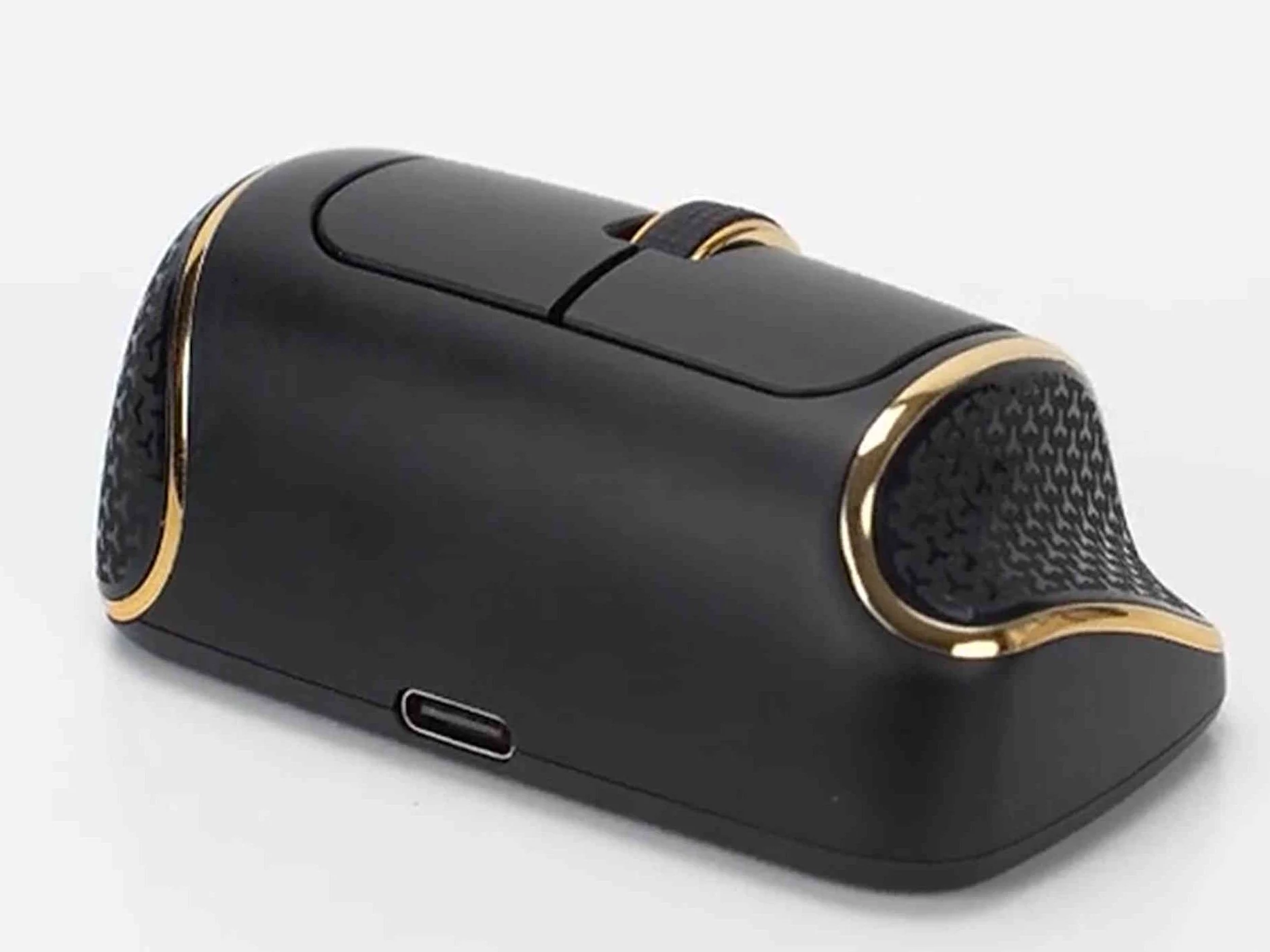
With dimensions of just 31 × 39 × 75 mm (1.22 × 1.54 × 2.95 in) and a weight of 35 g (1.23 oz), the NanoFlow i2 Air is about the size of a charging case for earbuds. Even though it’s small, the mouse is designed to provide good ergonomics. Whether or not it feels comfortable really depends on the user’s personal preference, especially since the fingers don’t actually rest on the body of the mouse but hover just above it.
Features and Connectivity
This mouse operates quietly, making less than 20 dB noise when the main buttons are clicked. It offers both Bluetooth and 2.4 GHz wireless connectivity, which means users can easily switch between two devices. According to the official specifications, the battery can last up to 40 hours and takes around an hour to fully charge. Despite its small size, the mouse is equipped with a scroll wheel, but it does not come with extra buttons like browser navigation keys. The NanoFlow i2 Air is available in black and white colors and allows users to adjust sensitivity settings between 1,200 to 3,200 DPI.
Source:
Link