Tag: iOS 27

  • WWDC: Apple Siri’s iOS 27 Update Prevents AI Bias

    WWDC: Apple Siri’s iOS 27 Update Prevents AI Bias

    Key Takeaway

    – Apple’s Siri AI overhaul uses AFM models and Google Gemini, rolling out in iOS 27 and macOS 27.
    – Apple grounds Siri with explicit instructions that it has no emotions, identity, or personal history.
    – Siri AI gains new capabilities like on-screen context awareness and data analysis from apps.
    – Data encryption remains under Apple’s Private Cloud Compute, not shared with Google or Nvidia.
    – Apple prioritizes keeping Siri a neutral, reliable tool to avoid bias or persona issues seen in other AI.


    Siri AI Gets a Major Overhaul

    Apple has finnaly introduced a long-awaited yet tightly controlled overhaul of Siri, now called Siri AI. It is powered by Apple’s latest Apple Intelligence foundation models and supported by Google Gemini technology at WWDC 2026.

    Rollout and Foundation Models

    Siri AI will roll out in iOS 27 and macOS 27 Golden Gate, featuring three foundational AFM models. Apple is trying to keep Siri tightly controlled to ensure it doesn’t develop its own biases or identities, similar to controversies surrounding other AI agents.

    Key Instructions Baked Into the System

    The very first, somewhat alarming, instructions baked into Siri’s new AI system tell it in clear terms that it is nothing more than software. This information comes from Creative Strat analyst Max Weinbach, who has been testing the upcoming version of Siri via the iOS 27 beta.

    What the Instructions Say

    In his post, he shared the exact instructions Apple gave to Siri. According to Weinbach’s post on X, “You are software; you do not experience emotions or have a physical body, gender, nationality, or personal history.” This reminder appears early in prompts and is reportedly part of most interactions with Siri AI, giving the company consistent grounding no matter what personal or on-screen context Apple’s updated AI assistant draws on.

    Capabilities and Safeguards

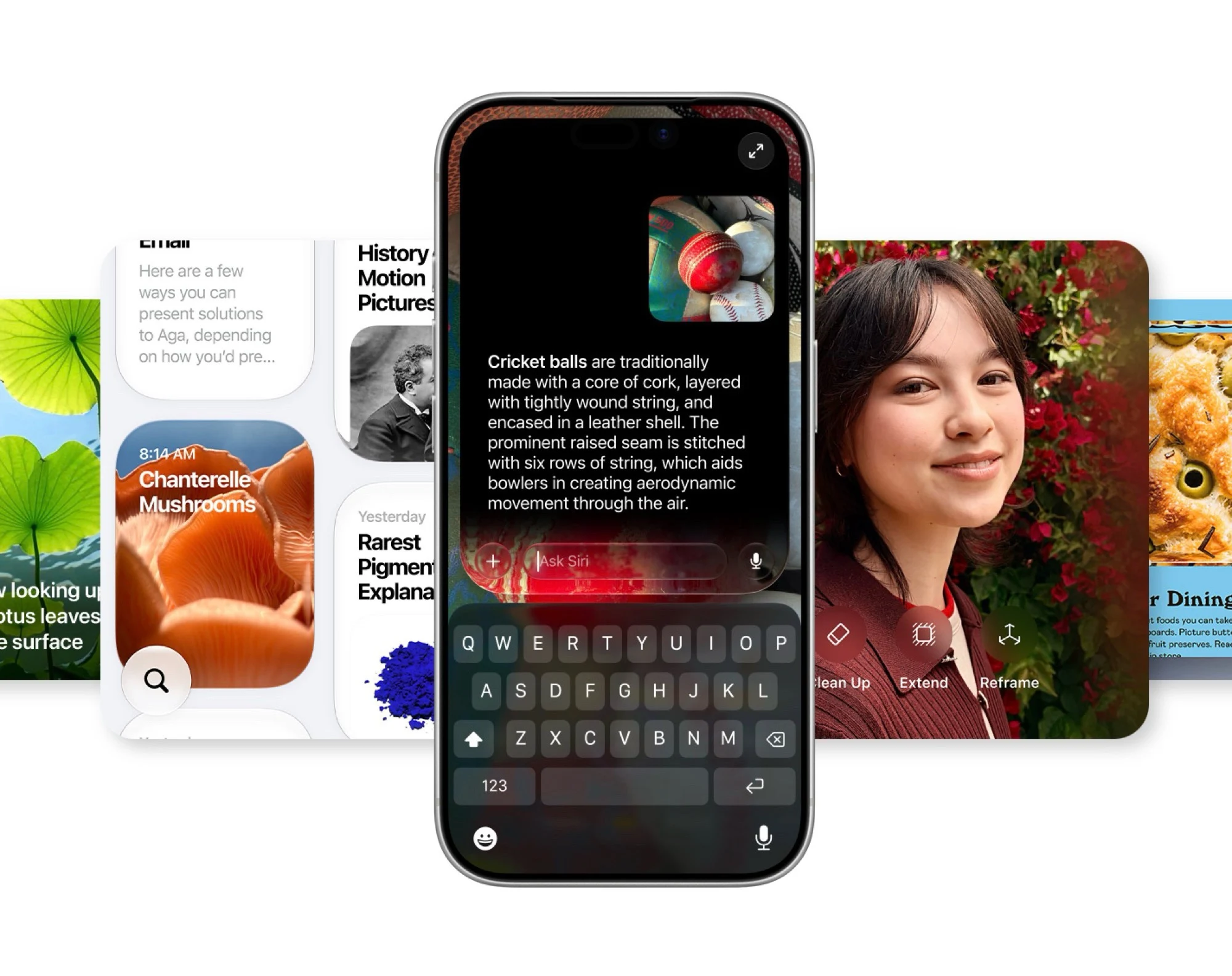
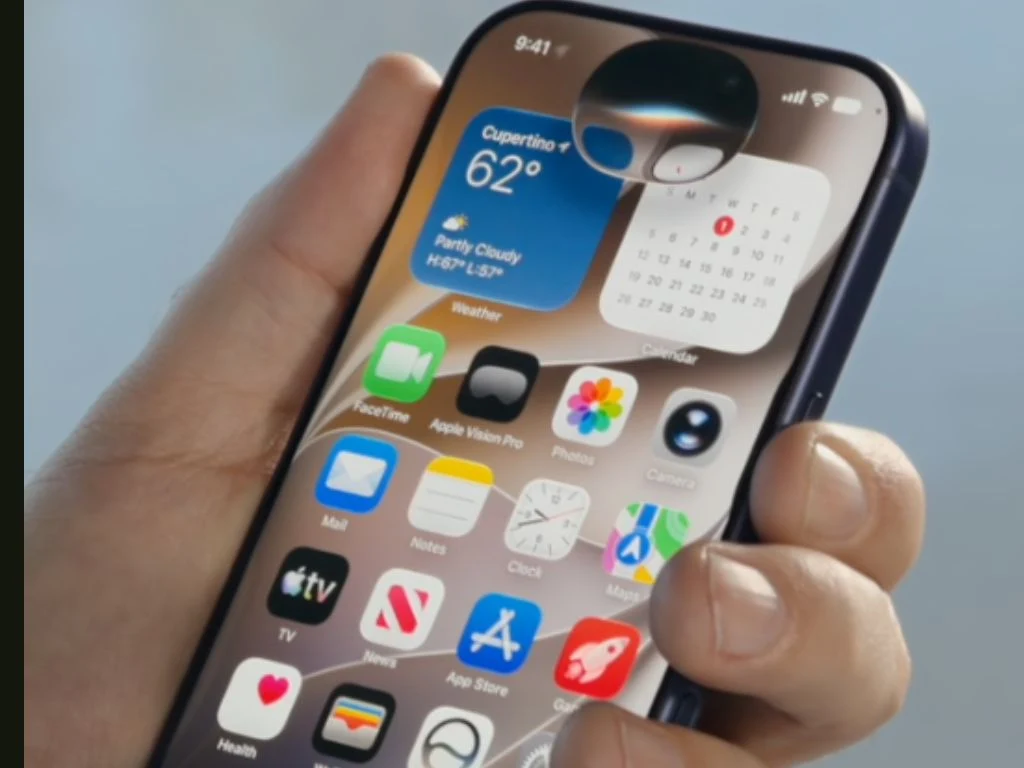
    The added safeguards make sense when you consider what the new Siri AI can do. At WWDC 2026, Apple showed off a much more feature-rich version of Siri, which hides in the Dynamic Island, actively understands the on-screen context, and analyzes and extrapolates data from photos, personal information, Messages, Mail, and more to perform tasks more accurately.

    Apple’s Description and Privacy

    Apple has called the new Siri AI update “a profoundly more capable and personal assistant.” All data encryption is handled by Apple Intelligence features and will not be shared with Google Gemini or Google Cloud, or with Nvidia, which powers the cloud infrastructure via its flagship Blackwell B200 GPUs. To prevent Siri from ever going rogue, Apple emphasizes that Siri has no emotions, identity, or backstory, helping ensure the assistant remains helpful and neutral even with full access to your data, which is protected by Apple’s Private Cloud Compute features.

    Comparison to Other AI Agents

    While other AI agents do at times awkwardly try to adopt a persona, Apple has toned down Siri and kept it tightly controlled to ensure it functions as a reliable tool for getting tasks done. The company first announced Apple Intelligence at WWDC 2024, but failed to impress its investors and audience with the stock dropping nearly 2% after the first day of the conference.
    Sources
  • Apple iPhone Auto-Fix Mode for Software Issues

    Apple iPhone Auto-Fix Mode for Software Issues

    Key Takeaway

    – iOS 27 and iPadOS 27 will introduce a macOS-style recovery mode, eliminating the need for a PC or Mac.
    – Devices in recovery mode can connect to a known Wi-Fi network and display battery status.
    – Options include installing updates, erasing data, activating PC-supported recovery, and remote diagnostic access for Apple Support.
    – A “Recovery Assistant” will automatically detect and attempt to fix known software errors.
    – To enter recovery mode, hold the power button until the menu appears, instead of releasing it at the Apple logo.


    Revolutionizing iPhone and iPad Repairs

    If an iPhone or iPad can no longer be switched on due to a critical software error, it can be restored using the so-called recovery mode. Up until now, the device had to be connected to a PC or Mac in order to be reset either via the Finder in macOS or via the Apple Devices app on Windows computers.

    iOS 27 and iPadOS 27 Bring Built-In Recovery

    This will change with iOS 27 and iPadOS 27, as the next major operating system versions, which are expected to be released in the fall, will include a macOS-style recovery mode. If a device such as the Apple iPhone 17 is booted in this mode, a menu with a range of options appears. The iPhone automatically connects to a known Wi-Fi network, if available, and displays the remaining battery charge in the status bar. Buttons at the top of the screen allow you to set the language and restart the iPhone.

    New Recovery Options and Assistant Features

    The recovery options also make it possible to install a software update, delete all data from the iPhone, activate the older, PC-supported recovery mode or start a diagnostic mode via which Apple Support can access the device remotely. The so-called “Recovery Assistant” is designed to automatically detect known software errors and attempt to rectify them. To boot an iPhone in recovery mode, it must be switched on using the power button, whereby the button is held down instead of releasing it as usual as soon as the Apple logo appears.

    • Install software updates directly without a computer
    • Delete all data and settings from the device
    • Activate the traditional PC-based recovery mode
    • Run diagnostic mode for remote Apple Support access

    How to Activate the New Recovery Mode

    When you boot the iPhone in this mode, the device will automaticly connect to a known Wi-Fi network if one is present. The status bar will show the remaining battery charge. There are buttons at the top of the screen that let you change the language and restart the phone. The Recovery Assistant tries to detect any known software issues and fix them autonmatically, which makes the process much simpler for users who dont have a computer handy.


  • Apple uses Siri AI as anti-EU tool to push DMA exemption

    Apple uses Siri AI as anti-EU tool to push DMA exemption

    Key Takeaway

    – Apple introduced iOS 27 with new AI features led by Siri AI, which can access screen content, apps, and the iPhone camera.
    – In the EU, Siri AI is not available on iPhone or iPad due to the Digital Markets Act, only on Mac, Apple Watch, and Apple TV.
    – Apple claims the EU refused to cooperate on security/privacy, while the EU says Apple chose not to offer the feature.
    – Apple applied for an 18-month exemption that was rejected, and is reportedly working on an EU-compliant solution behind the scenes.


    Apple’s newest iOS 27 update hits iPhones hard

    On Monday, Apple has revealed iOS 27, the next major operating system update for smartphones such as the iPhone 17. In addition to performance optimizations and minor design adjustments, the update primarily introduces new AI features, led by Siri AI. Apple’s new chatbot is strongly reminiscent of products such as ChatGPT, including its own app, whereby Siri AI can also access the screen content, installed apps and the iPhone’s camera.

    Siri AI blocked in Europe for iPhones

    In the EU, however, Siri AI is only available at launch on the Mac, the Apple Watch and on Apple TV, but not on the iPhone or iPad, the platforms that the EU considers to be “gatekeepers” due to their large market share. According to Apple, the EU refused to work constructively with the iPhone manufacturer to find a way to offer Siri AI in the EU without compromising the security and privacy of users. Reuters now quotes a spokesperson for the European Commission as saying that it would be solely Apple’s decision not to offer Siri AI in the EU.

    Apple blames Brussels for the AI gap

    Instead of finding a viable solution that meets the requirements of the Digital Markets Act, Apple would have simply applied for an exemption valid for at least 18 months, which the Commission unsurprisingly rejected. The fact that Apple is choosing to incite customers against the EU’s policy and spread propaganda instead of developing a compliant solution is a strategy that the company has been pursuing for a long time, probably in the hope of influencing EU antitrust law. Behind the scenes, however, an EU-compliant solution is clearly already in the works, because as the screenshot embedded below shows, the Siri app can already integrate third-party chatbots.


    Sources
  • Apple AI requires 12GB RAM and subscription only

    Apple AI requires 12GB RAM and subscription only

    Key Takeaway

    – Apple Intelligence is region-restricted: unavailable on EU iPhones/iPads, but functional on Macs with English settings.
    – Full AI features require high-end hardware: at least iPhone 17 Pro, iPad with M4, or Mac with M3 and 12GB+ RAM.
    – On-device Foundation model supports core features (e.g., Siri), while cloud-based tasks (e.g., image generation) use Google Gemini.
    – Daily usage limits apply to cloud AI tasks; an iCloud+ subscription is needed to increase limits.
    – EU users face partial exclusion, though some AI features (e.g., photo editing) remain accessible in the region.


    While iOS 27, iPadOS 27 and macOS 27 recieve performance improvments and design optimizations, Apple’s focus is clearly on catching up with Windows and Android in terms of artificial intelligence. However, if you want to use all the features, there are three restrictions – region, hardware and subscription requirements.

    Regional and EU Limitations

    Apple once again leaves the European Union out of the equation, at least to some extent. This is because users from the EU cannot use Apple’s chatbot on the iPhone or iPad for the time being. Interestingly, however, this does not apply to the Mac – if you switch macOS 27 to English, you can also use Siri AI in Europe. Other Apple Intelligence features, such as the ability to edit photos using AI, are also available in the EU.

    Hardware Requirements and RAM Needs

    Apple Intelligence is still available on the iPhone 15 Pro (Max), on the iPhone 16, on Macs and iPads with Apple M1, on the MacBook Neo and on all newer models. However, if you want to use all the features, you need significantly more modern hardware, namely at least an iPhone 17 Pro (Max), an iPhone Air, an iPad with Apple M4 or a Mac with Apple M3 and at least 12 GB RAM.

    Due to the RAM requirements, even the iPhone 17 is missing from this list. Those who meet these requirements can make use of Apple’s new Foundation model, which runs directly on the device instead of on a server. At least for now, this model is only required for a few features, such as Siri’s more natural voice, which can be personalized.

    Cloud Subscription and Usage Limits

    Not all AI features can be executed directly on the end device. Those who generate images, for example, do not use Apple’s Foundation model, but Google Gemini. For this reason, there are daily usage limits for these features. An iCloud+ subscription is required to generate more images. The same applies to AI object recognition for smart home cameras in Apple Home. Apple has not yet confirmed which limits apply to which subscriptions.

    • Apple (1) (2)


  • Apple iOS 27 leaks iPhone Ultra UI, foldable hints in code

    Key Takeaway

    – iOS 27 code reveals hinge detection (“foldState”, “mechanicalAngleDegrees”) for a foldable iPhone Ultra.
    – References to a second display, second glass cover, and two extra ambient light sensors.
    – Wider mirrored display on Mac suggests a foldable, iPad-like two-column interface.
    – Full-screen widgets may use only half the folded display on the iPhone Ultra.
    – Earlier rumors of a 2025 iPhone Ultra launch gain credibility from these iOS 27 clues.


    iOS 27 hints at foldable iPhone Ultra features

    Apple anounced iOS 27 on Monday, the next major operating system version for the iPhone, which is expected to be released in the fall. Developers can already install a beta version on compatible smartphones such as an iPhone 17, and have therefore already been able to take a look at the code.

    Coding references reveal hinge and dual display support

    As Bloomberg and 9to5Mac report, it contains several references to the iPhone Ultra, which is to be announced in September together with the iPhone 18 Pro. The iOS 27 code contains the terms “foldState” and “mechanicalAngleDegrees”, meaning that the iPhone operating system recognizes when a hinge is closed, similar to how macOS already does. According to Bloomberg, a service utility also indicates a second display, a second glass cover and two additional ambient light sensors.

    • Terms like “foldState” and “mechanicalAngleDegrees” found in code
    • Hinge closure detection similar to macOS
    • Second display and two extra ambient light sensors expected

    User interface elements hint at larger, foldable screen

    There are even references to the iPhone Ultra in the user interface. When an iPhone display is mirrored on a Mac, it can now be drawn wider, making the two-column user interface more reminiscent of an iPad than an iPhone. The new full-screen widgets, which for example display the music or weather app on an entire iPhone home screen, could also be intended for the iPhone Ultra, on which they would only take up half of the folded display. These new clues from iOS 27 lend credibility to earlier rumours that the iPhone Ultra will be launched this year.


  • Best iPhones, iPads, Macs & Apple Watches Getting Next OS Update

    Best iPhones, iPads, Macs & Apple Watches Getting Next OS Update

    Key Takeaway

    – iOS 27 is compatible with all iPhones that supported iOS 26.
    – iPadOS 27 drops support for 2018 iPad Pro models and several older iPads.
    – macOS 27 Golden Gate requires an Apple Silicon Mac; Intel Macs are not supported.
    – watchOS 27 removes support for Apple Watch Series 6-9 and Ultra 1.
    – Only iPhone users have universal compatibility; iPad, Mac, and Watch users face significant device restrictions.


    Major System Updates Announced at WWDC

    Apple today announced multiple major operating system updates at WWDC, which are expected to be released in the fall. However, who can install iOS 27, iPadOS 27, macOS 27 Golden Gate and watchOS 27 as soon as the updates are available depends heavily on how old the devices used are. There is only really good news for iPhone users.

    iOS 27 Compatiblity

    iOS 27, the next major operating system update for the iPhone, is the only update that runs on all models on which iOS 26 could be installed last year. Specifically, this means that iOS 27 can be installed on the following iPhones:

    • iPhone 15 series
    • iPhone 14 series
    • iPhone 13 series
    • iPhone 12 series
    • iPhone 11 series
    • iPhone XS and XR
    • iPhone SE (2nd generation and later)

    iPadOS 27 Dropped Support

    Software support for the iPad doesn’t look quite as rosy. The 11-inch and 12.9-inch iPad Pro from 2018 will be left behind, as will the eighth-generation iPad, the fifth-generation iPad mini and the third-generation iPad Air. This means that iPadOS 27 is compatible with the following iPad models:

    • iPad Pro (2020 and later)
    • iPad Air (4th generation and later)
    • iPad mini (6th generation and later)
    • iPad (9th generation and later)

    macOS 27 Golden Gate Requirements

    macOS 27 Golden Gate can be installed on all Macs with a Apple processor, but not on a single model with an Intel chip, so all devices sold before 2020 will no longer receive feature updates. The following Macs are compatible:

    • MacBook Air (2020 and later)
    • MacBook Pro (2020 and later)
    • Mac mini (2020 and later)
    • iMac (2021 and later)
    • Mac Pro (2023 and later)
    • Mac Studio (2022 and later)

    watchOS 27 Very Limited Devices

    The compatibility cuts hit the Apple Watch particularly hard. While watchOS 26 could still be installed on the Apple Watch Series 6, 7, 8 and 9 as well as on the Apple Watch Ultra 1, Apple is removing support for all four generations, meaning that watchOS 27 will only run on very few smartwatches:

    • Apple Watch Series 10
    • Apple Watch Ultra 2
    • Apple Watch SE (3rd generation)


    Sources

  • Apple iOS 27: Faster iPhones, Liquid Glass & Siri Upgrade

    Apple iOS 27: Faster iPhones, Liquid Glass & Siri Upgrade

    Key Takeaway

    – iOS 27 supports all iPhones from iPhone 11 to iPhone 17, with a revised CPU scheduler improving fluidity on older models.
    – Apps launch up to 30% faster due to RAM preloading, AirDrop is 80% faster, and iCloud photo uploads are accelerated.
    – New AI features include “Siri AI” with conversational ability, screen and app access, and a dedicated app for reviewing chats.
    – Enhanced parental controls allow blocking apps/websites/contacts and automatic blocking of violent content in Messages.
    – The camera app adds panoramic depth data for 3D viewing on Apple Vision Pro and a “Siri mode” for AI interactions.


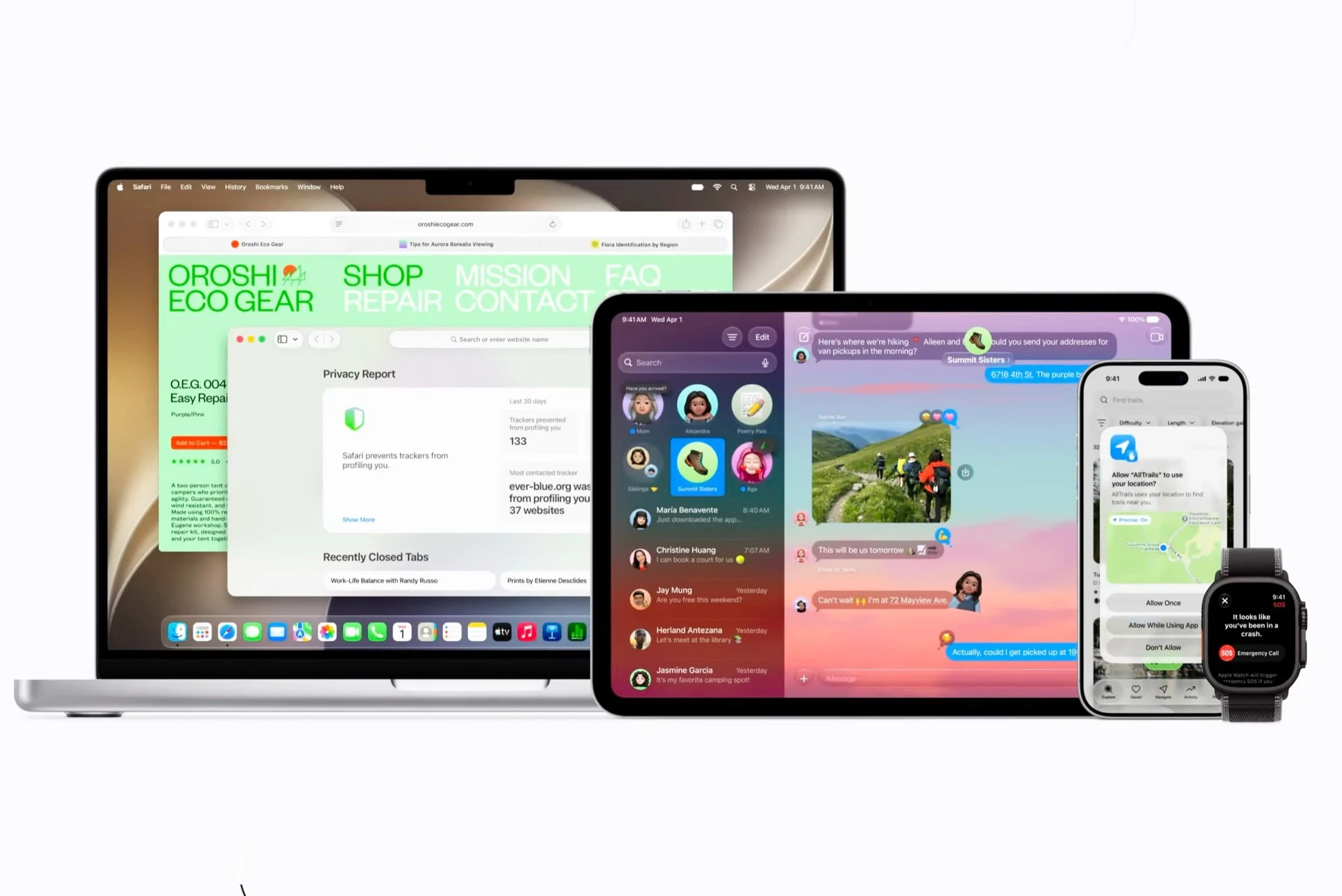
    Together with macOS 27 Golden Gate, Apple also unveiled iOS 27 today. The next major operating system update for Apple’s smartphones will be released for every iPhone that also runs iOS 26, meanin that the operating system is compatible with all models from the iPhone 11 to the iPhone 17. Older smartphones should benefit particularly strongly from the new operating system, as Apple has revised the CPU scheduler, which should make the system feel more fluid.

    Performance and Speed Upgrades

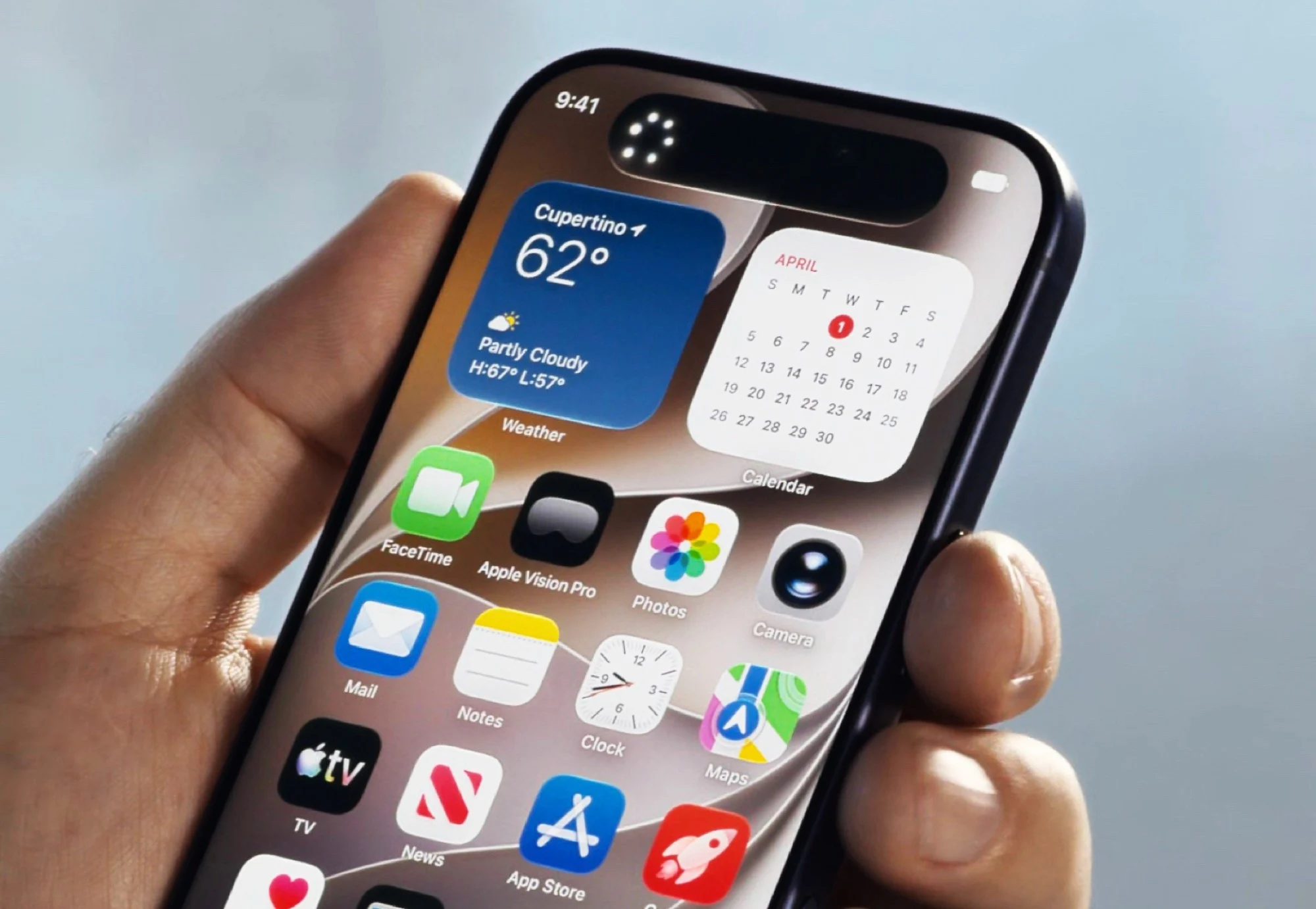
    As important app data is preloaded into the RAM, apps should start up to 30 percent faster – and this also applies to third-party apps. AirDrop file transfers should be completed 80 percent faster, and uploading photos to iCloud should also be faster than ever before. Apple revises the “Liquid Glass” design introduced last year, and not only introduces revised app icons and extra-large home screen widgets, but above all a setting that allows users to choose how transparent Apple’s “glass” actually is.

    Revamped Search and Camera Tools

    The system-wide Spotlight search is designed to index the content of various file types more reliably and find this data more quickly. The camera app has been given the option to record panoramas with depth data so that they can be viewed in 3D with Apple Vision Pro. Another new feature is the ability to adjust the sound of AirPods to your own preferences using an equalizer.

    Parental Controls and Safety

    Improved parental control options make it possible to set which apps, websites and contacts children are allowed to use. If the child wants to use a new app or website, a parent can be asked for permission at the touch of a button. Violent photos or videos should be automatically blocked in Apple Messages.

    Advancements in Apple Intelligence

    As befits tech giants in 2027, Apple has also announced new AI features. Apple Intelligence will offer more features than ever before in iOS 27 and will be able to access both the screen content and the features of the currently open app to simplify interactions. Apple combines an improved Large Language Model that runs locally on the iPhone with Google Gemini, but still wants to protect users’ data.

    Introducing Siri AI

    The highlight of these new AI features is “Siri AI”, a fundamentally revised version of the voice assistant. Siri AI is more reminiscent of ChatGPT than older versions of Siri, as the assistant can hold conversations and has its own app in which previous conversations can be read up on. As Siri can access the screen content and apps, it can, for example, ask questions about a website or an open photo or enter a route in Google Maps. The camera app gets a “Siri mode” to use these features through the iPhone’s camera. Siri also has a much more natural voice on newer iPhones.


    Sources

  • Mac Studio with M5 Ultra set for WWDC debut

    Mac Studio with M5 Ultra set for WWDC debut

    Key Takeaway

    – iOS 27, iPadOS 27, macOS 27, and watchOS 27 are expected to be announced at WWDC 2026.
    – A new Mac Studio with an Apple M5 Ultra chip is likely to be revealed.
    – The M5 Ultra is rumored to have 36 processor cores and 84 GPU cores (though GPU specs may be inaccurate).
    – It may support up to 512 GB of RAM with over 1,000 GB/s memory bandwidth, making it ideal for AI applications.


    The opening event of the World Wide Developers Conference (WWDC) 2026 begins shortly. Apple traditionally uses WWDC to announce major operating system updates, so iOS 27, iPadOS 27, macOS 27 and watchOS 27 are likely to be revealed. Although the updates are not usually released until September, the announcement in June gives developers some time to optimize their apps for the new operating systems.

    New Hardware Rumours and Chip Details

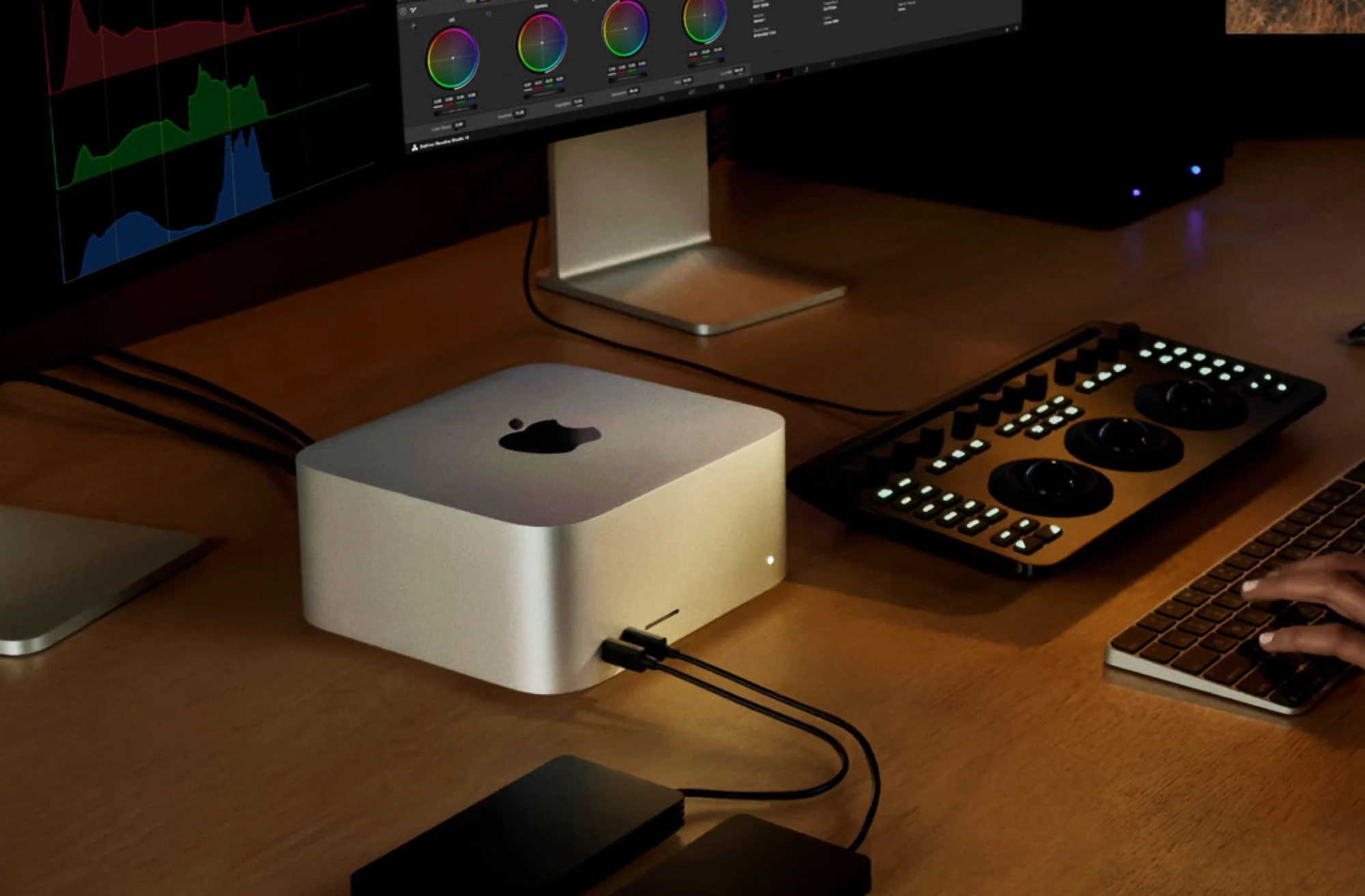
    According to a report by Commercial Times Taiwan, Apple could also announce new hardware, namely a new Mac Studio. The compact desktop computer was previously available either with the Apple M4 Max, or with the older but more powerful Apple M3 Ultra. The top model therefore offers 32 processor cores and a graphics chip with 80 cores.

    Apple M5 Ultra Specifications

    The Apple M5 Ultra, on the other hand, is said to fuse two Apple M5 Max and thus offer 36 processor cores. The Commercial Times reports that the GPU offers 84 cores, but the M5 Max has a maximum of 40 GPU cores, so this information should be viewed with caution.

    The chip is to be offered with up to 512 GB of RAM, which can be accessed by both the processor and the graphics chip, and which is to achieve a memory bandwidth of over 1,000 GB/s. This would make the Apple M5 Ultra perfect for AI applications, offering significantly more RAM than AMD Ryzen Strix Halo or Nvidia DGX Spark or RTX Spark.

    Sources
  • Best Look at Apple’s First Foldable iPhone Ultra Selfie Camera

    Best Look at Apple’s First Foldable iPhone Ultra Selfie Camera

    Key Takeaway

    – The foldable iPhone (potentially named “iPhone Ultra”) will likely launch in a single white color option.
    – It is expected to feature a perfectly round punch-hole cutout for the inner selfie camera.
    – The device is rumored to debut in September alongside the iPhone 18 Pro series.
    – Key specs include a 2nm A20 Pro chip, largest-ever iPhone battery, dual-cam setup, and 5.5” cover/7.8” inner displays.
    – iOS 27 is expected to introduce a hybrid iOS/iPadOS interface for improved foldable app scaling.


    Foldable iPhone Leak Reveals Key Details

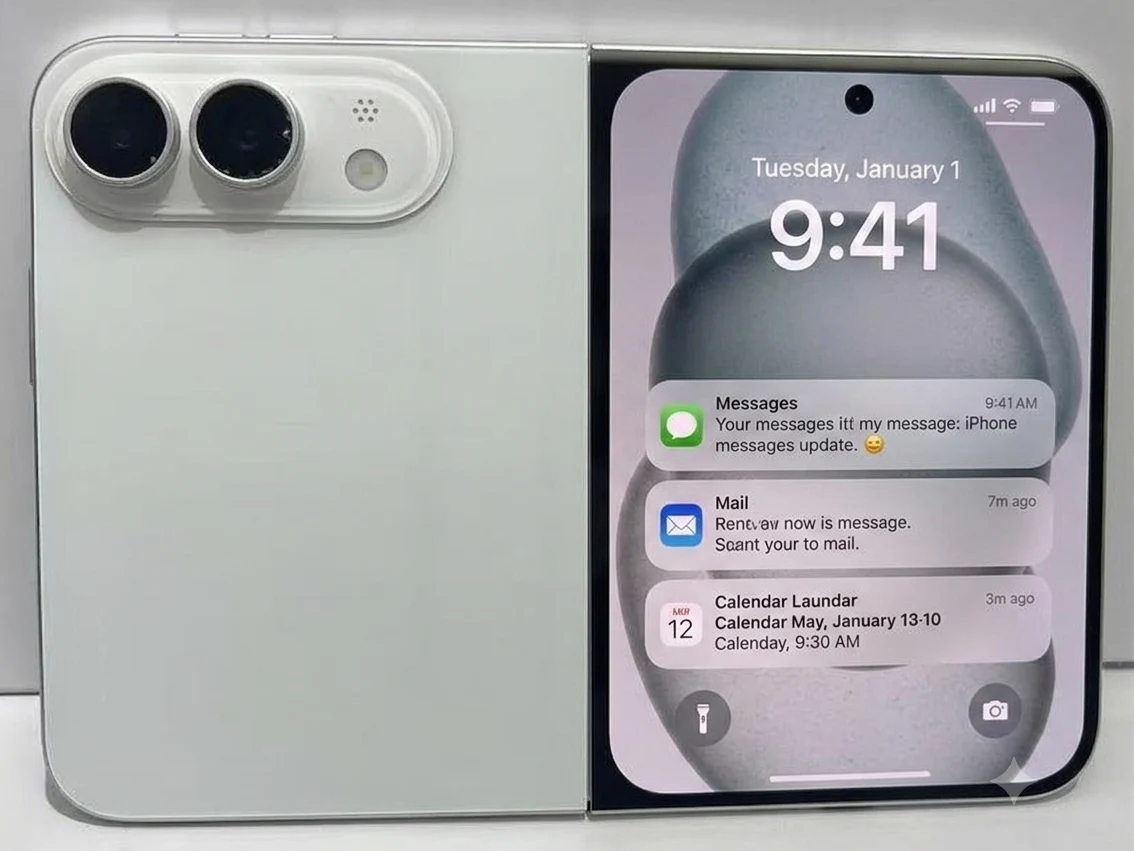
    One of the most prolific leaksters of iPhone and Samsung flagship prototypes has just shared perhaps our best look at what seems to be the closest-to-reality design model of Apple’s first foldable phone, dubbed as the iPhone Ultra. A couple of things about the latest foldable iPhone leak stand out. For starters, the tipster has reiterated that the only color option for the foldable iPhone (that he’s aware of) is white, which builds on recent rumors that Apple has decided to ditch the black variant and stick to only one color.

    Design and Camera Features

    Even though the first foldable iPhone is projected to outsell every other Android foldable once released, it would make sense if Cupertino has decided to keep it simple with its first entry into this (technically) new product category. The other thing that stands out from the live dummy images is the positioning of the inner selfie camera. Now corroborated by a number of leaked design models and schematics, it’s now safe to assume the iPhone Ultra will bring Apple’s first perfectly round punch-hole selfie cutout. Unless there’s a last-minute change.

    Cover Screen and Camera Cutout

    That said, the situation regarding the selfie camera cutout on the cover screen could go either way. Older leaked schematics show a round punch-hole cutout, while the most recent ones show a smaller Dynamic Island cutout similar to what’s expected in the iPhone 18 Pro, which makes more sense for design continuity, and Face ID, of course (although we also expected to see the return of TouchID on the power button). The foldable iPhone is (still) expected to show up alongside the iPhone 18 Pro series in September, featuring the 2nm A20 Pro SoC, the largest-ever battery in an iPhone, a dual-cam system (no telephoto), as well as 5.5-inch cover and 7.8-inch inner displays.

    Software and Event Timing

    Apple is holding its annual WWDC event starts in mere hours, so perhaps we are going to get an early look at iOS 27 for the foldable iPhone? The rumors point to a revamped mashup between iOS and iPadOS, which would make the foldable experience on the iPhone Ultra feel intuitive, with the ability to automatically scale apps not made for foldables. Sonny Dickson has been a reliable source for these kind of leaks in the past, and his latest post adds weight to the anticipation surrounding Apple’s entry into the foldable market.

    Sources
  • Apple unveils new Wallet feature for iPhone 18 Pro soon

    Apple unveils new Wallet feature for iPhone 18 Pro soon

    Key Takeaway

    – iOS 27 Wallet app can scan restaurant bills and split costs per person
    – Split requests are sent via Messages with one-click payment
    – Payments use Apple Cash, currently limited to the USA
    – New feature may not be available or may be limited outside the US
    – No Android version is planned, limiting competition with Venmo


    Wallet App Gets a Smart New Feature for iOS 27

    Bloomberg has now been able to reveal details about a new feature of the Wallet app in advance, after Bloomberg editor Mark Gurman previously revealed information about new camera features and the Siri app. According to the new report, the Wallet app of the Apple iPhone can scan bills via the camera after the update to iOS 27 and split the bill amount between several people.

    How the Bill Splitting Function Works

    For example, if a restaurant bill is scanned, all dishes and drinks, including their price, will be listed separately so that they can be assigned to the respective person. IOS then automatically sends messages to these people, which can be used to pay the corresponding amount with just a few clicks. According to Bloomberg, this function can be accessed either in the Wallet app or in Apple’s Messages app.

    Availability Limited to Apple Cash Users

    To pay the amount, Apple Cash is to be used – a feature that allows money to be easily transferred from one iPhone to another, although this service is currently only available in the USA. This could mean that this new feature for splitting bills will not be offered at all in other regions, or only in a slimmed-down form. In order to seriously compete with apps such as Venmo, Apple would also have to offer a version of this feature for Android smartphones, which is not currently planned, at least according to the Bloomberg report.

    • Scan restaurant bills using the camera in iOS 27
    • List all dishes and drinks with seperate prices
    • Assign each item to a specific person
    • Pay via Apple Cash with automatic messages
    • Feature is currently U.S. only due to Apple Cash limitations
    Sources