

Tag: iPadOS 27

  • Apple iPhone Auto-Fix Mode for Software Issues

    Apple iPhone Auto-Fix Mode for Software Issues

    Key Takeaway

    – iOS 27 and iPadOS 27 will introduce a macOS-style recovery mode, eliminating the need for a PC or Mac.
    – Devices in recovery mode can connect to a known Wi-Fi network and display battery status.
    – Options include installing updates, erasing data, activating PC-supported recovery, and remote diagnostic access for Apple Support.
    – A “Recovery Assistant” will automatically detect and attempt to fix known software errors.
    – To enter recovery mode, hold the power button until the menu appears, instead of releasing it at the Apple logo.


    Revolutionizing iPhone and iPad Repairs

    If an iPhone or iPad can no longer be switched on due to a critical software error, it can be restored using the so-called recovery mode. Up until now, the device had to be connected to a PC or Mac in order to be reset either via the Finder in macOS or via the Apple Devices app on Windows computers.

    iOS 27 and iPadOS 27 Bring Built-In Recovery

    This will change with iOS 27 and iPadOS 27, as the next major operating system versions, which are expected to be released in the fall, will include a macOS-style recovery mode. If a device such as the Apple iPhone 17 is booted in this mode, a menu with a range of options appears. The iPhone automatically connects to a known Wi-Fi network, if available, and displays the remaining battery charge in the status bar. Buttons at the top of the screen allow you to set the language and restart the iPhone.

    New Recovery Options and Assistant Features

    The recovery options also make it possible to install a software update, delete all data from the iPhone, activate the older, PC-supported recovery mode or start a diagnostic mode via which Apple Support can access the device remotely. The so-called “Recovery Assistant” is designed to automatically detect known software errors and attempt to rectify them. To boot an iPhone in recovery mode, it must be switched on using the power button, whereby the button is held down instead of releasing it as usual as soon as the Apple logo appears.

    • Install software updates directly without a computer
    • Delete all data and settings from the device
    • Activate the traditional PC-based recovery mode
    • Run diagnostic mode for remote Apple Support access

    How to Activate the New Recovery Mode

    When you boot the iPhone in this mode, the device will automaticly connect to a known Wi-Fi network if one is present. The status bar will show the remaining battery charge. There are buttons at the top of the screen that let you change the language and restart the phone. The Recovery Assistant tries to detect any known software issues and fix them autonmatically, which makes the process much simpler for users who dont have a computer handy.
     

  • Best iPhones, iPads, Macs & Apple Watches Getting Next OS Update

    Best iPhones, iPads, Macs & Apple Watches Getting Next OS Update

    Key Takeaway

    – iOS 27 is compatible with all iPhones that supported iOS 26.
    – iPadOS 27 drops support for 2018 iPad Pro models and several older iPads.
    – macOS 27 Golden Gate requires an Apple Silicon Mac; Intel Macs are not supported.
    – watchOS 27 removes support for Apple Watch Series 6-9 and Ultra 1.
    – Only iPhone users have universal compatibility; iPad, Mac, and Watch users face significant device restrictions.


    Major System Updates Announced at WWDC

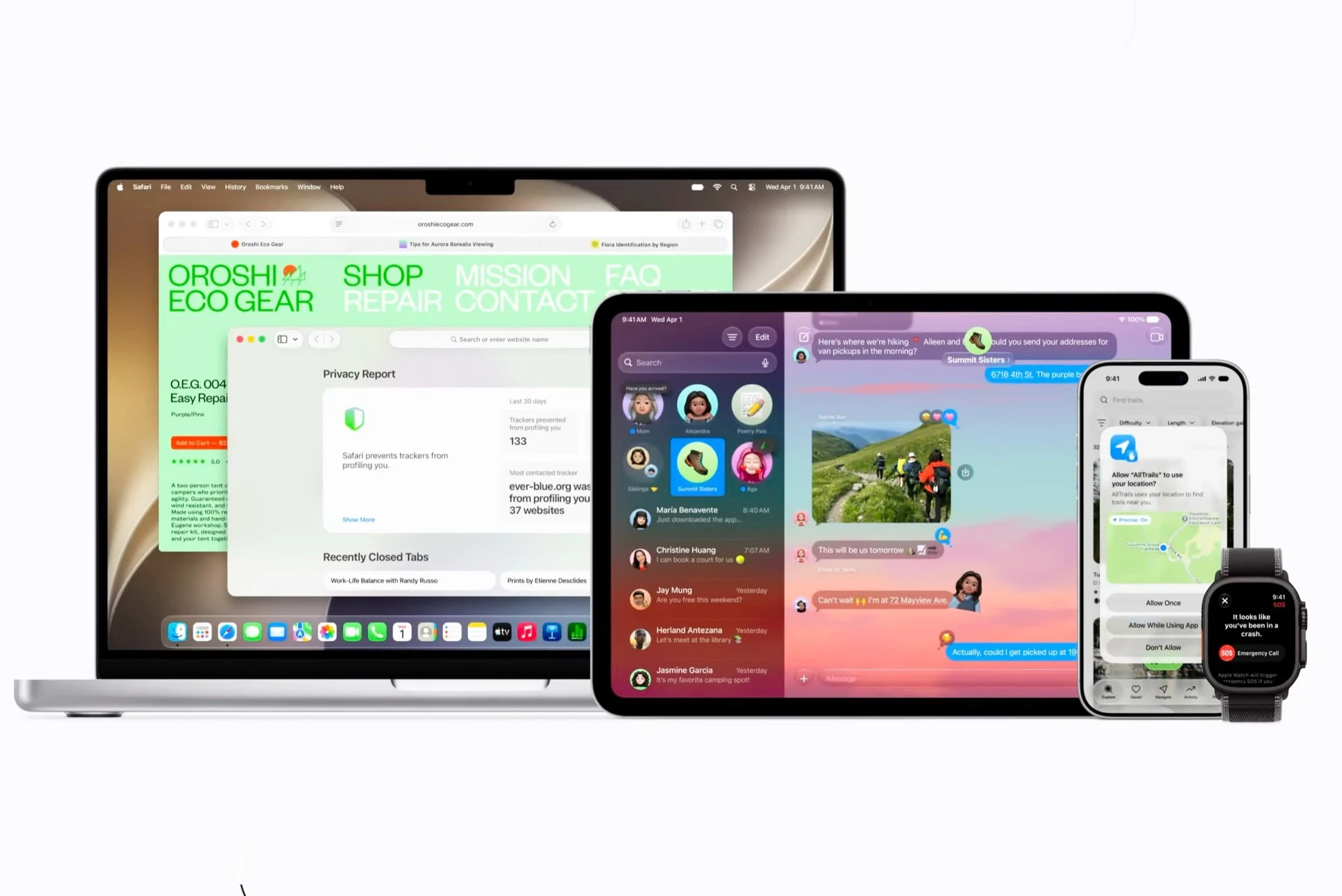
    Apple today announced multiple major operating system updates at WWDC, which are expected to be released in the fall. However, who can install iOS 27, iPadOS 27, macOS 27 Golden Gate and watchOS 27 as soon as the updates are available depends heavily on how old the devices used are. There is only really good news for iPhone users.

    iOS 27 Compatiblity

    iOS 27, the next major operating system update for the iPhone, is the only update that runs on all models on which iOS 26 could be installed last year. Specifically, this means that iOS 27 can be installed on the following iPhones:

    • iPhone 15 series
    • iPhone 14 series
    • iPhone 13 series
    • iPhone 12 series
    • iPhone 11 series
    • iPhone XS and XR
    • iPhone SE (2nd generation and later)

    iPadOS 27 Dropped Support

    Software support for the iPad doesn’t look quite as rosy. The 11-inch and 12.9-inch iPad Pro from 2018 will be left behind, as will the eighth-generation iPad, the fifth-generation iPad mini and the third-generation iPad Air. This means that iPadOS 27 is compatible with the following iPad models:

    • iPad Pro (2020 and later)
    • iPad Air (4th generation and later)
    • iPad mini (6th generation and later)
    • iPad (9th generation and later)

    macOS 27 Golden Gate Requirements

    macOS 27 Golden Gate can be installed on all Macs with a Apple processor, but not on a single model with an Intel chip, so all devices sold before 2020 will no longer receive feature updates. The following Macs are compatible:

    • MacBook Air (2020 and later)
    • MacBook Pro (2020 and later)
    • Mac mini (2020 and later)
    • iMac (2021 and later)
    • Mac Pro (2023 and later)
    • Mac Studio (2022 and later)

    watchOS 27 Very Limited Devices

    The compatibility cuts hit the Apple Watch particularly hard. While watchOS 26 could still be installed on the Apple Watch Series 6, 7, 8 and 9 as well as on the Apple Watch Ultra 1, Apple is removing support for all four generations, meaning that watchOS 27 will only run on very few smartwatches:

    • Apple Watch Series 10
    • Apple Watch Ultra 2
    • Apple Watch SE (3rd generation)


    Sources