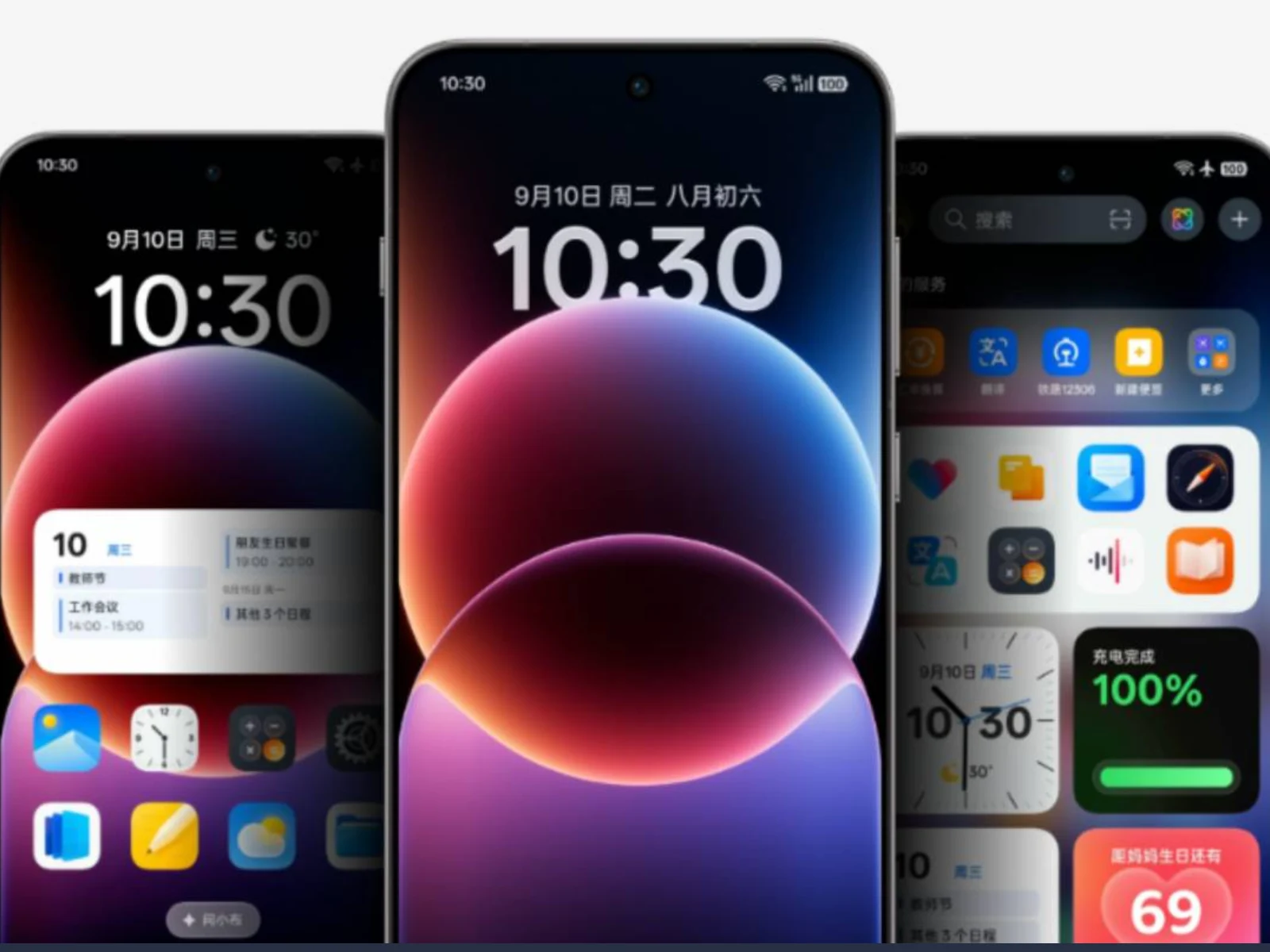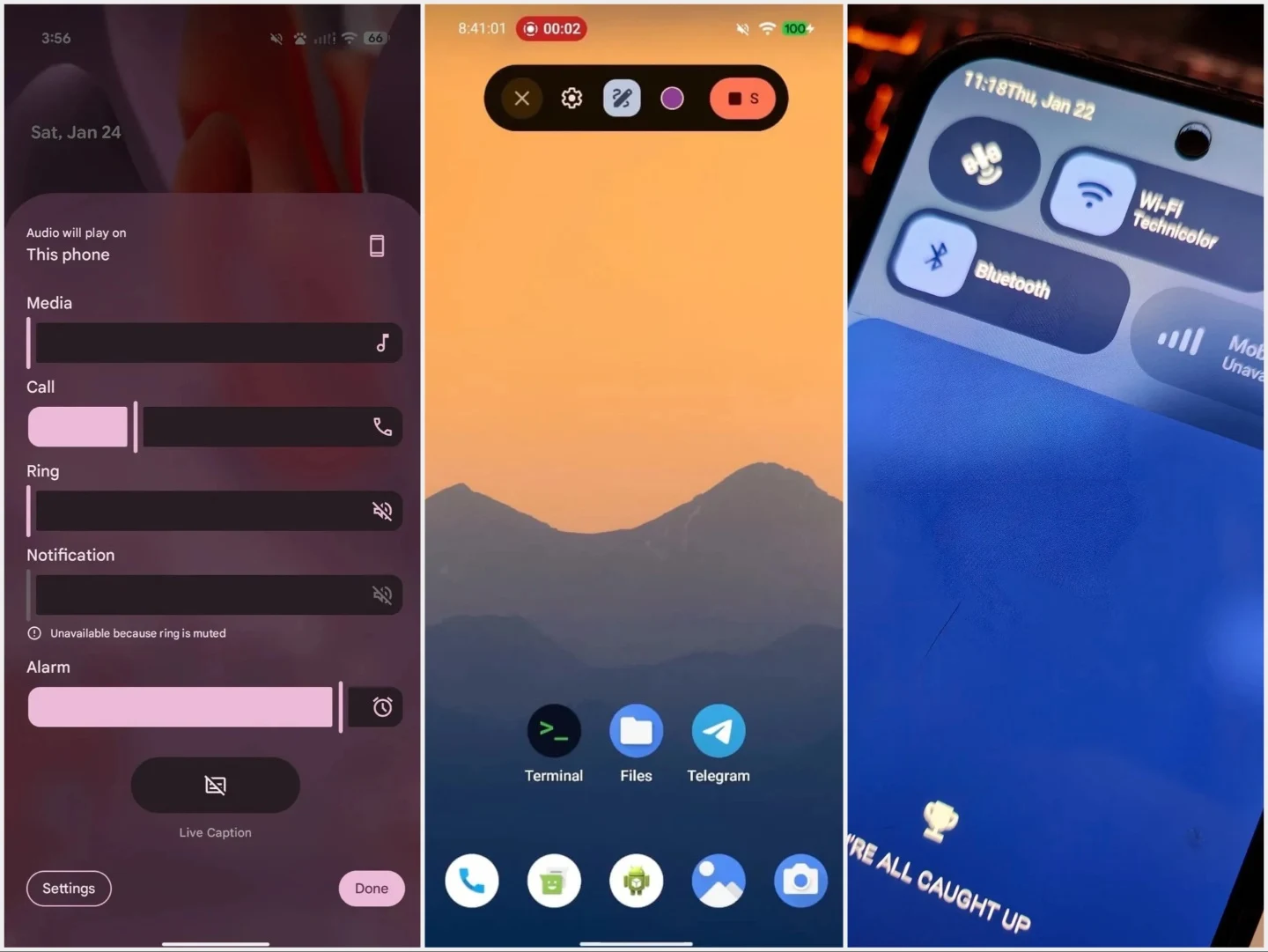
Tag: Android 17

  • Android 17 Simplifies Switching from iPhone to Google Pixel

    Android 17 Simplifies Switching from iPhone to Google Pixel

    Key Takeaway

    – Wireless data transfer via Wi-Fi during setup, no cable required
    – Automatic transfer of passwords, iMessage history, wallpapers, home screen layouts
    – Auto-download of Android-compatible apps and support for third-party app data via API
    – Transfers eSIM, missed calls, notes, calendar entries, and Google Account
    – Works without extra apps, but initially limited to select Android 17 devices


    Seamless Switching Between Ecosystems

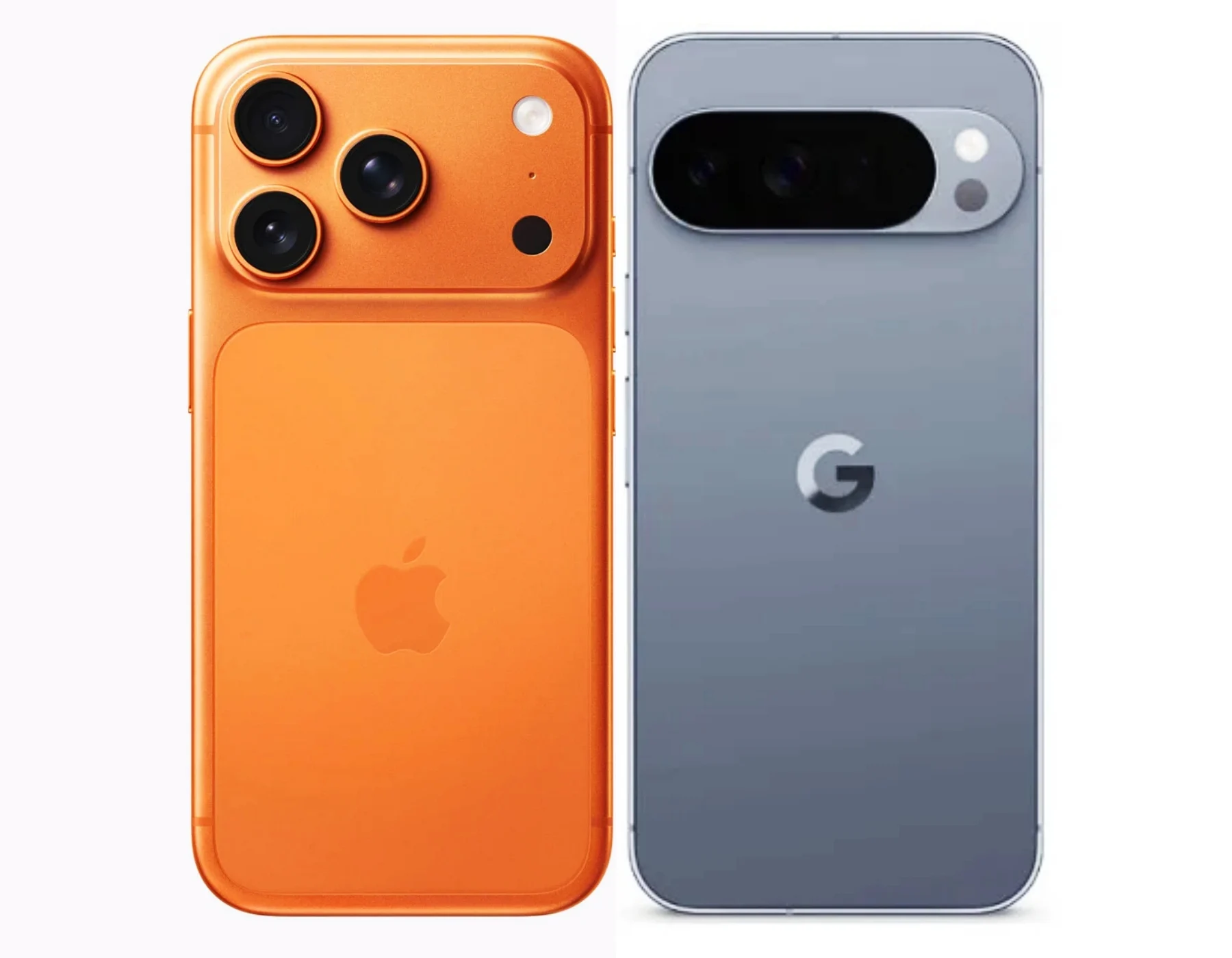
    Apple and Google have been working for years to make it easier to switch from an Android smartphone to an Apple iPhone, and vice versa, though not entirely of its own volition, since many of these features were developed only under pressure from the European Union. Apple recently released an update to iOS 26.3, introducing significant improvements in this regard. With Android 17 , Google is now following suit.

    What The New Migration Process Looks Like

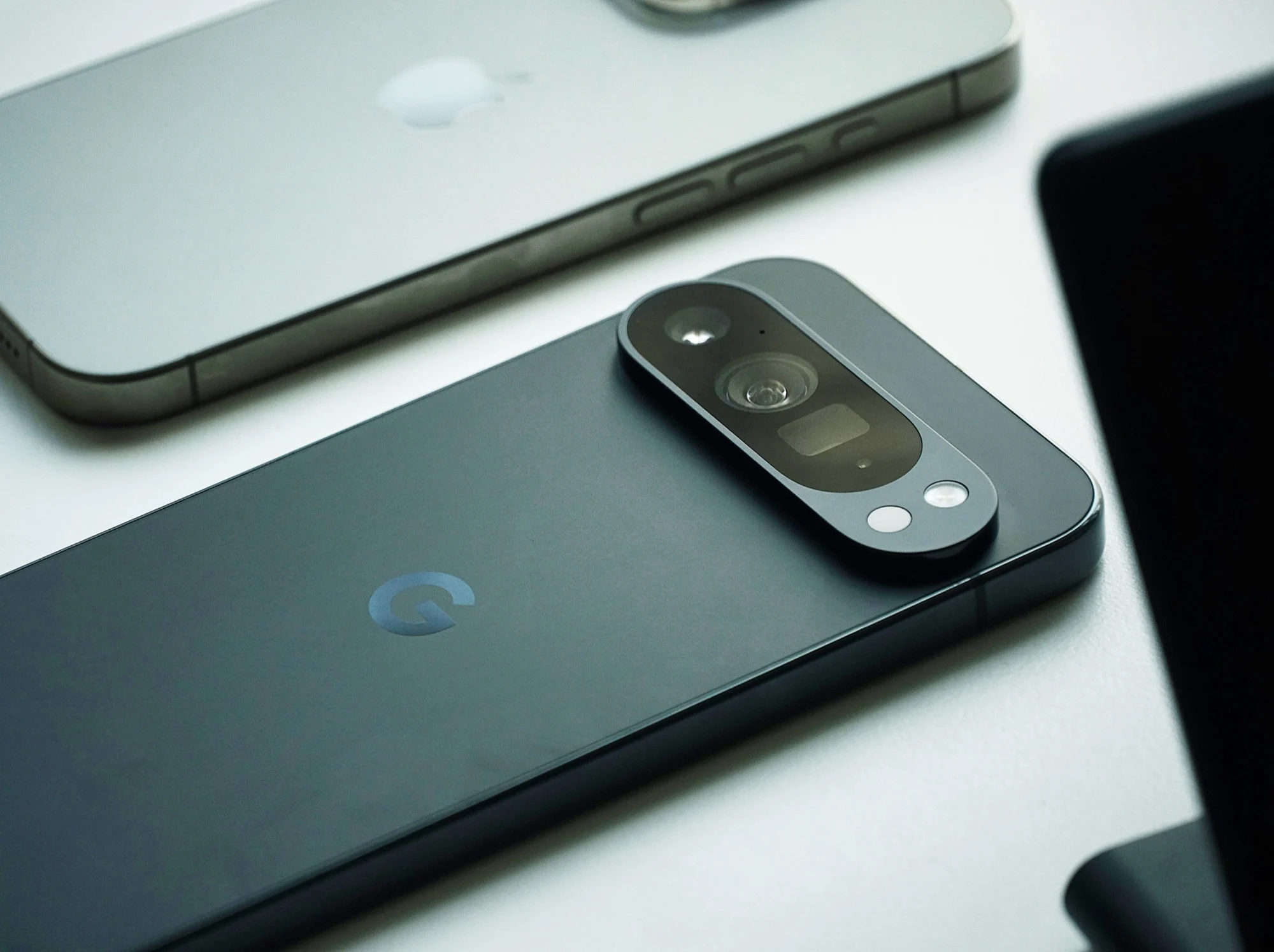
    Paul Dunlop, manager of the Android onboarding team at Google, has now broken down the improvements. Anyone who owns an iPhone running iOS 26.3 or later, such as the iPhone 17 ($744 on Amazon), and wants to switch to a smartphone with Android 17 can start the migration process right during setup. Compatible data can then be transferred wirelessly via Wi-Fi, rather than just via a cable as was previously the case, which is convenient, especially if you don’t have a USB-C-to-Lightning cable on hand.

    Data That Gets Transferred Automatically

    Data such as passwords, passkeys, Wi-Fi networks, iMessage chat histories, wallpapers, and even home screen layouts are transferred automatically. Apps that are also available on Android can be downloaded automatically. An API also allows data from third-party apps to be transferred, provided the app in question supports this feature. Missed calls, notes, calendar entries, a Google Account, and even the eSIM can be transferred this way.

    Availability And Initial Limitations

    Paul Dunlop emphasizes that all of this works without any additional apps. However, this smartphone migration will initially be available only on select smartphones; it is expected to take a few weeks before all users of Android 17 can access this feature.
     

    Sources
  • Android 17 arrives for Pixel 6+ with foldable gaming mode

    Android 17 arrives for Pixel 6+ with foldable gaming mode

    Key Takeaway

    – Android 17 launches today for Pixel 6 and newer devices, with a full rollout expected in days.
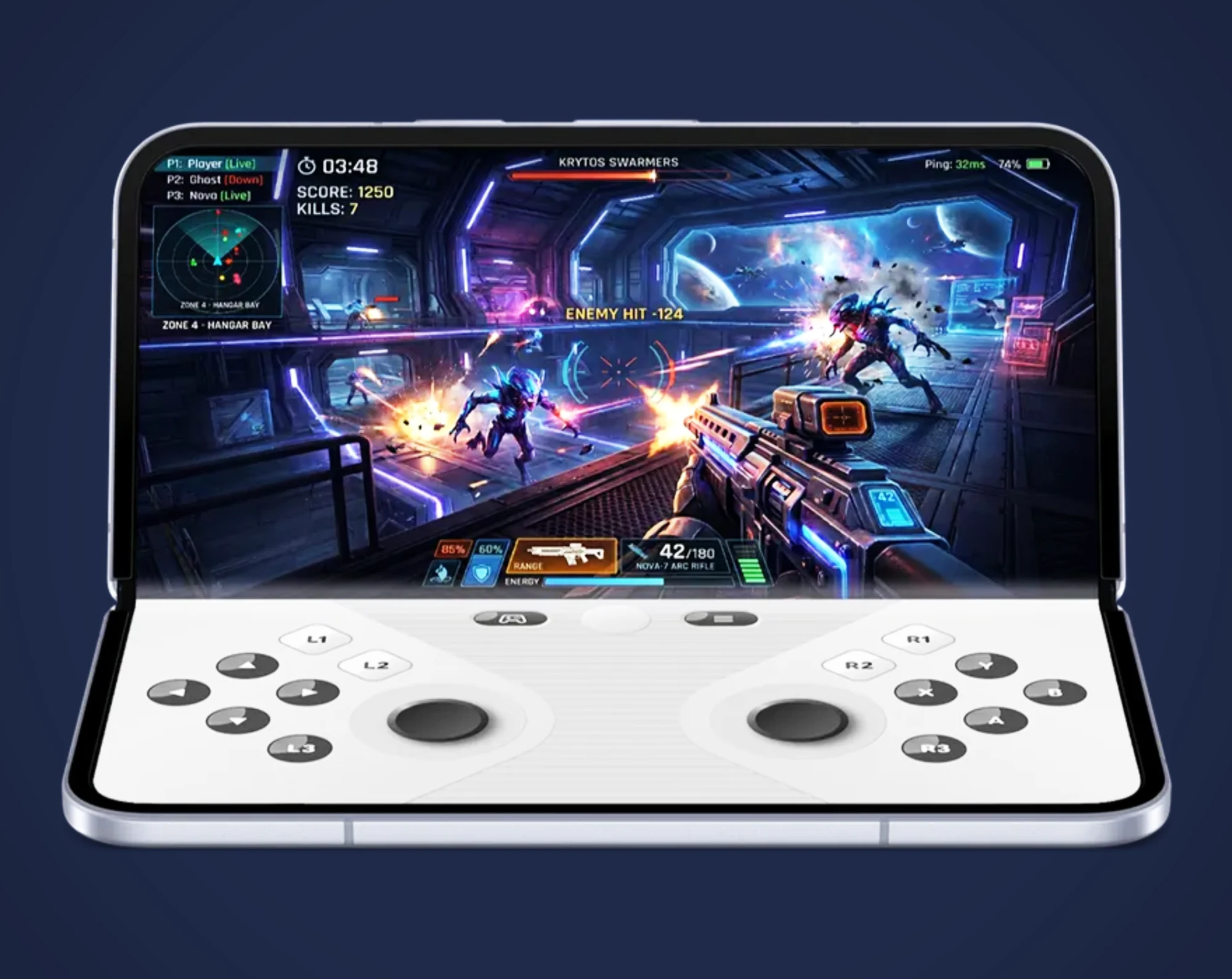
    – New gaming mode for foldables turns half the screen into a virtual gamepad.
    – “Screen Reactions” overlays a selfie video onto screen recordings for social media sharing.
    – Enhanced granular privacy controls: limit app access to specific contacts and temporary precise location.
    – Pixel-exclusive features arrive via June 2026 Feature Drop, including Gemini-powered video creation and song generation.


    Android 17 and Wear OS 7 Launch Together

    Together with Wear OS 7, Google also released Android 17 today for Pixel smartphones starting with the Google Pixel 6. In addition to the general new features of Android 17, Pixel devices will recieve a few additional features via the June 2026 Feature Drop. As usual, it will likely take a few days for the update to become avaliable to all users of compatible smartphones.

    Gemini Intelligence and New Gaming Mode

    Gemini Intelligence, the AI assistant capable of performing tasks autonomously, is scheduled to be released later this summer. Android 17 introduces a new gaming mode for foldable smartphones like the Google Pixel 10 Pro Fold ($1,499 on Amazon), in which one half of the display acts as a virtual gamepad, while the other half can be partially folded for better ergonomics, giving the device a form factor reminiscent of handhelds like the Nintendo DS. Android 17 is also expected to improve the gaming performance.

    Screen Reactions and Enhanced Security

    A new feature called “Screen Reactions” lets you overlay a selfie video on a screen recording to quickly react to images or videos online and share that reaction on social media. Google has improved its security features so that, for example, you can grant an app access only to selected contacts instead of your entire address book, while your precise location can be shared only for a limited time.

    Gemini Omini Video Editing and Bubbles

    Pixel smartphones also gain the ability to create or edit videos using Gemini Omini via voice prompts. Gemini can now also generate songs based on a description. Multitasking is enhanced by “Bubbles” – app icons can float in the foreground on the screen, allowing for quick access to these apps at any time.

    Sources
  • Samsung Affordable Flagship Leak: New Design vs Galaxy S26

    Samsung Affordable Flagship Leak: New Design vs Galaxy S26

    Key Takeaway

    – Samsung Galaxy S26 FE leaked via WPC listing, confirming development
    – Design shifts to a raised camera island, similar to Galaxy Z Fold series
    – Powered by Exynos 2500 chipset with 8GB RAM
    – Expected to ship with Android 17 out of the box
    – Potential launch around August or September 2026, possibly alongside Galaxy Z Fold 8 series


    Samsung Galaxy S26 FE Makes First Design Appearance

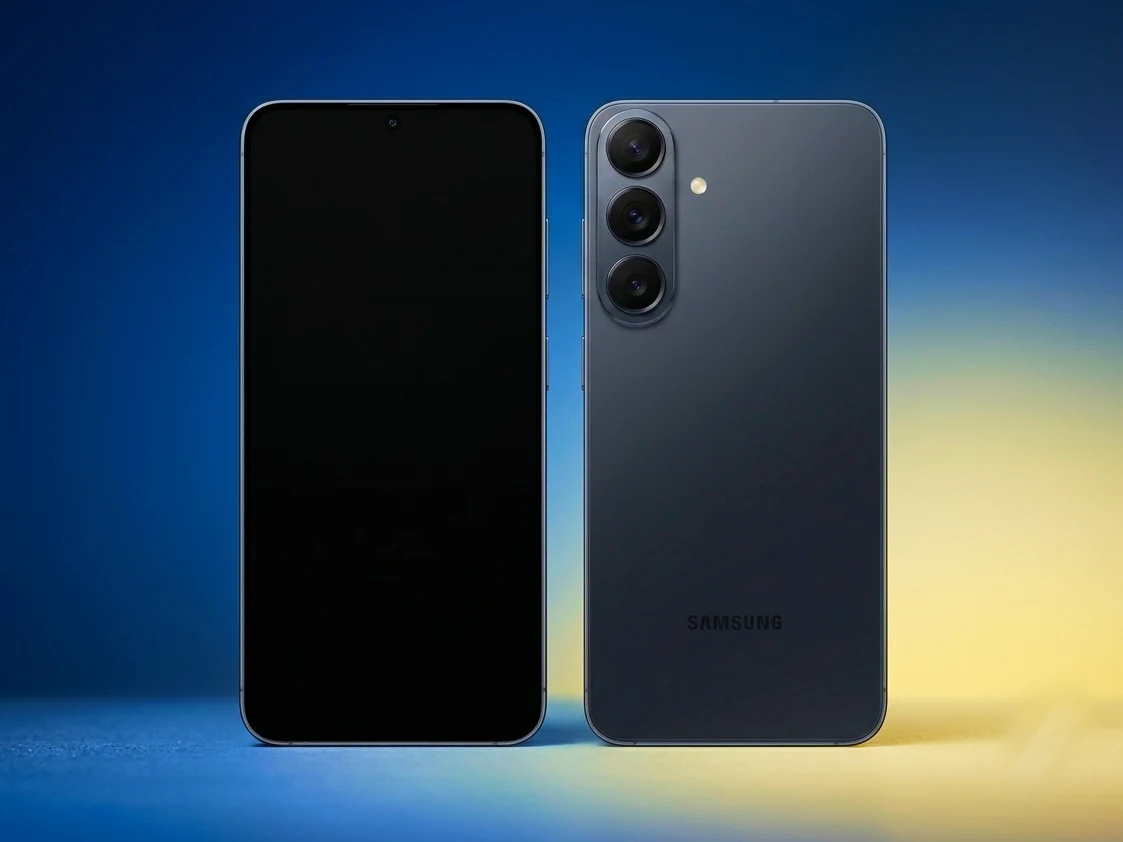
    The Samsung Galaxy S26 FE has made an early appearance online, offering our first look at what to expect from the design of the company’s most affordable new flagship phone. A real-world image has surfaced via a WPC listing, confirming the phone is in development with model number SM-S741. The expected launch window is around August or September 2026, so theres still some time to wait.

    Design Changes and Camera Housing Details

    While the overall aesthetic seems to remain consistant with Samsung’s current design language, we can see that the S26 FE is going to introduce a departure in its rear camera housing. Much like the flagship series, the S26 FE appears to adopt a raised camera island similar to the one found on the Galaxy Z Fold series and the latest mid-range Galaxy phones. Interestingly the new camera strip is pushed farther towards the edges of the rear panel compared to the Galaxy A57, giveing it a more distinctive look.

    Specifications and Software Updates for the FE Model

    Beyond the design change, early leaks have pointed toward a familar spec bump compared to the Galaxy S25 FE. The device is expected to be powered by Samsung’s Exynos 2500 chipset, this will be paired with 8GB of RAM. Perhaps most notably the phone is tipped to ship with Android 17 straight out of the box, positioning it as one of the first devices to launch with the updated OS.

    Potential Launch Timeline and Rivalry

    The S26 FE might be revealed alongside the new Galaxy Z Fold 8, the Fold 8 Ultra, and the Galaxy Z Flip 8 on July 22. Unless Samsung is planing a later launch to compete with the iPhone 18 Pro wich is expected in September of the same year, so competition should be fierce in this segment.


    Sources

  • Google Android June Feature Drop: Scam Detection, AirDrop

    Key Takeaway

    – Scam call detection uses RCS to verify contacts and block AI deepfake spoofing.
    – Circle to Search identifies clothing in images; Google Photos Wardrobe lets you virtually try outfits.
    – AirDrop support via Quick Share expands to select Android models (e.g., Pixel 8a+, Galaxy S24–S26).
    – Personal Safety app adds protections for kids under 13; Play Books gets a new reading companion.
    – Android 17 is launching soon for Pixels, focusing on polish and subtle user experience improvements.


    New Android Drop Brings Scam Spotting and Fashion Tools

    Google has released its June 2026 Android Feature Drop, and it comes with features that spot scammers, plan outfits, and improve iPhone integration. The update focuses on practical improvements that refine the daily user experience, adding tools for safety and creativity. Users can now access these features on compatible Pixel and Android devices.

    Call Verification Against Deepfake Scams

    With the June Feature Drop, users of the Phone by Google app (the default dialer on most Android phones) can now detect fake calls by scammers pretending to be your one of your contacts. This works even if the scammers spoof the phone number and use AI deepfake technology to sound just like them by using RCS technology to verify if the phone reaching out to you is really who they say they are. It works if your contact uses Phone by Google as well, though Google doesn’t say what happens if they’re using say, an iPhone. This safety layer is a significant addition for those concerned about voice mimicry fraud.

    Outfit Planning and Virtual Try-Ons

    For fashionistas, Google is debuting two new features. The first lets you find what outfits people are wearing using Circle to Search, while the second lets you try out new outfits virtually with Google Photos wardrobe. Wardrobe is only available to users in the U.S., India, and Brazil, while the Circle to Search feature is available for all Android 14 and above devices which have access to Circle to Search. This dual approach mixes discovery with experimentation, allowing users to identifiy clothing from images and then visualize themselves wearing similar items.

    Expanded AirDrop Support Across Brands

    Google also says its bringing AirDrop support via Quick Share to more devices. Xiaomi already announced it would be bringing it to the Xiaomi 17T Pro, and Google lists the current list of AirDrop capable Android phones as including every Pixel newer than the Pixel 8a, the Galaxy S24 – S26 series as well as the Galaxy Z Fold 6 and newer, Galaxy Z Flip 6 and newer, Galaxy Z Trifold, Oppo Find X9 series, Oppo Find N6, Honor Magic V6, Vivo X300 series, and the OnePlus 15. The Oppo Find X8 series, Motorola razr fold 2026, and Honor Magic 8 Pro are coming soon. This interoperability aims to bridge the gap between Android and iOS file sharing.

    Additional Updates for Safety and Reading

    Other new features include enhancement to the Personal Safety app aimed at kids under 13, a new reading companion in the Google Play Books app, and new emoji coming to Emoji Kitchen. These updates cater to younger users and reading enthusiasts alike, providing more engaging and secure interactions. The personal safety features are designed to give parents more oversight while still respecting child privacy.

    Looking Ahead to Android 17

    Google is preparing to launch Android 17 for Pixels soon, with other Android brands following shortly. With Android 17, users can expect further refinements and under-the-hood improvements. Smartphones have reached maturity, and this Google update shows it, with small changes aimed at polishing the user experience and adding features we didn’t know we needed. A fit check with circle to search? Thats certainly novel.

    Sources
  • Android 17: AirDrop helps switch iPhone 17 Pro to Galaxy S27

    Android 17: AirDrop helps switch iPhone 17 Pro to Galaxy S27

    Key Takeaway

    – Android 17 overhauls iOS-to-Android migration for a more seamless switch from iPhone 17 Pro to Pixel 11 Pro or Galaxy S26 Ultra.
    – The upgraded migration tool debuts on Pixel and Samsung devices, with One UI 9.0 on Galaxy Z Flip8/Z Fold8 in July, then Pixel 11 Pro in fall; other OEMs later in 2026.
    – Quick Share expands to enable AirDrop-like cross-ecosystem file sharing with iPhones and Macs across Samsung, OnePlus, Xiaomi, and others in 2026.
    – Android 17 is fully unveiled at Google I/O 2026 (May 19) with a stable launch targeted for June or July 2026.

    At the Android Show 2026, Google rolled out a sweeping revamp of the iOS-to-Android migration.

    Migration overhaul

    Kicking off with Android 17, swapping an iPhone 17 Pro for devices like the Pixel 11 Pro or Galaxy S26 Ultra should be smoother than ever, Google swears.

    New device support

    The data transfer is expected to include:

    Data transfer scope

    The updated migration tool will roll out first on Pixel and Samsung gear. It should drop with One UI 9.0 on the Galaxy Z Flip8 and Galaxy Z Fold8 this July, followed by the Pixel 11 Pro this fall. Other Android OEMs will get the update later in the year.

    Rollout timeline

    As for Quick Share, Google says it’s widening its footprint. After a pilot on Pixel 10, AirDrop-like file sharing will be available on more devices from Samsung, OnePlus, Xiaomi, and friends, letting them share with iPhones and Macs.

    Quick Share expansion

    Android 17 is expected to be fully unveiled at Google I/O 2026 on May 19, with a stable official launch anticipated as early as June or July 2026.

    Sources
  • Samsung to Release Three Galaxy Books with Android Instead of Windows

    Samsung to Release Three Galaxy Books with Android Instead of Windows

    Key Takeaway

    1. Samsung is developing Galaxy Books with Android 17 and a new ChromeOS-based Aluminum OS, featuring heavily customized user interfaces similar to DeX.
    2. The upcoming lineup may include at least three models, ranging from an affordable option to a high-end flagship.
    3. The Galaxy Book6 Edge is expected to switch from Intel to Qualcomm Snapdragon processors, indicating a possible shift towards Android-based hardware in future models.
    4. The release of these Android-based Galaxy Books is anticipated around the second half of 2026 or early 2027.

    Recently, there has been quite a buzz about Samsung’s upcoming Galaxy Book6 Edge. Some rumors suggest it is going to feature a Qualcomm Snapdragon X2 Elite, which is a significant shift from the usual Intel processors used in previous models. This change marks a notable move towards using Snapdragon chips for their laptops, aiming to offer better power efficiency and connectivity options. The pricing for the Galaxy Book6 currently on the market is around $1,149, mainly for models using Intel processors.

    New Operating System and Interface Features

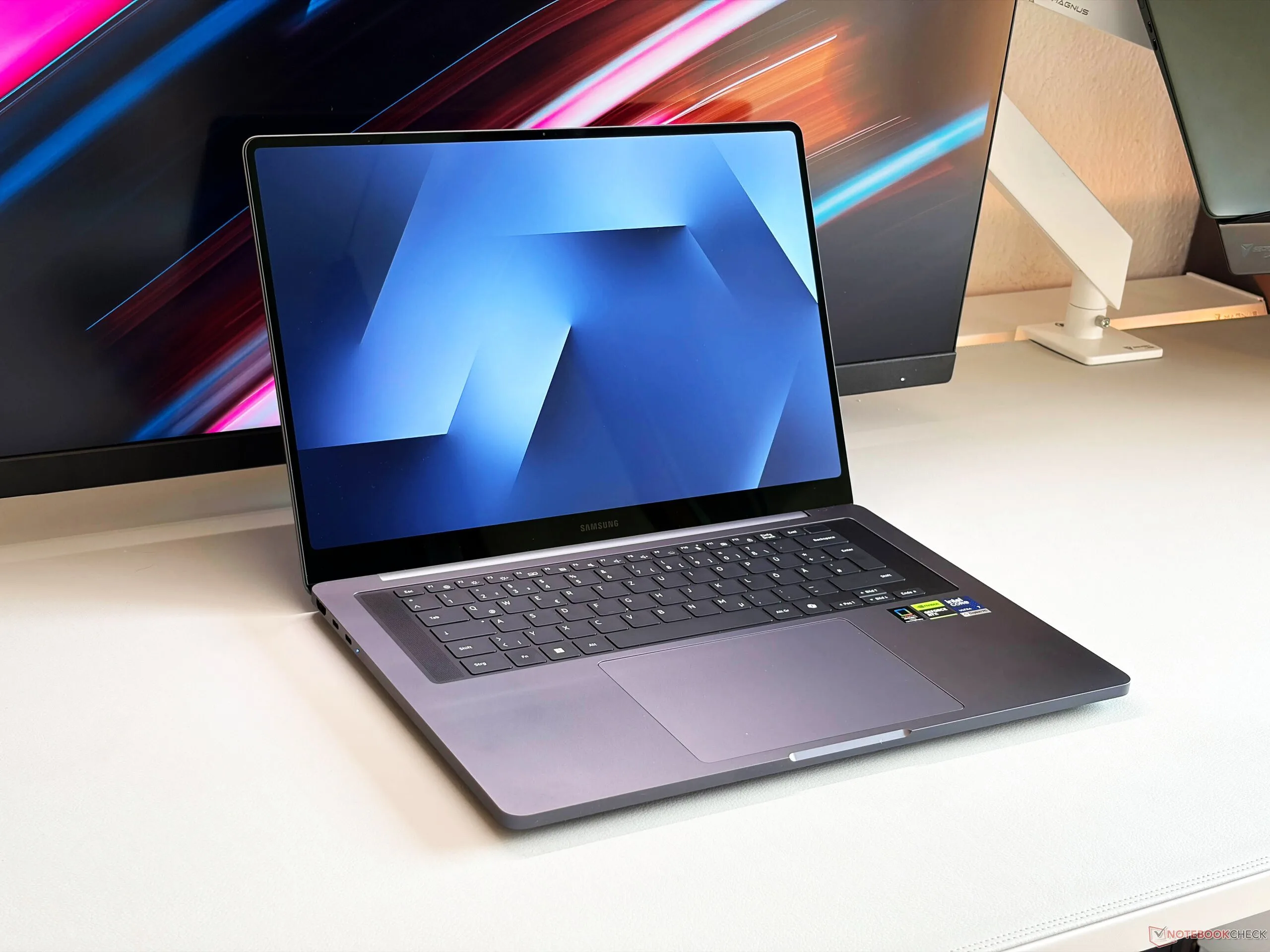
    Reports also indicate that Samsung is developing a new Galaxy Book variant that runs on an Android-based OS called Aluminum OS. The device will be based on Android 17 and will be equipped with One UI 9, offering a familiar user experience. The company’s plan is to heavily customize the interface so it closely resembles Samsung’s DeX mode, which turns their phones and tablets into desktop-like environments. This integration will likely give it an intuitive desktop experience, blending mobile and desktop functions seamlessly. Additionally, Samsung plans to incorporate AI features in the software, similar to those already present on their smartphones, enhancing productivity and user interaction.

    Models, Release Date, and Expectations

    Sources have revealed that Samsung has at least three models under development, ranging from a budget-friendly option similar to the MacBook Neo to an advanced flagship device. Unfortunately, details about what features these models will include or their official release dates remain a mystery. Experts believe that since these new Galaxy Books are expected to ship with Android 17, their launch could be expected sometime in the second half of 2026 or early 2027. It remains uncertain if the Galaxy Book6 Edge with Snapdragon X2 Elite will come with Android out of the box or if consumers will have to wait for the Galaxy Book7 series.

    Summary of Rumors and Expectations

    Overall, the shift towards Snapdragon processors and Android-based OS in Samsung’s Galaxy Book lineup could redefine what users expect from Windows alternatives on laptops. The potential for enhanced AI, better connectivity, and a more flexible OS makes these new models very exciting for the future. This new direction signifies Samsung’s ambition to create versatile devices that blur the lines between smartphones, tablets, and traditional laptops. Keep an eye out for official announcements, as these innovative features could arrive sooner than expected.

    Sources
  • Samsung Launches One UI 9 Beta and Android 17 for Galaxy S26 Ultra

    Samsung Launches One UI 9 Beta and Android 17 for Galaxy S26 Ultra

    Key Takeaways

    1. An internal beta version of One UI 9 based on Android 17 has been found for the Samsung Galaxy S26 Ultra.
    2. The beta is for the global model (SM-S948B) and has a file size of approximately 2.6 GB.
    3. Initial beta releases typically include limited new features, but Android 17 is expected to improve performance and battery life.
    4. App developers will need to adapt their apps for larger displays, especially for foldable smartphones.
    5. Google is introducing a feature similar to Apple’s “Handoff,” allowing seamless viewing of open files across devices.


    After the release of the first beta version of Android 17 for Google Pixel smartphones in mid-February, Tarun Vats, an editor at Sammobile, discovered an internal beta version of One UI 9 based on Android 17 for the Samsung Galaxy S26 Ultra ($1,299 on Amazon) on Samsung’s servers.

    Beta Version Details

    This beta is meant for the global model of the Samsung Galaxy S26 Ultra, which carries the model number SM-S948B, and the file size is approximately 2.6 GB. Sammobile has successfully installed this beta on a Galaxy S26 Ultra, but as is common with initial beta releases, it brings only a handful of new features. Android 17 is expected to offer significant enhancements internally, which should lead to better performance and improved battery life, among other benefits. Additionally, app developers will need to adapt their apps for larger displays, particularly for foldable smartphones, when these apps are available in the Google Play Store.

    Exciting New Features

    Another noteworthy development is that Google is set to unveil an alternative to Apple’s “Handoff” feature. For instance, if the same application is present on both a smartphone and a tablet, users will be able to view the currently open file on the other device with just one click to keep working seamlessly. This functionality is also anticipated to extend to browser tabs and system apps, allowing users to view an email opened on their smartphone directly on a tablet or even an Android laptop.

    Tarun Vats (X) | Sammobile

    Source:
    Link


  • Android 17 Beta 1 Released: Pixel 6 Support Expanded, Junk Removed

    Android 17 Beta 1 Released: Pixel 6 Support Expanded, Junk Removed

    Key Takeaways

    1. Android 17 beta focuses on enhancing privacy, security, performance, and adaptable applications, along with improved camera and media functionality.
    2. The preview SDK label is “CinnamonBun,” and the emulator system image is called “Baklava.”
    3. Beta 1 is available for various Pixel devices, including Pixel 6, 7, 8, and newer models, with specific build identifiers for different devices.
    4. Users can enroll in the beta program via their Google Account, but should be aware of potential bugs and data loss when opting out.
    5. Notable updates include runtime improvements, dynamic camera session updates, and changes in connectivity, with an aim for better experiences on larger screens.


    Google has just rolled out the initial beta of Android 17, allowing users to test the upcoming major version of Android. In their announcement, Google emphasizes that Android 17 continues its commitment to enhancing privacy, security, and overall performance. The new version also brings enhancements for adaptable applications, improvements in camera and media functionality, upgraded connectivity tools, and profiles for companion devices.

    Avoiding Confusion with Labels

    To clarify any potential misunderstandings regarding internal designations, Google identifies targetSdkPreview = “CinnamonBun” as the preview SDK label found in the Beta documentation. Meanwhile, the emulator system image for Android 17 is referred to as “Baklava” in the official download guidelines provided by Google.

    Compatible Pixel Devices

    According to Google’s official Android 17 webpage, Beta 1 over-the-air updates and downloads are available for a range of Pixel devices. These include the Pixel 6, 6 Pro, and 6a; Pixel 7, 7 Pro, 7a; Pixel Tablet; Pixel Fold; and the Pixel 8, 8 Pro, and 8a, along with the Pixel 9 series and Pixel 10 series.

    In the release notes for Android 17, Beta 1 is identified as build CP21.260116.011.B1, with the build CP21.260116.011.A1 specifically for the Pixel 6 Pro, Pixel 6, Pixel 6a, Pixel 7 Pro, and Pixel 7. The security patch level for Beta 1 is noted as 2026-01-05.

    Enrolling in the Beta Program

    The easiest way to access this beta version is through Google’s Android Beta for Pixel program. Users can sign in using their Google Account, enroll their compatible Pixel device, and then check for the OTA in Settings > System > System update.

    Google cautions that beta versions might have bugs that could disrupt normal device functionality. Additionally, they state that users typically cannot opt-out and revert to a stable public version of Android without first erasing any locally stored data, and that availability may vary by carrier.

    Notable Updates in Beta 1

    The documentation for Beta 1 highlights various changes, such as enhancements for adaptable apps and larger screens, runtime and performance improvements, and updates related to camera and media. Other platform updates include changes in connectivity and companion-device profiles.

    For applications targeting Android 17 (API level 37) on larger screens (with a width of 600dp or more), the new version eliminates the developer opt-out for specific orientation and resizing restrictions. This aims to ensure a more consistent experience across larger devices.

    Google also mentions that Android 17 features a lock-free MessageQueue implementation (for apps targeting SDK 37 and above) designed to minimize missed frames. Furthermore, generational garbage collection support has been integrated into ART’s Concurrent Mark-Compact collector to help lower the garbage collection costs.

    Beta 1 introduces dynamic camera session updates through CameraCaptureSession.updateOutputConfigurations(), allowing users to switch use cases without needing to close the session. Google’s release notes also highlight platform support for VVC (H.266) along with various other media and camera enhancements.

    Source:
    Link


  • ColorOS 17 and OxygenOS 17: Key Features of Android 17 Update

    ColorOS 17 and OxygenOS 17: Key Features of Android 17 Update

    Key Takeaways

    1. Performance Enhancements: Improved CPU and memory management for faster app launches and reduced micro-stuttering in ColorOS 17 and OxygenOS 17.

    2. Multitasking and Battery Life: Enhanced multitasking with better app retention and potential software tweaks to boost battery life.

    3. Visual Improvements: Upgraded system-wide animations for smoother interactions and refined interface to minimize frame drops.

    4. Camera Upgrades: Smoother zoom transitions for photos and videos with less lag during continuous zoom.

    5. Release Timeline: No specific launch date for ColorOS 17 and OxygenOS 17, but expected after the official release of Android 17.


    ColorOS and OxygenOS are unique Android interfaces designed by Oppo and OnePlus, respectively. With Google recently unveiling the latest Android 17 beta, it is anticipated that ColorOS 17 and OxygenOS 17 will soon follow. Prior to any official announcements, a leak from Telegram (shared by Android Headlines) has hinted at features of the upcoming skins.

    Performance Enhancements

    Both ColorOS 17 and OxygenOS 17 are rumored to come with better CPU resource management, leading to improved performance overall. These Android 17-based custom interfaces are also expected to offer enhanced memory management, which should result in quicker app launches and a reduction in micro-stuttering.

    Multitasking and Battery Life

    Moreover, multitasking is likely to see enhancements with increased app retention. The leak indicates potential software tweaks that could boost battery life (like the 25,000mAh Ugreen powerbank, currently priced at $120 on Amazon).

    Visual Improvements

    Another significant aspect of the new interfaces is anticipated to be upgraded system-wide animations, which will make interactions smoother and more uniform across the interface. The user interface may also be refined to lessen frame drops during usage.

    Camera Upgrades

    Additionally, the leak suggests that improvements to the camera functionality are on the way. ColorOS 17 and OxygenOS 17 might present smoother zoom transitions for both photos and videos, featuring less lag when using continuous zoom.

    At this point, there is no specific timeline for when these new custom skins will be launched. However, it’s likely that ColorOS 17 and OxygenOS 17 will become available for compatible devices following the official release of Android 17. As the information is derived from a leak, it’s wise to remain cautious until more official details are made available.

    Source:
    Link


  • Android 17 Beta 1 Release Delayed Indefinitely: What to Know

    Android 17 Beta 1 Release Delayed Indefinitely: What to Know

    Key Takeaways

    1. Google is working on Android 17 beta 1, rumored to feature significant visual improvements.
    2. The beta version’s release date has shifted, leaving users uncertain about when testing will begin.
    3. A message on Reddit indicated the beta was expected soon, but Google has confirmed it will not be released on February 11.
    4. Users expressed skepticism about the launch due to the recent Android 16 QPR3 release and Google’s typical update schedule.
    5. Eligible Pixel device owners need to be patient, as no revised timeline for the Android OS release has been provided.


    Google has been working on Android 17 beta 1, which is rumored to include some significant visual improvements. On February 10, Google announced that the beta version was coming soon, but it seems the timeline has shifted. The exact release date for the operating system has not been provided, leaving users uncertain about when they can start testing it and the reason for the delay.

    Release Timing Updates

    According to a message on the official r/android_beta subreddit, the Android 17 beta 1 was expected to be released soon. Although the post didn’t specify a precise time, many anticipated it would be available around 1 PM EST on February 11. However, it appears that Google has encountered some issues. Android Authority has reported that a representative said the rollout will “actually be coming soon, not today.”

    Skepticism About the Launch

    Even with the original announcement, some users were doubtful about whether Android 17 beta 1 would actually come out today, considering how recent the Android 16 QPR3 release was. One user remarked that Google usually prefers to have a gap of about a week between updates. They suggested that a more realistic release date might be February 18, or possibly even February 23, as the company typically favors Mondays or Wednesdays for major updates.

    Those who own eligible Pixel devices will need to exercise a bit more patience for the upcoming Android OS. Since Google hasn’t provided a revised timeline, it’s difficult to determine how long they will have to wait.

    Source:
    Link