
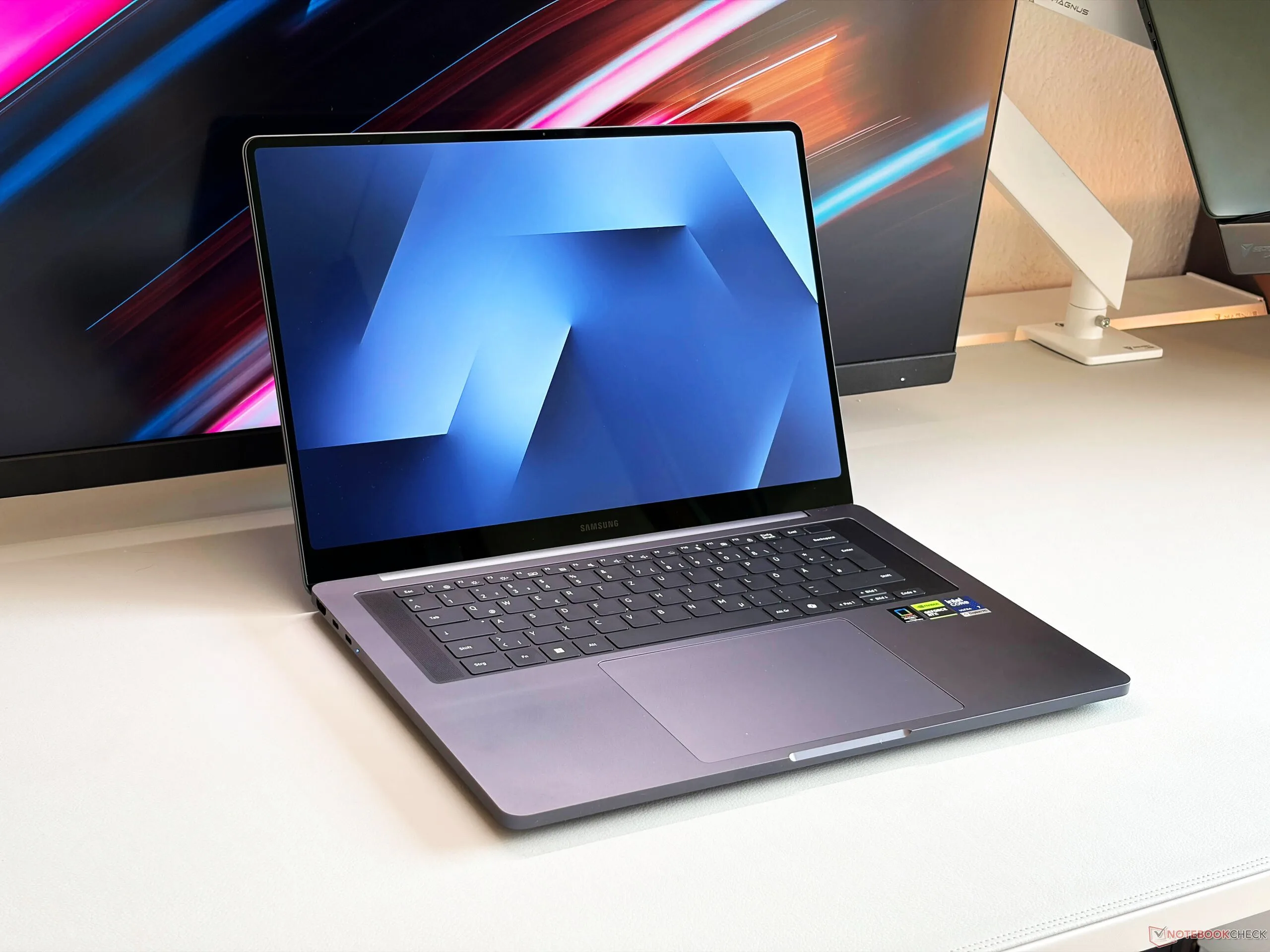
Tag: Samsung Galaxy Book

  • Samsung to Release Three Galaxy Books with Android Instead of Windows

    Samsung to Release Three Galaxy Books with Android Instead of Windows

    Key Takeaway

    1. Samsung is developing Galaxy Books with Android 17 and a new ChromeOS-based Aluminum OS, featuring heavily customized user interfaces similar to DeX.
    2. The upcoming lineup may include at least three models, ranging from an affordable option to a high-end flagship.
    3. The Galaxy Book6 Edge is expected to switch from Intel to Qualcomm Snapdragon processors, indicating a possible shift towards Android-based hardware in future models.
    4. The release of these Android-based Galaxy Books is anticipated around the second half of 2026 or early 2027.

    Recently, there has been quite a buzz about Samsung’s upcoming Galaxy Book6 Edge. Some rumors suggest it is going to feature a Qualcomm Snapdragon X2 Elite, which is a significant shift from the usual Intel processors used in previous models. This change marks a notable move towards using Snapdragon chips for their laptops, aiming to offer better power efficiency and connectivity options. The pricing for the Galaxy Book6 currently on the market is around $1,149, mainly for models using Intel processors.

    New Operating System and Interface Features

    Reports also indicate that Samsung is developing a new Galaxy Book variant that runs on an Android-based OS called Aluminum OS. The device will be based on Android 17 and will be equipped with One UI 9, offering a familiar user experience. The company’s plan is to heavily customize the interface so it closely resembles Samsung’s DeX mode, which turns their phones and tablets into desktop-like environments. This integration will likely give it an intuitive desktop experience, blending mobile and desktop functions seamlessly. Additionally, Samsung plans to incorporate AI features in the software, similar to those already present on their smartphones, enhancing productivity and user interaction.

    Models, Release Date, and Expectations

    Sources have revealed that Samsung has at least three models under development, ranging from a budget-friendly option similar to the MacBook Neo to an advanced flagship device. Unfortunately, details about what features these models will include or their official release dates remain a mystery. Experts believe that since these new Galaxy Books are expected to ship with Android 17, their launch could be expected sometime in the second half of 2026 or early 2027. It remains uncertain if the Galaxy Book6 Edge with Snapdragon X2 Elite will come with Android out of the box or if consumers will have to wait for the Galaxy Book7 series.

    Summary of Rumors and Expectations

    Overall, the shift towards Snapdragon processors and Android-based OS in Samsung’s Galaxy Book lineup could redefine what users expect from Windows alternatives on laptops. The potential for enhanced AI, better connectivity, and a more flexible OS makes these new models very exciting for the future. This new direction signifies Samsung’s ambition to create versatile devices that blur the lines between smartphones, tablets, and traditional laptops. Keep an eye out for official announcements, as these innovative features could arrive sooner than expected.
    Sources
  • Windows 11 KB5077181 Blocks C: Drive Access on Some Samsung PCs

    Windows 11 KB5077181 Blocks C: Drive Access on Some Samsung PCs

    Key Takeaways

    1. Microsoft acknowledged a problem with Windows 11 affecting specific Samsung computers after security update KB5077181, causing “C: is not accessible – Access denied” errors.

    2. The issue affects certain Samsung Galaxy Book 4 and Desktop models running Windows 11 versions 24H2 and 25H2.

    3. Users may experience difficulties with file access, application launches, and administrative functions due to permission issues linked to the Samsung Galaxy Connect app.

    4. Microsoft clarified that the problem is related to Samsung software, not the Windows update itself, and has categorized it as Mitigated.

    5. Recovery options for affected users are limited, and they are advised to contact Samsung support for assistance while Samsung works on remediation strategies.


    Microsoft has acknowledged a problem with Windows 11 that is affecting certain Samsung computers, following the security update KB5077181 from February 2026 and subsequent updates. As stated on the company’s Windows release health page, some devices may no longer have access to their C: drive, displaying the error “C: is not accessible – Access denied.” This can lead to file access issues and hinder the launch of several applications.

    Affected Models

    On the official known issues page for Windows 11 version 25H2, Microsoft noted that this issue has been seen in certain Samsung Galaxy Book 4 and Samsung Desktop models using Windows 11 versions 24H2 and 25H2. The affected models include NP750XGJ, NP750XGL, NP754XGJ, NP754XFG, NP754XGK, DM500SGA, DM500TDA, DM500TGA, and DM501SGA.

    User Experience

    Users facing this problem may encounter difficulties while performing regular tasks like opening files, starting applications, or executing administrative functions. In some instances, they may also struggle to elevate privileges, uninstall updates, or gather logs due to permission issues.

    Interestingly, Microsoft highlights that this issue is not a result of the latest or past Windows monthly updates, even though it coincided with the recent Patch Tuesday. Their investigation, conducted alongside Samsung, concluded that the symptoms stem from an issue within the Samsung Galaxy Connect app.

    Distinction of Responsibility

    This clarification is crucial since the problem relates to systems that have installed KB5077181, the cumulative update for Windows 11 versions 24H2 and 25H2, and later updates. Microsoft is emphasizing that the root cause is linked to Samsung software, not the Windows update itself.

    Currently, Microsoft has categorized the issue as Mitigated. To address this, the Samsung Galaxy Connect app was temporarily taken down from the Microsoft Store to prevent further installations. Furthermore, Samsung has released a stable earlier version of the app to avoid this issue affecting more devices.

    Recovery Options

    For computers already impacted, recovery solutions are still quite limited. Microsoft states that Samsung is working on remediation strategies with their support and advises those affected to reach out to Samsung’s support for tailored assistance.

    According to Microsoft’s release health page, the issue was logged on March 13, 2026, at 12:13 PT and was updated on March 14, 2026, at 16:59 PT. Users seeking further information can check here.

    Source:
    Link


  • Windows 11 KB5079473 Update Issues: BSOD and Freezes Fixes

    Windows 11 KB5079473 Update Issues: BSOD and Freezes Fixes

    Key Takeaways

    1. Users are experiencing crashes, hard freezes, and continuous restarts after installing the cumulative update KB5079473 for Windows 11 versions 24H2 and 25H2.

    2. Complaints on Microsoft support forums include issues like multiple crashes, BSOD errors, and failures in applications like Office and Outlook.

    3. Despite user reports, Microsoft’s support page claims they are “not currently aware of any issues” with the update, highlighting a discrepancy between user experiences and official communication.

    4. Feedback from users on platforms like Reddit includes problems with system drives, graphical issues, and app crashes on specific laptop models, although these reports are unverified.

    5. Microsoft encourages users to report issues through the Feedback Hub, which allows for easier tracking and prioritization of problems related to the update.


    Some users of Windows 11 are experiencing issues like crashes, hard freezes, and continuous restarts after they installed the cumulative update KB5079473 from Microsoft in March 2026. This patch is meant for Windows 11 versions 24H2 and 25H2; however, Microsoft’s support page claims they are “not currently aware of any issues with this update.”

    User Complaints Surface

    Initial complaints have been seen in Microsoft support forums. A user shared on March 12 in a Q&A post that after installing KB5079473, their PC had “fully crashed 3 times,” with each incident needing a full reboot, leading to lost unsaved work. Following comments echoed these experiences, mentioning total screen freezes that forced hard restarts and repeated crashes while sharing screens in Zoom.

    Broader Issues Reported

    Another Microsoft Q&A thread suggests even more diverse problems. One user mentioned their system started to restart every 10 to 20 minutes post-update and shared an instance of a BSOD with the stop code ATTEMPTED_WRITE_TO_READONLY_MEMORY (0xBE). Additionally, another user stated that after applying the patch, Office and Outlook failed to initialize, and both Command Prompt and Print Screen stopped functioning, with error code 0x800704b3 noted. This thread also featured a complaint from another user who stated the update couldn’t be installed, only showing a retry message.

    Discrepancy in Reporting

    This situation highlights Microsoft’s status page, where the “Known issues in this update” section still claims no issues are recognized. The highlights for the update focus instead on improvements related to Secure Boot certificates, enhanced reliability for File Explorer searches, better behavior in WDAC COM allowlisting, and upgrades in Windows System Image Manager trust warnings.

    The contrast between user experiences and Microsoft’s official communication is quite common. Problems with Windows updates often emerge in community discussions and feedback platforms before they are acknowledged on an official known-issues page.

    Reddit Feedback

    Similar concerns have also begun to appear on Reddit, with users reporting inaccessible system drives on certain Samsung Galaxy Book laptops, graphical issues after the update, and app crashes on at least one Dell Precision workstation. However, these reports remain unverified claims.

    User feedback is crucial as Microsoft’s Feedback Hub is a primary tool for identifying patterns and prioritizing issues. Microsoft encourages users to search for related reports, upvote them, share their experiences, and attach screenshots or recordings to aid investigations.

    Additionally, Microsoft mentions that pressing Windows key + F opens the Feedback Hub and automatically captures a screenshot for the report. For users facing these issues, the Feedback Hub serves as the most straightforward way to submit concerns while Microsoft evaluates whether the crash reports related to KB5079473 require formal acknowledgment.

    Source:
    Link