Tag: Pixel 6

  • Android 17 arrives for Pixel 6+ with foldable gaming mode

    Android 17 arrives for Pixel 6+ with foldable gaming mode

    Key Takeaway

    – Android 17 launches today for Pixel 6 and newer devices, with a full rollout expected in days.
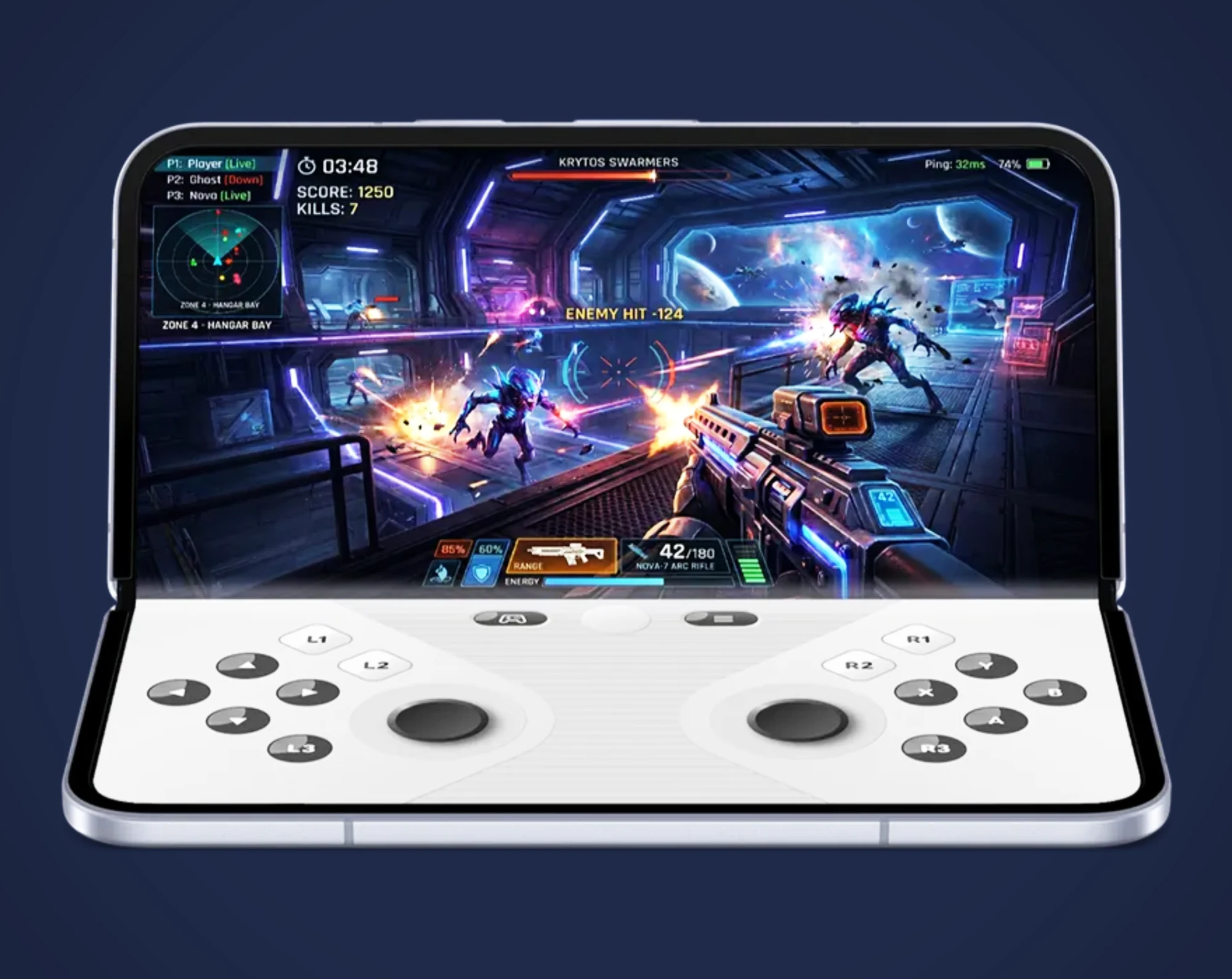
    – New gaming mode for foldables turns half the screen into a virtual gamepad.
    – “Screen Reactions” overlays a selfie video onto screen recordings for social media sharing.
    – Enhanced granular privacy controls: limit app access to specific contacts and temporary precise location.
    – Pixel-exclusive features arrive via June 2026 Feature Drop, including Gemini-powered video creation and song generation.


    Android 17 and Wear OS 7 Launch Together

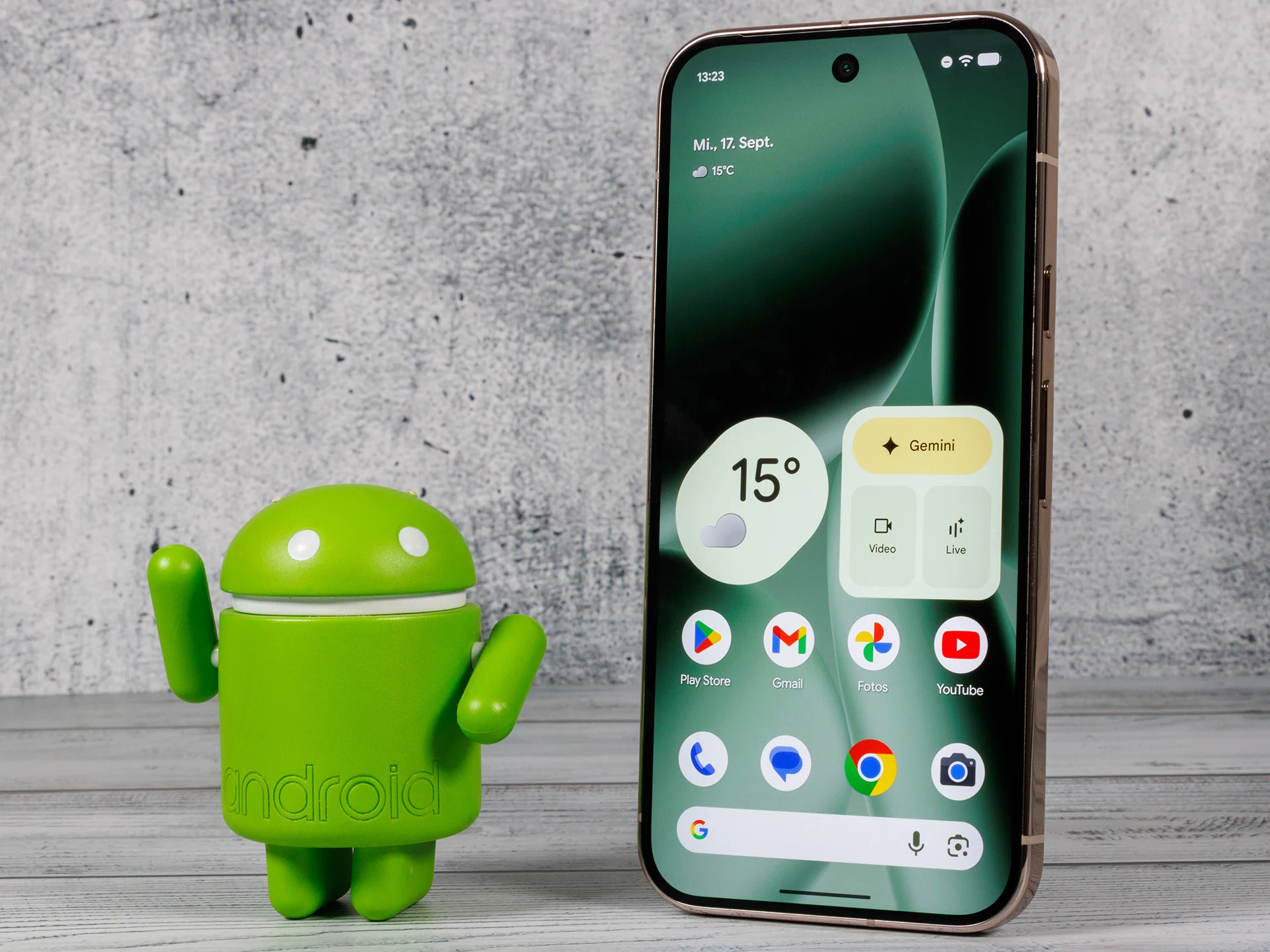
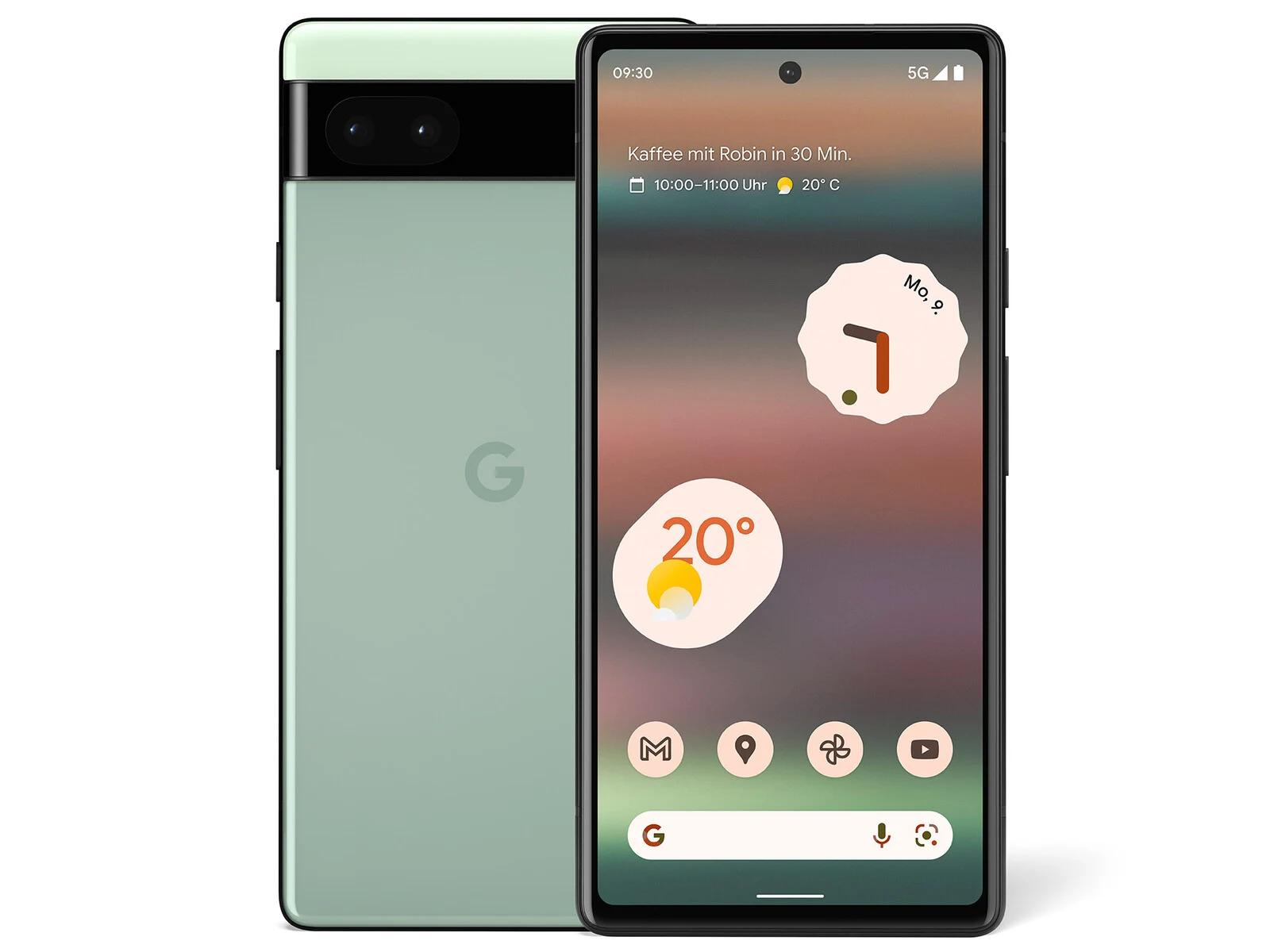
    Together with Wear OS 7, Google also released Android 17 today for Pixel smartphones starting with the Google Pixel 6. In addition to the general new features of Android 17, Pixel devices will recieve a few additional features via the June 2026 Feature Drop. As usual, it will likely take a few days for the update to become avaliable to all users of compatible smartphones.

    Gemini Intelligence and New Gaming Mode

    Gemini Intelligence, the AI assistant capable of performing tasks autonomously, is scheduled to be released later this summer. Android 17 introduces a new gaming mode for foldable smartphones like the Google Pixel 10 Pro Fold ($1,499 on Amazon), in which one half of the display acts as a virtual gamepad, while the other half can be partially folded for better ergonomics, giving the device a form factor reminiscent of handhelds like the Nintendo DS. Android 17 is also expected to improve the gaming performance.

    Screen Reactions and Enhanced Security

    A new feature called “Screen Reactions” lets you overlay a selfie video on a screen recording to quickly react to images or videos online and share that reaction on social media. Google has improved its security features so that, for example, you can grant an app access only to selected contacts instead of your entire address book, while your precise location can be shared only for a limited time.

    Gemini Omini Video Editing and Bubbles

    Pixel smartphones also gain the ability to create or edit videos using Gemini Omini via voice prompts. Gemini can now also generate songs based on a description. Multitasking is enhanced by “Bubbles” – app icons can float in the foreground on the screen, allowing for quick access to these apps at any time.
    Sources
  • Google Pixel March 2026 Update Causes Boot Loop Issues

    Google Pixel March 2026 Update Causes Boot Loop Issues

    Key Takeaway

    1. The March 2026 Pixel update caused significant issues, including lockscreen, fingerprint sensor, and boot problems.
    2. Some devices are unable to progress past the Google logo or experience system data corruption.
    3. Google has acknowledged the problem and is working on a fix; users are advised to avoid the update for now.

    Recent Problems with Pixel Devices After March 2026 Update

    Last month, a bunch of google Pixel 9 and Pixel 10 owners faced serious trouble after they install the latest March 2026 update. Many of them reported that their phones got stuck on the lockscreen and can’t move past it. The fingerprint sensor, which many rely on, also stop working for some folks. Google has said that they aware of these bug and are working hard on fixing it, but that’s not the end of the story.

    New Boot Loop Issue Emerges

    Now, there’s a new problem that pops up for the same group of users—and it’s apparently worse. Several Reddit users shared that their Pixel phones can’t even get past the initial Google logo during startup, and some are seeing an error message like “Cannot load Android system and data corrupt.” This issues seem to hit various Pixel models, even those that are five years old like the Pixel 6. This kind of problem is pretty frustrating for the people where rely on their phones daily.

    Workarounds and Google’s Response

    Some users found that they can enter safe mode on their device by pressing and holding both the volume up and down buttons while the Pixel logo is showing. But, for those unable to do this, a full repair may involve using ADB sideload, which isn’t simple for the average user. Google has officially acknowledged the problems on April 2nd and promised a fix soon. Until then, it’s recommended to avoid updating to March 2026 if you own a Pixel phone, to prevent further issues.

  • February 2026 Google Update Excludes Pixel 6 and 7 Devices

    February 2026 Google Update Excludes Pixel 6 and 7 Devices

    Key Takeaways

    1. The February 2026 update for Pixel devices focuses mainly on security, with a key fix for a serious flaw in the VPU driver (CVE-2026-0106).

    2. Users are advised to upgrade their Pixel devices to the 2026-02-05 patch level to address security issues.

    3. The February update is being rolled out for Pixel 7a and newer models, including the Pixel Tablet and original Pixel Fold.

    4. The Pixel 6 and Pixel 7 series are not included in this update, raising speculation about a possible shift to a quarterly update schedule for older models.

    5. Updates for Pixel 6 and Pixel 7 devices may arrive later due to Google’s staggered rollout process and carrier approvals.


    Google’s February 2026 update for Pixel devices is mostly focused on security, with the Pixel Update Bulletin highlighting a single Pixel-specific fix: a serious elevation-of-privilege flaw in the VPU driver (CVE-2026-0106).

    Patch Level Update

    The bulletin indicates that users should upgrade their Pixel devices to the 2026-02-05 patch level to resolve the issues mentioned, as well as those found in the wider Android Security Bulletin for February 2026.

    Rollout Details

    As per the rollout notes, the February 2026 build family (BP4A.260205) is being released for the Pixel 7a and newer models, including the Pixel Tablet and the original Pixel Fold. There are several build variations based on the device model and region.

    Missing Devices

    However, it’s worth noting that the Pixel 6 and Pixel 7 series are not included in this update. Devices such as the Pixel 6, 6 Pro, 6a, 7, and 7 Pro are conspicuously absent from the February rollout, even though they are still part of Google’s support timeframe.

    This absence has led to new theories that Google might be shifting older Pixel models away from a regular monthly update schedule, possibly moving towards quarterly or risk-based releases. Although Google hasn’t officially confirmed any changes in the update schedule, they did inform the media that Pixel phones will stay “security compliant” throughout their support periods by means of Pixel-specific fixes, Google Play system updates, and Android Security Bulletin updates.

    Key Takeaway

    Currently, the main point to note is that the list of Pixel-specific changes for February is notably brief, and some older devices are excluded from the official February update coverage.

    If you own a Pixel 6 or Pixel 7 and haven’t received an OTA update yet, it may arrive later due to Google’s staggered rollout and carrier approvals. Google’s guidance suggests that updates might be distributed gradually, which could take some time before reaching every single device.

  • Android 16 QPR3 Beta 1: New Features & GPU Update for Pixel 10

    Android 16 QPR3 Beta 1: New Features & GPU Update for Pixel 10

    Key Takeaways

    1. Beta Phase Launch: Android 16 QPR3 Beta 1 is now available for testing, allowing users to preview new features before the public release in March 2026.

    2. Key Features: Major updates include a driver upgrade for the Pixel 10’s PowerVR GPU, new folder animations, Quick Settings tweaks, and a three-button navigation layout.

    3. Flashlight and Widget Adjustments: Users can now adjust flashlight brightness, remove the At a Glance widget, and enjoy enhancements to the Always On Display (AOD).

    4. Eligible Devices: Pixel 6 and newer models can participate in the Android 16 beta by enrolling in the Android Beta program or manually installing the update.

    5. Installation Note: Reverting from the beta version to the stable channel requires a factory reset of the device.


    Hot on the heels of the Android 16 QPR2 stable update that was released earlier this month in the December Pixel Drop, Google is now starting the beta phase for Android 16 QPR3, which is the last quarterly platform update in the Android 16 series.

    Try Android 16 QPR3 Beta 1

    If you’re a Pixel 6 owner or have a newer model, you can now test Android 16 QPR3 Beta 1 and preview the new features and changes before its public launch in March 2026. This is a great chance to experience the latest improvements ahead of time!

    New Features and Improvements

    Android 16 QPR3 Beta 1 comes with several fresh features and enhancements for Pixel devices. One of the biggest highlights is the long-awaited driver update for the Pixel 10’s PowerVR GPU, which upgrades the driver from version 1.602.400 to 1.634.2906. This should help fix some issues with compatibility and performance that many users faced in games like Genshin Impact.

    Moreover, the update introduces new animations for opening and closing folders, tweaks to the Edit tiles screen in Quick Settings, and a three-button navigation layout similar to Samsung’s. Additionally, users can now adjust flashlight brightness, remove the At a Glance widget from the home screen, and enjoy further improvements to the Always On Display (AOD).

    Eligible Devices and Installation

    The following Pixel devices are now able to try out the Android 16 beta:

    The simplest way to access Android 16 QPR3 Beta 1 is to enroll your device in the Android Beta program. After signing up, you should receive an OTA update pretty soon.

    Alternatively, you can manually install the update by using flashable OTA images provided by Google. If you choose this method, be sure to carefully follow Google’s official installation guidelines. Keep in mind that once you install Android 16 QPR3 Beta 1, reverting to the stable channel will require a factory reset of your Pixel.

    Source:
    Link


  • Google Stops Selling Refurbished Pixel 6; Pixel 7 Now Cheaper

    Google Stops Selling Refurbished Pixel 6; Pixel 7 Now Cheaper

    Key Takeaways

    1. The Pixel 6 and Pixel 6 Pro are no longer available for purchase on the Google Store.
    2. Both models were released in 2021 and had refurbished versions offered since last October, complete with a one-year warranty.
    3. The Pixel 6 was priced at $330 and the Pixel 6 Pro at $539 before they were removed from the store.
    4. The removal may be due to the expectation that these models will stop receiving software updates next year.
    5. The Pixel 7 series is now available at reduced prices, with the refurbished Pixel 7 Pro priced at $539, matching the former cost of the Pixel 6 Pro.


    If you were thinking about purchasing a refurbished Pixel 6 or Pixel 6 Pro from Google, you might be upset to find out that these models are no longer available on the Google Store. They were up for grabs not too long ago, but now both phones have disappeared from the store’s listings.

    Background on the Pixel 6 Series

    The Pixel 6 and Pixel 6 Pro made their debut in 2021, and Google began offering refurbished versions of these phones last October. Refurbished devices are ones that have been owned before or returned, then they are skillfully examined, fixed if necessary, and restored to a nearly new state. The coolest part is that Google provides a one-year warranty for these refurbished phones, ensuring you’re protected in case any technical problems arise.

    Pricing Changes and Availability

    In the past, the refurbished Pixel 6 was priced at $330 on the Google Store, while the Pixel 6 Pro was more expensive at $539. Google has not given a clear reason for taking these models off the shelves, but it’s probably because these devices are expected to stop receiving software updates next year.

    Currently, the only refurbished phones you can find on the Google Store are the Pixel 7a, Pixel 7, and Pixel 7 Pro. The positive news is that the prices for the refurbished Pixel 7 and Pixel 7 Pro have been reduced, with the new prices being $359 and $539, respectively. Before, they were offered for $429 and $629. So, essentially, you can now buy the refurbished Pixel 7 Pro for the same amount that the Pixel 6 Pro used to cost.

    Conclusion

    In summary, if you were hoping to grab a refurbished Pixel 6 or Pixel 6 Pro, you’ll have to look elsewhere. But the Pixel 7 series is here with lower prices, making it a compelling option for those in the market for a refurbished phone.

    Source:
    Link


  • Android 16 Launches Today, June 10: What You Need to Know

    Android 16 Launches Today, June 10: What You Need to Know

    Key Takeaways

    1. Android 16 is set to launch on June 10, following hints from the Android Developers account on social media.
    2. The update will first roll out to Pixel smartphones starting from the Pixel 6 and select models from Samsung, Xiaomi, OnePlus, Motorola, and Nothing.
    3. New features in Android 16 include Advanced Protection, Live Activities, quick controls for Google Wallet, and battery health indicators.
    4. The significant visual overhaul, known as the Material 3 Expressive update, will enhance various settings and menus but will be released in a few months.
    5. This Android update is being launched three months earlier than previous versions to give manufacturers more time for their flagship devices.


    With Apple updating its branding and improving the software experience across its devices, Google has also shared when the next Android update will come out. Most of the features for this update have already been disclosed in earlier beta versions, and the final version of Android 16 is set to launch later today, June 10. However, the fresh Material design is still expected to be released later in the year.

    Exciting Announcement on Social Media

    The Android Developers account on X shared a brief message on June 9, hinting that the final release of Android 16 is nearly here with a simple note saying, “It’s almost time for the Android 16 final release,” along with “See you back here tomorrow,” and added a winking emoji. This indicates that the final version of Android 16 will be available today, June 10, though the exact timing remains uncertain. The update will be rolled out to Pixel smartphones starting from the Pixel 6 (Buy on Amazon), as well as Samsung S22 and newer models, Xiaomi 13 and newer, OnePlus 11 and newer, Motorola Razr 50 (Buy Razr 2024 on Amazon) and Edge 40 (Buy Edge 2023 on Amazon), plus all Nothing phones.

    A Broader List of Compatible Devices

    This list is just a part of the devices expected to receive the update. Naturally, Pixel models will be the first to enjoy Android 16, with other brands likely following afterwards.

    It’s important to highlight that while the Android 16 update will introduce new features such as Advanced Protection, Live Activities, quick controls for Google Wallet, battery health indicators, and various cosmetic tweaks, the major overhaul is still several months away. The Material 3 Expressive update, which is included in Android 16 QPR1 (Quarterly Platform Release 1), will be coming in a few months, but no specific date has been provided yet.

    Major Visual Changes Ahead

    The Material 3 Expressive update represents the significant visual overhaul associated with Android 16. It will enhance the Quick Settings panel and the Settings menus, introduce new options alongside cosmetic updates to previous ones, and more.

    This Android update is being launched roughly three months earlier than previous versions. Google has previously stated that it is speeding up the release cycle to allow manufacturers additional time to launch their latest flagship devices featuring the most current Android version.

    Source:
    Link

  • Android 15 Update Now Available for Many Pixel Devices

    Android 15 Update Now Available for Many Pixel Devices

    Key Takeaways

    1. Android 16 is expected to be released soon, likely this quarter.
    2. The May 2025 update is being rolled out to all devices with Google Tensor chipsets, except the Pixel 9a.
    3. The update includes three key bug fixes, including improvements to microphone recording quality and Bluetooth pairing issues.
    4. The updates provide May 2025 Android security patches for devices starting from the Pixel 6.
    5. A bootloader update is included for Pixel 6 and Pixel 8 models, preventing downgrades to earlier Android versions.


    Google is soon to release Android 16, with many expecting it to happen this quarter. In the meantime, the tech giant has begun distributing its May 2025 update, which is available for all devices that use Google Tensor chipsets.

    Update Details

    Currently, all devices except for the Pixel 9a will be getting the update labeled BP1A.250505.005. Interestingly, Google is sending out a different update, BD4A.250505.003, to the newest mid-range phone, which is priced at $499 on Amazon. This update does not seem to have any specific changes for the Pixel 9a.

    Bug Fixes and Improvements

    According to a support announcement from Google, all devices eligible for this update will get three important bug fixes. One of these fixes addresses an issue that led to poor microphone recording quality in some applications. The updates, BP1A.250505.005 and BD4A.250505.003, should also resolve Bluetooth pairing problems with certain smartwatches, although Google has not shared more details on that. Furthermore, the updates fix a bug that occasionally caused a secondary language to show up in quick settings tiles.

    Security Patches and Bootloader Updates

    The updates also include the May 2025 Android security patches for devices starting from the Pixel 6. Additionally, BP1A.250505.005 introduces a bootloader update for all Pixel 6 and Pixel 8 models, meaning these devices cannot be reverted to an older Android version once the update is applied. Mishaal Rahman has cautioned that trying to downgrade could cause the device to become unusable. For more information, check Google’s special instructions below and the related developer post.

    Source:
    Link


  • Unlock Pixel Phones Without Waking Screen: Google Update

    Unlock Pixel Phones Without Waking Screen: Google Update

    Key Takeaways

    1. Fingerprint Unlocking Improvements: Android 16 Beta 3 allows Pixel users to unlock devices using the fingerprint scanner with the screen turned off, eliminating the need to wake the display first.

    2. Enhanced User Experience: The ultrasonic fingerprint sensor now enables authentication directly from a dark screen, streamlining the unlocking process for users with the Always-on Display turned off.

    3. Easy Activation: Users can enable the new screen-off fingerprint unlock feature through Settings > Security and privacy > Device unlock > Fingerprint Unlock.

    4. Wider Compatibility: The screen-off fingerprint unlocking feature is now available on all compatible Pixel devices starting from the Pixel 6 series, after its initial release in Android 16 Developer Preview 2.

    5. Significant for Users: While it may seem like a minor update, the streamlined unlocking process is a significant improvement for Pixel users who have been looking forward to this enhancement.


    Google’s new Android 16 Beta 3 update may not seem to bring significant changes at first, but it appears that the company has addressed one of the most bothersome issues with Pixel fingerprint unlocking.

    Fingerprint Scanning Improvements

    With the release of Android 16 Beta 3, users of Pixel phones can now unlock their devices using the fingerprint scanner even when the screen is turned off. This new feature, noted by Mishaal Rahman from Android Authority, allows Pixel users to skip the step of waking the display prior to using the fingerprint sensor.

    Enhanced User Experience

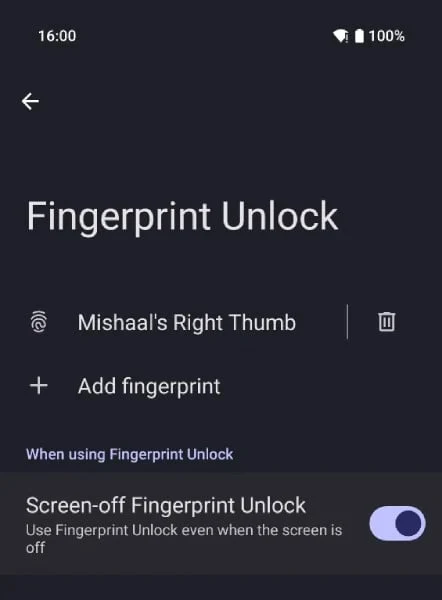
    Since the Pixel 6 series, Google has employed an ultrasonic fingerprint sensor, which previously required users to activate the screen before unlocking. However, with Android 16, users can now authenticate directly from a dark screen. To enable this feature, go to Settings > Security and privacy > Device unlock > Fingerprint Unlock, where a new toggle for Screen-off Fingerprint Unlock will be available under “When using Fingerprint Unlock.” Once this is turned on, simply placing your finger on the sensor area will both wake and unlock the phone in one motion.

    This change is particularly beneficial for those who have their Always-on Display (AOD) turned off. If AOD is active, the scanner already functions without fully waking the device, so the difference may not be as noticeable for those users.

    Compatibility and Testing

    As reported by Android Authority, the screen-off fingerprint unlocking feature was first introduced in Android 16 Developer Preview 2 but was initially exclusive to the Pixel 9 series. Now, with Beta 3, it is available on all compatible Pixel devices, starting from the Pixel 6 series. Rahman has tested this on both the Pixel 6a and Pixel 7 Pro, and confirmed that it operates as intended.

    This may seem like a minor update, yet it holds significance for Pixel users who have long anticipated a more streamlined unlocking process.

    Source:
    Link

  • All Pixel Phones Now Support Fingerprint Unlock with Screen Off

    All Pixel Phones Now Support Fingerprint Unlock with Screen Off

    Key Takeaways

    1. The Android 16 update allows users to unlock Pixel smartphones using the under-display fingerprint scanner even when the screen is off.
    2. The feature, called ‘Screen-off Fingerprint Unlock,’ is found in the Security and Privacy settings under Device unlock.
    3. This capability was previously exclusive to the Pixel 9 series but is now available for older models, excluding foldable phones.
    4. There is no indicator for the fingerprint scanner’s location when the screen is off, which may create challenges for some users.
    5. Android 16 Beta 3 is available for Pixel 6 and later models, but foldable devices do not support this specific fingerprint feature.


    The newest Android 16 update for Pixel smartphones now enables users to unlock their devices using the under-display fingerprint scanner even with the screen off. Currently, Android 16 is in its Beta phase, and Beta 3 was launched this month for Pixel devices starting from the Pixel 6 series. Previously, this feature was exclusive to Pixel 9 phones, but it has now been extended to older models, though foldable phones are not included.

    Accessing the Feature

    The feature known as ‘Screen-off Fingerprint Unlock’ can be located within the Security and Privacy settings, specifically in the Device unlock menu. After enabling it, users of Pixel phones can unlock their devices by placing their fingers where they normally would for the fingerprint scanner. This change allows users with the ‘Always-on’ display turned off to quickly access their phones without needing to tap the screen or press the power button first.

    Limitations of the Feature

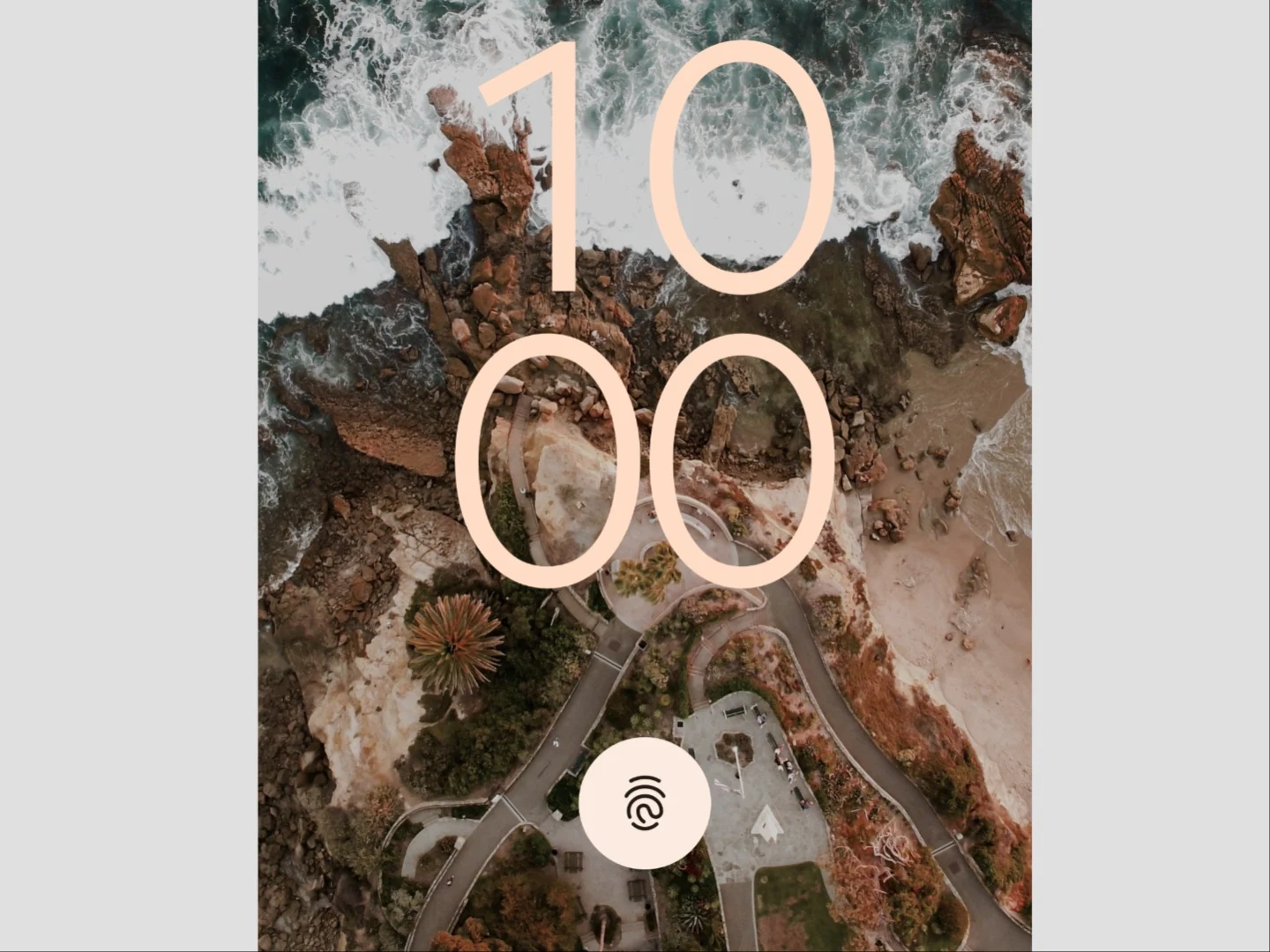
    Interestingly, there’s no clear indicator showing where the fingerprint scanner is when the screen is off, which might make it tricky for some users.

    Originally, this feature was restricted to the Pixel 9 series, but Android specialist Mishaal Rahman demonstrated that he could unlock a Pixel 6a using this capability. Rahman also mentioned that another tester confirmed this feature on the Pixel 7 Pro. It’s important to highlight that this is still a beta version, and the final Android 16 update may not include this functionality.

    Availability of Android 16 Beta 3

    Android 16 Beta 3 is accessible for Pixel 6 and later models, including the Pixel Fold and Pixel 9 Pro Fold. However, since foldable devices lack under-display fingerprint scanners, this specific feature will not be available for them.

    This update is just one of many improvements in Android 16, as noticed by Android Authority and Android Developers.

    Source:
    Link

  • Android 16 Beta 2 Update Brings New Camera Features for Pixel 9 Pro

    Android 16 Beta 2 Update Brings New Camera Features for Pixel 9 Pro

    Key Takeaways

    1. Android 16 is expected to launch between April and June 2025, with a second public beta now available.
    2. New camera features include saving Ultra-HDR photos in the HEIC format and adjustable exposure settings in automatic mode.
    3. Enhanced white balance options allow users to modify tint and color temperature for better photo quality.
    4. Quick access to Google Wallet can be achieved by double-pressing the power button.
    5. The beta version is compatible with recent Google devices, including Pixel 6 and later models, and users should back up their data before installation.


    Since Google has sharpened its software release timeline, Android 16 is projected to launch in the second quarter of 2025, specifically between April and June. In line with this, Google has rolled out the second public beta version that features several new improvements. To be more precise, this beta mainly hones in on the camera application.

    New Camera Features

    The update now allows users to save Ultra-HDR photos in the HEIC format, which is more efficient and takes up less space. Lastly, photographers can now tweak exposure settings while in automatic mode. Instead of being limited to either full auto or manual, users can modify specific settings like sensor sensitivity or shutter speed in automatic exposure mode if they choose, while all other settings remain automatically adjusted.

    Enhanced White Balance Options

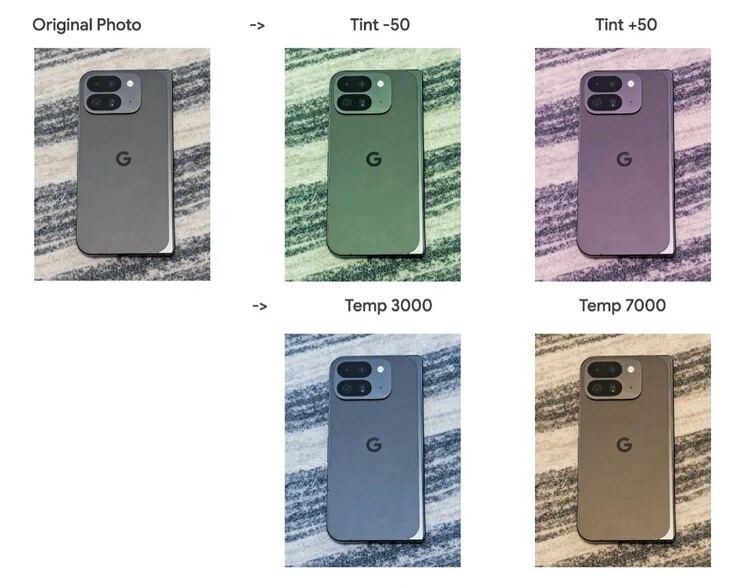
    Google has also added more ways to modify the white balance. Besides adjusting the color temperature, the second beta of Android 16 introduces a tint option that can help counter challenging or vibrant lighting conditions, or even give photos a unique flair. This feature is particularly vital when capturing JPEGs instead of RAW images, since white balance adjustments can’t be made after the photo is taken.

    Quick Access to Google Wallet

    Another interesting addition is the ability to access Google Wallet by double-pressing the power button, which serves as an alternative shortcut to the camera app. The latest public beta version of Android 16 works with a variety of recent Google devices, including the Pixel 6 and later models, as well as the new Pixel 9 Pro and the Pixel Tablet. Those interested in testing the beta can sign up on Google’s official site. As always, it’s highly advisable to perform a complete backup before installing any beta version of an operating system.

    Source:
    Link