Tag: Android 16

  • Android 16: New Features and Visual Enhancements Unveiled

    Android 16: New Features and Visual Enhancements Unveiled

    Key Takeaways

    1. Live Updates Feature: Users can now monitor delivery progress without constantly checking apps, initially supporting select ride-share and food delivery apps.

    2. Visual Improvements: The status bar text is bolder for better readability, and control panel tiles can be customized with refreshed brightness and volume sliders.

    3. Streamlined Notifications: Notifications from the same app are now grouped together, making it easier to find specific alerts.

    4. Enhanced Features for Large Screens: Desktop Windowing is introduced for larger devices, enhancing productivity on foldables and tablets, with custom keyboard shortcuts available.

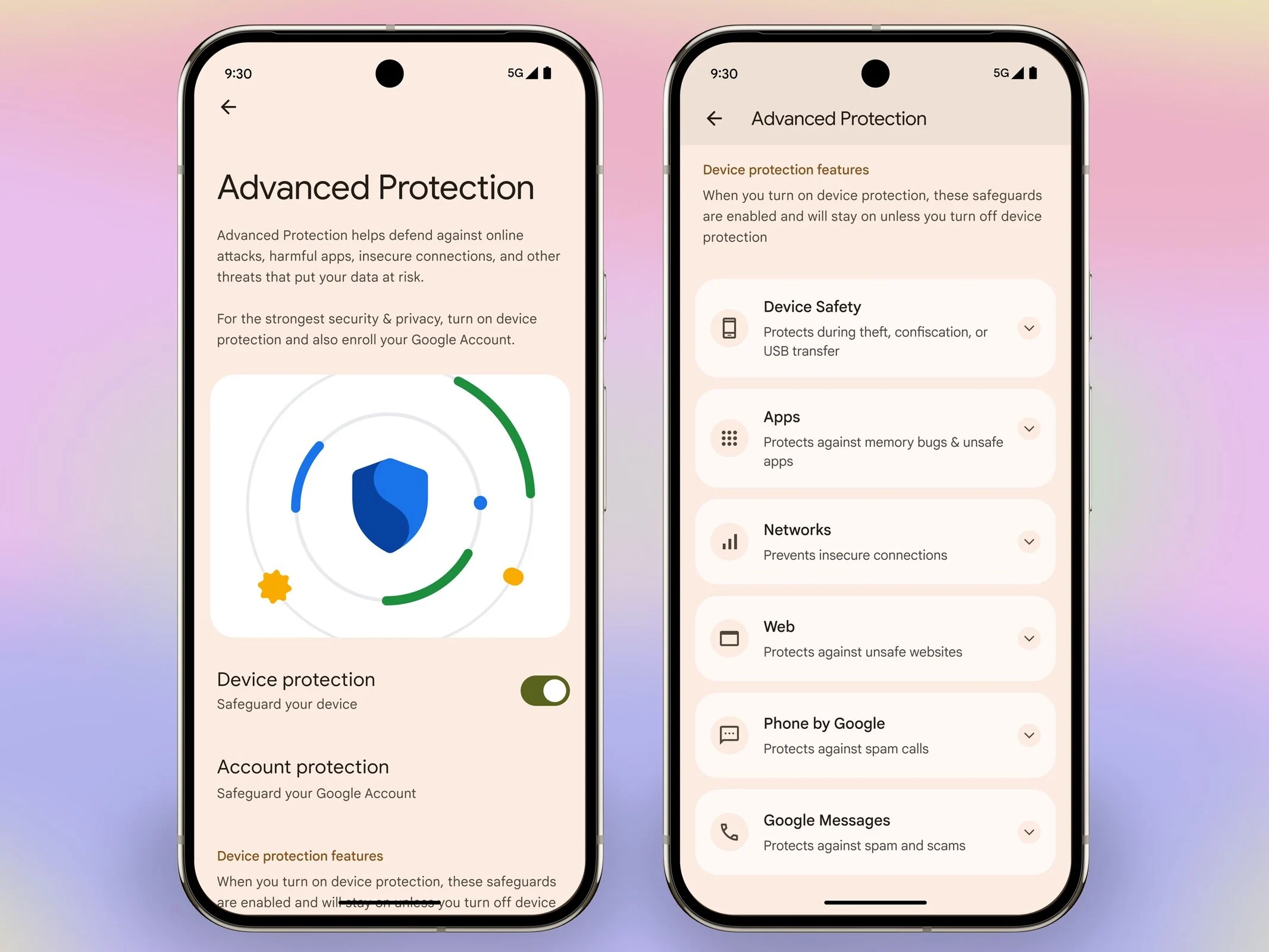
    5. Advanced Protection: Google’s strongest mobile device protection is now available, activated with one tap to safeguard against online threats and scams.


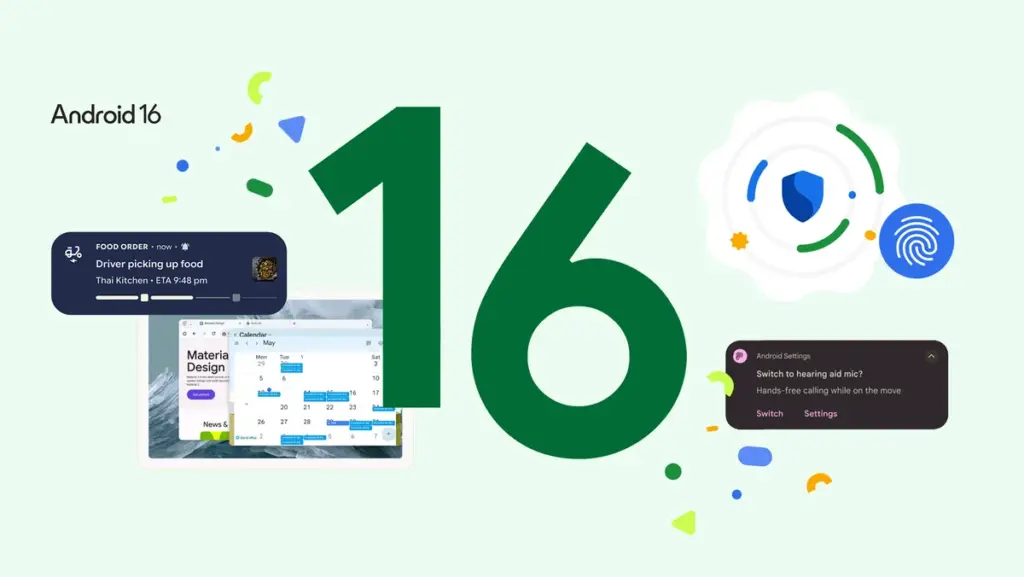
    Android 16 has arrived, bringing several visual updates that enhance user experience. This release is notable as it is the earliest major Android launch in many years and sets the stage for Google’s new Material 3 Expressive design language. The version currently available is the Android 16 QPR1 beta release (Google has recently issued QPR1 Beta 2, which includes some fixes), and it is ready for supported Pixel devices. Let’s dive into the new features.

    New Live Updates Feature

    One small yet handy addition is the Live Updates feature. Now, instead of constantly checking a delivery app, you can monitor the progress quickly. Initially, it supports a few ride-share and food delivery apps, but more are likely to come as development continues. Samsung’s Now Bar and OPPO and OnePlus’ Live Alerts will also incorporate this feature to improve the overall Android experience.

    Visual Improvements

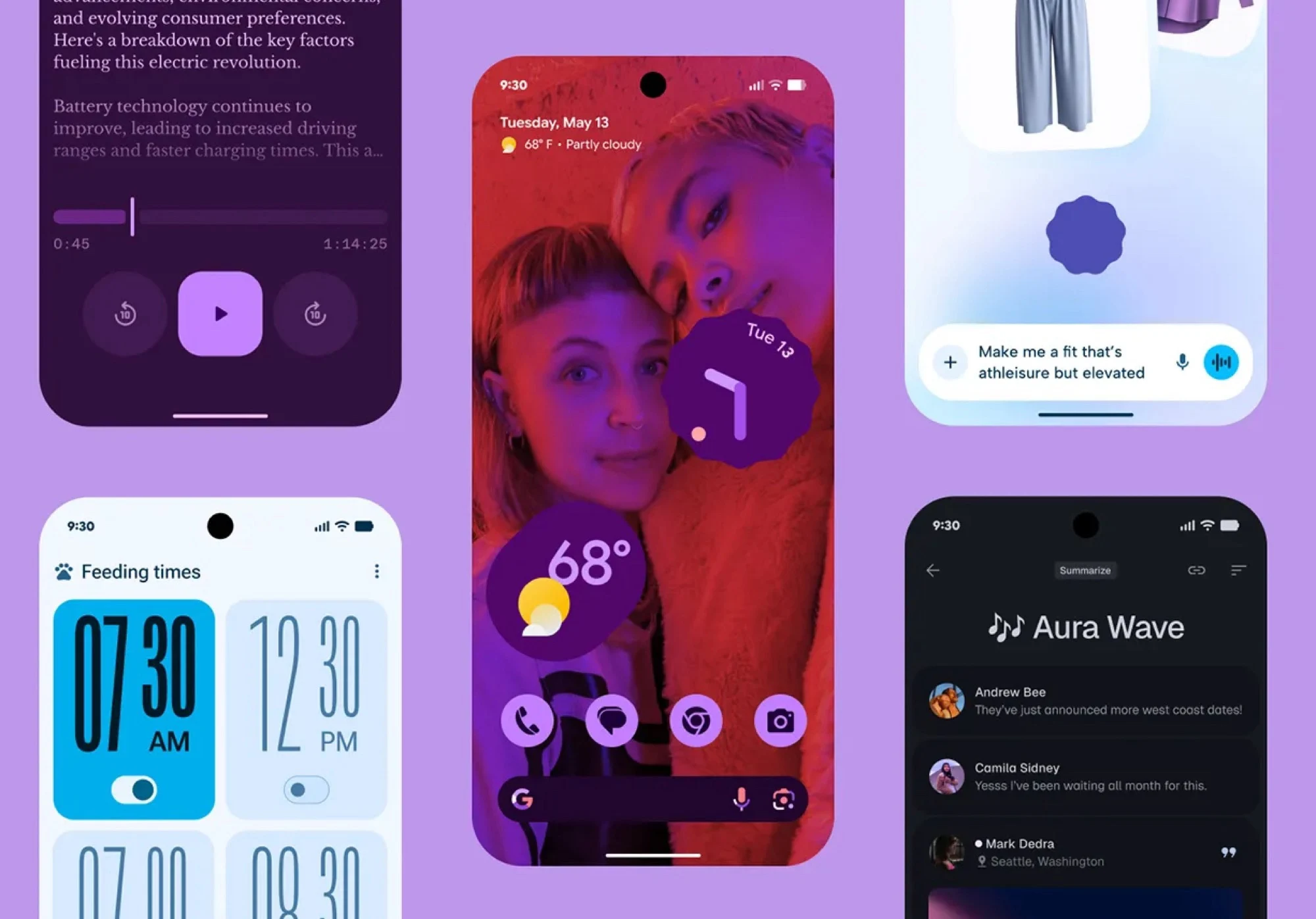
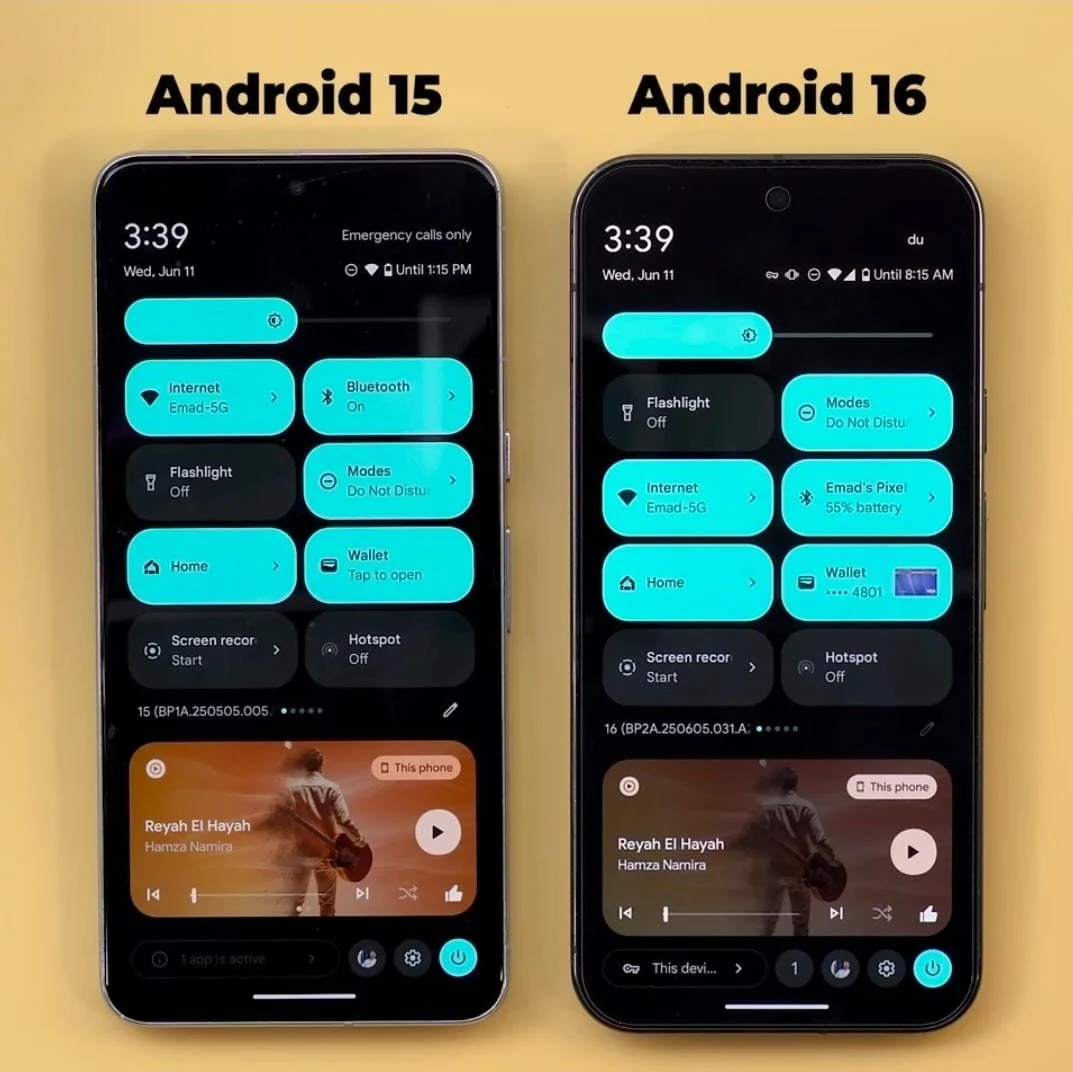
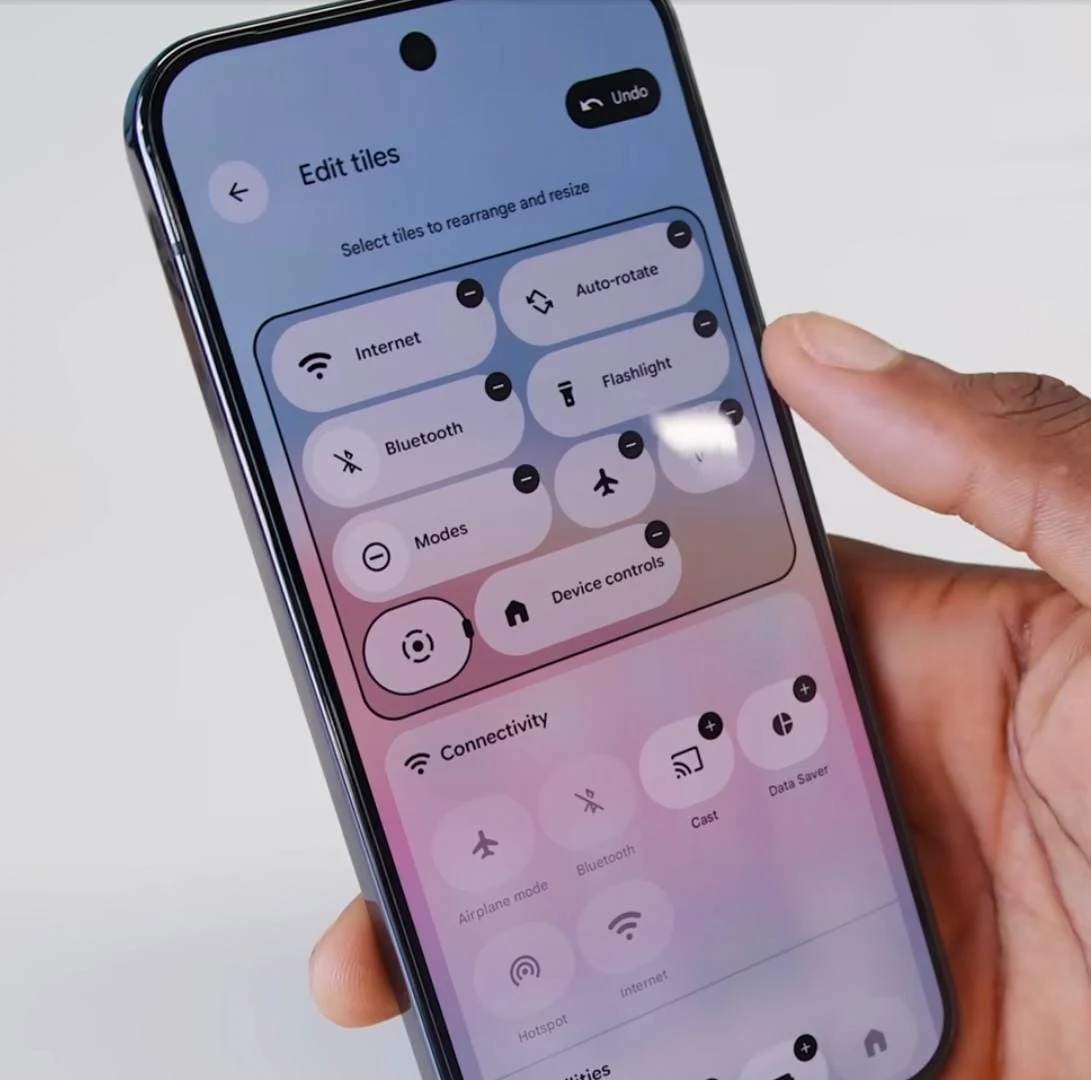
    Regarding visual updates, there are several noteworthy changes. The status bar text now features a bold font, making it clearer and easier to read. Additionally, the tiles in the control panel can be customized, and both the brightness and volume sliders have received a fresh look.

    Streamlined Notifications

    Tired of scrolling through endless notifications or having trouble locating the one you need? Android 16 now organizes notifications from the same app together, which simplifies the process of finding what you’re after.

    Enhanced Features for Large Screens

    For larger devices, Android 16 brings Desktop Windowing, inspired by Samsung’s DeX. There’s a video available that showcases how this feature works and how it can enhance productivity on foldable devices or Android tablets. Users can also set up custom keyboard shortcuts to maximize the utility of their lightweight, efficient, yet powerful device.

    Advanced Protection

    Another significant addition is Advanced Protection, which Google describes as its “strongest mobile device protection” to date. It can be activated with just one tap and is designed to safeguard users against online threats, malicious apps, unsafe websites, scam calls, and more.
  • Android 16 Launches Today, June 10: What You Need to Know

    Android 16 Launches Today, June 10: What You Need to Know

    Key Takeaways

    1. Android 16 is set to launch on June 10, following hints from the Android Developers account on social media.
    2. The update will first roll out to Pixel smartphones starting from the Pixel 6 and select models from Samsung, Xiaomi, OnePlus, Motorola, and Nothing.
    3. New features in Android 16 include Advanced Protection, Live Activities, quick controls for Google Wallet, and battery health indicators.
    4. The significant visual overhaul, known as the Material 3 Expressive update, will enhance various settings and menus but will be released in a few months.
    5. This Android update is being launched three months earlier than previous versions to give manufacturers more time for their flagship devices.


    With Apple updating its branding and improving the software experience across its devices, Google has also shared when the next Android update will come out. Most of the features for this update have already been disclosed in earlier beta versions, and the final version of Android 16 is set to launch later today, June 10. However, the fresh Material design is still expected to be released later in the year.

    Exciting Announcement on Social Media

    The Android Developers account on X shared a brief message on June 9, hinting that the final release of Android 16 is nearly here with a simple note saying, “It’s almost time for the Android 16 final release,” along with “See you back here tomorrow,” and added a winking emoji. This indicates that the final version of Android 16 will be available today, June 10, though the exact timing remains uncertain. The update will be rolled out to Pixel smartphones starting from the Pixel 6 (Buy on Amazon), as well as Samsung S22 and newer models, Xiaomi 13 and newer, OnePlus 11 and newer, Motorola Razr 50 (Buy Razr 2024 on Amazon) and Edge 40 (Buy Edge 2023 on Amazon), plus all Nothing phones.

    A Broader List of Compatible Devices

    This list is just a part of the devices expected to receive the update. Naturally, Pixel models will be the first to enjoy Android 16, with other brands likely following afterwards.

    It’s important to highlight that while the Android 16 update will introduce new features such as Advanced Protection, Live Activities, quick controls for Google Wallet, battery health indicators, and various cosmetic tweaks, the major overhaul is still several months away. The Material 3 Expressive update, which is included in Android 16 QPR1 (Quarterly Platform Release 1), will be coming in a few months, but no specific date has been provided yet.

    Major Visual Changes Ahead

    The Material 3 Expressive update represents the significant visual overhaul associated with Android 16. It will enhance the Quick Settings panel and the Settings menus, introduce new options alongside cosmetic updates to previous ones, and more.

    This Android update is being launched roughly three months earlier than previous versions. Google has previously stated that it is speeding up the release cycle to allow manufacturers additional time to launch their latest flagship devices featuring the most current Android version.

    Source:
    Link

  • Google Pixel 9 Pro and Phones Get Android 16 Update and Features

    Google Pixel 9 Pro and Phones Get Android 16 Update and Features

    Key Takeaways

    1. Android 16 update is now available for Pixel smartphones, featuring design changes, Live Updates, and security enhancements.
    2. New “Pixel VIPs” feature allows users to organize important contacts’ calls, messages, and birthdays in one spot, with notifications enabled during “do not disturb” mode.
    3. Gboard introduces AI-generated stickers and the Pixel Recorder app can create AI-driven summaries of voice memos in multiple languages.
    4. Camera app now includes a tutorial button for functions and the Magnifier app can scan for text through the camera.
    5. Google Photos introduces an AI-powered one-click feature to enhance images.


    Today, Google has rolled out the Android 16 update for its Pixel smartphones. If you own a Pixel 9 Pro (starting at $999 on Amazon) or another compatible device, you can already get the newest operating system. The Android 16 update mainly brings design changes, Live Updates akin to those on the Apple iPhone, along with security enhancements.

    Exciting New Features

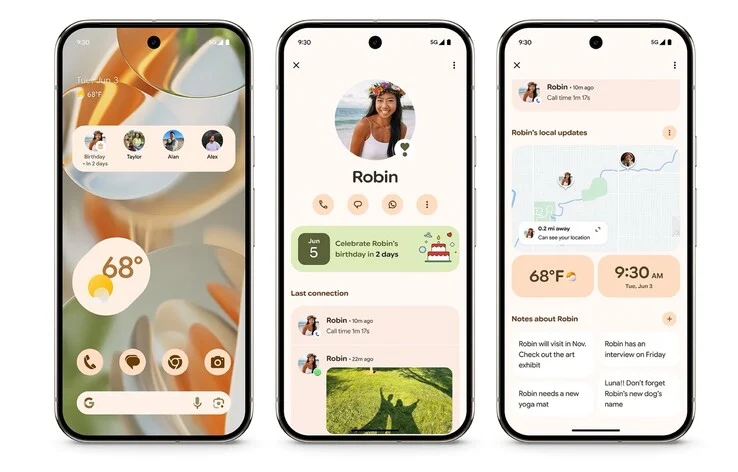
    Pixel users can also take advantage of a bunch of exclusive functionalities with the latest Feature Drop for June 2025. One of the highlights is the introduction of “Pixel VIPs,” which gather previous calls, messages, or birthdays from selected contacts into a single spot. You can even display this information on your home screen using a widget. Notably, calls from these VIPs will still ring through when “do not disturb” mode is activated.

    Enhancements in Applications

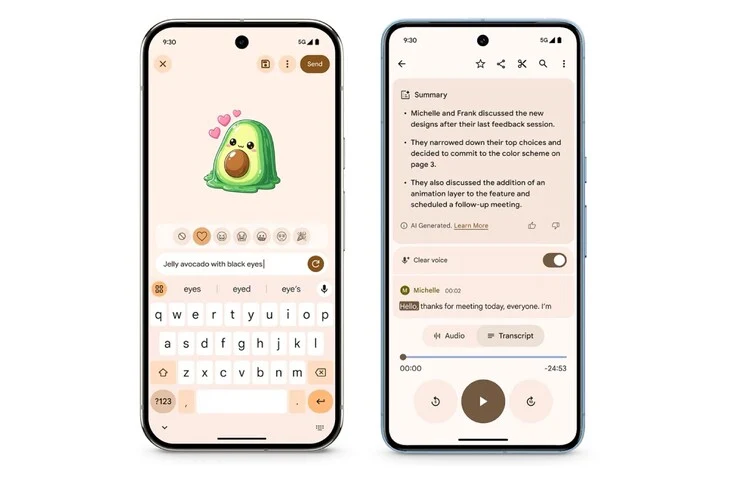
    In a fun twist, Gboard can now create stickers using AI and text input, so users don’t need to toggle between different apps. Also, the Pixel Recorder app is now capable of generating AI-driven summaries of voice memos in several languages, including German. Furthermore, the Feature Drop brings “Clear Voice” to the Pixel 8 series, a tool that aims to eliminate unwanted background noise from voice memos.

    Camera and More Improvements

    For those who love photography, the Camera app on Pixel devices has a new question mark button that opens a tutorial detailing its various functions. Additionally, Google’s Magnifier app can now scan for text visible through the phone’s camera, such as restaurant menus. Finally, Google Photos has introduced a new one-click feature that leverages AI to enhance images.

    Source:
    Link


  • Android 16 Update Unavailable for These Motorola Phones

    Android 16 Update Unavailable for These Motorola Phones

    Key Takeaways

    1. Android 16 is set to launch in June for Google Pixel devices, marking an earlier release compared to past versions.
    2. Many Motorola devices, including various models from the Edge, Razr, Moto G, and Moto E series, are likely not to receive the Android 16 update.
    3. Motorola’s update policy is confusing, with some newer devices receiving fewer updates than older models, leading to disappointment among users.
    4. The premium Razr 2025 models are only guaranteed three OS updates, while mid-range and budget models are often capped at two updates.
    5. Competitors like Samsung offer significantly more OS updates for their devices, highlighting a gap in Motorola’s software support strategy.


    Android 15 is nearly finished, with Google getting ready to launch the next OS version — Android 16. This new version is set to come out in June for Google Pixel devices, which is much sooner than past releases. Motorola is also expected to quickly follow suit. However, many of its devices have already been discontinued and will not receive updates, including Android 16.

    Check Your Device Compatibility

    As Android 16’s release date approaches, it’s a good idea to check whether your Motorola device will miss the update. Below is a compiled list of devices that are likely not to receive the Android 16 upgrade.

    Devices Not Getting the Android 16 Update

    Motorola has not officially confirmed which devices will receive the Android 16 update. Therefore, we had to use their current software policy and some educated guesses to create this list.

    Motorola Edge series
    – Motorola Edge 40
    – Motorola Edge 40 Neo
    – Motorola Edge+ (2023)
    – Motorola Edge (2022)
    – Older Edge models

    Motorola Razr series
    – Motorola Razr 2022
    – Motorola Razr
    – Older Razr models

    Motorola Moto G series
    – Moto G Stylus 5G (2024)/G Stylus 5G (2023)
    – Moto G Power 5G (2024)/G Power 5G (2023)
    – Moto G (2024)/G (2023)
    – Moto G84/G82
    – Moto G73/G72/G71/G71s
    – Moto G64/G62/G60/G60s
    – Moto G54/G54 Power/G53/G52
    – Moto G45/G42/
    – Moto G34/G32
    – Moto G24/G24 Power/G23
    – Moto G15/G15 Power/G14/G13
    – Moto G05/G04/G04s
    – Moto G Play (2024)/G Play (2023)
    – Older Moto G models

    Motorola Moto E series
    – Moto E32/E32s
    – Moto E22/E22i/E22s
    – Moto E13/E14/E15
    – Older Moto E models

    Motorola tablets
    – Moto Tab G70
    – Moto Tab G62
    – Motorola Tab G20
    – Lenovo Moto Tab

    These Motorola phones and tablets are unlikely to receive Android 16 or any future updates. If your device is listed, consider waiting for the official upgrade list before deciding to buy a new model.

    The Confusion of Motorola’s Update Policy

    Motorola’s software update policy is quite confusing. For instance, both the Edge 50 Pro and Edge 50 Neo promise updates for five generations, while the newer Edge 60 models are limited to just three. Ideally, Motorola should provide longer support for newer models or at least match the previous generation’s offerings, but scaling back is not the best move.

    Even the premium Razr 2025 models, released this year, are only guaranteed three OS updates. The situation worsens for mid-range and budget models, where most are capped at two updates.

    The most troubling part is that Motorola hasn’t announced future update eligibility for several devices — and this applies not just to older models, but also to new ones like the Moto G15 and G15 Power.

    As of 2025, other brands like Samsung are providing up to six OS updates for mid-range devices and seven for flagship models. For Motorola to limit its offerings to just three is disappointing. The company should aim for at least five updates for high-end phones and a minimum of three for budget options, while also clearly stating how many updates each device will receive. Motorola phones are otherwise quite good.

  • Control Flashlight Brightness with Android 16 Update

    Control Flashlight Brightness with Android 16 Update

    Key Takeaways

    1. Android 16 will introduce native controls for flashlight brightness, a feature eagerly awaited by Pixel users.
    2. The update will utilize a new Flashlight Strength slider in the Quick Settings menu for easy brightness adjustments.
    3. This feature enhances Pixel devices’ software capabilities, compensating for average hardware specifications.
    4. The built-in solution is expected to debut in mid-2025, offering a significant improvement over third-party apps.
    5. Concerns about LED wear at maximum brightness and thermal constraints remain, as the feature is tested in the upcoming release.


    Google’s Android 16 is on the verge of launching native controls for flashlight brightness, something that Pixel users have been eagerly anticipating. This new feature, seen in the recent beta version, aims to improve hardware capabilities through a modern Material 3 Expressive layout.

    Software Innovation Continues

    Google Pixel devices have often relied on software advancements to make up for average hardware specs. The recent beta release of Android 16, which came out last week, keeps this pattern alive with its Material 3 Expressive overhaul. According to a report from the Google News Telegram channel, the Android 16 QPR 1 will finally incorporate flashlight brightness adjustments directly at the operating system level, using APIs that were first introduced in Android 13. These APIs, that were previously used by third-party apps such as FlashDim for adjusting LED brightness, were limited to Google’s own Camera and Magnifier applications.

    User-Friendly Interface

    The update brings a new Flashlight Strength slider to the Quick Settings menu, which can be accessed by clicking on the right side of a resizable tile. Leaked images display a straightforward toggle and slider user interface, allowing for easy brightness adjustments. This is a welcomed improvement for Pixel users, as the flashlight’s default dim setting, likely a thermal safety measure due to LED cooling, has been seen as a limitation.

    While third-party applications have provided alternatives, offering widgets and toggles using the same APIs, Google’s built-in solution, expected to launch in mid-2025, represents a considerable advancement. Nevertheless, using the flashlight at maximum brightness for extended periods can lead to LED wear, which is a caution highlighted in app disclaimers. Additionally, with Android 16 also introducing adjustable Quick Settings tiles, this update could significantly enhance the usefulness of Pixel devices. While the leak mainly pertains to Pixel users, other smartphone manufacturers are likely to embrace this beneficial feature as well.

    The Anticipation

    So, will this feature truly shine for users, or will it falter due to thermal constraints? The release of QPR 1 should provide the answer.

    Source:
    Link


  • Android Smartphones Evolving: Lock Screen Widgets Turn Them into Smart Screens

    Android Smartphones Evolving: Lock Screen Widgets Turn Them into Smart Screens

    Key Takeaways

    1. Google Pixel tablet’s lock screen widgets feature will soon be available for third-party tablets with Android 16.
    2. Android 16 will introduce lock screen widgets for smartphones in standby mode, similar to Apple’s feature for iPhones.
    3. Users may be able to place more than two widgets and create multiple pages in the standby mode.
    4. Standby mode will allow Android smartphones to function as Chromecast receivers for streaming videos and music.
    5. The upcoming Google Pixel 10 series may support magnetic Qi2 chargers without needing a special case.


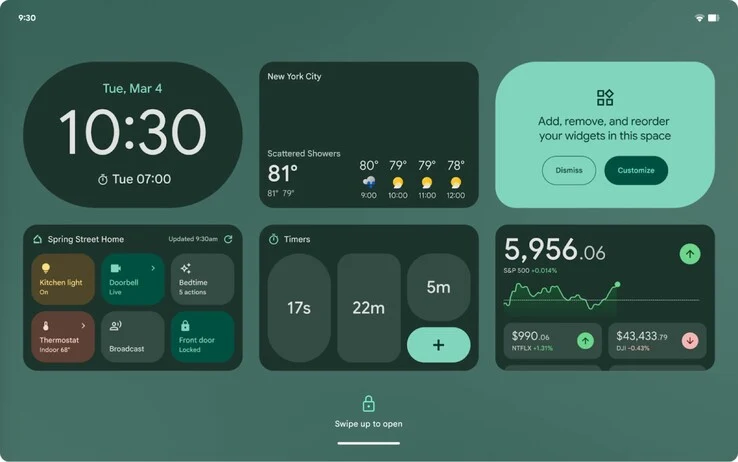
    The Google Pixel tablet can already show widgets on its lock screen, and with the upcoming Android 16, this feature will be available for third-party tablets as well. Recently, Android Authority discovered in the code of a beta version of Android 16 that Google is also working on lock screen widgets for smartphones, planning to incorporate them into a standby mode.

    Standby Mode Features

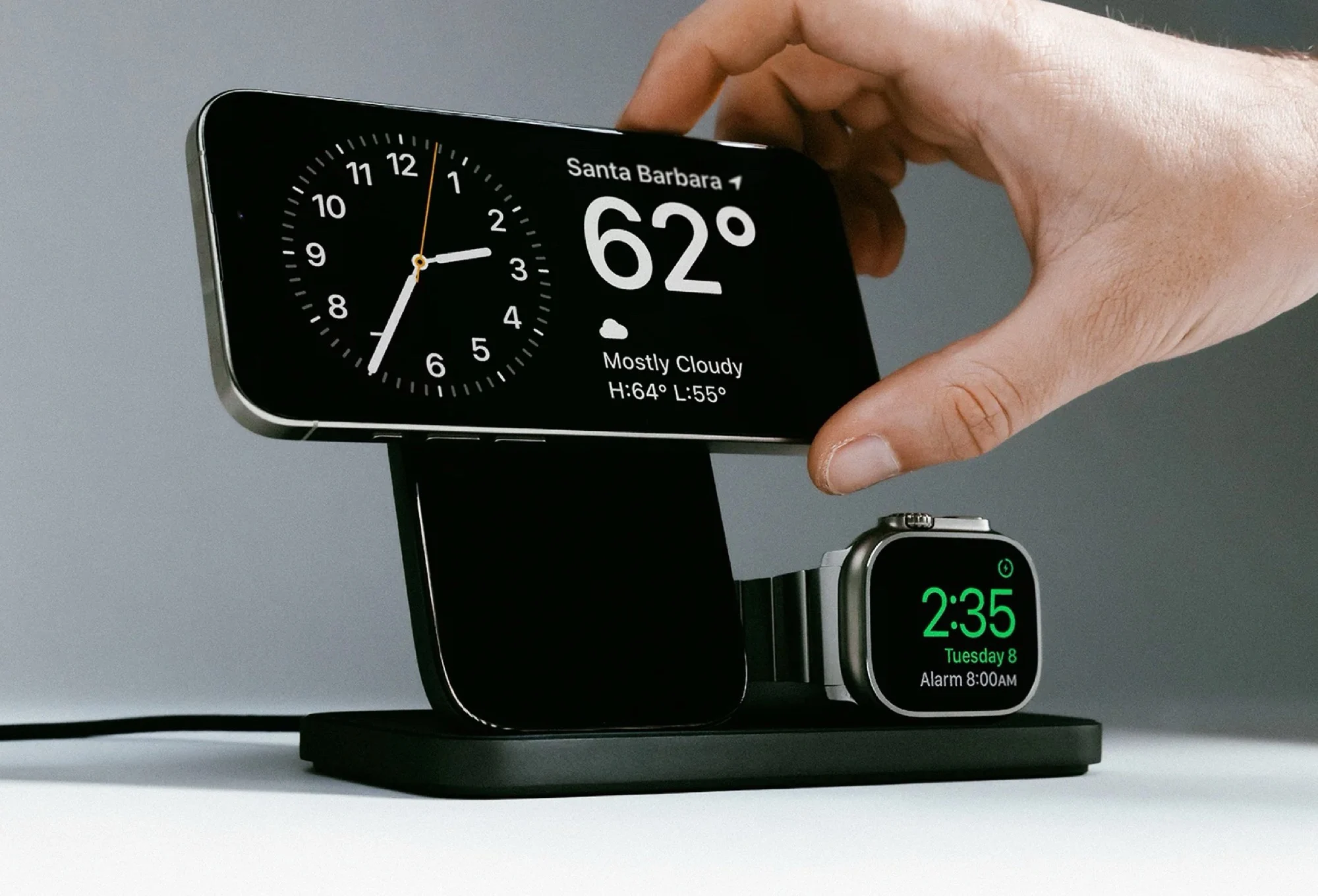
    By doing this, Google seems to be adopting a function that iPhone users have enjoyed for many years: standby mode. This feature automatically activates when an iPhone is on a Qi2 or MagSafe charger and positioned in landscape orientation. Apple allows its users to add up to two widgets, turning the iPhone into a mini smart display that can manage smart home devices or show upcoming calendar events.

    Visual Demonstration

    In the video below, Android Authority showcases an early beta version that illustrates what Google’s lock screen widgets could potentially look like. The video reveals that Google may allow users to place more than two widgets and even create multiple pages of widgets to navigate. There’s a button located in the bottom right corner of the screen that lets users exit this standby mode.

    Hub Mode Capabilities

    Within standby mode, Android smartphones will also act as Chromecast receivers, enabling users to stream videos and music wirelessly to their devices. This feature is reportedly called “Hub Mode.” The development of an alternative to Apple’s standby mode might suggest that the upcoming Google Pixel 10 series will support magnetic Qi2 chargers without needing to purchase a special protective case with magnets.

    Source:
    Link


  • Android 16 Enhances Security with Google’s Advanced Protection

    Android 16 Enhances Security with Google’s Advanced Protection

    Key Takeaways

    1. Google introduced a new design for Android 16 with enhanced features and security options.
    2. The Advanced Protection feature provides a high level of security by preventing individual security components from being turned off.
    3. Advanced Protection uses a “defense-in-depth” approach, managing key security settings across the system and Google apps.
    4. New features include intrusion logging, enhanced automatic locking, theft detection, Inactivity Reboot, and USB Protection.
    5. Inactivity Reboot restarts the device after 72 hours of inactivity, and USB Protection limits connections to charging only when the device is locked.


    Google has unveiled the fresh design of Android 16 just yesterday. During the announcement, various new features were showcased along with changes in design. Additionally, Google shared information about a crucial new security option on its security blog: Advanced Protection. This feature is similar to the lockdown mode that iPhones have, and it aims to elevate the security of Android devices significantly.

    A New Level of Security

    Advanced Protection serves as a primary security setting for devices. When activated, it guarantees that Android’s top security standards work in unison to offer users robust protection against online threats, harmful apps, and potential data leaks. The unique aspect of Advanced Protection is that it does not allow individual security components to be turned off, either accidentally or through malicious software. Google is implementing a clear “defense-in-depth” approach here, where multiple layers of security are interconnected. Advanced Protection functions as a central control point that manages key security settings across the system and many Google applications like Chrome, Google Messages, and the Google phone app. There are also plans to integrate it with third-party apps.

    New and Improved Features

    Some security features that operate in Advanced Protection mode have already been present in current Android versions, while others have been specifically created for this new protection mode. A key element is the new intrusion logging, which offers detailed security analyses if a compromise is suspected. Familiar security features like automatic locking and theft detection have now been enhanced with Inactivity Reboot and USB Protection. The Inactivity Reboot feature restarts the device after 72 hours of no activity while in a locked state, rendering data unreadable until it is unlocked. Meanwhile, USB Protection limits new USB connections to charging only by default when the device is locked, helping to guard against physical attacks.

    Conclusion

    For more details, you can find the full information on the Google Online Security Blog: Advanced Protection: Google’s Strongest Security for Mobile Devices.

    Source:
    Link

  • Google Unveils New Android 16 Design for Pixel 9 and More

    Google Unveils New Android 16 Design for Pixel 9 and More

    Key Takeaways

    1. Launch Timeline: Android 16 will be officially released in June, with Material 3 Expressive UI rolling out later this year, starting with Google Pixel smartphones.

    2. Emotional Engagement: Material 3 Expressive focuses on creating a more emotionally engaging UI with bolder colors and unique shapes for app icons.

    3. Enhanced Animations: The new design includes broader and smoother animations for various user interactions, like adjusting volume or accessing quick settings.

    4. Blurred Backgrounds: A greater emphasis on blurred backgrounds is introduced to add depth to the interface without affecting performance or battery life.

    5. Live Updates Feature: The new Live Updates feature will provide real-time information for delivery and navigation apps on the lock screen, status bar, and quick settings.


    After the recent leak of the new Material 3 Expressive design by Google, the fresh appearance of Android 16 has been officially revealed today. The final version of Android 16 is set to launch in June, while the Material 3 Expressive user interface will be rolled out later this year, starting with Google Pixel smartphones like the Pixel 9. Smartphones from brands that have their own proprietary user interface, such as Samsung’s One UI, will probably not adopt Material 3 Expressive.

    Enhanced Emotional Appeal

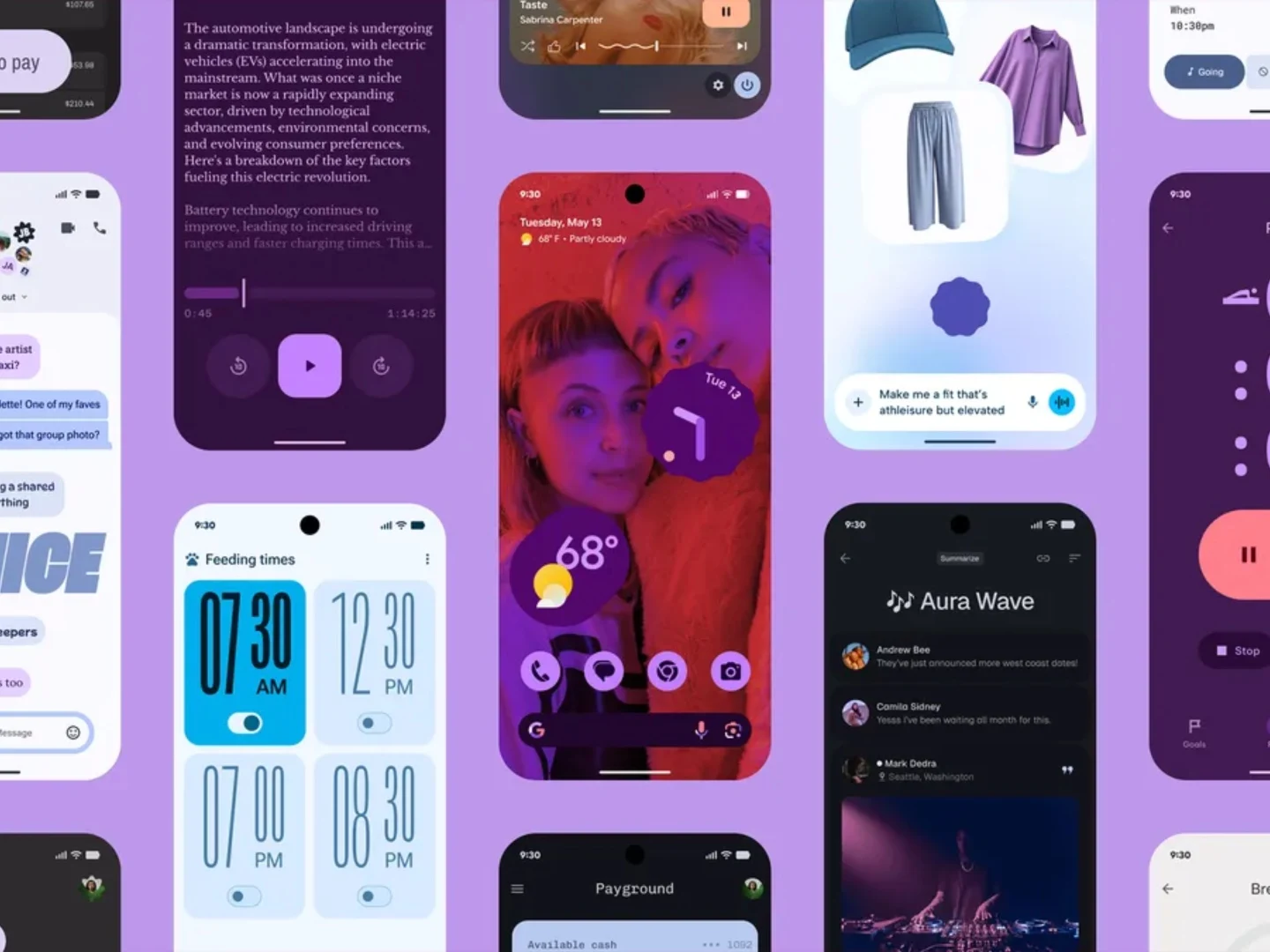
    Material 3 Expressive aims to make the Android 16 user interface more emotionally engaging. To achieve this, Google is incorporating even bolder, user-customizable colors, along with unique shapes, such as app icons shaped like stars or diamonds. The video included below displays many animations that are both broader and smoother than they were previously. Whether it’s adjusting a volume slider, deleting an email, or accessing the quick settings, Google is ensuring every feature is refreshed.

    Depth with Blurred Backgrounds

    The greater emphasis on blurred backgrounds is designed to add a sense of depth to the interface. These updates are not expected to impact the performance or battery life of smartphones. While Google is changing the layout of the lock screen and the icons in the menu bar, the core structure and functionality of Android will remain largely the same, meaning users won’t need to relearn how to navigate their Android devices.

    New Live Updates Feature

    There is, however, an exciting new feature: Live Updates for delivery and navigation apps. These live updates will be visible on the lock screen, status bar, and in the quick settings, offering real-time information about takeaway deliveries and tracked packages. The quick settings can be customized in various ways to allow more options to fit onto one screen.

    Google’s innovation continues to impress, making significant strides in enhancing user experience.

    Source:
    Link


  • Google’s Battery Health Feature Now for Pixel 8a and Newer Models

    Google’s Battery Health Feature Now for Pixel 8a and Newer Models

    Key Takeaways

    1. New Battery Health Feature: Android 16 introduces a Battery Health menu to monitor battery deterioration, currently in beta.

    2. Limited Availability: This feature is exclusive to newer Pixel models, specifically the Pixel 8a and Pixel 9 series.

    3. Accessing the Feature: Users can find the Battery Health menu in the Settings under the Battery section, showing battery capacity compared to a new one.

    4. Older Models Excluded: The feature is not available on older Pixel devices, which may disappoint users who could benefit from it.

    5. Concerns Over Updates: The exclusion of older models raises questions about the seven years of promised updates and access to significant features.


    Android 16 is introducing a feature that allows users to monitor the health of their device’s battery. Currently in beta, Google has stated that this feature will be limited to certain Pixel phone models, namely the Pixel 8a and the Pixel 9 series.

    Battery Health Insights

    The new Android Battery Health menu can be accessed in Android 16 Beta 3, providing users with information on how much their battery has deteriorated. A similar functionality has been a part of iPhones for several years, including models like the iPhone 6. Recently, Android Authority reported that this feature will only be available for the newer Pixel devices.

    Accessing the Feature

    Users can find the Battery Health menu under the Battery section in the Settings application. According to the screenshots that have been shared, the feature gives an estimated percentage of charge that the battery can hold compared to a brand-new battery.

    The screenshots appear to have come from owners of the Pixel 8a and Pixel 9, which are currently listed on Amazon for $599. However, no images have been shared by users of older models like the Pixel 8 and Pixel 8 Pro, leading to some questions. A response found in the Google Issue Tracker, noticed by Reddit user azmeen0, confirmed that the absence of this feature in older models is intentional, citing “product limitations.”

    Impact on Older Devices

    This news is disappointing for those who own older Pixel devices, as they would likely benefit the most from such a feature. As these batteries age, understanding their condition becomes increasingly useful. Moreover, it raises concerns about the promised seven years of updates, especially if last-generation devices are left out from receiving significant features like this one.

    Source:
    Link

  • Android 15 Update Now Available for Many Pixel Devices

    Android 15 Update Now Available for Many Pixel Devices

    Key Takeaways

    1. Android 16 is expected to be released soon, likely this quarter.
    2. The May 2025 update is being rolled out to all devices with Google Tensor chipsets, except the Pixel 9a.
    3. The update includes three key bug fixes, including improvements to microphone recording quality and Bluetooth pairing issues.
    4. The updates provide May 2025 Android security patches for devices starting from the Pixel 6.
    5. A bootloader update is included for Pixel 6 and Pixel 8 models, preventing downgrades to earlier Android versions.


    Google is soon to release Android 16, with many expecting it to happen this quarter. In the meantime, the tech giant has begun distributing its May 2025 update, which is available for all devices that use Google Tensor chipsets.

    Update Details

    Currently, all devices except for the Pixel 9a will be getting the update labeled BP1A.250505.005. Interestingly, Google is sending out a different update, BD4A.250505.003, to the newest mid-range phone, which is priced at $499 on Amazon. This update does not seem to have any specific changes for the Pixel 9a.

    Bug Fixes and Improvements

    According to a support announcement from Google, all devices eligible for this update will get three important bug fixes. One of these fixes addresses an issue that led to poor microphone recording quality in some applications. The updates, BP1A.250505.005 and BD4A.250505.003, should also resolve Bluetooth pairing problems with certain smartwatches, although Google has not shared more details on that. Furthermore, the updates fix a bug that occasionally caused a secondary language to show up in quick settings tiles.

    Security Patches and Bootloader Updates

    The updates also include the May 2025 Android security patches for devices starting from the Pixel 6. Additionally, BP1A.250505.005 introduces a bootloader update for all Pixel 6 and Pixel 8 models, meaning these devices cannot be reverted to an older Android version once the update is applied. Mishaal Rahman has cautioned that trying to downgrade could cause the device to become unusable. For more information, check Google’s special instructions below and the related developer post.

    Source:
    Link