Tag: Gboard

  • Gboard Dial: Revolutionary Keyboard with 10 Dials for Typing

    Gboard Dial: Revolutionary Keyboard with 10 Dials for Typing

    Key Takeaways

    1. Gboard Dial features ten dials for letter selection, inspired by rotary-dial phones.
    2. Three main dials allow users to quickly select letters and essential punctuation.
    3. Additional dials provide access to modifier keys like Alt, Ctrl, and Shift.
    4. While not the most efficient typing method, it offers a fun experience for some users.
    5. Google has shared Gboard Dial design information on GitHub for DIY enthusiasts.


    Google’s Gboard team is known for creating keyboards that, while not always practical, have a unique charm. In 2022, they launched Gboard Stick, featuring all the keys arranged in a line, and back in 2019, they even showed off a spoon that could bend to type.

    Gboard Dial Features

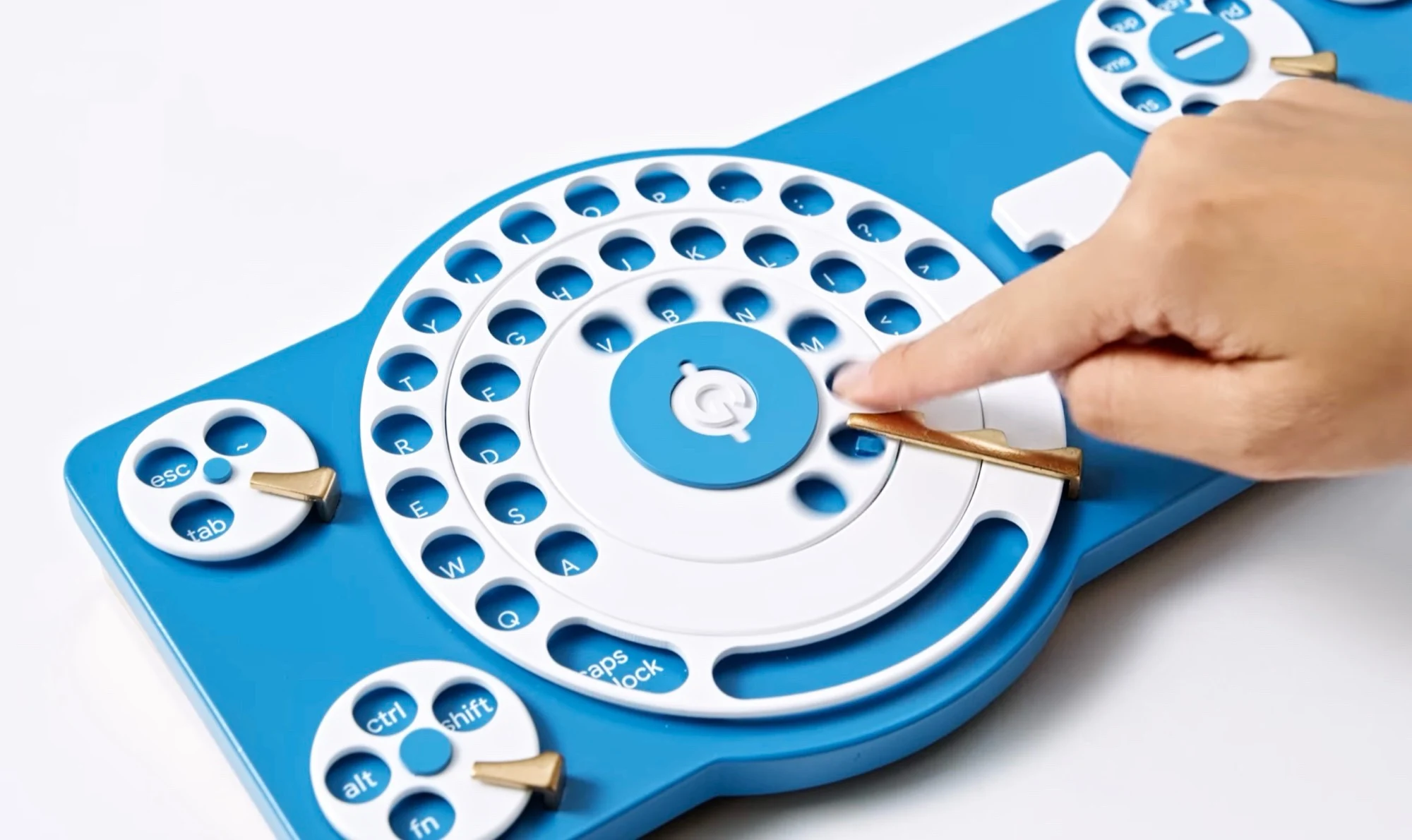
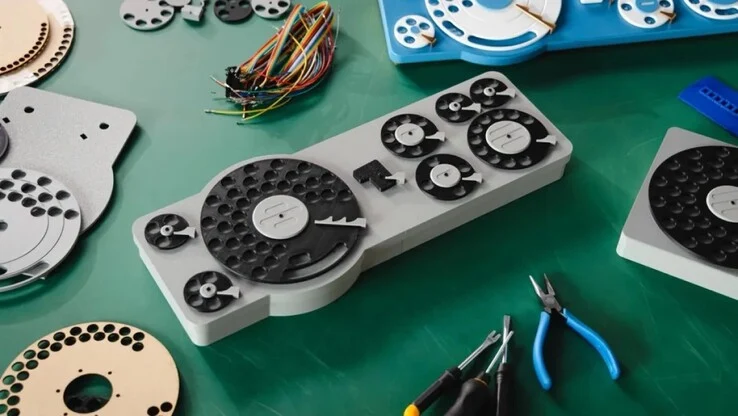
    The newest innovation from the Gboard team is the Gboard Dial. This keyboard is equipped with ten dials in total, with three of them working together to make letter selection quicker. The design draws inspiration from classic rotary-dial telephones—users simply need to place their finger in the slot above the letter they want and turn the dial until it stops.

    Once the letter is selected, the dial goes back to its original position automatically. The large triple dial includes all the letters, essential punctuation marks, and the spacebar. Additionally, there’s a smaller dial on the bottom left for quick access to the Alt, Ctrl, Fn, and Shift keys. The top left features the Escape and Tab keys, while the right side is reserved for dials that control arrow keys, numbers, mathematical symbols, and shortcuts.

    A Unique Typing Experience

    Typing on the Gboard Dial isn’t the most efficient method, but for people who are paid by the hour, it can provide a fun distraction. Though Google has not made the Gboard Dial available for purchase, they have shared the necessary information on GitHub, allowing enthusiasts to create their own version of the keyboard using a 3D printer.

    Google Japan | GitHub

    Source:
    Link


  • Google Pixel 9 Pro and Phones Get Android 16 Update and Features

    Google Pixel 9 Pro and Phones Get Android 16 Update and Features

    Key Takeaways

    1. Android 16 update is now available for Pixel smartphones, featuring design changes, Live Updates, and security enhancements.
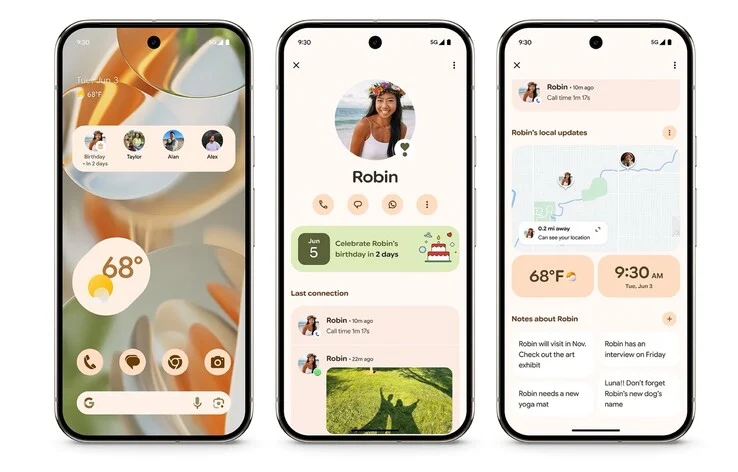
    2. New “Pixel VIPs” feature allows users to organize important contacts’ calls, messages, and birthdays in one spot, with notifications enabled during “do not disturb” mode.
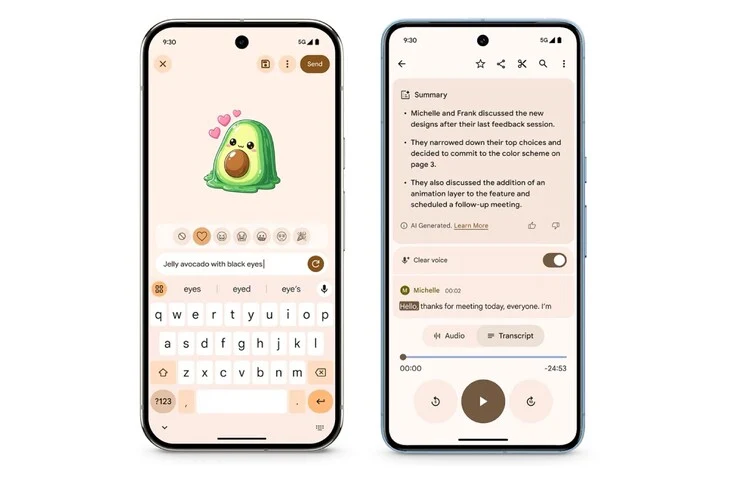
    3. Gboard introduces AI-generated stickers and the Pixel Recorder app can create AI-driven summaries of voice memos in multiple languages.
    4. Camera app now includes a tutorial button for functions and the Magnifier app can scan for text through the camera.
    5. Google Photos introduces an AI-powered one-click feature to enhance images.


    Today, Google has rolled out the Android 16 update for its Pixel smartphones. If you own a Pixel 9 Pro (starting at $999 on Amazon) or another compatible device, you can already get the newest operating system. The Android 16 update mainly brings design changes, Live Updates akin to those on the Apple iPhone, along with security enhancements.

    Exciting New Features

    Pixel users can also take advantage of a bunch of exclusive functionalities with the latest Feature Drop for June 2025. One of the highlights is the introduction of “Pixel VIPs,” which gather previous calls, messages, or birthdays from selected contacts into a single spot. You can even display this information on your home screen using a widget. Notably, calls from these VIPs will still ring through when “do not disturb” mode is activated.

    Enhancements in Applications

    In a fun twist, Gboard can now create stickers using AI and text input, so users don’t need to toggle between different apps. Also, the Pixel Recorder app is now capable of generating AI-driven summaries of voice memos in several languages, including German. Furthermore, the Feature Drop brings “Clear Voice” to the Pixel 8 series, a tool that aims to eliminate unwanted background noise from voice memos.

    Camera and More Improvements

    For those who love photography, the Camera app on Pixel devices has a new question mark button that opens a tutorial detailing its various functions. Additionally, Google’s Magnifier app can now scan for text visible through the phone’s camera, such as restaurant menus. Finally, Google Photos has introduced a new one-click feature that leverages AI to enhance images.

    Source:
    Link