Category: Software

  • Philips Hue App Update Now Available for Smart Home Users

    Philips Hue App Update Now Available for Smart Home Users

    Key Takeaways

    1. The Philips Hue app has been updated to version 5.56 for iOS and Android users.
    2. Version 5.56 includes various bug fixes and stability improvements, but lacks specific details.
    3. The previous version, 5.55, introduced an AI feature for automations and shortcuts for Hue Secure alerts.
    4. Users can expect at least one more update before the end of 2025, with a focus on reintroducing Winter Holiday scenes.
    5. A future feature will allow the migration of multiple Hue Bridges to the Hue Bridge Pro, but it may not be available until after the holidays.


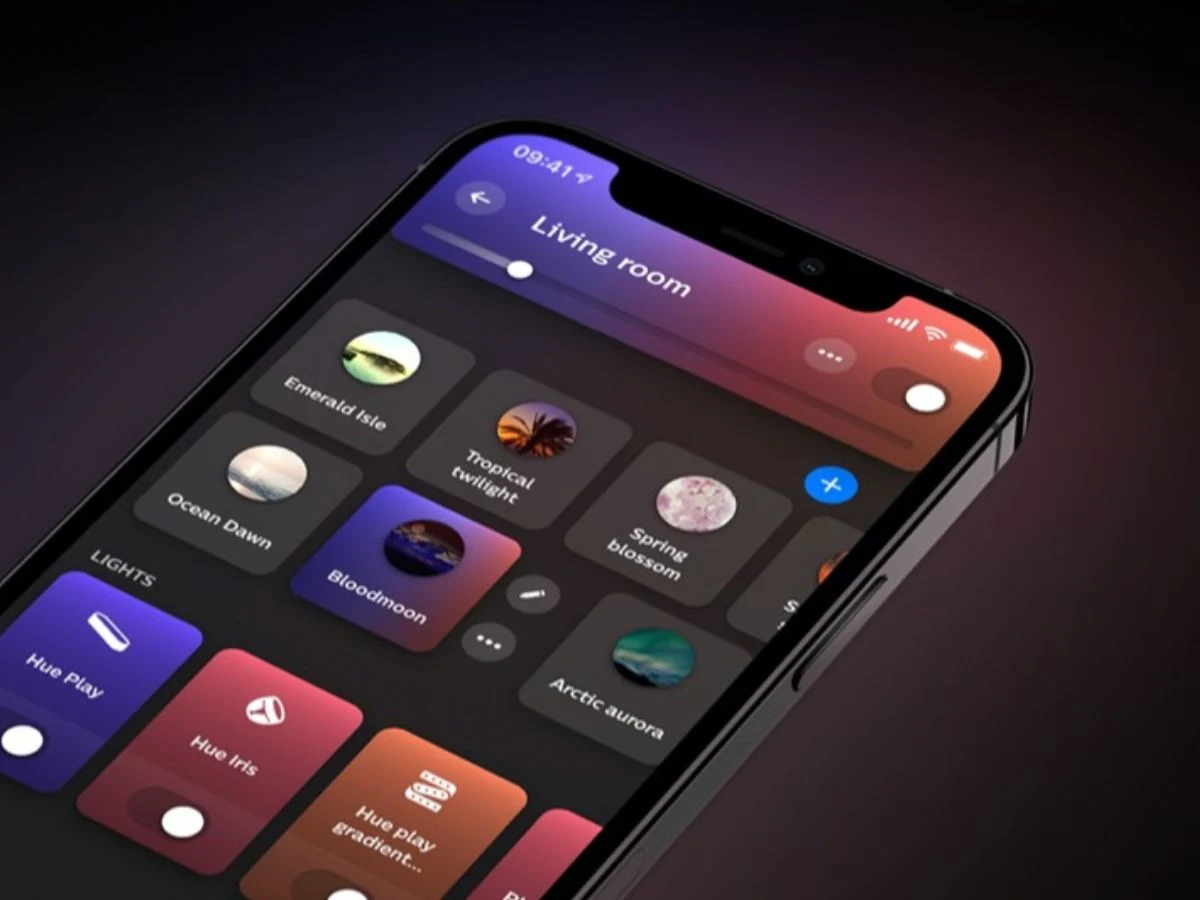
    A fresh update has been released for the Philips Hue application. The latest version, 5.56, is now accessible for users on iOS and Android. This comes after the previous version 5.55, which introduced a new AI feature for automations and added shortcuts for Hue Secure alerts.

    Minor Changes in 5.56

    The Philips Hue app version 5.56 is a small update overall. The release notes mention “various bug fixes and stability improvements.” Sadly, the company hasn’t shared more specifics, which leaves users of their smart home devices unclear on how this update might be helpful for them.

    What’s Next for Users?

    Users can look forward to at least one more update for the Philips Hue app before 2025 wraps up, as updates generally occur about every two weeks. For instance, the Winter Holiday scenes still need to be reintroduced to the Hue scene gallery. Another awaited feature is the capability to migrate multiple Hue Bridges to the Hue Bridge Pro (curr. $98.99 at Amazon). Presently, the assistant only allows for the automation migration of one Bridge at a time. With the holidays approaching, it seems that users may have to wait until after the new year for this feature to be available.

    You can find the Philips Hue app version 5.56 on both the Apple App Store and the Google Play Store.

    Source:
    Link


  • Samsung One UI 8.5 Beta Program Timeline Leaked Details

    Samsung One UI 8.5 Beta Program Timeline Leaked Details

    Key Takeaways

    1. Samsung is preparing to launch the beta program for One UI 8.5 for select Galaxy devices.
    2. The expected start date for the One UI 8.5 beta program is December 8.
    3. The beta rollout will follow a staged, multi-phase schedule typical for major Samsung updates.
    4. Early firmware versions for devices like the Galaxy S25 Ultra and Galaxy Z Fold 7 show visual and functional enhancements.
    5. Official confirmation of the beta program dates by Samsung is still pending, so the timeline may change.


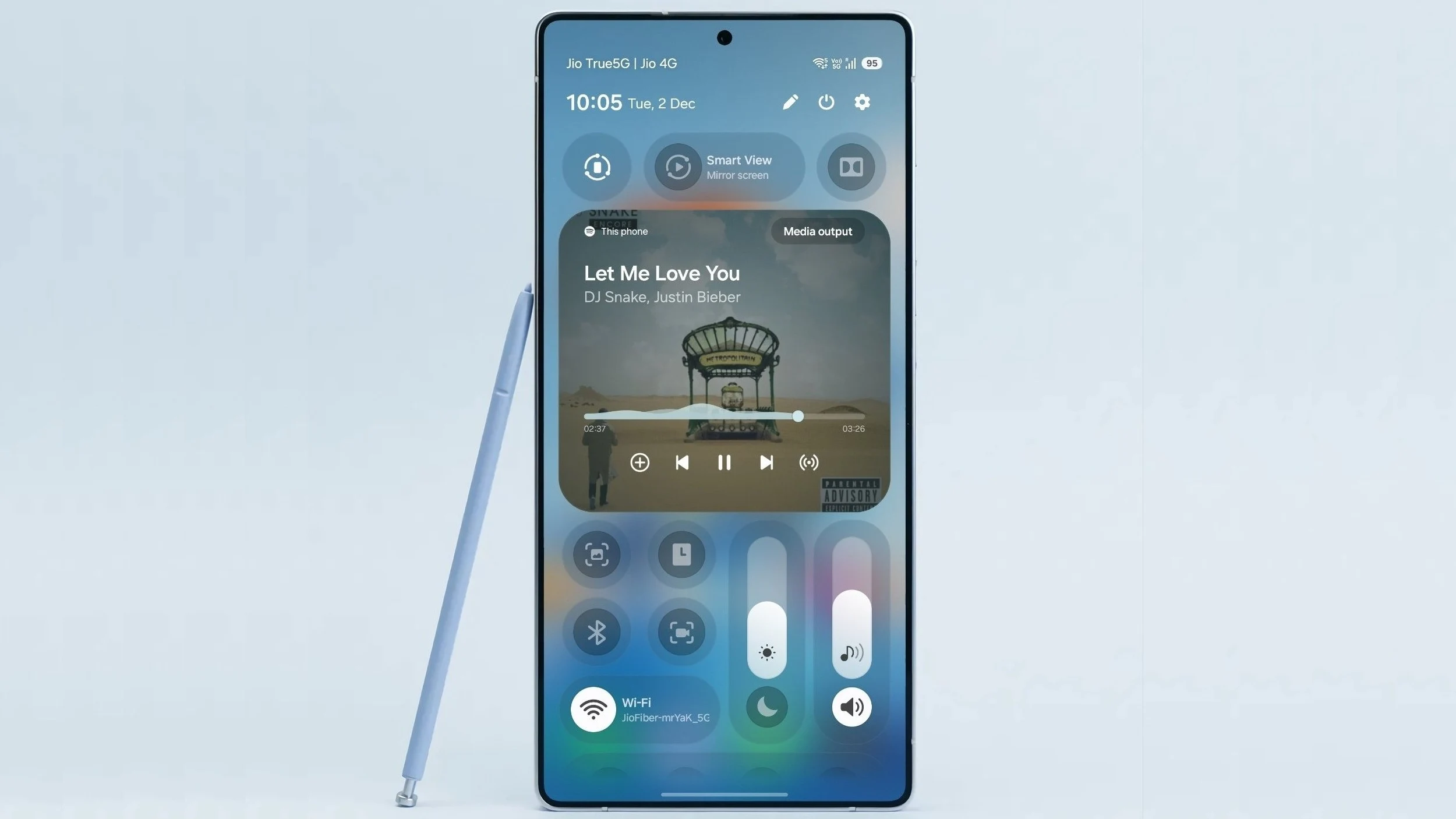
    Samsung is said to be getting ready to kick off the beta program for One UI 8.5, which is the next significant software update for select Galaxy smartphones and tablets. If the recent information is accurate, the official testing phase, which was expected to start earlier than usual, might commence very shortly.

    Potential Launch Date

    Reports indicate that December 8 is the anticipated date for the beginning of the first phase of the One UI 8.5 beta program.

    In reaction to a user on Twitter who mentioned the supposed start date of the One UI 8.5 beta program—December 8—tech insider Tarun Vats confirmed this, providing additional insights about it.

    Beta Rollout Schedule

    As per the information available, the rollout for One UI 8.5 beta will adhere to a staged, multi-phase schedule that is typical for major Samsung updates. The timeline might look something like this:

    For a little while now, early firmware versions of One UI 8.5 for the Galaxy S25 Ultra and Galaxy Z Fold 7 have been surfacing. This has shown that the update will introduce both visual and functional enhancements. Users should look forward to new features and design adjustments, as well as AI-driven innovations.

    It’s important to mention that Samsung has not officially confirmed the dates for the One UI 8.5 Beta program. Thus, the timeline could change. Nevertheless, with various sources agreeing on a start in early December, the wait for Galaxy users to try out the newest One UI features might soon be over.

    Source:
    Link


  • Home Assistant App Update: Enhanced Security Features Now Available

    Home Assistant App Update: Enhanced Security Features Now Available

    Key Takeaways

    1. Revamped onboarding process for easier and faster app setup.
    2. Two levels of connection security: ‘Most secure’ and ‘Less secure’ options.
    3. Various bug fixes, including issues with Apple Watch app buttons and pipeline picker.
    4. Improved stability for CarPlay connections.
    5. Widgets transfer smoothly when restoring an iPhone from a backup.


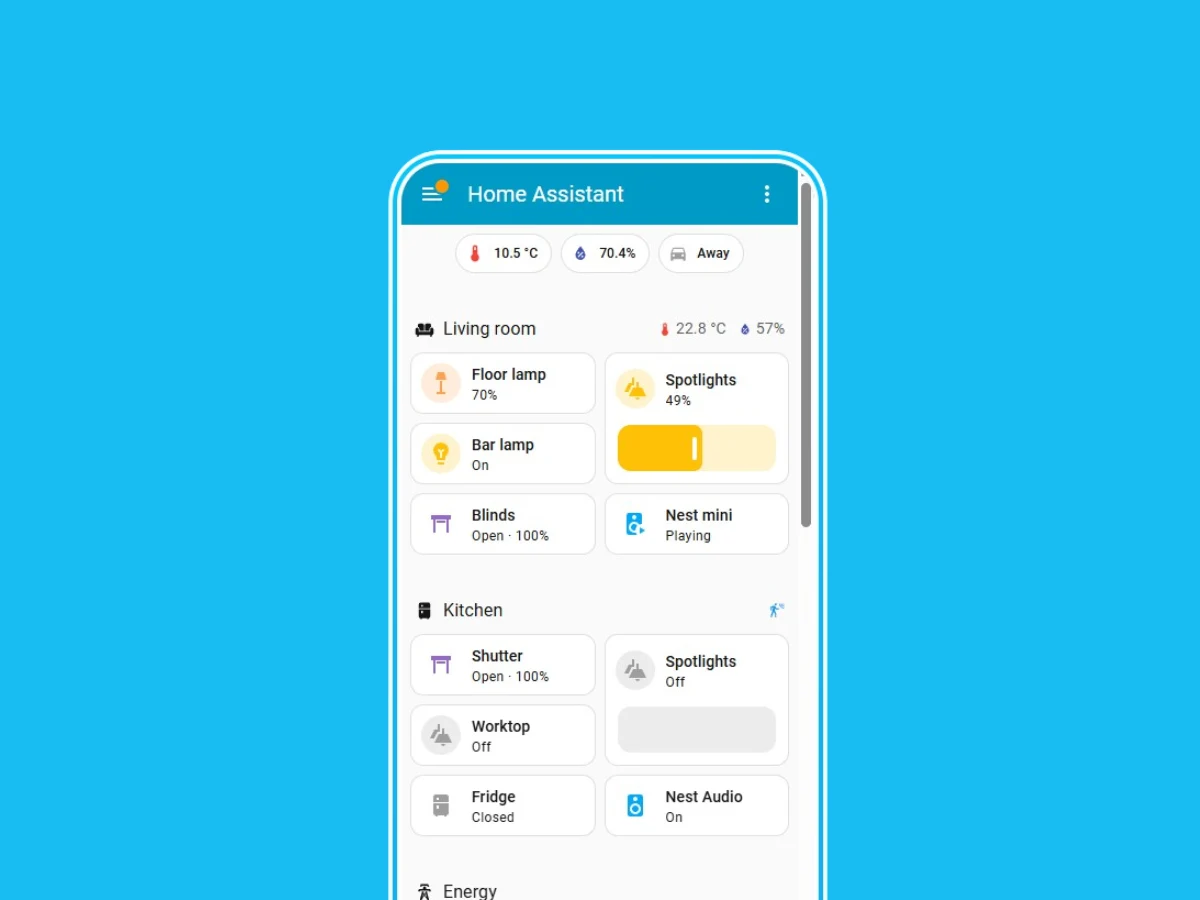
    Home Assistant has rolled out a new update for its iOS application. The latest version, 2025.11.0, marks the most significant enhancement for the open-source smart home automation software in recent months, with the last major features added back in July 2025.

    New Onboarding Experience

    With the Home Assistant app version 2025.11.0 for iOS, users will notice a revamped onboarding process. The company claims that this update will make it “easier” and “faster” for users to begin using the app. Now, Home Assistant users can select between two levels of connection security. The first option is ‘Most secure’, which is the recommended choice. This setting ensures that the app will only connect to unencrypted URLs when accessing your designated home network. The alternative option, ‘Less secure’, allows users to bypass location permissions or disable location at the operating system level, but this could potentially expose your Home Assistant data to risks. More details on these options can be found on Home Assistant’s support site.

    Bug Fixes and Improvements

    The Home Assistant iOS app version 2025.11.0 also includes a variety of bug fixes and enhancements. The company has fixed an issue where the header buttons in the Apple Watch app were not functioning properly. Additionally, they’ve addressed a problem where the Watch Assist pipeline picker failed to open. Furthermore, the stability of CarPlay connections is reported to have improved. Lastly, if you restore an iPhone from a backup, your Widgets should now transfer without any problems.

    Source:
    Link


  • Google’s Aluminium OS: New Details on Android-Based Desktop OS

    Google’s Aluminium OS: New Details on Android-Based Desktop OS

    Key Takeaways

    1. Google is entering the desktop operating system market with the project codename Aluminium OS, developed in collaboration with Qualcomm.
    2. Aluminium OS aims to merge ChromeOS and Android to compete with iPadOS, with upgrades expected for many eligible Chromebook devices.
    3. The new OS will be ‘AI first’ and integrate strongly with Google Gemini, targeting competition with Windows Copilot devices.
    4. Aluminium OS is expected to be compatible with various device types, including laptops, tablets, mini-PCs, and detachables.
    5. A reveal at Google I/O is likely, with the anticipated launch of Aluminium OS projected for 2026.


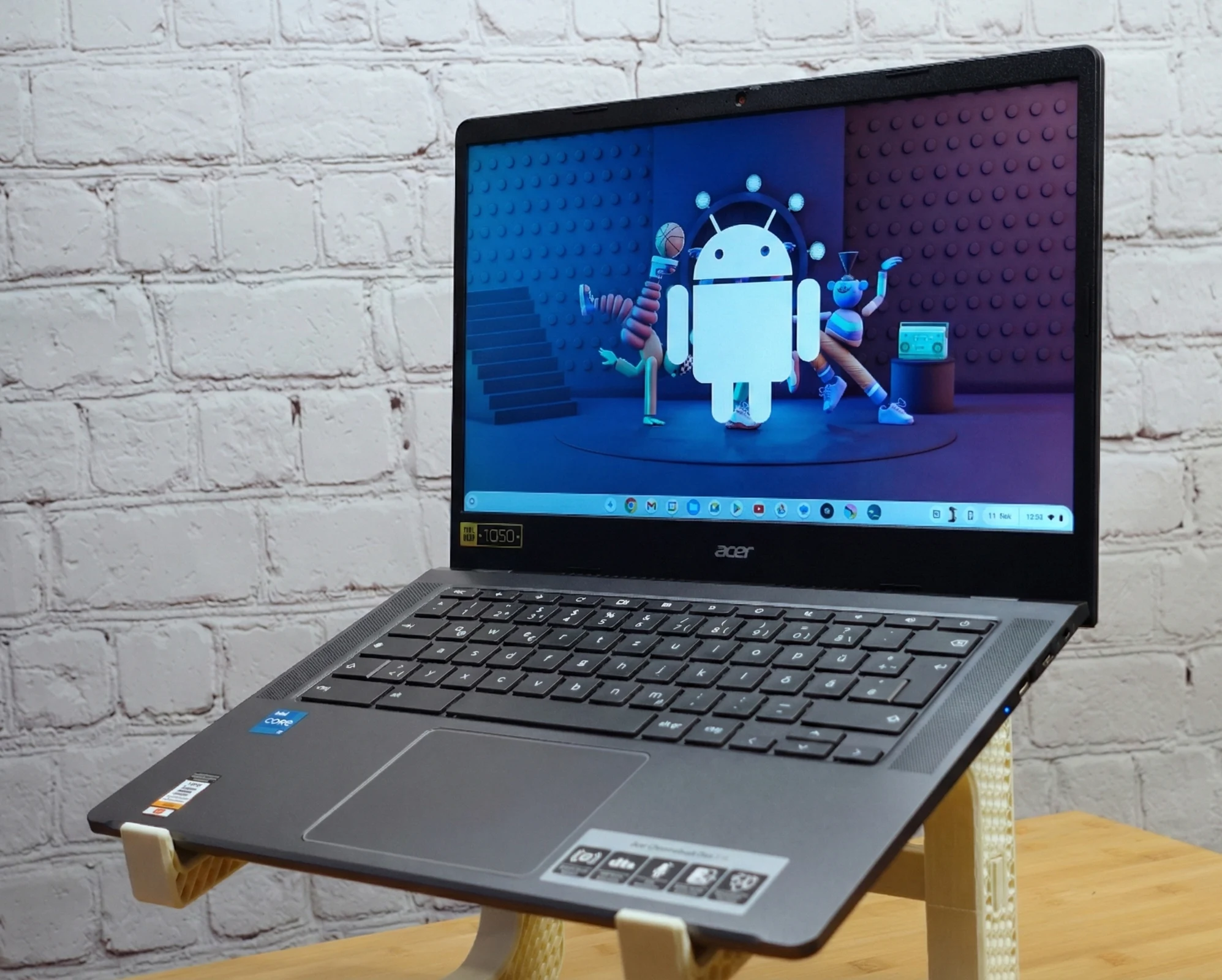
    Earlier this year, we first saw signs of Google’s entry into the desktop operating system realm. Qualcomm is set to assist Google in this venture, leading to devices powered by Snapdragon X that will run Android. Recently, Android Authority has discovered more details about this initiative.

    The Project’s Name and Purpose

    The project has been given the codename Aluminium OS, aimed at merging ChromeOS and Android to create a competitor to iPadOS. The future of Chrome OS looks unclear, but it seems that most devices that qualify will likely get an upgrade. Testing is underway for Chromebooks featuring Alder Lake and MediaTek Kompanio processors, which might be among the first to receive this new system. Furthermore, users who prefer sticking with Chrome OS will have the option to continue using it.

    Features and Compatibility

    Aluminium OS is described as an ‘AI first’ operating system, featuring strong integration with Google Gemini, and is expected to rival Copilot devices from Windows. The final name of the OS remains undecided. However, it is anticipated to be compatible with a broader range of devices, including laptops, tablets, mini-PCs, and even ‘detachables’. In terms of a release timeline, it’s projected to launch sometime in 2026. Since the project is approaching its final stages, a reveal at Google I/O seems probable, followed by a complete launch soon after.

    Source:
    Link


  • iOS 27 and macOS 27: Bug Fixes, Quality Improvements, AI Innovations

    iOS 27 and macOS 27: Bug Fixes, Quality Improvements, AI Innovations

    Key Takeaways

    1. Apple is focusing on enhancing performance and fixing bugs in iOS 27 and macOS 27, rather than introducing many new features.
    2. The updates will involve eliminating outdated code and rewriting segments to improve speed, stability, and efficiency.
    3. The upgrades aim to resolve common issues like overheating, battery drain, choppy animations, and app crashes.
    4. iOS 27 and macOS 27 are expected to prepare for future technologies, including foldable screens and new AI developments.
    5. Bloomberg predicts two new AI features: a competitive web search tool and an AI assistant for Apple Health, available with a paid subscription.


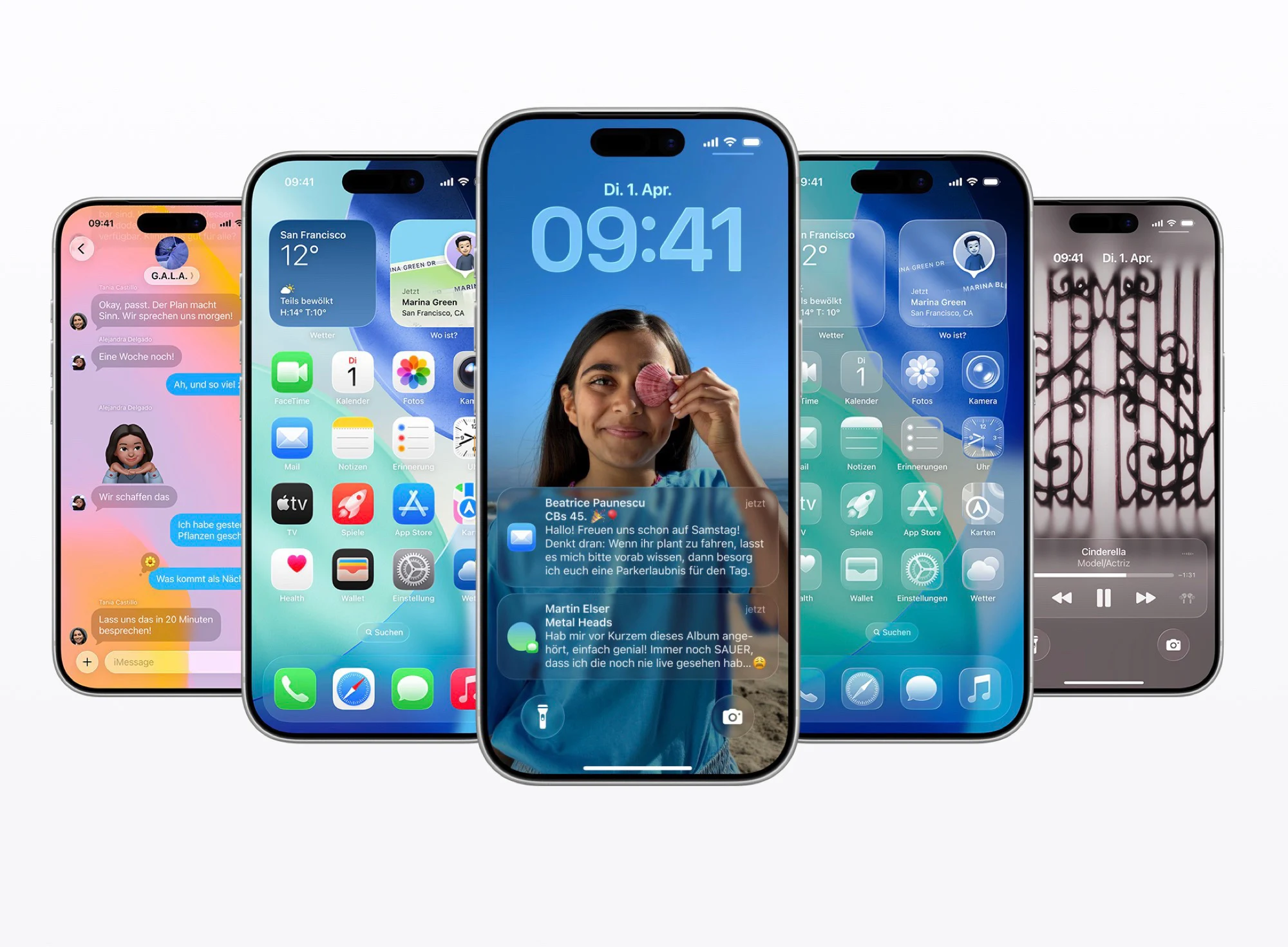
    Over the last few years, Apple has been competing with Google’s Android and Microsoft’s Windows 11 to roll out fresh software features for the iPhone and the Mac before these features hit rival platforms. With everything from the exciting new “Liquid Glass” design to a variety of Apple Intelligence AI capabilities, both iOS 26 and macOS 26 have brought a range of major advancements.

    Future Updates Expected

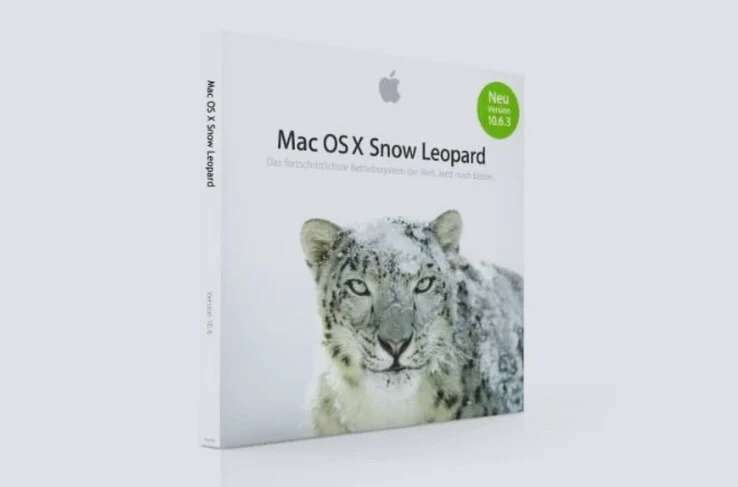
    Recent reports from Bloomberg indicate that iOS 27 and macOS 27 will likely not have many new features when they arrive next year. Instead, Apple appears to be adopting a strategy similar to macOS 10.6 Snow Leopard, which emphasizes enhancing performance and resolving bugs. The updates are predicted to be quite impactful under the surface, as Apple is said to be eliminating outdated code, tidying up system files, and rewriting large segments of the codebase to improve the speed, stability, and efficiency of the operating systems.

    Fixing Common Issues

    These upgrades are aimed at addressing prevalent issues that can lead to iPhones or Macs overheating, draining battery life, making animations look choppy, or crashing apps. iOS 27 and macOS 27 are also anticipated to set the stage for foldable screens and new AI developments. Bloomberg’s editor Mark Gurman foresees two key new AI features: a web search tool that will rival Perplexity AI, and an AI assistant integrated into Apple Health, which will only be accessible with a paid Health+ subscription.

    Source:
    Link


  • Faulty Configuration File Disrupts Internet, Not Cloudflare Attack

    Faulty Configuration File Disrupts Internet, Not Cloudflare Attack

    Key Takeaways

    1. On Tuesday, many websites and services, including major ones like PayPal and ChatGPT, experienced disruptions due to a Cloudflare error 500 from 11:30 to 14:30 UTC.

    2. Cloudflare acts as a middleman for websites, caching data and providing security against attacks, which makes it a crucial service for many online platforms.

    3. The outage was caused by a configuration error related to a permissions change in Cloudflare’s database system, leading to excessive error codes.

    4. Initial theories suggested an external attack, but the root cause was traced back to Cloudflare’s own network and an oversized feature file in their bot management system.

    5. The incident underscores the internet’s vulnerability, highlighting the significant impact a single mistake at a key service provider can have on numerous websites and services.


    On Tuesday, many internet users encountered the well-known Cloudflare error 500 while browsing. From 11:30 to 14:30 UTC, a huge number of websites and services became unavailable. Notable names like Ikea, PayPal, ChatGPT, X (formerly Twitter), and others were among those affected. Even Notebookcheck was not spared.

    Major Players and Their Impact

    When considering major players in the online space, names like Amazon, Google, Microsoft, and Meta (Facebook) often come to mind first. When issues arise within these companies, it can lead to widespread internet disruptions. Cloudflare, which primarily focuses on shielding websites from attacks and enhancing their speed, tends to get overlooked. Many online platforms rely on Cloudflare’s services to improve loading times and keep their servers safe.

    How Cloudflare Works

    Cloudflare plays a significant role by caching data from sites and acting as a middleman between clients and servers, making connections smoother. Furthermore, it filters out harmful requests and helps manage sudden spikes in traffic. It is particularly recognized for its defenses against DDoS attacks. For many site owners, the ability to optimize loading times by caching pages across a global network of servers is crucial. A large number of websites count on Cloudflare to lighten the load on their own servers while also reducing waiting times for visitors.

    On that Tuesday, a major problem impacted Cloudflare’s network, rendering many customer websites and services unreachable. In a blog entry, Matthew Prince, Cloudflare’s CEO, recounted the incidents leading to the largest outage Cloudflare had experienced since 2019.

    The Root of the Outage

    At approximately 11:30 UTC, an unusually high volume of error 5xx codes began to emerge due to a configuration error. The error numbers fluctuated dramatically until 13:00 UTC, which initially led Cloudflare to suspect an external attack. This theory was bolstered by the fact that Cloudflare’s own status page became unreachable at that time. Eventually, the error rates returned to normal low levels within their network. Initial conversations in internal chats even speculated about the possibility of a botnet causing the disruption.

    The actual issue was traced back to Cloudflare’s own network. A permissions change in a database system resulted in multiple errors. This change had been made around 11:05 UTC. Consequently, the size of a feature file in the bot management system was artificially increased, nearly doubling its initial size. However, Cloudflare has a fixed size for this file, which is also kept in memory. The oversized files exceeded the allocated memory, leading to a system crash. Since the feature file updates every five minutes and not all Cloudflare clusters operated on the new settings, it meant that users could experience either a fully functional or a broken file at any given moment. This explains the varying error rates. By about 13:37, Cloudflare’s incident response team identified that the adjustments to the bot management system were the cause of the outage. An hour later, they successfully fixed the problem.

    Implications of the Outage

    The fallout from the Cloudflare outage clearly highlights the precarious reliance of the internet on a few key players. Just one configuration mistake at a critical junction was enough to make countless websites and services inaccessible. This raises concerns about how vulnerable the internet, as we know it, really is.

    Source:
    Link


  • Rocket Launch from Plane to Save Space Telescope

    Rocket Launch from Plane to Save Space Telescope

    Key Takeaways

    1. The Neil Gehrels Swift Observatory, launched in 2004, is at risk of crashing to Earth by the end of 2026 due to its diminishing orbit from 600 km to 400 km.

    2. NASA faces challenges as Swift lacks an engine, limiting maneuvers and prompting the need for a rescue mission using the Pegasus rocket.

    3. Pegasus, launched from Northrop Grumman’s L-1011 Stargazer aircraft, is the only rocket capable of reaching Swift’s orbit quickly, with a strong success rate.

    4. The Pegasus XL rocket is scheduled to launch in June 2026 and will use robotic arms to capture Swift, requiring careful handling of its instruments.

    5. A successful mission would restore Swift’s orbit and research capabilities while benefiting Katalyst and potentially leading to future missions.


    Launched in 2004, the Neil Gehrels Swift Observatory has the goal of observing and examining gamma-ray bursts from its low orbit. Yet, in recent years, its orbit has diminished from 600 km to 400 km, raising concerns that it might crash back to Earth by the end of 2026.

    NASA’s Dilemma

    It’s important to note that NASA is in a tricky situation. Swift lacks an engine, which limits astronomers’ ability to perform various maneuvers. Consequently, a rescue mission has been initiated, and the Pegasus rocket, which is launched from Northrop Grumman’s L-1011 Stargazer aircraft, will need to come to its aid.

    The Solution

    Ghonhee Lee, the CEO of Katalyst, mentions that Pegasus is the sole launcher capable of reaching Swift’s orbit while adhering to a very short timeline. This mission has a good chance of success, given that Pegasus has accomplished 40 out of 45 missions since 1990. Nonetheless, some adjustments will be necessary for this rocket, making it longer and wider.

    The Launch Plan

    The Pegasus XL rocket is set to launch in June 2026 and will utilize three robotic arms to capture the Swift. It’s essential to take care not to harm the various instruments on this telescope, so careful handling will be crucial.

    If all goes well, Swift should return to its initial orbit, allowing it to resume its important research. Furthermore, a successful mission would also benefit Katalyst, potentially opening doors for future missions.

    Source:
    Link


  • Samsung One UI 8.5 Enhancements for Galaxy Z Fold7 Revealed Early

    Samsung One UI 8.5 Enhancements for Galaxy Z Fold7 Revealed Early

    Key Takeaways

    1. One UI 8.5 will introduce advanced AI features and improvements for Samsung’s foldable devices.
    2. The Phone app will feature a pop-up dialer instead of a full-screen interface.
    3. Notification and quick panel shades will be adjusted to smaller pop-ups, improving visibility of content behind them.
    4. Enhanced customization options for the quick panel will be included, along with refinements for one-handed usability.
    5. An official release date for One UI 8.5 has not yet been announced.


    Samsung has yet to officially announce the full range of updates it intends to implement with its One UI 8.5 version. However, some advanced AI features appeared a few months ago in a leaked version. Recently, SamMobile acquired an early build of this update specifically for the Galaxy Z Fold7, which is currently priced at $1,599 on Amazon.

    Changes Expected in One UI 8.5

    It seems that One UI 8.5 could introduce numerous modifications for Samsung’s foldable devices, even though it is just a temporary update before One UI 9 launches early next year. Based on Samsung’s typical release patterns, One UI 9 is likely to debut with the Galaxy S26 series in late February, followed by updates for existing flagship models shortly after. Meanwhile, this early glimpse gives us an idea of what One UI 8.5 will offer for foldable devices.

    New Features for the Phone App

    For example, the Phone application now utilizes a pop-up dialer instead of switching to a full-screen interface, which is common in other One UI versions. Additionally, the notification and quick panel shades no longer cover the entire screen and blur the content behind them. They have been adjusted to smaller pop-ups that appear below the point of activation.

    Enhancements in Customization and Usability

    Furthermore, One UI 8.5 will enhance the customization options for the quick panel and refine system applications to improve usability for one-handed operation. Sadly, a specific release date for One UI 8.5 is still not known at this point. For more information, check out the video above and the tweet linked below.

    Source:
    Link


  • Open Source Tool for Data Transfer Between Android, Mac, Windows

    Open Source Tool for Data Transfer Between Android, Mac, Windows

    Key Takeaways

    1. Transferring files between Android and Windows using Bluetooth is easy but can be slow.
    2. Connecting a Pixel 7 Pro to a MacBook Air can be challenging due to compatibility issues.
    3. Third-party apps like Pairdrop often have connection issues and add files into ZIP folders.
    4. LocalSend is an effective open-source tool for fast file transfers over Wi-Fi without zipping files.
    5. LocalSend is user-friendly and compatible with multiple platforms, eliminating the need for other apps for file transfers.


    Transferring files between Android and Windows is easy, especially with Bluetooth, even if it can be quite slow. A few years ago, when I was new to Mac, I thought it would be just as straightforward on my new MacBook Air M1, which I bought for just $389 Renewd on Amazon. After all, both my Pixel 7 Pro and the MacBook Air have Bluetooth capabilities.

    However, when I took my MacBook out to cover a trade show for the first time, I became quite stressed. I needed to transfer photos for a potential article from my Pixel 7 Pro to the Mac, but the two devices simply wouldn’t connect. Everything seemed like it should work! Sadly, it looks like Google, Apple, and others aren’t really keen on making their devices work well together.

    I decided to try a few third-party solutions. Many of these apps use quick Wi-Fi connections instead of the slow Bluetooth for file transfers. One app I frequently saw recommended was Pairdrop. Unfortunately, I faced several problems: the connection would often drop, usually right after I had carefully picked all the files I wanted to send. Moreover, Pairdrop adds files into a ZIP folder, which means I have to unzip them on the receiving device.

    After some searching, I stumbled upon another open-source tool called LocalSend (Website). Unlike Pairdrop, this one doesn’t work from a browser, but its Github page has an app available for nearly every platform—Windows, macOS, Linux, Android, and iOS. I opted to download the Android version from F-Droid instead of the Play Store, as I find it more privacy-oriented.

    The apps are lightweight and super easy to navigate on all devices. As long as the Android, Mac, and other devices are connected to the same Wi-Fi, you simply launch the app, select the files you wish to send, choose the device from the often quite short list, and—boom—the files transfer quickly (the receiving device has to confirm the incoming transfer) and without any zipping involved.

    Since I made the switch to LocalSend, I haven’t felt the need to explore other apps; for now, it meets all my requirements for straightforward file transfers between devices. Out of curiosity, though, I plan to check out Syncthing soon—another popular choice, but it takes a slightly different approach.

    Source:
    Link


  • Garmin Launches New 3D Maps Feature for Select Users

    Garmin Launches New 3D Maps Feature for Select Users

    Key Takeaways

    1. Garmin Connect+ plan launched in March 2025, offering new paid features.
    2. New 3D Maps tool enhances navigation by providing three-dimensional topographic views.
    3. Subscription costs $6.99 per month or $69.99 per year, with various health and activity data insights.
    4. Offers exclusive coaching options with Garmin Run Coach, Cycling Coach, and Fitness Coach.
    5. 3D maps feature included in a major update announced for November 2025.


    Garmin has revealed a fresh feature for its Garmin Connect+ plan. This subscription, which began in March 2025, introduced several new tools that were previously not accessible without payment. As anticipated, the company is enhancing the experience for subscribers by adding more features, particularly connected to maps.

    New 3D Maps for Better Navigation

    The latest Garmin Connect 3D Maps tool is aimed at giving users insights into their routes. These three-dimensional topographic maps are useful for examining courses and trails, as well as for tracking logged activities. This could assist users in understanding the kind of terrain they are facing, which might influence their performance during activities.

    Subscription Details and Features

    The Garmin Connect+ subscription costs $6.99 each month, or $69.99 for a year. It already provides features such as AI insights regarding health and activity data, a special performance dashboard for training data, and a live activity summary that displays metrics like your current heart rate and pace. Additionally, subscribers can benefit from exclusive coaching options with Garmin Run Coach, Garmin Cycling Coach, or Garmin Fitness Coach, beyond the regular guidance provided.

    November 2025 Update Announcement

    The new 3D maps feature was introduced as part of a larger update in November 2025 for users of Garmin’s devices, which include the Edge 850 Cycling Computer (currently priced at $599.99 on Amazon).

    Source:
    Link