Category: Computers

  • Tuxedo Halts Linux Laptop Plans with Qualcomm Snapdragon X Elite

    Tuxedo Halts Linux Laptop Plans with Qualcomm Snapdragon X Elite

    Key Takeaways

    1. Tuxedo has paused the development of a new ARM laptop powered by the Snapdragon X Elite SoC due to Linux compatibility issues.
    2. The performance features, such as battery life, that are effective in Windows environments do not translate well to Linux.
    3. Essential features like BIOS updates on Linux were found to be lacking with the Snapdragon X Elite architecture.
    4. Tuxedo is considering shifting to the newer Snapdragon X2 Elite SoCs for future development, leveraging work already done on the previous model.
    5. All work completed on the paused project will be made public to benefit the open-source community.


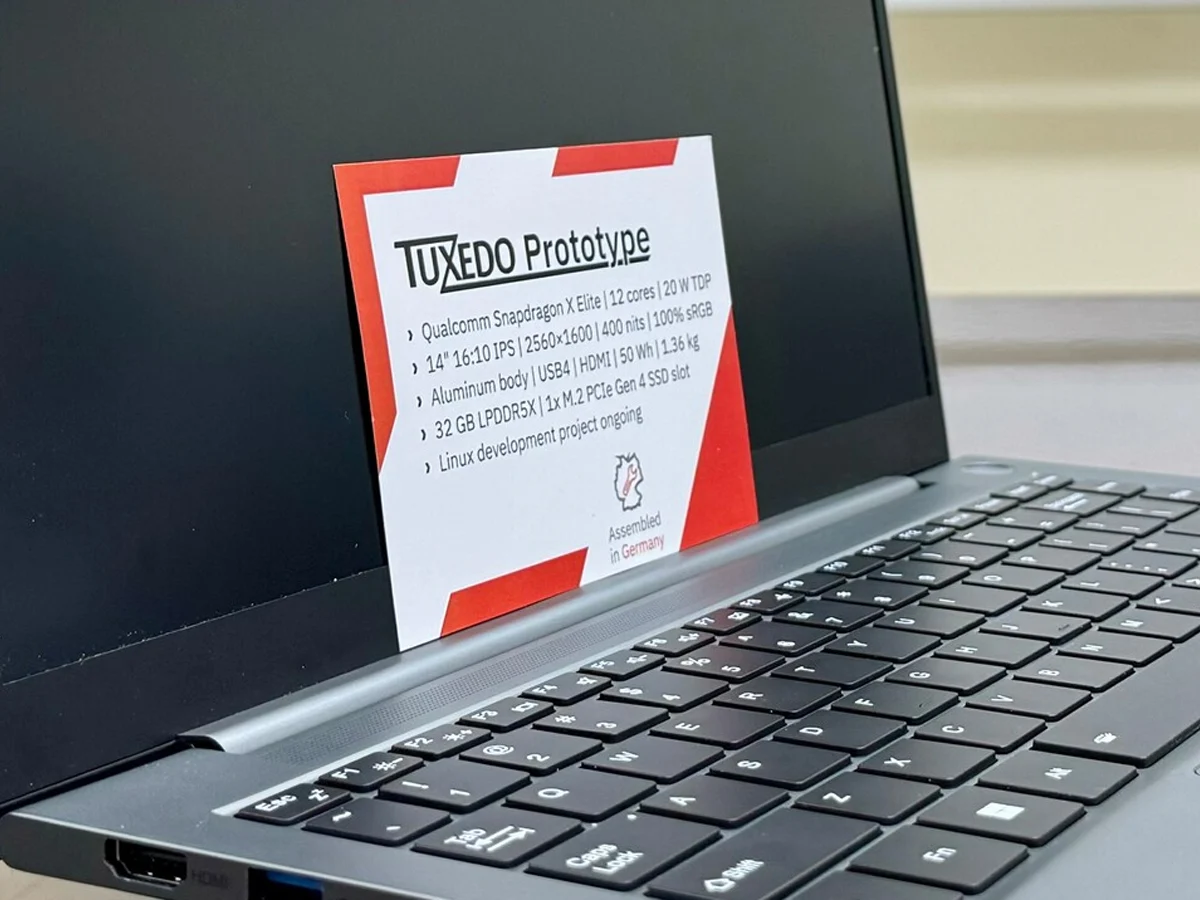
    Tuxedo has teased a new ARM laptop that is set to be powered by the 12-core Snapdragon X Elite SoC in 2024. The device was designed to run on Linux, which would have set it apart since most systems using Qualcomm’s PC SoCs run Windows on ARM (WoA).

    Project Put on Hold

    However, after a year and a half of development, Tuxedo has announced that they are pausing this project, as they found that Linux compatibility with the Snapdragon X Elite SoC is “less suitable than expected.” The company noted that many advantages of these SoCs, which are prominent in Windows environments, do not translate well to Linux (currently, the 2024 Microsoft Surface Pro is priced at $899.99 on Amazon).

    Issues with Performance

    For instance, Tuxedo pointed out that the impressive battery life that Qualcomm frequently promotes for Windows on ARM devices “was not achieved under Linux.” Furthermore, they indicated that several essential features, like BIOS updates on Linux, were lacking in this architecture.

    Looking Ahead

    Another important consideration for Tuxedo is that the Snapdragon X Elite SoCs are already two years old, with Qualcomm having introduced their successors. Investing further time and resources into these older processors seemed impractical, but the good news is that Tuxedo has not completely shelved the project.

    As stated in their announcement, if Tuxedo can leverage a “significant portion” of the work already done on the Snapdragon X Elite, they plan to continue development with the Snapdragon X2 Elite SoCs. Of course, support from Qualcomm will be crucial in this endeavor.

    Open Source Future

    The announcement also highlighted that all the work Tuxedo has accomplished on this project will be made public. This will ultimately allow the community to benefit from the time and effort the team has dedicated thus far.

    Source:
    Link


  • Ubiquiti UDB Switch: 5/6 GHz WiFi Uplink and PoE+ Features

    Ubiquiti UDB Switch: 5/6 GHz WiFi Uplink and PoE+ Features

    Key Takeaways

    1. Power and PoE Capability: The UDB switch requires 25 watts for itself and can deliver up to 185 watts to connected devices, supporting PoE+ (up to 30 watts) but limited by a 60-watt power supply included.

    2. Speed Options: It features one 10GbE port for uplink and other ports that can achieve speeds of up to 2.5GbE.

    3. WiFi Functionality: The switch includes a WiFi module that operates on 6 GHz, 5 GHz, and 2.4 GHz bands, compatible with various WiFi standards except 802.11b/g.

    4. Diagnostics Display: It has a small status display for on-site diagnostics and is designed for cooler environments with an operating temperature range of -30 to +40°C.

    5. Pricing: The UDB switch is priced at just over $299, with an optional 210W power supply available for an additional $79.


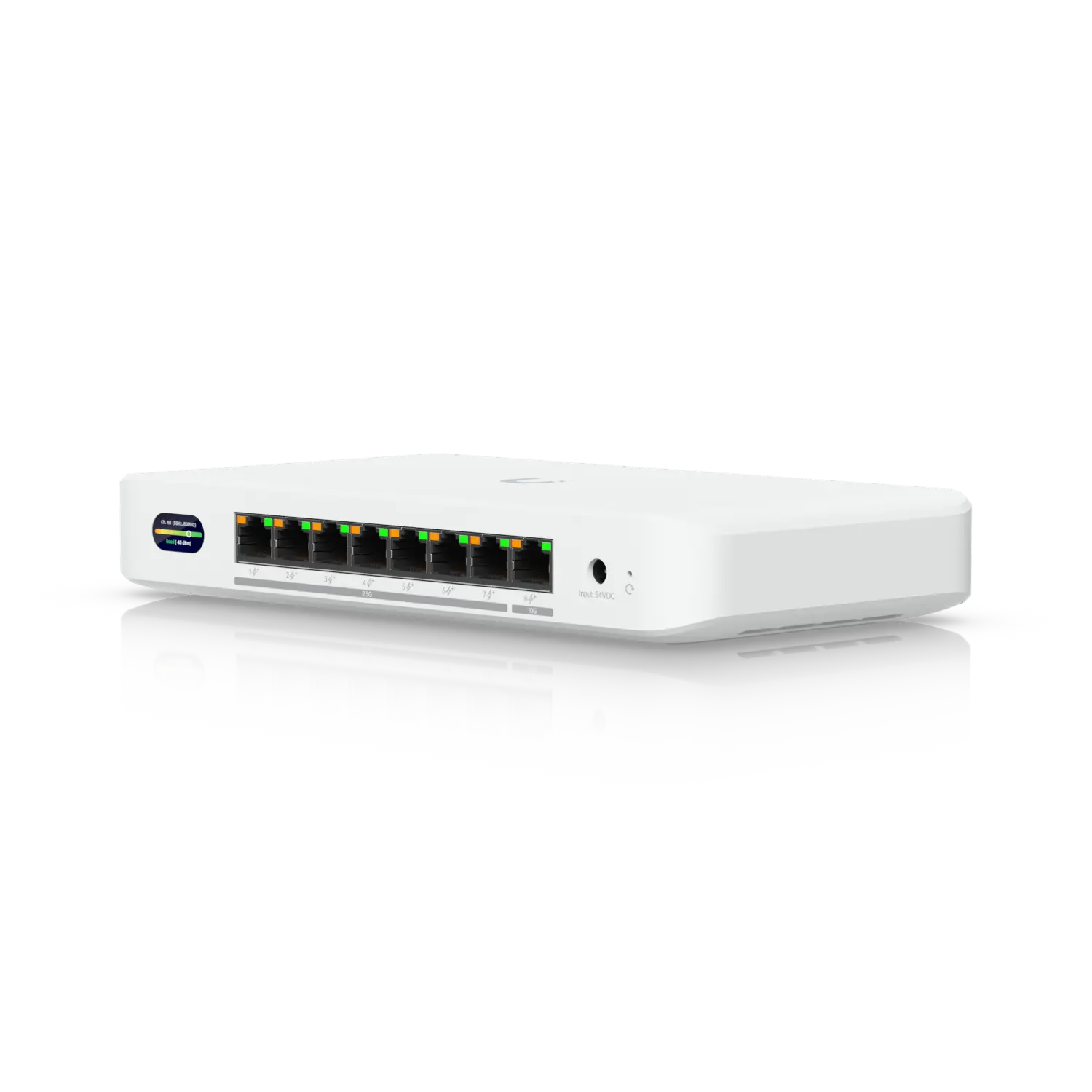
    Ubiquiti Networks has launched a new UDB switch, which functions as a WiFi bridge for wired devices in locations where cabling isn’t feasible. This switch includes features that allow users to connect PoE devices to their network.

    Power Requirements

    The UDB switch requires 25 watts of power for itself, while it can deliver up to 185 watts to devices that are connected. It has eight RJ45 ports available for this purpose. It supports PoE+ (known as IEEE 802.3at) with a maximum of 30 watts. However, it’s important to mention that Ubiquiti only provides a 60-watt power supply with the unit, limiting the total available power to 35 watts. For users needing more, there’s an optional power supply rated at 210 watts.

    Speed Capabilities

    There are some key differences in speed among the ports. One of the ports features a 10GbE connection, which can also function as an uplink. Meanwhile, the remaining 802.3bz ports can achieve speeds of up to 2.5GbE.

    WiFi Connectivity

    In addition, the UDB switch is equipped with a WiFi module for connecting to the primary network. It operates on the 6 GHz and 5 GHz bands, and it can also use the standard 2.4 GHz band. The device is compatible with WiFi standards 802.11a/n/ac/ax/be, but does not support 802.11b/g, according to the specifications.

    Diagnostics and Environment

    For on-site diagnostics, the Ubiquiti UDB switch features a small, non-touch status display. It’s designed to work in cooler environments, such as warehouses, with an operating temperature range of -30 to +40°C. However, the optional power supply should only be used in temperatures above freezing.

    Ubiquiti’s latest switch is available for purchase at just over $299. The optional 210W power supply is priced at an extra $79.

    Source:
    Link


  • Astronomers Discover Explosive Burst on a Star Beyond the Sun

    Astronomers Discover Explosive Burst on a Star Beyond the Sun

    Key Takeaways

    1. Coronal Mass Ejections (CMEs) are large amounts of material ejected by stars, influencing space weather significantly.
    2. A research team led by Joe Callingham detected a CME from a red dwarf star 130 light-years away using the ESA’s XMM-Newton and LOFAR radio telescope.
    3. CMEs generate radio waves that can be captured and analyzed to study stellar activity.
    4. The red dwarf emitting the CME is cooler and smaller than our Sun, with a magnetic field 300 times stronger and a rotation rate 20 times faster.
    5. This discovery enhances understanding of how CMEs affect potentially habitable exoplanets, contributing to the search for extraterrestrial life.


    Our Sun often ejects large amounts of material into space, known as Coronal Mass Ejections (CMEs). These events are so intense that they can influence space weather significantly. For a long time, astronomers have been curious about whether other stars also experience CMEs, and they have finally found the answer.

    Research Team and Methodology

    Joe Callingham from the Netherlands Institute for Radio Astronomy (ASTRON) led this fascinating research. His team utilized the ESA’s XMM-Newton space observatory along with the Low Frequency Array (LOFAR) radio telescope to detect a CME originating from a star situated approximately 130 light-years away.

    Discovery of Radio Waves

    When CMEs are expelled from a star into the vastness of space, they generate a surge of radio waves. The researchers employed LOFAR to capture these radio signals. Following that, they analyzed the star’s temperature, rotation, and brightness using ESA’s XMM-Newton in the X-ray spectrum.

    Characteristics of the Star

    The star that emitted the CME is classified as a red dwarf, which is considerably cooler than our Sun. Its size and mass differ greatly as well; this red dwarf holds about half the mass of our Sun. It possesses a magnetic field that is 300 times stronger and rotates 20 times quicker. The CME it released travels at an astounding speed of 2,400 km per second, which is a rarity — only one out of every 2000 CMEs from our Sun has been recorded to reach this velocity.

    This groundbreaking discovery has provided a new perspective in the quest for extraterrestrial life. Astronomers can now utilize this data from another star to better comprehend how CMEs impact potentially habitable exoplanets. This research was published in the journal Nature.


    Source:
    Link


  • Dell Pro Max 18 Plus: One of the Few Laptops with 256GB RAM Support

    Dell Pro Max 18 Plus: One of the Few Laptops with 256GB RAM Support

    Key Takeaways

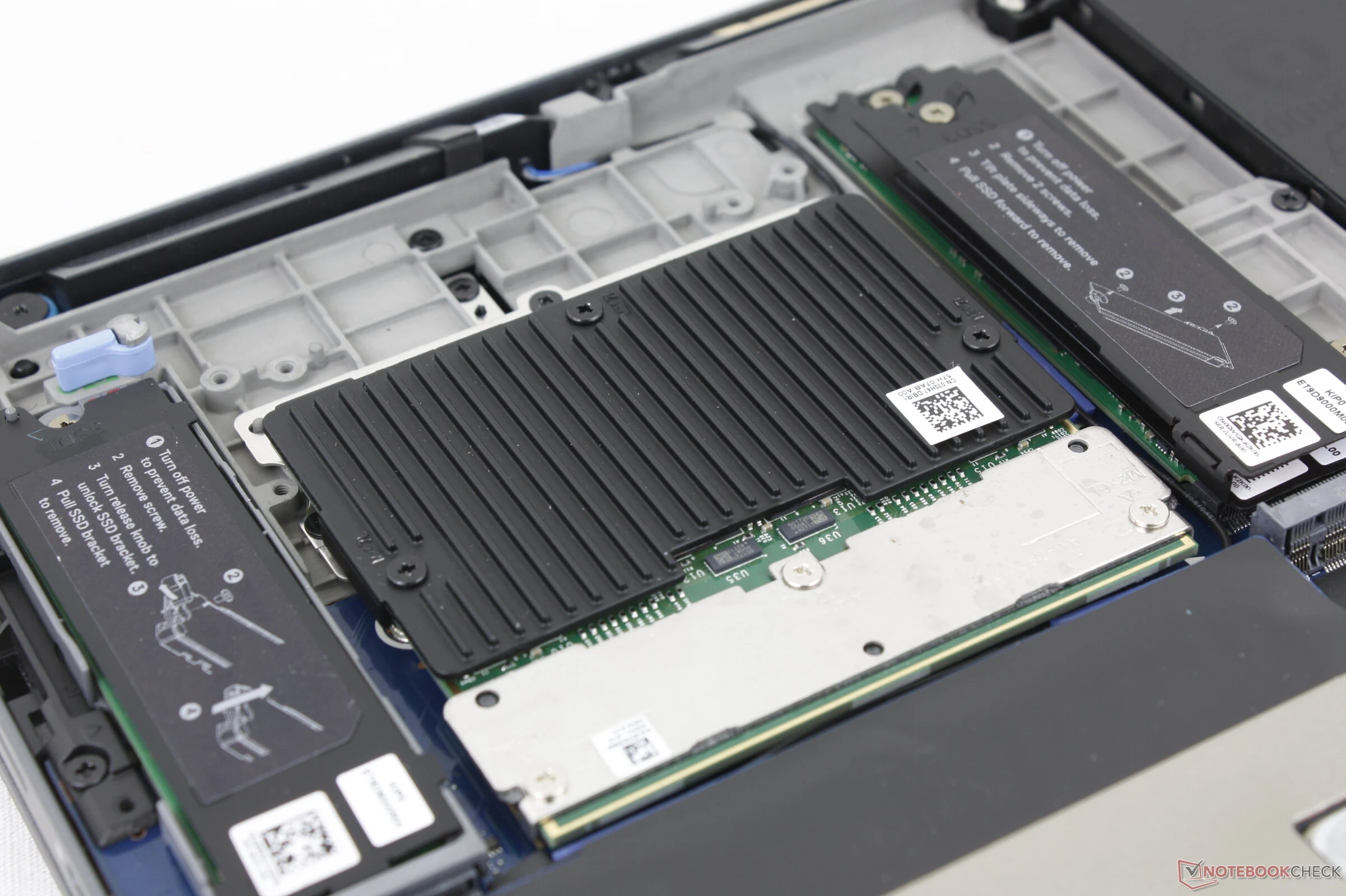
    1. Dell’s newer models, like the Pro Max 18 Plus and Pro Max 16 Plus, offer both SODIMM and CAMM memory options for user choice.
    2. SODIMM RAM in the Pro Max 18 Plus supports up to 96 GB with speeds of DDR5-6400, suitable for high-performance tasks.
    3. CAMM2 allows for faster speeds and larger capacities, reaching up to 128 GB at 7200 MT/s compared to SODIMM’s lower range.
    4. The maximum configuration for Pro Max 18 can reach 256 GB of CAMM2 RAM, though at a reduced speed of 4400 MT/s in single-channel mode.
    5. The flexible memory configurations in the Dell Pro Max 18 Plus cater to users’ varying needs for speed versus capacity, reflecting advancements in laptop memory technology.


    Dell highlighted the benefits of CAMM a few years back, and while most laptops are still using the older SODIMM standard, some of Dell’s powerful models have started incorporating CAMM as a sort of testing ground for this new memory technology. For instance, the Dell Pro Max 18 Plus and Pro Max 16 Plus mobile workstations can be set up with either SODIMM or CAMM based on what users choose.

    Performance with SODIMM RAM

    When equipped with the standard DDR5 SODIMM RAM, the Dell Pro Max 18 Plus is capable of supporting up to 96 GB (2x 48 GB) of dual-channel DDR5-6400 memory, which is quite common for high-performance gaming laptops or workstations. On the other hand, if it is set up with CAMM2, users can access faster speeds and larger capacities, reaching up to 128 GB dual-channel and 7200 MT/s. In comparison, most laptops utilizing traditional SODIMM RAM typically operate within the 4800 to 5600 MT/s range, especially when capacities rise to 64 GB or more.

    Options for Maximum Capacity

    At the highest configuration, Dell Pro Max 18 users have the option to install as much as 256 GB of CAMM2 RAM, although this comes with a reduced memory speed of 4400 MT/s since it would be limited to single-channel. Some users might lean towards the larger capacity over speed, especially considering that many AI datasets and training tasks require a lot of memory.

    Conclusion on Dell Pro Max 18 Plus

    Overall, the Dell Pro Max 18 Plus offers flexible memory configurations that cater to different user needs, whether they prioritize speed or capacity. The ongoing evolution of memory technology in laptops shows that there are many exciting developments on the horizon.


  • Intel Panther Lake ES CPU: 10-Core, 16GB LPDDR5X, 25W PL1

    Intel Panther Lake ES CPU: 10-Core, 16GB LPDDR5X, 25W PL1

    Key Takeaways

    1. The Panther Lake ES processor features 10 active cores with a 2p + 4E + 4 LP-E layout, indicating it is a prototype for internal use.
    2. The processor operates at clock speeds of 3.0 GHz for P-cores and 2.6 GHz for E-cores, with a boost up to 3.2 GHz.
    3. It includes 11 MB of L2 cache and 12 MB of L3 cache, along with a Xe3 integrated GPU with four execution units.
    4. Benchmarking showed performance below retail standards, with power targets of 25 W PL1, 65 W PL2, and a high limit of 160 W PL4.
    5. Intel plans to reveal more details about Panther Lake at CES 2026.


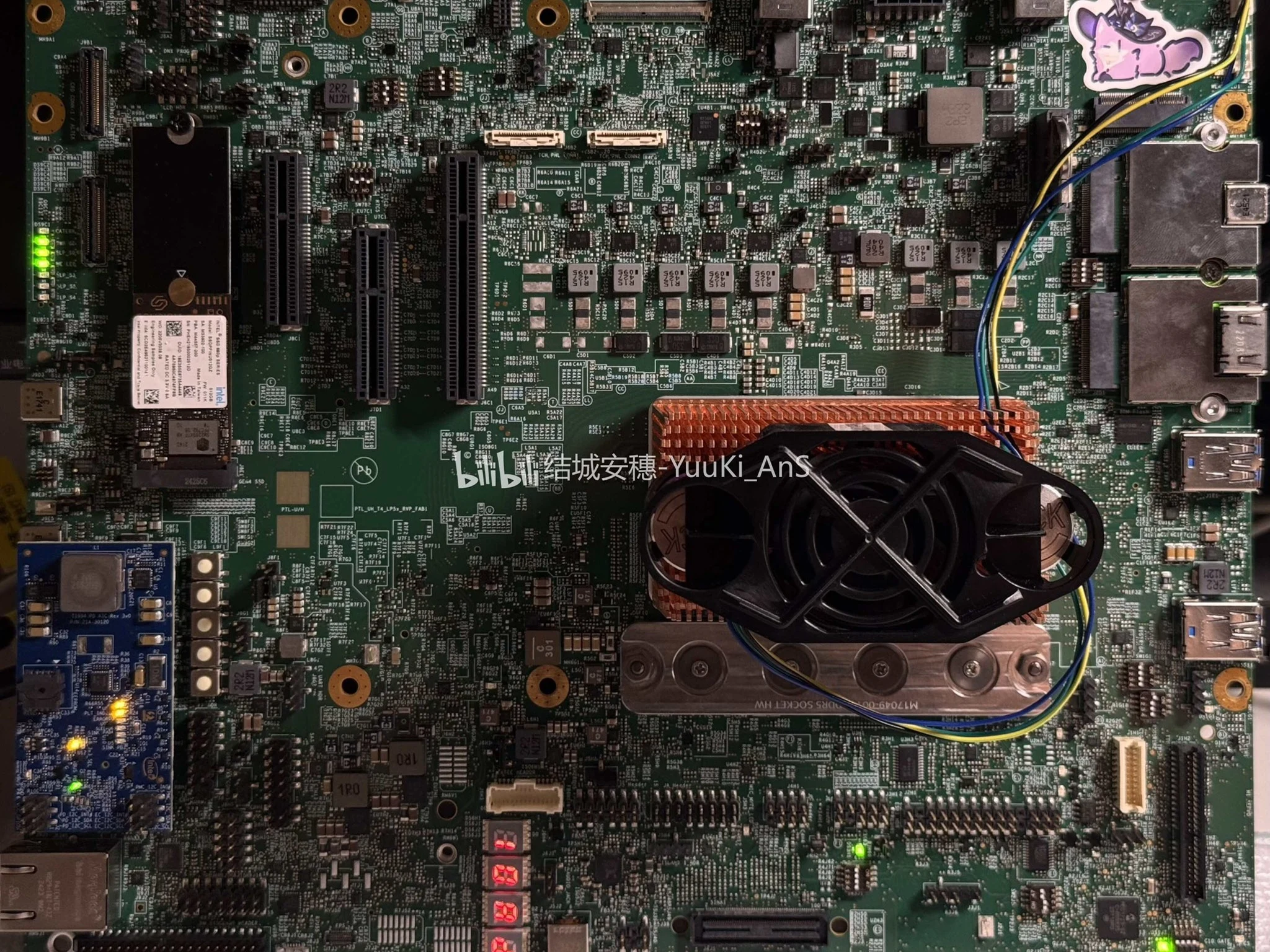
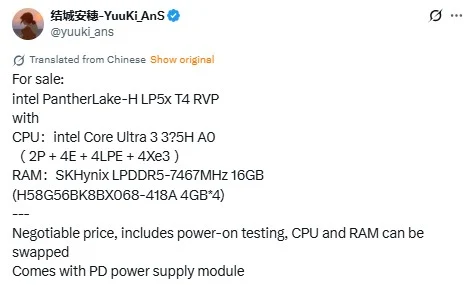
    Leaker Yuuki_AnS shared images of a Panther Lake ES processor on X. This sample features 10 active cores and utilizes the PTL 16C/4Xe3 tile arrangement. The CPU employs a 2p + 4E + 4 LP-E layout, which hasn’t been seen in prior leaks, suggesting that these images are from a prototype made for internal use.

    Package Information

    The processor package is marked “000C06C0” and fits into Intel’s BGA-2540 socket.

    Performance Specifications

    As per Yuuki_AnS, the clock speeds for the engineering sample are 3.0 GHz for all P-cores, 2.6 GHz for all four E-cores, with a boost reaching as high as 3.2 GHz. The Panther Lake chip includes 11 MB of L2 cache and 12 MB of L3 cache. Its Xe3 integrated GPU has four execution units and interfaces through a 2.5 GT/s PCIe link.

    Benchmarking Details

    The processor was tested using Intel’s Reference Validation Platform (RVP). This system consists of 16 GB of LPDDR5X RAM, an Alder Lake-based ADL-P frame, and four SK hynix H58G56BK8BX068-418A modules with a speed rating of 7467 MHz.

    The engineering sample was also assessed in both single-threaded and multi-threaded settings via CPU-Z. Unfortunately, the performance did not meet the standards expected of retail products. Power measurements indicate a 25 W PL1 target, 65 W PL2, and a significantly high 160 W PL4 limit, with the chip being capped at a 100°C TjMax.

    Source:
    Link


  • Minisforum Launches MS-02 Ultra with 25 Gbps Ethernet, 192GB RAM

    Minisforum Launches MS-02 Ultra with 25 Gbps Ethernet, 192GB RAM

    Key Takeaways

    1. The Minisforum MS-02 Ultra is a new mini workstation available for pre-order with various configurations, competing with models like the MS-S1 Max and AMD Strix Halo mini-PCs.

    2. The high-end Core Ultra 9 285HX model achieves over 37,000 points in Cinebench R23, offering a 3.5% performance boost over the Ryzen AI Max+ 395.

    3. Pricing starts at $949 for a barebones version with a Core Ultra 9 275HX processor, and can go up to $2,899 for high-end configurations with 192 GB of ECC RAM and a 2 TB SSD.

    4. Key features include 25 Gbps networking, a 350 W power supply, a PCIe x16 slot for dual-slot graphics cards, four M.2 slots, USB v2 ports, and Wi-Fi 7 connectivity.

    5. The MS-02 Ultra is available for pre-order in multiple countries, including Australia, Canada, the EU, and the UK, with specific features like ECC RAM support exclusive to the Ultra 9 285HX models.


    Minisforum has introduced the MS-02 Ultra, which is now up for pre-order in various configurations. Marketed as a mini workstation, the MS-02 Ultra competes with the company’s recent MS-S1 Max and other AMD Strix Halo mini-PCs, such as the GMKtec EVO-X2 (currently $2,199 on Amazon), utilizing Intel’s Alder Lake HX platform.

    Performance Insights

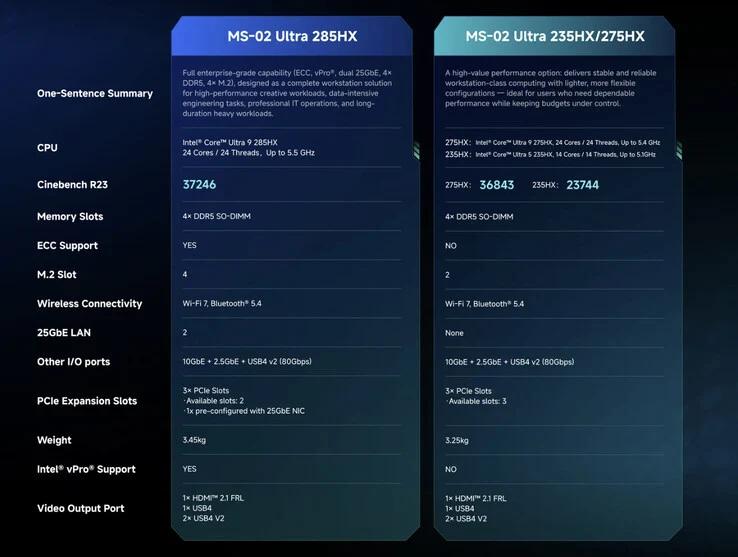
    Minisforum claims that the high-end Core Ultra 9 285HX models should achieve over 37,000 points in Cinebench R23, offering about a 3.5% performance boost compared to the Ryzen AI Max+ 395. Additionally, the MS-02 Ultra is equipped with 25 Gbps networking, a built-in 350 W power supply, and a PCIe x16 slot that can accommodate dual-slot graphics cards. On top of that, it boasts four M.2 slots, USB v2 ports, and Wi-Fi 7 connectivity.

    Pricing and Options

    At the moment, the MS-02 Ultra starts at $949 for a barebones version featuring a Core Ultra 9 275HX processor, which can be discounted by $50 at checkout using the code MS0250. A more affordable Core Ultra 5 235HX version will be available later for $719. Meanwhile, the Core Ultra 9 285HX model begins at $1,119 and can go up to $2,899 when configured with 192 GB of ECC RAM and a 2 TB SSD. It’s important to know that only the Core Ultra 9 285HX variants come with dual 25 Gbps Ethernet ports.

    Additional Features and Availability

    Other features, such as ECC RAM support, are exclusive to the Ultra 9 285HX models. For more information on the differences, check the image below. As usual, Minisforum is launching this new product in various countries beyond just the US. For example, the MS-02 Ultra is already available for pre-order in Australia, Canada, the EU, and the UK, among other regions. For further details, please visit the Minisforum website.

    Source:
    Link


  • KDE Slimbook VII Launches at €1,029: Ryzen 9, Radeon 880M, 165Hz

    KDE Slimbook VII Launches at €1,029: Ryzen 9, Radeon 880M, 165Hz

    Key Takeaways

    1. Slim and Lightweight Design: The KDE Slimbook VII has an aluminum body measuring 20.3 mm thick and weighing 1.86 kg, featuring a backlit keyboard and multitouch trackpad.

    2. Powerful Performance: Equipped with an AMD Ryzen AI 9 365 processor, 10 cores, 20 threads, and Radeon 880M graphics, it supports up to 16 TB storage and 128 GB DDR5 RAM.

    3. High-Quality Display: The 16-inch IPS screen offers a resolution of 2,560 x 1,600 pixels, a 165 Hz refresh rate, and a maximum brightness of 400 nits with full sRGB coverage.

    4. Long Battery Life: The 80 Wh battery provides up to 12 hours of usage on a single charge, aided by the efficient Ryzen processor.

    5. Affordable Pricing: Starting at €1,029 (US$1,185), the Slimbook VII is customizable with various keyboard layouts and user-upgradable RAM and storage.


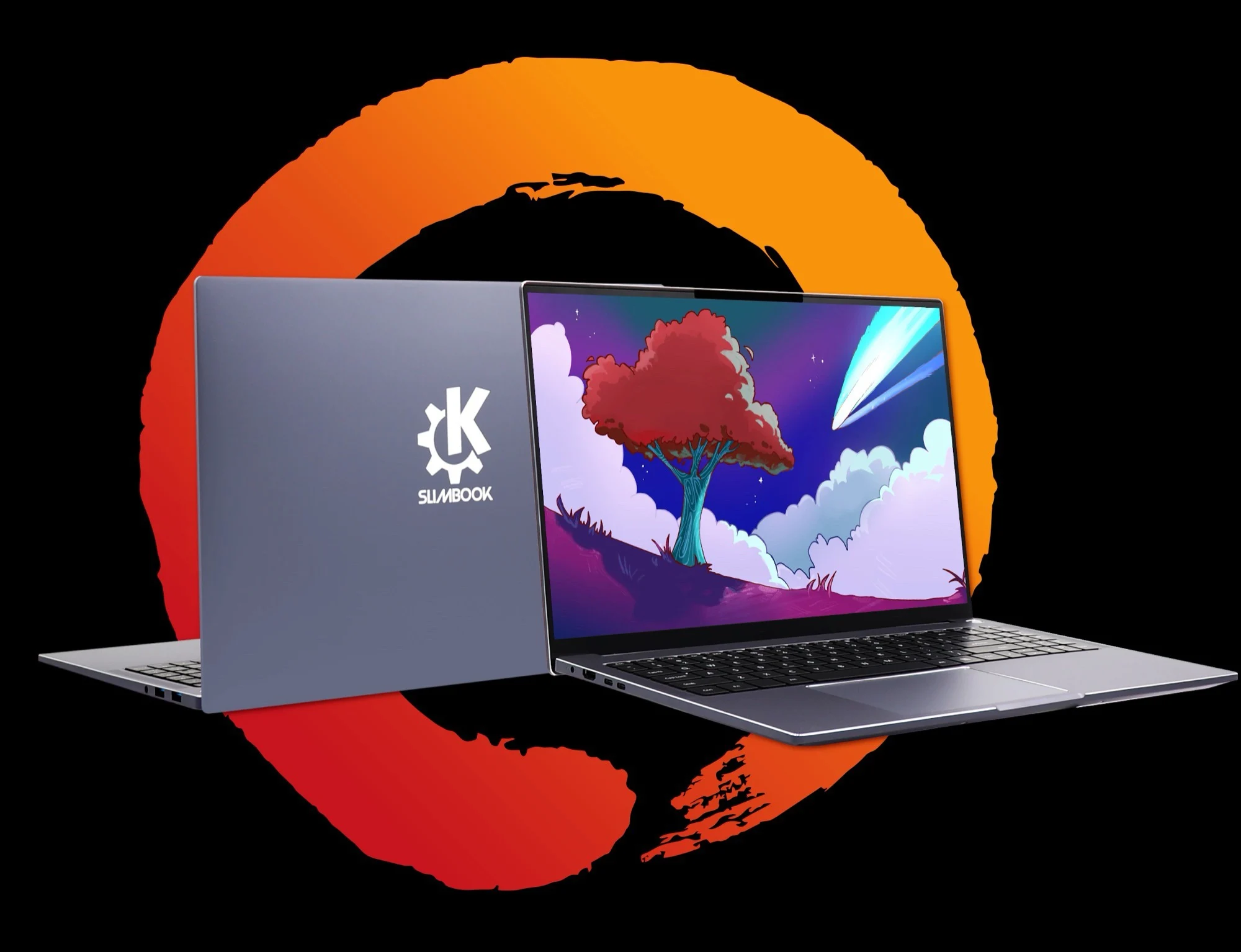
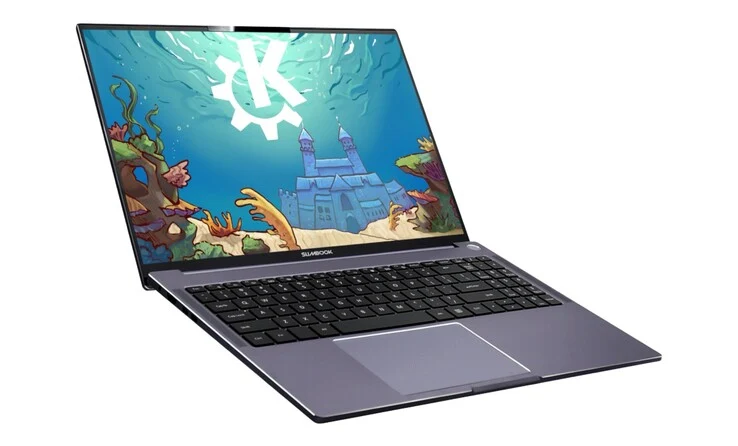
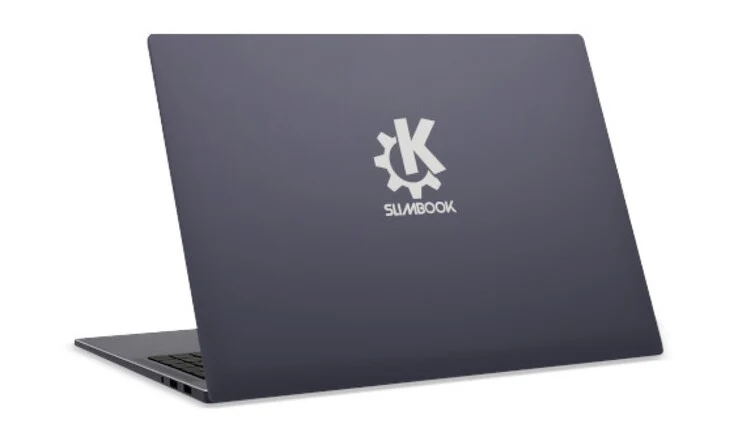
    Measuring just 20.3 mm (0.8 in) in thickness and weighing 1.86 kg (4.10 lb), the KDE Slimbook VII presents an aluminum body that has a subtle design. It comes with a backlit keyboard that includes a number pad, a multitouch trackpad, and four speakers. In addition to its construction, this laptop is designed to deliver impressive performance.

    Performance Powerhouse

    To enhance performance, Slimbook has outfitted the laptop with an AMD Ryzen AI 9 365 processor that features 10 cores, 20 threads, and can reach boost speeds of up to 5.0 GHz. The built-in Radeon 880M graphics card is sufficiently powerful to handle older or less graphic-intensive games. The device allows for storage expansion up to 16 TB through two PCIe 4.0 M.2 SSD slots, and it supports up to 128 GB of DDR5-5600 RAM. Its 16-inch IPS screen provides a 16:10 aspect ratio, with a resolution of 2,560 x 1,600 pixels and a refresh rate of 165 Hz. The manufacturer claims it can achieve a maximum brightness of 400 nits and offers complete sRGB coverage.

    Extended Battery Life

    Thanks to its 80 Wh battery combined with the efficient Ryzen processor, the KDE Slimbook VII can last up to 12 hours on a single charge. It comes pre-installed with KDE Neon, a Linux-based operating system that is designed to be user-friendly, even for those new to Linux. Connectivity options are generous, including two USB-C ports that offer 10 Gbit/s transfer rates and support for 100-watt charging, along with two USB-A ports (5 Gbit/s), an HDMI output, Wi-Fi 6, and Bluetooth 5.2.

    Pricing and Availability

    The KDE Slimbook VII starts at €1,029 (US$1,185) and is available for purchase through the official online store. Even though the laptop is shipped from Spain, Slimbook provides various keyboard layouts to cater to international buyers. The basic model features a Ryzen AI 9 365, 16 GB of RAM, a 500 GB SSD, KDE Neon, and a 100-watt USB-C charger. Both the RAM and storage can be upgraded by users, as the Slimbook has an additional free M.2 slot for a second SSD.

    Source:
    Link


  • Dell Pro Max 18 Plus: Powerful Performance with High Temperatures

    Dell Pro Max 18 Plus: Powerful Performance with High Temperatures

    Key Takeaways

    1. The Dell Pro Max 18 Plus features Intel Arrow Lake-HX processors and Nvidia Blackwell graphics for impressive performance.
    2. It has a unique 18-inch display and uses CAMM2 RAM, providing benefits over standard SODIMM.
    3. The CPU temperature can exceed 100°C during stress testing, affecting performance stability.
    4. The CPU clock rate starts at 4 GHz but drops to 3.3 GHz under stress due to high temperatures.
    5. It includes modular USB-C ports and supports USB-C charging up to 300 W, removing the need for traditional AC adapters.


    The Dell Pro Max 18 Plus is a standout in Dell’s lineup of mobile workstations, known for its impressive performance. It features some of the latest processors from the Intel Arrow Lake-HX series and the Nvidia Blackwell series. Additionally, this workstation boasts one of the few 18-inch displays currently available and incorporates CAMM2 RAM, offering advantages over the standard SODIMM. However, the CPU’s performance could have been even better if it didn’t run so hot.

    Temp Problems

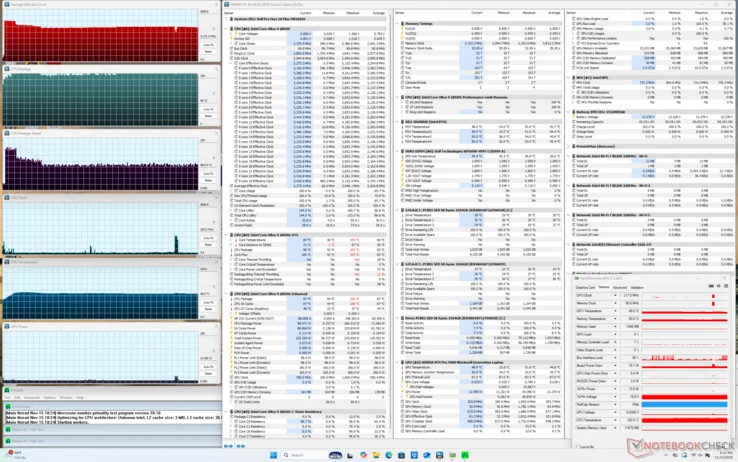
    Our tests revealed that the CPU temperature can rise above 100°C while using Prime95 stress testing. While this is technically safe, it is still very close to the limits for operational temperatures. The impact on performance is noticeable; the CPU clock rate peaks at 4 GHz at the beginning of the stress test, but then drops to 3.3 GHz after a brief time. If the CPU could maintain cooler temperatures, it might sustain higher clock speeds for longer durations.

    Unique Features

    Among its other interesting features are modular USB-C ports designed for easier repairs, along with support for USB-C charging up to 300 W. This eliminates the need for traditional barrel AC adapters.


  • UK Couple Cuts Heating Costs by 90% Using Raspberry Pi Setup

    UK Couple Cuts Heating Costs by 90% Using Raspberry Pi Setup

    Key Takeaways

    1. First Home Data Center: Terrence and Lesley Bridges from Essex are the first in the UK to heat their home using a mini data center called HeatHub.

    2. Innovative Technology: The HeatHub uses low-power Raspberry Pi boards instead of traditional high-energy Nvidia GPUs, making it more energy-efficient.

    3. Significant Cost Savings: The couple’s energy bill dropped dramatically from $492 (£375) to $52 (£40) by redirecting heat from the data center into their hot-water system.

    4. Safety Concerns: Experts warn that creating a home data center for heating can be impractical and unsafe without proper design, ventilation, and wiring.

    5. Potential for Net-Zero Emissions: If successful, distributed micro data centers like HeatHub could help the UK achieve net-zero emissions by turning computation into a household utility.


    A couple from Essex has made history as the first household in the UK to heat their entire home using a mini data center set up in their backyard shed. This unique data center system is known as HeatHub, developed by the clean-tech firm Thermify under the SHIELD project, which is overseen by UK Power Networks.

    Innovative Technology

    Typically, data centers rely on Nvidia GPUs, which are known for their high energy consumption. However, the HeatHub operates on a different principle. It employs clusters of low-power Raspberry Pi boards, configured into a compact distributed compute node.

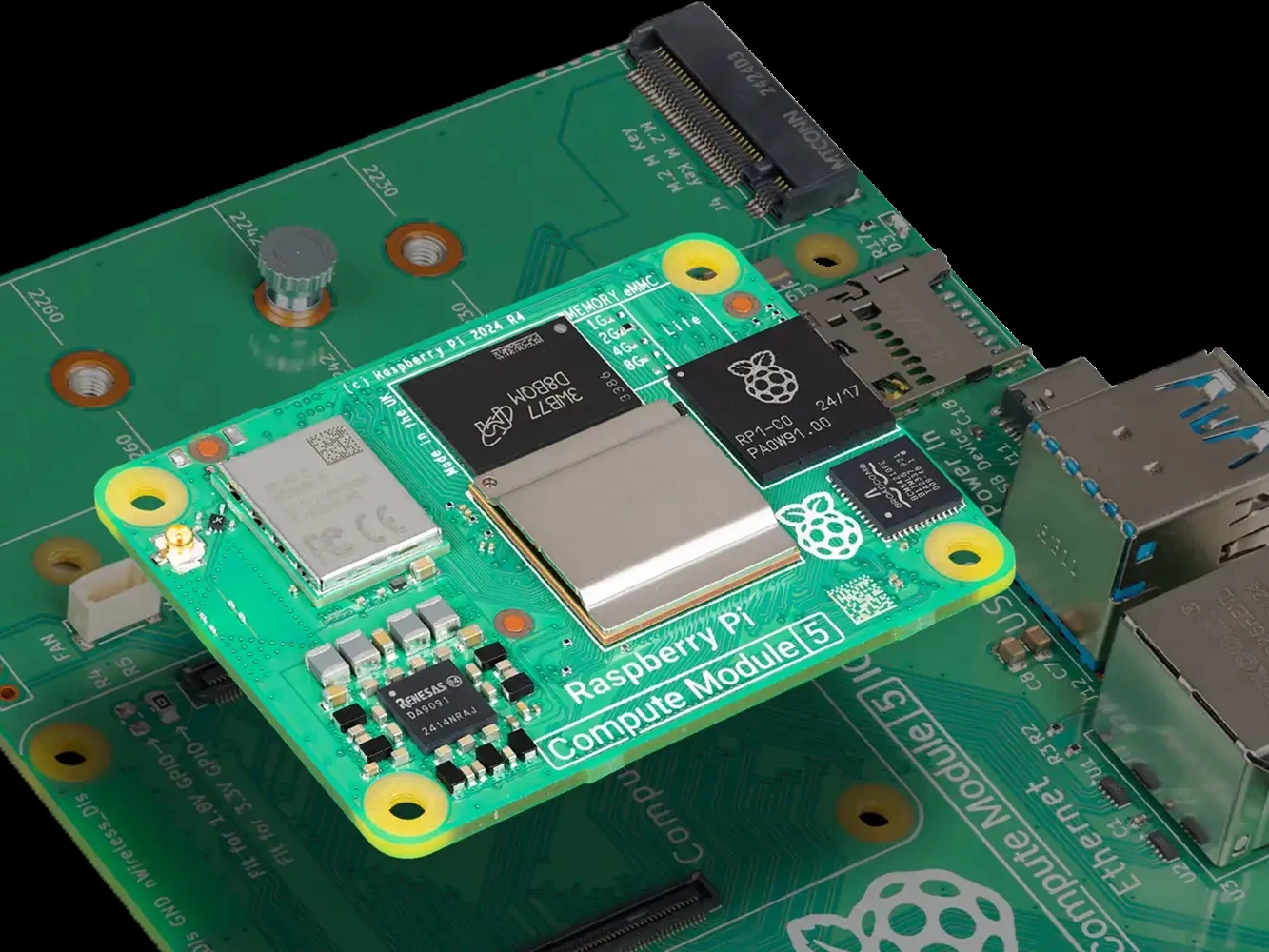
    The couple, Terrence and Lesley Bridges, have incorporated 56 Raspberry Pi modules into their HeatHub. These modules handle basic computing tasks, including app hosting and data processing. Once the pilot phase wraps up, enterprise clients are expected to pay Thermify to utilize these distributed nodes for workload processing.

    Cost Savings

    All the heat generated by the servers is captured and redirected into the home’s hot-water system, effectively transforming it into a heating source. Consequently, their monthly energy bill has plummeted from $492 (£375) to merely $52 (£40).

    While this idea might appeal to tech enthusiasts, experts caution that creating a home data center heater is neither practical nor safe. The HeatHub trial employs professionally designed heat exchangers, controlled ventilation, load-balanced wiring, and remote server management to ensure safe operation.

    Practical Challenges

    If an individual attempts to replicate this setup, they may end up with high electricity bills due to the energy demands of the machines, likely outpacing the benefits of the heat generated.

    There are also crucial electrical load limits to keep in mind. In general, UK homes have a main fuse rating between 60–100 A, and even a modest server rack can easily surpass safe continuous draw limits without industrial-grade wiring.

    This isn’t the first instance of reusing data center heat. Earlier in 2023, a micro data center, roughly the size of a washing machine, was used to heat a public swimming pool in the UK. Nonetheless, the HeatHub represents the first trial of this kind in low-income households.

    Should it prove successful, distributed micro data centers could pave an unexpected way for the UK to achieve net-zero emissions, effectively turning computation into a vital household utility.

    Source:
    Link


  • Intel Confirms CES 2026 Launch of Core Ultra 300 Panther Lake Chips

    Intel Confirms CES 2026 Launch of Core Ultra 300 Panther Lake Chips

    Key Takeaways

    1. Panther Lake is set to officially debut at CES 2026, with a presentation on January 5 at 15:00 PST by Intel’s Senior VP Jim Johnson.
    2. Key details like SKU names and specifications for Panther Lake processors are still unclear, despite some insights from Geekbench listings.
    3. Panther Lake is expected to offer significant GPU performance improvements, likely surpassing Qualcomm’s Adreno X2 and AMD’s RDNA 3.5 iGPUs.
    4. CPU performance expectations for Panther Lake appear less promising compared to its GPU capabilities.
    5. Currently identified devices with Panther Lake processors include the Samsung Galaxy Book6 Pro and Asus ROG Zephyrus G14, with more devices and mini-PCs expected to adopt the architecture in the future.


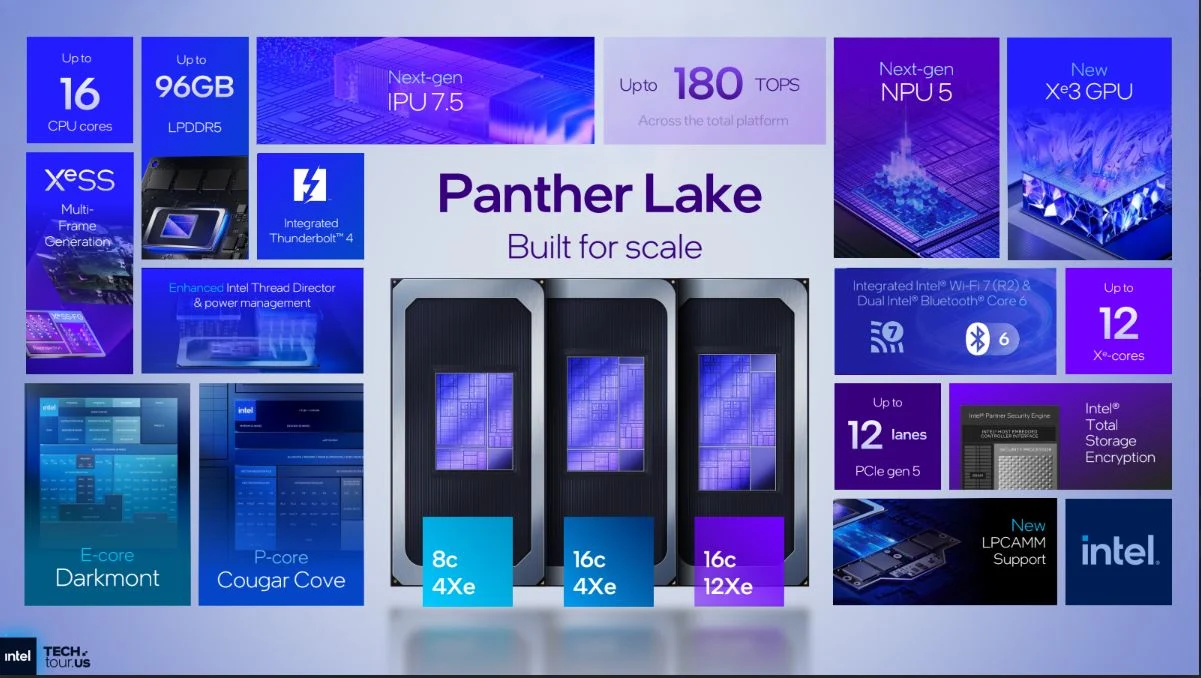
    While Intel provided a detailed insight into Panther Lake earlier this year, key details like SKU names and specifications are still not clear. Geekbench listings have offered a sneak peek at some Panther Lake processors, but there is still some confusion regarding its naming conventions and specifications.

    Launch Details

    As expected, Panther Lake is set to officially debut at CES 2026. Intel will present its next-generation Core Ultra 300 laptop chip on January 5 at 15:00 PST. The presentation will be led by Jim Johnson, who is the Senior VP and GM of Intel’s Client Computing Group.

    Performance Expectations

    From what we have gathered from Intel’s benchmarks and Geekbench listings so far, Panther Lake is likely to deliver significant improvements in GPU performance. It is expected to surpass Qualcomm’s Adreno X2 and the RDNA 3.5 iGPUs present in AMD’s Gorgon Point APUs. On the CPU front, however, the performance does not seem as promising.

    Future Releases

    Currently, only the Samsung Galaxy Book6 Pro and Asus ROG Zephyrus G14 have been identified with PTL processors, but more devices are likely to emerge over time. Additionally, some mini-PCs might also adopt the Panther Lake architecture, as confirmed by the recent introduction of the GMKtec EVO-T2.

    Source:
    Link