Category: Computers

  • TSMC Investigates Intel Employee for Alleged 2nm Process Secrets

    TSMC Investigates Intel Employee for Alleged 2nm Process Secrets

    Key Takeaways

    1. Intel is recovering its position in the semiconductor market with the launch of the Intel 18A process node and the “five nodes in four years” plan under ex-CEO Pat Gelsinger.

    2. A new $5 billion investment from Nvidia will boost Intel’s research and development for future process nodes and attract industry talent, including former TSMC executive Wei-Jen Lo.

    3. TSMC is investigating Wei-Jen Lo for potentially taking confidential information when he left the company, which could lead to legal action.

    4. Wei-Jen Lo was instrumental in TSMC’s development of the 10 nm process node, making the situation significant for both TSMC and Intel.

    5. The Taiwanese government is monitoring the case closely due to TSMC’s importance to the Taiwanese economy, with possible implications under the National Security Act and the Trade Secret Act.


    After facing a tough few years, where it lost its lead in consumer CPUs to AMD and its semiconductor manufacturing edge to TSMC, Intel seems to be on the upswing again. Under the guidance of ex-CEO Pat Gelsinger, Intel launched a bold plan called “five nodes in four years” to reclaim its position as the top player in semiconductor manufacturing. The latest outcome of this strategy is the Intel 18A, one of the most sophisticated process nodes globally, set to be used in the new Intel Panther Lake mobile CPUs.

    Intel’s Ambitious Plans

    Yet, Intel isn’t slowing down. With a new $5 billion investment from Nvidia, Intel is increasing its efforts to create advanced future process nodes through research and development, as well as by bringing in industry talent. One key hiring was Wei-Jen Lo, a retired veteran from TSMC. This move seems to have upset TSMC, which is reportedly considering legal action against Wei-Jen Lo for allegedly stealing confidential company information.

    TSMC’s Investigation

    According to a recent report, TSMC is gathering evidence against Wei-Jen Lo. The former Senior Vice President of R&D at TSMC supposedly requested employees to prepare technical briefings on the TSMC 2 nm A14 and A16 nodes, as reported by Taiwanese outlet United Daily News. It is claimed that he took these “confidential” technical documents with him when he departed from TSMC. However, TSMC has not yet filed a formal complaint against him.

    Wei-Jen Lo played a crucial role in helping TSMC develop the 10 nm process node back in 2016, a period when Intel was the top chipmaker in the world. Thus, the news that TSMC is considering legal action against a well-respected former executive is significant and could have implications for Intel in the future.

    Government Involvement

    As TSMC is a vital part of the Taiwanese economy, the Taiwanese government is naturally paying close attention to this situation. United Daily News has reported that the Taiwan Prosecutor’s Office is looking into the case under the National Security Act and the Trade Secret Act.

    We will find out soon whether TSMC pursues action against Wei-Jen Lo or if the situation diffuses. In the meantime, all eyes are on the Intel Panther Lake chips. Built on the cutting-edge Intel 18A process node, these processors have much to demonstrate for Intel. Laptops featuring PTL chips are expected to hit the market early next year.

    Source:
    Link


  • Samsung Launches Smart Keyboard to Compete with Logitech MX Keys Mini

    Samsung Launches Smart Keyboard to Compete with Logitech MX Keys Mini

    Key Takeaways

    1. Logitech has long dominated the Tenkeyless (TKL) wireless keyboard market with its MX Keys Mini series, including a mechanical version, the MX Mechanical Mini.
    2. Samsung has launched the Smart Keyboard, a TKL wireless keyboard that competes with the MX Keys Mini, and is over 55% lighter at 218 g.
    3. The Smart Keyboard features Bluetooth 5.4 connectivity for three-way multi-device pairing and includes specific functions for DeX and Windows Copilot.
    4. Unlike the rechargeable battery in the MX Keys Mini, the Smart Keyboard uses a CR2032 coin cell battery, which may have a shorter lifespan.
    5. The Smart Keyboard is priced at $109.99 but is available for less than $100 on Amazon, currently sold in the Eurozone, Hong Kong, and the US.


    For many years, Logitech has dominated the Tenkeyless (TKL) wireless keyboard sector for both office and home use with their MX Keys Mini series. Additionally, they have a mechanical version known as the MX Mechanical Mini. Interestingly, it looks like Logitech is gearing up to launch an updated version of the latter, along with a larger MX Mechanical model.

    Competing Features

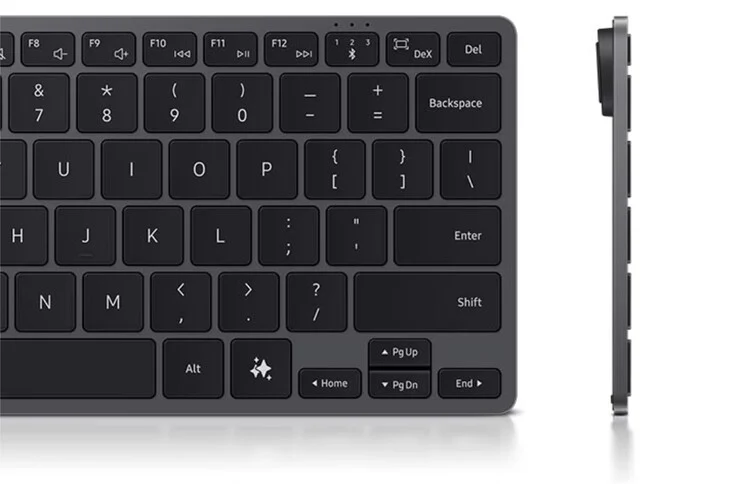
    Meanwhile, Samsung has introduced its Smart Keyboard, a TKL wireless keyboard that competes directly with the MX Keys Mini in terms of features. On one side, the Smart Keyboard is significantly lighter, weighing over 55% less than the MX Keys Mini at just 218 g, even though it includes 80 keys. Furthermore, each key is reported to provide 19 mm of travel within the Smart Keyboard’s dimensions of 111.5 x 280.3 mm.

    Connectivity and Battery Life

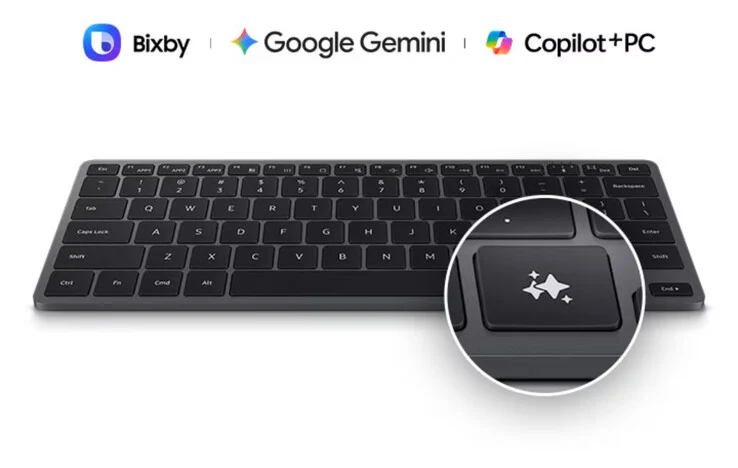
    Moreover, the Smart Keyboard features Bluetooth 5.4 connectivity, allowing for three-way multi-device pairing. It’s important to mention that Samsung includes specific keyboard functions for DeX, while its ‘AI Short Key’ also activates Copilot in Windows. The Smart Keyboard operates using a CR2032 coin cell battery, unlike the rechargeable Li-Po battery used in the MX Keys Mini, which tends to degrade over time.

    Samsung offers the Smart Keyboard in a single silver color complemented by dark grey key caps. At present, the keyboard is available in the Eurozone, Hong Kong, and the US. Samsung has set the price for the Smart Keyboard at $109.99, but you can find it on Amazon for less than $100 as of the current date.


    Source:
    Link


  • StorageKey Gen2 SSD Enclosure with Thunderbolt 5 for Fast Transfers

    StorageKey Gen2 SSD Enclosure with Thunderbolt 5 for Fast Transfers

    Key Takeaways

    1. The StorageKey Gen2 is a new external SSD enclosure seeking funding on Kickstarter, with a pledge starting at $190 and expected delivery in March 2026.
    2. It features Thunderbolt 5 compatibility, supporting various M.2 SSD sizes (2230, 2242, 2260, and 2280), but requires users to install the SSD themselves.
    3. The enclosure can achieve high performance with sequential read speeds up to 6,000 MB/s and write speeds up to 5,000 MB/s, depending on the SSD and connection used.
    4. Key B storage devices are not compatible with the StorageKey Gen2 due to its connection using four PCIe 4.0 lanes.
    5. The enclosure includes both passive and active cooling mechanisms, featuring an aluminum body, cooling fins, and a quiet fan to prevent SSD overheating.


    The StorageKey Gen2 is a new external enclosure designed for SSDs, currently seeking funding on Kickstarter. As with all crowdfunding projects, there’s a significant amount of risk for those who decide to back it. However, if you’re interested, you can reserve one for a pledge of $190, not including shipping and any potential import charges. Deliveries are expected to start in March 2026. If you’re looking for something simpler, the SanDisk Extreme Pro offers a standard external SSD, with its 1TB version priced at $139 on Amazon.

    Connection Features

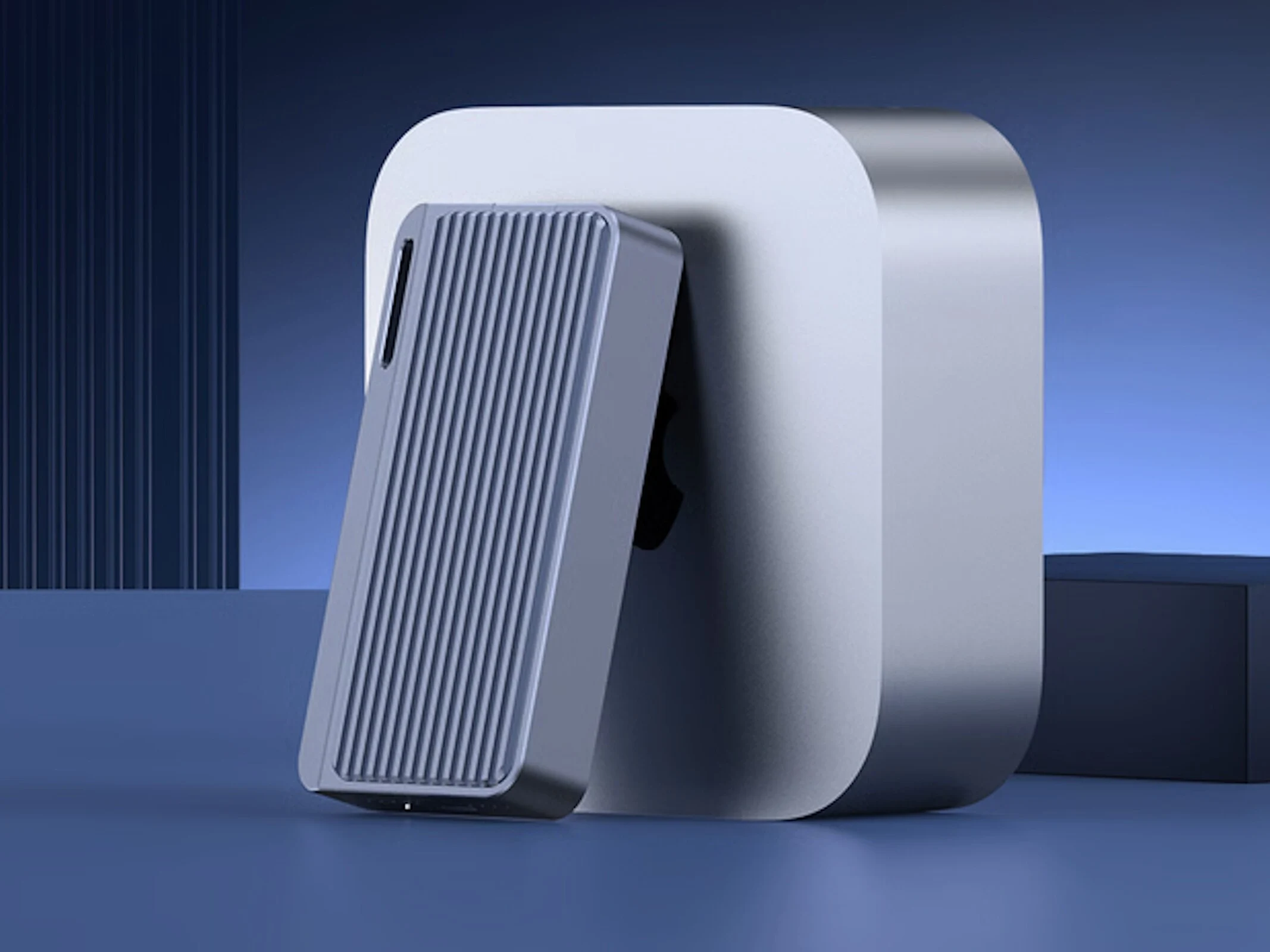
    This enclosure includes Thunderbolt 5, which works with previous Thunderbolt versions and USB 4, though at slower transfer speeds. Users will need to install the SSD themselves. It supports M.2 sizes of 2230, 2242, 2260, and 2280, covering almost all common sizes. This means that typical SSDs from laptops and desktops can easily be used in the StorageKey Gen2, allowing users to utilize drives that have been replaced.

    Performance and Compatibility

    It’s worth noting that Key B storage devices won’t work with this enclosure. The connection uses four PCIe 4.0 lanes. The manufacturer claims that it can achieve sequential read speeds of up to 6,000 MB/s and write speeds reaching 5,000 MB/s, provided there are no bottlenecks with the SSD installed or the connection to the laptop, desktop, or smartphone.

    Cooling Mechanism

    Users shouldn’t worry about SSD overheating with the StorageKey Gen2, which has dimensions of roughly 3.94 x 2.17 x 0.59 inches, and includes both passive and active cooling features. The body is crafted from aluminum and is equipped with cooling fins and a small, yet fairly quiet, fan operating at just 25dB. Additionally, a thermal pad aids in transferring heat to the exterior of the enclosure.

    Source:
    Link


  • Minisforum NAB3R Mini-PC: Intel Processor & 64GB RAM Option

    Minisforum NAB3R Mini-PC: Intel Processor & 64GB RAM Option

    Key Takeaways

    1. The Minisforum NAB3R is a budget-friendly mini-PC introduced in Japan, featuring a new front USB 3.2 Gen 1 Type-C port.
    2. It is equipped with an Alder Lake-P Core i3-1220P processor, which includes 2 P-cores and 8 E-cores, providing a total of 12 threads.
    3. The NAB3R supports storage and RAM upgrades, with a maximum RAM capacity of 64 GB at DDR4-3200 speeds.
    4. It features an active cooling system for better performance, including a turbo fan and cooling for its M.2 SSD.
    5. The price of the NAB3R in Japan is approximately JPY 74,000 (around $475), and it’s uncertain if it will be released globally.


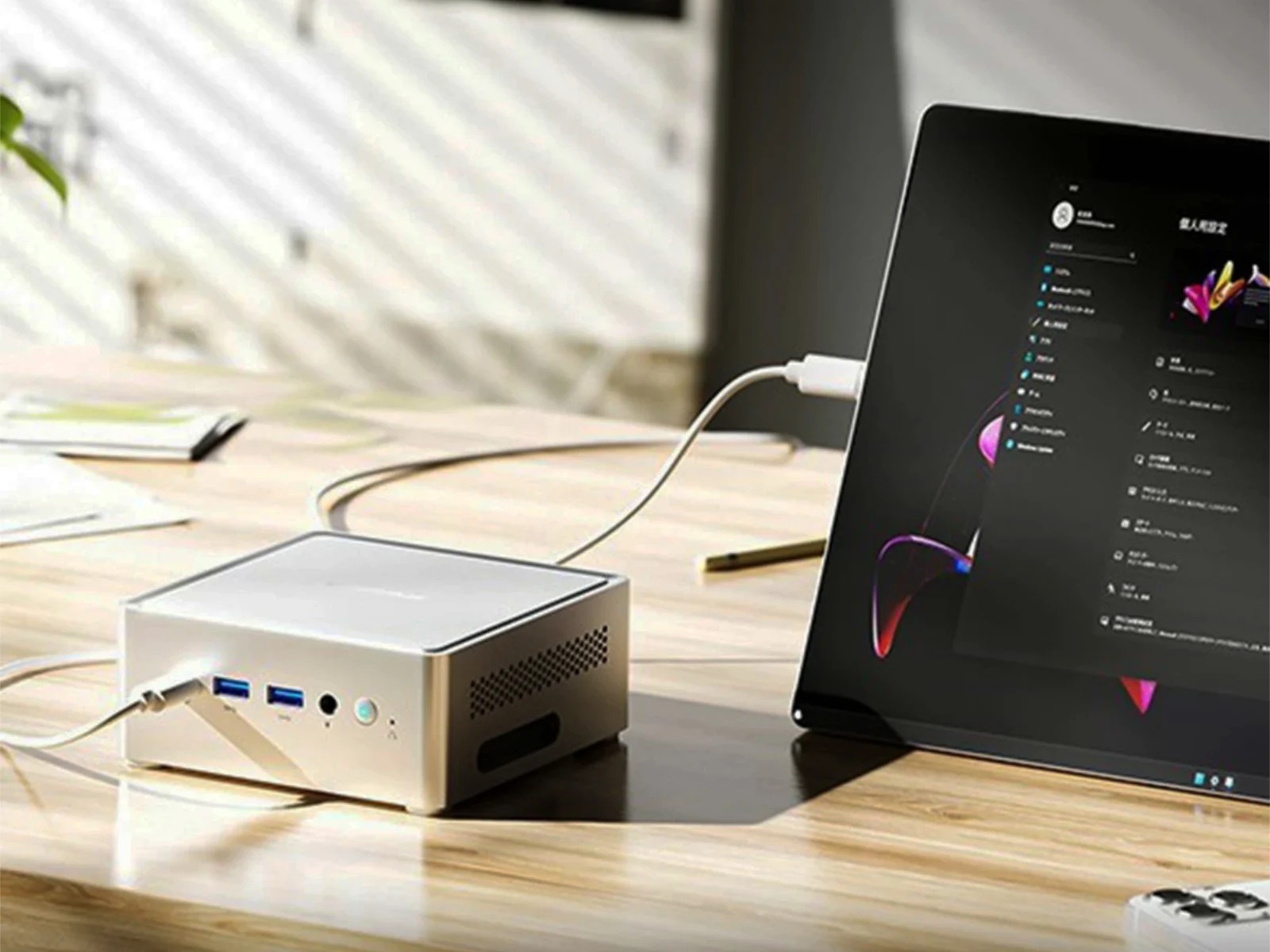
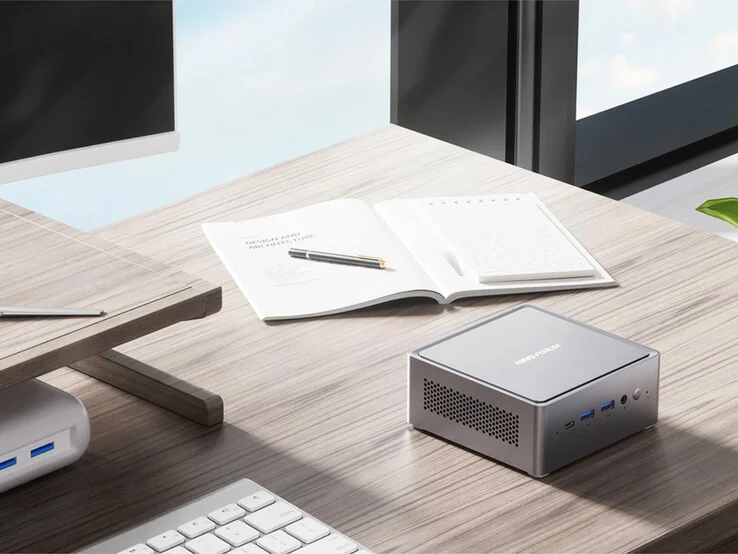
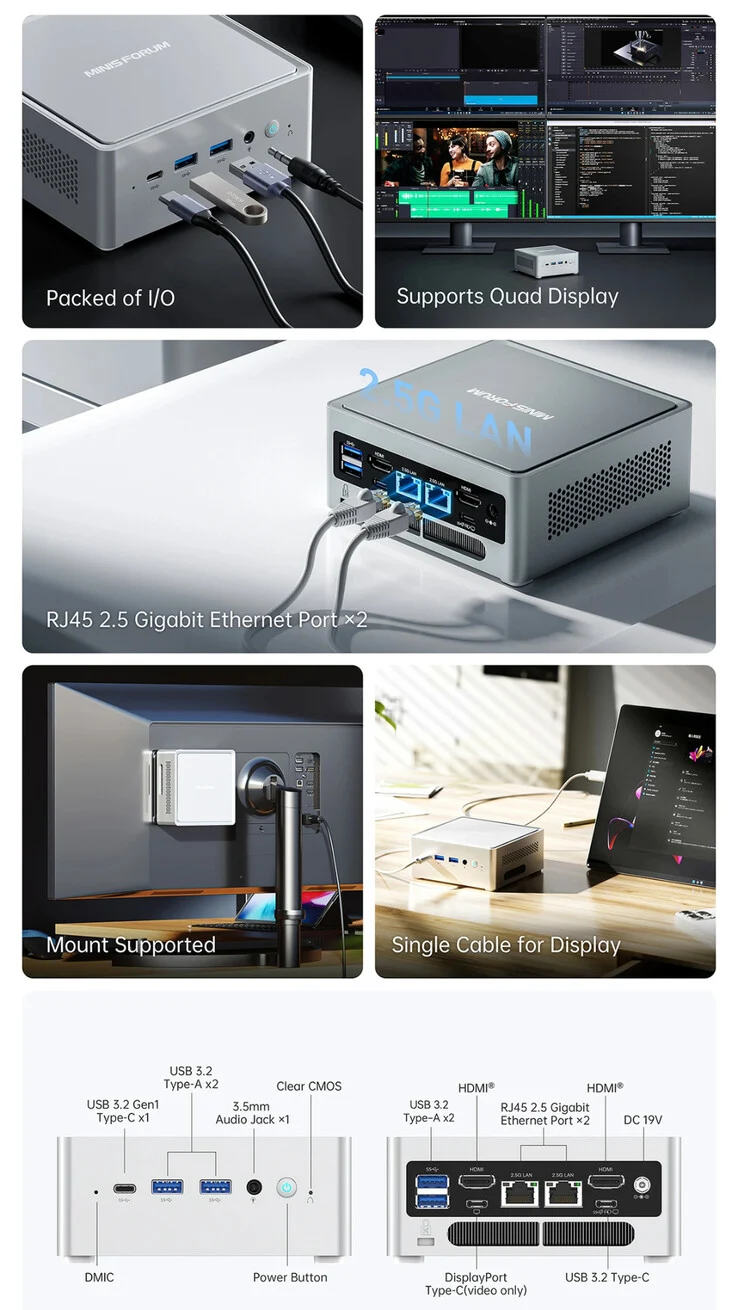
    Minisforum has introduced a budget-friendly mini-PC in Japan. At first glance, the NAB3R looks a lot like other models in the NAB series, including the NAB6 and NAB9 Plus (currently priced at $495 on Amazon). One noticeable change in the NAB3R is the addition of a front USB 3.2 Gen 1 Type-C port, which is perfectly placed between its DMIC and two USB 3.2 Type-A ports located on the front.

    Processor Details

    In a significant change, Minisforum has replaced the Alder Lake-H processors used in the NAB6 and NAB9 with an Alder Lake-P option. The NAB3R comes equipped with the Core i3-1220P, featuring 2 P-cores operating at 4.4 GHz and 8 E-cores capped at 3.3 GHz. This setup provides a total of 12 threads, along with a modest integrated GPU for graphics tasks.

    Upgrade Options

    Furthermore, the NAB3R allows for storage and RAM upgrades, though the RAM is limited to a maximum of 64 GB with DDR4-3200 speeds. To enhance performance, Minisforum has incorporated an active cooling system for its M.2 2280 SSD and a sizable turbo fan located on the bottom of the device. As depicted in the image below, the NAB3R also boasts a variety of ports on its back.

    At this point, it remains uncertain if the company intends to launch the mini-PC worldwide. Normally, Minisforum mini-PCs do get international releases over time, similar to the MS-R1 and the upcoming MS-02 Ultra. For reference, the price of the Minisforum NAB3R in Japan is approximately JPY 74,000 for the configuration with 16 GB of RAM and 512 GB of storage, which translates to around ~$475 based on current currency rates.


    Source:
    Link


  • Satechi 7-in-1 USB-C Hub: Lightweight, Magnetic, 68g Design

    Satechi 7-in-1 USB-C Hub: Lightweight, Magnetic, 68g Design

    Key Takeaways

    1. Product Overview: The Satechi OntheGo 7-in-1 USB-C Hub is designed for mobile users, offering multiple functions for charging and enhancing laptop capabilities.

    2. Compact Design: The hub features a unique, round design with seven ports positioned around its edge, making it portable and easy to use.

    3. High Specifications: It includes an HDMI port supporting 4K at 60 Hz, Gigabit LAN, dual USB-A ports with 5 Gbps data transfer, an SD/microSD card reader for up to 2 TB, and a USB-C PD pass-through port.

    4. Mobility Features: Weighing only 68 g and measuring 6.5 x 6.5 x 2.65 cm, the hub is highly portable and features a built-in cable management system for tangle-free storage.

    5. Magnetic Compatibility: The hub’s magnetic build allows it to attach to iPhones with MagSafe and comes with a 3M adhesive ring for attaching to laptops and tablets.


    Satechi’s OntheGo series offers products designed for people on the move, like charging phones or enhancing laptop functions. The newest product in this series is the Satechi OntheGo 7-in-1 USB-C Hub. After its initial sale directly from Satechi, it is now also for sale on Amazon for $59.99.

    Compact and Unique Design

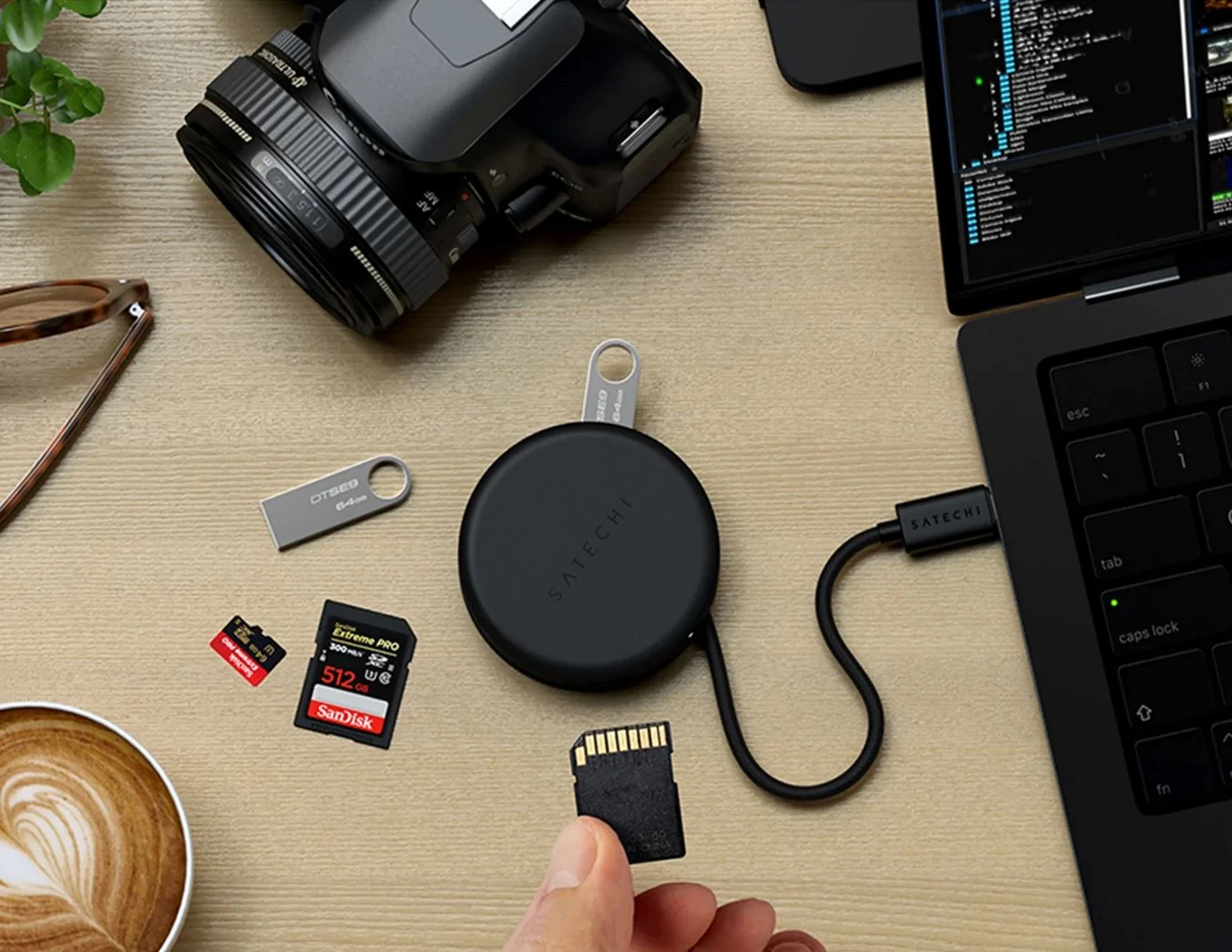
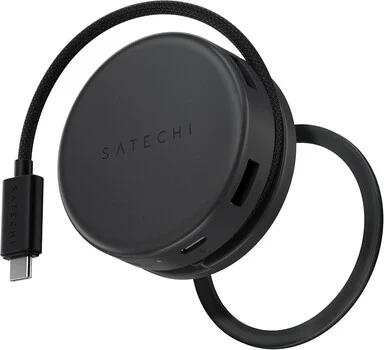
    As its name indicates, the Satechi OntheGo 7-in-1 USB-C Hub is a small hub made for mobile usage, featuring some standout characteristics. One of the most notable aspects is its distinctive design. The seven ports are positioned around the edge of the round hub.

    Impressive Specifications

    This hub includes an HDMI port that supports 4K at 60 Hz, a Gigabit LAN, two USB-A ports that offer data transfer rates of up to 5 Gbps, an SD/microSD card reader that accommodates cards with a capacity of up to 2 TB, and a USB-C PD pass-through port capable of 100 W input and 80 W output. The 13 cm USB-C cable can be neatly stored underneath the device, with a built-in cable management system to avoid tangles.

    Perfect for Mobility

    Measuring only 6.5 x 6.5 x 2.65 cm and weighing just 68 g, this hub is perfect for taking on the go and is hardly noticeable in terms of size and weight. A standout feature of the Satechi OntheGo 7-in-1 USB-C Hub is its magnetic build, which allows it to stick to the back of an iPhone with MagSafe, increasing its usability. The included magnetic 3M adhesive ring lets the compact hub attach to the back of a Windows laptop or MacBook running MacOS, and it is also compatible with Chromebooks and iPads.

    Source:
    Link


  • QNAP Compact Top-of-Rack Switch with 10GbE, 25GbE, 100GbE

    QNAP Compact Top-of-Rack Switch with 10GbE, 25GbE, 100GbE

    Key Takeaways

    1. High-Performance L3 Switch: Qnap’s QSW-M7230-2X4F24T is a top-of-the-rack switch designed for managing communication and data within and outside the rack.

    2. Compact Design: The switch’s compact size eliminates the need for a server cabinet, fitting into one rack unit in a 19-inch rack.

    3. Multiple Connectivity Options: It includes two QSFP28 slots for 100GbE and four SFP28 ports for 25GbE, along with RJ45 Ethernet jacks supporting up to 10 Gbps.

    4. Power over Ethernet (PoE) Support: The switch can deliver PoE++ (802.3bt), making it suitable for connecting high-performance PoE cameras.

    5. Release Timeline: The switch is expected to be available no sooner than early 2026, with no pricing details announced yet.


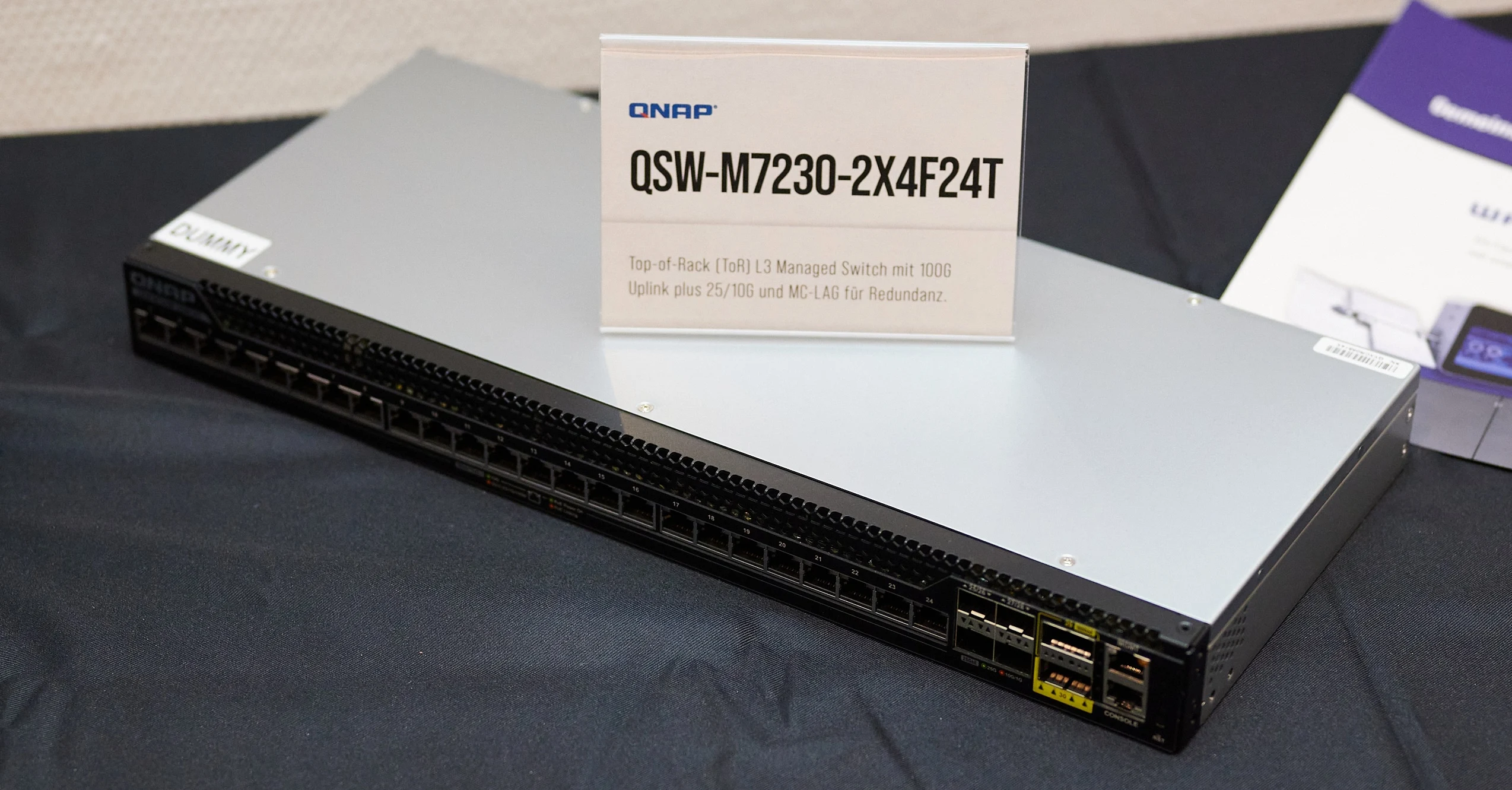
    Qnap has unveiled a new high-performance top-of-the-rack switch (L3), called the QSW-M7230-2X4F24T. This switch plays a crucial role in managing communication outside the rack while also gathering or spreading data within it. To ensure dependable functionality, it includes support for MC lag, which provides redundancy.

    Compact and Efficient Design

    The QSW-M7230-2X4F24T is not only robust, but its compact size eliminates the necessity for a server cabinet. For connectivity to additional racks or external networks, this switch is equipped with two QSFP28 slots that can accommodate 100GbE transceivers or short-range DAC links. Moreover, it features four SFP28 ports that allow for 25GbE connections using compatible SFP28 modules or DAC.

    Versatile Connectivity Options

    The other ports on the switch are RJ45 Ethernet jacks. It supports speeds of up to 10 Gbps (10GbE) and can provide PoE++ (802.3bt) at the same time. This capability makes it ideal for directly connecting high-performance PoE cameras. There’s also a dedicated Ethernet port for managing the switch itself.

    The switch is designed to fit into one rack unit within a 19-inch rack and has a shallow profile. Although it won’t be silent, as it is engineered for data center applications. The model shown was merely a dummy version without any internal electronics.

    Anticipated Release

    As of now, the exact release date for the switch remains uncertain. It is anticipated to be available no sooner than early 2026. QNAP has yet to provide any pricing details.


  • Improve Screens: A Key Issue in Popular Business Laptops

    Improve Screens: A Key Issue in Popular Business Laptops

    Key Takeaways

    1. ThinkPad screens have historically been subpar, with low resolution and poor color performance until improvements began around 2015.
    2. Current standard screens in the ThinkPad T series still lack quality, with some models featuring outdated WUXGA panels despite slight brightness improvements.
    3. High-quality OLED displays with 2.8K resolution are available but are often hard to find in newer models like the Lenovo ThinkPad T14 Gen 6.
    4. The Lenovo ThinkPad T14 Gen 6 primarily offers a Low Power panel as the best option, which, while decent in brightness, is slow and has a low refresh rate.
    5. There is a demand for better display options in the T series, as competitors are starting to offer higher refresh rate panels, highlighting a gap in Lenovo’s offerings.


    Screens have long been a weak point for the ThinkPad line. In the past, mainstream models, like the 14-inch T400 series, often featured low resolution and color performance with dim TN and IPS displays. It wasn’t until around 2015 that we started to see better IPS screens, and it was with the Lenovo ThinkPad T480 that we finally got a resolution greater than Full-HD (1,920 x 1,080), introducing a WQHD screen (2,560 x 1,440).

    Current Display Quality

    Even now, the standard screens in the ThinkPad T series fail to impress. WUXGA (1,920 x 1,200) resolution panels with limited color coverage still exist, although brightness levels have improved somewhat lately. On the brighter side, there are high-quality OLED displays available with a 2.8K resolution (2,880 x 1,800) that provide HDR, extensive color gamut, and swift refresh rates, but they can be hard to find.

    The Lenovo ThinkPad T14 Gen 6 Experience

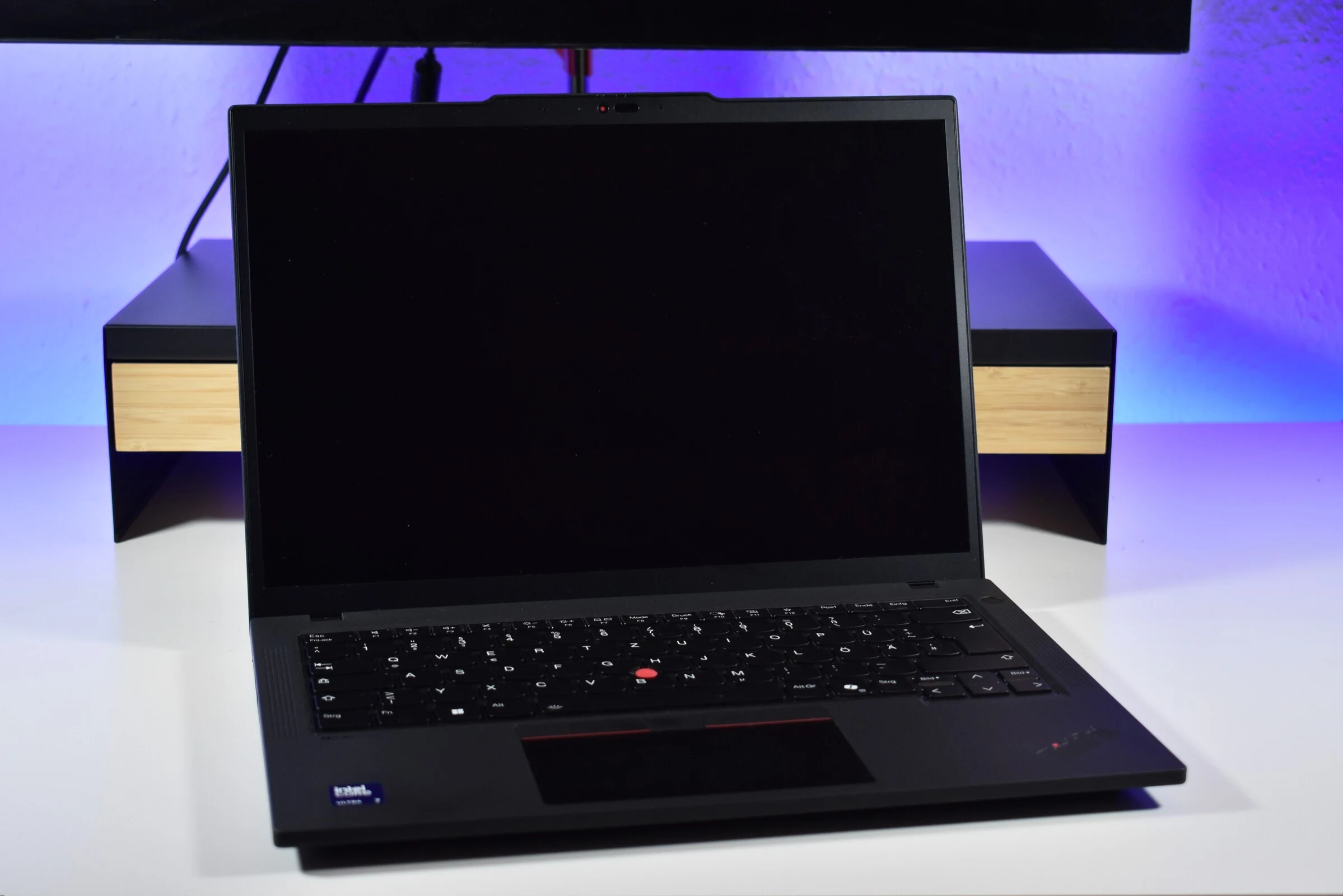
    For instance, take the Lenovo ThinkPad T14 Gen 6 equipped with Intel’s Lunar Lake that we reviewed recently. Oddly enough, this configuration doesn’t come with an OLED screen option from Lenovo, relegating it to WUXGA IPS panels instead. While this isn’t the worst thing ever, the issue really lies in the limited screen choices available.

    Our review unit of the Lenovo ThinkPad T14 Gen 6 Intel (which you can find on Amazon) is equipped with the Low Power panel, which is the only worthwhile option for regular customers. The two base panels featuring 45% NTSC are merely there to lower the entry price; the ePrivacy feature is something that’s mainly relevant for corporate users, so it’s not recommended for anyone outside of big companies.

    Need for Better Panels

    That leaves the Low Power panel as the best choice. Unfortunately, while it offers decent brightness, it still falls short in other areas. It’s a slow panel with a low response rate and only a 60 Hz refresh rate. While 60 Hz is adequate for office work, anyone considering this as a personal laptop should really look for better options these days.

    Some brands are now providing 90 Hz IPS WUXGA displays, and we believe it is about time Lenovo follows suit! After all, the T series isn’t a budget line, and those basic panels still exist to help keep the starting price low.


  • Preorder Freewrite Wordrunner: Tactile Keyboard with Joystick

    Preorder Freewrite Wordrunner: Tactile Keyboard with Joystick

    Key Takeaways

    1. Unique Displays: The Freewrite Wordrunner features two displays—a timer for writing sessions and a wordometer for counting words written.

    2. Writer-Centric Keys: The keyboard replaces standard function keys with ones designed for writers, enabling quick text actions, and includes a joystick for music control.

    3. Tactile Feedback: The displays use motorized wheels for a tactile and auditory experience while tracking writing progress.

    4. Compatibility and Design: The keyboard is compatible with any Bluetooth or USB devices, has an aluminum body, and allows for customizable keycaps and switches.

    5. Preorder Details: The Freewrite Wordrunner is available for preorder at €404 for the full version and €372 for a barebone version, with shipping starting in early 2026.


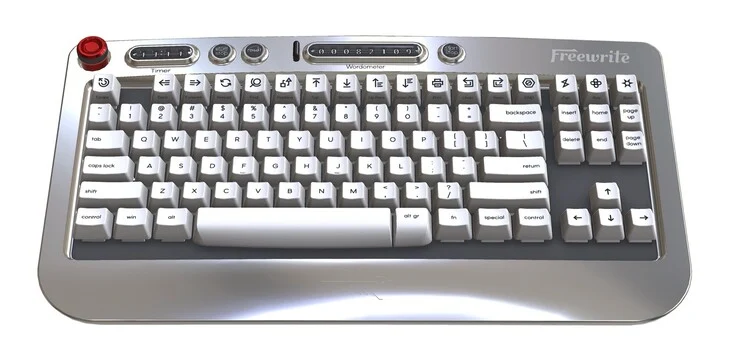
    At first sight, the Freewrite Wordrunner appears to be a standard mechanical keyboard, though it lacks a numpad. Its most remarkable aspect is the pair of displays situated at the top of the keyboard. One display functions as a timer for brief writing sessions, allowing users to set the duration manually after each reset.

    Unique Features of the Displays

    The other display is termed a wordometer, serving as a word counter that reveals how many words have been written since the last reset. Users can pause the wordometer with a start-stop button, preventing it from counting instances like web searches or chat messages. Both displays utilize wheels turned by a motor to indicate numbers from 0 to 9. This design not only provides information but also offers a tactile and auditory method for tracking writing progress.

    Writer-Focused Functionality

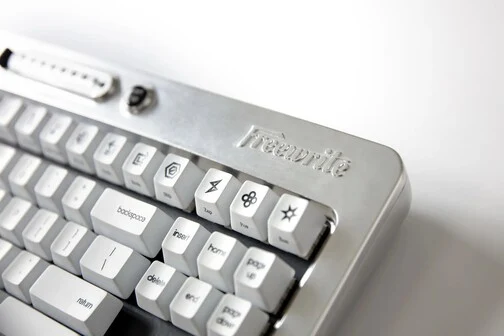
    The standard F keys have been swapped out for function keys tailored specifically for writers, allowing for quick actions like searching and replacing text. Additionally, a joystick located in the upper left section of the keyboard manages music playback. The Freewrite Wordrunner features an aluminum body, and both keycaps and switches can be changed later on. According to Freewrite, the Wordrunner doesn’t need any unique drivers and is compatible with any devices that support Bluetooth or USB keyboards. The battery is anticipated to last around a month, depending on usage.

    Preorder and Pricing Information

    You can preorder the Freewrite Wordrunner mechanical keyboard now at the official Freewrite online store, with shipping set to start in the first quarter of 2026. The model featuring white keycaps and tactile switches is priced at €404, while Freewrite also offers a barebone version, which excludes switches and keycaps, for €372.

    Source:
    Link


  • MoErgo Go60: Wireless Mechanical Keyboard with Dual Touchpads

    MoErgo Go60: Wireless Mechanical Keyboard with Dual Touchpads

    Key Takeaways

    1. ZMK Firmware Popularity: The open-source ZMK firmware is gaining traction in the wireless mechanical keyboard market, with brands like Keychron adopting it for its wireless functionality and efficiency.

    2. Compact and Ergonomic Design: The Go60 is a 60% wireless split keyboard designed for portability while maintaining ergonomic comfort similar to the larger Glove80.

    3. Advanced Features: The Go60 features hot-swappable low-profile Kailh Choc V1 switches, exclusive silent Cherry Blossom switches, and POM keycaps for enhanced durability and touch quality. It also includes dual 40mm trackpads for better usability.

    4. Enhanced Portability: With a slim design and a bento box-style case for easy transport, the Go60 is lightweight and includes magnetic tenting attachments, offering six angle options for ergonomics on the go.

    5. Long Battery Life: The Go60 boasts a 1,000 mAh battery on each side, providing up to 336 hours of battery life, wireless connectivity for multiple devices, and a wired option for versatility.


    Recently, the ZMK firmware, which is open-source, has been gaining attention in the wireless mechanical keyboard market. Even well-known brands like Keychron are opting for ZMK due to its design that prioritizes wireless functionality and efficiency. MoErgo, the company behind the Glove80 and now the Go60, has been involved with ZMK for a while, having launched the Glove80 in early 2022. The new Go60 is a more compact wireless split keyboard aiming to offer the great comfort and ergonomic advantages of the Glove80 in a smaller and more portable form.

    Compact Design

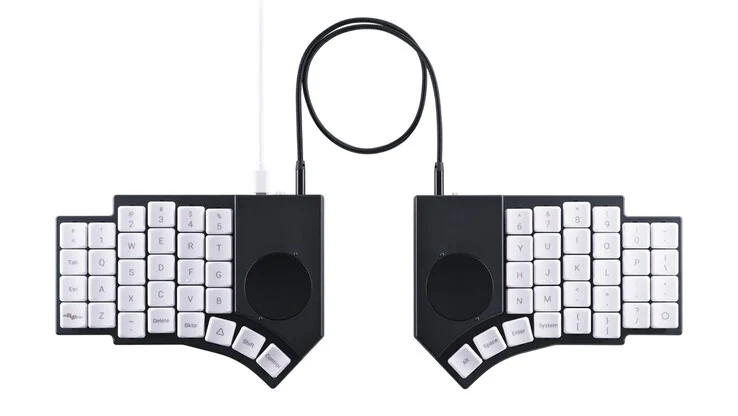
    As indicated by its name, the Go60 is a 60% mechanical keyboard, making it smaller compared to larger models like the Lemokey L1 HE that we reviewed recently. However, beyond its split ergonomic shape, the Go60 has several unique features that distinguish it from typical mechanical keyboards.

    Advanced Features

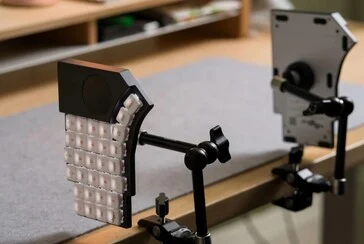
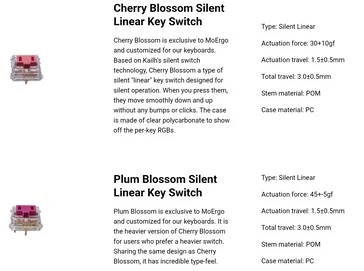
    To begin with, this new keyboard comes with hot-swappable low-profile Kailh Choc V1 switches, and it includes silent Cherry Blossom switches that are exclusive to MoErgo and the Go60. Similar to the Glove80, the Go60 uses POM keycaps, providing a premium touch and better chemical resistance when compared to materials like ABS and PBT.

    The most notable aspect of the Go60 is its dual touchpads, which are positioned like the single trackpad on the Beekeeb Toucan split wireless mechanical keyboard we reviewed earlier. The 40mm circular trackpads are located above the thumb cluster, allowing optimal use with the index finger while reducing side-to-side movement.

    Enhanced Portability

    The flat design of the Go60, which has a total height of 17.5 mm, makes it more portable than its predecessor. MoErgo has further improved portability by creating a bento box-style case that includes storage for snap-fit tenting attachments. This allows users to enjoy the ergonomic advantages of the Go60 while on the move, except for chair attachments.

    These tenting attachments are attached magnetically for easy use and offer six different angles ranging from 6.2° to 17°. Despite having a steel bottom case, the keyboard is lightweight at just 600 g, and the carrying case is a compact 178 × 135 × 43 mm, making it a perfect fit for smaller backpacks.

    Impressive Battery Life

    The MoErgo Go60 has a 1,000 mAh battery on each side, and the company claims it can last up to two weeks of continuous use when “powered-on 24/7 with ZMK sleep functionality disabled and RGB off,” which translates to about 336 hours of battery life. Previous reviews have shown that RGB lighting can significantly impact battery life, so it’s likely that enabling backlighting will reduce battery duration, even if set to the lowest setting. Wireless connectivity is supported by BLE 5.0, allowing connection to up to four devices wirelessly and one through USB.

    MoErgo has also released a selection of accessories for the Go60, such as a mounting puck and an optional walnut palm rest, and it seems many accessories from the Glove80 will also be compatible. In contrast to keyboards like the Corne split keyboards (currently $99 on Amazon), the Go60 operates fully wirelessly, meaning the two halves can work independently without a wire, making setup easier when traveling. However, it does come with a TRRS cable for those who prefer a wired connection, and it will automatically switch to wired mode when the cable is plugged in. The Go60 aims to provide a versatile input solution for people who primarily work at a desk but need the flexibility to take their ergonomic setup with them.

    Pricing Expectations

    Pricing details for the MoErgo Go60 have yet to be revealed, but it’s reasonable to expect it won’t be inexpensive. The MoErgo Glove80 is priced at $399, which includes a travel case. Nevertheless, since the Go60 is less complex, mainly due to the absence of key wells, it may turn out to be more budget-friendly, even with the inclusion of trackpads.

    Source:
    Link


  • Samsung’s 2nm Chips Achieve 60% Yields, Competing with TSMC

    Samsung’s 2nm Chips Achieve 60% Yields, Competing with TSMC

    Key Takeaways

    1. Samsung’s 2 nm Gate-All-Around (GAA) technology shows a 5% performance boost and 8% power efficiency improvement compared to the previous 3 nm GAA.
    2. The upcoming Exynos 2600 chip is expected to be the first to use the 2 nm technology, potentially making Samsung’s chip division profitable by 2027.
    3. The reduction in chip area by 5% may enhance applications in artificial intelligence and mobile tech with smaller, efficient chips.
    4. Samsung’s chip yield for the 2 nm process has improved significantly to 50-60%, allowing for increased production of the Exynos 2600.
    5. Samsung has secured contracts for its 2 nm technology, including a $16.5 billion deal with Tesla, as it aims to increase its market share in the competitive semiconductor industry.


    Samsung has revealed some noteworthy performance and efficiency improvements tied to its 2 nm Gate-All-Around (GAA) manufacturing process. These figures provide insight into the direction the South Korean firm is taking in the competitive semiconductor industry.

    Exynos 2600 and Future Prospects

    The upcoming Exynos 2600 is anticipated to be the first chip to utilize this new technology, which may assist Samsung’s chip division in becoming profitable by 2027.

    According to reports from Dailian, a South Korean news outlet, Samsung has enhanced the performance of its 2 nm GAA by 5 percent and improved power efficiency by 8 percent. Furthermore, the area has been reduced by 5 percent in comparison to the previous 3 nm GAA.

    Incremental Gains with Big Implications

    Although these enhancements may seem modest and below prior forecasts, the reduction in size could lead to advantages in artificial intelligence and mobile applications by allowing for smaller, more thermally efficient chips.

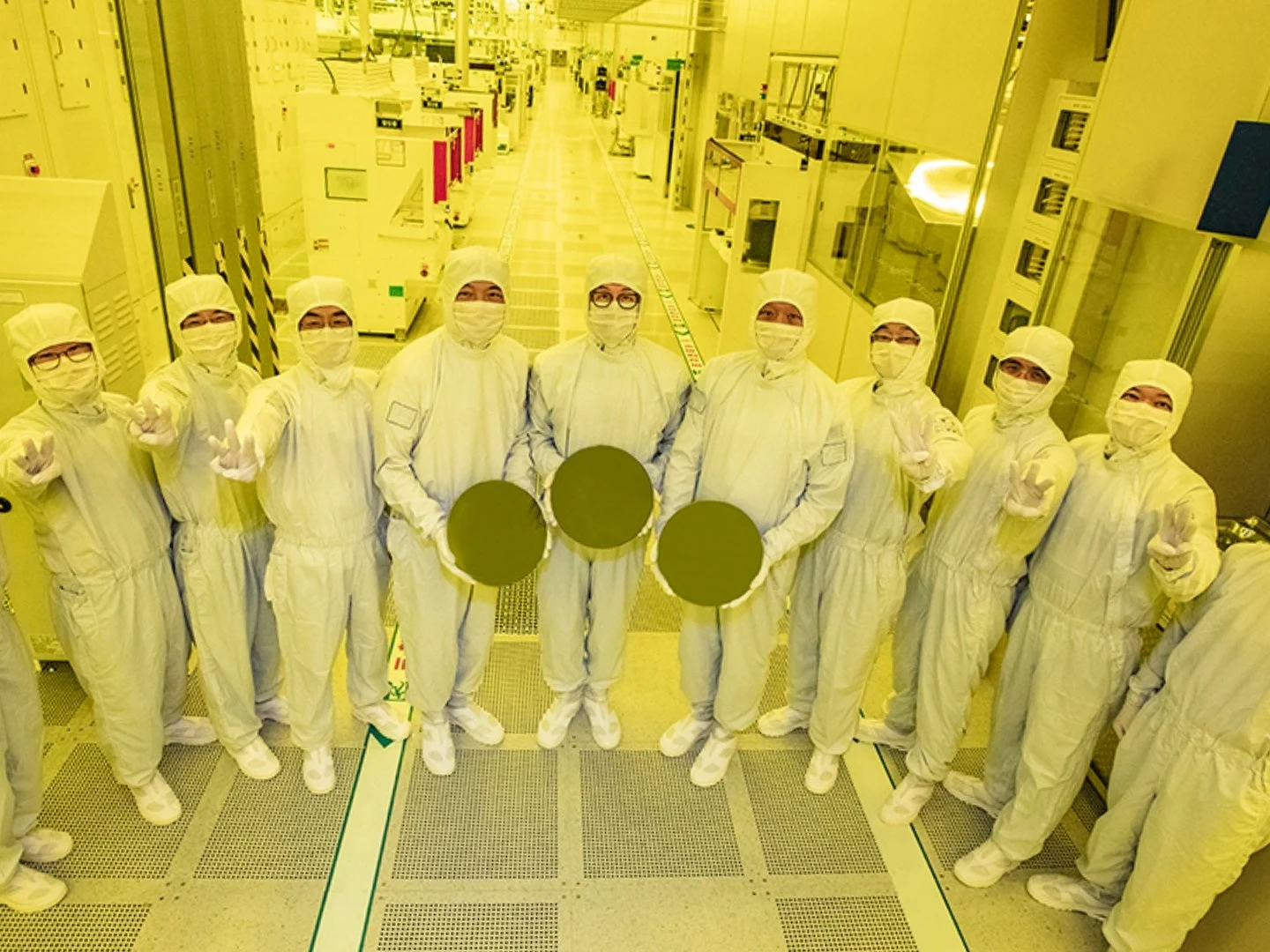
    A positive highlight in Samsung’s recent update is the improvement in chip yield. The company is now reporting yields between 50 and 60 percent for its 2 nm production, which is a notable increase from earlier predictions of around 30 percent. This boost should allow Samsung to ramp up its wafer output for the Exynos 2600 to about 15,000 units monthly.

    Strategic Partnerships and Market Position

    Additionally, Samsung has secured several contracts for its 2 nm technology, including deals with MicroBT and Canaan, two leading manufacturers of cryptocurrency mining hardware. The company has also entered into a $16.5 billion agreement with Tesla that extends through 2033, showcasing Samsung’s ability to manage long-term wafer supply contracts.

    Currently, TSMC holds a dominant position in the global foundry market, commanding a 70.2 percent share, while Samsung lags behind with just 7.3 percent. Nonetheless, the latest report on Samsung’s 2 nm GAA suggests that the company is prepared to compete for relevance in the foundry sector.

    Source:
    Link