Category: Computers

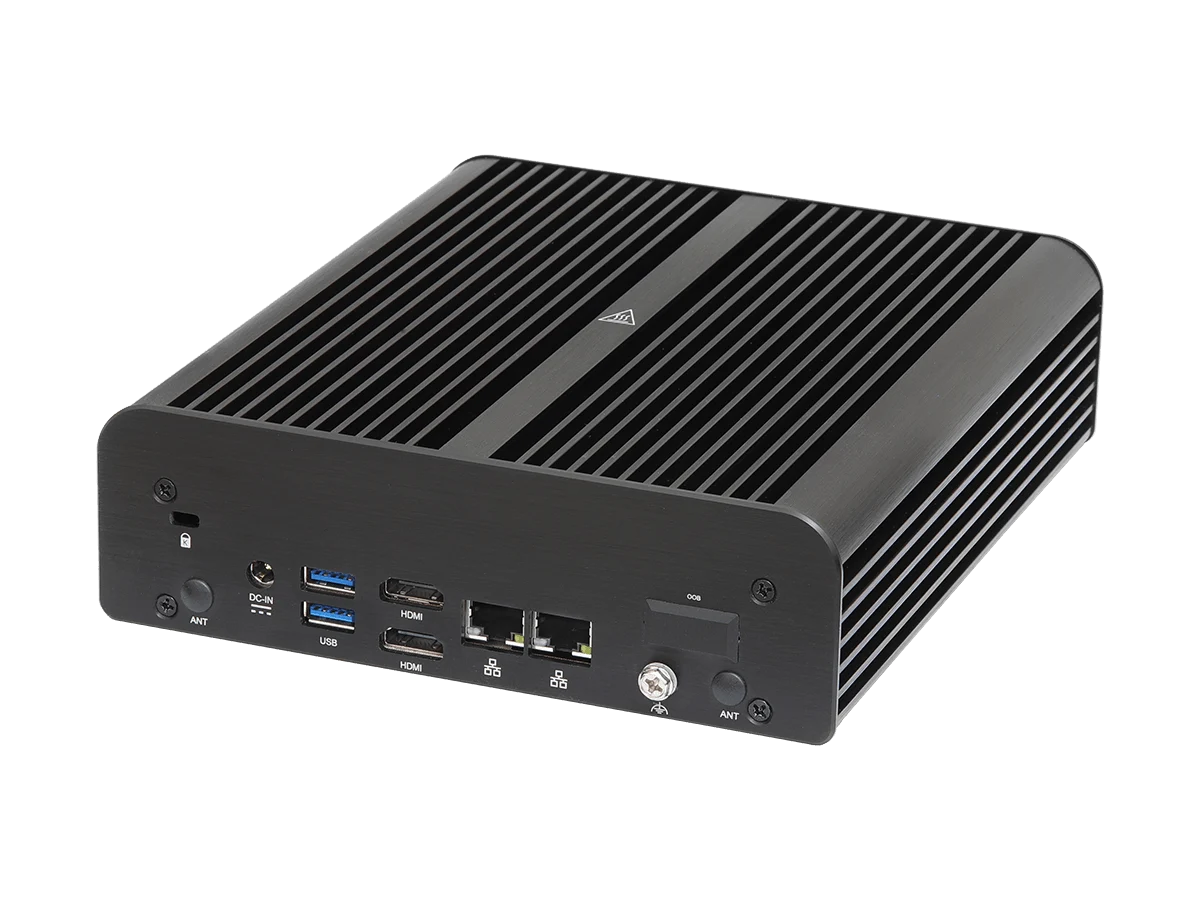
  • ASRock iBOX Fanless Mini PCs with Intel Panther Lake CPUs

    ASRock iBOX Fanless Mini PCs with Intel Panther Lake CPUs

    Key Takeaway

    – Two Panther Lake Core Ultra models (X7 385H and Core Ultra 5 325) powering a refreshed fanless iBOX with unchanged chassis.
    – High RAM/storage options: up to 128 GB DDR5-7200 on the faster model; NVMe M.2 2242 PCIe 4.0 x4 and M.2 2280 PCIe 5.0 slots for storage.
    – Rich I/O: front Thunderbolt 4 with DP 2.1, USB-A 10 Gbps, USB-C 20 Gbps (DP 1.4a), USB 2.0, optional legacy port; back includes dual HDMI 2.1 and dual 2.5 GbE, plus Wi-Fi card option via M.2 slot.


    ASRock’s iBOX Panther Lake Update

    ASRock is refreshing its iBOX fanless mini PC lineup with two models powered by Intel’s Panther Lake Core Ultra Series 300 processor. The case design is unchanged from the previous Core Ultra Series 200 models launched in early 2026 and features aluminium housing with heat dissipation fins on top and on the sides. It measures 20 x 17.6 x 5.36 cm (7.87 x 6.95 x 2.11 inches) and weighs 3 kg (6.6 lbs).

    Processor and Memory Options

    Processor options include the Core Ultra X7 385H model with 4P, 8E and 4 LPE cores, as well as a more affordable Core Ultra 5 325 with only 4P and 4LPE cores. The faster model supports up to 128 GB of DDR5-7200 RAM, while the slower one is limited to DDR5-6400. On the storage side, both versions support NVMe SSD via M.2 2242 PCIe 4.0 X4 plus M.2 2280 PCIe 5.0 slots.

    Ports and Connectivity

    Port selection is quite decked. The front panel features a Thunderbolt 4 connector with DP 2.1 output, 1x USB-A 3 10 Gbps, 1x USB-C 3 20 Gbps (DP 1.4a mode) and 2x USB 2.0, plus a combo audio jack (Realtek ALC256). Users can also choose a customizable older port like serial or VGA. Back panel comes with 2x additional USB-A 3 10 Gbps ports, 2x HDMI 2.1 video outs and 2x 2.5 Gbps NICs. Wireless connectivity is not offered by default, but users can add a Wi-Fi card on the M.2 2230 PCIe x1 expression slot.

    Pricing and Availability

    Pricing and availability info is only available through direct inquiry with ASRock.


    Sources

  • Gigabyte Ultra-Slim Laptop with RTX 5070 12GB Goes on Sale in US

    Gigabyte Ultra-Slim Laptop with RTX 5070 12GB Goes on Sale in US

    Key Takeaway

    – Aero X16 features a 16-inch 2560×1600 IPS display with 165 Hz, 500 nits brightness, 100% sRGB, and Pantone validation for strong color accuracy.
    – Hardware focus: AMD Ryzen AI 9 465 processor, NVIDIA GeForce RTX 5070 with 12 GB VRAM, up to 64 GB DDR5 RAM, and up to 4 TB PCIe NVMe SSD.
    – Design and features: 16.75 mm thick, ~1.9 kg, 14-hour battery, Windforce Infinity cooling, 3D VortX air channel, curved RGB keyboard, and Copilot+ AI tools.


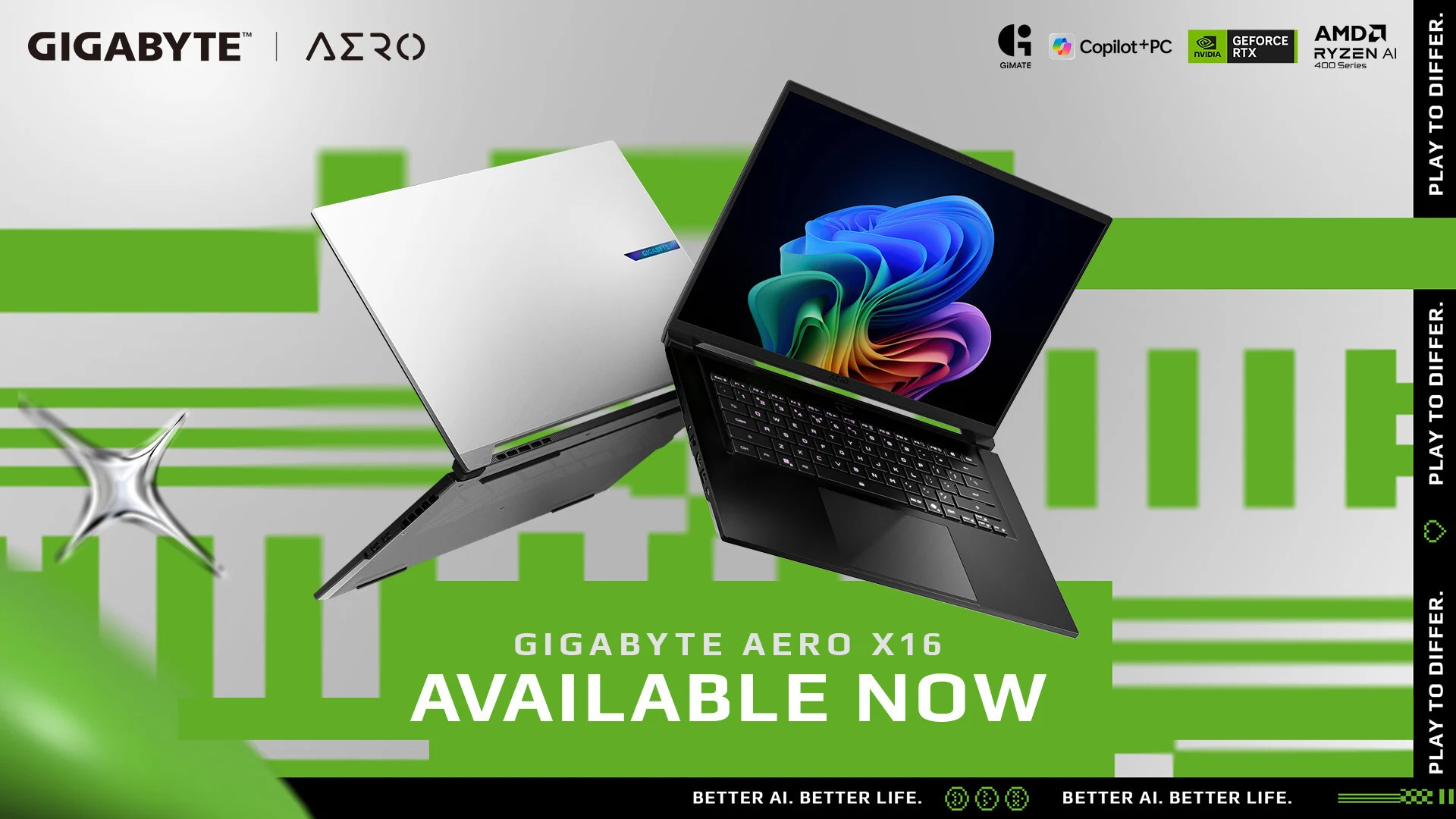
    Gigabyte Announces Aero X16 Availability

    Gigabyte has now officially announced the availability of its latest productivity-focused Aero X16 laptop. Interested buyers can purchase the laptop directly from Gigabyte’s authorized retailers. However, the company hasn’t revealed the pricing details for the laptop. Final configurations and on-sale time may vary by region and local or online retailer, said Gigabyte in its press release.

    Display and Visuals

    The Gigabyte Aero X16 is equipped with a 16-inch IPS panel with a 2560 x 1600 pixel resolution, a peak brightness of 500 nits, and a refresh rate of 165 Hz. The screen is said to offer 100% sRGB color accuracy and is Pantone validated. On top of this, the laptop boasts a 92% screen-to-body ratio, TUV Rheinland eye comfort certification, and Dolby Atmos sound for an enhanced listening experience.

    Performance and Specs

    Speaking of powered things, the machine is powered by an AMD Ryzen AI 9 465 processor paired with an NVIDIA GeForce RTX 5070 laptop GPU with 12 GB VRAM. It packs up to 64 GB of DDR5 RAM and up to 4 TB of PCIe NVMe M.2 SSD. As far as the dimensions are concerned, the Aero X16 measures 16.75 mm (0.65 inch) in thickness and weighs around 1.9 kg (4.1 lbs).

    Features and Battery

    Other features include up to 14 hours of battery life, the Windforce Infinity cooling system with 100 W of thermal capacity, a 3D VortX air channel, Gigabyte’s in-house Gimate AI agent for hardware and software control, a curved keyboard with dynamic RGB backlighting, and Copilot+ features such as Cocreator AI photo creation, image restyling, and live caption with real-time translation.

    Color Options

    Buyers can choose from lunar white and space gray color options. For more details, head over to Gigabyte’s official website.


    Sources
  • Ugreen Unveils New Compact Charger in Europe

    Ugreen Unveils New Compact Charger in Europe

    Key Takeaway

    – UK model uses 3-pin Type G prongs, making it wider, though pins fold flush to header to improve compactness.
    – Features a single USB-C port delivering 45W; can fast-charge iPhone 17 to ~70% in 30 minutes and iPad (A16) to ~35% in 30 minutes.
    – Includes Smart Care Charging and 12 safety features (e.g., protect against overheating, overcurrent, shorts) to protect devices.
    – Available now on Amazon UK for £24.99 in dark metallic gray, with potential future color variations.


    UK release and pricing details

    In this update, the Ugreen Nexode Air 45W Charger has been released in the UK. Versions of this accessory have already been released in other markets, including the US (curr. $16.99 at Amazon) and the EU. This paragraph keeps the essential pricing note intact, though the UK version pricing is listed later in the article.

    Design and dimensions

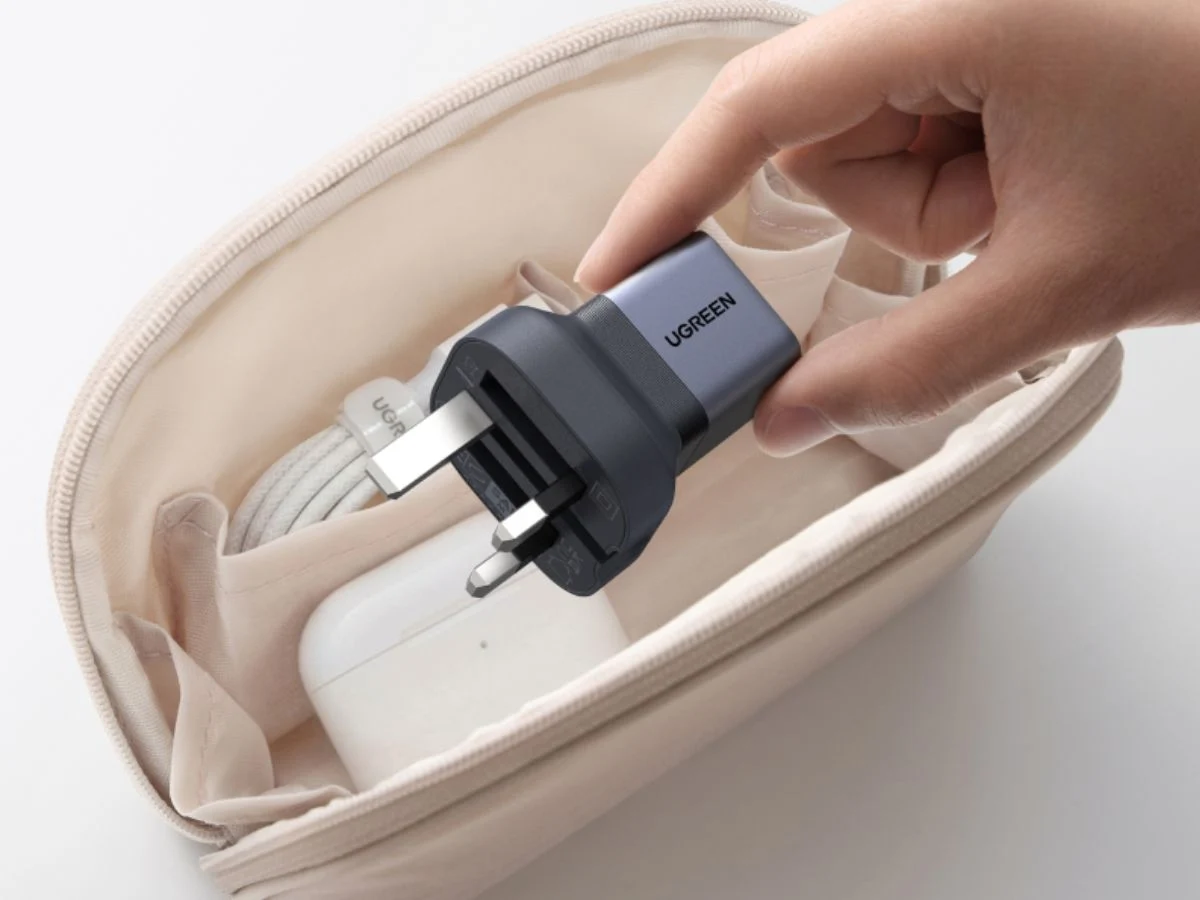
    The UK version of the Ugreen Nexode Air 45W Charger is less compact than earlier variants due to the 3-pin Type G prongs, which widen the device. Yet the pins can fold flush to the head of the charger, helping to make this accessory a bit more compact overall. While it is listed at Amazon UK with measurements of 1.21 x 1.21 x 1.42 inches (~3.07 x 3.07 x 3.61 cm), matching those of the US model, it is expected to be larger than this in practice. The writing here repeats the same measurement idea, but in a different phrasing for variety.

    Technical specs and charging performance

    Ugreen’s new Nexode Air 45W Charger features a single USB-C port. At 45W, the company claims you could charge an iPhone 17 to 70% in half an hour, or an iPad (A16) to 35% in the same timeframe. The Smart Care Charging is described as preserving device battery health by reducing the power as charging progresses, particularly after 80% of charge. Additionally, there are 12 safety features, including protection against overheating, overcurrent, and short circuits.

    Availability and color options

    You can now buy the Ugreen Nexode Air 45W Charger at Amazon UK for £24.99. The product is currently available in the brand’s signature dark metallic gray colorway, though other colors could be released in the future. This section keeps the price in focus, while noting color choices that may change over time.

    Ugreen via Amazon UK


    Sources

  • Aosotar 11-Bay NAS with OCuLink and Built-In Screen Launches Affordable

    Aosotar 11-Bay NAS with OCuLink and Built-In Screen Launches Affordable

    Key Takeaway

    – Two main CPU variants: AMD Ryzen 7 Pro 8845HS (more RAM, higher performance) and Intel Core i5 1235U (more affordable, up to 96GB RAM).
    – Barebone price: AMD variant $659; Intel variant $559, offering about $100 savings with the Intel model.
    – Rich I/O and expansion: 11-bay NAS with five M.2 slots, six SATA bays, 10G and 2.5G Ethernet, USB4, OCuLink, built-in display, ECC memory support, and triple-display output.


    Aoostar introduced the WTR Max in April 2025, and at launch, it was available with the Ryzen 7 Pro 8845HS, a capable AMD processor from the Hawk Point lineup. Now, the company has introduced a more affordable variant of the NAS, and it’s powered by the Intel Core i5 1235U.

    Pricing and Core Specs

    Of course, there isn’t much of a difference in terms of the price, but for those who might not need the extra power of the AMD variant, the $100 savings might just be worth it. Specifically, the barebone variant of the WTR Max with the AMD Ryzen 7 Pro 8845HS costs $659, while the barebone of the new Intel variant goes for $559. The contrast in price is presented plainly, and the choice hinges on performance needs versus cost. The rest of the specifications remain mostly the same, preserving the daytime utility and expandability that users expect from this model.

    RAM and Expandability

    Another notable difference is that the AMD variant has two SO-DIMM slots that can hold up to 128GB of DDR5-5600 RAM. The Intel variant, on the other hand, can be equipped with up to 96GB of DDR5-4800 RAM. Other than that, the rest of the specs are identical. This means memory capacity and speed vary with the CPU choice, which could influence multitasking and file-heavy workloads in small business or home lab setups. The emphasis remains on flexible upgrades to match user workflows.

    Ports and Gaming Potential

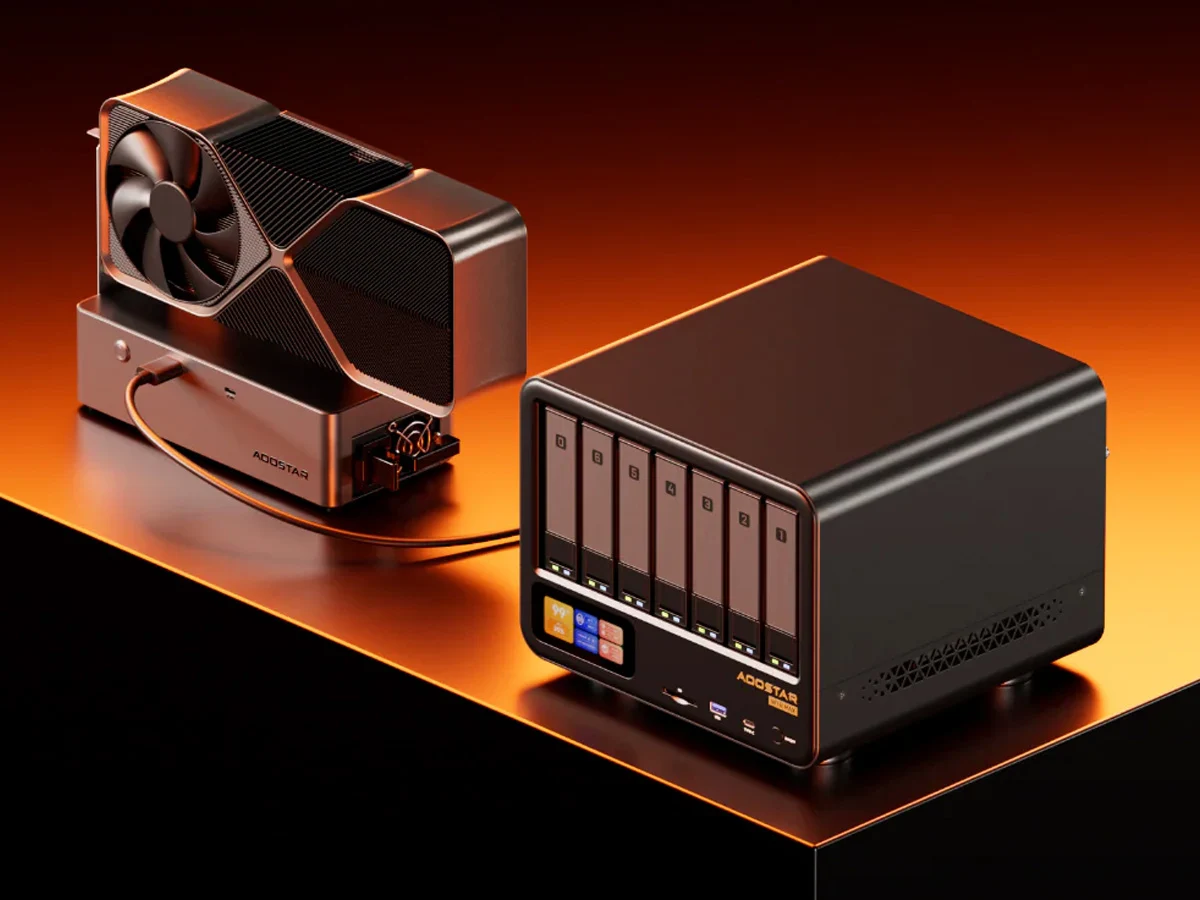
    That includes the port configuration, which has one USB4 and one OCuLink port (Aoostar EG02 curr. $219 on Amazon). Thanks to the latter, this 11-bay NAS can act like a proper gaming mini PC when equipped with an eGPU. Users can also use OCuLink-based boards to expand the storage support further. The combination of these ports signals a design intent that blends storage capacity with potential gaming or media processing applications, offering broader use cases beyond simple file sharing.

    Storage and Networking

    Speaking of which, the Aoostar WTR Max has five M.2 slots for PCIe SSDs and six SATA drive slots. For network connectivity, there’s one 10G and one 2.5G Ethernet, and Aoostar highlights that the four-fan cooling setup can keep the internals cool under heavy loads. In addition, the cooling system is noted for maintaining stability during sustained operations, which is important for NAS reliability when fully loaded with drives and data throughput.

    Additional Features

    Among the other highlights are a built-in screen that can show the core information at a glance, support for ECC memory, and triple-display output support. These features collectively aim at professionals who demand quick status visibility, data integrity, and expanded display options for complex workflows. The built-in screen offers real-time insight without needing external tools, while ECC memory adds a layer of protection against certain memory errors, valuable in server-like environments.

    Aoostar


    Sources

  • HP unveils 14-inch laptop with 64GB RAM and 700-nit OLED display

    HP unveils 14-inch laptop with 64GB RAM and 700-nit OLED display

    Key Takeaway

    – HP’s EliteBook X G2q uses ARM-based Snapdragon CPUs (X2 Plus/X2 Elite) instead of x86, targeting mobile/always-connected use cases.
    – Multiple display options exist, including OLED and IPS panels with 60 Hz to 120 Hz refresh rates and brightness up to 1800 nits, across various resolutions up to 1800p.
    – Storage and connectivity: configurable with 512 GB or 1 TB PCIe Gen 5 SSDs, and optional Snapdragon X72 5G modem; trackpad can be mechanical or haptic, with battery options of 56 Wh or 68 Wh.


    EliteBook X G2q News Summary

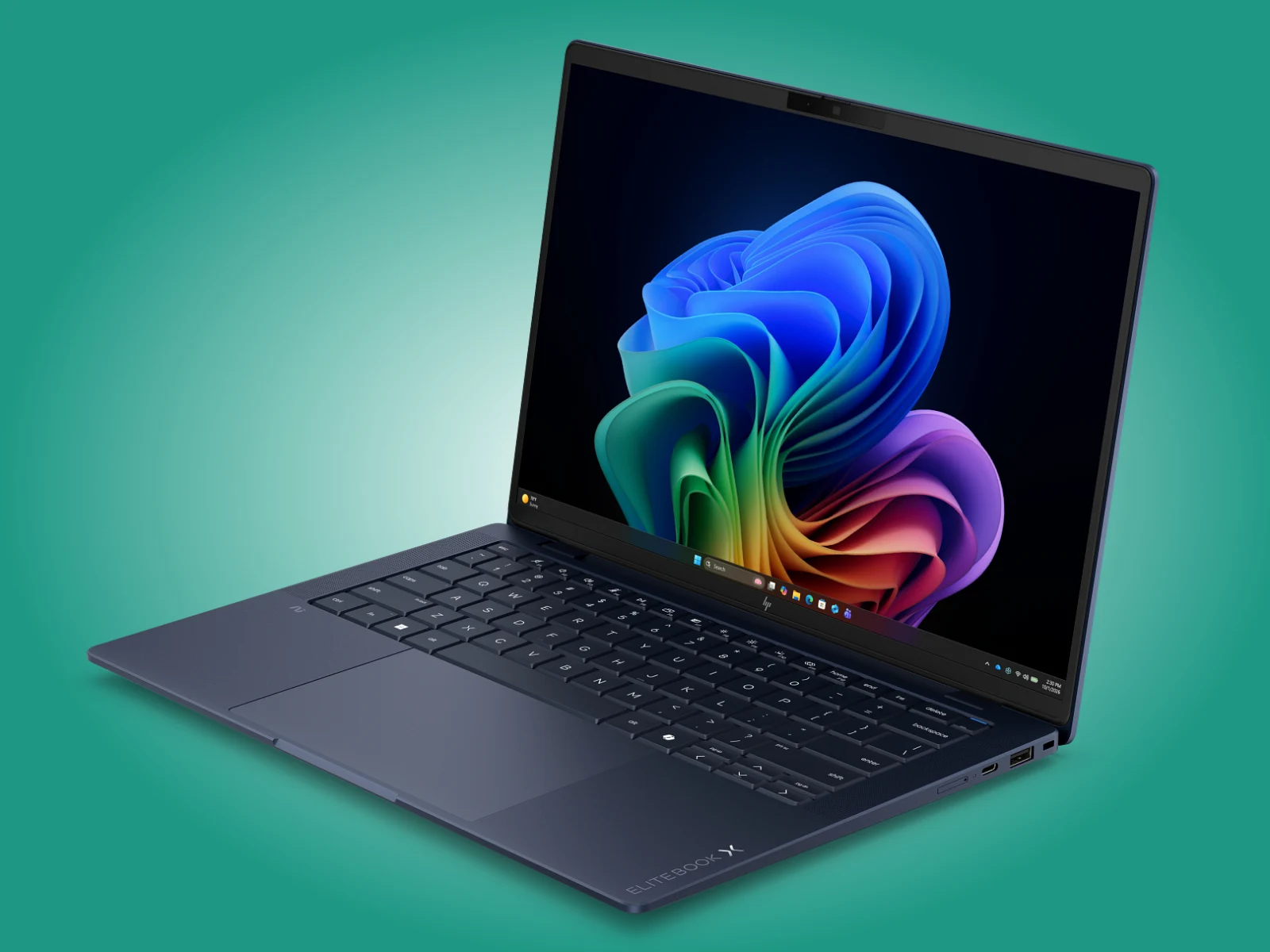
    HP has quietly begun selling the EliteBook X G2q on the global market after its January reveal at CES 2026, continuing the path set by the EliteBook Ultra G1q. This model sticks with ARM-based chips rather than traditional x86 processors, signaling a shift in HP’s portable workstation strategy. The first paragraph sets the scene with a calm, formal tone and presents the core fact that the release is international.

    Pricing and Chipset Details

    The EliteBook X G2q is equipped with Snapdragon X2 Plus X2P-42-100, Snapdragon X2 Elite X2E-84-100, and Snapdragon X2 Elite X2E-90-100 processors. At present, HP lists these configurations across Europe, the United Kingdom, and the United States with specific prices shown on their site. The second paragraph uses varied terminology and a slightly more technical register to maintain a distinct voice while preserving the exact chipset names and the note about regional pricing.

    Display Options

    HP also offers more than six panel choices for the EliteBook X G2q. The entry option features a 1200p OLED panel with a 60 Hz refresh rate and 300 nits peak brightness. Other configurations include an 800-nit IPS option or a 700-nit OLED panel, with the latter capable of 1800p resolution and a 120 Hz VRR refresh rate. This paragraph varies its sentence construction and emphasizes the display variety, while still detailing the numeric specs as provided.

    Storage, Input, and Battery Options

    The notebook can be configured with 512 GB or 1 TB of PCIe Gen 5 M.2 2280 storage. Additionally, the EliteBook X G2q supports either a mechanical or a haptic trackpad, and is available with a 56 Wh or 68 Wh battery. An optional Snapdragon X72 5G modem is also listed as a feature, expanding connectivity. This paragraph maintains a practical, listing style with a consistent cadence and includes all storage and peripheral options noted in the original.

    Notes

    For more exact specifications, HP’s official pages should be consulted, and regional availability can vary. The text here mirrors the structure of the original but in a paraphrased, paragraph-driven format, preserving key product details and terminology while modifying narrative voice. This final paragraph reinforces the call to check HP’s site without quoting direct links, complying with the instruction to avoid external references.


  • Asus launches new desktop worldwide as Apple iMac rival

    Asus launches new desktop worldwide as Apple iMac rival

    Key Takeaway

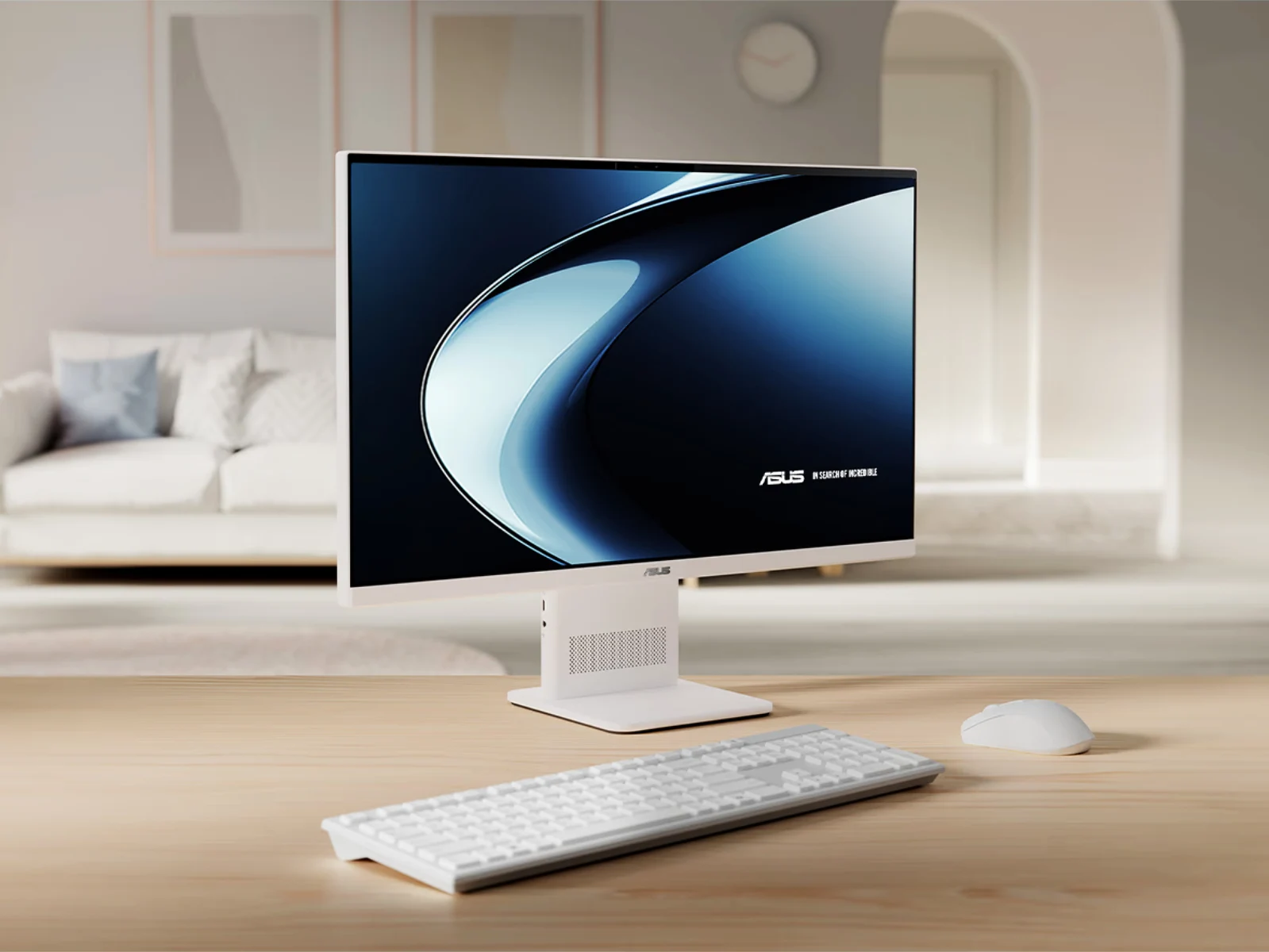
    – Asus has released a Snapdragon X-powered all-in-one desktop, the VM441, positioned as an iMac-like alternative with a 23.8″ 1080p display and 60 Hz refresh rate.
    – It uses an older Snapdragon X1-26-100 chipset, includes 16–32 GB RAM (16 GB currently available), built-in speakers, mic array, 5 MP Windows Hello webcam, Bluetooth 5.3, and Wi‑Fi 6E.
    – Availability and pricing: marketed in the US and India (sold via Best Buy and other channels), with confirmation of 16 GB variants currently in stock.


    Asus launches Snapdragon X powered AiO desktop

    Asus has rolled out a new all-in-one computer this year, stepping into the Snapdragom X arena with a model that mirrors the Apple iMac in concept if not in price. The VM441 (V400 AiO VM441QA) is billed as Asus’ response to sleek, compact desktops, and it arrives with the older Snapdragon X X1-26-100 chip that previously powered the Zenbook A14. The device comes with a 23.8-inch 1080p panel that maxes out at 300 nits, and it covers 100% of the sRGB color gamut while delivering a 60 Hz refresh rate.

    • Display: 23.8-inch 1080p, 300 nits peak, 100% sRGB, 60 Hz
    • Processor: Snapdragon X X1-26-100
    • Ports: Various I/O options included

    Built‑in features and connectivity

    The VM441 isn’t just about a single screen and silicon; it also packs a built-in speaker system, a microphone array, and a 5 MP webcam that supports Windows Hello for easier sign‑ins. In addition, Asus adds wireless features like Bluetooth 5.3 and Wi‑Fi 6E, making it reasonably current for contemporary home or small office setups. The device is marketed with 32 GB RAM on the official page, but at present only 16 GB configurations are available to buy. The company is offering the VM441 in select markets such as the US and India, with pricing currently listed at various retailers.

    Pricing, RAM, and availability

    In terms of price, Asus positions the VM441 similarly to premium all‑in‑ones, though exact street pricing can fluctuate by region and retailer. The RAM story is a bit tangled, as Asus touts 32 GB on its site, yet stock ships as 16 GB by default, leaving buyers to weigh whether an upgrade is necessary or if the existing memory suffices for their workloads or casual use. Availability is being scoped to markets like the United States and India for now, with future expansions possible depending on demand and supply chains.

    Sources
  • MX Linux 25.2 Release: Fixes and Package Updates

    MX Linux 25.2 Release: Fixes and Package Updates

    Key Takeaway

    – MX Linux 25.2 updates include Debian 13.5 “Trixie” plus MX repo patches, with Mesa 26.0.1 for Xfce and KDE AHS; Fluxbox flavor available as well.
    – Xfce-AHS version uses a low-latency Liquorix 7.0.9 kernel; other versions share Mesa 26.0.1 but not the kernel tweak.
    – No reinstallation required for existing users; updates arrive via the standard channel and new uc-tool-mx in the live-kernel-updater workflow.


    Overview

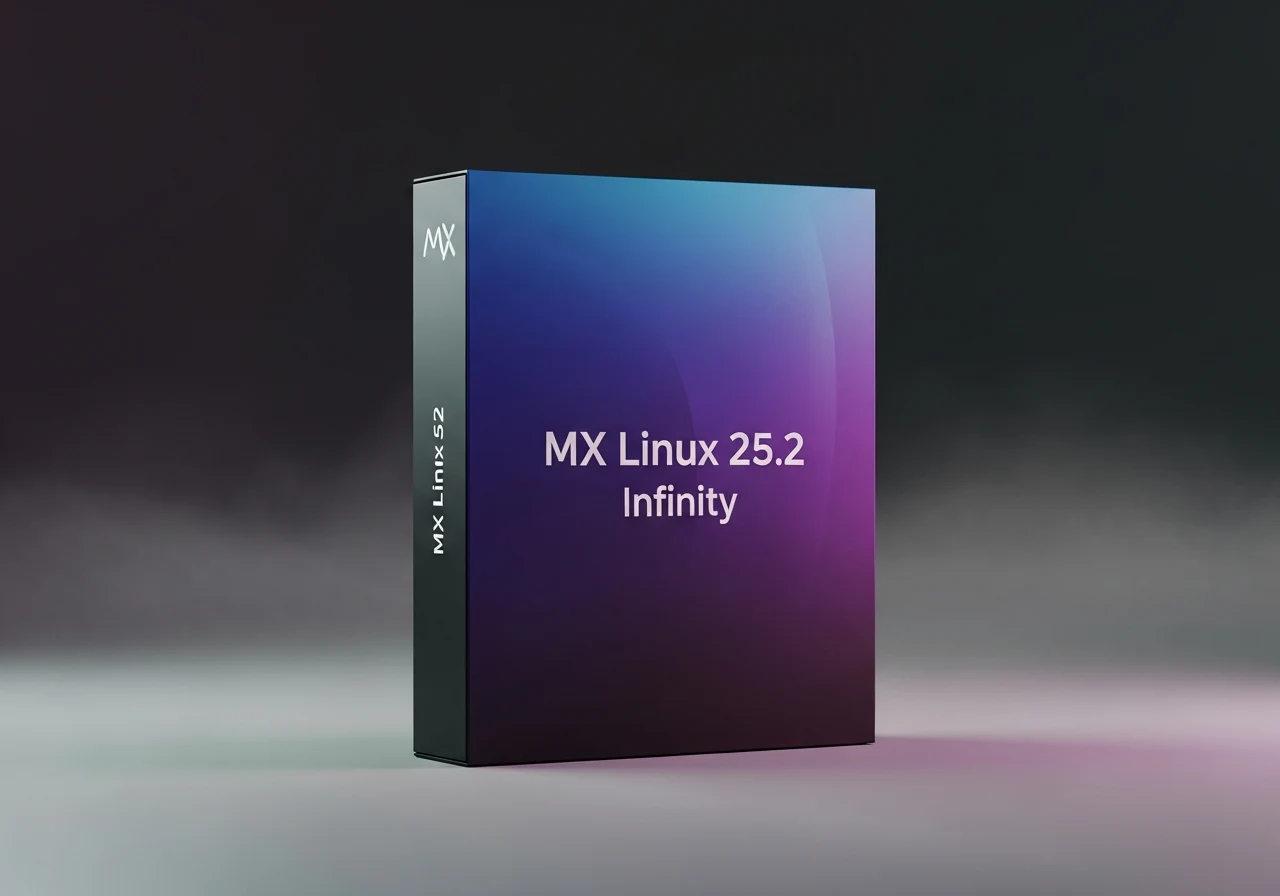
    Available since March 2012, MX Linux is one of the many Debian-based distros currently active. It focuses on desktop users and uses core antiX components alongside additional software from the MX community, such as the roughly 40 user-oriented pieces of code known as MX Tools. The latest update is labeled 25.2 and comes with Mesa 26.0.1 for the Xfce and KDE Advanced Hardware Support (AHS) versions. A Fluxbox flavor is also available.

    Release Notes

    According to the official release notes, the Xfce-AHS version is the only one that received the low-latency Liquorix 7.0.9 kernel, even though both AHS versions mentioned above include Mesa 26.0.1. What unites all versions is the inclusion of Debian 13.5 “Trixie” updates alongside the latest MX repository refresh, which includes patches for all the recent “meme bugs” found in the kernel. However, some components received special attention this time:

    Upgrade Path

    As usual, existing users don’t need to reinstall the system unless they really want to do that for some reason. The updates come through the regular update channel, and the new options uc-tool-mx package utilized by live-kernel-updater can be found in the standard repository.

    Flavors and Downloads

    The Xfce version comes in a regular and an AHS version, and the Fluxbox and KDE/Plasma versions only get one ISO each. Raspberry Pi users can grab the ZIP containing the image file, the signature, and the checksum files from the same page (see the Source link below the video).

    Cost and Availability

    Obviously, those who don’t own a Raspberry Pi yet and would like to enter this world on a rather low budget can grab the CanaKit Raspberry Pi 4 Starter Kit with 2/32 GB on Amazon for $134.99.

    Sources
  • iFlytek Unveils Three Digital Notebooks for Professionals

    iFlytek Unveils Three Digital Notebooks for Professionals

    Key Takeaway

    – Three new digital notebooks in the Air 3 series (Air 3, Air 3 Neo, Air 3 Pro) with identical 8.2″ E Ink displays and Wacom EMR support straps across all models.
    – Air 3 Pro adds mobile connectivity (SIM slot) while all models include Android 16, Wi‑Fi 5, Bluetooth 5.4, quad speakers, 5MP rear camera, 2,600mAh USB-C battery, and multilingual/transcription features.
    – Key specs differences: Air 3 and Air 3 Pro use 4GB RAM with 32GB/64GB storage respectively; Air 3 Neo uses a quad-core CPU with 4GB RAM and 32GB storage.
    – Pricing and colors: Air 3 Neo starts at ¥2,499 (~$368), Air 3 at ¥2,999 (~$441), Air 3 Pro at ¥3,599 (~$530); colors include Light Gray (all) and Coffee for the Pro, with leather cases and EMR pen included.


    iFlytek Announces Three New Digital Notebooks in China

    iFlytek has announced three new digital notebooks in China. All three devices are collectively known as the iFlytek Air 3 series and include the Air 3, Air 3 Neo, and Air 3 Pro. This paragraph introduces the lineup and sets the stage for the specifics that follow, explaining their shared identity and purpose across models.

    Shared Display and Stylus Compatibility

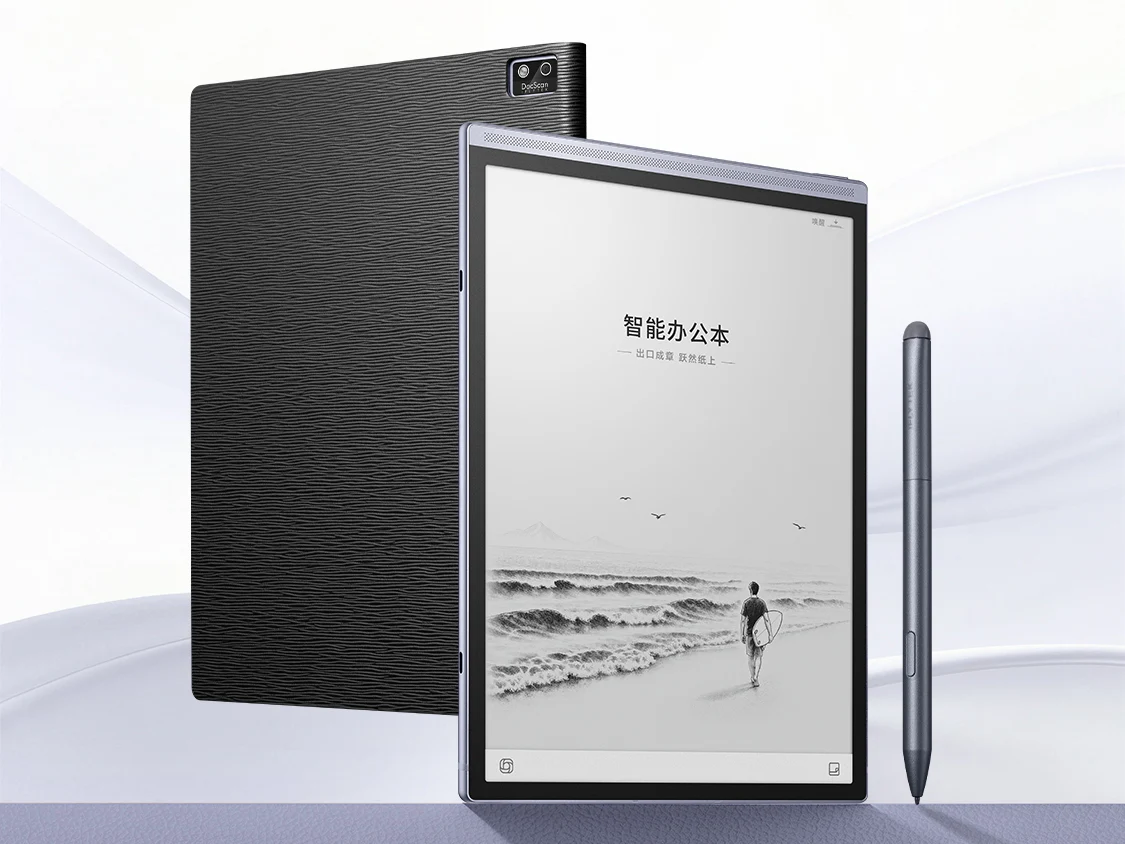
    The Air 3 ePaper tablets have an identical design and even share some specifications. Each model has an 8.2-inch monochrome E Ink display with a 1920 × 1440 resolution and a 24-level adjustable front light. The display also has support for a Wacom EMR stylus. Different writing experiences are claimed across models while maintaining universal compatibility with EMR tools and a consistent 8.2-inch panel for portability and readability in various lighting conditions.

    Bezel Design and Physical Layout

    Unlike some other digital notebooks, such as the reMarkable Paper Pure, which have a thicker bezel on one side to make it easier to hold, that is not the case with the iFlytek Air 3 devices. All four sides practically have uniform but slim bezels just like the Kindle Scribe (available on Amazon for $499.99). The uniform bezel approach is presented as a comfort feature for handling, with the idea of balanced edges that suit left- or right-handed users in daily use and note taking.

    Hardware Variants Across the Air 3 Series

    Powering the Air 3 and Air 3 Pro is an unnamed processor with an eight-core CPU and a 4 TOPS NPU. The Air 3 has 4GB of RAM and 32GB of storage while the Pro model has 4GB of RAM and 64GB of storage. The Air 3 Neo, on the other hand, has a quad-core processor, 4GB of RAM, and 32GB of storage. Each model of the Air 3 series has a 5MP camera on the back for scanning documents. The varying processors and storage configurations are designed to cater to different usage patterns, from basic reading and note-taking to more intensive document handling tasks.

    Connectivity, Software, and Battery

    Another feature that sets the Air 3 Pro apart from the other two models is that it has a SIM card slot for mobile internet, allowing users to connect on the go, rather than relying on a Wi-Fi network. There’s Wi-Fi 5, Bluetooth 5.4, microphones, and quad speakers across the board. All three Air 3 devices ship with Android 16 out of the box and have support for several document formats. They also have a 2,600mAh battery capacity that charges via USB-C. These specifications sketch a modern, connected ecosystem intended to support productivity and mobility in varied environments.

    Other Features

    Other features of the Air 3 series include support for automatic translation, support for simultaneous recording and transcription, and the ability to identify up to three persons when used as a recording device. The feature set emphasizes language processing, real-time collaboration, and smart recognition as selling points intended to appeal to students and professionals alike, with a focus on how AI capabilities integrate with everyday note tasks.

    Pricing and Availability

    The iFlytek Air 3 series starts at ¥2,499 (~$368/€316) for the Air 3 Neo and goes up to ¥2,999 (~$441/€379) for the Air 3. The Air 3 Pro is the most expensive of them all at ¥3,599 (~$530/€455). The Air 3 and Air 3 Neo are available in Light Gray, while the Air 3 Pro can be purchased in Coffee and Light Gray. All models come with a leather case and a Wacom EMR pen. These price points reflect a range intended to cover entry-level to higher-spec users within the same family of devices.

    Sources
  • Lenovo 15-Inch Gaming Laptop: 48 GB VRAM, 1100 nits OLED Display

    Lenovo 15-Inch Gaming Laptop: 48 GB VRAM, 1100 nits OLED Display

    Key Takeaway

    – Legion 7a 15ASH11 offers two Ryzen AI Max+ options (388/392) with RTX 50-series graphics and up to 64 GB RAM, limiting VRAM to 48 GB with the 392 CPU.
    – All configurations include 1 TB storage, a spare M.2 2242 slot, and an 84 Wh battery with 180 W USB-C charging.
    – OLED 16:10 display at 1600p, 165 Hz, 100% DCI-P3, 500 nits SDR (up to 1100 nits HDR).
    – Availability is regional (Australia, Hong Kong, Malaysia, Singapore, Thailand) with no Europe/NA release yet.


    Review Summary

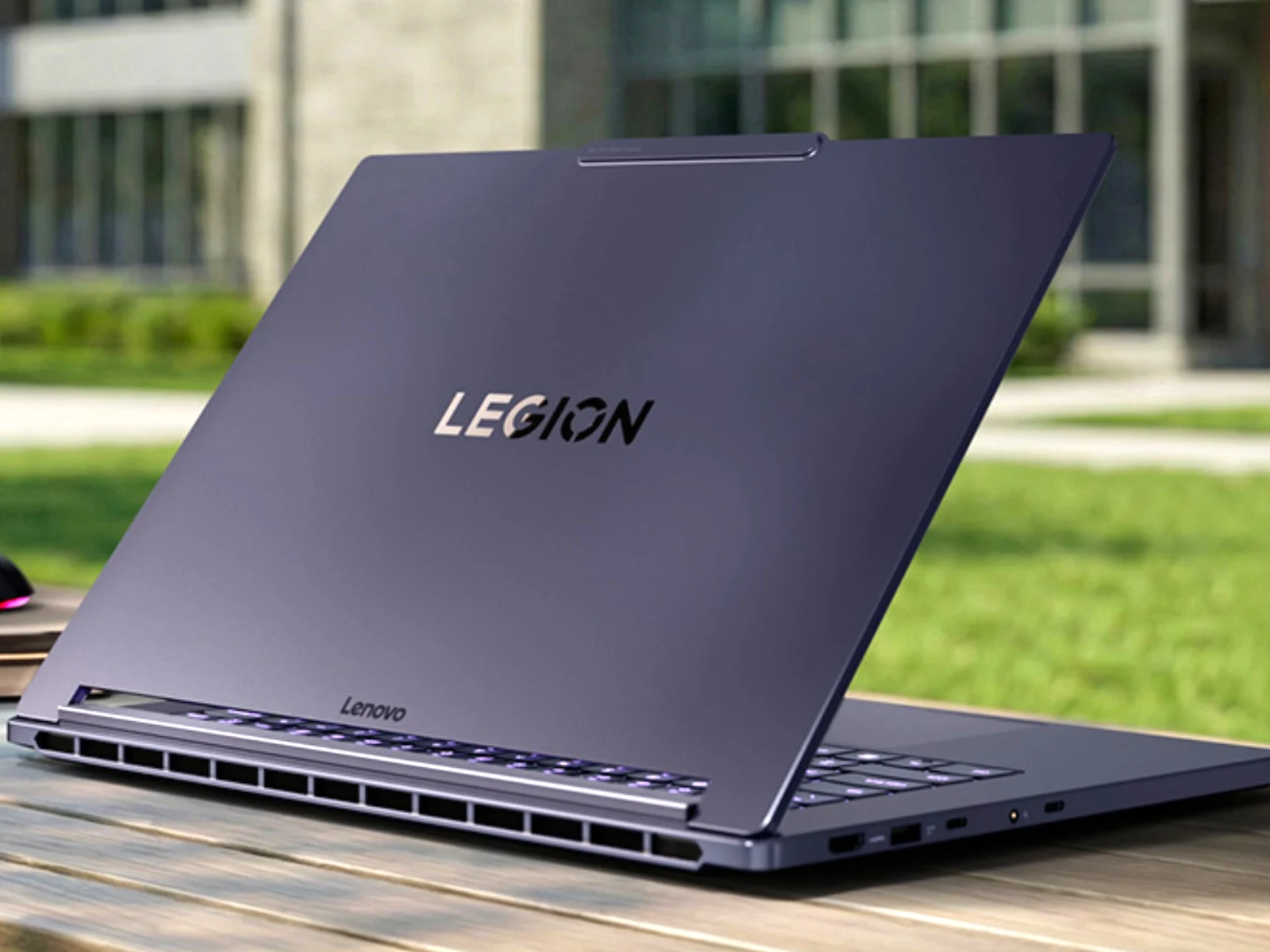
    We have just reviewed Legion 7a with a 16-inch display (curr. $2,969 on Amazon). Smaller and lighter than the older Legion 7 16IAX10, the Legion 7 16 AGP11 combines AMD Ryzen AI 400 processors with Nvidia GeForce RTX 50 series graphics. Now, Lenovo has gone even smaller with the release of the Legion 7a 15ASH11 across East Asia and Southeast Asia.

    Regional Availability

    Presented during MWC, the Legion 7a 15ASH11 then appeared earlier this month on many of Lenovo’s regional websites. While the laptop remains unavailable in Europe and North America, it can now be purchased in countries like Australia, Hong Kong, Malaysia, Singapore and Thailand. At the time of writing, the 15.3-inch laptop starts at the following prices:

    Processor and RAM Options

    Currently, Lenovo is offering the Legion 7a 15ASH11 with a choice between Ryzen AI Max+ 388 and Ryzen AI Max+ 392 processors. Although both feature Radeon 8060S graphics, the latter contains 50% more CPU cores and 50% more CPU threads at 12 and 24, respectively. Also, Lenovo distinguishes the two processors with 32 GB of RAM for the Ryzen AI Max+ 388 and 64 GB of RAM for the Ryzen AI Max+ 392.

    VRAM and Storage

    As a result, the Legion 7a 15ASH11 can only assign up to 48 GB of VRAM to its Radeon 8060S iGPU when configured with a Ryzen AI Max+ 392 processor. By contrast, Lenovo equips all models with 1 TB of storage, a spare M.2 2242 slot and an 84 Wh battery that supports 180 W USB Type-C charging. Likewise, all Legion 7a 15ASH11 variants feature the same OLED display that resolves at 1600p with a 165 Hz refresh rate, 100% DCI-P3 colour space coverage and 500 nits peak brightness in SDR mode that rises to 1,100 nits when viewing HDR content. Pricing for other markets remains unknown for now.


  • Oppo Pad 6 Debuts with 144 Hz Display and Dimensity 9500s – $515

    Oppo Pad 6 Debuts with 144 Hz Display and Dimensity 9500s – $515

    Key Takeaway

    – Oppo Pad 6 is thinner (5.99 mm) and slightly lighter (577 g) than the Pad 5, with an aluminum body and slim bezels, available in silver, black, and blue.
    – 12.1″ IPS display at 3000×2120, 144 Hz, 900 nits brightness, ~98% DCI-P3, with a separately sold compatible stylus.
    – High-end performance centered on MediaTek Dimensity 9500s, plus Wi-Fi 7, 5G, six speakers, two mics, and ambient light sensor; no fingerprint sensor.
    – Battery is 10,420 mAh with 67 W USB-C charging; camera setup includes 8 MP front and back.
    – Initial China launch only, pricing from CNY 3,499 for 8/256 GB to CNY 4,299 for 16/512 GB; international release TBD.


    The Oppo Pad 6 is official, and with a height of 5.99 millimeters and a weight of 577 grams, it is considerably thinner and slightly lighter than the Oppo Pad 5. The aluminum body is relatively ordinary with a flat frame, a pill-shaped camera module and evenly narrow screen bezels on all sides, with Oppo offering the tablet not only in silver and black, but also in blue.

    Display and cameras

    Oppo has installed a 12.1-inch display based on an IPS panel with a resolution of 3,000 x 2,120 pixels, a frame rate of 144 Hz and a remarkable brightness of 900 nits, 98% of the DCI-P3 color space can be displayed. A compatible stylus is sold separately. Oppo has installed an 8 megapixel camera on both the front and the back

    Battery and performance

    Despite the thinner body, Oppo is able to install a 10,420 mAh battery, which can be charged with up to 67 watts via USB-C, just like the Chinese version of the Oppo Pad 5. In addition to the display, the processor is the highlight of the specifications, as the tablet should offer almost flagship-level performance with the MediaTek Dimensity 9500s. Wi-Fi 7, a 5G modem, six speakers, two microphones and an ambient light sensor complete the specs, but the Oppo Pad 6 does not offer a fingerprint sensor.

    Launch and pricing

    The Oppo Pad 6 will first be launched in China. The base model with 8 GB RAM and 256 GB flash memory costs CNY 3,499 ($515), while Oppo is charging CNY 4,299 ($632) for the top model with 16 GB RAM and 512 GB storage. Details on the international launch are still pending. The Oppo Pad 5 was also launched internationally.

    Oppo


    Sources