Author: GizNews

  • OmniDrive Turns Blu-ray Drives into Retro-Game Dumpers

    OmniDrive Turns Blu-ray Drives into Retro-Game Dumpers

    Key Takeaway

    – OmniDrive enables legally ripping and dumping proprietary disc games from multiple consoles (e.g., GameCube, Wii, Xbox families, PS3/PS5, Dreamcast) using compatible MT1959 chipset drives.
    – It’s open-source and widely endorsed by preservation communities (Redump) as a replacement for older firmware.
    – Setup requires verifying drive compatibility with MakeMKV’s diagnostic tool, flashing the drive with OmniDrive, and using free tools (Media Preservation Frontend or redumper) to create ISO or raw dumps.
    – There is a non-trivial risk: flashing the wrong firmware can brick the drive; thorough checks and exact model confirmation are essential.


    Game collectors and preservationists can now legally rip their retro GameCube, Wii, and Xbox games using a compatible Blu-ray disc drive.

    In this article, we will keep the tone varied and the lines a touch informal, while sticking to the facts about OmniDrive and its use for legally backing up disc-based games. The core message is that a legally compliant path exists for converting physical media into digital libraries using a compatible optical drive and open source firmware.

    What OmniDrive does and why it matters

    OmniDrive is custom firmware that converts certain optical drives into rippers for various consoles’ proprietary disc formats. This enables game preservation enthusiasts to back up their own discs and dump content without stepping into shady territory or piracy, providing a clear route for legit archival work.

    Community reception and platform reach

    Retro video game preservation communities have welcomed OmniDrive as a practical tool. Redump.org and related wikis note that OmniDrive is highly recommended and has replaced older firmware recommendations once used in 2022, signaling a shift toward newer open-source solutions.

    Supported platforms and disc types

    OmniDrive can read and dump a wide array of discs across 12 major platforms, including Nintendo GameCube, Wii, and Wii U; Microsoft’s Xbox family; Sony’s PlayStation 3 and 5; Sega’s Dreamcast; plus standard lead-out CDs and DVDs, among others. This broad compatibility helps many collectors build complete digital libraries from physical copies.

    Version, authorship, and hardware requirements

    Released in February of the current year, OmniDrive is at version 1.0.2. It is fully open source, authored by RibShark, and designed for drives using the MT1959 chipset from Hitachi-LG Data Storage. Compatibility extends to certain desktop writers and slim drives like ASUS BW-16D1HT, LG BU40N, and BP50NB40, expanding the hardware options for users.

    Pre-rip checks and flashing steps

    Before ripping, users should verify they have a compatible drive by running the MakeMKV diagnostic app to confirm the MT1959HWDN chipset. After that, they can flash the drive with MakeMKV’s sdftool and the OmniDrive firmware. The process is described as straightforward, with free tools such as Media Preservation Frontend or redumper used to create ISO files or raw dumps for Xbox, PS2, Xbox 360, Wii, and GameCube titles.

    Safety and cautions

    A reminder is warranted: flashing drives carries the risk of bricking the device if the wrong firmware is applied. It is crucial to double-check every detail and ensure the exact disc drive model is correct before proceeding, to avoid potential hardware failures.

    • OmniDrive – Redump Wiki
    • RibShark GitHub
    Sources
  • Nothing Phone Pro 4a Zoom Camera Lies Exposed: Users Claim Review Bias

    Nothing Phone Pro 4a Zoom Camera Lies Exposed: Users Claim Review Bias

    Key Takeaway

    – Clarity in marketing: Distinguish optical vs. digital zoom in primary headlines to avoid misleading implications about zoom capabilities.
    – Accuracy over hype: Emphasize real, measurable optical zoom performance and image quality rather than数字 zoom figures reliant on cropping and AI upscaling.
    – Consumer trust: Transparent zoom specs can reduce backlash and build trust, especially for flagship camera performance.


    Nothing (X) controversy over zoom marketing sparks debate

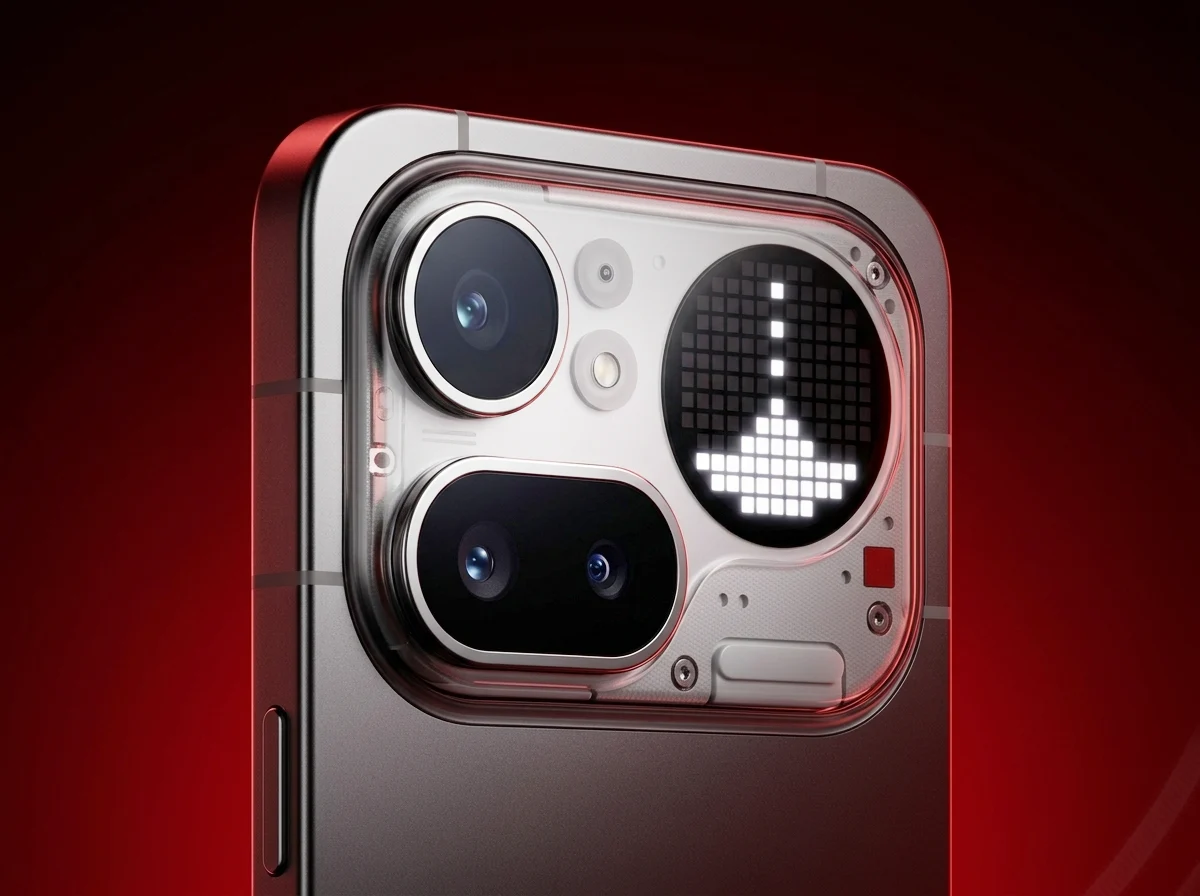
    Nothing (X) has found itself tangled in a online fuss after a promotional post claimed the Nothing Phone (4a) Pro sports the “most powerful zoom on the market” with a 140x capability. The post quickly drew attention, and not in a good way, as many folks accused it of exaggeration and misleading marketing, especially since the number clearly points to digital zoom rather than a true optical magnification. The reaction across social media was swift and varied, yet the tone skewed negative from the outset, casting doubt on the brand’s honesty and product clarity.

    Mixed perceptions emerge from pricing and spec details

    Pricing and specification details have been quoted in discussions surrounding the phone, with some users noting that the 140x claim is not backed by comparable hardware fundamentals across the market. Critics argue that digital zoom, heavily dependent on software crop and AI upscaling, cannot be equated with optical prowess, making the marketing claim feel hollow for serious photographers who value real magnification. This disparity between impression and technical reality became a central talking point in the online discourse.

    Optical versus digital zoom becomes the focal point

    The thread of commentary underscores a broader industry trend: the distinction between optical zoom, which relies on physical lens movement, and digital zoom, which magnifies an image after cropping. The Nothing Phone (4a) Pro reportedly offers a modest 3.5x optical zoom through a periscope telephoto lens, a figure pale in comparison to competitors. Yet enthusiasts point out that even with similar sensor sizes, the optics still play a crucial role in image quality at high zoom levels, revealing the limits of the marketing number.

    Comparative tech talk highlights true leaders

    In this dialogue, some tech-savvy users reference the Oppo Find X9 Ultra as a benchmark for zoom capabilities, noting its 120x digital zoom but pairing it with a compelling 20x lossless zoom through a dedicated periscope system. The debate thus shifted from bare figures to practical performance, where the presence of a periscope lens and optical quality can dramatically influence real-world outcomes. This comparison has intensified scrutiny of the Nothing offering and its emphasis on an exaggerated digital zoom figure.

    Public sentiment questions marketing clarity

    Public sentiment leans toward a belief that brands should clearly separate optical and digital zoom in primary marketing headlines to prevent confusion. Viewers argue that presenting a single, large figure without context misleads consumers who might assume true optical magnification rather than a digitally enhanced result. The controversy thus expands beyond a single post to broader concerns about transparency in promotional material and the responsibilities of tech brands toward their audiences.

    Sources
  • iPad Air 13 vs MagicPad 4 OLED: Entry‑level Tablet?

    iPad Air 13 vs MagicPad 4 OLED: Entry‑level Tablet?

    Key Takeaway

    – Excellent display with OLED technology and outstanding brightness/contrast, outperforming rivals (IMAX Enhanced certified).
    – Very strong overall package for mid-range, including premium sound via DTS:X optimization.
    – High value proposition with features like pen and keyboard cover, though not officially sold in the US.


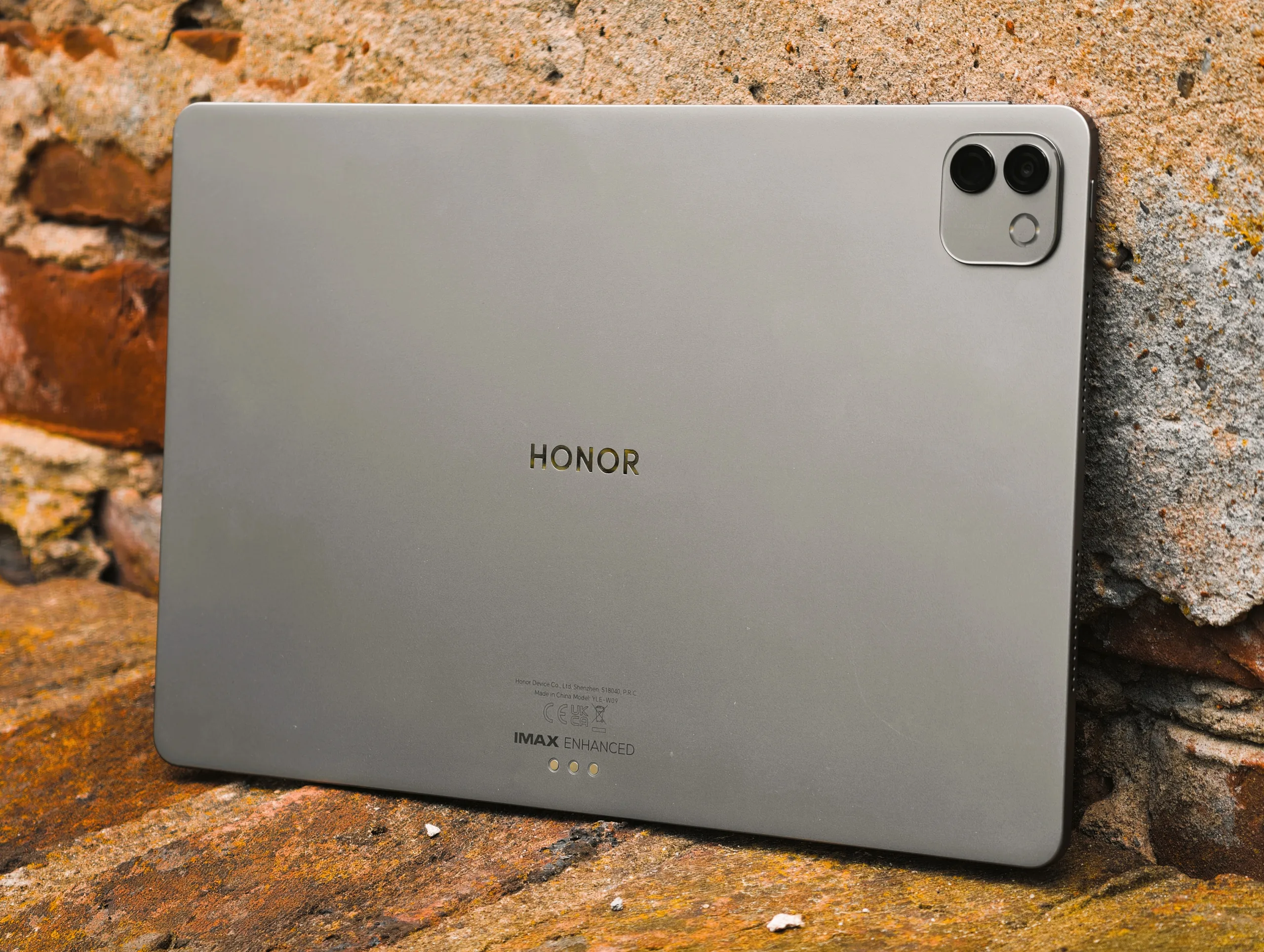
    The MagicPad 4 impresses in our review with an excellent overall package for the mid-range. The RRP of the MagicPad 4 starts at around $750 as a complete package with pen and keyboard cover. However, it is not officially sold in the US.

    Display and Visual Quality

    In addition to the great sound quality, the Honor tablet stands out from the competition in another area – namely the display. While the predecessor featured a rather weak IPS-Panel in our review, the MagicPad 4 delivers one of the best displays on the tablet market. The brightness test showed 2,337 cd/m², and the manufacturer states HDR peak brightness of 2,400 nits, which we surpassed with our own measurement. An HDR video pushed beyond 3,000 cd/m², and compared to an Apple iPad Air 13 (2025) which reaches only 652 cd/m², this Honor tablet appears four times brighter in this metric.

    Contrast and OLED Advantage

    In addition to the better color reproduction, the contrasts of the MagicPad4 are also a class above those of the Apple tablet thanks to the OLED technology. Honor has leaned into IMAX Enhanced certification for the successor to the MagicPad 3 — a logical choice given the extra‑bright OLED display. The certification is intended to ensure top‑tier picture quality, accurate color reproduction, and strong HDR performance. Streaming services such as Disney+ already offer IMAX Enhanced versions of many blockbuster titles.

    Audio and Immersive Experience

    Thanks to DTS:X optimization, the MagicPad 4’s very capable speaker system delivers a more spacious soundstage, ensuring that audio enthusiasts won’t feel short‑changed during movie playback. The combination of bright visuals and robust audio makes the device appealing for multimedia consumption. Test MagicPad 4


    Sources

  • Acer Launches Gaming Laptop with 32GB RAM and 165Hz Display

    Acer Launches Gaming Laptop with 32GB RAM and 165Hz Display

    Key Takeaway

    – The Predator Helios Neo 18 PHN18-I71 launched with a 115 W RTX 5060, 1600p IPS display at 165 Hz, and is expected to offer a higher-end RTX 5080 option later.
    – A larger battery than the previous model was introduced, with pricing around $2,799 (current Amazon listing) and regional releases planned for Africa, Europe, Middle East in June, and Australia/North America in July.
    – Acer plans multiple configurations (Core Ultra 7 270HX Plus, RTX 5080 options) and staggered pricing in June and July, potentially offering cheaper to more expensive variants.


    Acer has finally released its latest Predator Helios Neo 18 in some capacity

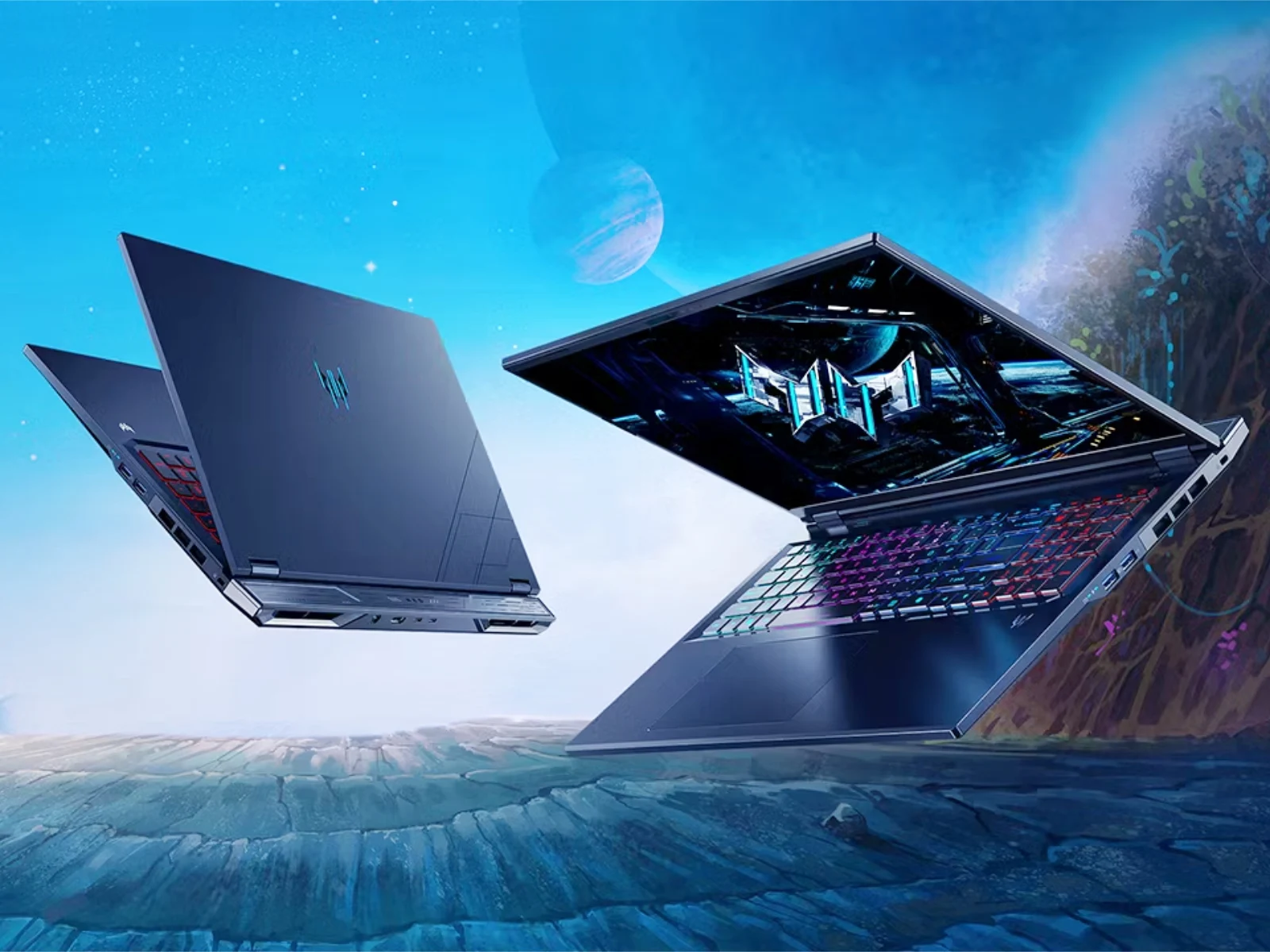
    Acer has finally released its latest Predator Helios Neo 18 in some capacity. To recap, the laptop debuted in March with a slightly larger battery than last year’s model (curr. $2,799 on Amazon). At the time, Acer claimed that this PHN18-I71 variant would reach Africa, Europe and the Middle East in June, with Australian and North American releases occurring in July. the information is presented as a summary of announcements and market plans, with various regional timelines noted, which could shift based on logistics and regional approvals.

    Hardware specs and performance expectations

    Also, the laptop includes the GeForce RTX 5060 with a 115 W TGP. For reference, this pricing currently converts to around $2,715 excluding taxes. On top of that, the new laptop contains a 1600p IPS display with a 165 Hz refresh rate. A 240 Hz alternative with 500 nits peak brightness should be coming, though. the description mixes performance figures with pricing conversions, and hints at future display options that may influence user experience and power draw across different configurations.

    Future variants and regional availability

    The Helios Neo 18 PHN18-I71 should eventually be available with a Core Ultra 7 270HX Plus and up to an RTX 5080 laptop GPU, too. Hence, we would expect Acer to start selling cheaper and more expensive variants in June and July. Please see the company’s website for more details. regional release plans often include staggered launches, with adjustments for market demand, import duties, and local retailer partnerships, which may impact when each variant becomes widely available.


    Sources

  • Steam Deck OLED Restocked: Price Up by $300 Now In Stock

    Steam Deck OLED Restocked: Price Up by $300 Now In Stock

    Key Takeaway

    – Steam Deck OLED back in stock and available to order directly from Valve again, but at higher prices.
    – The LCD 256 GB SSD variant has been removed from Valve’s lineup.
    – Price surge driven by DRAM/SSD cost increases, making the OLED version notably more expensive than some competitors (e.g., Asus ROG Xbox Ally).


    Valve announces Steam Deck OLED back in stock with price changes

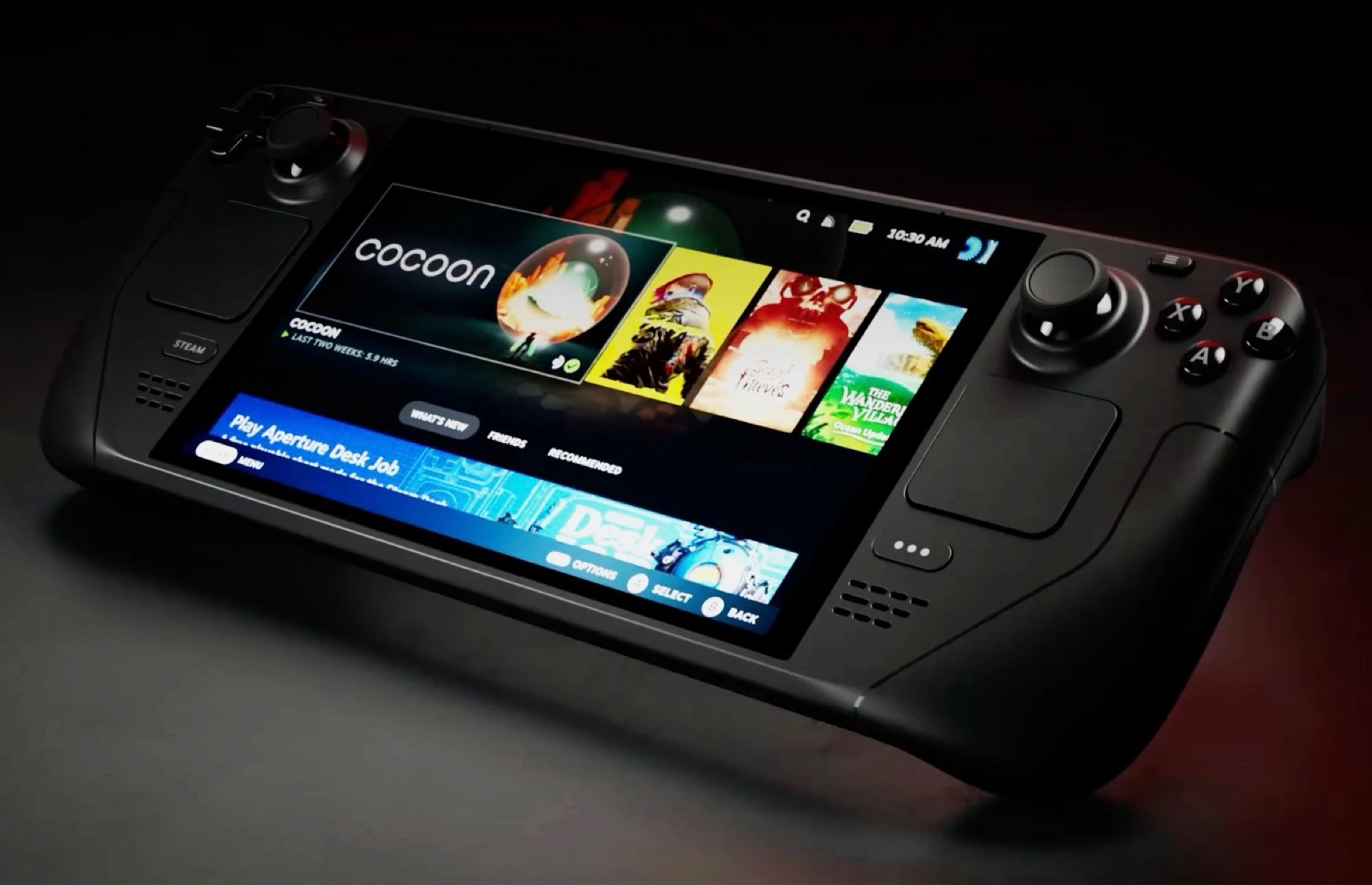
    In a recent update, the company revealed that the Steam Deck OLED is once again available after a period of being listed as sold out for several months. The handheld is now open for orders again directly through Valve, though the pricing has shifted upward from previous levels. The new power trio of models is presented with updated price points, and customers can expect the OLED option to arrive with the same core features that fans have come to anticipate, albeit at a higher cost than before. The news arrives as consumers weigh the benefits of OLED visuals against the push to economize in a fluctuating market.

    Pricing and stock details

    The newly available Steam Deck OLED lineup features two variants, each priced higher than in the past. Notably, the LCD version with a 256 GB SSD has been removed from Valve’s catalog, narrowing the entry points for new buyers. The refreshed price structure reflects an industry-wide shift in component costs, particularly for memory and storage, and it signals Valve’s stance on continuing to push premium screen technology alongside robust performance for handheld gaming. The refreshed pricing contrasts with the original launch price from 2022, which started at $399, showing a sizable increase over time with expectations of continued demand for portable power.

    Why costs rose, and how it compares to rivals

    The reason behind the hike is largely tied to the DRAM shortage and rising SSD costs driven by intense demand from AI sectors, including major players like OpenAI. This ripple effect has pushed up the cost to equip the Steam Deck with 16 GB RAM and higher-capacity SSDs, thereby elevating the overall price of the OLED model. In this context, Valve’s decision to price higher aligns with market realities and the premium feel of OLED technology, though it positions the Deck against other powerful handhelds such as the Asus ROG Xbox Ally, which is available for a higher price point with competitive specs, yet still represents a different value proposition for gamers.

    The corporate explanation stresses that supply chain pressures are a core driver of the revised cost structure, while the OLED variant is marketed as a premium experience that emphasizes display quality and performance. This shift also includes the discontinuation of the lower-cost LCD 256 GB option, which previously served as the most affordable entry, potentially affecting budget-minded enthusiasts who were counting on a broader range of choices. Consumers now weigh OLED’s advantages against the elevated price tag and the battery life trade-offs that often accompany brighter, more vibrant panels in handheld devices.


    Sources

  • Acer Swift Spin 14: 120 Hz Touchscreen with Snapdragon X2 Elite

    Acer Swift Spin 14: 120 Hz Touchscreen with Snapdragon X2 Elite

    Key Takeaway

    – Convertible design with 360-degree hinge and Wacom AES 2.0 stylus support for tilting and pressure-sensitive drawing.
    – 14-inch IPS touchscreen (16:10, 1920×1200, 120 Hz, 300 nits) with full sRGB and 1200:1 contrast.
    – Two variants: Snapdragon X2 Plus/Elite with up to 16 GB RAM and 512 GB PCIe 4.0 SSD (no 32 GB/1 TB options).
    – Well-connected: 2x USB-C (USB 4), 2x USB-A, HDMI 2.1, Wi-Fi 7, Bluetooth 6.0; aluminum chassis; 65 Wh battery up to ~16.5 hours web browsing.
    – Release timing and price not yet announced.


    Acer unveils a new convertible alongside Predator Atlas 8 Gaming handheld

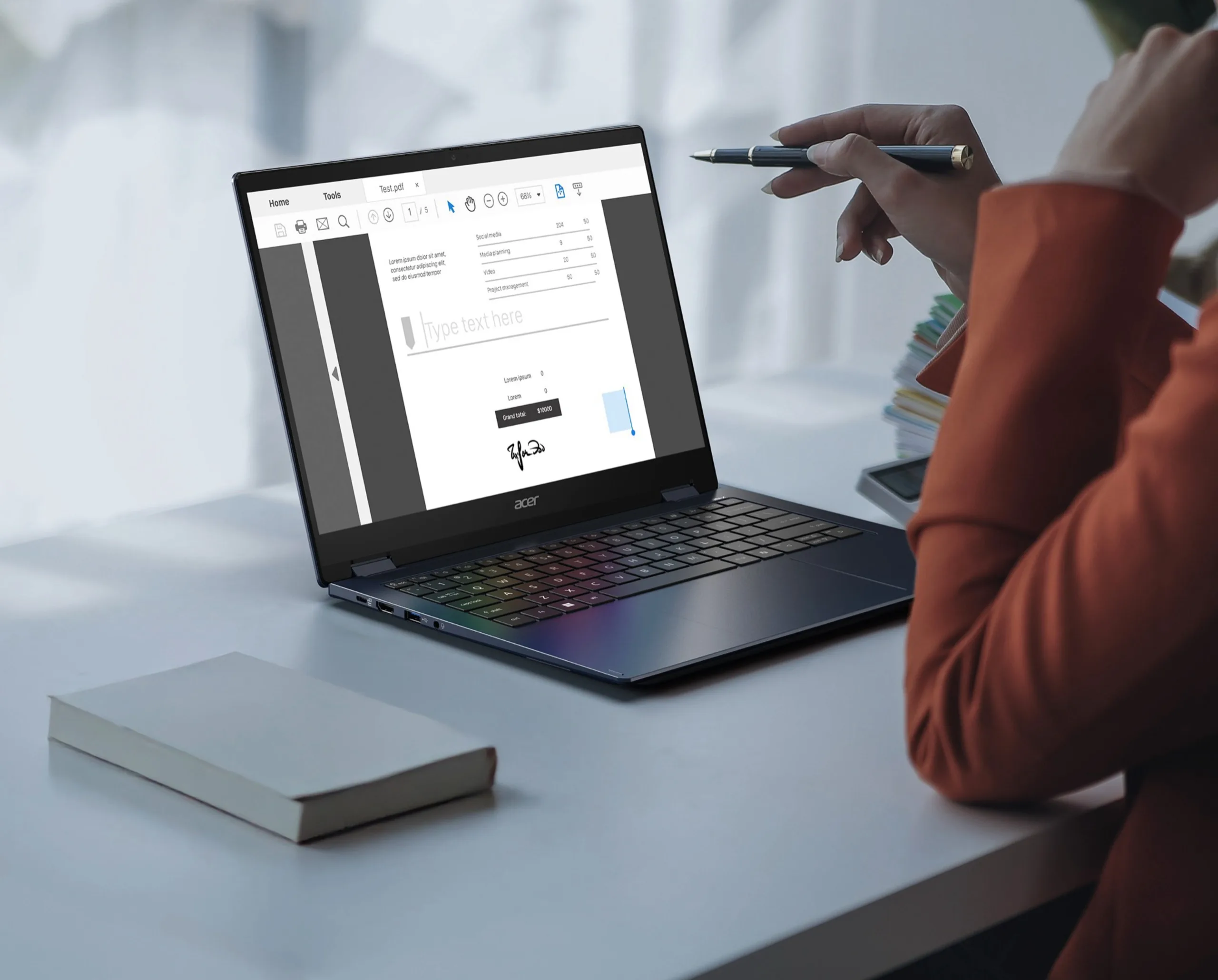
    The announcement mentions a brand new convertible named the Acer Swift Spin 14 AI, a device described as 16.5 millimeter thick and weighing 1.34 kilograms, featuring a 14 inch touchscreen that works with an Acer Active Stylus 420. The stylus is Wacom AES 2.0, and it can detect tilt and pressure across 4,096 levels, making the drawing feel quite natural in practice.

    Display and usability

    In use, the display can fold back on a 360-degree hinge so the laptop becomes like a tablet for more comfortable sketching or note taking. The screen is a 14-inch IPS panel in a 16:10 aspect ratio, delivering a resolution of 1,920 by 1,200 pixels, a refresh rate of 120 Hz, and a brightness rated at 300 nits. Acer claims full sRGB coverage and a contrast ratio of 1,200 to 1, which should give vivid colors and decent blacks in typical lighting.

    Hardware variants and connectivity

    Depending on the configuration, the Swift Spin 14 AI runs on either Qualcomm Snapdragon X2 Plus or Snapdragon X2 Elite chips, with options up to 16 GB of RAM and a 512 GB PCIe 4.0 SSD. Because of the DRAM shortage, Acer reportedly decided against models with 32 GB RAM or 1 TB SSD. For ports and wireless, there are two USB-C ports with USB 4 support, two USB-A ports, HDMI 2.1, Wi‑Fi 7, and Bluetooth 6.0, which keeps the device well connected for most tasks. The chassis is aluminum, and a 65 Wh battery is claimed to allow up to 16.5 hours of web browsing on a charge.

    Release timing and pricing

    As of now, Acer has not confirmed when the Swift Spin 14 AI (SFSP14-Q51T) will hit the market, nor has any price been disclosed, leaving potential buyers in a wait-and-see mode until more details emerge.

    Sources
  • New $39 Made in Japan iPhone Back Eliminates Camera Bump, Redesigns Apple Back

    New $39 Made in Japan iPhone Back Eliminates Camera Bump, Redesigns Apple Back

    Key Takeaway

    – Provides a minimalist, non-traditional back accessory that eliminates the iPhone 17 Pro’s camera bump and allows the phone to sit flat, without offering drop protection.
    – Claims to keep MagSafe and Qi charging compatibility while installed, but with caveats on full device-function compatibility.
    – Not a case; designed as a magnetic back and plans to release a similar ultra-slim option for iPhone Air, with potential duties/taxes for international shipping.


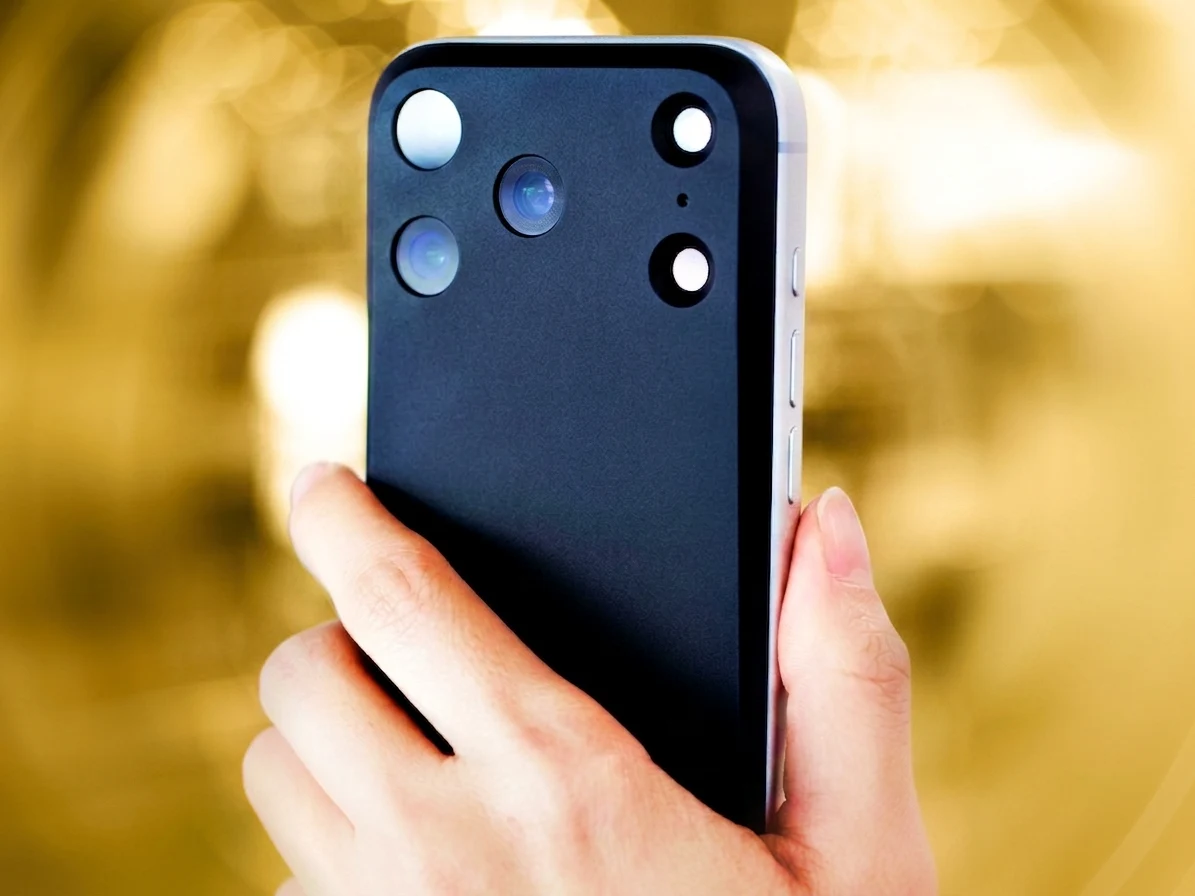
    If you’re fed up with the iPhone 17 Pro’s sticking out camera lump but despise bulky cases, a Japanese firm named Mynus might have hit the sweet spot with their latest gadget. It’s the newly released, minimalist Mynus magnetic back for iPhone 17 Pro, which the company claims isn’t a traditional “case”.

    Mynus iPhone 17 Pro back features:

    What stands out is Mynus’s claim that the iPhone 17 Pro will stay fully MagSafe and Qi charging compatible once the back is attached. Yet the company clearly states this isn’t a standard protective case since it doesn’t provide drop protection and it does not guarantee complete compatibility with every phone function (whatever that means).

    Launch plans and shipping notes

    The firm is gearing up to roll out the same accessory for the ultrathin iPhone Air by June. While international shipping appears to be available, the Japan-based maker cautions buyers that additional duties and taxes may apply depending on where it’s shipped to.

    Overall impression and caution

    In sum, this looks like one of the most distinctive iPhone add-ons we’ve seen in a long time because it offers a full design overhaul for one of the planet’s most popular devices. Plus, using the back eliminates the chunky camera bump on the iPhone 17 Pro, and the phone rests flat on a table, which makes the design practical.

    Practical considerations

    Of course, we don’t know how well the Mynus back performs in real-world scenarios, so treat the advertised features with a pinch of salt.


    Sources

  • Persona 5 Royal Arrives in Call of Duty: Mobile in July

    Persona 5 Royal Arrives in Call of Duty: Mobile in July

    Key Takeaway

    – Four Persona 5 Royal characters (Ren/Joker, Ann/Panther, Makoto/Queen, Sumire/Violet) are confirmed for CoD: Mobile, with Violet exclusive to the Royal version.
    – Operator skins and themed weapons are expected as the main deliverables; a dedicated event pass is the likely rollout format, resembling prior collabs.
    – The collaboration is planned for July, potentially global with a short rollout window; exact worldwide vs regional timing has not been officially confirmed.


    Iconic Crossover Announcement

    The Phantom Thieves of Hearts are coming to Call of Duty: Mobile. Activision and Tencent confirmed the collaboration at SPARK 2026 on May 27, 2026, placing the Persona 5 Royal crossover window in July. The official Call of Duty: Mobile X account posted a teaser the same day, signing off as the Phantom Thieves and leaning into the JRPG’s signature red-and-black visual identity.

    Character Lineup and Royal Tie

    Silhouette footage from the SPARK 2026 stream identified four Persona 5 Royal characters heading to the game: Ren Amamiya (Joker), Ann Takamaki (Panther), Makoto Niijima (Queen), and Sumire Yoshizawa (Violet). Violet is exclusive to Persona 5 Royal, the expanded 2019 version of the original game, confirming it as a Royal-specific collaboration rather than a base-game crossover.

    Expected Content and Delivery

    Operator skins for the four confirmed characters are the expected primary deliverable, alongside themed weapons. No event structure has been officially announced, though a dedicated event pass similar to the Season 5 The Boys collaboration would be the most likely delivery format based on recent precedent.

    Global Rollout and Context

    Activision has not confirmed whether the collab launches simultaneously worldwide or rolls out regionally first. Call of Duty: Mobile collaborations have historically gone global within short windows, placing July as a working worldwide target.

    About Persona 5 Royal

    Persona 5 Royal is Atlus’s acclaimed 2016 JRPG, expanded and re-released in 2019, and widely regarded as one of the best games of its generation. The Phantom Thieves aesthetic translates unusually well to a shooter context: red leather, black masks, high-contrast graphic design, and a visual personality distinct enough to stand out in a crowded collab calendar.

    Crossovers and JRPG Reach

    Call of Duty: Mobile has made a habit of reaching well outside its core audience for crossover partners, and Persona 5 Royal marks its deepest move into JRPG territory yet.

  • Qualcomm Snapdragon C for Windows Laptops at $300

    Qualcomm Snapdragon C for Windows Laptops at $300

    Key Takeaway

    – Snapdragon C laptops are expected to be very affordable (potentially around $300), aiming at students, families, and office work, with energy-efficient designs for long battery life.
    – First Snapdragon C devices are anticipated to debut at Computex, though exact features and performance details remain unconfirmed, including AI/NPU capabilities and Copilot+ support.
    – Early models (e.g., Acer Aspire Go 15) showcase the chip with modest RAM/SSD options, and higher RAM configurations may significantly raise prices beyond the base $300 due to RAM costs.


    Laptops with Qualcomm Snapdragon X, such as the Lenovo IdeaPad Slim 3X ($518 on Amazon), are already similarly affordable to the Apple MacBook Neo. The brand new Qualcomm Snapdragon C should allow manufacturers of Windows laptops to offer much cheaper notebooks. Qualcomm is talking about prices starting at around $300, but as no laptop manufacturer has yet announced the price of a device based on this chip, it remains to be seen whether this price is actually realistic.

    Overview

    The first Snapdragon C ARM laptops are expected to be unveiled at Computex next week. Qualcomm has not yet confirmed any details about the chip’s features, but the announced laptop price suggests that the chip will be significantly slower than the Snapdragon X. Qualcomm is advertising the Snapdragon C primarily for students, families and office workers. The processor is equipped with an AI accelerator, but Qualcomm does not provide any information on the performance of this NPU, so it is unclear whether the chip supports Microsoft Copilot+ features.

    Performance and Target Market

    Unsurprisingly, the Qualcomm Snapdragon C is said to be energy-efficient and thus enable a long battery life. The Acer Aspire Go 15 is one of the first laptops to use the new Snapdragon C. The device is equipped with 8 GB of RAM and a 512 GB SSD, but it is not yet known whether the Snapdragon C will also be offered with more RAM. However, in view of the DRAM crisis and rising RAM costs, it can be assumed that laptops with 16 GB RAM will cost far more than the advertised $300.


  • Acer Launches Windows Handheld Arc B390 with 120 Hz Display

    Acer Launches Windows Handheld Arc B390 with 120 Hz Display

    Key Takeaway

    – Predator Atlas 8 uses Intel Arc G3 or G3 Extreme (Arc B370/B390) with strong rumored gaming performance vs Radeon 890M handhelds.
    – 8-inch 1200p IPS display at 120 Hz VRR, 500 nits, plus up to 24 GB RAM and 1 TB M.2 storage; weights 770–810 g with 60 Wh or 80 Wh battery options.
    – Availability: launching in Africa, Australia, Europe, the Middle East, and North America with first shipments in October 2026; pricing not announced.


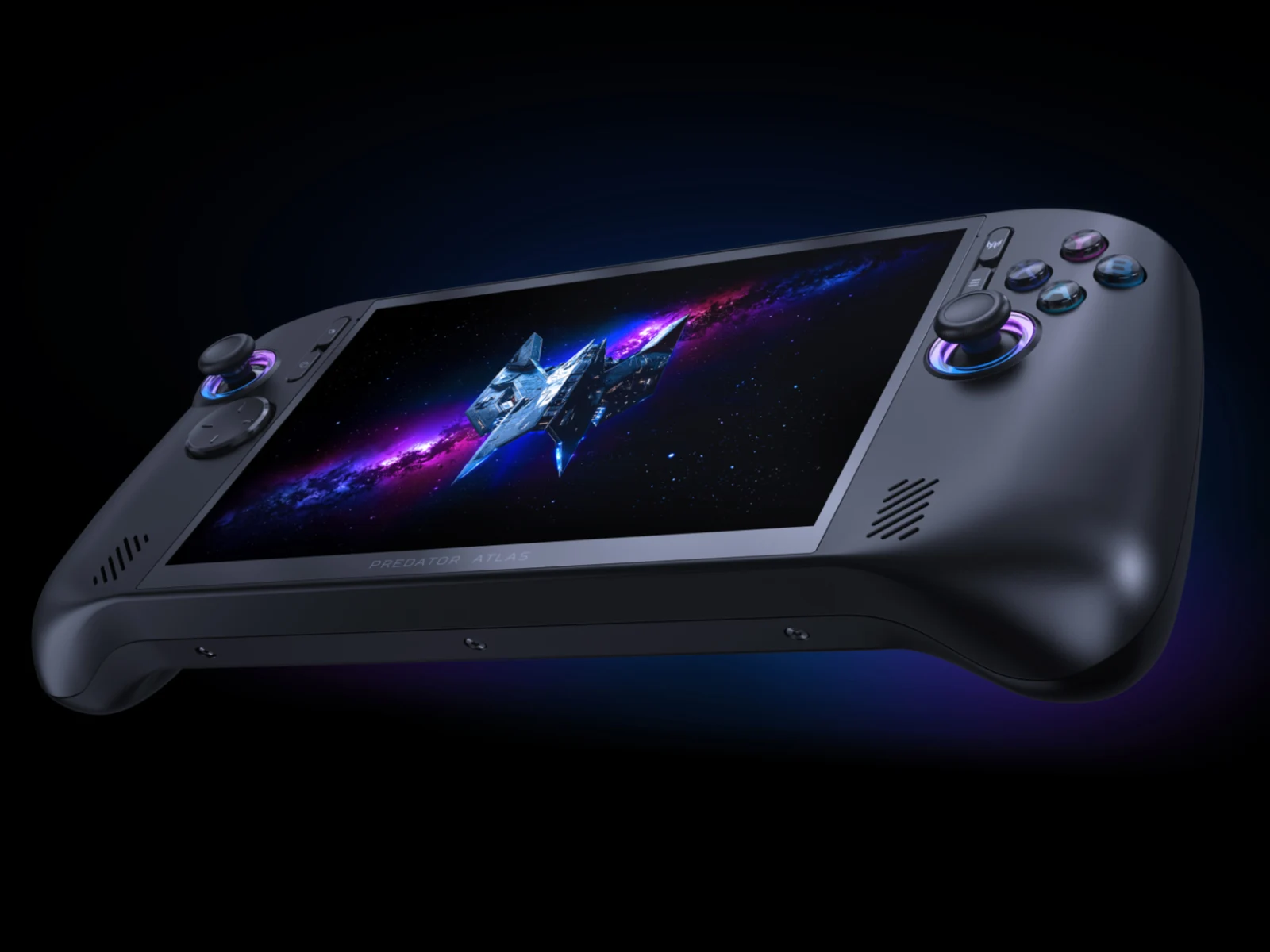
    Acer has jumped into the handheld gaming arena with the Predator Atlas 8, following OneXPlayer’s Arc G3 Extreme powered reveal earlier today. The Atlas 8 arrives amid a market where Nitro Blaze models from Acer previously teased but not released, leaving fans curious about the company’s handheld ambitions and timing.

    Pricing and specifications retained here

    According to Acer, the Predator Atlas 8 will be available with Intel’s Arc G3 or Arc G3 Extreme processors, which contain Arc B370 and Arc B390 graphics, respectively. Based on our experiences with Arc B390-powered laptops, the Predator Atlas 8 could be over 50% more powerful in games than Radeon 890M-equipped handhelds like the Legion Go 2 or the ROG Xbox Ally X (curr. $1,309 on Amazon).

    Display and hardware configuration

    Moreover, the Predator Atlas 8 leverages an 8-inch and 1200p IPS display featuring 500 nits peak brightness and a 120 Hz VRR refresh rate. On top of that, the handheld offers up to 24 GB of LPDDR5X-7467 RAM and 1 TB of M.2 2280 storage, all in a package measuring 299 x 127 x 28.5 mm. Apparently, Acer plans to sell versions with 60 Wh and 80 Wh batteries too, which will see the Predator Atlas 8 weighing 770 g or 810 g.

    Launch window and market reach

    Currently, Acer expects to sell the Predator Atlas 8 in Africa, Australia, Europe, the Middle East and North America. However, the handheld will not reach any of these markets until October 2026. Pricing information remains unknown for now.


    Sources