Category: Software

  • MrBeast Plans Crypto Bank Amid Community Skepticism

    MrBeast Plans Crypto Bank Amid Community Skepticism

    Key Takeaways

    1. MrBeast, known for extravagant videos and challenges, has filed a trademark for a new venture called MrBeast Financial, aimed at offering cryptocurrency and banking services.

    2. The trademark application, submitted on October 13, 2025, is currently pending review and suggests that the platform is planned for future use.

    3. MrBeast Financial aims to provide various services, including credit cards, loans, a cryptocurrency exchange, and financial planning tools.

    4. Concerns have been raised about the potential risks of offering financial products to MrBeast’s young audience, many of whom may lack experience with such services.

    5. While there are doubts about the viability of MrBeast Financial, it could still offer valuable services tailored to his audience’s needs, but no official launch details have been announced yet.


    MrBeast is famous for his extravagant video creations, which often involve risky challenges and huge cash rewards. One of his most notable projects was a real-life version of Squid Game, minus the actual threats, where the victor received $456,000. With a staggering 446 million subscribers, Jimmy Donaldson, known as MrBeast, operates the biggest YouTube channel globally. It’s clear that his content brings in substantial revenue, and he now seems poised to venture into the financial world.

    New Financial Venture

    A trademark application submitted to the United States Patent and Trademark Office (USPTO) shows that MrBeast’s company, Beast Holdings, LLC, is working on a new project called MrBeast Financial. This platform is projected to provide services related to cryptocurrencies and contemporary banking. The trademark was filed on October 13, 2025, and is currently categorized as “Live / Awaiting Examination,” indicating it is active but has yet to undergo review. It’s filed as an “Intent to Use” (ITU), which suggests that the project is planned for the future but isn’t operational yet.

    Ambitious Services

    The trademark documents describe an ambitious plan for MrBeast Financial. The intended platform would provide a variety of services, including standard banking features like credit cards, loans, investment banking, and savings programs. It also aims to introduce a cryptocurrency exchange with payment and trading options through decentralized platforms (DEX). Additional services might encompass insurance, microfinancing, student and consumer loans, along with financial planning and analysis tools.

    As the most-followed YouTuber in the world, MrBeast possesses enormous marketing influence. According to Business Insider, MrBeast Financial is likely to debut as a mobile application, appealing to his youthful, tech-savvy audience. Nevertheless, worries have already surfaced within the Reddit community, especially regarding the young average age of his viewers and the potential risks of offering financial products to such a youthful group.

    Viewer Concerns

    While there are no precise statistics, MrBeast mentioned on X that “more than half of his viewers are over 20 years old.” This implies that, although most of his audience isn’t predominantly teenagers, they are still relatively young. Many of them may have limited familiarity with financial products, which could heighten the chance of making poor choices—particularly if the platform includes complicated services like crypto trading or loans.

    Numerous users have expressed doubts, drawing parallels to previous crypto controversies. Comments such as “Ripping off 10–14 year olds – what a business model” and “Influencer banking is a nightmare waiting to happen” showcase widespread unease. Critics also reference MrBeast’s earlier projects, like Beast Burger and Feastables, which some consider failures. Yet, there remains a chance that MrBeast Financial could provide real value—a genuine financial service designed for the needs of his younger audience. For now, however, no official announcements or specifics about a launch date have been made.

    Source:
    Link


  • OnePlus Launches OxygenOS 16 with AI Features and Apple Integration

    OnePlus Launches OxygenOS 16 with AI Features and Apple Integration

    Key Takeaways

    1. OxygenOS 16 is built on Android 16 and focuses on AI to enhance user experience and connectivity.
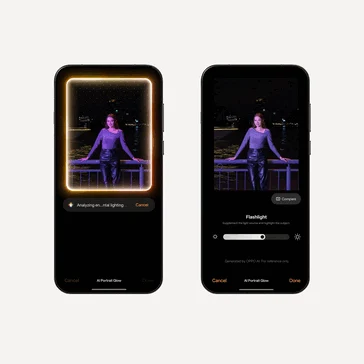
    2. New features include voice note transcription, AI contextual searches, and tools for optimizing scanned images and low-light photography.
    3. Enhanced connectivity with O+ Connect allows for improved file sharing and screen mirroring between OnePlus devices and other platforms, including iPhones.
    4. User convenience features include remote control of computers, fitness app compatibility with Apple Watch, and smoother animations with upgraded performance.
    5. The update will be pre-installed on the upcoming OnePlus 15, with a beta program launching for older devices starting October 17.


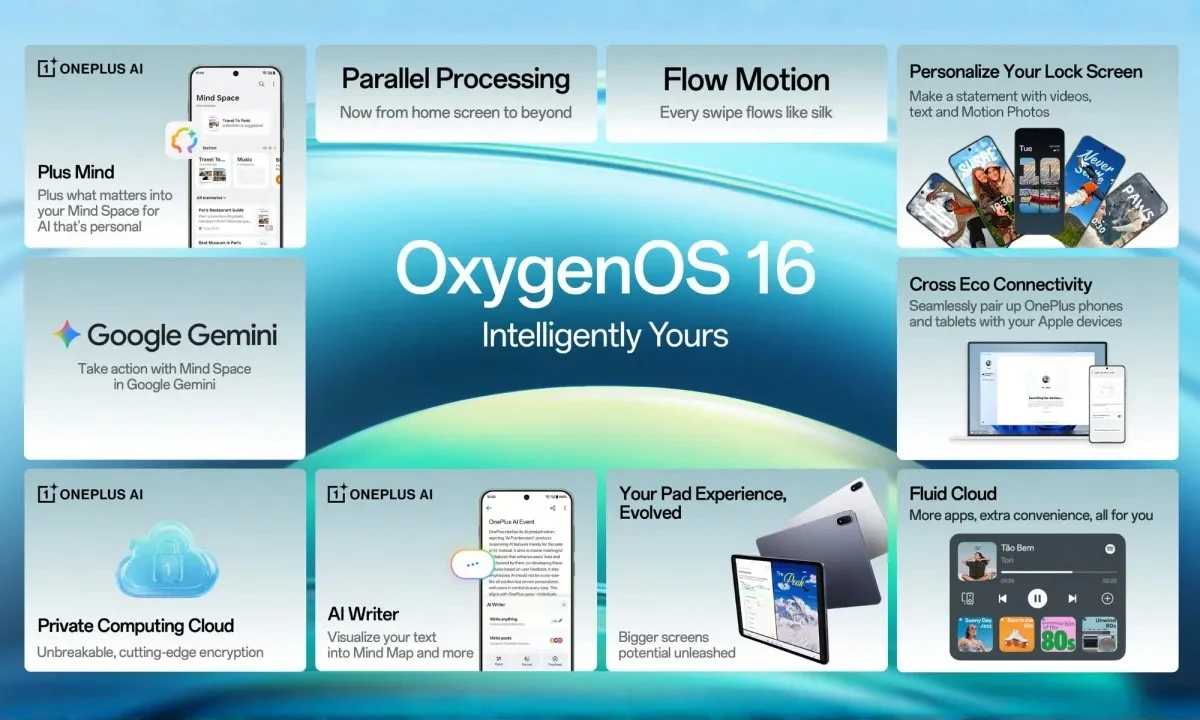
    OnePlus has unveiled its new mobile operating system, OxygenOS 16. This update is built on Android 16 and emphasizes artificial intelligence (AI), while also enhancing connectivity across devices, including those from Apple.

    AI-Driven Design

    The design philosophy of OnePlus is now centered around AI, which is showcased in OxygenOS 16. With the help of AI, the OS introduces Plus Mind, a feature that acts like a digital bank for user data, named Mind Space. Additionally, the Collections feature has taken inspiration from the organized app libraries seen in Apple iOS, effectively grouping saved content in a smart way.

    New Features and Tools

    OxygenOS 16 brings several new capabilities, such as voice note transcription and summarization, AI-driven contextual searches, and mind mapping from notes. A fresh tool is also introduced that enhances scanned images by automatically adjusting the brightness and angles prior to converting them into optimized PDFs.

    Among other innovative AI-driven features is “YumSee,” which creates images of dishes by scanning menus, and “Party Up,” which generates short videos from photos, similar to Google’s Flow tools. Furthermore, OnePlus phones will leverage AI to improve low-light photography, although these tools are still in the experimental phase.

    Enhanced Connectivity

    The new OxygenOS 16 incorporates Google’s Gemini into Plus Mind, enabling OnePlus users to search their phone data, the internet, and Gemini’s knowledge base at once. There’s also a new AI writing assistant that can proofread, summarize, and refine text, much like the features found in Apple Intelligence.

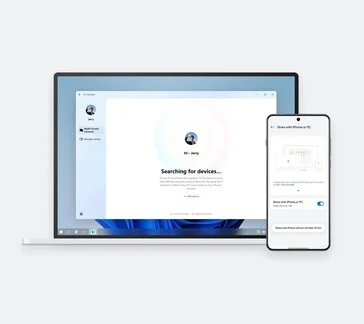
    OnePlus has introduced the O+ Connect feature with this latest update, which promises effortless file sharing and improved device interactivity. Notably, it allows screen mirroring between OnePlus devices and PCs or Macs, and it also facilitates quick data transfers with iPhones using a tool akin to the NameDrop function.

    User Convenience

    The Remote Control feature enables users to manage their computers remotely from their phones or tablets, as the name implies.

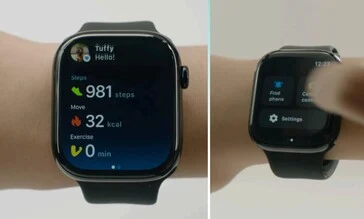
    For those into fitness, OxygenOS 16 is compatible with the Apple Watch via the OHealth app, allowing users to view notifications, manage calls, and sync health information.

    OnePlus claims that animations will be smoother thanks to the upgraded Flow Motion engine. The company also asserts that multitasking will be more efficient with Parallel Processing 2.0.

    OxygenOS 16 will be pre-installed on the upcoming OnePlus 15. However, starting October 17, OnePlus will launch a beta program for older devices. Below is the list of devices that can receive the update:

    OnePlus’

    Source:
    Link


  • ColorOS 16 Rollout: 40 Oppo Phones Confirmed for Update

    ColorOS 16 Rollout: 40 Oppo Phones Confirmed for Update

    Key Takeaways

    1. ColorOS 16 is the upcoming update for Oppo’s custom user interface based on Android 16, debuting on Find X9 and Find X9 Pro.
    2. The update will be available for 43 Oppo devices, with stable rollout starting on October 30 in China and further updates for other models by December.
    3. Key features include improved UI fluidity through Seamless Animation for a smoother user experience.
    4. Enhanced personalization options allow users to set motion wallpapers, choose from various fonts, and receive AI style suggestions.
    5. The redesigned Always-On-Display (AOD) now shows full wallpapers, and the new Flux Home Screen enables adjustable app icon and folder sizes.


    Oppo has revealed ColorOS 16, which is the upcoming significant update of its custom user interface based on Android 16. The Oppo Find X9 and Find X9 Pro will be the initial smartphones to come with this new software. The company plans to start the public rollout for current devices later this month, and it will release a comprehensive list of compatible phones and tablets.

    Eligible Devices and Rollout Schedule

    Oppo has affirmed that ColorOS 16 will be available for 43 Oppo smartphones and tablets. The firm is presently engaged in testing the update through both closed and open beta programs. The stable version is expected to launch on October 30 in China. The Find X8 series, Find N series foldables, Find X7 series, Reno 14 series, and Reno 13 are scheduled for updates by December. However, older models like the Find X5 Pro and the budget-friendly K lineup will receive the update in the first quarter of 2026. Oppo will announce the timeline for the international rollout at a later time.

    Key Features of ColorOS 16

    ColorOS 16 introduces a variety of significant enhancements compared to its predecessor, featuring a refreshed design “inspired by the interplay of light and shadow” found in nature. The company is highlighting improved UI fluidity with a feature called Seamless Animation, which promises a smoother user experience when rapidly opening and closing apps, switching between running applications, or moving through widgets.

    Personalization and Display Improvements

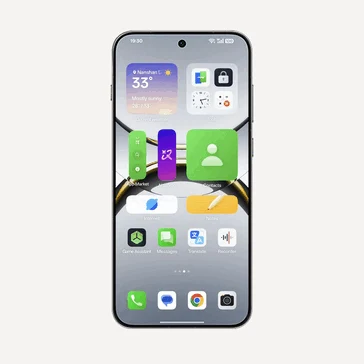
    The updated version also includes appealing personalization options. For instance, users can set motion photos or videos as their wallpaper and pick from a vast selection of fonts. There’s even an option to ask AI for styles that complement your wallpaper. Additionally, the redesigned Always-On-Display (AOD) now allows users to view their full wallpaper, much like the AOD feature on iPhones, instead of just showing essential glanceable information. Furthermore, the new Flux Home Screen lets users adjust the size of app icons and folders, making them taller, wider, or larger.

    Source:
    Link


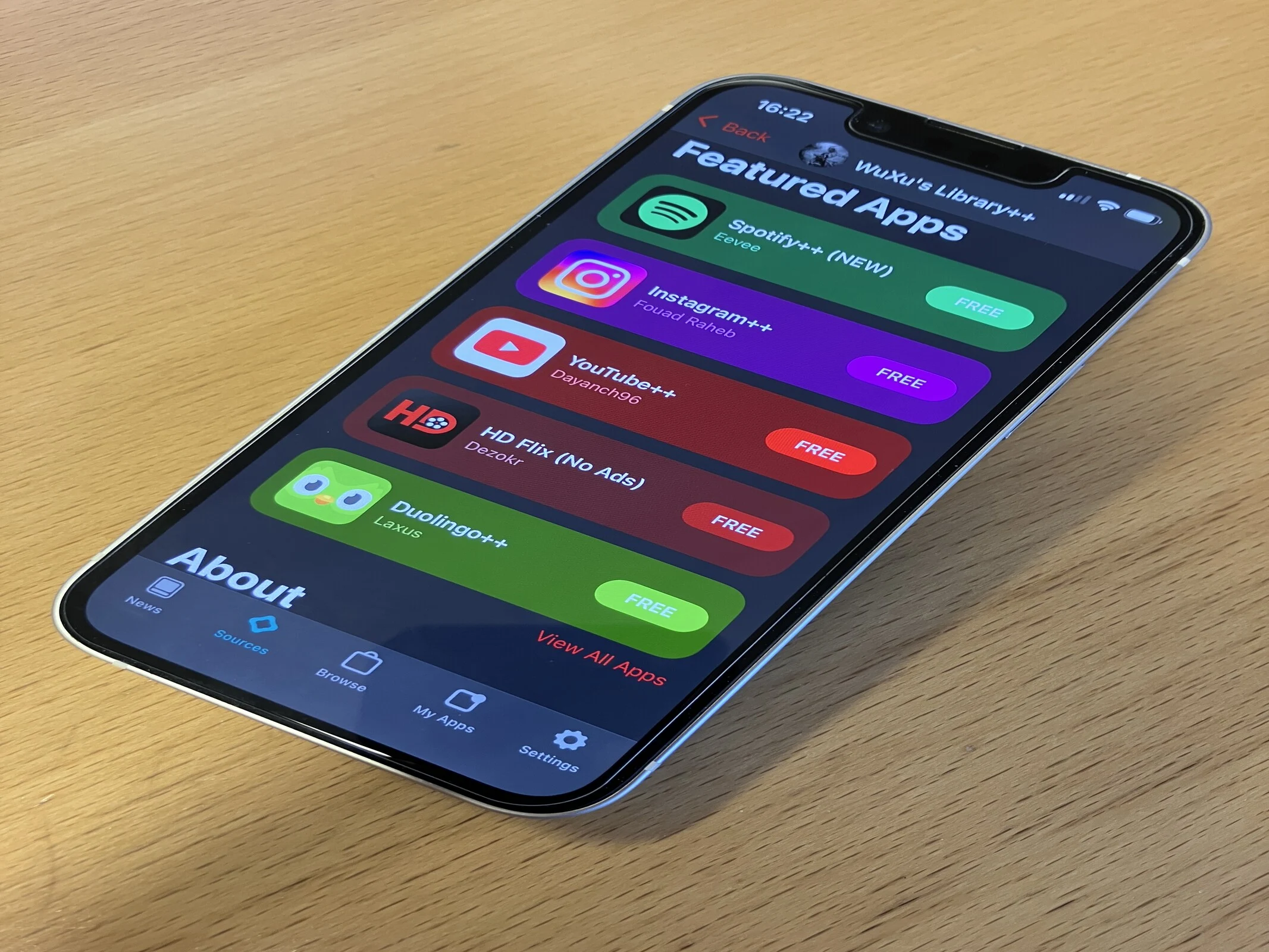
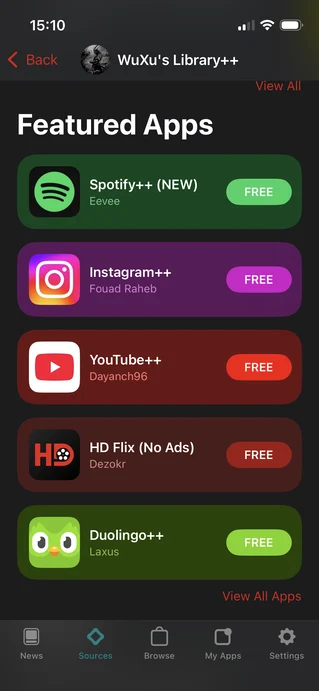
  • Circumvent Apple App Store: Safe Alternatives Without Jailbreak

    Circumvent Apple App Store: Safe Alternatives Without Jailbreak

    Key Takeaways

    1. Sideloading on iOS is possible without jailbreaking, but risks remain, especially outside the EU.
    2. Alternative app stores in the EU, such as Altstore PAL and Epic Game Store, still require apps to be notarized by Apple.
    3. Altstore Classic allows users to sideload apps without developer certificates and prevents app expiration.
    4. Sideloading can lead to access to both legitimate and pirated applications, raising trust issues with many services.
    5. Users should exercise caution with sideloading, especially when exploring third-party sources that may contain harmful content.


    Getting iOS applications from sources outside of Apple can seem like a good idea, but the situation is quite intricate. Sideloading on Apple devices has been possible for years without jailbreaking, regardless of whether you’re in the EU or not. Although sideloading is now “officially” available for EU users, it doesn’t significantly alter the overall sideloading environment for iOS. Many of the same risks persist, and in contrast to Android, there aren’t many reliable brands that guarantee a sense of safety, even if that’s just a perception.

    Alternate App Stores in the EU

    For users in the EU, there’s the chance to access various alternative app stores. The current options include Altstore PAL, Epic Game Store, and more recently, Aptoide and the productivity suite Setapp. The common issue across all these platforms is that apps still need to be notarized by Apple. Notarization isn’t a quick process and isn’t as strict as Apple’s app review. Some content can slip through to third-party stores that wouldn’t even qualify for the official App Store. This essentially means that the content available on these third-party stores closely resembles what Apple officially offers.

    Installing Altstore and Its Features

    If you decide to go with Altstore PAL, you can proceed to install Altstore Classic. Altstore PAL restricts installations to notarized apps, but once Altstore Classic is on your device, you can add your own sources. This will be discussed more in the next section, but the key difference is that apps installed through Altstore Classic won’t expire.

    In general, the most noteworthy change for EU users is the removal of the need to deal with developer certificates to install unverified or third-party apps. However, the other issues remain unchanged for users around the globe.

    Sideloading for Users Outside the EU

    For everyone else, sideloading remains a possibility. Whether you’re using Altstore Classic or a service like AppDB, you will need to have either your own developer certificate or one provided by the site you’re using. Since developer accounts can be revoked, having your own certificate is generally a better option, although AppDB claims to offer some protections against this. With Altstore Classic, you must use your personal developer account. Free developer accounts can install up to 10 apps for a week without needing to refresh. A paid developer account ($99 annually), however, allows for unlimited app installations for a full year.

    Altstore has a useful feature for free developer accounts that lets you refresh your certificates automatically. Yet, you must connect to a PC or Mac via Wi-Fi or cable every seven days to keep your sideloaded apps running.

    Reasons Behind Sideloading

    There are valid reasons for sideloading apps on your iOS device, such as emulation, downloading Linux ISOs, or setting up Kodi. However, the practice is often dominated by pirated applications. Sites like AppDB, iOSRocket, Signum, and Signulous provide access to paid apps without charge. For instance, AppDB offers multiple copies of Resident Evil Village for download without any payment required.

    While Altstore Classic allows sideloading through additional sources, some of these sources provide access to legitimate developers while others offer modified apps meant to bypass paid features.

    Trust Issues with Sideloading Services

    Besides Altstore and Aptoide in the EU, almost every sideloading service mixes questionable content with legitimate options, making them inherently untrustworthy. If these services are willing to share developer certificates and pirated software, how can users be sure they’re safe from malware, identity theft, fraud, and other risks associated with compromised devices?

    Altstore PAL and Altstore Classic provide the most legitimate avenues for sideloading. Their trusted sources list, while limited, offers users a degree of security. However, once you start exploring third-party sources, users again find themselves relying on developers who provide hacked and cracked apps.

    As a former Pixel 9 Pro (available on Amazon) user who recently switched to iOS, I hope Altstore can eventually gain a reputation similar to F-Droid. If you’re in the EU (and only in the EU), Aptoide might be a viable option. For now, using Altstore for sideloading should be approached with caution, while sideloading from other sources should definitely be avoided.

    Source:
    Link


  • Stable HyperOS 3 Update Released for Six Xiaomi and Redmi Phones

    Stable HyperOS 3 Update Released for Six Xiaomi and Redmi Phones

    Key Takeaways

    1. Xiaomi has launched stable versions of HyperOS 3, based on Android 16, for select smartphones including the Xiaomi 15 series and Redmi K80 range.
    2. The OTA update will initially roll out to a limited number of devices, with broader availability expected in the coming weeks.
    3. The update size is between 7.5GB and 8GB, introducing features like Xiaomi Hyperland, performance enhancements, and AI-driven tools.
    4. Key improvements include better notification grouping, Live Updates, a predictive back gesture, and enhanced security features.
    5. Global users will receive stable updates for over 15 Xiaomi and Redmi models from October to November, including popular series like Redmi Note 14 and POCO F7.


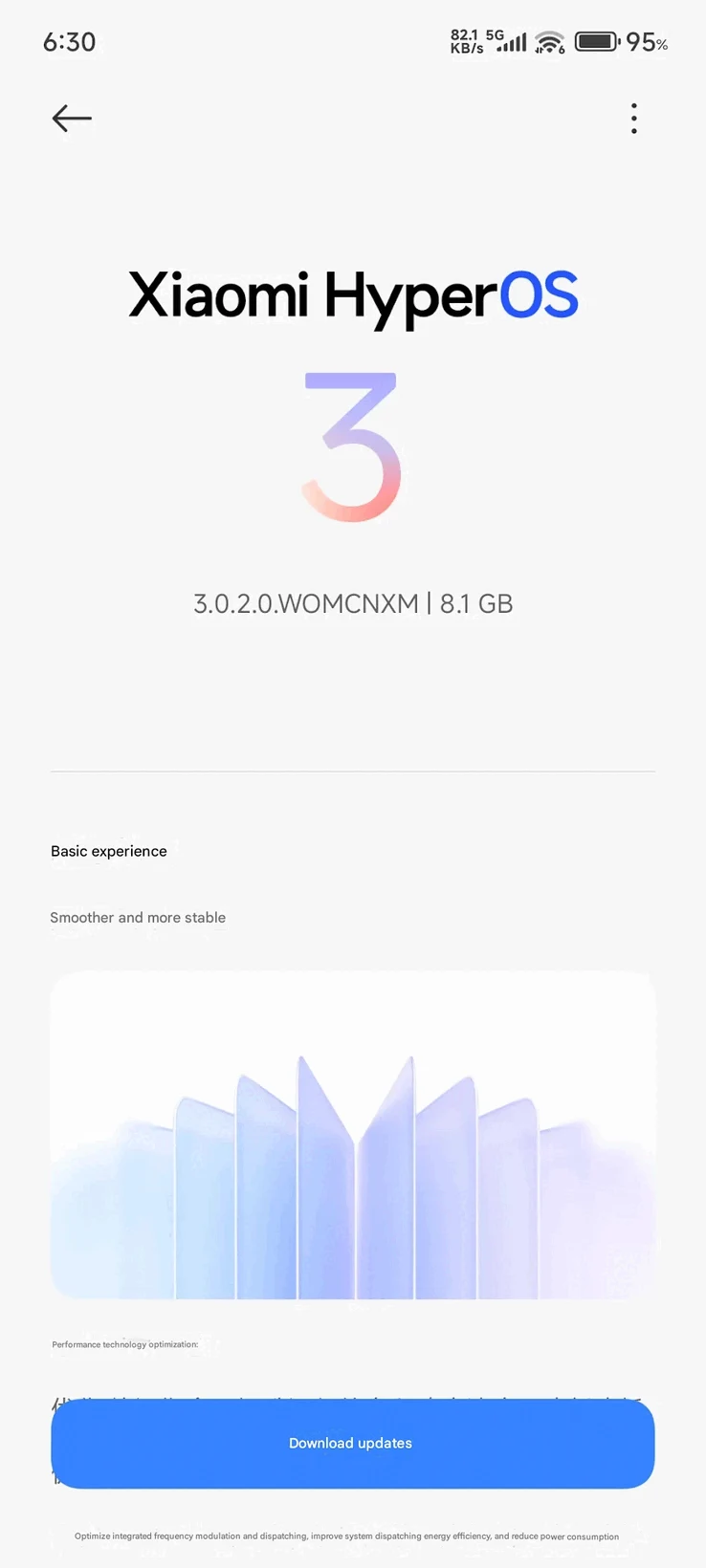
    After several weeks of testing in beta, Xiaomi has at last launched the stable versions of HyperOS 3, which is based on Android 16, for its initial set of smartphones. This includes six flagship models from the Xiaomi 15 series and the Redmi K80 range. The release is first targeting Chinese variants, with international versions expected to follow later this month.

    OTA Update for Users

    If you own a Xiaomi 15, Xiaomi 15 Pro, 15S Pro, 15 Ultra, or a Redmi K80 Pro or Ultra with a Chinese ROM, be on the lookout for an OTA update arriving in the next few days. This update is being rolled out in phases, meaning that only a limited number of devices will get the update at first. If everything goes as planned, the update will be expanded to include more devices in the upcoming weeks.

    Update Details

    The update size ranges from 7.5GB to 8GB, and you can see the build numbers below (thanks to XiaomiTime):

    HyperOS 3 introduces a range of new features and improvements. Notably, it has a version of the iPhone’s Dynamic Island called Xiaomi Hyperland, along with an iOS 16-like lockscreen. Xiaomi is also claiming significant performance enhancements with optimizations to the kernel and graphics rendering pipeline. For devices that support it, the new software includes AI-driven writing tools, voice recognition, and smart translation capabilities. Additionally, users can expect enhancements specific to Android 16, such as improved notification grouping, Live Updates, the predictive back gesture, and security features like Trade-in Mode and Advanced Protection.

    Timely Rollout

    Xiaomi had assured users that a stable update would be available for these devices by October 15, and the HyperOS 3 rollout seems to be right on target. Global users won’t have to wait long either, as the company plans to release the stable update for over 15 Xiaomi and Redmi models between October and November. This will include well-liked devices such as the Redmi Note 14 series, POCO F7 series, and POCO X7 / X7 Pro.

    Source:
    Link


  • Microsoft’s Illegal Student Tracking in 365 Education: Data Privacy Impact

    Microsoft’s Illegal Student Tracking in 365 Education: Data Privacy Impact

    Key Takeaways

    1. Microsoft faces privacy issues in Europe after being found to have illegally tracked students using its 365 Education platform.
    2. The Austrian Data Protection Authority ruled that Microsoft did not provide students access to their personal data and shifted GDPR responsibilities onto schools.
    3. The ruling highlights violations of Article 15 of the GDPR, which requires clear information on data processing and sharing.
    4. Microsoft claims compliance with data protection standards but faces criticism for transferring responsibility to educational institutions.
    5. The case reflects broader concerns about how tech companies manage data from minors in educational settings, especially post-pandemic.


    Microsoft is currently dealing with a significant privacy challenge in Europe. This comes after Austria’s Data Protection Authority determined that the company “illegally” tracked students using its 365 Education platform. This decision was based on a complaint from the Austrian privacy group, noyb. They claimed that Microsoft did not allow students to access their personal data and pushed the responsibilities of GDPR onto schools.

    Background of the Issue

    The problem traces back to the COVID-19 pandemic, a time when many schools adopted Microsoft 365 for online learning. With this shift to a digital platform, new privacy concerns emerged as student information was managed through a corporate cloud service.

    When students voiced concerns or sought access to their data, Microsoft directed them back to their respective schools. This was problematic since schools were only able to provide limited data information.

    Regulatory Findings

    The authority found that this method contravened Article 15 of the GDPR. It stated that Microsoft, acting as the data controller, is required to provide comprehensive information on how user data is processed and if it’s shared with outside parties.

    Furthermore, the Austrian authority instructed Microsoft to clarify certain technical phrases like “internal reporting,” “business modelling,” and “improvement of core functionality.” Additionally, national and federal education bodies were mandated to ensure similar transparency within a timeframe of ten weeks.

    Microsoft’s Response

    Microsoft asserted its compliance by stating, “Microsoft 365 for Education meets all required data protection standards,” and indicated it would review the ruling. Nevertheless, data protection attorney Max Schrems from noyb emphasized that this situation illustrates a wider problem. “Big Tech providers try to get all the power, but shift all responsibilities to European customers,” stated Schrems.

    The software giant also contended that its subsidiary in Ireland was in charge of 365 Education, claiming that jurisdiction lies there. However, the Austrian authority dismissed this argument, indicating that key decisions were made by Microsoft in the US.

    Conclusion

    This case underscores an escalating global issue regarding how large tech companies manage data collected from minors in educational environments, particularly after the pandemic, when a greater number of students rely on platforms like Microsoft 365 and Google Classroom for remote learning. If the ruling is upheld, it could significantly alter the way technology companies handle data responsibilities within Europe’s educational landscape.

    Source:
    Link


  • Ubuntu 25.10 Questing Quokka Launches with GNOME 49 and Linux 6.17

    Ubuntu 25.10 Questing Quokka Launches with GNOME 49 and Linux 6.17

    Key Takeaways

    1. Ubuntu 25.10, named “Questing Quokka,” is an interim release leading to the next Long-Term Support (LTS) version in 2026.
    2. The release offers enhanced security features, including memory-safe utilities and improved TPM-backed full disk encryption.
    3. It maintains compatibility with a wide variety of platforms, similar to its predecessor.
    4. The standard support period for Ubuntu 25.10 will end in July 2026.
    5. Users can download the release from Canonical’s website, with options for BitTorrent if needed.


    Today, Canonical is advancing the Ubuntu distribution with a new interim release as it heads toward the next Long-Term Support (LTS) version set to launch in 2026. Named “Questing Quokka,” Ubuntu 25.10 is compatible with a wide variety of platforms, just like the version before it. This release features enhancements at the silicon level, improved accessibility, strong security measures, and numerous software updates, both visible and behind the scenes.

    Key Improvements

    Jon Seager, the VP of Ubuntu Engineering at Canonical, stated that this release “is a statement of intent for the next Ubuntu LTS in 2026.” He highlighted the memory-safe utilities and enhanced TPM-backed full disk encryption as significant improvements in this version. Here are some other notable features:

    Download Options

    Users can find the downloads on this page. Previous versions and various community initiatives are also available for download. If the existing mirrors do not meet your needs, there is always the option to use a BitTorrent download. The standard support period for Ubuntu 25.10 will conclude in July 2026.

    Canonical’s

    Source:
    Link


  • Discord Breach Exposes 70,000 Government IDs: Causes and Impact

    Discord Breach Exposes 70,000 Government IDs: Causes and Impact

    Key Takeaways

    1. Around 70,000 Discord users may have had their government identification compromised due to a security incident.
    2. The breach occurred through a third-party service used for customer support, affecting users who contacted the Customer Support or Trust & Safety teams.
    3. Discord has cut off the vendor’s access to its ticketing system and is investigating the incident with law enforcement.
    4. Affected users will be notified via email from Discord, with no phone calls made to protect victims.
    5. As companies require IDs for service, users are exploring ways to protect themselves, including using VPNs, although some sites block these IP addresses.


    Discord has disclosed the possible scale of its recent security incident. The firm announced in an updated press release that around 70,000 users of its platform might have had their government identification compromised.

    Breach Details

    This data breach follows Discord’s move to join a rising number of tech firms that are requiring their customers to verify their age by submitting their driver’s licenses or government IDs. The platform has set up a process where users must upload selfies when they are reported for being underage.

    As per Discord, the breach happened via an unnamed third-party service that assists with its customer support. Only those users who had interacted with the Customer Support or Trust & Safety teams are impacted. The company also clarified that only the customer data shared with these teams was at risk.

    Official Statement

    The statement partially reads, “Recently, we found an incident where an unauthorized party accessed one of Discord’s third-party customer service providers. The unauthorized party then obtained information from a limited number of users who reached out to Discord through our Customer Support and/or Trust & Safety teams.”

    Discord has cut off the vendor’s access to its ticketing system while it investigates the situation along with law enforcement.

    Compromised Data

    The official announcement mentions that the following customer data could be compromised:

    Discord is reaching out to affected users who will receive an email from [email protected]. The company cautions that no phone calls will be made to protect unaware victims.

    As more companies strive to meet local legal demands by requiring IDs for service access, many users are considering ways to safeguard themselves against such breaches. Some have turned to VPNs to hide their real locations, although several well-known websites already block IP addresses linked to VPNs.

    Source:
    Link


  • Affinity’s Site Takedown Sparks Fan Outrage Over AI and Pricing

    Affinity’s Site Takedown Sparks Fan Outrage Over AI and Pricing

    Key Takeaways

    1. Serif’s Affinity software gained popularity as a one-time payment alternative to Photoshop and Illustrator, but the official store has been taken down ahead of a major announcement on October 30.
    2. Community concerns are growing after Canva’s acquisition of Affinity, with users fearing potential shifts toward AI integration and a subscription model.
    3. The official Affinity Forum has been closed, limiting public discussions and raising worries about transparency regarding user feedback.
    4. Affinity has not clearly addressed user concerns about generative AI and subscription models, leading to increased skepticism among its community.
    5. Many users express reluctance to adopt a subscription model, preferring the previous one-time payment system for ongoing access to the software.


    Serif’s Affinity Photo and Designer have become popular substitutes for Photoshop and Illustrator for those who prefer a one-time payment instead of ongoing fees. Recently, though, Serif has taken down the Affinity software store and replaced it with a message saying, “True creative freedom is just around the corner,” along with a launch date of October 30 and a link to subscribe to an announcement newsletter.

    Community Concerns

    While it seems like Serif is gearing up for a major reveal, there’s growing unease among users due to its recent takeover by Canva—a company known for its free image editor loaded with AI features. Many in the community are worried about how this acquisition might affect the future of Affinity’s products.

    At the moment, the Affinity announcement post on X has garnered 510 likes and over 240 comments, with many expressing worries regarding the future of both the company and its software. After Canva’s acquisition of Affinity, the CEO mentioned that they would focus more on AI as a creative tool, but she also acknowledged that Affinity’s community is not entirely on board with generative AI and the risks associated with pushing too hard into AI. Nevertheless, users still fear that on October 30, Affinity will introduce numerous AI features that were never requested, and possibly even shift to a subscription model instead of their traditional one-time purchase.

    Forum Closure

    Adding to the anxiety is the shutdown of the official Affinity Forum on October 5, with support and community discussions now shifting to Discord. The forum will still be available as a read-only database, but no new posts or comments will be allowed. This change raises concerns that the absence of an active forum might suppress public discussions about potential complaints regarding a new subscription model.

    Affinity hasn’t provided clear answers to the questions and concerns regarding the introduction of generative AI and the possibility of a subscription model. The most definitive statement they made was:

    “We hear you! Fairness and freedom are what Affinity was built on and we’re excited to share what we’ve been building. Hold tight to October 30, you’ll like what’s coming.”

    User Skepticism

    The interpretation of this statement varies among individuals, but there is a significant amount of skepticism surrounding the upcoming launch. Many commenters believe that the ambiguous nature of the reply only reinforces their worries, with several stating they would never subscribe for Affinity. Previously, a one-time fee of $164.99 allowed users to obtain a perpetual license for Affinity Photo 2, Designer 2, and Publisher 2 across multiple platforms.

    Source:
    Link


  • Xiaomi Releases Global Updates for Redmi Pad 2 Pro and More

    Xiaomi Releases Global Updates for Redmi Pad 2 Pro and More

    Key Takeaways

    1. Xiaomi has started releasing HyperOS updates after a pause due to the National Day holiday in China.
    2. The Xiaomi 17 is receiving HyperOS 3.0.17.0.WPCCNXM in China.
    3. The Redmi Pad 2 Pro launched with HyperOS 2 and will not upgrade to HyperOS 3 until next month.
    4. The Redmi 13 and Poco M6 are getting updates for HyperOS 2 and will receive HyperOS 3 in a future batch.
    5. Over 20 other devices will not receive HyperOS 3 updates, with details provided separately.


    Xiaomi has begun the process of releasing HyperOS updates for a new set of devices. To give some background, the company paused its software updates due to the recent National Day Golden Week holiday in China. With that holiday wrapping up on October 8, Xiaomi is now seen providing HyperOS 3.0.17.0.WPCCNXM specifically for the Xiaomi 17 in China.

    Update Details

    The Xiaomi 17 originally launched with HyperOS 3, but the same can’t be said for the Redmi Pad 2 Pro. As mentioned during last month’s introduction, the Redmi Pad 2 Pro came out with HyperOS 2, just like its predecessor, the Redmi Pad 2, which is curr. $179.99 on Amazon. Sadly, this month’s update for the Redmi Pad 2 Pro does not upgrade it to HyperOS 3. Currently, Xiaomi plans to start rolling out HyperOS 3 to the Redmi Pad 2 Pro no sooner than next month.

    Other Devices

    In addition, the Redmi 13 is now getting new updates for HyperOS 2, along with the Poco M6. Both smartphones are expected to receive HyperOS 3 in the second batch of updates from Xiaomi, similar to the Redmi Pad 2 Pro. However, more than 20 other devices will not be getting HyperOS 3, and we have shared detailed information about those exclusions separately.

    XiaomiTime

    Source:
    Link