Tag: Copilot

  • Windows Copilot Tests Side-Pane Web Links for Insiders

    Windows Copilot Tests Side-Pane Web Links for Insiders

    Key Takeaways

    1. Microsoft introduces a new Copilot app experience for Windows Insiders that keeps web links within the app, opening them in a side panel beside the chat conversation.
    2. The feature aims to reduce context switching, allowing users to view content without leaving the chat discussion.
    3. The app incorporates tab-aware assistance, enabling Copilot to use the context of open tabs for follow-up queries and content summarization.
    4. Users can revisit previous conversations as tabs opened during chats are stored, and optional syncing for passwords and form data can be activated.
    5. The updated Copilot app is rolling out across all Windows Insider channels, enhancing speed, reliability, and functionality without replacing a full browser.


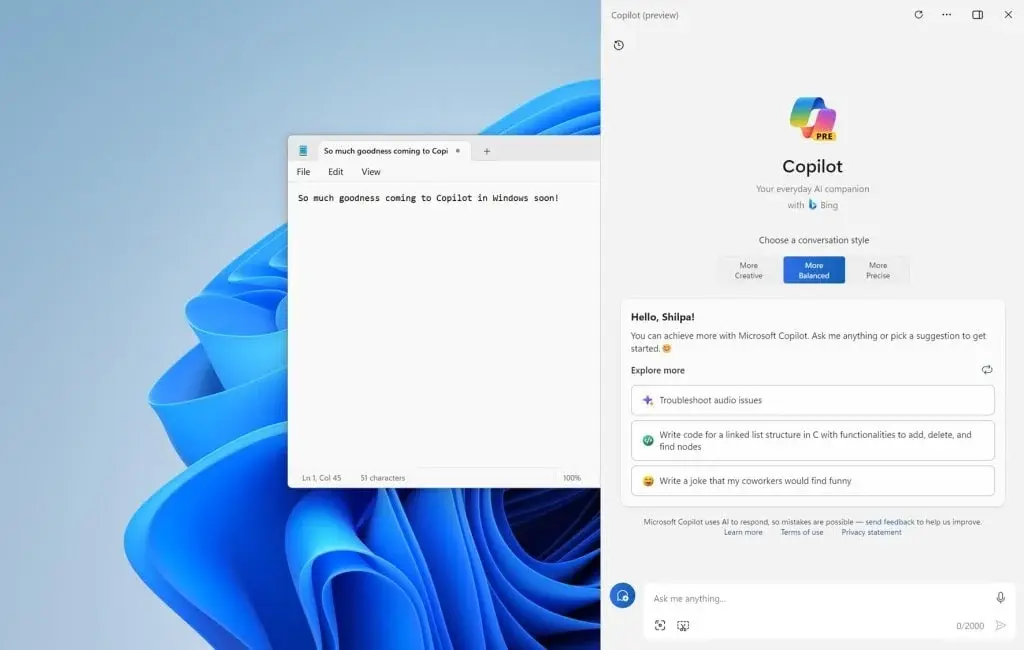
    Microsoft has begun to introduce a fresh Copilot app experience for Windows Insiders, which maintains web links within the app. Now, when users click on a link, it opens in a side panel beside the chat conversation instead of launching a new browser window. This allows users to view content without having to leave the ongoing discussion.

    Simplifying User Experience

    The concept is simple: reduce context switching. Microsoft explains that this feature aims to prevent users from constantly flipping between Copilot and their web browser whenever the assistant references a source or a web page.

    Enhanced Assistance Features

    Moreover, Microsoft is incorporating tab-aware assistance into this new design. With user consent, Copilot can utilize the context of the tabs open in that specific conversation to respond to follow-up queries, compare details from different pages, summarize on-screen content, or aid in drafting text based on the materials currently being viewed. This access is restricted to the ongoing conversation only.

    Tabs that are opened in this manner are also stored with the chat, allowing users to revisit the same conversation at a later time and continue from where they left off. Additionally, Microsoft mentions that optional syncing for passwords and form data can be activated for those seeking a more integrated browsing experience within the app.

    Rolling Out to Users

    This feature is starting to be available across all Windows Insider channels as part of an updated Copilot app. Microsoft claims that this release also enhances the app’s speed and reliability while introducing newer Copilot features that were previously available on the web version. The rollout affects Copilot app version 146.0.3856.39 and later, although its availability will gradually expand and may vary depending on the market.

    While this update does not replace a full browser, it does enhance the Windows app’s functionality for tasks that require extensive research. For Microsoft, this represents another move towards making Copilot seem less like a detached chatbot and more like an integrated workspace.

    Source:
    Link



  • Remove Bloatware with Flyoobe 1.40 During Windows 11 Installation

    Remove Bloatware with Flyoobe 1.40 During Windows 11 Installation

    Key Takeaways

    1. Flyoobe Overview: Flyoobe is a modular toolkit designed to give users more control over the Windows 11 installation experience, combining debloating and customization functions.

    2. Preventive System Cleanup: Version 1.40 introduces a system cleanup feature that allows users to deactivate and uninstall bloatware before the system launch, enhancing stability.

    3. AI Feature Removal: The tool focuses on eliminating Microsoft’s AI functionalities, like Copilot, allowing users to disable them to prevent resource drain and privacy concerns.

    4. Customization Options: Flyoobe offers four presets for customization, catering to different user needs while integrating debloating with hardware limitation bypass.

    5. Environmental Considerations: The bypass capability is promoted as eco-friendly, but users are warned about the risks of ignoring official system requirements, which may affect security and reliability.


    The ongoing addition of non-removable, resource-heavy features into Windows 11, like Microsoft’s AI assistant Copilot, has sparked the creation of various tools by developers aimed at removing these features.

    Flyoobe: A Modular Toolkit

    One such tool, Flyoobe, created by builtbybel, serves as a modular toolkit designed to restore significant control to users over the installation experience. The app (latest version: 1.40), which gets its name from the “out-of-box experience” (OOBE), combines the established functions of the popular Flyby11 upgrader assistant with a detailed debloater and customization toolkit.

    New Features in Version 1.40

    A notable addition in the recent release, version 1.40.564, is the capability for a preventive system cleanup. Builtbybel states that the new overview page displays all Microsoft OOBE applications and system elements, allowing users to specifically deactivate and uninstall bloatware right before the initial system launch. This proactive step helps to prevent the later removal of unnecessary software that is deeply embedded in the system, potentially enhancing stability compared to post-installation debloaters.

    Focus on AI Feature Removal

    Special emphasis is placed on eliminating AI functionalities. As Microsoft continues to integrate Copilot more into the OS, Flyoobe provides a direct means to stop this integration from happening. The tool allows users to turn off AI features completely, thus avoiding resource drain and possibly privacy-related telemetry actions right from the start.

    Customization Options

    The tool organizes its array of customization features into four selectable presets, tailored for varying user needs.

    The technical intricacy of Flyoobe lies in its blend of the Debloat method with Flyby11’s original purpose: bypassing hardware limitations. This utility still permits the installation of Windows 11 on hardware that isn’t officially supported by bypassing checks for TPM 2.0, Secure Boot, and non-qualified CPUs.

    Environmental Considerations

    Builtbybel promotes this bypass capability as an eco-friendly way to avoid premature electronic waste while enhancing user autonomy. However, users must proceed with caution, as ignoring official system requirements could result in issues like missing security updates or diminished system reliability. Therefore, those utilizing these features should be aware of the potential dangers.

    The integration of these two essential capabilities—hardware bypass and software debloat—into Flyoobe 1.40 establishes it as one of the most extensive configuration tools available for Microsoft’s operating system at present.

    Source:
    Link


  • Microsoft Copilot Launches on Samsung TVs for AI Entertainment Chat

    Microsoft Copilot Launches on Samsung TVs for AI Entertainment Chat

    Key Takeaways

    1. Microsoft has launched its Copilot AI for select Samsung HDTVs and monitors, featuring hands-free voice commands.
    2. Copilot is an AI chatbot developed by Microsoft, available for free on Windows 11, Edge, and other platforms, using technology from OpenAI.
    3. Compatible devices include Samsung’s 2025 TV lineup and various smart monitors, available for purchase on Amazon.
    4. Users can interact with Copilot for entertainment-related inquiries, receive tailored show recommendations, and access episode summaries and cast information.
    5. Copilot can also answer general questions and saves chat history across devices when users log into their Microsoft accounts for personalized experiences.


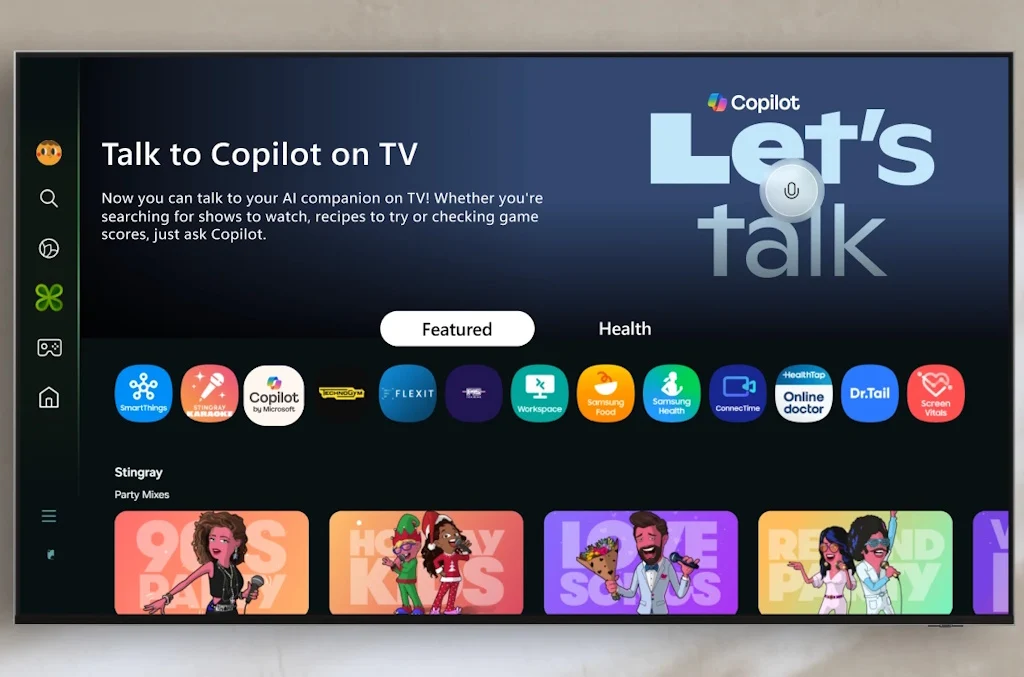
    Microsoft has introduced its Copilot AI to certain Samsung HDTVs and monitors, featuring hands-free voice commands.

    What is Copilot?

    Copilot is an AI chatbot developed by Microsoft, now available for free on Windows 11, Edge, and other platforms. This technology makes use of Microsoft’s collaboration with OpenAI, integrating cutting-edge models like GPT-5.

    Supported Devices

    The Copilot assistant is compatible with Samsung’s 2025 TV lineup, which includes models like Micro RGB, Neo QLED, OLED, The Frame Pro, The Frame series, along with the M7, M8, and M9 smart monitors. Many of these devices can be purchased from Amazon, including the Samsung OLED HDTV.

    Interaction Features

    Users of these supported models can interact with Copilot by asking questions related to their favorite shows, and the AI responds with a combination of text and visuals. It also provides tailored recommendations based on preferences, suggesting shows that resemble those they already like. Additionally, the AI offers episode or season summaries so viewers can quickly get up to speed, plus it gives background info on cast members and other important figures in a show.

    Copilot’s capabilities extend beyond entertainment; it can answer general inquiries like any other major AI chatbot. By logging into their Microsoft account, users can have their chat history saved across devices, enhancing personalization and helping the AI learn from interactions.

    Source:
    Link


  • Microsoft 365 Copilot Back-to-School: Summarize Books, Create Quizzes, Track Budget

    Microsoft 365 Copilot Back-to-School: Summarize Books, Create Quizzes, Track Budget

    Key Takeaways

    1. Microsoft is launching a new upgrade for 365 Copilot tailored specifically for students to simplify academic tasks and campus life.
    2. Copilot can provide quick academic support, such as summarizing literature and creating practice quizzes for subjects like math and literature.
    3. The upgrade includes lifestyle assistant features, offering dorm decor ideas, microwave meal suggestions, and help with budgeting.
    4. Students can manage their finances by inputting income and expenses, allowing Copilot to create a financial plan.
    5. This development reflects Microsoft’s vision to evolve Copilot into a versatile assistant for students, combining academic and everyday support.


    Microsoft is launching a new upgrade for 365 Copilot that is designed specifically for students, just in time for the start of the semester. This upgrade introduces tools that aim to simplify both academic tasks and life on campus, as stated in a recent blog entry by the company.

    Academic Support

    With this upgrade, students can utilize Copilot for quick refreshers on various subjects, such as summarizing literature or creating practice quizzes. For instance, Microsoft used Shakespeare’s Hamlet as a case study: Copilot can outline the play’s key themes and generate a quiz with 10 questions to evaluate understanding. This method can also be applied to math and other subjects where learners might need a quick review.

    Lifestyle Assistant Features

    In addition to academic help, Copilot is also functioning as a personal assistant. It can suggest decor ideas for dorms or lockers based on a student’s tastes and budget, offer ideas for microwave meals, and even locate nearby grocery stores. Furthermore, Microsoft presented Copilot as a tool for managing budgets.

    Students are able to input their income, subscriptions, and travel plans, and Copilot will provide a financial plan that helps balance expenses with savings. This update also suggests various task management applications, indicating that Copilot is evolving into a more comprehensive digital assistant.

    Vision for the Future

    This development demonstrates Microsoft’s broader vision of transforming Copilot from a simple work tool into a versatile assistant tailored for students and young individuals who seek AI support for both their academic and everyday needs.

    The new features are currently accessible to Microsoft 365 Insider testers on platforms including Windows, Mac, web, iOS, and Android. A wider release will take place after the testing phase concludes.

    Source:
    Link


  • Microsoft 365 Introduces AI Features for Additional Cost

    Microsoft 365 Introduces AI Features for Additional Cost

    Microsoft is enhancing its online office suite, but users will need to pay more for these improvements.

    The tech giant revealed that it will integrate its Copilot AI into the Office applications that come with a Microsoft 365 subscription. This includes popular programs like Word, Excel, PowerPoint, Outlook, and OneNote. Copilot is the AI feature that Microsoft has been gradually introducing into its different software, such as Windows 11.

    Pricing Changes

    Before this update, Windows users had to subscribe to Copilot Pro to use it in the Office suite, which cost $20 each month. Microsoft is keeping this subscription option, but now anyone can add Copilot to their Microsoft 365 plan.

    However, there is a slight downside. Adding Copilot to Microsoft 365 will increase the subscription fee by 30-42%. For individual users, the monthly cost will rise from $6.99 to $9.99 (or from $69.99 to $99.99 annually). For families, the price will go up from $9.99 to $12.99 per month, and yearly subscriptions will increase from $99.99 to $129.99.

    Additional Tools

    Copilot isn’t alone when it comes to AI features in Microsoft 365. The company is also introducing Microsoft Designer, which serves as an AI image editing tool.

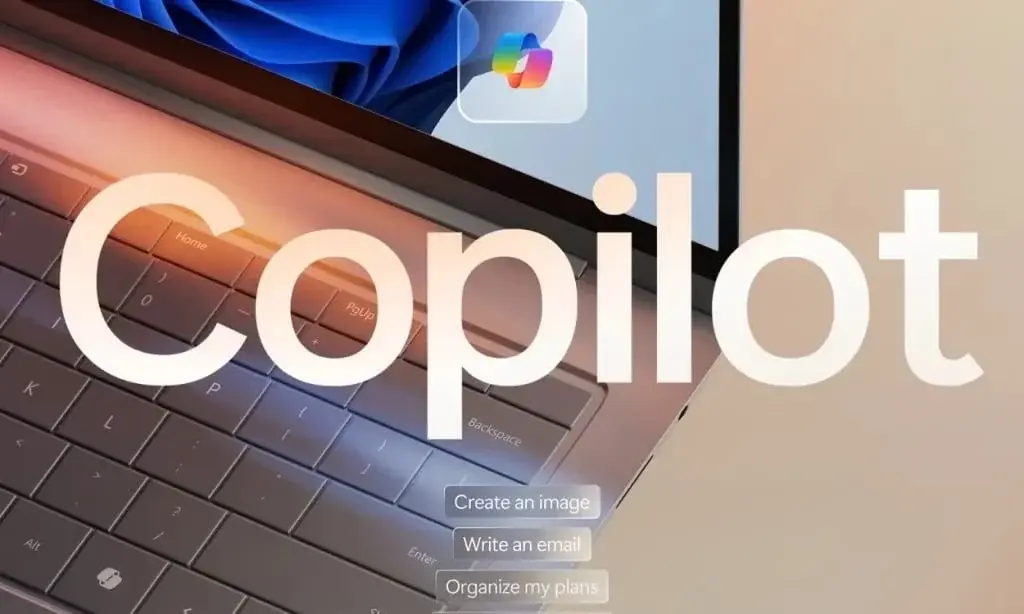
    Copilot is already deeply integrated into Windows 11, and many new laptops, like the 2024 Surface Laptop, which currently costs $833 on Amazon, come equipped with a special button for Copilot on their keyboards.

    AI technology has been swiftly integrated into various consumer products, receiving a mixed reaction from users. Copilot, in particular, has faced significant backlash, with much of it focusing on its inadequate response quality (including alarming threats to users) and Microsoft’s aggressive application of the feature.

    Source:
    Link

  • Microsoft Rolls Out Full-Screen Ads for Windows 10 Users

    Microsoft Rolls Out Full-Screen Ads for Windows 10 Users

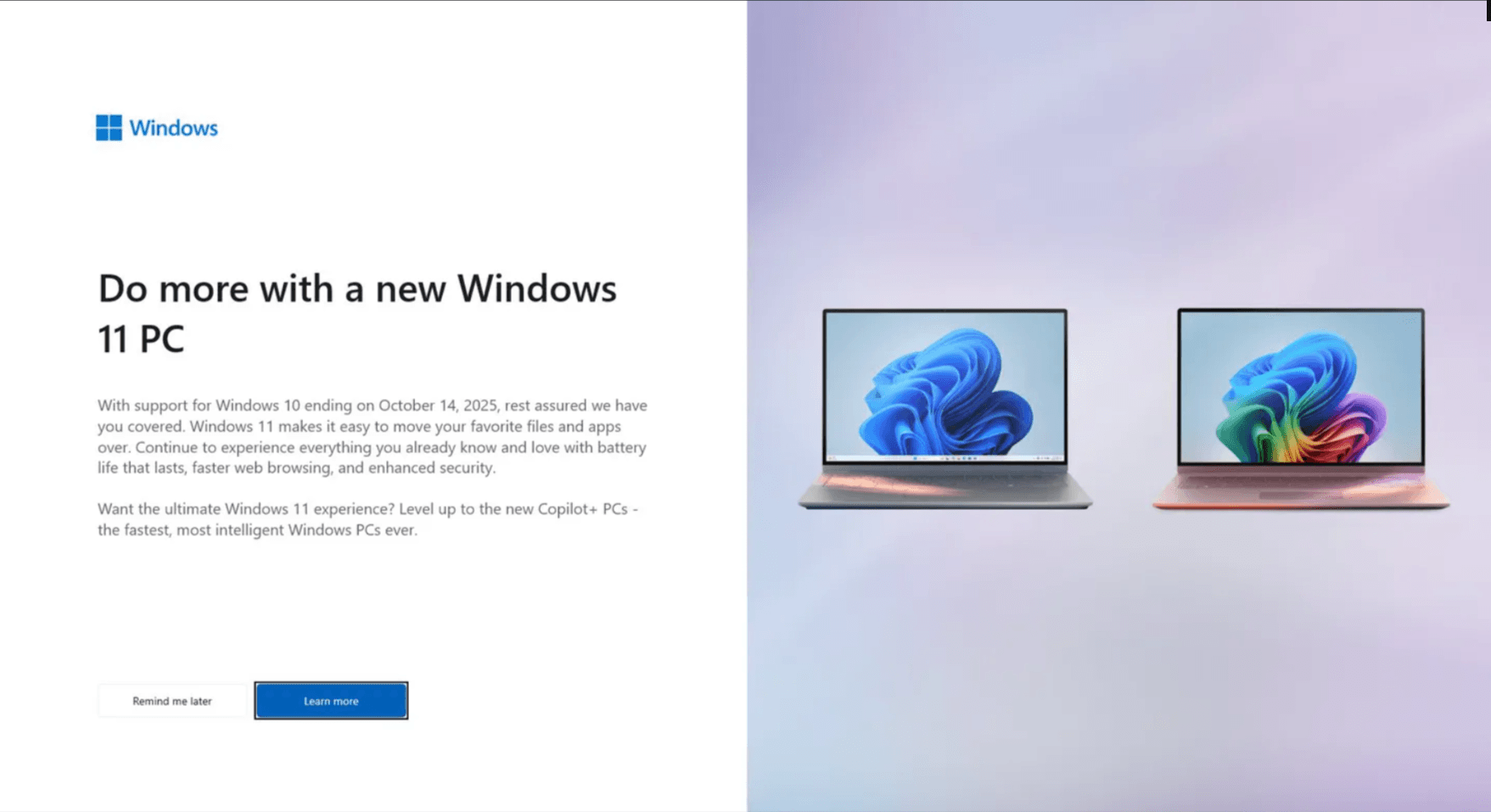
    Microsoft has a history of irritating users to encourage upgrades from older Windows versions, and now they seem to be focusing on persuading people to buy new PCs—particularly from the Microsoft Surface Laptop range. While the specific laptop is not mentioned, the intent is unmistakable. Microsoft is shifting its strategy from merely encouraging users to leave Windows 10 to pushing them towards replacing outdated hardware.

    The Role of Copilot+

    Copilot+, an AI feature that comes standard in Windows 11, plays a major role in these new advertisements. A full-screen prompt, which isn’t appearing for every Windows 10 user just yet, encourages people to “level up” by purchasing a PC compatible with Copilot+. The catch here is that only a limited number of machines currently meet the criteria for this new feature. For a device to be certified for Copilot+, it must have an integrated neural processing unit capable of executing at least 40 trillion operations per second. Right now, the only PCs available that fulfill this requirement utilize Snapdragon X, Intel Core Ultra, or AMD Ryzen AI processors.

    A Push for New Sales

    This strategy is clearly aimed at increasing the sales of new PCs. Windows 10 has maintained high user numbers for quite a while; however, since late 2021, the majority of new PCs sold have come equipped with Windows 11. This campaign is primarily focused on users clinging to their old hardware, and its aggressive and seemingly urgent approach might just nudge less tech-savvy users to make the switch. For those who wish to remain on Windows 10 and keep their older systems, there are a few alternatives, but the official support from Microsoft will only extend for a year. On the other hand, unofficial alternatives are mainly for users with more technical skills.

    Conclusion

    In conclusion, Microsoft’s current marketing efforts highlight a trend towards getting users to update their hardware rather than just their software. With the introduction of features like Copilot+, they are making a clear push for modern machines, leaving older systems behind. While some users may find ways to stick to their current setups, the pressure from these ads could lead many to consider new purchases.

    Source: Link,Link

  • Microsoft Postpones Copilot+ Recall to December

    Microsoft Postpones Copilot+ Recall to December

    Microsoft has once again postponed the Recall feature for Copilot+ PCs. This feature is designed to simplify the process of finding items on Windows by capturing screenshots of user activity at set intervals, which allows users to search through this information. It employs local AI models to create a timeline for users to explore.

    Initial Plans and Delays

    Originally, Microsoft intended to launch this feature in June. However, due to pushback from users and security experts, the rollout was pushed back to November. The company also decided that Recall would first be available to Microsoft Insiders for testing rather than being offered as an opt-in feature as previously planned.

    Further Postponement

    Now, Microsoft has announced yet another delay, moving the launch to December. Brendon LeBlanc, who is a senior product manager for Windows, informed The Verge that Microsoft is "dedicated to providing a secure and trustworthy experience with Recall" and is "taking more time to enhance the experience before introducing it to Windows Insiders".

    Hardware Requirements

    Recall will only be available on "Copilot+ PCs," which are computers equipped with dedicated NPUs (Neural Processing Units). To be classified as a "Copilot+ PC," Microsoft requires an NPU that can perform 40 trillion operations per second, along with 16GB of RAM and 256GB of solid-state storage.

    The Verge, Microsoft Windows Blogs.

  • Expanding the Microsoft Copilot window for enhanced chat space

    Expanding the Microsoft Copilot window for enhanced chat space

    Microsoft recently announced updates to its Copilot for Windows, responding to user feedback with a small yet significant change. Shilpa Ranganathan, Corporate Vice-President for Windows at Microsoft, shared the news on her X (formerly Twitter) account, revealing that the chat windows for Copilot will now launch with a larger chat space by default, addressing a common user request.

    Improved Chat Window Size

    Ranganathan emphasized that users can still resize the Copilot chat window according to their preferences, with the option to switch back to a thinner side-by-side window if desired. Moreover, she hinted at the possibility of additional chat window size options in the future, including the potential for the Copilot window to occupy the entire screen or one monitor in a two-monitor desktop PC setup.

    Enhanced Side-by-Side Functionality

    In addition to the larger default chat window size, users will now find a dedicated button to make Copilot appear side by side with another open window. This feature allows Copilot to cover half the screen alongside any open app and seamlessly returns to overlay mode with another click of the button.

    Potential for Full-Screen Support

    Responding to a user suggestion for full-screen support, Ranganathan acknowledged that Microsoft is considering this idea. Given that Copilot operates as a web-view implementation and co-exists with the Edge browser, implementing full-screen support should be feasible. Users are advised to ensure they have the latest version of Microsoft Edge installed to access these new features.

    The updates to Copilot underscore Microsoft’s commitment to improving user experience and responsiveness to feedback. As Ranganathan indicates, there is much more to come for Copilot in Windows, suggesting ongoing development. Keep an eye here for interesting future additions to Copilot and more.

  • More than 75 million users have adopted Copilot, resulting in a 70% boost in productivity.

    More than 75 million users have adopted Copilot, resulting in a 70% boost in productivity.

    Microsoft’s AI Tool, Copilot, Achieves Remarkable Success

    Microsoft’s AI tool, Copilot, has seen incredible success since its release on the Windows 11 system in October 2023 and the Windows 10 system in December 2023. In an earnings conference call, Microsoft CEO Satya Nadella announced that Copilot has been adopted by over 75 million devices worldwide in less than three months. This rapid adoption is a testament to the significant productivity gains that can be achieved with generative artificial intelligence tools like Copilot, which Nadella claims can boost productivity by up to 70%.

    Boosting Efficiency with Copilot

    The early adopters of Copilot have already experienced impressive results. According to Nadella, these users have shown a remarkable 29% increase in efficiency across various tasks such as searching, writing, and summarizing. This highlights the influence of artificial intelligence in transforming the way people work and the substantial productivity enhancements that can be achieved through the integration of generative AI into specific work tasks.

    Embracing Copilot in the Corporate Sector

    Copilot’s success extends beyond individual users to major companies like Dentsu, Honda, and Pfizer, who have deployed the AI tool to their employees. In just two months, the adoption rate of Copilot has exceeded that of the E3 or E5 kits, demonstrating a rapid embrace of the tool in the corporate sector. This widespread adoption showcases Microsoft’s commitment to enhancing productivity through innovative AI solutions. Copilot has become a valuable asset for users across different industries.

    Integration with Office 365

    The success of Copilot is further amplified by Microsoft’s recent announcement that the number of paying users of Office 365 has surpassed 400 million. The combination of Copilot and Office 365 provides users with powerful tools to achieve more in their work. This integration represents a significant step forward in the integration of artificial intelligence into everyday productivity tasks.

    In conclusion, Microsoft’s AI tool, Copilot, has achieved remarkable success since its release. With over 75 million devices worldwide adopting the tool in less than three months, it is clear that Copilot’s productivity gains are substantial. Early adopters have experienced a 29% increase in efficiency, and major companies have embraced Copilot in the corporate sector. The integration of Copilot with Office 365 further enhances its capabilities and showcases Microsoft’s commitment to enhancing productivity through innovative AI solutions.

  • More Students and Teachers to Benefit from Microsoft’s Expansion of Copilot Access, Empowering Learning with AI

    More Students and Teachers to Benefit from Microsoft’s Expansion of Copilot Access, Empowering Learning with AI

    Microsoft Education has recently announced the launch of several new AI tools that are specifically designed for schools. These tools, including an expanded Copilot for Microsoft 365, a collaboration app called Loop, and an AI-powered Reading Coach, have been developed to enhance the learning experiences of students.

    Starting from January 1, 2024, a larger number of individuals, including students and teachers who utilize free Microsoft services, will have access to Copilot. Institutions such as The University of Hong Kong and The University of Manchester have already adopted this tool, and Microsoft has made it easier for other schools to acquire Copilot as well.

    Loop, an AI-powered app, is set to be included in Microsoft 365 plans starting from March 2024. The purpose of this app is to facilitate collaboration between students and teachers, enabling them to work together on projects in a unique and innovative manner.

    The Reading Coach is another notable tool introduced by Microsoft Education. This tool utilizes generative AI to assist individuals in improving their reading skills. It is designed to adapt to each person's reading level, offers dynamic story creation, and provides valuable feedback on reading proficiency.

    In addition to these tools, Microsoft is also introducing new AI features for teachers who use Microsoft Teams for Education and Microsoft Reflect. These features, expected to be released later this year, are intended to help teachers save time and customize their teaching methods to suit the needs of each student.

    In order to ensure the safe and responsible use of these AI tools, Microsoft has developed the AI for Educators Learning Path on Microsoft Learn. This learning path serves as a comprehensive guide for teachers and students, providing them with the necessary knowledge and skills to effectively utilize these tools.

    Overall, the introduction of these new AI tools by Microsoft Education signifies a significant step towards enhancing the educational experience for students and teachers alike. With the integration of AI technology, Microsoft aims to create a more collaborative and personalized learning environment that fosters growth and development.