Tag: Microsoft 365

  • Microsoft AI addiction goal exposed in leaked ClawPilot documents

    Microsoft AI addiction goal exposed in leaked ClawPilot documents

    Key Takeaway

    – Microsoft’s “ClawPilot” plan explicitly aims to make users addicted to the AI tool in Phase 1.
    – Internal tests show high engagement and low bounce rates, confirming the addiction strategy works.
    – Phase 2 and 3 will integrate ClawPilot with other AI tools and add features.
    – The plan prioritizes user lock-in over addressing growing concerns about AI dependency.
    – Security and compliance are treated as unresolved future concerns, not current priorities.


    Microsoft’s new AI tool comes with a plan to make you hooked

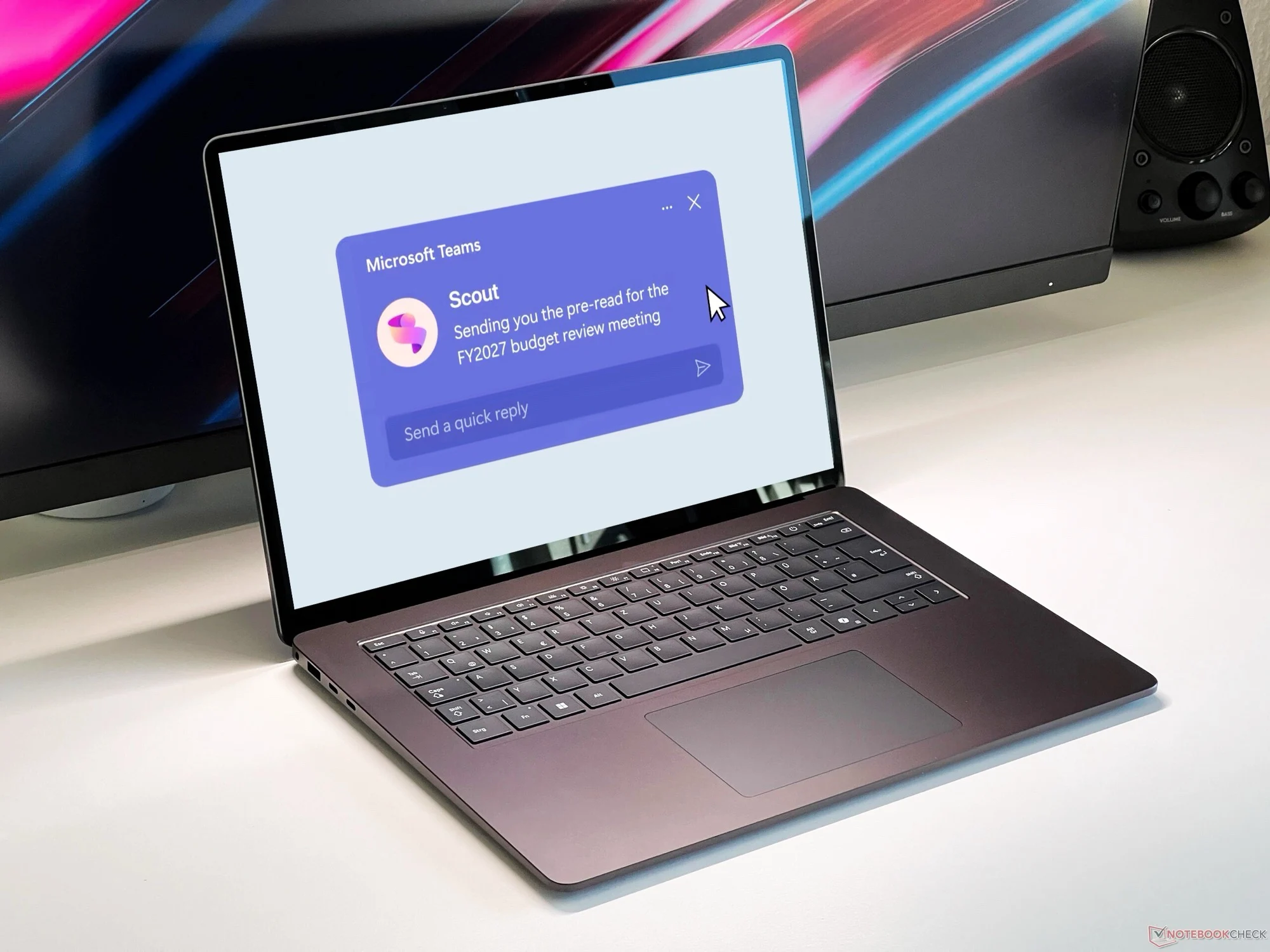
    Microsoft Scout is set to integrate OpenClaw into Microsoft 365. What at first sounds like a product that is as harmless as it is predictable has less harmless intentions, as a report by 404 Media reveals. This is because 404 Media was able to view an internal Microsoft document entitled “ClawPilot: Overview and Plan with Project Lobster”, which describes the launch of the software in three phases.

    The first phase is called, quote: “Make people addicted”

    The document goes on to say that Microsoft Scout or ClawPilot should offer a user experience that leads to users becoming addicted to the software in order to be able to complete their daily tasks. This in turn should lead to a growth in user numbers. Internal tests with Microsoft employees have already shown that this strategy works, as the software not only has a very low bounce rate, but is also used intensively by users on a daily basis.

    Phases 2 and 3 focus on expansion

    Phases 2 and 3 of the launch plan envision combining ClawPilot with other AI tools and introducing new features. It is not surprising that Microsoft is trying to reach as many customers as possible with new software. Particularly in light of the growing problems surrounding the dependence on AI chatbots however, it is worrying that Microsoft appears to see AI addiction as an opportunity rather than a risk.

    Security and compliance are left for later

    It is at least as worrying that the document describes security and compliance as important things “to figure out moving forward”. Since ClawPilot requires access to sensitive accounts and documents in order to function properly, security should be a top priority, not an open item on a to-do list.
    Sources
  • Stryker US Data Breach Linked to Stolen Credentials

    Stryker US Data Breach Linked to Stolen Credentials

    Key Takeaways

    1. The cyberattack on Stryker may have begun with stolen credentials from infostealer malware, not a software vulnerability.
    2. Alon Gal from Hudson Rock found Stryker administrator credentials in infostealer logs, indicating a possible long exposure period.
    3. Stryker has not confirmed the method of attack and continues to investigate the incident’s scope and effects.
    4. There are reports that Stryker-related credentials were found in infostealer logs for much of 2025, suggesting prior exposure.
    5. The situation remains unclear as Stryker’s investigation is ongoing, with no official verification of the attack method yet.


    New information suggests that the cyberattack affecting Stryker, a major player in medical technology, might have started with stolen credentials obtained through infostealer malware, rather than through a software vulnerability.

    SecurityWeek shared on March 18 that Alon Gal, CTO of Hudson Rock, discovered Stryker administrator credentials within infostealer logs. These logs also contained other credentials related to Microsoft services and mobile device management linked to Stryker.

    Lack of Confirmation

    However, this does not confirm a forensic conclusion, and Stryker has yet to verify this method of attack. In a filing with the SEC on March 11, the company acknowledged a cybersecurity incident impacting specific IT systems that resulted in a worldwide disruption to its Microsoft environment. At that time, Stryker indicated there was no evidence of ransomware or malware, and investigations were still in progress.

    New Insights on Attack Method

    Recent reports are significant because they present a detailed theory regarding how attackers might have accessed Stryker’s systems. Earlier, SecurityWeek had mentioned that the attackers could have exploited Stryker’s Microsoft Intune environment after breaching an administrator account, subsequently creating a new global admin account, allegedly used to erase managed devices.

    Hudson Rock’s findings offer a potential upstream explanation: the credentials may have been circulating in infostealer logs prior to the cyber incident. Gal noted that the credentials connected to Stryker seemed to be several months or even years old, indicating that the exposure period might have started long before the incident on March 11.

    Ongoing Investigation

    In addition, a post from Lunar Cyber on March 12 mentioned that it spotted Stryker-related credentials in infostealer logs for much of 2025, revealing around 14 credential sets that compromised Microsoft 365 and other third-party portals.

    While this does not prove that the credentials were utilized in the breach, it does bolster the likelihood that Stryker-related access data was exposed prior to the incident being made public. Stryker’s filing continues to assert that the complete scope, nature, and effects of the incident are still unclear.

    At this point, the best way to understand the situation is that new reports have connected the Stryker breach to possibly stolen credentials. However, Stryker’s investigation is ongoing, and the precise method of intrusion has not been officially verified.

    Source:
    Link


  • Microsoft Strengthens Local Account Restrictions in Windows 11 Setup

    Microsoft Strengthens Local Account Restrictions in Windows 11 Setup

    Key Takeaways

    1. Microsoft prefers users to create online accounts during Windows 11 installation, discouraging local accounts.
    2. The initial setup now requires an internet connection, making it harder to bypass sign-in.
    3. Microsoft believes offline accounts may lead to users missing important setup steps.
    4. The OOBE screens promote Microsoft 365 and OneDrive, ensuring users engage with these services.
    5. New beta builds include features like an improved dark mode, which will be available in the stable version later.


    Microsoft has made it very clear that it prefers users not to create local accounts when installing Windows 11. The company has pointed out the downsides it sees in offline accounts, mainly focusing on the syncing feature.

    Changes to Initial Setup

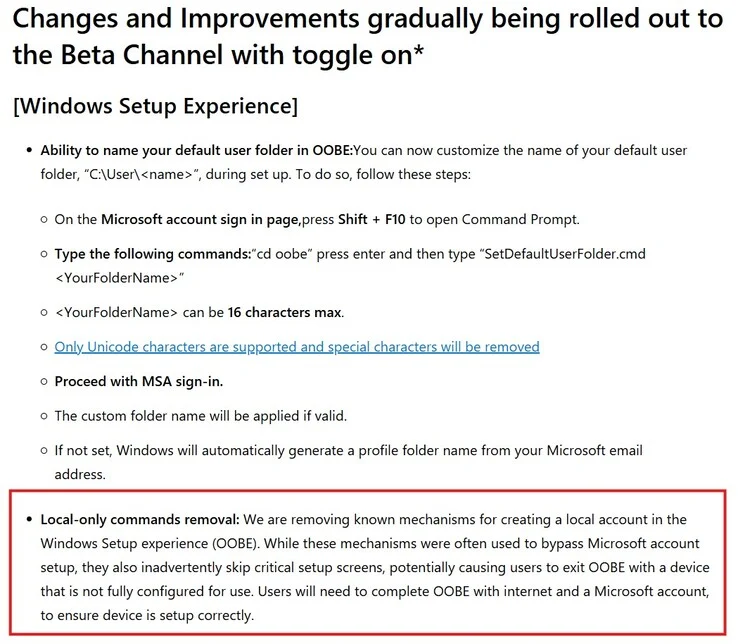
    In earlier versions, Microsoft had blocked the widely-used OOBEbypassnro command, which let users skip part of the initial setup. This provided a way to create an offline account. Now, the company has firmed up its position on this issue.

    As revealed with the latest preview builds, the initial setup of Windows 11 now mandates an internet connection. This change has made it tougher to bypass the sign-in requirement during the out-of-box experience (OOBE).

    Microsoft’s Rationale

    The company argues that users might “accidentally skip important setup screens” if they attempt to bypass the sign-in requirement. Microsoft also claims that creating an offline account results in the PC being “not fully ready for use.”

    Interestingly, during the OOBE screens, Microsoft promotes its Microsoft 365 plan and encourages users to set up their OneDrive. These new restrictions seem to ensure that users don’t skip over these steps while configuring their Windows 11 PC (Geekom AX8 Max mini PC currently priced at $529 on Amazon).

    New Features in Beta Builds

    Of course, these new restrictions are not the only changes in the new beta builds. Microsoft has also introduced useful features, such as an improved dark mode. All of these updates will eventually be available in the stable version of Windows 11, following a few rounds of testing by the company.

    Source:
    Link


  • Microsoft Windows 10 Support Ending Soon: Get 1 Year Free ESU Updates

    Microsoft Windows 10 Support Ending Soon: Get 1 Year Free ESU Updates

    Key Takeaways

    1. Windows 10 support ends on October 14, 2025, highlighting the urgency for users to update.
    2. Microsoft has simplified support options for users in the European Economic Area (EEA) to include a free option and a one-time payment.
    3. Users outside the EEA must choose from original ESU options, which cost $61 per device annually for business clients.
    4. The ESU program offers critical security updates from October 15, 2025, to October 13, 2026, but is temporary.
    5. Microsoft recommends upgrading to Windows 11, with Microsoft 365 applications receiving updates on Windows 10 until October 10, 2028.


    The end of support for Windows 10 is set for October 14, 2025, and this has been a hot topic for quite some time. Many users who have not yet updated are starting to realize the importance of this deadline, especially since other major companies are making similar announcements. For instance, Valve has stated that it will stop providing Steam updates for the 32-bit version of Windows 10 starting January 1, 2026.

    Changes in European Support

    Due to pressure from consumer advocacy groups like Euroconsumers and tech news outlets such as Windows Central regarding the initial ESU requirements (which included things like cloud backup and rewards points), Microsoft has decided to make things easier for users in the European Economic Area (EEA). Microsoft Germany has confirmed the final options available for individuals in the EEA.

    1. Free option (through Microsoft account)

    2. One-time payment

    Options for Users Outside the EEA

    For users outside the EEA, Microsoft is keeping the original ESU options. These private users have to select one of the following choices if they wish to keep receiving updates:

    The ESU program for business clients costs $61 per device each year. Users can renew for a maximum of three years.

    If you’re operating Windows 10 on virtual machines like Windows 365, you can access ESU at no cost, and there is no need for registration or any additional steps.

    Temporary Updates and Future Recommendations

    The ESU program will provide critical and important security updates from October 15, 2025, until October 13, 2026, but this is just a short-term fix.

    Microsoft still suggests that users upgrade to Windows 11. For those who use Microsoft 365, the related Office applications will keep receiving security updates on Windows 10 devices until October 10, 2028.

  • Windows 11 25H2 Update: New AI Features and Emojis Available Now

    Windows 11 25H2 Update: New AI Features and Emojis Available Now

    Key Takeaways

    1. The KB5065789 update is a preview for Windows 11 25H2, available in the Release Preview Channel, with a final release expected in October 2025.
    2. Click to Do now supports recognizing tables and allows content export to Excel, with some features requiring a Microsoft 365 subscription.
    3. Users can customize system popups and pin applications to the taskbar without restarting Explorer; new AI-driven features are coming to File Explorer.
    4. Accessibility improvements include enhanced Narrator functionality and a Braille Viewer for users with visual impairments, along with gaming performance enhancements.
    5. New emojis and reorganized settings improve user experience, with added passkey integration and a plugin manager for easier management.


    According to Microsoft, the KB5065789 update is now present in the Release Preview Channel. This update is a preview, allowing users who are interested to test out features of the forthcoming Windows 11 25H2 version before it officially launches. Alongside many bug fixes, Microsoft has revealed improved AI-driven actions, more emojis, and enhancements to File Explorer and the desktop. The final version of this feature update is anticipated to be released to all users in October 2025.

    New Features for Click to Do

    The update broadens the capabilities of Click to Do, enabling it to recognize tables and directly export, copy, or share selected content to Excel. However, for some actions like converting to Excel files, a Microsoft 365 subscription is necessary. The context menu now features new action tags that highlight commonly used functions. Additionally, the summary function has been improved to deliver more concise and accurate results, increasing the efficiency of working with AI tools.

    Enhanced User Experience

    Users can now relocate system popups for volume, brightness, or airplane mode at their discretion. Furthermore, applications can be pinned to the taskbar without needing to restart Explorer. File Explorer will also introduce AI-driven features such as document editing or summarization, although these functions are currently unavailable in the European Economic Area. Apps can be pinned in the Share dialog, and various settings for time, language, and keyboard have been transitioned from the traditional Control Panel to the modern Windows Settings interface.

    Accessibility and Gaming Improvements

    The Narrator feature now provides smoother reading experiences in Word, making navigation through tables and lists easier, which is designed to enhance the enjoyment of viewing text documents. Additionally, a Braille Viewer has been added to improve accessibility for users with visual impairments, allowing screen content to be presented in Braille, thus making complex documents more navigable.

    Gamers will find performance enhancements in the Game Bar and for multi-monitor setups. On Copilot+ PCs equipped with Snapdragon chips, this update introduces Auto Super Resolution, boosting the image quality of compatible games. Xbox controller functionalities have been refined, and new actions can be executed with either a short or long press of the Xbox button.

    New Emoji and Settings Changes

    Support for emojis has been expanded to version 16.0, featuring new icons such as a face with dark circles under its eyes, a fingerprint, a bare tree, and a harp. The advanced settings page has been reorganized for clearer grouping of developer options. Microsoft has also reinforced passkey integration and launched a plugin manager for easier management. New administrator protection is introduced to grant elevated rights only on a “just-in-time” basis.

    The Windows 11 25H2 Preview Update KB5065789 provides an early look at planned features and enhancements. It is mainly targeted at users eager to explore upcoming functionalities ahead of time. Nonetheless, Microsoft suggests using the stable version, which is expected to be ready for general use starting October 2025.

    Source:
    Link


  • Microsoft 365 Copilot Back-to-School: Summarize Books, Create Quizzes, Track Budget

    Microsoft 365 Copilot Back-to-School: Summarize Books, Create Quizzes, Track Budget

    Key Takeaways

    1. Microsoft is launching a new upgrade for 365 Copilot tailored specifically for students to simplify academic tasks and campus life.
    2. Copilot can provide quick academic support, such as summarizing literature and creating practice quizzes for subjects like math and literature.
    3. The upgrade includes lifestyle assistant features, offering dorm decor ideas, microwave meal suggestions, and help with budgeting.
    4. Students can manage their finances by inputting income and expenses, allowing Copilot to create a financial plan.
    5. This development reflects Microsoft’s vision to evolve Copilot into a versatile assistant for students, combining academic and everyday support.


    Microsoft is launching a new upgrade for 365 Copilot that is designed specifically for students, just in time for the start of the semester. This upgrade introduces tools that aim to simplify both academic tasks and life on campus, as stated in a recent blog entry by the company.

    Academic Support

    With this upgrade, students can utilize Copilot for quick refreshers on various subjects, such as summarizing literature or creating practice quizzes. For instance, Microsoft used Shakespeare’s Hamlet as a case study: Copilot can outline the play’s key themes and generate a quiz with 10 questions to evaluate understanding. This method can also be applied to math and other subjects where learners might need a quick review.

    Lifestyle Assistant Features

    In addition to academic help, Copilot is also functioning as a personal assistant. It can suggest decor ideas for dorms or lockers based on a student’s tastes and budget, offer ideas for microwave meals, and even locate nearby grocery stores. Furthermore, Microsoft presented Copilot as a tool for managing budgets.

    Students are able to input their income, subscriptions, and travel plans, and Copilot will provide a financial plan that helps balance expenses with savings. This update also suggests various task management applications, indicating that Copilot is evolving into a more comprehensive digital assistant.

    Vision for the Future

    This development demonstrates Microsoft’s broader vision of transforming Copilot from a simple work tool into a versatile assistant tailored for students and young individuals who seek AI support for both their academic and everyday needs.

    The new features are currently accessible to Microsoft 365 Insider testers on platforms including Windows, Mac, web, iOS, and Android. A wider release will take place after the testing phase concludes.

    Source:
    Link


  • Microsoft Apps Get Security Updates Until 2028 Despite Windows 10 Phaseout

    Microsoft Apps Get Security Updates Until 2028 Despite Windows 10 Phaseout

    Key Takeaways

    1. Windows 10 support will officially end on October 14, 2025, but Microsoft 365 Apps will continue to work on Windows 10 after this date.
    2. Microsoft recommends upgrading to Windows 11 to avoid potential performance and reliability issues.
    3. Security updates for Microsoft 365 on Windows 10 will be provided for three years after end of support, until October 10, 2028.
    4. Businesses are advised to upgrade to Windows 11 or consider alternative operating systems to protect sensitive data.
    5. Alternatives to Windows 11 include Linux distributions like Mint and ChromeOS Flex, which offer different features and security updates.


    The end of support for Windows 10 is coming up quickly. While it’s obvious that some users will need to update to Windows 11, Microsoft keeps surprising us with little changes regarding the end of support for the operating system. Recently, they added a new note about Microsoft 365 on their support webpage.

    Updates to Microsoft 365 Support

    Previously, the support page indicated that Microsoft 365 apps would be unsupported from October 14, 2025, meaning users would need to switch to Windows 11 to keep using them. Microsoft has now modified this message and included a new note that eases this restriction a bit:

    Support for Windows 10 will officially cease on October 14, 2025. Following this date, if you have Microsoft 365 Apps installed on a Windows 10 device, they will keep working as they did before. Still, Microsoft highly recommends upgrading to Windows 11 to prevent potential performance and reliability problems in the future.

    Security Updates After Support Ends

    To help ensure your security while moving to Windows 11, Microsoft will provide security updates for Microsoft 365 on Windows 10 for three years after the end of support, wrapping up on October 10, 2028.

    Businesses should not let their guard down, as it is wise to upgrade to Windows 11 or consider installing a different operating system due to the importance of company data. For personal users who don’t use their Windows 10 PC for sensitive tasks like online banking, but rather for gaming or basic office work, this might give them some extra time before they need to make the switch.

    Alternatives to Windows 11

    If you really prefer not to upgrade to Windows 11, you might want to consider Linux alternatives like Mint. It has a similar aesthetic to MacOS or Windows and is considered secure thanks to regular updates. Another option is switching to ChromeOS Flex, although this operating system is primarily web-based and resembles the Chrome browser with all its extension features.

    Source:
    Link

  • Microsoft 365 Introduces AI Features for Additional Cost

    Microsoft 365 Introduces AI Features for Additional Cost

    Microsoft is enhancing its online office suite, but users will need to pay more for these improvements.

    The tech giant revealed that it will integrate its Copilot AI into the Office applications that come with a Microsoft 365 subscription. This includes popular programs like Word, Excel, PowerPoint, Outlook, and OneNote. Copilot is the AI feature that Microsoft has been gradually introducing into its different software, such as Windows 11.

    Pricing Changes

    Before this update, Windows users had to subscribe to Copilot Pro to use it in the Office suite, which cost $20 each month. Microsoft is keeping this subscription option, but now anyone can add Copilot to their Microsoft 365 plan.

    However, there is a slight downside. Adding Copilot to Microsoft 365 will increase the subscription fee by 30-42%. For individual users, the monthly cost will rise from $6.99 to $9.99 (or from $69.99 to $99.99 annually). For families, the price will go up from $9.99 to $12.99 per month, and yearly subscriptions will increase from $99.99 to $129.99.

    Additional Tools

    Copilot isn’t alone when it comes to AI features in Microsoft 365. The company is also introducing Microsoft Designer, which serves as an AI image editing tool.

    Copilot is already deeply integrated into Windows 11, and many new laptops, like the 2024 Surface Laptop, which currently costs $833 on Amazon, come equipped with a special button for Copilot on their keyboards.

    AI technology has been swiftly integrated into various consumer products, receiving a mixed reaction from users. Copilot, in particular, has faced significant backlash, with much of it focusing on its inadequate response quality (including alarming threats to users) and Microsoft’s aggressive application of the feature.

    Source:
    Link