Author: GizNews

  • New Galaxy Z Fold8 Ultra: Major Battery Upgrade Rumored

    New Galaxy Z Fold8 Ultra: Major Battery Upgrade Rumored

    Key Takeaway

    – Samsung will likely launch the Galaxy Z Fold7 in late July, with a London Unpacked event on July 22.
    – A Galaxy Z Fold8 Ultra model has been certified by Bluetooth SIG, but it appears to be a direct replacement for the Galaxy Z Fold7, not a new segment.
    – Model number SM-F976 confirms the “Ultra” is essentially the Galaxy Z Fold7 successor, while SM-F971 is for a smaller Galaxy Z Fold8.
    – Rumored specs for the Fold8 Ultra include 215g weight, 5,000 mAh battery, 45W charging, and 4.1mm thickness—though thickness claims are disputed.


    Samsung Galaxy Z Fold8 Ultra Appears in Bluetooth SIG Listing

    Samsung is not expected to replace the Galaxy Z Fold7 until the end of July (curr. $1,719 on Amazon). To recap, the company will reportedly head to London on July 22 to host its next Galaxy Unpacked event. In the meantime, numerous rumours have been circulating about Samsung’s next Galaxy Z Fold releases

    Model Numbers Confirm a Replacement

    Now, one of these has turned up on the Bluetooth Special Interest Group (Bluetooth SIG). Specifically, Samsung Electronics has certified the Galaxy Z Fold8 Ultra, which is rumoured to be a Galaxy Z Fold7 replacement rather than a new Galaxy Z Fold segment. The Bluetooth SIG’s listings corroborate this, albeit not directly.

    Instead, the standards organisation mentions SM-F976C, SM-F976Q and SM-F976Z model numbers. For context, Samsung assigns SM-F956 and SM-F966 to the Galaxy Z Fold6 and Galaxy Z Fold7, respectively. Hence, SM-F976 is merely a replacement for the Galaxy Z Fold7, despite Samsung adopting ‘Ultra’ branding

    Rumored Specifications and Weight

    By contrast, SM-F971 should be the model number for the smaller Galaxy Z Fold8, which was previously thought to be called the Galaxy Z Fold8 Wide. Meanwhile, the Galaxy Z Fold8 Ultra is tipped to weigh 215 g with a 5,000 mAh battery and 45 W wired charging. According to Ice Universe, the Galaxy Z Fold8 Ultra will be thinner than the Galaxy Z Fold7at 4.1 mm. Other leakers like OnLeaks dispute this claim, though.

    • Model numbers: SM-F976C, SM-F976Q, SM-F976Z
    • Battery capacity: 5,000 mAh
    • Charging speed: 45 W wired charging
    • Thickness claim: 4.1 mm (disputed)


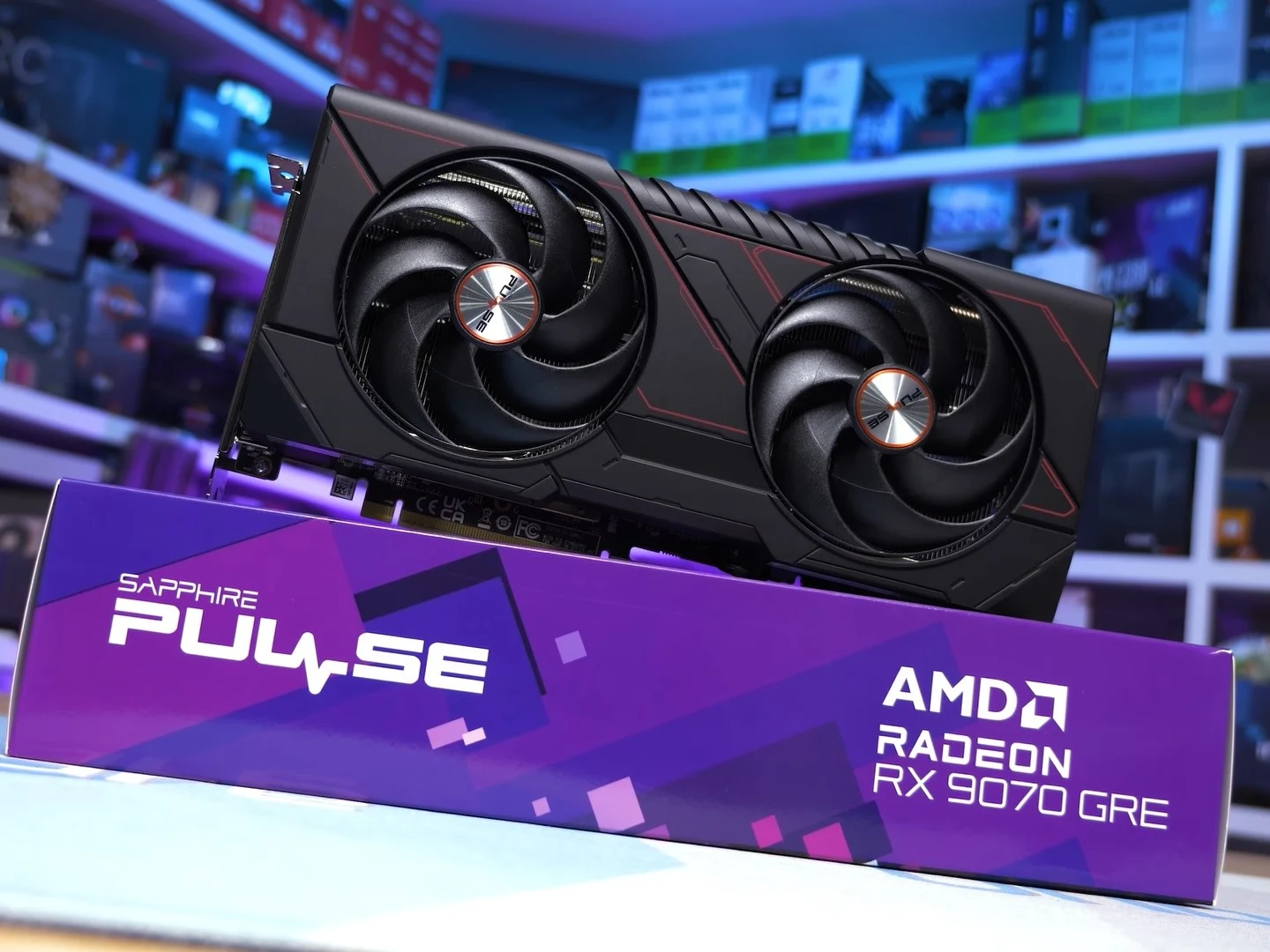
  • AMD RX 9070 GRE vs RX 9070: Same Price, 16% Worse

    AMD RX 9070 GRE vs RX 9070: Same Price, 16% Worse

    Key Takeaway

    – RX 9070 GRE essentially matches RX 7900 GRE performance, 16% behind RX 9070
    – 25% faster than RTX 5060 Ti 16 GB at 1440p, but 5% slower than RTX 5070
    – Poor value at $549 MSRP due to only $50 less than the superior RX 9070
    – 9% worse cost per frame than RX 9070, which offers 4GB more VRAM and 16% better raster
    – Makes more sense compared to overpriced Nvidia alternatives, but should have launched at $500 or less


    AMD’s New GPU Finally Hits Global Shelfs

    A year after its availability in China, AMD has brought the Radeon RX 9070 GRE to the US and other regions. The card is meant to be a cheaper alternative to the RX 9070 and a direct competitor to the RTX 5060 Ti 16 GB and the RTX 5070. However, the RX 9070 GRE fails to make a solid case for itself in Hardware Unboxed’s review.

    Benchmark and Performance Numbers

    Per HU’s testing of 15 games at 1440p, the RX 9070 GRE essentially matches the performance of the RX 7900 GRE and falls 16% behind the RX 9070. It is also 5% slower than the RTX 5070. However, the RX 9070 GRE is 25% faster than the RTX 5060 Ti 16 GB at 1440p. At 4K, the RX 9070 GRE shows a similar performance deficit to the RTX 5070 and the RX 9070.

    Ray Tracing and Power Draw

    Moving on to the average ray tracing performance in seven tested titles at 1440p, the RX 9070 GRE is not particularly impressive. It is 10% slower than the RTX 5070 and 17% slower than the RX 9070. The RX 9070 GRE’s only real advantage here is against the RTX 5060 Ti 16 GB, where the Radeon card is 17% faster. Power-consumption-wise, the RX 9070 GRE sits between the RX 9070 and the RTX 5070. It consumes much less than the RX 9070 but gets handily beaten by the RTX 5070.

    Value and Pricing Analysis

    In a vacuum, the RX 9070 GRE could be considered a pretty solid GPU. It is much faster than the RTX 5060 Ti 16 GB and only marginally behind the RTX 5070. However, AMD has priced the RX 9070 GRE too close to the RX 9070. HU calls the RX 9070 GRE “a waste of time” at the official $549 MSRP. HU notes that the RX 9070 GRE delivers a 9% worse cost per frame than the RX 9070. At $549, the RX 9070 GRE is only $50 less than the RX 9070, which you can currently find for $599 on Amazon. HU argues that the RX 9070 costing just $50 more for 4 GB extra VRAM and 16% better raster performance than the RX 9070 GRE has made the latter a pretty unremarkable option. It would’ve been much better if the RX 9070 GRE had launched at $500 or less.

    Comparisons to Nvidia’s Offerings

    The RX 9070 GRE makes much more sense when we compare it to the RTX 5070 and the RTX 5060 Ti 16 GB, as Nvidia GeForce GPUs have seen a worse price increase compared to AMD Radeon cards. For instance, the cheapest RTX 5070 on Amazon, at the time of writing, is a $607 MSI Ventus Black RTX 5070 that is on sale at a 7% discount. So, normally, you’d be looking at an RTX 5070 that is much more than $600. For the RTX 5060 Ti 16 GB, you’ll need to shell out $549.99 on Amazon to get an Asus Prime GeForce RTX 5060 Ti 16 GB. So, the RX 9070 GRE makes more sense here.

    • RX 9070 GRE: 1440p performance matches RX 7900 GRE, 16% behind RX 9070, 5% slower than RTX 5070
    • Ray tracing: 10% slower than RTX 5070, 17% slower than RX 9070, 17% faster than RTX 5060 Ti 16 GB
    • Power consumption: Between RX 9070 and RTX 5070, better than RX 9070 but worse than RTX 5070
    • Pricing: $549 MSRP, only $50 less than RX 9070 at $599
    • Competition: RTX 5070 starts at $607, RTX 5060 Ti 16 GB at $549.99

    Final Verdict from Reviewers

    Hardware Unboxed on YouTube provided all these insights, concluding the card is a waste of time at its current price. They emphasize the $50 savings does not justify the 16% performance loss and reduced VRAM compared to the RX 9070. The card would be more attractive at $500 or below.


    Sources

  • Microsoft AI addiction goal exposed in leaked ClawPilot documents

    Microsoft AI addiction goal exposed in leaked ClawPilot documents

    Key Takeaway

    – Microsoft’s “ClawPilot” plan explicitly aims to make users addicted to the AI tool in Phase 1.
    – Internal tests show high engagement and low bounce rates, confirming the addiction strategy works.
    – Phase 2 and 3 will integrate ClawPilot with other AI tools and add features.
    – The plan prioritizes user lock-in over addressing growing concerns about AI dependency.
    – Security and compliance are treated as unresolved future concerns, not current priorities.


    Microsoft’s new AI tool comes with a plan to make you hooked

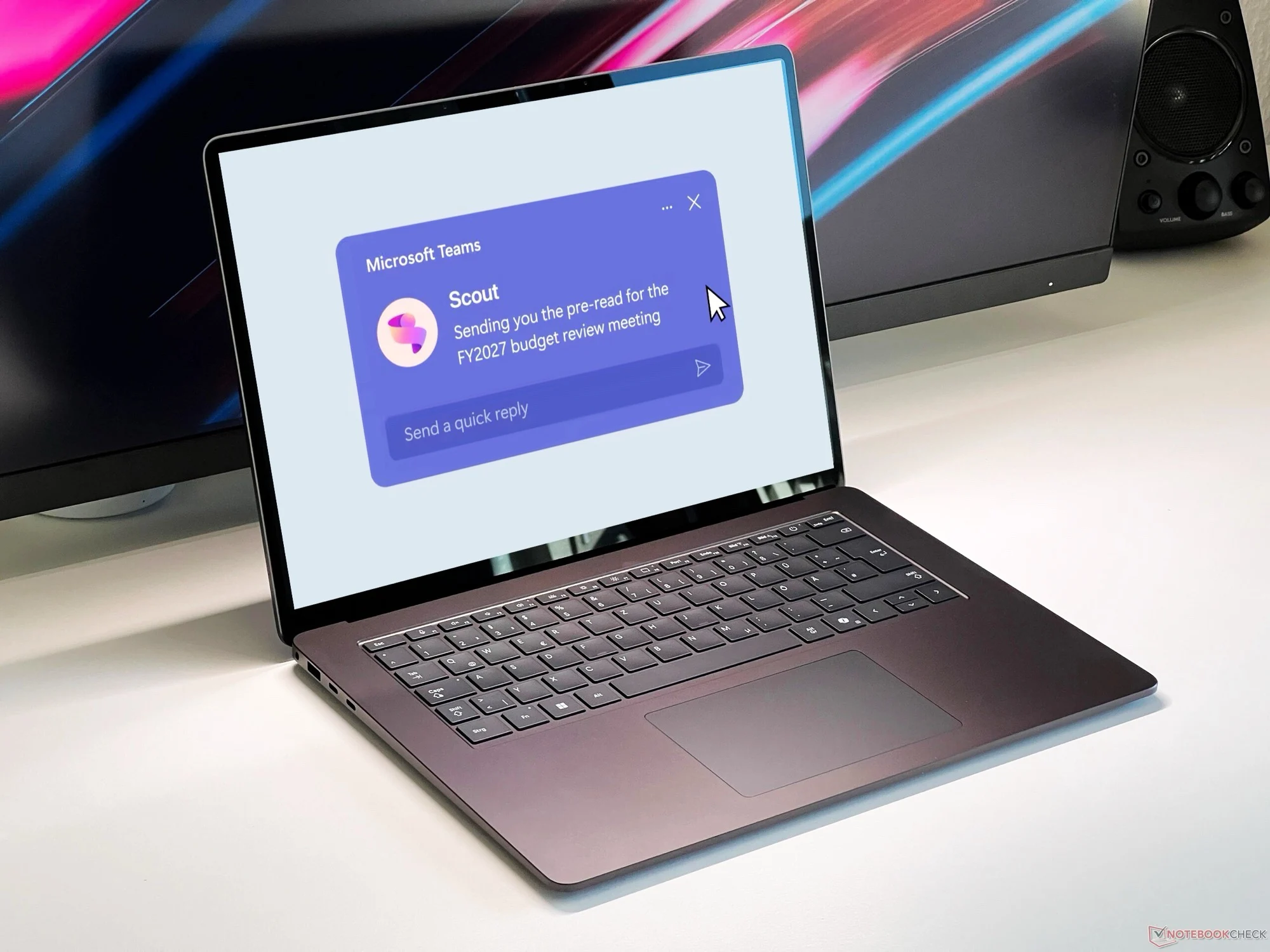
    Microsoft Scout is set to integrate OpenClaw into Microsoft 365. What at first sounds like a product that is as harmless as it is predictable has less harmless intentions, as a report by 404 Media reveals. This is because 404 Media was able to view an internal Microsoft document entitled “ClawPilot: Overview and Plan with Project Lobster”, which describes the launch of the software in three phases.

    The first phase is called, quote: “Make people addicted”

    The document goes on to say that Microsoft Scout or ClawPilot should offer a user experience that leads to users becoming addicted to the software in order to be able to complete their daily tasks. This in turn should lead to a growth in user numbers. Internal tests with Microsoft employees have already shown that this strategy works, as the software not only has a very low bounce rate, but is also used intensively by users on a daily basis.

    Phases 2 and 3 focus on expansion

    Phases 2 and 3 of the launch plan envision combining ClawPilot with other AI tools and introducing new features. It is not surprising that Microsoft is trying to reach as many customers as possible with new software. Particularly in light of the growing problems surrounding the dependence on AI chatbots however, it is worrying that Microsoft appears to see AI addiction as an opportunity rather than a risk.

    Security and compliance are left for later

    It is at least as worrying that the document describes security and compliance as important things “to figure out moving forward”. Since ClawPilot requires access to sensitive accounts and documents in order to function properly, security should be a top priority, not an open item on a to-do list.

    Sources
  • Deal: Asus ROG Swift PG32UCDMR 4K 240Hz OLED Monitor

    Deal: Asus ROG Swift PG32UCDMR 4K 240Hz OLED Monitor

    Key Takeaway

    – The Asus ROG Swift PG32UCDMR is currently $899 on Amazon, a 31% discount and an all-time low price.
    – This “R” variant upgrades to DisplayPort 2.1 (80 Gbps) for uncompressed 4K at 240 Hz and includes USB-C 90W charging.
    – It delivers a 4K QD-OLED panel with 240 Hz, 0.03 ms response, and a matte anti-glare coating.
    – The monitor has strong reviews (4.4/5 on Amazon) and Tom’s Hardware calls it the best 32-inch 4K panel for its price range.
    – While a newer Gen 3 model exists, this version offers excellent value and future-proofing for RTX 50-series GPUs.


    A Major Discount Has Arrived

    If a bigger 4K QD-OLED gaming monitor has been on your radar as of late, this is absoloutely worth paying attention to. Amazon has dropped the Asus ROG Swift PG32UCDMR to $899 — a 31% cut from its $1,299.99 list price and the lowest price it has reached since launch, according to price tracking data from camelcamelcamel. The average Amazon selling price for this monitor sits at $1,208.60. All this places the current deal at a solid $310 below what buyers have typically payed for the same.

    Key Specifications and Connectivity

    The PG32UCDMR is the upgraded “R” variant of the company’s flagship 32-inch QD-OLED line. The primary difference between this one and its predecessor is the DisplayPort 2.1 (80 Gbps) input — important because it allows 4K at 240 Hz without DSC compression — and USB-C 90 W charging support. The panel itself delivers 4K (3840×2160) at 240 Hz with a 0.03 ms response time, 1,500,000:1 contrast ratio, 99% DCI-P3 coverage, and a matte anti-glare coating. G-Sync compatibility, a Neo Proximity Sensor, and a 3-year warranty with accidental damage replacement round out the whole package.

    Critical and Customer Reception

    Reception has been quite strong across the board. Tom’s Hardware called it a “superlative gaming monitor with speedy play and a gorgeous picture to match,” adding there’s nothing better among 32-inch 4K panels for those with the budget. On Amazon, it holds a 4.4 out of 5 rating across 81 reviews. At this pricing, the monitor is seeing a lot of positive feedback from users who appreciate the high refresh rate and vibrant colors.

    A Word on the Newer Model

    One thing worth knowing before buying: Asus launched a Gen 3 successor — the PG32UCDM3 — in January 2026, equipped with a 4th-gen QD-OLED panel with improved peak brightness and an updated BlackShield anti-reflective coating. That model currently retails at $1,299. If you’re not chasing the absolute latest panel generation, the PG32UCDMR at $899 is still very good value, especially for the specs on offer (including the DP 2.1 connectivity that future-proofs it for current GPU generations including the RTX 50 series).

    • Price: $899 (was $1,299.99)
    • Savings: 31% or $310
    • Panel: 32-inch 4K QD-OLED (3840×2160)
    • Refresh: 240Hz / 0.03ms response time
    • Connectivity: DisplayPort 2.1 (80 Gbps), USB-C 90W
    • Rating: 4.4/5 on Amazon (81 reviews)


    Sources

    • Garmin Fenix 8 Pro & Others Get Free Satellite SOS

      Garmin Fenix 8 Pro & Others Get Free Satellite SOS

      Key Takeaway

      – Garmin now allows SOS functions on “suspended” inReach subscriptions, saving activation fees.
      – Pausing a subscription for up to 12 months enables year-round SOS access with just one $7.99 payment per year.
      – Other features (check-in messages, photo/voice transfer, LiveTrack) still require a paid subscription.
      – Voice calls and text messages via mobile network need at least the cheapest “Enabled” subscription.
      – The SOS-only feature on paused plans requires a firmware update and is limited to specific Garmin products.


      New SOS Access on Garmin Devices

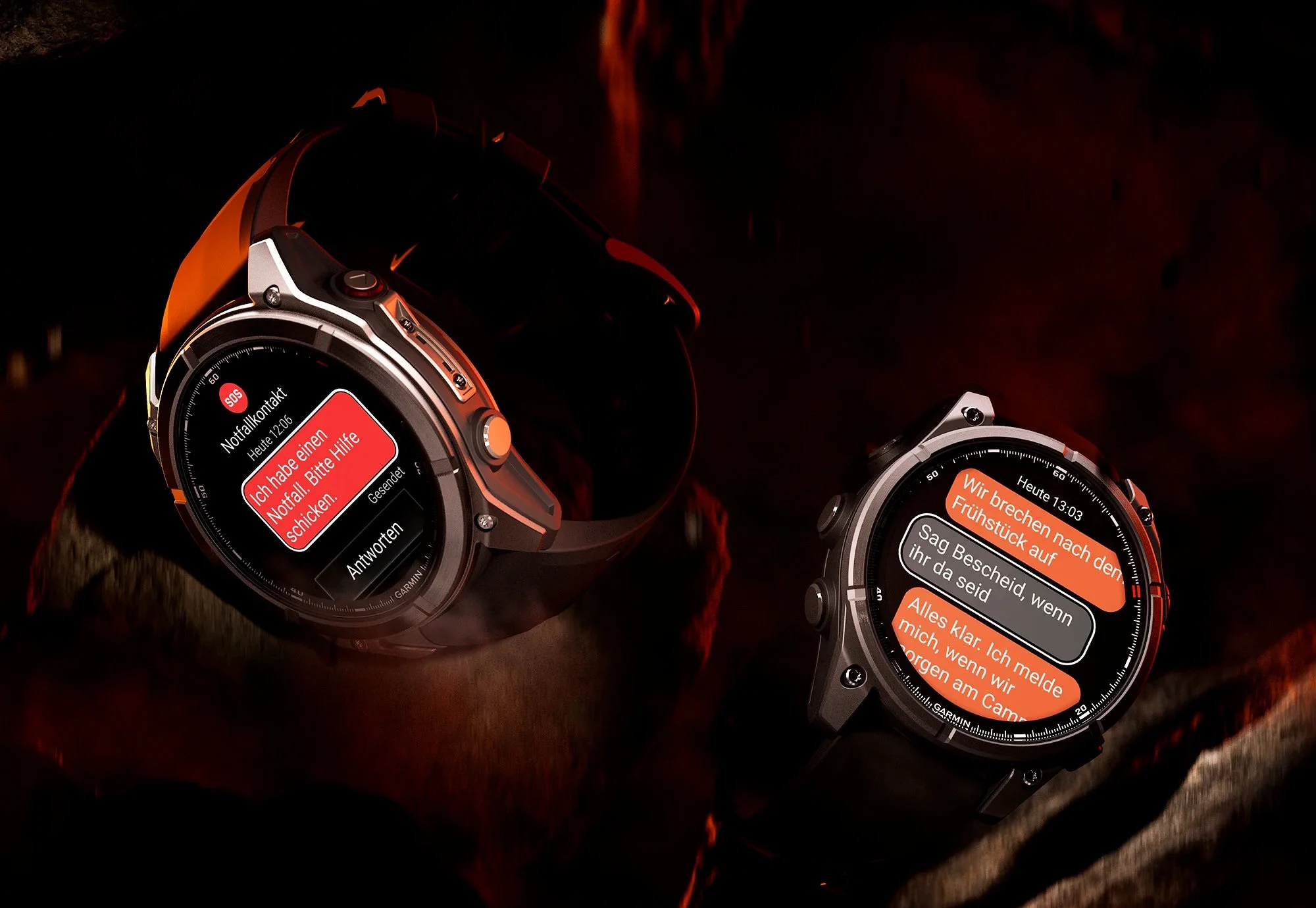
      While smartphones like the Apple iPhone 17 ($759 on Amazon) have been offering free satellite SOS features for years, users of a Garmin Fenix 8 Pro, a Quatix 8 Pro or even a dedicated inReach satellite communication device have to take out a paid subscription to be able to use this function. This is now changing, at least partially, as users with a “suspended” inReach subscription can now also access the SOS functions.

      Subscription Pause Changes

      Until now, pausing a subscription was mainly practical in order to save the activation fee of $39.99 if the subscription was to be continued at some point. A subscription can be paused for a maximum of twelve months at a time and is then automatically reactivated. The new arrangement means that it is effectively possible to pay $7.99 once a year for the cheapest inReach subscription and use Garmin inReach emergency call features all year round. However, as this requires a firmware update, emergency calls are only available on the following products during a paused subscription:

      • Garmin Fenix 8 Pro
      • Garmin Quatix 8 Pro
      • Garmin inReach Messenger Plus
      • Garmin inReach Mini 2

      Remaining Features Still Paid

      All other inReach features, such as sending check-in messages to friends, transferring photos and voice messages via the satellite network, and LiveTrack location requests are still only available if a paid subscription has been taken out. Voice calls, text messages and voice messages via the mobile network also require at least the cheapest “Enablded” subscription


      Sources

    • Windows Netlogon CVE-2026-41089 Exploited: Urgent Patch Now

      Windows Netlogon CVE-2026-41089 Exploited: Urgent Patch Now

      Key Takeaway

      – Attackers are actively exploiting CVE-2026-41089, a critical Windows Netlogon vulnerability (CVSS 9.8) patched May 12 but initially assessed by Microsoft as “exploitation less likely.”
      – The exploit requires no credentials, user interaction, or prior access, giving attackers SYSTEM-level code execution on domain controllers—effectively full Active Directory domain compromise.
      – The Centre for Cybersecurity Belgium issued an exploitation warning on May 29, 17 days after the patch, meaning organizations on a 30-day patch cycle are currently exposed.
      – Apply the May 12 cumulative update immediately if not already deployed; isolate domain controllers from direct internet access and restrict Netlogon traffic to authenticated internal sources.
      – June 9 is the next Patch Tuesday and the final update window before the June 24-27 Secure Boot certificate expiration, adding urgency to completing the May rollout.


      Attackers are actively exploiting a critical Windows Netlogon vulnerability

      This is a thing that Microsoft patched three weeks ago and they said it was unlikely to be exploited, but now attackers are exploiting it. The Centre for Cybersecurity Belgium issued an exploitation warning on May 29, raising the risk profile for every unpatched Windows Server environment running as a domain controller. While Microsoft stated on June 1 that it is still validating those claims and has not yet updated its MSRC portal, security teams are urged not to wait.

      CVE-2026-41089 is a stack-based buffer overflow

      CVE-2026-41089 is a stack-based buffer overflow in the Netlogon service with a CVSS score of 9.8. An unauthenticated remote attacker sends a crafted network request to a Windows Server acting as a domain controller. If successful, the Netlogon service mishandles the request, allowing the attacker to execute arbitrary code with SYSTEM privileges. No credentials. No user interaction. No prior access needed.

      Microsoft patched CVE-2026-41089 on May 12

      Microsoft patched CVE-2026-41089 on May 12 as part of its May Patch Tuesday, which addressed 138 CVEs total. Despite the 9.8 severity rating, Redmond assessed the flaw as “exploitation less likely” at the time of release. That gap between official assessment and real-world threat reports is exactly what is catching enterprise security teams off guard.

      The CCB advisory came 17 days after the patch dropped

      The CCB advisory came 17 days after the patch dropped. That is well within the window that many enterprise patch cycles operate. Organisations that treat Patch Tuesday updates as a 30-day rollout schedule rather than an immediate priority are currently exposed.

      Domain controllers are the authentication backbone

      Domain controllers are the authentication backbone of Active Directory environments. Successful exploitation of CVE-2026-41089 gives an attacker SYSTEM-level code execution on the domain controller itself, which in practice means full control of the Active Directory domain, the ability to create privileged accounts, and lateral movement across every system that authenticates against that controller.

      Jack Bicer, director of vulnerability research at Action1

      Jack Bicer, director of vulnerability research at Action1, flagged the flaw at patch time: “This CVE requires immediate attention. Successful attacks may lead to widespread endpoint compromise, ransomware deployment, credential harvesting, and operational disruption across corporate networks.”

      • Apply the May 12 cumulative update immediately if it has not been deployed
      • The fix is included in the standard Windows Server update for all supported versions
      • Isolate domain controllers from direct internet exposure
      • Restrict Netlogon traffic to authenticated internal sources only
      • June 9 is the next Patch Tuesday and the final update window before the June 24-27 Secure Boot certificate expiration window, which adds further urgency to completing the May rollout before that date


      Sources
    • New Titanium Smart Ring: Haptics, Display, 30-Day Battery

      New Titanium Smart Ring: Haptics, Display, 30-Day Battery

      Key Takeaway

      – Built-in display for time, health metrics, and notifications directly on the ring
      – Vibration alerts for calls, messages, and social media (rare in smart rings)
      – 24/7 health tracking: heart rate, SpO2, sleep, HRV, and stress
      – Gesture control for smartphone interaction
      – $99.99 promotional price with 30-day battery life and 5ATM water resistance


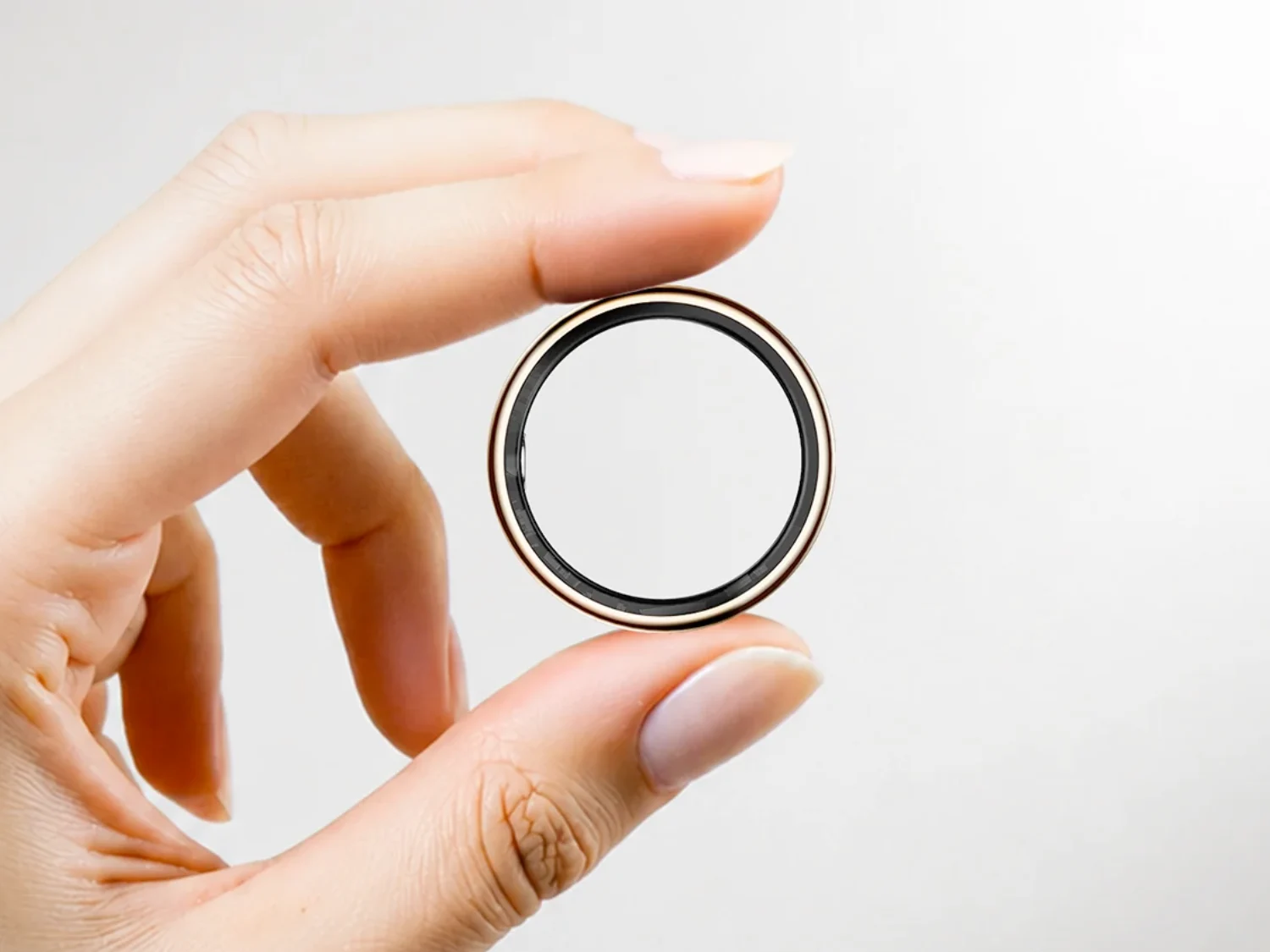
      The SR15 Ultra is a titanium smart ring with a built-in display. It lets users check time, step count, heart rate, blood oxygen levels, sleep stats, and battery status directly on the ring without pulling out a phone. It also features a vibration notification system for calls, messages, alarms, and social media alerts.

      Health tracking covers your standard bases

      Continuous heart rate monitoring, SpO2, sleep quality, HRV, and stress tracking, all running 24/7. A gesture control system also lets users interact with smartphone apps through hand movements, though real-world accuracy for this kind of feature tends to vary. Weekly fitness reports and multi-sport mode round out the activity side.

      On paper, the hardware is decent for the price

      The ring is rated 5ATM water resistant, charges fully in two hours, and Rogbid claims up to 30 days of battery life with the included charging case. Bluetooth 5.2 handles connectivity, and it works with Android 9.0 and iOS 10.0 and above. Sizes run from US 8 through 14, with Black, Silver, and Gold finishes available.

      • The SR15 Ultra is available now at the Rogbid Store for $99.99.
      • The company adds that this is a promotional price tag that also includes a free mini fan while supplies last.


      Sources

    • Geekom A9 Max Deal: Ryzen AI Mini PC 32GB RAM Cheaper

      Key Takeaway

      – 15% discount on Geekom A9 Max with voucher code “GKA9MAX15” until June 30
      – Powered by AMD Ryzen AI 9 HX 470 with Radeon 890M and dedicated NPU for AI workloads
      – Comes with 32 GB DDR5 RAM and 2 TB SSD in a compact, connectivity-rich design
      – Performance is significantly better in dual-channel RAM configuration (test unit had only one module)
      – Ideal for office, content creation, multimedia, and local AI tasks


      Looking for a Powerful Mini PC?

      If your searching for a compact but powerful mini PC, you can currently purchase the Geekom A9 Max at a significantly lower price. The manufacturer is currently offering a 15% discount in its own online store. All you have to do is enter the voucher code “GKA9MAX15” during the order process.

      One of the Most Powerful Models

      The Geekom A9 Max is one of the most powerful mini PCs in the manufacturers current portfolio and is based on the AMD Ryzen AI 9 HX 470. The Strix Point APU combines twelve cores and 24 threads with the integrated AMD Radeon 890M based on the RDNA 3.5 architecture. An XDNA2 NPU for AI calculations is also integrated, making the system optimized for modern AI applications and corresponding software.

      Standard Equipment and Connectivity

      The equipment includes 32 GB DDR5 RAM and a 2 TB SSD as standard. Thanks to the compact housing, the mini PC takes up very little space on the desk and is equally suitable for office applications, content creation, multimedia tasks, and local AI workloads. At the same time, the system offers extensive connectivity with USB4, HDMI 2.1, DisplayPort, and several USB-A interfaces. Multiple high-resolution monitors can be operated simultaneously flawlessly.

      Review Findings

      In our recent review, the Geekom A9 Max left an overall positive impression. The high CPU performance, comparatively low power consumption, and high-quality workmanship were particularly impressive. However, we also found that the memory configuration of the test device was not optimal. As only one RAM module was installed, neither the processor nor the integrated Radeon 890M was able to exploit their full potential. The graphics performance in particular benefits significantly from a dual-channel configuration with two memory modules.

      Discount Details

      The current discount makes the Geekom A9 Max even more attractive for prospective buyers. The voucher code “GKA9MAX15” reduces the purchase price in the official Geekom online store by 15 percent. The promotion runs until June 30 and can only be used via the official Geekom online store.

      Want More Info?

      If you would like to find out more about the performance, features, and benchmark results, you can find all the details in the detailed test report on the Geekom A9 Max.

      • CPU: AMD Ryzen AI 9 HX 470 (12 cores, 24 threads)
      • GPU: AMD Radeon 890M (RDNA 3.5)
      • NPU: XDNA2 for AI workloads
      • RAM: 32 GB DDR5 (single-channel in test unit)
      • Storage: 2 TB SSD
      • Ports: USB4, HDMI 2.1, DisplayPort, multiple USB-A
      • Discount: 15% off with code “GKA9MAX15” until June 30


      Sources

      • Deal: HP OmniBook 3 Laptop Under $600 with 16GB & 2K Touch

        Deal: HP OmniBook 3 Laptop Under $600 with 16GB & 2K Touch

        Key Takeaway

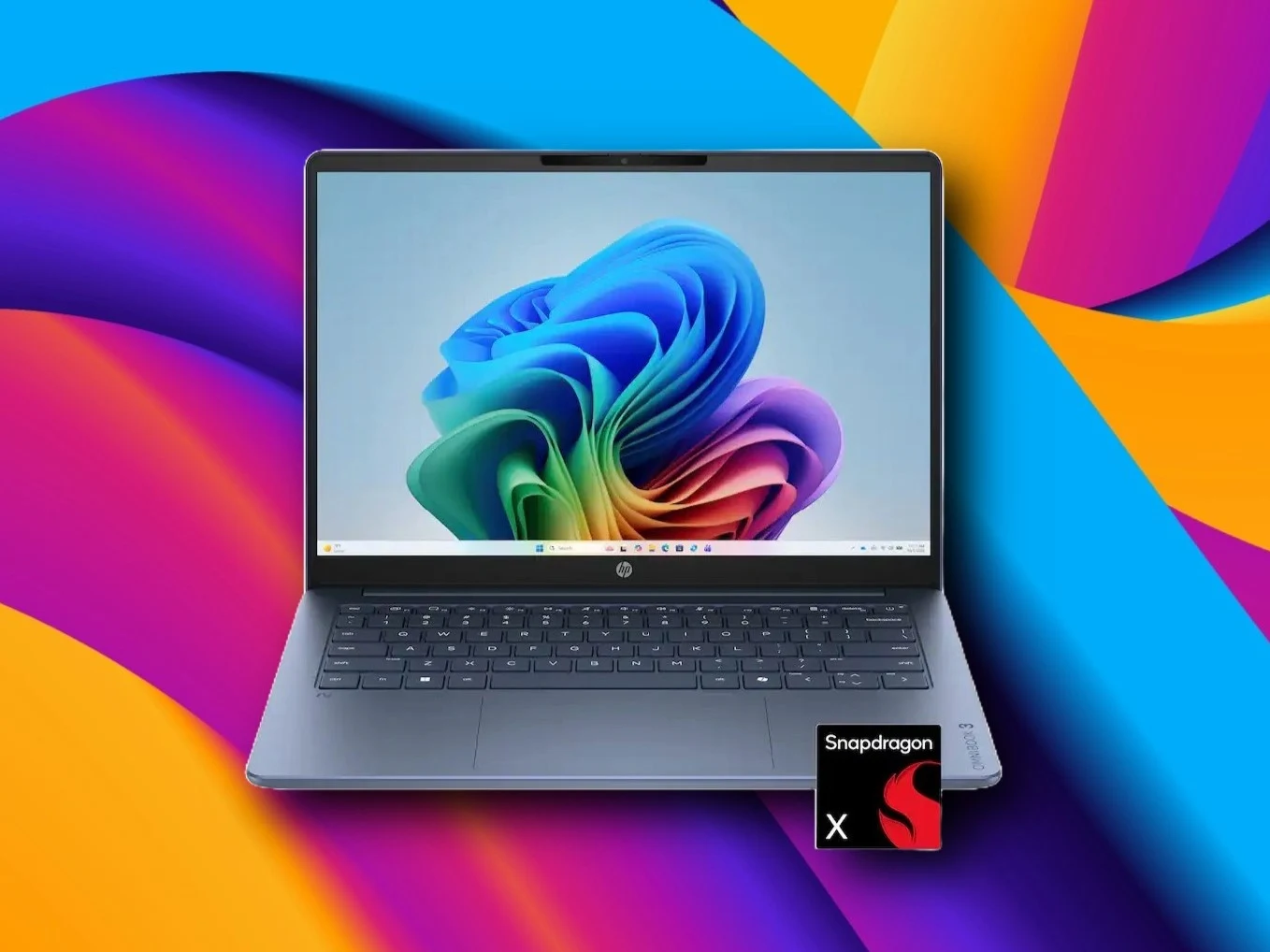
        – HP OmniBook 3 14 (Snapdragon X, 16GB RAM, 512GB SSD) is on sale for $549.99 at Best Buy.
        – Offers better RAM (16GB), storage (512GB), and battery (60Wh) than the $599 MacBook Neo (8GB/256GB/36.5Wh).
        – Features a 1600p touch display, replaceable storage, and good port selection for the price.
        – MacBook Neo wins on build quality, display quality, and single-core performance.
        – Best for users needing an affordable, long-lasting Windows laptop with adequate daily performance.


        The HP OmniBook 3 14 with an 8-core Snapdragon X X1-26-100 SoC, 16 GB of RAM, and 512 GB of storage is currently retailing for $549.99 at Best Buy. Best Buy claims that this new price is $400 less than the $949.99 “Comparable Value”. We don’t think you should pay any attention to this $949.99 figure, as the HP OmniBook 3 14 is not a laptop of that price range.

        What do we know about the specs?

        What we do know, however, is that the $549.99 price of the HP OmniBook 3 is arguably excellent. In addition to the 16 GB RAM and 512 GB of replaceable storage, the laptop also carries a 1600p touch-sensitive display, a fairly large 60 Wh battery, and a good port selection.

        There are:

        • Two Type-C ports
        • One USB-A port
        • A headphone jack
        • An HDMI output

        These are pretty good specs for a $549.99 Windows laptop, and, in some areas, beat the MacBook Neo. For instance, the $599 MacBook Neo only comes with soldered 8 GB of RAM, a non-replaceable 256 GB SSD, only two Type-C ports, and a 3.5 mm headphone jack.

        How does the battery compare?

        It has been quite clear since the launch of the Apple MacBook Neo that there are hardly any Windows laptops that can compete with the MacBook Neo at $600. Windows laptop OEMs have finally recognized this, and MacBook Neo competitors like the Dell XPS 13 are on the way. In the meantime, if you need a super affordable Windows laptop right now that doesn’t suck, take a look at the HP OmniBook 3 14 that is now on sale at Best Buy.

        The MacBook Neo also has a small 36.5 Wh battery, which delivers good but not great results. With a power efficiency Snapdragon X1-26-100 SoC and a 60 Wh cell, HP claims the OmniBook 3 will last over 20 hours when streaming media online.

        Are their any downsides?

        That said, the MacBook Neo is a clearly better option when it comes to build quality, display quality, and single-core performance.

        Long story short, if all you need is a portable Windows laptop that has adequate performance for daily tasks, long battery life, and won’t become outdated quickly due to low RAM and storage, the HP OmniBook 3 14 on sale is currently a pretty good option.

        Sources
      • Acer AR Vision GR0 & GI0 AI Smart Glasses Unveiled

        Acer AR Vision GR0 & GI0 AI Smart Glasses Unveiled

        Key Takeaway

        – Acer announced two smart glasses: the AR Vision GR0 (wired AR, $499.99) and the GI0 AI Glasses (AI-powered, $299.99).
        – The AR Vision GR0 creates a virtual 172-inch screen with dual micro-OLED 1080p displays, 60Hz refresh rate, and 3D support.
        – The GI0 AI Glasses feature Gemini AI for queries, translation, voice recording, a 12MP camera, and 32GB storage.
        – Both glasses have companion apps, with the AR Vision GR0 compatible with Android, iOS, and Windows, and the GI0 requiring Android 12+ or iOS 15+.
        – The GI0 AI Glasses launch in Q3 2026 (Australia) and Q4 2026 (Europe), with no North American release date announced.


        New Smart Glasses from Acer

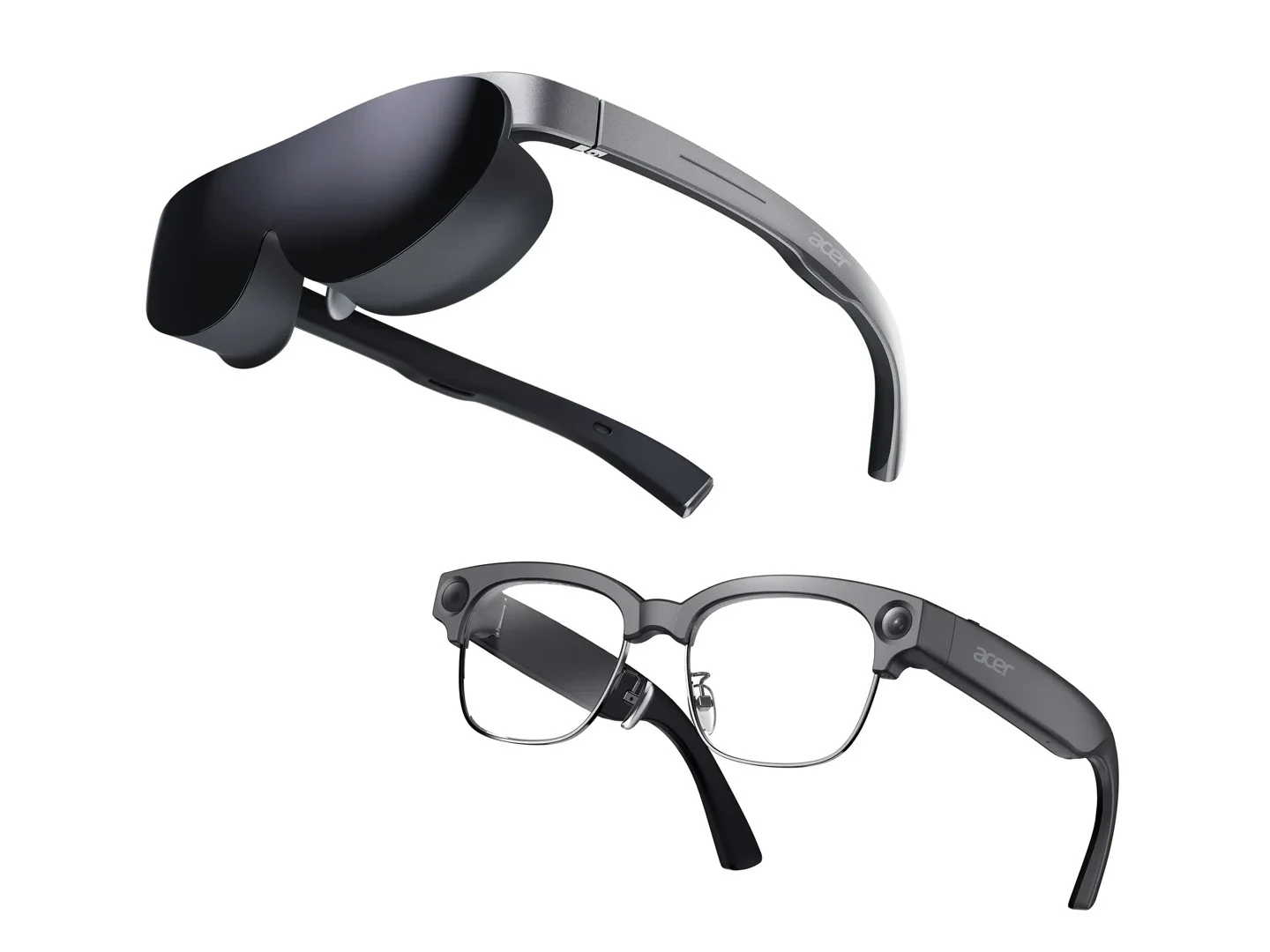
        Alongside new computers, tablets, and handhelds, Acer has also announced two new smart glasses. The glasses are the Acer AR Vision GR0 which are AR glasses, and the Acer GI0 AI Glasses, which are smart glasses like the Ray-Ban Meta AI Glasses.

        Features of the AR Vision GR0

        The Acer AR Vision GR0 connects to a smartphone, laptop, or a device with display output support via a wired connection. When linked to a compatible device, the dual micro-OLED displays combine to project a virtual screen that’s up to 172 inches in size. This makes them suitable for gaming, watching movies, or even productive work. The AR Vision GR0 also has support for displaying 2D and 3D content.

        The two micro OLED displays have a resolution of 1920 × 1080 in 2D mode and a 3840 × 1080 resolution in 3D mode. They also have a 60Hz refresh rate, DCI-P3 color gamut, 24-bit color, a 50,000:1 contrast ratio, and 200 nits of brightness.

        Controls and Compatibility

        The Acer AR Vision GR0 features touch controls for adjusting the brightness and volume, built-in stereo speakers, a detachable light shield, and optional myopia magnetic lens. The glasses have an interpupillary distance of 64mm and weigh 69 grams. The Acer AR Vision GR0 glasses are compatible with Android, iOS, and Windows.

        Introducing the Acer GI0 AI Glasses

        The Acer GI0, on the other hand, are smart AI glasses powered by Gemini. Users can ask questions, request directions, and analyse images using the glasses. They also have support for instant translation and have a voice recording function, which can be useful when having a meeting.

        The Acer GI0 AI glasses have a 12MP camera that has an image resolution of 3024 × 4032 and can record in 1080p at 30fps. They also have 32GB of eMMC storage, stereo speakers, three microphones, Bluetooth 5.0, and Wi-Fi 5. There’s a 217mAh battery inside, but Acer doesn’t say how many hours of battery life users can expect. The glasses have a power input of 5W (5V 1A).

        Software and Companion App

        However, Acer states that the GI0 AI glasses have a companion app called the AspireSync and they can be connected to an Android smartphone (Android 12 and above) or iPhone (iOS 15 and above). They weigh just 46 grams (frames only).

        Pricing and Availability Details

        The Acer AR Vision GR0 glasses are priced at $499.99 in the US, €599 in Europe, and AUD 999 in Australia. That’s a significantly higher price than that of the Lenovo Legion Glasses Gen 2 which are currently available for $249.99 and have a 120Hz refresh rate, although the virtual display is smaller at 126 inches.

        The Acer GI0 AI glasses are much cheaper at $299.99 in the US, €399 in Europe, and AUD 599 in Australia. There’s no info on their release date for North America, but the two pairs of glasses will be available in Europe in the fourth quarter of 2026, while Australia will get them in the third quarter.

        Sources