Category: Software

  • OriginOS 5 Internal Beta Testing Starts: Eligible Devices List

    OriginOS 5 Internal Beta Testing Starts: Eligible Devices List

    Vivo is preparing to launch the OriginOS 5 custom skin at the 2024 Vivo Developer Conference happening in Shenzhen on October 10. The company has started internal beta testing for this new version today. The registration window runs from 11:00 AM CST on September 25 to 11:59 PM CST on October 6.

    Enhancements in OriginOS 5

    OriginOS 5 introduces a variety of detailed dynamic effects that enhance smoothness, wallpapers with depth of field, personalized lock screen widgets, fresh lock screen wallpapers, a centrally positioned interface similar to Dynamic Island, and improved AI integration. The new version reportedly provides a "system-level" and "scenario-based" experience, powered by a self-developed large language model that is multimodal and encompasses various aspects such as language, voice, vision, and terminal side functions.

    Eligible Devices for Internal Beta Testing

    The Vivo devices eligible for the internal beta testing of OriginOS 5 include:

    • vivo X100
    • vivo X100s
    • vivo X100 Pro
    • vivo X100s Pro
    • vivo X100 Ultra
    • vivo X Fold3
    • vivo X Fold3 Pro

    For iQOO devices, the following models can participate:

    • iQOO 12
    • iQOO 12 Pro
    • iQOO Neo9
    • iQOO Neo9 Pro
    • iQOO Neo9S Pro
    • iQOO Neo9S Pro+

    A preliminary limit of 2,000 participants will be set for each model’s internal testing, with 300 accounts having login access by default and 1,700 without. The final number of participants will be determined based on various factors, including registration and the completeness of submitted information. The list of beta testers is expected to be released by 10:00 PM CST on October 8, and the deadline for joining the beta program is 8:00 PM CST on October 9.

    Important Notes for Participants

    Users interested in the internal beta program must ensure their device is updated to the required version or a later version to detect the beta test version. They can find the registration option through System Upgrade – Internal Test Registration to apply. It is advised that users refrain from backing up their data and exercise caution, as the software is still in the internal beta stage.

    Additionally, here’s the complete list of vivo and iQOO devices that will receive the Android 15 update.


    Image 1
  • Nothing OS 3.0 Launches with Visual Upgrades and AI Feature

    Nothing OS 3.0 Launches with Visual Upgrades and AI Feature

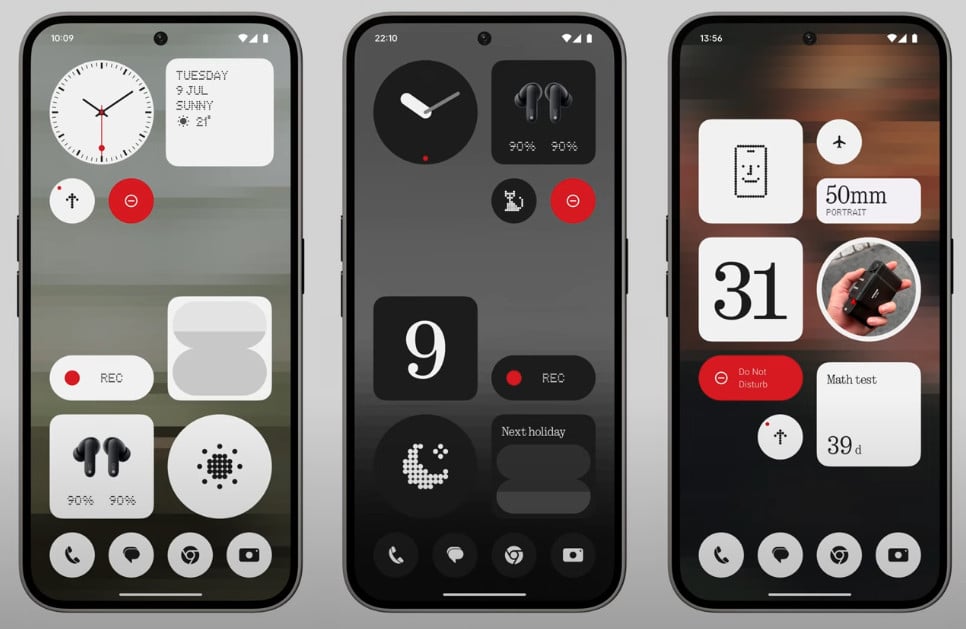
    Nothing has broadened its audio product lineup by introducing the new Nothing Ear (open) TWS earphones yesterday. Additionally, the company is focusing on incorporating AI into its operating system, along with enhancing performance and making some visual updates.

    Nothing OS 3.0 Redesigned Widgets

    Carl Pei, the founder of Nothing, along with Yuri Levin, the Software Product Design Lead, presented the features of the forthcoming Nothing OS 3.0 on the company’s YouTube channel. This comes after a teaser for the new operating system that was released earlier this year.

    Key Improvements in Nothing OS 3.0

    Nothing OS 3.0 will introduce a variety of enhancements, including a redesign of the Android skin and the long-awaited launch of a first-party “Nothing Gallery” app. Managing a multitude of apps can be overwhelming, especially when scrolling through a large array of app icons. To address this issue, Nothing OS 3.0 will allow users to pin their favorite apps at the top for easier access.

    Moreover, Nothing is enhancing the Smart Drawer App with AI capabilities. This feature sorts your apps into various categories. Although this seems like a familiar function, Nothing asserts that the AI will analyze your app usage data to present the most relevant apps at the optimal time. A new countdown widget has also been added to help users manage their time effectively.

    Visual Refinements and New Features

    The visual updates include a more polished design with revamped elements such as the Quick Settings panel and the lock screen clock. The auto-brightness feature is now incorporated into the brightness slider button. Additionally, a new dot animation has been introduced, utilizing a new animation engine for smoother and more dynamic visual effects across the operating system, including animations for fingerprint recognition and charging.

    Furthermore, the weather icon in the Weather app has been redesigned with a dot matrix style, aligning better with the overall aesthetic of the user interface.


    Image 1
  • OnePlus and Oppo Partner with Spotify for In-App Gaming Feature

    OnePlus and Oppo Partner with Spotify for In-App Gaming Feature

    Music and mobile gaming often go hand-in-hand, but switching between apps to control playback can disrupt the flow. In a move to streamline this experience, OnePlus and Oppo have partnered with Spotify to introduce a new in-app gaming overlay.

    New Overlay for Seamless Experience

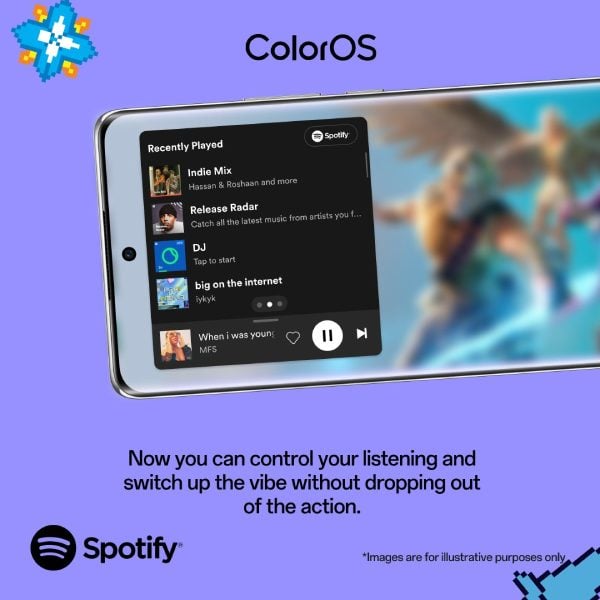
    According to a recent post on X (formerly Twitter) by Pete Lau, chief product officer at OPPO and founder of OnePlus, select users will gain access to a unique overlay within the Spotify app. This feature allows you to play games on your mobile device while controlling your music playback at the same time.

    Essentially, you won’t need to toggle back and forth between the Spotify app and your game to change the volume, skip songs, or pause your music. This update could significantly enhance convenience for those who enjoy listening to music while playing their favorite mobile games.

    Streamlining User Experience

    The main goal here seems to be improving the experience for users who like to game with music in the background. Both OnePlus and OPPO are optimistic that integrating these functionalities into a single interface will make the experience smoother for users.

    However, there is a small catch: it remains uncertain which regions will initially have access to this new feature. Currently, the rollout appears to be limited, with more information about availability in different markets expected to be announced soon.

    A New Trend in Mobile Features

    This collaboration between OnePlus, OPPO, and Spotify represents a fresh approach to blending music streaming with mobile gaming. It may pave the way for new trends in smartphone feature development and cross-app functionalities.

    If you have a OnePlus or OPPO device and live in a region where this update is available, be on the lookout for the new overlay option in your Spotify app. Once it’s accessible, you can dive into the gaming tools and music control features it provides and assess how they improve your entertainment experience on the go.


  • Amazfit Launches Beta Testing for New Zepp App

    Amazfit Launches Beta Testing for New Zepp App

    Users of the Amazfit Balance have the opportunity to participate in a beta test for a new version of the Zepp app. This beta testing initiative was revealed in a recent Facebook post by a member of the Amazfit team, who also shared a sign-up link.

    Feedback and Expectations

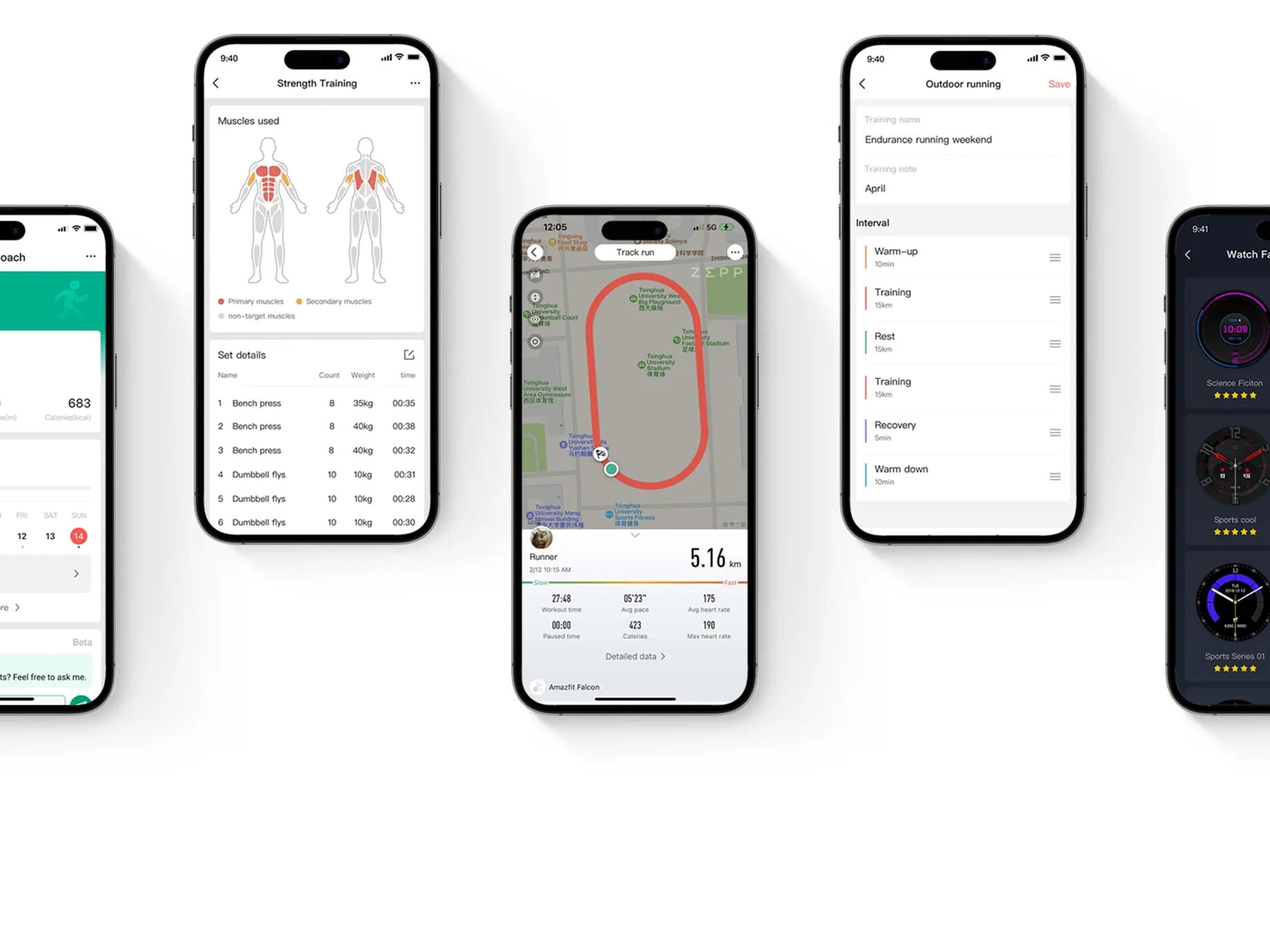
    Amazfit encourages users of the Balance smartwatch who join the testing to offer their feedback through the app. The sign-up form includes a warning that participants might encounter “incomplete features, bugs, or other unforeseen software issues.” While Amazfit has not officially disclosed the updates in this new app version, several early testers have already provided their opinions along with screenshots.

    New Features and Design

    The revamped app seems to feature a more streamlined design, which should enhance user navigation. Additionally, a new meal logging function has been introduced: users can now upload photos of their meals, and the app utilizes AI to identify the food and log nutritional information accordingly. It remains uncertain if or when users of other Amazfit smartwatch models will have the chance to join the beta program. The timeline for the public release of the updated Zepp app is also not yet clear.

  • Garmin to Resolve Activity Crashes and Detection Issues in Update

    Garmin to Resolve Activity Crashes and Detection Issues in Update

    Garmin has had a very active month with numerous software updates. The company continues to enhance its existing smartwatches, such as the Fenix 7, by adding new features and fixing bugs. Additionally, Garmin has begun rolling out firmware upgrades for the Enduro 3, Fenix E, and Fenix 8, which were all launched earlier this month.

    Update Details

    The recent updates for the Enduro 3, Fenix E, and Fenix 8 aim to address issues like high battery consumption, with detailed information available separately. In contrast, the Forerunner 965 has received a newer update that focuses on bug fixes that might not be immediately noticeable. Software Version 20.29 is the second stable update for the Forerunner 965 this month, following Software Version 20.26, which was released around two weeks ago.

    Improvements and Fixes

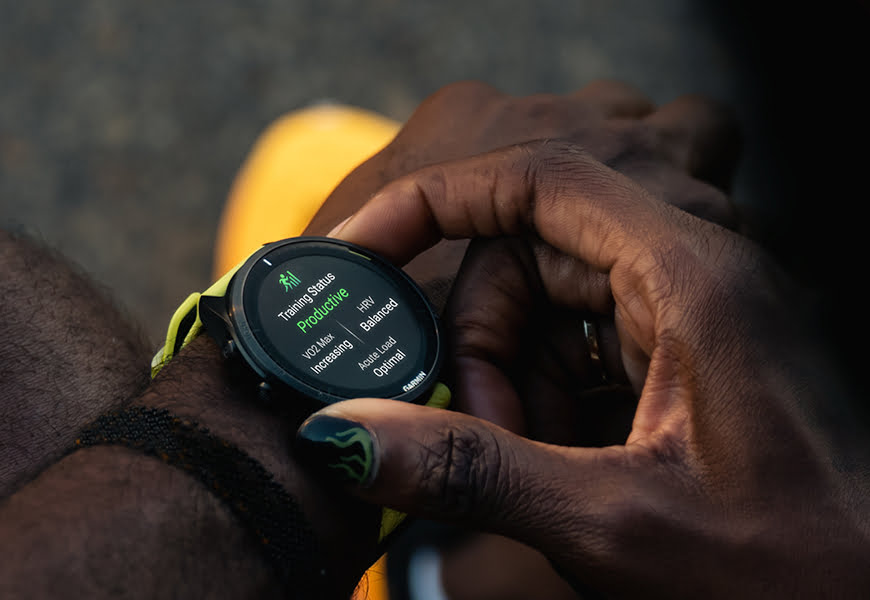
    Software Version 20.26 introduced over a dozen enhancements for the Forerunner 965 (currently priced at $495 on Amazon). In comparison, the recent Software Version 20.29 targets two specific bugs. This update aims to resolve a problem that could lead to a crash when beginning an activity. Furthermore, it addresses an issue where incident detection would remain active even after an activity had concluded. If your Forerunner 965 is still using an older version of the firmware, you can initiate the download for Software Version 20.29 by navigating to Menu, System, Software Update, and then selecting ‘Check For Updates’.


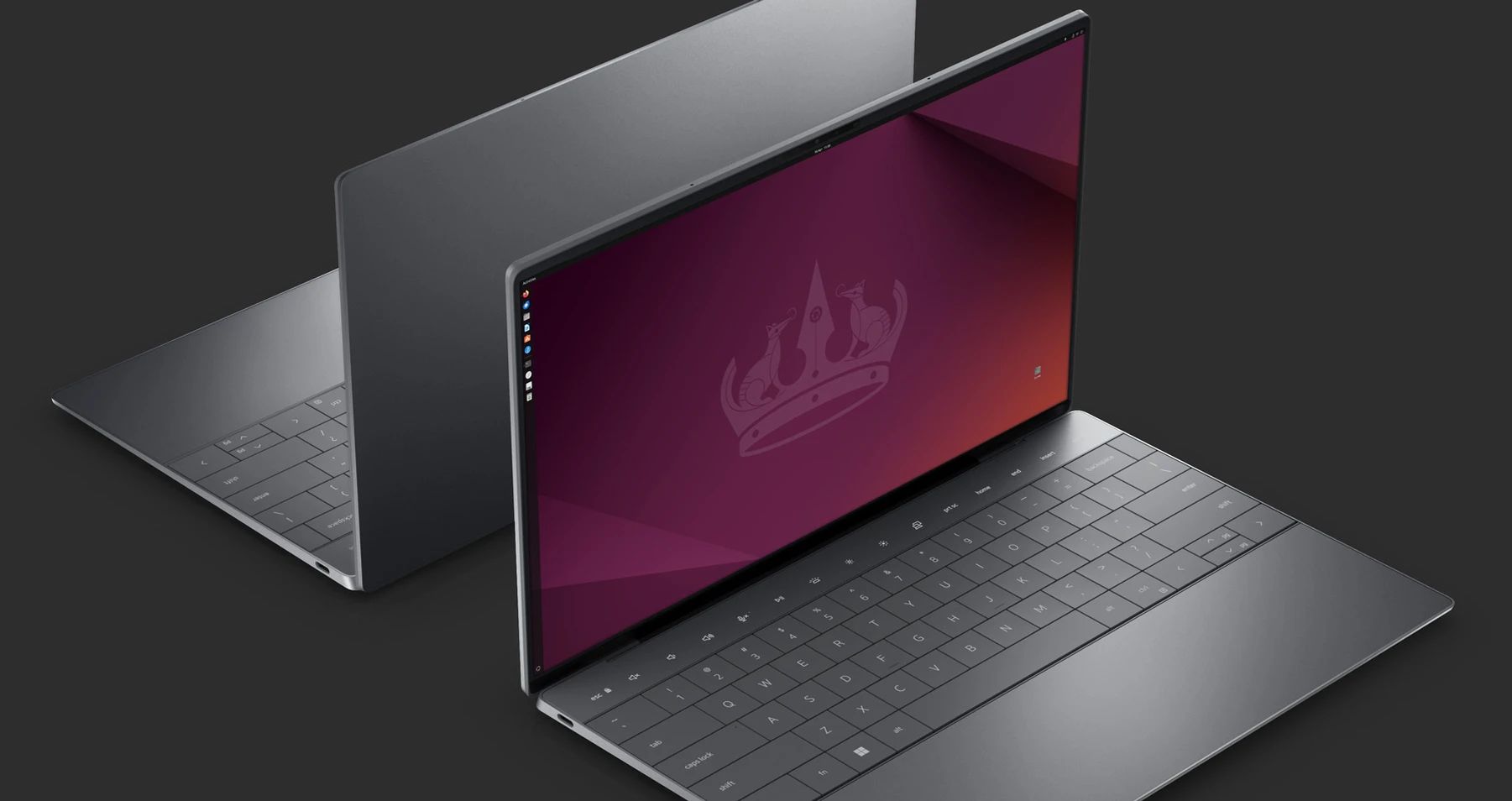
  • Ubuntu 24.10 Beta Features GNOME 47 and Exciting Updates

    Ubuntu 24.10 Beta Features GNOME 47 and Exciting Updates

    Expected to launch in the first half of October, Ubuntu 24.10 "Oracular Oriole" will introduce multiple new features along with some celebratory elements. This is in honor of the 20th anniversary of the initial Ubuntu release, 4.10 "Warty Warthog," which debuted in October 2004. For those eager to try out Ubuntu 24.10 before its official release, a beta version was made available at the end of last week.

    New Features and Updates

    As Ubuntu 21.40 incorporates GNOME 47, it also includes several updated GNOME applications. With the addition of native accent colors in GNOME 47, users will experience a more cohesive visual style across all core applications and third-party software. The Nautilus file manager has received a visual refresh, now featuring an info button that provides updates during searches in non-indexed folders and remote shares, which typically take longer to process. This info button displays the current progress of the search. Additionally, the Disk Usage Analyzer has a new interface. On the technical side, there are improvements such as Sysprof, a new default utility for identifying performance problems, among other enhancements.

    More Information and Resources

    For those wanting to dive deeper into the changes coming with Ubuntu 24.10, detailed information can be found in the official release notes. The various Ubuntu flavors set to receive updates include Edubuntu, Kubuntu, Lubuntu, Budgie, MATE, Studio, Unity, Xubuntu, Kylin, and Cinnamon. New users interested in Ubuntu Server might consider getting "Mastering Ubuntu 24.04: The Ultimate Technical Guide to Linux Administration: Ubuntu 24.04 LTS ‘Noble Numbat’." This resource is currently available for $9.99 in Kindle format (60% off the regular price of $24.90) or in paperback for $24.90.

    Ubuntu Fridge


  • Realme UI 6.0 (Android 15) Release Date, Devices, Features Update

    Realme UI 6.0 (Android 15) Release Date, Devices, Features Update

    After a long wait, the launch of Android 15 is just around the corner. The stable version will initially be available for Google Pixel devices in October, with other Android smartphone manufacturers following soon after.

    Custom Skins in Development

    Various brands are already designing their custom interfaces based on the new Android OS. For instance, OnePlus is working on OxygenOS 15, while Samsung is developing One UI 7. Realme, on the other hand, is set to introduce Realme UI 6.0, which will be based on Android 15. This new version is anticipated to include numerous enhancements, fresh features, and AI improvements.

    In this article, we will provide information about the release date of Realme UI 6.0, which devices will be compatible, and what new features to expect.

    Release Timeline for Realme UI 6.0

    Currently, Realme has not disclosed a specific launch date for Realme UI 6.0, nor has it announced the start of its beta program. However, the company is likely to make an announcement soon. Google plans to release Android 15 to qualifying Pixel devices in October, with reports indicating that the rollout may commence on October 15. Other brands will also delay their updates as they need more time to finalize their own custom skins.

    Realme has already launched the Android 15 beta for the Realme 12 Pro+ 5G, although it does not feature Realme UI 6.0. Typically, the brand reveals the beta version of its new skin based on the new OS prior to the public release for Google Pixels. Last year, the beta for Realme UI 5.0, which was based on Android 14, was announced on September 21. As of now, there has been no announcement regarding the Realme UI 6.0 beta, but we can expect news shortly. The stable update is likely to roll out around December, starting with high-end devices before reaching mid-range and entry-level models.

    Eligible Devices for Realme UI 6.0 Update

    Here is a list of Realme phones expected to receive the Realme UI 6.0 update:

    • Realme GT 6
    • Realme GT 6T
    • Realme GT 5
    • Realme GT 5 240W
    • Realme GT 5 Pro
    • Realme GT 3
    • Realme GT 2
    • Realme GT 2 Pro
    • Realme GT 2 Explorer Master Edition
    • Realme GT Neo 6
    • Realme GT Neo 6 SE
    • Realme GT Neo 5
    • Realme GT Neo 5 SE
    • Realme GT Neo 5 240W
    • Realme 13
    • Realme 13 4G
    • Realme 13+
    • Realme 13 Pro
    • Realme 13 Pro+
    • Realme 12
    • Realme 12 4G
    • Realme 12+
    • Realme 12x
    • Realme 12 Lite
    • Realme 12 Pro
    • Realme 12 Pro+
    • Realme 11 4G
    • Realme 11 5G
    • Realme 11x 5G
    • Realme 11 Pro
    • Realme 11 Pro+
    • Realme 10 Pro
    • Realme 10 Pro+
    • Realme P2 Pro
    • Realme P1
    • Realme P1 Pro
    • Realme V60
    • Realme Narzo 70
    • Realme Narzo 70x
    • Realme Narzo 70 Pro
    • Realme Narzo 70 Turbo
    • Realme Narzo 60
    • Realme Narzo 60x
    • Realme Narzo 60 Pro
    • Realme Narzo N65
    • Realme Narzo N63
    • Realme Narzo N61
    • Realme Note 60
    • Realme C67 4G
    • Realme C65 4G
    • Realme C65 5G
    • Realme C63 5G
    • Realme C63
    • Realme C61

    This list is not official and has been created based on the update policy and previous rollouts. We will update it once the official list is available.

    Anticipated Features in Realme UI 6.0

    For those hoping for significant visual changes, Android 15 may not meet expectations, similar to recent Android updates. However, it promises a variety of exciting new features, improvements, and AI enhancements worth exploring.

    As the Realme UI 6.0 beta has not yet been released, details on what new features will be introduced remain unclear. Nonetheless, insights from the Android 15 beta provide some information on expected changes.

    A standout feature of Android 15 is the Theft Detection Lock, which utilizes Google AI to recognize when your device is stolen and promptly locks it to safeguard your information. In the event that a thief manages to factory reset the device, they won’t be able to activate it without your Google account credentials, making the device essentially unusable.

    Additionally, Android 15 introduces satellite connectivity support, enabling users to send texts even without nearby cell towers, although this may require specific hardware and carrier support.

    Another useful feature is the ability to create shortcuts for preferred pairs of split-screen apps, which is a time-saver for those managing multiple applications in split-screen mode. The new OS will also allow partial screen sharing, enabling users to record or share just one app rather than the entire screen.

    Furthermore, Google has announced native earthquake detection specifically for U.S. users. A new high-quality webcam mode will allow your Android phone to function as a webcam for a PC.

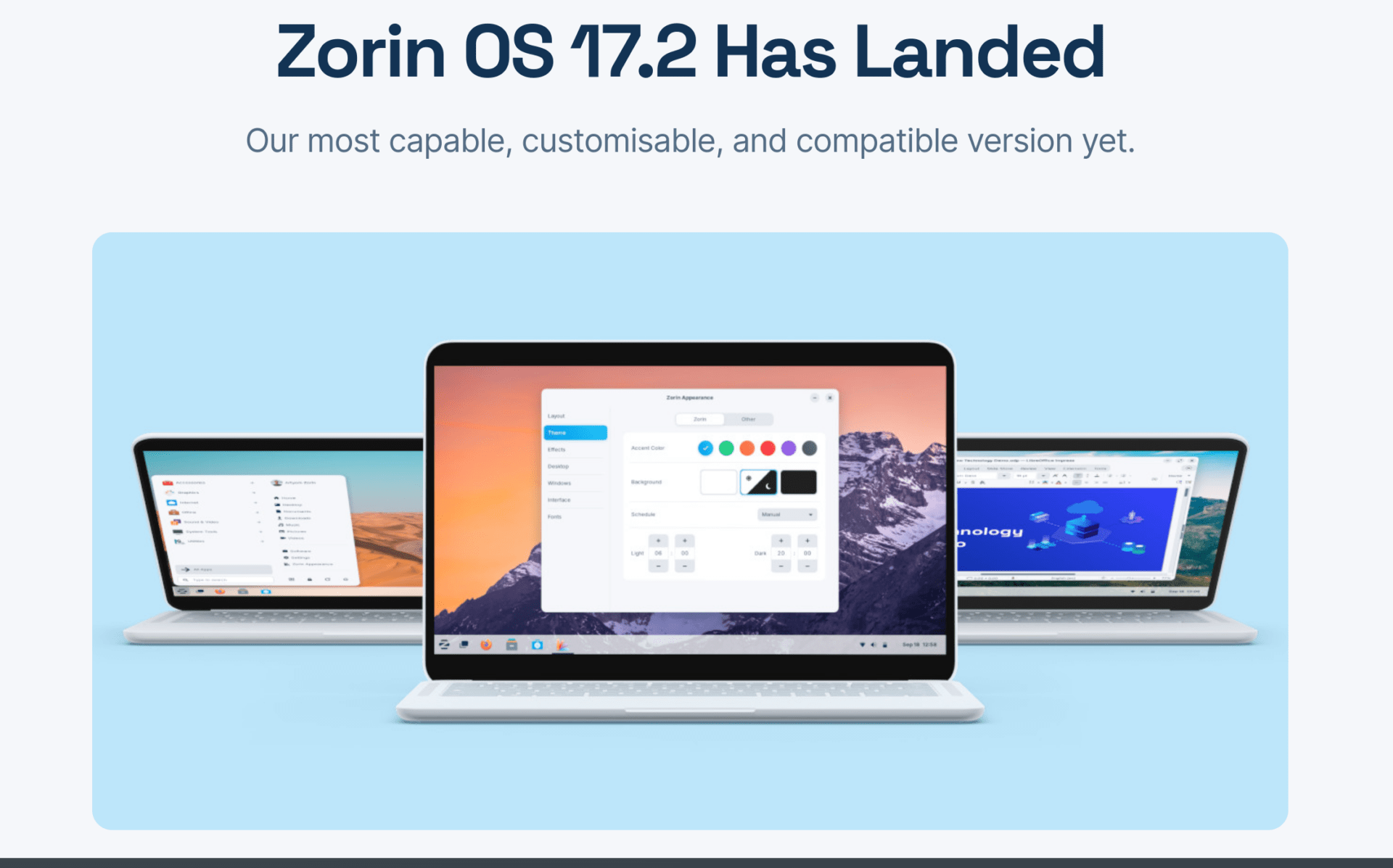
  • Zorin OS Pro 17.2 Enhances Hyper-Customization Features

    Zorin OS Pro 17.2 Enhances Hyper-Customization Features

    Open source Linux distribution Zorin OS has enhanced its theming features in version 17.2. This OS is recognized for its ability to mimic your preferred operating system, making it easier for newcomers to navigate Linux. Whether you are accustomed to Chrome OS, Mac OS, or Windows, Zorin OS offers an interface option that helps you feel at home while exploring the distro.

    User-Suggested Features

    In the latest 17.2 release, the Zorin team has integrated numerous features requested by users. Now, users can enjoy more theming choices for open windows, cursors, scrollbars, and other elements via third-party themes. Additionally, Zorin OS provides comprehensive documentation to assist users who face challenges while modifying their settings.

    Up-to-Date Applications

    For individuals who are newly installing Zorin OS 17.2, all included applications are current, ensuring a feature-rich experience right from the first boot. Notably, the installation comes with the LibreOffice 24.8 suite, making Zorin OS a strong option for those transitioning from Windows for work purposes. The system supports Flatpak, AppImage, and Snap packages from the outset to keep everything up to date.

    Zorin OS Pro Features

    Keeping applications updated is particularly crucial for Zorin OS Pro users, who benefit from a curated selection of software designed to enhance the OS’s functionality. The Pro version features software aimed at professional creators, productivity tools, and premium desktop layouts. Priced at $47.99, Zorin OS Pro is marketed as offering alternatives to over $5,000 worth of professional software.

    Kernel Updates and Support

    Both editions of Zorin OS 17.2 utilize Linux Kernel 6.8.0 and come with updated drivers to accommodate modern processors, graphics cards, and peripherals. Kernel updates usually include security patches, but Zorin OS goes further by guaranteeing software and security updates for Zorin OS 17 until June 2027.

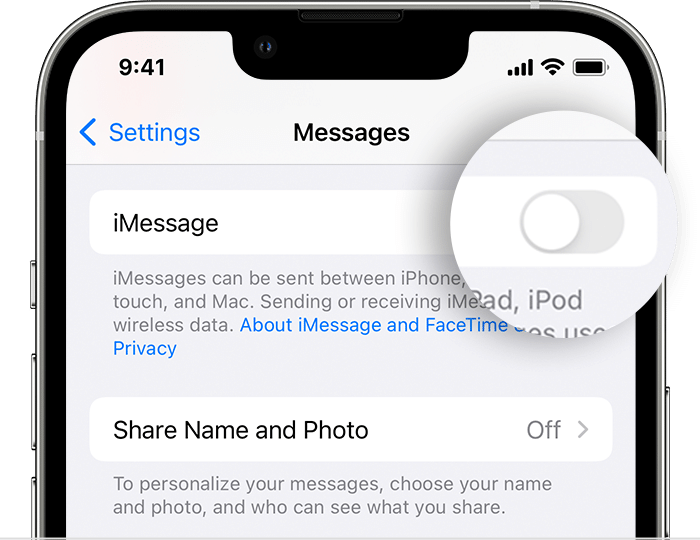
  • iOS 18 iMessage Crash Fix: What You Need to Know

    iOS 18 iMessage Crash Fix: What You Need to Know

    Apple introduced iOS 18 in June of this year, and the rollout began just a few days ago. However, users are experiencing issues with the update, particularly with the iMessage app. A notable bug is causing the app to crash and leading to potential data loss, impacting both parties involved in the conversation.

    Sharing Watch Faces

    The Apple Watch includes a feature that allows users to share their watch faces via Messages or Mail directly from watchOS. This is designed to facilitate the sharing of customized watch face settings. The iMessage bug appears when someone replies to a shared watch face within a conversation in iOS 18.

    App Crashes

    When users attempt to access the conversation, the app crashes. Additionally, using other chat threads can become problematic as the app may crash multiple times. If a user replies to the shared watch face, the Messages app will crash not only on iOS 18.1 beta but also on iPadOS 18.1 beta and macOS 15.1 beta.

    Possible Solution

    For now, both users can resolve the issue by deleting the conversation thread from their devices. However, it is important to note that this action will erase the entire conversation history. This solution may also lead to the loss of any attachments, such as photos and videos, that were not saved outside of iMessage.

    Attempting to recover the deleted thread from the recently deleted section will also bring back the bug. Users hope that Apple will address this problem in iOS, macOS, and watchOS soon. Until a fix is implemented, it’s advisable for users to refrain from replying to any threaded messages that include a shared watch face from an Apple Watch.

  • Garmin Launches Stable Smartwatch Update with New Features & Fixes

    Garmin Launches Stable Smartwatch Update with New Features & Fixes

    The Garmin D2 Mach 1 and D2 Mach 1 Pro aviator smartwatches have received a new stable update, version 18.14. This software update is the same as the recent version released for the Fenix 7 and related devices, introducing one new feature along with various bug fixes.

    New Feature: Garmin Share

    The standout addition in this update is Garmin Share, which enables users to easily transfer workout and waypoint data between compatible Garmin devices. The changelog also mentions "improved race time predictions." While Garmin hasn’t provided much detail on this, users of other models, such as the Forerunner 955, have noted that the forecasts appear to be more favorable than before.

    Bug Fixes Included

    The update addresses several bugs, including problems with activity calories and the total number of activities resetting to zero after a health snapshot. Additionally, it resolves an issue where workout animations were missing, as well as a distortion problem affecting the watch face display.

    The complete change log is available below. Garmin announced in a forum post that the rollout of system software version 18.14 for both the D2 Mach 1 and D2 Mach 1 Pro smartwatches is complete. Users should have received the update automatically, but it can also be initiated manually through the Garmin Connect app or Garmin Express.


    Image 1