Category: Software

  • Kaspersky Antivirus Accounts Sold to UltraAV with Service Transfer

    Kaspersky Antivirus Accounts Sold to UltraAV with Service Transfer

    US Kaspersky antivirus accounts have been acquired by UltraAV, a branch of the Pango Group. This acquisition follows Pango’s recent separation from Aura, a security firm led by CEO Hari Ravichandran. The move comes after Kaspersky was compelled to exit the US market due to a ban imposed by the Biden administration. This ban was formalized through a Final Determination issued by the Department of Commerce’s Bureau of Industry and Security (BIS) on June 20, 2024, aimed at preventing Russia from accessing and exploiting data on American citizens.

    Elevated Privileges of Antivirus Software

    Antivirus software possesses a unique characteristic – it is granted significant permissions that typical applications do not receive. This is necessary so that antivirus programs can detect, isolate, and eliminate malware and viruses that may be deeply embedded within compromised systems. Countries can instruct friendly antivirus companies to utilize these heightened permissions for monitoring users, gathering data, and controlling systems. The BIS determined that Russia was instructing Kaspersky to perform such actions on American computers.

    Transition to UltraAV

    Due to the BIS order, Kaspersky’s US operations and antivirus updates will cease at the end of September 2024. However, this prohibition does not extend to Kaspersky’s global operations, allowing users outside the US to continue using the software. As a final measure in closing its US operations, Kaspersky has sold all of its accounts to UltraAV, a US-based security provider. UltraAV claims to operate independently from Kaspersky.

    All current Kaspersky users, estimated at around a million, will be automatically transitioned to the UltraAV antivirus and service unless they opt out. The service will be available at the same price for existing users. For new customers, the antivirus service will be priced at $47.88 for the first year, followed by an annual fee of $149.99. The antivirus service supports up to 20 devices and is compatible with Android, iOS (with limited functionality), Mac, and Windows platforms.

    Alternatives to Kaspersky

    While Microsoft has significantly enhanced its built-in antivirus software available with Windows at no cost, paid antivirus solutions tend to provide superior protection against infections. Leading alternatives include AVG, Avast, Bitdefender, McAfee, and Norton, as reported by AV Comparatives, AV Test, and Virus Bulletin. It is important to note that UltraAV has not yet been evaluated by these organizations, leaving its real-world performance uncertain.
  • SDesk 2024.09.16 Launches New Drivers and GNOME Wizard Shift

    SDesk 2024.09.16 Launches New Drivers and GNOME Wizard Shift

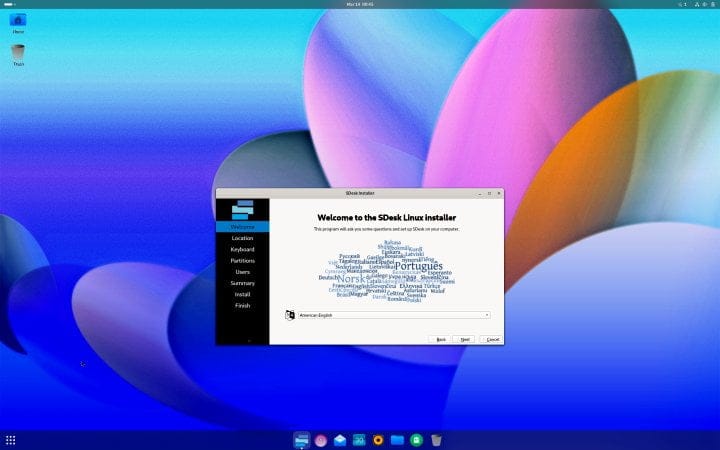
    Released yesterday, SDesk 2024.09.16 brings a variety of updates, enhancing several components and introducing a robust set of drivers with an emphasis on touch interfaces, including fingerprint readers. The most noticeable modification is in the installer, which has transitioned from using Calamares for user creation and initial setup to the GNOME first-run wizard. This shift aligns well with SDesk’s long-standing use of the GNOME desktop environment.

    Unique Features of SDesk

    SDesk may not be as widely recognized as other Linux distributions that simply combine open-source components with visual enhancements and functional tweaks, but it has several distinctive features. Built on Arch Linux, SDesk includes proprietary software, such as the Swirl web browser. Additionally, the Blue programming language is available for purchase as a digital download, priced at $178.52. Users can also opt for a physical edition of SDesk, currently available for $192.25.

    New Interface and Features

    Along with the previously mentioned changes, SDesk 2024.09.16 boasts an updated interface and introduces several new features for the Swirl browser, along with support for fractional scaling. Although its selection of downloadable content is not as extensive as that of other distributions, SDesk is provided as a single ISO file tailored for 64-bit x86 processors, compatible with both BIOS and UEFI systems. Furthermore, Swirl for Mac can be downloaded as a DMG file suitable for Apple processors. For those interested in the Blue programming language, a brief 35-second video offers key insights.

    Recommended Reading

    Whether you are a SDesk user or not, anyone interested in Linux might benefit from Mark Reed’s "Linux: The Complete Linux Crash Course for Beginners – From Zero to Hero (2024)," which is currently priced at just $4.99 on Kindle (also available for free with Kindle Unlimited) or in paperback for $28.49.

    GitHub

    DistroWatch

  • Honor 200 Pro Update: AI Magic, Sept Security Patch & More

    Honor 200 Pro Update: AI Magic, Sept Security Patch & More

    Honor has rolled out a major software update for the Honor 200 Pro smartphone in India. This update brings a range of new features, including AI-driven image editing tools, improved language translation capabilities, and multiple system enhancements, along with the September Android security patch. The full changelog is detailed below.

    Honor 200 Pro September Update Details:

    Gallery:
    The update introduces the AI Eraser, a tool that allows users to intelligently remove passers-by and other unwanted elements from photos with a single tap. To use this feature, navigate to: Gallery > Select a photo > Edit > AI Eraser.

    Face-to-Face Translation:
    In scenarios requiring alternating conversation, the update offers mutual translation for languages including Chinese, English, French, German, Spanish, Italian, Russian, Turkish, Malay, and Arabic. It supports both voice and text input, as well as translation broadcast. Access this feature via: Settings > Assistant > Face-to-face translation.

    Multi-Window:
    Users can now save app combinations in split-screen mode. In this mode, tapping the button in the middle of the divider allows you to save the combination as an icon on the home screen, enabling quick access to the app combination in the future.

    Magic Portal:
    Support has been extended to include additional third-party apps.

    Additional Features and Improvements:

    Notification Panel:
    The layout of the notification panel has been optimized for a more streamlined and visually appealing interface.

    Camera:
    The update optimizes the shooting effect in certain scenarios, enhancing photo quality.

    Performance:
    System performance and the smoothness of motion effects have been improved in some scenarios.

    Battery Life:
    Power consumption is reduced in specific situations, potentially extending battery life.

    System:
    When switching USB connection purposes, user authentication is now required. A verification or security prompt appears when choosing Transfer photos or Transfer files / Android Auto instead of Charge only, ensuring more secure data transfers. System stability has been improved for better device reliability.

    Security:
    The Android Security Patch for September 2024 has been integrated to enhance system security.

    The update is available for download, with a file size of 1.27GB. Users can identify this update by the firmware version 8.0.0.162(C675E7R2P2).

  • One UI 6.1.1 Update: Eligible Galaxy Devices List

    One UI 6.1.1 Update: Eligible Galaxy Devices List

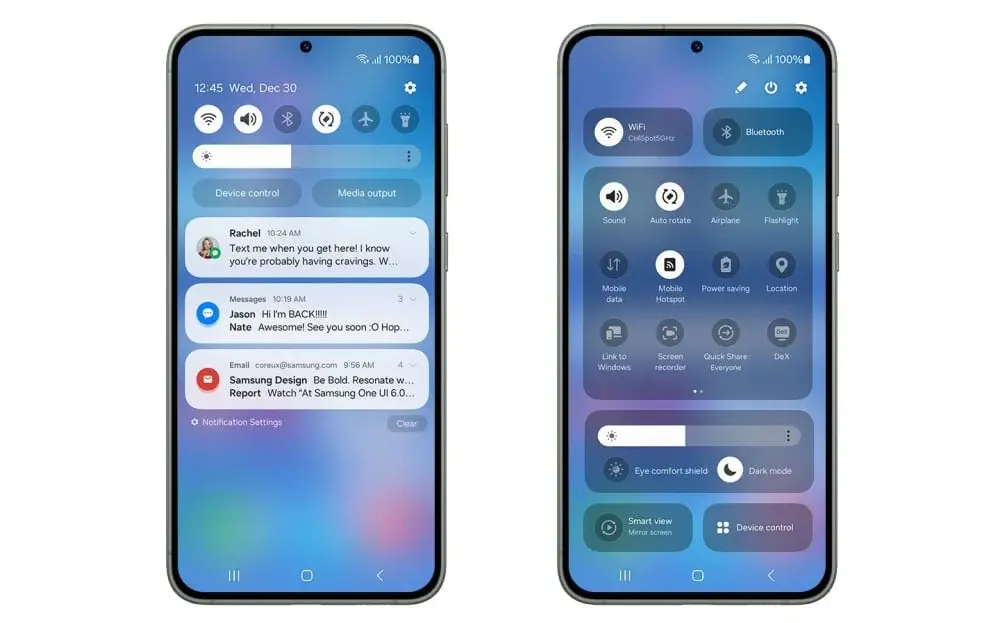
    Samsung’s One UI 6.1.1 was initially launched with the Galaxy Z Fold 6 and Galaxy Z Flip 6 in July. The company has now announced in a press release that the update will soon be available for select flagship Galaxy smartphones and tablets.

    The One UI 6.1.1 update is loaded with AI-driven features and enhancements, stirring excitement among Galaxy users eager to explore these new capabilities. Fortunately, the wait might not be lengthy, as Samsung has already begun the rollout of this update.

    Devices Receiving One UI 6.1.1

    Check below for the list of Galaxy devices that are set to receive the One UI 6.1.1 update:

    • Galaxy S24
    • Galaxy S24+
    • Galaxy S24 Ultra

    Currently, the update is exclusively available for the Galaxy S24 series, apart from the Galaxy Z Fold 6 and Z Flip 6, which were released with One UI 6.1.1 pre-installed.

    As more Galaxy devices receive the update, the list will be updated accordingly, so be sure to check back for the latest information.

    Upcoming One UI 6.1.1 Updates

    Samsung has confirmed that the following Galaxy devices will get the One UI 6.1.1 update:

    • Galaxy S23
    • Galaxy S23+
    • Galaxy S23 Ultra
    • Galaxy S23 FE
    • Galaxy Z Fold 5
    • Galaxy Z Flip 5
    • Galaxy Tab S9
    • Galaxy Tab S9+
    • Galaxy Tab S9 Ultra

    Based on previous update patterns, these devices are likely to follow:

    • Galaxy S22
    • Galaxy S22+
    • Galaxy S22 Ultra
    • Galaxy Z Fold 4
    • Galaxy Z Flip 4
    • Galaxy Tab S9 FE
    • Galaxy Tab S9 FE+
    • Galaxy Tab S8
    • Galaxy Tab S8+
    • Galaxy Tab S8 Ultra

    Rollout Timeline for One UI 6.1.1

    Samsung has already begun the One UI 6.1.1 update rollout in South Korea for the Galaxy S24 series. The distribution will extend to North America, Europe, and Malaysia on September 9.

    Though the exact timeline for other devices hasn’t been disclosed, the brand mentioned that the update “will be available in the coming weeks.”

    Reports indicate that the One UI 6.1.1 rollout may delay the One UI 7.0 beta program. Samsung is likely aiming to complete the rollout quickly, with availability for eligible 2024 and 2023 Galaxy devices expected by the end of the month.

    New Features in One UI 6.1.1

    The update introduces several AI enhancements worth noting:

    1. Sketch to Image: Transforms basic sketches into impressive artworks using AI and machine learning, compatible with Samsung Notes, Photo Editor, Air command, Smart Select, and Edge panels.
    2. Portrait Studio: Generates AI-enhanced portraits from photos, offering styles like sketch, 3D cartoon, watercolor, and comic.
    3. Composer: A new Samsung Keyboard feature that crafts texts, emails, and social media posts based on keywords, allowing tone customization.
    1. Interpreter’s New Listening Mode: Enhanced real-time translation for foldable phones, now with a dual-screen mode and one-way translation capabilities.
    2. Suggested Replies: Provides quick responses on Galaxy Z Flip’s cover screen, using chat history analysis for improved suggestions.
    3. Samsung Notes: Now includes transcription, translation, and summarization for voice notes.
    1. Translate and Summarize PDFs: Note Assist can now handle PDFs directly without conversion.
    2. Instant Slow-Mo Clips: Allows users to save slow-motion video segments as separate clips.
    3. Live Translation in More Apps: Expands Live Translate beyond the Samsung Phone app to include Google Meet and WhatsApp.
    1. Samsung Health: Introduces an energy score reflecting physical and mental health, plus the option to share health data with others.

    These are just some of the exciting changes in One UI 6.1.1.

  • Samsung Galaxy S24 Gets One UI 6.1.1 Update in More Regions

    Samsung Galaxy S24 Gets One UI 6.1.1 Update in More Regions

    Samsung has started expanding the rollout of the Android 14-based One UI 6.1.1 update to more countries. Initially, this software update was released for the Galaxy S24 series in South Korea, but it is now becoming available in other regions as well.

    Galaxy S24 One UI 6.1.1 Update Availability

    Originally, One UI 6.1.1 was unveiled alongside the Galaxy Z Fold 6 and Galaxy Z Flip 6. This update brings a variety of features from these flagship foldable models. While South Korea was the first to receive it, Galaxy S24 users in the US and China are now getting the update too. European Galaxy S24 series devices are also slated to receive it soon. The update is identified by firmware version S9280ZHU3AXH7 in China and S928USQU3AXH7 in the US. It includes the August 2024 security patch and has a significant download size of over 2.8GB. To see if the update is available for your device, navigate to ‘Settings’, then to the ‘Software update’ menu, and select the Download and Install option. Currently, this release is limited, but other countries should expect the update in the near future.

    Key Features of the One UI 6.1.1 Update

    The new software introduces several Galaxy AI enhancements, including features like Sketch to Image, Portrait Studio, Composer improvements, Live Translate, and compatibility with third-party calling and messaging apps. Additionally, users can translate text found in images on web pages. The update allows for summarizing and translating text in PDF files without converting them to notes. Other features include real-time interpretation, a listening mode for interpretation, Samsung Keyboard improvements, and automatic language detection. Further enhancements include weather and time wallpapers.

  • Nothing OS 3.0 Unveils Major Redesign and Full Changelog

    Nothing OS 3.0 Unveils Major Redesign and Full Changelog

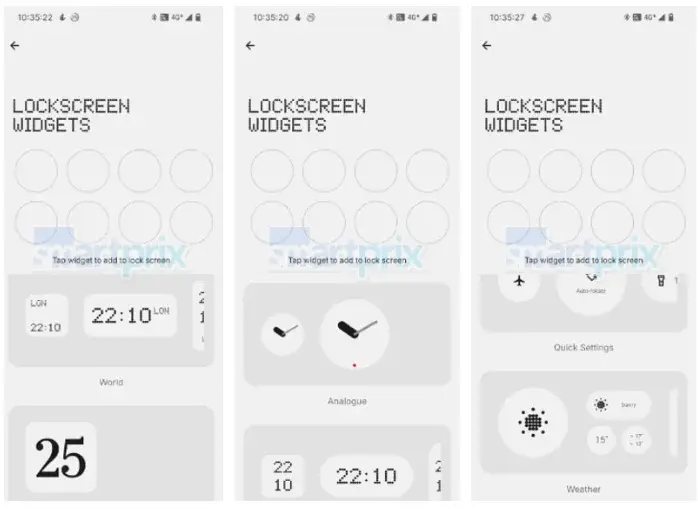
    Nothing OS 3.0, built on Android 15, is anticipated to start its rollout in September 2024. This update is set to bring numerous enhancements, such as redesigned Quick Settings, improved lock screen customization options, and upgrades to fingerprint unlock and gesture navigation.

    New Features and Improvements

    Furthermore, the update will incorporate Android 15-specific features like app archiving and predictive back animations. The rollout is expected to occur gradually, but it remains uncertain if all Nothing smartphones will receive the update at the same time.

    In recent developments, Smartprix has disclosed the full changelog of the Nothing OS 3.0 Beta update for the Nothing Phone (2a), along with videos showcasing the new boot animation.

    Changelog:

    • Effortlessly customize your shortcuts using the brand-new Quick Settings.
    • Updated the Clock face design on the lock screen, allowing access to the customization page by long-pressing the lock screen.
    • Added an option to reset the home screen layout to Nothing’s default style with a tap on the top-right button on the customization page.
    • Introduced support for an auto-archive function to free up storage space without removing apps or data from the device.
    • Enabled partial screen sharing, allowing you to record just an app window instead of the entire screen.
    • Refreshed the Settings interface design for a more user-friendly experience.
    • Updated the setup wizard to version 3.0 for a smoother introduction.
    • Enabled predictive back animations for apps that have opted in.

    Camera Enhancements

    • Optimized portrait effects by fine-tuning blur intensity based on face size.
    • Enhanced camera performance in low-light conditions.
    • Eliminated vertical stripes in front video and time-lapse modes.
    • Smoothed user interface transitions after countdown photos.
    • Adjusted the zoom slider display.

    Other Improvements

    • Optimized the design of the fingerprint unlock dialog.
    • Refined gesture navigation on the home screen for improved sensitivity.
    • Prolonged standby time with Network Power Save Mode.
    • Updated the security patch to September.
  • Xiaomi Begins September 2024 Security Update Rollout

    Xiaomi Begins September 2024 Security Update Rollout

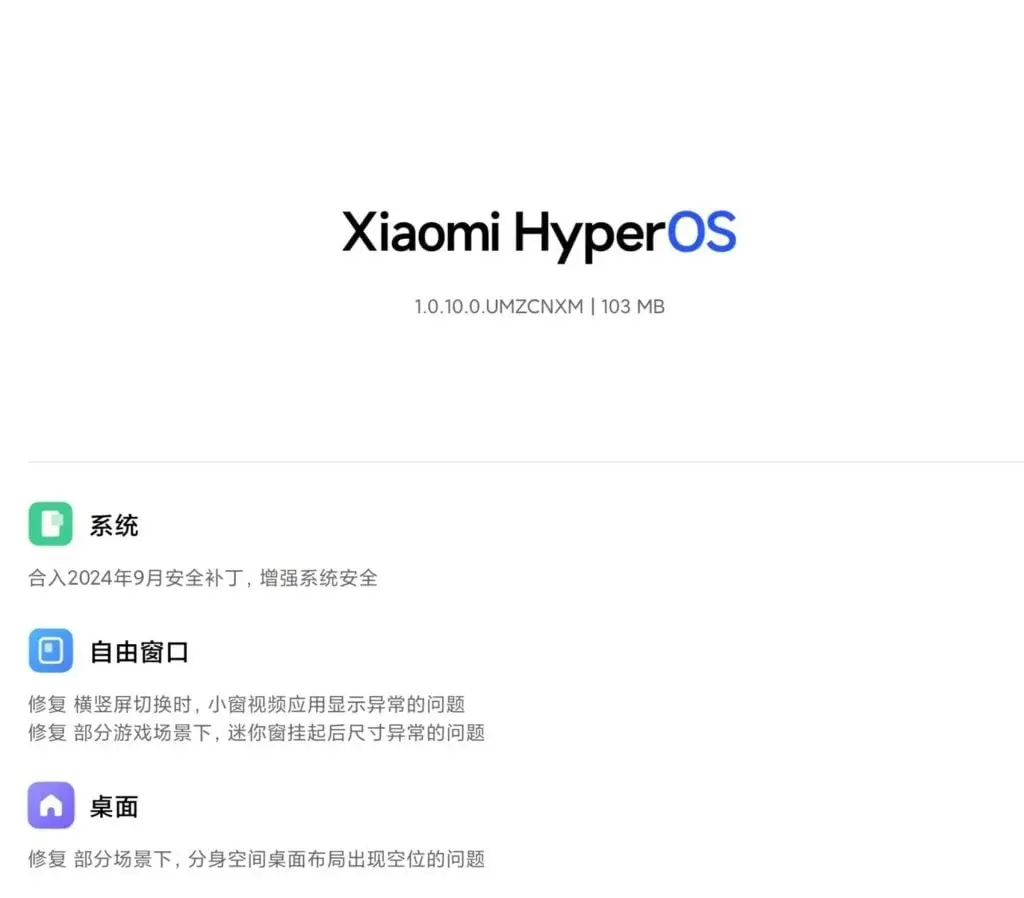
    Xiaomi has followed in Samsung’s footsteps by initiating the rollout of the September 2024 security update. This update has begun with the Xiaomi Pad 6 model and is set to extend to various other models in the upcoming weeks. So, what enhancements does the update bring to the Xiaomi Pad 6? Besides the September 2024 security patch, the update introduces improvements to floating windows and the HyperOS launcher.

    HyperOS Update for Xiaomi Pad 6

    The September 2024 security update is designed to enhance system optimization. Initially available for the Xiaomi Pad 6, this update is anticipated to be rolled out to more Xiaomi, Redmi, and POCO models shortly. The update first came to the tablet equipped with a Snapdragon 870 SoC, leaving users eager to know when they might receive it on their devices. Here, we delve into the details of the HyperOS September update made available for the Xiaomi Pad 6, which carries the build number OS1.0.10.0.UMZCNXM.

    Update Specifications

    The Xiaomi Pad 6 is receiving the September 2024 security update, which comes with a package size of 103MB. This update isn’t merely about the security patch; it also includes bug fixes for floating windows and the HyperOS launcher, enhancing the overall user experience. The new update is likely to increase user satisfaction with the Xiaomi Pad 6.

    Availability

    It’s important to note that the OS1.0.10.UMZCNXM build is currently exclusive to China and accessible to HyperOS Pilot Tester users. If your device hasn’t yet received the update, there’s no need for concern, as many Xiaomi, Redmi, and POCO models are expected to receive the update soon.

  • Explore the New Features in Nothing Phone (2) August Update

    Explore the New Features in Nothing Phone (2) August Update

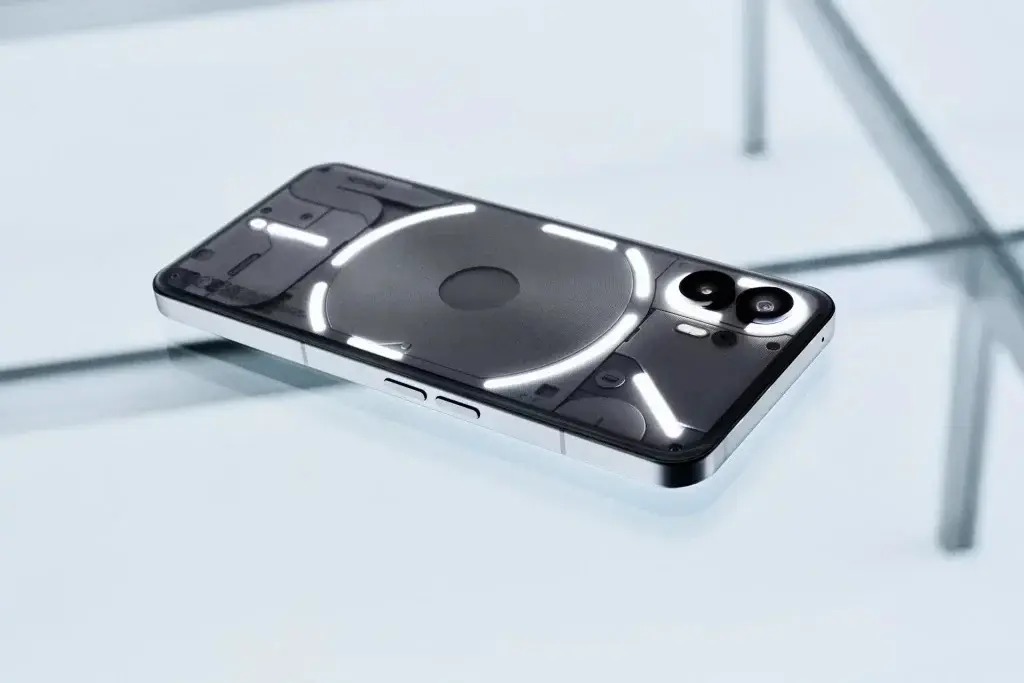
    Nothing has rolled out a new update for its flagship Nothing Phone (2). The update is 681 MB and brings the August security patch, along with several new features, enhancements, and bug fixes. Below is the detailed changelog.

    New Features & Enhancements

    • Swipe down on incoming notifications to access the Pop-up view, allowing for easy information access without exiting an app. Activate this feature by navigating to Settings > System > Pop-up view.
    • Adjusted ringtone volume for incoming calls.
    • Enhanced the speed of the Bluetooth tile toggle in Quick Settings.
    • Enabled vibration for third-party apps during calls. This can be turned on via Settings > Sound and Vibration > Vibration.
    • Ensured the Bluetooth tile accurately displays earbud information.
    • Battery and Pedometer Widgets are now available on the lock screen and Always On Display.
    • Security Patch updated to September.
    • Introducing the News Reporter Widget. Get daily news stories read aloud by Tim, Nothing’s CFO. Note: This feature is in beta and relies on various AI models, which may occasionally behave unexpectedly.

    Bug Fixes

    • Optimized the display of wallpaper previews.
    • Resolved an issue that prevented calls on certain networks.
    • Fixed a problem affecting 112 emergency calls.
    • Addressed an issue causing some Cloned Apps to auto-rotate despite being disabled.
    • Fixed an issue where the Media Player Widget couldn’t play music when changing from guest to main user.
    • Enhanced the Always On Display interface.
    • Ensured photo details within the camera roll are consistent.
    • Resolved display issues with the zoom slider during video recording.
    • Fixed system stability issues.

    The August update is being rolled out gradually. If it hasn’t arrived automatically, you can check for it manually under Settings > System > System Update.

    Upcoming Devices

    In related news, Nothing is reportedly developing two new smartphones, identified by Gizmochina under model numbers A059 and A059P. The A059 is anticipated to be a standard model, whereas the A059P is expected to be a Plus version with improved hardware. It remains uncertain if these devices will be released under the Nothing or CMF brand, and no technical specifications or launch dates have been confirmed. However, the smartphones are expected to be announced in approximately 3-4 months.

  • OxygenOS 14.1.0.402 Update: What’s New for OnePlus Pad 2

    OxygenOS 14.1.0.402 Update: What’s New for OnePlus Pad 2

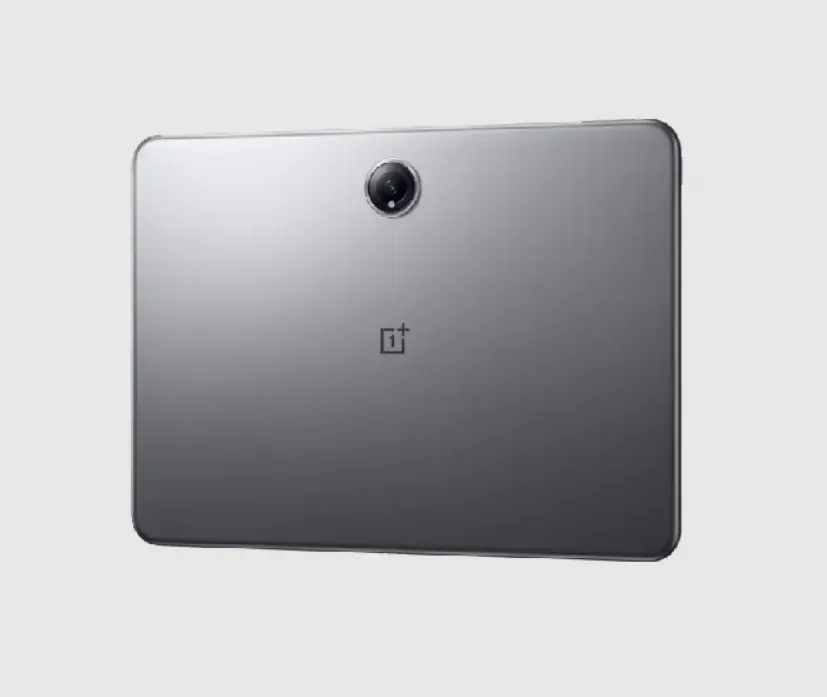
    OnePlus has begun distributing a new software update for its OnePlus Pad 2, introducing OxygenOS 14.1.0.402. This update is being released in phases, starting with users in India.

    OnePlus Pad 2 OxygenOS 14.1.0.402 Update Details

    System Improvements

    The update addresses several system-related issues, including:

    • Fixing transition animation effects when the Quick Settings panel is opened or closed.
    • Resolving a problem where the screen might turn reddish or blurry in Eye Comfort mode.
    • Fixing an issue preventing app unlocking when using a 4–16-digit or alphanumeric password.
    • Addressing a problem with face unlock that could lead to a security lockout prompt if the device has been locked for under 24 hours.
    • Correcting a display issue that may occur when adding a new device in “Settings – Connection & sharing – Multi-Screen Connect”.
    • Fixing an issue where swiping between photos might not work.

    Audio Enhancements

    The update enhances sound effects to provide a better audio and video playback experience.

    Apps and Accessories

    New Features and Improvements

    To check and install the update on your device, open the Settings app, scroll down to “About Device,” tap the blue ribbon at the top, and you will be able to download and install the update if it is available.

    Upcoming Smartphones by Nothing

    In other developments, Nothing is reportedly working on two new smartphones with model numbers A059 and A059P. The A059 is expected to be the standard version, while the A059P may be a Plus model featuring enhanced hardware. It remains unclear whether these devices will be launched under the Nothing or CMF brand, as technical specifications and release dates have not been confirmed. However, the smartphones are anticipated to be unveiled within the next 3-4 months.

  • Do Social Media Apps Listen to Your Mic? Facebook Insider Says Yes

    Do Social Media Apps Listen to Your Mic? Facebook Insider Says Yes

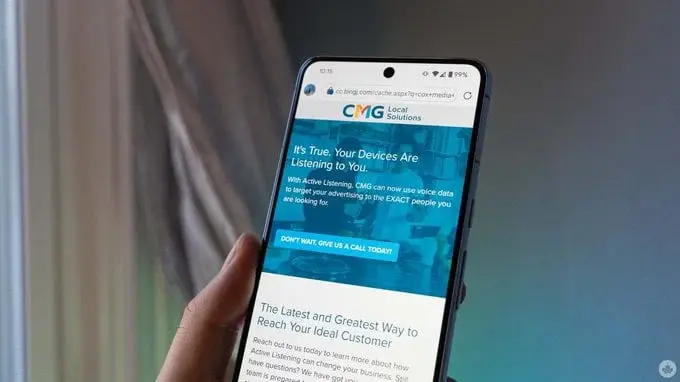
    Have you ever noticed an ad for something you just discussed? The mystery of whether our phones are eavesdropping has been partly solved with one of Facebook’s advertising associates confirming the use of ‘Active Listening.’

    As reported by 404 Media, “Active Listening” refers to a software powered by artificial intelligence that captures “real-time intent data by listening to our conversations.” Leaked documents reference a presentation from Cox Media Group (CMG), a major TV and radio company and one of Facebook’s alleged marketing partners. The presentation states, “Advertisers can pair this voice data with behavioral data to target in-market consumers.”

    Involvement of Tech Giants

    In addition to Facebook, both Google and Amazon reportedly utilize similar strategies and are clients of CMG’s Active Listening service. Upon being contacted by 404 Media regarding this partnership, Google allegedly removed CMG from its “Partners Program.”

    Denials from Involved Companies

    A spokesperson from Meta clarified that CMG was a general partner, and not part of the program mentioned in the presentation. He stated, “Meta does not use your phone’s microphone for ads and we’ve been public about this for years. We are reaching out to CMG to get them to clarify that their program is not based on Meta data.”

    Amazon’s representative also emphasized that they have never collaborated with CMG for advertising and have no intention to do so in the future.

    This isn’t the first time 404 Media has reported on CMG’s questionable voice targeting practices. Last December, 404 Media criticized a marketing company for promoting such intrusive technology on its podcast and discussed the Active Listening feature.

    A blog post from CMG in November last year addressed potential legal concerns, stating, “It is legal for phones and devices to listen to you. When a new app download or update prompts consumers with a multi-page term of use agreement somewhere in the fine print, Active Listening is often included.”

    CMG disclosed that it can identify users who are “ready-to-buy” and develop targeted ad lists based on their interests.