Category: Software

  • Pebblebee Trackers Compatible with Apple and Google Find My

    Pebblebee Trackers Compatible with Apple and Google Find My

    Pebblebee has been producing trackers compatible with Apple’s Find My for some time now. Earlier this year, they introduced trackers that work with Google’s Find My Device network. Recently, they revealed a new series of Bluetooth trackers that support both Apple and Google’s tracking services.

    Compatibility and Limitations

    With the new Pebblebee Universal trackers, users can switch between Android and iPhone without needing to change their trackers. However, they do have a limitation: you cannot use the trackers on both networks at the same time. If you set up the tracker for Apple Find My, you’ll need to perform a factory reset to switch to Google’s Find My Device network.

    Tracker Options

    The Pebblebee Universal trackers include three models: the Pebblebee Card Universal, designed for wallets, passport holders, and laptop sleeves; the Pebblebee Clip Universal, which features a keyring for attaching to keys and bags; and the Pebblebee Tag Universal, equipped with adhesive and holes for straps, suitable for attaching to various items like remotes.

    All three trackers come with LED lights, speakers, an IPX8 water resistance rating, and a rechargeable battery that charges via USB-C, though their battery lives vary. The Card offers 18 months of battery life, the Clip lasts for 12 months, and the Tag provides 8 months of usage.

    Pricing and Availability

    No matter which model you select, each tracker is priced at $34.99, slightly more than the Moto Tag available on Amazon for $29.99. Pebblebee also offers these trackers in 2-pack and 4-pack options, both of which come with discounts. You can purchase them from Pebblebee’s official store.


    Image 1
  • Garmin Outdoor Maps+ Update: Discover 7 New Features

    Garmin Outdoor Maps+ Update: Discover 7 New Features

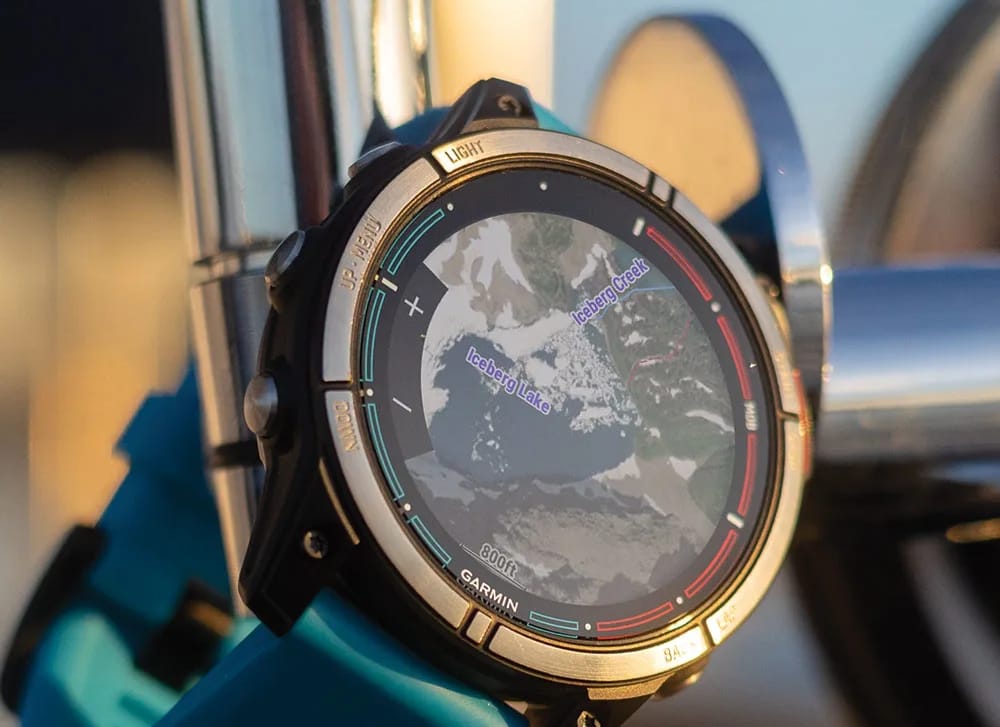
    Garmin has revealed an upgrade to its Outdoor Maps+, which it promotes as its ‘premium mapping solution.’ While Outdoor Maps+ is offered globally, several new features are only available to customers in the United States. Garmin has detailed six features that are exclusive to US users.

    Limited Features for Europe

    In contrast, Garmin is introducing only two new features for Outdoor Maps+ users in Europe. Unfortunately, these updates are simply enhancements of existing functionalities that were already present in the US. European users can now make use of Expanded Relief Shading, which visually represents elevation changes and terrain characteristics using color gradients.

    New Raster Maps Access

    Moreover, Garmin has broadened access to Raster Maps for European customers, incorporating data from providers in France and Switzerland. This addition displays locations for camping, points of interest, water sources, trails, and trailheads, among other features. It’s important to note that the subscription for Outdoor Maps+ continues to be priced at $49.99 per year. For further details, you can visit Garmin’s official website.


    Image 1
  • Manjaro 24.1 “Xahea” Released with KDE Plasma 6.1.5 and VirtualBox 7.1

    Manjaro 24.1 “Xahea” Released with KDE Plasma 6.1.5 and VirtualBox 7.1

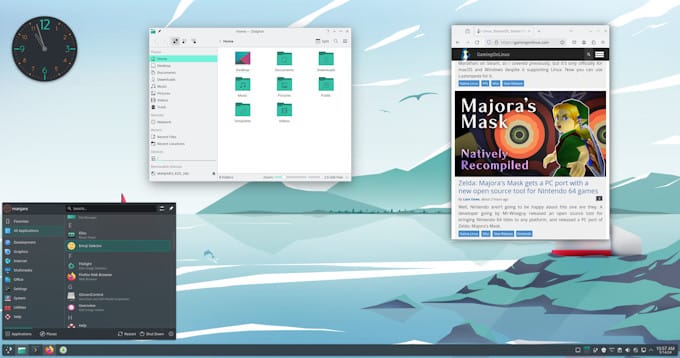
    With over ten years of experience, Manjaro is known as one of the most accessible Linux distributions, ideal for newcomers and advanced users alike, due to its straightforward installation and usability. Primarily developed in Austria, Germany, and France, this Arch-based distribution has recently rolled out a number of stable package updates, with the official release of version 24.1 just around the corner.

    Upcoming Release Details

    As mentioned in a recent forum post (refer to the Source(s) section for the link), the latest package updates signify the upcoming launch of Manjaro 24.1, also referred to as Xahea. Users can expect the new ISOs to be available shortly. While specifics are still limited, the changes included in today’s update feature Qemu 9.1, KDE Plasma 6.1.5, KDE Gear 24.08.1, LibreOffice 24.8.1, Firefox 130.0, VirtualBox 7.1, and ASUSCTL/ROG Control Center 6.0.12. The update also sees the removal of the 6.9 kernel.

    Kernel Support

    Although the 6.9 kernel has been discontinued (along with its predecessor, 6.8, which has also been removed from the repository), Manjaro Linux supports a wide array of kernels. The oldest supported kernel is 4.19, while the latest is 6.10.2_rt14.

    Learning Resources

    In a rapidly evolving Linux environment, the foundational aspects of the command line have remained consistent over the years. Those interested in mastering the basics may find value in Felix John’s book, Linux: Linux For Beginners: Your Step By Step Guide Of Becoming A Linux Command Line Ninja. Even after more than five years since its release, this book remains relevant and is available for free with Kindle Unlimited (or for $2.99 to purchase). For those preferring a physical copy, the paperback version is priced at $15.14.

    Manjaro Linux Forum


  • Android 16 is Baklava, Not ‘W’ – Here’s Why It Makes Sense

    Android 16 is Baklava, Not ‘W’ – Here’s Why It Makes Sense

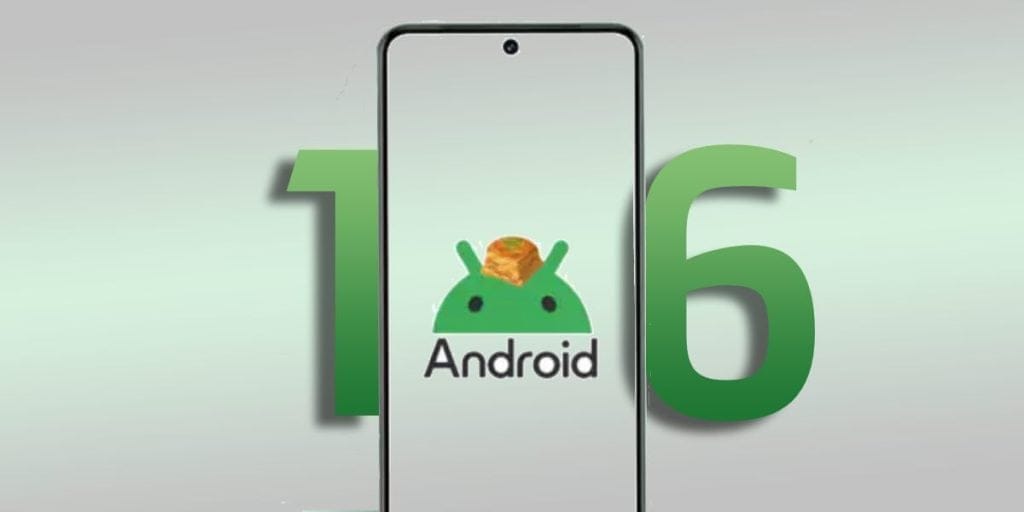
    It looks like Google is gearing up for a surprise with the upcoming Android 16 update. A recent report from Android Authority reveals that the internal codename for this version will be “Baklava,” marking a surprising break from the company’s usual practice of using dessert-themed names for Android releases.

    A Shift in Naming Tradition

    For many years, Google has adhered to a dessert naming convention for Android versions, following an alphabetical order. Names have included Cupcake (Android 1.5) through to more recent ones like Upside Down Cake (Android 14) and Vanilla Ice Cream (Android 15). These fun codenames have made it easier to follow the development of the operating system.

    However, with the upcoming version, Google has opted for “Baklava,” a popular pastry from the Middle East. This choice has raised questions. While it still maintains the dessert theme, many were anticipating a name starting with “W,” such as Waffle Sundae or Whoopie Pie.

    Details on Android 16’s Codename

    The information about the new Android version’s name was discovered in the Android Open Source Project (AOSP) code. In the AOSP, the min_sdk_version field is currently labeled as “Baklava,” similar to how it was labeled “VanillaIceCream” for Android 15. Google typically changes the name to its official title when the OS hits its first Platform Stability milestone, so a similar update is expected for Android 16.

    Interestingly, a Google engineer unintentionally confirmed the codename for Android 16 by checking if the platform SDK matched Baklava.

    Reasons Behind the Name Change

    The decision to switch to Baklava could be related to Google’s updated development process for Android OS, which started with Android 14. Google introduced the “Trunk Stable” project to enhance Android version development.

    The initial release under this new process was Android 14 QPR2 in March, which brought a new naming system for build IDs. Instead of beginning with "U" for Upside Down Cake, the build IDs now start with "A." For instance, the Pixel Tablet’s March update had the build ID AP1A.240305.019.A1, and the June update, based on Android 14 QPR3, was labeled AP2A.240605.024.

    The October update, based on Android 15, is expected to follow suit with a build ID like AP3A.241005.0XX. Similarly, the Android 15 QPR1 update anticipated in December should have a build ID resembling AP4A.241205.0XX.

    Looking ahead, next year’s Android releases will begin with build IDs starting with "B," which indicates why Google chose “Baklava” as the codename for Android 16, rather than something beginning with "W."


    Image 1
  • Download Mabox Linux 24.09: Manjaro-Based Ultralight OS

    Download Mabox Linux 24.09: Manjaro-Based Ultralight OS

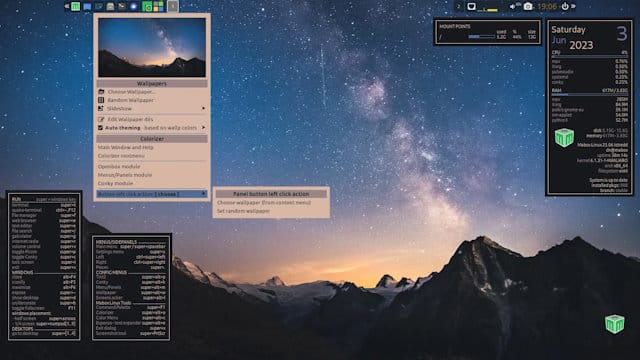
    Originally derived from the fast Blackbox window manager from the early 2000s, Openbox has undergone a complete rewrite and is now a cohesive piece of software. This straightforward and versatile window manager is included in Mabox Linux, a stable distribution based on Manjaro. Mabox Linux also features the tint2 panel/taskbar and the Jgmenu, an X11-inspired menu designed for scripting, customization, and tweaking. Recently, Mabox Linux updated its version to 24.09.

    Release Information

    Currently, there is no official release announcement available. However, the SourceForge repository has a text file that lists the packages included and their respective version numbers. The ISO file for this version is 2.5 GB in size, and the updated package highlights, compared to version 24.08 released on August 22nd, include several key applications.

    Preinstalled Applications

    Along with Firefox, Mabox Linux comes preinstalled with the Geany text editor/IDE, the PCManFM file manager, and the FSearch search utility. Additionally, it includes the Terminator terminal emulator. However, there is no default email reader provided, so users who wish to have one will need to select and install their preferred option.

    Helpful Resources

    Since this distribution is built on Manjaro, Atanas Georgiev Rusev’s "Manjaro Linux User Guide: Gain proficiency in Linux through one of its best user-friendly Arch-based distributions" can be beneficial for Mabox users. This guide is currently available at a discount of 26% on Kindle for $26.67 (down from $35.99) and in paperback for $28.07 (after a 38% discount from $44.99).

    Mabox Linux can be found on SourceForge and more information is available on DistroWatch.

  • Samsung Delivers 7 Years of OS Updates with Galaxy S24 FE

    Samsung Delivers 7 Years of OS Updates with Galaxy S24 FE

    Samsung unveiled the Galaxy S24 FE late last week, adding it as the fourth device in its Galaxy S Fan Edition (FE) lineup. Notably, this new smartphone was launched alongside the Galaxy Tab S10 Plus and Galaxy Tab S10 Ultra, rather than with other FE products. In contrast, the Galaxy S25 series, which includes the flagship Galaxy S25 Ultra, is expected to be released early next year.

    Similarities with the Galaxy S23 FE

    The Galaxy S24 FE retains many features from last year’s Galaxy S23 FE, which is currently priced at $339 on Amazon. Both smartphones share similar camera hardware and display specifications, featuring a 1080p AMOLED screen with a 120 Hz refresh rate, along with support for 25 W wired and 15 W wireless charging. However, Samsung has implemented a significant change in software support for this generation, ensuring the Galaxy S24 FE will receive updates for a longer period compared to its predecessor.

    Extended Software Support

    For context, the Galaxy S23 FE is set to receive four OS updates during its lifetime, maxing out at Android 17, as it originally comes with One UI 5 based on Android 13. Additionally, users can expect security patch updates until at least October 2028.

    In contrast, Samsung has committed to offering seven major OS updates for the Galaxy S24 FE. Since it launches with Android 14 and One UI 6.1, this means it should remain updated up to Android 21 and One UI 13. Samsung will also provide two additional years of security patch updates, aligning the timelines for software and security updates. For further hardware details, please refer to our Galaxy S24 FE launch article.

    Samsung via Android Headlines

  • Garmin Updates Budget Watches with New Watch Faces

    Garmin Updates Budget Watches with New Watch Faces

    Garmin has been quite active as the month wraps up, having launched new updates for several devices, including the Enduro 3, Fenix E, Fenix 8, Forerunner 165, Instinct Crossover, Instinct 2, Vivoactive 5, and Venu 3 series. The latest addition to this list is the Lily 2, currently priced at $244.99 on Amazon, thanks to a recent update.

    Update Details

    Recently, Garmin upgraded the Lily 2 from software version 4.14 to 5.13, implementing a variety of changes. It’s worth noting that the Lily 2 hybrid smartwatch was unveiled at the beginning of 2024, available in both regular and Classic versions. While both models feature the same hardware with 1.00-inch x 0.84-inch displays, only the Classic version is equipped with Garmin Pay.

    New Features

    According to Garmin, the new Software Version 5.14 introduces additional watch faces to the Lily 2. However, the company did not provide further details in their forum announcement. The update is reportedly available for all compatible devices. If your device hasn’t received it yet, you can manually download Software Version 5.14 using Garmin Express or Garmin Connect Mobile (GCM). For more information, refer to the company’s forum post.

  • Funtouch OS 15 Now Available: Compatible Vivo & iQOO Devices List

    Funtouch OS 15 Now Available: Compatible Vivo & iQOO Devices List

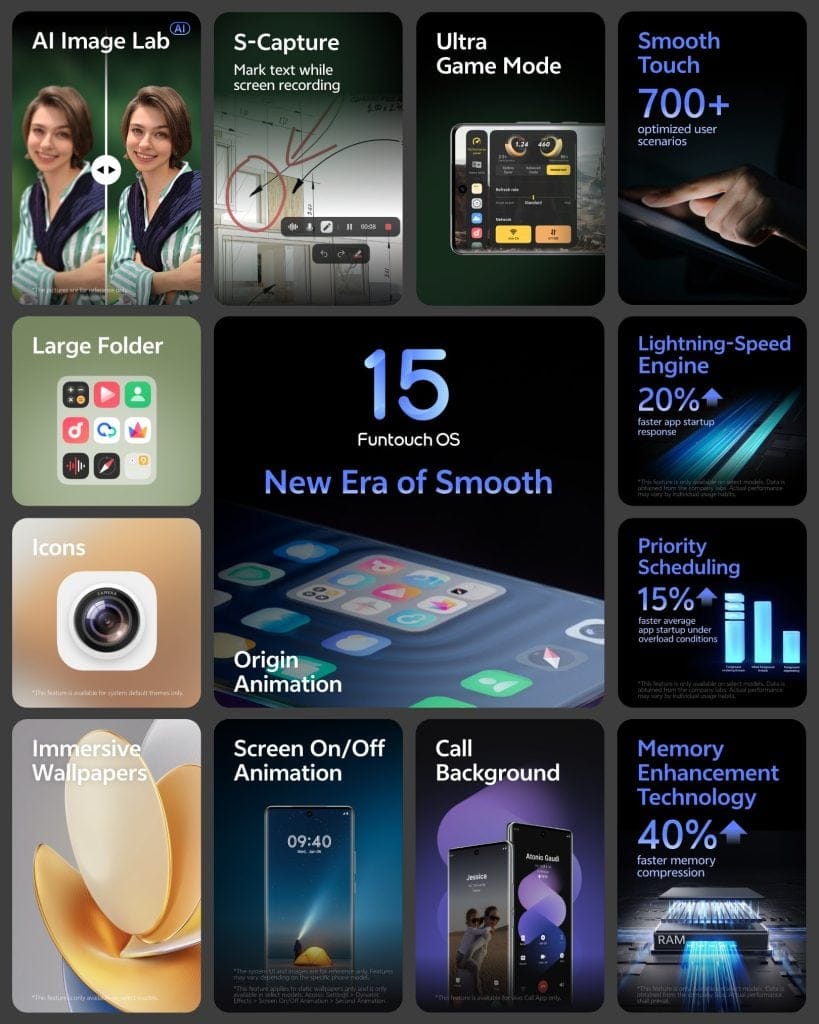
    Vivo has introduced Funtouch OS 15, a significant update built on Android 15, which aims to enhance user experience by making it smoother and more tailored. This new version comes packed with performance improvements, fresh customization options, and better productivity features.

    Enhancements in Performance and Fluidity

    Funtouch OS 15 is designed to prioritize speed and seamless operation. It integrates a Priority Scheduling model that accelerates app launches by 15% by focusing on tasks running in the foreground. Additionally, the update includes Memory Enhancement Technology that employs an optimized zRAM compression method, enhancing compression speed by 40% and reducing GPU memory usage for background applications, leading to improved multitasking capabilities.

    Moreover, the update enhances animations, with the Origin Animation feature contributing to a more fluid interface. The Lightning-Speed Engine also aims to increase app launch speeds by an additional 20%. To enhance visual appeal, the Aqua Dynamic Effect draws inspiration from natural movements, providing a fresh interaction experience.

    Customization Options for Users

    With Funtouch OS 15, users gain access to over 3,800 redesigned elements for device personalization. This includes new system themes, wallpapers (static, immersive, and video), and options to alter the style and size of app icons. Users can select from nine different system themes to give their phones a new appearance.

    In addition, new fingerprint recognition animations have been introduced, enabling users to customize the look of their devices further.

    Productivity Features for Enhanced Efficiency

    The newly added AI Image Lab offers tools for automatic photo enhancement and shadow removal from document scans, streamlining the editing process. It also features the Memory Movie capability for improved management of photos and videos.

    For gaming enthusiasts, the Ultra Game Mode allows effortless access to game settings without disrupting gameplay. The Link to Windows feature facilitates an easy connection between a Vivo device and a PC, supporting real-time content synchronization and file sharing.

    Timeline for Funtouch OS 15 Rollout

    The Beta version of Funtouch OS 15 will first be available for the iQOO 12 in India. Other Vivo models are set to receive the update starting in mid-October 2024, continuing until June 2025. Vivo has provided a detailed rollout schedule for each device.

    Here’s the rollout schedule for the Android 15 Beta update:

    Vivo Smartphones

    • Mid-October 2024: X Fold3 Pro, X100 Pro, X100.
    • Mid-November 2024: X90 Pro, X90.
    • Mid-December 2024: V40 series, V30 series, Y200 Pro 5G, T3 Ultra, and more.
    • Mid-January 2025: X80 series, V27 series, T3 Pro 5G, T3 5G.
    • Mid-February 2025: Y300 5G, Y200 Plus 5G, T3x 5G.
    • Mid-March 2025: Y200e 5G, Y100 series, T2 Pro 5G, T2 5G.
    • Mid-April 2025: Y200 5G.
    • Mid-May 2025: Y58 5G, Y56 5G, Y29 5G, and others.
    • Mid-June 2025: Y36, Y28 5G.

    iQOO Smartphones

    • Mid-October 2024: iQOO 12
    • Mid-November 2024: iQOO 11
    • Mid-December 2024: iQOO Neo9 Pro
    • Mid-January 2025: iQOO 9 Pro, iQOO 9T, iQOO Z9s Pro 5G, iQOO Z9s 5G, iQOO Z9 5G
    • Mid-February 2025: iQOO Neo7 Pro, iQOO Neo7, iQOO Z9x 5G
    • Mid-March 2025: iQOO Z7 Pro 5G, iQOO Z7 5G, iQOO Z7s 5G
    • Mid-May 2025: iQOO Z9 Lite 5G

    Image 1
    Image 1
  • What to Expect from OxygenOS 15: Key Features and Updates

    What to Expect from OxygenOS 15: Key Features and Updates

    OnePlus is set to unveil its latest version of the custom software, OxygenOS 15, soon. The beta program is likely to begin this month or early next month, with a stable version expected to roll out around November. Thanks to various leaks, we already have insights into the new features and changes that OxygenOS 15, based on Android 15, will bring.

    What Can You Anticipate in OxygenOS 15?

    1. Updated Control Center
    Although Android 15 itself doesn’t feature many UI changes, OxygenOS 15 aims to enhance this area significantly. The redesigned control center may take inspiration from iOS and HyperOS. It is rumored to include two large toggles at the top, similar to HyperOS, a 2×2 media player, a 1×2 brightness slider, and a 1×2 volume panel below that. Additionally, numerous 1×1 circular toggles for quick settings are expected.

    This control center is designed to be a single scrollable page with customizable options, allowing users to rearrange icons and hide or show specific settings, similar to the capabilities in iOS 18. Users can also easily revert to the previous layout if desired. Furthermore, OxygenOS 15 might separate the control center from the notification area, where swiping down from the right reveals the control center and swiping from the left shows notifications.

    2. The Return of the Never Settle Easter Egg
    Long-time OnePlus fans may be pleased to see the comeback of the Never Settle easter egg in this update. Users can activate this feature by typing ‘1+’ in the Calculator app and hitting the equals button (‘=’).

    3. iOS-Inspired Enhancements
    OxygenOS 15 might introduce features reminiscent of iOS, such as a Dynamic Island-like function, which would position new screen details at the center punch hole instead of the left side. The Camera app may also see a return of the Live Photos feature, allowing users to capture short video clips alongside photos, akin to iOS’s offering. Additionally, the volume slider is rumored to be redesigned to mimic iOS, starting large and narrowing upon further presses.

    Customizations and Battery Features

    4. Lock Screen Personalization
    Expect several customization options for the lock screen in OxygenOS 15, potentially including a 3D lock screen. Users may have the ability to change the size, position, color, and font of the lock screen clock, with various presets available.

    5. Video Battery Saver
    An intriguing new feature named “Video battery saver” has been identified in early Android 15 builds. This feature aims to optimize battery consumption when using specific video applications. While it may extend battery life, it could slightly impact the video-watching experience.

    In addition to OnePlus’s enhancements, the upcoming update will incorporate numerous features from Android 15.

    New Features from Android 15

    6. Satellite Connectivity Support
    Android 15 will include satellite connectivity support, allowing users to send text messages without cellular coverage, as long as they have a clear view of the sky. This feature may require special hardware and carrier support, enabling SMS, MMS, and RCS apps to utilize satellite functionality.

    7. Theft Detection Lock
    One of the standout features introduced in Android 15 is the theft detection lock, designed to safeguard user data and deter device theft. This feature employs Google’s AI to recognize if a phone has been stolen and will lock the device automatically to prevent unauthorized access. Even if a thief performs a factory reset, they won’t be able to activate the device without the original Google account details.

    8. Split App Pairs
    Another useful addition is the ability to create shortcuts for favorite pairs of split-screen applications, enhancing usability on larger devices.

    9. App Archiving
    Android 15 will also allow users to uninstall apps while retaining user data, similar to the offloading feature on iPhones. This means there will be no data loss, and users can pick up right where they left off after reinstalling the app. While app archiving is already available via the Google Play Store, Android 15 aims to integrate this feature at the OS level, enabling users to archive or restore apps from any source.

    10. AI Innovations
    As with every major update, OxygenOS 15 will feature new AI capabilities. While the specifics are still unclear, some enhancements will come from OnePlus’s development, while others will be part of Android 15.

    There will likely be many more features and improvements in OxygenOS 15, which we will discover upon its official release.

  • Galaxy Devices Eligible for 7 Android Updates: Complete List

    Galaxy Devices Eligible for 7 Android Updates: Complete List

    While many Android brands limit their devices to a maximum of four Android updates, Samsung stands out by offering an impressive seven years of Android and feature updates for its premium models. This sets a new standard for Android device update policies.

    New Update Policy with Galaxy S24 Series

    Samsung rolled out this updated policy with the launch of the Galaxy S24 series earlier this year. Since then, numerous Galaxy devices have benefited from this commitment. Although there hasn’t been any official word on software support for future models, it is expected that all upcoming flagship Galaxy phones and tablets will receive seven generations of Android updates along with security patches for a full seven years.

    Devices Covered Under the Update Policy

    Here’s a list of Samsung Galaxy devices currently included in this new update plan:

    This list is still limited as Samsung has not yet applied the new update policy to older Galaxy models. However, it is likely to expand as the company introduces more high-end smartphones and tablets.

    Current Android Version and Future Updates

    All devices mentioned above come pre-installed with Android 14, meaning their last major Android upgrade will be Android 21. They will continue to receive One UI feature updates and security patches until 2031.

    Samsung is not the only company providing seven years of Android upgrades; Google was the pioneer in this area. However, Samsung is poised to serve more users due to its faster release of flagship devices and its wider market presence.