Tag: Samsung Galaxy

  • Google Expands Gemini AI Features Across Android Devices

    Google Expands Gemini AI Features Across Android Devices

    Key Takeaway

    1. Google announced the expansion of Gemini Intelligence AI in Android OS, enhancing automation and integration with Google products.
    2. The AI will access personal data, including passports, to autofill forms and facilitate various tasks through user permission.
    3. New features include multilingual transcription, custom widgets, and voice dictation capabilities, with ongoing concerns about accuracy and safety.
    4. The implementation raises questions about error rates, safeguards against AI mistakes, and handling of potential prompt injection hacks.

    Google Unveils New AI Features During Android Show

    During the recent Android Show: I/O Edition 2026, Google announced some exciting new updates for Android OS that focus on AI integration. They plan to expand the capabilities of their Gemini Intelligence AI, aiming to make daily tech tasks easier and more efficient for users.

    Enhanced Personal Data Access and Automation

    The AI will have the ability to access all personal info stored on your device, like passports, and use it across various Google services including Gmail, Photos, and Wallet. This means forms can be filled out automatically, saving users lots of time. However, this level of access raises questions about privacy and security.

    Speech Recognition and Text Editing Improvements

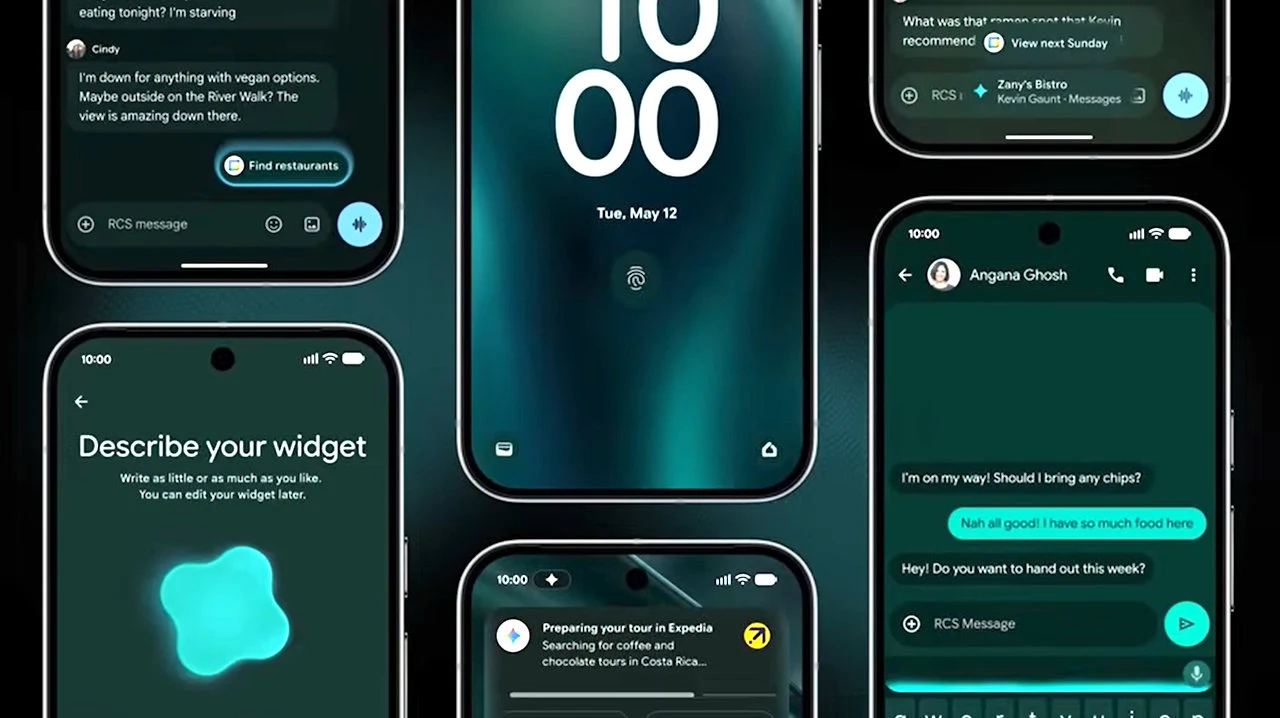
    The Gboard keyboard will now feature a new Rambler tool that transcribes multiple languages spoken aloud. It will help remove filler words such as “um” and rewrite longer, complex sentences for clearer communication. Google didn’t share how often its rewriting might get things wrong, though.

    Voice Commands and Widget Customization

    Users will be able to give voice commands to Gemini, like ordering food or planning trips. The AI should ask for permission before taking actions like sharing personal photos publicly, but specifics about safeguards remain unclear. Besides, users can create custom widgets displaying current weather conditions or other data, for their phone and smartwatch, but details on costs for data access or widget creation aren’t available yet.

    Potential Benefits and Concerns of AI Integration

    Introducing AI wide into Android could help users overcome daily digital challenges, potentially boost productivity, but concerns about its error rate and security remain. No info was given on how well Gemini understands tasks or resists hacks like prompt injections. That’s worrying because AI systems can sometimes make serious mistakes, like deleting important data or misposting content.

    Mitigating Risks and Future Implementation

    Mindy Brooks, VP of Android Platform, stated that Gemini will only work when instructed and stops once tasks are completed. Still, there are unanswered questions about how swiftly problematic AI behavior can be halted or who is accountable for damages caused by AI errors. The new AI features are expected to begin rolling out during summer 2026, starting with Google Pixel and Samsung Galaxy devices.
  • Samsung Galaxy Phones Now Support WhatsApp and X Over Satellite

    Samsung Galaxy Phones Now Support WhatsApp and X Over Satellite

    Key Takeaways

    1. Samsung Galaxy phone users can access a selection of apps that work without mobile internet under “Satellite-ready apps on your phone” in Settings.
    2. Samsung partners with various mobile network providers across North America, Europe, and Japan for satellite services.
    3. Satellite connectivity options vary by region, with some areas allowing only texting or emergency services, while others support calls and internet access.
    4. A list of apps compatible with satellite functionality is available for Samsung Galaxy smartphones.
    5. The Galaxy S26 series will feature built-in satellite communication, and Samsung plans to expand this service globally.


    As mentioned by @theoneacid on X, certain Samsung Galaxy phone users can now find a selection of apps that function without requiring a mobile internet connection. These apps are available under the “Satellite-ready apps on your phone” section found in the Settings menu.

    Partnerships Across Continents

    The South Korean tech giant has teamed up with several mobile network providers in North America, including AT&T, Verizon, and T-Mobile. In Europe, they are collaborating with MasOrange in Spain, Virgin Media 02, and Vodafone. Meanwhile, in Japan, partners include Docomo, KDDI, Rakuten Mobile, and SoftBank. Unlike Apple, which connects directly with satellite internet firms like SpaceX for Starlink, Samsung has taken a different route.

    Different Options by Region

    Typically, customers looking for direct-to-satellite services will find varying options depending on their location. In certain regions, satellite connectivity might only allow for texting or emergency services. However, in other areas, users can make calls, send SMS, and surf the internet.

    List of Satellite-Compatible Apps

    The list of apps that support satellite functionality on Samsung’s Galaxy smartphones includes various options. Samsung revealed back in February that the Galaxy S26 series will come equipped with satellite communication features. The company has also vowed to broaden this service on a global scale.

    Source:
    Link


  • Apple iPhone and Samsung Galaxy: Used by Over 1 Billion People

    Apple iPhone and Samsung Galaxy: Used by Over 1 Billion People

    Key Takeaways

    1. Apple iPhones have the largest active user group, accounting for nearly 25% of all smartphones in use.
    2. Samsung follows with about 19% market share, representing over a billion active users.
    3. Chinese manufacturers are rising, with Xiaomi leading at 12%, followed by Oppo (8%) and Vivo (7%).
    4. Transsion is gaining popularity in developing regions, focusing on budget-friendly smartphones.
    5. Smaller brands like Motorola and Google are struggling, with Google holding less than 1% market share and consumers keeping their phones longer before upgrading.


    Smartphone sales provide a quick look at the market, but the count of active devices for each brand shows trends over time. A recent survey by Counterpoint Research indicates that Apple iPhones have the largest active user group. Almost 25% of all smartphones in use are iPhones. Samsung is the only other brand with over a billion active users, holding about 19% of the market. This means that roughly one in five smartphones currently in use is from the Samsung Galaxy line.

    Chinese Manufacturers on the Rise

    The top six smartphone makers from China each boast more than 200 million users. Xiaomi leads this pack, commanding a market share of about 12%. Oppo and Vivo follow behind, making up approximately 8% and 7% of the global market, respectively. Transsion, which owns Tecno and Infinix, ranks just above Huawei and Honor. In recent years, Transsion has gained a significant user base, especially in the Middle East, Africa, and Southeast Asia, where there is a strong demand for budget-friendly smartphones that deliver good value.

    Smaller Players Struggling

    Motorola and Realme phones are used by just under 200 million people globally. Google’s smartphone presence is minimal, barely appearing in Counterpoint Research’s statistics, with a market share of less than 1%, and trailing Realme significantly. The forthcoming Google Pixel 10a is not expected to change that situation much, as this mid-range phone will likely offer few enhancements compared to the Pixel 9a (priced from $399 on Amazon). Counterpoint Research notes that consumers are keeping their smartphones for longer periods before deciding to upgrade to a new model.

    Source:
    Link


  • Samsung’s Free Crypto Trading Promo with Coinbase One on Galaxy

    Samsung’s Free Crypto Trading Promo with Coinbase One on Galaxy

    Key Takeaways

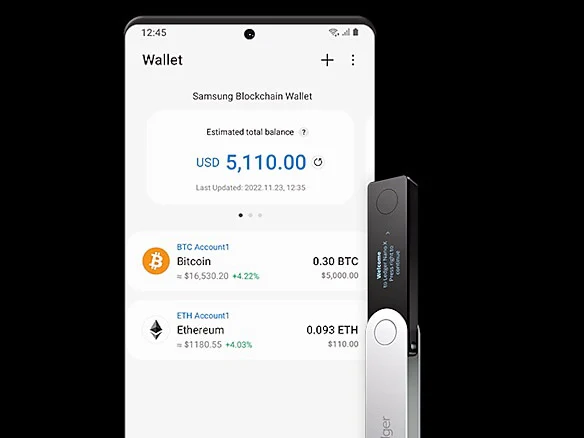
    1. Integration of Coinbase with Samsung Wallet: Users can now buy cryptocurrencies directly through Samsung Wallet using Samsung Pay.

    2. Free Trial Offer: Coinbase offers a three-month free trial of its Coinbase One subscription for Samsung users, which includes zero trading fees for select crypto assets.

    3. $25 Credit for Users: Samsung Wallet users in the US receive a $25 credit after their first cryptocurrency trade through the app.

    4. Enhanced Features: Coinbase One subscription provides additional benefits like premium support, enhanced staking rewards, and protection against unauthorized access.

    5. Access to Cryptocurrency Features: Users can check account balances, trade, make installment payments, and perform peer-to-peer transactions directly from their Galaxy phones.


    Samsung Galaxy smartphone users in the United States can now trade cryptocurrency at no cost as part of an introductory offer celebrating the new collaboration with Coinbase, marking the 10th anniversary of its Wallet app.

    New Features in Samsung Wallet

    The largest cryptocurrency exchange in the world, Coinbase, is now integrated into Samsung Wallet, allowing users to purchase Bitcoin and other cryptocurrencies directly using Samsung Pay within the app.

    This development broadens Coinbase’s potential audience, reaching the 75 million Galaxy phones in the US equipped with Samsung Wallet. To encourage usage, Coinbase is offering a three-month free trial of its Coinbase One subscription for Samsung devices such as the Galaxy S25 Ultra, which is currently available at a discount through Amazon’s Prime Big Deal promotion.

    Benefits of Coinbase One Subscription

    Coinbase One provides users with zero trading fees for select crypto assets, enhanced staking rewards, and special offers. Those who subscribe to Coinbase One also receive premium support and their accounts are safeguarded against unauthorized access.

    Additionally, Coinbase is providing a $25 credit to Samsung Wallet users in the US after their initial cryptocurrency trade. According to Drew Blackard, the Senior VP of Mobile Product Management at Samsung Electronics America, the partnership with Coinbase is set to grow globally in the coming months:

    “Millions of Galaxy users depend on their smartphones for daily tasks that extend beyond simple communication – from making in-store payments to unlocking cars and displaying IDs. Samsung Wallet facilitates all these experiences, and we’re dedicated to enhancing its capabilities. With our partnership with Coinbase, Galaxy users can easily access cryptocurrency from a leader in the field.”

    Trading and Earning with Samsung Wallet

    Users of Samsung Wallet in the US are now able to check their cryptocurrency account balances, trade directly from their Galaxy phones, utilize Samsung Pay for installment payments, and partake in peer-to-peer transactions.

    During the promotional period for free crypto trading, Samsung Wallet users will also have access to the Coinbase One credit card, which allows them to earn as much as 4% back in Bitcoin, subject to the criteria for credit eligibility.

    Samsung and Coinbase are working together to bring more innovative features to users.

    Source:
    Link


  • Samsung Galaxy Tri-Fold Leak Reveals New Cover Display Design

    Samsung Galaxy Tri-Fold Leak Reveals New Cover Display Design

    Key Takeaways

    1. The Huawei Mate XT features a Z-shaped design with a main display over 10 inches, which influenced initial expectations for tri-fold devices.
    2. Samsung’s upcoming tri-fold competitor will have a central cover display, differing significantly from Huawei’s design.
    3. The central display placement may improve selfie previews with main cameras positioned on the left side.
    4. Users may need to lay the device flat to charge earbuds on the cover display, which has a wireless charger beneath the rear cameras.
    5. This design could enhance comfort and grip while using the main display, reducing fingerprints on the secondary screen.


    When the Huawei Mate XT was first introduced, it unfolded in a unique Z-shape, revealing a main display that measures over 10 inches diagonally. Many people thought that all new tri-folding devices would follow this design.

    Samsung’s Unique Approach

    However, recent leaks suggest that Samsung’s upcoming competitor may not follow suit. According to the latest information shared by @TechHighest, there are significant differences between the Huawei XT (and its future versions) and the anticipated tri-fold from the Galaxy series.

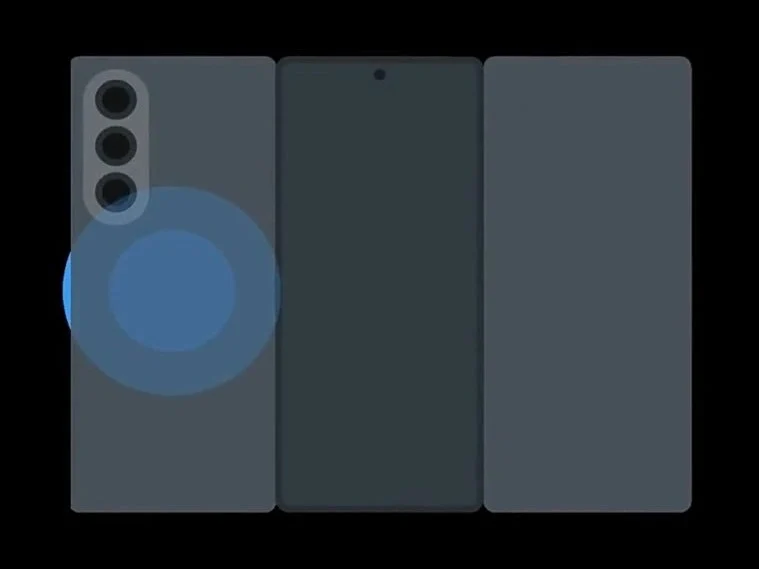
    The new One UI animations appear to confirm that the Samsung’s cover display is positioned in the center of the device. This setup allows for two panels to fold and unfold around it, which is quite different from what Huawei offers.

    Design Insights

    This middle placement may have been strategically chosen to enhance selfie previews using the main cameras, which are located to the left when viewed from the front. The new clip indicates this feature could be beneficial for users.

    Moreover, it raises the possibility that users might need to lay the device flat on its cover display when it is closed. This would be necessary for charging earbuds using the wireless charger, which seems to be situated beneath the rear cameras.

    Practical Considerations

    On the flip side, this design could make the smartphone more comfortable to hold while using the main display. It would help prevent fingerprints on the secondary screen while still providing a secure grip on the two inactive surfaces.

    Source:
    Link


  • Free Perplexity Pro for Samsung Galaxy Phone Owners

    Free Perplexity Pro for Samsung Galaxy Phone Owners

    Key Takeaways

    1. Samsung is partnering with Perplexity AI to enhance AI features in Galaxy devices.
    2. Eligible US Galaxy users can get a free one-year subscription to Perplexity Pro, worth $200.
    3. To claim the subscription, users must install the Perplexity AI app from the Galaxy Store.
    4. Existing app users may need to uninstall and reinstall the app to access the free Pro subscription.
    5. Perplexity Pro offers enhanced research capabilities, making it a valuable tool for students and professionals.


    Samsung has always been at the forefront when it comes to using artificial intelligence in their mobile devices. A lot of the AI features found in Galaxy smartphones come from Google’s innovations. But, according to recent updates, it seems Samsung is aiming to broaden its horizons by teaming up with Perplexity AI. In connection with this, Samsung is providing Perplexity Pro for free to US customers who own its tablets and phones.

    Exciting Offer for Galaxy Users

    For a limited period, Samsung is giving away a one-year subscription to Perplexity Pro free of charge for eligible Galaxy devices bought in the US. This isn’t just a minor bonus; typically, this subscription costs a hefty $200 each year. However, now you can obtain it without paying anything extra.

    How to Get Your Free Subscription

    Claiming your free year of Perplexity Pro on your Samsung Galaxy device is straightforward. If you have an eligible tablet or smartphone in the United States, just visit the Galaxy Store. First, you need to search for and install the Perplexity AI app. After it’s installed, simply launch the app and either log into your current account or set up a new one. That’s all there is to it! Many users have reported that the Pro version activates right away once downloaded from the Galaxy Store.

    Important Installation Note

    It’s important to mention that some users discovered that if the app was already on their device, they might need to uninstall it and then reinstall it through the Galaxy Store to unlock the free Pro subscription.

    For those who aren’t aware, Perplexity functions as an AI chatbot that competes with ChatGPT, Gemini, and other similar tools. It answers queries by combining information from different sources, giving you quick and referenced results, which saves you both time and energy. With the Pro version, you’ll enjoy an enhanced ability for “Deep Research,” which allows for up to 500 more detailed “automatic” inquiries each day. The Pro plan also provides access to several high-quality AI models.

    In summary, Perplexity Pro turns your Galaxy device into a powerful research assistant, making it ideal for students, professionals, or anyone who loves to explore. Getting it for a year at no cost, which saves you over $200, is an awesome benefit!

  • Why Good Lock Users Should Avoid One UI 8 Beta

    Why Good Lock Users Should Avoid One UI 8 Beta

    Key Takeaways

    1. Samsung has released the One UI 8 Beta, introducing new features and changes for Android 16.
    2. Many Good Lock plugins are experiencing issues in the beta version, affecting customization options.
    3. Key plugins like QuickStar, NavStar, MultiStar, and NotiStar are malfunctioning or limited.
    4. Users may encounter crashes and functionality problems during the beta testing phase.
    5. Samsung’s new foldable devices will be the first to receive the stable One UI 8 update this summer.


    Samsung has launched the One UI 8 Beta, offering Galaxy users a glimpse of what’s on the horizon with Android 16. This update introduces a variety of new features and user-friendly improvements, making it an exciting advancement. However, there’s a downside. Many popular Good Lock plugins that allow you to personalize your phone are experiencing issues with this beta version. If you enjoy customizing your Galaxy device, it’s important to be aware of these problems before you jump in.

    Problems with Good Lock on One UI 8 beta

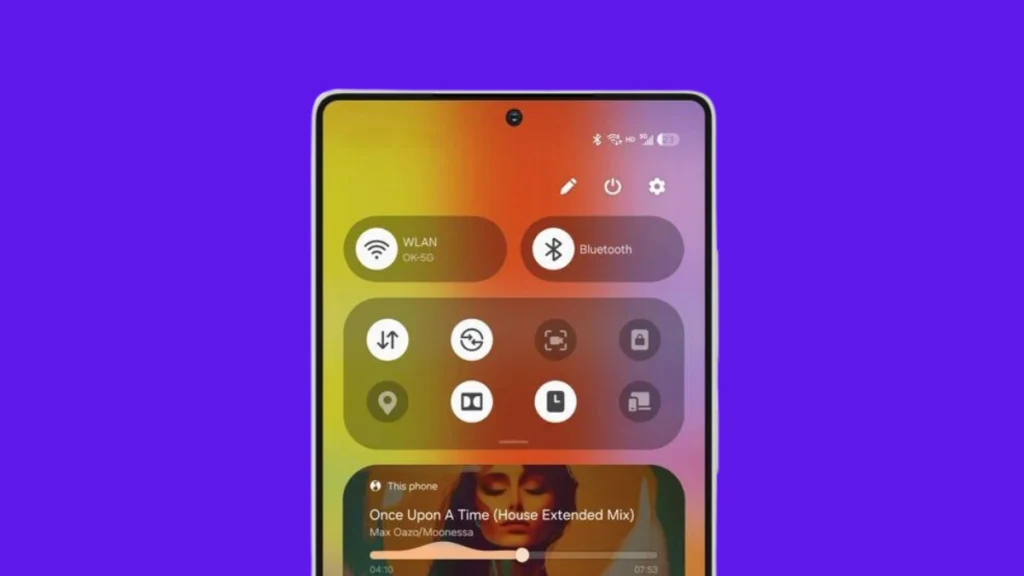
    The Good Lock feature enables users to modify aspects from the lock screen to multitasking capabilities, even unlocking experimental features that Android usually restricts. Sadly, the beta version disrupts or limits several essential plugins like QuickStar, NavStar, MultiStar, and NotiStar. Other plugins such as LockStar, Home Up, ClockFace, and Edge Lighting+ are also encountering difficulties.

    To give you a clearer picture: LockStar is having problems with lock screen adjustments, Home Up struggles with home screen personalization, and NavStar’s navigation bar features aren’t functioning completely. QuickStar’s quick settings panel is acting up, NotiStar’s notification adjustments are malfunctioning, and MultiStar’s multitasking abilities aren’t performing well. ClockFace is not cooperating with lock screen clock designs, and Edge Lighting+ faces compatibility challenges.

    Expected Hiccups in the Beta

    These setbacks are not entirely surprising—Samsung typically limits Good Lock functionalities during beta tests to prevent major problems, especially since One UI 8 is based on the still-developing Android 16. Currently, some applications may crash or not perform correctly, but there is hope ahead. As Samsung refines One UI 8 through beta testing, they are likely to update Good Lock to ensure compatibility with the new operating system. If you are trying out the beta, it might be wise to refrain from extensive customization for the time being.

    Samsung’s upcoming seventh-generation foldables—the Galaxy Z Fold 7, Flip 7, and potentially the anticipated Flip 7 FE—are expected to launch this summer, and these devices will be the first to receive the stable One UI 8 update for Galaxy enthusiasts.

    Source:
    Link

  • Get Ready for One UI 7.0: Upgrade Your Samsung Galaxy Smoothly

    Get Ready for One UI 7.0: Upgrade Your Samsung Galaxy Smoothly

    One UI 7.0 marks Samsung’s most significant upgrade for its devices in over five years, which is why the development took longer than usual. It was launched with the Galaxy S25 series during the Galaxy Unpacked event in 2025 last month. As a result, there were no major One UI updates in 2024.

    Beta Program Details

    Samsung kicked off the One UI 7.0 beta program in early December 2024, but surprisingly, it has only been available for the Galaxy S24 series so far. The stable version, however, will begin to be available for other Galaxy devices in just a few days. As per the norm, flagship models will receive the One UI 7.0 upgrade first, followed by mid-range and budget options. Regardless of the price of your Samsung Galaxy, it’s essential to follow certain steps to ensure a smooth transition.

    Device Update Policy

    While Samsung is known for its excellent software support among Android manufacturers, not every Galaxy device will get the One UI 7.0 upgrade (which is based on Android 15). Each device is allotted a specific number of One UI and OS upgrades. So, it’s crucial to check the update policy to determine if your device qualifies for this major update. We’ve compiled a list of devices that are eligible for One UI 7 in this article.

    Backing Up Your Data

    When a major One UI upgrade is available for my Samsung Galaxy, I don’t immediately rush to download and install it. Instead, I opt to back up all my data to keep it safe, and I highly recommend you do the same.

    While it’s rare to hear about updates causing devices to malfunction or data to be lost, safeguarding your important information is always wise. Several methods exist for backing up your data, with the Temporary cloud backup feature being the simplest. This feature utilizes your Internet connection to save data on Samsung Cloud for free, with no size limit, as long as no single file exceeds 100GB. This way, you don’t need to be choosy about what to back up.

    However, do keep in mind that the backup is only available on the cloud for 30 days, so be sure to restore your data before that period ends. Here’s how to do it:

    1. Open Settings and navigate to Device care.
    2. Tap on Maintenance mode and select Temporary cloud backup.
    3. Click on Back up data.

    If your backup size is significantly large, it may require a lot of internet data, so be prepared. Alternatively, you can also back up your data to another smartphone or computer using Smart Switch or by transferring files to a PC with a USB cable.

    Update Apps and Software

    Samsung updates its apps to ensure compatibility with One UI 7. Most of these updates are available even before the One UI 7 update reaches your device. It’s advisable to install these updates to guarantee smooth functioning after the upgrade.

    After updating to One UI 7, don’t forget to check for app updates, as some may be released post-upgrade. Most Samsung apps can be updated through the Galaxy Store, while others can be found on the Google Play Store. Also, make sure your Samsung Galaxy has no pending updates by going to Settings > Software updates and tapping Download and install.

    Freeing Up Storage Space

    Major updates like One UI 7.0 can be quite hefty, sometimes several gigabytes. If your device lacks enough storage, the download could fail, and occasionally, the installation might not go through either. It’s recommended to have at least 5-10GB of free internal storage, which also contributes to your device’s overall performance.

    Battery Level Considerations

    Make sure your battery is above 30%. Major One UI upgrades can take longer to install, and charging to at least 30% will help prevent it from dying during the process, which could lead to problems such as corrupted installations or missing files.

    Check Others’ Experiences First

    Stable builds don’t always guarantee a perfect, bug-free experience. There may still be bugs, including potentially serious ones, that could disrupt app functionality. If you’re not in a rush and want to assess whether the update has critical issues, avoid hitting the download button right away. Instead, browse through the Samsung Community and related subreddits on Reddit to find reviews from other users with the same device and build. This will help you decide whether to proceed with the installation or wait for a more stable version.

    One UI 7.0 is a major update that introduces a variety of impressive features and enhancements. We have outlined its key features in this article.

  • Reasons Samsung Phones Struggle with Gaming Performance

    Reasons Samsung Phones Struggle with Gaming Performance

    Samsung’s Galaxy series of smartphones is often seen as one of the best options in the Android space. They boast stunning screens, impressive cameras, and a dependable software environment.

    Gaming Experience

    Despite their strengths, the gaming performance on these devices isn’t always perfect. Although Samsung phones have noteworthy capabilities, there are elements to take into account that may affect your choice, especially when looked at alongside other brands.

    This piece looks into the reasons why gaming on Samsung smartphones might not be as satisfactory. It’s crucial to understand that these aren’t significant problems, but rather aspects where other brands may currently have an advantage.

    Thermal Management

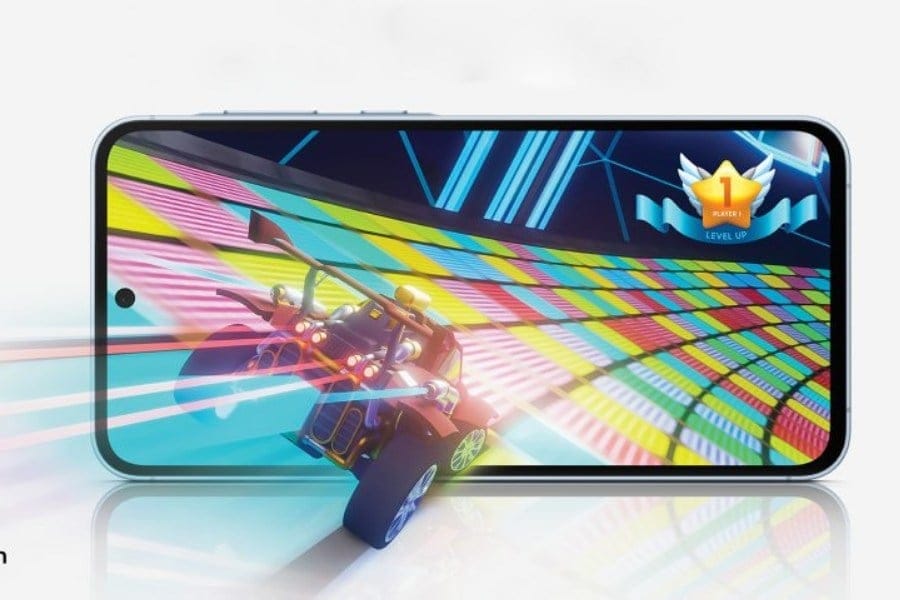
    A major issue for mobile gamers is thermal throttling. When a smartphone works hard for long periods, such as during high-intensity gaming, it produces a lot of heat. Without proper heat control, this can cause performance to drop as the device reduces its processing speed to avert overheating.

    Some Chinese manufacturers have developed clever cooling systems to combat this problem. These solutions can include vapor chambers, multi-layer graphite sheets, and even special cooling fans found in certain gaming phones.

    While Samsung does implement thermal management methods, they may not be as effective as those in some rival devices. This might result in more frequent thermal throttling on Samsung phones during high-demand games, leading to frame rate reductions and a less enjoyable gaming experience.

  • One UI 7 Leak: New Design and Security Features for Android 15

    One UI 7 Leak: New Design and Security Features for Android 15

    Samsung was not very clear about One UI 7 at its Developer Conference, but a recent leak from Android Headlines has shed light on what to expect from this Android 15 skin for Galaxy devices. This leak touches on several aspects, including lock screen enhancements, notification improvements, AI photo features, and security updates. Let’s dive into what you can look forward to.

    Changes in One UI 7 Design

    One UI 6 icons

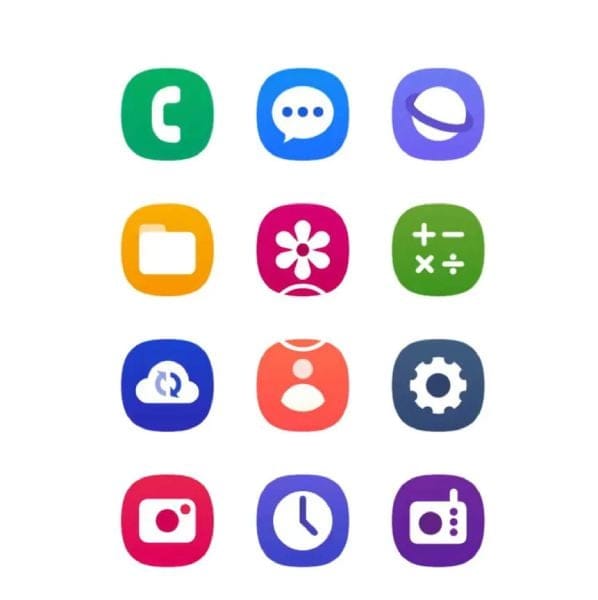
    For some time, there have been rumors about the new icon set for One UI 7, and this leak seems to confirm it. The images below show a comparison between the new icons and the older ones.

    One UI 7 icons

    Moreover, this leak indicates that the upcoming UI will feature a revamped lock screen, which will allow for greater customization and support for widgets. There will also be smarter ways to manage notifications. Samsung seems to be enhancing the Circle to Search tool in One UI 7 as well. This feature will help students with subjects like math, physics, and history, providing answers along with resources, videos, and solutions sourced from Google.

    AI Features in Photography

    The AI capabilities are set to grow within the photography tools too. A new feature called “Live Effects” will be introduced to add depth to images. Additionally, users can expect a range of AI-generated artistic filters designed to enhance portrait photography specifically.

    Lastly, AI Zoom is expected to leverage the Pro Visual Engine to keep images clear even when zooming in as much as 100x. The leak also mentions ongoing development for the Sketch to Image feature that was initially launched with the Galaxy Z Fold 6 and Flip 6. This tool uses AI to convert user drawings into art. Currently, it offers styles like 3D Cartoon, Sketch, and Watercolor, but new styles are rumored to be on their way.


    Image 1
    Image 1
    Image 1
    Image 1