Category: Software

  • Warning: August Update May Brick OnePlus 10 & 9 Phones

    Warning: August Update May Brick OnePlus 10 & 9 Phones

    The situation with OnePlus has deteriorated further. Just last week, we discussed the widespread issue of OnePlus motherboards failing and the official response from the brand. Now, it appears that even more OnePlus phones are experiencing problems, potentially due to a recent update.

    Are the OnePlus 10 & OnePlus 9 Series in Danger?

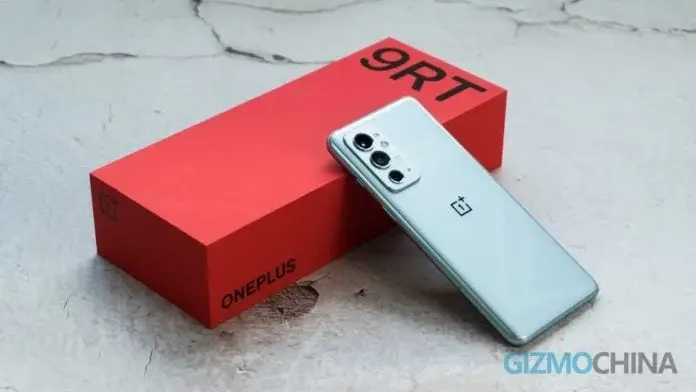
    Parth Monish Kohli recently tweeted a cautionary message to owners of the OnePlus 10 and OnePlus 9 series, advising them against updating their devices. It seems that older flagship models from OnePlus are encountering issues following the installation of the August update. Affected models reportedly include the OnePlus 9, 9 Pro, 9R, 9RT, 10, 10 Pro, and 10R. Although the specific nature of the problem remains uncertain, the newest software update is allegedly causing these devices to become unusable.

    Users of these models have reported that the update has harmed their devices. Some suggest that the motherboards are being damaged post-update. If accurate, OnePlus may have released a faulty update. However, as the exact cause is still unknown, this information should be taken with caution. Given the numerous issues OnePlus users are experiencing, further problems would not be unexpected.

    Connection to the Motherboard Failure Issue?

    Recently, some users of the OnePlus 10 Pro 5G have complained about their phones overheating and experiencing slowdowns. In certain instances, motherboards on some OnePlus devices have completely failed. It remains unclear if these issues are interrelated or if the update has inadvertently exacerbated the problem. OnePlus has initiated an investigation, but it has yet to produce any conclusive findings. Until more information becomes available, owners of the OnePlus 10 and OnePlus 9 series are advised to avoid the update and await further communications on the issue.

  • Google Play Store: Update or Install Multiple Apps Simultaneously

    Google Play Store: Update or Install Multiple Apps Simultaneously

    Google has introduced a long-anticipated feature to the Play Store, allowing users to download and update multiple Android apps at the same time. This update is a major time-saver, particularly useful when setting up new devices or restoring data from backups.

    Previously, the Play Store was limited to handling one app installation or update at a time, leading to delays, especially with numerous pending updates. The new feature enhances the speed of app installations and updates significantly.

    Simultaneous Download Capability

    The number of apps that can be downloaded and updated simultaneously may depend on network speed and device performance, but users have confirmed that at least three apps can be processed at once. This is a substantial improvement over the previous single-app restriction.

    How Does It Work?

    When choosing to update all apps, the Play Store prioritizes three apps for immediate download and installation. Other apps will remain in a "Pending" state and will be queued until the initial three are completed.

    Device Compatibility

    The simultaneous app download feature is gradually being rolled out to Android users worldwide. While it may not be available to everyone immediately, it is expected to reach a broader audience over the next few weeks.

    Impact on Android Users

    This new capability to download and update multiple apps simultaneously enhances the user experience on the Play Store. It simplifies app management, whether setting up a new device or keeping apps updated. It is worth noting that Apple has offered similar functionality for installing up to three iOS apps simultaneously for some time.

  • OnePlus U130P00 Update: Better Photos and Privacy Upgrades

    OnePlus U130P00 Update: Better Photos and Privacy Upgrades

    OnePlus has rolled out a fresh update for its devices, labeled the U130P00 update, which brings a host of new features and enhancements. Users can access these improvements right away, bypassing the usual gradual over-the-air (OTA) distribution.

    Photos

    The U130P00 update introduces several notable features, including:

    • The ability to share photos to Phone Link for easier cross-device synchronization.
    • Options to sort photos by date taken, time modified, or filename.
    • Functionality to rename albums and change their covers, allowing for more personalized customization.
    • A feature to accelerate video playback without changing the audio pitch.
    • A streamlined process for creating albums directly from the Photos homepage.

    Private Safe

    • A newly added “Recently deleted” folder allows recovery of files deleted within the past 30 days.

    System

    • Enhancements have been made to improve overall system stability.

    The update is being distributed in phases from August 28th to September 27th. It’s compatible with OnePlus devices running OxygenOS 14.0.0 and above, along with some older models on OxygenOS 13.1.0 and 13.0.0.

    Eligible Devices

    OxygenOS 14.0.0 and above:

    • OnePlus 12 Series
    • OnePlus Open
    • OnePlus 11 Series
    • OnePlus 10 Series
    • OnePlus 9 Series
    • OnePlus 8T
    • OnePlus Nord 4 5G / OnePlus Nord 3 5G / OnePlus Nord 2T 5G
    • OnePlus Nord CE4 5G / OnePlus Nord CE3 5G / OnePlus Nord CE 3 Lite 5G / OnePlus Nord CE 2 Lite 5G
    • OnePlus Pad / OnePlus Pad Go

    OxygenOS 13.1.0:

    • OnePlus 8 / OnePlus 8 Pro

    OxygenOS 13.0.0:

    • OnePlus Nord 2 5G
    • OnePlus Nord CE 2 5G
    • OnePlus Nord CE 5G

    OnePlus advises users to remain patient as the update might not reach all devices at once.

  • Apple’s New AI Tool Removes Objects in Developer Betas

    Apple’s New AI Tool Removes Objects in Developer Betas

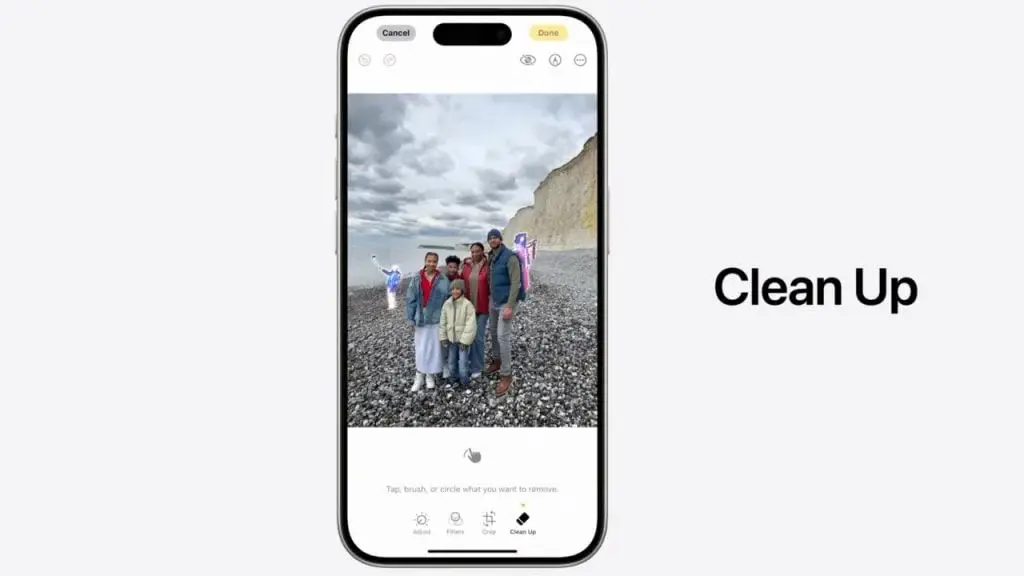
    Apple's latest AI advancements were unveiled at the Worldwide Developers Conference (WWDC) in June. While the exact date for a public rollout is still unknown, various AI features are anticipated to arrive next year on iPhones, iPads, and Macs. Beta versions have been made available by the Cupertino tech firm. The Developer Beta 3 for iOS and iPadOS 18.1, along with macOS 15.1 Sequoia, introduces an AI-driven 'Clean Up' tool within the Photos app, aiming to rival Google's Magic Eraser and Samsung's Object Eraser.

    Apple's 'Clean Up' AI Feature Competes with Magic and Object Eraser

    Before diving into the specifics, it's important to note that the beta version is unstable and not advisable for installation on primary devices. The feature is available exclusively on devices that support Apple Intelligence, which includes the iPhone 15 Pro models and Macs and iPads powered by M-series chips.

    The Clean Up tool, as its name implies, can identify and eliminate distracting objects and strangers from photos. It also offers functionalities such as healing blemishes and pixelating people's faces to protect their privacy. While it automatically detects and removes undesired elements, users can choose to tap, brush, or circle objects they prefer not to include in the image. Additionally, you can zoom in to adjust finer details. The tool is also adept at removing unwanted shadows and reflections.

    Editing Photos with the Clean Up Tool

    You can access the Clean Up feature while editing a photo in the Photos app. It is represented by an eraser-style icon located in the bottom toolbar. Edited images will have a 'Modified with Clean Up' label and this information will be added to the EXIF data. The tool is compatible with all images, regardless of whether they were taken with another phone or a DSLR.

    Despite its capabilities, the AI-powered Clean Up feature isn't entirely perfect. It is expected to undergo refinements before the release of a stable version.

  • OxygenOS 15: Release Date, Compatible Devices, New Features

    OxygenOS 15: Release Date, Compatible Devices, New Features

    The release of Android 15 is rapidly approaching, and smartphone manufacturers are already preparing their custom versions of the operating system. For OnePlus, this means developing OxygenOS 15, which will be built on Android 15.

    OxygenOS 14 brought several new features, design changes, and improvements, including Anamorphic Design, Go Green AOD, and the Trinity Engine. OxygenOS 15 is anticipated to introduce even more features and enhancements.

    OnePlus OxygenOS 15 Release Date

    Android 15 is currently in its platform stability phase, the last development stage before its public release. Google has adhered to its previous beta release schedule, suggesting that the stable version will likely launch around October, similar to last year. In 2022, OxygenOS 14 launched in November, as did OxygenOS 13. Based on these timelines, we can expect the release of the Android 15-based OxygenOS 15 in November.

    Typically, the latest high-end smartphones receive the new upgrade first, with other models following shortly after. Owners of high-end OnePlus devices might have the opportunity to test the new OS early by participating in the beta program. The Android 15 beta is currently available for the OnePlus 12 and OnePlus Open, with additional models expected to join soon.

    OxygenOS 15 Eligible Devices

    Eligible devices for the OxygenOS 15 update include:

    • OnePlus Open
    • OnePlus 12
    • OnePlus 12R
    • OnePlus 11
    • OnePlus 11R
    • OnePlus 10 Pro
    • OnePlus 10T
    • OnePlus 10R
    • OnePlus Nord 4
    • OnePlus Nord 3
    • OnePlus Nord CE 4
    • OnePlus Nord CE 4 Lite
    • OnePlus Nord CE 3
    • OnePlus Nord CE 3 Lite
    • OnePlus Nord N30 SE
    • OnePlus Pad 2
    • OnePlus Pad Pro
    • OnePlus Pad

    This list is based on an analysis of OnePlus’s software update policy and previous rollout patterns. It will be updated once the official list is announced.

    What to Expect from OxygenOS 15?

    The next significant update from OnePlus will feature numerous new offerings and improvements, alongside enhancements from Android 15.

    1. Lock Screen Customizations
      OxygenOS 15 is expected to offer new customization options for a more personalized lock screen. Users might be able to adjust fonts, colors, clock styles, and widgets. OnePlus could also introduce a depth effect for lock screen wallpapers and a new collection of wallpapers.
    2. Video Battery Saver
      A new feature, “Video battery saver,” spotted in early Android 15 betas, aims to optimize battery usage when video apps deplete it. This could extend battery life but might slightly impact video quality. We’ll see if this feature makes it to the final version of OxygenOS 15.
    3. Revamped Control Center

    Although OxygenOS 14 revamped the control center, OxygenOS 15 is expected to introduce further enhancements to improve user experience.

    1. Theft Detection Lock
      While not exclusive to OxygenOS 15, this Android 15 feature helps protect user data by automatically locking the device if it’s taken without consent. The device remains locked until the correct Google account details are provided, discouraging theft.
    2. More AI Integration
      Android 15 could elevate the AI experience on OnePlus devices, featuring new AI capabilities, including Gemini AI integration, alongside innovations from OnePlus’s development team.
    3. Satellite Connectivity Support

    Android 15 extends support for satellite connectivity, allowing SMS, MMS, and RCS apps to utilize this feature. However, not all Android 15 devices will support it, as it requires specific hardware and carrier collaboration.

    1. Fluid Cloud Improvements
      First introduced in OxygenOS 14, Fluid Cloud may see expanded support in OxygenOS 15, potentially accommodating third-party apps like Spotify, food delivery, and travel apps.
    2. Split Screen App Pairs
      A feature from Android 15, this allows users to create shortcuts for commonly used split-screen app combinations, saving time for frequent users of this mode.
    3. App Archiving

    Android 15 will let users uninstall apps while retaining data, similar to iPhone’s app offloading feature. This is integrated at the OS level, offering more flexibility than the Google Play Store’s current app archiving.

    1. Notification Cooldown
      This feature reduces the frequency of consecutive notifications from the same app, aiming to minimize user annoyance.
  • Reasons for One UI 7 Beta Delay

    Reasons for One UI 7 Beta Delay

    Samsung’s anticipated release of the One UI 7 beta has hit another snag, as the launch appears to be postponed once more.

    Reasons for the Delay

    Initially slated for the Galaxy S24 series earlier this month, the One UI 7 beta is based on Android 15. Samsung has not made any official statements regarding the delay. However, reliable source Ice Universe suggests that Samsung is holding back the release to address noticeable bugs, aiming to ensure a positive experience for beta testers. According to Ice Universe, Samsung is committed to achieving a certain level of stability before proceeding with the beta release. On the other hand, Sammobile offers another plausible explanation for the delay: the gradual rollout of the One UI 6.1.1 update.

    Impact of One UI 6.1.1 Rollout

    The x.1.1 updates, typically launched for Galaxy tablets and foldables, are reportedly being extended to include older high-end Galaxy S series phones due to the integration of Galaxy AI features. This broader rollout of the One UI 6.1.1 is contributing to the delay in the One UI 7 beta, according to Sammobile.

    Future Plans and Availability

    As things stand, the One UI 7 beta is expected to be pushed to September. Once it becomes available, the Galaxy S24 series, Fold 6, and Flip 6 will be the first devices eligible for beta testing. Historically, the beta program follows a phased release, initially available to users in South Korea, Germany, and the US, before expanding to additional regions such as India, China, and the UK.

    If you’re unsure whether your Galaxy device is eligible for the update, you can refer to the One UI 7 eligible devices list. Also, be sure to check out the 10 exciting features coming to Android 15.

  • Windows Recall Feature Delay Extended to October

    Windows Recall Feature Delay Extended to October

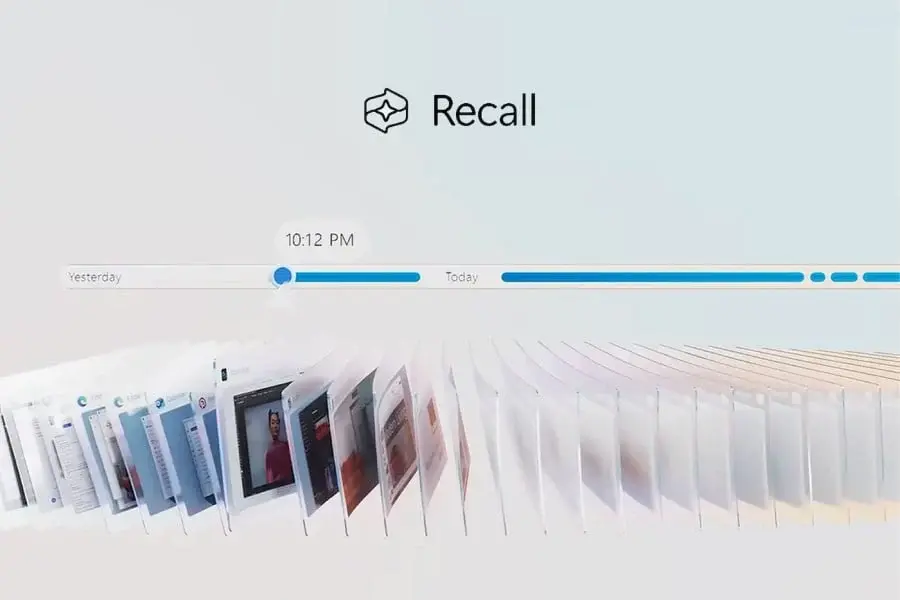
    Microsoft's contentious Recall feature, designed to monitor user activity on Windows 11 Copilot+ devices, is facing another delay. Initially slated for a June launch with these laptops, Recall encountered significant privacy-related objections due to its comprehensive tracking functions.

    Changes and Delays

    In reaction to the criticism, Microsoft opted to shift Recall from being a default feature to an opt-in one, incorporating additional security protocols. Despite this adjustment, it wasn't sufficient. On June 13th, the company revealed that Recall would not be part of the initial Copilot+ PC rollout. Instead, it would be introduced as a preview within the Windows Insider Program (WIP).

    Today’s update further postpones public access to Recall. Initially anticipated to be available to WIP users “in the coming weeks,” the preview is now deferred until October. This delay implies that Microsoft is still tackling security concerns and fine-tuning the feature based on feedback from the Insider community.

    Microsoft's Commitment to Security

    Microsoft stated, “With a commitment to delivering a trustworthy and secure Recall (preview) experience, we’re sharing an update that Recall will be available to Windows Insiders starting in October.”

    This tactic aligns with Microsoft’s previous approach of leveraging the Insider program to test potentially high-risk features. Data miners have reportedly discovered new hidden Recall functionalities in a Canary Channel build of Windows 11 as of June, signaling ongoing development. These early findings hint at further modifications—possibly with enhanced privacy and security measures—before Recall becomes accessible to WIP users.

    Future Availability Uncertain

    The official release of Recall to the general Copilot+ user demographic remains unpredictable. With the October preview for Insiders, it could take several more months before the feature is broadly accessible for Windows 11. This prolonged delay illustrates Microsoft’s prudent strategy, as the company seeks to resolve privacy issues and ensure a secure rollout prior to a wider launch.

  • One UI 7 Beta with Android 15 Delayed to September

    One UI 7 Beta with Android 15 Delayed to September

    Samsung’s plan for releasing its software updates is experiencing some issues. A recent report indicates that the One UI 7 beta program, based on Android, has been delayed once more. Initially anticipated to be available in August, the beta program is now expected to be postponed to September.

    Ongoing Delays

    The delay seems connected to Samsung’s current deployment of One UI 6.1.1, which is also facing an indefinite delay. According to SamMobile, the company intends to release One UI 6.1.1 more widely before beginning the One UI 7 beta. However, details about the One UI 6.1.1 release remain unclear.

    Samsung has only formally announced the update for the recently launched Galaxy Z Fold 6 and Flip 6. Nevertheless, SamMobile reports an expansion to “more countries,” leaving users in other areas unsure of when they will receive the update.

    Unclear Rollout

    Adding to the confusion, SamMobile claims that the One UI 6.1.1 update has started for the Galaxy A34, but there is no solid evidence to support this. SamMobile did share a screenshot showing the Galaxy A34 getting Circle to Search support via an update, but the OS version in the update is One UI 6.1, not One UI 6.1.1.

    Samsung usually announces major One UI updates through press releases before the rollout. Currently, there has been no official news regarding One UI 6.1.1, leaving many questions unanswered.

    Looking Ahead

    Despite the lack of official confirmation, launching the One UI 7 beta in September seems plausible. Likewise, it’s probable that Samsung will soon start the One UI 6.1.1 rollout. However, without concrete details, these reports should be taken cautiously.

  • Xiaomi HyperOS 2.0 Development Spotted in Mi Code

    Xiaomi HyperOS 2.0 Development Spotted in Mi Code

    Xiaomi is making notable strides with its latest user interface, HyperOS. As development and refinement of HyperOS continue, fans and developers are closely monitoring changes in the code. Recently, during the review of HyperOS Android 15 Beta 3, an exciting discovery was made that indicates the forthcoming release of HyperOS 2.0.

    Xiaomi's Development of HyperOS 2.0

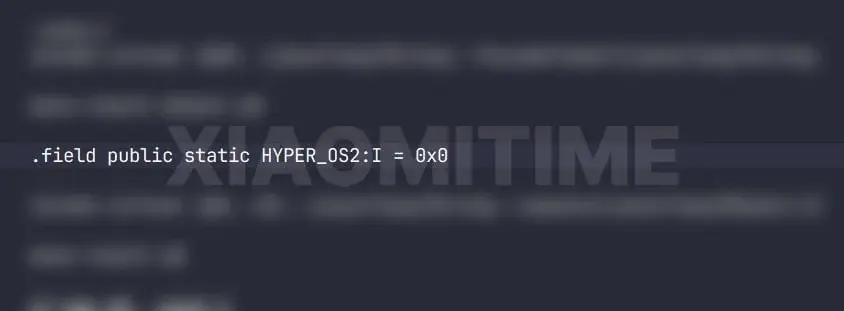
    The XiaomiTime team has uncovered intriguing details concerning HyperOS 2.0. This new interface will be based on Android versions 14 and 15 and is anticipated to be available on numerous Xiaomi, Redmi, and POCO smartphones. While examining the system's code, a new line was identified that was absent in both HyperOS 1.5 and Android 15 Beta 2. The specific line of code is:

    .field public static HYPER_OS2:I = 0x0
    

    Though it appears simple, this line is a strong indication that Xiaomi is gearing up for the release of HyperOS 2.0. This suggests that the company is diligently working on the next major version of HyperOS and is optimizing to resolve issues in the current version.

    Transitioning from MIUI 15 to HyperOS 2.0

    Initially, Xiaomi intended to launch a new version of MIUI, termed MIUI 15. However, they later opted to introduce MIUI 15 as "HyperOS 1.0" instead. Due to this shift, traces of MIUI 15 code still linger in the system. These remnants might imply that Xiaomi is transitioning away from MIUI, fully adopting HyperOS, or viewing HyperOS 2.0 as MIUI 16.

    The findings about HyperOS 2 reinforce that Xiaomi is now concentrating on something beyond MIUI. The system codes no longer reference MIUI 15, instead highlighting the development of HyperOS 2.0.

    Embracing HyperOS

    This transition signifies the conclusion of MIUI, with Xiaomi fully embracing the HyperOS name and vision. By concentrating on HyperOS, Xiaomi aims to simplify the development of new software and deliver a superior experience across all its devices.

    As we await the official release of HyperOS 2.0, it is evident that Xiaomi has made significant advancements in the development of its operating system. Stay tuned for the latest updates on what to expect from Xiaomi’s next-generation user interface.

  • Android 15: Last Major Update for Select Motorola Phones

    Android 15: Last Major Update for Select Motorola Phones

    The stable release of Android 15 is anticipated later this year, but thanks to beta versions, we have a good understanding of what the new operating system will bring. It promises to be an exciting update, and many are eagerly waiting for Google to launch the stable build.

    Each year, numerous Android devices cease to receive OS updates when they reach the end of their promised update cycle. This year, Android 15 will be the final major OS update for several Motorola phones.

    If you’re concerned about software updates, check the list below to determine if you need to upgrade to a newer model to continue receiving Android updates.

    Android 15: Final Update for These Motorola Models

    • Moto X40
    • Moto G Play (2024)
    • Moto G84
    • Moto G73
    • Moto G54
    • Moto G54 Power
    • Moto G53
    • Moto G23
    • Moto G14
    • Moto G13
    • Moto G (2023)
    • Moto G Power 5G
    • Moto G Stylus 5G (2023)
    • Moto G Stylus (2023)
    • Moto E14

    Motorola has not yet disclosed a list of devices that will support Android 15. Therefore, this unofficial list was created by examining each device’s software update policy and the company’s historical updates.

    Typically, Motorola provides three Android updates for its Edge and Razr models launched in 2023 or later, while older models usually receive two updates. The budget-friendly Moto G series generally gets two OS updates, whereas the entry-level E series receives only one.

    When Will Motorola Release Android 15?

    Android 15 is nearing its stable release, currently in the platform stability phase. This is the final development phase where Google resolves existing bugs and applies final touches before the stable release.

    Google typically does not announce the stable release date for a new OS in advance. However, based on the timeline from last year, the stable build is expected to be available in October, just like Android 14.

    Several brands, including Xiaomi, Realme, Oppo, and Vivo, have already initiated the Android 15 beta program, allowing selected users to test the new OS before the stable release. However, Motorola has yet to join this beta initiative.

    Motorola has struggled with timely software updates in recent years. The brand began rolling out Android 14 earlier this year when other brands were concluding their updates. Given this, we don’t anticipate an early rollout of Android 15 from Motorola. The stable build will likely start being released towards the end of this year or early next year.

    Anticipated Features of Android 15

    1. Satellite Connectivity

      Android 15 expands support for satellite connectivity, enabling SMS, MMS, and native RCS apps to send and receive messages via satellite. The OS introduces UI elements to ensure a consistent user experience.

      Not all Android 15 devices will support satellite connectivity, as this will likely require specific chips and carrier support. However, this feature won’t be limited to emergency uses alone.

    2. Theft Detection Lock

      Google is introducing a Theft Detection Lock feature, which thieves will find frustrating. This feature, combined with the Find My Device network, can make a device unusable after a factory reset if it’s detected as stolen.

      Google’s AI will determine if a device is snatched from a user’s hands, locking it automatically to protect data. Thieves won’t be able to activate the device without the owner’s Google account credentials.

    3. Private Space

    Android 15 will introduce a private space for secure storage of confidential photos, videos, or apps, which can be protected with a separate lock. This space ensures that other users are unaware of any activities within it.

    1. Split App Shortcuts

      Enhanced multitasking will allow users to save shortcut icons for frequently used split-screen app combinations, saving time for those who use split-screen mode often.

    2. App Archiving

      Similar to the offloading feature on iPhones, Android 15 will allow users to uninstall unnecessary apps while retaining user data. This means no data loss, and users can resume where they left off after reinstalling the app.

      Android already offers app archiving through the Google Play Store, but Android 15 will integrate this capability at the OS level, allowing archiving and restoring of apps, even those installed from outside the Play Store.