Category: Software

  • Google Pixel 10 Series Launch: New Pixel Sense App & AI Assistant

    Google Pixel 10 Series Launch: New Pixel Sense App & AI Assistant

    Key Takeaways

    1. The new digital helper, initially called ‘Pixie,’ has been renamed to Pixel Sense.
    2. Pixel Sense is expected to be released as a standalone application with the Pixel 10 series.
    3. The app aims to enhance Google’s previous assistant features and will integrate with first-party apps like Chrome and Gmail.
    4. Pixel Sense will use user interaction data to improve personalization and suggest frequently used apps.
    5. Details about the app’s design, user experience, and compatibility with older Pixel models remain unclear.


    There have been whispers about a new type of digital helper coming to Pixel devices for quite some time now. To summarize, the first hints about ‘Pixie’ popped up in late December 2023. A few months later, it was suggested that Pixie would debut with the Pixel 9 and Pixel 9 Pro (currently priced at $1,099 on Amazon), but that never actually happened.

    New Developments on Pixie

    Android Authority has recently provided fresh insights on Pixie and its status. As per the site, Pixie is still being worked on, but it has now been renamed to Pixel Sense, which Google intends to release as a standalone application.

    Sources say that Google is aiming to launch the Pixel Sense app alongside the Pixel 10 series. This new digital assistant is expected to enhance Google’s previous assistant offerings across multiple features. Reports suggest that Pixel Sense will have access to nearly all first-party Google applications, such as Chrome, Gmail, Photos, and YouTube.

    Enhanced Personalization Features

    In essence, Google aims to leverage even more data to boost personalization. It is claimed that the Pixel Sense app will evaluate how users interact with their Pixel smartphones to suggest frequently used apps or services ahead of time. However, the design and user experience of the Pixel Sense app are still a mystery, along with whether it will be compatible with current and older Pixel models.

    Source:
    Link
  • Philips Hue Bridge Update Now Available for Smart Home Users

    Philips Hue Bridge Update Now Available for Smart Home Users

    Key Takeaways

    1. The Philips Hue Bridge has a new software update, version 1969152010, released about a month after the previous update.
    2. This update focuses on performance and reliability improvements but does not introduce new features or tools.
    3. The previously announced smoke detector sound recognition feature is still not available for the Philips Hue Bridge.
    4. The firmware rollout began on February 27th and is expected to complete within a few days.
    5. Users can check for automatic updates in the Hue app under Settings > Software update > Automatic update.


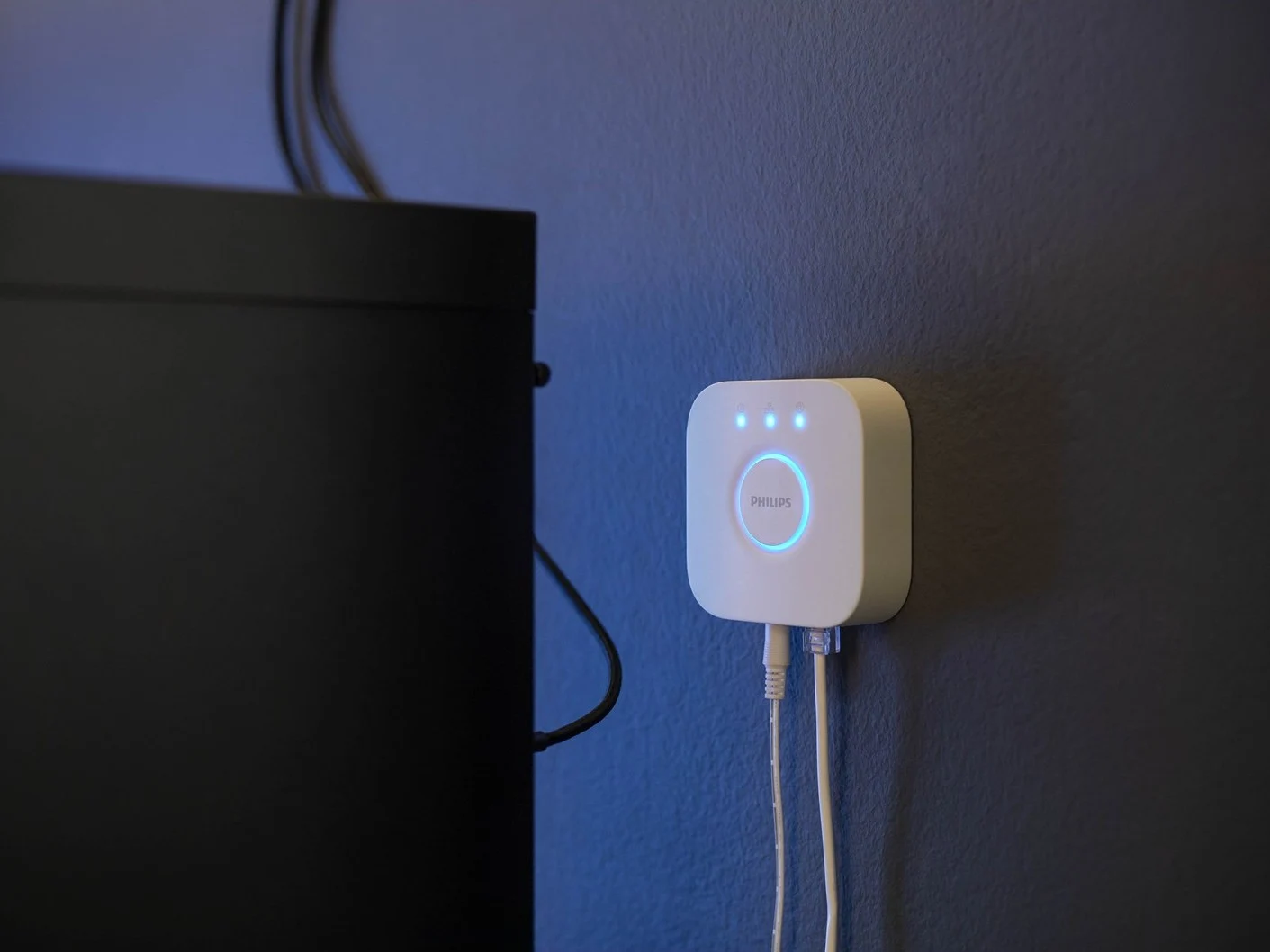
    The Philips Hue Bridge has a new software version, 1969152010, which has just been revealed. This update comes about a month after the last one, version 1969060020, which made some improvements to motion sensing and added features for the Twilight sleep and wake-up light (currently priced at $279.99 on Amazon).

    Details of the Update

    Version 1969152010 seems to be a small update overall. The release notes mention that there are enhancements in performance and reliability for the Hue Bridge, but they do not go into specifics about what users might experience as benefits. There doesn’t seem to be any new features or tools included in this version.

    Upcoming Features

    One thing still missing from the Philips Hue Bridge and its connected smart home devices is the smoke detector sound recognition feature, which was announced earlier this year. This functionality is expected to enable Secure camera devices to detect the sound of a smoke alarm and inform you through the Philips Hue app while adjusting your smart lights automatically.

    Philips has reported that they started rolling out the firmware on February 27th, with the process anticipated to take a few days. The update should install itself automatically if you have automatic updates enabled in the Hue app; you can verify this by navigating to Settings > Software update > Automatic update.

    Source:
    Link


  • Tado Introduces New Fees, Users React Strongly

    Tado Introduces New Fees, Users React Strongly

    Key Takeaways

    1. Tado plans to implement a paywall of one British pound per month for app access starting May 1.
    2. Users can still control Tado devices through Apple Home, Google Home, and Amazon Alexa without fees.
    3. The fee increase is attributed to rising costs of server maintenance.
    4. Tado clarified that the advertisement may have been part of a marketing test, indicating serious consideration of the paywall.
    5. Community reaction is strong, with many users reconsidering future purchases and questioning compensation for previously free features.


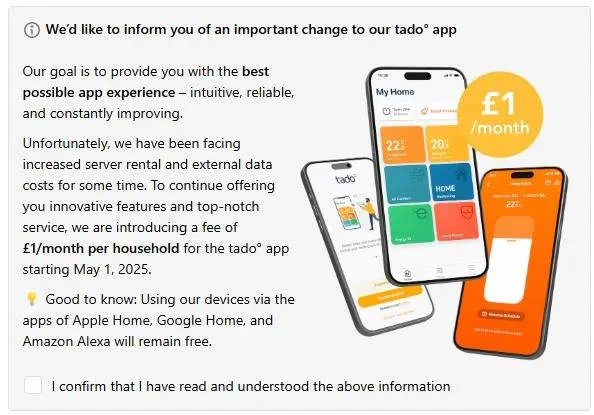
    The Tado community is abuzz across Reddit and on the company’s own forum. The stir is caused by Tado’s announcement to potentially implement a paywall for some of its products. An advertisement that was released recently reveals that Tado plans to charge one British pound per month for access to the Tado app. This fee will apply to each household and is set to take effect on May 1. Nevertheless, users will still be able to control Tado devices through Apple Home, Google Home, and Amazon Alexa without any fees. One of the reasons mentioned for this fee increase is the rising costs of server maintenance.

    Clarification from Tado

    Following this news, Tado addressed the situation in its community forum, albeit quite curtly. The company explained that it conducts regular marketing tests and this particular message was likely part of one such test, which wasn’t shared with all users but only with those involved in the trial. This means that Tado isn’t retracting its advertisement, indicating that they are seriously contemplating this as a means for additional revenue.

    Community Reaction

    The response from the community has been notably intense, with many Reddit users expressing that they will think twice about buying Tado products in the future. There’s some ambiguity about whether users are entitled to compensation if a previously advertised feature, like app usage, becomes chargeable. Regardless, Tado’s strategy doesn’t seem to offer any benefits to its customers.

    Source:
    Link


  • Proxmox Mail Gateway 8.2: SpamAssassin 4.0.1 and New Features

    Proxmox Mail Gateway 8.2: SpamAssassin 4.0.1 and New Features

    Key Takeaways

    1. Proxmox Mail Gateway is essential for organizations due to the increasing volume of email threats.
    2. The latest version, Proxmox Mail Gateway 8.2, is based on Debian 12.9 and offers kernel versions 6.8 and 6.11.
    3. It provides anti-spam and anti-virus features for mail servers in a straightforward manner.
    4. Although open-source, it offers premium support and access to the Enterprise Repository, starting at 180 euros per host per year.
    5. Users can seek additional assistance through the Proxmox Support Forum.


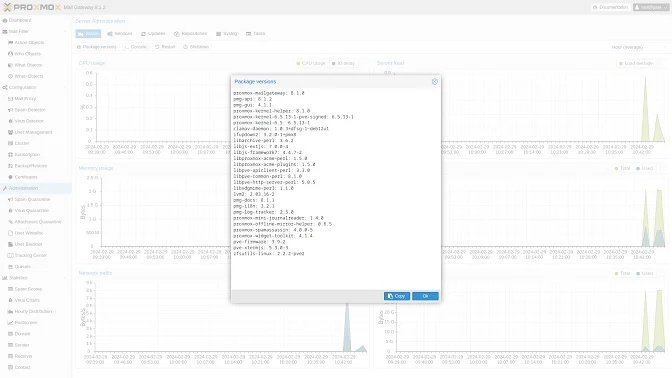
    Since the volume of threats carried by email is on the rise every single day, a solution like Proxmox Mail Gateway isn’t just good to have; it’s essential. This open-source solution, originating from Austria, is aimed at organizations of all sizes and offers a straightforward method to implement and deploy anti-spam and anti-virus features on mail servers. Proxmox Mail Gateway 8.2, based on Debian 12.9 “Bookworm” and launched yesterday, defaults to the newer 6.8 kernel version, while users also have the option to choose 6.11 if they prefer.

    Features of Proxmox Mail Gateway 8.2

    Along with the kernel versions mentioned earlier, Proxmox Mail Gateway 8.2 comes packed with several important features. The necessary downloadable content for setting up Proxmox Mail Gateway is available on this page, and alternate ISO downloads can be found here. Even though it is an open-source solution, Proxmox Mail Gateway offers premium support and access to the Enterprise Repository. The subscriptions start at 180 euros for each host per year, providing support for an unlimited number of users and domains.

    Source:
    Link

  • Tesla Cybertruck Update: Wiper Blade Streaks Fixed with Wash Button

    Tesla Cybertruck Update: Wiper Blade Streaks Fixed with Wash Button

    Key Takeaways

    1. Cybertruck’s Gigawiper has been criticized for leaving streaks and poor visibility under tough weather conditions.
    2. Tesla acknowledges the issues and is releasing an Over-The-Air (OTA) update to improve wiper performance.
    3. The upcoming software update (2025.2.8) will allow for continuous windshield soaking with washer fluid, enhancing cleaning efficiency.
    4. The update will provide double the amount of washer fluid without reducing wiper speed, maintaining visibility at high speeds.
    5. Tesla tested the new solution in harsh winter conditions and encourages users to try the update before forming a judgment.


    Early doubts about the effectiveness and size of the Cybertruck Gigawiper, which features a single 62-inch wiper arm and blade, have been validated under tough weather conditions.

    Owners of the Cybertruck have started voicing their frustrations, noting that the wiper blade often leaves streaks on the windshield. In winter, it can only manage to clear some road salt or dirt, leaving the rest of the glass unclear and visibility poor.

    Tesla Responds

    Tesla has acknowledged these issues, with chief engineer Wes Morill stating that the team responsible for the wiper’s performance “listened, created this, tested, and rolled it out,” referring to an Over-The-Air (OTA) update that is on the way.

    Morill mentioned, “I’m just giving you all visibility,” while detailing the new 2025.2.8 software update for the Cybertruck. This update will allow for continuous “soaking” of the windshield with washer fluid as long as the driver keeps the button pressed for at least two wiping cycles.

    Improved Cleaning Solution

    As a result, the Cybertruck’s windshield will receive double the amount of fluid compared to before, enhancing its ability to break down road grime and salt so that the wiper can clean the surface more effectively without leaving streaks that impair visibility.

    Tesla chose not to reduce the speed of the wiper to increase fluid distribution, as that would have meant the windshield would be covered for a longer period, which could affect visibility at high speeds.

    While some people remain skeptical that pressing the wash button longer will indeed provide twice the fluid, Wes reassured that Tesla has trialed this fix in the harsh winters of Quebec and Alaska. Since it proved effective, he encouraged everyone to wait for the 2025.2.8 software update and give the new wiper system a try before forming an opinion.

    Source:
    Link

  • Microsoft to Shut Down Skype: What You Need to Know

    Microsoft to Shut Down Skype: What You Need to Know

    Key Takeaways

    1. Microsoft plans to shut down Skype in May 2025, as revealed in developer code.
    2. Skype was acquired by Microsoft in 2011 for $8.5 billion, but the app’s popularity declined over time.
    3. Inconsistent updates and lack of clear direction led to missed opportunities against competitors like FaceTime and Google Hangouts.
    4. Microsoft shifted focus to Teams in 2017, positioning it as a collaboration tool integrated into Windows 11.
    5. The potential shutdown of Skype marks the end of its over 20-year journey in the communication space.


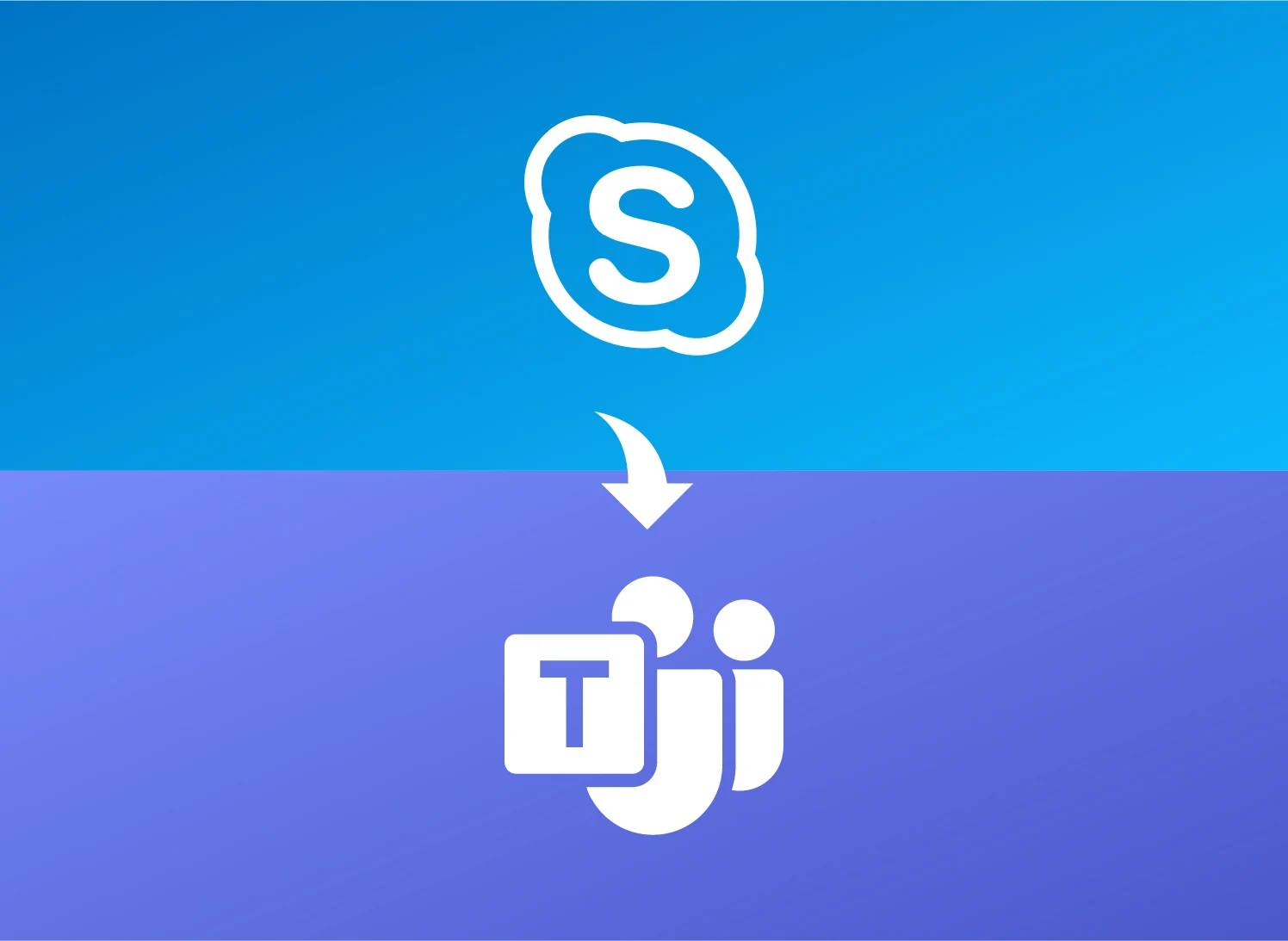
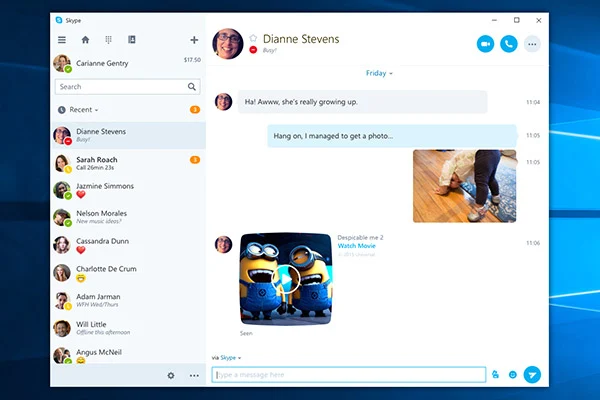
    Skype, a once hugely popular app for video calls, looks to be coming to a close. A reader from XDA Developers found out that Microsoft intends to shut down the app in May 2025. This information was discovered in a note within the code of a developer version of Skype.

    Once a Leader in Communication

    Skype, which debuted in 2003, enjoyed a period of great popularity among users who loved its voice and video calling features, as well as file sharing capabilities. In 2011, Microsoft spent $8.5 billion to acquire Skype, hoping to integrate it into its communication services. After this purchase, Microsoft decided to phase out Windows Live Messenger, further putting its hope into Skype’s future.

    Missed Opportunities and Stiff Competition

    Unfortunately, Microsoft’s lack of a clear direction and inconsistent updates caused it to miss the chance to make Skype the top platform for communication and entertainment. By the time Windows 10 was integrated in an effort to revitalize Skype’s declining user count, it was already facing strong rivals like Apple’s FaceTime, Google Hangouts, and Slack. In 2016, Microsoft opted to revert to the traditional app version for Windows 10 instead of continuing with the UWP format.

    The Shift to Teams

    In 2017, Microsoft refocused its efforts on Teams, a new platform that builds on Skype’s technology. The name itself indicates a shift in purpose, as the company markets it as a solution for team collaboration. Microsoft showed its belief in Teams by embedding it within Windows 11 from the very start of the OS’s launch, aiming to take on Slack directly.

    Microsoft has yet to confirm the news officially, but it seems that 2025 could very well mark the end of Skype’s more than 20-year journey.

    Source:
    Link


  • Xiaomi Devices Not Receiving HyperOS 2.1 Update List

    Xiaomi Devices Not Receiving HyperOS 2.1 Update List

    Key Takeaways

    1. HyperOS 2.1 introduces a networkless mode for voice chats without internet access.
    2. Significant improvements in night photography and camera functionalities.
    3. Enhanced file transfer experience and more fluid device connection prompts.
    4. Upgrades to the Gaming Toolbox, including a performance dashboard for better gaming.
    5. Not all Xiaomi, Poco, and Redmi devices will receive the HyperOS 2.1 update; many older models are excluded.


    HyperOS 2.1 brings a variety of new features and notable improvements aimed at enhancing user experience with the software. This update includes a networkless mode, better night photography, smooth file transfers, upgrades for games, and much more. Nonetheless, not all Xiaomi, Poco, and Redmi devices will receive the HyperOS 2.1 update.

    Check Your Device Compatibility

    To find out if you’ll need to purchase a newer model to access the latest features, take a look at the list below:

    Devices from Xiaomi that are excluded from the HyperOS 2.1 update include:

    – Xiaomi 11 series
    – Redmi Note 12
    – Redmi Note 12 5G
    – Redmi Note 12 Pro
    – Redmi Note 12 Pro 5G
    – Redmi Note 12 Pro+ 5G
    – Xiaomi 11 Lite 5G NE
    – Poco M5 series
    – Poco M5s
    – Poco X5
    – Poco X5 Pro
    – Poco F4
    – Poco F4 GT
    – Redmi K50
    – Redmi K50i
    – Redmi K50 Pro
    – Redmi K50 Gaming
    – Xiaomi Pad 6

    These devices are not expected to receive HyperOS 2.1 or any future HyperOS releases, which may mean you need to upgrade to a newer model for the latest features and enhancements.

    Exciting Additions in HyperOS 2.1

    One of the standout features is the introduction of Networkless mode, which enables voice chats even when there’s no internet connection. This is particularly useful for users in areas with unreliable connectivity. The update also enhances prompts for device connections and provides a more fluid experience for file transfers.

    The camera functionalities are also being upgraded. Night photography is seeing significant improvements, and Xiaomi has worked on better snapshot capabilities and imaging performance across various lighting situations. The update introduces a revamped album layout, new display columns for albums, and improved search functions.

    Gaming and More

    Additionally, the image recognition feature, which allows users to search by circular gestures, has received enhancements. The Gaming Toolbox now includes a performance dashboard, which aims to improve the overall gaming experience and interface.

  • Norton 360 Adds Genie Scam Protection to Safeguard Your Bitcoin and Photos

    Norton 360 Adds Genie Scam Protection to Safeguard Your Bitcoin and Photos

    Key Takeaways

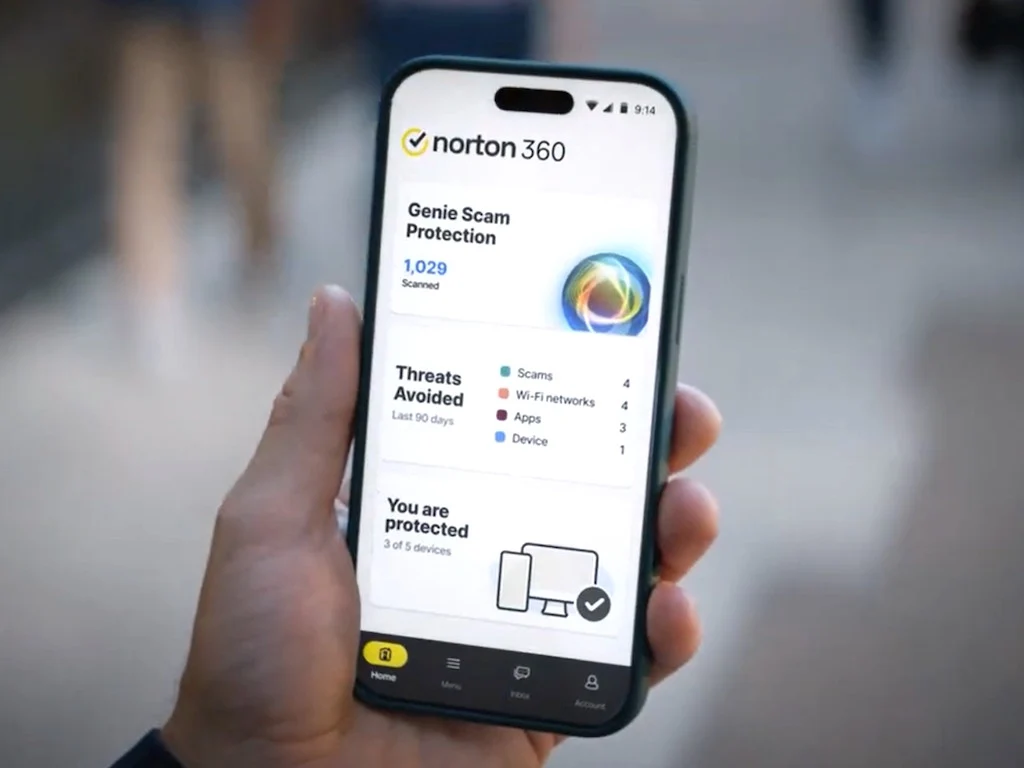
    1. Norton has launched the AI-driven Genie Scam Protection feature in Norton 360 to help identify hard-to-recognize scams.
    2. Norton is known for effective antivirus solutions, consistently rated highly by AV Comparatives and AV Test.
    3. Traditional antivirus software often fails to detect scams in SMS and online interactions, which use harmful links and impersonation.
    4. Genie Scam Protection includes various features for Norton 360 users, with additional benefits for Norton 360 with Lifelock users.
    5. Users can try the free Norton Genie tool to test its effectiveness against their scam messages before purchasing Norton 360.


    Norton has introduced the AI-driven Genie Scam Protection feature across all its Norton 360 security software offerings. This innovative Genie utilizes artificial intelligence to identify scams that are often hard for individuals to recognize, thereby safeguarding their finances and private data from theft.

    Proven Antivirus Solutions

    Norton has a long-standing history of producing antivirus solutions, consistently ranking high in evaluations by AV Comparatives and AV Test. Antivirus software works by scanning a computer’s memory and hard drive for virus signatures that may compromise or damage data. Nevertheless, traditional antivirus solutions typically struggle to identify scams prevalent in text messages (SMS) and online interactions, which frequently employ harmful links, impersonated identities, and deceptive phone numbers to commit theft.

    Features of Genie Scam Protection

    For Norton 360 users, Genie Scam Protection offers the following features:

    For those using Norton 360 with Lifelock, Genie Scam Protection encompasses everything mentioned above and also adds:

    If users are uncertain about whether Genie Scam Protection fits their needs, they can experiment with the free Norton Genie tool using their own scam messages. Those who find this feature appealing can purchase any Norton 360 version (available here on Amazon) to benefit from Genie Scam Protection on their computers and mobile devices.

    Stay Informed About Scams

    Individuals who tend to click on every link they see should educate themselves on the various tactics that criminals employ to scam unsuspecting victims.

    Source:
    Link

  • One UI 7 Beta Access Coming Soon for Galaxy S23 Users

    One UI 7 Beta Access Coming Soon for Galaxy S23 Users

    Key Takeaways

    1. Samsung is expanding its One UI 7 beta program to include the Galaxy S23 series and the new Galaxy Z Fold 6 and Z Flip 6.
    2. The beta firmware for the Galaxy S23 Ultra has been found, and the program is expected to be available for the entire Galaxy S23 series in multiple regions.
    3. There has been criticism regarding the delay in the stable rollout of Android 15, with the official release likely not happening until April or May.
    4. The upcoming Galaxy A series models will launch with Android 15 pre-installed, suggesting a different approach for mid-range devices.
    5. Users are encouraged to wait for the stable update due to significant UI redesigns and new features that are anticipated to enhance the experience.


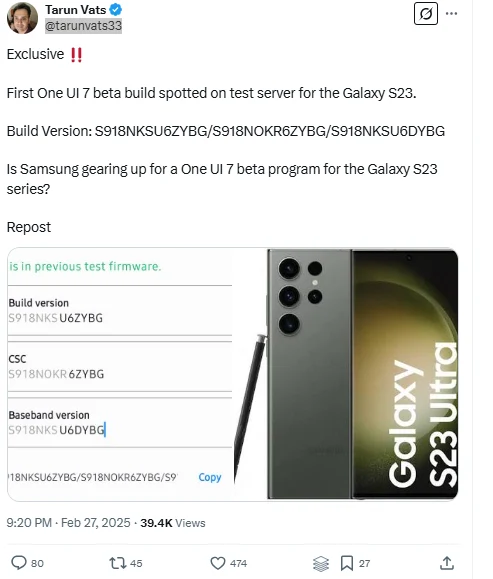
    Samsung seems to be gearing up to extend its One UI 7 beta program to include the Galaxy S23 series, along with the newly unveiled Galaxy Z Fold 6 and Z Flip 6. This news follows the discovery of beta Android 15/One UI 7 firmware for the Galaxy S23 Ultra on Samsung’s servers. It indicates that the company is eager for a larger group of users to try out the new software prior to its official launch for the S24 series.

    Galaxy S23 Series Set for Beta Access

    The firmware was uncovered by tipster Tarun Vats, specifically for the Korean version of the Galaxy S23 Ultra. Nonetheless, it is anticipated that the beta program will be made available for the entire Galaxy S23 series—including the S23 and S23+—across most, if not all, regions where the Galaxy S24 beta is currently accessible.

    For those not in the know, the Galaxy S24 beta program is already active in various countries, including China, India, Germany, Poland, Korea, the UK, and the US, indicating a similar approach for the S23 series.

    Criticism Over Delay in Stable Rollout

    The company has already encountered some backlash due to the delay in the stable rollout of Android 15, and the timeline for the official release remains unclear. Speculations suggest that the official rollout may not kick off until April, with some devices possibly having to wait until May for the update. Interestingly, the forthcoming Galaxy A series models—Galaxy A26, A36, and A56—are expected to launch with Android 15 pre-installed next week.

    A possible explanation for this delay could be linked to AI or the infrastructure necessary for supporting cloud-based features. This reasoning seems plausible since the less expensive A series models are unlikely to include more than basic AI functionalities, such as Circle to Search.

    Worth the Wait for New Features

    Although the stable update is taking longer than anticipated, the redesigns of the UI and new features are reportedly worth the wait.

    Source:
    Link


  • Opera One Adds Bluesky, Discord, and Slack to Sidebar

    Opera One Adds Bluesky, Discord, and Slack to Sidebar

    Key Takeaways

    1. Opera aims to provide the best internet browsing experience across all devices, including iPhones.
    2. Users often get distracted by off-browser tasks like messaging and gaming.
    3. Opera’s “AI browser” One will add three new applications (Slack, Bluesky, Discord) to its sidebar for enhanced functionality.
    4. The sidebar feature allows users to create shortcuts to various services and has been in developer beta.
    5. Currently, the app integration feature is only available on the desktop version of Opera One.


    The Norwegian company Opera is on a quest to provide “the best possible internet browsing experience across all devices,” including iPhones.

    Yet, achieving this goal can be tough as users often find themselves distracted by off-browser tasks, like checking messages or replying for work, socializing, or gaming.

    New App Integration

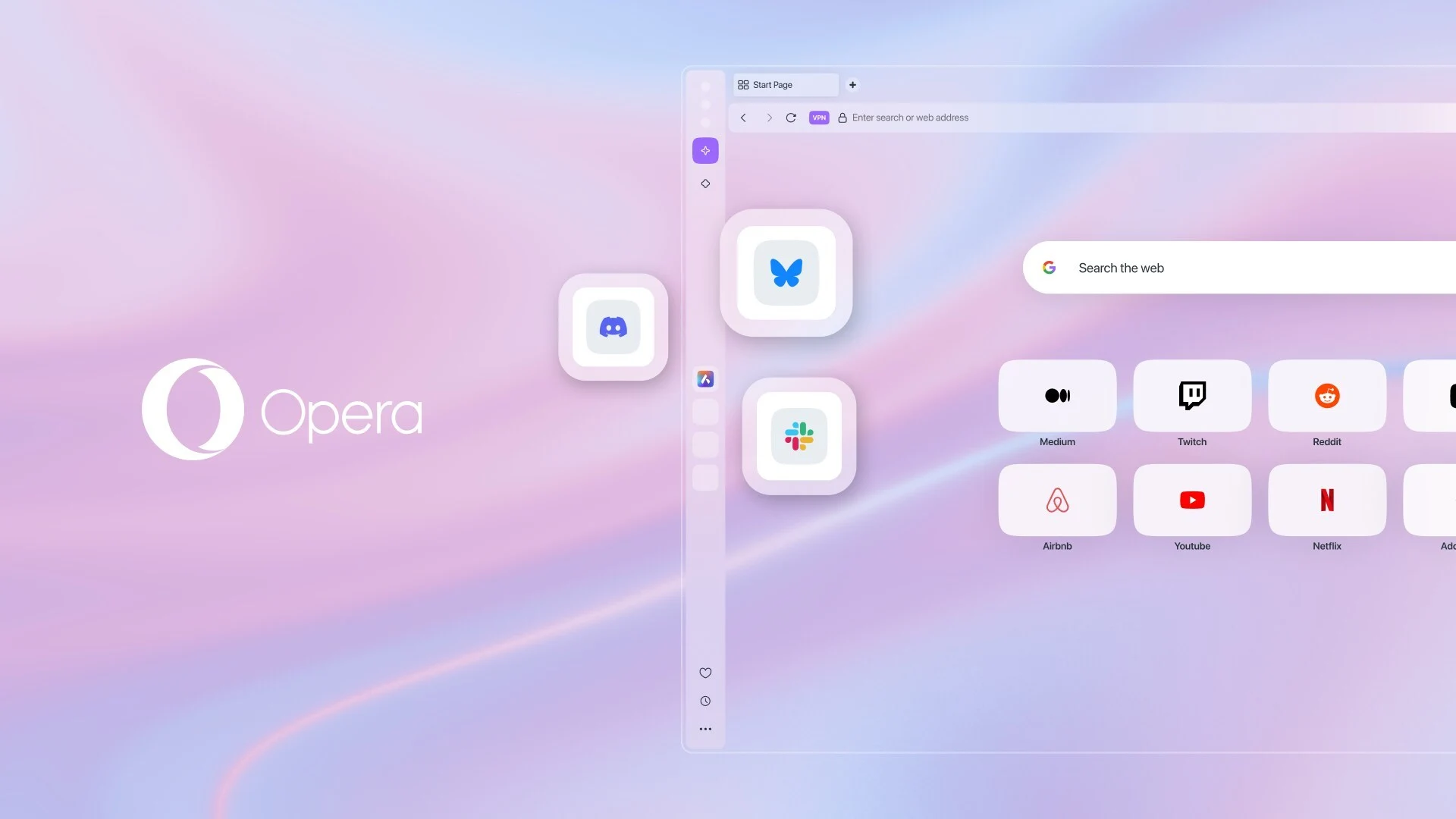
    To tackle this issue, Opera’s “AI browser” One is set to enhance its functionality by adding three new applications to its sidebar. This sidebar, as the name suggests, is located on one side of the user interface, allowing users to create shortcuts to other services.

    This feature has been in the developer beta of Opera One for some time, but it is now ready for the stable version of the app. Slack, Bluesky, and Discord are the latest platforms to be integrated into the Opera One sidebar, joining existing apps like Telegram, WhatsApp, and Instagram.

    Desktop Only

    Currently, this feature is exclusive to the desktop version of the browser. However, Opera believes it can transform the app into a “hub” for users’ workflow on their PCs or laptops.

    Source:
    Link