Category: Software

  • Xiaomi 16 Launch Expected with HyperOS 3 Features

    Xiaomi 16 Launch Expected with HyperOS 3 Features

    Key Takeaways

    1. Xiaomi has launched HyperOS 2.2, rolling out to several smartphones including the Redmi Turbo 4 Pro and Redmi Note 14 Pro.
    2. The update features a new Camera Interface (v6.0) and improved control over Xiaomi smart devices.
    3. HyperOS 2.2 offers the most advanced mobile AI experience from Xiaomi to date.
    4. HyperOS 3 is expected to be released in the third quarter of 2025, along with updates from other brands like OPPO and Vivo.
    5. HyperOS 3 may launch around the same time as the Xiaomi 16 series, potentially in late September or early October 2025.


    Xiaomi has unveiled its newest Android skin, known as HyperOS 2.2. This update is being rolled out to several smartphones, including the Redmi Turbo 4 Pro, the Redmi Note 14 Pro (which is known as Poco X7 in global markets), and devices from the flagship 15 series.

    Enhanced Features

    The upgrade brings along the latest Camera Interface (v6.0), offering users better photography options. Additionally, it enhances control over various Xiaomi smart gadgets and appliances that users may own. HyperOS 2.2 is also said to provide the most advanced mobile AI experience Xiaomi has ever created.

    Future Developments

    However, this version may not hold its title for long, as HyperOS 3 is anticipated to arrive soon. Experts predict it could launch as early as the third quarter of 2025, alongside noteworthy updates for OPPO’s ColorOS (v16), Vivo’s OriginOS (v6), and Honor’s MagicOS (v10).

    Upcoming Releases

    It’s possible that HyperOS 3 will debut around the same time as the Xiaomi 16 series, which could be released in late September or early October 2025.

    Source:
    Link

  • Windows 11 Smart App Control Blocks Unknown Executables Before Launch

    Windows 11 Smart App Control Blocks Unknown Executables Before Launch

    Key Takeaways

    1. Smart App Control (SAC) enhances Windows 11’s security by checking apps before they run, preventing untrusted code from executing.
    2. SAC uses a “guilty until proven innocent” approach, blocking unknown or unsigned files based on reputation and machine learning.
    3. The combination of SAC and Microsoft Defender improves security by minimizing initial attacks while still providing reactive scanning for known threats.
    4. SAC may lead to better system performance by reducing the need for ongoing background scanning of active processes.
    5. SAC operates alongside Defender; if SAC blocks a file, it cannot be overridden, ensuring a layered security system.


    Windows 11 enhances Microsoft’s security features with Smart App Control (SAC), which checks apps before they run and prevents untrusted code from executing. This feature works together with traditional antivirus solutions like Microsoft Defender, which continues to watch for known malware. By combining a proactive security measure with a well-established reactive scanner, the operating system seeks to minimize both initial attacks and ongoing threats.

    Traditional Antivirus Approach

    Regular antivirus programs operate on an “innocent until proven guilty” basis. They permit files to execute and then search for harmful patterns using signature databases, heuristic evaluations, and behavior tracking. Regular updates to definitions help maintain high detection rates, but zero-day or polymorphic threats might bypass signatures until suspicious activity is noted. This method is effective for addressing known dangers but can lead to delays in stopping threats after execution.

    Smart App Control’s Method

    Smart App Control flips this approach on its head. Before an executable file is allowed to run, SAC checks Microsoft’s cloud reputation service, verifies the developer’s digital signature, and employs machine-learning models trained on extensive collections of trusted and harmful software. If the file’s reputation is unknown, and it is unsigned or deemed potentially harmful, the operating system outright blocks it. This means that every new program is seen as “guilty until proven innocent,” effectively preventing many attacks at the delivery stage rather than waiting for them to activate.

    SAC’s ability to prevent unknown binaries from loading means there’s no longer a need for ongoing background scanning of active processes. Consequently, Microsoft’s internal tests indicate a slight performance improvement over traditional scanners, which utilize CPU resources to inspect files in real-time. At the same time, Defender handles tasks that SAC does not cover, such as macro analysis or script checks, thus providing a comprehensive system without overlapping functions.

    Restrictions and Benefits

    SAC goes through a preliminary evaluation period; if it disrupts regular tasks, Windows will disable it permanently unless the system is re-installed. Similarly, once SAC is turned off, it cannot be easily switched back on. Developers and advanced users who depend on unsigned or custom builds might find these limitations counterproductive, while managed enterprise groups could gain from the more stringent default settings.

    Crucially, SAC is intended to function alongside Microsoft Defender, not replace it. If SAC blocks a file, that decision is final and cannot be overridden. Defender still manages deeper forensic functions, malware removal, and scans for archived content already present on the disk. In this layered approach, SAC lessens exposure, while Defender addresses any issues that slip through or predate the current session.

    Source:
    Link

  • Microsoft Launches Edit: Free Command-Line Text Editor for x64 Windows

    Microsoft Launches Edit: Free Command-Line Text Editor for x64 Windows

    Key Takeaways

    1. Microsoft has launched Edit, a free command-line text editor for 64-bit Windows 11.
    2. Edit includes familiar features from the 32-bit version of MS Editor, along with additional capabilities.
    3. The user-friendly menu system resembles Notepad, making it easy for new users to navigate.
    4. Advanced features include word wrapping, regex search, and the ability to open multiple files simultaneously.
    5. MS Edit is available for download on GitHub, and additional resources for MS-DOS commands can be found on Amazon.


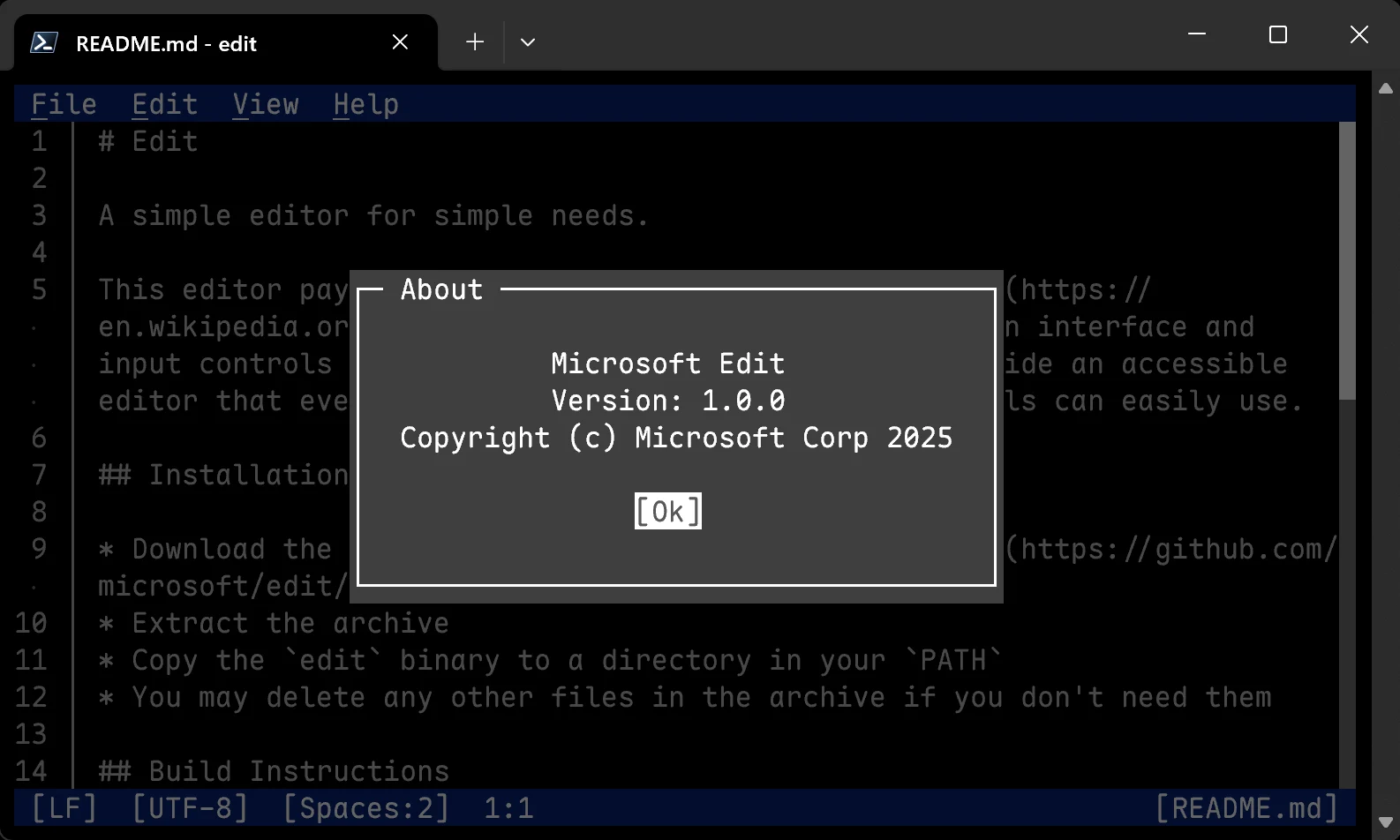
    Microsoft has introduced Edit, a free command-line text editor specifically designed for 64-bit (x64) versions of Windows 11.

    Similar Features to Previous Versions

    This new editor offers similar text editing functions to the 32-bit version of MS Editor, which was available for 32-bit (x86) Windows 10 and older systems, but comes with additional features. While users of Windows 11 can utilize Notepad for editing any text file, those working through the command line need to exit the command prompt or PowerShell to access that application.

    User-Friendly Menu System

    For those who are new, there’s no need to memorize complex keyboard shortcuts since Edit employs a menu layout akin to Notepad, featuring options like File, Edit, View, and Help at the top. Because Edit operates within a Command Prompt in Windows 11, it also includes mouse support to simplify menu navigation and file selection.

    Advanced Editing Capabilities

    The text editor supports word wrapping for lengthy lines of code and allows for the use of regular expression (regex) searches to locate text in extensive documents. Users can open multiple files at the same time; however, the first release does not provide a side-by-side view for two files.

    If you want to build or download MS Edit, it’s available on GitHub right now. For those who might have forgotten how to execute MS-DOS commands, there’s a helpful book available for purchase on Amazon. Additionally, enthusiasts interested in experiencing real MS-DOS on an 8086 CPU can check out a handheld PC that’s also sold on Amazon.

    Source:
    Link

  • Red Hat Enterprise Linux 10.0: Next-Gen Security Features Available

    Red Hat Enterprise Linux 10.0: Next-Gen Security Features Available

    Key Takeaways

    1. RHEL 10.0 features the Linux 6.12 LTS kernel and replaces X11 with Wayland.
    2. Integration of NIST standards for post-quantum cryptography for enhanced security.
    3. Introduction of RHEL Lightspeed, an AI-powered assistant for developers and system administrators.
    4. Improved audio management with PipeWire and RDP for enhanced remote access.
    5. A RISC-V Developer Preview is available for new architectures, and existing customers can upgrade at no cost.


    Red Hat Enterprise Linux (RHEL) 10.0 has been unveiled at the Red Hat Summit 2025. This significant release is built on the Linux 6.12 LTS kernel and replaces the traditional X11 desktop environment with Wayland. Additionally, the Cockpit web console has undergone a makeover, providing enhanced file management features, which now include the ability to upload files directly from the browser.

    New Standards in Security

    As highlighted in the official announcement, this version is the “first enterprise Linux distribution to integrate National Institute of Standards and Technology (NIST) standards for post-quantum cryptography.” It achieves this by incorporating algorithms that are resistant to quantum threats along with post-quantum signature schemes.

    Enhanced Developer Tools

    For developers and system administrators, RHEL Lightspeed is introduced as an AI-powered assistant meant to simplify their tasks. With this tool, problems like SSH failures can be diagnosed with AI-guided assistance. Desktop applications now support Flatpak, and non-modular packages ensure that RHEL 10 is in sync with CentOS Stream 10.

    Audio and Remote Access Improvements

    In RHEL 10, PipeWire replaces PulseAudio to offer better audio management, while Remote Desktop Protocol (RDP) now supersedes Virtual Network Computing (VNC) for graphical remote access. This version also focuses on addressing future security challenges.

    The complete release notes are accessible on the specified page. As with past iterations, existing customers can upgrade to RHEL 10 at no additional cost. New users can also try it out with a 60-day trial.

    Furthermore, it’s worth mentioning that a RISC-V Developer Preview supporting new architectures is now downloadable.

    Source:
    Link

  • Why One UI 8 is a Crucial Upgrade You Shouldn’t Overlook

    Why One UI 8 is a Crucial Upgrade You Shouldn’t Overlook

    Key Takeaways

    1. Samsung’s One UI 7 faced significant criticism due to rollout delays, serious bugs, and poor communication.
    2. Users are frustrated with the lengthy rollout and changes to the user experience, including notification and quick settings layout.
    3. One UI 7’s beta was delayed, and the update was initially limited to the Galaxy S24 series, causing frustration among other Galaxy users.
    4. Samsung has an opportunity to improve with One UI 8, which is set to roll out between June and September, focusing on refining previous changes.
    5. The development of One UI 8 is ongoing, with internal builds in testing, aiming to restore user trust and satisfaction after the issues with One UI 7.


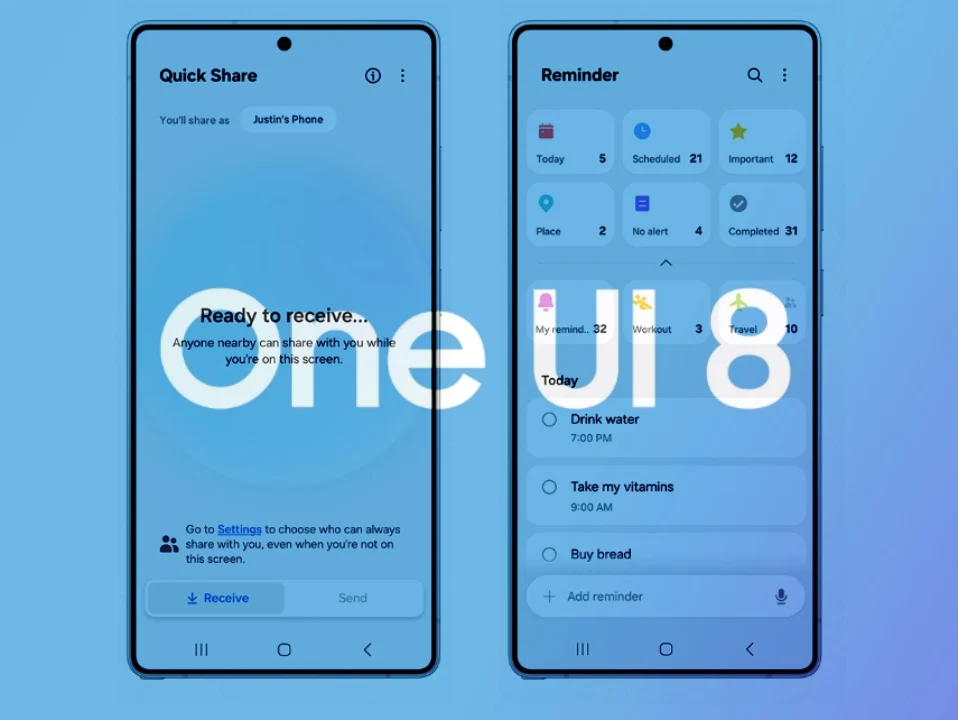
    What started as an expected significant update from Samsung has turned into a major discussion topic in the Android community, but not for good reasons. With delays in rollout, serious bugs, and poor communication, Samsung has faced a lot of criticism regarding One UI 7. These issues have overshadowed the positive aspects of the update.

    Frustration Among Fans

    Samsung’s latest update has left many of its fans feeling exasperated and uncertain about how future updates will be handled. The upcoming One UI 8, which will be based on Android 16, presents a vital chance for Samsung to correct its earlier errors. However, the company is pressed for time—Android 16 is set to be released sooner than usual, which means Samsung has less time to fix its mistakes.

    Problems From the Start

    One UI 7 encountered problems right from the start. After a beta version was delayed until December 2024, it was only available to the Galaxy S24 series for an extended period, leaving other Galaxy users frustrated as they awaited their turn for early access. There was no clear schedule for when the public would get the update.

    Throughout this situation, Samsung struggled with communication. Nearly six months after the release of Android 15, the company was prepared to launch One UI 7 stable, but quickly halted it due to a serious bug. Thankfully, the pause was not prolonged.

    User Experience Issues

    Frustrated by the lengthy rollout, users found the software experience to be even more disappointing. Many were particularly annoyed by the change in how notifications and quick settings were displayed. While it’s a nice optional feature, making it the default was not the best move, as it altered the familiar way users interacted with the UI.

    The Now Bar, an interesting addition to the UI, is awkwardly placed on several Galaxy models. One UI 7 is also marred by various design inconsistencies. Users expressed dissatisfaction with alterations to the lock screen, app drawer design, and other features. Those who are familiar with One UI might navigate the new changes, but it doesn’t erase Samsung’s previous mistakes. Regular users may struggle to adjust to the updates.

    Looking Ahead to One UI 8

    Samsung should ideally correct its past errors with One UI 8, and it seems the company is already making efforts in that direction. During The Android Show earlier this month, Samsung’s Vice President and Head of Smartphone Planning, Minseok Kang, revealed that One UI 8 is set to begin rolling out this summer. This could mean anywhere from June to September, but it’s reassuring to see Samsung commit to a timeline.

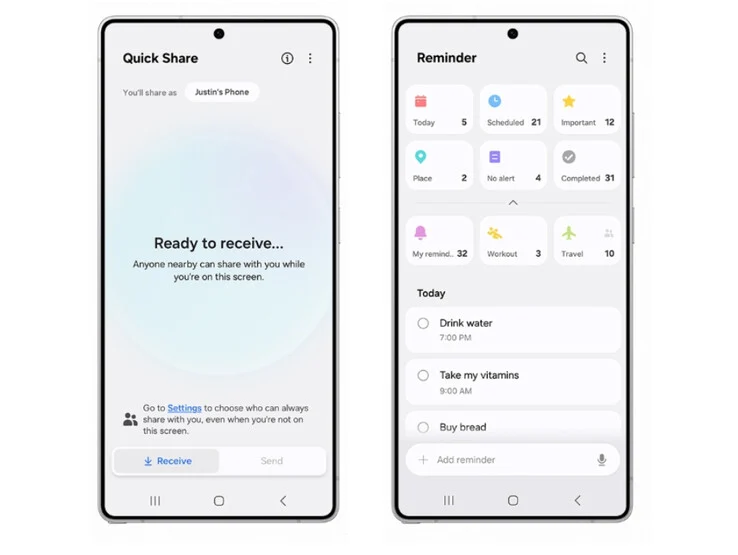
    Reports indicate that One UI 8 won’t be a major upgrade, which is understandable given how significant the previous update was. However, users are eager to see Samsung refine its bold changes for an improved experience.

    The development of One UI 8 is underway, with multiple internal builds identified on the testing server. This suggests that progress is being made. Hopefully, Samsung can restore the trust and goodwill it lost with One UI 7 by providing a faster rollout and more sensible adjustments.


  • Google Flow: Create AI Movies Without Actors or Sets

    Google Flow: Create AI Movies Without Actors or Sets

    Key Takeaways

    1. AI-Driven Movie Creation: Google Flow allows users to create movies using prompts, eliminating the need for actors, sets, and locations.

    2. Integration of AI Models: Flow uses Google’s advanced AI models—Veo for video, Imagen for images, and Gemini for task management—to create lifelike visuals.

    3. User-Friendly Scene Crafting: Filmmakers can easily generate images and describe actor movements, blending shots with smooth transitions for a polished final product.

    4. Consistency and Control: The system maintains consistent appearances of objects and offers camera controls for professional filmmaking techniques.

    5. Flow TV for Inspiration: Flow TV provides visual examples and prompts, helping creatives brainstorm and develop new cinematic ideas quickly.


    Google has unveiled Flow, its newest AI-driven software that enables users to create movies just by providing prompts and inputs. This innovation removes the necessity for costly real actors, film sets, and shooting locations, all while hastening the creation of fun and engaging productions.

    Advanced AI Models in Action

    Flow utilizes a combination of Google’s cutting-edge AI models—Veo for video creation, Imagen for generating images, and Gemini for managing tasks and prompts. These three models collaborate to produce lifelike images and scenes that align with user instructions.

    Crafting Scenes with Ease

    Filmmakers can kick things off by entering prompts to generate images that accurately depict each scene. Once satisfied with the visuals, users can enhance their work by adding prompts that describe actor movements, creating realistic action shots. Various shots can be seamlessly blended with transitions, giving the final product a polished appearance.

    Consistency and Control

    The system ensures consistent appearance of objects throughout different scenes, meaning an actor dressed a certain way in one shot will maintain that look in subsequent shots. Filmmakers have camera controls at their disposal, allowing them to position the camera and plan movements using familiar cinematic terms like pan, tilt, and dolly. All prompts and scenes can be organized for simple re-use.

    Exploring Creativity with Flow TV

    Creatives can brainstorm new ideas through Flow TV, a collection of visual examples produced with Veo that outlines the precise prompts and techniques utilized. This capacity to explore various concepts enables filmmakers to quickly transform their story ideas into cinematic experiences.

    To use Google Flow, a subscription is required, costing $19.99 each month for Google AI Pro or $249.99 for three months of Google AI Ultra.

    Source:
    Link

  • Apple TV+ App Restricts 16+ Content on MacBooks

    Apple TV+ App Restricts 16+ Content on MacBooks

    Key Takeaways

    1. Many MacBook users are unable to stream content from the Apple TV+ app rated 16+.
    2. The issue seems to be specific to MacBook models; other devices like iPhones and iPads are not affected.
    3. Some users speculate that the problem may be linked to the MacBook OS Sequoia 15.4 update.
    4. Streaming works fine through a web browser, indicating a possible app verification issue.
    5. No solutions or official statements from Apple have been provided regarding the problem.


    For nearly a month, Apple’s official forum has seen many unhappy customers sharing their experiences. These users report that they cannot stream content from the Apple TV+ app that is rated 16+. This issue seems to only impact MacBook models, no matter which specific model they have. Users with iPhones, iPads, and those using streaming boxes are not experiencing this problem.

    Possible Cause of the Issue

    The source of this glitch is still unknown, but some users believe it may be related to the MacBook OS Sequoia 15.4 update. It appears that this operating system version is stopping the app from being verified. This theory is supported by the fact that users can still stream all content when accessing Apple TV Plus through a web browser instead of the app itself.

    No Solutions Yet

    Other devices, including iPhones, iPads, and TVs, seem to be running fine without any problems. Attempts to fix the issue, like turning off age verification in settings or logging out and then back in, haven’t worked either. As of now, Apple has not released any information regarding this situation.

    Source:
    Link

  • Elgato Stream Deck Modules: Create Custom Macropads Easily

    Elgato Stream Deck Modules: Create Custom Macropads Easily

    Key Takeaways

    1. Elgato has launched “Stream Deck Everywhere” with new Stream Deck Modules in 6-key, 15-key, and 32-key options for enthusiasts and OEMs.
    2. The Stream Deck Modules are priced at $49.99, $129.99, and $199.99, with bulk purchase discounts of up to 15%.
    3. The original Stream Deck MK II has been updated with a scissor-key version for improved tactile feedback.
    4. All Stream Deck models are available on Elgato’s website, with prices ranging from $59.99 to $249.99, and include access to free software for unlimited macro keys.
    5. A new network dock accessory will allow Stream Decks to issue commands over a network using Power over Ethernet (PoE) and will launch later this summer.


    Elgato is introducing a fresh concept called “Stream Deck Everywhere,” aimed at its line of programmable control pads. At Computex on Monday, the company unveiled its new Stream Deck Modules, which are simplified, integration-ready versions of their popular devices. These modules come in three options: 6-key, 15-key, and 32-key, reflecting the Stream Deck Mini, MK II, and XL designs, all within sleek aluminum casings and without any noticeable branding.

    Target Audience for Stream Deck Modules

    Designed for enthusiasts and OEMs, Stream Deck Modules eliminate the need to dismantle retail Stream Decks for custom projects. Elgato offers these basic devices with support for third-party plug-ins and SDKs, priced at $49.99 for the 6-key model, $129.99 for the 15-key version, and $199.99 for the fully featured 32-key module. Moreover, bulk purchases can enjoy discounts of up to 15%, making it a more attractive option for those looking to buy multiple units.

    New Features for Stream Deck MK II

    For users who prefer not to customize, the original Stream Deck MK II has been updated with a scissor-key version, providing the satisfying tactile feel of a traditional keyboard. Just last month, Elgato teased this concept in an April Fool’s video featuring a “Stream Deck desk” packed with a whopping 1,262 keys. This could hint at a real Stream Deck keyboard coming soon.

    Pricing and Availability

    All versions of the original Stream Deck, whether equipped with scissor keys or the classic membrane style, are available for purchase on Elgato’s website, ranging from $59.99 to $249.99. When you buy any Stream Deck model, you also gain access to Elgato’s Virtual Stream Deck for desktop. This software, which is free for both PC and Mac, requires downloading Stream Deck 7.0 from Elgato’s beta hub. With VSD, users can create unlimited macro keys that can be placed on the desktop, taskbar, or pinned anywhere on the screen.

    The Stream Deck mobile app, on the other hand, is available for Android and iOS but requires a Pro subscription to customize layouts or access more than six keys.

    Expanding the Stream Deck Ecosystem

    In line with its branding vision, Elgato has introduced a new accessory to widen the Stream Deck’s capabilities beyond just desktop use. The network dock is a compact device that supports Power over Ethernet (PoE), allowing the Stream Deck to issue commands over a network instead of being limited to a USB connection. Although this accessory isn’t available for order yet, Elgato has confirmed it will be launching “later this summer.”

    Source:
    Link


  • Texas Bill Proposes Age Verification for Social Media Users Under 18

    Texas Bill Proposes Age Verification for Social Media Users Under 18

    Key Takeaways

    1. Texas House Bill 186 aims to establish the strictest age limits for social media in the U.S., prohibiting accounts for users under 18 on platforms like TikTok, YouTube, and Instagram.

    2. The bill requires companies to implement age-verification systems by April 2026 and allows parents to request the deletion of their child’s existing accounts within ten days.

    3. Supporters argue the bill promotes public health by addressing mental health risks associated with heavy social media use among teenagers.

    4. Opposition from teenagers and civil rights groups highlights concerns about career impacts, First Amendment rights, and privacy issues related to age verification data.

    5. Texas’s proposal is more stringent than similar laws in other states, with potential legal challenges expected if the bill is signed into law.


    Texas House Bill 186 has passed through the state House with support from both parties. It is now moving through the Senate, putting Texas on track to establish the strictest age limits for social media in the United States. The bill would prevent anyone under the age of 18 from creating accounts on platforms that allow users to post or curate content. This includes popular sites such as TikTok, YouTube, Instagram, X (formerly Twitter), Snapchat, and Facebook. Additionally, companies would be required to implement age-verification systems by April 2026.

    Parental Control and Health Warnings

    If HB 186 is signed into law, parents will have the authority to request the deletion of their child’s existing account on these platforms, and the companies must comply within ten days. The legislation also mandates clear health warnings about the mental health dangers linked to heavy social media usage. A related proposal, Senate Bill 2420, would introduce age verification and parental consent for minors who want to download apps or make in-app purchases. Meanwhile, House Bill 499 would require platforms to provide risk warnings.

    Supporters and Their Arguments

    Proponents of the bill argue that it is a necessary step for public health. Co-sponsor Senator Adam Hinojosa stated that platforms “cannot have our children,” referencing studies that connect excessive social media use with issues like anxiety, bullying, and thoughts of suicide among teenagers. Research mentioned during committee discussions indicates that 95% of U.S. teens aged 13 to 17 use social media, with over a third reporting almost constant use.

    Concerns and Opposition

    Opposition has emerged from teenagers, civil rights organizations, and industry groups. Seventeen-year-old content creators and student-athletes expressed their concerns to senators, stating that the bill could hinder college recruitment opportunities and their careers, which rely on having a strong online presence. The Computer and Communications Industry Association voiced that HB 186 could clash with existing contract law, limit minors’ First Amendment rights, and create privacy issues since the bill does not specify how platforms should manage the identification data they gather.

    Texas is not the only state looking to restrict youth access to social media, but its proposal is more stringent than any current state law. Florida only prohibits accounts for children under 14, while ten other states have narrower regulations focusing on parental controls or time limits. On an international level, Australia has set a ban for those under 16, effective in 2024. Past attempts to establish broad restrictions in Texas have faced challenges in federal court, and if HB 186 reaches Governor Greg Abbott for approval, it is likely to face legal scrutiny once again.

    Source:
    Link

  • CyberLink Enhances PowerDirector with AI Features for Video Editing

    CyberLink Enhances PowerDirector with AI Features for Video Editing

    Key Takeaways

    1. PowerDirector video editing software uses Intel’s OpenVINO toolkit for offline AI features, enhancing security against piracy.
    2. The software includes advanced AI capabilities for facial and object recognition, allowing users to apply effects without manual tracking.
    3. Users can transform videos into anime, eliminate image noise, and generate matching music through AI enhancements.
    4. PowerDirector can automatically duplicate and translate voices for multilingual projects, creating lip-synced versions.
    5. PowerDirector 365 is available for a yearly subscription of $74.99, currently discounted to $54.99 on Amazon.


    CyberLink has revealed its new PowerDirector video editing software, designed to make the process of creating eye-catching videos for both business and social media easier, at Computex 2025.

    Award-Winning Software

    PowerDirector 1.0 was recognized with the Best Multimedia Product Award back in Computex 2001. This year, the company has taken advantage of the Intel OpenVINO open-source toolkit to bring in generative AI features. Importantly, OpenVINO uses local, built-in Intel or discrete GPUs, rather than relying on cloud services for its AI functions. This setup allows editors to use AI capabilities offline, providing better security against movie piracy.

    Advanced AI Features

    The software now has the capability to quickly recognize faces, people, and various objects using AI object segmentation, tracking their movements throughout different scenes. Users can easily apply special effects like face blurring, text, and graphics to these elements without the need for tedious manual tracking.

    Enhanced Editing Tools

    PowerDirector can transform videos into anime, eliminate image noise, generate matching music, modify colors and lighting, convert text to speech, and improve audio recordings with the help of AI. For projects involving multiple languages, PowerDirector can automatically duplicate and translate voices, creating new lip-synced versions of videos.

    PowerDirector 365 is available with a suggested retail price of $74.99 for a yearly subscription, but it’s currently listed on Amazon for just $54.99.

    Source:
    Link