Category: Software

  • Firefox Adds 2 Key Features for Tab Hoarders on Android Tablets

    Firefox Adds 2 Key Features for Tab Hoarders on Android Tablets

    Key Takeaways

    1. Firefox 138 introduces new features for desktop users, including tab groups and vertical tabs, enhancing productivity and profile management.
    2. Android users experience a subpar browsing experience, lacking the efficiency and design found in competitive browsers.
    3. Firefox on Android has awkward tab switching and limited keyboard shortcuts, hindering productivity for users with external keyboards.
    4. The browser lacks multi-window support, forcing Android users to choose alternative browsers for better functionality.
    5. Google maintains a monopoly in the browser market, with most competitors built on Chromium, highlighting the need for privacy-focused alternatives like Firefox.


    Firefox plays a significant role in the browser landscape, being the primary challenger to Google’s Chromium engine. This is evident in both the desktop and Android versions of the software. Even though Firefox remains quite functional on Windows, Linux, and macOS, it appears that the Firefox team is overlooking Android users who wish to be productive while on the move.

    New Features for Desktop Users

    With the introduction of Firefox 138, desktop users now benefit from tab groups and vertical tabs — the latter being added in a prior update about a month ago. This enhancement provides users with numerous options to efficiently manage a large number of tabs and improve their productivity, especially on screens with wider aspect ratios. Mozilla claims that the introduction of tab groups was the most requested feature by its users, which led to its implementation. Additionally, Firefox 138 brings profile management to the desktop application, a feature that had been notably absent.

    Android Users Left Behind

    Sadly, Android users are still feeling the brunt of neglect in their browsing experience.

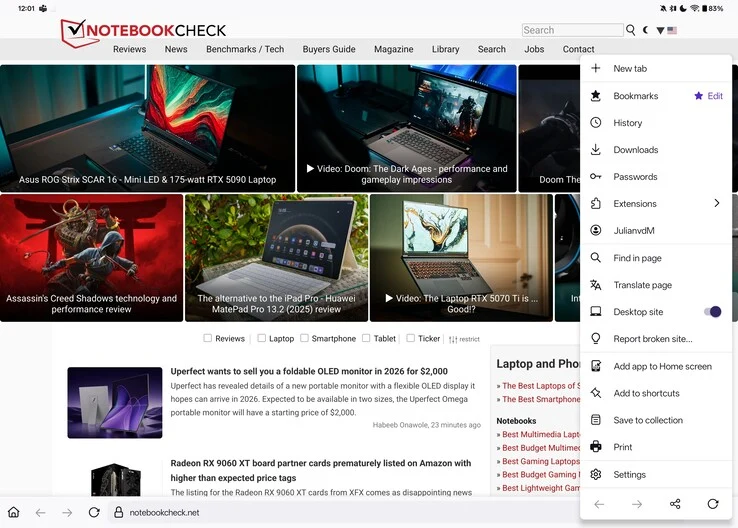
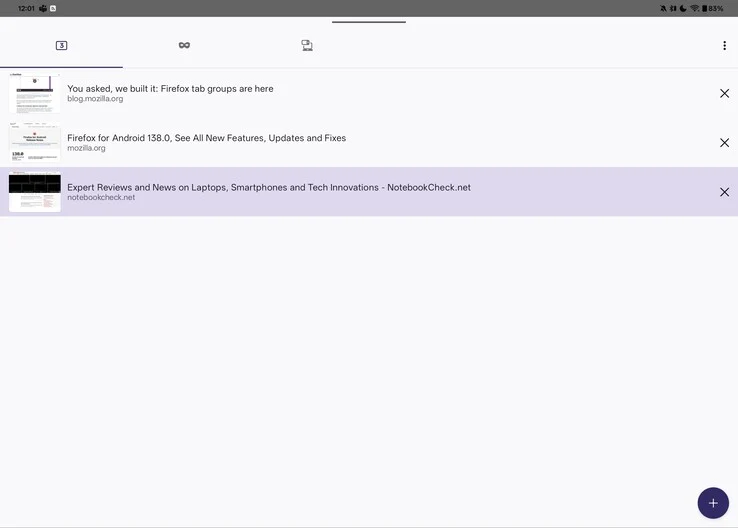
    Describing Firefox on Android as a painful experience would not do justice to just how inadequate it is. The basics are present: it loads pages reasonably well, has tabs, and the browser automatically activates desktop mode on larger screens, such as tablets. However, this is where the positives pretty much end. In contrast to competitive browsers like Brave, Vivaldi, and even Chrome, which display tabs in a ribbon above the address bar, Firefox on Android forces users to access a tab overview, creating an additional step that disrupts workflow and can be more distracting than one might think.

    User Interface Issues

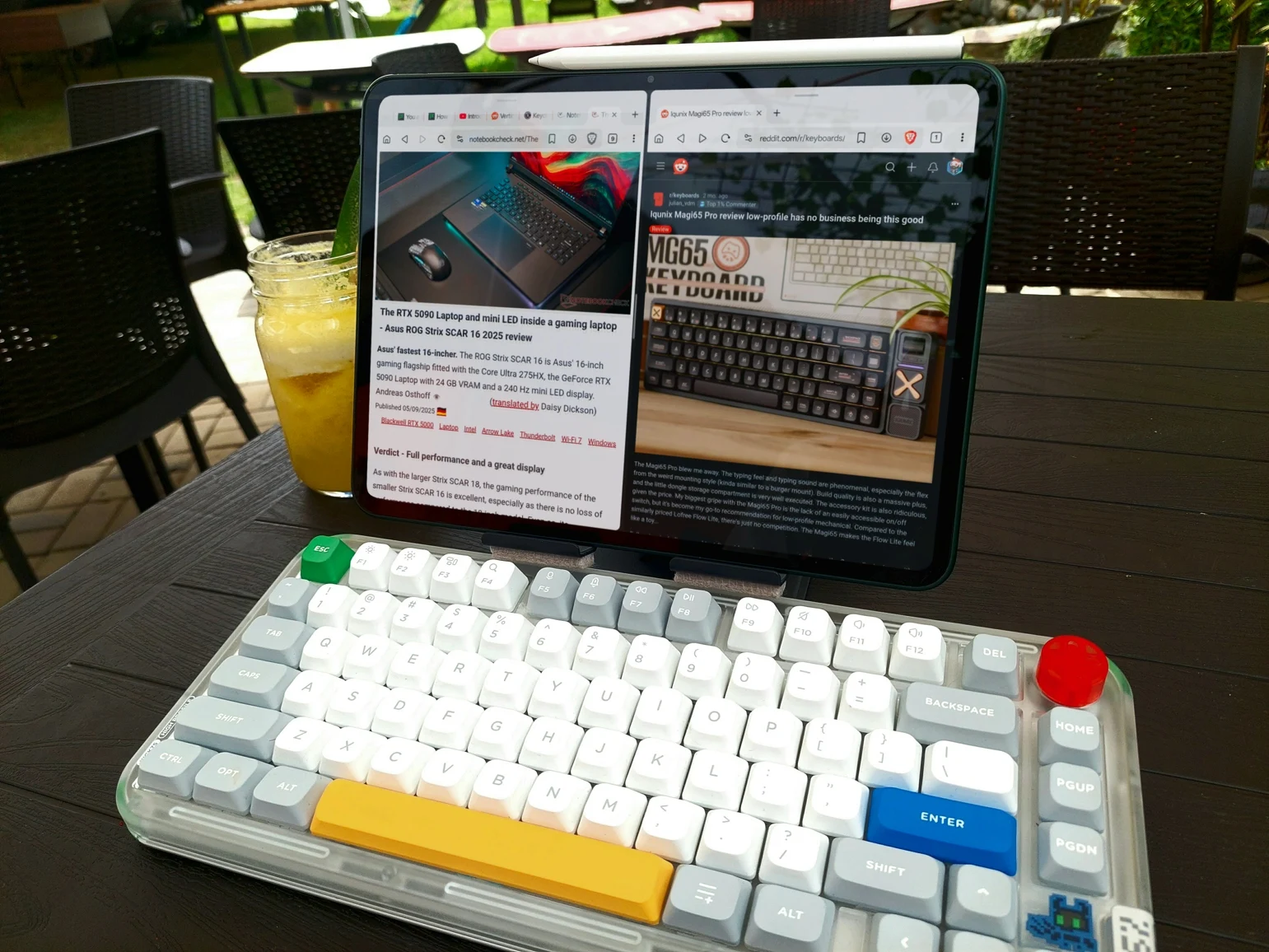
    Awkward tab switching and subpar UI design are not rare in Android applications, right? You might assume that at least you could utilize keyboard shortcuts when connecting to an external keyboard or keyboard cover. Unfortunately, common shortcuts such as Ctrl+Tab/Page Up and Page Down for switching tabs, Ctrl+T for opening a new tab, and Ctrl+W for closing a tab simply do not function in Firefox, with no apparent alternatives. The only “easy” way to navigate between tabs on Firefox for Android is to enable swiping on the address bar. While this gesture is somewhat practical, it also requires users to take their hands off the keyboard if their tablet is set up in a laptop-like manner.

    Lack of Multi-Window Support

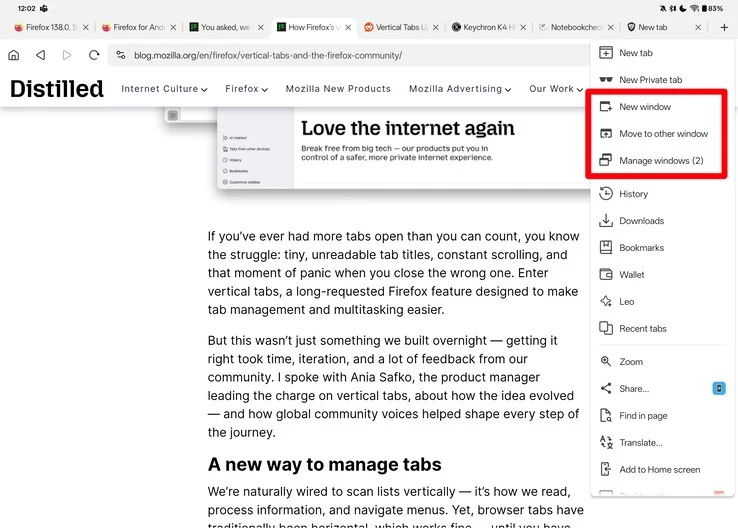
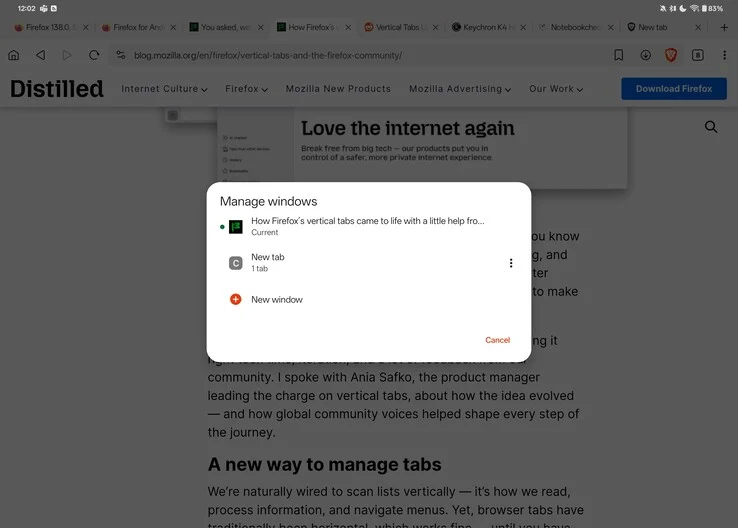
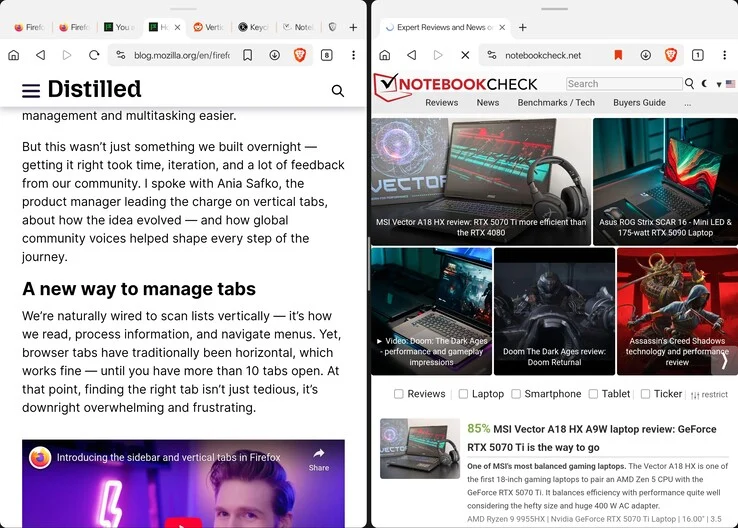
    This does not even cover the absence of window support in Firefox. Although it technically allows for resizable windows, both Brave and Vivaldi come with built-in multi-window capabilities. By tapping the “New Window” button in the browser’s menu, you can easily split your screen, displaying your original content on one side and a new window with a fresh tab on the other. Firefox lacks such functionality, which means anyone trying to use Firefox as a productivity tool on Android is forced to either switch to another browser or rely on quirky features like OnePlus’s duplicate app support for multi-window ability.

    The Browser Monopoly

    Unfortunately, Google has essentially established a monopoly in the web browser arena, with nearly every real competitor to Chrome being built on the same open-source Chromium foundation. Browsers like Brave, Opera, Vivaldi, and even Microsoft Edge are merely Chrome with their own unique touches added. While this might contribute to a solid user experience — simplifying the process for web developers to resolve issues and ensure compatibility across a large user base — it also grants Google considerable authority over web privacy, security, and user data. A prime example of this is the recent transition from Manifest V2 to Manifest V3, which has sparked significant backlash from privacy-conscious users.

    The Need for Alternatives

    Even though Firefox has a relatively small user base compared to Chrome or Safari, it’s crucial to have an alternative to Chrome for those seeking greater control over their privacy and online access. At this moment, however, Firefox continues to fall significantly short, particularly on the Android platform.

    Source:
    Link

  • Home Assistant 2025.5 Launches with Exciting New Features

    Home Assistant 2025.5 Launches with Exciting New Features

    Key Takeaways

    1. Backup system enhancements with customizable retention policies for each backup location.
    2. New text-to-speech voice options for Home Assistant Cloud subscribers, including styles like “friendly” and “whisper.”
    3. Improved user interface for selecting entities, providing more context about devices and areas.
    4. Introduction of Z-Wave Long Range support for extended device communication.
    5. New integrations for Amazon S3 and certain Miele appliances, along with a QR scanning tool for Z-Wave Smart Start.


    Home Assistant 2025.5 has been released for those using the open-source smart home automation platform. As the name indicates, this marks the fifth update from the organization this year, following their trend of releasing updates at the beginning of each month.

    Backup System Enhancements

    With the new 2025.5 version, users will find enhancements in the backup system, which now includes the option to establish a retention policy for each backup location. For subscribers of Home Assistant Cloud, there’s a neat feature that allows them to choose from various text-to-speech voice types, offering styles or tones like “friendly” and “whisper.” This lets users customize announcements for different situations. Moreover, when selecting entities, the user interface has been upgraded to display more context about the device and area name.

    Z-Wave Long Range Support

    This update introduces support for Z-Wave Long Range, enabling devices to communicate over extended distances. The Z-Wave Smart Start QR scanning tool is now incorporated into the Home Assistant mobile application. Additionally, users can easily copy and paste YAML automation and scripts directly into the user interface. Furthermore, there are newly added integrations for Amazon Simple Storage Service (S3) and certain Miele appliances. For those interested in the full release notes for Home Assistant 2025.5, they can be found on the company’s website.

    Source:
    Link
  • Huawei’s HarmonyOS 5: A New Alternative to Windows and macOS

    Huawei’s HarmonyOS 5: A New Alternative to Windows and macOS

    Key Takeaways

    1. Huawei’s HarmonyOS is now independent, stopping the use of Google code and focusing on its own ecosystem.
    2. HarmonyOS 5 aims to replace Windows on laptops and desktops, boasting a similar framework to its smartphone version.
    3. The user interface features a taskbar and quick settings menu, resembling Microsoft’s design, with an AI feature for document interaction.
    4. Multitasking capabilities allow users to view open windows side by side, enhanced by modern design elements like dynamic lighting and animated wallpapers.
    5. HarmonyOS 5 offers seamless connectivity with HarmonyOS mobile devices but may not support apps for Western markets.


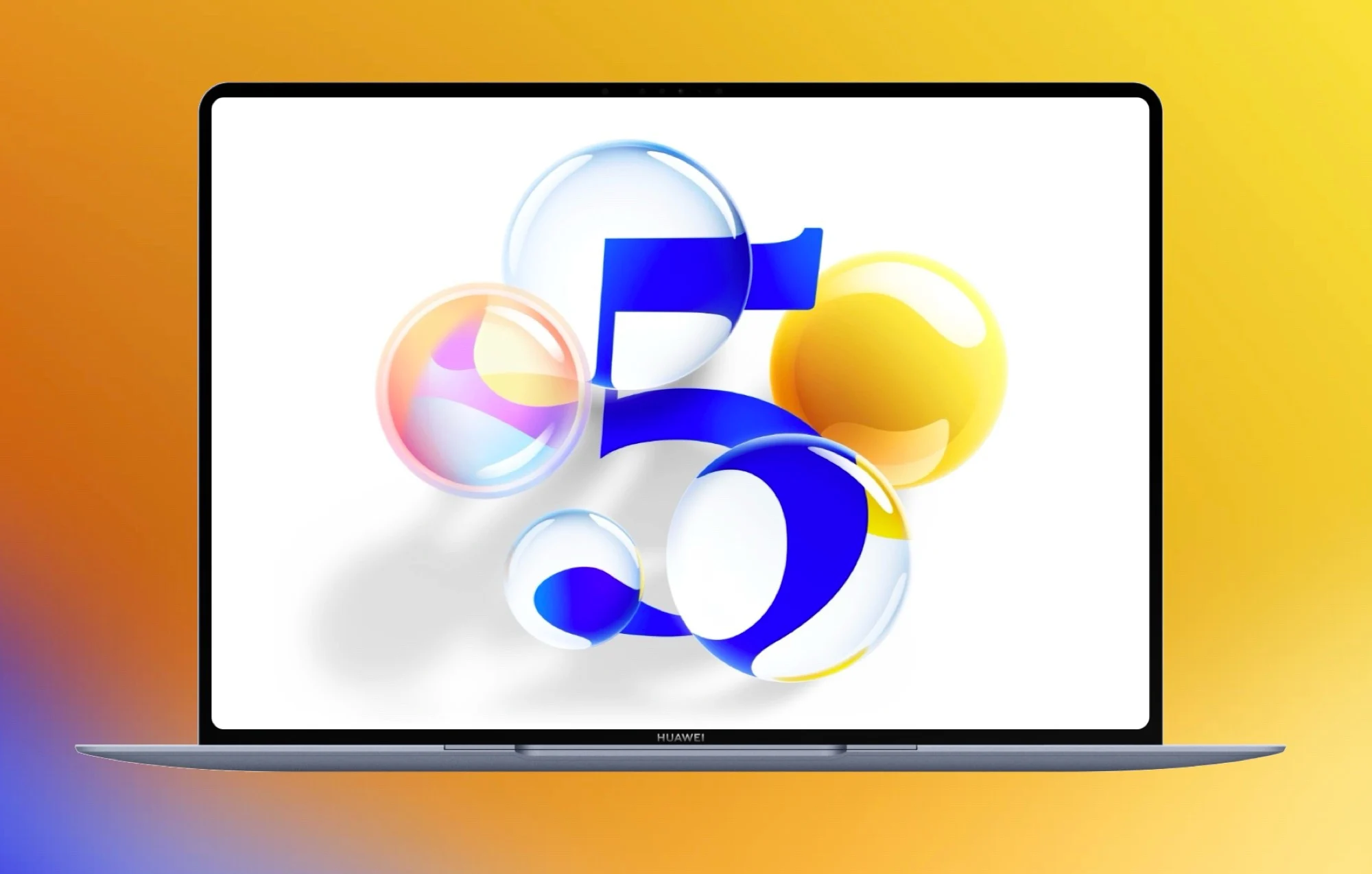
    Ever since the US imposed sanctions, the Chinese technology company Huawei has been working on its own operating system named HarmonyOS. The initial versions were based on the Android Open Source Project, but since the launch of HarmonyOS Next, Huawei has stopped using any Google code. This means that their smartphones and smartwatches, particularly those for the Chinese audience, do not have any US software. Now, HarmonyOS 5 is set to take the place of Windows on laptops and desktop computers.

    Structure and Performance

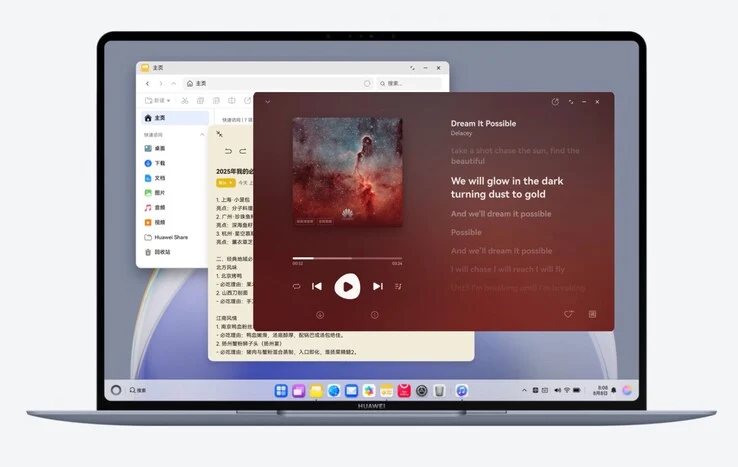
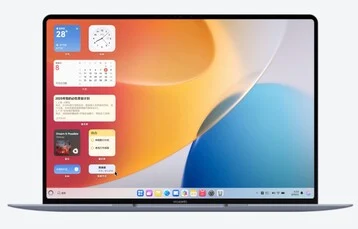
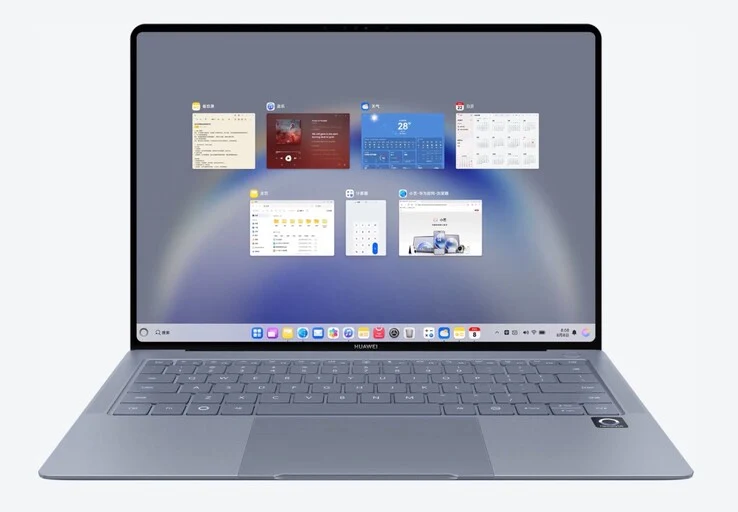
    The PC version of the operating system shares a similar framework with the smartphone version. It includes the HarmonyOS Kernel, StarShield security software, and the Ark Engine, which is said to enhance performance. Huawei claims that this operating system is “faster than Windows,” although they did not share any specific evidence to support this assertion. The user interface, however, seems to be inspired by Microsoft’s lead OS, featuring a taskbar at the bottom of the screen along with a desktop filled with applications, documents, and widgets.

    User Interface and Features

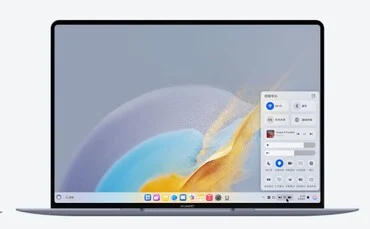
    In the center of the taskbar, there are pinned apps, while crucial information such as the time and battery percentage can be seen on the right. Tapping these icons brings up a quick settings menu that resembles the HarmonyOS found on smartphones. The button located at the far right opens an AI feature, which appears as a window on the right edge of the display and operates like a chatbot, interacting with documents and applications, much like Microsoft Copilot does.

    Multitasking and Connectivity

    HarmonyOS 5 is packed with multitasking options, allowing users to view all open windows side by side by swiping up on the trackpad with three fingers. Huawei has incorporated modern touches, like dynamic lighting effects that respond to the mouse pointer and animated wallpapers, to give it a fresh feel.

    Like macOS and iOS, HarmonyOS 5 can connect effortlessly with smartphones and tablets that utilize the mobile version of HarmonyOS. For example, users can type a message on their phone using the laptop’s keyboard or copy a file from a tablet and paste it onto their computer. Huawei has also pledged a broad range of app support from third-party developers. However, similar to HarmonyOS Next, it’s quite improbable that HarmonyOS 5 will be compatible with devices meant for Western markets.

    Source:
    Link


  • Android 16 Redesign Teased as New Clock App Images Leak

    Android 16 Redesign Teased as New Clock App Images Leak

    Key Takeaways

    1. Android and iOS are becoming more distinct as they approach the release of Android 16 and iOS 19.
    2. Apple is rumored to introduce rounded app icons and new user interface features in iOS 19.
    3. Google is implementing a ‘Material 3 Expressive’ design for Android 16, based on extensive user studies.
    4. The redesign of the Clock app in Android 16 reflects Google’s latest design guidelines but is not as radical as previous concepts.
    5. Android 16 is expected to be available for devices powered by Google Tensor, starting from the Pixel 6.


    In the past few years, the looks of Android and iOS have started to look more similar. But as we get closer to the launch of Android 16 and iOS 19 later this year, these two operating systems are expected to stand apart even more. Apple hasn’t formally announced any specifics about its upcoming iPhone OS yet, but rumors suggest that they’re planning to add rounded app icons and new user interface features, among other updates.

    Google’s Design Tweaks

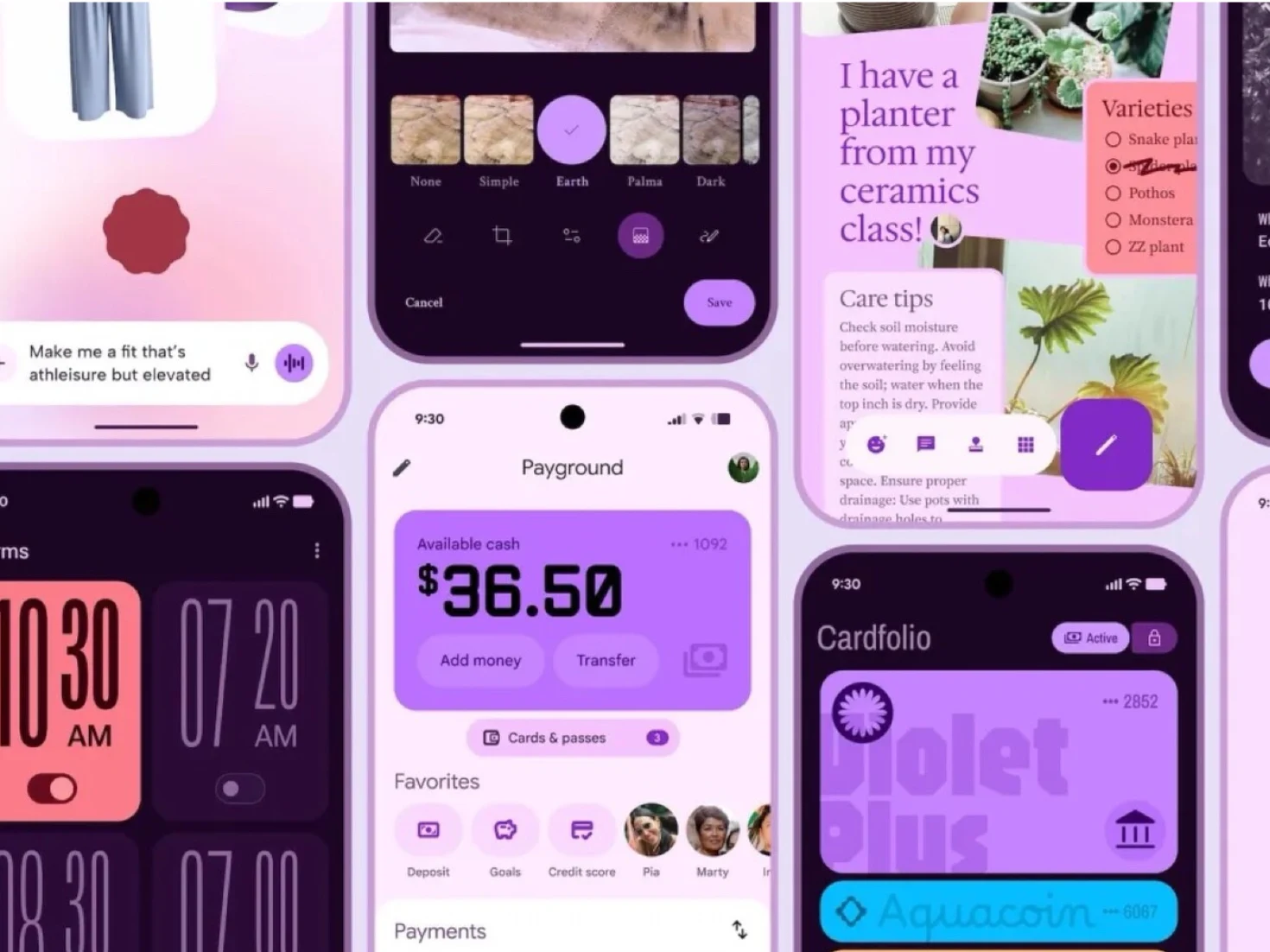
    On the flip side, Google has offered a sneak peek at some of the design changes coming with Android 16, which is anticipated to be released this season. Although the details were shared online prematurely, Google’s ‘Material 3 Expressive’ design approach is based on 46 studies involving over 18,000 participants. It seems that the more playful aesthetic of Android is not just for looks, but also aims to enhance user experience.

    Future Changes in Android

    It’s important to note that the Material 3 Expressive design might not fully represent what Android 16 will ultimately look like. However, this year’s operating system is likely to incorporate aspects of Google’s latest design approach in certain areas. For instance, Google has revamped the Clock app for Android 16 using the Material 3 Expressive guidelines. In reality, though, the redesign is not as radical as some of Google’s earlier concepts. Currently, all devices powered by Google Tensor, starting from the Pixel 6, are expected to get Android 16 (priced at $299.99 on Amazon).

    Source:
    Link

  • Garmin Updates Flagship Smartwatches Ahead of Major Release

    Garmin Updates Flagship Smartwatches Ahead of Major Release

    Key Takeaways

    1. Garmin is gradually improving the v15.xx software for the Fenix 8 and other smartwatches, preparing for a stable release.
    2. Beta testing for v15.xx started in late March, with the latest beta version being 15.26, which introduces new features.
    3. The recent stable update (System Software 13.37) did not include new features or bug fixes from the beta versions.
    4. Beta Version 15.26 adds voice commands for the Applied Ballistics and Flying apps on the Tactix 8 and includes ten additional bug fixes.
    5. The Sensor Hub firmware has been updated from v34.10 to v34.12 in the latest beta release.


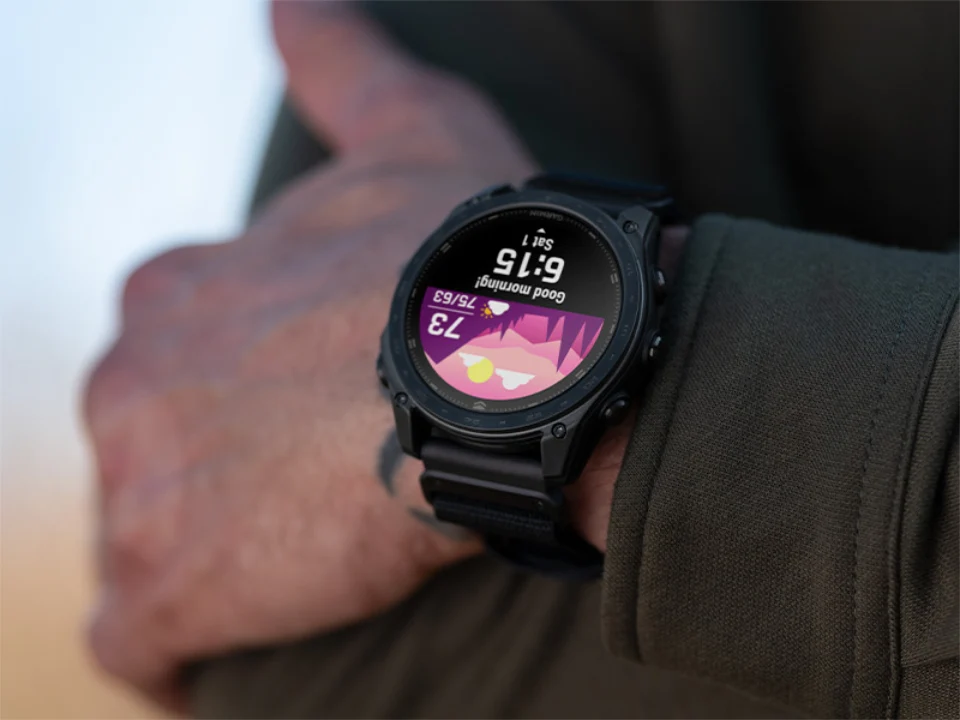
    Garmin is slowly improving the v15.xx software for the Fenix 8 and other smartwatches as they prepare for a stable release in the future. To summarize, the firm has been testing v15.xx versions in beta since late March. They did release a stable update last week, but System Software 13.37 didn’t include any of the new features, bug fixes, or improvements seen in the latest beta versions.

    New Beta Update

    The introduction of a new beta release for the Enduro 3, Fenix E, Fenix 8, and Tactix 8 indicates that Garmin is still not ready to provide a stable v15.xx update. Although the company hasn’t officially stated this, the arrival of Beta Version 15.26, which includes Aviation, Dive, and ECG functionalities, suggests otherwise. According to Garmin, “ECG, Dive, and Aviation features will be available again on versions of beta software that we expect to become live updates.”

    Features and Fixes

    Nevertheless, Beta Version 15.26 now supports voice commands for the Applied Ballistics and Flying apps on the Tactix 8, which is currently priced at $1,299.99 on Amazon. This update also adds ten more bug fixes to the mix, bringing the total number already identified by Beta Version 15.25 to 127. Additionally, Garmin has updated the Sensor Hub firmware from v34.10 to v34.12. The complete list of changes between Beta Versions v15.25 and v15.26 is as follows:

    Source:
    Link

  • Automated Food Tracking with Qalzy AI Kitchen Scale and App

    Key Takeaways

    1. Innovative Food Recognition: Qalzy uses an AI camera to identify various foods and logs their nutritional information automatically, surpassing conventional nutrition apps.

    2. User-Friendly Features: The scale automatically tares, scans multiple items, recognizes branded foods, and allows voice logging via Alexa, making it easy to use in the kitchen.

    3. Sleek and Functional Design: With a minimalist design, the scale features a 2MP camera, touch-sensitive buttons, and can weigh up to 5kg with high accuracy, operating without a phone.

    4. Battery and Charging: Qalzy has a battery life of up to 10 hours on a single charge and supports USB-C fast charging for convenience.

    5. Kickstarter Launch: The Qalzy scale is available on Kickstarter at an introductory price of $169, with a planned retail price of $269.


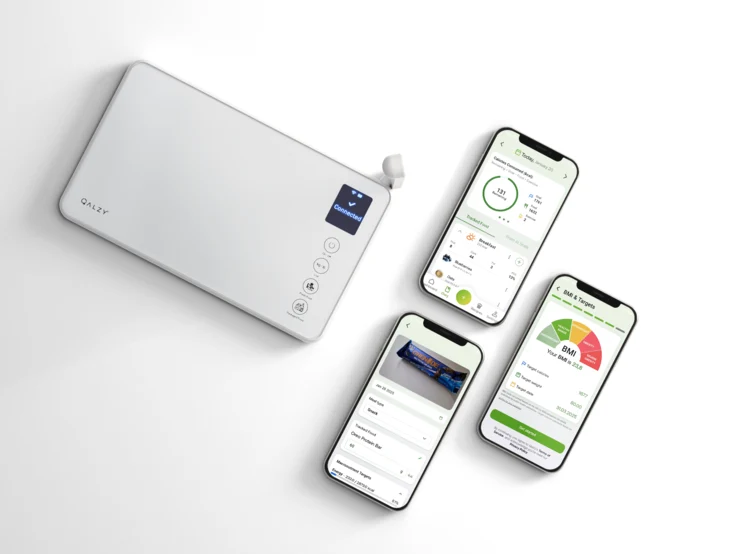
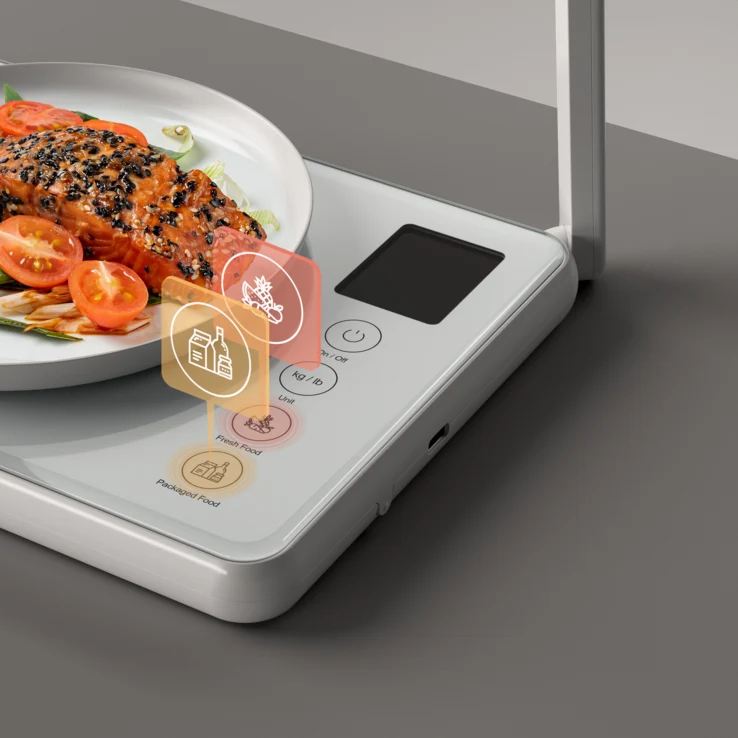
    Qalzy has just made its debut as an innovative kitchen scale that not only weighs your food but also recognizes what you’re eating and logs its nutritional information to your app with just one press. This device merges a sophisticated AI camera with a precise digital scale, allowing it to track macro and calorie intake automatically, without requiring any manual entries. It is currently available on Kickstarter, with an introductory price of $169.

    Advanced Food Recognition

    The core of Qalzy is a food recognition system powered by OpenAI which can identify various ingredients on your plate, whether they are raw, cooked, or mixed into a dish. This scale takes into account the weight to ensure accurate calorie tracking, surpassing the capabilities of conventional photo-based nutrition applications. The information is then synced directly to the Qalzy app.

    Easy to Use Features

    This device automatically tares between different ingredients, can scan multiple items simultaneously, recognizes branded foods, and even allows voice logging through Alexa. It’s designed with a tempered glass top that is splash-proof and easy to wipe clean, and it includes an LED flash for use in dimly lit kitchens. The battery can last up to 10 hours on a single charge and supports USB-C fast charging.

    Sleek Design and Functionality

    In design, the scale is sleek and minimalist, featuring a 2MP camera, touch-sensitive buttons, and the ability to switch between metric and imperial measurements. It can weigh up to 5kg with an accuracy of ±1g. Interestingly, it can operate without a nearby phone—scans are uploaded to the cloud for later review.

    The creators of Qalzy, Kostas Koukoravas and Michael Michelis, have backgrounds in AI and nutrition. Their mission is to remove the barriers that lead many individuals to stop tracking their calories after just a few days.

    The Kickstarter campaign for Qalzy has begun, with the planned retail price at $269. However, early supporters can snag it for $169. A demo video is linked below.

    If you prefer a traditional kitchen scale with comparable features, consider the much more affordable KitchenAid KQ909 dual platform digital kitchen and food scale available on Amazon, currently priced at $36.49.

    Qalzy is unique: a smart scale driven by AI that identifies what you eat, weighs it, and logs your calories and macros—all simultaneously with outstanding precision.


  • Samsung DeX Preview: Enhanced Android Desktop Mode Ahead of One UI 8

    Samsung DeX Preview: Enhanced Android Desktop Mode Ahead of One UI 8

    Key Takeaways

    1. Samsung DeX leads in Android desktop experiences across various device ranges.
    2. Google is delaying the launch of its ‘Desktop View’ feature for a future Android update.
    3. Samsung plans a major revamp of its Android desktop mode with One UI 8.
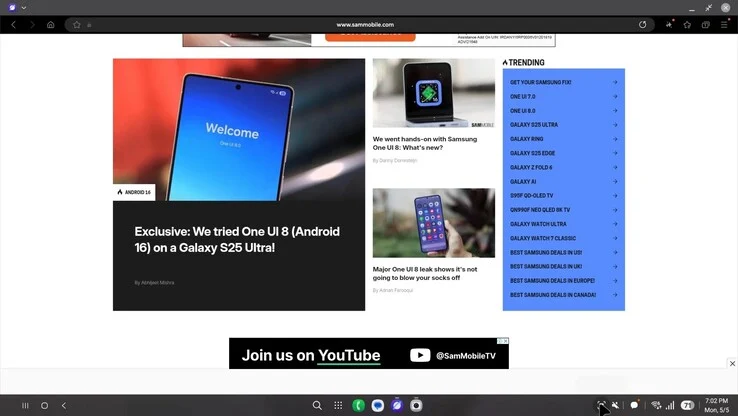
    4. One UI 8 beta reveals new DeX features, including a dock-like home screen and a reorganized taskbar.
    5. One UI 8 is anticipated to launch alongside the Galaxy Z Fold7 and Galaxy Z Flip7 this summer.


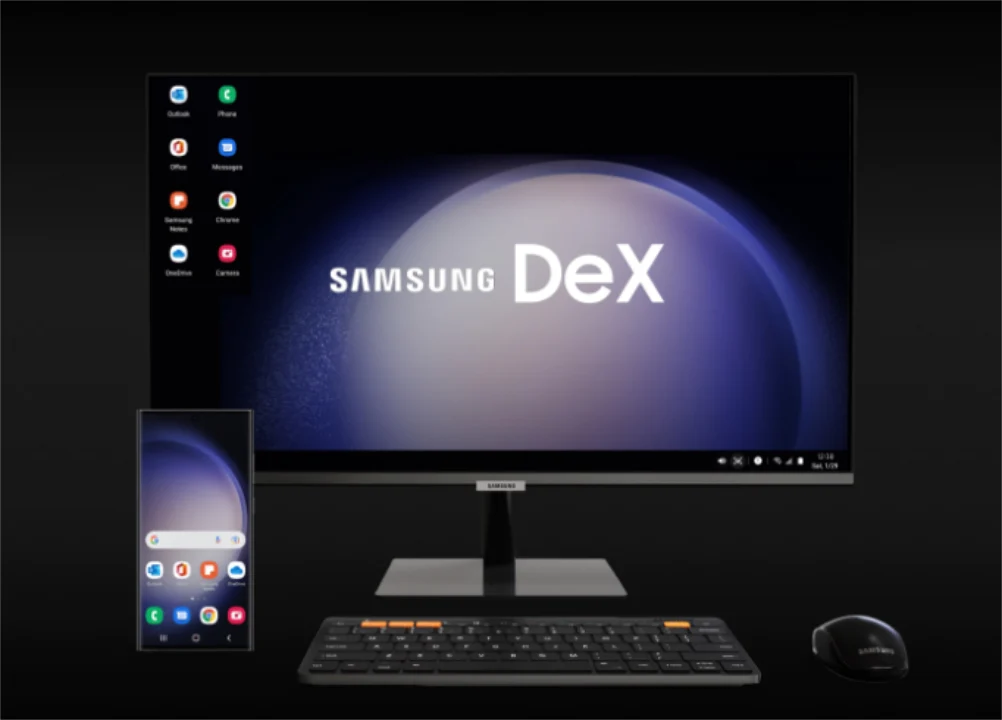
    Samsung has been at the forefront for many years in the realm of Android desktop modes. While brands like Motorola and Huawei have their own versions, Samsung DeX consistently provides the most refined experience across mid-range devices all the way to flagship models like the Galaxy S25 Ultra (curr. $1,067.99 on Amazon).

    Google’s Plans for Desktop View

    Recent insights suggest that Google is gearing up to launch its long-anticipated alternative. However, it might not be ready in time for Android 16. Instead, indications point to Google delaying ‘Desktop View’ for another significant Android update. In contrast, Samsung appears to be planning a major revamp of its Android desktop mode this year.

    Changes in One UI 8 Beta

    Particularly, SamMobile has uncovered several DeX modifications within a One UI 8 beta version. Thus, certain aspects may shift before Samsung finalizes the stable One UI 8 releases. Still, a few features can be noted at this point.

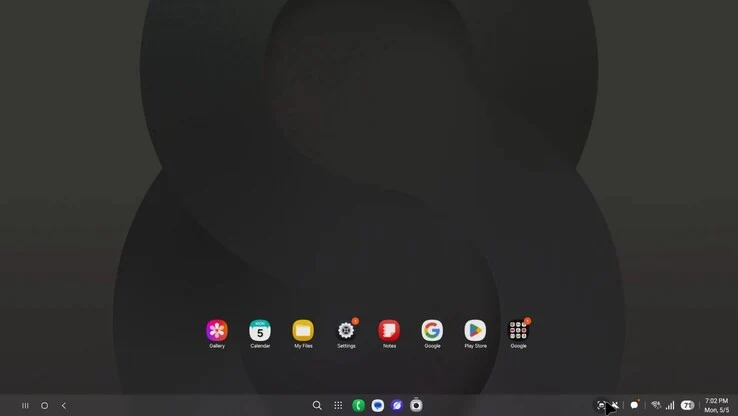
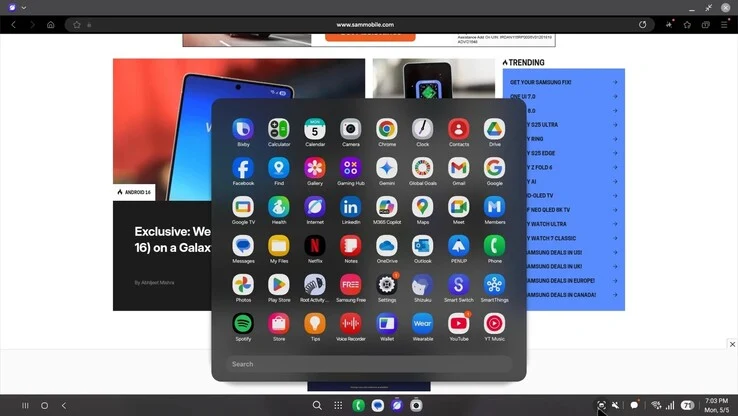
    For instance, Samsung has positioned all app icons on the home screen of DeX, creating the look of an additional dock. The company has also separated taskbar items like connectivity settings and the clock, now organized similarly to previous notifications. Additionally, One UI 8 introduces a smaller app drawer, a more compact browser tab menu, and upgraded Galaxy Buds, among other features. As it currently stands, One UI 8 is expected to launch with the Galaxy Z Fold7 and Galaxy Z Flip7 this summer.

    Source:
    Link


  • Xiaomi Resolves Redmi Turbo 4 Pro Screen Bugs, HyperOS Issues Persist

    Xiaomi Resolves Redmi Turbo 4 Pro Screen Bugs, HyperOS Issues Persist

    Key Takeaways

    1. Xiaomi has resolved two major issues for the Redmi Turbo 4 Pro with the HyperOS update 2.0.114.0, improving screen flickering and touch screen responsiveness.
    2. Ongoing investigations are addressing lag issues when swiping up from the weather widget and inaccuracies in battery statistics in the Phone Manager’s power-saving mode.
    3. The company is prioritizing fixes for lag during screen recording and failures of the screen recording function in certain situations.
    4. Lock screen issues are being worked on, including call interface overlaps, malfunctioning double-tap-to-wake, and time display misalignment.
    5. Xiaomi encourages user feedback through forums and in-app diagnostics, providing regular updates on the Xiaomi Community platform.


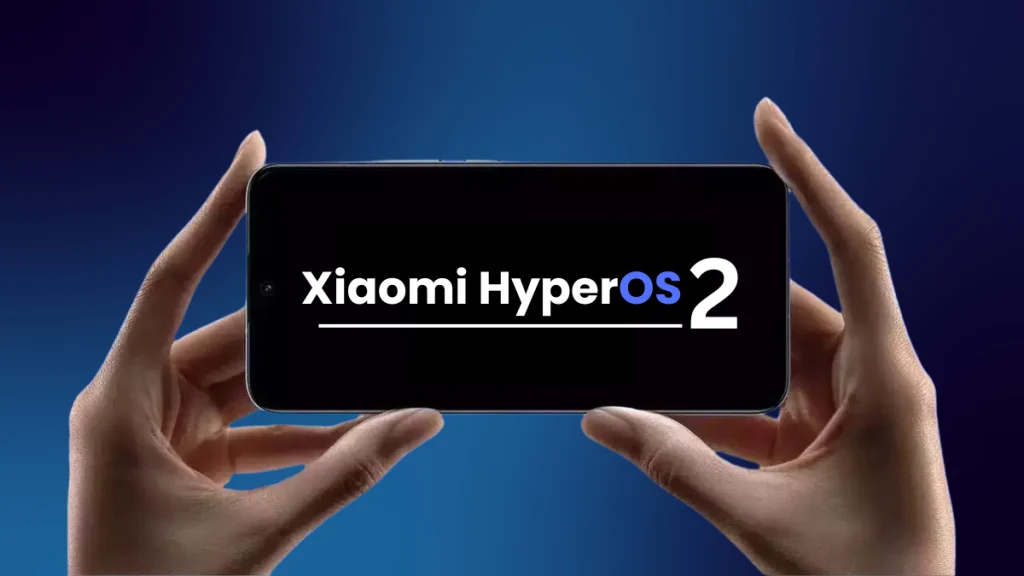
    Xiaomi has shared its newest weekly update on the Xiaomi Community, detailing the progress made on software concerns raised by users. The firm is dedicated to openness and consistent communication, especially as it expands HyperOS to more devices. The update from May 2 highlights both issues that have been resolved and ongoing investigations, particularly for the newly released Redmi Turbo 4 Pro.

    Progress on Redmi Turbo 4 Pro Issues

    As per the announcement, Xiaomi has effectively resolved two major issues specifically affecting the Redmi Turbo 4 Pro. The latest version of HyperOS, 2.0.114.0, comes with improvements that rectify screen flickering in certain situations and fix problems with the touch screen not responding at times. Users who have faced these issues are urged to update their devices and check if the problems are completely fixed.

    Ongoing Investigations for Other Devices

    In addition to the Turbo 4 Pro, Xiaomi is aware of several other concerns that are still being investigated across a broader range of smartphones running HyperOS. One of the issues involves a noticeable lag that happens when users swiftly swipe up after opening the weather widget and then launch a different app. This brief pause can take away from the smoothness of the user experience.

    Moreover, there are discrepancies in how power usage and battery statistics are displayed in the Phone Manager’s power-saving mode, which are also being addressed to offer more accurate information regarding battery performance.

    Screen Recording and Automation Bugs

    For those who often use the screen recording feature, Xiaomi knows about the lag that can occur during recording in certain situations, as well as cases where the screen recording function fails entirely under specific conditions. These issues are also prioritized for the next updates.

    The company is investigating a bug related to task automation in the Phone Manager. Sometimes, automatic triggers for power management change unexpectedly after being set, causing unplanned changes in how the device operates.

    Lock Screen Issues Being Addressed

    Several issues concerning the lock screen are currently being worked on. This includes a problem where the lock screen overlaps with the call interface when answering calls while the screen is off, the double-tap-to-wake feature not functioning on the lock screen when using the default theme, and occasional misalignment of the time display on the lock screen.

    Xiaomi’s weekly bulletin provides a clear line of communication with users, many of whom have given feedback through forums and in-app diagnostics. The company encourages users to keep reporting issues and to check the “Xiaomi Announcements” section on the Xiaomi Community platform for updates in real-time.

    Source:
    Link

  • One UI 8 Home Launcher Leaks: Smoother, Lifelike Animations

    One UI 8 Home Launcher Leaks: Smoother, Lifelike Animations

    Key Takeaways

    1. A leaked version of One UI Home Launcher v17.0.00.43 for One UI 8 is available, expected to launch with Galaxy Z Fold 7 and Flip 7 in July 2025.
    2. One UI 7 is currently available for many flagship devices, including Galaxy S21 series and foldables, featuring a split Quick Panel and Galaxy AI elements.
    3. The new launcher is not compatible with One UI 7 or earlier versions, potentially causing crashes if sideloaded on older systems.
    4. One UI 8 will introduce smoother animations and improved app transitions, enhancing device responsiveness.
    5. Exciting features in One UI 8 include AI video summaries and a redesigned Browser, with the launcher being a key highlight.


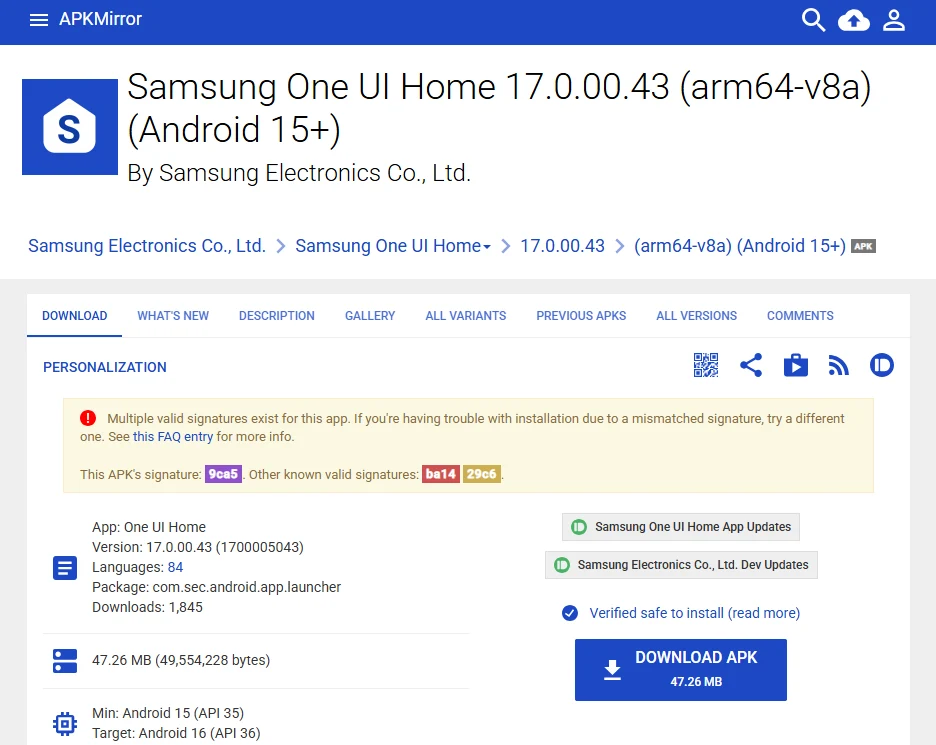
    While Samsung is introducing One UI 7 to various Galaxy devices, a leaked version of One UI Home Launcher v17.0.00.43 for One UI 8 has appeared on APKMirror. This version is expected to launch with the Galaxy Z Fold 7 and Flip 7 in July 2025. Extracted from an internal build, it suggests smoother and more realistic animations, but you’ll have to be patient to experience it.

    Current Offerings of One UI 7

    Samsung’s One UI 7, which includes a split Quick Panel and features from Galaxy AI, has been made available for many flagship devices, ranging from the newest models to the Galaxy S21 series and the third-generation foldables. However, One UI 8 is already grabbing attention. Users who have installed internal builds of One UI 8 on devices like the Galaxy Z Fold6, Z Flip6, and S25 Ultra have discovered the One UI Home Launcher v17 on APKMirror. This application serves as the foundation for home screen features such as widgets, icons, and gestures, and is designed to work with One UI 8’s new animation engine, promising smooth transitions between apps.

    Compatibility Issues with the New Launcher

    The leaked APK v17.0.00.43, which is linked to Android 16, is not compatible with One UI 7 or earlier versions. Attempting to sideload it on older systems might result in crashes or installation errors, according to SammyFans. The animation enhancements in One UI 8, which improve how apps open and close, depend on this launcher, potentially making the S25 feel even more responsive.

    Exciting Features to Anticipate

    In addition to the anticipated AI video summary features and a redesigned Browser, this new launcher may be one of the standout aspects of Samsung’s One UI 8 based on Android 16. For now, the launcher APK serves as a teaser—you will require One UI 8 to fully take advantage of its capabilities.

    Will these new animations surpass those found in iOS 19 or the Pixel’s Android 16 launcher? We can’t wait to see!

    Source:
    Link

  • Free Clean Air Calculator from Project EverGreen for Property Owners

    Free Clean Air Calculator from Project EverGreen for Property Owners

    Key Takeaways

    1. Project EverGreen has launched the Clean Air Calculator, a free tool for homeowners to assess the environmental impact of their landscaping choices.
    2. Greenery, such as trees and plants, provides numerous benefits including shade, reduced CO2 levels, and improved human health.
    3. Users can easily input their address and map their greenery to generate a detailed report through the Clean Air Calculator.
    4. The report includes key metrics like annual CO2 sequestration, clean air volume, carbon emissions offset, and community health benefits.
    5. Property owners can use the insights from the report to design landscaping that promotes a healthier environment.


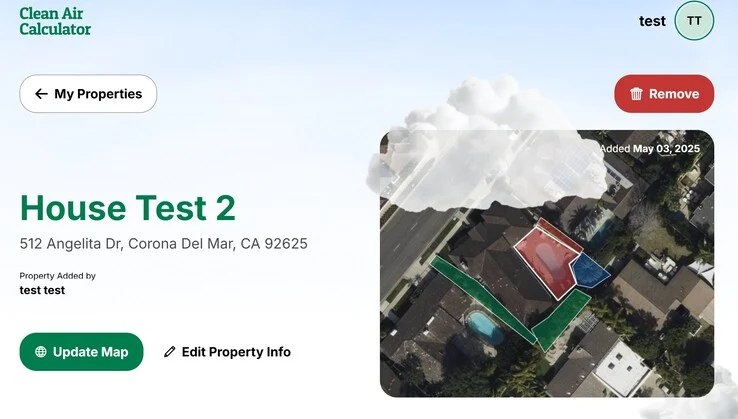
    Nonprofit Project EverGreen has launched a complimentary environmental impact tool known as the Clean Air Calculator. This tool offers homeowners and property owners a swift method to assess the effects of their landscaping choices.

    Benefits of Greenery

    Plants like trees, grass, and bushes offer substantial advantages to the surrounding community. These include providing shade from intense sunlight, which lowers daytime temperatures, reducing CO2 levels via carbon sequestration, and offering refuge for beneficial wildlife such as birds. Moreover, greenery can enhance human health and mood because of the positive effects of natural volatile organic compounds (VOCs).

    How to Use the Calculator

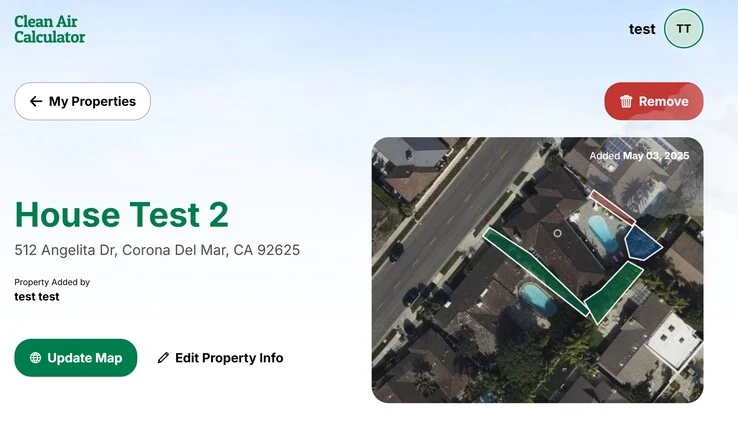
    To use the Clean Air Calculator, individuals simply need to input their address and outline where their greenery is located on an interactive map. This fast and straightforward method allows the calculator to produce a report, which can be emailed, saved as a data file, or converted into a PDF.

    Insights from the Report

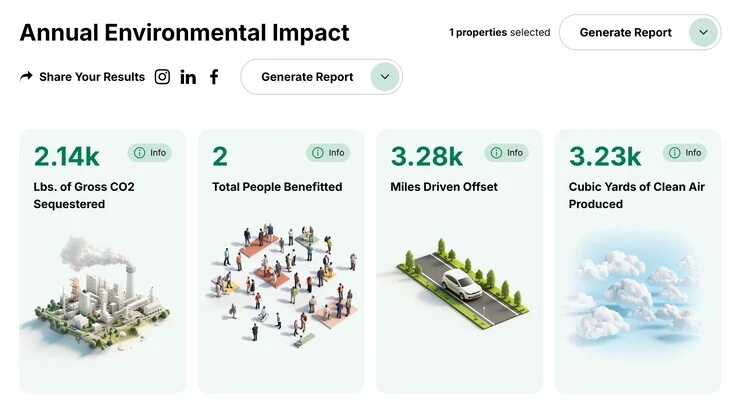
    The resulting report shows various important metrics, including the yearly amount of CO2 that has been sequestered, the volume of clean air generated in cubic yards, the miles of carbon emissions from cars that have been offset, and the number of people benefiting from the shade, improved air quality, and health advantages provided by the greenery. Property owners can utilize this information to create landscaping designs that contribute to a healthier environment for the community.

    For those working remotely, adding plants like the money tree available on Amazon can enhance indoor air quality.

    Source:
    Link