Category: Software

  • Elgato Stream Deck Modules: Create Custom Macropads Easily

    Elgato Stream Deck Modules: Create Custom Macropads Easily

    Key Takeaways

    1. Elgato has launched “Stream Deck Everywhere” with new Stream Deck Modules in 6-key, 15-key, and 32-key options for enthusiasts and OEMs.
    2. The Stream Deck Modules are priced at $49.99, $129.99, and $199.99, with bulk purchase discounts of up to 15%.
    3. The original Stream Deck MK II has been updated with a scissor-key version for improved tactile feedback.
    4. All Stream Deck models are available on Elgato’s website, with prices ranging from $59.99 to $249.99, and include access to free software for unlimited macro keys.
    5. A new network dock accessory will allow Stream Decks to issue commands over a network using Power over Ethernet (PoE) and will launch later this summer.


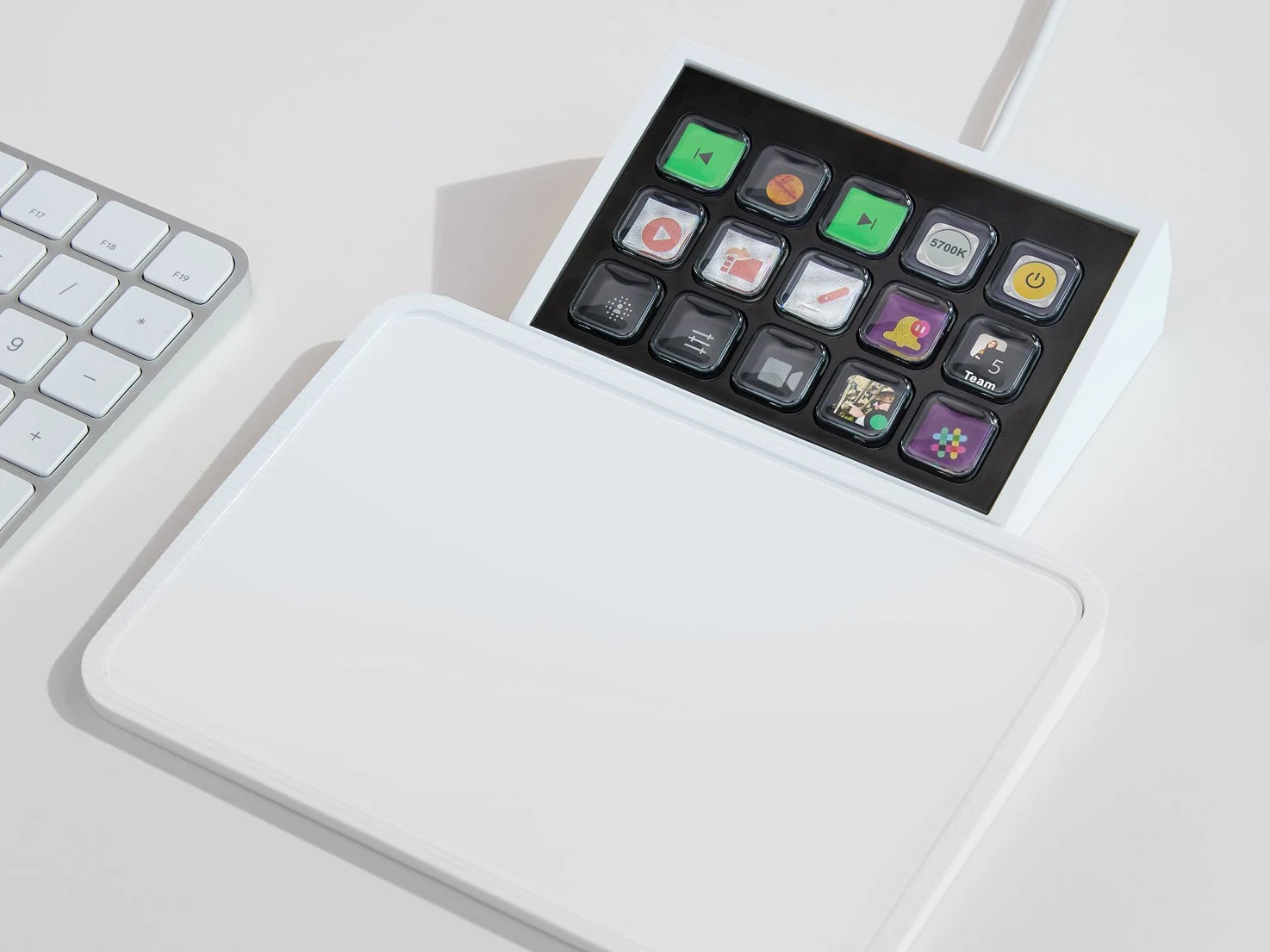
    Elgato is introducing a fresh concept called “Stream Deck Everywhere,” aimed at its line of programmable control pads. At Computex on Monday, the company unveiled its new Stream Deck Modules, which are simplified, integration-ready versions of their popular devices. These modules come in three options: 6-key, 15-key, and 32-key, reflecting the Stream Deck Mini, MK II, and XL designs, all within sleek aluminum casings and without any noticeable branding.

    Target Audience for Stream Deck Modules

    Designed for enthusiasts and OEMs, Stream Deck Modules eliminate the need to dismantle retail Stream Decks for custom projects. Elgato offers these basic devices with support for third-party plug-ins and SDKs, priced at $49.99 for the 6-key model, $129.99 for the 15-key version, and $199.99 for the fully featured 32-key module. Moreover, bulk purchases can enjoy discounts of up to 15%, making it a more attractive option for those looking to buy multiple units.

    New Features for Stream Deck MK II

    For users who prefer not to customize, the original Stream Deck MK II has been updated with a scissor-key version, providing the satisfying tactile feel of a traditional keyboard. Just last month, Elgato teased this concept in an April Fool’s video featuring a “Stream Deck desk” packed with a whopping 1,262 keys. This could hint at a real Stream Deck keyboard coming soon.

    Pricing and Availability

    All versions of the original Stream Deck, whether equipped with scissor keys or the classic membrane style, are available for purchase on Elgato’s website, ranging from $59.99 to $249.99. When you buy any Stream Deck model, you also gain access to Elgato’s Virtual Stream Deck for desktop. This software, which is free for both PC and Mac, requires downloading Stream Deck 7.0 from Elgato’s beta hub. With VSD, users can create unlimited macro keys that can be placed on the desktop, taskbar, or pinned anywhere on the screen.

    The Stream Deck mobile app, on the other hand, is available for Android and iOS but requires a Pro subscription to customize layouts or access more than six keys.

    Expanding the Stream Deck Ecosystem

    In line with its branding vision, Elgato has introduced a new accessory to widen the Stream Deck’s capabilities beyond just desktop use. The network dock is a compact device that supports Power over Ethernet (PoE), allowing the Stream Deck to issue commands over a network instead of being limited to a USB connection. Although this accessory isn’t available for order yet, Elgato has confirmed it will be launching “later this summer.”

    Source:
    Link


  • Texas Bill Proposes Age Verification for Social Media Users Under 18

    Texas Bill Proposes Age Verification for Social Media Users Under 18

    Key Takeaways

    1. Texas House Bill 186 aims to establish the strictest age limits for social media in the U.S., prohibiting accounts for users under 18 on platforms like TikTok, YouTube, and Instagram.

    2. The bill requires companies to implement age-verification systems by April 2026 and allows parents to request the deletion of their child’s existing accounts within ten days.

    3. Supporters argue the bill promotes public health by addressing mental health risks associated with heavy social media use among teenagers.

    4. Opposition from teenagers and civil rights groups highlights concerns about career impacts, First Amendment rights, and privacy issues related to age verification data.

    5. Texas’s proposal is more stringent than similar laws in other states, with potential legal challenges expected if the bill is signed into law.


    Texas House Bill 186 has passed through the state House with support from both parties. It is now moving through the Senate, putting Texas on track to establish the strictest age limits for social media in the United States. The bill would prevent anyone under the age of 18 from creating accounts on platforms that allow users to post or curate content. This includes popular sites such as TikTok, YouTube, Instagram, X (formerly Twitter), Snapchat, and Facebook. Additionally, companies would be required to implement age-verification systems by April 2026.

    Parental Control and Health Warnings

    If HB 186 is signed into law, parents will have the authority to request the deletion of their child’s existing account on these platforms, and the companies must comply within ten days. The legislation also mandates clear health warnings about the mental health dangers linked to heavy social media usage. A related proposal, Senate Bill 2420, would introduce age verification and parental consent for minors who want to download apps or make in-app purchases. Meanwhile, House Bill 499 would require platforms to provide risk warnings.

    Supporters and Their Arguments

    Proponents of the bill argue that it is a necessary step for public health. Co-sponsor Senator Adam Hinojosa stated that platforms “cannot have our children,” referencing studies that connect excessive social media use with issues like anxiety, bullying, and thoughts of suicide among teenagers. Research mentioned during committee discussions indicates that 95% of U.S. teens aged 13 to 17 use social media, with over a third reporting almost constant use.

    Concerns and Opposition

    Opposition has emerged from teenagers, civil rights organizations, and industry groups. Seventeen-year-old content creators and student-athletes expressed their concerns to senators, stating that the bill could hinder college recruitment opportunities and their careers, which rely on having a strong online presence. The Computer and Communications Industry Association voiced that HB 186 could clash with existing contract law, limit minors’ First Amendment rights, and create privacy issues since the bill does not specify how platforms should manage the identification data they gather.

    Texas is not the only state looking to restrict youth access to social media, but its proposal is more stringent than any current state law. Florida only prohibits accounts for children under 14, while ten other states have narrower regulations focusing on parental controls or time limits. On an international level, Australia has set a ban for those under 16, effective in 2024. Past attempts to establish broad restrictions in Texas have faced challenges in federal court, and if HB 186 reaches Governor Greg Abbott for approval, it is likely to face legal scrutiny once again.

    Source:
    Link

  • CyberLink Enhances PowerDirector with AI Features for Video Editing

    CyberLink Enhances PowerDirector with AI Features for Video Editing

    Key Takeaways

    1. PowerDirector video editing software uses Intel’s OpenVINO toolkit for offline AI features, enhancing security against piracy.
    2. The software includes advanced AI capabilities for facial and object recognition, allowing users to apply effects without manual tracking.
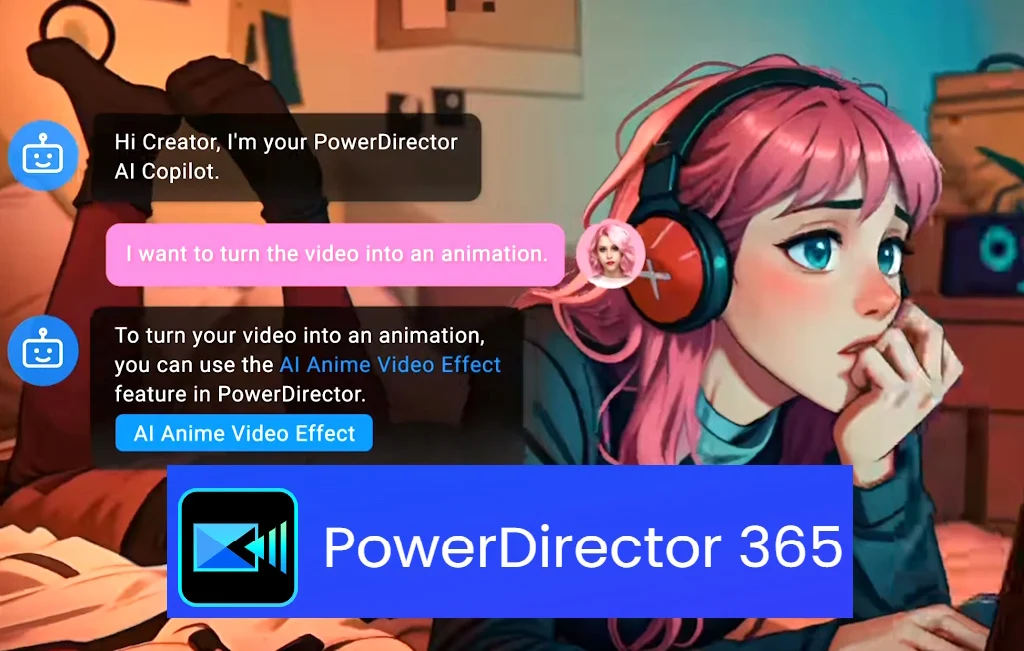
    3. Users can transform videos into anime, eliminate image noise, and generate matching music through AI enhancements.
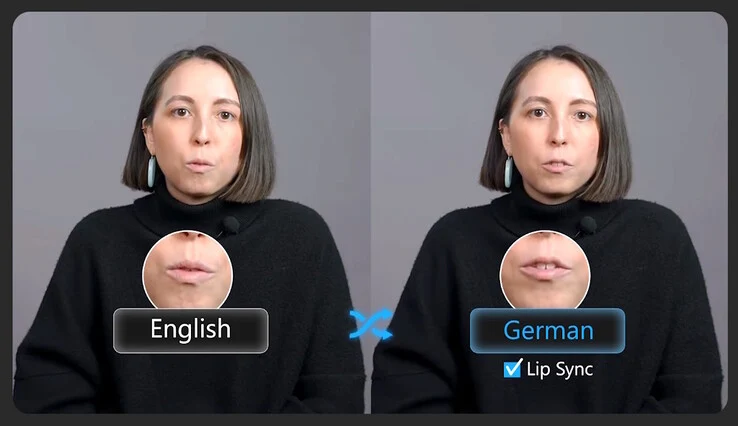
    4. PowerDirector can automatically duplicate and translate voices for multilingual projects, creating lip-synced versions.
    5. PowerDirector 365 is available for a yearly subscription of $74.99, currently discounted to $54.99 on Amazon.


    CyberLink has revealed its new PowerDirector video editing software, designed to make the process of creating eye-catching videos for both business and social media easier, at Computex 2025.

    Award-Winning Software

    PowerDirector 1.0 was recognized with the Best Multimedia Product Award back in Computex 2001. This year, the company has taken advantage of the Intel OpenVINO open-source toolkit to bring in generative AI features. Importantly, OpenVINO uses local, built-in Intel or discrete GPUs, rather than relying on cloud services for its AI functions. This setup allows editors to use AI capabilities offline, providing better security against movie piracy.

    Advanced AI Features

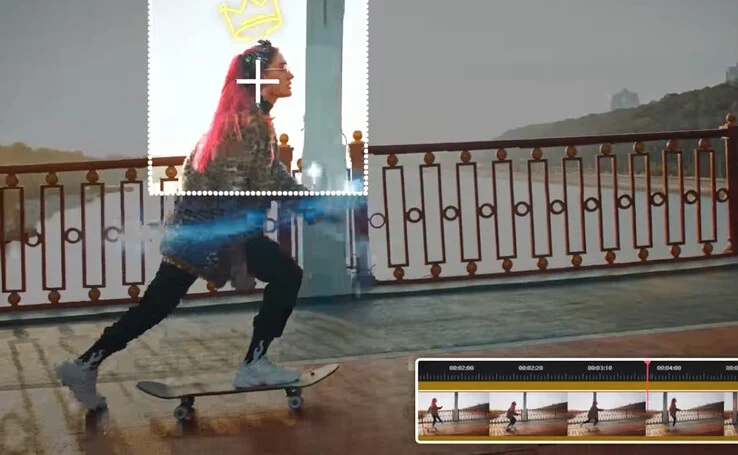
    The software now has the capability to quickly recognize faces, people, and various objects using AI object segmentation, tracking their movements throughout different scenes. Users can easily apply special effects like face blurring, text, and graphics to these elements without the need for tedious manual tracking.

    Enhanced Editing Tools

    PowerDirector can transform videos into anime, eliminate image noise, generate matching music, modify colors and lighting, convert text to speech, and improve audio recordings with the help of AI. For projects involving multiple languages, PowerDirector can automatically duplicate and translate voices, creating new lip-synced versions of videos.

    PowerDirector 365 is available with a suggested retail price of $74.99 for a yearly subscription, but it’s currently listed on Amazon for just $54.99.

    Source:
    Link


  • Storing and Sharing Files Online: PixelDrain First Impressions

    Storing and Sharing Files Online: PixelDrain First Impressions

    Key Takeaways

    1. Many file sharing services, like Mega and Google Drive, offer free storage but require users to visit a download page to access files.
    2. PixelDrain.com supports hotlinking for direct access without download pages and provides faster performance than some free alternatives.
    3. PixelDrain offers a free plan with limitations, but full features can be unlocked for a one-time fee or through a subscription starting at 4 euros per month.
    4. Users can easily enable hotlinking and remove download pages in PixelDrain’s settings, and can embed large files on websites using specific URLs.
    5. Direct, permanent file links can be created in PixelDrain by using the Filesystem feature, and assistance is available through the founder on Discord for any questions.


    As of May 2025, there are many websites available for storing and sharing files online, like Mega and Google Drive. Most of them offer free services, which is a plus.

    Limitations of File Sharing Services

    However, many of these platforms come with a significant drawback. Users must first go to a download page before accessing files, making it impossible to just click a link and instantly stream a video or view a PDF.

    Faster Options

    There are a couple of file hosting services that support hotlinking, allowing direct access through permanent links. Yet, their speeds can vary greatly throughout the day. While not free, PixelDrain.com offers much faster performance compared to pomf2.lain.la and catbox.moe, and it has more capabilities than its homepage suggests.

    Pricing Plans and Features

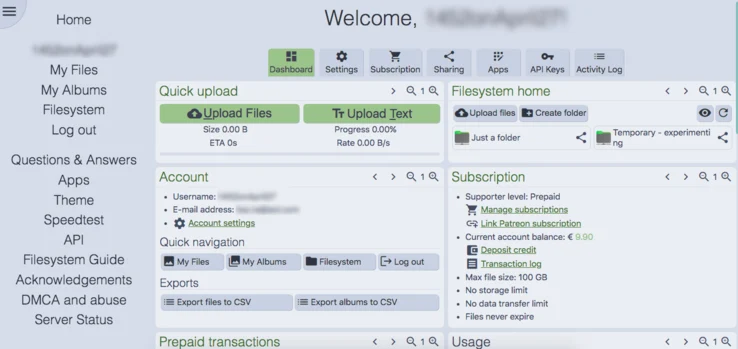
    PixelDrain does indeed offer a free plan, but it comes with many limitations. To unlock full features, one must either pay 10 euros (plus VAT) directly to PixelDrain or subscribe to their Patreon, which starts at 4 euros a month, excluding VAT. For reference, 10 euros was equivalent to $11.16 on May 18, 2025.

    The nice part about PixelDrain is that it uses a straightforward ‘pay as you go’ system with no hidden terms. It charges €0.001 for every gigabyte of data transferred, meaning those 10 euros could last for years depending on your usage.

    Adjusting Settings for Hotlinking

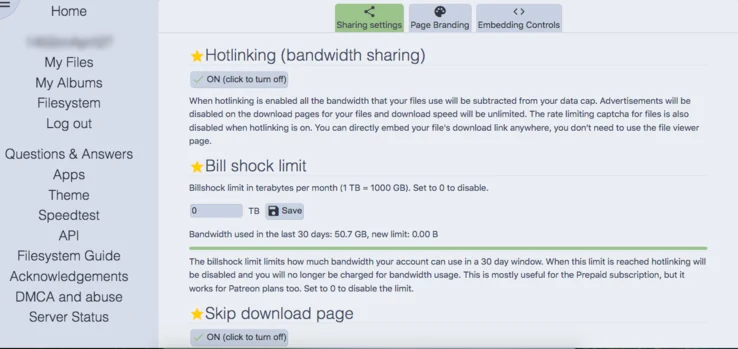
    If you want to enable hotlinking and remove download pages for your files, you can do so easily in the settings with just a few clicks.

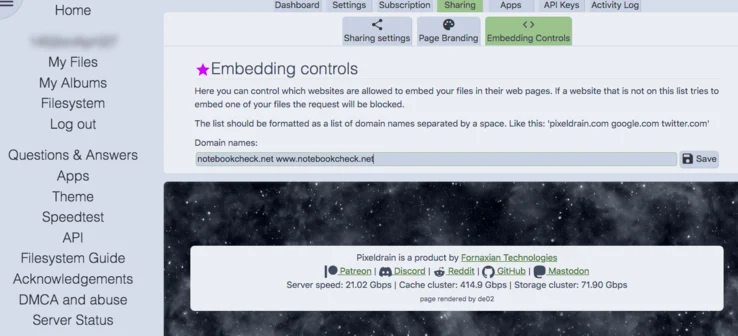
    For anyone looking to embed large files on their website using PixelDrain, don’t forget to check the Embedding Controls submenu, as shown in the accompanying image.

    Hosting Videos

    If you want to host videos for shared viewing on cytu.be, make sure to enter the full URL: www.cytu.be instead of just cytu.be.

    Using Direct Links for Files

    To create direct, permanent file links, utilize the Filesystem feature.

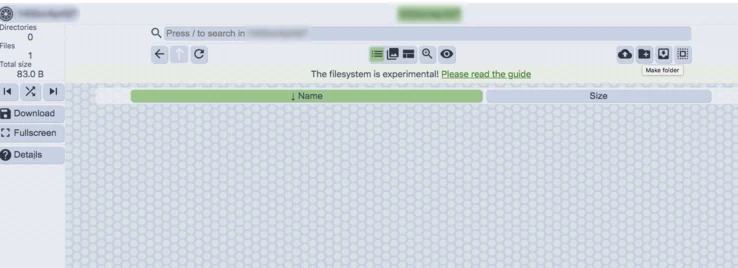
    Begin by making a new folder:

    Click the pen icon and then ‘share’ this folder by checking the box:

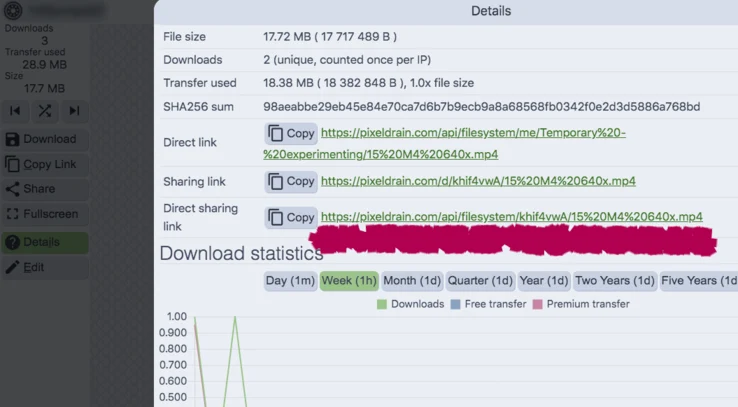
    Now, you can upload files to this folder, and every uploaded file will be shared automatically. To obtain direct, permanent links for your files that are accessible to anyone online, select the file, click on Details in the left column, and scroll down to the Direct sharing link section highlighted in the image below.

    While this article doesn’t cover everything, there are advanced features available as well:

    You can use PixelDrain for object storage with rclone integration.

    If you ever run into problems understanding how PixelDrain works, you can get assistance from its founder (Fornax), who answers questions daily on the official Discord server.

    Source:
    Link


  • Philips Hue App Update Introduces New User-Friendly Setting

    Key Takeaways

    1. Philips Hue app version 5.42.0 has been released for iOS users.
    2. Users can now choose to show or hide the Home on/off switch on the Home tab.
    3. The update simplifies scene creation with a new plus (+) icon for easy access.
    4. Users can browse the Scene Gallery, select favorites, or create/replicate scenes.
    5. The update is available on the Apple App Store, with no release date for the Android version yet.


    Philips Hue has rolled out a new update, version 5.42.0, for its app on iOS, making it accessible to users of their smart home products. This update follows version 5.40, while it appears that version 5.41 was skipped. The previous update reportedly provided several bug fixes and improvements to stability.

    Changes in the Latest Update

    With the release of version 5.42.0, there are two notable updates for Philips Hue smart home users. First, it now offers the option to show or hide the Home on/off switch on the Home tab. This can be handy if you often find yourself accidentally turning off all the lights in your house. To implement this change, navigate to Settings > App preferences.

    Enhanced Scene Creation

    Additionally, the release notes mention that creating a Scene has been made simpler. A new plus (+) icon is now present in either a Room or Zone, allowing you to either browse the Scene Gallery or select from your favorite Scenes. You also have the capability to develop your own scene or replicate a scene from a different room.

    You can obtain the Philips Hue app version 5.42.0 for iOS through the Apple App Store. It remains uncertain when this update will be available for Android users of the Philips Hue app, which was last updated on April 15th.

    Source:
    Link

  • Apple CarPlay Ultra Launches on Select Models with Enhanced Features

    Apple CarPlay Ultra Launches on Select Models with Enhanced Features

    Key Takeaways

    1. CarPlay Ultra is now available, starting with new Aston Martin cars in the US and Canada, and will roll out to existing vehicles through a software update.
    2. Future availability of CarPlay Ultra is expected for Kia, Hyundai, and Genesis vehicles later this year.
    3. The updated version, introduced in summer 2022, indicates potential delays in partnerships with previous automakers like Audi and Ford for CarPlay Ultra.
    4. CarPlay Ultra features multi-screen display capabilities and allows for personalized interface adjustments by car manufacturers.
    5. The system connects to various vehicle systems, providing information like speed and tire pressure, and can be operated through the car’s buttons for convenience.


    Apple has revealed that CarPlay Ultra is now rolling out, starting with new Aston Martin cars available in the US and Canada. Current Aston Martin vehicles equipped with the newest infotainment hardware will receive CarPlay Ultra through a software update in the upcoming weeks. Additionally, CarPlay Ultra is anticipated to reach Kia, Hyundai, and Genesis vehicles later this year.

    Partnerships and Availability

    When the updated version of CarPlay was introduced in the summer of 2022, it included a roster of partners like Audi, Ford, Honda, Jaguar, Land Rover, Mercedes-Benz, Nissan, Polestar, and Porsche. However, today’s announcement does not reference these previous partners, suggesting it might take longer for CarPlay Ultra to launch with these automakers. Regular CarPlay mainly focuses on showcasing apps like Apple Music and Google Maps on a car’s touchscreen, while CarPlay Ultra offers a more extensive integration with the vehicle itself.

    Enhanced Features

    One of the key features of CarPlay Ultra is its ability to be displayed on multiple screens, including the one behind the steering wheel. Car manufacturers have the flexibility to personalize the interface, allowing users to tweak the appearance to their liking within the bounds set by the manufacturer.

    CarPlay Ultra connects to various vehicle systems, enabling it to show information like current speed and tire pressure, activate the rear-view camera, or modify the air conditioning settings. Beyond the car’s touchscreen and voice commands via Siri, CarPlay Ultra can also be operated using the vehicle’s buttons for added convenience.

    Apple’s latest move shows its commitment to enhance driving experiences with deeper integration of technology in vehicles, making it easier and more intuitive for drivers to access essential information and controls.

    Source:
    Link


  • Google Launches Find Hub: Tough Rival to Apple AirTag with UWB

    Google Launches Find Hub: Tough Rival to Apple AirTag with UWB

    Key Takeaways

    1. The “Find My Device” app is renamed to “Find Hub” and will introduce new features.
    2. The app will support ultra-wideband (UWB) technology for precise tracking.
    3. UWB functionality requires both the smartphone and tracker to have UWB chips.
    4. Google plans to collaborate with airlines for enhanced luggage tracking using the app.
    5. Integrated trackers will be added to suitcases and skis, with Disney-themed trackers also expected.


    Together with the fresh look of Android 16 and Wear OS 6, Google has recently revealed what’s next for the “Find My Device” network. The app will now be called “Find Hub,” and Google is set to introduce a lot more features, starting with support for ultra-wideband chip technology (UWB). This capability, which is also found in the Apple AirTag, lets users see the exact direction and distance to a nearby tracker.

    UWB Functionality and Compatibility

    For this UWB feature to function correctly, both the tracker and the smartphone must be equipped with a UWB chip. Initially, this will be available on the Motorola Moto Tag paired with a Google Pixel 6 Pro (or newer), Xiaomi 15S, Motorola Edge 50, NIO Phone 2, Galaxy Z Fold2 (or newer), or even a Galaxy S21+ or S21 Ultra (or newer). Similar to Apple, Google intends to collaborate with select airlines in the future. This will allow users to share the location of a tracker with airlines, making luggage tracking much faster.

    Tracker Integration with Suitcases and More

    Manufacturers of suitcases like July and Mokobara are looking to incorporate permanent trackers, which will remove the need to use a separate tracker. Meanwhile, Peak is gearing up to unveil a pair of skis that will feature an integrated tracker. In addition, Pixbee is expected to release trackers that come in Disney designs. Towards the end of this year, Google Find Hub will also include satellite features from certain smartphones, enabling users to share their location or send and receive messages directly through the app.

    Source:
    Link


  • Microsoft Apps Get Security Updates Until 2028 Despite Windows 10 Phaseout

    Microsoft Apps Get Security Updates Until 2028 Despite Windows 10 Phaseout

    Key Takeaways

    1. Windows 10 support will officially end on October 14, 2025, but Microsoft 365 Apps will continue to work on Windows 10 after this date.
    2. Microsoft recommends upgrading to Windows 11 to avoid potential performance and reliability issues.
    3. Security updates for Microsoft 365 on Windows 10 will be provided for three years after end of support, until October 10, 2028.
    4. Businesses are advised to upgrade to Windows 11 or consider alternative operating systems to protect sensitive data.
    5. Alternatives to Windows 11 include Linux distributions like Mint and ChromeOS Flex, which offer different features and security updates.


    The end of support for Windows 10 is coming up quickly. While it’s obvious that some users will need to update to Windows 11, Microsoft keeps surprising us with little changes regarding the end of support for the operating system. Recently, they added a new note about Microsoft 365 on their support webpage.

    Updates to Microsoft 365 Support

    Previously, the support page indicated that Microsoft 365 apps would be unsupported from October 14, 2025, meaning users would need to switch to Windows 11 to keep using them. Microsoft has now modified this message and included a new note that eases this restriction a bit:

    Support for Windows 10 will officially cease on October 14, 2025. Following this date, if you have Microsoft 365 Apps installed on a Windows 10 device, they will keep working as they did before. Still, Microsoft highly recommends upgrading to Windows 11 to prevent potential performance and reliability problems in the future.

    Security Updates After Support Ends

    To help ensure your security while moving to Windows 11, Microsoft will provide security updates for Microsoft 365 on Windows 10 for three years after the end of support, wrapping up on October 10, 2028.

    Businesses should not let their guard down, as it is wise to upgrade to Windows 11 or consider installing a different operating system due to the importance of company data. For personal users who don’t use their Windows 10 PC for sensitive tasks like online banking, but rather for gaming or basic office work, this might give them some extra time before they need to make the switch.

    Alternatives to Windows 11

    If you really prefer not to upgrade to Windows 11, you might want to consider Linux alternatives like Mint. It has a similar aesthetic to MacOS or Windows and is considered secure thanks to regular updates. Another option is switching to ChromeOS Flex, although this operating system is primarily web-based and resembles the Chrome browser with all its extension features.

    Source:
    Link

  • Home Assistant 2025 Roadmap: Focus on Collective Intelligence

    Home Assistant 2025 Roadmap: Focus on Collective Intelligence

    Key Takeaways

    1. Home Assistant’s 2025 Roadmap focuses on enhancing the software based on user feedback, without detailing specific new features.
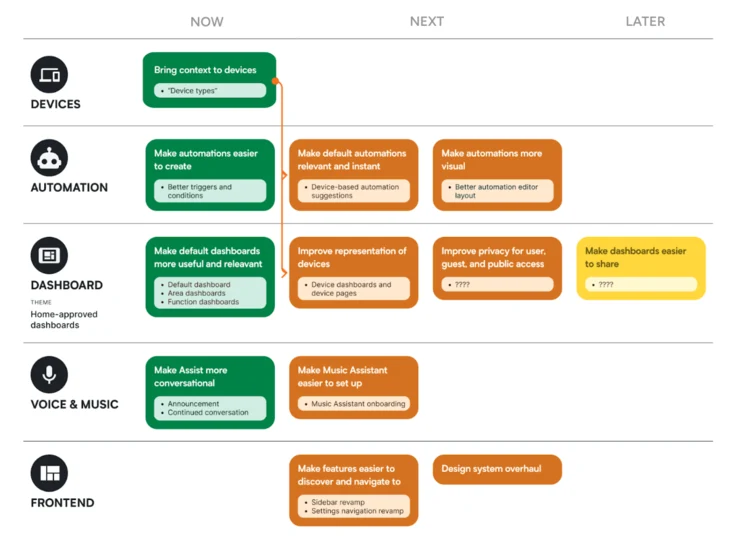
    2. The roadmap is organized into themes like ‘Devices’, ‘Automation’, and ‘Dashboard’, with color codes indicating the status of initiatives.
    3. A major change will allow the grouping of device entities for better management and tailored automation suggestions.
    4. Home Assistant is developing a Device Database in collaboration with the Open Home Foundation to provide community-validated product information.
    5. Planned enhancements include improved automation triggers, better navigation, user-friendly dashboard design, and upgraded privacy controls.


    Home Assistant has shared its plans for 2025. This roadmap doesn’t list out new features but rather shows how the software will be enhanced in the next months. The company explains that this strategic plan is based on user feedback and requests for new features.

    Themes of Improvement

    The 2025 Roadmap for Home Assistant is organized into various themes like ‘Devices’, ‘Automation’, and ‘Dashboard’, with color-coded boxes indicating the status of each initiative: green for ‘Now’, yellow for ‘Next’, and orange for ‘Later’. In a blog post, the company stated its goal to make Home Assistant ‘truly smart’ by 2025. This means it will be able to give smart suggestions for improving your home by using information from the community. Thus, the focus is on enhancing device context and building the Device Database.

    Changes in Device Management

    At present, devices in Home Assistant are displayed as individual, ungrouped entities. For instance, a smart fridge may contain a temperature sensor, a door sensor, and a light. In 2025, the plan is to change this by allowing these entities to be grouped together. This change could lead to more tailored dashboards, device cards, and automation suggestions for different devices, making them simpler to manage. Additionally, for Assist voice commands, this improvement should yield more precise answers; asking for the kitchen temperature will refer to your thermostat instead of the fridge’s temperature sensor.

    To support this new feature, Home Assistant is collaborating with the Open Home Foundation to create a Device Database. This will serve as a community-validated source with metadata, set-up guides, and user automation examples, among other details, for a variety of products.

    Enhancements and New Features

    In conjunction with this initiative for shared knowledge, Home Assistant aims to refresh its automation triggers and conditions, enhance navigation, and revamp the design system to make features easier to locate and dashboards more user-friendly right from the start. Additionally, privacy controls will be improved, the Music Assistant setup will be simplified, and the Assist voice assistant may become more conversational. The Home Assistant 2025 Roadmap comes out just days after the 2025.5 update for the open-source smart home automation software.

    Source:
    Link


  • Intel Ends Support for Deep Link: No Future Updates Planned

    Intel Ends Support for Deep Link: No Future Updates Planned

    Key Takeaways

    1. Intel has officially ended support for its Deep Link technology, which aimed to enhance performance by integrating Intel CPUs and Arc GPUs.

    2. Deep Link was designed for improved efficiency in video streaming, encoding, and AI acceleration, requiring 11th to 13th Gen Intel CPUs and Arc Alchemist GPUs.

    3. Users experienced significant issues with Deep Link, including instability and compatibility problems, particularly with applications like OBS and Handbrake.

    4. The announcement of the end of support was made informally in a GitHub discussion rather than through a press release.

    5. Existing users can still use Deep Link on compatible hardware, but no future updates or fixes will be provided for any issues.


    Intel has formally ceased support for its Deep Link technology, a software package that was launched in late 2020 to enhance performance by integrating the capabilities of Intel CPUs and Arc GPUs. This announcement was made not through a traditional press release but instead via a GitHub discussion where an Intel representative acknowledged the end of support after a user inquired for a month about issues with Stream Assist in OBS Studio.

    Purpose of Deep Link

    Deep Link was created to provide better efficiency and performance for activities like video streaming, encoding, and AI acceleration. It necessitated a setup that included Intel’s 11th, 12th, or 13th Gen CPUs along with Arc Alchemist GPUs. The suite included four main features: Dynamic Power Share, Hyper Encode, Stream Assist, and Hyper Compute. These features facilitated intelligent power distribution between the CPU and GPU, allowed for multi-processor encoding, offloaded streaming tasks, and provided AI acceleration through OpenVINO.

    User Experiences

    Over time, many users reported issues such as instability or complete failure of the technology, particularly in applications like OBS and Handbrake. Additionally, some features needed support from specific vendors. Another complication was the widening compatibility issues as new CPU architectures, like Meteor Lake, were released without support for Deep Link.

    Final Confirmation

    While Intel had been quietly moving away from promoting Deep Link with newer releases like Battlemage, the definitive announcement came from an Intel staff member “Zack-Intel” in response to a GitHub thread – stating, “Deep Link is no longer actively maintained and will not be receiving future updates.” Users whose hardware remains compatible can still utilize Deep Link, but any upcoming driver or software problems will not receive fixes.

    Source:
    Link