Category: Software

  • AI-Powered AngelQ Enhances Apple Browser Safety for Kids

    AI-Powered AngelQ Enhances Apple Browser Safety for Kids

    Key Takeaways

    1. AngelQ has launched a free AI-powered web browser for iOS that includes child safety tools for parents.
    2. The browser uses AI filters to remove harmful content, ensuring children receive safe responses and images.
    3. It replaces popular platforms like Safari and YouTube, reducing exposure to negative ads and harmful videos.
    4. AngelQ addresses mental health concerns by providing safe avatars for interaction and allowing parents to monitor screen time and inquiries.
    5. The company emphasizes ethical browsing and educates parents on protecting children from online threats, utilizing built-in parental controls across various devices.


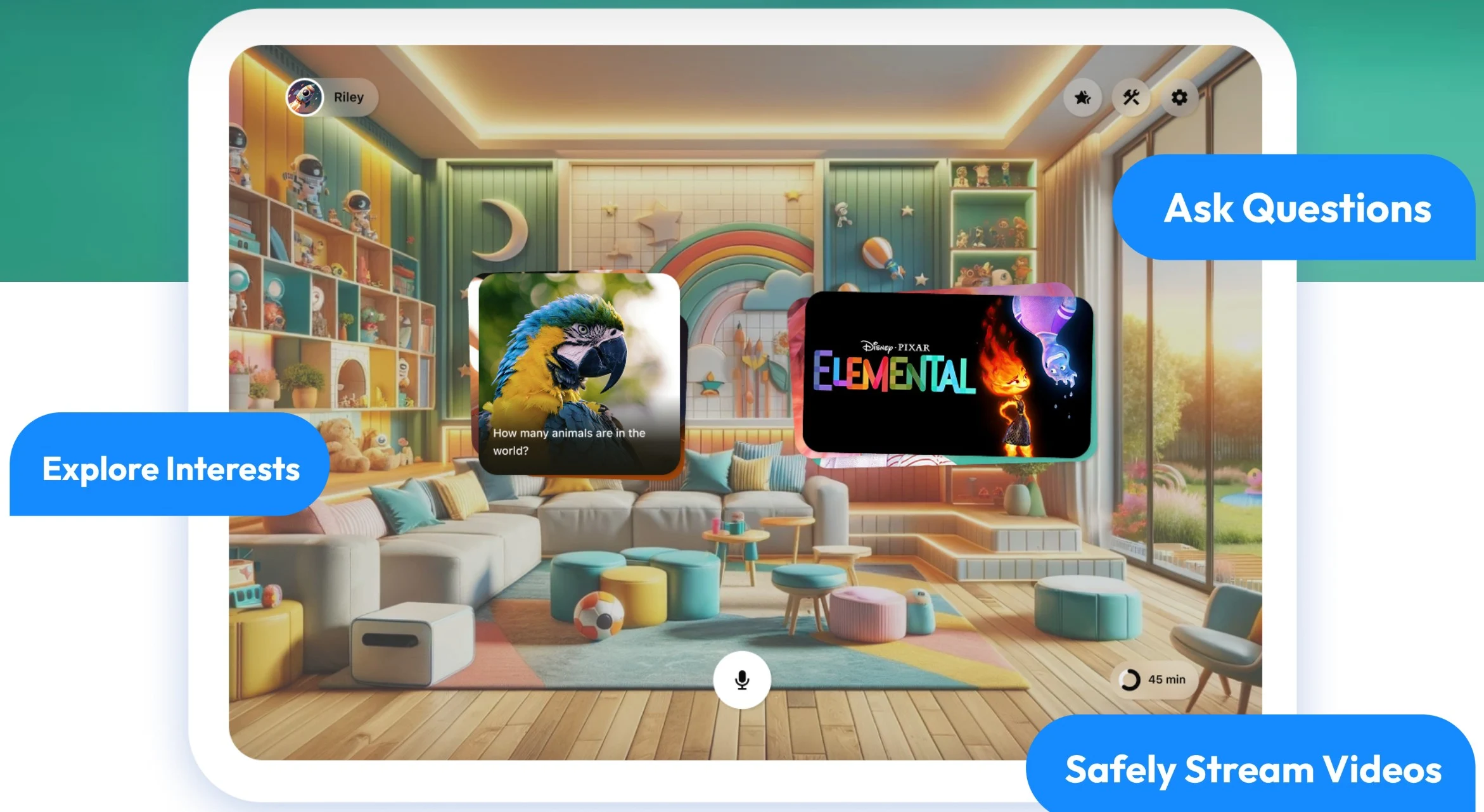
    AngelQ has introduced a free web browser powered by AI for Apple iOS devices, featuring child safety tools that assist parents in protecting their kids from online risks and harmful content.

    AI’s Role in Safety

    AI models are trained using a vast array of text and video data, which means they can unintentionally include hate speech, racism, and other biases from humans. To combat this, most AI systems use content filters to remove such material, and additional rules can be applied to block more unwanted content.

    Features of the AngelQ Browser

    The AngelQ super browser aims to take the place of popular platforms like Apple Safari, Google YouTube, and Google Search. By replacing them, its integrated AI can eliminate thousands of harmful ads, unwanted search results, and negative videos before they reach impressionable young minds.

    Kids can verbally ask questions to explore the world and receive filtered, safe responses and images. They can view AI-approved videos without falling into the harmful patterns of doomscrolling that platforms like YouTube or social media promote through their monetization strategies.

    Addressing Mental Health Concerns

    The use of social media can adversely affect young people’s mental health, particularly as daily smartphone usage increases. AngelQ combats typical cyberbullying and harassment with conversations featuring a safe avatar, like a chef, princess, or yogi. Parents have the ability to monitor and limit screen time, as well as oversee the inquiries their children make, aiding in their development.

    The company was established by experts in AI and business, which includes a former Navy SEAL parent who is aware of the real dangers present in the world. Their mission is to offer an ethical browsing experience that emphasizes the safety of children as they satisfy their curiosity about the world.

    Parents are encouraged to educate their children on how to steer clear of online threats, such as child predators and traffickers, perhaps with a helpful book available on Amazon. Built-in parental controls in Apple iOS, Apple macOS, Android Family Link, and Microsoft Windows Family Safety are also valuable tools for maintaining kids’ safety online.

    Source:
    Link

  • Govee Home App Update: Exciting Community Features Added

    Govee Home App Update: Exciting Community Features Added

    Key Takeaways

    1. The Govee Home app v6.7.2 has been released for both iOS and Android users, described as a “major” update.

    2. The Community section has a new look, featuring a cleaner Discover Homepage and improved navigation with new ‘Clubs’ and ‘Following’ tabs.

    3. Users can now save up to 20 drafts on the Posting Page, enhancing their ability to create content.

    4. A new Question Post type has been introduced in Clubs, and messages are organized into five categories: Engagement, System, Event, Points, and App Mall.

    5. Users can earn 10 Govee Points if their answers to community questions receive endorsements or become the most liked.


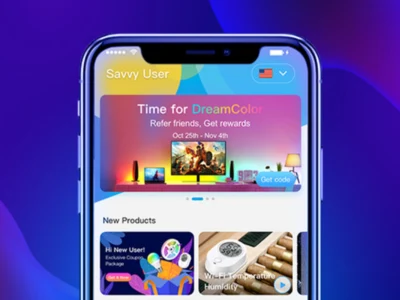
    Govee Home app v6.7.2 has just been released for users on both iOS and Android platforms. The company is calling this update a “major” one, following an earlier release in April that enhanced the Auto Run feature and introduced a more comprehensive DIY Page.

    Refreshing the Community Section

    The new Version 6.7.20 brings a fresh look to the Community section of the Govee Home app. The Discover Homepage has been revamped, offering a cleaner and more minimalistic view of posts. The navigation bar now includes new tabs called ‘Clubs’ and ‘Following,’ replacing the old ‘My Space’ label, and the search feature has seen improvements.

    Enhanced Posting Features

    Govee mentions that the Posting Page has been refined, allowing users to save up to 20 drafts. There’s also a new Question Post type available in Clubs, and messages are now grouped into five categories: Engagement, System, Event, Points, and App Mall. In addition, if a user’s answer to a community question gets endorsed or becomes the most liked, they can earn 10 Govee Points.

    You can easily download the Govee Home app v6.7.2 from either the Apple App Store or the Google Play Store. For further information regarding this release, check out the post in the Govee Community forum.

    Source:
    Link

  • Apple Updates Naming for iOS, iPadOS, and macOS in 2023

    Apple Updates Naming for iOS, iPadOS, and macOS in 2023

    Key Takeaways

    1. Apple is shifting to a year-based naming convention for its operating systems, moving away from the traditional numbering system.
    2. The new naming system will apply to iOS, iPadOS, macOS, watchOS, tvOS, and visionOS, simplifying updates for users and developers.
    3. A significant design update, codenamed Solarium, is in the works, marking the most substantial visual change since iOS 7 in 2013.
    4. Expected features for iOS 26 include support for external displays and a redesigned Camera app, while iPadOS 26 will introduce a new menu bar for improved productivity.
    5. Anticipation is building for Apple’s WWDC 2025, where these changes and updates are expected to be officially announced.


    Apple is preparing for a significant shift in the way it names its operating systems. Recent reports suggest that the company is stepping away from its usual numbering system for iOS, iPadOS, macOS, and others. Instead, it’s adopting a year-based naming convention, which could simplify things for users. With a major visual overhaul also on the horizon, Apple’s next big announcement at WWDC 2025 promises to be transformative. Here’s what we’ve learned so far.

    A New Approach to Naming

    Bloomberg News (behind a paywall) reports that Apple intends to name its upcoming operating systems after the year they are released. This means this fall, we might see iOS 26 instead of iOS 19. This change, likely to be officially announced at the Apple Worldwide Developers Conference (WWDC) on June 9, will affect iPadOS, macOS, watchOS, tvOS, and visionOS as well. The goal is to make it easier for users and developers to follow updates, similar to how some car models are named for the year they’re released. Therefore, we can expect names like iPadOS 26 and macOS 26, all coming with a similar naming style.

    Major Design Changes Ahead

    But it’s not only about renaming—Apple is also working on a substantial design update, codenamed Solarium, which will affect all its operating systems. Reports indicate that this could be the most significant visual update since the launch of iOS 7 in 2013, offering a new look for everything from the iPhone to the Apple Vision Pro.

    For iOS 26, there are whispers of new features, including support for external displays and a revamped Camera app. Meanwhile, “iPadOS 26” is set to take inspiration from macOS with a new menu bar aimed at enhancing productivity for tablet users. Although information regarding watchOS, tvOS, and visionOS remains limited, the Solarium update is expected to deliver a unified and contemporary aesthetic across Apple’s product line.

    Anticipation for WWDC

    With WWDC just around the corner—scheduled from June 9 to June 13—anticipation is building around Apple’s new direction. Will iOS 26 and its counterparts meet expectations? We’ll discover soon enough, but for the moment, it appears that Apple is dedicated to refreshing its software and making it more user-friendly.

    Source:
    Link

  • Apple iPhone to Launch iOS 26; New Branding for macOS, watchOS

    Apple iPhone to Launch iOS 26; New Branding for macOS, watchOS

    Key Takeaways

    1. Apple is rebranding its operating systems to iOS 26, watchOS 26, macOS 26, and visionOS 26 for clarity and consistency.
    2. The new designs will be revealed at WWDC on June 9, featuring a cohesive interface known as “Solarium.”
    3. iOS 26 is expected to improve iPhone battery life by reducing power usage with AI technology.
    4. Major multitasking enhancements for iPad users will include a macOS-style menu bar when using a keyboard.
    5. A new gaming application for iPhone, iPad, Mac, and Apple TV 4K is in development, similar to Steam.


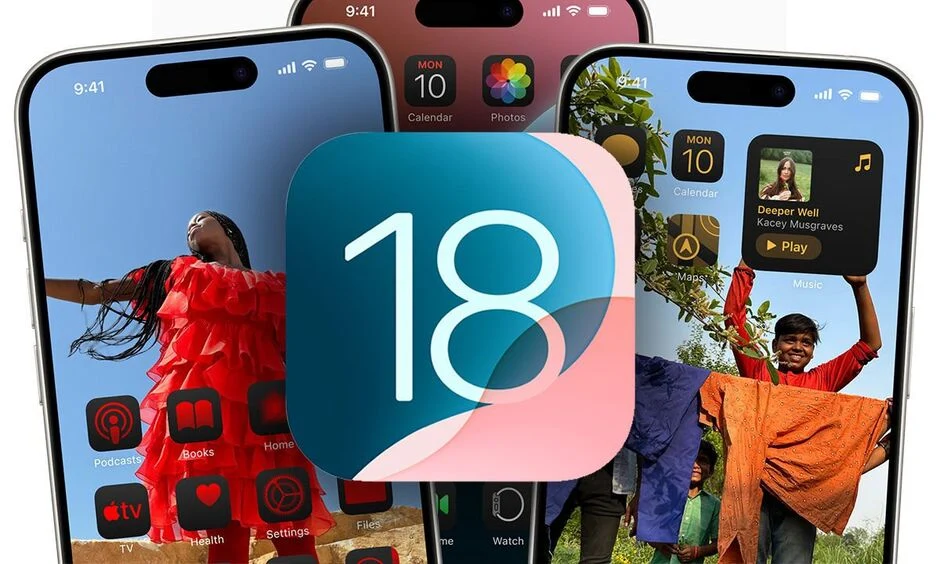
    iOS 18, watchOS 12, macOS 15, and visionOS 2 are set to be replaced by operating systems numbered 26, representing the next year when these updates are predicted to launch. Apple aims to make the naming of its operating systems more consistent, which should help clear up any confusion for both users and developers.

    Upcoming Announcements

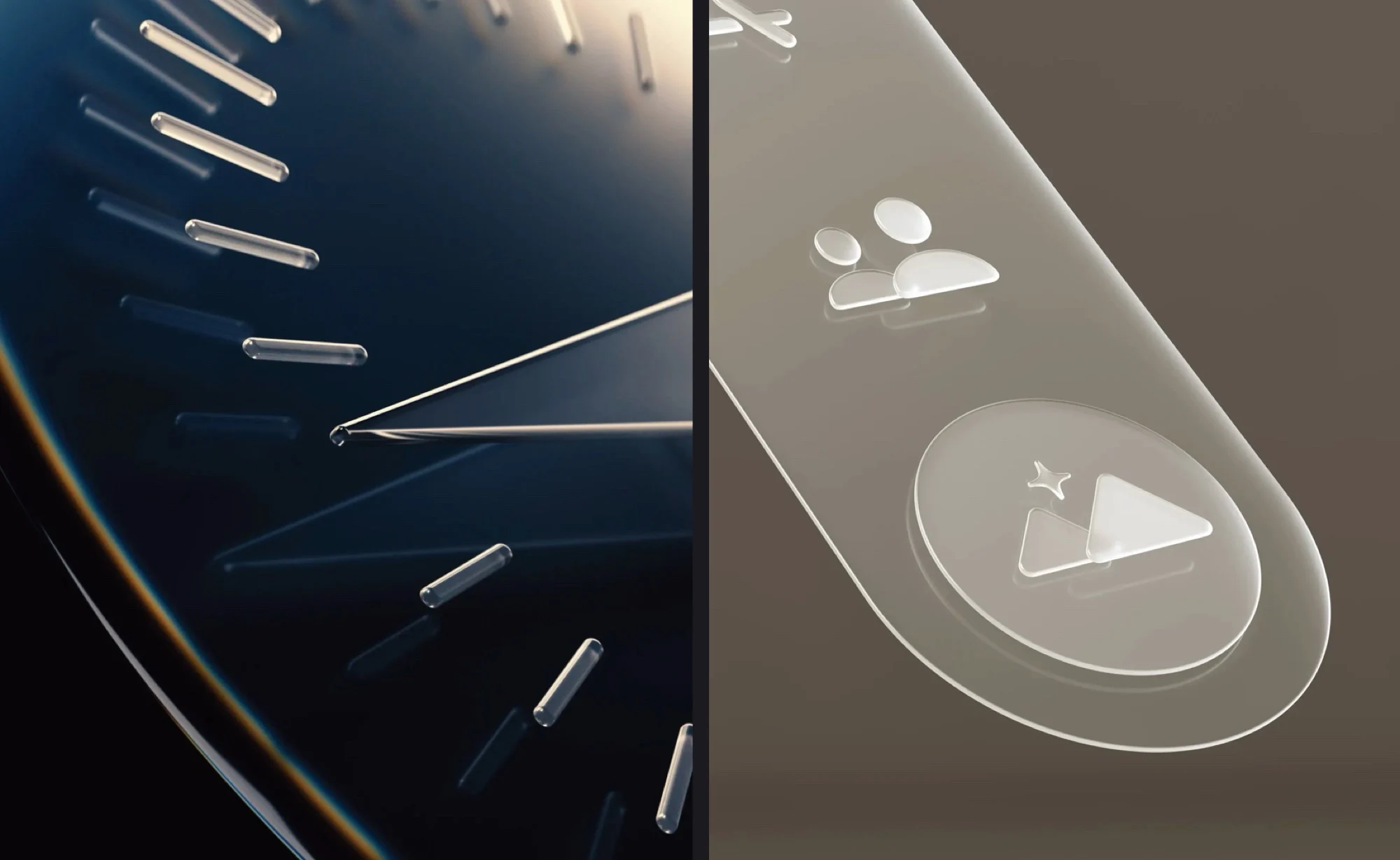
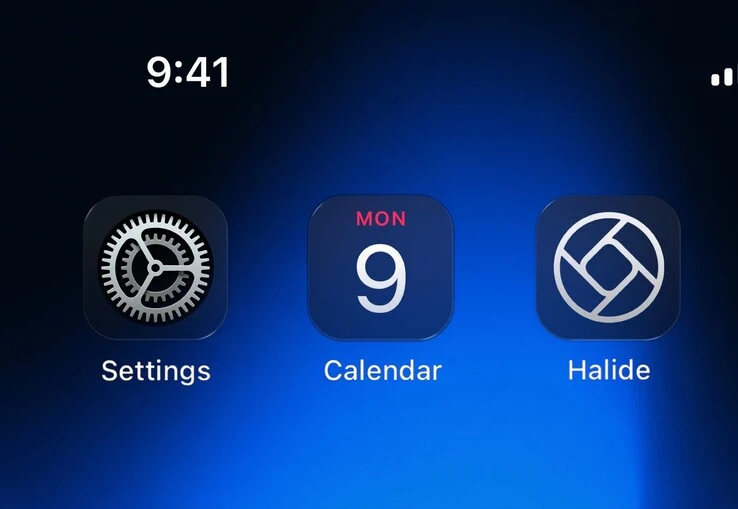
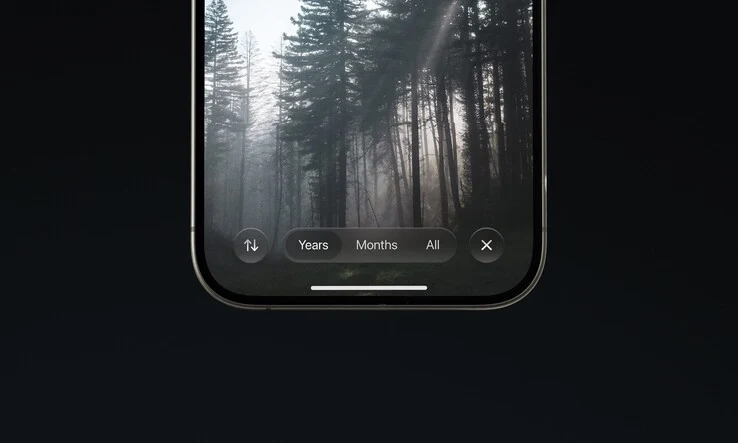
    The new titles – iOS 26, watchOS 26, macOS 26, and visionOS 26 – are expected to be revealed during the World Wide Developers Conference (WWDC) on June 9. This rebranding will come with a fresh design, which Apple refers to internally as “Solarium.” The revamped user interface is designed to create a more cohesive appearance across all operating systems, focusing on depth, transparency, and rounded edges. Additionally, the iOS 26 update is rumored to enhance iPhone battery life by cutting down on power usage with the help of AI.

    Exciting New Features

    There are also whispers that the iPhone will get new camera capabilities along with better support for external monitors. This upgrade is particularly thrilling for iPad users, who will benefit from several major multitasking improvements. These enhancements include a macOS-style menu bar that will be accessible at the top of the screen when a keyboard or Magic Keyboard is connected. Furthermore, a fresh gaming application for the iPhone, iPad, Mac, and Apple TV 4K is in the works, designed to function as a game launcher akin to Steam.

    Conclusion

    In summary, these updates from Apple are looking to bring a more unified experience across devices with exciting new features and a stylish interface. As the WWDC approaches, anticipation is building for what Apple has in store for its users in the upcoming year.

    Source:
    Link

  • WhatsApp Introduces Logout Feature Without Data Deletion

    WhatsApp Introduces Logout Feature Without Data Deletion

    Key Takeaways

    1. WhatsApp may soon introduce a “Logout” feature allowing users to log out without losing data.
    2. Users will have two options when logging out: delete all data or keep preferences intact.
    3. The “Erase all Data & preferences” option removes personal information but retains group memberships.
    4. The feature is currently in internal testing and marked as “Logout [Internal].”
    5. Meta has launched a WhatsApp app for iPad, including features like video calls and end-to-end encryption.


    A new feature in WhatsApp might soon allow users to log out of the app without losing any data. At the moment, the platform does not let you log out from your main device; it only permits the deletion of your private information.

    New Logout Feature

    Recent reports from Android Authority suggest that this situation could be changing. A new feature named “Logout” was discovered in an APK teardown of the latest WhatsApp beta version (2.25.17.37) within the account settings of the app.

    When you choose this option, you will see two choices: one to delete all your data and preferences, and the other to keep them. This means you could log out without needing to unlink your main phone or erase all your data.

    Data Management Options

    The “Erase all Data & preferences” option will remove all your information but will not take you out of any groups you are part of. On the other hand, the “Keep all Data & preferences” option allows you to retain all your data while still keeping your primary phone account active. The feature is labeled as “Logout [Internal],” indicating it is currently under internal testing.

    In other news, Meta has at last launched a WhatsApp app for the iPad from Apple. It took the company 15 years to recognize the existence of Apple’s tablet, but it’s better late than never.

    Features Offered

    The iPad version includes all the standard features found in the mobile app, such as video and audio calls, automatic data syncing across linked devices, and end-to-end encryption, similar to its smartphone version.

    Source:
    Link


  • Apple Follows Tesla and Samsung in Numbering iOS and macOS by Year

    Apple Follows Tesla and Samsung in Numbering iOS and macOS by Year

    Key Takeaways

    1. Apple is changing its software naming convention to reflect the release year, similar to how car manufacturers label models.
    2. This new naming system will apply to all operating systems, with upcoming versions referred to as iOS 26, macOS 26, etc.
    3. Other companies, like Samsung and Microsoft, have experimented with similar naming strategies, but results have varied.
    4. It’s still unclear if Apple will also adopt this naming convention for its iPhones, potentially transitioning to iPhone 26.
    5. The anticipated iOS 26 is expected to feature a significant visual redesign and new features, to be revealed at WWDC 2025.


    Apple is aiming to clear up the confusion surrounding its software versioning by naming its various operating systems according to the year they are released.

    Naming System Change

    This approach mirrors how car manufacturers designate the model year of their vehicles, keeping them relevant in consumer minds for a consecutive two years. For instance, just like Tesla labeled its latest update as the 2026 Model Y, Apple is likely to refer to its upcoming iPhone software as iOS 26.

    Consistent Across Platforms

    This naming strategy will extend to all of its operating systems. Instead of using names like iOS 19, macOS 16, iPadOS 19, watchOS 13, macOS 15, or visionOS 3, Apple is expected to unveil iOS 26, macOS 26, and others during the WWDC 2025 event.

    Industry Trends

    In the past, Samsung adopted a similar strategy for its flagship smartphones, transitioning from the Galaxy S10 in 2019 to the Galaxy S20 in 2020. This change was made to name its devices based on the release year, making them seem more advanced than Apple’s iPhones, which are currently on their 16th iteration.

    Microsoft also tried naming its Windows operating system by the year it launched, but eventually switched back to sequential numbering.

    Future Speculations

    It remains uncertain whether Apple will implement this new naming convention for its iPhones as well, meaning the shift from the current iPhone 16 Pro Max to a hypothetical iPhone 26 Pro Max running iOS 26 could occur this coming September.

    The upcoming iOS 26 is forecasted to showcase a significant visual redesign, promising a lot of new features to look forward to at WWDC 2025.

    Source:
    Link

  • Samsung Launches One UI 8 Beta for Flagships, Reveals Foldable Plans

    Samsung Launches One UI 8 Beta for Flagships, Reveals Foldable Plans

    Key Takeaways

    1. One UI 8 is now in beta testing, built on Android 16, with a full launch planned for summer 2024.
    2. The beta version is limited to Galaxy S25 series devices and is available in select countries: Germany, South Korea, the UK, and the US.
    3. Key enhancements in One UI 8 include improved “Now Bar” and “Now Brief” features, an updated Reminders app, and better Quick Share experience.
    4. One UI 8 will support full Bluetooth Auracast, among other new features.
    5. The official release of One UI 8 will debut on Samsung’s newest foldable devices before the Galaxy S25 series.


    Samsung has begun the next phase of its mobile software development, following the earlier release of One UI 7 this year. The company has announced that One UI 8 is now accessible for testing in beta version, built on Android 16, with a full launch planned for this summer.

    Limited Beta Release

    As usual, Samsung has initiated this beta cycle with a somewhat limited rollout. The first beta is available exclusively for the Galaxy S25, Galaxy S25 Plus, and Galaxy S25 Ultra (currently priced at $1,049.99 on Amazon). Additionally, participation in the One UI 8 Beta program is currently restricted to devices sold in Germany, South Korea, the UK, and the US.

    Enhancements in One UI 8

    In summary, Samsung aims to set One UI 8 apart from One UI 7 by making “your everyday smarter and more convenient.” At this moment, the company has focused on enhancing its “Now Bar” and “Now Brief” features, which will offer expanded suggestions with the new OS release. Furthermore, One UI 8 will come with an updated Reminders app, an improved Quick Share experience, and full Bluetooth Auracast support, among other enhancements.

    Future Releases

    Although One UI 8 Beta has debuted on the Galaxy S25 series, these flagship models won’t be the first to demonstrate the stable version of Samsung’s upcoming software. The company has indicated that the official release of One UI 8 will be available this summer on its “newest foldables.” According to recent rumors, the summer launch event for foldable devices will be limited to the Galaxy Z Fold7 and Galaxy Z Flip7, with the Galaxy Z Flip FE and Galaxy G Fold “tri-fold” expected to arrive later in the year.

    Source:
    Link


  • Philips Hue App Update Enhances Smart Lighting Setup Process

    Philips Hue App Update Enhances Smart Lighting Setup Process

    Key Takeaways

    1. Philips Hue app version 5.43.0 has been released for iOS, following version 5.42.0.
    2. New feature allows motion-activated lighting setup during the onboarding of Philips Hue smart cameras.
    3. Enhancements made for adding new accessories like switches or sensors, with automatic suggestion to create a zone.
    4. Users can later hide created zones by editing their home dashboard.
    5. Availability of these features for the Android version of the app is still uncertain.


    A recent update to the Philips Hue app for iOS has been launched. The new version, 5.43.0, comes out just weeks after version 5.42.0. The earlier version introduced modifications for the Home on/off switch and for various scenes.

    New Features for Camera Users

    According to the notes for version 5.43.0, there is a notable change for those using Philips Hue smart cameras, like the Secure Wired desktop camera, which currently retails for $99.99 on Amazon. Users can now configure motion-activated lighting when initially setting up the camera. This feature has existed for a while but was not included in the camera’s onboarding process until now.

    Enhancements for Accessory Setup

    Additionally, there is an improvement for those adding new accessories such as switches or sensors. Previously, these devices would not automatically link to a zone or room, limiting their usefulness. Now, there is an automatic suggestion to create a zone, which helps to eliminate this issue. Philips Hue indicates that users can later hide these zones by editing their home dashboard.

    You can obtain the Philips Hue app version 5.43.0 from the Apple App Store. It remains uncertain when these features will be available for the Philips Hue app on Android. The last update for the Android version was 5.42.0, which was released on May 14th.

    Source:
    Link


  • Apple Watch and Apple TV 4K Design Updates in watchOS 12 & tvOS 19

    Apple Watch and Apple TV 4K Design Updates in watchOS 12 & tvOS 19

    Key Takeaways

    1. Apple iPhone will feature a revamped user interface with iOS 19, emphasizing transparency and depth.
    2. Significant design changes are planned for iOS, iPadOS, macOS, watchOS, and tvOS.
    3. watchOS 12 and tvOS 19 will be redesigned to match the new aesthetic of iOS 19, though specific features are not yet detailed.
    4. The user interface across all Apple devices will become more uniform after these updates.
    5. AI enhancements are expected to improve iPhone battery life and introduce multitasking improvements for iPad.


    Rumors have been floating around for several months that the Apple iPhone is set to receive a totally revamped user interface with the iOS 19 update, which will emphasize transparency and depth, akin to visionOS 2. A recent report from Bloomberg suggests that Apple aims to implement significant design changes this year not just for iOS and iPadOS, but also for macOS, watchOS, and tvOS.

    Updates for watchOS and tvOS

    According to Bloomberg reporter Mark Gurman, both watchOS 12 and tvOS 19 will undergo a “redesign” to align with the fresh aesthetic of iOS 19. The report, however, lacks specific information regarding what new features Apple Watch or Apple TV 4K users can anticipate. Nevertheless, it shouldn’t be long before the new user interface is officially revealed, as Apple typically unveils its operating system updates during the World Wide Developers Conference (WWDC), set to commence on June 9.

    Standardization Across Devices

    After these operating system enhancements, the user interface across all Apple devices is poised to become more uniform than ever before. One of the most thrilling new features is artificial intelligence, which is believed to enhance the battery life of the iPhone, while the iPad is rumored to receive several multitasking improvements, starting with a macOS-like menu bar that will show up when an external keyboard or keyboard case is connected. While rivals like Google are mainly concentrating on new AI functionalities, the focus of WWDC is expected to be more on software design rather than Apple Intelligence.

    Source:
    Link

  • Apple to Unveil visionOS Redesign for iOS and macOS at WWDC 2025

    Apple to Unveil visionOS Redesign for iOS and macOS at WWDC 2025

    Key Takeaways

    1. Apple is redesigning its software ecosystem, including iOS 19, iPadOS 19, macOS 16, watchOS 12, and tvOS 18, under the codename “Solarium” for a unified look.
    2. The new design is inspired by visionOS, featuring semi-transparent elements, cleaner fonts, updated icons, and subtle animations.
    3. The update will not significantly change the core app layouts or functions, keeping familiar user experiences while modernizing the interface.
    4. AI-driven features, branded as “Apple Intelligence,” will be introduced, enhancing Siri and improving writing support and search capabilities.
    5. Public beta is expected by July 2025, with a global rollout anticipated in September or October 2025, compatible with devices from previous OS versions, but some older models may not be supported.


    Apple is working on a major redesign of its software ecosystem, which includes iOS 19, iPadOS 19, macOS 16, watchOS 12, and tvOS 18. Mark Gurman from Bloomberg reports that this project, codenamed “Solarium,” aims to create a unified, modern look across all key Apple platforms.

    Inspired by visionOS

    This redesign draws heavily from visionOS, the system used in Apple’s Vision Pro headset. The new look features semi-transparent user interface elements, cleaner fonts, updated icons, and subtle animations that react as you use your device. These updates reflect the design elements seen in the Vision Pro, extending that aesthetic to iPhones, iPads, and Macs.

    No Major Changes to Functionality

    Crucially, this update is not likely to greatly alter the basic layouts or functions of core apps, ensuring that long-time users find it familiar while also modernizing the interface. This overhaul shows Apple’s intention to integrate visionOS design traits across its platforms and might set the stage for better harmony between future software and hardware releases.

    Apple is planning to reveal these updates at its annual Worldwide Developers Conference (WWDC), which will take place from June 10 to 14, 2025. Alongside the visual changes, Apple is also set to introduce a range of AI-driven features branded under “Apple Intelligence.” These new features could include a more intuitive Siri, better writing support, summarization tools, and improved Spotlight search capabilities, among others.

    Release Timeline and Device Compatibility

    Although Apple hasn’t confirmed specific release dates, the new operating systems are anticipated to go into public beta by July, with a global rollout expected in September or October 2025. Devices running iOS 18, macOS 15, watchOS 10, and tvOS 17 are likely to receive these updates; however, some older models may not be compatible due to hardware limitations.

    Apple has revamped its platforms in the past, but this time it seems different. Meanwhile, Google is also working on a refresh of Android with version 16, which will implement its new Material 3 Expressive design system. This update focuses on fluid visuals, enhanced personalization options, and deeper integrations with its Gemini AI. Together with Apple’s initiatives, it’s evident that both companies are advancing toward more adaptive and intelligent operating systems.

    Source:
    Link