Tag: iOS update

  • Amazfit Smartwatch App Update Introduces Exciting New Feature

    Amazfit Smartwatch App Update Introduces Exciting New Feature

    Key Takeaways

    1. Zepp app version 10.0 is now available for iOS users with Amazfit smartwatches.
    2. The update includes bug fixes and a refreshed color palette for improved user experience.
    3. The app introduces new sections for activities, training plans, and insights, replacing the old ‘Core Metrics’ area.
    4. A new ‘Badges’ feature has been added to help users stay motivated by tracking achievements and personal bests.
    5. The update’s release date for Android users is still unknown.


    A fresh update for the Zepp app has just been released for iOS users with Amazfit smartwatches. The recent version 10.0 is now accessible for download through the Apple App Store. According to the change log, the company has “fixed some bugs” in this new release.

    User Experience Enhancements

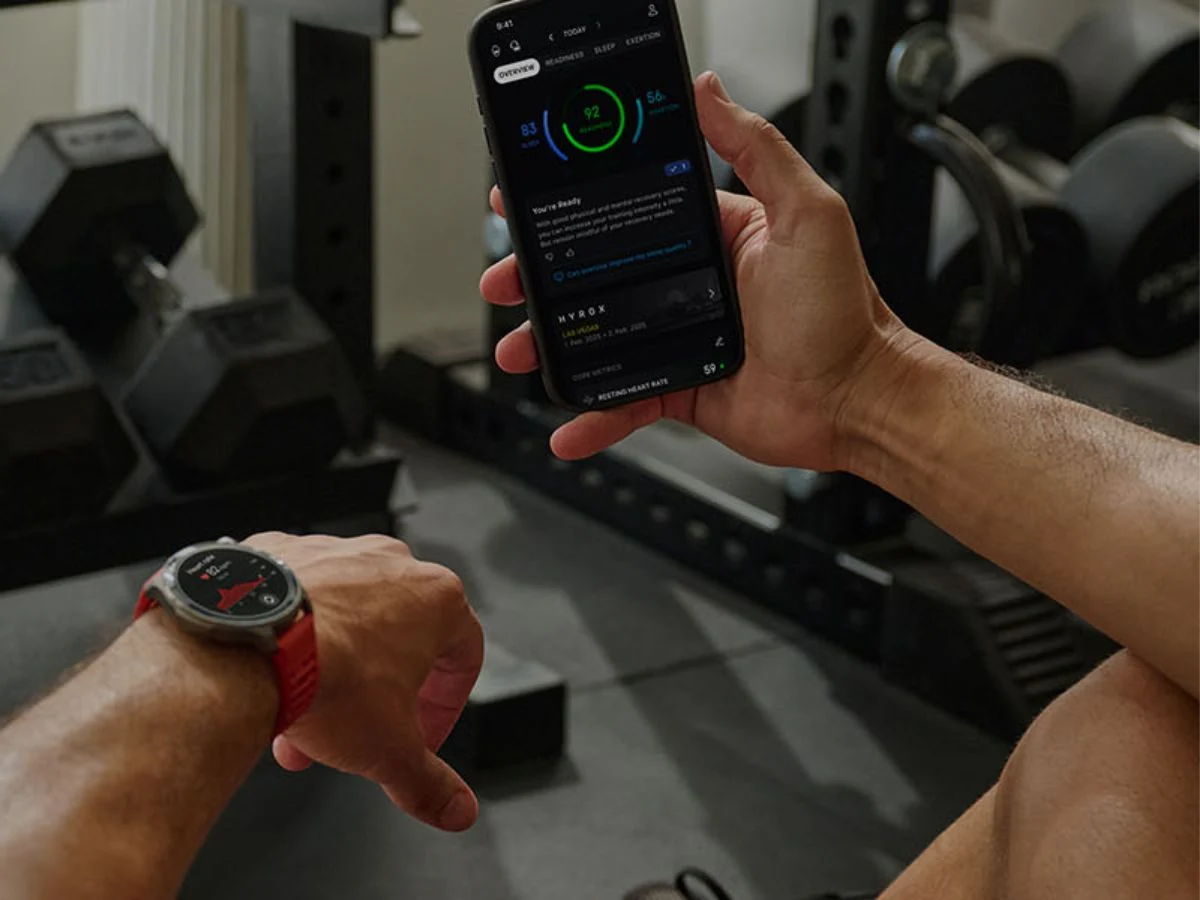
    Reddit users have noted that Zepp app version 10.0 introduces a revamped appearance along with a new feature. While the overall layout of the Home page remains similar, there are now additional sections for activities, training plans, and insights, which replace the previous ‘Core Metrics’ area. Moreover, the app’s color palette has been refreshed to include a more diverse range of colors.

    New Features

    Additionally, a new tab has been added at the bottom of the app; ‘Home’, ‘Workout’, ‘Aura’, and ‘Device’ are now accompanied by ‘Badges’, which is positioned in the center of the row. This new Badges section aims to assist Amazfit smartwatch users in staying motivated to reach their targets. On this page, users can see the Badges they’ve earned related to Personal Bests, Achievements, Challenges, and Masteries. There’s also an option to explore a list of ‘Remaining’ Badges they haven’t yet unlocked.

    You can now grab the Zepp app version 10.0 from the Apple App Store. The exciting Badges feature should be accessible to all iOS users of Amazfit smartwatches, including the Balance 2 (current price: $299.99 at Amazon). It’s still uncertain when a similar update will be released for users on Android.

    Source:
    Link


  • Amazfit Wearables App Update Adds New Data Sharing Feature

    Amazfit Wearables App Update Adds New Data Sharing Feature

    Key Takeaways

    1. The Zepp App for Amazfit devices has been updated to version 9.10.2 for iOS users, marking the third update in the 9.10.x series since July 24th.
    2. The latest update includes bug fixes, though specific details about the fixes are not provided.
    3. Version 9.10.1 improved the nap recording feature, allowing users to delete records for better control over sleep data.
    4. Integration with Apple Health and Google Health Connect has been enhanced, enabling users to access weight information from these external apps.
    5. The Zepp App version 9.10.2 is available for download on the Apple App Store, while the Android version remains at 9.9.6 with no update timeline provided.


    The Zepp App for Amazfit devices has just been updated for iOS users. Now on version 9.10.2, this marks the third update in the 9.10.x series since July 24th. The previous major update was version 9.9.5, which included enhancements to the Food Log feature within the app.

    Update Details

    According to the release notes for version 9.10.2, the app comes with some bug fixes, though specifics are not provided. In the prior update, version 9.10.1, Zepp Health mentioned improvements to the nap recording feature. Users of Amazfit wearables can now remove records, giving them more control over their sleep data. Just a reminder, you can record naps on several smartwatches from the brand, including the Helio Strap, which is currently priced at $99.99 on Amazon.

    Integrations Enhanced

    On Reddit, an Amazfit representative disclosed that the integration of wearables with both Apple Health and Google Health Connect has been enhanced. Users can now access weight information from these external apps. This feature reportedly began rolling out with Zepp version 9.10.0, although user confirmation is still pending.

    You can download the Zepp App version 9.10.2 for iOS from the Apple App Store. It remains uncertain when a comparable update will be available for the Android version, which is presently at version 9.9.6.

    Source:
    Link


  • Philips Hue App Update Enhances Smart Lighting Setup Process

    Philips Hue App Update Enhances Smart Lighting Setup Process

    Key Takeaways

    1. Philips Hue app version 5.43.0 has been released for iOS, following version 5.42.0.
    2. New feature allows motion-activated lighting setup during the onboarding of Philips Hue smart cameras.
    3. Enhancements made for adding new accessories like switches or sensors, with automatic suggestion to create a zone.
    4. Users can later hide created zones by editing their home dashboard.
    5. Availability of these features for the Android version of the app is still uncertain.


    A recent update to the Philips Hue app for iOS has been launched. The new version, 5.43.0, comes out just weeks after version 5.42.0. The earlier version introduced modifications for the Home on/off switch and for various scenes.

    New Features for Camera Users

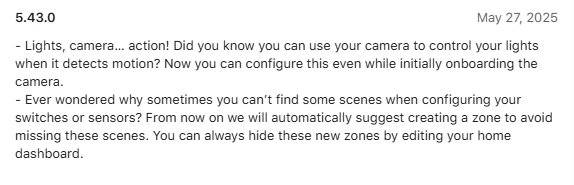
    According to the notes for version 5.43.0, there is a notable change for those using Philips Hue smart cameras, like the Secure Wired desktop camera, which currently retails for $99.99 on Amazon. Users can now configure motion-activated lighting when initially setting up the camera. This feature has existed for a while but was not included in the camera’s onboarding process until now.

    Enhancements for Accessory Setup

    Additionally, there is an improvement for those adding new accessories such as switches or sensors. Previously, these devices would not automatically link to a zone or room, limiting their usefulness. Now, there is an automatic suggestion to create a zone, which helps to eliminate this issue. Philips Hue indicates that users can later hide these zones by editing their home dashboard.

    You can obtain the Philips Hue app version 5.43.0 from the Apple App Store. It remains uncertain when these features will be available for the Philips Hue app on Android. The last update for the Android version was 5.42.0, which was released on May 14th.

    Source:
    Link


  • Aqara App Update: New Features for Smart Security Cameras

    Aqara App Update: New Features for Smart Security Cameras

    Key Takeaways

    1. Aqara Home app updated to version 5.1.6 for iOS, following version 5.1.5 which included bug fixes.
    2. New features include support for the Camera Hub G5 Pro, offering 2.6K video quality, night vision, AI detection, and Matter compatibility.
    3. Improvements to the HomeGuardian service allow users to manage multiple cameras simultaneously.
    4. Updated user interface design for Aqara Camera Hub models G2H, G2H Pro, G3, and E1.
    5. The update is available on the Apple App Store; no timeline for an Android update yet.


    The Aqara Home app has been updated to version 5.1.6 for iOS users. This new release comes just weeks after the previous version, 5.1.5, which introduced various bug fixes for those using Aqara’s smart home system.

    New Features Included

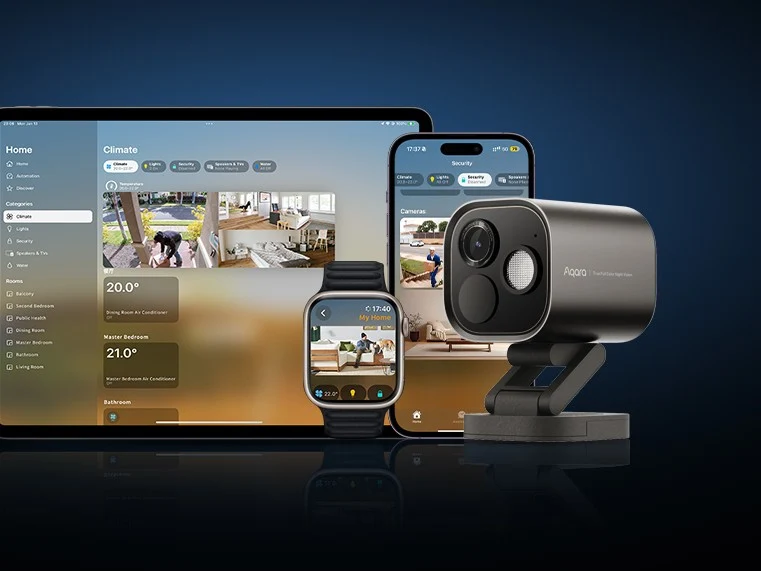
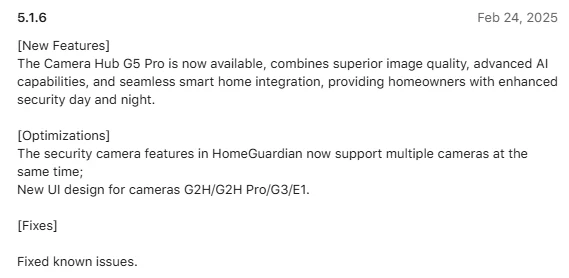
    The updated iOS app brings several new features, notably support for the newly launched Camera Hub G5 Pro. This security camera offers impressive video quality at a resolution of 2.6K. It also includes night vision capabilities, AI detection, and is compatible with Matter. You can find it on Amazon priced at $179.99.

    Enhancements for HomeGuardian

    Moreover, the app has seen improvements in the HomeGuardian service, which is a subscription-based cloud storage option. With this latest update, users can manage multiple cameras at once, which is a significant enhancement. Additionally, there’s a fresh user interface design for users of the Aqara Camera Hub G2H, G2H Pro, G3, and E1. The company mentioned that there are bug fixes included in this update, but did not elaborate on what those fixes are.

    You can obtain the Aqara Home app version 5.1.6 for iOS from the Apple App Store. However, it’s still uncertain when an equivalent update will be available for Android users, who last received an update to version 5.1.5. This prior update improved Matter-bridging features and refreshed the look of the Camera Hub G3.

    Source:
    Link


  • SwitchBot App Update: New Features and User Improvements

    SwitchBot App Update: New Features and User Improvements

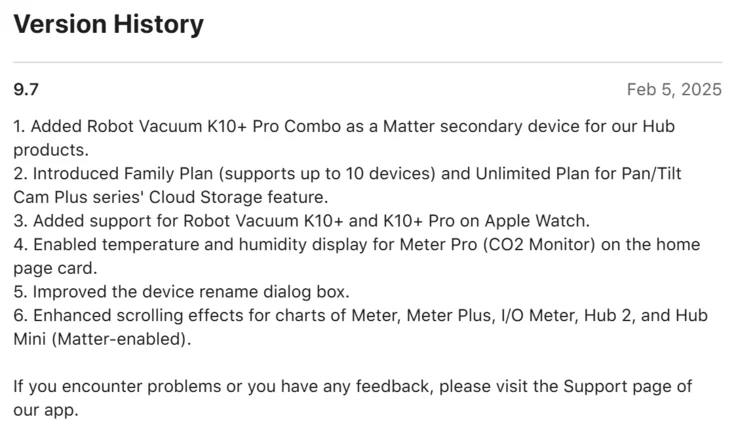
    The SwitchBot app for iOS has received an update to version 9.7. This update comes about a month after the previous versions 9.6 and 9.6.1, which improved the chart feature for certain devices and introduced a widget that allows users to manage the Mini Robot Vacuum K10+ (currently priced at $299.99 on Amazon) and K10+ Pro directly from their iPhone Home Screen.

    New Features for Robot Vacuum Users

    With the SwitchBot app version 9.7, the Robot Vacuum K10+ Pro Combo is now capable of functioning as a Matter secondary device when linked to one of SwitchBot’s hubs. In addition, the Pan/Tilt Cam Plus series now offers two new cloud storage options: a Family Plan that accommodates up to 10 smart home devices, and an Unlimited Plan. Additionally, Apple Watch users can now manage the Robot Vacuum K10+ and K10+ Pro from their smartwatches.

    Enhancements for Meter Users

    For those using the SwitchBot Meter Pro (CO2 Monitor), the app now displays the detected temperature and humidity right on the associated home page card. Improvements have also been made for users of the Meter, Meter Plus, I/O Meter, Hub 2, and Hub Mini (Matter-enabled), specifically enhancing the scrolling experience on charts. Lastly, SwitchBot has optimized the dialog box that allows users to rename their devices.

    Feedback and Android Update Status

    The company encourages users to report any problems they may encounter with this latest update via the app’s Support page. However, it remains uncertain when or if the SwitchBot app version 9.7 will become available for Android users.

    Source:
    Link


  • Enhanced Security, Stolen Device Protection, and More: Apple’s iOS 17.3 Update Released

    Enhanced Security, Stolen Device Protection, and More: Apple’s iOS 17.3 Update Released

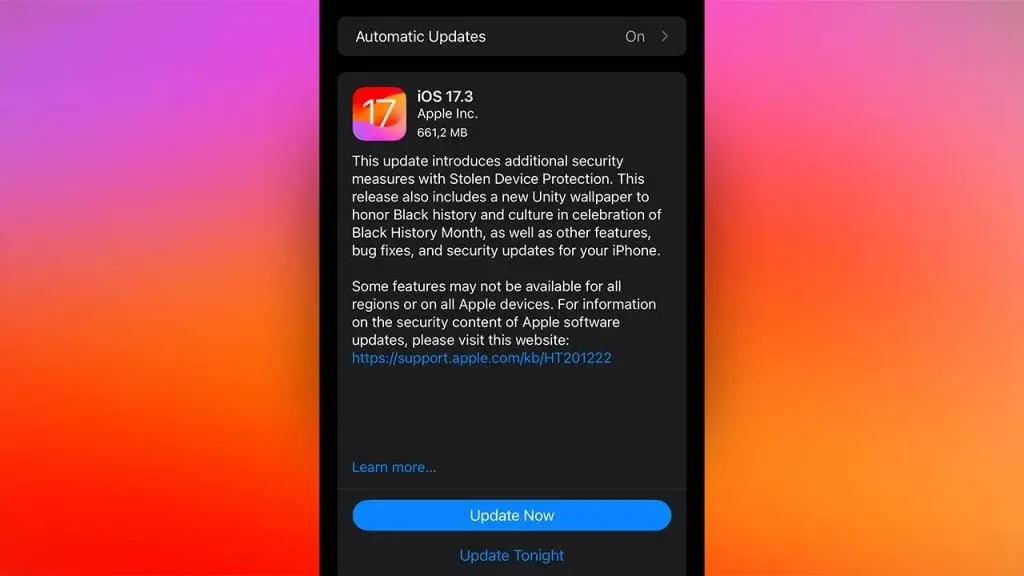
    Apple has recently released the iOS 17.3 update for iPhones, bringing a range of new features and enhancements. One of the standout additions is the Stolen Device Protection (SDP) feature, which significantly improves the security of iPhones. This feature makes it much more difficult for thieves to access sensitive information, even if they manage to obtain the passcode. Given the constantly evolving tactics of fraudsters, this is an incredibly valuable feature.

    Another exciting addition in the iOS 17.3 update is the introduction of collaborative playlists. Now, users can invite friends to join their playlists, allowing everyone to add, reorder, and remove songs. This feature adds a new level of interaction and enjoyment to the music experience on iPhones.

    In terms of improvements to the overall user experience, the iOS 17.3 update addresses issues with AirPlay and Crash Detection. Users can now enjoy seamless streaming of content directly to the TV in their hotel rooms, thanks to the AirPlay hotel support feature. Additionally, Crash Detection optimizations have been implemented for all iPhone 14 and iPhone 15 models.

    To install the iOS 17.3 update on your iPhone, simply follow these steps:

    1. Go to the "Settings" app on your iPhone.
    2. Tap on "General."
    3. Choose "Software Update."
    4. Follow the on-screen instructions to complete the update.

    It is important to note that some features may not be available in all regions or on all Apple devices. For more information on the security content of Apple software updates, you can visit the Apple website.

    When updating your iOS, make sure your iPhone is connected to Wi-Fi and has ample battery life. Alternatively, you can use a charger during the update process to ensure a smooth installation.

    Overall, the iOS 17.3 update brings valuable new features and enhancements to iPhones, further enhancing the user experience and security. With Stolen Device Protection, collaborative playlists, and improvements to AirPlay and Crash Detection, Apple continues to prioritize innovation and customer satisfaction.