Category: Software

  • Microsoft urges Windows 11 24H2 users to upgrade to 25H2

    Microsoft urges Windows 11 24H2 users to upgrade to 25H2

    Key Takeaway

    1. All unmanaged Windows 11 Home and Pro devices will automatically upgrade from 24H2 to 25H2 by October 13, 2026, with limited control over installation timing.
    2. The 25H2 upgrade is a lightweight enablement package built on existing code, making the transition generally seamless for compatible systems.
    3. A critical boot failure caused by KB5083769 updates on some HP and Dell machines complicates the rollout, with no current fix available.
    4. Users cannot permanently refuse the 25H2 upgrade; affected devices should resolve update issues before the migration date.
    5. Enterprise and education devices are temporarily exempt, allowing IT departments more time to test compatibility.

    Automatic Upgrade to Windows 11 25H2 on Consumer Devices

    Microsoft is now pushing an automatic upgrade to Windows 11 25H2 for all unmanaged consumer devices, following the end-of-support deadline for Windows 11 24H2 Home and Pro editions on October 13, 2026. This was confirmed through their Windows release health dashboard, which states that devices not controlled by IT departments will automatically receive 25H2, with only limited options to delay the updates. This means, unless users take steps to prevent it, their devices will upgrade without much user control.

    Technical Reasons Behind the Upgrade

    The move makes sense from a technical perspective. Windows 11 25H2 is a small enablement package, under 200KB, built upon the same core codebase of 24H2. Most of its new features were already pre-installed via regular monthly cumulative updates, so what users experience during upgrade is more like unlocking features rather than installing a whole new OS. The process relies on Microsoft’s machine learning system to evaluate hardware compatibility, which generally results in seamless upgrades for properly maintained systems but might cause issues for some users.

    Timing and Potential Problems

    Unfortunately, the rollout hits at a bad time because of reported issues with the preceding update KB5083769. This update, released on April 14, causes critical boot failure problems on certain HP and Dell computers. Users report that after installing the update, their systems crash into a blue screen with pixelated graphics and become unbootable unless manually fixed. Currently, Microsoft has not released any out-of-band fix for this disastrous boot loop, which poses significant risks during the upgrade process.

    Risks for Unmanaged Users

    This situation means some users will be forced to upgrade even if their systems are already struggling due to the previous update. Microsoft’s safeguard system aims to block the upgrade on devices with known issues, but since the boot loop relates to specific hardware configurations, detection is less reliable. Unmanaged users cannot permanently opt out of the 25H2 update; Windows Settings allows for delaying the upgrade temporarily, but after the pause period ends, the system will upgrade automatically. For those experiencing issues, it’s best to fix the April update problem first.

    Recovery Options and Precautions

    If your device is affected, Microsoft recommends starting recovery through the Windows Recovery Environment. If System Restore doesn’t help, Startup Repair is the next step. In severe cases, performing a full reset of the PC, known as Reset this PC, might be necessary — but be warned that this could result in data loss, so it’s a last resort. It’s advised to pause updates until a fix is released by Microsoft to avoid further problems.

    Exceptions for IT Departments

    Enterprise and education users are currently exempt from the automatic upgrade, giving IT teams more time to verify compatibility and prepare for the transition. This pause helps protect organization-wide systems from potential failures associated with the problematic updates.

    Implications for Users Safe from the Issue

    For those not affected by the KB5083769 bug, upgrading to 25H2 is considered low risk. The update mainly activates features contained in 24H2 but resets the support countdown clock to October 2027 for Home and Pro versions, ensuring ongoing security patches. Once October 13, 2026, arrives, Windows 11 24H2 will cease receiving security updates, leaving devices vulnerable to unpatched security threats.

    Future Fixes and Support

    Microsoft hasn’t provided a specific timeline for fixing the boot loop caused by KB5083769. Users experiencing this problem should follow official recovery procedures, which are available through Microsoft’s support channels. Staying informed and prepared is recommended until the problematic update is resolved and the rollout continues smoothly.

    Sources
  • Orange Cat Fights Doomscrolling to Protect Cats

    Orange Cat Fights Doomscrolling to Protect Cats

    Key Takeaway

    1. Cat Gatekeeper is a playful Chrome extension designed to limit social media usage by inserting a virtual cat that occupies the screen after a set time.
    2. It tracks time exclusively on supported social networks (YouTube, TikTok, Instagram, X) and resets when switching between tabs.
    3. The plugin emphasizes privacy, claiming it does not collect any user data.
    4. It is free, compatible with Windows and Mac Chrome browsers, and mimics the common experience of cats occupying workspaces.

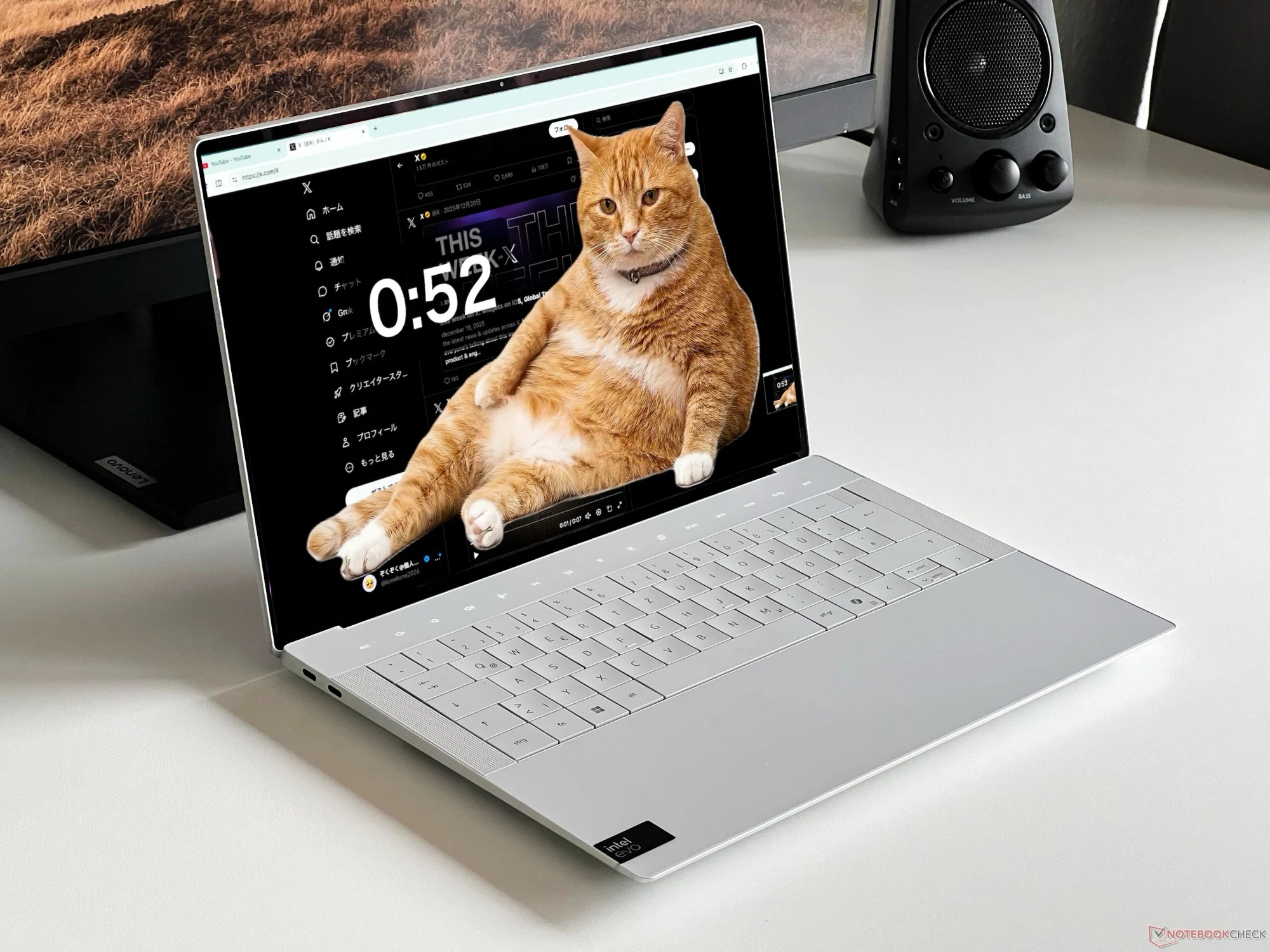
    The Japanese developer @konekone2026 has come up with a very quirky idea for a Chrome plugin thats really out of the ordinary. The plug-in named Cat Gatekeeper is all about helping users cut down on the time they spend browsing through social media sites. When the user exceeds a pre-set amount of browsing time, suddenly a cute cat pops up on the screen and kinda just settles in, filling nearly the whole display.

    Funny and Functional

    It’s like having a little digital feline enforcing break times. As strange as it sounds, this feature is quite clever — once the time you’ve allotted is up, the cat appears to remind you to step away. The cat then stays put for a set period, which you can choose in advance, and after that, it just leaves, giving you your full screen back. The developer wanted to mimic that common experience where cats tend to just settle on the keyboard when you need to focus on work — playful yet effective.

    Supported Platforms and Privacy

    This quirky tool works specifically for social networks and at the moment, it only functions on YouTube, TikTok, Instagram, and X. The plugin tracks only the time spent on these sites, and it does this by monitoring when their tabs are open. If you switch to another app or site, the timer resets, which makes it pretty easy to control exactly how much you get distracted. According to the developer, Cat Gatekeeper is billed as the “world’s cutest forced break app,” and importantly, it doesn’t collect any user data, making it safe regarding privacy.

    Download and Compatibility

    Anyone interested can download it totally free from the Chrome Web Store. It’s compatible only with Google Chrome and works on both Windows and Mac OS, including Macs like the MacBook Neo that costs about $589 on Amazon. To see how it works in action, there’s a video post embedded elsewhere that showcases the plugin’s fun little interruption.

    Sources
  • How to Pause Windows 11 Updates Indefinitely

    How to Pause Windows 11 Updates Indefinitely

    Key Takeaway

    1. Windows Update pause limits have been removed, allowing users to reset the pause end date unlimited times and select specific dates through a new calendar picker.
    2. The Power menu has been restructured to display Restart and Shut down as standard options alongside update options, giving users more control.
    3. Driver, .NET, and firmware updates will now install automatically with monthly quality updates, reducing the need for multiple reboots.
    4. Update and driver details will now include device class labels for better user awareness before installation.
    5. Insiders will continue receiving frequent updates, but broader rollout details have not yet been confirmed.

    Microsoft Introduces New Windows Update Controls

    Microsoft have been kind of struggling with forced update problems for years, and now with the latest update, windows Insiders are getting the first looks. In a recent blog post, Aria Hanson confirmed that new controls for updates rolling out on Dev and Experimental channels are now in place. These updates came after collecting feedback from more than 7,600 users who complained mostly about updates happening at bad times and not having enough control over when they happen.

    Changes in Update Pauses and User Control

    Removal of Limit on Pausing Updates

    The biggest change is that the old hard limit on how long you could pause updates has been removed. Previously, users on Windows 11 Home and Pro could only pause updates for up to five weeks, after which updates would install automatically, no matter what users wanted. Now, the system still has a base interval of 35 days but users can reset the pause date as many times as they want, without any limit. There’s also a new calendar-style picker in Windows Update settings, allowing us to pick a specific date for updates instead of choosing from a fixed list.

    Improved Power Menu Options

    Power Options Now Always Visible

    In the past, when updates were pending, options like Restart and Shut down disappeared and were replaced with ‘Update and restart/shut down’. This was pretty frustrating because it forced users to choose between updating or shutting down without a clear way to reboot without updating. The new change keeps the Restart and Shut down options always visible, alongside update options, so that users get four clear choices instead of just two.

    Enhanced Update Scheduling and Driver Fixes

    Updates Merged into Single Monthly Restart

    Microsoft also plans to coordinate driver, .NET, and firmware updates to occur alongside the usual monthly quality update instead of separate reboots all month long. Retail users outside early access channels will see all those updates combined into a single restart per month. For Insiders in experimental and beta channels, they will still receive weekly builds, while regular retail users will get bi-monthly updates. Additionally, driver updates now include device class labels like display, audio, battery, extension, and HDC, so users know exactly what each driver affects before installing.

    Status and Future Plans

    Availability and Microsoft’s Recommendations

    All these essential updates are now live for Windows Insiders in the Dev and Experimental channels, but Microsoft hasn’t announced when they will be available in wider retail builds. Hanson pointed out that Microsoft still recommends updating promptly for security reasons. They’ve added automatic background recovery for update failures as a backup. Also, the initial setup skip option for updates, introduced earlier this year, remains separate from these new changes.

    Important Note on Recent Problems

    Issue with the April 2026 Patch Tuesday Update

    Recently, Microsoft’s April 2026 Patch Tuesday update, KB5083769, caused some Windows 11 24H2 and 25H2 machines to go into boot loops and Blue Screen of Death errors shortly after its release. Users who can still boot normally are advised to pause updates until Microsoft can investigate and fix the problem. More details on admin controls and policies are expected to be shared soon.

    Sources
  • Morpheus Spyware Hijacks WhatsApp Through Fake Android Update App

    Morpheus Spyware Hijacks WhatsApp Through Fake Android Update App

    Key Takeaway

    1. Morpheus spyware infects Android devices via fake update apps, requiring victim cooperation and specific manipulation of telecom providers.
    2. The malware abuses Android accessibility permissions and simulates system updates and messaging interfaces to gain full access to messages and contacts.
    3. The operation is linked to Italian surveillance vendor IPS, targeting political activists, and highlights vulnerabilities in social engineering tactics.
    4. Users should be cautious of suspicious SMS messages prompting app updates, especially when mobile data is unexpectedly cut off.

    A new spyware operation has been discovered that cleverly uses fake Android update apps to spy on users, but it needs the cooperation of the victim’s own mobile provider, making it different from other common attacks. This campaign involves tricking the target into installing a malicious app while the telecom provider is secretly helping to block the victim’s data at the same time.

    Spyware Details and Infection Process

    The malware, called Morpheus, was found by an Italian digital rights group called Osservatorio Nessuno, who shared their findings in a report published on April 24. The spyware is considered low-cost because it relies on social engineering tactics, like convincing someone to install something dangerous, rather than exploiting technical flaws like zero-click vulnerabilities used by more sophisticated tools such as Pegasus. The entire attack hinges on the target manually installing the malicious app, but the methods used to get them there are carefully planned and well documented.

    The Method of Attack

    First, the targeted person’s mobile data is deliberately cut off by their service provider, working closely with authorities to deploy the spyware. After their data gets cut, they receive an SMS message telling them to install a certain app to restore their network connection and to update their phone. The app in question is actually the spyware, hidden in plain sight. Once the app is installed, Morpheus exploits Android’s accessibility permissions, which normally allow apps to read what’s on the screen and interact with other apps. It then shows a fake system update screen and prompts for a reboot, making the user think they’re just updating their device.

    Fake Updates and WhatsApp Spoofing

    Once freshly rebooted, Morpheus creates a fake WhatsApp interface, pretending to check the user’s account. It then asks for biometric verification, claiming that a normal account check is taking place. But in reality, tapping on the biometric prompt unknowingly gives the spyware permission to add a new device to the users WhatsApp account. This grants Morpheus full access to their messages, contacts, and chats, without them suspecting a thing. Language clues, like Italian code snippets and cultural hints in the malware, suggest it’s tailored for Italian targets.

    Connections with Italian Surveillance Companies

    The organization Osservatorio Nessuno linked Morpheus to a company called IPS, which is based in Italy and has over three decades of experience in providing lawful interception technology to police and intelligence agencies. IPS operates across more than 20 countries and has several Italian police forces as clients. Although no specific individuals were named, experts think political activists and other high-profile targets might have been targeted with this spyware, further illustrating the growing concern about surveillance tools sold by Italian firms like IPS, CY4GATE, eSurv, RCS Lab, and SIO. It’s notable that in April 2026, WhatsApp warned 200 of its users about fake versions of the app that contained spyware linked to SIO.

    Precautions and Detection

    It’s important to note this spyware doesn’t spread through the Google Play Store and cannot install itself without user action. It requires the target to manually download and install an APK file outside from official sources. So, any suspicious SMS claiming to offer a system update, especially if the user unexpectedly loses mobile data along with that message, should be considered dangerous. Android’s accessibility permissions are very powerful and should never be handed out to an app received through a text message link—it’s a common way for malware to gain extensive control over the device.

    Other Recent Threats

    Recently, security experts also caught a different threat actor impersonating IT support staff on Microsoft Teams, tricking employees into installing custom malware that could compromise corporate networks. These types of threats remind us that cyber attackers are constantly developing new tricks to steal data and control devices, requiring users to stay vigilant and cautious about unexpected messages and updates.

    For more insights on cyber threats and spyware operations, visit osservatorionessuno.org or follow recent reports from cybersecurity analysts.


    Sources
  • Windows 11 KB5083769 April 2026 Update Causes BSOD and Boot Loops

    Windows 11 KB5083769 April 2026 Update Causes BSOD and Boot Loops

    Key Takeaway

    1. The April 2026 Windows 11 update (KB5083769) is causing severe boot failures, including a persistent crash loop and BSOD, on some machines running Windows 11 24H2 and 25H2.
    2. The update is also associated with issues like forced BitLocker recovery prompts and multiple reboots during installation.
    3. No out-of-band fix has been released; affected users are advised to use recovery options such as Windows Recovery Environment, System Restore, or Reset this PC, and to pause updates until resolved.

    Issues Arising from Microsoft’s April 2026 Windows 11 Update

    Microsoft’s latest update for Windows 11, specifically KB5083769, has some serious problems, especially for users running the newer versions 24H2 and 25H2. Some folks are facing a deadly boot loop where their machines refuse to start normally anymore, and it seems like they can’t escape this without some serious intervention. The trouble began shortly after the update was launched, and now people are reporting it across various forums and tech communities.

    Detailed Symptoms and User Reports

    The fallout seems to be quite consistent. Once the update gets installed, upon restarting, computers display a pixelated mosaic of corrupted graphics, just before plunging into a BSOD—Blue Screen of Death. After that, Windows tries to recover, but sadly, the recovery just leads right back into the same broken boot habit. One affected user mentioned on an HP Pavilion with an AMD Ryzen 5 2600 and a GTX 1080 Ti GPU, that their PC gets stuck in this loop. And others on Dell desktops confirm similar issues, including multiple colleagues who encountered the exact same problem.

    Additional Known Problems & Workarounds

    Besides the boot death cycle, KB5083769 also reintroduces an old issue, as Microsoft openly acknowledged that some PCs might go into BitLocker recovery mode after update. This update is also causing an unusual amount of reboots during installation, sometimes cycling through four or more restarts before finally completing. Currently, Microsoft has not announced any out-of-band patch to fix this grave problem. The suggested workaround for those affected involves booting into Windows Recovery Environment, but what happens if that doesn’t work?

    Steps to Recover and Prevent Further Damage

    • Try System Restore: If possible, restoring your system to a previous point might break the cycle.
    • Use Startup Repair: If System Restore does not work, Startup Repair can be used to attempt fixing startup issues.
    • Reinstall Windows: As a last resort, a reset of the PC through reinstalling Windows could be needed, but this can be time-consuming and should be considered carefully.

    For users who can access their PC normally, it’s highly advisable to pause Windows updates until Microsoft releases a fix, preventing further complications and damage to the system. Keep an eye on official support channels for updates on the situation, as the company investigates solutions for this critical problem.

    Sources
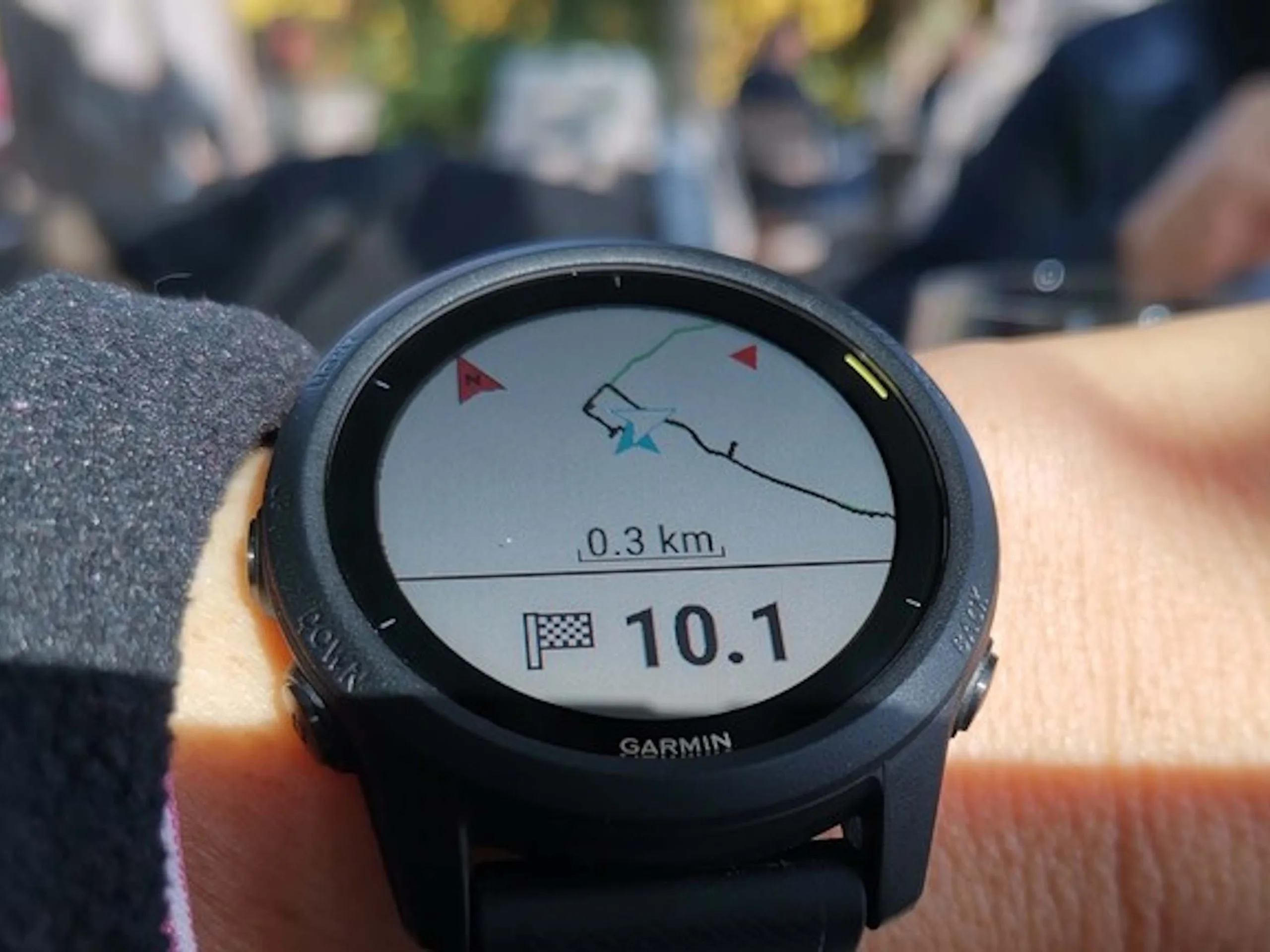
  • Free Tool Empowers Garmin Users with Local Data Analysis

    Free Tool Empowers Garmin Users with Local Data Analysis

    Key Takeaway

    1. Real-time fitness tracking and performance metrics
    2. Personalized workout and nutrition plans
    3. Progress visualization and goal setting features
    4. Integration with wearable devices and health apps

    Introducing Fit Dashboard

    Fit Dashboard is a new innovative device designed to help folks keep tabs on their health and wellness goals. With its sleek exterior and easy-to-use interface, it has quickly become a favorite among fitness lovers. The device boasts an advanced set of sensors that monitor heart rate, sleep patterns, and physical activity levels throughout the day.

    Details on Pricing and Specs

    Thinking about getting one? Well, the Fit Dashboard comes with a reasonable price tag of just $149.99, making it quite competitive considering its features. It sports a high-resolution color touchscreen display that measures 1.4 inches, providing crisp visuals for easy navigation. In terms of specs, it includes a built-in GPS, accelerometer, and optical heart rate sensor. The device is compatible with both Android and iOS, connecting effortlessly via Bluetooth 5.0.

    Features You’ll Love

    • Real-time health data tracking with detailed analytics
    • Sleep analysis to monitor your rest quality and duration
    • Multiple sport modes including running, cycling, and swimming
    • Waterproof design rated at 5 ATM for swimming and rainy day workouts
    • Battery life of up to 7 days before needing recharge

    Design & User Experience

    The sleek, lightweight design of the Fit Dashboard makes it comfortable to wear all day long. The user interface is intuitive, with large icons and straightforward menu options that even tech newbies can easily understand. The device also offers customizable watch faces, so your fitness buddy can look exactly how you like it.

    Bottom Line

    In conclusion, the Fit Dashboard is a fantastic choice for anyone who wants to keep a close eye on their health without fuss. With its appealing price, comprehensive features, and stylish design, it appeals to both newbies and veteran fitness enthusiasts alike. Whether you’re tracking daily steps or taking part in an intense training session, this device will serve you well and keep you motivated.

    Sources
  • Microsoft Announces New BitLocker Bug in Latest Windows and Server Updates

    Microsoft Announces New BitLocker Bug in Latest Windows and Server Updates

    Key Takeaway

    1. The April 2026 update (KB5082063) causes BitLocker recovery prompts on some Windows Server 2025 and Windows 11 devices when specific enterprise configurations are present.
    2. The issue is limited to devices with particular Group Policy and Secure Boot settings, primarily affecting enterprise-managed systems.
    3. Microsoft recommends pre-emptively removing the PCR7 Group Policy setting before updating and provides workarounds, including a Known Issue Rollback (KIR).
    4. A permanent fix is in development, and despite the issue, Microsoft advises not to skip the update due to the security vulnerabilities it addresses.

    Important Update for Windows Server 2025 Users

    On April 15, 2026, Microsoft officially acknowledged a problem affecting certain Windows Server 2025 machines. After installing the recent security update KB5082063, these servers might automatically switch to BitLocker recovery mode. This switch causes the system to ask for a special recovery key during the first reboot. The same problem also affects some Windows 11 devices with updates KB5083769 and KB5082052, and it only happens under specific conditions.

    What Causes the Issue?

    This is a complicated bug that mostly happens on enterprise systems, not typical personal machines. It essentialy requires all five of these conditions to be true: BitLocker encryption is active on the drive, the Group Policy setting for TPM validation includes PCR7, the system info reports that Secure Boot State PCR7 Binding is “Not Possible,” the Windows UEFI CA 2023 certificate is present, and the device isn’t already using the 2023-signed Windows Boot Manager. When all these are met, the system may forcibly prompt for a recovery key upon reboot, which is a disruption for admins and users. Usually, after the initial reboot, no further prompts will occur unless Policy changes happen again.”

    Microsoft’s Recommendations and Workarounds

    To avoid this problem, system administrators are advised to disable the PCR7 Group Policy before installing the update. They should also double-check if BitLocker is using the PCR7 profile, which is necessary to ensure proper operation. For those unable to do this prior to the update, Microsoft has provided a workaround called the Known Issue Rollback (KIR). This tool can prevent automatic switches to the 2023 Boot Manager and stop the recovery prompt from emerging. It’s available through business support channels, and Microsoft is working on a permanent fix that will be included in future updates.

    Additional Problems and Microsoft’s Stance

    • The update has caused failures during installation on some servers, marked by error code 800F0983. Microsoft said they are investigating this issue.
    • This isn’t the first time such an issue has happened. In past years, similar BitLocker prompts appeared after Patch Tuesday updates, including in August 2022, July 2024, and May 2025 on various Windows versions.
    • Despite these issues, Microsoft recommends that admins still deploy the April 2026 update because it fixes 167 vulnerabilities, including two zero-day exploits that were being actively abused before the patch was released.

    In conclusion, while the update brings essential security fixes, the BitLocker recovery bug requires careful attention. Admins should follow Microsoft’s guidance for workarounds and stay tuned for a future complete fix in upcoming Windows updates.

    Sources
  • Google Wallet Gets Major Redesign for Better Navigation

    Google Wallet Gets Major Redesign for Better Navigation

    Key Takeaway

    1. The Google Wallet app has been redesigned with a new grid layout for easier viewing of multiple cards and passes.
    2. A new favorites feature allows users to pin important cards to the home screen and manage them with drag-and-drop.
    3. Updated card details emphasize visuals over text, enhancing overall aesthetics and user experience.
    4. Improvements include a search function and advanced sorting options for better pass management.
    5. The rollout is gradual, with early feedback generally positive but some features still feeling somewhat cumbersome.

    Google Wallet Gets a Fresh Look and Feel

    Recently, Google announced that its Wallet app will be getting a pretty big update, according to Android Authority. Instead of the old list style, you’ll now see a neat grid layout, which makes browsing through your cards seem more visual and less cluttered. This change is alot better than endless scrolling, letting you glance at multiple cards, tickets, or passes all at once. It’s quite useful especially if you got loads of loyalty cards and boarding passes stored. The new design also enhances how individual cards appear — with bold colors and artsy graphics, instead of dull text and tiny details. Important info like membership numbers now sit in smaller fonts, keeping things looking clean and stylish.

    Making Your Favorites Even Simpler

    The new update introduce another handy feature—favorites. Now, you can marked your most used cards with a star icon, and pin them right to your home screen for quick access. This means you won’t wasting time digging through your collection. Plus, you can arrnage these favorites easily with drag-and-drop system. That would make the entire process more customizable and user friendly. Additionally, Google has improved how you manage your passes and cards. Searching for specific passes is easier thanks to a new search option, and you now have extra sorting choices to get your passes in order. Though, not everything’s perfect just yet, some users report that adding new favorites still feels a little clunky and takes more steps than it probably should.

    Rolling Out Gradually with Good Feedback

    The update is rolling out slowly across devices, so not everyone will see the new Wallet app immediately. Even with some rough edges like the favorites feature, most early feedback from Reddit users has been pretty positive. People liked how the new layout looks, making it easier to read and use. Many see it as a much-needed refresh for the app, long overdue for a modern upgrade. Overall, it’s a step forward, even if a few kinks are still being ironed out.

    Sources
  • Microsoft April 2026 Patch Tuesday Fixes 167 Vulnerabilities and 2 Zero-Days

    Microsoft April 2026 Patch Tuesday Fixes 167 Vulnerabilities and 2 Zero-Days

    Key Takeaway

    1. The April 2026 Patch Tuesday update addresses over 160 vulnerabilities, including two zero-day flaws, with at least one actively exploited before patches were available.
    2. The update significantly enhances security for Windows 11, introducing protections for Remote Desktop and ongoing hardening measures.
    3. Differences in vulnerability counts reported by security vendors highlight variations in assessment methods, but all agree on the critical nature of the updates.
    4. The update includes reliability improvements and aims to reduce credential theft and phishing exploits related to remote connections.

    Microsoft’s April 2026 Security Patch Release

    Microsoft has rolled out its April 2026 Patch Tuesday update on April 14, 2026, addressing more than 160 security vulnerabilities. Among these, two zero-day flaws were included, with one being actively exploited before patches became available. This update is significant because it showcases Microsoft’s effort in promptly fixing critical security issues that threaten user safety across their supported Windows platforms.

    Details of the Update and Supported Systems

    The monthly update includes cumulative patches for certain supported Windows versions. Windows 11 versions 25H2 and 24H2 got the KB5083769 update, whereas Windows 11 version 23H2 received KB5082052. These updates are designed to install automatically unless the user has paused Windows Update, ensuring that most users receive the essential security fixes without manual intervention.

    Security Researchers’ Perspective and Vulnerability Counts

    Security experts have noted that this April’s release was heavier than usual, with a higher number of fixes affecting core parts of Windows system. Different security firms have reported slightly varying numbers—in total, Microsoft addressed 167 vulnerabilities, including one zero-day actively exploited and another publicly known beforehand. Other vendors like Qualys mention around 163 to 164 issues, with about eight rated as Critical, demonstrating the significant threat landscape these patches aim to mitigate.

    Implications of Zero-Day Vulnerabilities

    Zero-day flaws are particularly urgent because they may already be known by attackers before a fix is released. This can make systems vulnerable in the window between discovery and patch deployment, emphasizing the importance of timely updates to protect sensitive data and infrastructure.

    Additional Features in the Windows 11 Update KB5083769

    The main focus of Windows 11’s April update is KB5083769, which enhances system builds after installation. Alongside the security improvements, Microsoft also added reliability enhancements and security hardening features. Users will notice new protections for Remote Desktop connections, including alerts when opening unfamiliar .rdp configuration files, which is part of Microsoft’s measures to combat credential theft and phishing attacks using remote access tools.

    Supporting Updates for Other Windows Versions

    The update cycle also included security patches for older Windows versions. Windows 11 version 23H2 received KB5082052, and Windows 10 systems got their dedicated cumulative updates. These are considered mandatory by Microsoft, as they are critical for addressing recent vulnerabilities; most systems with automatic updates enabled will automatically get these patches without needing manual action.

    Sources and Further Reading

    • Microsoft Learn
    • Security Affairs
    • Qualys
  • Raspberry Pi OS 6.2 Disables Passwordless Sudo Security Update

    Raspberry Pi OS 6.2 Disables Passwordless Sudo Security Update

    Key Takeaway

    1. Raspberry Pi OS 6.2 is based on Debian Trixie and mainly includes small updates and bug fixes.
    2. Passwordless sudo is no longer enabled by default, enhancing security for new installations; existing installs retain the feature unless disabled.
    3. The recommended method to install or update is through the Raspberry Pi Imager.

    Latest Raspberry Pi OS Update Overview

    On 2026-04-13, the new version 6.2 of Raspberry Pi OS was launched, marking it as the second edition based on Debian Trixie core. Unlike earlier updates that focused on more visible improvements, this release mainly comprises minor adjustments, most of which are subtle or unseen. One of the key features was a change in security protocol – by default, sudo no longer works without a password, which could improve overall safety in certain scenarios.

    What Has Changed?

    The developers announced that Raspberry Pi OS 6.2 is primarily a collection of tiny tweaks and bug fixes accumulated over months. The significant change that is worth noting is the shift away from passwordless sudo, which now requires a password unless explicitly disabled. For those with existing systems upgrading to 6.2, passwordless sudo will still be active unless they modify the admin settings through the Control Center after updating.

    How To Get Started With Raspberry Pi OS

    The most straightforward method to install Raspberry Pi OS initially is by using the Raspberry Pi Imager tool, which can be downloaded from their official page. It simplifies creating bootable SD cards with the desired OS version. You can find all available Raspberry Pi OS images there, including older legacy versions. Once installed, users can enjoy a seamless experience on their Raspberry Pi devices.

    Recommended Starter Kit

    If you’re new to the Raspberry Pi world, a good starting point is the CanaKit Raspberry Pi 5 Starter Kit PRO in Turbine Black, which includes 8GB RAM and 128GB storage. This comprehensive kit is currently priced at $229.99 and offers everything needed for beginners to dive into the ecosystem, including accessories and components to kickstart their projects.

    Sources