Tag: Xbox full screen experience

  • Windows 11 Full Screen Experience on RTX 5050: Quick Resume & RAM Savings

    Windows 11 Full Screen Experience on RTX 5050: Quick Resume & RAM Savings

    Key Takeaways

    1. Xbox Full Screen Experience (FSE) is now available for standard Windows 11 desktops and laptops, initially launched for handheld gaming PCs.
    2. To enable FSE, users must join the Xbox Insider Hub and switch to the Windows 11 Beta or Dev channel.
    3. FSE allows users to bypass the regular desktop, offering a full-screen launcher with controller navigation and quick task switching via the Xbox Game Bar.
    4. FSE reduces memory usage by pausing the regular Windows desktop, saving around 2 GB of RAM in tests compared to traditional desktop mode.
    5. Microsoft aims to enhance the gaming experience on Windows 11 with FSE, positioning it as a console-like interface for desktops and handheld devices.


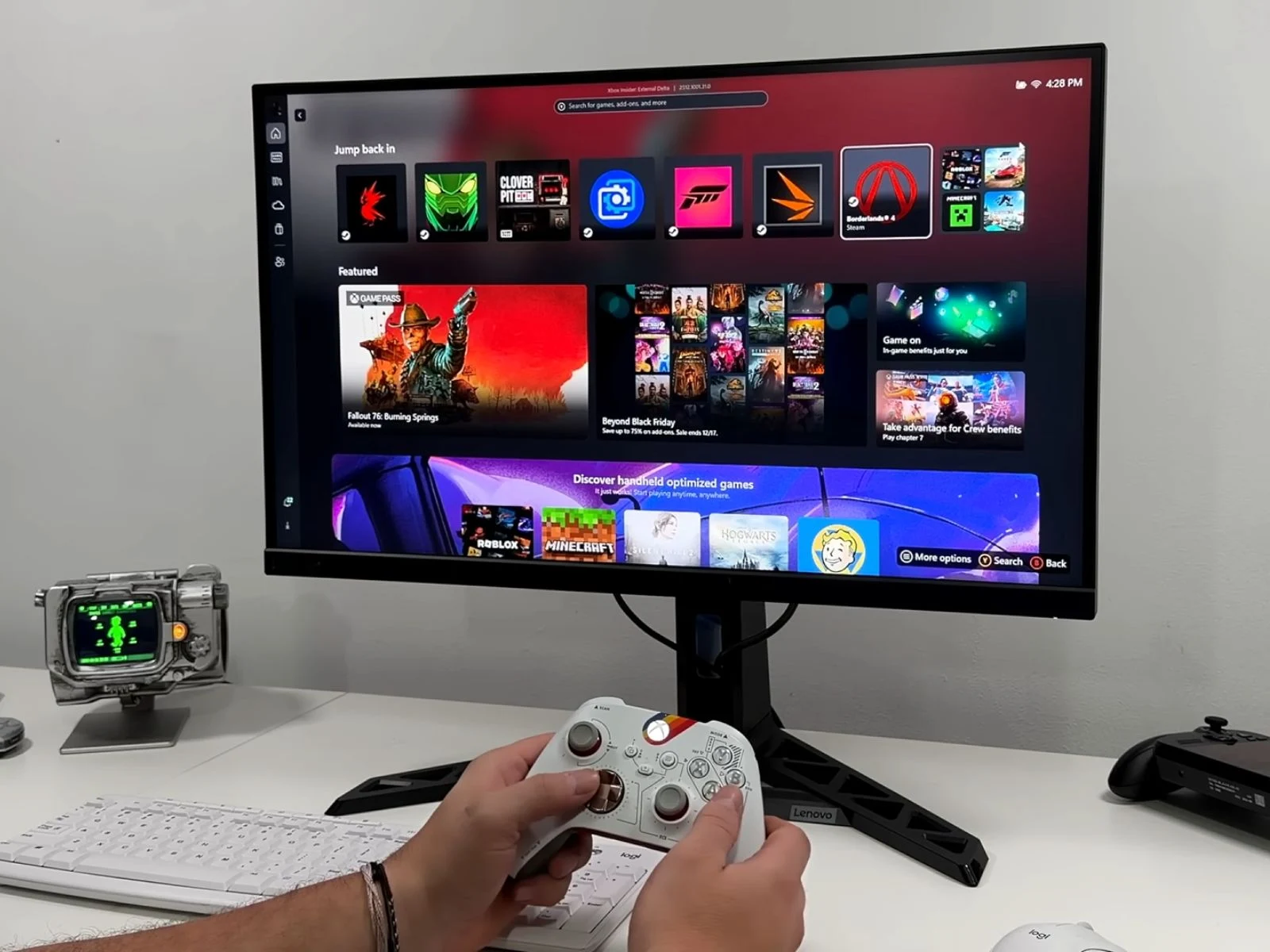
    Microsoft has rolled out its Xbox Full Screen Experience (FSE), first launched with handheld gaming PCs like the Asus Xbox ROG Ally series, to standard Windows 11 desktops and laptops. According to a recent video from ETA Prime, you can enable this feature by signing up for the Xbox Insider Hub and switching to either the Windows 11 Beta or Dev channel, which will work on many types of hardware.

    Overview of Features

    After you set it up, FSE lets Windows 11 devices skip the regular desktop at startup and go straight to a full-screen launcher. Right now, you can only access the Xbox app as the home screen, but Microsoft has hinted that they might add support for more launchers in the future. The user interface allows for navigation using a controller and quick task switching via the Xbox Game Bar. By pressing the Xbox button, you can see a system-level switcher that shows all running apps and recently played games.

    How to Activate FSE

    Microsoft has made this feature available through its Insider Preview program, and users can activate it with some system updates and configuration changes. Here’s a quick summary of the process.

    One interesting feature of FSE is its capability to pause the regular Windows desktop, which helps cut down on background processes and reduces memory usage. In tests conducted by the YouTuber, a gaming laptop with an Nvidia GeForce RTX 5050 used around 5.7 GB of RAM when running in FSE as opposed to 7.7 GB in the usual desktop mode, supporting Microsoft’s claim of saving close to 2 GB. This could be a big advantage for systems that have limited memory or rely on integrated graphics that share RAM.

    Performance Insights

    FSE on Windows 11 tries to replicate the multitasking experience of Xbox consoles, but it doesn’t exactly match the Quick Resume feature. In the video, ETA Prime shows switching between a low-demand indie game and a big title like Cyberpunk 2077, indicating that the interface can handle multiple games at once, but it still behaves differently compared to the reliable suspend-and-resume system found on Xbox consoles. It’s more of a refined game-focused ‘desktop alternative’ that allows quicker switching and fewer background tasks, but it still lacks the smoothness of the console experience.

    When benchmarking Cyberpunk 2077 at 1080p Ultra settings on the RTX 5050, the performance differences between desktop mode and FSE were minimal. In multiple tests, FSE sometimes achieved 1–2 FPS higher averages, but these results were still within the normal margin of error. Currently, Full Screen Experience is only available in Windows Insider builds, and Microsoft has mentioned that more updates and features could come as it gets closer to a public release.

    Future of FSE

    By expanding FSE, Microsoft gives Windows 11 users a console-like interface that can help streamline setups in living rooms, handheld PCs, and regular desktops. With the anticipated launch of the Steam Machine, it seems Microsoft is positioning a more polished FSE to enhance its Windows gaming ecosystem and support new Xbox hardware, which is reportedly shifting toward a console–PC hybrid design.

    Source:
    Link


  • Microsoft Brings Xbox Full Screen Experience to PC Users

    Microsoft Brings Xbox Full Screen Experience to PC Users

    Key Takeaways

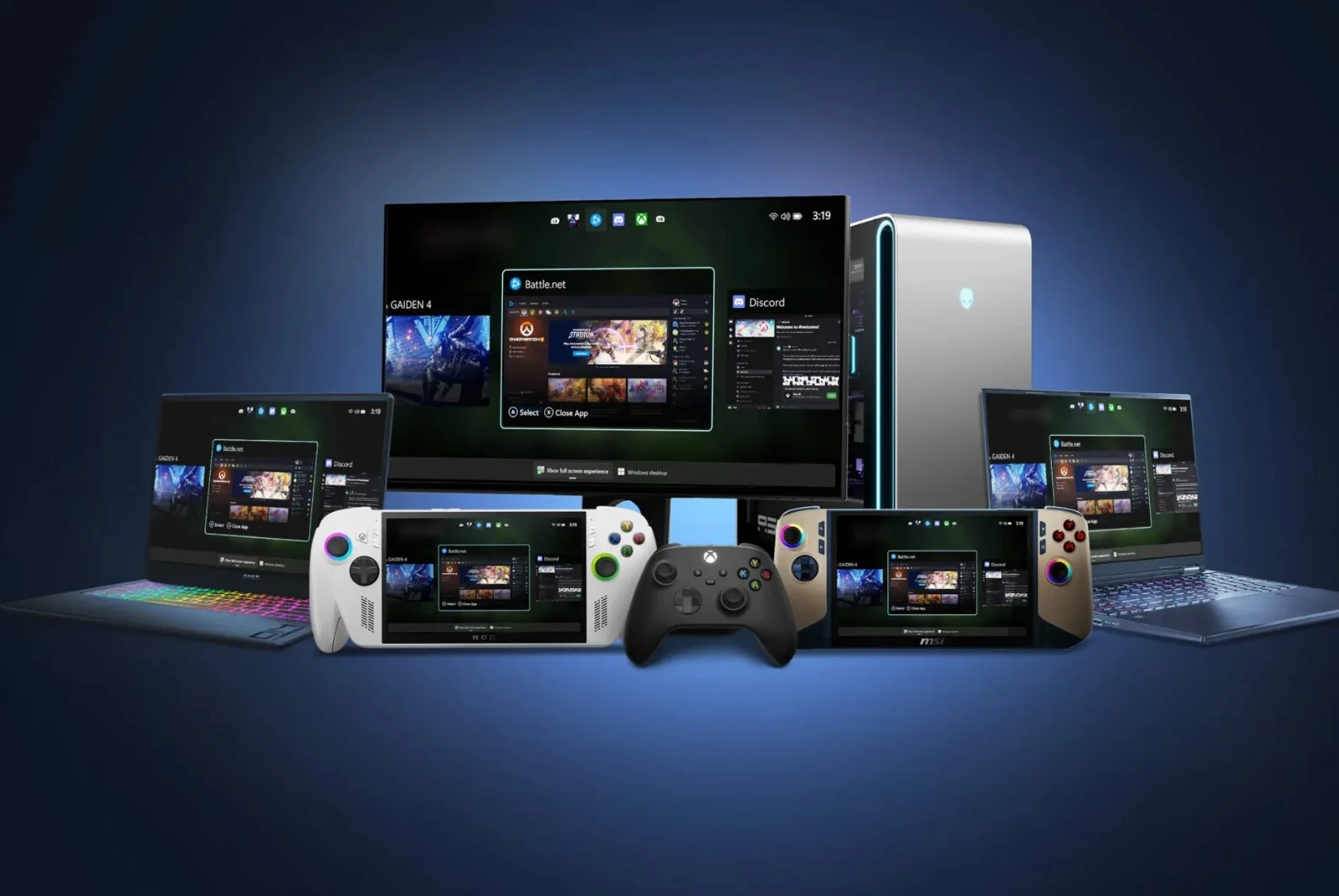
    1. Microsoft is introducing the Xbox Full Screen Experience (FSE) to make Windows 11 more user-friendly for console gamers.
    2. FSE was previously available on some handheld gaming PCs and is now expanding to laptops, desktops, and tablets.
    3. To activate FSE, users can hover over Task View, adjust Game Bar settings, or use the shortcut Win + F11, with the Xbox app required.
    4. The new interface offers a cleaner, console-like experience, especially when PCs are connected to televisions.
    5. The rollout of FSE will be gradual, and it will also be available on all Windows-based handheld devices for a consistent experience.


    Microsoft is moving closer to making Windows 11 more user-friendly for console gamers. They’ve begun to introduce the Xbox Full Screen Experience (FSE), which is a simplified interface that works well with controllers. This feature was previously available only on some handheld gaming PCs but is now being expanded to regular laptops, desktops, and tablets.

    Availability and Activation

    The FSE was first seen on devices such as the ROG Ally and Ally X, but it wasn’t accessible on typical Windows computers until now. With the recent Windows Insider Preview builds in the Dev and Beta channels, users can expect to see this feature. To activate it, simply hover over Task View and select Xbox full screen experience, navigate through the Game Bar settings, or use the shortcut Win + F11. Make sure you have the Xbox app installed for it to function properly.

    Improved User Experience

    This new interface provides a cleaner, more console-like experience for users of Windows 11 who prefer using a controller. This is particularly useful when your PC is connected to a television. Microsoft has indicated that the rollout will be gradual, meaning that not every user will have access to the feature at the same time. Moreover, they are also pushing FSE to all Windows-based handheld devices to ensure a consistent experience across all platforms.

    Source:
    Link


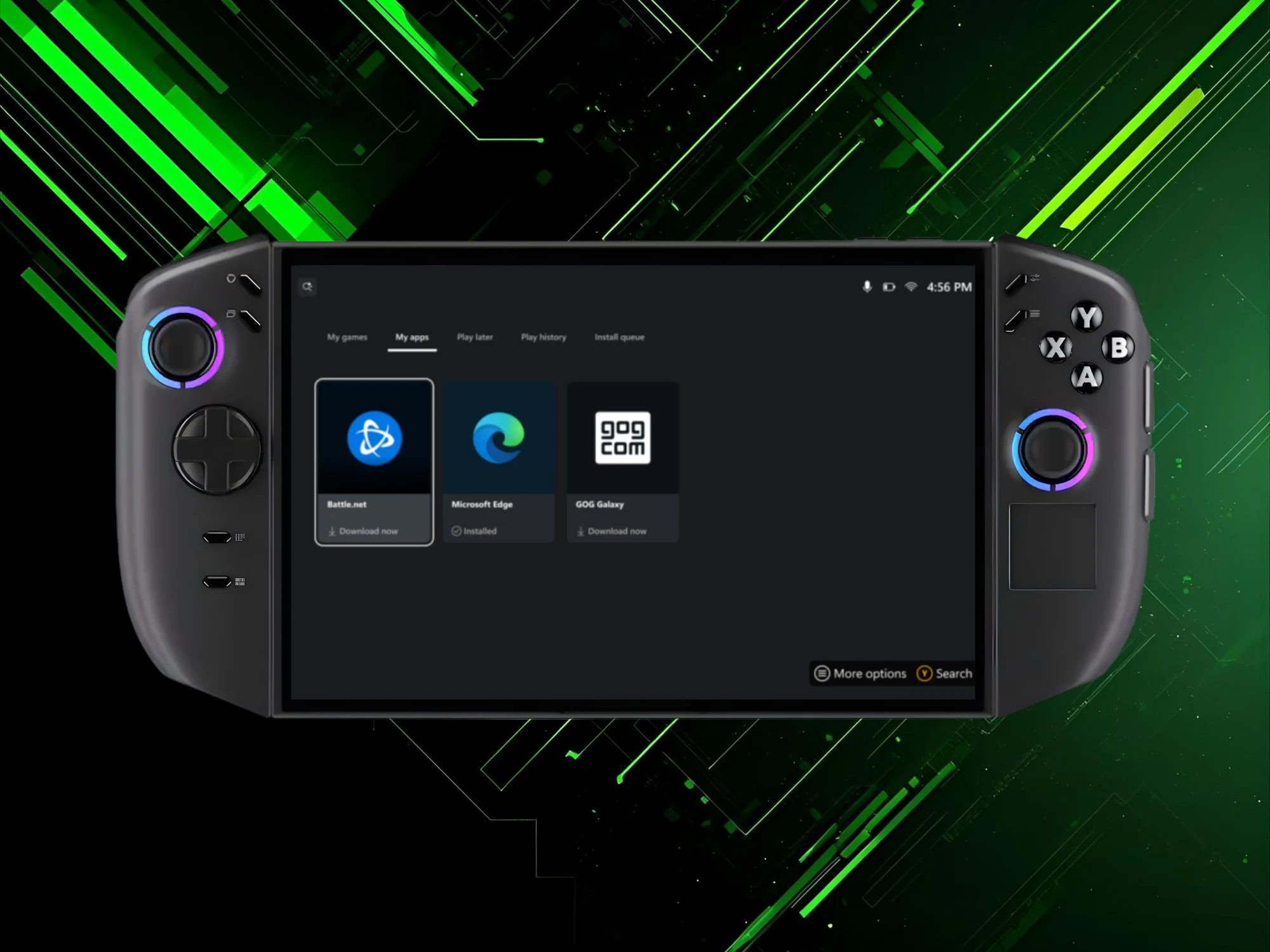
  • Xbox Full Screen Experience Launches Early on Legion Go 2

    Xbox Full Screen Experience Launches Early on Legion Go 2

    Key Takeaways

    1. The Xbox Full Screen Experience (FSE) will expand to more handheld gaming PCs on November 21st, moving up from its initial 2026 timeline for the Lenovo Legion Go 2.

    2. Microsoft began rolling out the full-screen feature for MSI Claw devices in late October, requiring gamers to join the Windows Insider program to access it.

    3. The new menu system improves navigation on handheld devices, allowing users to easily toggle the FSE and control the screen with analog sticks and buttons.

    4. The updated interface minimizes background processes to enhance performance, but some glitches remain, particularly with controller functionality in other apps on the ROG Xbox Ally.

    5. Future improvements are expected with new Xbox hardware, but critics argue that a user interface specifically designed for consoles is needed to reduce frustrations.


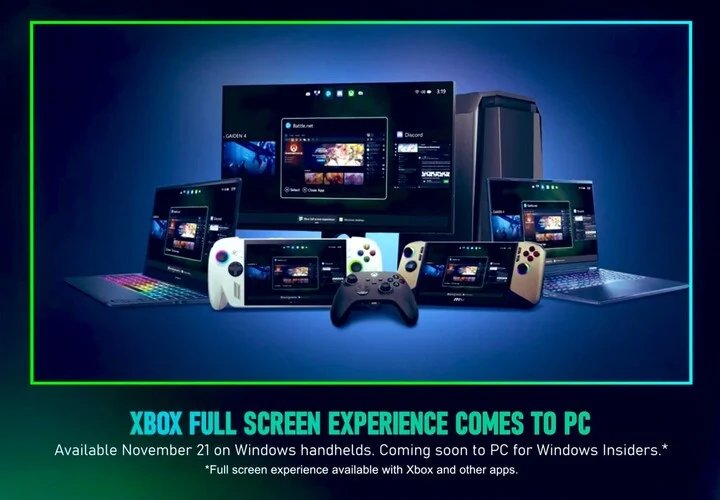
    The Asus ROG Xbox Ally and ROG Xbox Ally X were pioneers in introducing Microsoft’s latest gaming interface for Windows handhelds. The Xbox Full Screen Experience (FSE) is set to expand to more handheld gaming PCs on November 21st. Initially, it was expected that this interface would debut on the Lenovo Legion Go 2 in Spring 2026.

    Microsoft’s Announcement

    During the recent Xbox Partner Preview showcase, Microsoft shared its updated release schedule. In late October, they began to roll out the full-screen feature for MSI Claw devices. However, gamers needed to join the Windows Insider program to access this new option.

    Updates for the Legion Go 2

    For the Legion Go 2, which includes the AMD Z2 Extreme model, users also had to find workarounds to enable the Xbox Full Screen Experience. Lenovo had previously indicated that the official update wouldn’t be available until 2026. However, this timeline has now shifted, with Microsoft announcing that all Windows handhelds will receive this update sooner than expected.

    Enhanced Navigation for Gamers

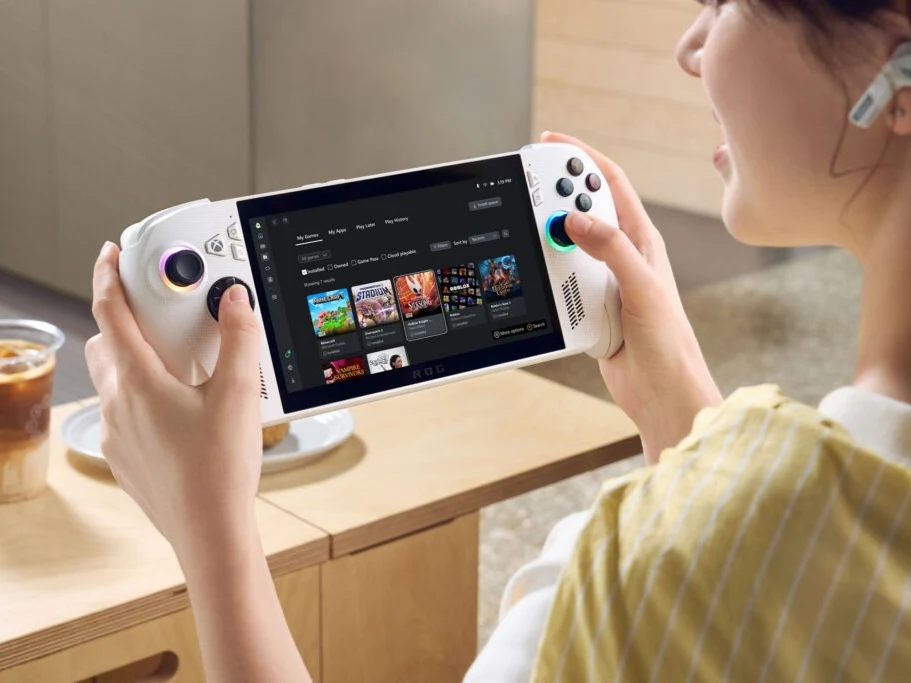
    Users can now enjoy a menu system that simplifies the navigation of handheld gaming devices. Windows settings provide an easy way to toggle the FSE on or off. When enabled, the devices restart, and the Xbox app takes control of the screen. This allows players to browse and launch games from various marketplaces using their analog sticks and buttons.

    The updated interface also minimizes background processes, which helps to free up memory and aims to enhance performance. Nevertheless, the ROG Xbox Ally has experienced some glitches since its launch. Users have reported that the controller functionality does not always work correctly with other apps. Despite Microsoft’s improvements, some clunky elements of its operating system can still disrupt gameplay.

    Future Improvements

    It is hoped that when a new Xbox handheld or console is released, the FSE will become more efficient. However, critics maintain that only a user interface specifically designed for consoles will truly reduce frustrations.

    Additionally, desktop and laptop users should gear up for the Xbox Full Screen Experience. The Partner Preview broadcast confirmed that Insider members will have the opportunity to try out this feature on all Windows 11 PCs.

    Source:
    Link


  • Xbox Full Screen Mode on Asus ROG Ally Enhances Gaming Performance

    Xbox Full Screen Mode on Asus ROG Ally Enhances Gaming Performance

    Key Takeaways

    1. The Xbox full-screen experience enhances Windows 11 for gaming handhelds, notably the Asus ROG Xbox Ally.
    2. Significant performance improvements are seen when the full-screen mode is activated, primarily by shutting down background applications.
    3. The average frame rate increased from 29 fps in standard mode to 38 fps in the gaming handheld mode during benchmarks.
    4. Activating the full-screen experience frees up memory and extends battery life by disabling background processes, but similar results can be achieved manually on current Windows 11 devices.
    5. The new mode aims for a more console-like experience and is expected to roll out to other handhelds, like the Lenovo Legion Go series, by spring 2026.


    The Xbox full-screen experience aims to enhance Windows 11 for gaming handhelds. This was highlighted with the soon-to-be-released Asus ROG Xbox Ally, and some gamers have already managed to install the new user interface on different devices. Windows Central observed significant performance improvements with this mode on a first-generation ROG Ally. However, these improvements mainly come from the launcher shutting down background applications.

    Benchmark Results

    Zac Bowden conducted the Shadow of the Tomb Raider benchmark while using the new gaming handheld mode. The average frame rate achieved was 38 fps. When he switched back to the standard Windows desktop setup, the frame rate dropped to 29 fps. Nevertheless, these optimizations aren’t due to any major changes made by Microsoft to its operating system.

    Memory and Performance

    When the Xbox full-screen experience is activated, it disables background applications and certain tasks. This action releases essential memory on handheld gaming PCs like the Asus ROG Ally and ROG Xbox Ally. However, gamers can still make similar adjustments on current Windows 11 devices. Bowden was able to replicate the same benchmark results in desktop mode by manually turning off background apps.

    Battery Life Considerations

    The same principles apply to battery life, which Microsoft promotes as another advantage of the new interface. Players will experience extended gaming sessions without needing to recharge, but only if they are willing to stop background processes.

    The Xbox app allows games to be launched from various marketplaces, but how it is used could affect ROG Ally performance. If a game depends on Steam or another launcher to start, it may lessen some of the benefits. The altered Asus gaming handheld and the upcoming ROG Xbox Ally are designed with a more focused purpose. Consequently, multitasking with productivity applications will require more resources.

    Despite these limitations, Bowden feels that this new mode offers a more console-like feel. Windows Insiders are already testing how navigating the operating system using analog sticks and buttons is becoming less cumbersome. The new interface is expected to officially roll out to other Windows 11 handhelds, including the Lenovo Legion Go series, by spring 2026.

    Source:
    Link


  • Lenovo Justifies Legion Go 2’s Price for Dedicated Gamers

    Lenovo Justifies Legion Go 2’s Price for Dedicated Gamers

    Key Takeaways

    1. The Legion Go 2 is priced at $1,100 for the base model and $1,350 for the Ryzen Z2 Extreme variant, which has upset many fans due to its high cost compared to other handhelds.
    2. It features an 8-inch 2K OLED screen, 144 Hz refresh rate, and detachable controllers, making it a high-end gaming device.
    3. Lenovo aims the Legion Go 2 at “enthusiast gamers” willing to invest in premium gaming experiences, despite the small target market.
    4. Advanced components like the SoC and OLED technology contribute to the device’s elevated price, justifying it in Lenovo’s view.
    5. The Legion Go 2 will support the Xbox full-screen experience (FSE) starting in spring 2026, enhancing gaming performance compared to other models.


    Lenovo has just announced the Legion Go 2, which is the new version of its handheld gaming device that was launched nearly two years ago. This updated model comes with a much steeper price compared to its predecessor and even against some of the newer handhelds on the market. Many fans who were eagerly awaiting the Legion Go 2 are upset about the starting price of $1,100, but Lenovo seems confident about the value they’re offering with this device.

    Models and Pricing

    The Legion Go 2 features two different versions: one equipped with the AMD Ryzen Z2 and another with the Z2 Extreme SoC. Both versions include an 8-inch 2K OLED screen that refreshes at 144 Hz, along with detachable controllers. The Ryzen Z2 Extreme variant is set at $1,350 and includes 32 GB of RAM and 1 TB of storage. In contrast, the MSI Claw A8, which has the Z2 Extreme, 24 GB of RAM, and a non-OLED 1,200p display (with a lower refresh rate), retails for £850 (about $1,151 USD).

    Justifying the Cost

    Lenovo has defended the high price, which is comparable to gaming laptops. In a recent group interview with PC Watch in Japan, several Lenovo executives were questioned about the pricing and whether it might discourage potential buyers. They replied (translated by machines) that the Legion Go 2 is aimed at “enthusiast gamers who are prepared to invest in their hobbies.” Although this market segment may be small, they believe it holds significant importance.

    Performance Features

    The company pointed out that the advanced components, like the SoC and OLED technology, are the reasons behind the Legion Go 2’s high cost. For those who prefer a different handheld gaming experience, Lenovo recommends the Legion Go S (available on Amazon).

    As per The Verge, the Legion Go 2 will be the first handheld, apart from the Asus ROG Xbox Ally and Ally X, to support the Xbox full-screen experience (FSE). This feature won’t be available at launch but is expected to roll out in spring 2026. The FSE is designed to optimize resources, which could lead to better gaming performance. Nonetheless, other more affordable handhelds, like the ROG Ally X, are also expected to receive the Xbox FSE eventually.

    Source:
    Link


  • Microsoft Announces ROG Xbox Ally Software for Windows Handhelds 2026

    Microsoft Announces ROG Xbox Ally Software for Windows Handhelds 2026

    Key Takeaways

    1. The ROG Xbox Ally and ROG Xbox Ally X feature a special version of Windows called “Xbox Experience for Handheld,” designed to optimize gaming performance and power efficiency.
    2. Microsoft will roll out the Xbox full screen experience to older Windows handheld devices, starting with the ROG Ally and ROG Ally X.
    3. There is no set timeline for the rollout, but Asus devices will receive the update before other brands like Lenovo and MSI.
    4. Future updates will provide similar full-screen Xbox experiences to other Windows handhelds starting next year.
    5. The Xbox full experience allows users to enjoy the benefits of both Windows and SteamOS without needing to abandon either system.


    The ROG Xbox Ally and ROG Xbox Ally X are the first devices to feature a special version of Windows designed for handhelds. This is called the “Xbox Experience for Handheld” or the “Xbox full screen experience.” Microsoft claims that this is not just a simple launcher for your PC games but a thorough optimization that enhances gaming performance and boosts power efficiency. Excitingly, the Xbox full screen experience will also be available for older Windows handheld devices.

    Updates for Older Handhelds

    As reported by The Verge, Microsoft has announced that the Xbox full screen experience will be rolled out to previously released Windows handhelds. Roanne Sones, who is the corporate VP of gaming devices and ecosystem at Xbox, stated, “While the Xbox full-screen experience will first come to the ROG Xbox Ally and the ROG Xbox Ally X, our next focus will be updating the in-market ROG Ally and the ROG Ally X.”

    Future Rollout Plans

    There is no definite timeline for when this new software will launch on the ROG Ally and ROG Ally X, but it looks like Asus’s devices will get it ahead of others like the Lenovo Legion Go, MSI Claw, and even the more recent Legion Go S (which is priced at $649.99 on Amazon). Sones has also mentioned that “Similar full-screen Xbox experiences will be rolling out to other Windows handhelds, starting next year.”

    Benefits for Users

    The introduction of the Xbox full experience will be a significant advantage for users of Asus and Lenovo’s handhelds, which just got official support for SteamOS. Now, users don’t need to completely abandon Windows, allowing them to enjoy the best features that both systems offer.

    Source:
    Link