Tag: ROG Ally

  • Best Gaming Pillow for Handheld Comfort in Bed

    Key Takeaway

    – Reduces hand strain and numbness by transferring device weight from hands to the pillow.
    – Supports multiple handhelds (Steam Deck, Switch, ROG Ally, etc.) with a multi-adjustable arm.
    – Has drawbacks: slight wobble from the mount and pillow losing shape over time.
    – Limits freedom of movement compared to playing without support.
    – Priced at $66.80–$74.99, with cheaper alternatives like U-shaped or nursing pillows available.


    Gaming Discomfort Solution

    Anyone who plays on handheld devices for longer sessions knows the problem: after a while, you start shaking out your hands. The reason is usually the fixed posture. Holding a handheld in the same position for extended periods can strain the joints and muscles, potentially compressing nerves and blood vessels. The result can be tingling, numbness or hands that feel like they are falling asleep. Mechanism’s Gaming Pillow is designed to address exactly that.

    Compatibility and Design

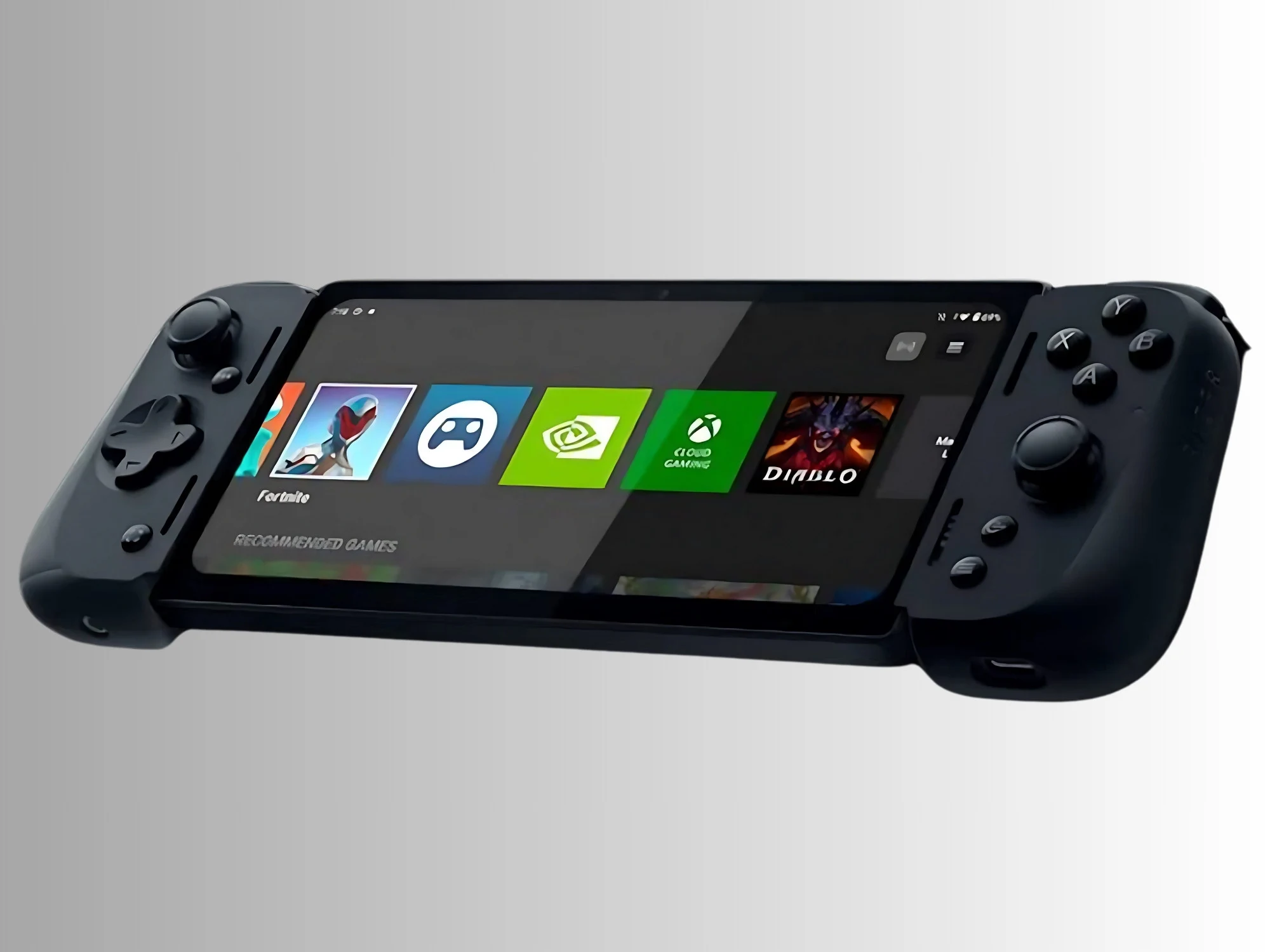
    The pillow is available with mounts for the Steam Deck, Lenovo Legion Go S, Nintendo Switch, ROG Ally, ROG Ally X and PlayStation Portal. The handheld attaches to a multi-adjustable support arm, allowing users to position it for sitting or lying down. A second mount on top of the pillow can hold a power bank or smartphone.

    User Testing Results

    A Reddit user tested the accessory with the Steam Deck for around two weeks and came away cautiously positive, giving it 7.5 out of 10 points. According to the user, the pillow noticeably reduces strain when gaming in bed or on the sofa because the handheld’s weight no longer rests entirely on the hands, arms and elbows. This should also help reduce tingling and numbness. However, the mounting mechanism reportedly wobbles slightly, and the pillow is said to lose its shape rather quickly.

    Community Feedback

    The Reddit thread is not unanimously positive. Some users argue that while the pillow may relieve strain on the arms and hands, it can also limit freedom of movement. Others point to cheaper alternatives such as U-shaped pillows or nursing pillows. On Mechanism’s website, the accessory starts at $66.80, depending on the configuration. On Amazon, the pillow is currently listed for $74.99, though only for the Steam Deck, Lenovo Legion Go S and PlayStation Portal.

    Sources
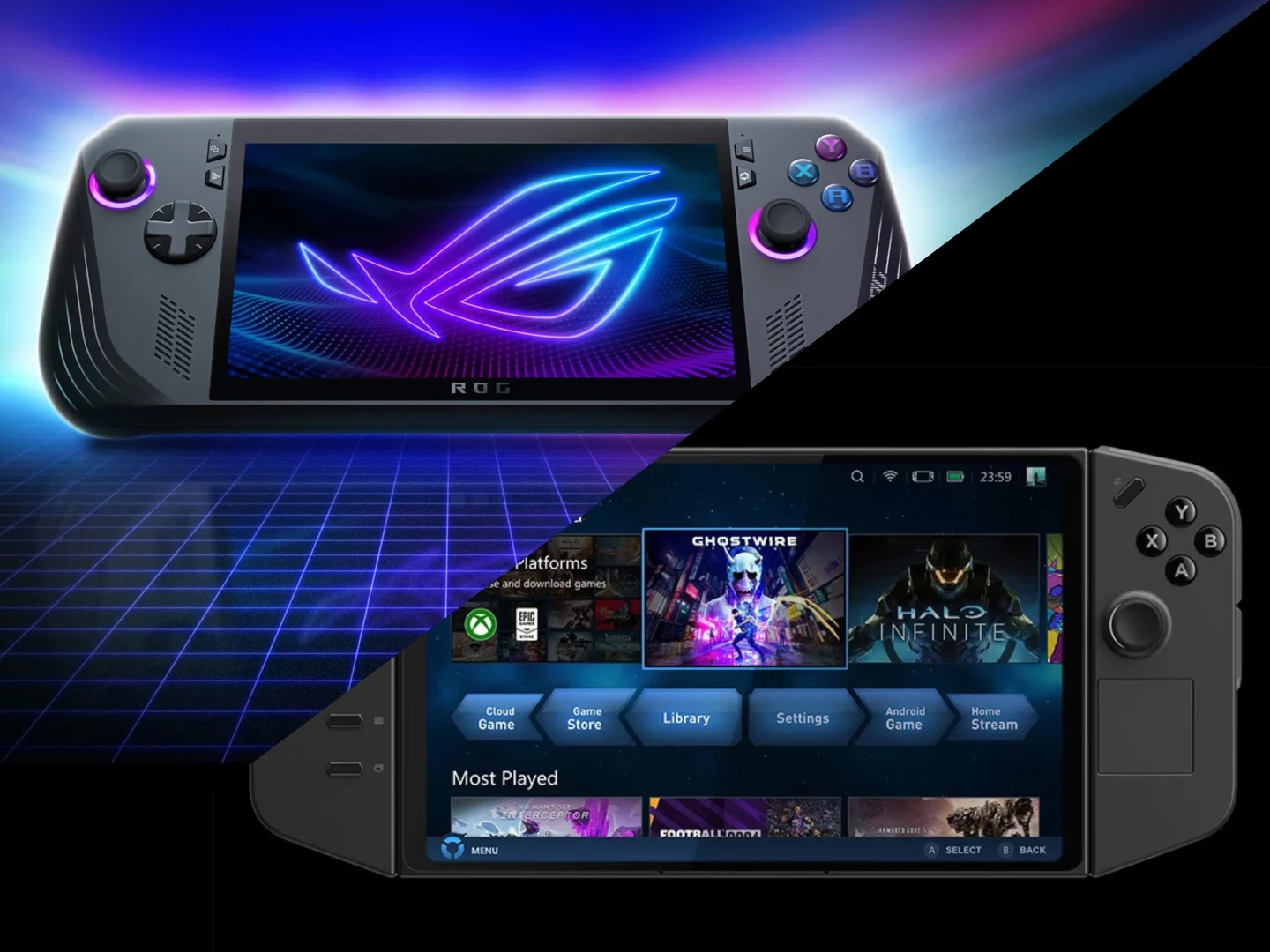
  • ROG Ally, Ally X, Legion Go Handhelds Will No Longer Get Updates

    ROG Ally, Ally X, Legion Go Handhelds Will No Longer Get Updates

    Key Takeaways

    1. AMD has reportedly withdrawn support for the Ryzen Z1 Extreme chip, affecting certain gaming handhelds.
    2. Devices like the Asus ROG Ally and Lenovo Legion Go will not receive further driver updates, hindering performance and bug fixes.
    3. Lenovo has indicated that updates for the Legion Go will be discontinued, impacting users relying on Windows 11.
    4. The timeline shows that support is ending relatively quickly after product releases, potentially disadvantaging early adopters.
    5. No official confirmation has been made by AMD, Asus, or Lenovo regarding the withdrawal of support.


    Gaming handhelds have gained a lot of traction in the last few years. With advancements in hardware, manufacturers are now able to create portable devices that function much like gaming PCs. However, the situation in the gaming handheld market isn’t all rosy, especially if the newest news is true. Reports suggest that support for handhelds powered by the Ryzen Z1 Extreme might be coming to an end, if it hasn’t already.

    AMD’s Support Withdrawal

    According to a report from Tom’s Hardware, which refers to online sources and hardware companies, AMD has ceased support for the Ryzen Z1 Extreme chip. Consequently, gaming handhelds that operate on Windows 11, such as the Asus ROG Ally, ROG Ally X, and Lenovo Legion Go, will not receive any further driver updates. These updates are crucial for enhancements and fixing bugs, as well as keeping the hardware aligned with the latest software advancements.

    Updates for Legion Go in Jeopardy

    The article mentions that Lenovo community reps in Korea informed users that updates for the Legion Go will be discontinued. It appears that the Legion Go S models operating on Windows 11 might face a similar situation, although those using SteamOS could still receive support, at least for the time being.

    Timeline of Releases

    The first ROG Ally was launched in June 2023, followed by the ROG Ally X in 2024. It’s been only two and a half years since the original model’s release, so it seems premature for support to be ending now. The Legion Go’s original version debuted in October 2023, while the Legion Go S with the Z1 Extreme was released last year. If these reports are confirmed, early adopters may find themselves at a disadvantage.

    It’s important to point out that AMD, Asus, and Lenovo have not officially announced any information regarding this situation.

    Source:
    Link


  • Epic Games Store VP Teases Full-Screen Steam Alternative for Xbox

    Epic Games Store VP Teases Full-Screen Steam Alternative for Xbox

    Key Takeaways

    1. Epic Games Store is growing steadily but still trails behind Steam in sales and player base.
    2. There are rumors of a PC/console hybrid for the next Xbox that may support both the Epic Games Store and Steam.
    3. Epic Games is in discussions with Microsoft about creating an app for the next-gen Xbox hardware.
    4. The current Epic Games Store app is designed for desktops and laptops, requiring enhancements for console use.
    5. Future updates to the Epic Games Store may include a new launcher and social features, with testing expected by mid-2024.


    While the Epic Games Store still trails behind Steam, it is steadily increasing its sales and drawing in new players. A key strategy for the marketplace to grow further involves enhancing the app for additional devices. In an interview with Windows Central, VP and GM Steve Allison talked about possible plans concerning the upcoming Xbox console.

    Potential for PC/Console Hybrid

    Microsoft has yet to confirm if its next console will include support for the Epic Games Store or Steam. However, there are rumors suggesting a PC/console hybrid that would depend on Windows. This would allow gamers to access various marketplaces, similar to the ROG Xbox Ally handhelds. In June 2025, Xbox President Sarah Bond mentioned that games wouldn’t be “tied to a single store.”

    Discussions with Microsoft

    In the interview, Allison shared that the company has been in talks with Microsoft:

    “If they do indeed go ahead with letting Steam and the Epic Games Store on the next-gen Xbox hardware, we will definitely be there. I’m quite sure that will mean we need to create an app that works there.”

    At present, the marketplace is mainly tailored for desktops and laptops. Gamers who prefer to play from the couch often use Steam’s Big Picture Mode. On the other hand, the Xbox Full Screen Experience aims to make navigating menus with controllers easier. For Epic to be a viable choice on the new Xbox console, it would have to offer a similar function.

    Future Developments

    Sadly, the updated interface is still just a concept for now. Nevertheless, it’s probable that fans will see this feature rolled out in the future. Referring to the ROG Ally, Allison mentioned, “We definitely need to develop for it, but it probably won’t happen this year. Maybe next year.”

    The Epic Games Store is set to undergo more than mere adjustments before the arrival of the new Microsoft and AMD hardware. By May or June, gamers could get a chance to test a new launcher with restructured code. Developers are working on reducing the background resources the software uses. New social features might also emerge, aiming to compete with the more community-focused Steam.

    Source:
    Link


  • Microsoft’s Xbox 360 Backward Compatibility Plans for New Consoles

    Microsoft’s Xbox 360 Backward Compatibility Plans for New Consoles

    Key Takeaways

    1. Microsoft halted the Xbox backward compatibility program in 2021, but Xbox Series S and X still support previous Xbox games.
    2. There are efforts to make legacy Xbox games compatible with new systems like the ROG Xbox Ally handheld and Windows PCs.
    3. Microsoft is reportedly developing its own in-house emulator for Xbox games, rather than using the Xbox 360 emulator.
    4. The upcoming Xbox console may have custom hardware designed for better compatibility, potentially using technology from AMD.
    5. Licensing issues could complicate the re-release of older games, even as Microsoft expresses optimism about celebrating Xbox’s legacy.


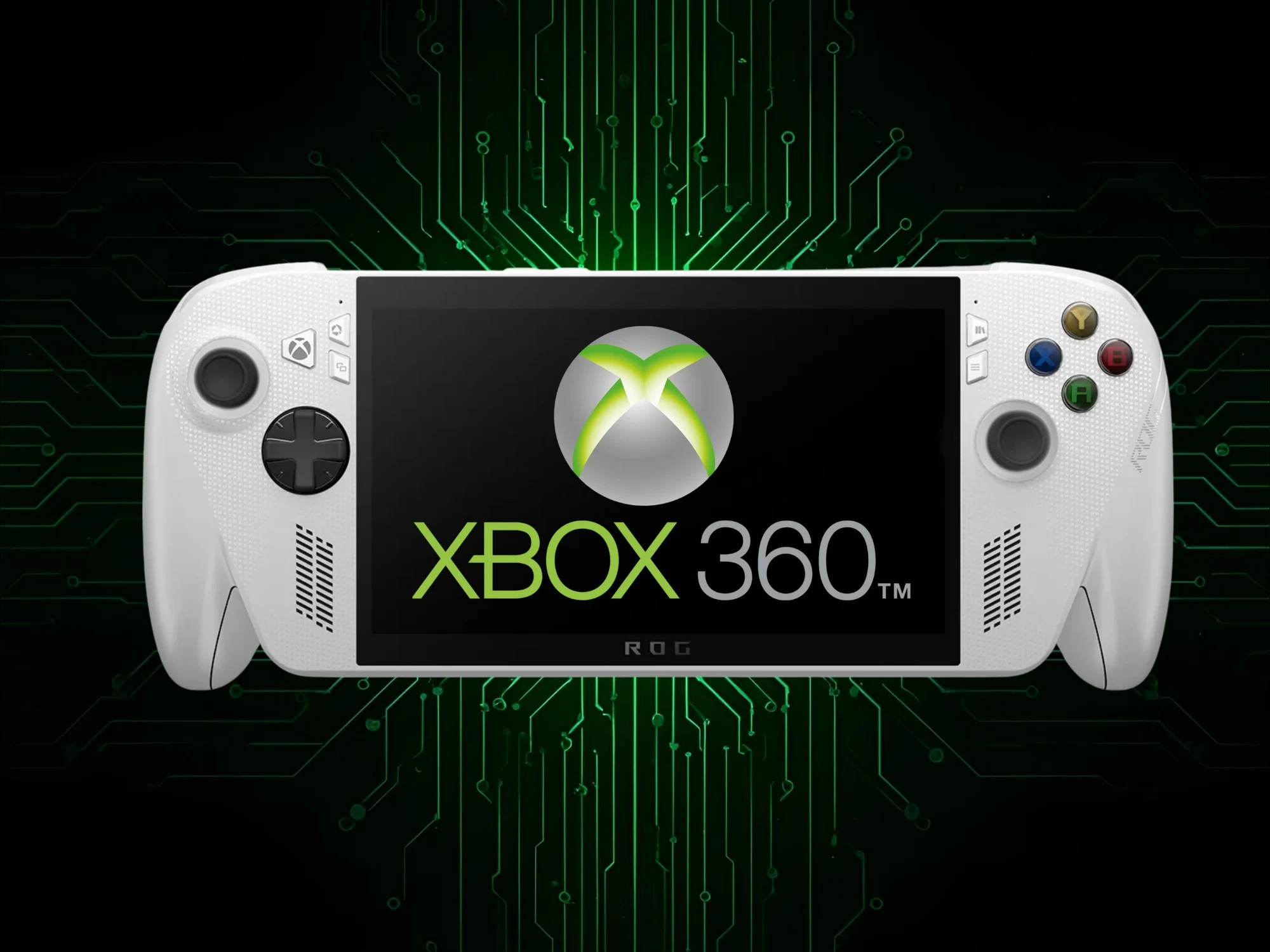
    Many gamers were upset when the Xbox backward compatibility program stopped in 2021. The Series S and X still allow players to enjoy Xbox One, Xbox 360, and older games. However, the ROG Xbox Ally handheld and upcoming consoles are facing more challenges. A trusted leaker suggests that Microsoft is looking for ways to make console-locked games available on these new systems.

    Hints from ResetEra

    NateTheHate2 shared insights about Microsoft’s plans on the ResetEra forums. In response to another user, he mentioned, “There exists a hope to make legacy Xbox (OG and Xbox 360) games BC on ROG and Windows. Whether they succeed is the unknown; but there is an effort being made.” However, he was uncertain about how many Xbox games could actually be made compatible.

    Rumors and Developments

    There have been several speculations on how Microsoft might handle this issue. Back in June, Xenia dismissed claims that the company would use its well-known Xbox 360 emulator. The developers insisted that Microsoft is developing its own in-house solution. Later, Jez Corden from Windows Central hinted at the potential for an official emulator that could bring inaccessible Xbox games to Windows PCs and handheld devices.

    Future Console Insights

    Corden also predicted that the anticipated new Xbox console would feature custom hardware to address compatibility challenges. Reports suggest that Microsoft and AMD are collaborating on a system using the Magnus APU. Nonetheless, many analysts think it might be a hybrid of PC and console, relying heavily on Windows. It remains unclear how engineers will manage the extensive back catalog without the use of software emulation.

    Cautious Optimism

    Company leaders have been careful in their remarks about backward compatibility. Recently, on a BBC podcast discussing the ROG Xbox Ally handhelds, Jason Ronald, the Vice President of Xbox Gaming Devices and Ecosystem, responded to a question regarding this feature. He reassured listeners that Microsoft aims to “celebrate the great legacy and the history that we have with Xbox…” As for the 25th anniversary of Xbox in 2026, Ronald added, “I can’t confirm or deny what you’re asking, but stay tuned. We have a lot of exciting things to share next year.”

    Some fans interpret Ronald’s comments as a hopeful indication. However, licensing complications present another challenge to bringing forgotten titles back. If physical discs aren’t an option, the original publishers Microsoft had contracts with may no longer be in business.

    Source:
    Link


  • Microsoft Brings Xbox Full Screen Experience to PC Users

    Microsoft Brings Xbox Full Screen Experience to PC Users

    Key Takeaways

    1. Microsoft is introducing the Xbox Full Screen Experience (FSE) to make Windows 11 more user-friendly for console gamers.
    2. FSE was previously available on some handheld gaming PCs and is now expanding to laptops, desktops, and tablets.
    3. To activate FSE, users can hover over Task View, adjust Game Bar settings, or use the shortcut Win + F11, with the Xbox app required.
    4. The new interface offers a cleaner, console-like experience, especially when PCs are connected to televisions.
    5. The rollout of FSE will be gradual, and it will also be available on all Windows-based handheld devices for a consistent experience.


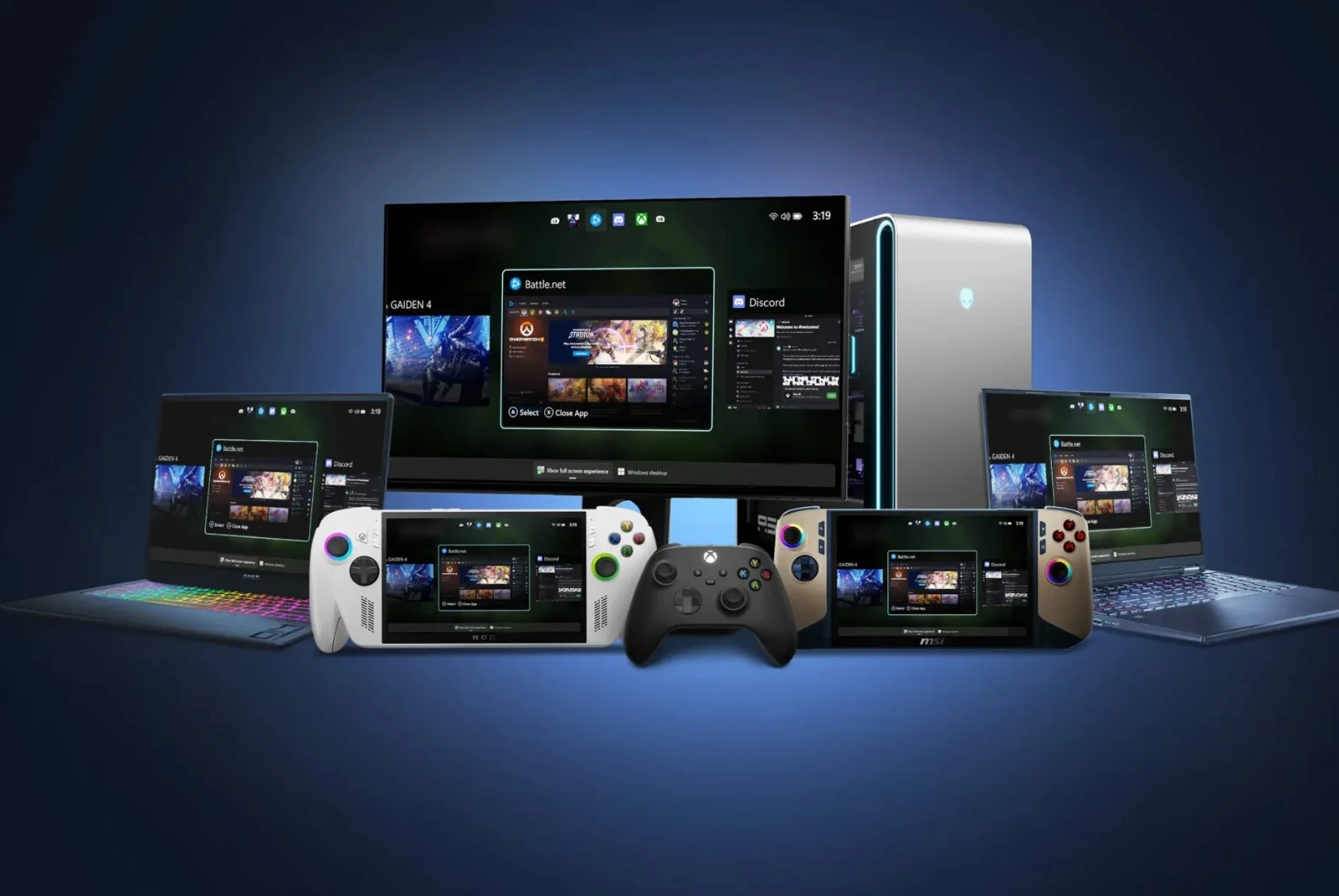
    Microsoft is moving closer to making Windows 11 more user-friendly for console gamers. They’ve begun to introduce the Xbox Full Screen Experience (FSE), which is a simplified interface that works well with controllers. This feature was previously available only on some handheld gaming PCs but is now being expanded to regular laptops, desktops, and tablets.

    Availability and Activation

    The FSE was first seen on devices such as the ROG Ally and Ally X, but it wasn’t accessible on typical Windows computers until now. With the recent Windows Insider Preview builds in the Dev and Beta channels, users can expect to see this feature. To activate it, simply hover over Task View and select Xbox full screen experience, navigate through the Game Bar settings, or use the shortcut Win + F11. Make sure you have the Xbox app installed for it to function properly.

    Improved User Experience

    This new interface provides a cleaner, more console-like experience for users of Windows 11 who prefer using a controller. This is particularly useful when your PC is connected to a television. Microsoft has indicated that the rollout will be gradual, meaning that not every user will have access to the feature at the same time. Moreover, they are also pushing FSE to all Windows-based handheld devices to ensure a consistent experience across all platforms.

    Source:
    Link


  • Asus ROG Ally Special Edition Released, Not Available for Purchase

    Asus ROG Ally Special Edition Released, Not Available for Purchase

    Key Takeaways

    1. Asus is releasing a special edition of the ROG Ally handheld gaming PC called the ROG Ally Hell is Us edition, inspired by the game Hell is Us.
    2. The special edition features a unique teal color and topographical map designs, but is not available for purchase.
    3. A giveaway will allow one winner to receive the special edition device and a copy of the game, with entry open until September 26th at 12 PM (CEST).
    4. To enter the giveaway, participants must retweet, follow the official Hell is Us account, and share their favorite game.
    5. Participants must be at least 18 years old, reside in specified countries, and employees of Nacon and associated organizations are not eligible to enter.


    It has been two years since Asus first introduced the ROG Ally, and even though it plans to unveil two new handheld devices next month, the company has also revealed a unique edition of the two-year-old Windows handheld gaming PC. Sadly, this special edition won’t be available for purchase, but there’s a chance to win it through a giveaway.

    Special Edition Details

    This unique handheld is called the ROG Ally Hell is Us edition, inspired by the third-person action-adventure game, Hell is Us. In contrast to the regular white version of the ROG Ally, this special edition sports a teal color with designs resembling a topographical map across its surface. Although specific technical details have not been disclosed, it’s reasonable to assume that it features the AMD Ryzen Z1 Extreme, which we have previously evaluated.

    How to Enter the Giveaway

    As mentioned earlier, this device won’t be for sale, but Nacon, the French publisher behind Hell is Us, will select one lucky winner to receive the device along with a copy of the game on their preferred platform. According to their announcement on X, entering the giveaway is simple: retweet their post, follow the official Hell is Us account on X, and share a comment about your all-time favorite game. The contest will be open until 12 PM (CEST) on September 26th.

    Giveaway Rules

    Of course, there are some stipulations for the giveaway, like needing to be at least 18 years old and residing in one of the specified countries. It’s important to note that employees of Nacon, associated agencies, and anyone directly involved in organizing the contest, as well as their family members, are not permitted to enter. Be sure to check the complete requirements to make sure you qualify to take part.

    Source:
    Link


  • Asus ROG Ally Upgrade: 90Wh Battery Mod Risks Explained

    Asus ROG Ally Upgrade: 90Wh Battery Mod Risks Explained

    Key Takeaways

    1. A Reddit user improved battery life on the ROG Ally by installing an 80Wh battery, while Miner TechTips enhanced it further with a 90Wh battery from an Asus laptop.
    2. The 90Wh battery was modified to fit into the ROG Ally by reshaping cells and using Kapton tape for insulation.
    3. The original SSD was replaced with a 2TB Kingston KC3000, utilizing a custom 90° M.2 adapter.
    4. The modifications resulted in 3.5-4 hours of gameplay for AAA games and 7-8 hours for indie games, but added about 200 g in weight.
    5. Caution is advised against attempting similar modifications due to potential hazards, particularly regarding battery folding.


    It’s not surprising that people using the ROG Ally are keen on making their handheld gaming PCs last longer on battery. A user on Reddit shared that they had installed an 80Wh battery in their Asus ROG Ally running SteamOS and experienced better backup times. Now, an Indian YouTube channel called Miner TechTips has pushed things further by putting a 90Wh battery into the device.

    Sourcing and Modifications

    To begin with, they got a 90Wh C41N2013 battery from an Asus ROG Strix G15 laptop and took it apart to rearrange the cells. In order to make the bigger battery fit into the ROG Ally’s casing, they reshaped the cells into a smaller stack and wrapped them up with Kapton tape to avoid heat issues and short circuits.

    Upgraded Storage and Design

    They also swapped out the original SSD for a 2TB Kingston KC3000, using a modified 90° M.2 adapter which was insulated with Kapton tape. To accommodate the larger battery, they designed a custom backplate and tray using a 3D printer, a process that took them about 19 hours. They mentioned that this modification made the device a bit thicker but also more comfortable to hold.

    Performance and Warnings

    After setting up the SSD, the 90Wh battery, and custom backplate, they replaced Windows with SteamOS. As per their findings, the modified Ally now operates at 15–20 W for AAA games, providing between 3.5 to 4 hours of gameplay, and at 7–10 W for indie games, which gives around 7 to 8 hours. It takes around 2 hours and 10 minutes to fully charge, and even though the device is about 200 g heavier, they find it much more user-friendly.

    While these improvements may seem appealing, the individual who initially made this change advises against attempting it. Recently, a Reddit user, known as u/Talaxin, shared an update after a month using the same 90Wh mod on the ROG Ally. Under that post, u/Kira980, the original mod creator, cautioned against folding the battery, mentioning it could be more hazardous than other battery modifications.

    If you’re curious about this ROG Ally modification, be sure to check out the Miner TechTips video below. They thoroughly explain every step, although it’s in Hindi, so you might want to turn on subtitles or use auto-translate features for better comprehension.

    Source:
    Link

  • New Xbox Handheld Console Discovered in Secret Microsoft Lab Tour

    New Xbox Handheld Console Discovered in Secret Microsoft Lab Tour

    Key Takeaways

    1. NBC’s Today show toured a hidden Xbox lab, revealing potential new hardware developments, including a sneak peek of a possible new handheld Xbox.
    2. Phil Spencer’s private office showcased keepsakes from old prototypes and hinted at unknown features of future devices.
    3. Industry experts confirm that Microsoft is interested in developing a portable gaming system, with a focus on a handheld device inspired by the ROG Ally.
    4. The upcoming Xbox handheld, referred to as Project Kennan, is expected to run on Windows and may involve collaboration with Asus.
    5. Microsoft plans to launch a new Xbox console by 2027, possibly as a handheld or mini PC, with speculation that they may have moved past the showcased prototype.


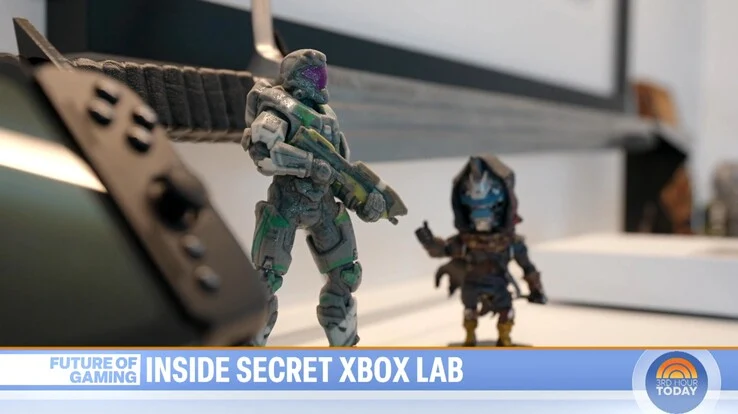
    NBC’s Today show was able to go on a special tour of a hidden Xbox lab where Microsoft tests out its hardware. Most of what was shown was not surprising. However, towards the end of the video, the focus shifted to Phil Spencer’s private office, who’s the CEO of Microsoft Gaming. In this room, Spencer has keepsakes from old prototypes and teases some unknown features. At one moment, viewers got a sneak peek of what could possibly be a new handheld Xbox in the works.

    A Glimpse of the Future

    Sadly, the segment only showed the right side of this potential new Xbox console. Nevertheless, everything around in the room is related to Xbox, making it unlikely to be a device from another brand. The design itself isn’t groundbreaking, featuring a typical face button layout. What stands out are the two small buttons located just beneath the right analog stick. These controls do not correspond with any current handheld devices, including the Asus ROG Ally.

    Insights from Industry Experts

    In a 2024 episode of The Xbox Two podcast, Jez Corden from Windows Central talked about various Xbox prototypes that exist. One of the images shared at that time displayed a console that looked similar to the handheld spotted in the Xbox lab. Both Corden and Spencer have confirmed that Microsoft is interested in developing a portable gaming system. Additionally, NBC’s report mentioned that the next generation of Xbox is currently being developed.

    Speculations and Expectations

    Some industry insiders believe that the upcoming Xbox handheld will take inspiration from the well-liked ROG Ally. Known as Project Kennan, this device is anticipated to run on Windows. Microsoft is likely to collaborate with Asus for this console, which might come with a full-screen Xbox interface and control setup. Recently, Asus hinted at a white device on social media that appeared to be closer in design to the ROG Ally rather than Spencer’s prototype.

    Other rumors indicate that Microsoft has plans to launch a new Xbox console by 2027, potentially in the form of a handheld or mini PC. It’s also possible that Xbox has already moved past the version showcased in the tour, but there’s a chance it could make a comeback later on.

    Source:
    Link


  • Asus Teases New ROG Gaming Handheld for Xbox Fans

    Asus Teases New ROG Gaming Handheld for Xbox Fans

    Key Takeaways

    1. Asus is a leader in the handheld gaming PC market, offering the ROG Ally and ROG Ally X models, with a third device in collaboration with Xbox on the way.

    2. The upcoming handheld is expected to have a unique design that sets it apart from existing models, appealing to gamers seeking something new.

    3. The teaser indicates improved performance features, such as enhanced speeds, greater capacity, and longer battery life compared to previous devices.

    4. There may be design elements inspired by both the ROG Ally and the ROG Raikiri Pro controller, hinting at innovative features.

    5. The Xbox account’s response to the teaser suggests that the new device is linked to Project Kennan and will carry Xbox branding, with a potential launch date approaching.


    Asus has made a name for itself in the handheld gaming PC market, leading the charge with its devices. Presently, the company offers two models — the ROG Ally and the ROG Ally X — and it looks like a third device is on the horizon. This upcoming model is particularly noteworthy because it is being created in collaboration with Xbox. Ahead of its anticipated release later this year, Asus has shared an official teaser.

    New Design Insights

    The teaser, shared on X by the official Asus ROG account, suggests that the new handheld will sport a unique design, distinguishing it from the existing ROG Ally and ROG Ally X models. This fresh look is likely to attract gamers looking for something different.

    Performance Expectations

    Although specific technical details weren’t revealed, the teaser video indicates that this device will feature enhanced speeds, greater capacity, and improved endurance. This could imply a more powerful processor, increased storage, and longer battery life compared to previous handhelds, making it a compelling option for gamers on the go.

    The teaser also suggests that this new device may combine elements of the ROG Ally and the ROG Raikiri Pro controller, which is curr. priced at $109.99 on Amazon. At the end of the teaser, Asus showcased the silhouette of the handheld, which appears to be black or possibly a dark color similar to the ROG Ally X.

    Confirmation from Xbox

    While there hasn’t been any official mention of the software involved, the Xbox account’s response to the teaser has been interpreted as confirmation that this is the handheld known as Project Kennan, which is expected to carry the Xbox branding. Details regarding the exact release date of this new gaming PC are still under wraps, but with an early teaser like this, it seems the launch might be sooner than we expect.

    Source:
    Link

  • Dual Boot Bazzite on Your Gaming Handheld: Step-by-Step Guide

    Dual Boot Bazzite on Your Gaming Handheld: Step-by-Step Guide

    Key Takeaways

    1. Bazzite’s Advantages: Setting up Bazzite for dual booting is straightforward and resolves common issues found with Steam OS, such as RGB lighting and button mapping.

    2. Storage Considerations: A larger storage capacity (1 TB) is recommended for dual booting to ensure enough space for both Windows and Bazzite, whereas 512 GB may lead to limited room for each OS.

    3. Partitioning Process: Proper partitioning is crucial; tools like Easeus Partition Master can help manage disk space more accurately than Windows’ built-in tools.

    4. Installation Steps: The installation of Bazzite requires creating specific partitions and sub-volumes, necessitating a keyboard for setup as there is no on-screen keyboard available.

    5. Performance Benefits: Users report improved battery life and functionality with Bazzite compared to Windows, along with enhanced game performance and seamless operation of hardware features.


    It is commonly known that using Windows on handheld devices can be a bit of a frustrating experience, but it does offer useful features like Game Pass and anti-cheat compatibility that help users overlook its shortcomings. On the other hand, configuring your gaming handheld to dual boot with an option like Bazzite allows you to enjoy the best features of both systems. While Valve’s Steam OS builds are available, using the beta version may lead to its own set of complications. For instance, RGB lighting might not function, TDP controls can be unreliable, not all buttons may be properly mapped, and the process for setting up a dual boot system hasn’t been well documented yet.

    Advantages of Bazzite

    Bazzite, however, does not experience these problems, and setting it up in a dual boot configuration is surprisingly straightforward, allowing for seamless switching between the two operating systems. It also supports a wide range of handheld devices, including those from GPD, ROG Ally (which you can find on Amazon), Ally X, Legion Go, OneX, and AYN. The dual booting process for Bazzite is generally consistent across these devices.

    Storage Considerations

    It’s important to remember that if you’re working with a system that has only 512 GB of storage, you will be dividing your space between the two operating systems, which can leave each with limited room. In contrast, a 1 TB drive provides ample space for dual booting while still leaving plenty of room for games on either Windows or Bazzite.

    To begin the process, you’ll require some hardware and software:

    First, download the Bazzite image specific to your device from the designated website and write it onto a USB stick using Balena Etcher or a similar USB image writing application like Rufus. After preparing the USB, you’ll move on to Windows to adjust your drive’s partitions.

    Partitioning Your Drive

    Depending on how much space you intend to allocate to Bazzite, you might need to remove some software from your Windows partition. I was aiming to use around half of a 1 TB drive, so it’s crucial to ensure you have at least 600 GB of free space. Once you have the required space, open “Computer Management” in Windows and navigate to “Disk Management” from the left sidebar. (Alternatively, you can press Win + R and type diskmgmt.msc)

    By right-clicking the primary (largest) volume on your drive, you can select “Shrink Volume.” This will display the maximum amount of space that can be freed up from Windows. If the amount seems reasonable, click “Shrink” on the next prompt, and you should be all set. You’ll see a black bar labeled “Unallocated Space”; if this amount meets your needs, you can proceed with the installation. You may also delete the “Recovery Partition,” which frees up about 1 GB of space using a specific guide; however, if you ever need to reinstall Windows, you’ll have to do it from the beginning (which isn’t necessarily a bad thing).

    That said, during my attempts, I found that Windows sometimes inaccurately reported the available free space. If you encounter this issue, I recommend a free tool called Easeus Partition Master, which I’ve relied on for managing partitions for years.

    Using Easeus Partition Master

    Once installed, the process for shrinking the partition is pretty much the same. Right-click on the volume, select “Extend / Shrink,” and drag the slider to release the space. Click “Execute Task” on the next screen, and Easeus Partition Master will boot into a separate recovery image from Windows to carry out the operation, which helps avoid the issue of Windows underreporting free space.

    After you’ve successfully partitioned your drive, reboot into Windows and check the disk space to confirm that it has shrunk. If it has, connect your USB dock, keyboard, and the USB drive containing Bazzite. You will need to boot from the USB stick, which involves accessing the BIOS/UEFI menu on your device. Shut down Windows, then power on the device while pressing the volume down button (similar to pressing the delete key on a desktop PC). This process may differ between devices. Once in the BIOS, navigate to the security tab and disable “Secure Boot.” In some cases, you might first need to set an administrator password to enable the option for disabling Secure Boot.

    Installation Process

    You may need to reboot back into the BIOS for the changes to take effect. After that, adjust the boot device order to prioritize the USB stick, and you should enter the Bazzite installation menu.

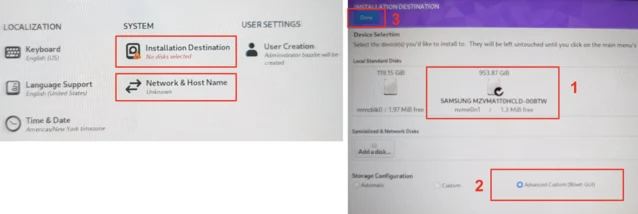
    Once in the installer, connect to your Wi-Fi network and create a new user with the name and username “deck.” Next, select the “Installation Destination.” It’s vital to have a keyboard connected here, as there is no on-screen keyboard available in the installer. Choose the free space on the right side of the disk layout that we created by shrinking Windows, and click the + button. You will need to create three different partitions. For each partition, select the free space and click the plus button. Assign each partition the following properties:

    After you’ve set up the three main partitions, a folder named btrfs.XXX will appear where you will need to create three btrfs sub-volumes. Select this folder and again click the plus button to create the following three sub-volumes. There’s no need to specify space here; just focus on the Mountpoint.

    Once your partition layout is correct, click “Done” in the upper left corner and “Accept the Changes” in the subsequent popup. This will take you back to the installation overview screen we saw earlier, and you can click “Begin Installation” in the bottom right corner. If everything is done correctly, after a few minutes, your device should reboot into Bazzite.

    Final Steps and Performance

    From this point, you can opt to install additional software like DeckyLoader and EmuDeck, but this step is optional. What you should end up with is a fully functioning Bazzite installation ready for use. Just sign into Steam as you would on a Steam Deck, and you’re set.

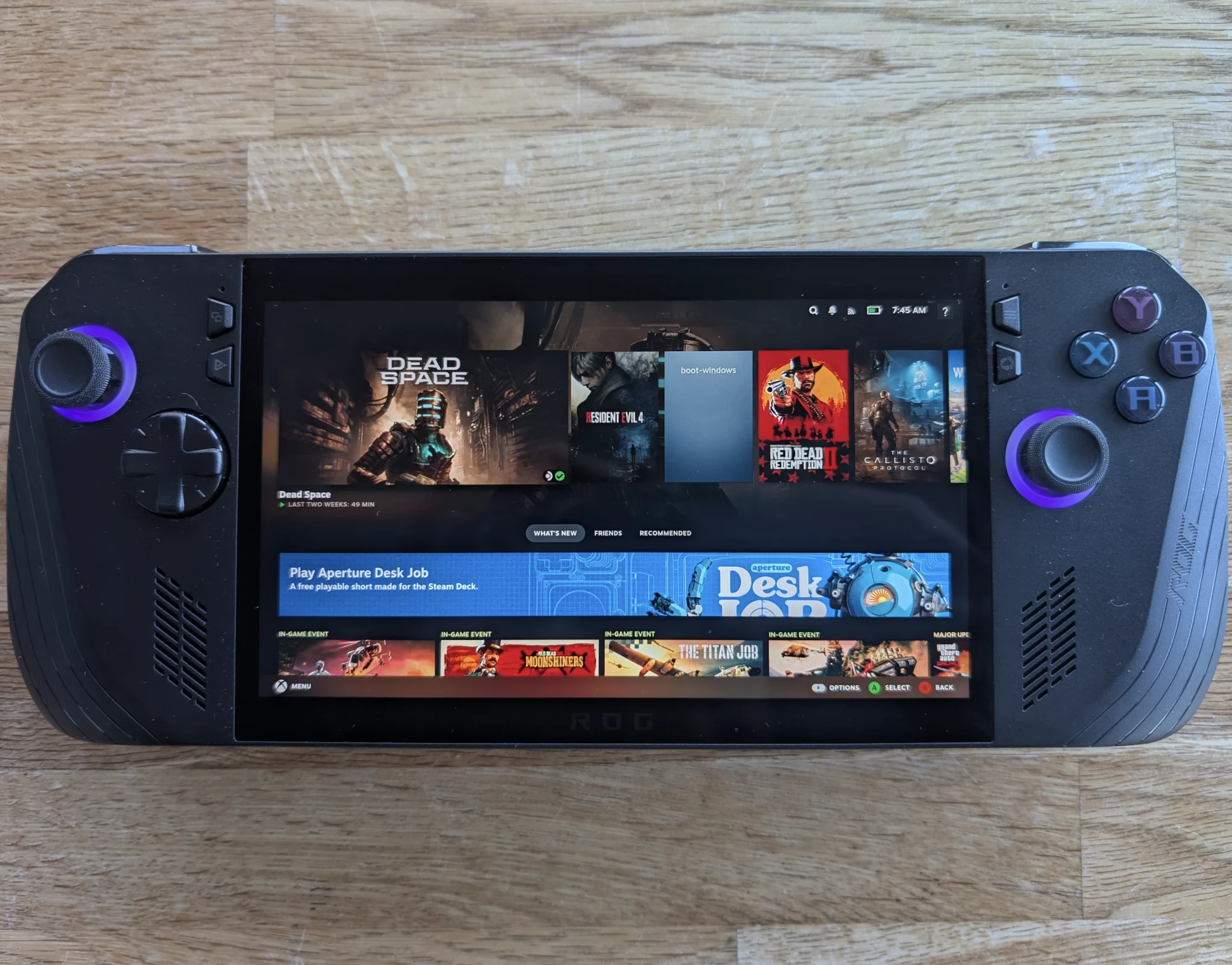
    Switching between Windows and Bazzite is as straightforward (or complex) as accessing the boot menu on your device and picking the installation you wish to use. Bazzite will be the default option during a normal boot unless you change the order in the BIOS. Alternatively, you can create a shortcut in Bazzite to boot into Windows automatically. To do this, navigate to the power menu, select “Switch to Desktop,” open a terminal window, and type:

    ujust setup-boot-windows-steam

    This action will add “boot-Windows” as a Non-Steam shortcut in your game library.

    Regardless of your feelings about Windows, Bazzite (and Steam OS) offers a much easier way to interact with your device, while keeping Windows as an option allows you to enjoy the best of both systems. With Bazzite, everything functions as intended. All buttons work properly, including the rear ones. The RGB on the Ally X is functional and customizable, TDP controls work well, and global scaling and filters like FSR operate correctly too. The major advantage is the ability to suspend your session by pressing the power button, allowing your device to resume right where you left off with minimal battery loss—something that has historically been problematic on Windows. It even comes with WayDroid pre-installed, enabling you to run Android apps as well.

    In terms of performance, I found both operating systems to be quite similar, but battery life improved significantly. Numerous users report enhanced performance in certain games when using Bazzite, though individual results may vary.

    Although an official Valve release of Steam OS is anticipated in just a few weeks as of late March 2025, Bazzite stands as a mature product that is easy to set up, fully functional, and compatible with nearly every handheld device, which is why many users consider it the top choice for handheld operating systems.

    Source:
    Link