
Key Takeaways
1. Xbox Full Screen Experience (FSE) is now available for standard Windows 11 desktops and laptops, initially launched for handheld gaming PCs.
2. To enable FSE, users must join the Xbox Insider Hub and switch to the Windows 11 Beta or Dev channel.
3. FSE allows users to bypass the regular desktop, offering a full-screen launcher with controller navigation and quick task switching via the Xbox Game Bar.
4. FSE reduces memory usage by pausing the regular Windows desktop, saving around 2 GB of RAM in tests compared to traditional desktop mode.
5. Microsoft aims to enhance the gaming experience on Windows 11 with FSE, positioning it as a console-like interface for desktops and handheld devices.
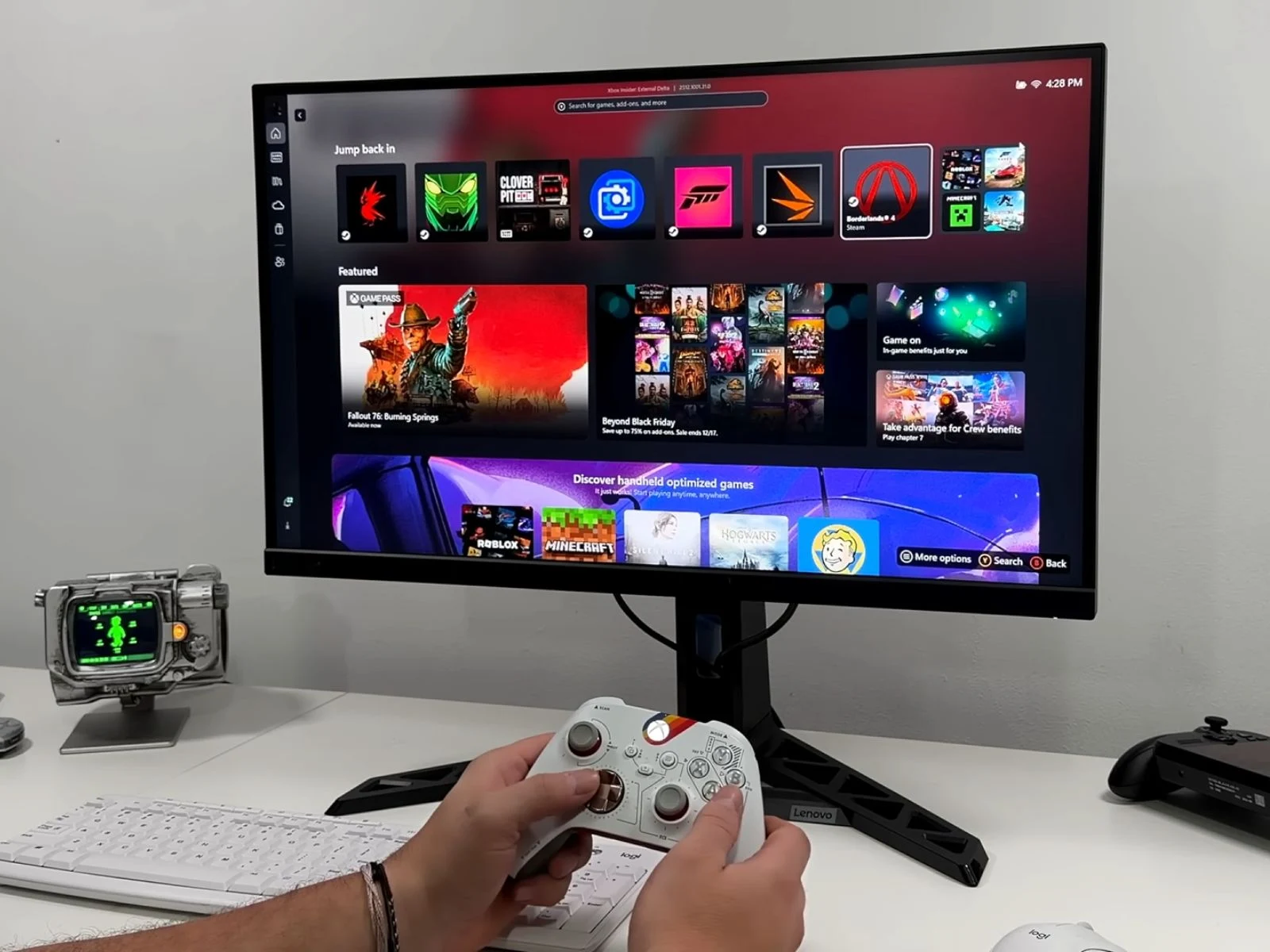
Microsoft has rolled out its Xbox Full Screen Experience (FSE), first launched with handheld gaming PCs like the Asus Xbox ROG Ally series, to standard Windows 11 desktops and laptops. According to a recent video from ETA Prime, you can enable this feature by signing up for the Xbox Insider Hub and switching to either the Windows 11 Beta or Dev channel, which will work on many types of hardware.
Overview of Features
After you set it up, FSE lets Windows 11 devices skip the regular desktop at startup and go straight to a full-screen launcher. Right now, you can only access the Xbox app as the home screen, but Microsoft has hinted that they might add support for more launchers in the future. The user interface allows for navigation using a controller and quick task switching via the Xbox Game Bar. By pressing the Xbox button, you can see a system-level switcher that shows all running apps and recently played games.
How to Activate FSE
Microsoft has made this feature available through its Insider Preview program, and users can activate it with some system updates and configuration changes. Here’s a quick summary of the process.
One interesting feature of FSE is its capability to pause the regular Windows desktop, which helps cut down on background processes and reduces memory usage. In tests conducted by the YouTuber, a gaming laptop with an Nvidia GeForce RTX 5050 used around 5.7 GB of RAM when running in FSE as opposed to 7.7 GB in the usual desktop mode, supporting Microsoft’s claim of saving close to 2 GB. This could be a big advantage for systems that have limited memory or rely on integrated graphics that share RAM.
Performance Insights
FSE on Windows 11 tries to replicate the multitasking experience of Xbox consoles, but it doesn’t exactly match the Quick Resume feature. In the video, ETA Prime shows switching between a low-demand indie game and a big title like Cyberpunk 2077, indicating that the interface can handle multiple games at once, but it still behaves differently compared to the reliable suspend-and-resume system found on Xbox consoles. It’s more of a refined game-focused ‘desktop alternative’ that allows quicker switching and fewer background tasks, but it still lacks the smoothness of the console experience.
When benchmarking Cyberpunk 2077 at 1080p Ultra settings on the RTX 5050, the performance differences between desktop mode and FSE were minimal. In multiple tests, FSE sometimes achieved 1–2 FPS higher averages, but these results were still within the normal margin of error. Currently, Full Screen Experience is only available in Windows Insider builds, and Microsoft has mentioned that more updates and features could come as it gets closer to a public release.
Future of FSE
By expanding FSE, Microsoft gives Windows 11 users a console-like interface that can help streamline setups in living rooms, handheld PCs, and regular desktops. With the anticipated launch of the Steam Machine, it seems Microsoft is positioning a more polished FSE to enhance its Windows gaming ecosystem and support new Xbox hardware, which is reportedly shifting toward a console–PC hybrid design.
Source:
Link
Leave a Reply