Tag: Lossless Scaling

  • Lossless Scaling Guide for Better Modding Results

    Lossless Scaling Guide for Better Modding Results

    Key Takeaway

    1. Lossless Scaling’s Frame Generation (FG) enhances framerates on various hardware platforms, especially useful for achieving smooth gameplay in demanding titles.
    2. It can offload frame generation to a secondary GPU, preserving performance and reducing latency, but may not work well with weaker integrated GPUs.
    3. Its primary practical use lies in improving motion clarity and visual sharpness, particularly for pixel art and older animations, rather than traditional game scaling.
    4. While helpful for non-competitive gaming, using FG in online multiplayer may impact fairness if it causes gameplay frame rate inconsistencies.

    Introduction to Lossless Scaling

    Lossless Scaling is an innovative tool that work very well in enhancing game visuals and performance, particularly on modern displays. It does this mainly by sharpening the image through integer and XBR scaling techniques, which makes pixel art games look crisper and more detailed on newer screens. Anime4K is also supported, helping clean up old cartoons effectively. However, it is important to note that while LS1, FSR, and NIS are options available for modern games, most players prefer utilizing built-in solutions like DLSS, FSR, or XeSS, since those are optimized for specific titles instead of relying solely on Lossless Scaling’s scaling methods.

    Using Frame Generation for Better Performance

    One of the coolest features of Lossless Scaling is its ability to offload Frame Generation to a second GPU. This is a brilliant way to get smoother gameplay at high frame rates without sacrificing base performance or increasing latency. The concept involves rerouting video through a secondary GPU, which can be especially useful for systems where the main GPU is already pushed to its limits. But, be aware that older or weaker integrated GPUs might not support this feature very well, which can limit its effectiveness. For more detailed explanation, a popular tech review has covered this in-depth, outlining the benefits and constraints of this approach.

    Considerations and Ethical Use

    Admittedly, Lossless Scaling Frame Generation isn’t a magic bullet for competitive gaming, and some might even consider it borderline as a form of cheating in serious tournaments. Still, it’s no different from features like G-Sync Pulsar or CRT monitors, which enhance motion clarity but aren’t necessarily used in official competitions. If you’re looking to improve motion smoothness for casual gaming, especially on a high-refresh rate display, FS1 can be a real godsend. However, you should ensure your system can reliably run the game at a steady 60 FPS with spare GPU capacity before enabling Frame Generation, or you risk disrupting the online experience with laggy or inconsistent performance, especially if you play online with rollback netcode. Remember, maintaining fair play is also your responsibility, so use these enhancements wisely.

    Sources
  • Boost Cyberpunk 2077 FPS to 80 with $250 Pocket eGPU at 1080p

    Boost Cyberpunk 2077 FPS to 80 with $250 Pocket eGPU at 1080p

    Key Takeaways

    1. ETA PRIME tested a portable gaming setup using the Lenovo Legion Go 2 and an external Adlink Pocket AI GPU dock powered by a battery.
    2. The Adlink Pocket AI, while not designed for gaming, enhances performance for light gaming and older titles with its Nvidia RTX A500 GPU.
    3. Lossless Scaling was used to improve frame rates significantly, with God of War: Ragnarok jumping from 35–40 FPS to around 70 FPS after activation.
    4. Cyberpunk 2077 performance improved from 45 FPS to approximately 80 FPS with Lossless Scaling enabled, showcasing the potential of dual-GPU configurations.
    5. The experiment demonstrated that a low-power external GPU can greatly enhance the gaming experience on handheld devices when properly configured.


    We recently observed the performance of a gaming handheld paired with an external GPU dock, but what occurs when we operate the whole setup on battery power and integrate lossless scaling? The well-known YouTuber, ETA PRIME, took on this challenge, and the findings are quite astonishing.

    Experimenting with Portable Gaming

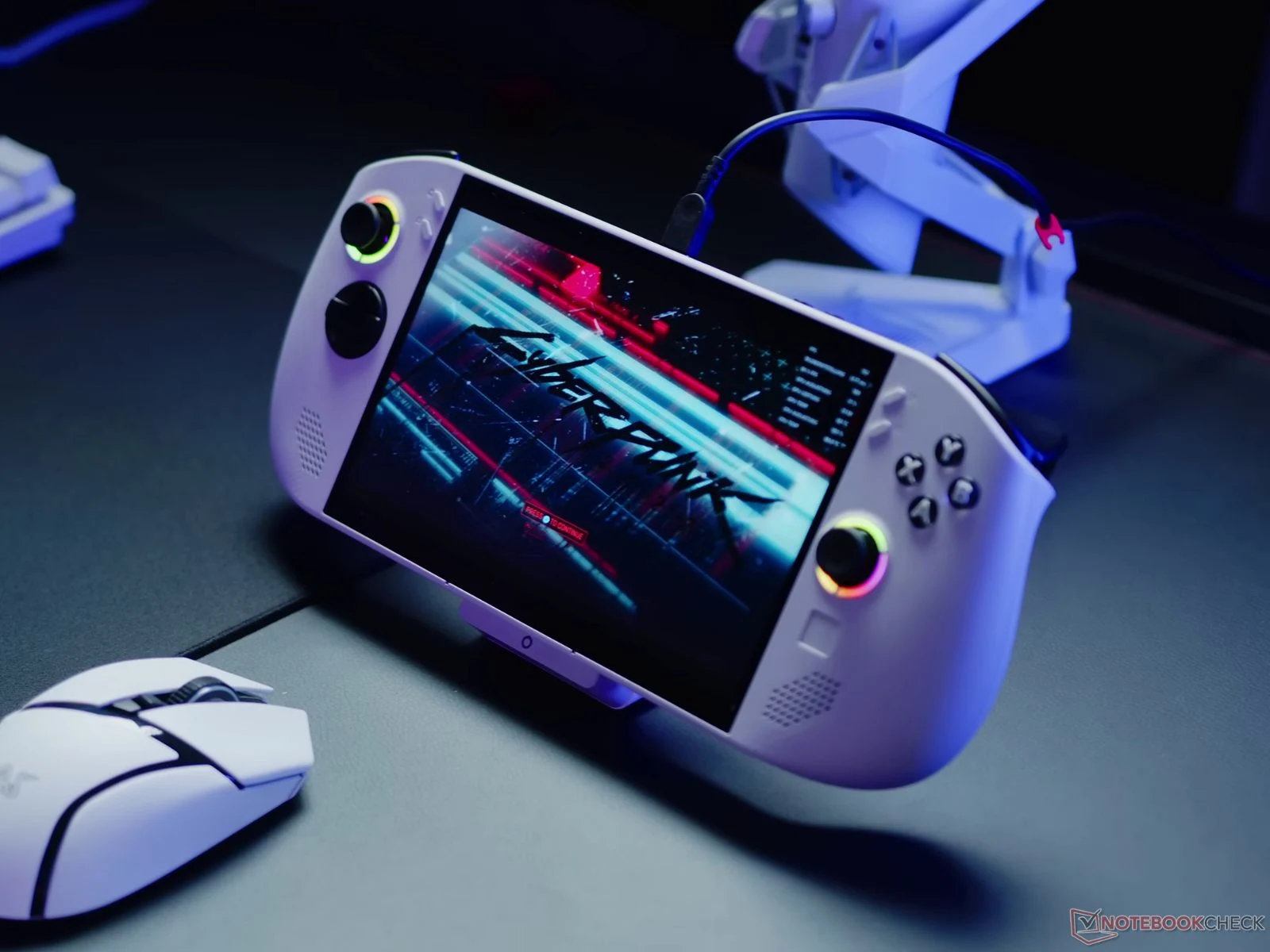
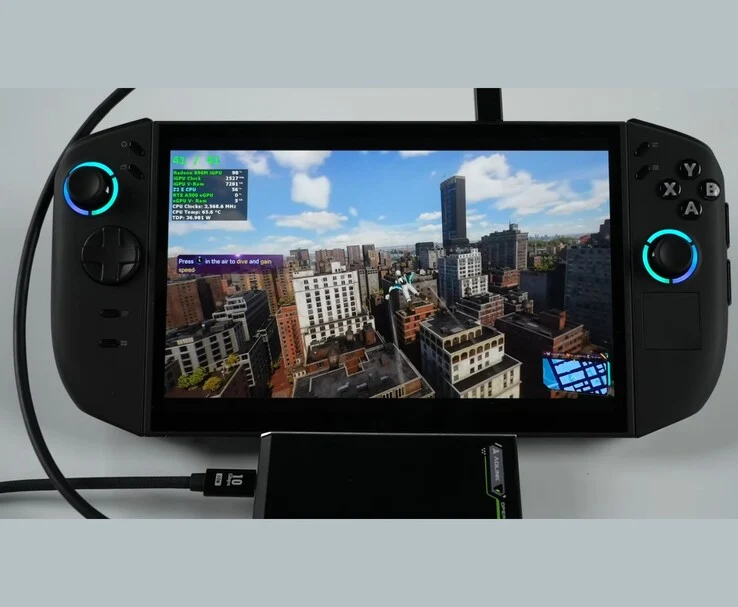
    In this new venture, ETA PRIME aimed to explore the boundaries of portable gaming by utilizing a fully battery-operated dual GPU configuration on the Lenovo Legion Go 2. To achieve this, the YouTuber connected the Lenovo Legion Go 2 to the Adlink Pocket AI GPU enclosure via the USB4 port. This external unit is equipped with an Nvidia RTX A500 GPU, which is entirely powered by a high-capacity power bank rather than a wall outlet.

    The Capabilities of the Adlink Pocket AI

    While the Adlink Pocket AI is not specifically designed for gaming, it can still manage light gaming and older games, providing a significant performance enhancement for systems lacking a dedicated graphics card. However, its primary goal is to enhance AI tasks, 3D rendering, and other professional computing needs.

    Since the Pocket AI GPU lacks any video output, all rendering occurred on the internal display of the Legion Go 2, with the frames generated sent back through the USB4 connection.

    Setting Up Lossless Scaling

    After connecting the hardware, the following step was to install the Lossless Scaling utility from Steam, which is a lightweight program that utilizes AI for frame generation. In Windows’ Graphics Settings, the YouTuber set the Radeon 890M iGPU as the main graphics processor for gaming, while assigning the external RTX A500 for frame generation. This ensured that the rendering tasks were divided between the two GPUs.

    With the configuration complete, testing began. The first game tested was God of War: Ragnarok, running at 1200p resolution on high settings with FSR set to Quality. The Lenovo Legion Go 2, using only the integrated Radeon 890M iGPU, managed around 35–40 FPS. However, once Lossless Scaling was activated, the frame rates surged to approximately 70 FPS.

    In this configuration, the external RTX A500 did not directly render the game, but rather generated interpolated frames that were sent back to the Legion Go 2’s internal display via the USB4 connection. The GPU enclosure consumed about 25 watts from the power bank, while the iGPU continued to manage native rendering tasks.

    Performance in Demanding Titles

    When testing Cyberpunk 2077, one of the more demanding games, the Ryzen Z2 Extreme APU initially had trouble maintaining 45 FPS at 1080p high settings with FSR Balanced mode. However, after enabling Lossless Scaling, the handheld jumped to the 80 FPS range, effectively doubling its smoothness. Even though the frame back-feed through the USB4 interface limited overall throughput, the frame pacing remained consistent.

    Given that both the Legion Go 2 and the external GPU enclosure were powered entirely by battery, this setup turned into a fully portable dual-GPU arrangement.

    In conclusion, the experiment revealed that with proper adjustments, even a low-power RTX A500 could significantly improve a handheld’s gaming performance. If you’re keen on replicating a similar setup, be sure to watch the full video linked below for a detailed guide.

    Source:
    Link


  • Intel GPU Hits 150 FPS in Cyberpunk 2077 and 120 FPS in Borderlands 4

    Intel GPU Hits 150 FPS in Cyberpunk 2077 and 120 FPS in Borderlands 4

    Key Takeaways

    1. Dual-GPU setups are making a comeback, leveraging new frame generation technologies like Lossless Scaling to enhance gaming performance.
    2. The YouTuber ETA PRIME demonstrated improved performance in games by using an Intel Arc A380 for frame generation alongside an Nvidia GeForce RTX 3060.
    3. In tests, frame rates significantly increased from below 60 FPS to over 120 FPS with Lossless Scaling enabled, especially at 2x scaling.
    4. The Arc A380 proved to be efficient, utilizing only 34 watts while achieving 70-80% utilization, compared to the higher utilization of the RTX 3060.
    5. This approach allows gamers with mid-range hardware to boost performance without needing to upgrade to high-end GPUs.


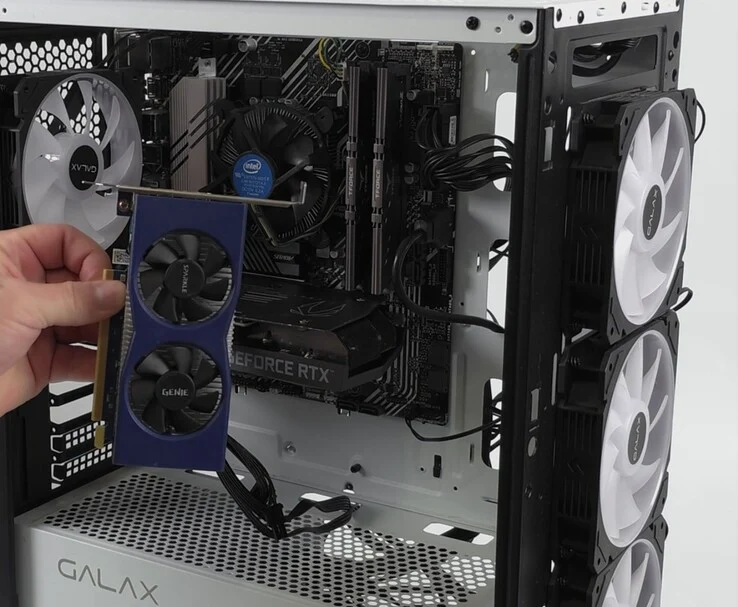
    Combining two GPUs to enhance gaming performance is an old technique that seems to be making a return thanks to new frame generation technologies. One notable application is Lossless Scaling, available on Steam, which uses machine learning to boost performance. The great thing about it is its compatibility with games lacking built-in frame generation features. YouTuber ETA PRIME recently demonstrated a dual-GPU configuration in a gaming PC, assigning one GPU specifically for the frame generation work.

    Components Used in the Setup

    In their gaming PC, the YouTuber included an Intel Core i5-11400F CPU, an Nvidia GeForce RTX 3060 GPU with 12GB of VRAM, and an Intel Arc A380, which has 6GB of VRAM. Additionally, the system was equipped with 16GB of RAM.

    Testing Performance

    After a quick setup, where the RTX 3060 was set as the primary GPU and the Lossless Scaling app was launched, the YouTuber began testing various games. The first game was Borderlands 4, played at 1440p with medium settings and DLSS set to balanced. The RTX 3060 alone struggled to keep a high frame rate, often dropping below 60 FPS. However, once the Arc A380 took on the frame generation task via Lossless Scaling, the performance significantly improved.

    With a fixed 2x multiplier, the system exceeded 120 FPS without any noticeable input lag, according to the YouTuber. Even when trying 3x scaling, the playability was stable, though 2x was identified as the ideal setting.

    Further Tests on Cyberpunk and Oblivion

    The next game tested was Cyberpunk 2077, at 1440p ultra settings with DLSS configured to quality. The RTX 3060, operating independently, averaged around 48 FPS. After enabling Lossless Scaling on the Arc A380, the generated frames boosted performance up to around 150 FPS.

    Notably, issues with HUD elements and crosshairs that were common in prior app versions were mostly resolved, leading to a smoother and more consistent gaming experience, as stated by the YouTuber.

    ETA PRIME also looked at Oblivion Remastered. At 1440p high settings, the RTX 3060 alone struggled to maintain 60 FPS. However, with Lossless Scaling set to 2x, the average performance comfortably surpassed 100 FPS, showcasing the secondary GPU’s capability for frame generation.

    Noteworthy Efficiency of the Arc A380

    One of the impressive aspects of this setup is the efficiency of the Arc A380. Even though it’s a budget-friendly card that doesn’t need external power, it managed frame generation with about 70–80% utilization and consumed only around 34 watts. In contrast, the RTX 3060’s utilization ranged from 90 to 100%.

    While this dual-GPU approach isn’t a substitute for upgrading to a high-end GPU, it presents a creative method to extract more performance from mid-range hardware, and many viewers seemed to echo this sentiment in the comments.

    One user mentioned their “1050 Ti has a new life”, while another stated they own an RTX 1660 Ti and plan to combine it with an RTX 2070 Super.

    Source:
    Link


  • Borderless Gaming 1.0 Revamp: DLSS-like Upscaling for All Games

    Borderless Gaming 1.0 Revamp: DLSS-like Upscaling for All Games

    Key Takeaways

    1. Borderless Gaming enables borderless full-screen mode for easier task switching on Steam.
    2. Version 1.0 features a new user interface and an improved engine for better game compatibility.
    3. The update allows for managing niche games and introduces app containers for personalized backgrounds and upscaling support.
    4. Upcoming features include BGUS, an upscaling algorithm, and BGFG, a frame generation technology.
    5. New profiles in Version 1.0 allow users to set game presets, control window sizes, mute sound, and lock the cursor, while consuming fewer resources and functioning offline.


    Borderless Gaming is a popular utility for gamers on Steam. It focuses on allowing games to run in a borderless full-screen mode, which makes it easier for players to switch between the game and other tasks. Although the software hasn’t received many updates lately, it appears that the developers have increased their efforts. The recent release of Version 1.0 comes with promises of more feature-rich updates in the near future.

    New Features in Version 1.0

    The latest version introduces several changes, including a revamped user interface that gives the tool a fresh and modern look. A key improvement is the new engine, which has reportedly been built from the ground up to enhance compatibility with a wider range of games.

    Enhanced Game Compatibility

    The developers assert that Borderless Gaming can now manage even the “most niche games” that users might try to run. Additionally, the update has brought in app containers, which allow users to play games with personalized backgrounds and also includes upscaling support.

    Upcoming Features

    The team behind Borderless Gaming has also indicated that a future version will feature BGUS, an upscaling algorithm that aims to provide DLSS-like enhancements for any game. They have also mentioned BGFG, a frame generation technology that will be included in future updates. With these advancements, Borderless Gaming could become a strong rival to Lossless Scaling, another third-party application.

    Returning to Version 1.0, this update adds profiles that let users set presets for individual games. This will improve control over window sizes, enable sound muting, and lock the cursor within the window. Moreover, the new engine is designed to consume fewer resources, and the application can now function offline. For more detailed information, you can check the patch notes available on Steam.

    Source:
    Link


  • Boost Elden Ring FPS on Lenovo Legion Go S with Lossless Scaling

    Boost Elden Ring FPS on Lenovo Legion Go S with Lossless Scaling

    Key Takeaways

    1. The Lenovo Legion Go S benefits significantly from Lossless Scaling, which boosts FPS in games without native support.
    2. The device features an 8-inch IPS display with a 120 Hz variable refresh rate, 32 GB of RAM, and an 8-core Ryzen Z1 Extreme processor.
    3. Performance tests showed Elden Ring’s FPS increased from 40-50 to 70-80 FPS with Lossless Scaling enabled.
    4. Oblivion Remastered’s FPS improved from 40 FPS to around 70 FPS after activating Lossless Scaling, resulting in smoother gameplay.
    5. Lossless Scaling enhances performance and battery life on handheld devices, making them more efficient for users.


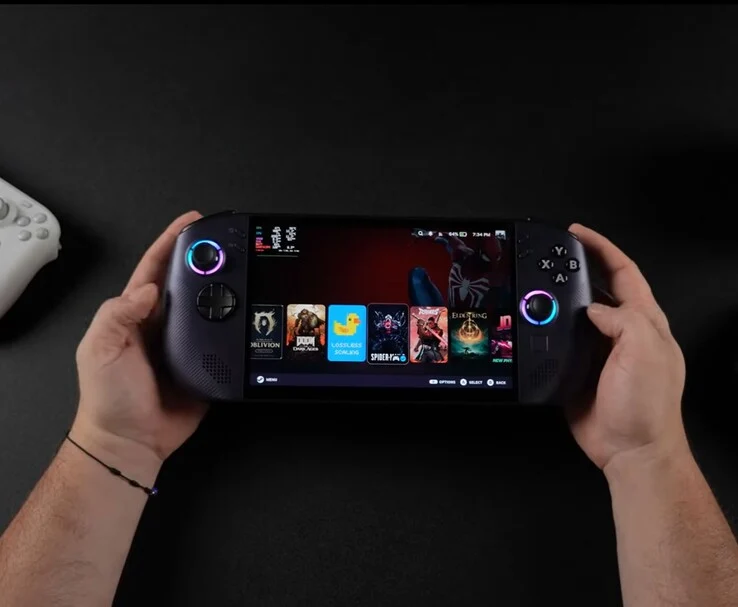
    A recent experiment conducted by YouTuber ETA PRIME shows how the Lenovo Legion Go S (now priced at $729 on Amazon) greatly advantages from Lossless Scaling. This is a frame generation tool that increases FPS in games that do not have native support. The video features the handheld device running SteamOS while playing games like Elden Ring and Oblivion Remastered at noticeably higher frame rates.

    Specifications Overview

    The Legion Go S showcased in the video comes equipped with an 8-inch IPS display that has a 120 Hz variable refresh rate. It also includes 32 GB of RAM and is powered by an 8-core, 16-thread Ryzen Z1 Extreme processor. This version, which runs on SteamOS, is distinct from the Windows version that uses the Ryzen Z2 Go APU, which we have previously reviewed, although many hardware design aspects are similar.

    Previously, we pointed out its comfortable grip, solid build quality, and the upscale feel of its large 8-inch screen. These features continue to highlight the unique aspects of the Legion Go S. For a detailed exploration of its design and user-friendliness, you can check out our complete review of the Windows version or watch the video.

    Performance Insights

    In performance evaluations, ETA PRIME observed that Elden Ring at 900p on high settings achieved around 40–50 FPS while using 18 W TDP. However, once Lossless Scaling was activated, the frame rate improved dramatically, averaging between 70 and 80 FPS.

    On the other hand, Oblivion Remastered initially provided an average of 40 FPS at 900p with medium settings when frame generation was off. After enabling FSR, it saw an increase to 60 FPS but experienced occasional drops to 55 FPS or lower. When ETA PRIME turned on Lossless Scaling at 2x, the game played smoothly, maintaining around 70 FPS and even hitting 80 FPS in some areas.

    Conclusion

    The core concept behind Lossless Scaling is straightforward: it seeks to enhance performance while consuming less power, thus prolonging battery life on handheld devices and making them more efficient for users on the go.

    ETA PRIME delves deeper into how Lossless Scaling functions on the SteamOS-powered Lenovo Legion Go S, so be sure to check out the complete video below. In it, they also examine Lossless Scaling in Cyberpunk 2077, where they encounter some ghosting issues, but you’ll gain a clearer understanding by watching it for yourself.

    Source:
    Link


  • Steam Deck Unofficial Lossless Scaling Plugin Promises 3x FPS Boost

    Steam Deck Unofficial Lossless Scaling Plugin Promises 3x FPS Boost

    Key Takeaways

    1. A new plug-in for the Steam Deck enables real-time frame generation, potentially doubling or tripling frame rates in various games, including significant improvements in titles like Elden Ring and Shadow of the Colossus.

    2. The plug-in is based on LSFG-VK, a Linux compatibility layer, but its creator, PancakeTAS, has distanced themselves from the Decky version, highlighting concerns about visual glitches and default settings.

    3. User reactions are mixed; while many praise the plug-in for its performance and ease of use, some report issues like input lag and amplified frame drops.

    4. The plug-in supports multiple graphics APIs (DirectX and Vulkan) and does not require changes to game files, making it accessible for users willing to purchase the Lossless Scaling app.

    5. The community has a history of friction over open-source collaborations, raising questions about proper acknowledgment and sharing practices within the gaming development space.


    A recent plug-in created by the community is said to be enabling real-time frame generation on the Steam Deck, causing some quiet debates in the gaming community. This plug-in, made for Decky Loader, adds Lossless Scaling Frame Generation (LSFG) directly into the SteamOS Gaming Mode. This means players could possibly double or even triple their frame rates in a wide range of games, from modern AAA releases to emulating PS2 classics. Early tests show that Elden Ring can jump from 30–40 FPS to about 80–90 FPS, while Shadow of the Colossus, when emulated, seems to exceed 100 FPS.

    Development Background

    This plug-in is built on LSFG-VK, a Linux compatibility layer created by PancakeTAS, who has since distanced themselves from the Decky version. In a message on Discord, they mentioned, “I was not involved in this Decky plugin… Please don’t judge LSFG‑VK based on this.” They criticized the standard 30% flow scale for leading to visual glitches and pointed out that performance mode is turned off by default, which they believe isn’t ideal for the Steam Deck’s hardware.

    User Reactions

    Despite these concerns, excitement is buzzing on Reddit, although many users are cautious about potential issues. One user, TheBLKMN, praised the plug-in’s straightforwardness and its performance, stating: “10/10, it just works. Don’t notice much visually, there is some slight lag felt, but that’s to be expected… Make the harder to run games look smoother, which is all I wanted!” Another user, soft‑tack, called LSFG “freaking amazing,” referring to it as “magic launch commands” that allow the Deck to achieve a DLSS-level of smoothness.

    A Word of Caution

    Nonetheless, some users have voiced concerns about its drawbacks. Fast_Trigger commented: “Input lag and artefacts are what killed it for me.” Similarly, Snowmobile2004 pointed out, “Lossless scaling can’t remove frame drops; if anything, it’ll amplify existing ones 2×.”

    Even with these critiques, the plug-in seems to be popular due to its ease of usage. It supports DirectX 9–12, Vulkan, and OpenGL, works with non-Steam games, and requires no changes to game files. To get started, users only need to purchase the Lossless Scaling app from Steam ($6.99), install the plug-in via Decky Loader, and set launch options for each game.

    Community Dynamics

    This situation isn’t the first instance of open-source collaborations causing friction. The community has faced similar issues before, such as Proton-GE being repackaged without acknowledgment, or GOverlay overlapping with MangoHUD without proper syncing. The ongoing question remains: when does sharing cross into the territory of stepping on others’ toes?

    Members of r/SteamDeck and the Decky Loader Discord recommend adjusting a few settings, like setting Flow Scale to 85–100%, turning on Performance Mode, and using a 2× FPS multiplier to find the right mix of responsiveness and visual clarity. For a detailed guide, check out the walkthrough video below—it’s definitely worth watching.

    Source:
    link


  • New Lossless Scaling Update: 2x Performance Boost & Visuals

    New Lossless Scaling Update: 2x Performance Boost & Visuals

    Key Takeaways

    1. Lossless Scaling 3.1 introduces a performance mode that can reduce GPU load by up to 2x.
    2. There may be a slight decrease in image quality with the performance mode, though some users might experience improved visuals due to higher frame rates.
    3. The update enhances image quality in Fixed Mode and Adaptive Mode, reducing flickering and ghosting effects.
    4. A smarter interface detection system has been added for better scaling of menus and displays.
    5. The update expands localization to include Finnish, Slovak, Toki Pona, Georgian, Greek, and Norwegian.


    Lossless Scaling version 3.1 has just gotten a significant update, marking it as a big release for the tool used for upscaling and generating frames. A key feature of this update is its performance mode, which reportedly can cut the GPU load by as much as 2x.

    Performance Trade-Offs

    However, this increase in performance might have a downside. The developer mentions that there might be a minor drop in image quality when using this mode, which can vary based on your settings and hardware. In some instances, though, users might actually notice a visual enhancement due to a higher base frame rate.

    Quality Enhancements

    Alongside the performance enhancements, the new update for Lossless Scaling 3.1 also aims to improve image quality in both Fixed Mode and Adaptive Mode. The update addresses issues like reduced object flickering and lesser ghosting effects, contributing to the overall quality upgrades in this version.

    Interface and Localization

    In addition, a smarter interface detection system has been introduced to ensure stable scaling of menus and heads-up displays. The update broadens its localization capabilities, now including Finnish, Slovak, Toki Pona, Georgian, Greek, and Norwegian. This suggests a growing international user base for the tool.

    If you didn’t catch it, the previous major update to Lossless Scaling introduced Adaptive Frame Generation (AFG). This feature helps to maintain a chosen frame rate in both soft-capped and hard-capped games. To find out more about this upscaling and frame generation tool, check out the video linked below.

    Source:
    Link

  • New Lossless Scaling Update: Adaptive Frame Generation Added

    New Lossless Scaling Update: Adaptive Frame Generation Added

    Key Takeaways

    1. New Feature: Lossless Scaling 3.1 introduces Adaptive Frame Generation (AFG) for smoother performance in games with frame rate limits.
    2. Dynamic Adjustments: AFG allows for fractional multipliers, improving frame rate consistency compared to fixed settings.
    3. GPU Load: AFG increases GPU load as it generates most frames, potentially impacting performance.
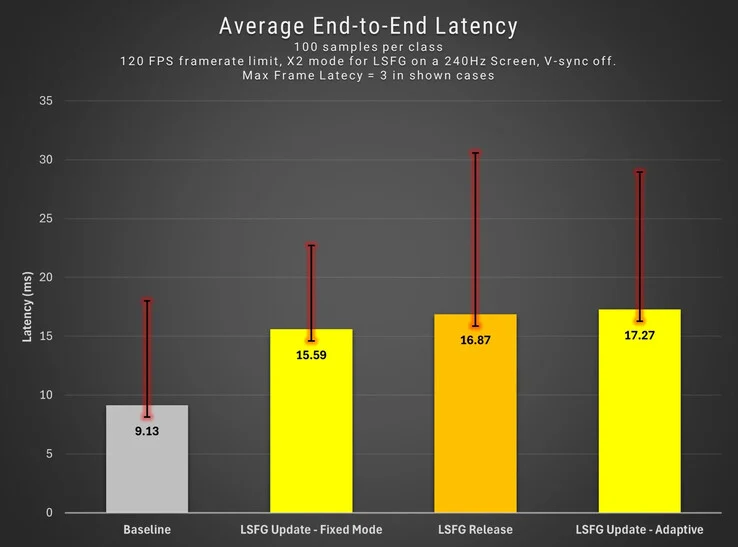
    4. Latency Increase: Users may experience higher latency, which can be twice as much when frame generation is active.
    5. Comparison to Competitors: Lossless Scaling is an alternative to AMD and Nvidia’s native features, but may not enhance gameplay as effectively.


    The paid upscaling and frame generation software Lossless Scaling has been updated to version 3.1. This latest version introduces a feature called Adaptive Frame Generation (AFG). The developers say this will be especially useful for games that have either soft or hard frame rate limits.

    Dynamic Adjustments

    With AFG, Lossless Scaling can now modify its settings to fit fractional multipliers, which helps games with frame rate caps to keep a desired frame rate. The developers claim that this feature delivers a smoother experience compared to the previous fixed frame multiplier setting.

    Potential Drawbacks

    Though this new addition sounds promising, there are some disadvantages. When Adaptive Frame Generation is active, Lossless Scaling will create the majority of the frames shown on screen. This can increase the load on the GPU. The developers also mention that image quality might see a slight decline, particularly when you compare it to the fixed multiplier mode.

    Latency Issues

    Moreover, users may experience a small rise in latency. As per the comparison provided by the developers, this could be twice as high as it is without any frame generation technology active. It’s important to note that the software will turn off frame generation if the base frame rate drops below 10 FPS. This is to minimize unnecessary GPU strain and to avoid excessive visual artifacts during loading screens.

    For those unfamiliar with Lossless Scaling, it serves as an alternative to the native upscaling and frame generation features offered by AMD and Nvidia. However, since this is not a feature at the driver level, it might not enhance gameplay as much as Nvidia’s Smooth Motion or AMD’s Fluid Motion Frames. For more information, check out the video linked below.

    Source:
    Link