Tag: GameHub

  • GameHub Adds Epic Games Store Integration, Portrait Mode, and More

    GameHub Adds Epic Games Store Integration, Portrait Mode, and More

    Key Takeaway

    1. The latest GameHub beta introduces support for the Epic Games Store on both PC and Mac.
    2. Users can expect a launch boost for several Steam games and the ability to add Retro games.
    3. New features are currently limited to the beta version, with no announced timeline for stable release.

    New Features in GameHub’s Beta Release

    GameHub, that popular app used for PC gaming emulation, has just dripped some new features into its beta build, but be aware they are not available in the regular version yet. The team has been working on improvements, and the latest beta update brings some long awaited capabilities, but only for those willing to test in the experimental version. Don’t expect these features in your daily use, but they’re promising.

    Epic Games Store Integration & Mac Support

    A recent post on X reveals that the newest beta of GameHub now support the Epic Games Store, which means you can check out a big library of games without switching apps. This feature has been sorely missing until now, especially considering that a competing app, GameNative, offered it since February 2026. Plus, Mac users are not left out, since support for Epic on Mac was also rolled out earlier this month, making it easier to access a wide variety of titles on different platforms.

    Performance Boosts & Additional Enhancements

    • Gamers will notice faster launches on certain Steam titles, improving overall experience.
    • The app now lets you upload your retro collection directly into the interface.
    • Support for vertical orientation has been added, making it more flexible for different screen setups.

    Keep in mind, these features are only available in the 6.0 beta, and there are important warnings from the developers. They explicitly state that you won’t be able to revert back to a previous version because of major changes to the core architecture. If you feel brave enough, you can download the beta from their source—just be aware it’s meant for testing only. No official date has been announced for when these capabilities will reach the stable release, so patience is key.

    Note on Stability and Future Updates

    Beta versions are always a bit unstable, but they offer a glimpse of what’s coming next. Users should keep in mind that new features might still have bugs or issues, so it’s best to use them with caution. We wait to see how these updates perform in the next full release, but for now, they represent a promising step forward for GameHub in making its platform more comparable to other emulation tools out there.

    Sources
  • GameSir Gamehub for Mac Now in Beta Release

    GameSir Gamehub for Mac Now in Beta Release

    Key Takeaway

    1. GameHub has launched a beta version for macOS, enabling users to emulate and play Windows PC games on Mac devices by integrating with Steam and potentially other stores like Epic Games Store.
    2. The software supports syncing of Steam library data, including account value, play time, and cloud saves, with added features like multiple Steam account support and local game import.
    3. The beta release aims to gather user feedback for future improvements, with the eventual stable version depending on development progress and user input.

    GameHub Mac Version Now Available in Beta

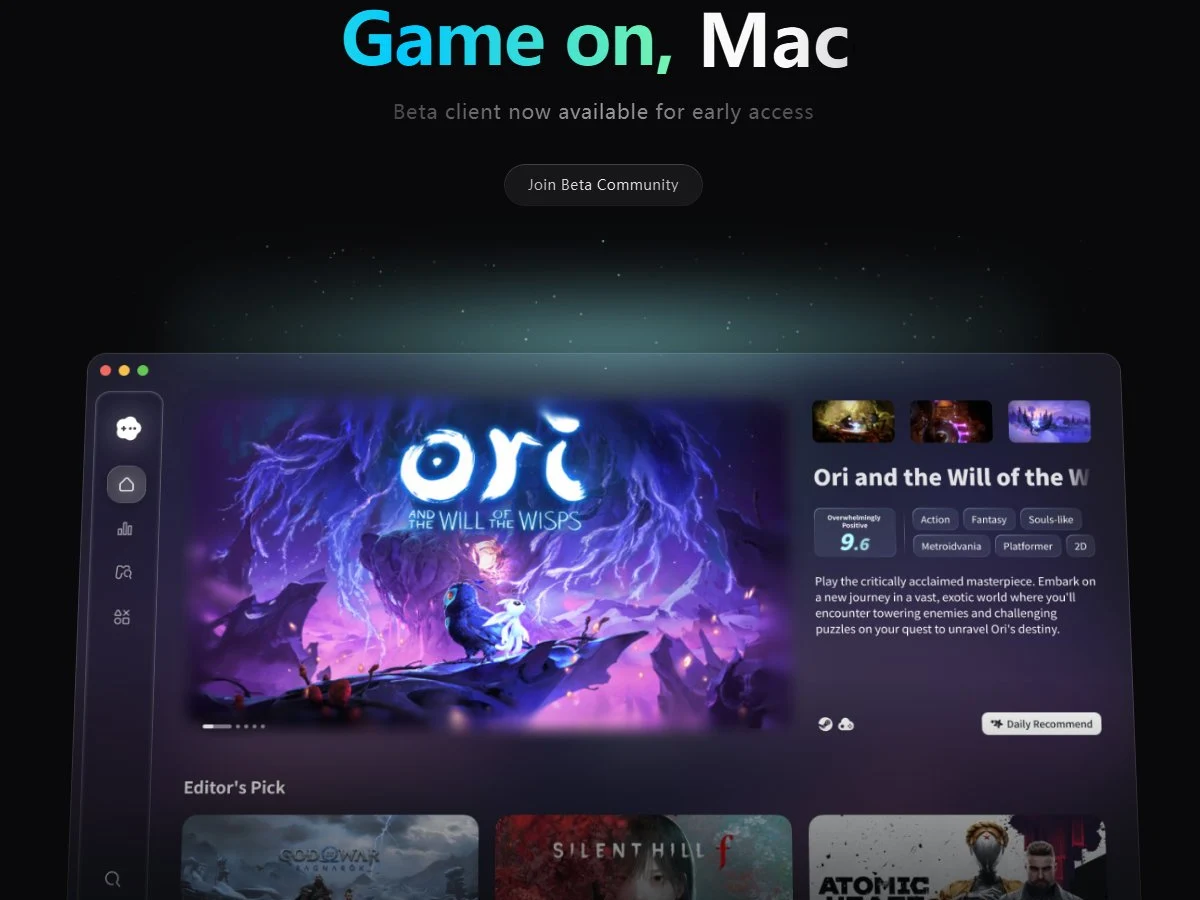
    Nearly two months after announcing its plans to bringing the PC gaming emulation software, GameHub, to macOS, GameSir has now released it, but only as a beta. The software originally focus on Android, allowing users to emulate Windows games on their devices, mainly through signing into their Steam accounts and playing PC games. For macOS users, the experience is now extended making it possible to enjoy the same features.

    Features and Compatibility

    The official anouncment from GameHub mentioned that the beta version for macOS lets users log into Steam, browse their library, install games, and start playing. They also claim it will sync game data such as play time, account value, and cloud saves across devices. This is promising for gamers who want their progress to stay consistent.

    Furthermore, support has been added for the Epic Games Store, which was not available on the Android version. Other competing apps like GameNative for Android has recently added Epic Store support, along with GOG and Amazon Luna integration. These features make GameHub more versatile for users who own games on multiple platforms.

    Additional Features & Community Access

    The app for macOS also supports multiple Steam accounts, personalized compatibility profiles, and importing local games from the system. Interested users are encouraged to sign up for the beta and join the Discord channel for community discussions. This beta approach helps developers gather feedback to fine-tune the software before a full release.

    The team at GameSir emphasizes that the stable version will depend on user feedback and how the development progresses. They are using this initial phase to improve the overall user experience and expand functionality where needed.

    Sources
  • Resident Evil Requiem: 100 FPS on Android Flagship via Emulation

    Resident Evil Requiem: 100 FPS on Android Flagship via Emulation

    Key Takeaways

    1. Cross-Platform Performance: Resident Evil Requiem runs effectively on unsupported platforms like MacBooks and Linux, showcasing its broad compatibility.

    2. Android Emulation Success: The game has been successfully emulated on an Android smartphone (RedMagic 11 Pro) using the GameHub application, allowing direct play without cloud gaming.

    3. Variable Performance: Frame rates vary significantly; indoor scenes often achieve 60-70 FPS, while outdoor areas can drop to around 40-45 FPS due to increased graphical demand.

    4. Memory Requirements: The tested device with 16 GB of RAM is crucial for smooth emulation, while devices with 8 GB may struggle, and those with 12 GB might face limitations.

    5. Future of ARM Gaming: The advancements in ARM devices may lead to improved x86-to-ARM translation tools, potentially benefiting future gaming platforms like Valve’s upcoming ARM initiatives.


    Capcom’s latest entry, Resident Evil Requiem, has just made its debut on both PC and consoles, yet early tests are already revealing its capabilities on platforms not officially supported. For example, the game has been observed to run effectively on MacBooks, despite a lack of a dedicated macOS version, and it has also performed well on a widely-used Linux distribution.

    Android Emulation Test

    In a new experiment shared by the YouTube channel ETA Prime, the PC version of the game has been demonstrated running on an Android smartphone through emulation. The testing took place on the RedMagic 11 Pro, a device we gave a favorable review to last year. This smartphone is equipped with the powerful Snapdragon 8 Elite Gen 5 processor. Instead of utilizing cloud gaming or streaming, the game is emulated directly via the GameHub application, which allows users to run Steam games on their Android devices.

    The results from the tests indicate that the game starts up with minimal configuration and can achieve 720p resolution with low settings, utilizing AMD FidelityFX Super Resolution (FSR 3.1) in Performance mode. The frame generation feature was turned off due to stability concerns during the tests, but the GameHub does offer optional super-resolution scaling.

    Performance Insights

    When it comes to performance on the Red Magic 11 Pro, it varied significantly based on the scene. Indoor locations, which are prevalent in the game, performed remarkably well, with frame rates frequently reaching the 60-70 FPS mark when the cap is removed. In tighter spaces, the frame rate even soared to as high as 100 FPS.

    However, outdoor areas proved to be more challenging. In expansive settings with more graphics and action, the performance dipped to around 40-45 FPS. The testing was done using the phone’s “Rise” performance mode to enhance CPU and GPU speeds. Even though the device is equipped with a cooling fan and liquid cooling system, prolonged use still leads to thermal throttling. Emulating PC games can be very taxing for mobile devices, and the Snapdragon chip can consume more than 20 watts while attempting to sustain performance.

    Memory Considerations

    Memory is also a crucial factor in this setup. The Red Magic device tested comes with 16 GB of RAM, which seems to be necessary for running modern PC games through emulation efficiently. The creator mentions that devices with only 8 GB of RAM might face difficulties, while those with 12 GB could work but may still face limitations depending on the specific game.

    Although this configuration is far from a substitute for handheld PCs like the Steam Deck or ROG Ally, the findings highlight the rapid advancements in ARM devices. The creator also hints that future ARM-based gaming platforms, such as Valve’s anticipated ARM hardware initiatives, might speed up the development of improved x86-to-ARM translation tools.

    Source:
    Link


  • GameSir GameHub: Play Steam PC Games on Mac Easily

    GameSir GameHub: Play Steam PC Games on Mac Easily

    Key Takeaways

    1. GameSir’s GameHub app allows users to play PC games on Android devices and connect their Steam accounts.
    2. GameHub will soon be available on macOS, enabling Mac users to play Windows and Steam games.
    3. The macOS version will include control over game settings like AI image upscaling, graphics performance, color mode, and VSync mode.
    4. No specific release date has been announced for the macOS version, but it is expected to launch “soon.”
    5. The iOS version of GameHub does not have the PC emulator feature and only serves as a calibration tool for GameSir controllers.


    GameSir’s GameHub is a well-liked app that includes a PC emulator function, enabling users to enjoy PC games on their Android devices. The app allows users to connect their Steam accounts to their devices, providing access to their game library. Recently, GameSir has shared news that the app will soon be available on a new platform.

    GameHub’s Expansion to macOS

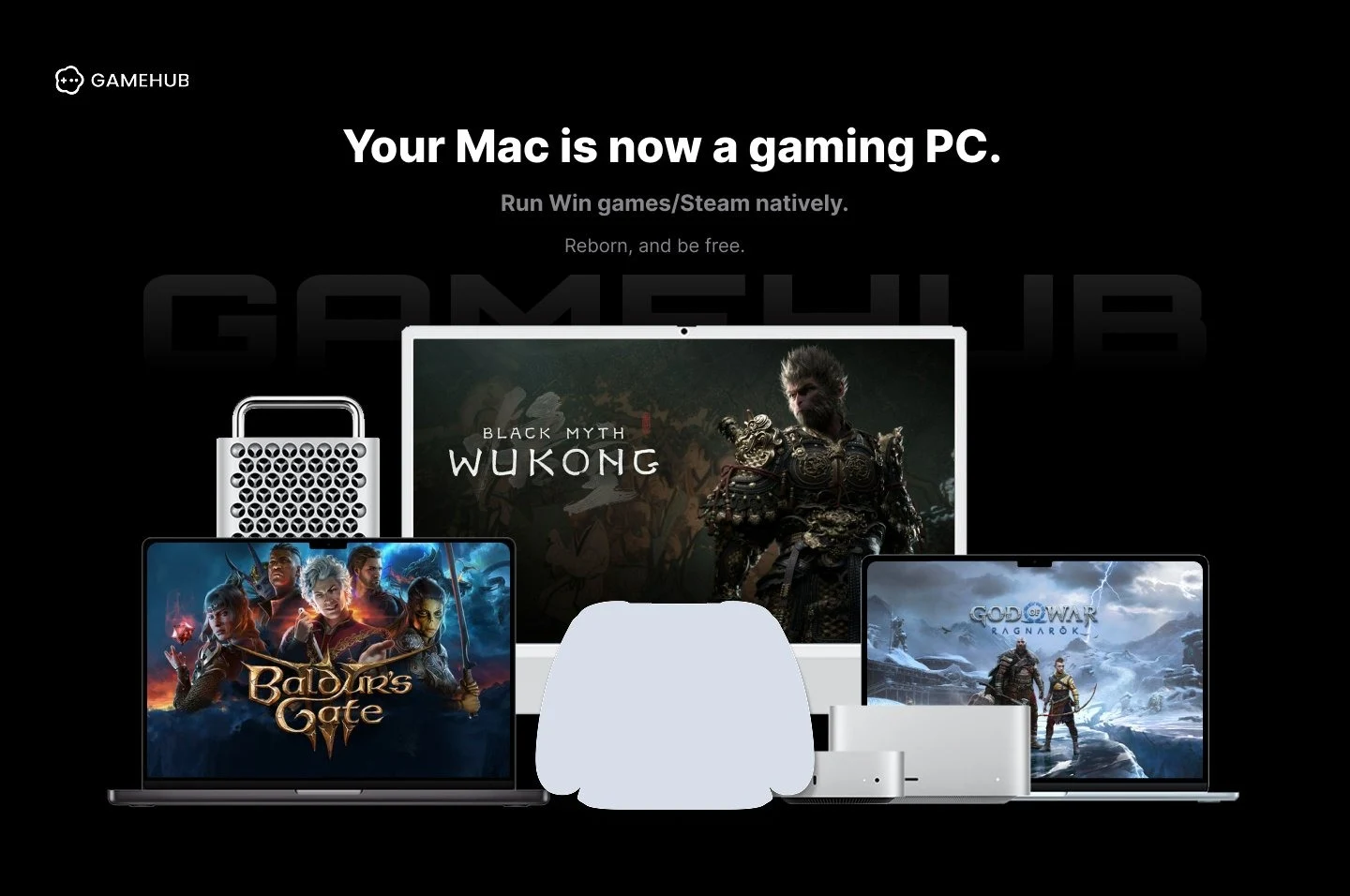
    An announcement made on its official X account indicates that GameHub will soon be available for macOS. With this new addition, users will be able to play Windows and Steam games on their MacBook, iMac, Mac Studio, Mac Mini, and iMac.

    Features and Control Options

    An image shared in the announcement reveals that GameHub for Mac will offer users control over various game settings. This includes the ability to adjust features like AI image upscaling (super-resolution), graphics performance, color mode, and VSync mode. Although GameSir has not specified a release date, the announcement mentions it is “coming soon”.

    There is also a GameHub app for iOS; however, unlike the Android version, it lacks the PC emulator feature and only serves as a calibration tool for GameSir controllers. Unfortunately, there is no information about when or if PC emulation will be added to the iOS version.

    Source:
    Link


  • Windows Game Emulator for Android with Steam Support Now on Google Play

    Windows Game Emulator for Android with Steam Support Now on Google Play

    Key Takeaways

    1. GameHub, developed by GameSir, is a notable player in the Android Windows game emulator market, previously known as GameFusion.
    2. Recent updates have introduced Steam support, making it easier to install PC games on Android devices.
    3. GameHub is now available on the Play Store, providing users with enhanced security measures compared to sideloading from the website.
    4. The Play Store version is limited to Steam games, while the version on the GameHub website supports non-Steam titles.
    5. Game performance may vary; some games require adjustments, and a high-end smartphone is recommended for demanding titles. A physical mobile controller is suggested for better gameplay.


    The Android Windows game emulator market features a few main contenders, and one notable player is GameHub. This tool comes from the accessory brand GameSir and was first launched under the name GameFusion before its rebranding. Since it first hit the scene, this PC game emulation software has seen regular updates, with Steam support being a standout feature.

    New Features and Easy Access

    With its latest updates, GameSir has implemented support for Steam downloads, simplifying the process of installing PC games on an Android device. Getting the Windows game emulator on a smartphone has become much more straightforward than it used to be.

    In the past, users had to sideload the emulator from the GameHub website, which wasn’t overly complicated, but now that it’s available on the Play Store, users benefit from the added security measures that Google has put in place on their platform.

    Limitations of the Emulator

    It’s important to point out that the version found on the Play Store is specifically designed for playing PC games on Android devices via Steam, adhering to the store’s regulations. In contrast, the version available on the official GameHub website supports non-Steam titles as well.

    Another aspect to consider is that the Android PC game emulator doesn’t guarantee an optimal experience for every game. Some titles might require adjustments, and more demanding games may not run well without a high-end smartphone. Many users also suggest using a physical mobile controller for a better gaming experience, such as the GameSir X5s, currently priced at $44.99 on Amazon. You can check the video below for more details about GameHub.

    Source:
    Link


  • GameHub: Boost FPS with Updated Windows Game Emulator for Android

    GameHub: Boost FPS with Updated Windows Game Emulator for Android

    Key Takeaways

    1. GameSir released version 5.1.0 of GameHub, enhancing emulation capabilities and compatibility for AAA titles.
    2. The update allows for improved FPS, achieving 90 FPS or more on Snapdragon 8 Elite devices for certain games.
    3. GameHub can maintain a minimum of 50 FPS on Snapdragon 8 Elite while playing select titles at 720p with medium to low graphics settings.
    4. Version 5.1.0 improves Steam integration, addressing previous cloud syncing issues and enhancing stability.
    5. The update introduces bug fixes, more emulator settings, and improved on-screen joystick controls, while recommending the use of physical controllers for better performance.


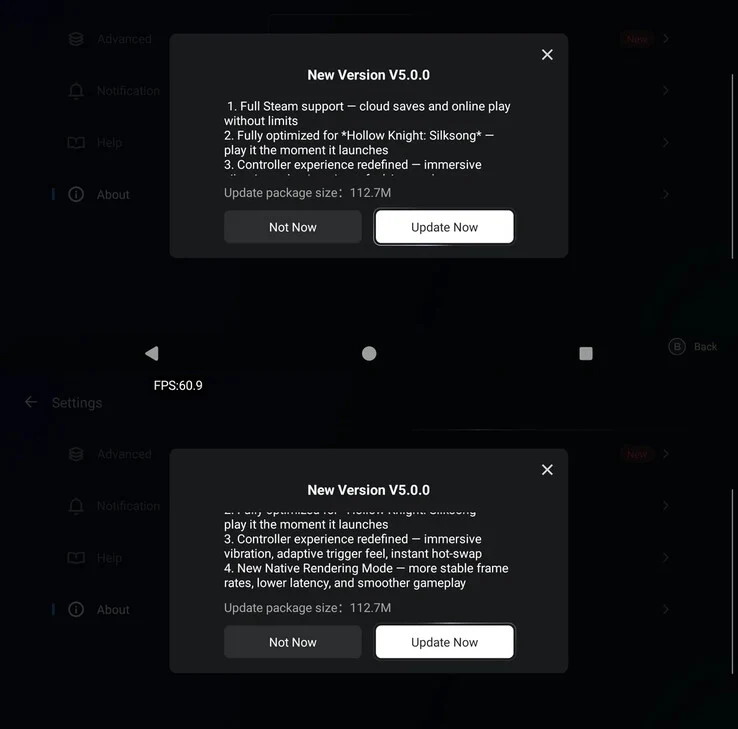
    GameSir has rolled out a significant update for its Android Windows game emulator, named GameHub. Recently, they unveiled version 5.0 of the app, which introduced optimizations for Hollow Knight: Silksong, support for Steam, and enhancements to performance.

    Exciting New Features in Version 5.1.0

    The new update, labeled version 5.1.0, aims to deliver even greater emulation capabilities. Specifically, GameSir claims that this update brings substantial compatibility enhancements, allowing for improved FPS in a majority of AAA titles.

    According to the company’s internal tests, the latest version of GameHub for Windows can achieve 90 FPS or more on devices powered by Snapdragon 8 Elite while playing games such as:

    Performance Metrics and Compatibility

    GameSir also points out that the emulator can maintain a minimum of 50 FPS on the Snapdragon 8 Elite while playing titles like:

    It’s important to mention that these games were tested at a resolution of 720p with medium to low graphics settings. In addition to the FPS boost during emulation, GameHub v5.1 broadens its support for DX11 games on older ARM devices, and also improves how the emulator works with Steam.

    In the earlier version, v5.0.5, the emulator provided “full” Steam support, which included cloud save synchronization and the ability to engage in multiplayer gaming. With this new release, GameSir guarantees improved stability for Steam, which should address the cloud syncing issues that users have encountered previously.

    Additional Enhancements and Download Information

    Aside from these improvements, version 5.1.0 resolves known bugs, introduces more settings for the emulator, and fine-tunes on-screen joystick controls, although using a physical controller (like the 8Bitdo Ultimate mobile controller priced at $39.99 on Amazon) is still recommended for a better overall gaming experience. You can get the latest version of this Android Windows PC game emulator from the official website.


  • GameSir Android Emulator Update: Hollow Knight Silksong Optimized

    GameSir Android Emulator Update: Hollow Knight Silksong Optimized

    Key Takeaways

    1. GameHub 5.0 fully optimizes Hollow Knight: Silksong for mobile gamers.
    2. The update includes complete support for Steam, allowing cloud saves and online gaming.
    3. Users may experience syncing issues with Steam, but switching out of “lightweight” mode can help.
    4. Enhanced controller experience with immersive vibrations and adaptive triggers is introduced.
    5. GameHub 5.0 features a new “native rendering mode” for improved frame rates and smoother gameplay.


    GameSir has rolled out a new update for its Windows game emulator for Android, called GameHub, now at version 5.0. A standout feature of this update is its full optimization for Hollow Knight: Silksong, enabling mobile gamers to enjoy this highly-rated, freshly launched action-adventure title on their smartphones.

    Additional Enhancements

    This update isn’t just about Hollow Knight. GameHub version 5.0 also brings complete support for Steam, giving users the ability to access cloud saves and online gaming through the Windows emulator for Android. This means that players can easily keep their game progress consistent across different devices, which is a significant advantage for those who switch between them. Some initial users have mentioned that their achievements and playtime are also syncing correctly after this update.

    Syncing Issues and Solutions

    It’s important to highlight that the Steam sync feature may not always work perfectly right away in certain cases. However, some users on Reddit recommend switching Steam’s client out of “lightweight” mode for a better experience overall.

    Improved Controller Experience

    The latest update also promises an enhanced controller experience (GameSir G8 Plus currently priced at $79.99 on Amazon). It introduces support for “immersive” vibrations and adaptive triggers. GameSir emphasizes that GameHub 5.0 incorporates a new “native rendering mode,” which is claimed to provide consistent frame rates, smoother gameplay, and reduced latency.

    While GameSir hasn’t shared any specific before-and-after performance metrics, numerous users have observed a noticeable increase in performance. For instance, one user on r/EmulationOnAndroid noted a nearly 2x FPS boost in GTA V. Naturally, the emulation efficiency is largely influenced by the phone’s hardware, but GameHub is widely recognized for its stable performance on most devices, including those equipped with a Mali GPU.

    Source:
    Link


  • GameHub Update Boosts Windows Game Emulation for Android Phones

    GameHub Update Boosts Windows Game Emulation for Android Phones

    Key Takeaways

    1. GameHub Update: GameSir has released a significant update for the GameHub emulator, improving performance for non-Snapdragon devices, particularly those with Dimensity 9000 to 9400 processors.

    2. Enhanced Emulation Performance: The updated GameHub is expected to deliver performance comparable to high-end devices featuring Qualcomm’s Adreno GPU.

    3. MediaTek Advantage: Some flagship MediaTek smartphones may surpass Windows game emulation capabilities of similar Snapdragon devices due to optimized handling of Mali GPUs.

    4. Technical Challenges Addressed: GameSir has tackled issues like poor Vulkan implementation, unstable shader compilers, and unoptimized resource scheduling to enhance performance.

    5. Future Driver Development: GameSir plans to work with MediaTek to create custom Mali GPU drivers, aiming to match the optimization levels of Adreno Turnip drivers for better PC game emulation on Android.


    While Winlator is recognized as one of the more prominent Windows game emulators available for Android devices, GameHub is quickly gaining traction among mobile gamers. Developed by GameSir, the company has recently released a significant update for its PC game emulator. This updated version is claimed to enhance emulation performance on devices that do not use Snapdragon processors.

    Targeted Devices

    However, not every non-Snapdragon device will benefit from this update. GameSir has specifically pointed out that users with smartphones equipped with Dimensity 9000 to 9400 processors will see the most improvements. Regarding the performance of the updated GameHub in terms of PC game emulation, GameSir mentions it will be “comparable” to high-end devices that feature Qualcomm’s Adreno GPU.

    Performance Insights

    Interestingly, some flagship MediaTek smartphones are said to “even surpass” the Windows game emulation capabilities of similar Snapdragon devices. GameSir explains that the GameHub team achieved this by thoroughly addressing the technical challenges often associated with Mali GPUs. One such challenge is the “unsatisfactory Vulkan implementation” that these GPUs are known for.

    Additionally, the team has investigated problems like “unstable” shader compilers and “unoptimized” resource scheduling. GameSir emphasizes that they have made runtime optimizations when the driver’s functionality did not quite meet expectations.

    Future Collaborations

    What’s even more exciting is that GameSir has committed to collaborating with MediaTek to develop custom Mali GPU drivers. If these new drivers can match the optimization levels of the Adreno Turnip drivers, it would be fantastic news for PC game emulation on Android devices (GameSir G8 Plus mobile controller curr. $79.99 on Amazon).

    Source:
    Link