Tag: Android 14

  • Samsung Launches One UI 6 Update for Galaxy A52, A23 4G, and Tab S6 Lite

    Samsung Launches One UI 6 Update for Galaxy A52, A23 4G, and Tab S6 Lite

    Samsung Introduces Android 14 Featuring One UI 6 for Galaxy Devices

    Samsung has initiated the release of the long-awaited Android 14 update, accompanied by the new One UI 6 interface, for a variety of devices such as the Galaxy A52, Galaxy A23 4G, and Galaxy Tab S6 Lite (2022). These updates introduce a plethora of fresh features and enhancements, concentrating on augmenting user interface intricacies and functionality.

    Galaxy A23 4G Update Particulars

    For those utilizing the Galaxy A23 4G, the update encompasses the security patch from November 2023 and is packaged with firmware versions A235FXXU4DWL1 (Russia) or A235MUBU4DWL1 (Panama). Notably, the South Korean version, SM-A235N, is presently excluded from the update rollout.

    Galaxy A52 Update Particulars

    Galaxy A52 users will be granted the update characterized by firmware concluding with EWL3 along with the security patch from December 2023. The update’s size is roughly 2.2GB, and its accessibility might fluctuate across diverse regions, suggesting patience on the part of users.

    Galaxy Tab S6 Lite (2022) Update Particulars

    The Android 14 update is also reaching the Galaxy Tab S6 Lite (2022), boasting firmware version P613XXU4CWL1. However, it adheres to the November 2023 security patch rather than the most recent January 2024 variant. Currently, the update is accessible in France and several other European regions, with a wider distribution anticipated soon.

    To ascertain the presence of the update on your Galaxy A52, Galaxy A23 4G, or Galaxy Tab S6 Lite (2022), simply navigate to the Settings menu on your device, access "Software update," and opt for "Download and install."

    Fresh Additions in One UI 6

    One UI 6 introduces notable changes to Samsung devices.

    • The Quick Panel has undergone a redesign, offering improved access to frequently used settings.
    • A new font has been introduced to invigorate the overall visual appeal.
    • Music enthusiasts will delight in discovering a new media player widget for lock screen and notification management.
    • Customization possibilities have been expanded, encompassing a variety of font and placement choices for the lock screen clock widget, alongside two novel widgets: "Custom Camera" and "Weather Insights."
    • The Settings application has been enhanced with a dedicated Battery segment and a streamlined camera interface.
    • The weather application now furnishes more detailed location-based insights.
    • Samsung has streamlined the app drawer and home screen by eliminating its branding from stock app icons.

    With the Android 14 update and One UI 6, Samsung is ushering in an array of exhilarating new features and enhancements to its devices. Users can anticipate a revamped user interface, enhanced functionality, and a more tailored user experience.
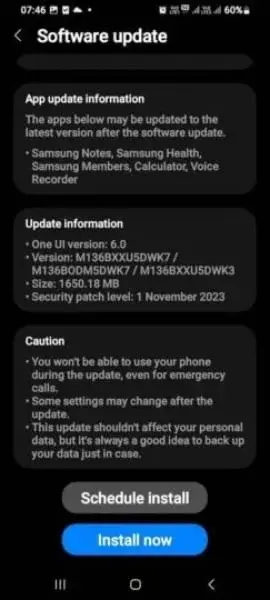
  • Samsung introduces Android 14 on budget Galaxy M13 5G

    Samsung introduces Android 14 on budget Galaxy M13 5G

    Samsung Releases Android 14 and One UI 6.0 Update for Galaxy M13 5G

    Samsung has announced that the Android 14 and One UI 6.0 update is now available for the budget-friendly Galaxy M13 5G, expanding beyond flagship and mid-range models. This update, which brings a range of interface enhancements and app updates to the M13 5G, is initially rolling out to users in India.

    Interface Improvements

    The update introduces a more streamlined Quick Panel, ensuring that frequently used settings are easily accessible. Users will also benefit from a refreshed emoji library that enhances communication expressiveness. Moreover, a modern default font has been incorporated to improve clarity. The media player widget now features a dynamic waveform animation, while the lock screen clock widget offers increased personalization options in terms of size, style, and placement.

    Application Enhancements

    Samsung’s stock apps, such as Gallery, Internet, Messages, Phone, and Reminders, have been updated with a fresh look. Some apps have even undergone a cleaner appearance by removing the "Samsung" branding. The built-in photo editor now boasts easier-to-navigate controls for editing photos. Additionally, a dedicated video editor named "Studio" addresses users’ video editing requirements.

    Significant Update

    This update is the second major upgrade for the Galaxy M13 5G since its launch with Android 12. Following the Android 13 update last year, the phone is now promised two more major updates, extending its eligibility up to Android 16. To install the latest update, users can follow the steps: Settings > Software update > Download and install on their smartphones.

    Device Specifications

    To recap, the Galaxy M13 5G features a 6.6-inch LCD display with FHD+ resolution. It is equipped with an Exynos 850 SoC and a 5000mAh battery. The phone offers 4GB of RAM and 64GB of storage, with 15W charging capabilities. In terms of photography, it includes a 50MP primary camera, a 5MP ultrawide lens, and a 2MP depth sensor on the rear. For selfies, there is an 8MP front-facing camera.

    Keep an eye out for further updates on Samsung’s Android 14 and One UI 6.0 rollout as it reaches more devices.

  • Galaxy A33 5G Set to Receive Samsung’s Android 14 Update with OneUI 6.0

    Galaxy A33 5G Set to Receive Samsung’s Android 14 Update with OneUI 6.0

    Samsung Galaxy A33 5G Receives Android 14 Update

    Samsung has recently released the Android 14 update for its Galaxy A33 5G smartphone, which was launched back in 2022 running on Android 12. The new update, based on OneUI 6.0, brings a range of new features and enhancements to the device. Let's delve into the details.

    Update Details and Availability

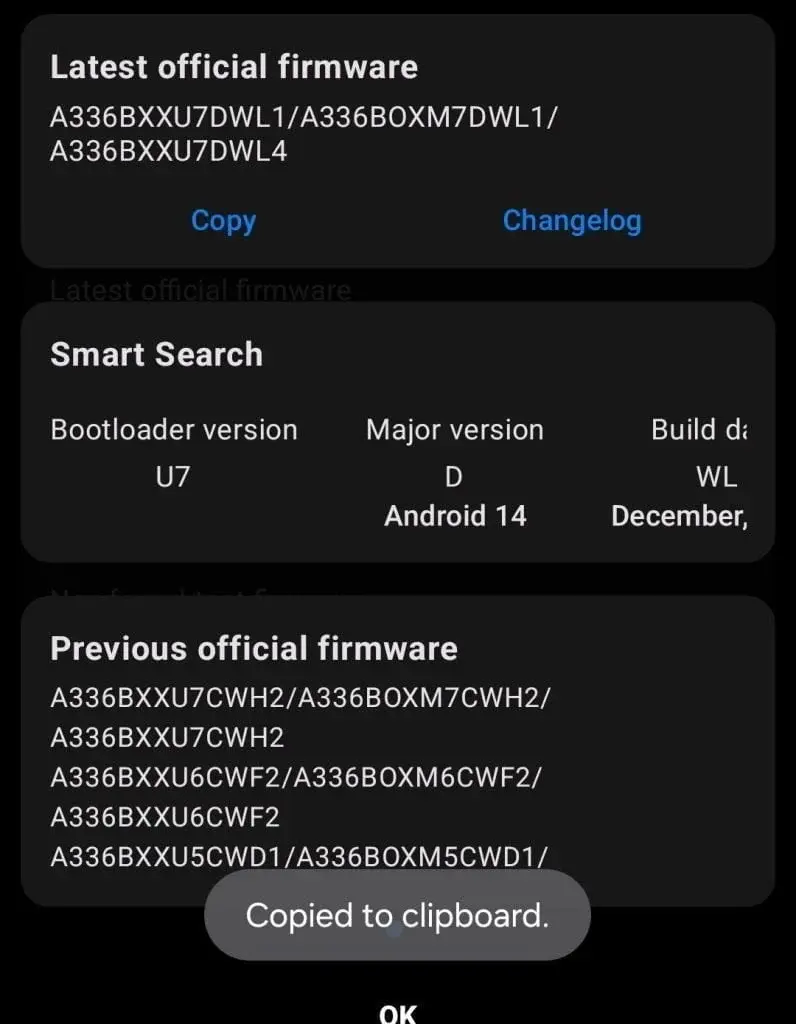
    The Android 14 update, with firmware version A336BXXU7DWL1/ A336BOXM7DWL1/ A336BXXU7DWL4, is currently rolling out to the Samsung Galaxy A33 5G in Russia. While the update is currently limited to this region, a wider rollout is expected in the upcoming days, reaching more regions worldwide.

    Users are advised to download the update using a stable Wi-Fi connection or a strong cellular network. Alternatively, they can manually check for the update by navigating to Settings > Software Update > Download and Install (if available).

    What's New in OneUI 6.0-based Android 14

    The OneUI 6.0-based Android 14 update brings several notable changes and improvements to the Galaxy A33 5G. Here are some of the key features:

    Visual Enhancements:
    • Redesigned quick toggle area and media controller widget for a more intuitive user experience.
    • New system-wide font for a fresh and modern look.
    • Enhanced lock screen customization options for personalization.
    Enhanced Security:
    • Auto-blocker to prevent the installation of unknown apps, ensuring a safer user experience.
    Camera and App Improvements:
    • Improved camera performance for better image quality and enhanced photography experience.
    • Enhancements to stock apps to optimize functionality and user experience.

    Core Specifications

    In terms of specifications, the Samsung Galaxy A33 5G boasts a 6.4-inch sAMOLED display with a smooth 90Hz refresh rate. Its camera setup consists of a 48MP primary camera, an 8MP ultra-wide lens, a 5MP macro lens, and a 2MP depth sensor, offering versatile photography capabilities. Under the hood, the smartphone is powered by an Exynos 1280 processor, paired with 12GB of RAM and 256GB of internal storage. It is fueled by a robust 5,000mAh battery, supporting 25W fast charging for quick and convenient power-ups.

    With the introduction of the Android 14 update based on OneUI 6.0, the Samsung Galaxy A33 5G continues to provide users with an enhanced and up-to-date smartphone experience. As the rollout expands to more regions, users can look forward to enjoying the new features and improvements offered by this major upgrade.

  • Android 14 Early Access 2 Update Debuts on Realme Narzo 60 Pro

    Android 14 Early Access 2 Update Debuts on Realme Narzo 60 Pro

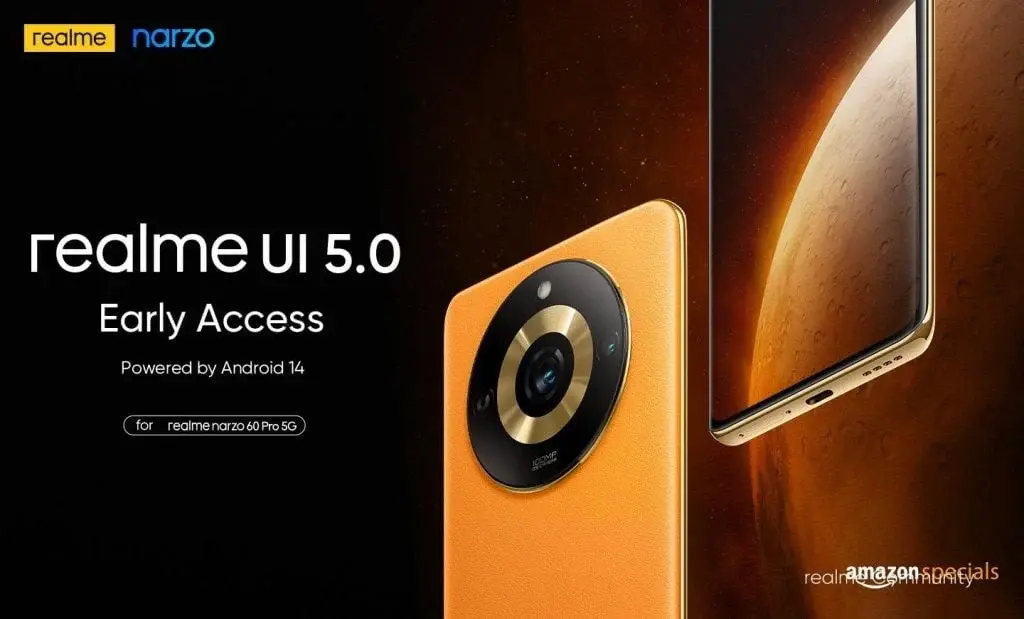
    Realme Narzo 60 Pro 5G Gets Second Realme UI 5.0 Early Access Version

    Realme is gearing up to deploy the Realme UI 5.0, based on Android 14, across a selection of its compatible smartphones. Recently, the Realme Narzo 60 Pro 5G has been furnished with its second Realme UI 5.0 early access version.

    Significant Alterations for Beta Testers

    For individuals already engaged in the initial beta testing phase, this update introduces various noteworthy modifications. Among the new additions is Fluid Cloud within the Pantanal Service, enabling users to conveniently access real-time information via evolving forms. An additional feature, File Dock, simplifies the transfer of content between applications and devices.

    Device Connectivity and Security Enhancements

    Realme is directing efforts toward bolstering the connectivity between its smartphones and other devices. The Shelf feature has been enriched with additional widget recommendations, furnishing users with a tailored experience. Additionally, enhancements have been made to photo and video permissions, fortifying security for users’ devices.

    Speed and Aesthetic Enhancements

    Aiming to render its smartphones swifter and sleeker, Realme has revamped the design with soft hues, crafting a pleasurable visual encounter. Moreover, users can anticipate fresh ringtones and notification sounds with the Realme UI 5.0 update.

    Sustainability Initiative

    In a stride toward sustainability, Realme has incorporated a feature showcasing the carbon emissions saved by opting to walk instead of drive. This feature advocates environmentally conscious transportation decisions.

    Potential Concerns to Note

    Despite the host of improvements brought by the Realme UI 5.0 update, users should remain vigilant of potential issues such as window sliding glitches and the absence of the Glance Lock-screen feature.

    Applying for Realme UI 5.0 Early Access

    For enthusiasts eager to sample the Realme UI 5.0 Early Access, the application portal will open on December 25, 2023, with applications being received in restricted batches. Users are urged to exercise caution, backup their data, and confirm adequate phone storage before proceeding with the initial software release.

    To apply for the Realme UI 5.0 Early Access, adhere to the steps below:

    1. Access Settings
    2. Navigate to About device
    3. Tap on the "realme UI 4.0" banner at the top
    4. Click on the three dots in the top right corner
    5. Opt for Beta program
    6. Choose Early Access
    7. Tap on Apply Now
    8. Furnish your details and finalize the application process.

    With the advent of the Realme UI 5.0 update, Realme smartphone users can anticipate an array of fresh features and enhancements to enrich their overall user journey.

  • One UI 6 Update with Android 14 Arrives for Samsung Galaxy Tab S9 FE Plus

    One UI 6 Update with Android 14 Arrives for Samsung Galaxy Tab S9 FE Plus

    Samsung has started rolling out the Android 14 update for Galaxy Tab S9 FE Plus owners, bringing a fresh look and new features to the tablet. The update, which is based on One UI 6, is currently available in Turkey and Australia, with other regions expected to receive it soon. The download size for the update is approximately 2GB.

    A Revamped DeX Mode and Redesigned Control Panel

    One of the key features of the update is a revamped DeX mode that combines the original DeX experience with the familiar One UI. This integration aims to provide users with more flexibility in using their tablets as PCs. Additionally, there is a redesigned control panel that offers easier access to settings, enhancing the overall user experience.

    Patience Required for the Rollout

    As with any over-the-air update, the rollout for the Tab S9 FE+ may take a few days to reach all users, even within the initial launch regions. Therefore, if you haven’t received the notification for the update yet, there is no need to worry. With the new year approaching, it is hoped that all Tab S9 FE+ owners will soon be able to enjoy the benefits of Android 14 on their devices.

    Specifications of the Galaxy Tab S9 FE+

    The Galaxy Tab S9 FE+ was launched by Samsung in October this year. It features a 12.4-inch IPS LCD with a resolution of 1600 x 2560 pixels and a 90Hz refresh rate. The tablet is powered by an Exynos 1380 SoC and offers up to 12GB of RAM and 256GB of storage capacity.

    In terms of camera capabilities, the Tab S9 FE+ sports a dual-camera setup on the back, consisting of an 8MP wide lens and an 8MP ultrawide lens. For selfies, there is a 12MP front-facing camera. The tablet also comes equipped with stereo speakers tuned by AKG for an enhanced audio experience. The device is fueled by a 10090mAh battery with support for 45W fast charging.

    Overall, the Android 14 update for the Galaxy Tab S9 FE Plus brings exciting new features and improvements to enhance the user experience. While currently limited to Turkey and Australia, it is expected to roll out to other regions in the near future. So, keep an eye out for the update notification on your Tab S9 FE+ and get ready to enjoy the latest Android version on your tablet.

  • Early Access 2 update for Realme 11 Pro/Pro+ brings Android 14

    Early Access 2 update for Realme 11 Pro/Pro+ brings Android 14

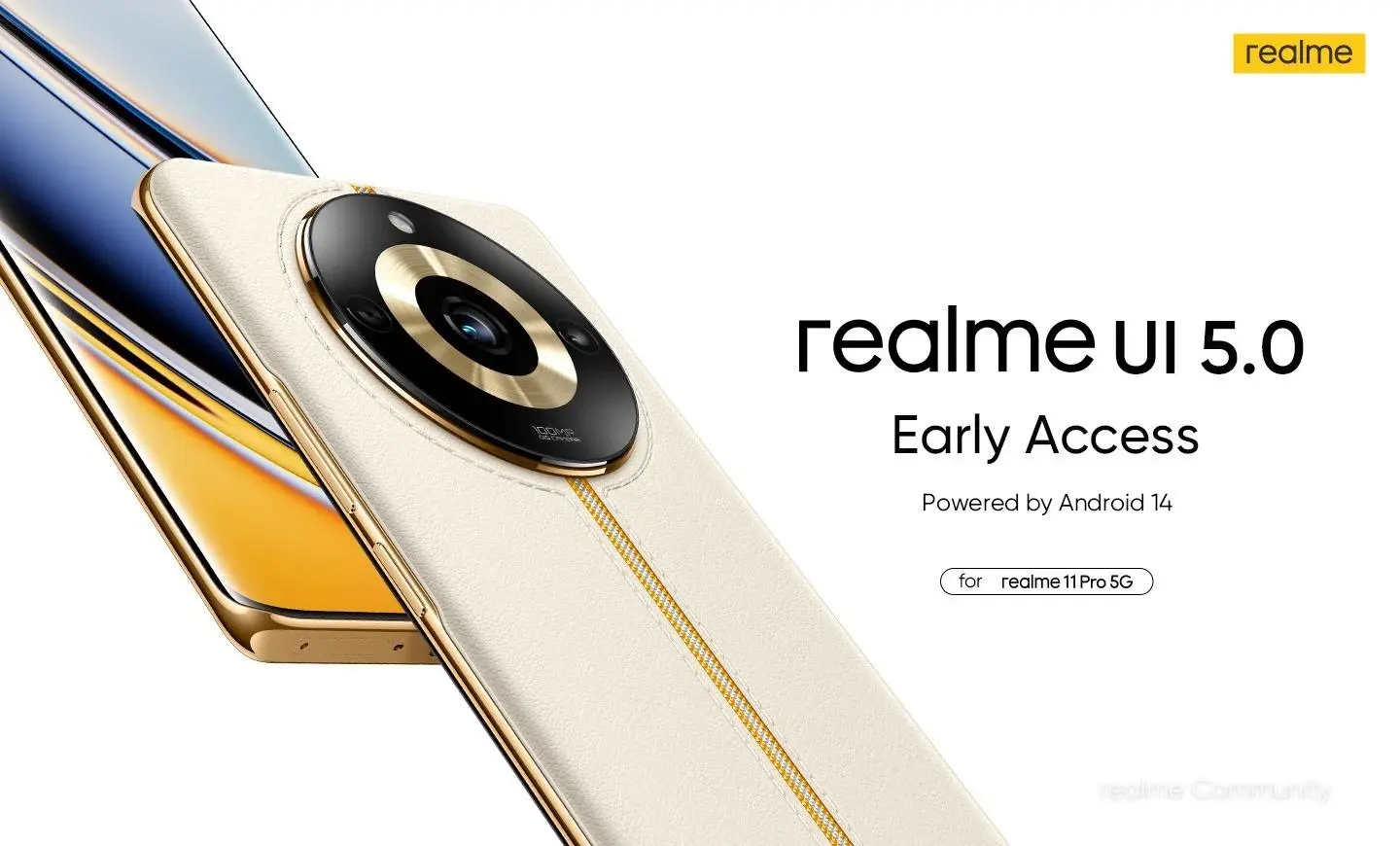
    Realme UI 5.0 Early Access Program: Participate in the Second Round

    Realme has recently launched the Realme UI 5.0 early access program for the Realme 11 Pro and 11 Pro+ devices. Now, the brand is inviting users to participate in the second round of the early access program. This exclusive beta opportunity allows users to preview upcoming changes to their devices with the Android 14 update.

    Key Features of UI 5.0 Early Access 2

    For users who have already participated in the first early access program, here are the changes coming with the new update:

    • The realme UI 5.0 Early Access brings several enhancements aimed at refining the user experience and device functionality.
    • The introduction of the Pantanal Service featuring Fluid Cloud, offering dynamic information at your fingertips.
    • The Smart Efficiency upgrade introduces File Dock for seamless content transfer between apps and devices.
    • Cross-device connectivity sees improvements with added widget recommendations on the Shelf.
    • Enhanced permission management for photos and videos addresses security and privacy concerns, ensuring safer app access.
    • Performance optimization promises improved system stability, faster app launches, and smoother animations.
    • Aesthetic updates include the Aquamorphic Design enhancement, offering a more comfortable and clear color experience.
    • Aquamorphic-themed ringtones and revamped system notification sounds are also introduced.
    • For environmentally-conscious users, a carbon tracking Always-On Display (AOD) visualizes carbon emissions avoided by choosing to walk over driving.

    Known Issues and Important Information

    However, users should be aware of a couple of known issues. When using floating windows, there might be difficulty sliding the desktop, which can be resolved by pulling down the status bar. Additionally, the Glance Lock-screen feature is not yet available in the Early Access release but is promised in future versions.

    Realme emphasizes that the Early Access program is a beta initiative, cautioning users about potential bugs and app compatibility issues. The company recommends avoiding installation on primary devices due to the unpredictable impact it may have on daily use.

    How to Join Early Access

    The application channel for Early Access opened on December 25, 2023, with limited seats available. Interested users need to ensure their device meets certain criteria, such as having 60% or more battery, the required UI version (RMX3741_13.1.0.545(EX01) for the 11 Pro+ and RMX3771_13.1.0.546(EX01) for the 11 Pro), and enabling Developer Mode before updating.

    Applying is straightforward:

    1. Navigate to Settings.
    2. Click on the “realme UI 4.0” banner.
    3. Select Beta program.
    4. Choose Early Access.
    5. Apply by submitting your details.

    Disclaimer: Read Before Applying

    Before opting for the Early Access experience, realme urges users to read and understand the disclaimer. Key points include ensuring the device is not rooted, backing up personal data to prevent loss, updating all third-party apps to the latest versions, and having more than 15 GB of available phone storage.

  • Open Beta test of OPPO A38 ColorOS 14 and Android 14 commences

    Open Beta test of OPPO A38 ColorOS 14 and Android 14 commences

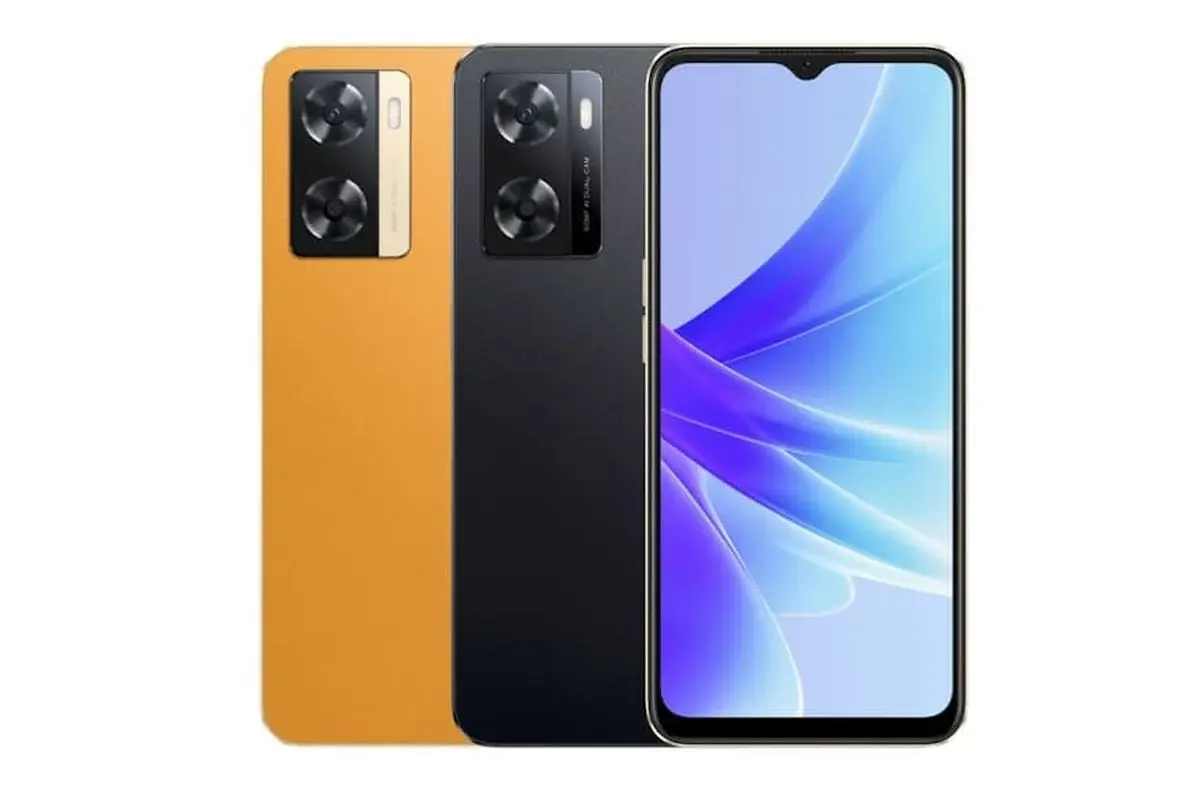
    OPPO is actively working on rolling out its ColorOS 14 update to a wider range of devices. Following the successful update of OPPO A77, A77s, and A57 to Android 14, the brand has now extended an invitation to Indian OPPO A38 users to participate in the Beta Testing Program for Android 14.

    To ensure a smooth testing process, the company is looking to recruit 5000 participants for this Open Beta. The application period is open from December 25 to December 28. Interested users must make sure that their devices are updated to version CPH2579_14.0.0.80(EX01) before applying.

    How to Apply for the Beta Testing Program

    To apply for the Beta Testing Program, users need to follow these steps:

    1. Navigate to Settings > About device.
    2. Tap the top of the page.
    3. Tap the icon on the top right.
    4. Select “Trial versions” > “Beta”.
    5. Fill in the required information.
    6. Click on “Apply Now”.

    Once the application is successfully submitted, users can proceed to update their devices by going to “About device” and selecting “Download Now”.

    OPPO will review the applications within five working days. It is important to note that the Open Beta Test version may have potential issues, including device heating, lagging, and fast battery draining. However, OPPO assures users that these issues can be resolved by turning off the screen and charging the device overnight or by continuing regular usage. The company expects the device to normalize within a few days.

    Who Can Participate?

    Interested users should have experience using mobile phones and be open to potential issues that may arise with Alpha versions, such as instability and incompatibility. Additionally, participants should have sufficient time to dedicate to testing the update. OPPO also welcomes users who are curious about exploring the Android 14 update.

    OPPO is committed to improving the user experience and appreciates the feedback from participants. After the Beta Testing Program, users will receive a satisfaction survey along with a message to collect their feedback on the update.

    With the ColorOS 14 update, OPPO aims to enhance the overall performance and features of its devices. By inviting users to participate in the Beta Testing Program, OPPO is ensuring that the update meets the expectations and requirements of its diverse user base.

  • India sees launch of OPPO A58 Android 14 x ColorOS 14 Open Beta initiative

    India sees launch of OPPO A58 Android 14 x ColorOS 14 Open Beta initiative

    OPPO is currently working on rolling out the ColorOS 14 update, which is based on Android 14, to all eligible devices. They have already released the stable version of the update to devices like the OPPO A77, A77s, and A57. In addition to that, OPPO has also started the ColorOS 14 Open Beta testing for the OPPO A58.

    OPPO A58 ColorOS 14 Open Beta Details

    OPPO is inviting Indian users of the OPPO A58 to participate in the Android 14 Beta Testing Program. The aim is to enlist 5000 members for this phase. This is a great opportunity for OPPO A58 users in India to play a direct role in refining the operating system of their devices. To be eligible for the program, users should have a basic appreciation for ColorOS and a practical understanding of mobile devices. It is important to note that testers should be prepared to encounter potential issues like instability and incompatibility, which are inherent to Alpha versions.

    The application window for the Open Beta Test is limited and will run from December 25 to December 28. Interested users must submit their applications during this period. It is also necessary for the OPPO A58 to be updated to version CPH2577_14.0.0.80(EX01) before applying.

    Applicants must acknowledge that Open Beta Test versions may be unstable, and users must be patient during this phase. To mitigate potential data loss due to incompatibility, OPPO recommends backing up essential data before initiating the update.

    Application Process

    To apply for the Android 14 Beta Testing Program, follow these simple steps:

    1. Navigate to Settings on your OPPO A58 device.
    2. Proceed to About device.
    3. Tap the top of the page.
    4. Select the icon on the top right.
    5. Choose Trial versions, then Beta.
    6. Fill in your information accurately, as a satisfaction survey will be sent to collect your feedback.
    7. Finally, hit “Apply Now.”

    After successfully submitting your application, proceed to Step 2: Update your device by going to About device and selecting Download Now. The application review process takes approximately 5 workdays, during which OPPO will assess your eligibility for the program.

    After updating, users may experience temporary issues such as heating, lagging, and fast battery draining as the Operating System performs optimization actions. Users are advised to charge their devices overnight or continue normal use, as these concerns typically resolve within a few days.

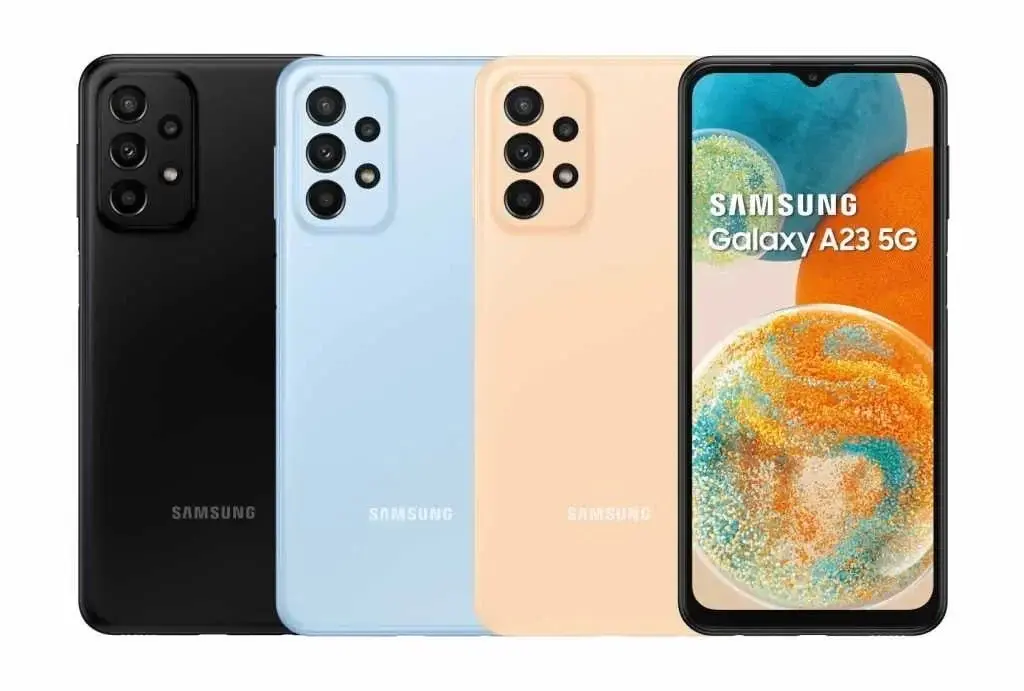
  • One UI 6 update based on Android 14 released for Samsung Galaxy A23 5G

    One UI 6 update based on Android 14 released for Samsung Galaxy A23 5G

    Samsung Galaxy A23 5G Receives One UI 6 Update

    Samsung is continuing its efforts to update its mid-range devices to the latest One UI 6, based on Android 14. Following the recent updates for the Galaxy M53 5G, Galaxy F54 5G, and A52 5G, the Samsung Galaxy A23 5G has now joined the list of devices receiving the One UI 6 update.

    Rollout in European Countries

    The One UI 6 update for the Galaxy A23 5G is already rolling out in several European countries, including the UK, France, Italy, Poland, and Portugal. If you are in one of these regions, keep an eye on your phone’s settings for the update notification. For those in other regions, the update should arrive soon.

    Firmware Version and Security Patch

    The latest update for the A23 5G comes with the firmware version A236BXXU4DWKA and includes the November security patch. To download and install the update, users can go to Settings > Software update and tap “Download and install.”

    Final Major Update

    It is important to note that this One UI 6 update will be the final major update for the Galaxy A23 5G. While the phone will continue to receive regular security patches, it will not be upgraded to Android 15. Additionally, Samsung is expected to release the Android 14 update for the LTE variant of the phone soon.

    Notable UI Enhancements

    One UI 6 brings several notable UI enhancements to the Galaxy A23 5G. These include a redesigned Quick Panel, improved album art presentation in the notification shade, time-based notification sorting, clearer home screen icon labels, a repositioned clock on the lock screen, a detailed weather widget, and easier access to battery settings.

    One UI 6.1 on the Horizon

    Looking ahead, Samsung is already working on One UI 6.1, which will focus on AI advancements in apps and productivity. While initially rolling out for the Galaxy S23, A23 5G users can expect this update in the future.

    In conclusion, Samsung Galaxy A23 5G users in Europe can now enjoy the latest One UI 6 update, while users in other regions can anticipate its arrival soon. This update brings significant UI enhancements and marks the final major update for the A23 5G. With One UI 6.1 on the horizon, Samsung continues to prioritize advancements in app AI and productivity.

  • India receives Android 14-powered ColorOS 14 update for OPPO A77s

    India receives Android 14-powered ColorOS 14 update for OPPO A77s

    OPPO A77s users in India can now access the ColorOS 14 Global Version, which was announced last month. If you’re eager to try Android 14 on your device, here’s a guide on how to get the update and enhance your smartphone experience.

    Key Application Details

    • Recruitment Type: Official version
    • Application Period: From December 21st
    • Compatible Versions: Ensure your phone is updated to the detectable version: C.21/C.22/C.23

    Important Points to Consider Before Applying

    Before diving into the update, it’s crucial to back up your important personal data to prevent any loss due to incompatibility or unforeseen circumstances. Following the update, the Operating System will automatically optimize your device, which might lead to temporary issues like heating, lagging, and fast battery draining. To address this, consider turning off the screen and charging your device overnight for normalization or continue using it for a few days until it stabilizes. Keep in mind that some third-party applications may not be compatible with Android 14. After updating, these apps might not function correctly, experiencing issues like lagging or crashing. Check the Android 14 3rd-party APP Compatibility list and update your apps accordingly.

    How to Apply

    1. Go to Settings > About device > Tap the top of the page > Tap icon on the top right > Trial versions > Official version > Apply Now
    2. Detect the update > Download Now

    ColorOS 14 Features

    Aquamorphic Design

    • Enhanced sound effects, color systems, and interactions.
    • Ten new Aquamorphic-themed ringtones for calls, alarms, and notifications.
    • Dynamically adjusting Aquamorphic Coloring System for a more intuitive experience.
    • Aqua Dynamics design simplifies interactions, extending to the Status Bar.

    Revamped Always-On Display (AOD)

    • Homeland AOD showcases nature scenes, including a Go Green AOD for climate change awareness.
    • Environment Vision pages linked to daily step counts.

    Smart Touch and Seamless Content Sharing

    • AI-powered Smart Touch streamlines daily tasks.
    • File Dock on Smart Sidebar for seamless content sharing, supporting split-screen and floating windows.

    Smart Image Matting and Trinity Engine Upgrade

    • Smart Image Matting separates subjects from images or paused video frames.
    • Trinity Engine upgrade boosts device smoothness and stability.

    AI-powered Smart Charging and Privacy Assurance

    • Smart Charging adjusts charging current based on usage conditions, reducing unnecessary battery wear.
    • Prioritizes safety and privacy, integrating Android 14’s capabilities.
    • Picture Keeper prevents apps from misusing permissions.
    • Snapchat integration with Bitmoji AOD for faster app navigation and updates on messages and friend activities. Your device, your control.