Tag: Android 14

  • Indian users can now access the Realme C55 Android 14 Early Access program

    Indian users can now access the Realme C55 Android 14 Early Access program

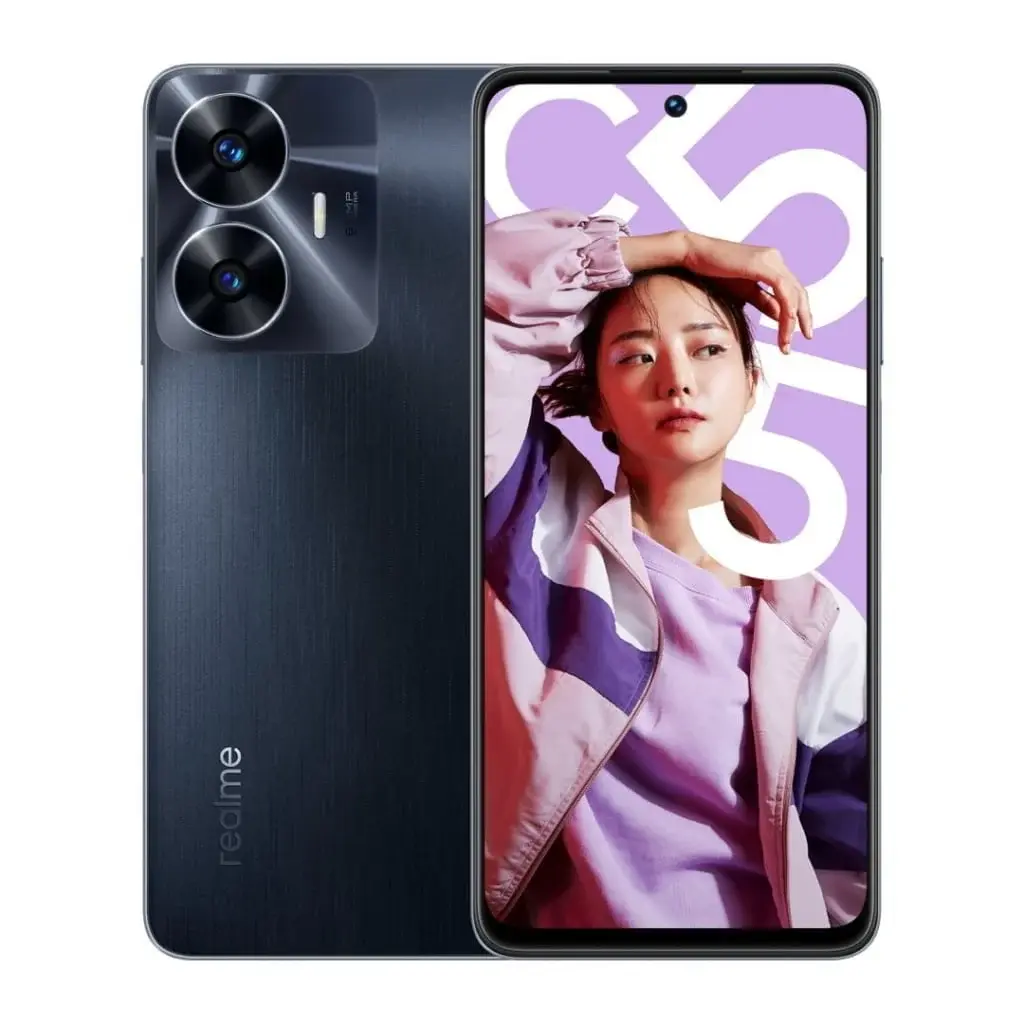
    The Realme UI 5.0 Early Access program is currently available for the Realme C55, giving users the opportunity to preview the upcoming Realme UI 5.0 update. Powered by Android 14, this update promises a range of exciting new features and improvements.

    Realme UI 5.0 Early Access Program

    Realme has launched the Early Access program for Realme UI 5.0, allowing users to experience the latest update ahead of its official release. The program is now open for the Realme C55, enabling users to get a sneak peek at the new features and enhancements that will be introduced with Realme UI 5.0.

    What’s New in Realme UI 5.0?

    Realme UI 5.0 brings a host of new features and improvements to enhance the user experience. Some of the key highlights include:

    • Enhanced Performance: With Android 14 at its core, Realme UI 5.0 offers improved performance and efficiency, ensuring a smoother and more responsive user experience.
    • Revamped Design: The update introduces a fresh new design language, with revamped icons, animations, and visual elements. Realme UI 5.0 aims to provide a visually pleasing and intuitive interface.
    • Customization Options: Realme UI 5.0 offers a wide range of customization options, allowing users to personalize their device according to their preferences. From themes and wallpapers to icon packs and fonts, users have the freedom to create a unique look and feel.
    • Enhanced Privacy and Security: Realme UI 5.0 prioritizes user privacy and security, introducing new features such as enhanced app permissions, improved privacy settings, and stronger security measures.

    How to Participate in the Early Access Program

    To participate in the Realme UI 5.0 Early Access program for the Realme C55, follow these steps:

    1. Ensure your device is updated to the latest stable version of Realme UI.
    2. Go to the Settings app on your Realme C55.
    3. Scroll down and select the Software Updates option.
    4. Tap on the Trial Version and apply for the Early Access program.
    5. If selected, you will receive a notification to download and install the Realme UI 5.0 update.

    Please note that the Early Access program has limited slots available, and not all applicants will be selected. It is also important to backup your data before participating in the program, as beta versions may contain bugs and stability issues.

    Conclusion

    The Realme UI 5.0 Early Access program for the Realme C55 presents an exciting opportunity for users to preview the upcoming update and experience its new features and improvements firsthand. With its enhanced performance, revamped design, and emphasis on privacy and security, Realme UI 5.0 aims to provide a seamless and personalized user experience. If you own a Realme C55, don’t miss out on the chance to be among the first to try out Realme UI 5.0. Participate in the Early Access program and get a sneak peek at the future of Realme’s user interface.
  • Check out the new features in Android 14 Open Beta update for the Nothing Phone (1)

    Check out the new features in Android 14 Open Beta update for the Nothing Phone (1)

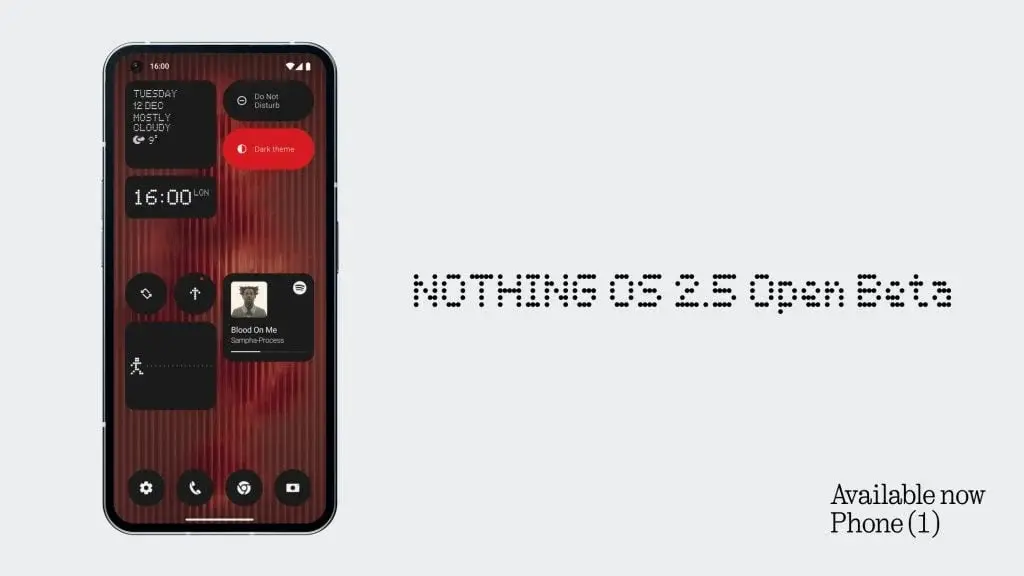
    Earlier this month, the Nothing Phone received an early access update featuring Nothing OS 2.5, based on Android 14. As a delightful surprise ahead of Christmas, the brand has now introduced the Nothing OS 2.5 Open Beta program for users of the Phone.

    Nothing OS 2.5 Open Beta Program

    For Phone users, the arrival of Nothing OS 2.5, powered by Android 14, is a game-changer. The update brings a host of enhancements, and here’s a glimpse of what’s coming your way:

    Customization

    • Redesigned a joint Home Screen and Lock Screen customization page for a more comprehensive view.
    • Introduced the Atmosphere wallpaper effect, breathing life into your background photo with dynamic motion on both lock and home screens.
    • Solid color wallpapers for a sleeker Home Screen appearance.
    • Added a new monochrome color theme in the basic color section.

    Gesture

    • Customizable double-press power button for quick access to a chosen feature.
    • Expanded Lock Screen shortcut options, including Do Not Disturb, Mute, QR code scanner, and video camera.
    • Capture screenshots swiftly with a three-finger swipe gesture.
    • New screenshot editor and menu for advanced editing features and quick deletions.

    New Widgets

    • Pedometer Widget: Keep track of your daily steps directly from your home screen.
    • Media Player Widget: Control your music effortlessly while on the move.
    • Screen Time Widget: Monitor and manage your daily screen time for a healthier digital lifestyle.

    For Phone users who participated in the closed beta program, the open beta brings quite a few improvements as listed below:

    • Added a new Glyph animation for when NFC is being used.
    • Improved the experience of Flip to Glyph.
    • Optimised the experience of the Weather app and improved the notification of weather alerts.
    • Refreshed the back gesture arrow visual to be more in line with Nothing’s style.
    • Made it possible to set ringtone and notification sound volumes separately, with an updated volume control interface.
    • Updated Quick Settings layout and support to show more devices icons.
    • Improved the stability of the camera.
    • Enhanced overall system stability for a more reliable and smooth experience.

    To get involved, ensure your Nothing OS is up to date, download the necessary APK, navigate to Settings > System > Update to Beta version, and follow the prompts. Share your valuable feedback through Settings > System > Feedback or join the conversation at nothing.community.

    However, a word of caution: as this is a Beta version, there’s a slight chance the test software may interfere with your data, potentially requiring a factory reset. It’s strongly advised to back up all your data before taking the plunge into the new software.

  • OneUI 6.1-Based Android 14 Update Now Rolling Out to Older Galaxy Z Foldables

    OneUI 6.1-Based Android 14 Update Now Rolling Out to Older Galaxy Z Foldables

    Samsung Rolls Out OneUI 6.1 Update to Older Galaxy Z Foldables

    Samsung has recently begun rolling out the OneUI 6.1-based Android 14 update to its older generations of Galaxy Z foldable phones. Previously, the update was only available on the fifth-generation Galaxy Z foldables, but it is now being made accessible to the Galaxy Z Fold 4, Galaxy Z Flip 4, Galaxy Z Fold 3, and Galaxy Z Flip 3 devices.

    Availability in the US

    The update is currently being seeded to owners of these devices in the United States. Initially, it is being made available to Verizon, T-Mobile, and MetroPCS carriers with unlocked units. However, it is expected that the rollout will expand and become accessible to all users in the coming weeks.

    Firmware Version Details

    For the Galaxy Z Fold 4 and Z Flip 4, the firmware version of the OneUI 6.1-based Android 14 is F936USQU3EWL1 and F721USQU3EWL1, respectively. On the other hand, for the Galaxy Z Fold 3 and Z Flip 3, the firmware version numbers are F926USQU4HWL1 and F711USQU5HWL1C, respectively.

    Major Upgrade with OneUI 6.1

    The Android 14 update layered with OneUI 6.1 skin brings significant improvements and new features to the devices. Users are advised to download the update using a WiFi connection. It is important to note that the rollout is currently taking place in a phased manner in the US. Therefore, it may take some time for all users to receive the update.

    How to Check for the Update

    To check if the update is available for your device, go to Settings > Software Update > Download and Install. If the update is available, users can proceed with the installation process.

    With the rollout of the OneUI 6.1 update to older generations of Samsung's foldable offerings, users can now enjoy the latest software enhancements and features on their Galaxy Z Fold 4, Galaxy Z Flip 4, Galaxy Z Fold 3, and Galaxy Z Flip 3 devices.

  • Android 14 x One UI 6.0 update arrives in India for Samsung Galaxy M53 5G

    Android 14 x One UI 6.0 update arrives in India for Samsung Galaxy M53 5G

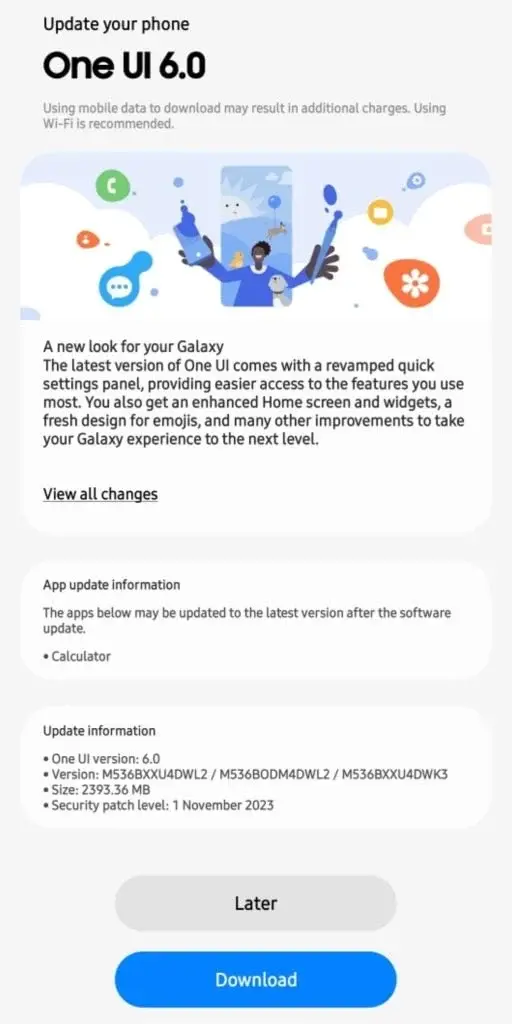
    Samsung has released the highly anticipated OneUI 6 update for Galaxy M53 5G users in India. This update brings a range of new features and improvements to enhance the smartphone’s functionality. To identify the update, users can check for the firmware version M536BXXU4DWL2/M536BODM4DWL2/M536BXXU4DWK3.

    Improved Security and Convenience

    One of the key highlights of this update is the inclusion of the November 2023 Android security patch. This strengthens the overall security of the device and ensures that users’ data is well-protected. Additionally, the update introduces a redesigned quick settings panel, making it easier for users to access frequently used features. The Home screen and widgets have also been enhanced, providing a more visually appealing and user-friendly experience. Furthermore, the update brings a modern emoji design, adding a touch of fun to conversations.

    How to Update

    To get the latest update on your Galaxy M53 5G, simply follow these steps:

    1. Open the Settings app on your device.
    2. Select Software Update.
    3. Tap on Download and Install.

    Specifications of the Galaxy M53 5G

    Recapping the specifications of the Galaxy M53 5G, this smartphone was launched in April last year and initially featured Android 12-based OneUI 4.2. The device boasts a 6.7-inch wide FHD+ Super AMOLED Infinity O display with a 120 Hz refresh rate, delivering a vibrant and smooth user experience.

    Under the hood, the Galaxy M53 5G is powered by the Dimensity 900 chipset, paired with up to 8GB of RAM and 128GB of internal storage. This ensures efficient performance and provides ample space for user data. The camera setup is impressive, with a quad-camera configuration on the rear, including a 108 MP primary sensor, an 8MP sensor, and 2MP macro and depth sensors. Selfie enthusiasts will appreciate the 32 MP front camera. The device is fueled by a robust 5,000 mAh battery that supports 25W charging, allowing users to enjoy their smartphone for extended periods without worrying about battery life.

    In conclusion, Samsung’s OneUI 6 update for the Galaxy M53 5G brings significant improvements to the device, including enhanced security, new features, and an improved user experience. To enjoy these updates, users can easily download and install the latest firmware through the Settings app on their device. With its impressive specifications and the latest software update, the Galaxy M53 5G continues to offer a top-notch smartphone experience.

  • Samsung Galaxy F54 5G in India Receives One UI 6 Update Alongside Android 14

    Samsung Galaxy F54 5G in India Receives One UI 6 Update Alongside Android 14

    Samsung Unveils Android 14 Upgrade for Galaxy F54 5G

    Samsung has rolled out the Android 14 update for the Galaxy F54 5G smartphone variant within the Indian market.

    One UI 6 Firmware Version and Update Size

    This significant software update introduces the One UI 6 firmware version E546BXXU3BWL1/E546BODM3BWL1/E546BXXU3BWL1 and occupies a size exceeding 2GB. Apart from integrating the most recent Android operating system, the update also includes the November 2023 security patch.

    Enhancements in the New Firmware

    The release notes for the Galaxy F54 5G update showcase a variety of fresh features and enhancements to the user interface, such as:

    • Redesigned Quick Settings
    • Improved Home screen widgets
    • Updated collection of emojis
    • Novel media player widget
    • Fresh default font

    Detailed Specifications of Samsung Galaxy F54 5G

    The Galaxy F54 5G boasts:

    • A tall 6.7-inch display incorporating a 120Hz refresh rate and Full HD+ resolution
    • Powered by the Exynos 1380 SoC
    • 8GB of RAM
    • 256GB of internal storage
    • Compatibility with microSD cards up to 1TB

    Camera Setup and Battery

    • Triple camera formation with a primary 108-megapixel sensor at the rear
    • 32-megapixel front-facing camera for selfies
    • Robust 6,000mAh battery with 25W wired fast charging capability

    It is advisable to ensure your device is charged to a minimum of 30 percent before commencing the update process.

    Final Thoughts

    Samsung persists in delivering substantial updates for its smartphone lineup, with the Galaxy F54 5G now equipped with the Android 14 OS-integrated One UI 6 update. Offering an array of innovative features and enhancements, this update elevates the user experience on the device. If you possess a Galaxy F54 5G, be sure to check for the update and relish the latest software refinements.

  • How to Apply for Realme UI 5.0 Early Access Program for Realme 10 Pro 5G Android 14

    How to Apply for Realme UI 5.0 Early Access Program for Realme 10 Pro 5G Android 14

    Realme UI 5.0 Early Access Program: What to Expect

    Back in November 2022, the Realme 10 Pro 5G smartphone equipped with Snapdragon 695 SoC and Android 13-based Realme UI 4.0 made its debut in India. Now, a year later, Realme is gearing up to release the Realme UI 5.0 x Android 14 update for the device. However, before the update is officially rolled out to the masses, testing is required, and this is where the enthusiasts come in.

    Realme is offering users the opportunity to apply for the Realme UI 5.0 x Android 14 update early access program. Those selected will have the chance to try out the new software before it becomes widely available.

    What's Included in the Realme UI 5.0 Early Access Program?

    The early access program will provide participants with a range of exciting features and improvements. Here's an overview of what you can expect from the update:

    Fluid Cloud – Interactive Morphing Forms

    One of the highlights of Realme UI 5.0 is the introduction of Fluid Cloud under Pantanal Service. This feature offers interactive morphing forms that provide quick and up-to-date information. With Fluid Cloud, users can easily access relevant information in a visually appealing and user-friendly manner.

    Smart Efficiency – File Dock for Seamless Content Transfer

    Realme UI 5.0 enhances smart efficiency with the introduction of File Dock. This feature enables smooth content transfer between apps and devices, making it easier than ever to share files and documents. Whether you're transferring photos, videos, or other files, File Dock ensures a seamless and hassle-free experience.

    Improved Cross-Device Connectivity

    Realme UI 5.0 also focuses on enhancing cross-device connectivity. With the update, users can expect slicker performance and more widget recommendations on the Shelf. This means you'll have easier access to your favorite widgets and enjoy a more seamless experience when connecting your Realme 10 Pro 5G smartphone with other devices.

    How to Apply for the Realme UI 5.0 Early Access Program

    If you're an enthusiastic Realme user and want to be among the first to experience the Realme UI 5.0 x Android 14 update, you can apply for the early access program. Realme is currently accepting applications from interested users.

    To apply, simply visit the Realme website and look for the Early Access Program section. Fill out the necessary details and submit your application. If you're selected, you will receive further instructions on how to download and install the update on your Realme 10 Pro 5G smartphone.

    Conclusion

    The Realme UI 5.0 x Android 14 update is just around the corner, and Realme is giving users the chance to get a sneak peek through the early access program. With exciting features like Fluid Cloud, File Dock, and improved cross-device connectivity, the update promises to enhance the overall user experience. If you're eager to try out the latest software on your Realme 10 Pro 5G smartphone, don't miss the opportunity to apply for the Realme UI 5.0 early access program.

  • Android 14 based OxygenOS 14 update now available for OnePlus Nord CE 3 Lite in India

    Android 14 based OxygenOS 14 update now available for OnePlus Nord CE 3 Lite in India

    The OnePlus Nord CE 3 Lite 5G has recently been given a significant update in the Indian market. The smartphone now runs on the latest Android 14 OS, which is based on the OxygenOS 14. This update brings several improvements and new features to the device, enhancing the user experience. Let's take a closer look at what the OnePlus Nord CE 3 Lite OxygenOS 14 update has to offer.

    New Features and Enhancements

    With the Android 14 OS update, OnePlus Nord CE 3 Lite users can expect a range of new features and enhancements. This includes improved system performance, enhanced security features, and a more intuitive user interface. The update also brings various optimizations to the device, resulting in smoother multitasking and faster app launches.

    Improved System Performance

    The OxygenOS 14 update for the OnePlus Nord CE 3 Lite focuses on improving system performance. Users can expect a more responsive and fluid experience while navigating through the device's interface. The update also includes optimizations that reduce power consumption, resulting in better battery life.

    Enhanced Security Features

    Security is a top priority for OnePlus, and the OxygenOS 14 update reflects this. The update includes the latest security patches, ensuring that users' personal data and information are well-protected. With these enhanced security features, OnePlus Nord CE 3 Lite users can have peace of mind knowing that their device is secure against potential threats.

    Intuitive User Interface

    The OxygenOS 14 update brings a more intuitive user interface to the OnePlus Nord CE 3 Lite. Users will notice a refreshed design, with subtle changes to icons and animations. The update also introduces new customization options, allowing users to personalize their device according to their preferences.

    Availability and Pricing

    The OnePlus Nord CE 3 Lite OxygenOS 14 update is currently available for users in the Indian market. Users can easily download and install the update through the device's settings menu. As with all software updates, it is recommended to have a stable internet connection and sufficient battery life before initiating the update process.

    As for pricing, the OnePlus Nord CE 3 Lite 5G is known for its affordability. It offers great value for money, considering its features and specifications. The exact pricing details can vary depending on the region and any ongoing promotions or discounts.

    Conclusion

    The OnePlus Nord CE 3 Lite 5G has received a significant update with the introduction of the OxygenOS 14 based on Android 14 OS. This update brings various improvements and new features to the device, enhancing its performance, security, and user experience. Users in the Indian market can now enjoy the benefits of the stable build of the latest Android iteration on their OnePlus Nord CE 3 Lite.

  • India commences open beta testing of OPPO K10 5G with Android 14 and ColorOS 14

    India commences open beta testing of OPPO K10 5G with Android 14 and ColorOS 14

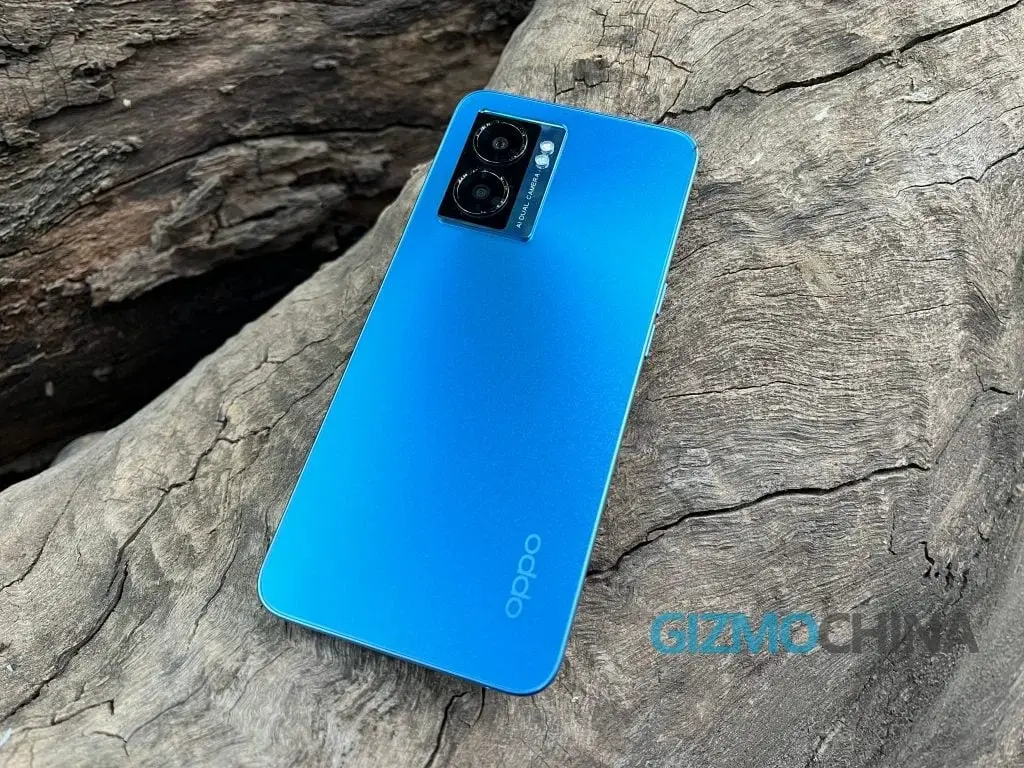
    The Oppo K10 5G, which was launched in June 2022 in India, garnered attention for its “premium at a budget” approach. If you are one of the proud owners of this device, there’s good news for you. OPPO has opened up its Beta Testing Program for the upcoming Android 14 x ColorOS 14 update to Indian users of the smartphone. This program aims to gather feedback from up to 5000 participants who are willing to explore the latest features, despite the potential instability in the Open Beta version.

    Eligibility and Expectations

    To be eligible for the Beta Testing Program, participants must have experience with mobile phones and a good understanding of device system features. It’s important to note that this program involves testing an Alpha version, which means there may be issues such as instability and incompatibility. Beta testers must be willing to invest sufficient time in properly testing the update.

    Recruitment Window and Precautions

    The recruitment window for the Beta Testing Program is open from December 13 to December 16. Applicants must ensure that their phones are updated to detectable versions C.41/C.40/C.39. To avoid any potential data loss, participants are advised to back up their important personal data before updating their devices.

    Temporary Issues and Incompatibility

    After the update, the operating system will automatically optimize devices, which may result in temporary issues such as heating, lagging, and fast battery draining. Users are encouraged to turn off the screen and charge their devices overnight or continue using them until the issues normalize within a few days.

    It’s important to consider the potential incompatibility of third-party applications with Android 14. These apps may not be available or may experience technical issues such as lagging and crashing. OPPO recommends users to update these applications to their latest versions in the App Market after the update.

    How to Apply

    Applying for the Beta Testing Program is a simple process outlined by OPPO. The application processing period takes approximately five workdays for review.

    1. Go to Settings > About device > Tap the top of the page > Tap the icon on the top right > Trial versions > Beta > Fill in your information (This is important, as we’ll send you a satisfaction survey with a message to collect your feedback) > Apply Now.
    2. Update About device > Download Now (after the application is successful).

    If you’re an Oppo K10 5G user in India and are interested in being part of the Beta Testing Program for the Android 14 x ColorOS 14 update, don’t miss the opportunity to apply and provide valuable feedback to OPPO.

    Source: 1

  • Android 14 x One UI 6 update now available for Samsung Galaxy S21 FE with Snapdragon 888

    Android 14 x One UI 6 update now available for Samsung Galaxy S21 FE with Snapdragon 888

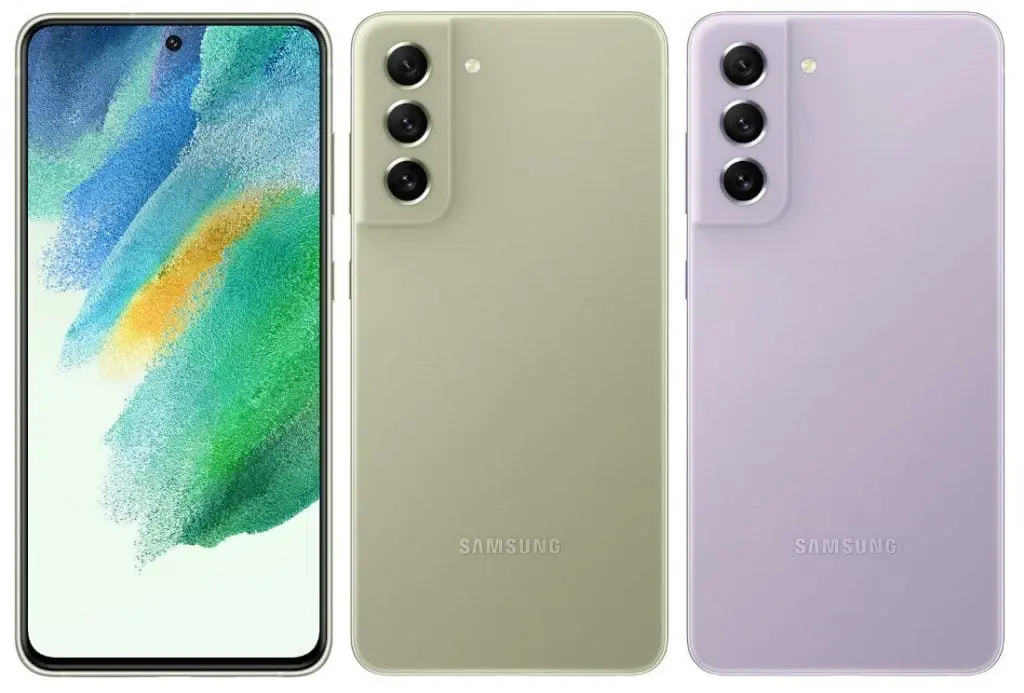
    After the recent release of the One UI 6.1 x Android 14 update for the Galaxy S21 FE, Samsung has now started rolling out the update to the Snapdragon 888 version of the device. This update comes after Samsung refreshed the Galaxy S21 FE with the Snapdragon 888 processor in July 2023, following the initial launch of the S21 FE in January 2022.

    To identify the update, users can check for the firmware version G990B2XXU5FWK3/G990B2ODM5FWK3/G990B2XXU5FWK3. However, it's important to note that this update is quite large, with a download size of 2GB.

    In addition to upgrading the operating system to Android 14, the update also includes the Android security patch for November 2023. While the official update changelog has not been released by Samsung yet, users will have the opportunity to review new features before proceeding with the update. Although specific details are not provided, here's a glimpse of the general features announced by Samsung for One UI 6.0:

    One UI 6.0 Update Changelog:

    • New emoji design.
    • Picture and video previews in the Share panel.
    • More sharing options.
    • Multitasking improvements through a pop-up window that can remain open after leaving the Recents screen.
    • A lock screen clock that can be positioned freely.
    • Simplified app icon labels for the home screen.
    • A new Weather widget and more information in the Weather app, including an interactive map view and enhanced weather illustrations.
    • Various camera improvements, including a new widget, more alignment options for watermarks, quick access to resolution settings, easy-to-apply filters and effects, and more.
    • Improvements to Calendar, Reminder, and Samsung Internet.
    • Quick actions for apps in Finder search results.
    • Recommendations in the My Files app to help free up storage.
    • Smarter Airplane mode.
    • Auto Blocker, an extra layer of protection against unknown apps, malware, and malicious commands via USB connection.
    • Customizable Bixby text call greetings and the option to switch to Bixby text call during a call.
    • More accessibility features, including new magnification options and custom cursor thickness options.

    To check for the Android 14 OS update on the Galaxy S21 FE, users can navigate to Settings > Software Update > Check for updates > Download and Install if it's available. Stay tuned for more information on the official update and its features!

  • Samsung Galaxy M34 5G in India to Get Android 14 Update with OneUI 6.0 Integration

    Samsung Galaxy M34 5G in India to Get Android 14 Update with OneUI 6.0 Integration

    Samsung Expands OneUI 6.1-based Android 14 Update to Galaxy M34 in India

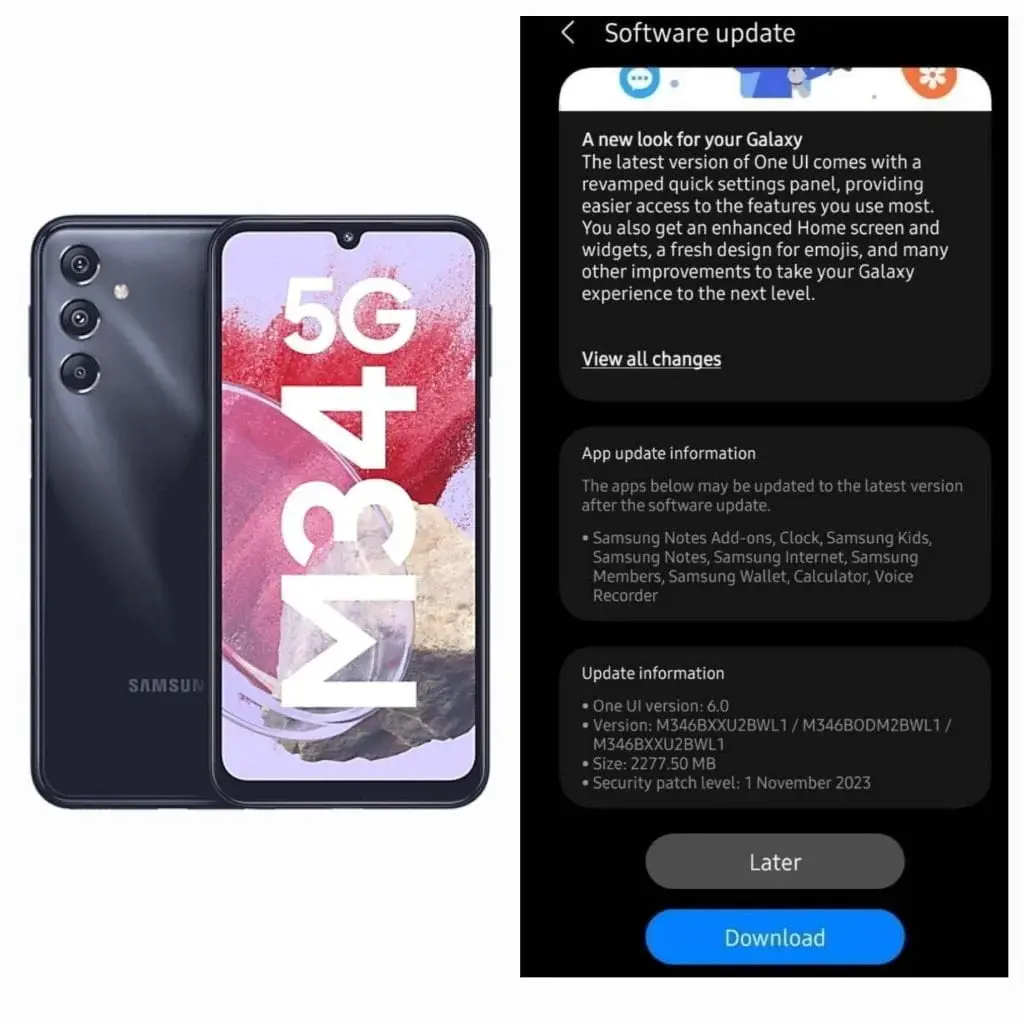
    Samsung has been steadily releasing its OneUI 6.1-based Android 14 update to eligible devices in different regions. Now, the South Korean brand is extending the rollout of its latest software update to the Galaxy M-series phones. The Galaxy M34, which was launched in July this year with Android 13 out of the box, is the latest device to receive the OneUI 6.0-based Android 14 update in India.

    Samsung Galaxy M34 5G Receives Android 14 Update

    The Samsung Galaxy M34 5G is now getting the OneUI 6.0-based Android 14 update in India. The firmware version for this update is M346BXXU2BWL1/M346BODM2BWL1/M346BXXU2BWL1 and it comes with the November 2023 security patch. This software update has a size of 2.27GB. It’s important to note that the update is being rolled out in phases, so it may take some time to reach all devices. To check for the Android 14 OS update on your Galaxy M34 5G, go to Settings > Software Update > Check for updates > Download and Install if available.

    Extended OS Support for Galaxy M34 5G

    The Samsung Galaxy M34 5G is eligible for four years of OS updates. With the arrival of Android 14, the smartphone will be eligible for three more versions, up to Android 17. This ensures that users will continue to receive the latest features and security enhancements for an extended period.

    Exciting Features and Changes in OneUI 6.1-based Android 14

    The OneUI 6.1-based Android 14 update is considered to be one of the biggest updates from Samsung. It brings a plethora of changes and new features, including a redesigned quick settings panel, enhanced customization controls, improved homescreen widgets, a new media player, and more. For a detailed overview of the changes and new features in the OneUI 6.1-based Android 14 update, refer to this post.

    In conclusion, Samsung is expanding the release of its OneUI 6.1-based Android 14 update to the Galaxy M34 5G in India. This update brings a range of exciting features and improvements to the smartphone. Users can check for the update in their device settings and enjoy the latest Android experience on their Galaxy M34 5G.