Category: Software

  • Discover What’s New in Oppo ColorOS 15: Exciting Features!

    Discover What’s New in Oppo ColorOS 15: Exciting Features!

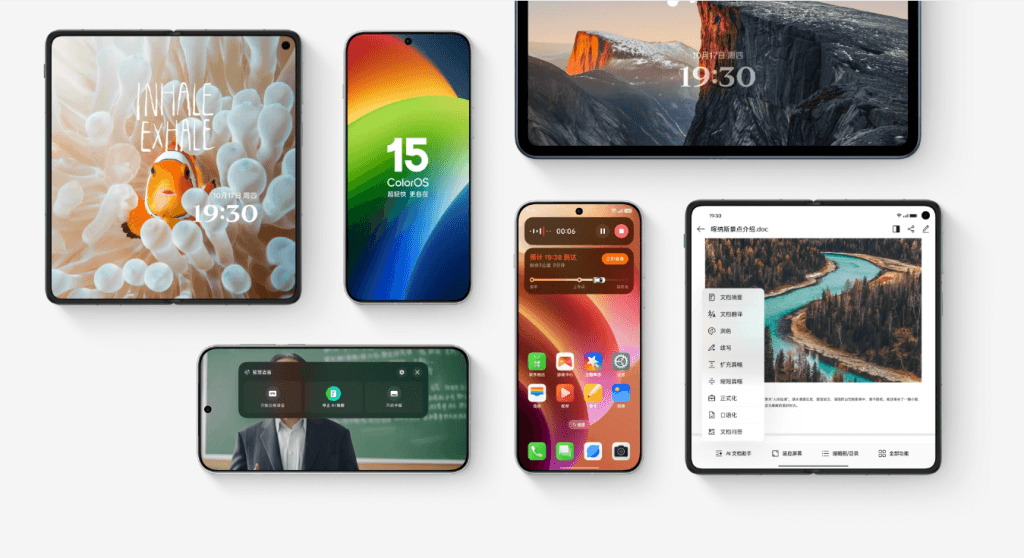
    During the Oppo Developer Conference 2024, the well-known Chinese tech company unveiled the ColorOS 15, which is their official version of Google’s new Android 15 OS. This update comes packed with fresh features, design changes, and much more. Here’s a brief overview of what’s new and exciting.

    ColorOS 15: A Fresh User Interface

    ColorOS 15 has been designed with a focus on functionality that supports form, rather than just looking good. The new version is light and comfortable, promoting a natural and straightforward aesthetic. The aim is to make navigation simple while enhancing personalization options. The apps now transition more smoothly, with refined motion effects and responsive gestures that contribute to a more fluid navigation experience.

    Advanced AI Capabilities

    The newest version of Oppo’s Android skin integrates Artificial Intelligence in a significant way. This integration allows ColorOS 15 to carry out various smart tasks that are useful in everyday life. One of the standout features is Snap-and-Ask, which allows users to take pictures of objects or scenes and receive real-time information through the camera. The AI-driven user interface also includes Virtual Avatars that assist with activities such as language learning and storytelling.

    ColorOS 15 also enhances photography with AI Image Enhancement tools that improve image quality by eliminating unwanted blurs and reflections. For those who need to boost productivity, there’s an AI Voice Summary feature that can record and summarize important points from meetings or audio files for easier reference. Additionally, the AI Office Suite introduces new document management tools. Other notable AI features include Super Xiaobu Assistant, AI Notes, AI Sign, AI Translation, and AI Super Pixel.

    Prioritizing Privacy

    Among the many upgrades, Oppo focused on enhancing device privacy with ColorOS 15. The new version boasts improved encryption through its Trusted Execution Environment (TEE), which secures data transfer between the cloud and the device. Features like Smart Clipboard Protection and Calendar Write Permissions give users more authority over their data, ensuring sensitive information stays private.

    The latest iteration of ColorOS can even automatically delete OTPs after they have been used. Users can also restore original photos if needed. To guarantee total security, Oppo assures that all AI processing occurs within a secure environment dubbed AI Private Computing Cloud.

    Enhanced Connectivity with iOS

    While ColorOS has taken some cues from Apple’s iOS, it has also made strides in improving integration with iPhones. The new ColorOS 15 now supports the wireless transfer of documents, videos, and images between its platform and iOS devices.

    Improved Performance Metrics

    Oppo is introducing performance enhancements with ColorOS 15. The company claims that gaming and video calls can now achieve an average of around 116.7fps. App installation has become about 26 percent quicker, while loading times are 50 percent faster, responsiveness is up by 18 percent, and animations are now 40 percent more stable. Additionally, there’s a threefold increase in efficiency for dynamic cache allocation.


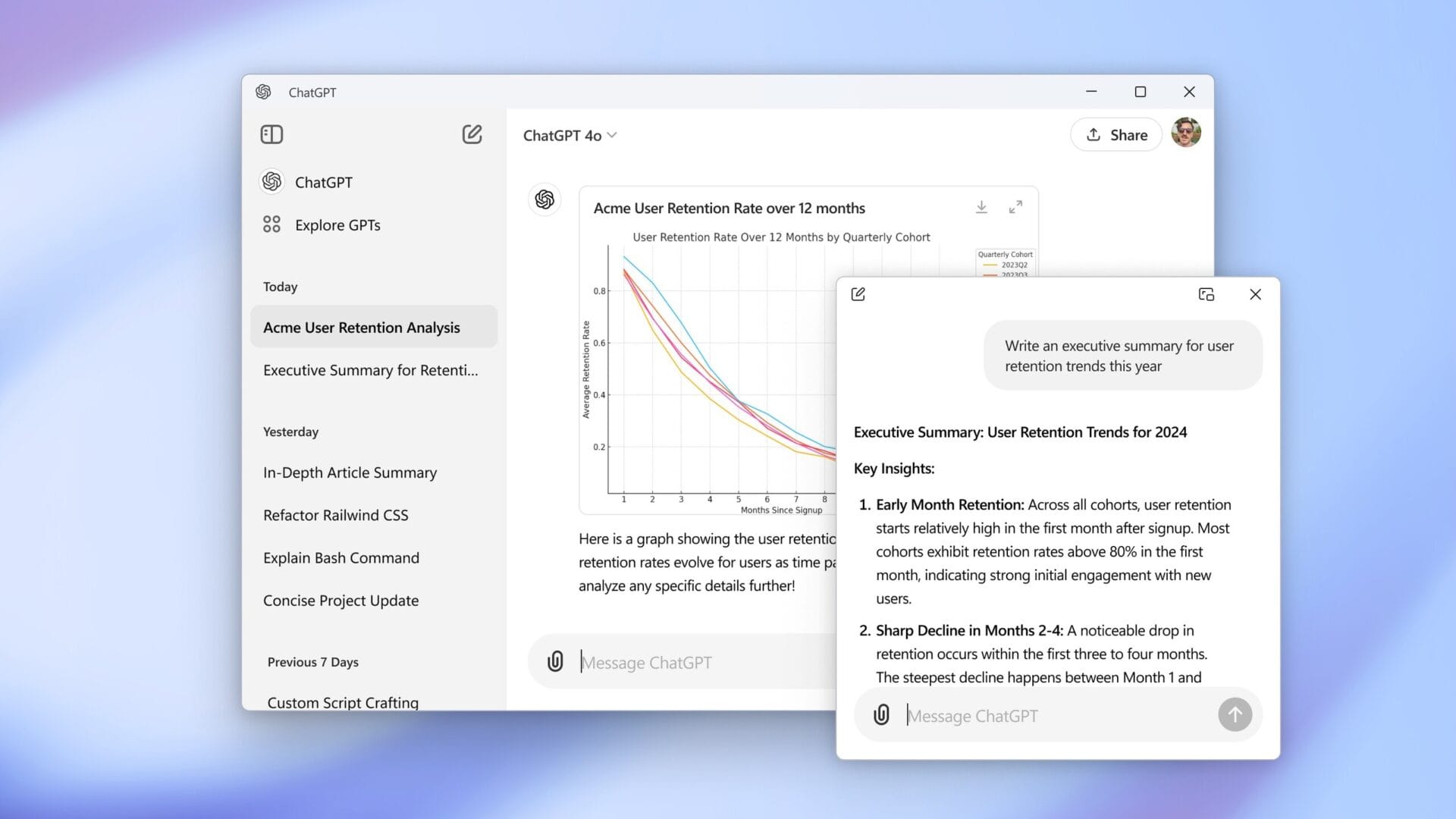
    Image 1
    Image 1
  • ChatGPT for Windows: An Easy-to-Use Electron Web App

    ChatGPT for Windows: An Easy-to-Use Electron Web App

    Earlier this year, OpenAI launched the ChatGPT application for macOS. After a lengthy wait, the ChatGPT app is now available for Windows 10 and Windows 11. Nevertheless, it appears that the company didn’t invest much effort into its Windows release.

    Development Details

    As reported by Windows Latest, the Windows version of the ChatGPT app is essentially a web wrapper built within an Electron container. Microsoft suggests using WebView2 for creating web applications. However, OpenAI opted for the Electron framework, which results in a significantly higher resource consumption compared to apps created with WebView2. The report states that Copilot for Windows 11, which utilizes WebView2, is under 600KB. In stark contrast, the Electron-based ChatGPT app takes up nearly 260 MB.

    Missed Opportunities

    OpenAI could have provided a better experience by developing a native ChatGPT application for Windows as they did for macOS. Instead, they chose to release a web app. This choice seems particularly ironic given Microsoft’s substantial investment in OpenAI. Even if a full native app wasn’t feasible, at the very least, they could have used the WebView2 framework to create a web app that uses fewer resources.

    New Features and Limitations

    On a brighter side, the ChatGPT app for Windows 11 includes a picture-in-picture mode, allowing users to interact with ChatGPT in a smaller window by pressing Alt+Space.

    At present, the app is still in its early development stages, meaning its performance may not be ideal. Additionally, it is currently only accessible to Plus, Team, and Enterprise users.


    Image 1
  • Firefox Restores Option to Remove “List All Tabs” Button

    Firefox Restores Option to Remove “List All Tabs” Button

    On October 10, a user named Postone began a conversation on Mozilla Connect about the inability to turn off or delete the "List All Tabs" button. He also brought up "Tab preview," but Firefox version 131.0.3 only fixed the first issue. Mozilla identified this situation as a bug rather than a planned modification.

    Bug Report Insights

    The Bugzilla page that discusses this matter shows that the problem appeared with Firefox 132. It was marked as a defect with a P1 priority and S2 severity level, but this issue is now resolved. The bug report was closed just eight days ago with a status of "fixed."

    User Experience Concerns

    Regardless of whether it was a bug, the fact that users couldn’t eliminate the "List All Tabs" option was a significant inconsistency in the Firefox user experience. While this problem persisted, those wanting to personalize their interface had the ability to remove nearly all other similar elements, including the "New Tab" button. Currently, things seem fine, but the initial comment from the Mozilla Connect user raises concern for the developers of this browser:

    "It appears, when you compare it to 10 or 15 years ago, things are getting worse and more complex instead of becoming simpler."

    A Nostalgic Read

    For anyone interested in revisiting the early days of the internet, they can find "Where Wizards Stay Up Late: The Origins of the Internet" on Amazon in four different formats. Prices start at $0.99 for the audiobook (with membership) and go up to $24.99 for the hardcover version.

    gHacks Technology News

  • Philips Hue Update: Enhancements for Hue Bridge Released

    Philips Hue Update: Enhancements for Hue Bridge Released

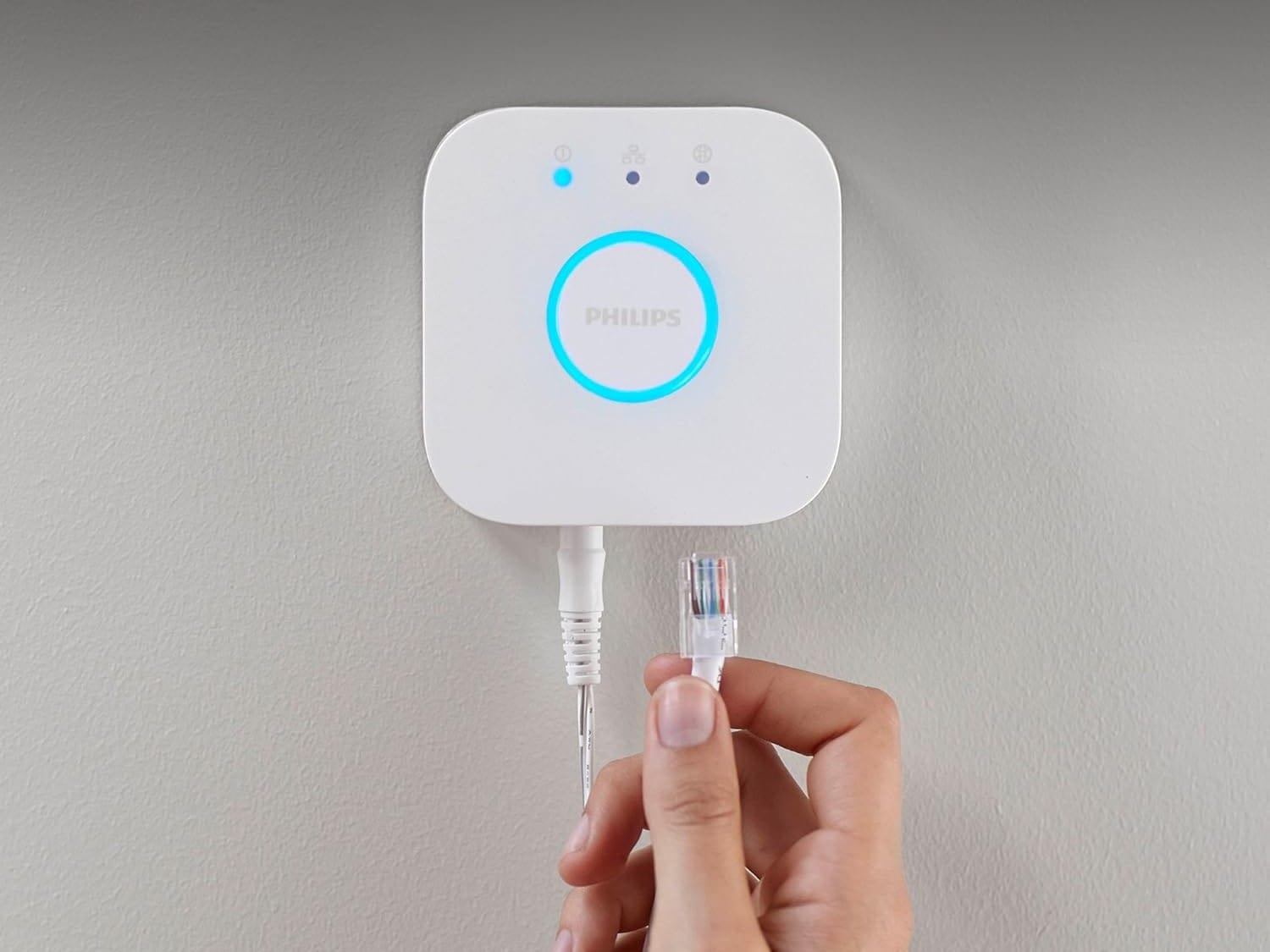
    A recent update is being distributed to the Philips Hue Bridge. The new software version 1967054010 is being sent out to users around the world, enhancing the performance and dependability of the smart home device.

    Rollout Timeline

    According to the release notes, the update should begin in mid-October; however, the company hasn’t mentioned when the full rollout will be finished. Users are reminded to make sure they have the most recent version of the Philips Hue app on their smartphones. Additionally, it’s wise to confirm that automatic updates are turned on in the settings of the Hue Bridge, which you can access through the app.

    Upcoming Features

    This update does not seem to be the significant update that Philips Hue revealed in September, which is said to enhance compatibility with multiple Hue Bridges. There is no announced release date for that software yet. Additionally, Philips Hue has recently introduced software version 1.122.2 for all lamps and light fixtures, which adds support for the Scattered style in gradient lights and introduces four new light effects: Underwater, Cosmos, Sunbeam, and Enchant. These updates are also reflected in the brand’s newest app upgrade.

  • Philips Hue Update: Three Exciting New Features for Smart Lights

    Philips Hue Update: Three Exciting New Features for Smart Lights

    The Philips Hue applications for both iOS and Android have been upgraded to version 5.28.0. This marks the second time this month the app has been updated, following the earlier release of version 5.27.0, which introduced a Do Not Disturb feature for sensors and cameras, along with an augmented reality option for users on iOS.

    New Lighting Features Added

    With version 5.28.0, users can enjoy three new lighting features. Among these are four fresh effects that can be accessed via the Effects icon: Cosmos, Underwater, Enchant, and Sunbeam. Additionally, users now have the ability to personalize all effects by modifying the base color, brightness, and transition speed. There’s also an option for creating unique effects using these three settings. A new Scattered light style is included as well, but this feature is solely for gradient lights, such as the Philips Hue Signe Smart Floor Lamp, which is currently priced at $256.49 on Amazon.

    Enhancements for iPhone Users

    For iPhone users on iOS 18, there’s an exciting fourth update: the option to customize the Hue app icon and its related widgets to ‘Dark’ or ‘Tinted’ to better match your Home Screen aesthetic. You can now grab the latest Philips Hue app, version 5.28.0, from either the Apple App Store or the Google Play Store.


    Image 1
  • Meta Layoffs Impact WhatsApp and Instagram Teams

    Meta Layoffs Impact WhatsApp and Instagram Teams

    Although Facebook, WhatsApp, and Instagram (including its sibling Threads) are still widely used, Meta is still continuing with layoffs. This situation began in 2022, when at least 11,000 employees were let go. The reasoning back then was due to growth being much lower than anticipated as the pandemic came to an end. Mark Zuckerberg described 2023 as a "year of efficiency," and it concluded with another 10,000 job cuts. Recently, sources close to the situation disclosed that Meta is letting go of even more staff, although the exact number remains undisclosed.

    Changes in the Company

    Meta’s spokesperson, Dave Arnold, spoke with The Verge yesterday. He stated, "Today, a few teams at Meta are making changes to ensure resources are aligned with their long-term strategic goals and location strategy." He went on to mention that this new round of changes also involves relocating certain teams and adjusting the roles of some employees in addition to job reductions.

    Departments Affected

    While Arnold didn’t specify which departments are affected, earlier insiders indicated that WhatsApp, Instagram, and Reality Labs are likely being impacted. Jane Manchun Wong, who joined the Threads team last year and gained fame for reporting on undisclosed features in apps, was one of those who shared this news on her social media platforms.

    Recommended Read

    Even though Mark Zuckerberg’s biography by Daniel Ichbiah was released in June 2022 and doesn’t cover the last couple of years, it could still be an intriguing read for those interested in Meta and its leader. This 300-page book is available exclusively in Kindle format for $6.

  • FTC Bans Deceptive Subscription Practices with Click-to-Cancel Rule

    FTC Bans Deceptive Subscription Practices with Click-to-Cancel Rule

    wMany people know the struggles of navigating through endless calls and confusing terms when they want to cancel a subscription or membership. Luckily, the FTC has stepped in with a new rule that aims to make the cancellation process as simple as signing up. Once this rule is officially published in the Federal Register, businesses will have 180 days to follow it. After that period, they may face consequences for any misleading actions.

    Impact on Businesses

    This regulation will influence nearly all companies that use Negative Option tactics. A common example is the “free trial” offer, which often asks users for their payment details before they can access the service. Under this new rule, businesses must present information about their services clearly and honestly reflect what users receive upon enrollment. Additionally, the FTC ensures that if someone signs up online, they should also have the ability to cancel online. Even if a person enrolls in a service face-to-face, they will still need the option to cancel via phone or online.

    A Long-Awaited Change

    This regulation has been a long time coming. Many users have found themselves paying for unwanted services simply because they forgot to cancel their subscriptions, costing them money. Ironically, this has led to companies even charging cancellation fees. It is hoped that as the FTC continues to learn about the digital economy, we will see more protective rules that keep users safe from dishonest business practices.

    FTC.gov


    Image 1
  • Windows 11 24H2 Update: Fix Clipboard History Issues Quickly

    Windows 11 24H2 Update: Fix Clipboard History Issues Quickly

    Windows 11 24H2 has rolled out, bringing along exciting new AI features and other improvements to the system. However, as with previous updates, users are finding some bugs, including the pointer issue we mentioned earlier. Now, there is another problem: the clipboard history function is not working.

    Clipboard History Feature Overview

    The clipboard history was first launched in the October 2018 Update of Windows 10. This feature’s purpose is to keep a record of all copied items. It not only tracks text but also can save a history of copied images. In Windows 11, the clipboard history got even better, allowing users to view their recently used GIFs and emojis as well.

    New Bug Reported

    As per Windows Latest, there is an issue with the Windows 11 24H2 update where the clipboard displays a blank history.

    If you happen to be one of those affected by this glitch, there’s a simple workaround you can try while waiting for Microsoft to resolve the problem.

    No Acknowledgment from Microsoft

    At this time, Microsoft has not made any official statement regarding this clipboard issue.

    Windows Latest has confirmed these findings.


    Image 1
  • Oppo Unveils ColorOS 15 Update Timeline for Oppo and OnePlus

    Oppo Unveils ColorOS 15 Update Timeline for Oppo and OnePlus

    Oppo has recently introduced its newest ColorOS 15 operating system, which is based on Android 15, during the Oppo Developer Conference 2024 held in China. This latest update focuses on making the system easier to use, enhancing performance, and allowing for more personalization, creating a better balance between aesthetics and functionality. Additionally, Oppo has released a timeline for updates concerning devices that are eligible, including those from OnePlus in China.

    Update Schedule for November 2024

    OPPO:

    • Find X7
    • Find X7 Ultra Satellite Communication Edition
    • Find X7 Ultra
    • Find N3
    • Find N3 Collector’s Edition

    OnePlus:

    • OnePlus 12
    • OnePlus Ace3 Pro
    • OnePlus Ace 3
    • Special Edition: OnePlus Ace 3 Genshin Impact Keqing Customization
    • OnePlus Tablet Pro

    Update Schedule for December 2024

    OPPO:

    • Find N2
    • Find X6
    • Find X6 Pro
    • Pad2
    • K12x 5G
    • Reno12 Pro 5G

    OnePlus:

    • OnePlus 11 5G Jupiter Rock Custom Edition
    • OnePlus Ace 2
    • OnePlus Ace 2 Pro
    • OnePlus Ace 2 Pro Genshin Impact Paimon Theme Gift Box
    • OnePlus Ace 3V
    • Special Edition: OnePlus Ace 2 Genshin Impact Customized Gift Box

    Update Schedule for January and February 2025

    January 2025:

    • OPPO: Find N2 Flip, Find X5, Find X5 Pro, Reno11 5G, Reno10 Pro Star Edition 5G, Reno12 5G, Reno10 Pro+ 5G, Reno10 Pro 5G
    • OnePlus: OnePlus 10 Pro, OnePlus Ace 2V, OnePlus Ace Pro, OnePlus Ace Pro Genshin Impact Limited Edition

    February 2025:

    • OPPO: Find X5 Pro Dimensity Edition, K11x 5G, Reno9 Pro+ 5G, Reno10 5G
    • OnePlus: OnePlus Ace, OnePlus K11 5G, OnePlus Ace Racing Edition 5G

    Update Schedule for March 2025

    OPPO:

    • Reno9 Pro 5G
    • Reno9 5G
    • Reno8 Pro+

    Noteworthy Features of ColorOS 15

    Improved Performance: ColorOS 15 features a redesigned system structure that boosts overall speed and stability. With OPPO’s Lightning Engine technology, multitasking becomes smoother, and apps launch quicker.

    AI-Enhanced Functionality: AI is a key component of ColorOS 15. It offers smart photo editing tools and virtual assistants to assist users with activities like language learning and storytelling, enriching the overall experience.

    Focus on Privacy: User privacy is a main concern in ColorOS 15, which incorporates advanced security protocols to safeguard personal data and thwart unauthorized access.

    Personalizable Interface: Users can enjoy extensive customization possibilities in ColorOS 15, including various themes, wallpapers, and layouts for apps, allowing for a unique phone experience.

    Better Gaming Features: Gamers will appreciate the enhanced gameplay with ColorOS 15’s optimized gaming mode and support for high frame rates.


    Image 1
  • OPPO Unveils ColorOS 15: Enhancing Simplicity and Performance

    OPPO Unveils ColorOS 15: Enhancing Simplicity and Performance

    At the OPPO Developer Conference 2024, OPPO showcased ColorOS 15, which is based on Android 15 and tailored for the Chinese audience. This new version emphasizes user-friendliness, system efficiency, and customization possibilities, aiming to create a harmonious blend of aesthetics and practicality.

    New Look and Feel

    ColorOS 15 comes with a fresh design that is labeled as “super light and more comfortable.” The revamped interface uses natural light and shadow effects to enhance the user experience. This design is crafted to be both attractive and user-friendly, concentrating on subtle improvements rather than drastic changes.

    The visual aspects, like motion effects and app transitions, have been polished to ensure a smoother experience when navigating. Whether you’re using gestures or switching apps, the system aims to deliver a more fluid and responsive interaction.

    Boosted Performance and Gaming

    With the introduction of the new Lightning Engine, OPPO has notably enhanced system performance, increasing responsiveness by 18% and stability by 40%. This should lead to quicker load times and enhanced multitasking capabilities.

    For gamers, ColorOS 15 includes a special mode that can achieve frame rates of up to 116.7 FPS. This feature ensures smoother gameplay as well as improved video calls, especially during demanding tasks.

    Intelligent Features for Daily Life

    One eye-catching feature in ColorOS 15 is Snap-and-Ask, which enables users to capture images of objects or scenes and receive real-time information through the camera. This makes it simpler to gather information quickly without the hassle of a manual search.

    The update also brings in various AI-driven features. Virtual avatars can help with tasks like language learning and storytelling, while AI Image Enhancement tools can significantly improve photo quality by removing blurriness or unwanted reflections with a mere tap.

    Enhancements for Productivity and Privacy

    For users aiming for better productivity, the AI Office Suite introduces useful tools for managing documents, including format conversion and quick summaries. The AI Voice Summary function can capture and condense essential points from meetings or audio files, making it easier to remember crucial details.

    ColorOS 15 further prioritizes privacy with enhanced encryption via its Trusted Execution Environment (TEE), securing data transfers between the cloud and the device. Features like Smart Clipboard Protection and Calendar Write Permissions give users better control over their data, minimizing unnecessary access to personal information.

    Personalization Options for Users

    With ColorOS 15, users can customize their devices using dynamic themes applicable throughout the system, from the lock screen to the wallpaper. The redesigned Control Center provides easier access to vital functions like Wi-Fi and media controls with just a single tap.

    The system also features Dual App Split-Screen Mode, allowing users to run two applications simultaneously. This capability makes multitasking more efficient, providing greater flexibility when transitioning between apps.

    File Management and Sharing Improvements

    The update enhances file sharing through OPPO Share, which is now compatible with iPhones. This allows for quick transfers of files, photos, and videos among devices, even across different platforms.

    ColorOS 15 also adds Automatic SMS Cleanup, which identifies and deletes expired verification codes from messages, helping users maintain an organized inbox.

    Launch Information

    ColorOS 15 is set to be released in China this coming November. Details regarding its global rollout will be shared soon.


    Image 1
    Image 1
    Image 1
    Image 1
    Image 1
    Image 1