Category: Software

  • Adobe Fresco App Now Free After Premium Subscription Canceled

    Adobe Fresco App Now Free After Premium Subscription Canceled

    Adobe has decided to eliminate the Fresco Premium subscription, which previously cost $9.99 per month when bundled with the mobile Photoshop app. Going forward, users will be able to import brushes without needing a subscription, access their own brush and color library in Adobe Creative Cloud, and enjoy thousands of extra brushes.

    New Features for Users

    These brushes are designed to help users create realistic effects similar to watercolors or pencil drawings. Additionally, premium fonts from Adobe Fonts are now available at no cost. Fresco was already offered for free without these extra features. This change in pricing may be a strategy to make Fresco more competitive against Procreate, a highly favored drawing app for the Apple iPad, which only has a one-time price of $12.99. For further information about Adobe Fresco, you can visit the official product page.

    The Challenge Ahead

    It remains uncertain whether providing Fresco for free will be sufficient to compete, as Procreate is well-liked not just for its features, but also because its developers have opposed AI-generated content and subscriptions. In contrast, Adobe claims it does not utilize its customers’ artwork for machine learning or to train AI systems. However, the company is continually incorporating AI capabilities into programs like Photoshop, and the lack of transparency regarding training databases is raising concerns among creative professionals about the company’s intentions.

    Adobe | App Store


    Image 1
    Image 1
  • MagicOS 9.0 Update Schedule for Honor Devices

    MagicOS 9.0 Update Schedule for Honor Devices

    Honor has launched its newest operating system, MagicOS 9.0, which is built on Android 15, in China. This update emphasizes AI-driven functionalities, improved security measures, cross-device integration, and better overall performance. There’s also a public beta program that will let users experience the new OS prior to its complete rollout.

    Public Beta Schedule

    • November 2024: Magic V3, Magic Vs 3, Magic V2 series, Magic 6 series, Magic 5 series
    • December 2024: Magic Vs 2, Magic V Flip, Magic 4 series, Honor 200 series, MagicPad 2 tablet
    • January 2025: Magic Vs series, Magic V, Honor 100 series, Honor 90 GT, GT Pro tablet
    • February 2025: Honor 90 series, Honor 80 series
    • March 2025: Honor X60 series, X50

    Key Features of MagicOS 9.0

    AI-Enhanced Tools

    • YOYO Agent: Manages tasks like filling out forms, ordering drinks, and keeping track of notifications.
    • Anydoor: Allows users to quickly access services by simply circling items on the screen.

    Improved Security

    • Smart Capsules: Give real-time notifications for weather updates, appointments, and more while not interrupting tasks.
    • Face-swap Detection: Guards against AI-made deepfakes during video calls or online chats.

    Performance Enhancements

    • Turbo X Engine: Increases rendering speed by 40% and cuts down energy use by 11%.
    • Predictive Scheduling Engine: Offers a more seamless multitasking experience.
    • Gaming Performance: Can handle gameplay at 119.9 FPS without lagging.

    Productivity Tools and Features

    • AI Notes: Converts spoken meetings into text and provides summaries in multiple languages.
    • AI Document: Aids in mind mapping, comparing documents, and writing tasks.
    • Magic Photo Editor: Revives old photos, eliminates unwanted elements, and enhances images using filters.

    Fitness and Travel Capabilities

    • AI Fitness Coach: Delivers custom workout plans along with real-time adjustments.
    • Travel Assistant: Recommends transport options and places to stay based on individual preferences.

    Customization Choices

    • More than 20 lock screen designs featuring animated and 3D styles.
    • A digital human assistant for realistic interactions.

    Honor has not yet disclosed any information about when MagicOS 9.0 will be available in international markets.
    (Source)


  • HONOR MagicOS 9.0: Enhanced AI, Security, and Performance Features

    HONOR MagicOS 9.0: Enhanced AI, Security, and Performance Features

    HONOR has introduced MagicOS 9.0, a cutting-edge operating system rooted in Android 15, aimed at providing an intelligent and efficient experience for users. This platform, crafted primarily for the Chinese audience, incorporates AI to boost performance and security while offering tailored functionalities. A version of this system will also become available for global users shortly.

    AI Enhancements

    YOYO Agent
    At the heart of MagicOS 9.0 lies the upgraded YOYO Agent, an AI assistant that streamlines user interactions and learns from user behavior. With just a few simple commands, YOYO can handle tasks such as ordering food, organizing notifications, and comparing prices, thus making everyday interactions more intuitive and effective.

    Innovative Features

    HONOR Anydoor
    The HONOR Anydoor feature enables users to gather information or initiate actions using simple gestures. By drawing a circle around an object on the display, users can swiftly access relevant content, showcasing HONOR’s commitment to offering quicker and more user-friendly technology.

    Focus on Security

    Face Swap Detection
    MagicOS 9.0 prioritizes security with a face-swap detection feature that helps spot fake videos, addressing worries about deepfake technology. Additionally, the Smart Capsules function delivers real-time notifications, such as weather updates and calendar appointments, without disrupting the user’s workflow.

    Enhanced Performance

    Turbo X Graphics Engine
    The system is equipped with the Turbo X graphics engine, which enhances rendering speeds by 40% while also cutting power consumption by 11%. The Predictive Scheduling Engine ensures seamless performance, allowing for up to 119.9 FPS during demanding tasks, thus providing a lag-free experience.

    Productivity and Creativity Tools

    MagicOS 9.0 introduces AI-driven tools like AI Notes, which transcribes meetings and creates summaries, and AI Document, which aids in mind mapping and document comparisons. For photography enthusiasts, the AI-enhanced Magic Photo Editor lets users easily eliminate unwanted objects, restore images, and apply various filters.

    Fitness and Travel Features

    MagicOS 9.0 also features a fitness coach that designs customized workout plans, along with a travel assistant providing personalized suggestions for transportation and lodging. The semantic search capabilities make it simpler to locate content based on vague descriptions.

    Cross-Device Compatibility

    The system facilitates the synchronization of messages and calls between smartphones and smartwatches while incorporating cross-device security features that enable users to remotely lock their phones. It also offers seamless integration with home and vehicle environments, making transitions between devices effortless.

    Personalization and Interaction

    MagicOS 9.0 provides extensive customization options, boasting over 20 new lock screen designs, as well as a digital human assistant that interacts with users in a realistic manner, enhancing engagement and personalization throughout the platform.

    Future Plans and Rollout

    MagicOS 9.0 will launch alongside the HONOR Magic 7 series in November 2024, with a more expansive rollout to additional devices anticipated soon thereafter. HONOR is heavily investing in AI development, pledging ¥2 billion to enhance its foldable phone capabilities and strengthen its application ecosystem, gaming features, and AI service offerings.


    Image 1
    Image 1
    Image 1
  • Snapdragon 8 Elite: 8 Years of Android OS Updates Guaranteed

    Snapdragon 8 Elite: 8 Years of Android OS Updates Guaranteed

    Qualcomm has finally revealed the Snapdragon 8 Elite after a lot of speculation and leaks. Following this announcement, various smartphone manufacturers started promoting their upcoming devices that will use the Snapdragon 8 Elite chip. This chip is not only among the fastest for Android but also provides extended OS update support.

    Snapdragon 8 Elite: Extended Android Software Support?

    With the launch of the Snapdragon 8 Elite, Qualcomm showcased notable enhancements in CPU, GPU, and artificial intelligence capabilities. Moreover, Christopher Patrick, Qualcomm’s Senior Vice President and General Manager, stated that the Snapdragon 8 Elite would support 8 years of Android OS updates. The company is creating new methods for manufacturers to prolong software support, allowing Qualcomm and smartphone brands to collaborate in offering extended software updates to users.

    For those who invest in high-end smartphones and aren’t looking to upgrade frequently, these next-generation flagship models could be ideal. Many individuals do not change their devices every year just for the latest software features. The new Snapdragon platform is advantageous, as a majority of essential features are now either reliant on software or are AI-driven. It’s important to note that Qualcomm isn’t the one guaranteeing 8 years of Android OS updates; it is merely establishing the necessary infrastructure and hardware capabilities to support brands that provide longer software lifecycles.

    Samsung Galaxy S25 Ultra with Android 15 and One UI 7

    Currently, most smartphones typically come with roughly 2 major Android OS updates, although a growing number of devices are now offering 3 years of support. Brands like Samsung and Google are pushing the boundaries further with 7 years of software updates. Unlike Google, Samsung’s flagship series will utilize the Snapdragon 8 Elite, suggesting that the Galaxy S25 series might launch with 8 years of Android OS updates. If this happens, it would offer the most extended software support of any smartphone, even outdoing Apple, which provides 6 to 6 years of software support.


    Image 1
  • Huawei Unveils HarmonyOS: Key Features and Updates Explained

    Huawei Unveils HarmonyOS: Key Features and Updates Explained

    Huawei has just revealed HarmonyOS Next, the newest version of its operating system, at a recent product launch event. This fifth generation of HarmonyOS introduces major improvements, particularly in areas like privacy, security, and the overall user experience, making interactions more seamless.

    Major System Overhaul

    Touted as the most significant update in the history of HarmonyOS, this version boasts a newly designed architecture that operates independently from Android. This means a stronger emphasis on native functionalities and enhanced security measures.

    UI and Interaction Enhancements

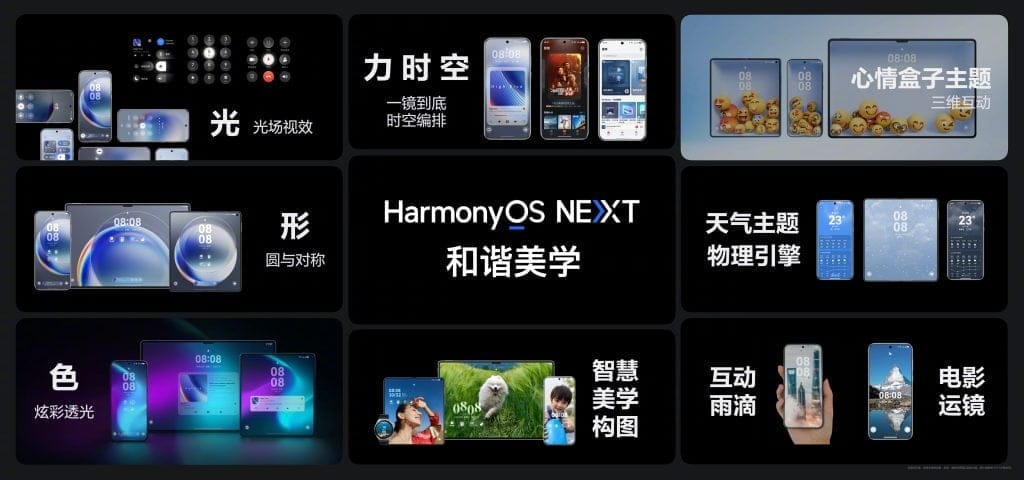
    HarmonyOS Next brings forth the concept of “Pure HarmonyOS,” a fresh design philosophy that prioritizes visual beauty and smoothness. This is achieved through engaging lighting, gravity-based animations, and a focus on central-axis symmetry. According to Chief UX Designer Yang Zhiyan, six key elements—light, movement, color, force, time, and space—combine to form a unified digital experience. The user interface features lively wallpapers, smart digital clocks, and a seamless integration of themes. Notably, the lock screen adapts its cinematic look based on weather conditions, clock placement, and lighting effects, resulting in a more organic interaction for users.

  • Flyby11: Update Windows 11 on Older Hardware Easily

    Flyby11: Update Windows 11 on Older Hardware Easily

    Known for useful open-source tools like the xd-AntiSpy privacy application and the now sadly discontinued ThisIsWin11 system tweaker, Belim has just released another helpful free tool for Windows users globally. This time, it’s a simple patcher that enables updates to Windows 11 24H2 on hardware that isn’t officially supported. The tool, named Flyby11, is not suitable for fresh installations, but it’s great for those looking to upgrade.

    How to Use Flyby11

    Flyby11 does not include an installer, so users who wish to use it must download the latest version from GitHub. After downloading, they need to extract the files into a folder, run the application, and then choose between two upgrade methods: server setup or registry changes.

    For the first method, users should select the Fido script option, and after downloading the most recent 24H2 ISO from Microsoft, the process should be straightforward, as it is well guided. If this method does not work, there is a second option that might be effective.

    Benefits of Flyby11

    Even for users with fully compatible hardware, Flyby11 can help automate the process of downloading the Windows 11 24H2 ISO, making the upgrade process quicker and easier overall.

    In other news, the second edition of Windows 11 For Dummies, written by Alan Simpson, is set to be released on Amazon on November 20th. Those who are interested can pre-order it now for $15 (Kindle edition) or $24.99 (paperback version).

    Flyby11 (available on GitHub, via gHacks Technology News)

  • Android 15 Update Bricks Pixel 6 Devices After Private Space On

    Android 15 Update Bricks Pixel 6 Devices After Private Space On

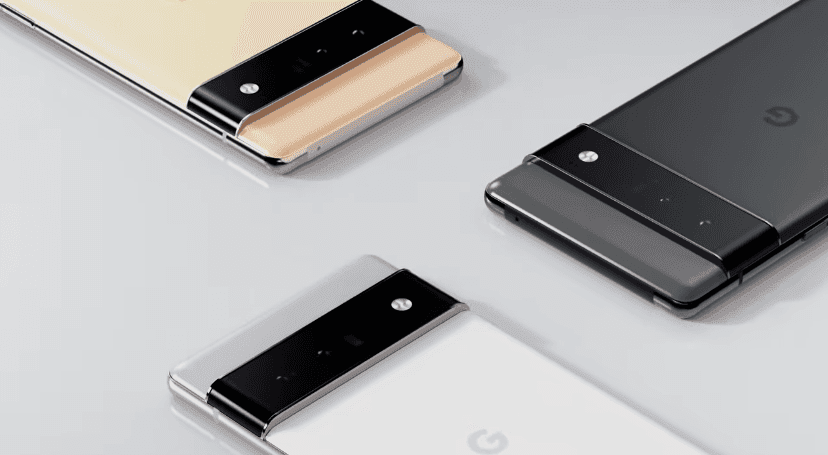
    Recent user feedback on Reddit reveals that some Pixel 6 phones are experiencing issues known as "bricking" after the Android 15 update, especially when the new "Private Space" feature is utilized. While not everyone seems to be impacted, the increasing number of affected devices points to a significant problem, and Google hasn’t made an official statement yet.

    The Problem

    According to users, the trouble occurs when the Private Space feature is activated on their Pixel 6 models. Two Reddit users, GegoByte and Homer_95, shared their stories. GegoByte reported that their phone stopped responding right after opening an app in Private Space, while Homer_95 experienced a bricking issue during normal usage, even with plenty of battery life. Both described their phones as “totally dead,” and standard troubleshooting steps, such as pressing the Power and Volume Down buttons, were unhelpful. Connecting to a computer also failed to revive the devices.

    Early theories suggested that the problem might be tied to user profiles, similar to issues seen in the Android 14 update, but the exact reason is still unknown. As more reports of bricked phones continue to surface, it appears that the problem may extend beyond just the Private Space feature.

    New Features in Android 15

    Android 15 has brought forth numerous new features designed to improve privacy and security for users. The Private Space feature is particularly notable, as it enables users to conceal important apps and data in a protected, isolated space. However, this new functionality has resulted in unforeseen complications on some Pixel 6 devices.

    In addition to Private Space, Android 15 includes Theft Detection, enhanced multitasking for foldable devices, and better smart home device integration, as per Google’s official release. While the update has been rolled out for other Pixel models without major issues, the Pixel 6 seems to be facing unique challenges. This raises concerns about specific bugs or compatibility issues with this particular model, leading affected users to be cautious and refrain from using the Private Space feature until the matter is resolved.

    With many reports surfacing about Pixel 6 devices becoming fully unresponsive, owners of this model are encouraged to take care, especially when exploring new features like Private Space. We can only hope that Google will address and fix this issue promptly.


    Image 1
    Image 1
  • Huawei HarmonyOS Next Beta Launches for Eight New Smartphones

    Huawei HarmonyOS Next Beta Launches for Eight New Smartphones

    Earlier this month, Huawei released a public beta update for the Mate 60 series, Mate X5 series, and the MatePad Pro 13.2-inch series. Now, the company is extending this update to eight additional devices.

    New Devices Included

    The new devices that are eligible for the beta upgrade include the Pura 70, Huawei Pura 70 Satellite Messaging Edition, Pura 70 Pro, Pura 70 Pro+, Pura 70 Ultra, Pocket 2, Pocket 2 Art Custom Edition, and MatePad Pro 11-inch (2024). Owners of these models can apply for the beta upgrade via the “My Huawei” app, specifically in the “Early Access” section.

    A Major Shift in Software

    The latest version of HarmonyOS, named HarmonyOS Next, signifies a major transformation in Huawei’s software. It now operates on a single-framework architecture, meaning that it is no longer compatible with Android. This shift makes HarmonyOS Next a completely self-developed operating system that depends solely on the HarmonyOS kernel.

    Nonetheless, rumors suggest that Huawei might adopt a dual-OS strategy for the upcoming Mate 70 series, allowing support for both HarmonyOS Next and Android apps. This speculation, shared by leaker RuiPlaysDigital, aims to meet the needs of both Chinese users who are accustomed to HarmonyOS and global users who need Android compatibility, especially for Google apps limited by US trade rules.

    Evolution of HarmonyOS

    HarmonyOS was initially introduced in 2015 and officially launched in 2019, receiving four major updates since then. In January 2024, Huawei introduced HarmonyOS Next, which is designed for a fully native HarmonyOS experience, concentrating only on applications developed for the HarmonyOS environment.

    Currently, the top 5,000 apps in China are being developed natively for HarmonyOS, with the HarmonyOS Next App Store offering over 10,000 apps and services, covering nearly all essential usage requirements.

    Market Growth

    According to a recent report from Counterpoint Research, HarmonyOS has significantly increased its market share in China, rising from 8% in Q1 2023 to 17% in Q1 2024. In contrast, iOS’s market share decreased from 20% to 16% during the same period, positioning HarmonyOS as the second-largest operating system in China, overtaking Apple’s iOS.

    Huawei’s Xu Zhijun pointed out that for HarmonyOS to truly function as a mobile operating system, it requires a strong ecosystem. The aim is to enhance coordination among apps, the OS, and hardware, which would lead to a better user experience.

    Today, Huawei is hosting an event in China to officially unveil HarmonyOS Next alongside the Nova 13 series. The Mate 70 series is expected to be launched in November.


    Image 1
  • PorteuX 1.7 Portable Linux: New Kernel, Smaller ISOs, Updates

    PorteuX 1.7 Portable Linux: New Kernel, Smaller ISOs, Updates

    Not to be mixed up with Porteus, PorteuX is a portable Linux distribution that is designed to be lightweight, incredibly fast, modular, and can be immutable if necessary. Drawing inspiration from Slax and Porteus, it offers users a choice of 7 different desktops: Cinnamon, GNOME, KDE Plasma, LXDE, LXQt, MATE, and Xfce. The latest version, 1.7, features the Linux kernel version 6.11.4, along with updated desktop environments, applications, smaller ISO sizes, and various fixes.

    Size and Features

    The KDE version of PorteuX is a bit larger than 500 MB, specifically 551 MB for KDE 6.2.1 and 502 MB for KDE 5.23.5, while the other versions remain under the 500 MB limit. The lightest version is the one based on LXDE 0.10.1, which is only 431 MB. It’s important to note, however, that there are no web browsers, email clients, or office software bundled with it. The distro includes packages such as glibc 2.40, gtk 4.16.3, gnome-shell 47.1, kmod 33, samba 4.21.1, wayland 1.23.1, qt 6.7.3, and Python 3.11.10. To maintain its lightweight nature, non-essential tools commonly found in other distros, like vim, have been excluded.

    Improvements in Version 1.7

    A significant number of fixes focus on addressing problems in Xfce 4.18, but improvements have also been made for GNOME, LXDE, and Cinnamon. The release notes highlight at least 45 changes, and the PorteuX team describes version 1.7 as “a big release” that aims to provide “an exciting and hopefully fast and stable system for everybody” who is willing to try it out.

    For those interested in having multiple portable Linux distributions available on a single USB stick, there’s a 9-in-1 32 GB USB drive available on Amazon for $19.99. This stick, configured by EZISTOL, comes preloaded with Ubuntu, Mint Cinnamon, MX Linux Xfce, Elementary OS, Linux Lite Xfce, Manjaro KDE, Peppermint, Zorin OS Xfce, and Pop!_OS.

    Conclusion

    PorteuX is an appealing option for users seeking a lightweight and flexible Linux environment. It’s designed for speed and efficiency, making it a suitable choice for various computing needs. With the latest updates and a robust selection of desktop environments, it encourages exploration and use among Linux enthusiasts.


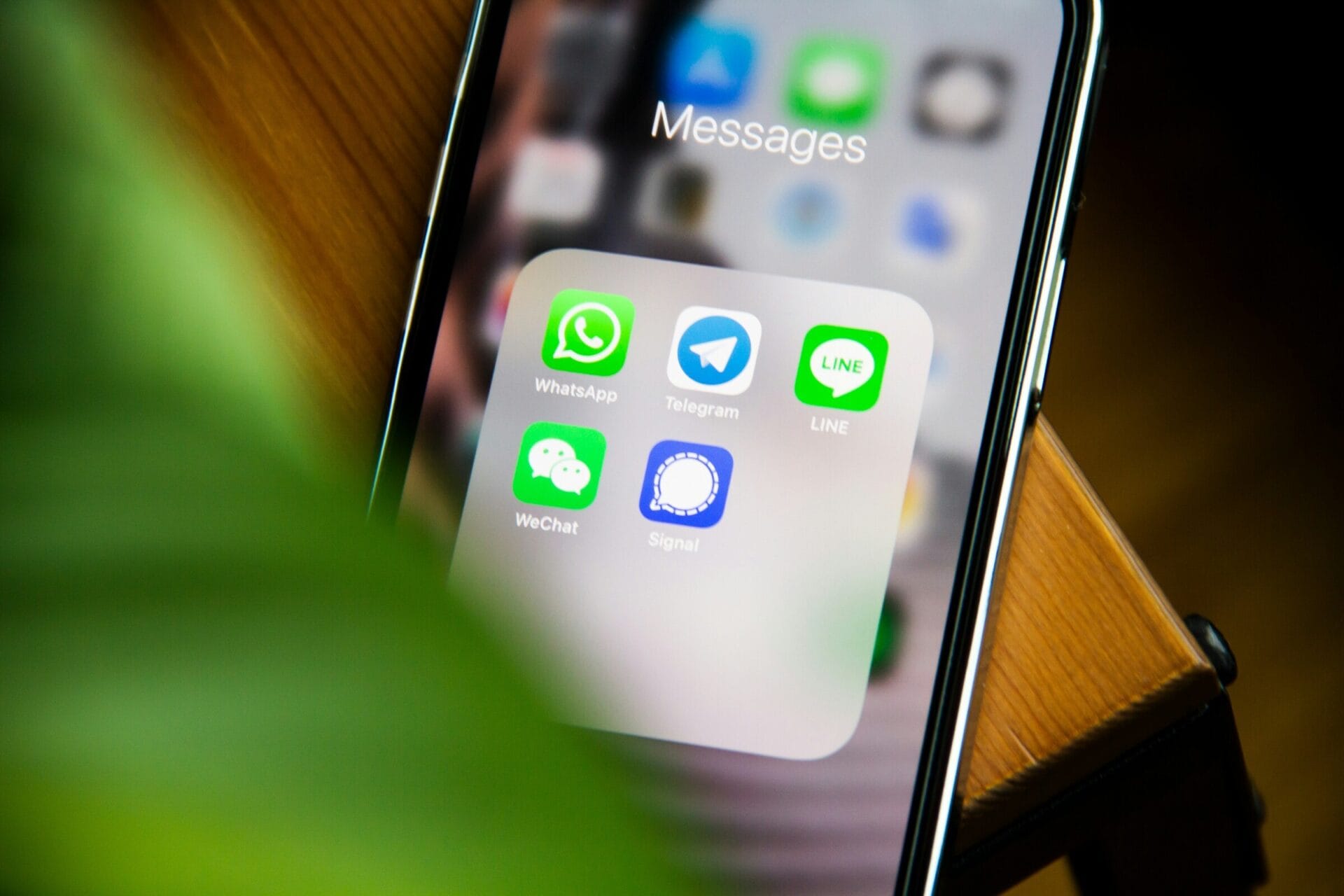
  • WeChat’s Encryption Protocol Faces Intense Scrutiny

    WeChat’s Encryption Protocol Faces Intense Scrutiny

    The folks at the University of Toronto’s Citizen Lab recently took a look into WeChat’s encryption and found some potential security weaknesses. With more than a billion users logging in every month, WeChat operates a tailored version of the Transport Layer Security (TLS) 1.3 protocol, which they have named MMTLS.

    Two Layers of Protection

    WeChat’s encryption is designed with two different layers:

    However, even with these two layers in place, the researchers encountered several problems:

    Prior to 2016, WeChat only employed business-layer encryption for its requests. The addition of MMTLS was meant to improve the situation. Yet, while it enhanced the app’s security by making internal encryption more difficult to breach, the researchers claim it still doesn’t fully meet the modern cryptographic standards expected from an app of this scale.

    A Larger Issue in China’s Tech Landscape

    The report highlights a significant concern within the tech industry in China: developers often create their own encryption solutions rather than relying on established protocols like TLS 1.3 or QUIC, which typically results in less secure systems.

    Citizen Lab recommends that Tencent, which is WeChat’s parent company, should adopt a standard TLS configuration or consider combining TLS with QUIC to enhance their security measures.