Category: Software

  • Band of Brothers RTS: Cinematic Strategy Classic under $4 on Steam

    Band of Brothers RTS: Cinematic Strategy Classic under $4 on Steam

    Key Takeaway

    – Focus on tactical positioning, cover, and control of key map sectors, with destructible environments and bonus veteran units.
    – Campaigns span Allied and Axis perspectives, including expansions that add new campaigns, modes, and bonus units; multiplayer supports multiple factions.
    – Strong cinematic presentation and sound design, with solid reception but initially limited campaigns and factions that expanded in later DLC.


    Overview

    In Company of Heroes, players take command of Allied troops during the invasion of Normandy. Locations such as Omaha Beach, Carentan and Cherbourg serve as backdrops for tactical battles involving infantry, paratroopers, tanks and artillery. While base building is included, the focus is clearly on positioning, cover and control of strategic sectors. The Opposing Fronts expansion adds two campaigns: a British campaign centered on the liberation of Caen and a German campaign from the perspective of the Panzer Elite. Both factions are also playable in multiplayer. Tales of Valor further expands the package with three short single-player episodes, new multiplayer modes, additional maps and bonus units.

    Gameplay and Mechanics

    Gameplay revolves around intense battles on destructible battlefields. Houses can collapse, cover can be blown apart and entire streets can come under artillery fire. Resources are not generated automatically, but earned by holding key sectors of the map. This creates a dynamic flow of attacks, counterattacks and organically shifting frontlines. At the same time, units gain experience, achieve veteran status and become increasingly valuable over time.

    Reception and Reviews

    When it launched in September 2006, the strategy game developed by Relic Entertainment was praised above all for its cinematic presentation. German gaming magazine PC Games repeatedly compared it to HBO’s Band of Brothers and highlighted its believable story, impressive graphics and excellent sound design. Criticism focused on the somewhat short 15-mission campaign and the limited number of multiplayer factions – weaknesses later addressed by the expansions. The editorial team ultimately awarded the game a score of 9 out of 10.

    Scores and Community

    On Metacritic, the strategy game holds a Metascore of 93 and a User Score of 8.5. The Steam community’s verdict is even more impressive: 94% of more than 18,300 user reviews are positive. On the Steam Deck, the title is classified as “Playable.” However, the controls are clearly designed for mouse and keyboard, which can make gameplay somewhat fiddly on the handheld.

    Pricing and Availability

    On Steam, Company of Heroes normally costs around $20. An 80% discount lowers the price to $3.99 until May 31. According to SteamDB, the current deal matches the lowest recorded price, which was last seen at the beginning of April. The Complete Pack, which includes all released DLCs, is also discounted by 80% and currently costs $7.39.

    Player Activity

    Player numbers remain solid, especially considering the game’s age. In the last 24 hours, 1,678 users were online at the same time. For RTS fans who have not yet played Company of Heroes, now could be a good opportunity to jump in – both for the multiplayer and the excellent campaigns.

    Note: The discounted price or deal mentioned in this item was available at the time of writing and may be subject to time restrictions and/or limited unit availability.

    Sources

  • 007 First Light Won’t Preload on Steam or Xbox

    007 First Light Won’t Preload on Steam or Xbox

    Key Takeaway

    – Pre-loading is not available on Steam or Xbox Series X/S for 007 First Light; only PlayStation 5 supports pre-loading.
    – Early access (Deluxe Edition) begins 24 hours before release, but download can’t start until official launch on Steam/Xbox, potentially wasting early access time.
    – The exact reason for the lack of pre-loading on Steam/Xbox hasn’t been disclosed by IO Interactive.


    Pre-loading allows players to download a game before its official release time so they can jump in immediately once it unlocks. It is especially useful for large modern games, as they can take several hours to download, depending on internet speeds. Unfortunately, if you were planning to pre-load 007 First Light on PC or Xbox, there’s some disappointing news.

    Launch Details and Early Access

    The game is scheduled to launch on May 27, while players who purchased the Deluxe Edition upgrade will get access 24 hours earlier through early access. However, IO Interactive has now confirmed that pre-loading will not be available on Steam or Xbox Series X/S.

    Platform-Specific Pre-Load

    According to the game’s community manager on Reddit, the earliest point players on Steam and Xbox will be able to download the game is at the official release time itself. In other words, PC and Xbox users will need to wait until launch before they can even begin downloading the files. PlayStation 5 will be the only platform getting pre-load support, as it is mandatory on Sony’s platform.

    At the moment, IO Interactive has not shared an exact reason behind why pre-loading is unavailable on Steam and Xbox for 007 First Light. This is particularly frustrating for players who purchased the Deluxe Edition specifically for early access. Since they only get 24 hours of early playtime before the standard release, some of that limited access window could now end up being spent simply downloading the game instead of actually playing it.

    Sources
  • Google Unveils Wear OS 7 Widgets for Galaxy Watch and More

    Google Unveils Wear OS 7 Widgets for Galaxy Watch and More

    Key Takeaway

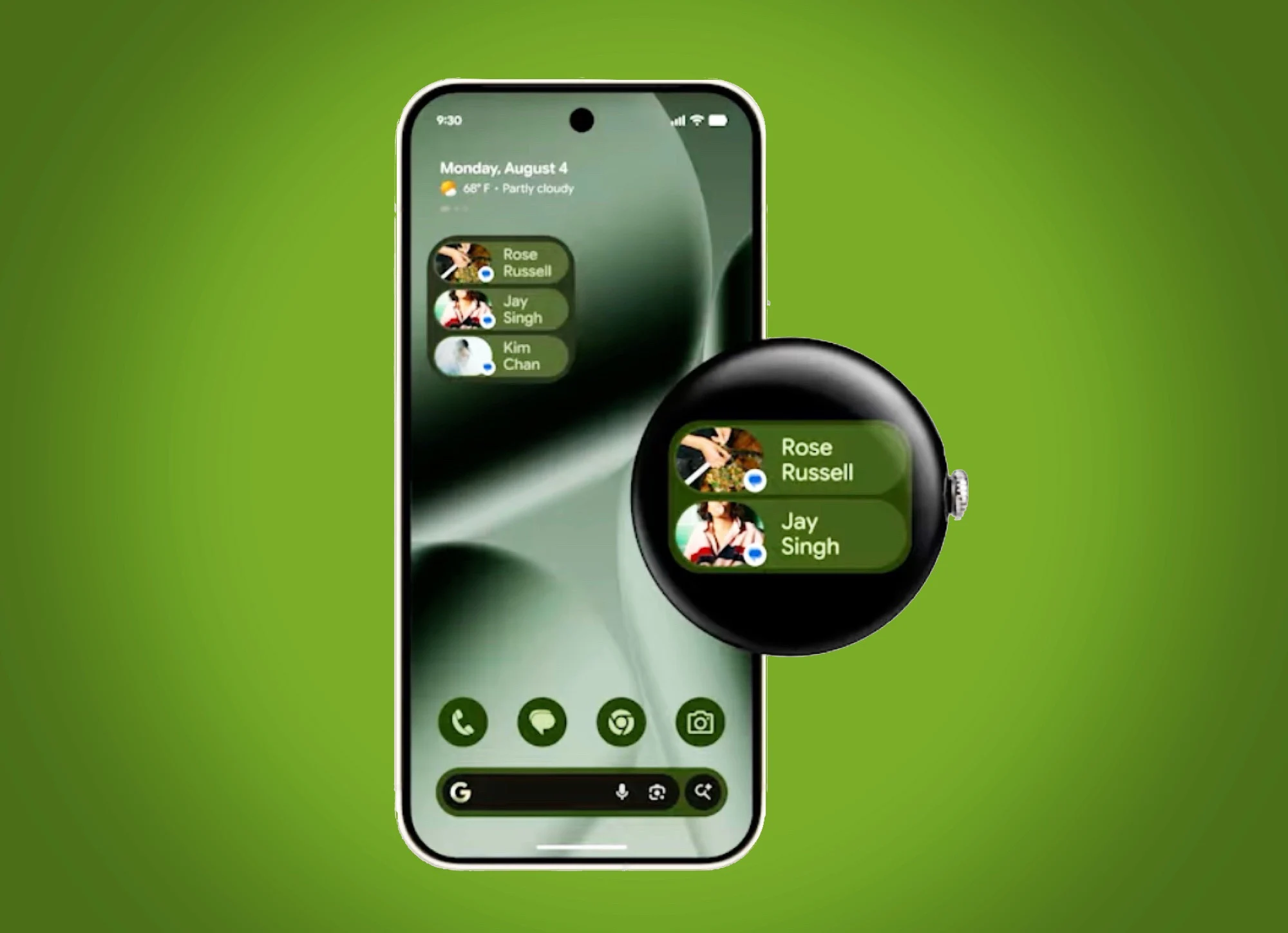
    – Wear OS 7 introduces standardized 2×1 and 2×2 widgets that unify Android and Wear OS widget experiences, replacing Tiles in many cases.
    – Widgets promise lower power consumption and longer battery life, with some AI features reserved for future devices.
    – Third-party widgets are already available (e.g., Spotify and WhatsApp), demonstrating cross-app functionality and greater widget availability.


    Wear OS 7 announced with new widgets and powersaving goals

    Wear OS 7 was announced a week ago. In addition to the approximately 10 percent lower power consumption and AI features, most of which will only be available on future smartwatch models, the widgets are probably the biggest innovation of the next generation smartwatch operating system. In the video embedded below, Google now explains some more details about these widgets.

    Widget formats mirror Android and aim for consistency

    As already announced, these widgets are available in two formats – 2×1 and 2×2. These formats are already familiar from Android widgets, and this is no coincidence, as Google’s aim is for widgets on Android and Wear OS 7 to look the same and offer the same functionality. With this change, uses should feel right at home when buying a smartwatch like the Google Pixel Watch 4 ($309 on Amazon).

    Standardization and developer benefits

    This should also save developers time and effort, which should ultimately ensure that more widgets are available than was previously the case with Tiles. Smartwatch platforms should also be standardized in this way, as the new widgets can not only replace full-screen tiles, but can also be integrated into the widget system of the Samsung Galaxy Watch8.

    First third-party widgets introduced

    Google has already introduced four widgets from third-party apps, including a Spotify widget that displays the current music playback including album cover, as well as a WhatsApp widget that displays the pictures of six selected contacts so that chats with these people can be accessed directly from the widget. The widgets differ not only visually, but also technically from Tiles, and should consume far less power, thus contributing to the announced longer battery life of Wear OS 7.


    Sources

  • Windows 11 Insider: Screen Tint and Voice Isolation Added

    Windows 11 Insider: Screen Tint and Voice Isolation Added

    Key Takeaway

    – Accessibility upgrades: screen tint for global color overlay, plus a new on-device voice isolation filter for Voice Access and plug-and-play HID Braille display support.
    – Magnifier update: touch panning bars disabled by default, with an option to re-enable for touchscreen users.
    – Reliability and tweaks: fixes for explorer.exe crash loops, duplicated quick settings, broken IME candidate windows, and sporadic audio muting; new Windows Ready Print toggle.


    Windows 11 Experimental channel adds screen tint, Braille support, and Voice Access isolation

    Microsoft’s latest Windows 11 Experimental channel update lands with a clear accessibility push, introducing screen tint, plug-and-play Braille display support, and a new voice isolation filter for Voice Access. Build 26300.8497, released May 22, arrives alongside three other simultaneous Insider flights and marks the first notable update since the channel formerly known as Dev adopted its new name. The countdown to a more inclusive experience continues to unfold with this release, and the changes are positioned to help a variety of users navigate daily tasks more comfortably.

    New screen tint and accessibility enhancements

    The headline addition is screen tint, a system-wide accessibility setting that applies a color overlay across the entire display to soften its intensity and reduce eye strain throughout the day. It lives in the accessibility settings and targets users who need a gentler screen output without reaching for third-party tools. The tint option aims to provide a quicker, built-in path to a calmer viewing experience, especially during long sessions at the computer, and it marks a noticeable step toward broader in-platform customization.

    Hands-free Braille and Voice Access improvements

    Narrator picks up plug-and-play support for HID-standard refreshable Braille displays, with USB connection working out of the box and Bluetooth pairing available through Windows Settings. This integration brings a more seamless experience for users who rely on tactile feedback devices, reducing setup friction and enabling faster access to on-device content without extra software layers. The move underscores Microsoft’s commitment to inclusive tech during active development cycles, even as other features continue to shift in response to tester feedback.

    Voice isolation and other user interface tweaks

    Voice Access gets a voice isolation toggle that strips nearby speech and background noise while keeping all processing on device. Magnifier also changes in this build: touch panning bars are now off by default, with the option restored for touchscreen users who want them. These adjustments reflect ongoing refinements to accessibility tools, balancing performance with user preferences and ensuring that core capabilities stay responsive across a range of hardware configurations.

    Stability fixes and release context

    Reliability fixes cover the explorer.exe crash loop that has dogged recent test builds, along with duplicated quick settings, broken IME candidate windows, and reports of audio randomly muting across different hardware configurations. A dedicated toggle for Windows Ready Print also lands in this release. The focus on reliability signals Microsoft’s intent to reduce disruptive issues as Insider channels experiment with new features and configurations, even as some changes remain in flux during this development phase.

    Channel lineup and transition notes

    Build 26300.8497 is one of four simultaneous flights released May 22. The others are Beta (26220.8491), Experimental 26H1 (28020.2149), and Experimental Future Platforms (29595.1000). That last track replaces the Canary channel and covers early foundational work on Microsoft’s next-generation Windows platform. Not all enrolled devices have received the updated channel labels yet, and Microsoft notes the transition is still ongoing. Features in the Experimental channel remain subject to change, removal, or cancellation before any stable release. Insiders who want the build immediately can enable rapid updates in Windows Update settings.

    Security timing and closing notes

    With the first Secure Boot certificate expiration arriving on June 24, this build lands at a moment when Windows security plumbing is under close attention. The timing underscores the ongoing emphasis on safeguarding platform integrity while expanding experimental features, balancing experimental flexibility with core protections that undergird daily use across diverse hardware setups. As always, users are advised to monitor update notes for any further refinements or caveats associated with this build.

    Sources
  • Neverness to Everness 1.1 Dreamwalk Corridor Launches June 3

    Neverness to Everness 1.1 Dreamwalk Corridor Launches June 3

    Key Takeaway

    – Version 1.1 introduces Sunward Island with Corridor of Echoes and expands the story with Nocturne and Pursuit Arcs, plus new events through July 8.
    – Two new S-rank characters, Lacrimosa and Lakshana, with related banners, outfits, and gameplay roles (DPS/Chaos alignment) are added.
    – New collaboration and rewards: Porsche 918 Spyder collab, seven-day login for Solid Dice, and a special gift pack plus multiple redemption codes including DREAMWALK0603.


    Perfect World Games and Hotta Studio have confirmed Neverness to Everness (NTE) Version 1.1 for June 3, 2026

    Perfect World Games and Hotta Studio have confirmed Neverness to Everness (NTE) Version 1.1 for June 3, 2026. The update is titled “Dreamwalk Corridor” and introduces two new S-rank characters, a new island zone outside Hethereau, a Porsche 918 Spyder collaboration, and an expansion to additional platforms. Three redemption codes were distributed during the latest Special Program broadcast.

    Lacrimosa and Chaos Attributes

    Lacrimosa is a Chaos attribute character aligned with the Liquid Arc, built as an on-field main DPS dealing consistent damage over time while reducing enemy break values. Her banner, Fading Reverie, opens June 3 and runs through June 24. Chaos is a Lakshana attribute character aligned with the Condensate Arc, with her banner, Forsaken Path, following Lacrimosa’s. New outfits arrive for both characters in the update.

    Rewards and Codes

    A seven-day login event awards 10 Solid Dice, and all players receive a Hethereau Special Gift Pack containing 5 Fabricated Dice, 5 De-Noise Solutions, and 5 Tri-Keys once maintenance concludes. Redeem code DREAMWALK0603 is live alongside two additional codes distributed during the broadcast.

    Version 1.1 New Locations and Arcs

    Version 1.1 takes players outside Hethereau for the first time with Sunward Island, a new resort-like exploration zone. The Corridor of Echoes is the new location anomaly in this area. New Arcs, Nocturne Special and Pursuit Special, extend the Scarlet Letter storyline. Five new events run through July 8: What’s Baking, Underground Circuit (a 6v6 vehicular combat PvP mode), Sunward Travelogue, The Long Dream, and Beyond the Rails: Uncharted Circle, a Ghost Train anomaly metro event.

    Controversy and Community

    Version 1.1 arrives as NTE works to rebuild community confidence following a damaging launch controversy. Players flagged suspected AI-generated assets in the weeks after the April 29 global release, and VTuber Ironmouse publicly cut ties with Hotta Studio over the claims.

    Sources
  • Valorant Vanguard Update: Cheats Defeated, Hackers Mocked as $6,000 Paperweights

    Valorant Vanguard Update: Cheats Defeated, Hackers Mocked as $6,000 Paperweights

    Key Takeaway

    – Vanguard’s IOMMU-based restrictions permanently brick DMA cheat firmware on affected storage devices, even after game exit or uninstall.
    – The update targets external PCIe DMA cards (e.g., HEINO 2.0), aiming to neutralize wallhacks, macros, pixel hacks, and trigger bots.
    – Riot claims the approach is legal and a win for competitive integrity, though potential hardware bricking sparked safety and legal concerns.


    Riot Games has shaken Valorant’s esports scene with a Vanguard update

    Riot Games has significantly shaken up Valorant’s esports community with a recent update to its Vanguard anti-cheat. External Direct Memory Access DMA MITM PCIe cards, such as the HEINO 2.0, allowed cheaters to secretly intercept incoming data from Valorant and use wallhacks macros pixel hacks and trigger bots. The report describes a dramatic shift as these tools were once considered nearly unstoppable. This paragraph uses a varied voice, mixing technical terms with casual phrasing to mirror the disruptive vibe of the story.

    Confronting the hardware cheats head-on

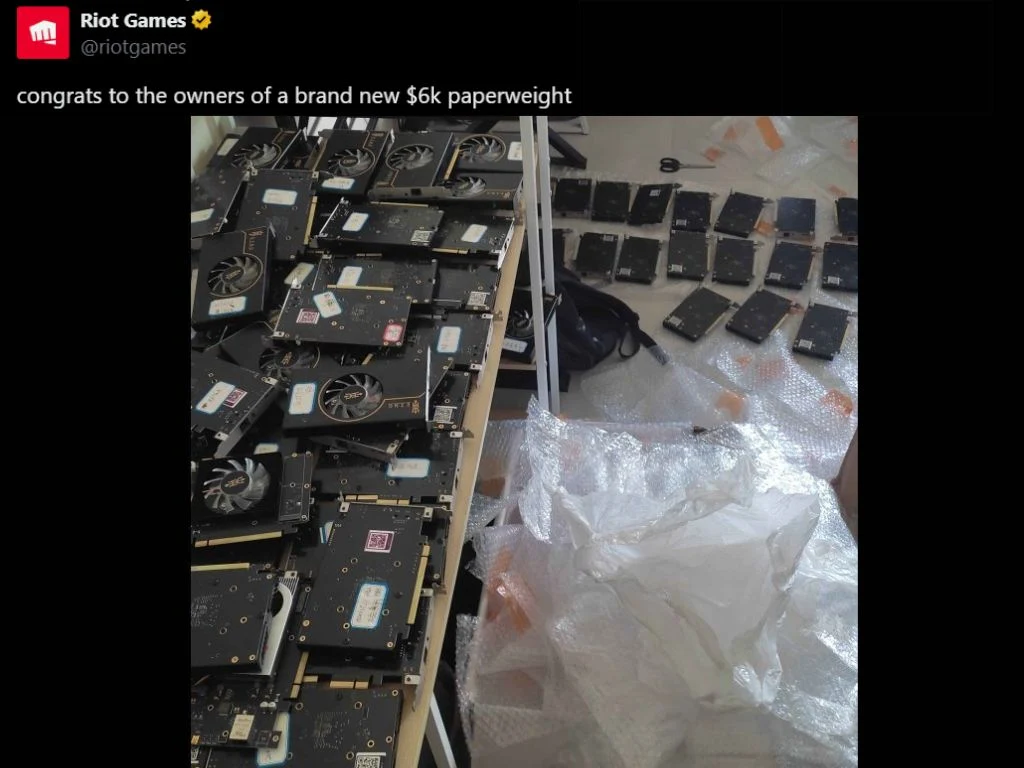
    However, that chapter has come to an end, as Riot Games took to X and posted an unapologetic statement: “Congrats to the owners of a brand-new $6k paperweight,” referring to the HEINO 2.0, which retails for $5,900. Riot’s X handle also posted a photo of all the PCIe spoofing hardware on the floor, adding insult to injury where it was rightfully due. The article maintains a brisk, editorial tone while recounting the blunt nature of the message and the dramatic image Riot shared.

    Context: how Vanguard detects DMA cheating

    The paragraph explains, in plain terms, that Riot’s latest Vanguard update figured out how to intercept and detect DMA cheating cards. These DMA cards cost thousands of dollars and can read and write to the game’s memory, bypassing traditional anti-cheat implementations. The language shifts to a matter-of-fact style, emphasizing the financial and technical stakes involved for cheaters and the teams who rely on fair play.

    Impact of the IOMMU restriction

    With its latest update, Riot Games’ Vanguard patch implemented an IOMMU restriction that effectively renders cheat firmware on storage devices—whether SATA or NVMe—unusable. It persists even after players close the game or Riot’s Vanguard anti-cheat. The paragraph keeps the narrative tight while noting the stubborn persistence of the block. The writing dips into a slightly cautious, explanatory voice to help readers grasp the technical cause and effect.

    Technical insights from the anti-cheat observer

    The technical details were provided by an anti-cheat reporter called ogisdaDMA on X, who explained the extent of the impact: “VGK suddenly triggered an IOMMU restart warning in-game, after which the DMA firmware became completely unusable, even without the game running or after uninstalling Vanguard. The only fix is a full OS reinstall.” It continues with more specifics about read blocks and firmware failings, keeping a clinical tone while laying out the consequences for affected hardware in accessible terms. The paragraph also preserves the quoted material as reported.

    Reaction and opinions from the community

    “It’s using IOMMU to create read blocks, which permanently break the majority of SATA/NVMe firmware once triggered. Even the advanced H2 (HEINO 2.0) board was affected. Some users replied to Riot, congratulating them on being the soon-to-be owners of a new class action lawsuit, as many are of the view that bricking someone’s hardware, regardless of hacking, should be illegal.” The language showcases community sentiment and the heated debate around legality and hardware damage, presented in a narrative that blends caution with frustration.

    Professional commentary and legal perspectives

    That’s where engineer Daax chimed in and explained that what Riot is doing is perfectly legal. Daax stated on X: “You’re not going to suddenly have things on your PC stop working. The DMA device will stop working until you remove it. It will operate normally if you put it on a PC that doesn’t have the block.” The paragraph presents the developer-side viewpoint in a measured, technical register, while still conveying the practical outcomes for users who might confront the block.

    Riot’s ongoing mission to protect competitive integrity

    This development comes after Riot’s ongoing crusade to render hardware cheats unusable. Earlier in December 2025, the company collaborated with MSI ASUS ASRock and others to patch firmware vulnerabilities that could allow DMA devices to slip through pre-boot protection systems. The article remains balanced, noting both the collaborative effort and the continuing cat-and-mouse game between Riot Games and cheaters. It circularly emphasizes the aim of preserving fair competition across the Valorant ecosystem.

    Closing notes and community signals

    Riot Games is doing all this in the name of competitive integrity. However, the cat-and-mouse chase between Riot Games and cheaters could continue if hackers find other workarounds. The narrative closes by underscoring vigilance, ongoing updates, and the potential for future developments as both sides adapt to emerging threats and countermeasures in Valorant esports.

  • PS3 Emulator on Linux PS5 Reveals Sony Ports Few Games

    PS3 Emulator on Linux PS5 Reveals Sony Ports Few Games

    Key Takeaway

    – Linux-on-PS5 unlocks RPCS3 testing: PS5 with firmware 6.02 or earlier enables a Linux hack that gives full access to the PS3 emulator, increasing playable titles to over 73% but with varying compatibility.
    – Best results on older, less PS3-processor‑heavy games: Launch-era titles and those less reliant on the PS3’s Cell architecture run best, e.g., Ridge Racer 7 at 4K/60 with minimal stutter.
    – Notable issues and limits: Titles like GTA 4, Resistance: Fall of Man, God of War: Ascension, and Killzone struggle or underperform; frame pacing, SPU load, and enabling MLAA can help some but stress original hardware capabilities.
    – Future potential vs. current options: Official PS emulation may improve with more powerful CPUs (e.g., Zen 6), but Xbox-like or cloud options remain limited today for PS3 games on PS5.


    Overview of the Linux on PS5 hack and RPCS3 status

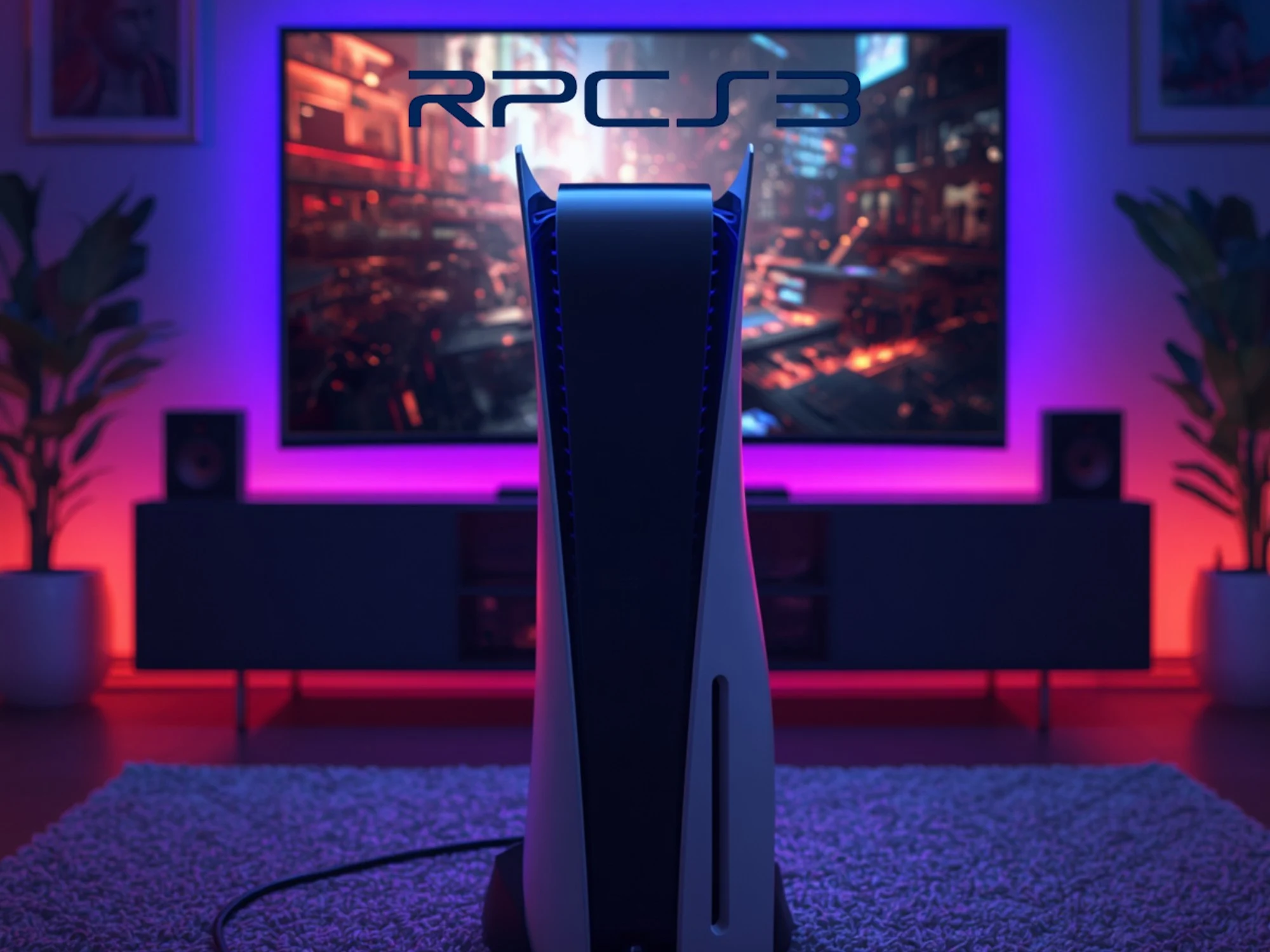
    The RPCS3 PS3 emulator has made great strides with compatibility and performance. Yet, while it’s ideally experienced on capable PCs, many gamers would prefer using a modern console. That’s now possible thanks to the recent Linux on PS5 exploit. Testing at Digital Foundry revealed which PS3 games struggle on the system.

    Prerequisites and setup notes

    Gamers need a PS5 with firmware 6.02 or earlier for the Linux hack, which is straightforward to install. Once set up, fans gain full access to the popular PS3 emulator. The developers have now marked over 73% of titles as playable, with most candidates at least booting.

    What Digital Foundry observed in gameplay

    The site focused on selections that Sony hasn’t made available on its current-gen console. As Digital Foundry learned, games that relied less on the PlayStation 3’s unorthodox cell processor fared the best. Many of these were launch titles for the system, like Ridge Racer 7. RPCS3 ran the arcade favorite at 4K/60 fps with minimal stuttering.

    Performance with notable titles

    Resistance: Fall of Man produced frame-pacing issues, but generally impressed. However, the results were very different with GTA 4, a PS3 game that arrived slightly later in 2008. The visuals resembled a slideshow, regardless of the resolution setting in RPCS3. Rockstar’s title confirmed that, even with an upgraded GPU, the PS5 stumbles when imitating the older hardware’s SPUs (Synergistic Processing Units).

    Limitations and other tested games

    God of War: Ascension and Killzone also failed to impress on the Linux-exploited PS5. When it’s possible to disable MLAA in the emulator, frame rates in other targets improved. The option smoothed out rough edges, but it heavily stressed the original machine’s 8 SPUs.

    Future prospects and streaming options

    Digital Foundry anticipates that official emulation could benefit from the PS6’s more powerful Zen 6-based CPU. Until then, PS5 owners who are unable to experiment with the hack will have limited options. Many PS3 games remain inaccessible. Meanwhile, cloud streaming a small catalog via PlayStation Plus Premium comes with latency drawbacks.

    Sources
  • Unreal Engine 6 Graphics Revealed with Rocket League

    Unreal Engine 6 Graphics Revealed with Rocket League

    Key Takeaway

    – Unreal Engine 6 brings multi-threading and advanced real-time ray tracing to Rocket League, aiming for higher performance at similar fidelity to UE5.
    – The teaser confirms a graphical overhaul with in-engine footage and new Garage vehicle presets, showcasing the engine’s visuals.
    – UE6 introduces the Verse language, potentially lowering barriers for indie development and rapid prototyping within the Unreal ecosystem.


    Two hours ago at the Rocket League Championship Series 2026 Paris Major, a surprise teaser trailer revealed that Rocket League would be receiving an Unreal Engine 6-powered overhaul.

    This opening sentence sets the scene with a bold claim and a hint of uncertainty about whether the overhaul will be a graphics upgrade, a re-release, or a sequel. The writing shifts to a newsy, cautious tone, while still presenting the key fact that the trailer marks the first look at Unreal Engine 6’s graphical capabilities. The paragraph maintains a general, informative vibe and keeps the essential details intact for readers who want the gist without speculation.

    Impressive visuals and garage previews

    The teaser showcases high-end ray tracing and visual fidelity, including in-engine clips of a Rocket League car leaping through the stadium and previews of Garage presets with paints, finishes, and rims cycling before a title card and Unreal Engine 6 logo. This paragraph dives into the sample imagery and the sequence of presets lucently, emphasizing the eye candy while noting the small amount of accompanying textual information was presented alongside the visuals.

    What the engine promises and the caveats

    In a more analytical style, the piece notes that Unreal Engine 6 appears visually impressive, but lacks extensive detail. It recalls that the last talk of UE6 hinted at multi-threading, moving away from single-core calculations, which could imply better performance at similar visuals to Unreal Engine 5, especially in CPU-bound scenarios. The paragraph gently explains why multi-threading matters, linking it to real-time ray tracing and resource usage on both CPU and GPU without getting bogged down in technicalities.

    Verse and its potential impact

    Continuing with a speculative tone, the article mentions the Verse programming language, initially available in the Unreal Editor for Fortnite, and ponders how much it might lower the barrier for entry-level indie development. The paragraph keeps a user-friendly angle, suggesting that Verse could open doors for smaller studios and hobbyists alike, while noting that real-world impact remains to be seen in the broader Unreal ecosystem.

    Performance concerns around Unreal Engine 5 and optimism for UE6

    Switching to a more critical viewpoint, the piece addresses Unreal Engine 5’s past criticisms regarding performance, referencing examples like ARC Raiders that reportedly skipped certain features to dodge the engine’s faults. It then weighs the possibility that UE6 could deliver notable improvements in both performance and peak visuals, but acknowledges that only time will reveal how much better UE6 is relative to UE5. The paragraph conveys cautious optimism rooted in industry trends and the engine’s ubiquity.

    Closing thoughts and attribution

    Concluding with a reflective note, the article hints that the industry’s adoption cycle will likely favor Epic’s newer engine in the long run, mirroring shifts seen with earlier generations like UE3 and UE4. Yet it remains uncertain whether UE6 will redefine standards as profoundly as those predecessors. The closing line points readers toward awaiting more official information, while the original author signs off with a brief nod to Psyonix.

    Sources
    • Windows Secure Boot Certificates Expiring June 24

      Windows Secure Boot Certificates Expiring June 24

      Key Takeaway

      – 2011 Secure Boot certificates expire in June–October 2023, with October 19 being the most critical for long-term boot integrity; after expiration, you won’t get new boot-level security updates.
      – Windows Update (2023 certificates) is rolling out progressively; Windows 11 on supported builds will auto-update, while older hardware and unsupported Windows 10 versions have a tougher remediation path.
      – You still boot normally after expiration, but you lose the ability to receive new Secure Boot database updates, revocation lists, and firmware-level patches for boot vulnerabilities.


      Overview of Secure Boot certificate expiry and its impact

      the 2011-era Secure Boot certificates backing boot security on most Windows PCs start expiring June 24, one month from today. devices without the 2023 replacement certificates will not stop working, but they will lose the ability to receive future boot-level security patches. Windows 11 users on supported builds are being updated automatically, though older hardware and unsupported Windows 10 machines face a harder path. in this paragraph the focus is on the general timeline and what changes may occur for users with older hardware.

      Key expiry dates and the 2023 certificate rollout

      three certificates are hitting their end dates: the Microsoft Corporation KEK CA 2011 on June 24, the Microsoft UEFI CA 2011 on June 27, and the Microsoft Windows Production PCA 2011 on October 19. the last one signs the Windows bootloader itself, making October the most critical deadline for long-term boot integrity. Microsoft began rolling out 2023 replacement certificates through Windows Update in January and has advanced the rollout with each monthly update, including this month’s KB5089549. this segment repeats the dates and highlights the critical October expiry for the bootloader signer.

      What happens after expiry

      your PC will not stop booting. microsoft says devices with expired certificates will continue to start normally and receive standard Windows updates. what they lose is the ability to receive new Secure Boot database updates, certificate revocation lists, and patches for newly discovered boot-layer vulnerabilities. boot-level exploits like BlackLotus have specifically targeted this layer. a device with expired certificates has no patch path against future threats at the firmware level. the paragraph emphasizes that basic startup remains, but security updates at boot level may be blocked.

      How to check your Secure Boot status

      open Windows Security, select Device Security, and check the Secure Boot section. microsoft’s support article KB5062710 covers what the expiration means and what steps to take if the update has not been applied. users on Windows 10 outside the Extended Security Updates program will not receive the new certificates and have no remediation path from June 24 onward. this section guides users to verify status and consult guidance if updates are missing.

      • KB5062710 provides details on expiration implications and remediation steps
      • Windows IT Pro Blog and Windows Secure Boot resources offer guidance
      • OEM support may be necessary for older hardware where firmware needs a chain update

      What to do if your system shows outdated status

      some older hardware requires a matching OEM firmware update alongside the Windows certificate rollout, because the new certificate chain must be anchored directly in UEFI firmware. devices from manufacturers that have stopped issuing firmware updates may stay on the 2011 certificates regardless of what Windows installs. Microsoft’s guidance is to apply the latest update, verify status using KB5062710, and contact OEM support if the 2023 certificates are not showing on a fully updated system. this paragraph instructs users on steps to take when hardware support is limited.

      References and resources

      the following resources provide official guidance and updates: Windows IT Pro Blog, Microsoft Support, and Windows Secure Boot resources. these sources repeat critical details and offer official steps for verification and remediation. note that no external shopping links or product pages are included in this summary.

      Sources
    • Boox Note X6 E Ink Notebook Chipset Revealed

      Boox Note X6 E Ink Notebook Chipset Revealed

      Key Takeaway

      – Boox Note X6 teaser confirms a Snapdragon-class 4nm processor (Dragonwing Q-6690) with claimed ~78% performance uplift over the X5.
      – The Dragonwing Q-6690 is pitched as an enterprise mobile chip with integrated UHF RFID (RAIN) capabilities, targeting POS, electronic cash registers, tablets, and smart displays.
      – Expected official reveal around May 27, with additional teasers likely before launch.


      Boox is teasing something new again, and the buzz around the Note X6 keeps growing as days pass. The company previously gave fans a first look at a device that’s expected to arrive soon, and now they’ve dropped details about the brain inside the Note X6. The cadence of tiny hints feels like a riddle, yet it keeps folks intrigued and curious about what this ePaper notebook could actually deliver. The tone here tilts toward cautious optimism, as enthusiasts wait to see how the final product stacks up next to its peers in the realm of digital notetaking.

      Processor hints and performance chatter

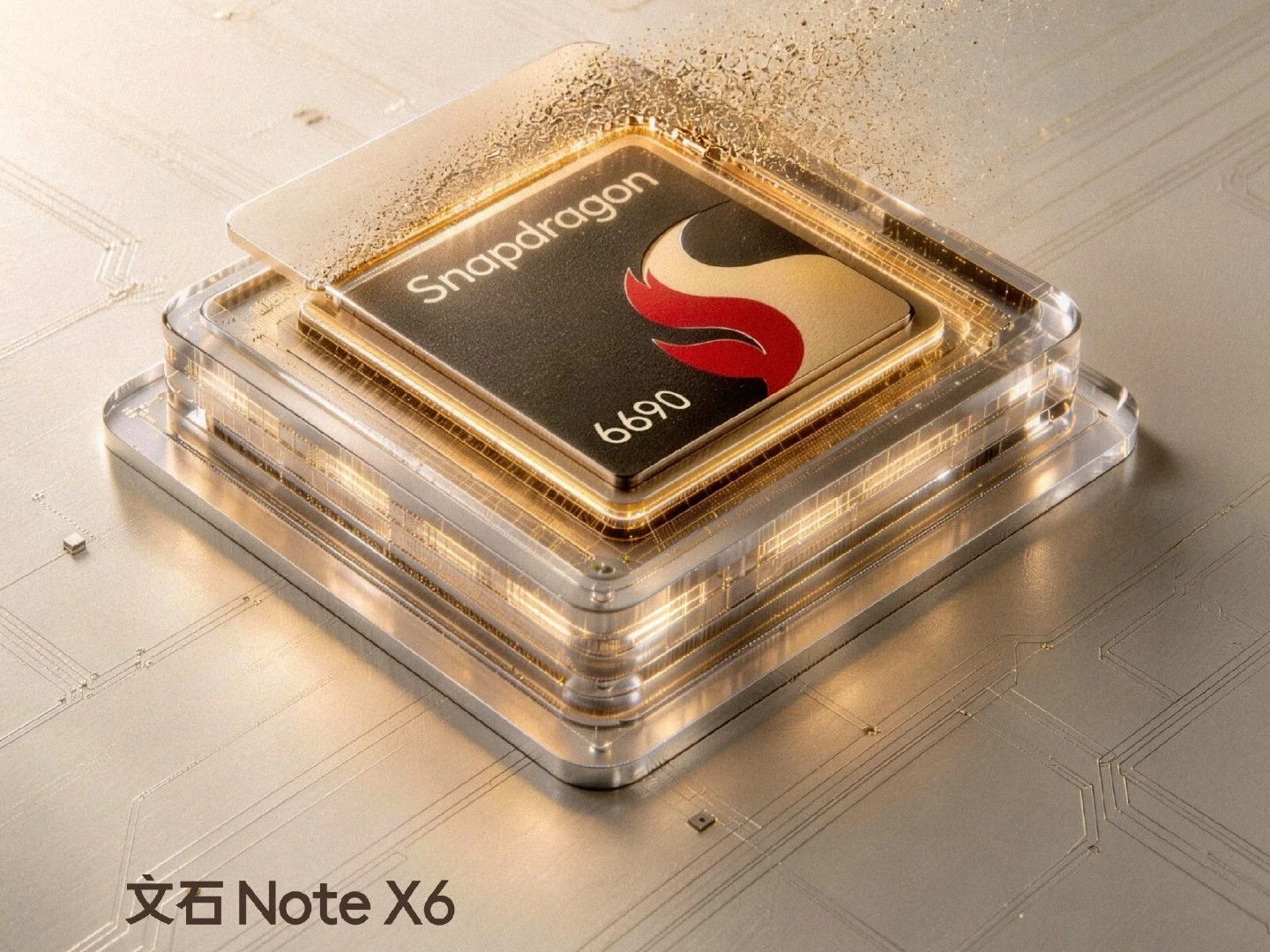
      According to a fresh teaser on its Weibo page, the Note X6 is said to be powered by a Snapdragon-class chip much like its elder sibling, the Note X5. This new rumor describes a 4nm silicon dubbed the Snapdragon 6690, with a CPU cruising at 2.9GHz. Boox claims the chip brings a hefty 78% leap in performance over the prior generation, which sounds impressive on paper, though the exact real-world gains can vary depending on the workload and software optimization. People are watching closely to see if this translates into smoother multitasking and snappier note taking on an ePaper canvas.

      Different naming, conflicting claims

      Yet another perspective from Qualcomm counters that the processor is actually known as the Dragonwing Q-6690, marking it as a pioneering enterprise mobile processor with fully integrated UHF (RAIN) RFID capabilities. This version of the rumor introduces technical specifics: eight Kryo 7-series CPUs, an Adreno GPU capped at 1.15GHz, and a 6 TOPS NPU for on-device AI tasks. It also supposedly adds Wi-Fi 7 and Bluetooth 6.0, while the product page positions it for special-use contexts like electronic cash registers, POS terminals, tablets, and smart displays. The discrepancy in naming leaves readers unsure which path Boox is truly pursuing, or whether both labels exist in some form of regional or partnership variant.

      What to expect and when to expect it

      The landscape around the Note X6 remains partly hazy, with multiple teasers likely to roll out before the official reveal on May 27. The mixed signals about the processor’s identity, features, and intended market may fuel more questions than answers in the short term, yet they also build a narrative of anticipation. If Boox sticks to its pattern, the final device may surprise with refinements in display tech, software features tailored for note taking on ePaper, and improved battery life—though only hands-on impressions will confirm such claims.

      Sources