Category: Software

  • Windows 11 KB5074109 Issues Grow as Microsoft Releases Urgent Update

    Windows 11 KB5074109 Issues Grow as Microsoft Releases Urgent Update

    Key Takeaways

    1. Microsoft released an emergency fix (KB5078127) for Windows 11 to address issues from the January Patch Tuesday updates.
    2. The update specifically targets problems with Outlook Classic and cloud storage apps like OneDrive and Dropbox.
    3. Some users are facing challenges in uninstalling the previous update (KB5074109) due to error 0x800f0905, complicating the rollback process.
    4. KB5078127 is being widely distributed via Windows Update and is relevant for users experiencing instability in Outlook and cloud apps.
    5. The update may not immediately resolve all issues from the January patch series, and further updates may be needed for complete stabilization.


    Microsoft has rolled out a new emergency fix for Windows 11, targeting issues that arose from the January Patch Tuesday updates. The new update, known as KB5078127, is designed to tackle problems linked to the January 2026 security updates, which have led to a significant number of user complaints.

    Focus on Outlook and Cloud Apps

    This update specifically addresses issues affecting Outlook Classic and applications that rely on cloud storage. Earlier updates in January caused unpredictable behavior in Outlook and cloud-related apps like OneDrive and Dropbox, leading to functionality problems for some users. KB5078127 aims to restore the normal operation of these applications.

    The patch also focuses on Outlook Classic POP/PST scenarios, especially for users who have their email archives saved in cloud folders.

    Rollback Complications

    Adding to the confusion, some users of Windows 11 are experiencing difficulties when attempting to remove KB5074109. They are encountering error 0x800f0905, a servicing stack or component store issue that can prevent the uninstall process. This leaves affected devices in a difficult situation, forcing users to either endure an update that causes app malfunctions or resort to more complex repair methods.

    This patch isn’t just a simple update for better user experience. The January Windows 11 update cycle has been particularly problematic, with several regressions leading to significant user disruptions. Microsoft has had to issue fixes outside its regular schedule, and Windows Central describes KB5078127 as the second emergency out-of-band update responding to this ongoing issue.

    Update Availability

    If you have faced the January issues, particularly with Outlook Classic instability or problems with cloud-based applications, this update is particularly relevant for you. Microsoft is distributing it widely through Windows Update, meaning that some users may receive it even if they haven’t experienced issues yet.

    While KB5078127 is a step in the right direction, it may not resolve all complaints related to KB5074109 immediately. There are still ongoing reports of issues within the January patch series, including challenges with rollbacks, and it might take an additional cumulative update for everything to stabilize completely.

    Source:
    Link


  • Fix Windows 11 KB5074109 Uninstall Error 0x800f0905

    Fix Windows 11 KB5074109 Uninstall Error 0x800f0905

    Key Takeaways

    1. The January 2026 KB5074109 security update for Windows 11 is causing significant issues, including black screens, app crashes, and Outlook freezing.
    2. Users attempting to uninstall the update are facing a rollback failure with error 0x800f0905, which halts the process.
    3. Microsoft has not provided a specific fix for the uninstall failure, leading users to seek workarounds like using a System Restore point or a Windows Update repair installation.
    4. Ongoing issues include disrupted S3 sleep mode on older computers and persistent errors when launching apps, particularly with Outlook Classic.
    5. Microsoft acknowledges the problems with KB5074109 but advises users to wait for a resolution if their computer is functioning well.


    The Windows 11 KB5074109 security update from January 2026 is turning into a nightmare for many users. After Microsoft informed those impacted that it was okay to remove the update, which caused black screens, app crashes, and Outlook freezing, some are now experiencing issues where the rollback fails with error 0x800f0905.

    Uninstall Challenges

    As reported by Windows Central, users attempting to uninstall KB5074109 on their Windows 11 devices are encountering the 0x800f0905 error, which is related to the servicing stack or component store. This error completely halts the uninstall process, leaving users in a tough spot. They are forced to either hold on to a problematic update that disrupts apps and sleep mode or look for more extreme solutions.

    Workarounds and Recommendations

    At this moment, Microsoft has not provided a specific fix for the uninstall failure. Nevertheless, tech experts and support documents are suggesting a few potential workarounds. These include utilizing a System Restore point, if available from before the update, performing a “Fix problems using Windows Update” repair installation that retains apps and files, and then attempting to uninstall the update again. It’s important to remember the usual advice to create a complete backup before trying these methods.

    Ongoing Issues

    Meanwhile, reports of complications from KB5074109 keep piling up. Users with older computers are finding that the update disrupts S3 sleep mode, leading their screens to go blank without actually entering low-power sleep, which often necessitates a hard reboot. Others are still facing 0x803F8001 errors when launching apps, and Outlook Classic is freezing, particularly when mail archives are stored in OneDrive or other cloud locations.

    In the meantime, the situation remains chaotic: Microsoft still classifies KB5074109 as the official Windows 11 January 2026 security update and has acknowledged various regressions. They suggest uninstalling it if users are severely impacted, but some can’t even roll back smoothly without encountering yet another error. If your computer is functioning well, it might be best to wait patiently for a resolution.

  • NASA Uses Blockchain Technology for Safer Flights

    NASA Uses Blockchain Technology for Safer Flights

    Key Takeaways

    1. NASA is implementing a blockchain system to protect critical flight data, including flight plans and aircraft registration details.
    2. Blockchain technology enhances security by creating a decentralized database, reducing the risk of unauthorized access or data alteration.
    3. A team of researchers tested the blockchain system on an Alta-X drone, successfully simulating real-world flying scenarios.
    4. The tests indicate that the blockchain framework can improve security for airspace operations.
    5. NASA aims to adapt this technology for high-altitude operations and Urban Air Mobility initiatives while continuing to learn from initial tests.


    Cyber criminals are becoming more intelligent. However, NASA is managing to stay ahead of them. They have created a blockchain system designed to protect flight data. This flight data consists of flight plans, aircraft registration details, and telemetry information. It’s essential to safeguard this data to ensure the safety of airspace operations.

    Enhanced Security Measures

    While existing protection systems have been effective at securing flight data, blockchain technology provides even greater safety. Essentially, blockchain acts as a shared, decentralized database. This means that no single entity has control over the data. Each update is logged, validated, and can only be seen by authorized users. Consequently, the risk of unauthorized access or alteration to flight data is significantly lowered.

    Testing the New System

    The group of researchers involved in the project tested the blockchain technology on an Alta-X drone, which was equipped with a computer, radio, GPS, and battery. This drone setup allowed them to recreate real-world flying scenarios, including a separate ground station. Their experiments showed that the blockchain system can indeed improve security for airspace operations.

    NASA is optimistic that their blockchain framework and cybersecurity measures can be adapted for high-altitude operations above 60,000 feet and for Urban Air Mobility initiatives. Still, NASA researchers plan to keep learning from this initial test as they prepare for its use in future air vehicles.

    Source:
    Link


  • Windows 11 KB5074109 Update: Microsoft Recommends Rollback

    Windows 11 KB5074109 Update: Microsoft Recommends Rollback

    Key Takeaways

    1. Users are dissatisfied with the January 13, 2026, cumulative update (KB5074109) for Windows 11, reporting system instability and issues after installation.

    2. Complaints include black screens and display problems, especially for users with NVIDIA graphics hardware, leading some to revert to Safe Mode for uninstallation.

    3. Applications, including Windows tools and Outlook, are failing to open or displaying error codes, with specific issues noted for Outlook users with PST files in OneDrive.

    4. Microsoft released urgent out-of-band updates to address some issues, but reports of black screens and app-launch failures persist for Windows 11 versions 24H2 and 25H2.

    5. Experts recommend uninstalling the update if experiencing instability, while cautioning that reverting may increase security risks; users should stabilize their systems first before reapplying fixes.


    Microsoft’s January 13, 2026, cumulative update for Windows 11 has been met with increasing dissatisfaction from users. They claim their systems became unstable right after they installed it. The update, known as KB5074109, upgrades Windows 11 25H2 and 24H2 to OS builds 26200.7623 and 26100.7623 and incorporates security enhancements and reliability fixes, notably a power fix for devices equipped with a Neural Processing Unit (NPU).

    Uninstalling the Update

    As more complaints surfaced, Microsoft’s support guidance and public troubleshooting discussions began to suggest that uninstalling the update was an acceptable solution for those affected. Various Windows communities have reported multiple recurring issues linked to the January update, with some problems seemingly specific to certain setups.

    Several users have encountered unexpected black screens or display issues following the update installation, particularly among those using NVIDIA graphics hardware. In some serious instances, users were forced to revert to Safe Mode or the Windows recovery environment to uninstall the update and regain normal startup functionality.

    Application Issues

    Reports also indicated that applications would not open and displayed error codes like 0x803F8001. This included Windows applications such as Notepad and Snipping Tool, as well as third-party programs and software from vendors. Microsoft has recognized problems impacting “classic” Outlook since the January 13 updates. The company noted that users with POP account profiles, especially those with PST files that are stored in OneDrive, may experience Outlook freezing and failing to close properly, which can hinder the app from reopening correctly.

    For affected Outlook users, Microsoft has shared workarounds, including relocating PST files from OneDrive or utilizing different access methods until a permanent solution is provided.

    Emergency Updates

    Following Patch Tuesday, Microsoft released urgent out-of-band updates addressing specific regressions, including issues related to Remote Desktop sign-in failures and certain shutdown problems on Windows 11 23H2. Nevertheless, reports from users regarding black screens and app-launch failures on Windows 11 24H2 and 25H2 persist. Some users also mentioned issues with sleep and resume functionality on particular hardware. These power-state reports differ by device and setup, and Microsoft has not broadly confirmed them like it has with the Outlook POP/PST problem.

    If your PC is functioning properly after the January update, many experts recommend keeping it installed to benefit from the latest security fixes and protections included in the monthly release.

    If you noticed stability issues immediately after installing KB5074109, such as black screens, ongoing app failures, or hangs in Outlook Classic, uninstalling the update is now widely regarded as a temporary measure while Microsoft develops a more comprehensive solution. The typical removal process can be done through Settings, under Windows Update history, followed by a system restart. If the system fails to boot normally, the update can also be uninstalled from the Windows recovery environment.

    Microsoft and several security experts continue to caution that reverting a security update could heighten the risk of vulnerabilities. However, for users experiencing frequent crashes or unusable productivity applications, the practical advice has become clearer: stabilize your machine first, then reapply fixes when Microsoft releases a corrected version.

    Source:
    Link


  • Garmin Premium Device Software Update Adds Exciting New Features

    Garmin Premium Device Software Update Adds Exciting New Features

    Key Takeaways

    1. New play mode “On Course Practice” added, allowing experimentation on over 42,000 golf courses.
    2. Users can now choose specific holes to play and turn off the Lie Penalty in Home Tee Hero mode.
    3. Improved access to buttons for mulligan, replay, and previous shot metrics in Home Tee Hero.
    4. Introduction of a keyboard simulator feature for use with third-party software via Bluetooth.
    5. Software version 4.80 is automatically available for users and can be manually updated through device settings.


    Garmin has introduced software version 4.80 for the Approach R50, a portable golf launch monitor and simulator. This device, aimed at assisting golfers in enhancing their skills, received its last software update, version 4.60, about three months ago.

    New Features in Version 4.80

    With the arrival of software version 4.80, users can enjoy several exciting new features. A fresh play mode called On Course Practice has been added, enabling you to experiment with different shots on more than 42,000 golf courses. Users now have the ability to pick which hole to play while in a Home Tee Hero round, and the option to turn off the Lie Penalty in this mode is also available. Additionally, the buttons for mulligan, replay, and metrics from the previous shot can now be accessed in Home Tee Hero.

    Enhanced Functionality

    Garmin has also introduced a new keyboard simulator feature for the Approach R50. This feature can be utilized when the device is connected via Bluetooth to a computer that runs third-party simulator software. Moreover, there is a new setting for measurement units for putting, along with a retail demonstration mode.

    Update Availability

    Software version 4.80 is accessible for all Garmin Approach R50 users (currently priced at $4,999.99 on Amazon). The update will automatically install when the device connects to Wi-Fi. Alternatively, you can manually start the update by navigating to Menu > Settings > Software Update > Download and Install.

    Source:
    Link


  • Philips Hue App Update: New Features Yet to Arrive

    Philips Hue App Update: New Features Yet to Arrive

    Key Takeaways

    1. Philips Hue app version 5.59 is now available for iOS and Android users, marking the first update of 2026.
    2. The update includes various bug fixes and stability improvements, but specifics are not detailed.
    3. New features announced at CES 2026 include the SpatialAware tool, integration with Apple Home, and support for additional languages in the Philips Hue AI assistant.
    4. Hue Secure cameras and the Hue Secure Video Doorbell are now available, priced at $169.99 on Amazon.
    5. Automation views may soon be accessible within a room or zone, following updates for the Hue Bridge and Hue Bridge Pro.


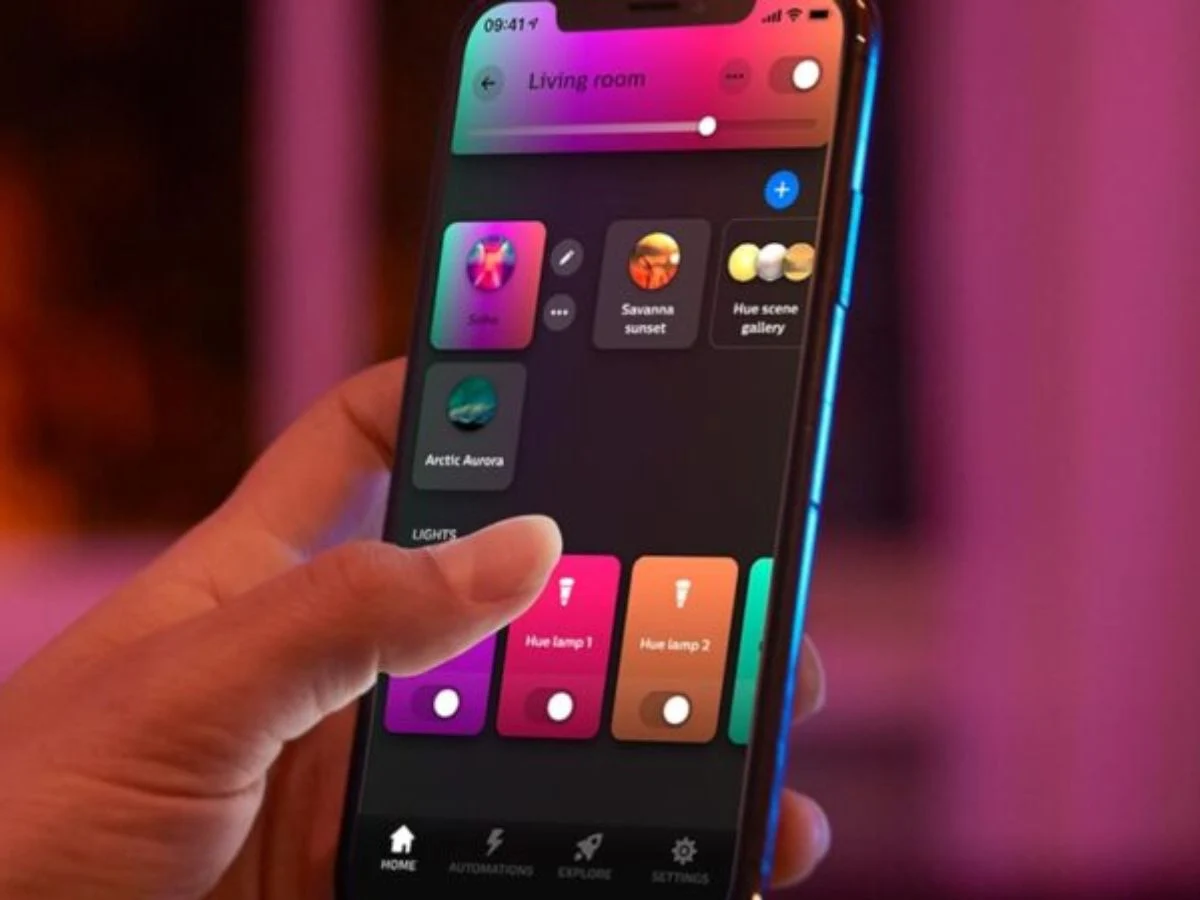
    Philips Hue has rolled out the new app version 5.59, which is now ready for iOS and Android users. This marks the very first update for the smart home application in 2026 and comes after the previous version 5.57 that was released in December 2025.

    Simple Update Details

    The change log for version 5.59 is quite straightforward, mentioning “various bug fixes and stability improvements.” However, it does not elaborate on what these changes are. Therefore, it remains uncertain how this update will enhance the experience for users with Philips Hue smart home devices.

    Exciting Announcements at CES 2026

    During CES 2026, Signify, the parent company of Philips Hue, introduced some interesting new features. These include the SpatialAware tool for analyzing room layouts, and integration with Apple Home for Hue Secure cameras and the Hue Secure Video Doorbell, currently priced at $169.99 on Amazon. Additionally, the Philips Hue AI assistant will soon support Dutch, Spanish, and German, adding to the existing English version. Furthermore, a recent update for the Hue Bridge and Hue Bridge Pro suggests that automation views will soon be accessible directly within a room or zone. However, it’s unclear why these features are not part of the current update.

    Downloading the Latest Version

    If you want to get the Philips Hue app version 5.59, you can find it on the Apple App Store or the Google Play Store. It will be interesting to see when the app will introduce its first new features for 2026.

    Source:
    Link


  • New Shelly Solar Platform for PV Systems Launching Soon

    New Shelly Solar Platform for PV Systems Launching Soon

    Key Takeaways

    1. Shelly is launching a new Solar Platform for users with photovoltaic (PV) systems and is seeking beta testers.
    2. The platform will feature a home dashboard displaying metrics like PV power, energy consumption, and battery levels, along with various views and historical data graphs.
    3. Beta testers must have a PV plant with at least 10 kW capacity, a ModBus-compatible inverter, and be selling energy back to the grid, preferably with a battery pack.
    4. Selected beta testers will receive a Shelly Pro 3EM device, a ModBus add-on, and a lifetime free subscription to the platform.
    5. Details about subscription pricing and the release date of the Shelly Solar Platform are not yet available.


    Shelly is working on a brand new Solar Platform aimed at users who have photovoltaic (PV) systems. Recently, the company shared in a forum that it is seeking customers to help beta test this innovative solution before it becomes available to a larger audience.

    Key Features of the Platform

    Screenshots of the upcoming Shelly Solar Platform reveal that the home dashboard will feature important metrics such as PV Power, energy consumption, and battery power levels. Different views will be available, including a daily overview, a diagram showing the flow of energy, and a background for power consumption. Beneath these, there will be various graphs and charts related to historical data and forecast metrics, along with a map that displays the locations of your PV plants.

    Beta Test Requirements

    The beta testing phase for the Shelly Solar Platform will include 20 participants. Each tester must own at least one PV plant with a minimum capacity of 10 kW and should have at least one inverter that supports ModBus communication. Additionally, testers must be selling some energy back to the grid, and it’s better if their systems include a battery pack.

    To become a part of the beta testing for the Shelly Solar Platform, you can respond to the community thread; the original post has details about the required information. Those who are accepted into the program will receive a Shelly Pro 3EM (currently priced at $128.99 on Amazon) along with a ModBus add-on, plus a lifetime free subscription to the Shelly Solar Platform. As of now, the subscription pricing and the exact release date of the platform are still not disclosed.

    Source:
    Link


  • ColorOS 16 Now Available for Six New Oppo Phones

    ColorOS 16 Now Available for Six New Oppo Phones

    Key Takeaways

    1. Gradual Rollout of ColorOS 16: Oppo has started distributing ColorOS 16 to older models, including devices like the Reno series and Oppo F25 Pro, after initially releasing it for newer devices.

    2. Update Sizes and Versions: The update sizes vary by device, with Reno 13 receiving version 16.0.1.302 (approximately 3.68GB) and Reno 12 getting version 16.0.2.400 (about 3.98GB or 4.04GB).

    3. Visual and Performance Enhancements: ColorOS 16 features a new visual style inspired by nature, along with a Seamless Animation system to improve performance and responsiveness in app usage.

    4. Personalization Options: The new Flux Home Screen allows users to freely resize app icons and folders, with automatic layout adjustments, enhancing customization.

    5. Introduction of AI Features: The update includes AI Mind Space, providing quick access to generative AI tools for tasks like summarizing recordings and adjusting image lighting with the AI Portrait Glow feature.


    Oppo started the worldwide release of ColorOS 16 in November last year, with the first devices to experience this new Android 16-based update being the Oppo Find N5, Find N3 Flip, and Find X8 series. Since then, the Chinese manufacturer has been gradually and steadily broadening the availability of its latest software skin to more Oppo phones and tablets. After updating most of its 2025 device lineup, the company is now focusing on older models and has begun to distribute the new update to six additional Oppo smartphones.

    New Updates for Older Models

    According to confirmations from the company on the Oppo Community as well as various reports on Reddit and Facebook, stable ColorOS 16 is now being rolled out to the Oppo Reno 13, Reno 12, Reno 11 Pro, Reno 11, Reno 10 Pro Plus, and Oppo F25 Pro. As usual, the update is being released gradually, which means it might take several days or even weeks to reach all devices in different regions. If you haven’t received a push notification yet, you can manually check for it by navigating to Settings > System & Updates > Software Update.

    Details on Update Sizes

    The update for Reno 13 comes with version 16.0.1.302 and has a size of around 3.68GB, while Reno 12 is getting 16.0.2.400, which is about 3.98GB or 4.04GB, depending on the region. These devices were officially confirmed to receive ColorOS 16 in Q1 2026, so Oppo is indeed keeping its promise.

    Exciting New Features

    There are several thrilling changes and features awaiting Oppo users upgrading to ColorOS 16. The latest release builds on the previous version, showcasing a refreshed visual style inspired by nature’s “interplay of light and shadow,” providing the interface with a cleaner and more modern look. Oppo also focuses on improving everyday performance through its new Seamless Animation system, which aims to make app launches, multitasking, widget interactions, and overall navigation feel more fluid and responsive.

    For personalization, the new Flux Home Screen lets you resize app icons and folders freely into tall, wide, or large shapes, with the layout automatically adjusting around them. The Always-On-Display (AOD) has also been redesigned to align more closely with iPhone’s AOD implementation, allowing you to view your full wallpaper. Additionally, Oppo highlights the new AI Mind Space, serving as a hub for quick access to generative AI tools that can help summarize recordings, create creative writing, or use the new AI Portrait Glow feature to adjust lighting in your images with just a single tap.

    Source:
    Link


  • Asus ProArt Displays Improve Compatibility with Mac Devices

    Asus ProArt Displays Improve Compatibility with Mac Devices

    Key Takeaways

    1. Asus DisplayWidget Center for macOS improves compatibility between ProArt monitors and Mac devices.
    2. Users can adjust monitor brightness and settings using Apple keyboard function keys without complex menus.
    3. The software enhances window management, allowing keyboard shortcuts to move windows between monitors.
    4. It automatically changes display modes based on the active application and includes features to prevent OLED burn-in.
    5. Firmware updates will align DCI-P3 color output of ProArt monitors with MacBook displays for accurate color matching.


    Until now, users trying to connect an Asus ProArt monitor to a Mac had to deal with limited compatibility. Although ProArt displays were functional with Mac devices—such as the integrated USB hub working properly—users needed third-party tools to install firmware updates or change monitor settings from their Mac.

    New Software Solution

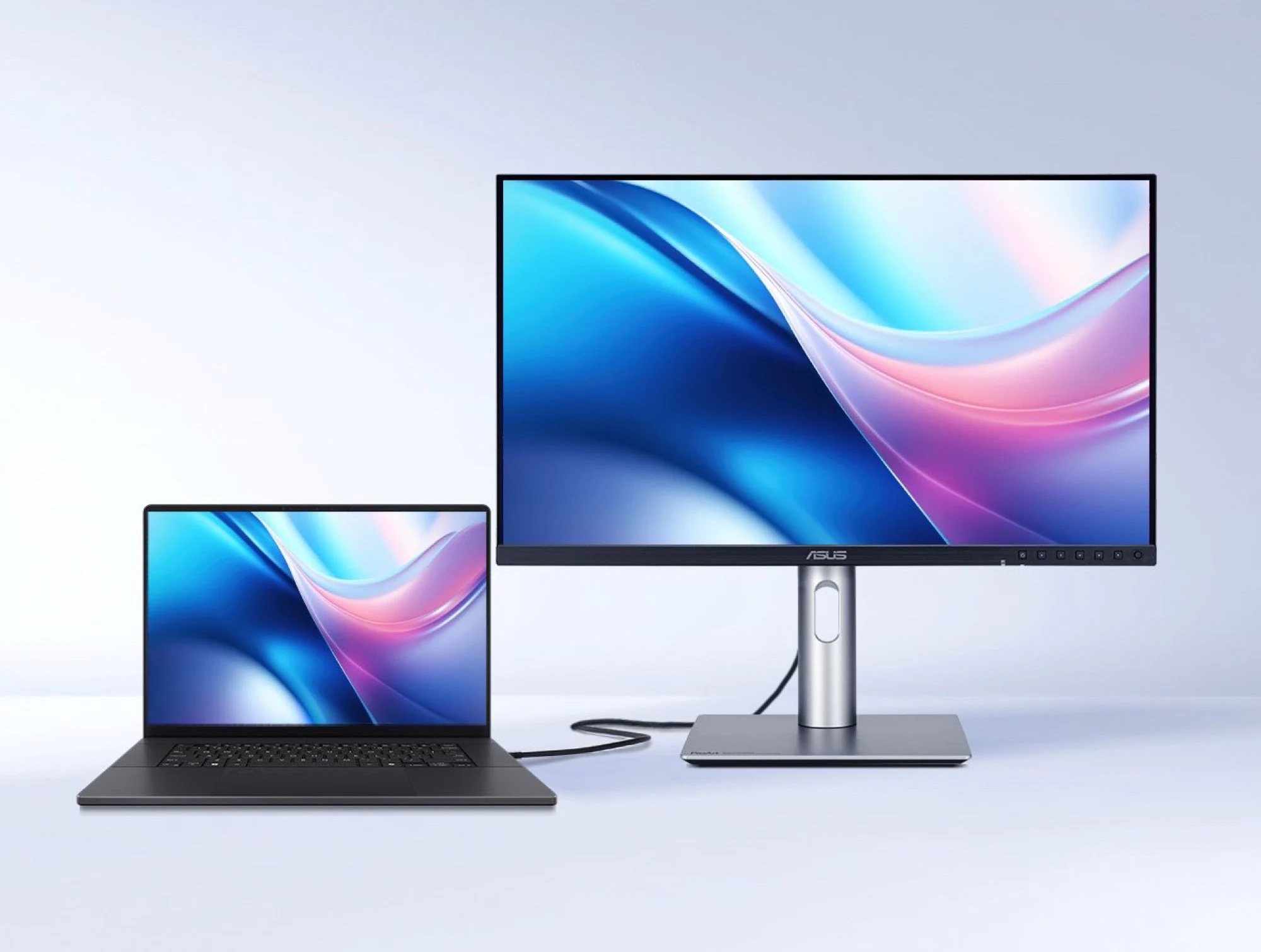
    This situation has improved with the launch of the Asus DisplayWidget Center for macOS. This software allows users to modify a ProArt monitor’s brightness using the function keys on an Apple keyboard, plus it enables management of monitor settings without having to navigate the often complicated on-screen display menus.

    Enhanced Features

    Reports suggest that the software will also enhance window management across multiple monitors, allowing users to shift windows directly to the chosen display using keyboard shortcuts. Another impressive feature is the ability to automatically change display modes depending on the active application. Furthermore, the DisplayWidget Center includes several features designed to help prevent OLED burn-in.

    Firmware Updates for ProArt Monitors

    Certain ProArt monitors are also expected to receive a firmware upgrade that will allow them to align their DCI-P3 color output with the displays on MacBook Pro or MacBook Air (which start at roughly $800 on Amazon). This update will help ensure that external monitors and MacBook screens match colors accurately, eliminating the need for tedious manual adjustments.

    Source:
    Link


  • Windows 11 January Patch Tuesday Causes Black Screen Issues

    Windows 11 January Patch Tuesday Causes Black Screen Issues

    Key Takeaways

    1. The January update for Windows 11 is causing a “black screen” issue on specific builds (24H2 and 25H2).
    2. The issue is not widespread but can be aggravated by certain software setups.
    3. Users experiencing the black screen can try various technical methods to restore functionality.
    4. Many users are exploring alternative operating systems like Zorin OS and Bazzite due to ongoing issues with Windows 11.
    5. It’s recommended to back up systems before updates and uninstall the KB5074109 package as a temporary fix until Microsoft releases a proper update.


    As seen in a report from Windows Latest, the January update is causing a “black screen” issue on certain computers. After booting up, the screen stays dark, even though the system may still be functioning in the background. This problem affects Windows 11 builds 24H2 (26100.7623) and 25H2 (26200.7623).

    Analysis of the Issue

    Experts have found that this issue is not widespread, but it can be made worse by certain software setups. There are two main areas that are thought to be the core of this problem.

    For those who are experiencing this black screen issue, there are a few technical methods that users can try to regain full functionality.

    Alternatives to Windows

    With the growing number of technical issues in Windows 11 and the upcoming end of support for Windows 10 in October 2026, many users are looking into alternative operating systems. Zorin OS 18, created by Artyom Zorin, has seen over two million downloads in just three months (refer to X post). Similarly, the Bazzite developers noted a rise of about 12,500 users in just a month (check X post).

    The current situation highlights the importance of a careful update approach for Windows 11. Systems that rely on modification tools should definitely have complete backups before applying any new patches. Until Microsoft issues a fixed update, uninstalling the KB5074109 package seems to be the most reliable temporary solution.

    Source:
    Link